

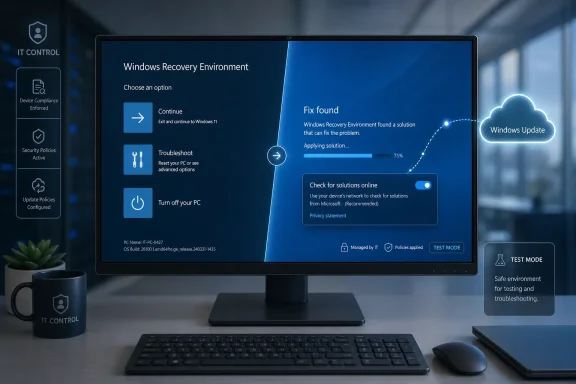
Microsoft’s Windows 11 Quick Machine Recovery controls, highlighted in Paul Thurrott’s June 25, 2026 Field Guide attachment, show how Windows 11 version 25H2 lets users and administrators decide whether a failed PC should look online for boot-failure fixes from the recovery environment. The setting is small, but the idea behind it is not. Microsoft is trying to turn the worst kind of Windows failure — the machine that cannot even reach the desktop — into something the operating system can remediate through Windows Update. That is both a practical recovery improvement and a revealing bet on Microsoft’s cloud-managed future for Windows.
For decades, a Windows PC that would not boot was a local problem. Someone had to touch the machine, boot external media, roll back an update, restore an image, run Startup Repair, or decide that the fastest path was a reinstall. Even in well-managed organizations, a large-scale boot failure could turn into a logistical crisis because the broken system was often unreachable by the very tools administrators normally use.
Quick Machine Recovery changes the premise. Instead of treating the Windows Recovery Environment as a mostly static toolbox, Microsoft is turning it into a network-aware repair layer that can query Windows Update for a remediation. If a known fix exists, the PC can retrieve it before the full operating system loads.
That distinction matters. Endpoint management tools, remote monitoring agents, EDR consoles, and help desk software all assume a working OS. Quick Machine Recovery is designed for the more awkward moment when Windows itself is too damaged, misconfigured, or blocked to participate in its own repair.
The feature also reflects a post-CrowdStrike lesson that Microsoft could hardly ignore. The July 2024 outage showed that modern Windows fleets can fail in synchronized fashion when low-level software goes wrong. Microsoft cannot prevent every bad driver, security update, or third-party component from reaching production, but it can make the recovery path less dependent on deskside intervention and bootable USB drives.
That is a lot of machinery to hide behind a control that looks like any other Windows switch. But Microsoft’s choice to make the setting visible is important because boot recovery has historically lived in a space that ordinary users encounter only during panic. By surfacing the feature in Settings before disaster strikes, Windows 11 nudges recovery planning into normal system configuration.
For consumers, the appeal is obvious. A PC that repeatedly fails to boot is one of the few personal computing problems that still feels catastrophic. If Windows can find and apply a fix without requiring command-line work, install media, or a trip to a repair counter, the feature will earn its keep the first time it works.
For IT departments, the calculus is more complicated. Automatic cloud remediation sounds attractive until it is applied to a fleet whose change-control process exists precisely to prevent unplanned changes. That is why Microsoft’s defaults and management hooks matter as much as the feature itself.
That split is the right one. Most home users are not going to preconfigure recovery policies, export XML settings, or test Windows RE behavior in a lab. If Quick Machine Recovery were off by default for consumers, it would be invisible until too late, which is another way of saying it would not exist for the people most likely to need it.
Enterprise environments are different. A domain-joined or MDM-managed PC is not merely a personal device; it is a node in a controlled operational system. Administrators may need to decide whether recovery should run once, retry at intervals, wait before rebooting, or use known network credentials. They may also need to account for regulated environments where a device contacting Microsoft during recovery is not a trivial detail.
This is where Microsoft’s design shows some maturity. The company is not pretending that every customer wants the same behavior. It is trying to give consumers a sane default while letting organizations opt into a more deliberate model.
Still, the split also creates an education problem. Many small businesses live in the awkward middle ground between consumer habits and enterprise needs. A Windows Pro PC that is not domain joined and not managed like an enterprise endpoint may behave more like a home PC than an IT-controlled asset. For shops that grew organically and never formalized endpoint management, Quick Machine Recovery is another reminder that Windows defaults increasingly depend on whether Microsoft can tell who is in charge.
That makes sense from Microsoft’s perspective. Windows Update already has the targeting infrastructure, device metadata, deployment controls, and servicing pipeline needed to deliver precise fixes. If Microsoft can identify a boot-breaking problem across many devices, Windows Update is the natural distribution point for the repair.
But this also deepens the dependency on Microsoft’s servicing stack. The same system that sometimes contributes to user anxiety around surprise updates is now being positioned as the route out of update-induced or driver-induced disaster. That is not hypocrisy; it is the reality of centralized platform maintenance. The cure and the risk often travel through the same channel.
The best version of Quick Machine Recovery is not one that fires constantly. It is one that users rarely notice because catastrophic boot failures become less catastrophic when they do happen. If Microsoft gets the targeting wrong, however, the feature could raise uncomfortable questions about whether cloud remediation is sufficiently transparent and auditable.
Quick Machine Recovery is Microsoft’s attempt to build a recovery lane below the normal operating system. That is the key architectural idea. If a widespread issue can be identified and a fix can be made available, affected PCs should not all require manual attention just because they are stuck before login.
This does not make Windows immune to bad updates or kernel-level failures. It also does not eliminate the need for staged rollouts, driver governance, backup strategy, or incident response planning. What it does is reduce the gap between “Microsoft knows what went wrong” and “the broken PC can actually receive the fix.”
That gap is where a lot of operational pain lives. A recovery feature that closes even part of it is more than a convenience. It is a resilience feature for a world where endpoint failures can arrive in waves.
That limitation matters most in enterprises that rely on certificate-based Wi-Fi, captive portals, VPN-dependent access, or network segmentation. A machine stranded in Windows RE may be physically close to a working network and still unable to use the path Quick Machine Recovery expects.
Administrators will need to test this before they trust it. The worst time to discover that recovery mode cannot reach the network is during a fleet incident. Microsoft provides command-line and policy-driven configuration routes, but those are only useful if organizations fold them into deployment and validation processes.
This is one of the recurring stories of modern Windows management. Microsoft can ship a clever feature, but the practical value depends on boring details: network profiles, firmware behavior, recovery partition health, driver availability, BitLocker recovery posture, and whether someone tested the scenario before the outage.
A recovery environment that can be configured, queried, and tested is closer to infrastructure than emergency signage. Administrators can use Recovery CSP settings, command-line tools such as reagentc, and management platforms to define behavior ahead of time. The machine’s out-of-band repair posture becomes part of its configuration.
That is where Microsoft is headed across Windows more broadly. Backup, restore, device encryption, passkeys, Windows Hello, baseline security controls, and cloud-assisted recovery all point toward a Windows experience that is less defined by the local box alone. The PC remains personal hardware, but its survivability increasingly depends on cloud policy and cloud services.
There is a tradeoff here. Users and admins get more automated repair options, but they also inherit more opaque platform behavior. If Windows fixes itself, someone will want to know what changed, why it changed, and whether it can be proven after the fact.
For enthusiasts, test mode is a way to understand what the PC will actually do when Quick Machine Recovery takes over. For IT pros, it is a deployment requirement in disguise. If an organization is going to rely on automatic remediation, it should validate the recovery partition, network access, policy behavior, reboot timing, and logging.
This is especially true because recovery failures tend to compound. A machine that cannot boot may also have a damaged recovery environment, missing network support, BitLocker complications, or firmware quirks. Quick Machine Recovery can improve the odds, but it cannot repeal the physics of messy PC estates.
The practical advice is not glamorous: make sure WinRE is enabled, know how your devices connect from recovery, understand your management defaults, and keep separate recovery media for the cases automation does not cover. Quick Machine Recovery is a new layer, not a replacement for recovery discipline.
That does not make Quick Machine Recovery suspect by default. In fact, this is the kind of cloud-connected Windows feature that is easiest to defend because the user benefit is concrete. A non-booting PC is not an abstract engagement opportunity. It is a broken tool.
But Microsoft should be careful not to blur the line between recovery and telemetry theater. Users need plain explanations of what data is used, what kind of remediation is applied, and where administrators can audit the result. The more Windows heals itself, the more Windows must explain itself.
This is especially important for security-minded readers. A recovery environment with network access and remediation capabilities must be tightly constrained, strongly authenticated, and resistant to tampering. Microsoft’s security story may be sound, but the company will need to keep proving it as recovery becomes more automated.
That matters because the most consequential Windows improvements are often the least photogenic. Faster update installation, better rollback behavior, Rust in lower-level components, recovery through Windows Update, and more granular policy controls do not produce the same excitement as a redesigned Start menu. They are the things that make Windows less fragile.
Windows 11 has spent much of its life fighting perception problems. Some users see it as a prettier Windows 10 with stricter hardware requirements and more Microsoft service promotion. Features like Quick Machine Recovery are part of the counterargument: Microsoft can claim that newer Windows is not merely newer, but more resilient.
The challenge is that resilience is only persuasive when it survives real incidents. Nobody will remember the Settings toggle if Quick Machine Recovery quietly saves thousands of machines during a bad update. Everyone will remember it if the feature fails loudly, loops pointlessly, or cannot connect to the network when needed.
The feature also gives administrators a new planning surface. Recovery behavior can be treated as policy, not folklore. That is useful, but it also means organizations need to decide what they want before an incident forces the decision.
The most concrete implications are straightforward:
 Microsoft Moves the Repair Shop Into Windows Recovery
For decades, a Windows PC that would not boot was a local problem. Someone had to touch the machine, boot external media, roll back an update, restore an image, run Startup Repair, or decide that the fastest path was a reinstall. Even in well-managed organizations, a large-scale boot failure could turn into a logistical crisis because the broken system was often unreachable by the very tools administrators normally use.Quick Machine Recovery changes the premise. Instead of treating the Windows Recovery Environment as a mostly static toolbox, Microsoft is turning it into a network-aware repair layer that can query Windows Update for a remediation. If a known fix exists, the PC can retrieve it before the full operating system loads.
That distinction matters. Endpoint management tools, remote monitoring agents, EDR consoles, and help desk software all assume a working OS. Quick Machine Recovery is designed for the more awkward moment when Windows itself is too damaged, misconfigured, or blocked to participate in its own repair.
The feature also reflects a post-CrowdStrike lesson that Microsoft could hardly ignore. The July 2024 outage showed that modern Windows fleets can fail in synchronized fashion when low-level software goes wrong. Microsoft cannot prevent every bad driver, security update, or third-party component from reaching production, but it can make the recovery path less dependent on deskside intervention and bootable USB drives.
The Toggle Is Simple Because the Failure Mode Is Not
The user-facing control is almost deceptively plain. In Settings, Quick Machine Recovery appears under System and Recovery, with options to enable the feature and decide whether Windows should automatically check for solutions. Behind that toggle sits a much more consequential architecture: Windows RE must start, establish a network connection, identify the failure condition, and locate a trusted remediation.That is a lot of machinery to hide behind a control that looks like any other Windows switch. But Microsoft’s choice to make the setting visible is important because boot recovery has historically lived in a space that ordinary users encounter only during panic. By surfacing the feature in Settings before disaster strikes, Windows 11 nudges recovery planning into normal system configuration.
For consumers, the appeal is obvious. A PC that repeatedly fails to boot is one of the few personal computing problems that still feels catastrophic. If Windows can find and apply a fix without requiring command-line work, install media, or a trip to a repair counter, the feature will earn its keep the first time it works.
For IT departments, the calculus is more complicated. Automatic cloud remediation sounds attractive until it is applied to a fleet whose change-control process exists precisely to prevent unplanned changes. That is why Microsoft’s defaults and management hooks matter as much as the feature itself.
Consumer PCs Get the Safety Net First
Microsoft’s default posture is telling. On unmanaged Windows Home systems and unmanaged Windows Pro PCs, cloud remediation is enabled by default. On enterprise-managed machines, Microsoft leaves the decision to administrators.That split is the right one. Most home users are not going to preconfigure recovery policies, export XML settings, or test Windows RE behavior in a lab. If Quick Machine Recovery were off by default for consumers, it would be invisible until too late, which is another way of saying it would not exist for the people most likely to need it.
Enterprise environments are different. A domain-joined or MDM-managed PC is not merely a personal device; it is a node in a controlled operational system. Administrators may need to decide whether recovery should run once, retry at intervals, wait before rebooting, or use known network credentials. They may also need to account for regulated environments where a device contacting Microsoft during recovery is not a trivial detail.
This is where Microsoft’s design shows some maturity. The company is not pretending that every customer wants the same behavior. It is trying to give consumers a sane default while letting organizations opt into a more deliberate model.
Still, the split also creates an education problem. Many small businesses live in the awkward middle ground between consumer habits and enterprise needs. A Windows Pro PC that is not domain joined and not managed like an enterprise endpoint may behave more like a home PC than an IT-controlled asset. For shops that grew organically and never formalized endpoint management, Quick Machine Recovery is another reminder that Windows defaults increasingly depend on whether Microsoft can tell who is in charge.
Windows Update Becomes the Recovery Channel of Last Resort
Quick Machine Recovery expands the role of Windows Update in a way that is easy to miss. Windows Update is no longer just the distribution mechanism for monthly patches, drivers, Store-adjacent components, and feature enablement packages. In this model, it also becomes the place Windows looks when the machine cannot complete startup.That makes sense from Microsoft’s perspective. Windows Update already has the targeting infrastructure, device metadata, deployment controls, and servicing pipeline needed to deliver precise fixes. If Microsoft can identify a boot-breaking problem across many devices, Windows Update is the natural distribution point for the repair.
But this also deepens the dependency on Microsoft’s servicing stack. The same system that sometimes contributes to user anxiety around surprise updates is now being positioned as the route out of update-induced or driver-induced disaster. That is not hypocrisy; it is the reality of centralized platform maintenance. The cure and the risk often travel through the same channel.
The best version of Quick Machine Recovery is not one that fires constantly. It is one that users rarely notice because catastrophic boot failures become less catastrophic when they do happen. If Microsoft gets the targeting wrong, however, the feature could raise uncomfortable questions about whether cloud remediation is sufficiently transparent and auditable.
The CrowdStrike Lesson Was About Reachability
The CrowdStrike incident remains the obvious backdrop because it exposed a brutal truth about modern endpoint fleets: when Windows cannot boot, the management plane can disappear. Remote tools do not help much when the endpoint never reaches the stage where those tools can run. At that point, scale becomes the enemy.Quick Machine Recovery is Microsoft’s attempt to build a recovery lane below the normal operating system. That is the key architectural idea. If a widespread issue can be identified and a fix can be made available, affected PCs should not all require manual attention just because they are stuck before login.
This does not make Windows immune to bad updates or kernel-level failures. It also does not eliminate the need for staged rollouts, driver governance, backup strategy, or incident response planning. What it does is reduce the gap between “Microsoft knows what went wrong” and “the broken PC can actually receive the fix.”
That gap is where a lot of operational pain lives. A recovery feature that closes even part of it is more than a convenience. It is a resilience feature for a world where endpoint failures can arrive in waves.
The Network Requirement Is the Feature’s Sharp Edge
Quick Machine Recovery depends on connectivity, and connectivity in recovery mode is not as simple as connectivity in Windows. Wired Ethernet is straightforward enough in many offices, but Wi-Fi introduces credentials, authentication types, drivers, and security policy. Microsoft currently frames support around wired networks and WPA/WPA2 password-based Wi-Fi, which is practical but not universal.That limitation matters most in enterprises that rely on certificate-based Wi-Fi, captive portals, VPN-dependent access, or network segmentation. A machine stranded in Windows RE may be physically close to a working network and still unable to use the path Quick Machine Recovery expects.
Administrators will need to test this before they trust it. The worst time to discover that recovery mode cannot reach the network is during a fleet incident. Microsoft provides command-line and policy-driven configuration routes, but those are only useful if organizations fold them into deployment and validation processes.
This is one of the recurring stories of modern Windows management. Microsoft can ship a clever feature, but the practical value depends on boring details: network profiles, firmware behavior, recovery partition health, driver availability, BitLocker recovery posture, and whether someone tested the scenario before the outage.
Recovery Is Becoming a Managed State, Not a Panic Screen
Windows RE has always been important, but it has often felt like a place users arrive after something has already gone wrong. Quick Machine Recovery recasts it as a managed state in the device lifecycle. That is a subtle but meaningful change.A recovery environment that can be configured, queried, and tested is closer to infrastructure than emergency signage. Administrators can use Recovery CSP settings, command-line tools such as reagentc, and management platforms to define behavior ahead of time. The machine’s out-of-band repair posture becomes part of its configuration.
That is where Microsoft is headed across Windows more broadly. Backup, restore, device encryption, passkeys, Windows Hello, baseline security controls, and cloud-assisted recovery all point toward a Windows experience that is less defined by the local box alone. The PC remains personal hardware, but its survivability increasingly depends on cloud policy and cloud services.
There is a tradeoff here. Users and admins get more automated repair options, but they also inherit more opaque platform behavior. If Windows fixes itself, someone will want to know what changed, why it changed, and whether it can be proven after the fact.
The Best Recovery Feature Is Still the One You Rehearse
Microsoft includes a test mode for Quick Machine Recovery, and that may be the most underappreciated part of the story. Recovery features are often treated like insurance policies: everyone is glad they exist, but too few people read the terms until the house is on fire. A testable recovery path is much more valuable than a theoretical one.For enthusiasts, test mode is a way to understand what the PC will actually do when Quick Machine Recovery takes over. For IT pros, it is a deployment requirement in disguise. If an organization is going to rely on automatic remediation, it should validate the recovery partition, network access, policy behavior, reboot timing, and logging.
This is especially true because recovery failures tend to compound. A machine that cannot boot may also have a damaged recovery environment, missing network support, BitLocker complications, or firmware quirks. Quick Machine Recovery can improve the odds, but it cannot repeal the physics of messy PC estates.
The practical advice is not glamorous: make sure WinRE is enabled, know how your devices connect from recovery, understand your management defaults, and keep separate recovery media for the cases automation does not cover. Quick Machine Recovery is a new layer, not a replacement for recovery discipline.
Microsoft’s Trust Problem Follows It Into the Recovery Environment
There is another reason this feature deserves scrutiny: Windows users are not short on reasons to distrust Microsoft’s defaults. Ads, account nudges, Edge promotion, Copilot placement, OneDrive pressure, and shifting privacy settings have made many enthusiasts wary of anything described as “cloud” and “automatic.” Even a genuinely useful recovery feature arrives in that climate.That does not make Quick Machine Recovery suspect by default. In fact, this is the kind of cloud-connected Windows feature that is easiest to defend because the user benefit is concrete. A non-booting PC is not an abstract engagement opportunity. It is a broken tool.
But Microsoft should be careful not to blur the line between recovery and telemetry theater. Users need plain explanations of what data is used, what kind of remediation is applied, and where administrators can audit the result. The more Windows heals itself, the more Windows must explain itself.
This is especially important for security-minded readers. A recovery environment with network access and remediation capabilities must be tightly constrained, strongly authenticated, and resistant to tampering. Microsoft’s security story may be sound, but the company will need to keep proving it as recovery becomes more automated.
The Attachment Shows a Bigger Windows 11 Pivot
The Thurrott attachment itself is a small artifact: a screenshot-like page tied to the Windows 11 Field Guide’s Help and Recovery material. But it points to one of the more interesting changes in Windows 11’s 25H2-era identity. Microsoft is no longer just adding visible features to the shell; it is reworking the operating system’s failure behavior.That matters because the most consequential Windows improvements are often the least photogenic. Faster update installation, better rollback behavior, Rust in lower-level components, recovery through Windows Update, and more granular policy controls do not produce the same excitement as a redesigned Start menu. They are the things that make Windows less fragile.
Windows 11 has spent much of its life fighting perception problems. Some users see it as a prettier Windows 10 with stricter hardware requirements and more Microsoft service promotion. Features like Quick Machine Recovery are part of the counterargument: Microsoft can claim that newer Windows is not merely newer, but more resilient.
The challenge is that resilience is only persuasive when it survives real incidents. Nobody will remember the Settings toggle if Quick Machine Recovery quietly saves thousands of machines during a bad update. Everyone will remember it if the feature fails loudly, loops pointlessly, or cannot connect to the network when needed.
The Real Message Hidden in the Recovery Controls
Quick Machine Recovery is best understood as a shift in responsibility. Microsoft is saying that a Windows PC should not become unreachable just because the main operating system cannot boot. That is a reasonable expectation in 2026, when even home users expect devices to recover more gracefully than they did a decade ago.The feature also gives administrators a new planning surface. Recovery behavior can be treated as policy, not folklore. That is useful, but it also means organizations need to decide what they want before an incident forces the decision.
The most concrete implications are straightforward:
- Windows 11 version 25H2 makes Quick Machine Recovery a visible recovery option that can look for cloud-based remediations when a PC cannot boot normally.
- Unmanaged consumer-style systems are positioned to benefit automatically, while enterprise-managed devices require more deliberate configuration.
- The feature is most valuable in widespread boot-failure scenarios where normal remote management tools cannot reach affected endpoints.
- Network readiness is the make-or-break detail, especially for Wi-Fi-heavy environments and organizations with complex authentication.
- Quick Machine Recovery should be tested as part of endpoint readiness rather than assumed to work during a crisis.
- The feature strengthens Windows Update’s role as both the servicing channel and the emergency repair channel for Windows PCs.
References
- Primary source: thurrott.com
Published: 2026-06-26T00:28:09.413257
qa-control - Thurrott.com
 www.thurrott.com
