

 Microsoft’s 25H2 push makes sense — but the timing is uncomfortable
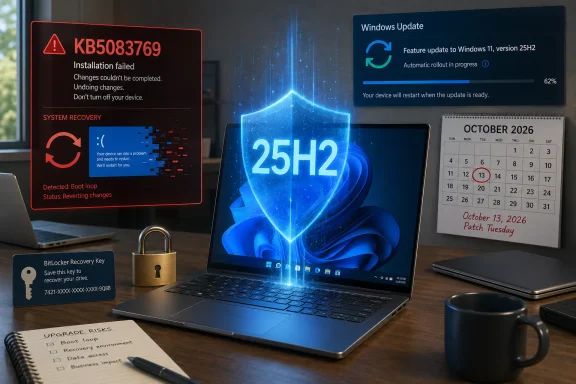
Microsoft’s decision to move unmanaged Windows 11 24H2 Home and Pro systems to Windows 11 25H2 is not surprising. In fact, from a servicing and security point of view, it is exactly what the company usually does as a Windows release approaches the end of its consumer support window.The awkward part is the timing.
Windows 11 24H2 Home and Pro editions are scheduled to reach end of support on October 13, 2026. After that date, those editions stop receiving regular security updates, bug fixes, and other servicing updates. Microsoft does not want a large pool of consumer PCs sitting on an unsupported Windows build, so it has begun expanding the automatic 25H2 rollout to unmanaged devices.
In Microsoft terminology, “unmanaged” generally means PCs that are not controlled by an organization through enterprise tools such as Intune, Windows Update for Business policies, domain management, or other IT-administered deployment controls. In simpler terms, this mostly affects regular consumer PCs and small-business machines that rely directly on Windows Update.
The upgrade itself is technically modest. Windows 11 25H2 is not a traditional heavy feature upgrade in the way older Windows feature updates sometimes were. It shares the same servicing branch and core platform as 24H2, and much of the 25H2 code has already been delivered to 24H2 systems through cumulative updates. The enablement package mainly flips on the new version state and activates staged features.
That is why the update can be very small and fast compared with a full operating system upgrade. For many users, moving from 24H2 to 25H2 should feel closer to installing a routine monthly update than performing a major Windows migration.
But that optimistic technical picture is running into a very real confidence problem: KB5083769.
According to the Notebookcheck report, Microsoft’s April 14, 2026 cumulative update, KB5083769, is still causing serious boot problems for some Windows 11 24H2 and 25H2 systems, especially among reported HP and Dell configurations. Users have described symptoms including corrupted or pixelated graphics at restart, blue screens, recovery loops, and systems that cannot return to a normal desktop without manual repair.
That creates a nasty overlap. Microsoft is trying to move 24H2 users forward to keep them supported, while some of those same users may already be dealing with fallout from the April cumulative update.
Why Microsoft is pushing 24H2 users forward
The main driver is lifecycle management.Windows 11 feature updates have fixed servicing periods. Home and Pro editions receive a shorter support period than Enterprise and Education editions. Once that support window closes, Microsoft stops issuing normal monthly security updates for that version. From Microsoft’s perspective, leaving consumer devices on an unsupported Windows 11 release is a security risk at scale.
That is why Windows Update eventually becomes more assertive. At first, a new Windows feature update is usually offered as an optional download. Later, as older releases approach end of support, Microsoft starts automatically initiating the update on eligible consumer devices.
This is not new behavior. Microsoft has used similar staged, machine-learning-guided rollouts for previous Windows 10 and Windows 11 transitions. The company typically evaluates telemetry, hardware compatibility, drivers, app reliability, and known safeguard holds before offering a new feature update more broadly.
The difference here is that 25H2 is a particularly lightweight update path for 24H2 systems. Because 24H2 and 25H2 are closely related, Microsoft can argue that the risk of the actual version jump is low. The upgrade is not supposed to replace the entire Windows installation or introduce a completely separate platform baseline. It should simply move the device onto the newer support lifecycle.
For a clean, healthy Windows 11 24H2 system with current drivers, enough disk space, no firmware oddities, and no ongoing update corruption, the move to 25H2 should be uneventful.
That is the theory.
Why users are nervous
The problem is not only whether 25H2 itself is risky. The problem is whether Windows Update can reliably distinguish a “ready” machine from one that is already in a fragile state.KB5083769 appears to be the more immediate issue. The April 2026 cumulative update applies to Windows 11 24H2 and 25H2 and moves systems to newer OS builds. Reports cited by Notebookcheck and other outlets describe boot loops on some HP and Dell PCs after installation.
A typical failure pattern sounds like this:
The update installs normally.
The PC restarts.
The display shows corrupted or pixelated graphics.
Windows crashes into a blue screen.
Automatic repair starts.
The system fails to repair itself.
The PC loops back into the same failure state.
For users with BitLocker enabled, some machines may also land in recovery-key prompts, adding another layer of difficulty. If the user does not have the BitLocker recovery key available, even a recoverable update problem can become a much more stressful lockout scenario.
This is where Microsoft’s forced or automatic upgrade model becomes controversial. If a user’s system is already unstable because of a cumulative update, they do not want Windows Update pushing another version transition, even a small one. They want the current fault fixed first.
Microsoft does have safeguard holds for known compatibility problems. These holds can block feature updates on machines with certain drivers, apps, or hardware combinations that are known to cause failures. But safeguard holds are only as good as the detection logic behind them. If the KB5083769 failures are tied to a narrow hardware, firmware, GPU, storage, or security-configuration combination, it may not be easy to identify every affected machine automatically.
That is the central concern. Microsoft may know that 25H2 is broadly safe, but users affected by KB5083769 are not worried about broad averages. They are worried about their specific device becoming unbootable.
The upgrade and the bad update are separate — but users experience them together
It is important to separate two issues.The first issue is the 24H2-to-25H2 version transition. On its own, this should be a relatively small enablement-style update for eligible systems. It extends the support window and keeps users on a serviced Windows 11 release.
The second issue is KB5083769, the April cumulative update that has reportedly caused serious boot failures on some machines.
Those are not exactly the same thing. A PC can move to 25H2 without necessarily being broken by the version change itself. Likewise, a PC can be affected by KB5083769 whether it is on 24H2 or 25H2, since the cumulative update services both releases.
But ordinary users do not experience Windows servicing as a neat set of independent components. They see “Windows updated,” then the PC fails to boot. Whether the trigger was a cumulative update, an enablement package, a driver update, a firmware interaction, or some combination of those things does not matter much when the system is stuck at recovery.
That is why the optics are bad for Microsoft. Even if 25H2 is not the root cause of the boot-loop reports, pushing an automatic feature update during an unresolved cumulative-update problem makes users feel like they have lost control of their own machines.
Home and Pro users have limited control
For unmanaged Windows 11 Home and Pro users, the main built-in option is to pause updates. This can delay installation, but it is not a permanent refusal mechanism.That distinction matters. “Pause updates” is a delay button, not a long-term servicing strategy. Once the pause expires, Windows Update resumes. If Microsoft determines that a device needs a feature update to stay supported, the system will eventually try to move forward unless another block applies.
Professional and enterprise environments have more options. IT departments can use management policies to defer feature updates, set target versions, test updates on pilot rings, and block deployment until compatibility is verified. That is why enterprise and education devices are generally not treated the same way as unmanaged consumer machines.
Home users do not get the same level of control. They can delay, restart at a chosen time, and sometimes avoid clicking “Download and install” during optional phases, but once Microsoft classifies an update as needed for lifecycle reasons, the balance shifts toward automatic installation.
This is one of the long-running tensions in modern Windows. Microsoft wants Windows to behave more like a continuously serviced platform, but many users still think of the operating system as something they should be able to freeze in place if their machine is working.
Both positions have logic behind them.
Microsoft’s argument is security and ecosystem health.
The user’s argument is stability and ownership.
The KB5083769 situation makes the user’s argument feel much stronger.
What affected users should do first
If a PC is already showing boot problems after KB5083769, the priority should not be 25H2. The priority should be getting the machine stable and preserving data.If the system still boots into Windows, users should back up important files immediately. That means copying documents, photos, work files, browser exports, license keys, and anything else that would be painful to lose. Cloud sync is useful, but it should not be blindly trusted as the only backup. If possible, make a separate local backup to an external drive.
After that, pausing updates is reasonable while waiting for Microsoft to clarify the issue or release a fix. Users should also check the PC manufacturer’s support tools for BIOS, firmware, storage, chipset, and graphics-driver updates, but they should be cautious. Firmware updates are not something to do casually on a machine that is already unstable or at risk of losing power.
If the machine no longer boots, the recovery path usually starts with Windows Recovery Environment.
From there, users can try Startup Repair, System Restore if a restore point exists, uninstalling the latest quality update, or using command-line tools if they know what they are doing. Removing the latest cumulative update can sometimes reverse a bad patch installation, but it is not guaranteed if the update has damaged boot files, triggered firmware-level behavior, or exposed an underlying driver conflict.
If BitLocker is enabled, the recovery key may be required. Users should check their Microsoft account, organization account, printed records, saved files, or wherever the key was originally stored. Without the BitLocker recovery key, repair options become much more limited.
Reset this PC should be treated as a last resort. Even when Windows offers a “keep my files” option, users should not assume everything will survive. Apps, settings, and some data can be lost. A full reset or clean install is more drastic and should only happen after other recovery options have failed or after data has been recovered externally.
What unaffected users should do
If your Windows 11 24H2 machine is healthy, the situation is different.For most users, moving to 25H2 is probably the right path. It keeps the system within the supported lifecycle, extends security updates, and avoids the last-minute scramble that often happens near end-of-support dates.
Before accepting the upgrade, it is still smart to do basic maintenance:
Back up important files.
Make sure BitLocker recovery information is accessible.
Check that the device has enough free disk space.
Install current drivers from the PC manufacturer if applicable.
Avoid forcing updates while the machine is doing critical work.
Do not interrupt the update once it begins.
Users with HP or Dell systems who are worried about the KB5083769 reports may want to be more conservative. If the system has not yet installed the April cumulative update, pausing updates briefly while monitoring manufacturer advisories and Microsoft’s release-health information may be sensible. However, that should be a short-term delay, not a permanent plan to remain unpatched.
Running unsupported or unpatched Windows builds creates a different risk. Security vulnerabilities continue to be discovered, and unsupported systems become easier targets over time. The goal should be to update safely, not to avoid updates forever.
Microsoft needs clearer messaging
The biggest issue here is communication.Microsoft’s public release-health dashboards are useful, but they can lag behind user reports or fail to describe narrower hardware-specific problems until Microsoft has enough data to classify them. From an engineering standpoint, that caution is understandable. Microsoft does not want to confirm a known issue until it has identified the scope and cause.
From a user standpoint, it feels dismissive. If dozens or hundreds of people are reporting similar boot loops, and the official known-issues page still says there are no active known issues, users conclude that Microsoft is not listening.
Even a limited advisory would help. Microsoft could say that it is investigating reports of boot failures after KB5083769 on certain configurations, that affected users should avoid reinstalling the update if they have already recovered, and that more information will follow. That kind of acknowledgement would reduce panic and prevent users from repeatedly reinstalling the same problematic update.
Microsoft also needs to be careful about the word “automatic.” The company may see automatic updates as essential to keeping the Windows ecosystem secure. But for users who have just watched an update break a working machine, “automatic” sounds like “unavoidable.”
The better message would be: 25H2 is a small enablement update, but devices with suspected compatibility problems will be held back, and users experiencing KB5083769 boot failures should stabilize their systems before proceeding.
The security case is still real
It is easy to focus only on the failure reports, but Microsoft’s broader security argument should not be ignored.Windows 11 24H2 Home and Pro reaching end of support on October 13, 2026 is a real deadline. After that date, consumer systems still running 24H2 will not receive the normal flow of security fixes. That creates risk not only for individual users but also for the broader Windows ecosystem.
Attackers pay attention to unsupported systems. Once patches stop arriving, newly discovered vulnerabilities can remain open indefinitely. Even users who “do not do anything risky” can be exposed through browsers, documents, drivers, network services, malicious ads, compromised websites, or vulnerable software.
From that perspective, Microsoft is right to avoid letting millions of consumer PCs drift past end of support. The company has to push users forward eventually.
The question is not whether Microsoft should move users to supported Windows builds. It should.
The question is whether it should slow or refine the rollout while KB5083769 reports remain unresolved.
That is where criticism is fair. A forced upgrade policy depends on trust. Every high-profile update failure weakens that trust, especially when recovery is difficult.
25H2 itself appears low-risk, but the environment is messy
There is nothing in the basic 25H2 servicing model that suggests it should be a dramatic upgrade for 24H2 users. It is built on the same foundation, delivered through the same servicing pipeline, and designed to be activated through a small package.That should make it one of the less disruptive Windows 11 feature updates.
But Windows machines are not identical. OEM firmware, third-party drivers, old recovery partitions, BitLocker policies, graphics cards, storage controllers, security software, and prior failed updates can all change the outcome. A theoretically simple update can become complicated when it lands on a machine with just the wrong combination of components.
That seems to be what users fear with KB5083769. The update may be fine for the vast majority of systems, but for the subset that fails, the impact is severe. A rare bug that merely breaks a minor feature is annoying. A rare bug that prevents booting is a crisis.
Microsoft’s rollout systems are designed to catch widespread failures. They are less reassuring when the problem is narrow, hardware-specific, and severe.
Practical bottom line
For Windows 11 24H2 Home and Pro users, the 25H2 upgrade is coming. If your PC is unmanaged and eligible, you should expect Windows Update to offer or automatically initiate the move as the 24H2 support deadline approaches.If your system is stable, 25H2 is probably worth taking after making a backup and ensuring your recovery information is available.
If your system has already shown symptoms after KB5083769, do not treat 25H2 as the immediate priority. Stabilize the machine first. Recover from the failed update, uninstall the latest quality update if necessary, back up data, pause updates if Windows still boots, and wait for clearer guidance or a corrected patch.
If the machine is managed by an organization, do not try to work around company update policy on your own. Contact IT. Enterprise administrators have more control over deployment rings, safeguard holds, and rollback strategies.
The main lesson is familiar: Windows servicing is safer than it used to be in many ways, but when it fails, it can still fail hard. Microsoft’s 25H2 push is logical from a support-lifecycle perspective. The unresolved KB5083769 boot-loop reports make the rollout feel riskier than it should.
Microsoft can still reduce the damage by acknowledging the affected configurations more clearly, applying safeguard holds where possible, and releasing a targeted fix if the reports point to a reproducible defect.
Until then, the safest advice is simple: back up first, make sure you can access your BitLocker recovery key, do not ignore signs of update trouble, and do not wait until October 2026 to think about your Windows 11 support status.
Source: Notebookcheck Microsoft is pushing Windows 11 24H2 users to 25H2
