

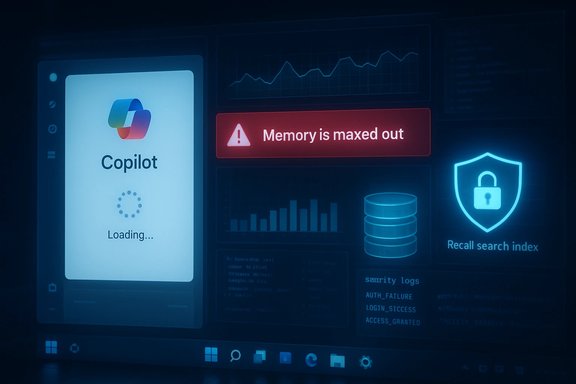
Microsoft’s big bet on embedding generative AI into Windows 11 has collided with the lived reality of millions of users: instead of clear productivity gains, many report slower machines, flaky features, and invasive telemetry-like behaviors that have turned excitement into exasperation for both consumers and enterprise admins. The backlash centers on performance regressions tied to Copilot integrations, privacy alarms around features such as Recall, and growing concerns that rapid, AI-driven development shortcuts are introducing new bugs and security vectors—while executives insist the rush toward an “agentic OS” will eventually pay dividends.
What Microsoft needs now is less rhetorical momentum and more engineering discipline: ruthless focus on reliability, transparent privacy guarantees, rigorous security controls around agentic behavior, and a marketing posture that prioritizes outcomes over buzzwords. OEMs and enterprise customers are already voting with their messaging and procurement choices; the market will reward the vendor that proves AI improves the everyday PC experience rather than complicates it.
The next year will be decisive. If Microsoft pares back forced integrations, hardens agent security, and measures success by stability and trust as much as novelty, Windows could reclaim the narrative and demonstrate practical AI value. If it doesn’t, the backlash could harden into a durable skepticism that undermines the promise of on‑device intelligence—and the company’s partners may be the first to pivot away from the hard sell.
Source: WebProNews Microsoft’s Windows 11 AI Integration Draws Backlash on Performance, Privacy Woes
 Background
How Microsoft framed the AI future for Windows
Microsoft’s recent messaging has positioned Windows as the platform that will make AI ubiquitous at the endpoint. Company leaders have promoted “Copilot” everywhere—inside the taskbar, File Explorer, Office apps, and as local agentic features that can act on user behalf. CEO Satya Nadella has publicly urged critics to look past the early rough edges of AI (the so‑called “slop”) and focus on long‑term potential. His message reframes AI as “cognitive amplification” rather than a mere novelty. At the same time, Microsoft’s own product teams shipped a set of experimental agentic capabilities—Copilot Actions, Agent Workspace, and the controversial Recall feature—intended to make Windows proactive and context aware. Those features introduced new models for local data access, automated UI interaction, and continuous capture of activity to support recallable histories. Microsoft documented the agent workspace model and highlighted security guardrails, but the language also warned that these experimental features can expose new threat surfaces.What broke: performance, reliability, and the user experience
Sluggishness and UI freezes with Copilot integrations
User reports and hands‑on videos circulated widely showing Copilot‑driven interactions that caused the UI to stall, apps to hang, and multitasking to degrade. Complaints range from slower boot times and higher memory footprints to specific examples of the Copilot pane or sidebar “popping up” unexpectedly and interfering with workflows. Those anecdotal reports are mirrored by outage spikes on public trackers and threads documenting degraded Copilot availability in some regions. Why this matters: Windows is still used for latency‑sensitive tasks—creative workflows, professional applications, gaming—and perceived regressions in responsiveness get immediate attention. When a new feature disrupts the primary tasks users buy a PC for, trust erodes quickly.The Copilot outage story (availability matters)
Beyond local performance, Microsoft has faced several regional service disruptions affecting Copilot. In December, Microsoft logged an incident under code CP1193544 after an unexpected traffic surge caused regional autoscaling failures—users in parts of the UK and Europe reported Copilot panes failing to load or returning fallback messages. That outage underscored how deeply integrated Copilot is becoming: when the AI layer flaked, core productivity scenarios broke.- Immediate consequence: organizations that layered Copilot into processes (summaries, automations, quick edits) saw those workflows partially or wholly stop.
- Operational takeaway: integrating cloud‑backed AI into the OS shifts availability risk from being an optional add‑on to a potential single point of failure for end‑user productivity.
Privacy and data‑handling concerns: the Recall saga
What Recall was designed to do
Recall was pitched as a “photographic memory” for Windows—periodically capturing screenshots, transcribing text via OCR, and making past activity searchable. The feature targeted power users who lose time hunting for a document or a tab they previously viewed, but the implementation raised immediate privacy red flags. Uploaded user files and screenshots—even ones containing sensitive data—were within scope, and early descriptions revealed a local database of snapshots that initially lacked adequately explained protections.The backlash and Microsoft’s response
Security researchers and privacy advocates pushed back hard. Early testing showed Recall could capture credit card numbers and other sensitive content despite “sensitive‑data redaction” promises; regulators even expressed interest. Microsoft delayed, then reworked Recall: it became opt‑in, limited to Copilot+ devices initially, required Windows Hello for access, and the search index was encrypted and stored locally. Microsoft also made Recall uninstallable on Copilot+ devices and moved toward staged Insider rollouts. Those changes reflect a clear, reactive posture—features launched prematurely were pulled back and re‑engineered in response to community pressure.What remains unresolved
Even after the fixes, distrust lingers. Tests and early previews still reported lapses in the redaction and filter logic. That means for users handling highly sensitive information—finance, law, healthcare—Recall’s default posture (opt‑in only, enterprise gating) is unlikely to be sufficient to reassure skeptical IT teams. The feature’s very nature—continuous, context‑rich capture—creates a structural tension between convenience and privacy that cannot be papered over by settings alone.Development shortcuts, code generation, and their consequences
AI‑assisted coding: speed at the cost of subtle defects?
Microsoft CEO Satya Nadella acknowledged that AI already writes a sizable portion of the company’s new code—he estimated 20–30% in some repositories. That accelerated code generation promises faster iteration and more automation, but it also raises questions about testing, code review quality, and the kinds of errors AI may introduce when context or domain‑specific nuance is required. Multiple outlets covered Nadella’s remarks, and the company’s reliance on AI for coding has become a visible corporate strategy. Insiders and developer forum threads describe odd regressions (infinite loops in utilities, UI helpers opening duplicate processes, and edge‑case handling gaps) that point to incomplete unit testing and brittle integration. The worry among engineers is not that AI can’t help write code; it’s that developers are delegating more of the mundane work to models while retaining responsibility for subtle, high‑risk logic. When development and revision cycles accelerate, QA and integration testing must scale equally—and that’s where many organizations still struggle.What the evidence shows
- Corporate admissions: Microsoft and other large firms publicly report rising AI contributions to codebases.
- Community signals: developer complaints and bug threads show increased noise around weird regressions shortly after AI‑heavy code drops. Those threads typically combine humor and alarm but are consistent enough to warrant caution.
Security: a new attack surface emerges with agentic features
Agentic OS features are conceptually different
When an AI moves from “suggest” to “do” it changes the attack model for endpoints. Microsoft’s Agent Workspace and Copilot Actions create isolated agent accounts that can interact with the UI, read known folders, and perform multi‑step tasks. Microsoft flagged a specific adversarial concern called cross‑prompt injection (XPIA)—adversarial content embedded in documents or web previews that an agent might consume and then act on, enabling data exfiltration or even unauthorized installs. The company documented these risks and set opt‑in defaults, but the reality is that the OS now recognizes agents as first‑class principals—an architectural shift with security implications.Concrete risks and mitigations
- Cross‑prompt injection (XPIA): if an agent ingests a malicious instruction hidden in a document or UI preview, it could carry out the instruction (download a binary, attach files to emails, or alter system settings) unless the agent’s planners, provenance checks, and signer validation are robust. Microsoft lists XPIA explicitly as a risk and recommends admin controls and signing/validation measures.
- Supply‑chain signing and revocation: Microsoft requires agent connectors to be signed; revocation must be fast and reliable to prevent compromised connectors running unchecked.
- Auditability: agents must produce tamper‑evident logs and non‑repudiable actions so incident response can reconstruct behaviors; Microsoft emphasizes these controls but much of the ecosystem remains immature.
The practical enterprise trade‑offs
Enterprises will need to treat agents like any other privileged process: apply least privilege, monitor telemetry closely, and validate runbooks for incident response. In some regulated contexts the risk profile will be unacceptable without substantial proof points from Microsoft and third‑party security vendors.Executive defenses and the rhetorical disconnect
Leadership tone: optimism vs. user reality
Microsoft’s leadership has doubled down publicly on the AI vision. Satya Nadella’s recent posts encourage moving beyond criticism of early AI outputs and emphasize long‑term societal impact, while Mustafa Suleyman, Microsoft AI CEO, has publicly pushed back at skeptics—arguing the technology’s capabilities remain exciting and transformative. Those statements echo internal optimism but often clash with the day‑to‑day complaints and user videos showing poor experiences.Market signals contradict the hype
Hardware partners feel the pain of this disconnect. Dell’s product leadership publicly acknowledged that most consumers are not buying devices because of AI features—and that, in many cases, AI positioning “confuses” buyers more than it helps them. Dell’s candid pivot away from heavy AI‑first messaging at CES is a notable signal: while NPUs and AI silicon remain part of the product roadmap, marketing is shifting back toward tangible outcomes like battery life and performance. That’s a market reality check Microsoft can’t ignore.What Microsoft and partners must do: a pragmatic path forward
1. Decouple and modularize AI features
- Make AI features clearly optional and modular. Let users enable what they want—not force Copilot into every context.
- Ship a “pure‑Windows” profile that is explicitly AI‑free for users who prioritize stability and privacy.
2. Improve observability and performance engineering
- Publish clear performance budgets for AI components (memory, CPU, boot impact).
- Provide tools for admins and power users to profile AI components and disable or throttle them.
3. Harden agent security and consent flows
- Strengthen provenance checks for agent inputs and require explicit, contextual consent for potentially destructive actions.
- Deliver transparent, auditable agent logs and a verifiable signing/revocation chain for connectors.
4. Slow rollouts and stronger Insiders feedback loops
- Expand Insider testing with defined success metrics for performance and privacy before broad rollout.
- Reward long‑running stability in metrics as strongly as feature parity in release criteria.
5. Recommit to QA and human‑in‑the‑loop validation
- Treat AI‑generated code with the same or stronger review and test scaffolding as human code, not as a lesser substitute.
- Track and publish metrics showing how AI changes affect defect rates and post‑release incidents.
Strengths in Microsoft’s approach — and why they matter
- Bold vision: Microsoft’s integration of on‑device and cloud AI is technically ambitious and, if executed responsibly, offers real endpoint advantages—offline models, lower-latency inference, and richer contextual assistance.
- Security honesty: Microsoft has been unusually explicit about the new classes of risk (XPIA, agent privilege) and is shipping opt‑in defaults and agent gating mechanisms rather than burying these concerns.
- Hardware‑software co‑design: Copilot+ PCs and NPU investments point to a future where endpoint AI can be more private and efficient than cloud‑only models.
Risks that remain critical
- Trust erosion: Repeated missteps—privacy scares (Recall), outages (Copilot incidents), buggy updates—accelerate user distrust. Regaining trust requires transparency and sustained stability improvements, not messaging alone.
- Security novelty: Agentic features introduce genuine new attack vectors; the defender playbook needs to adapt quickly or enterprises will block these features by policy.
- Economic and market fit: Premium AI PCs command price premiums. If consumers remain unconvinced, hardware partners will deprioritize AI as a selling point, narrowing the market and slowing the ecosystem’s maturation.
- Quality control under velocity: Relying on AI to generate large shares of code may accelerate feature velocity but also risks introducing systemic defects unless validation tooling and human oversight scale at least proportionally.
How to evaluate Microsoft’s claims and what to watch next
- Track incident IDs and service health reports for Copilot and Microsoft 365 to assess availability trends. Recent regional incidents (CP1193544) highlighted autoscaling fragility; watch whether Microsoft updates its architecture or introduces regional failover tuning.
- Watch Defender/Windows security advisories for agent‑related mitigations and third‑party vendor guidance—these will reveal how seriously enterprise defenders treat agentic risk.
- Measure telemetry improvements: Microsoft must publish tangible KPIs showing reduced memory/CPU cost of Copilot components and demonstrable improvements in startup times and UI latency.
- Observe hardware partner positioning: if OEMs shift messaging away from AI as a primary buyer rationale (Dell is already doing so), that’s a strong market signal that AI features must deliver clearer outcomes.
- For enterprises, adopt a phased approach: trial agents and Recall‑type features in controlled environments, assess DLP and auditability, then scale only upon satisfactory legal and security review.
Conclusion
Microsoft’s ambition to make Windows an “agentic OS” is a watershed moment for personal computing: it has the potential to transform routine tasks, but the path there is littered with practical hazards—performance regressions, privacy missteps, and new security attack surfaces. The company’s recent public posture—calling for a move beyond “slop” and embracing AI broadly—signals confidence, but confidence alone won’t restore user faith.What Microsoft needs now is less rhetorical momentum and more engineering discipline: ruthless focus on reliability, transparent privacy guarantees, rigorous security controls around agentic behavior, and a marketing posture that prioritizes outcomes over buzzwords. OEMs and enterprise customers are already voting with their messaging and procurement choices; the market will reward the vendor that proves AI improves the everyday PC experience rather than complicates it.
The next year will be decisive. If Microsoft pares back forced integrations, hardens agent security, and measures success by stability and trust as much as novelty, Windows could reclaim the narrative and demonstrate practical AI value. If it doesn’t, the backlash could harden into a durable skepticism that undermines the promise of on‑device intelligence—and the company’s partners may be the first to pivot away from the hard sell.
Source: WebProNews Microsoft’s Windows 11 AI Integration Draws Backlash on Performance, Privacy Woes
