

These Windows 11 annoyances are not just cosmetic irritations; they reveal the operating system’s bigger identity crisis. Microsoft has spent years pushing a more cloud-connected, more account-driven, and more AI-infused Windows experience, while many power users still want the opposite: less friction, fewer pop-ups, and more control over the desktop they already own. The good news is that Windows 11 remains flexible enough to tame, provided you are willing to use built-in settings, power-user shortcuts, and a few third-party tools that restore the autonomy Microsoft has trimmed away. The bad news is that the very existence of those workarounds says a lot about how much frustration the platform still creates.
Windows 11 arrived as a reset, but it never fully earned that role. Microsoft sold it as a cleaner, more modern operating system, yet for many longtime users it felt like a step backward in the places that matter most: speed of access, desktop consistency, and user choice. Over time, the criticism has hardened around a familiar theme — Windows 11 is often easier to admire than to use.
That tension matters even more now because Windows 10 support ended on October 14, 2025, which leaves Windows 11 as the mainstream choice for most PCs. Microsoft’s own support pages now frame Windows 11 as the default path forward, and even the company’s documentation reflects a more polished but still heavily guided experience in the Start menu, taskbar, and Widgets panel. Yet the underlying complaint has not changed: many users want a desktop OS, not a curated service layer sitting on top of one.
At the same time, Microsoft has become more assertive about accounts, cloud services, and default integrations. The company still supports local accounts in Windows, but current setup flows increasingly nudge users toward Microsoft accounts, and community discussions around 25H2 show that the pressure to sign in during initial setup remains a live issue. That is why many enthusiasts now rely on tools like Rufus or installation workflows that preserve offline setup options. The workaround culture is no longer fringe; it has become part of the Windows 11 ecosystem.
The same pattern shows up in user interface design. Microsoft has made the taskbar more constrained than it was in Windows 10, and its own documentation still emphasizes centered taskbar behavior by default, though some settings remain configurable. Widgets are similarly designed to be discoverable and personalized, but the company’s support pages confirm that they are tied closely to the Microsoft account experience and can surface weather, sports, finance, and news directly from the taskbar. What the documentation presents as helpful integration often feels to enthusiasts like background noise.
This is why the most practical Windows 11 story in 2026 is not about waiting for Microsoft to suddenly reverse course. It is about learning where the OS can still be bent to your will, where it cannot, and where third-party tools can fill the gap. That is the real lesson behind every complaint about the Start menu, taskbar, setup flow, context menus, and Widgets: Windows 11 is usable, but it is rarely usable enough out of the box for people who care about speed, simplicity, and control.
What frustrates many users is not that Windows 11 has no Start menu options. It is that the options feel constrained. Microsoft supports pin rearrangement, folders, layout tweaks, and the ability to choose whether certain sections appear, yet the interface still defaults to a minimalist grid that leaves a lot of wasted space for people who launch apps all day. That is a reasonable design for casual users, but power users often interpret it as lost density.
The broader implication is important. When users turn to third-party software to get back basic efficiency, it means the stock interface is no longer meeting the needs of a core audience. Microsoft may regard this group as niche, but it is often the group that shapes forum discussions, office workflows, and technical recommendations.
This is where tools like ExplorerPatcher become especially attractive. Rather than simply skinning the interface, they restore control points that Microsoft removed. For some users that means a taskbar on the top edge of the screen; for others it means changing alignment, search presentation, or other small details that add up to a large productivity gain. The appeal is straightforward: less mouse travel, more visual familiarity, and fewer layout surprises.
That is why restoring configurability matters so much. It is not a nostalgia argument. It is an efficiency argument. The people who care about moving the taskbar are usually the same people who work across multiple monitors, use keyboard-heavy workflows, or value predictable screen real estate.
This friction is not just philosophical. During installation, the account choice determines what gets synced, what gets linked, and how much of your identity is stitched into the OS on day one. For some users, cloud benefits are welcome. For others, the forced default feels like losing a choice that once defined Windows. The frustration is amplified because local accounts still exist after installation, but many users do not want to begin a new PC setup by first consenting to an account model they do not want.
The broader market implication is stark. Whenever installation workarounds become common knowledge, the vendor’s default onboarding flow has become too restrictive. That does not mean most users are resisting Microsoft accounts, but it does show that a meaningful minority still wants a more traditional path.
That is not a failure of concept so much as a failure of balance. On paper, a simplified menu is sensible: fewer commands, less clutter, less intimidation for casual users. In practice, though, the old behavior was efficient precisely because it exposed depth without ceremony. Windows 11 creates a second-class experience for the very people most likely to rely on the context menu heavily.
That approach highlights a key truth about Windows customization: the best utilities do not merely restore old behavior. They help users curate that behavior. A menu is only useful if it reflects the tools you actually use.
The main complaint is accidental activation. Hover behavior can make Widgets pop up when users merely pass the pointer over the taskbar icon, which is exactly the sort of interaction that turns an optional feature into an annoyance. If you like Widgets, they can be handy. If you do not, they feel like a constant interruption waiting to happen.
The deeper lesson is that information density only works when it respects user intent. Widgets can be valuable for weather or a quick news glance, but they cross the line when they behave like an automatic billboard.
That creates a paradox. The more users rely on external utilities to make Windows comfortable, the more indispensable the ecosystem around Windows becomes. But it also means Microsoft has not fully earned user confidence in the core design. If a taskbar, a menu, or a setup flow still needs outside repair, the platform remains unfinished in the areas that matter most.
Still, many users will gladly accept that burden because the alternative is living with defaults that do not fit their habits. In that sense, third-party tools are not just hacks; they are a market response to a product strategy mismatch.
Consumers, by contrast, experience these same decisions as a loss of agency. A home user is far more likely to care about where the taskbar sits, whether Widgets hover open, or whether setup forces a Microsoft account. To that user, every default that prioritizes Microsoft’s ecosystem over personal preference feels like a tax on ownership.
That is not impossible, but it is hard. The more Microsoft leans into managed experience and cloud integration, the more it risks alienating the enthusiast and prosumer audience that still shapes public perception of Windows quality.
The biggest opportunity for Microsoft is not to reinvent Windows again. It is to acknowledge that power users need fewer obstacles, not more, and that a modern OS should be able to offer both sensible defaults and easy escape hatches.
There is also a support risk. The more people depend on unofficial tools to repair the operating system, the more complicated future updates become. A Windows release that breaks popular customization utilities could trigger backlash far beyond the enthusiast community.
The practical future of Windows 11 may therefore be split in two. Casual users will likely continue accepting Microsoft’s defaults, especially as the company pushes tighter integration across services. Power users, meanwhile, will keep assembling their own preferred desktops out of built-in settings and third-party utilities. That divide is not healthy in the long run, but it is the current reality.
What to watch next:
Source: PCMag These 5 Windows 11 Features Drive Me Nuts, But I Figured Out How to Fix Them
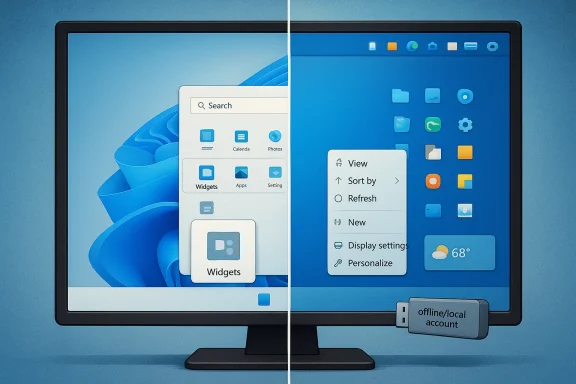 Overview
Windows 11 arrived as a reset, but it never fully earned that role. Microsoft sold it as a cleaner, more modern operating system, yet for many longtime users it felt like a step backward in the places that matter most: speed of access, desktop consistency, and user choice. Over time, the criticism has hardened around a familiar theme — Windows 11 is often easier to admire than to use.That tension matters even more now because Windows 10 support ended on October 14, 2025, which leaves Windows 11 as the mainstream choice for most PCs. Microsoft’s own support pages now frame Windows 11 as the default path forward, and even the company’s documentation reflects a more polished but still heavily guided experience in the Start menu, taskbar, and Widgets panel. Yet the underlying complaint has not changed: many users want a desktop OS, not a curated service layer sitting on top of one.
At the same time, Microsoft has become more assertive about accounts, cloud services, and default integrations. The company still supports local accounts in Windows, but current setup flows increasingly nudge users toward Microsoft accounts, and community discussions around 25H2 show that the pressure to sign in during initial setup remains a live issue. That is why many enthusiasts now rely on tools like Rufus or installation workflows that preserve offline setup options. The workaround culture is no longer fringe; it has become part of the Windows 11 ecosystem.
The same pattern shows up in user interface design. Microsoft has made the taskbar more constrained than it was in Windows 10, and its own documentation still emphasizes centered taskbar behavior by default, though some settings remain configurable. Widgets are similarly designed to be discoverable and personalized, but the company’s support pages confirm that they are tied closely to the Microsoft account experience and can surface weather, sports, finance, and news directly from the taskbar. What the documentation presents as helpful integration often feels to enthusiasts like background noise.
This is why the most practical Windows 11 story in 2026 is not about waiting for Microsoft to suddenly reverse course. It is about learning where the OS can still be bent to your will, where it cannot, and where third-party tools can fill the gap. That is the real lesson behind every complaint about the Start menu, taskbar, setup flow, context menus, and Widgets: Windows 11 is usable, but it is rarely usable enough out of the box for people who care about speed, simplicity, and control.
The Start Menu Problem
The Start menu remains the symbolic center of Windows, which is exactly why dissatisfaction with it resonates so strongly. Microsoft’s current Start design gives users pin organization, folders, and layout options, but it still prioritizes Microsoft’s notion of neatness over the kind of dense, efficient launcher many desktop users want. The result is a Start experience that can be customized, yes, but not fully escaped.What frustrates many users is not that Windows 11 has no Start menu options. It is that the options feel constrained. Microsoft supports pin rearrangement, folders, layout tweaks, and the ability to choose whether certain sections appear, yet the interface still defaults to a minimalist grid that leaves a lot of wasted space for people who launch apps all day. That is a reasonable design for casual users, but power users often interpret it as lost density.
Why third-party Start menus still matter
That gap explains why tools such as Start11 have become popular among enthusiasts. A replacement launcher is not just a cosmetic change; it is a workflow correction. By restoring denser layouts and faster access patterns, it reduces the number of clicks required to reach the apps and folders that matter most.The broader implication is important. When users turn to third-party software to get back basic efficiency, it means the stock interface is no longer meeting the needs of a core audience. Microsoft may regard this group as niche, but it is often the group that shapes forum discussions, office workflows, and technical recommendations.
- Windows 11 Start is customizable, but not enough for power users
- Pinned folders and layout tweaks help, but do not solve density issues
- Replacement menus succeed because they optimize for speed
- A launcher is a workflow tool, not just a visual theme
- Microsoft’s defaults often favor simplicity over throughput
The Taskbar Restriction
The taskbar is another area where Windows 11 reveals its tradeoffs. Microsoft’s documentation confirms that Widgets, Start, Search, Task view, applications, and the system tray all live inside a more managed taskbar structure, and the company still describes the centered alignment as the default in Windows 11. For users who want the taskbar on top or on the sides, that is a meaningful regression from the flexibility Windows 10 offered.This is where tools like ExplorerPatcher become especially attractive. Rather than simply skinning the interface, they restore control points that Microsoft removed. For some users that means a taskbar on the top edge of the screen; for others it means changing alignment, search presentation, or other small details that add up to a large productivity gain. The appeal is straightforward: less mouse travel, more visual familiarity, and fewer layout surprises.
Why the taskbar debate is really about muscle memory
Many critics describe the Windows 11 taskbar as “modern,” but that word often hides the real issue. The taskbar is one of the most habitual parts of the PC experience, so even modest changes can feel disruptive. Once your hands know where to go, altering that geometry costs time every day.That is why restoring configurability matters so much. It is not a nostalgia argument. It is an efficiency argument. The people who care about moving the taskbar are usually the same people who work across multiple monitors, use keyboard-heavy workflows, or value predictable screen real estate.
- Centered taskbar placement is the default, not the ideal for everyone
- Top-edge taskbar placement remains a high-value preference
- Search presentation influences how often people use the taskbar
- Taskbar rigidity disproportionately affects advanced users
- Customization becomes a productivity issue, not a style choice
The Setup and Account Battle
Few Windows 11 issues are as politically loaded as the push toward a Microsoft account during setup. Microsoft still supports local accounts in Windows, but recent setup flows have made them harder to reach, and community reports around 25H2 suggest the company has continued tightening the initial experience. That has left privacy-minded users, offline installers, and system builders looking for alternate paths.This friction is not just philosophical. During installation, the account choice determines what gets synced, what gets linked, and how much of your identity is stitched into the OS on day one. For some users, cloud benefits are welcome. For others, the forced default feels like losing a choice that once defined Windows. The frustration is amplified because local accounts still exist after installation, but many users do not want to begin a new PC setup by first consenting to an account model they do not want.
Why Rufus became part of the Windows conversation
Rufus matters here because it provides a practical escape hatch. By creating modified installation media, it can help users preserve local-account setup paths or bypass some Windows 11 requirements. That makes it more than a USB flashing tool; it is a trust-preserving utility for users who want to install Windows on their own terms.The broader market implication is stark. Whenever installation workarounds become common knowledge, the vendor’s default onboarding flow has become too restrictive. That does not mean most users are resisting Microsoft accounts, but it does show that a meaningful minority still wants a more traditional path.
- Prepare a Windows 11 installation USB with a trusted tool.
- Choose installation options before booting into setup.
- Preserve the ability to create or use a local account.
- Keep the media handy for future installs or repairs.
- Treat the workflow as a repeatable part of PC maintenance.
The Context Menu Compromise
The right-click context menu in File Explorer is one of Windows 11’s most revealing design compromises. Microsoft simplified the menu to make it cleaner, but it also hid many useful commands behind the “Show more options” step. The result is a UI that looks tidier on the surface while making experienced users perform an extra action to reach the tools they use most.That is not a failure of concept so much as a failure of balance. On paper, a simplified menu is sensible: fewer commands, less clutter, less intimidation for casual users. In practice, though, the old behavior was efficient precisely because it exposed depth without ceremony. Windows 11 creates a second-class experience for the very people most likely to rely on the context menu heavily.
Editing the menu is the real fix
For many enthusiasts, the answer is not just to restore the old menu, but to manage it intelligently. Tools such as ContextMenuManager let users selectively disable entries they do not need, which is arguably the best of both worlds. You get the richer command set when you want it, but you can remove the most obnoxious clutter.That approach highlights a key truth about Windows customization: the best utilities do not merely restore old behavior. They help users curate that behavior. A menu is only useful if it reflects the tools you actually use.
- The simplified menu reduces clutter
- The “Show more options” step adds friction
- Keyboard and modifier shortcuts still matter
- Selective editing is better than blanket restoration
- Context menus work best when they are personalized
Widgets: Useful, Intrusive, or Both
The Widgets board is one of Windows 11’s most divisive additions because it tries to satisfy two opposing instincts at once. It wants to be a glanceable information hub, but it also wants to live close enough to the taskbar that users cannot ignore it. Microsoft’s support documentation says Widgets can surface weather, sports, stocks, and breaking news, and that they are personalized using the Microsoft account used to sign in. That personalization is useful, but it also makes the feature feel more like a content surface than a system utility.The main complaint is accidental activation. Hover behavior can make Widgets pop up when users merely pass the pointer over the taskbar icon, which is exactly the sort of interaction that turns an optional feature into an annoyance. If you like Widgets, they can be handy. If you do not, they feel like a constant interruption waiting to happen.
Managing the hover problem
Microsoft does give users control here. You can disable Widgets entirely from taskbar settings, or keep the panel but turn off hover-to-open behavior so that it only appears when clicked. That is a good example of a feature that becomes far more tolerable once the most intrusive trigger is removed.The deeper lesson is that information density only works when it respects user intent. Widgets can be valuable for weather or a quick news glance, but they cross the line when they behave like an automatic billboard.
- Widgets are useful when they are deliberate
- Hover activation makes them feel invasive
- Personalization ties Widgets to the Microsoft account layer
- Disabling hover is the best middle-ground fix
- Full removal is preferable for users who never glance at them
Third-Party Tools as Windows 11 Corrective Lenses
The recurring theme across all these complaints is that third-party tools have become corrective lenses for Windows 11. Start11, ExplorerPatcher, Rufus, and ContextMenuManager do not exist because users want novelty. They exist because the stock system leaves unresolved friction in places where personalization should already be mature.That creates a paradox. The more users rely on external utilities to make Windows comfortable, the more indispensable the ecosystem around Windows becomes. But it also means Microsoft has not fully earned user confidence in the core design. If a taskbar, a menu, or a setup flow still needs outside repair, the platform remains unfinished in the areas that matter most.
The price of customization freedom
Power users generally accept that customization has a price. Third-party tools can break after updates, require careful maintenance, or be blocked by security hardening. That is the tradeoff for reclaiming control that the operating system itself no longer gives freely.Still, many users will gladly accept that burden because the alternative is living with defaults that do not fit their habits. In that sense, third-party tools are not just hacks; they are a market response to a product strategy mismatch.
- Third-party tools restore removed affordances
- They often preserve legacy workflows better than Microsoft does
- They can carry update and compatibility risk
- They often become essential in enthusiast communities
- They expose which frustrations are structural, not incidental
Enterprise and Consumer Impact
The impact of these Windows 11 frustrations differs sharply between enterprise and consumer users. In business environments, some of Microsoft’s choices make sense: a standardized taskbar, a consistent account model, and curated information surfaces are easier to support at scale. Organizations also benefit from policy-driven management, which can reduce the need for individual customization.Consumers, by contrast, experience these same decisions as a loss of agency. A home user is far more likely to care about where the taskbar sits, whether Widgets hover open, or whether setup forces a Microsoft account. To that user, every default that prioritizes Microsoft’s ecosystem over personal preference feels like a tax on ownership.
Different expectations, different tolerances
Enterprises generally tolerate more standardization because the goal is control, supportability, and compliance. Consumers want convenience, but they also want freedom from forced behavior. Windows 11 often gets into trouble because it is trying to serve both groups with the same design language.That is not impossible, but it is hard. The more Microsoft leans into managed experience and cloud integration, the more it risks alienating the enthusiast and prosumer audience that still shapes public perception of Windows quality.
- Enterprise values predictability and policy control
- Consumers care more about personal workflow and privacy
- One design rarely satisfies both groups equally
- Microsoft’s defaults often favor management over individuality
- The enthusiast audience remains disproportionately influential
Strengths and Opportunities
Despite all the criticism, Windows 11 still has real strengths. Its interface is more coherent than Windows 10 in some places, the OS is actively supported, and many of its flaws are at least workaround-able. That matters because a platform that can be tuned is still better than one that is simply rigid.The biggest opportunity for Microsoft is not to reinvent Windows again. It is to acknowledge that power users need fewer obstacles, not more, and that a modern OS should be able to offer both sensible defaults and easy escape hatches.
- Windows 11 has a cleaner visual baseline than older releases
- Support remains active, unlike Windows 10
- Custom tools can restore lost productivity quickly
- Microsoft still provides some built-in customization points
- A stronger power-user story could improve goodwill
- The OS could become more flexible without losing mainstream simplicity
- Better defaults would reduce the need for third-party repair
Risks and Concerns
The danger for Microsoft is not just that users dislike specific features. It is that repeated friction teaches them to distrust the platform’s direction. Once people believe Windows is being shaped primarily around cloud services, content feeds, and managed behavior, even useful additions begin to look suspect.There is also a support risk. The more people depend on unofficial tools to repair the operating system, the more complicated future updates become. A Windows release that breaks popular customization utilities could trigger backlash far beyond the enthusiast community.
- User trust erodes when defaults feel coercive
- Third-party tools increase the maintenance burden
- Updates can break carefully tuned workflows
- Forced integration can alienate privacy-conscious users
- A polished UI cannot hide functional frustration
- Feature bloat can make the OS feel less predictable
- Too much guidance can feel like loss of control
Looking Ahead
Microsoft’s own support and product documentation show that the company still sees Windows 11 as a customizable platform, but not all customization is created equal. The direction of travel is still toward more cloud hooks, more account integration, and more curated surfaces like Widgets. Whether that remains acceptable will depend on how much space Microsoft leaves for users who want a simpler, quieter, more manual Windows.The practical future of Windows 11 may therefore be split in two. Casual users will likely continue accepting Microsoft’s defaults, especially as the company pushes tighter integration across services. Power users, meanwhile, will keep assembling their own preferred desktops out of built-in settings and third-party utilities. That divide is not healthy in the long run, but it is the current reality.
What to watch next:
- Whether Microsoft loosens account requirements during setup
- Whether taskbar customization becomes more flexible again
- Whether Widgets gets a less intrusive activation model
- Whether Start menu design becomes denser and more efficient
- Whether third-party customization tools remain stable after updates
- Whether Windows 11 evolves toward choice or further standardization
Source: PCMag These 5 Windows 11 Features Drive Me Nuts, But I Figured Out How to Fix Them
