Microsoft’s latest Windows 11 Canary build is pushing the Xbox full-screen experience far beyond the handheld niche, and that makes this one of the more interesting gaming UI moves the company has made in years. In build 29570.1000, Microsoft is officially testing an Xbox Mode-style interface on laptops, desktops, and tablets, not just handhelds, with access through the Xbox app, Game Bar settings, or the Win+F11 shortcut. The change is still limited to the Windows Insider Canary channel, but it signals that Microsoft wants a more controller-friendly, console-like layer to become a normal part of Windows rather than a handheld-only experiment.

Neon color palette UI on three monitors and laptops showing glowing square swatches and side controls.Overview​

Microsoft has been steadily rethinking how gaming should feel on Windows, and this rollout is the clearest sign yet that the company sees value in a more focused, console-style interface across the broader PC ecosystem. The original idea was straightforward: handhelds like the ROG Ally and other Windows gaming portables needed a cleaner, less desktop-heavy way to get into games quickly. Once that UI proved useful there, expanding it to traditional PCs became the logical next step.
The feature has gone through a deliberate progression. Microsoft first introduced the full screen experience on Windows handhelds, then expanded testing to more Windows 11 PC form factors in Insider builds, and now the Canary channel is receiving the same concept in a more active development branch. The move suggests that Microsoft is not merely polishing a handheld feature, but testing a broader gaming shell that can sit on top of standard Windows without replacing it.
That distinction matters. A full-screen gaming layer is not the same as a separate gaming operating system, but it does borrow the best parts of one: fewer distractions, controller-first navigation, and a home screen centered on installed games rather than files and desktop clutter. For players who use a PC like a living-room console some of the time, the appeal is obvious. For everyone else, the key question is whether this is a useful convenience or just another feature competing for attention in an already crowded Windows UI stack.
There is also a broader strategic angle. Microsoft has spent years trying to blur the boundaries between Xbox, PC, and portable gaming, and the expansion of Xbox Mode fits neatly into that effort. By making Windows itself feel more like a console when needed, Microsoft strengthens the case for Xbox app adoption, Game Bar usage, and the broader Xbox ecosystem on Windows 11.

Background​

The idea behind Xbox full-screen experience did not emerge in a vacuum. Microsoft has been steadily iterating on the gaming layer of Windows through Game Bar, Xbox app integration, and handheld optimization, all while competitors and device makers have shown growing interest in PC gaming devices that behave more like consoles. The ROG Ally era accelerated that thinking, because it exposed how much friction traditional Windows can create when the user’s intent is simply to launch a game and play.
Microsoft’s own messaging has emphasized that the experience is designed for console-style navigation and controller-first gaming. That language matters because it frames the feature as a usability layer, not a brand gimmick. In practice, the feature reduces background distractions and creates a cleaner home screen where games are the focal point, which is exactly what many handheld users wanted and what some desktop users may now find attractive.
The rollout to PCs was first previewed in late 2025. Microsoft said the full-screen experience would expand beyond handhelds to laptops, desktops, and tablets, and that preview established the basic pattern now being tested in Canary: a broad form-factor approach with the same core interface. At that time, Microsoft also made clear that the feature could be entered from Task View, Game Bar, or the Win+F11 shortcut.
The new Canary build goes a step further by putting the feature into a build that represents Microsoft’s active development branch rather than a more conservative preview lane. That does not guarantee a near-term release to stable Windows 11 users, but it does indicate that the company is comfortable testing the experience under more aggressive conditions. Canary builds often surface ideas early, and the fact that this one includes Xbox Mode on multiple form factors suggests the project has moved beyond a simple prototype.

Why handheld lessons matter​

Handheld Windows devices taught Microsoft something important: if a machine is being used mostly for gaming, the desktop can feel like overhead. The same logic applies to some laptops and tablets, particularly devices with APU and iGPU hardware that resemble handheld architectures more than traditional tower PCs. Microsoft explicitly points to that hardware overlap as part of the rationale for the expansion.
The result is a more flexible Windows identity. Windows no longer has to be purely a desktop operating system with gaming as an app-layer afterthought. Instead, it can briefly become a console-like launcher when the user wants it to, then drop back into standard productivity mode just as easily. That dual identity is potentially powerful, but it also raises familiar Windows questions about complexity, fragmentation, and whether too many special modes eventually make the platform harder to understand. That tension is the real story here.

What Xbox Mode Actually Does​

The most important thing to understand is that Xbox Mode is not replacing Windows desktop. It is an optional, full-screen gaming interface that places the Xbox app and your games at the center while reducing background distractions. Microsoft’s description is intentionally practical rather than theatrical: the company wants users to think of it as a streamlined way to sit back with a controller and jump into play.
Access is also simple by design. Microsoft says the experience can be launched through the Xbox app, the Game Bar settings menu, or by pressing Win+F11. That matters because it makes the feature available from the places players already use, rather than forcing a separate launcher or hidden system utility.

Entry points and navigation​

The entry points are important because they reveal Microsoft’s intent: the feature should feel integrated, not bolted on. Task View support and Game Bar access mean that Windows can stay familiar while offering a separate layer for gaming sessions. The Win+F11 shortcut, meanwhile, gives power users a direct and memorable toggle.
Microsoft has also said users can switch back to the desktop without rebooting, which is a small but crucial detail. That instant return lowers the cost of trying the mode and makes it more attractive for mixed-use PCs where gaming sessions are only part of the day. In other words, it behaves like a temporary state rather than a permanent commitment.
  • Xbox Mode is optional, not mandatory.
  • Game Bar and the Xbox app are the primary launch points.
  • Win+F11 provides a quick keyboard toggle.
  • The desktop remains available immediately when you exit.
  • The interface is designed around controller-first use.

Why Microsoft Is Expanding It Now​

The timing is not accidental. Microsoft has spent the last year making the Windows gaming story more coherent across handhelds and PCs, and this expansion lets the company test whether the same interface can scale across much larger device categories. Once the company had an operating proof point on handhelds, the next logical question was whether the concept also made sense on thin-and-light laptops, small tablets, and even desktop systems used in couch gaming setups.
There is also a hardware argument. Microsoft’s note about similar APU and iGPU hardware across handhelds, laptops, and tablets is more than a technical footnote. It implies that performance and power behavior are converging enough that a single gaming interface can work across more device classes without major compromises. That is a helpful justification for Microsoft, because it reframes the feature as an architecture-aware optimization rather than a branding exercise.

The strategic logic​

Microsoft is also trying to remove friction from the path between “I have a Windows device” and “I am in a game.” Every layer of simplification helps the Xbox app become more central, and every improvement to Game Bar deepens the notion that Windows is a gaming platform first-class enough to have its own launcher mode. The company benefits if people think of Xbox on Windows as a cohesive experience rather than a collection of separate apps.
That strategy has competitive implications. If Microsoft can make Windows feel more like a console when desired, it strengthens the platform against dedicated gaming OS ecosystems and against device makers that try to own the gaming interface entirely. It also helps explain why Microsoft continues to invest in features that seem small on paper but matter a great deal in daily use. A smoother start to gaming is often the difference between a feature people try once and a feature they rely on.

What This Means for Desktop Users​

For traditional desktop users, Xbox Mode is probably best understood as a situational interface. It is not meant to replace the normal desktop workflow, and for many people it will only make sense when a controller is in hand and the goal is gaming rather than multitasking. That said, desktops can still benefit from a mode that suppresses clutter and foregrounds games, especially in living-room or media-center setups.
The desktop use case is subtler than the handheld one. On a handheld, the full-screen experience solves an obvious pain point: tiny targets, awkward desktop navigation, and too much friction between booting the device and launching a game. On a desktop, the benefit is less about necessity and more about convenience, but convenience is often enough to justify an optional mode.

Consumer scenarios​

The biggest consumer wins are likely to come from households that treat a Windows PC like a hybrid console. A living-room desktop, a tablet on a stand, or a gaming laptop connected to a TV all become more appealing when the interface looks and behaves like a console launcher. That is especially true for users who rotate between mouse-and-keyboard and controller play.
There is also a psychological benefit. When the desktop disappears, the user’s attention follows the game. That sounds simple, but the Windows desktop has always been full of little interruptions, from notifications to taskbar distractions to the temptation to switch contexts. Xbox Mode tries to solve that by making gaming feel like a mode rather than just another app.
  • Better fit for TV-connected PCs
  • Useful for controller-first gaming
  • Cleaner experience for shared household devices
  • More natural on tablets used as couch companions
  • Lower friction for users who dislike desktop clutter

Enterprise and Education Implications​

Although the gaming feature itself is obviously aimed at consumers, Microsoft’s broader Canary build also includes a noteworthy enterprise-related change: a policy-based removal of preinstalled Microsoft apps for Windows Enterprise and Education. That is important because it shows the same build family is carrying both consumer-facing gaming work and administrative controls for managed environments.
For enterprises, Xbox Mode is unlikely to be a priority. But its presence in Windows 11’s active development pipeline still matters because it demonstrates Microsoft’s willingness to keep the client OS flexible across vastly different usage models. In managed environments, the key question is not whether staff will use Xbox Mode, but whether the operating system can keep gaming features from becoming noise.

Mixed-use device reality​

The rise of hybrid-use hardware complicates the story. Schools, small businesses, and shared-device deployments increasingly use tablets and lightweight PCs that could technically support gaming features even if that is not their primary purpose. Microsoft’s ability to keep the gaming layer optional and policy-neutral will determine whether this feature remains harmless in enterprise contexts.
In that sense, the feature is a reminder that Windows still has to serve multiple masters at once. One branch of development can be about games and controllers, while another can be about app removal policies and device management. The challenge for Microsoft is maintaining clarity so those worlds do not collide in ways that confuse admins or consumers.

The Competitive Landscape​

This change does not happen in a vacuum. The market for gaming devices has shifted toward more compact, more flexible form factors, and the idea of a dedicated gaming shell is now a serious differentiator rather than a curiosity. Microsoft’s move suggests it wants Windows to be the default substrate for that new wave of devices instead of merely the underlying OS that users work around.
It also places indirect pressure on rivals. If Windows can offer a cleaner gaming-first mode without abandoning general-purpose computing, the argument for alternative gaming environments becomes harder to sustain on mainstream PC hardware. That does not eliminate competition, but it does raise the bar for any platform that wants to claim a smoother “console on PC” experience.

Why the UI matters strategically​

User interface changes are often dismissed as cosmetic, but in gaming they influence behavior more than people expect. A launcher that feels faster, a mode that reduces distractions, and a toggle that is easy to remember can all shift how often a device is used for gaming. Microsoft is betting that a simplified full-screen shell will make Windows feel more purpose-built for play.
If that bet pays off, it may also help Microsoft’s broader ecosystem: Xbox app engagement, Game Pass discovery, and controller-based navigation all become easier when the OS itself is collaborating with the experience. That is a subtle but meaningful competitive advantage. Interfaces shape habits, and habits shape platform loyalty.

Why Canary Matters​

The Canary channel is where Microsoft tests the roughest edges of Windows development, so a feature arriving here is not a promise of immediate mainstream release. Instead, it signals that the company wants real-world signal on a feature before deciding how far to push it. That makes Canary a particularly revealing place to watch because it shows where Microsoft is willing to spend engineering attention.
Microsoft’s own Windows Insider guidance has emphasized that Canary is an earliest preview build option and that movement between channels can be disruptive. That context matters because it reminds users that this isn’t a simple beta checkbox; it is part of Microsoft’s experimental future-platform pipeline. If Xbox Mode graduates from here, it will have survived some of the most volatile testing conditions in Windows development.

What the rollout signals​

The fact that Microsoft is expanding the feature to more form factors in Canary suggests confidence, but not certainty. The company is still gathering feedback through Feedback Hub and still framing the experience as something Insiders should evaluate rather than something the mainstream should expect tomorrow. That is exactly how Microsoft likes to de-risk features that touch core UX behavior.
It also suggests that Microsoft sees the feature as scalable enough to justify broad testing. If the UI were only useful on handhelds, the company would have little reason to complicate PC form factors so early. The broader rollout implies a larger vision: a common gaming shell for a wide range of Windows hardware.

Strengths and Opportunities​

The main strength of Xbox Mode is that it tackles a real problem: Windows often feels more like a work environment than a play environment. By creating a dedicated full-screen layer, Microsoft is giving users a cleaner path into games without forcing them to give up the flexibility of the desktop. That is a compelling compromise, and it aligns well with how many people actually use PCs today.
It also gives Microsoft room to improve the gaming story in small but meaningful ways over time. Once the interface exists, the company can refine navigation, optimize launch flows, and tighten integration with Xbox services. That creates a platform on which future gaming features can land more naturally.
  • Cleaner controller-first navigation
  • Better fit for couch gaming and TV-connected PCs
  • Less distraction than the standard desktop
  • A stronger role for the Xbox app and Game Bar
  • Potentially better user retention for gaming-focused sessions
  • More coherent experience across handhelds, laptops, tablets, and desktops
  • A useful testing ground for future Xbox-PC integration

Risks and Concerns​

The biggest risk is feature bloat. Windows has a long history of accumulating modes, toggles, and special experiences that can confuse users if they are not clearly explained. Xbox Mode will need to remain intuitive and genuinely optional, or it could become one more Windows feature that sounds better than it feels in practice.
There is also the risk of fragmentation. If the experience behaves differently across handhelds, tablets, and desktops, users may not know what to expect from one device to the next. Consistency will matter a great deal here, especially if Microsoft wants the feature to feel like a unified gaming layer rather than a collection of device-specific experiments.
  • Confusing UX if the feature is not explained well
  • Inconsistent behavior across form factors
  • Possible overlap with existing launcher ecosystems
  • Risk of overpromising before the feature matures
  • Potential distractions if the desktop-to-mode transition is clunky
  • Insider-only testing could encourage premature hype
  • Enterprise admins may prefer to keep gaming features invisible
Microsoft also has to be careful not to alienate users who associate Windows with productivity first. Some people will welcome a gaming layer, while others will see it as yet another distraction in a platform that already asks a lot of them. The success of Xbox Mode will depend on whether Microsoft can make it feel like an enhancement instead of an intrusion. That is a delicate line to walk.

Looking Ahead​

The near-term story is simple: this feature is not finished, and Canary testing means there is still plenty of room for refinement. But the larger trend is unmistakable. Microsoft is steadily turning Windows 11 into a more adaptable environment, one that can shift between desktop computing and console-like gaming without asking the user to choose permanently between the two.
The most interesting question is not whether Xbox Mode exists, but whether Microsoft can make it feel indispensable on the right devices. If the company can preserve speed, simplicity, and consistency, the feature could become one of those quiet platform improvements that changes user habits more than marketing slogans ever could. If it falls short, it may remain a niche curiosity for Insiders and handheld enthusiasts.

What to watch next​

  • Whether Microsoft expands testing beyond the Canary channel
  • Whether the feature gains more customization or launcher options
  • How the mode behaves on tablets and hybrid 2-in-1 devices
  • Whether Microsoft ties the experience more tightly to Game Pass
  • Whether desktop users adopt it for living-room or controller-based play
The most likely outcome is a gradual maturation rather than a dramatic launch. Microsoft usually prefers to let a feature earn trust through Insider feedback before giving it a broader public push, and Xbox Mode feels like exactly that kind of project. If it continues to improve, Windows may end up with a genuinely useful gaming front end that fits more naturally into the modern PC landscape. Until then, build 29570.1000 is best read as a clear signal of intent: Microsoft wants Windows 11 to do more than run games, and it wants the OS to feel like a better place to play them.

Source: KitGuru New Windows 11 Canary build brings Xbox Mode to multiple form factors - KitGuru
 

Microsoft began rolling out Xbox mode for Windows 11 PCs on April 30, 2026, bringing a controller-first, full-screen Xbox-style interface to laptops, desktops, tablets, and handhelds in select markets before a wider staged expansion over the next several weeks. The feature is not a new operating system, and it is not a magic compatibility layer for console games. It is something more pragmatic and, for Microsoft, more strategically revealing: an attempt to make Windows behave less like Windows when gaming is the job at hand.
That distinction matters. Microsoft has spent decades insisting that the PC’s openness is its advantage, even as console and handheld rivals have proved that fewer visible seams often make for a better living-room or couch experience. Xbox mode is Microsoft’s latest admission that the Windows desktop, magnificent and messy as it is, cannot be the only front door to PC gaming anymore.

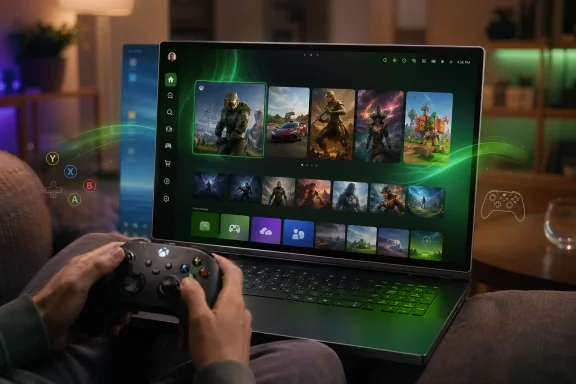
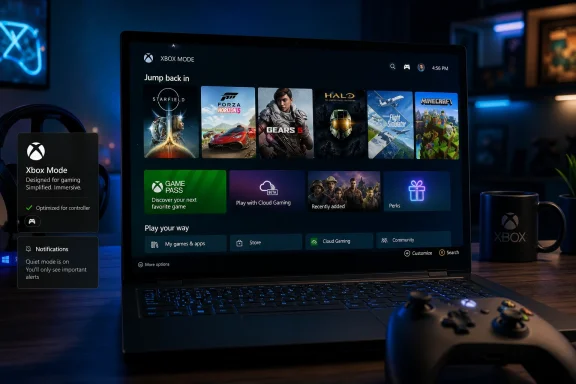
Person playing on a laptop with a controller, showing a game library and glowing UI on screen.Microsoft Finally Lets Windows Stop Acting Like an Office PC​

Xbox mode is best understood as a new front end layered over Windows 11: a full-screen, controller-optimized interface launched through the Xbox app and Windows gaming shell. It gathers recently played titles, Game Pass games, and installed games from major PC storefronts into a single console-like view. Players can move between Xbox mode and the regular Windows desktop, but the point is obvious: Microsoft wants the desktop to become optional during play.
That sounds modest until you remember how often Windows gaming has been defined by interruption. The platform is powerful, flexible, and unmatched in catalog breadth, but it is also a place where launchers fight, notifications intrude, drivers demand attention, and a mouse cursor can somehow become the most visible symbol of PC superiority and PC clumsiness at the same time. Xbox mode does not abolish those problems, but it tries to hide the worst of them behind a gamepad-friendly pane of glass.
This is Microsoft borrowing a lesson Valve has been teaching for years with Steam Big Picture and, more successfully, SteamOS on the Steam Deck. Gamers do not always want a general-purpose computer. Sometimes they want an appliance that happens to contain a general-purpose computer underneath.
The difference is that Valve could afford to narrow the experience around Steam. Microsoft cannot. Windows is the neutral ground on which Steam, Epic, Battle.net, GOG, Riot, EA, Ubisoft, Game Pass, and countless standalone launchers coexist. Xbox mode is therefore not just a launcher; it is a negotiation with the chaos that made PC gaming dominant in the first place.

The Handheld Beta Has Escaped the Handheld​

The feature’s path to mainstream PCs began on Windows handhelds, where Microsoft’s problem was impossible to ignore. Devices like the ROG Ally proved there was demand for Windows-based portable gaming hardware, but they also exposed how poorly the Windows desktop scales down to a small screen controlled by sticks, triggers, and thumbs. A handheld that boots into a tiny taskbar is not a console competitor; it is a support ticket with joysticks.
Microsoft’s earlier Full Screen Experience, now renamed Xbox mode, was built to reduce that friction. On handhelds, it could start directly after login, bring up a gaming home app, and avoid loading certain background processes until the user returned to the desktop. That mattered for responsiveness, battery life, and the general feeling that the device was made for games rather than retrofitted for them.
The new rollout to all Windows 11 PCs takes that handheld experiment and moves it into the broader PC ecosystem. Microsoft says laptops, desktops, tablets, and handhelds are all in scope, with availability tied to the latest Windows updates and staged by market. In plain English, not everyone will see it at once, and some users will spend the next few weeks wondering whether they are waiting on Windows Update, the Xbox app, regional rollout logic, or Microsoft’s usual cloud-controlled feature switches.
That gradual rollout will frustrate enthusiasts, but it is typical of modern Windows. Microsoft rarely flips a switch for everyone at once anymore. The company now treats Windows features less like boxed software releases and more like service deployments, complete with throttling, telemetry, and staged exposure.

Xbox Mode Is a Shell, Not a Console​

The name invites misunderstanding. “Xbox mode” sounds like Windows is becoming an Xbox, or that a PC might suddenly play every purchased Xbox console title natively. That is not what Microsoft has announced. The mode is an interface and performance-oriented gaming environment, not a console emulator, not a new compatibility promise, and not a replacement for the Xbox Series dashboard.
That gap between branding and reality is where Microsoft has to be careful. Xbox as a brand now stretches across consoles, PC Game Pass, cloud gaming, mobile apps, TV apps, and Windows itself. The company wants “Xbox” to mean the player’s library and identity, not merely the black box under the television. But consumers still attach the word to console simplicity and console entitlements.
The PC version of Xbox mode gives players a console-inspired way to browse and launch games, including Game Pass and titles installed through other storefronts. It does not erase the underlying realities of PC gaming: anticheat compatibility, launcher dependencies, hardware requirements, shader compilation, mod conflicts, driver behavior, and store-specific DRM all still exist. Xbox mode may smooth the entrance, but it cannot fully standardize what lies beyond the door.
That is why the feature will likely feel different depending on the machine. On a living-room gaming PC connected to a TV, it could be transformative. On a work laptop with a controller paired for occasional Game Pass sessions, it may be a convenience. On a high-end desktop already tuned around Steam, Discord, MSI Afterburner, and a browser full of guides, it may simply be another interface competing for attention.

The Real Rival Is Not Steam Big Picture, It Is SteamOS​

The obvious comparison is Steam Big Picture Mode, Valve’s long-running controller-first interface. But the more important comparison is SteamOS, because Valve’s real achievement was not making Steam large enough for a TV. It was making a Linux-based handheld feel like a coherent gaming appliance.
Steam Deck users can still drop into a desktop, install non-Steam software, tweak files, and break things in the grand PC tradition. But the default experience is curated, fast, and purpose-built. The Deck succeeds because the desktop is there when needed and invisible when not.
Microsoft is trying to deliver the same inversion without abandoning Windows. That is a harder engineering and political task. Windows must remain compatible with the enormous sprawl of PC hardware and software, while also pretending—at least temporarily—that it is a console dashboard. Xbox mode is the compromise: hide the desktop, tune startup behavior where possible, and let the Xbox app become a more confident gaming home.
The risk is that compromise can feel like cosplay. If Xbox mode launches smoothly but a game then opens another launcher, asks for a login, throws a UAC prompt, or demands keyboard input, the illusion breaks. Valve controls enough of the Steam Deck experience to sand down many of those edges. Microsoft controls the operating system, but not the fractured commercial reality of PC games.
Still, Microsoft has an advantage Valve does not: Windows is already where most PC gaming happens. If Xbox mode becomes good enough, it does not need to beat SteamOS as a philosophy. It only needs to make Windows less annoying on the hardware people already own.

Game Pass Needed a Better Front Door​

There is also a subscription story here, and it is not subtle. PC Game Pass has grown into one of Microsoft’s most important gaming products, but the Xbox app on Windows has often felt like a storefront, downloader, and account manager welded together rather than a living-room-grade destination. Xbox mode gives Game Pass a stage.
For Microsoft, that matters because discovery is power. A full-screen interface can make Game Pass feel like the default library, even while surfacing games from other PC storefronts. If the mode becomes the first thing players see when they pick up a controller, Microsoft gets a stronger claim on the beginning of the gaming session.
That does not mean the company is walling off Windows. In fact, Microsoft is explicitly leaning on the openness argument by emphasizing access to installed games from leading PC storefronts. The message is: use Steam, use Epic, use whatever you like, but let Xbox mode be the room you enter first.
This is the same platform strategy Microsoft has used elsewhere. Teams wanted to be the front door to work. Edge wants to be the front door to the web. Copilot wants to be the front door to assistance. Xbox mode wants to be the front door to play.
The difference is that gamers are unusually sensitive to forced defaults. If Xbox mode feels like an ad surface, a subscription funnel, or a Microsoft Store resurrection in console clothing, PC players will reject it quickly. If it feels like a genuinely useful controller shell that respects existing libraries, it has a chance.

Windows Gaming Is Becoming a Product Again​

For years, Microsoft treated Windows gaming as both strategically vital and strangely under-loved. DirectX mattered. Game Pass mattered. Xbox Play Anywhere mattered. But the day-to-day experience of gaming on Windows often seemed to be assembled from separate teams’ priorities rather than one coherent product vision.
Xbox mode suggests that Microsoft now sees the Windows gaming experience itself as something to package. Not just APIs for developers, not just a store, not just a subscription, but an end-user mode with a specific posture: sit back, hold a controller, launch a game, avoid the desktop until necessary. That is a meaningful shift.
It also arrives as Microsoft’s console strategy is changing shape. The company has been increasingly willing to publish games beyond Xbox hardware, talk about Xbox as an ecosystem, and blur the line between console and PC. A Windows 11 Xbox mode fits that future neatly. It makes the PC feel more like an Xbox without requiring Microsoft to win the old console war on hardware terms alone.
There is a corporate logic to this. If the next Xbox era is partly about devices that look more like PCs, and PCs that behave more like consoles, Microsoft needs a shared experience layer. Xbox mode is an early public version of that layer. It is not the whole strategy, but it is a visible seam where the strategy is being stitched together.

The Living Room PC Gets Another Chance​

The living-room PC has been “almost ready” for roughly two decades. Windows Media Center tried to make the PC a television appliance. Steam Machines tried to make Linux gaming boxes into console alternatives. Small-form-factor gaming PCs, mini PCs, and handheld docks have all taken turns promising that the PC could finally move under the TV without bringing its baggage with it.
The problem was never only hardware. PCs have been small enough and powerful enough for years. The problem was interaction. A keyboard on the couch is a confession of defeat, and a mouse cursor on a ten-foot interface is a reminder that the software did not understand the room.
Xbox mode gives Microsoft another shot because it targets precisely that failure. A Windows 11 machine connected to a television can now plausibly boot or switch into an environment designed for controller navigation. It can present a library, recently played games, Game Bar integration, and task switching without asking the user to squint at desktop chrome.
Whether that is enough depends on polish. Living-room users are less forgiving than desktop users because the mental model is different. At a desk, troubleshooting feels like part of PC ownership. On a couch, troubleshooting feels like the product failed.
If Microsoft wants Xbox mode to matter outside enthusiast circles, it has to make the experience resilient. Pairing controllers, waking from sleep, handling HDR, switching displays, managing audio devices, and recovering from game crashes all become more important when the user is ten feet away. A beautiful full-screen launcher is only the first five percent of a console-like experience.

Enterprise IT Will Mostly Care That It Exists​

For sysadmins, the immediate reaction may be a shrug followed by a policy question. Xbox mode is aimed at consumers and gaming devices, but it is arriving through Windows 11 on general-purpose PCs. In mixed environments, especially schools, shared labs, creative departments, or bring-your-own-device fleets, anything that changes startup behavior, foreground experience, or app discovery has administrative implications.
Most enterprise-managed systems will likely suppress or ignore this through update rings, app controls, Store policies, or device configuration. But the larger trend is worth noting: Windows 11 is increasingly a collection of role-specific experiences sitting atop the same OS. There is the productivity desktop, the Copilot-infused shell, the developer workstation, the cloud-managed endpoint, and now a more formal gaming shell.
That modularity is powerful, but it also makes Windows harder to explain and govern. The OS is no longer just a desktop with apps; it is a platform that can rearrange itself around intent. That is good when the intent is clear and user-driven. It is less good when features appear unpredictably across markets, builds, and hardware classes.
Microsoft’s staged rollout approach helps reduce blast radius, but it also complicates documentation and support. Two Windows 11 PCs with the same nominal version may not expose the same features on the same day. Enthusiasts have learned to live with that. IT departments tend to prefer fewer mysteries.

The Beta Feeling Is the Part Microsoft Must Kill​

The Verge’s early characterization of the experience on Xbox Ally devices as beta-like gets at the central challenge. Microsoft can ship Xbox mode broadly, but it cannot afford for it to feel broad in the old Windows sense: capable, unfinished, and surrounded by workaround culture. The console comparison raises the bar.
That is especially true because Xbox mode sits at the intersection of several Microsoft reputational weak spots. The Microsoft Store on Windows still carries historical baggage. The Xbox app has improved but has not always inspired trust. Windows 11 itself remains controversial among users who see it as more restrictive, more promotional, or more hardware-picky than Windows 10.
A full-screen gaming mode cannot fix that history, but it can create a cleaner context. If users press the Xbox button and reliably land in a fast, legible, controller-friendly space, Microsoft earns credibility one session at a time. If they land in update prompts, missing tiles, launcher loops, or inconsistent navigation, Xbox mode becomes another Windows feature people disable after trying once.
The company’s best move is restraint. Do not overstuff the interface. Do not bury the user in upsells. Do not make Game Pass promotion more important than library coherence. A console-like experience succeeds by removing decisions, not by presenting every service Microsoft would like to cross-sell.

The Most Important Xbox Hardware May Already Be Running Windows​

The industry has spent years asking what Microsoft’s next Xbox console will be. Xbox mode hints at a more slippery answer: perhaps the next Xbox is not a single box at all, but a certified range of Windows devices with a common gaming shell, controller assumptions, and Xbox services binding them together. That would fit the market better than pretending the old console cycle can continue unchanged forever.
Dedicated Xbox hardware may still matter, especially for price, simplicity, and living-room identity. But Microsoft’s unique advantage is that it owns both a console brand and the dominant PC gaming operating system. Sony can bring PlayStation games to Windows, and Valve can make Linux handhelds delightful, but neither can turn Windows itself into an Xbox-adjacent environment.
That is why this rollout is bigger than a launcher update. It is Microsoft testing how much Xbox identity can be moved from hardware into software without losing meaning. If players accept that an Xbox experience can live on a Windows laptop, a docked handheld, a desktop tower, or a tablet, Microsoft gets more freedom in designing its next hardware moves.
The danger is dilution. If everything is Xbox, then Xbox risks meaning nothing more specific than “Microsoft gaming account.” Xbox mode has to preserve enough of the console promise—clarity, speed, controller comfort, reliable play—to make the brand expansion feel earned.

The Update That Turns a PC Away From the Desk​

The practical advice for WindowsForum readers is simple, but the implications are not. Xbox mode is arriving through the familiar machinery of Windows Update and the Xbox app, but whether it becomes useful depends on the kind of PC you own and the kind of gaming you do.
  • Xbox mode is rolling out gradually from April 30, 2026, rather than appearing on every Windows 11 PC at the same moment.
  • The feature provides a full-screen, controller-optimized Xbox-style interface for browsing and launching games, including Game Pass titles and installed games from major PC storefronts.
  • It is not a console emulator and does not automatically make all Xbox console purchases playable natively on Windows.
  • The experience is likely to matter most on handhelds, docked systems, living-room PCs, tablets, and laptops used with controllers.
  • Microsoft’s biggest challenge is not availability but consistency, because launcher prompts, updates, input quirks, and desktop interruptions can quickly break the console illusion.
  • The rollout is another sign that Microsoft sees Xbox less as a fixed piece of hardware and more as a software layer spanning Windows, cloud, handhelds, and consoles.
For enthusiasts, Xbox mode is worth trying because it may finally make certain Windows 11 gaming setups feel intentional rather than improvised. For skeptics, the right posture is not cynicism but pressure: Microsoft should be judged not on whether it can draw a console-like interface, but on whether it can make Windows disappear at the exact moments Windows is least welcome. If it succeeds, the PC does not become less open; it becomes more adaptable. And if Microsoft is serious about the next decade of Xbox, that adaptability may matter more than any single console generation.

Source: The Verge Microsoft’s Xbox mode is now available for all Windows 11 PCs
 

Microsoft began rolling out Xbox mode on April 30, 2026, to Windows 11 PCs in select markets, bringing a controller-first, full-screen gaming interface to laptops, desktops, tablets, and handhelds through Windows Update. The move is not just another Xbox app refresh. It is Microsoft’s clearest admission yet that Windows, as a desktop operating system, has become both the company’s greatest gaming asset and its most awkward gaming interface. Xbox mode is Microsoft’s attempt to make the PC feel less like a PC precisely when players least want one.

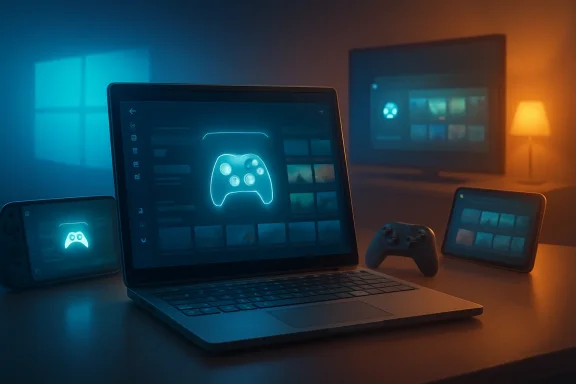
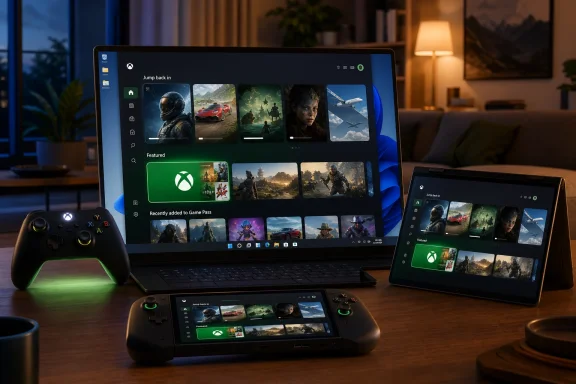
Laptop with neon controller icons and gaming screens glow on a desk beside a tablet and lamp.Microsoft Is Turning the Desktop Into a Disappearing Act​

For decades, Windows gaming has carried a strange bargain: unmatched compatibility in exchange for an interface built for keyboards, mice, overlapping windows, notification trays, driver utilities, launchers, anti-cheat services, RGB control panels, and the occasional update prompt barging into the room at the worst possible time. That bargain made sense on a desk. It makes much less sense on a couch, a handheld, or a living-room PC connected to a television.
Xbox mode is Microsoft’s answer to that mismatch. It gives Windows 11 a console-inspired shell where the game library, recently played titles, Game Pass catalog, and installed games from major PC storefronts are surfaced in a controller-friendly environment. Users can still jump back to the regular Windows desktop, but the pitch is obvious: when you are playing, Windows should get out of the way.
That is a more radical idea than it first appears. Microsoft is not launching a new console UI beside Windows; it is putting a game-first layer on top of Windows and asking players to treat the desktop as optional. In practice, Xbox mode is a launcher. Strategically, it is a beachhead.
The old PC-versus-console divide was clean enough to explain in a sentence. PCs were open, flexible, messy, powerful, and expensive; consoles were closed, simple, predictable, and subsidized. Xbox mode deliberately muddies that line. It says the same Windows machine can be both.

The Handheld Problem Forced Microsoft’s Hand​

Xbox mode did not arrive from nowhere. It grew out of the full screen experience Microsoft first pushed for Windows gaming handhelds, where the shortcomings of desktop Windows are hardest to ignore. On a seven- or eight-inch screen, the Start menu, taskbar, desktop icons, modal dialogs, and tiny system prompts are not just inelegant. They are hostile.
Valve understood this before Microsoft did. SteamOS works on Steam Deck not merely because it launches games, but because it treats the device as an appliance first and a Linux PC second. The Deck still has a desktop mode, but most users can ignore it. That inversion — game machine first, computer second — is what Windows handheld vendors have been trying to fake with overlays, vendor launchers, and boot-time utilities.
The ROG Ally, Lenovo Legion Go, MSI Claw, and their successors have all been trapped in the same contradiction. They sell the promise of PC freedom but ship with an operating system that often expects a pointer, a taskbar, and the patience of someone troubleshooting a printer. The hardware has been racing ahead of the software experience.
Microsoft’s rollout to all Windows 11 PC form factors suggests the company now sees the handheld problem as a preview of a broader shift. The issue was never just small screens. It was that gaming increasingly happens in contexts where the desktop metaphor is a burden: handhelds, TVs, docking stations, tablets, convertible laptops, and couch setups.
Xbox mode is therefore less about copying a console dashboard and more about acknowledging that Windows needs modes for different postures. Productivity Windows and gaming Windows are not the same experience, and Microsoft is finally treating that distinction as a product problem rather than a marketing slide.

The Console Is Becoming a Software Posture​

The most interesting thing about Xbox mode is that it makes “Xbox” feel less like a box and more like a state Windows can enter. That has been Microsoft’s direction for years, but the company has often said it more clearly than it has built it. Game Pass, cloud gaming, Xbox Play Anywhere, the Xbox app on PC, and Xbox streaming on TVs all pointed toward a world where Xbox is a service layer across screens.
Xbox mode gives that strategy an operating-system surface. It is the difference between saying “you can play Xbox games on PC” and making a Windows PC behave, at least briefly, like an Xbox. That distinction matters because experience is where platform identity is formed.
A subscription catalog alone does not make a platform. A storefront alone does not make a platform. A controller overlay alone does not make a platform. But a recognizable, repeatable interface that follows players across devices starts to feel like one.
That is why this rollout matters beyond the people who will actually enable it this week. Microsoft is laying down the interface language for a future Xbox ecosystem in which the dedicated console may be only one expression of Xbox hardware. A Windows-based living-room device, a handheld, a mini PC, a laptop with a controller, and a traditional Xbox console could all share enough of the same surface to feel related.
This is also why the timing feels pointed. The traditional console business is under pressure from longer hardware cycles, rising development costs, subscription economics, and increasingly platform-agnostic players. Microsoft does not need to abandon consoles to hedge against that future. It needs Xbox to survive even if the console becomes less central. Xbox mode is part of that hedge.

The Openness of PC Gaming Is Both Feature and Friction​

Microsoft is careful to emphasize that Xbox mode is built on Windows and preserves the openness of PC gaming. That is the line it has to walk. The company cannot make Windows gaming feel too much like a locked console without angering the very audience that values Windows for its unruliness.
PC gamers do not merely tolerate multiple storefronts, mods, emulators, launch options, driver panels, overlays, fan utilities, and strange little GitHub tools. Many depend on them. The chaos is part of the appeal. Steam, Battle.net, Epic Games Store, GOG, itch.io, EA, Ubisoft Connect, and standalone launchers coexist on Windows because Windows has historically been indifferent to how users acquire and run software.
Xbox mode tries to tame that sprawl without eliminating it. Microsoft says the interface can aggregate installed games from leading PC storefronts alongside Game Pass. That is the correct instinct. A console-like shell that only foregrounded Microsoft’s own catalog would be a sales funnel, not a serious PC gaming mode.
But aggregation is hard, and PC gamers are unforgiving when a launcher lies by omission. If Xbox mode fails to reliably detect games, mishandles non-Microsoft storefronts, obscures modded installs, or pushes Game Pass too aggressively, users will retreat to Steam Big Picture or the desktop. Microsoft does not need Xbox mode to replace Steam, but it does need it to avoid feeling like a branded skin over a subscription upsell.
There is also a deeper tension. The more Xbox mode optimizes away background processes and startup clutter, the more it must decide what counts as clutter. That question is simple on a console. It is politically loaded on a PC.

Performance Gains Will Be Judged in Frame Times, Not Press Copy​

Microsoft says the full-screen gaming experience can reduce background distractions and, when configured to start at login, avoid loading some processes that are not required for that mode until the user switches back to the desktop. That is a sensible approach, especially on handhelds where memory, battery life, and thermal headroom are finite.
But PC gamers have heard versions of this promise before. “Game Mode” in Windows 10 and Windows 11 was supposed to prioritize gaming resources, and while it has value, it never became the transformative switch its name implied. Xbox mode will face similar skepticism unless its benefits are visible in the places players actually feel them: faster boot-to-game flow, less stutter when returning from sleep, fewer surprise background interruptions, cleaner controller navigation, and more predictable launcher behavior.
The challenge is that performance in modern PC gaming is messy. A snappier shell is welcome, but it will not fix shader compilation stutter, bad ports, intrusive anti-cheat, GPU driver regressions, storefront update storms, or the battery realities of handheld APUs. Microsoft can make Windows a better host, but it cannot single-handedly make the PC ecosystem behave like a console.
That does not make Xbox mode pointless. It simply means the success metric should not be “does this add frames?” so much as “does this remove friction?” On a gaming handheld, the difference between a machine that boots into a usable library and one that dumps you at a desktop full of update prompts is enormous, even if the average FPS is unchanged.
For desktop users, the case is narrower but still real. A living-room gaming PC has always been a compromise, usually requiring Steam Big Picture, a wireless keyboard nearby, and a tolerance for Windows choosing the least convenient moment to demand attention. Xbox mode gives Microsoft a native answer to that living-room problem.

Steam Big Picture Now Has a First-Party Rival​

The obvious comparison is Steam Big Picture, especially in its modern Steam Deck-influenced form. Valve has spent years refining a controller-first PC gaming interface, and for many users, Steam already is the console layer on Windows. It launches games, manages controller profiles, handles cloud saves, supports overlays, and increasingly serves as the default library view even for non-Steam titles.
Microsoft’s advantage is lower-level integration. Xbox mode can live closer to Windows settings, Task View, Game Bar, startup behavior, and system-level switching between desktop and gaming environments. Valve can build an excellent launcher; Microsoft can alter the host operating system beneath the launcher.
That is also Microsoft’s burden. If Xbox mode feels half-integrated, users will judge it more harshly because Microsoft owns the stack. Steam Big Picture is allowed to be a clever application. Xbox mode will be expected to behave like a coherent Windows feature.
The competitive question is not whether Xbox mode kills Steam Big Picture. It will not. Steam’s library gravity is too strong, and Valve’s trust with PC gamers is too deep. The real question is whether Microsoft can make Xbox mode the default outer shell for controller-first Windows gaming while Steam remains one of the most important libraries inside it.
That would be a meaningful shift. It would let Microsoft reclaim the first screen players see without needing to win every storefront battle. In platform terms, the first screen is power.

This Is Also a Windows Update Story​

The rollout mechanism matters. Microsoft is delivering Xbox mode gradually through Windows Update in select markets, with users encouraged to enable “Get the latest updates as soon as they are available.” That phrasing will be familiar to anyone who tracks Windows feature rollouts: staged availability, eligibility checks, regional sequencing, and a certain amount of waiting.
For enthusiasts, that is merely annoying. For IT departments, it is a reminder that consumer-facing Windows features increasingly arrive as serviced experiences rather than monolithic operating-system releases. The Xbox app, Game Bar, Microsoft Store components, Windows feature flags, and cumulative updates can all shape what a Windows 11 machine feels like without the drama of a major version launch.
In managed environments, Xbox mode will be irrelevant on most corporate PCs and potentially undesirable on some. Schools, labs, shared workstations, and enterprise fleets already wrestle with consumer components in Windows. A more visible Xbox surface will prompt some administrators to ask whether Microsoft’s consumer and business priorities are too intertwined in the same client OS.
That concern should not be overstated. Xbox mode is not replacing the Windows desktop, and it appears designed as an opt-in gaming posture rather than a hostile takeover. But the larger pattern is real: Windows is becoming a container for multiple first-party experiences, each updated on its own cadence and each nudging the OS toward a service identity.
For home users, that may be convenient. For admins, it is one more thing to inventory, suppress, document, or explain.

The Name Change Is Doing Strategic Work​

Microsoft’s shift from “full screen experience” to “Xbox mode” is not cosmetic. “Full screen experience” sounds like a display setting. “Xbox mode” sounds like a destination.
That naming does two things. First, it makes the feature legible to normal users. Nobody wants to explain to a friend that they should enable the Windows Gaming Full Screen Experience, set a gaming home app, configure startup behavior, and then invoke it from Game Bar or Task View. “Turn on Xbox mode” is the kind of instruction that can survive outside a support document.
Second, it expands the Xbox brand beyond hardware without requiring Microsoft to declare the console dead. This has been the company’s delicate dance for years. Say too loudly that every screen is an Xbox, and console loyalists hear that their hardware is being devalued. Say too little, and investors and developers wonder whether Xbox is still trapped in a box under the TV.
“Xbox mode” is a useful compromise. It does not claim your PC is an Xbox. It claims your PC can behave like one when you want it to. That is subtle, but it is the kind of subtlety platform transitions often need.
It also lets Microsoft prepare users for more Windows-based Xbox hardware without forcing the conversation today. If a future Xbox device is closer to a locked-down Windows gaming appliance than a traditional console, Xbox mode will have helped normalize the idea that Xbox is an experience layer, not merely a hardware lineage.

The Risk Is That Microsoft Builds Another Almost-There Interface​

The danger for Microsoft is not that Xbox mode is a bad idea. It is that the company has a long history of building promising consumer experiences that stop just short of feeling inevitable. Windows Media Center saw the living room before most of the industry did. The Microsoft Store was supposed to simplify software discovery. Game Bar has useful features but remains something many users forget until it appears accidentally. The Xbox app on PC has improved, but it still carries years of baggage.
Xbox mode cannot afford to feel like another almost-there shell. Controller navigation must be consistent. Sleep and resume must be boring. Storefront aggregation must be trustworthy. The path back to desktop must be obvious. The interface must not feel like a giant advertisement for Game Pass, even though Game Pass will plainly benefit from it.
The bar is particularly high because the competition is not theoretical. Steam Deck owners know what a handheld-first interface can feel like when the platform owner sweats the details. Console players know what instant-on living-room simplicity feels like. Windows users know how quickly a promising mode can be undone by a single dialog box that demands a mouse.
Microsoft has one advantage Valve does not: it can fix Windows itself. But that advantage only matters if the company is willing to sand down the old assumptions of the desktop. Xbox mode will succeed to the extent that it is not merely a launcher, but a coordinated reduction of Windows’ worst gaming interruptions.

The Real Test Will Happen on Devices Microsoft Does Not Control​

On Microsoft’s own preferred hardware and partner showcases, Xbox mode can be tuned, demonstrated, and explained. The harder test will be the wild Windows ecosystem: old gaming laptops with vendor utilities, desktops with three storefronts and five overlays, handhelds with custom buttons, tablets with detachable keyboards, and living-room PCs running through HDMI switches and wireless controllers.
That chaos is Windows’ superpower. It is also where polished experiences go to die.
If Xbox mode handles that chaos gracefully, it could become one of the most important gaming additions to Windows in years. Not because it invents a new way to play, but because it gives the existing Windows gaming universe a more coherent front door. A good front door matters. It changes whether a machine feels like a hobby project or an appliance.
The rollout to laptops, desktops, tablets, and handhelds is therefore both ambitious and risky. Handheld users have the clearest need. Desktop users have the least patience for anything that smells like bloat. Tablet users may appreciate the touch and controller simplification. Living-room PC users may finally get a native Microsoft answer to a problem they have been solving with Steam for years.
Microsoft does not need all of them to adopt Xbox mode. It needs enough of them to make the mode a credible platform surface for developers, OEMs, and future hardware. Once that happens, the interface can become a target rather than an experiment.

The Xbox Button Is Becoming a Windows Button​

The deeper story is input. A desktop operating system assumes a keyboard and pointer. A console assumes a controller. A handheld assumes controller input, touch, sleep states, power limits, and intermittent desktop access. Xbox mode is Microsoft’s attempt to make Windows fluent in that middle language.
That matters because input defines expectations. If you pick up a controller and press the Xbox button, you expect the system to respond with a game-aware interface, not a desktop that reluctantly accepts gamepad focus. If you dock a handheld to a TV, you expect the UI to scale into the room. If you switch from a game to a launcher, you expect the transition to be navigable without reaching for a keyboard.
Windows has supported controllers for ages, but support is not the same as design. Xbox mode is the difference between “this input device works” and “this operating system understands why you are using it.” That is a philosophical shift.
It also makes the Xbox button a bridge between ecosystems. On a console, it opens the Xbox guide. On Windows, it has long invoked Game Bar or related overlays. In Xbox mode, it becomes part of a broader attempt to make system navigation controller-native. The more consistent that becomes, the less the user has to care whether the underlying device is a console, handheld, or PC.
That is the future Microsoft wants: not one device, but one muscle memory.

The Rollout Says More About the Next Xbox Than This Windows Update​

The temptation is to treat Xbox mode as a Windows 11 quality-of-life feature. It is that, but it is also a clue. Microsoft is building the software vocabulary it will need if the next Xbox generation is more hybrid, more Windows-adjacent, and less defined by a single sealed console.
Reports and industry chatter have pointed for some time toward a future in which Xbox hardware could include more PC-like devices, handhelds, or living-room systems that blur the old boundaries. Microsoft has not needed to confirm every detail for the direction to be visible. The company is putting Xbox on more screens, making PC purchases more Xbox-aware, and trying to solve the controller-first Windows problem in public.
Xbox mode is infrastructure for that future. It teaches users that Windows can have a console posture. It teaches OEMs that Microsoft has a first-party gaming shell they can build around. It teaches developers that Xbox identity on PC is not confined to an app window. It teaches Microsoft where the Windows desktop still resists being domesticated.
If there is a Windows-based Xbox set-top box someday, or a more open next-generation console that runs closer to PC architecture in user-visible ways, Xbox mode will look less like a side feature and more like an early rehearsal. The line between rehearsal and rollout is already getting blurry.

The Few Things Windows Gamers Should Actually Remember​

For all the strategy talk, the immediate user impact is practical: some Windows 11 PCs in select markets will see Xbox mode become available first, with broader availability following gradually. The feature is worth watching even for users who never plan to enable it, because it shows where Microsoft wants Windows gaming to go next.
  • Xbox mode is rolling out gradually through Windows Update for Windows 11 PCs, including desktops, laptops, tablets, and handhelds.
  • The interface is designed around controller-first, full-screen navigation rather than the traditional Windows desktop.
  • Microsoft is positioning Xbox mode as an optional gaming posture, not a replacement for the normal Windows desktop.
  • The feature can aggregate Game Pass titles and installed games from major PC storefronts, which will be essential if it is to be taken seriously by PC gamers.
  • Its biggest early value is likely to be on handhelds and living-room PCs, where the standard Windows interface is most awkward.
  • The long-term significance is that Microsoft is making “Xbox” feel more like a software experience that Windows devices can enter, not just a console brand.
The rollout of Xbox mode will not magically turn every Windows 11 PC into a console, and that is probably for the best. The PC’s messiness is still the source of much of its power. But Microsoft is finally admitting that power needs a better mask when the player has a controller in hand, and if Xbox mode matures beyond a branded launcher into a genuinely calmer way to play, the next Xbox may arrive not as a box under the TV, but as a mode Windows has been learning to become.

Source: Wccftech Microsoft Rolls Out Xbox Mode to All Windows 11 PCs, Blurring the Line Between Console and Desktop Gaming
 

Microsoft began rolling out Xbox mode on April 30, 2026, to Windows 11 PCs in select markets, bringing a controller-optimized full-screen Xbox interface to laptops, desktops, tablets, handhelds, and other devices, with broader availability planned over the following several weeks. The pitch is simple: make a Windows gaming PC feel less like a Windows PC when the user just wants to play.
That sounds cosmetic, but it is not. Xbox mode is Microsoft’s latest attempt to solve the oldest problem in PC gaming: Windows is powerful precisely because it is general-purpose, and frustrating precisely because it is general-purpose. The question is whether a full-screen shell can make Windows feel like a console without turning the PC into a worse console.

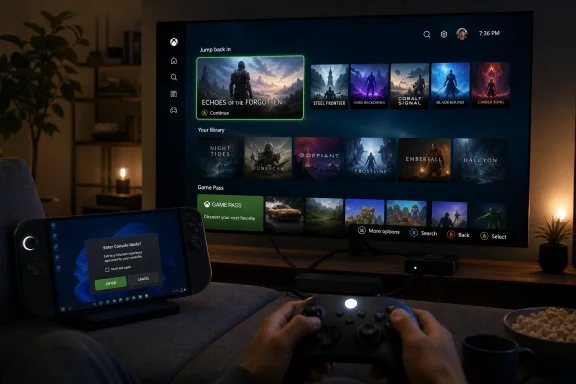
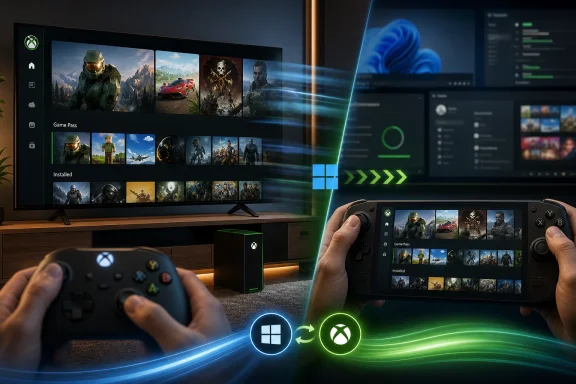
Person playing a game on a TV showing a console library and “Jump back in” selection screen.Microsoft Is Trying to Hide Windows Without Killing Windows​

Xbox mode is not a new operating system, and it is not Windows becoming an Xbox console. It is a full-screen, controller-first experience layered on top of Windows 11, designed to put the game library, recently played titles, Game Pass, and installed PC storefront games in one place.
That distinction matters. Microsoft is not abandoning the openness of Windows; it is trying to stage-manage it. The desktop remains available, and users can switch back when they need the file system, a browser, Discord troubleshooting, driver panels, mod managers, or any of the other things that make PC gaming both glorious and absurd.
For years, Microsoft’s PC gaming problem has been less about game availability than surface area. A console boots into a game-oriented environment. A Windows PC boots into notifications, launchers, update prompts, RGB utilities, cloud sync agents, GPU overlays, and the quiet dread that something in the system tray is using 8 percent of the CPU for no good reason.
Xbox mode is an admission that the Windows desktop is a poor default interface for couch gaming and handheld gaming. It is also an admission that Steam’s Big Picture Mode and SteamOS have defined the expectations Microsoft now has to meet.

The Handheld PC Forced Microsoft’s Hand​

The rise of handheld gaming PCs made this move inevitable. Windows on a desktop monitor with a keyboard and mouse is familiar. Windows on a seven-inch handheld, navigated with thumbsticks and face buttons, is a negotiation with tiny icons, modal dialogs, and the ghosts of enterprise UI decisions.
The ROG Xbox Ally devices gave Microsoft a proving ground. Their full-screen Xbox experience was meant to soften Windows’ sharp edges on hardware that looks and feels more like a console than a PC. Now that experience is escaping the handheld category and becoming a broader Windows 11 feature.
That migration is the real story. Microsoft is no longer treating the console-style PC interface as a niche accommodation for handhelds. It is treating it as a cross-device layer that can make a tower PC, a gaming laptop, a tablet, and a docked handheld feel like members of the same Xbox-adjacent family.
This is strategically important because Microsoft’s gaming business has already moved beyond the old console box. Game Pass, cloud gaming, Play Anywhere, PC releases, and cross-platform publishing all point in the same direction: Xbox is increasingly a service and interface strategy, not just a living-room appliance.

The Library Is the Product, Not the Launcher​

The most important promise in Xbox mode is not full-screen art or controller navigation. It is the aggregated library.
Microsoft says Xbox mode can show games from Xbox Game Pass and installed titles from leading PC storefronts. In plain English, that means the interface is more useful if it acknowledges that PC gamers do not live entirely inside Microsoft’s store. Steam, Epic, Battle.net, GOG, Ubisoft Connect, EA, and stray standalone launchers are facts of life.
That is a meaningful concession. Microsoft would obviously prefer the Xbox app and Microsoft Store to be central to PC gaming, but a full-screen mode that pretends Steam does not exist would be dead on arrival. The winning interface is the one that launches the games people actually own, not the one that flatters a platform holder’s internal org chart.
Still, aggregation is easier to demo than to perfect. A true living-room PC interface needs to handle artwork, metadata, launch arguments, controller support warnings, cloud saves, update states, anti-cheat errors, and games that launch launchers that launch games. PC gaming’s messiness does not disappear because the first screen looks clean.
Microsoft’s recent Xbox PC app work, including the ability to add and edit games and apps in the library, suggests the company understands this. The closer Xbox mode gets to being a trusted front door for all games, the more credible it becomes. The closer it feels like a Microsoft-only promotional surface, the faster users will retreat to Steam.

Controller-First Is a Design Philosophy, Not a Skin​

A controller-optimized interface is not simply a mouse UI with bigger tiles. It requires different assumptions about distance, focus, input latency, error recovery, and how many steps a user should tolerate before the illusion breaks.
On a console, every interaction is supposed to work from ten feet away. On Windows, too much still assumes the user can reach for a mouse, dismiss a pop-up, drag a window, or type into a tiny field. Xbox mode’s biggest challenge is not presenting the Xbox app in full screen; it is keeping users out of the desktop long enough for the mode to feel coherent.
This is why the related Gamepad Cursor feature matters. It is a pragmatic bridge for apps and storefronts that do not support controller input well. It is not elegant, but it acknowledges reality: PC gaming includes legacy software, odd launchers, web views, configuration tools, and account sign-in flows that were never designed for a gamepad.
The danger is that Microsoft stops at the bridge. A cursor controlled by a thumbstick is useful in emergencies, but if it becomes the normal way to operate Xbox mode-adjacent experiences, the product has failed. The best console-like interface is not one that lets you operate desktop cruft with a controller; it is one that prevents most of that cruft from appearing.

Performance Claims Will Meet the System Tray​

Microsoft and early coverage have emphasized reduced background activity and fewer distractions. That is exactly what handheld and couch PC users want to hear, because Windows’ overhead has been a recurring complaint in comparison with SteamOS-style setups.
But performance on Windows is a layered problem. There is the shell, the Xbox app, Game Bar, GPU drivers, OEM utilities, overlays, anti-cheat systems, store clients, RGB software, Windows Update, and whatever came preloaded on the machine. A cleaner full-screen mode can help, but it cannot magically turn a cluttered PC image into an appliance.
The real test will be repeatability. Does Xbox mode consistently free memory and reduce background work, or does it merely hide visible distractions? Does it improve resume behavior on handhelds? Does it prevent surprise focus stealing? Does it keep controller input reliable when a launcher demands attention?
For enthusiasts, the answer may be less important because they already know how to debloat, configure, and work around Windows. For mainstream users, the difference between a console-like experience and a Windows-like experience is whether the system behaves properly when nobody wants to troubleshoot it.

Docked Handhelds Are the Console Microsoft Can Ship Now​

The ROG Xbox Ally updates announced alongside the broader Xbox mode rollout show where Microsoft’s thinking is headed. Docking improvements, automatic TV display switching, HDR and VRR support through compatible docks, controller pairing changes, and display controls in Game Bar all aim at the same target: make a handheld Windows PC behave like a living-room console when connected to a TV.
That is a more profound shift than it sounds. A docked handheld is not just a portable PC with an HDMI cable. It is a test case for whether Windows can adapt to context: handheld on the couch, desktop at a monitor, console-like when docked to the TV.
Nintendo has trained users to expect that kind of fluidity. Valve has trained PC gamers to expect it with fewer Windows interruptions. Microsoft now has to make the world’s most flexible consumer operating system feel situationally simple.
The company’s Auto Super Resolution preview for the ROG Xbox Ally X fits the same narrative. When docked to a larger display, a handheld needs help balancing resolution, frame rate, power limits, and image quality. If Microsoft can make those tradeoffs feel automatic, it gets closer to the console virtue PC gaming has always envied: fewer decisions before play begins.

SteamOS Is the Shadow in Every Room​

Microsoft does not have to say “Steam Deck” for the comparison to be obvious. Valve proved that a PC game library can be wrapped in a console-like interface that ordinary people can understand. More importantly, it proved that many PC gamers will accept a non-Windows environment if the gaming experience is smoother.
Windows still has the compatibility advantage. Anti-cheat support, Game Pass PC, broad launcher compatibility, modding tools, peripheral software, and decades of application support all favor Microsoft. But compatibility is not the same as elegance, and elegance is increasingly what handheld buyers notice first.
Xbox mode is Microsoft’s answer to that pressure. It does not need to beat SteamOS at being lean. It needs to make Windows’ compatibility advantage feel less expensive in daily use.
That is a narrow path. If Xbox mode is too shallow, enthusiasts will dismiss it as a glorified launcher. If it is too controlling, PC users will see it as Microsoft trying to console-ify the PC. The sweet spot is a mode that is opinionated when gaming and invisible when not.

Enterprise IT Will Mostly Ignore It, Until Users Don’t​

For business-managed Windows fleets, Xbox mode is not the headline feature of the year. Most enterprises are not waiting for a controller-first shell on laptops assigned to accountants, engineers, and sales teams.
But the line between consumer and work devices is porous, especially in BYOD environments, education, small businesses, and creator workflows. Gaming features arrive on the same Windows base that organizations manage, secure, and support. Even if Xbox mode is harmless, IT departments will want clarity on policy controls, app provisioning, notifications, and whether the feature appears on machines where it is not wanted.
The broader concern is not Xbox mode itself. It is Microsoft’s growing habit of using Windows as a canvas for overlapping experiences: Copilot, widgets, Game Bar, Store integrations, account prompts, cloud sync surfaces, and now console-like gaming mode. Each may be defensible in isolation. Together, they reinforce the feeling that Windows is becoming a set of competing front doors.
For home users, that may be acceptable if the doors are useful. For admins, every new front door is another thing to document, disable, explain, or support.

The Rollout Strategy Is Cautious Because the Stakes Are Not​

Microsoft is rolling Xbox mode out gradually in select markets, with some users able to download it immediately and others waiting several weeks. The company recommends enabling the Windows Update option to receive the latest updates as soon as they are available.
That slow rollout is normal for Windows, but it also reflects the fragility of the promise. A console-like interface that appears inconsistently, behaves differently across hardware, or fails to detect libraries cleanly will generate more frustration than excitement. The target audience is not just Windows Insiders willing to forgive rough edges.
The timing is also notable. Microsoft landed the rollout on April 30, the final day of the month it had publicly targeted. That is not a scandal, but it does suggest a feature still moving through the machinery rather than arriving with the confidence of a finished platform shift.
Xbox mode should therefore be judged as a beginning, not a verdict. The first release needs to be good enough to keep users engaged. The next releases need to prove Microsoft is willing to sand down the Windows behaviors that made the feature necessary in the first place.

The Real Upgrade Is a Truce Between PC and Console​

The best version of Xbox mode is not one where every PC becomes an Xbox. It is one where a Windows device can temporarily stop asking to be treated like a PC.
That may sound small, but it is the entire appeal. A gaming laptop connected to a TV should not feel like a PowerPoint machine in disguise. A handheld should not ask users to poke at desktop dialogs between Elden Ring sessions. A desktop tower in the living room should not require a wireless keyboard balanced on a sofa cushion.
Microsoft’s opportunity is to make context the organizing principle. When the user is playing, the machine should behave like a gaming device. When the user exits, it should become Windows again without resentment, lock-in, or confusion.
That is harder than building a launcher. It requires coordination across Windows, Xbox, Game Bar, the Store, OEM utilities, driver vendors, storefronts, and developers. It also requires Microsoft to resist the temptation to turn Xbox mode into another advertising surface.

The April 30 Rollout Leaves Five Things to Watch​

Xbox mode is now real enough to test outside the handheld niche, but it is not yet proven enough to declare Windows cured for couch and portable gaming. The next few months will show whether Microsoft has shipped a durable gaming layer or just a more attractive front end for the same old compromises.
  • Xbox mode is rolling out gradually, so many Windows 11 users will not see it immediately even if their systems are fully updated.
  • The feature’s credibility depends on how well it handles non-Microsoft libraries, especially Steam games and third-party launchers.
  • Controller-first navigation must work beyond the Xbox app, because sign-ins, settings panels, and store clients remain part of real PC gaming.
  • The ROG Xbox Ally updates show Microsoft is thinking seriously about docked handhelds as living-room devices.
  • Performance improvements will matter only if users can feel them in faster launches, fewer interruptions, and smoother resume behavior.
  • IT admins and power users will want clear controls for enabling, disabling, or ignoring the feature on systems that are not gaming machines.
Xbox mode is Microsoft’s most direct acknowledgement yet that Windows needs a gaming personality distinct from its desktop personality, and the company now has to prove that this is more than a full-screen coat of paint. If Microsoft can make the PC disappear when players want a console and reappear when they need a computer, Windows 11 may finally become a better gaming platform not by adding more power, but by knowing when to get out of the way.

Source: PCMag Xbox Mode Brings Full-Screen Interface to All Your Windows 11 Gadgets
 

Microsoft began rolling out Xbox Mode to Windows 11 PCs on April 30, 2026, bringing a controller-first, full-screen Xbox interface to selected laptops, desktops, and tablets after first previewing the experience on handheld gaming PCs. The feature is not a new operating system, and it is not Windows becoming an Xbox overnight. It is something more strategically revealing: Microsoft is trying to make Windows feel less like a workstation when the user’s intent is simply to play. That sounds cosmetic until you remember that PC gaming’s biggest advantage has always been choice, and its biggest weakness has always been friction.

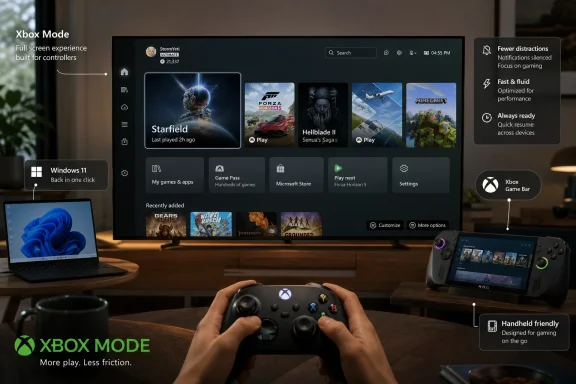
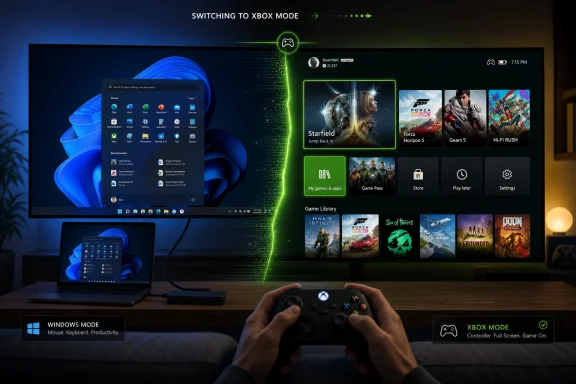
Person holding a game controller in front of a monitor showing the Xbox Mode dashboard and app tiles.Microsoft Turns the Desktop Into the Thing to Escape​

Xbox Mode is best understood as an admission that the Windows desktop is not always the right front door for games. For decades, Microsoft treated Windows as the neutral stage on which every PC experience should begin: Start menu, taskbar, window chrome, notifications, launchers, drivers, tray icons, and all the other ritual clutter of general-purpose computing. That neutrality is powerful for work, modding, multitasking, streaming, and tinkering. It is less powerful when someone is sitting ten feet from a screen with a controller in hand.
The new mode presents a full-screen Xbox environment designed around gamepad navigation. It aggregates games from Xbox Game Pass and other PC storefronts, lets users launch titles without mousing through the desktop, and keeps Xbox Game Bar close at hand for overlays and app switching. Microsoft says users can leave Xbox Mode and return to the normal Windows 11 experience whenever they want, which matters because the company is not replacing the PC. It is building a gaming foyer in front of it.
That distinction is crucial. Steam’s Big Picture Mode proved long ago that PC players wanted a couch-friendly interface, but Valve could only solve the problem inside its own orbit. Microsoft owns the operating system underneath every launcher, anti-cheat driver, overlay, and graphics control panel, which means its version of the idea can potentially reach deeper than a skin over a store.
The question is whether Microsoft can resist turning that depth into more clutter. Windows users have heard too many promises about “streamlined” experiences that eventually became another layer to manage. Xbox Mode will be judged less by how much it resembles a console dashboard than by how effectively it disappears the parts of Windows that gamers did not ask to see.

The Handheld Was the Prototype, Not the Destination​

The first obvious use case for Xbox Mode was the Windows gaming handheld. Devices like the Asus ROG Ally line exposed a long-standing mismatch between Windows and the way portable gaming hardware is actually used. Windows can run the games, drivers, launchers, overlays, and services that players want. But it was never designed to be poked at through a seven-inch screen while the user is balancing battery life, sleep states, controller input, and a library split across half a dozen storefronts.
That is why Microsoft’s full-screen Xbox experience first made sense on handhelds. It gave Windows a way to boot closer to the player’s intent, not merely to the operating system’s historical assumptions. A handheld gaming PC that opens into a desktop is technically flexible but emotionally clumsy. A handheld that opens into a controller-native gaming hub feels more like a product.
The broader rollout to laptops, desktops, and tablets changes the frame. This is no longer only about catching up to the Steam Deck or improving the out-of-box experience for Windows handheld buyers. It is about giving every Windows 11 machine a second posture: one for computing, one for gaming.
That posture matters because many gaming PCs are already consoles in practice. They sit under TVs, drive big displays, pair with controllers, and spend most of their active life inside games or streaming apps. Yet the user still has to pass through the office-like machinery of Windows to get there. Xbox Mode is Microsoft finally conceding that form factor is not the only thing that defines a device. Context does.

A Console-Like Shell Cannot Hide a PC Forever​

There is a trap in calling Xbox Mode “console-like,” because the phrase invites the wrong comparison. A console is not just a full-screen interface with tiles and controller support. It is a managed hardware target, a predictable update channel, a store model, a certification regime, a suspend-and-resume expectation, and a consumer promise that the game will either work or clearly not be available.
Windows cannot offer that promise across the entire PC ecosystem. It must support ancient peripherals, aggressive overlays, vendor utilities, unsigned tools, exotic display chains, multiple storefronts, and users who rightly expect to alter almost anything. Xbox Mode can make that world feel cleaner, but it cannot make it simple in the same way an Xbox Series X is simple.
That limitation does not make the project pointless. It simply clarifies the job. Xbox Mode should not pretend that a Windows PC is a console; it should give users a console-grade path through the parts of the PC they actually need during a gaming session. If Microsoft gets the boundary right, the desktop remains available without being mandatory.
This is where the ability to jump back and forth between Xbox Mode and regular Windows 11 becomes more than a convenience. It is the philosophical hinge of the feature. Microsoft is not asking PC players to surrender the mess that makes the platform valuable. It is asking whether that mess needs to be visible every time a game launches.

Game Pass Needed a Better Front Door on PC​

Xbox Mode also serves a business purpose that Microsoft would be foolish to underplay. Game Pass on PC has always had a stronger value proposition than its interface suggested. A subscription library, cloud saves, Xbox Play Anywhere entitlements, achievements, social features, and cross-device identity should add up to a coherent experience. Too often, they have felt like features living inside a Windows app rather than a gaming platform with its own center of gravity.
A full-screen Xbox interface gives Game Pass a better stage. It makes Microsoft’s subscription service feel less like one launcher among many and more like the default layer through which PC games are discovered and resumed. That is strategically important at a time when the boundaries between Xbox console, Windows PC, cloud gaming, and handheld gaming continue to blur.
But Microsoft cannot win PC gamers by pretending other stores do not exist. The strength of the announced approach is that the library view is meant to include games from multiple storefronts, not only Microsoft’s own catalog. That is the right posture. PC players do not want another walled garden dressed in console clothing; they want a calmer way to reach the games they already own.
There is still tension here. Every platform holder says it wants openness until the moment openness competes with its monetization strategy. If Xbox Mode becomes a Game Pass billboard with grudging support for Steam, Epic, GOG, Battle.net, and everything else, users will notice immediately. If it becomes a genuinely useful launcher-neutral gaming surface, Microsoft will have built something Windows has needed for years.

The Rollout Strategy Shows Microsoft Still Fears Its Own Scale​

Microsoft is rolling out Xbox Mode gradually across select users and markets, and users are being told to enable the Windows Update setting that delivers the latest updates as soon as they are available if they want the feature early. That sounds routine in the Windows era, but it also reveals the awkwardness of shipping consumer experiences through a platform used by hundreds of millions of machines. A console dashboard update can be a platform moment. A Windows feature rollout is often a fog bank.
This staggered approach is defensible. Microsoft needs telemetry, compatibility data, market-by-market validation, and time to avoid lighting up a feature that might behave differently across GPUs, input devices, display setups, and account configurations. A gaming shell that fails at launch, misidentifies libraries, mishandles focus, or traps users in an awkward controller state would do more damage than a slow rollout.
Still, gradual rollout fatigue is real. Windows users have become accustomed to reading about features they cannot yet access, toggles that may or may not matter, and staged deployments that make the operating system feel less like a product than a lottery. Xbox Mode’s target audience includes enthusiasts who know how to update apps, join Insider rings, and chase feature flags. It also includes ordinary players who will simply wonder why a promised mode is not on their machine.
That uncertainty is especially risky for a feature meant to reduce friction. The first experience of a simplified gaming mode should not be confusion about eligibility. Microsoft can stage the rollout responsibly, but it needs to communicate with more precision than “select users and markets” if it wants Xbox Mode to feel like a platform commitment rather than another experiment.

The Real Competition Is Not Just Steam Big Picture​

It is tempting to frame Xbox Mode as Microsoft’s answer to Steam Big Picture, but that undersells the competitive field. Valve’s advantage is cultural as much as technical. Steam is where many PC gamers already live, and the Steam Deck proved that a Linux-based handheld could feel more appliance-like than Windows while still preserving enough PC flexibility to satisfy enthusiasts.
Microsoft’s answer cannot simply be “we have a full-screen UI too.” It has to leverage what only Microsoft can provide: integration with Windows input systems, Game Bar, driver models, Store entitlements, account identity, display handling, power behavior, and perhaps eventually deeper gaming performance modes. If Xbox Mode is merely an Xbox app stretched across the screen, it will be useful but not transformative.
The more interesting competition is with the idea that Windows is inevitable. For years, the operating system’s enormous game compatibility gave Microsoft a defensive moat. Players tolerated the desktop because the games were there. The Steam Deck challenged that complacency by showing that a different front end, a curated compatibility layer, and a strong suspend-resume experience could make PC gaming feel friendlier without being Windows at all.
That challenge has been good for Microsoft. Xbox Mode looks like the product of a company that finally understands that compatibility alone is not experience. A gaming PC that can run everything but feels annoying to use is vulnerable to a rival that runs less but feels coherent.

Enterprise Windows and Living-Room Windows Are Now Uneasy Roommates​

For WindowsForum.com readers, the enterprise angle should not be ignored. Windows 11 is already a platform that spans consumer laptops, managed desktops, school devices, kiosks, workstations, and gaming rigs. Adding an Xbox-branded mode to laptops, desktops, and tablets will inevitably raise questions for administrators who care less about couch gaming and more about image control, policy surfaces, and user distraction.
In unmanaged consumer environments, Xbox Mode is simply another optional experience. In business or education environments, the calculus changes. IT teams will want to know whether the feature can be disabled, hidden, governed through policy, excluded from provisioned images, or prevented from surfacing on devices that should not present gaming-first affordances. Microsoft’s consumer ambition has a long history of colliding with professional expectations inside Windows.
This is not an argument that Xbox Mode should be kept off Windows 11 Pro or enterprise-capable hardware. The line between work and play devices has dissolved for many users, and a gaming laptop may be both a personal machine and a serious development workstation. But Microsoft needs to treat manageability as part of the product, not as an afterthought documented months later.
The best version of Xbox Mode is context-aware. It should be delightful on a couch PC, natural on a handheld, harmless on a family desktop, and invisible on a managed office machine unless an administrator wants it there. Windows succeeds because it scales across contexts. It also suffers when it forgets that those contexts are not the same.

Controller-First Design Is a Bigger Shift Than It Looks​

The PC has spent most of its history assuming a keyboard and mouse are available, even when games themselves do not. Controller support inside games is mature; controller support around games remains uneven. Launchers, sign-in prompts, permission dialogs, mod managers, cloud sync conflicts, graphics settings utilities, and update pop-ups still drag players back into the world of pointers and text fields.
Xbox Mode attacks that problem from above. By making the shell controller-navigable and by emphasizing Game Bar and task switching, Microsoft is trying to reduce the number of moments when the player must break posture. That is not just a UI preference. It is the difference between a PC that works on a TV and a PC that feels at home on a TV.
The hard part will be everything Xbox Mode does not control. A full-screen shell can launch a game, but it cannot guarantee that a third-party launcher will not demand attention. It can aggregate a library, but it cannot make every installer, patcher, account prompt, and anti-cheat warning controller-friendly. It can smooth the start of the journey without owning every road.
That is why Microsoft’s work with developers and storefronts matters. Xbox Mode’s long-term value depends on whether the wider PC gaming ecosystem treats it as a serious target. If publishers test only the game and ignore the launch path, the experience will remain brittle. If Microsoft can establish expectations for controller-safe flows, cloud save clarity, launcher behavior, and clean app switching, Xbox Mode becomes a platform standard rather than a dashboard.

The Best Feature May Be the One Users Barely Notice​

The most promising part of Xbox Mode is not the visual resemblance to Xbox. It is the possibility that Windows can become more intentional about what runs, appears, and interrupts during a gaming session. Reports around the full-screen experience have emphasized reduced background activity and fewer distractions, which points to a more important ambition than library browsing.
Windows has long had Game Mode, graphics settings, focus assist features, and assorted performance toggles. The problem is that they feel distributed across the OS, not assembled into a single gaming posture. Xbox Mode could become the place where those capabilities finally make sense together: a visible declaration that the user is playing now, and the system should behave accordingly.
That could matter on low-memory devices, handhelds, and living-room PCs where every background process is more noticeable. It could also matter psychologically. Users should not need to audit tray icons before starting a game. They should be able to trust the platform to quiet itself.
Microsoft will need to be careful, because “optimizing” a Windows session can easily become a source of superstition. PC gamers already live amid performance myths, driver folklore, and tweak guides of varying quality. Xbox Mode should be transparent enough that users understand what it changes, but restrained enough that it does not become another dashboard full of pseudo-performance theater.

Microsoft Is Rebuilding Xbox Around Windows, Not the Other Way Around​

The timing of this rollout matters because Xbox itself is changing. Microsoft has spent years loosening the bond between Xbox as a physical console and Xbox as a service identity spanning console, PC, cloud, mobile, and handheld devices. Bringing Xbox Mode to ordinary Windows 11 PCs is another step in that transition.
That does not mean consoles are disappearing tomorrow. It means the strategic center of Xbox is no longer a black box under the TV. It is an account, a library, a subscription, a developer ecosystem, and increasingly a Windows-adjacent runtime story. In that world, the Windows PC is not a rival to Xbox. It is the largest Xbox-compatible surface Microsoft has.
This is a profound reversal from the old console wars mentality. Microsoft once needed to persuade players to buy Xbox hardware to enter the Xbox ecosystem. Now it wants Xbox to follow players across the hardware they already own. Xbox Mode is the visible interface for that strategy.
The risk is brand dilution. If everything is Xbox, the word can lose its meaning. Microsoft’s task is to make Xbox Mode feel like a coherent gaming experience without flattening the distinction between a console, a handheld, and a general-purpose PC. The common identity should be convenience, not sameness.

The Rollout’s Quiet Win Is That It Does Not Demand Loyalty​

The smartest part of Xbox Mode, at least as described, is that it does not require users to abandon normal Windows. They can move back and forth. That flexibility sounds mundane, but it is the reason the feature has a chance to survive contact with PC culture.
PC gamers are allergic to forced simplification. They may want a console-like experience on the couch, but they do not want console-like restrictions when installing mods, changing files, running Discord, adjusting overlays, streaming gameplay, or troubleshooting a stubborn title. A full-screen mode that behaves like a door is welcome. A full-screen mode that behaves like a cage will be rejected.
Microsoft appears to understand this, at least in the product’s first broad rollout. The mode is positioned as an experience users can enter and exit, not a replacement shell imposed on every boot. That gives it room to be useful without becoming ideological.
The real test will come later, when Microsoft is tempted to promote it more aggressively. If setup flows, update prompts, or Xbox app messaging begin nudging users too hard, the goodwill could evaporate. A good gaming mode earns defaults; it does not nag its way into them.

What Windows Gamers Should Watch as Xbox Mode Arrives​

Xbox Mode is not a revolution on day one, and that is fine. Platform shifts in Windows rarely arrive as finished ideas. They arrive as uneven layers, gather feedback, survive or fail through iteration, and only later reveal whether they were cosmetic or structural.
For now, the concrete questions are practical rather than grand. Does it appear on your device? Does it recognize your library accurately? Does it launch games without exposing the seams? Does it handle controllers, overlays, and app switching reliably? Does it make Windows feel quieter when you are playing?
  • Xbox Mode is rolling out gradually to Windows 11 laptops, desktops, and tablets, so availability will vary by user, region, and update status.
  • The mode provides a full-screen, controller-optimized Xbox interface rather than replacing the standard Windows 11 desktop.
  • Its most important promise is not visual polish but reduced friction when browsing libraries, launching games, using Game Bar, and switching between apps.
  • The feature will be strongest if it treats non-Microsoft storefronts as first-class citizens instead of merely tolerating them.
  • Business and education administrators should watch for clear management controls as Xbox-branded consumer features expand across general-purpose Windows devices.
  • The long-term test is whether Microsoft can make Windows behave like a gaming appliance when needed without compromising the openness that makes PC gaming valuable.
Xbox Mode is Microsoft’s clearest acknowledgment yet that Windows gaming needs more than compatibility; it needs a better default experience for the moments when the user wants the PC to stop acting like a PC. If Microsoft keeps the mode optional, open, manageable, and genuinely quiet, it could become the missing bridge between the flexibility of Windows and the immediacy of a console. If it becomes another branded surface layered over the same old interruptions, PC gamers will retreat to the tools they already trust. The opportunity is real, but so is the burden: Microsoft is no longer just selling access to games on Windows; it is trying to prove Windows can finally get out of the way.

Source: Engadget Microsoft's Xbox mode starts making its way to Windows 11 PCs - Engadget
 

Microsoft began rolling out Xbox Mode to Windows 11 PCs on April 30, 2026, expanding the console-style full-screen Xbox interface beyond ROG Xbox Ally handhelds to laptops, desktops, tablets, and other handheld gaming PCs in select markets. The feature is easy to switch on, but the simplicity is the point rather than the achievement. Microsoft is trying to teach Windows to disappear at the moment PC gamers most resent it: when they are holding a controller, staring at a TV, or booting a handheld. Xbox Mode is not a new operating system, but it is the clearest admission yet that ordinary Windows remains a poor console.

Person uses an Xbox controller as a monitor switches from Windows mode to Xbox mode with game tiles.Microsoft Finally Admits the Desktop Is the Enemy in the Living Room​

For decades, the Windows gaming pitch has been brutally effective: compatibility wins. If you want the biggest library, the weirdest mods, the broadest hardware support, and the least locked-down storefront arrangement, you play on a PC. The bargain has always been that you tolerate the desktop because the desktop gives you freedom.
That bargain breaks down the moment the PC leaves the desk. A Windows handheld asks users to navigate tiny checkboxes, launcher pop-ups, driver prompts, sign-in windows, display settings, and background notifications on a seven-inch screen. A living-room PC asks them to do the same from a couch, with a controller that was never meant to chase a mouse cursor across a dialog box.
Xbox Mode is Microsoft’s answer to that mismatch. It puts a controller-first Xbox interface in front of Windows 11, gathering games and recently played titles into a full-screen environment designed to feel less like launching a PC session and more like waking a console. On Xbox Ally hardware, that mode is the default; on other supported devices, users can enable it through Settings under Gaming, or choose the Xbox app as the home experience where the interface is still labeled “Choose home app.”
The mechanics are modest. The implication is not. Microsoft is no longer pretending that a Start menu, a taskbar, and a desktop wallpaper are neutral surfaces for every kind of computer. For gaming, at least, the company is conceding that Windows needs a mask.

Xbox Mode Is a Shell, but Shells Shape Behavior​

It is tempting to dismiss Xbox Mode as a launcher. That is technically fair and strategically incomplete. A launcher is what users see, what they touch, and what they blame when a device feels clumsy.
Steam’s Big Picture mode once looked like a convenience feature. On the Steam Deck, Valve turned that idea into the organizing principle of a whole device. SteamOS succeeds not because Linux suddenly became easier for ordinary users, but because most users rarely have to care that Linux is there. The operating system is present, but it is pushed backstage.
Microsoft is chasing a similar trick while carrying far more baggage. Windows cannot simply become SteamOS because Windows’ advantage is that it is not SteamOS. It must run anti-cheat systems, launchers, Game Pass titles, old Win32 games, overlays, updaters, GPU utilities, peripheral tools, cloud clients, and the thousand tiny pieces of software that make PC gaming powerful and maddening.
That is why Xbox Mode matters even if it is not revolutionary code. A better front end changes the default path. It tells users that a Windows gaming PC can have a “home” state that is not the desktop. It tells hardware makers that Microsoft has a standard target for handheld controls, docks, controller pairing, and TV output. It tells developers and storefronts that the Xbox app is no longer just another icon among many; it is becoming Microsoft’s preferred living-room layer for Windows.
This is the oldest Microsoft move in the book: do not remove the old platform, build a new experience on top of it, and wait for users to spend more time in the new layer.

The Handheld PC Forced Microsoft’s Hand​

The irony is that Xbox Mode did not arrive because high-end desktop gamers were clamoring for it. It arrived because handheld gaming PCs made Windows look bad in public.
The original ROG Ally, Lenovo Legion Go, MSI Claw, and their successors proved there was real appetite for portable x86 gaming hardware. They also proved that Windows 11, left to its own habits, is awkward on devices without a keyboard and mouse. Windows can run the games; it just does not gracefully manage the context in which those games are played.
Valve exploited that gap with the Steam Deck. The Deck’s performance was never its only selling point, and in raw compatibility it remained behind Windows in obvious ways. But it felt coherent. Suspend and resume behaved like a console feature rather than a negotiation. The interface expected thumbs. Store, library, settings, controller mapping, and power management all lived inside a system designed around the device.
Microsoft’s first real counterattack came through the ROG Xbox Ally and ROG Xbox Ally X, which ship with Windows 11 Home but present a more Xbox-like first-run and gaming experience. Those machines are not Xbox consoles in the traditional sense. They are Windows PCs wearing Xbox clothing, powered by AMD handheld silicon and sold on the promise that a PC library can be made less PC-like when the user wants to play.
Xbox Mode’s arrival on broader Windows 11 hardware is the next step in that argument. Microsoft cannot make every handheld an Xbox-branded Ally. But it can make the mode portable, and that may prove more consequential than the hardware partnership itself.

The Toggle Is Easy Because the Strategy Is Hard​

HotHardware’s practical note is almost comically simple: open Start, type Settings, go to Gaming, and toggle Xbox Mode. On handhelds where the feature is presented differently, the path may appear as “Choose home app,” with an option to enter Xbox Mode on startup. That startup option is the more revealing setting.
A full-screen gaming interface that users manually launch is a convenience. A full-screen gaming interface that appears at startup is an identity. It changes what the PC is presumed to be when it wakes.
That distinction matters for handhelds, but it matters even more for living-room PCs. A tower under a TV has always been a little embarrassing, not because it lacks power but because it behaves like office equipment. It wants updates at the wrong time. It exposes background cruft. It asks for a mouse at exactly the moment a console would simply show a dashboard.
By letting users boot into Xbox Mode, Microsoft is trying to make Windows less apologetic. The company does not need to convince every gamer to abandon the desktop. It only needs to make the desktop feel optional when the user’s intent is obvious.
That is also why Microsoft is pairing Xbox Mode with improvements that sound mundane: better docked display behavior, smoother controller pairing, Game Bar integration, and easier access to settings without a mouse. These are not glamorous features. They are the grout between the tiles. Without them, the console illusion cracks immediately.

Performance Gains Are Welcome, but the Real Prize Is Latency of Intent​

Some early testing suggests that entering Xbox Mode on startup may improve one-percent lows and frame-time behavior in certain cases, though not necessarily average frame rates in a dramatic way. That should not surprise anyone. A shell can reduce distractions and background activity, but it cannot magically turn a midrange APU into a desktop GPU.
The more important performance metric is not frames per second. It is the delay between wanting to play and actually playing.
Console users are trained to expect immediacy. Wake the device, pick a game, resume or launch, and go. PC users are trained to expect ceremony. Close this launcher. Confirm that update. Wait for the overlay. Pair the controller again. Fix the display scaling. Wonder why the audio output moved.
Xbox Mode is an attack on that ceremony. If Microsoft can remove two or three interruptions from every session, the feature succeeds even without a benchmark chart. PC gaming’s problem in the living room has never been only performance; it has been friction.
This is where the Xbox brand helps. Xbox, as an interface language, already means controller navigation, tiles, social presence, achievements, cloud saves, Game Pass, and a living-room posture. Windows, as an interface language, means productivity, multitasking, and a tolerance for chaos. Microsoft is trying to borrow the trust of one brand to soften the burden of the other.

The Xbox App Becomes the Front Door Microsoft Always Wanted​

For years, the Xbox app on Windows has occupied an odd place. It is essential for PC Game Pass, useful for cloud gaming and social features, and often ignored by players whose libraries live mostly in Steam, Epic Games Store, GOG, Battle.net, or standalone launchers. Xbox Mode gives the app a more ambitious job: become the front door to PC gaming without becoming the only store.
That is a delicate balance. Microsoft knows it cannot win PC gamers by walling off the platform. The whole appeal of a Windows handheld over a traditional console is that users can bring their existing libraries. If Xbox Mode were only a Game Pass kiosk, it would be dead on arrival for much of the audience that cares about handheld PCs.
The company has been moving toward aggregation instead. The Xbox experience on Windows increasingly emphasizes a unified library view, recently played titles, and access to games from multiple storefronts. That does not eliminate the mess behind the scenes, but it reduces how often users must stare at it.
The risk is that aggregation becomes another half-finished Microsoft hub. PC gamers have long memories for software that tries to organize their lives and instead becomes a slower way to open Steam. Xbox Mode will have to prove that it is not just prettier, but faster, more reliable, and less needy than the desktop path it replaces.

Valve Still Owns the Standard Microsoft Is Chasing​

The comparison to SteamOS is unavoidable and uncomfortable for Microsoft. Valve has done what Microsoft, on paper, should have been best positioned to do: make PC gaming feel like an appliance.
SteamOS is narrower than Windows, but that narrowness is a strength. Valve controls the default store, the shell, the compatibility layer, the update flow, the controller mapping system, the performance overlay, and the verified-game program. It can make opinionated tradeoffs because it is not trying to preserve every Windows workflow.
Microsoft does not have that luxury. Windows must remain a general-purpose operating system for businesses, creators, students, developers, and gamers. Even on a gaming handheld, the pitch often includes “it’s a real PC,” which means the escape hatch must always remain visible.
That is the central tension of Xbox Mode. It wants to hide Windows without denying Windows. It wants to feel like a console without becoming one. It wants the polish of a closed system and the compatibility of an open one.
This tension is not fatal. In fact, it may be the product’s whole point. But it means Microsoft’s job is harder than Valve’s in some ways. Valve can say, “Here is the experience.” Microsoft has to say, “Here is the experience, unless you need the other experience, which is still there, and by the way your third-party launcher may interrupt us.”

The ROG Xbox Ally Is Becoming a Reference Design in Disguise​

The ROG Xbox Ally line now looks less like a one-off co-branded handheld and more like a public prototype for Microsoft’s next gaming interface. Its updates are effectively a roadmap for where Xbox Mode on Windows can go.
The latest improvements around docked play are especially telling. When a handheld is connected to an external display, the system can better target the TV, adjust output behavior, and reduce the need to dig through Windows display settings. Microsoft is also previewing Auto Super Resolution on the ROG Xbox Ally X for Xbox Insiders, using the device’s NPU to upscale games when docked and connected to larger displays.
Auto SR is not the same kind of feature as Xbox Mode, but it belongs to the same strategic family. Both are attempts to make the Windows gaming device more appliance-like. One improves the interface path; the other tries to make performance and image quality less dependent on manual tinkering.
The fact that some of these features arrive first on Xbox Ally hardware is not an accident. Microsoft needs controlled devices where it can test assumptions about controls, power, displays, docks, thermals, and user behavior. The broader Windows ecosystem is too fragmented to serve as a clean laboratory.
If the Ally becomes the template, other OEMs will follow. The real prize for Microsoft is not selling one handheld. It is persuading every Windows gaming handheld maker to build around the same Xbox-first assumptions.

The Next Xbox May Already Be Hiding in Windows​

The larger context is Microsoft’s increasingly blurred Xbox hardware strategy. The company has already signaled that future Xbox hardware will lean into compatibility, AMD silicon, and a broader device ecosystem rather than a single sealed console idea. Reports and industry chatter have pointed toward a more PC-like next Xbox, though Microsoft has been careful about what it confirms.
Xbox Mode makes that direction feel more plausible. If the next Xbox is in some sense a Windows-based gaming machine with console compatibility and a locked-down default experience, Microsoft needs exactly this kind of software layer. It needs a way to make Windows feel like Xbox when appropriate and like Windows when necessary.
That could be powerful. Imagine a living-room Xbox that runs console games, PC games, Game Pass titles, cloud streams, and third-party PC storefronts, all wrapped in an Xbox interface. It would be less a console in the old sense than a curated gaming PC with Microsoft’s identity on top.
It could also be messy. The more PC-like Xbox becomes, the more it inherits PC problems: inconsistent settings, driver complexity, storefront fragmentation, shader compilation headaches, anti-cheat disputes, and support nightmares. Xbox Mode is the user-interface answer to that future, but it is not the whole answer.
Microsoft’s challenge is to prevent “Xbox as a PC” from becoming “Windows with a controller skin.” That line is thinner than the company may want to admit.

Enterprise IT Will Notice the Consumer Layer​

WindowsForum readers know the consumer story is never the whole Windows story. If Xbox Mode becomes a visible part of Windows 11, IT admins will eventually have to understand it even if they never enable it.
On managed machines, especially in education, shared labs, or mixed-use environments, a prominent gaming shell may be more nuisance than feature. Organizations will want policy controls, deployment clarity, and a way to keep consumer Xbox experiences out of business contexts where they do not belong. Microsoft has generally become better at separating consumer flourishes from enterprise manageability, but Windows 11 has not always inspired confidence among admins tired of surprise surfaces and promotional defaults.
There is also a support angle for small businesses and power users. A Windows PC that boots into Xbox Mode may look broken to someone expecting the desktop. A handheld that chooses a different home app may confuse users troubleshooting startup behavior. The feature is simple when you know what it is; it is another variable when you do not.
That does not mean Xbox Mode is a corporate risk in the way an unpatched vulnerability is a risk. It means Microsoft must treat it as a serious Windows mode, not a gaming novelty. If the company wants OEMs to ship devices that default into this experience, documentation and management hooks need to keep pace.
The good news is that the feature’s current positioning is clearly gaming-oriented. The better news would be Microsoft making the boundary boringly predictable.

The Old PC Gaming Mess Is Still Underneath​

Xbox Mode will not erase the problems that make PC gaming PC gaming. It will not make every launcher controller-friendly. It will not stop games from compiling shaders, opening external account windows, or demanding a keyboard at first boot. It will not guarantee suspend-and-resume behavior across every title. It will not make anti-cheat compatibility politics disappear.
Those limitations matter because they define the difference between a console-style interface and a console-style system. Microsoft can control the home screen. It cannot fully control what happens after a game or launcher takes over.
The danger is expectation inflation. If users see Xbox Mode and assume their Windows handheld now behaves like a Switch or Xbox Series console, they will be disappointed the first time a tiny installer window appears behind a launcher. Microsoft must sell the feature honestly: it reduces friction, it does not abolish it.
Still, reducing friction is valuable. PC gaming has spent years normalizing inconvenience as the price of freedom. Handhelds and TV PCs expose how much of that inconvenience was tolerated only because players had a keyboard, mouse, monitor, and chair. Xbox Mode is a belated but necessary attempt to meet the user where the device now lives.

Microsoft’s Real Opponent Is Not Sony, but the Alt-Tab Key​

The console wars frame is too small for this move. Xbox Mode is not primarily about beating PlayStation in the traditional living-room box race. It is about keeping Windows relevant as gaming hardware fragments.
The future of gaming devices is not one shape. It is handhelds, docks, laptops, cloud clients, compact desktops, TV boxes, tablets, and maybe a new Xbox that borrows from all of them. Microsoft’s advantage is that Windows already spans many of those categories. Its weakness is that Windows often feels least elegant on the most interesting ones.
Xbox Mode tries to create continuity across that chaos. A player could move from a handheld to a docked TV setup to a desktop and see a familiar Xbox-oriented layer on each. That is the ecosystem play. Not one console to rule them all, but one gaming surface stretched over many PCs.
The opponent, then, is not merely Valve’s SteamOS or Sony’s PlayStation dashboard. It is the moment the user has to Alt-Tab, grab a mouse, squint at a system tray, or remember which launcher owns which game. Every one of those moments breaks the spell.
Microsoft has spent years selling Windows as the place where everything can happen. Xbox Mode is built on a narrower, sharper idea: when I am gaming, only gaming should happen.

The Toggle That Points Beyond the Desktop​

Xbox Mode’s early promise is practical rather than mystical, and that is where Windows users should keep their expectations. It is a cleaner way to reach games, a better fit for controllers, and a sign that Microsoft is taking handheld and living-room PC usage more seriously. It is not a magic performance patch or a replacement for the messy openness that defines the platform.
The concrete read is straightforward:
  • Xbox Mode began rolling out to Windows 11 PCs in select markets on April 30, 2026.
  • The feature brings a console-inspired, full-screen Xbox interface to laptops, desktops, tablets, and handheld gaming PCs.
  • Xbox Ally devices use the experience by default, while other supported devices expose it through Gaming settings or a “Choose home app” option.
  • Starting directly in Xbox Mode may help smooth some low-frame-time scenarios, but users should not expect large average-FPS gains.
  • The bigger strategic shift is Microsoft making the Windows desktop optional during gaming sessions.
  • The feature’s success will depend less on the home screen itself than on controller pairing, docked display behavior, launcher integration, and how rarely users are forced back into traditional Windows.
The best version of Xbox Mode will be boring in the way good infrastructure is boring. It will turn on, find your controller, show your games, respect your TV, stay out of the way, and leave the desktop waiting quietly behind the curtain. If Microsoft can make that feel ordinary across the chaotic Windows hardware universe, Xbox Mode will be remembered not as a toggle in Settings, but as the moment Windows gaming finally stopped insisting that every player sit at a desk.

Source: HotHardware Xbox Mode Arrives on Windows 11 PCs for Console-Style Gaming
 

Microsoft began rolling out Xbox Mode for Windows 11 PCs on April 30, 2026, bringing a controller-first, full-screen Xbox-style interface to select markets across desktops, laptops, tablets, and handhelds, with broader availability scheduled to expand gradually over the following weeks. It is not a new operating system, and it is not a replacement for the Windows desktop. It is something more strategically interesting: Microsoft’s latest attempt to make Windows behave like a console when the player wants it to, without giving up the messy openness that made PC gaming dominant in the first place.

Gaming setup with an Xbox dashboard on laptop and tablet, plus controller on a cozy desk.Microsoft Finally Admits the Desktop Is Bad at Being a Console​

For decades, Windows won PC gaming by being everywhere, not by being elegant. It tolerated every launcher, every driver package, every mod manager, every overlay, every anti-cheat stack, and every strange peripheral that a player or vendor could throw at it. That openness built the biggest gaming platform in the world, but it also made Windows feel profoundly unlike a game console.
Xbox Mode is Microsoft’s concession that the classic desktop is a hostile surface for a controller. A mouse pointer, a taskbar, a notification tray, a half-dozen launchers, and a login screen designed for office work do not become living-room friendly simply because the user plugs in an Xbox controller. Windows has always been powerful; the problem is that power has been visibly exposed at exactly the moments players want the machine to disappear.
The new mode, formerly known as the Xbox full-screen experience, gives Windows 11 a console-inspired shell that foregrounds a game library, recently played titles, and controller navigation. It can aggregate games from Xbox Game Pass and installed titles from other PC storefronts, rather than pretending Microsoft’s own store is the only thing that matters. That detail is not generosity; it is realism.
The result is a compromise that could only come from Microsoft. Xbox Mode does not seal the PC into a console garden. It puts a console-like lobby in front of Windows, then leaves the door back to the desktop unlocked.

The Handheld PC Forced Microsoft’s Hand​

Xbox Mode did not emerge because desktop gamers suddenly forgot how to double-click icons. It emerged because handheld gaming PCs exposed how poorly Windows fits devices that look, feel, and are held like consoles.
The Steam Deck changed the expectations for portable PC gaming by making Linux feel invisible. Valve did not win every compatibility battle, but it understood the core interface problem: a handheld needs to wake, browse, launch, suspend, resume, and update with as little visible operating-system machinery as possible. Windows handhelds, by contrast, often delivered better raw compatibility while asking users to poke at desktop UI elements on seven-inch screens.
The ROG Xbox Ally and ROG Xbox Ally X gave Microsoft a branded proving ground. Those devices used Windows 11, but booted into an Xbox full-screen experience designed around gaming first. That was the test case: could Microsoft keep the compatibility advantage of Windows while hiding enough of Windows to make the device feel coherent?
The April 2026 rollout expands that experiment beyond handhelds. Microsoft is now saying the same shell has a place on conventional PCs, including laptops, desktops, and tablets. That move matters because it reframes Xbox Mode from a handheld workaround into a platform direction.
In other words, this is not just about fixing a tiny screen. It is about giving Windows multiple personalities.

The Feature Is Small; the Strategy Is Not​

On paper, Xbox Mode sounds modest. You enable it through Windows settings when it becomes available, choose a gaming home app, and enter a controller-optimized full-screen environment. You can move back to the standard desktop. You can launch games. You can avoid some distractions.
But the strategic implication is larger. Microsoft is trying to make Windows less like a single interface and more like an adaptable substrate. In productivity mode, it is still the familiar desktop. In gaming mode, it becomes an Xbox-like shell. On a handheld, it can boot closer to an appliance. On a future living-room machine, it could plausibly become the default face of the device.
That matters because Xbox as a brand has been drifting away from the idea that it equals one box under a television. Game Pass, cloud streaming, PC releases, Play Anywhere, and Microsoft’s steady migration of first-party games across platforms have all weakened the old console boundary. Xbox Mode gives that strategy a visible user interface on Windows.
This is where Microsoft’s language is careful. The company still emphasizes the openness of PC gaming, and it should. If Xbox Mode became a coercive funnel into the Microsoft Store, PC gamers would reject it instantly. The feature’s credibility depends on doing what Steam Big Picture has long done well: meeting players where their libraries already are.

The Steam Big Picture Comparison Is Unavoidable​

The obvious comparison is Steam Big Picture, and Microsoft should not be embarrassed by it. Valve identified the controller-first PC interface problem years ago, then sharpened the idea through SteamOS and the Steam Deck. Microsoft is late, but late does not always mean irrelevant.
Steam’s advantage is focus. It owns the store, the launcher, the overlay, the controller mapping layer, the Deck compatibility program, and the handheld operating experience. Valve can make opinionated choices because it is optimizing primarily for Steam.
Microsoft’s advantage is reach. Windows is still the default gaming operating system for the majority of PC players, and Xbox has deep ties into Game Pass, cloud saves, achievements, friends, and console identity. If Xbox Mode becomes good enough, it does not need to beat Steam at being Steam. It needs to make Windows less annoying before and after the game launches.
That is a lower bar, but a commercially important one. A living-room PC, a gaming laptop connected to a TV, or a handheld docked to a monitor does not require the purity of a console. It requires that the user can sit down with a controller and avoid reaching for a keyboard every three minutes.
The risk is that Microsoft produces yet another layer rather than a true experience. PC gamers already live among layers: Xbox app, Game Bar, Steam overlay, Nvidia App, AMD Software, Discord, Epic, Battle.net, Armoury Crate, Legion Space, and whatever else an OEM preinstalls. Xbox Mode will succeed only if it reduces the stack’s visible complexity, not if it becomes one more dashboard in the pile.

Performance Claims Need More Than a Pretty Shell​

Microsoft’s support documentation describes performance optimizations when the full-screen experience starts at login, including not loading background processes that are unnecessary in that mode. That is the right idea. The Windows desktop is full of small costs that do not matter on a high-end tower but become meaningful on a handheld running from a battery.
Still, players should be cautious about treating Xbox Mode as a magic performance switch. A cleaner shell can improve startup behavior, reduce noise, and potentially free resources, but it does not change the fundamental hardware limits of a GPU, CPU, memory subsystem, or thermal design. If a game is GPU-bound at 28 watts, a full-screen launcher will not turn it into a different machine.
The more realistic benefit is consistency. If Xbox Mode can reduce startup clutter, suppress irrelevant notifications, simplify app switching, and make controller navigation reliable, that is a quality-of-life gain even when frame rates remain unchanged. Smoothness is not only measured in benchmarks; it is also measured in how often a player has to break posture and troubleshoot.
That distinction matters because Microsoft has a long history of overpromising the experiential impact of Windows gaming features. Game Mode, Game Bar, Auto HDR, DirectStorage, and other additions have ranged from useful to situational. Xbox Mode should be judged not by whether it transforms performance, but by whether it makes a Windows gaming device feel less like a Windows administration session.

The Openness of PC Gaming Is Both the Selling Point and the Bug​

Microsoft’s pitch leans heavily on openness. Xbox Mode can surface installed games from multiple storefronts, and the user can return to the Windows desktop. That is essential, because the moment Microsoft walls off PC gaming, it loses the very advantage it is trying to package.
But openness is also why this problem is hard. Steam, Epic, GOG, Battle.net, Ubisoft Connect, EA app, Riot Client, mod managers, anti-cheat services, save sync utilities, and vendor control panels were not designed to behave like one console dashboard. They were designed as competing islands on a general-purpose OS.
A good full-screen shell has to abstract over that chaos without pretending it can fully control it. Launching the game is only part of the workflow. Players need updates, cloud saves, controller profiles, account sign-ins, parental controls, accessibility options, overlays, performance settings, and sometimes command-line arguments or mods.
That is why Xbox Mode’s aggregated library is important but not sufficient. The real test begins when a non-Microsoft game needs an update from a third-party launcher, asks for credentials, opens a browser window, or throws a modal dialog built for mouse input. Windows can hide the desktop until the desktop demands attention.
Microsoft cannot solve all of that alone. It needs storefronts, OEMs, GPU vendors, and game developers to treat the full-screen experience as a first-class environment. Otherwise Xbox Mode risks becoming an attractive front door attached to a hallway full of old Windows problems.

Enterprise Admins Will Mostly Ignore It — Until Users Bring It to Work​

For WindowsForum’s sysadmin audience, Xbox Mode may look like consumer fluff. In most managed environments, it probably is. A controller-first gaming shell has little place on a fleet of finance laptops, classroom PCs, or call-center desktops.
But Windows features do not stay neatly in their lanes. Gaming settings, startup behavior, background process management, app launch surfaces, and Microsoft account integrations can all become support questions when employees use the same hardware for work and play. Hybrid workers with personal Windows 11 laptops may enable Xbox Mode, change startup behavior, and then wonder why their machine behaves differently on Monday morning.
The feature also reflects a broader Windows design pattern admins should watch: Microsoft is increasingly comfortable with mode-based experiences layered over the same OS. Windows is not becoming simpler; it is becoming more context-sensitive. That can be good for users and annoying for support teams.
In managed environments, the practical question will be whether Xbox Mode can be disabled, hidden, or controlled through policy where appropriate. Microsoft’s consumer-facing messaging is about choice, but business IT will want predictability. The same setting that delights a gamer on a handheld may be an unwanted variable on a shared workstation.

Project Helix Gives Xbox Mode a Bigger Shadow​

The most interesting reading of Xbox Mode is not as a Windows 11 feature, but as a rehearsal. Microsoft has already talked about Project Helix, its next-generation Xbox effort, as a device intended to bridge console and PC gaming more directly. If the next Xbox can play both Xbox console games and PC games, it needs an interface philosophy that reconciles those worlds.
Xbox Mode looks like the user-facing version of that philosophy. It says the future Xbox experience may not be defined by whether the underlying machine is a console, a handheld, a laptop, or a desktop. It may be defined by whether the system can present the right shell for the moment.
That is a subtle but profound shift. Historically, consoles hid complexity by forbidding most of it. PCs enabled complexity by exposing nearly all of it. Microsoft is now trying to build a middle layer: console presentation, PC compatibility, and enough Windows escape hatches to keep power users from revolting.
The difficulty is that “middle” products often disappoint both sides. Console players may find Windows baggage unacceptable. PC players may distrust anything that smells like a Microsoft-controlled gaming funnel. Xbox Mode has to prove that it is neither a toy dashboard nor a Trojan horse.

The April Rollout Is a Starting Gun, Not a Victory Lap​

The phased rollout is sensible. Microsoft is bringing Xbox Mode first to select markets and expanding availability over several weeks, which gives it room to catch configuration problems before the feature lands on a wider mix of PCs. Given the diversity of Windows hardware, anything else would be reckless.
Users who want it should make sure Windows 11 is current and enable the option to receive the latest updates as soon as they are available. Once the feature reaches a device, it lives under the gaming settings as the full-screen experience, where users can select a home app and choose whether to enter that environment at startup. The keyboard shortcut Windows key + F11 is also part of the entry and exit story.
The naming still carries some Microsoft awkwardness. “Xbox Mode” is cleaner than “Xbox full-screen experience,” but Windows settings and support language may still refer to the broader full-screen experience concept. That distinction makes sense architecturally, because Xbox can be one home app in a more general framework, but ordinary users do not care about architecture. They care whether the thing appears where the article told them it would appear.
There will be confusion during rollout. Some users will not see the setting immediately. Some will have the right Windows build but not the right app version or market availability. Some will expect a full console transformation and find a launcher. Microsoft should be blunt about that gap.

The Details That Will Decide Whether Players Keep It Enabled​

The success of Xbox Mode will not be determined by the announcement blog post. It will be determined by repeat use on ordinary machines with ordinary clutter. A feature like this either becomes the default way a player starts a session, or it becomes a novelty launched twice and forgotten.
The core experience must be fast. If Xbox Mode takes too long to enter, stutters on launch, or feels like a heavy app pretending to be a shell, users will go back to Steam, desktop shortcuts, or vendor launchers. Console-like interfaces are judged brutally because consoles have trained players to expect immediacy.
Controller reliability is equally important. A full-screen experience that occasionally requires a mouse is not controller-first; it is controller-adjacent. The difference is enormous on a couch or handheld.
Then there is sleep and resume. Modern gaming devices live or die by whether a player can pause life, suspend the system, and return without fighting the machine. Windows has improved, but handheld and living-room expectations are unforgiving. If Xbox Mode wants to be the face of Windows gaming, it has to make resuming feel boring.
Finally, Microsoft needs to resist the temptation to make the interface an advertising surface. The Xbox dashboard has often struggled with the balance between personal library, store promotion, Game Pass discovery, and media tiles. On PC, where users already tolerate multiple commercial launchers, an Xbox Mode overloaded with promos would undercut the entire “focused” pitch.

The Rollout Tells Us Exactly Where Microsoft Thinks Gaming Is Going​

Xbox Mode is easy to underestimate because it looks like interface polish. But interface polish is often where platform strategy becomes visible. Microsoft is not merely adding a big-screen launcher; it is preparing Windows for a world where the same game library may move among desk, couch, handheld, cloud, and console-like hardware.
The concrete near-term story is straightforward:
  • Xbox Mode began rolling out for Windows 11 PCs on April 30, 2026, starting in select markets with broader availability planned over the following weeks.
  • The feature brings a controller-optimized, full-screen Xbox-style interface to desktops, laptops, tablets, and handheld PCs.
  • Users can move between Xbox Mode and the traditional Windows desktop rather than replacing Windows outright.
  • The library view is designed to include Xbox Game Pass and installed games from other leading PC storefronts.
  • Startup-based full-screen experience settings can reduce some background activity by avoiding unnecessary desktop processes.
  • The feature’s long-term importance is tied to Microsoft’s broader plan to merge Xbox identity with Windows gaming across more device types.
That is the real story: Xbox Mode is a bet that the future of Xbox is not a box, and the future of Windows gaming is not always the desktop.
Microsoft has spent years telling players that Xbox is available wherever they play; Xbox Mode is the company finally giving that slogan a Windows interface. The first rollout will be imperfect, uneven, and probably confusing for some users, but the direction is unmistakable. If Microsoft can make Windows feel optional at the moment a player picks up a controller, it may finally turn PC gaming’s greatest weakness into a configurable choice rather than a permanent tax.

Source: DLCompare.com Windows 11 users receive new Xbox Mode feature in global update rollout
 

Microsoft began rolling out Xbox mode for Windows 11 PCs on April 30, 2026, through the optional KB5083631 preview update for Windows 11 versions 24H2 and 25H2, bringing a full-screen, controller-first Xbox-style interface to laptops, desktops, tablets, and handheld PCs. The move is not just another gaming toggle buried in Settings. It is Microsoft’s clearest admission yet that the Windows desktop, for all its flexibility, is still the wrong living-room and handheld interface. Xbox mode is the company’s attempt to make Windows feel less like Windows precisely when gamers least want Windows in the way.

Xbox Mode dashboard on a laptop screen with game tiles in a neon-lit gaming setup.Microsoft Finally Stops Pretending the Desktop Is Good Enough for the Couch​

For decades, PC gaming’s greatest strength has also been its most obvious user-experience failure. Windows can run almost anything, from Steam blockbusters to emulators to obscure launchers that look like they were designed during the Vista era. But that same openness becomes awkward the moment the keyboard and mouse disappear.
Xbox mode is Microsoft’s answer to that mismatch. It turns the Xbox app into a full-screen shell built around a controller, game library, Game Pass, cloud gaming, and installed titles, with the traditional desktop pushed out of sight. On paper, that sounds cosmetic. In practice, interface priority is product strategy.
The important part is not that Windows now has another way to launch games. It is that Microsoft is conceding that the normal Windows session is too noisy, too general-purpose, and too mouse-centric for the devices PC gaming is increasingly moving toward. Handhelds, docked mini-PCs, gaming laptops plugged into TVs, and tablet-like hybrids all expose the same problem: Windows is powerful, but it rarely feels designed for play.
That is why Xbox mode matters even if the first version is imperfect. Microsoft is not replacing Windows with Xbox. It is building a console-shaped room inside Windows and hoping players will choose to spend more time there.

KB5083631 Turns a Gaming Feature Into an Operating-System Bet​

The rollout arrives through KB5083631, an optional non-security preview update released April 30 for Windows 11 24H2 and 25H2. Optional preview updates are Microsoft’s staging ground for features and fixes that later flow into broader monthly servicing, so this is not a random app experiment. Xbox mode is being delivered as part of the Windows platform, not merely as an Xbox app redesign.
That distinction matters. A launcher can be ignored, uninstalled, replaced, or buried under Steam Big Picture. An operating-system mode can change expectations about what a Windows PC is supposed to feel like when it becomes a gaming device.
Microsoft’s own framing is careful: Xbox mode is rolling out gradually, in select markets, and not every eligible machine will see it immediately. That staged language is the tell. The company is treating this less like a one-day feature drop and more like a controlled platform migration, where compatibility, telemetry, device classes, and user feedback will shape how aggressively it expands.
The feature’s path also says something about Microsoft’s confidence. Xbox mode was tested through Insider channels and shaped by feedback from handheld devices before arriving on standard Windows 11 PCs. The company has watched Steam Deck and Windows handhelds turn UI friction into a market-level problem. KB5083631 is the point where Microsoft stops answering that problem with promises and starts shipping code.

The New Shell Is Really a Truce Between Xbox and Windows​

Microsoft has spent years trying to decide whether Xbox is a console, a store, a subscription, a cloud service, a developer platform, or a brand stretched across all of the above. Xbox mode says the quiet part plainly: Xbox is now an experience layer, and Windows is one of the places it runs.
That is the strategic value of a full-screen mode. It gives Microsoft a way to make a PC feel more like an Xbox without closing the PC. Players still get Windows compatibility, third-party storefronts, modding, drivers, peripherals, and the unruly breadth of the PC ecosystem. But the first interaction can be curated, simplified, and controller-friendly.
This is a truce, not a merger. Windows keeps its openness; Xbox gets a more coherent front door. The desktop is still there when users need it, but it no longer has to be the main character in every gaming session.
That balance is crucial because Microsoft cannot simply build a closed Xbox PC and expect the Windows gaming audience to applaud. PC players are allergic to walls, especially walls built by platform holders. Xbox mode succeeds only if it hides friction without hiding choice.

Game Mode Was a Hint, Xbox Mode Is the Argument​

Windows already has Game Mode, and that older feature has always sounded more ambitious than it feels. It prioritizes gaming workloads and reduces some background interference, but it does not change the basic fact that the player is still inside Windows. Notifications, windows, launchers, overlays, update prompts, and taskbar oddities remain part of the landscape.
Xbox mode goes further by changing the surface of the session. It suppresses distractions and foregrounds a console-style dashboard where a controller can drive the experience. That difference is not trivial, because gaming friction is often perceptual before it is technical.
A frame-rate gain is nice, but a clean path from power-on to play is what makes a device feel like a console. The Steam Deck’s genius was never raw performance. It was the feeling that Linux, Proton, Steam, sleep, resume, input, and updates had been disciplined into a single appliance-like loop.
Microsoft is chasing that same emotional target from the opposite direction. Instead of making a Linux handheld behave like a console that can also run PC games, it is trying to make Windows behave like a console while preserving the PC underneath. That is harder, messier, and possibly more valuable.

The Handheld PC Forced Microsoft’s Hand​

The timing is no accident. Windows handhelds have become one of the most interesting hardware categories in PC gaming, but they have also been a public demonstration of Windows’ weakest habits. Tiny screens, gamepad controls, and battery-constrained hardware do not forgive desktop assumptions.
On a traditional gaming laptop, a clumsy launcher is annoying. On a handheld, it becomes the whole product experience. A login dialog that requires a touch keyboard, a launcher that demands a mouse pointer, a sleep state that drains battery, or a notification that steals focus can make the device feel unfinished.
Valve exploited this weakness with SteamOS. The Steam Deck did not beat Windows on game compatibility in every case, and it certainly did not match Windows’ native access to every PC launcher. But it made a handheld gaming PC feel coherent. That coherence changed the benchmark.
Microsoft has since had to answer a question it avoided for years: if Windows is the home of PC gaming, why does it feel so much worse than a console when the PC is shaped like a console? Xbox mode is the beginning of that answer.

Project Helix Is the Bigger Shadow Behind the Toggle​

Xbox mode also fits into Microsoft’s broader Project Helix effort, which aims to pull Xbox and Windows closer together across devices. The phrase sounds like platform-marketing fog, but the product direction is becoming visible. Microsoft wants Xbox identity, Xbox services, and Windows compatibility to meet on more hardware than the traditional console cycle allows.
That vision is especially important as the console market matures. Selling a dedicated box under the TV is still meaningful, but it is no longer the only way to distribute a gaming platform. Game Pass, cloud gaming, Play Anywhere, cross-save, and PC storefront integration all point toward a less hardware-bound Xbox.
A Windows 11 PC that can enter Xbox mode becomes part of that strategy. It is not an Xbox console, but it can behave like one when the user wants it to. That creates a continuum: console, handheld, laptop, desktop, cloud endpoint.
The risk is that a continuum can become mush. If everything is Xbox, then Xbox must stand for a quality of experience, not merely a logo. Xbox mode is where Microsoft has to prove that the brand means something operational: fast access, controller comfort, fewer interruptions, reliable sleep and resume, and a library that feels unified rather than stapled together.

The Library Problem Is Bigger Than the Dashboard​

The most compelling promise in Xbox mode is not the full-screen interface. It is the aggregated game library. PC gamers do not live in one store, and any console-style Windows shell that pretends otherwise will fail immediately.
Microsoft appears to understand that. Xbox mode is designed around installed games from major PC storefronts, Game Pass titles, cloud gaming, and the user’s broader library. The company is trying to make the dashboard a front end for PC gaming rather than a funnel into Microsoft’s store alone.
That is a politically delicate design challenge. If Xbox mode feels like a Game Pass billboard, Steam users will treat it as bloat. If it treats Steam, Epic, Battle.net, GOG, Ubisoft Connect, EA, and other ecosystems as first-class citizens, Microsoft gives players a reason to use it even when they are not buying from Microsoft.
The business temptation will always be to tilt the interface toward subscription and store conversion. The product necessity is to resist doing that too aggressively. The mode has to earn trust before it can monetize attention.

The Shortcut Is Simple Because the Ambition Is Not​

Once enabled, Xbox mode can be launched with Windows + F11, through the Xbox app, or from Game Bar-related settings. Users can enable it from the Gaming area of Windows Settings where the Xbox mode or full-screen experience option appears, depending on rollout state and device configuration.
The simplicity of the shortcut is important. A mode designed for casual switching cannot be buried behind a ritual. If the desktop is for work and tinkering, and Xbox mode is for play, the transition has to feel reversible and low-risk.
That reversibility is one of Microsoft’s advantages over a dedicated console interface. A Windows gaming PC can become an Xbox-like device without ceasing to be a Windows PC. The user can jump back to the desktop for mods, Discord troubleshooting, graphics settings, browser authentication, file management, or anything else the full-screen shell cannot handle.
But that is also the trap. Every time the player has to leave Xbox mode to fix something, the illusion weakens. The feature will be judged not just by how attractive the dashboard is, but by how rarely it collapses back into ordinary Windows problem-solving.

Background Activity Is the Battlefield Nobody Sees​

Microsoft says Xbox mode reduces background activity and keeps notifications out of the way. That may sound mundane, but it reaches into one of the oldest complaints about Windows gaming: the operating system has a talent for remembering its own priorities at the worst possible time.
Gamers have learned to fear the invisible tax of background tasks. Indexing, update checks, launchers, overlays, telemetry, chat apps, RGB utilities, cloud sync tools, and vendor services all nibble at resources and attention. On a high-end desktop, the cost may be barely measurable. On a handheld, every watt and every gigabyte of memory matters.
This is where Xbox mode could become more than a skin. If Microsoft can meaningfully discipline Windows’ background behavior during gaming sessions, it can improve not just vibes but battery life, thermals, memory headroom, and consistency. The promise is not necessarily higher peak frame rates. It is fewer interruptions and less variance.
That is a more honest target anyway. Modern gaming performance is often less about a magical FPS boost and more about eliminating the stutter, wake event, focus steal, and rogue notification that remind the player they are running a general-purpose computer.

The First Caveats Are Exactly the Ones That Matter​

The early rollout comes with rough edges. Multi-monitor behavior is reportedly inconsistent, with some secondary displays going blank when Xbox mode is active. Sleep and resume behavior can also be unreliable on some configurations, and Microsoft is recommending hibernation rather than standard sleep while the feature is still settling in.
Those caveats may sound like release-note trivia, but they cut directly against the console illusion. A console-like mode must handle screens predictably. It must also sleep and wake like an appliance. If either behavior feels fragile, users will fall back to the desktop or avoid the mode entirely.
The sleep issue is especially important for handhelds. The Steam Deck trained players to expect a suspend-and-resume loop that feels closer to a Nintendo Switch than a laptop. Windows has historically struggled here because PC hardware, drivers, firmware, anticheat systems, launchers, and modern standby implementations vary wildly.
Hibernation is safer, but it is not the same experience. It is slower, less seamless, and more computer-like. Microsoft can ship Xbox mode before solving every power-state problem, but it cannot declare victory until suspend and resume feel boring.

The Optional Preview Label Is Doing a Lot of Work​

KB5083631 is an optional preview update, which gives Microsoft room to move carefully. Enthusiasts can install it now, while more cautious users and managed environments can wait for the feature and fixes to mature. That is the sensible route for something that changes how a machine presents itself during gaming.
For IT admins, the preview nature also matters because Windows 11 is now a platform where consumer features, AI components, gaming changes, and enterprise servicing all coexist in one update pipeline. A gaming toggle may not sound like a fleet-management concern, but anything that changes shell behavior, notification handling, input assumptions, or update exposure deserves scrutiny.
Most enterprise desktops will never use Xbox mode. But Windows is one codebase serving classrooms, studios, developers, kiosk-like deployments, creative shops, and bring-your-own-device environments. Features built for consumers can still have policy, support, and imaging implications.
Microsoft’s gradual rollout is therefore not merely about consumer telemetry. It is about preventing a flashy gaming feature from becoming another Windows servicing headache. The company has learned, often painfully, that broad Windows changes need escape hatches and staged exposure.

Steam Big Picture Now Has a Native Windows Rival​

Xbox mode inevitably invites comparison with Steam Big Picture, and that comparison is both fair and incomplete. Steam Big Picture already gives PC gamers a controller-friendly interface, and on many living-room PCs it is the default console substitute. Valve got there first, and for Steam-heavy users it remains the most natural layer.
But Microsoft has an advantage Valve cannot fully duplicate: Windows itself. Xbox mode can, in principle, coordinate with OS-level notification suppression, background activity reduction, Game Bar, power behavior, input systems, and account-level services. Valve can build a superb app shell, but it is still operating inside Windows when SteamOS is not in play.
That does not mean Microsoft automatically wins. Steam has the library gravity, community trust, store maturity, and handheld credibility. Many PC gamers would rather boot directly into Steam than into a Microsoft surface that might nudge them toward Game Pass.
The contest is therefore not launcher versus launcher. It is whether Microsoft can use OS integration to make Xbox mode feel meaningfully calmer, broader, and more reliable than an app-based front end. If it cannot, players will treat it as another optional overlay in a stack already crowded with overlays.

The Storefront Politics Will Decide the Mood​

The PC gaming audience is unusually sensitive to platform control. That sensitivity is not paranoia; it is memory. Players have lived through forced launchers, exclusivity deals, account migrations, broken overlays, store shutdowns, and subscription reshuffles.
Xbox mode enters that environment carrying Microsoft’s brand, which is both a strength and a liability. Microsoft can integrate deeply with Windows in ways competitors cannot. It can also trigger suspicion that integration is being used to privilege its own services.
The healthiest version of Xbox mode would be boringly pluralistic. It would show the games a user owns, launch them reliably, respect the storefronts they came from, and disappear when asked. The worst version would become a glossy vestibule to Game Pass with third-party games treated as tolerated guests.
Microsoft’s public language leans toward openness, and the inclusion of games from leading PC storefronts is the right signal. But users will judge the feature by daily behavior, not messaging. A dashboard earns credibility one successful launch at a time.

Windows Gaming Needed Less Chrome, Not More Chrome​

A full-screen Xbox interface might seem like another layer added to an already layered OS. Yet the paradox is that Windows gaming may need more interface in order to feel like less computer.
The desktop is not neutral. It is a dense visual and behavioral environment built for multitasking, files, windows, alerts, settings, and productivity. That is wonderful when editing a video or debugging a driver. It is absurd when all the user wants is to sit on a sofa with a controller and resume a game.
Xbox mode reduces the visible surface area of Windows. It hides the taskbar, deemphasizes notifications, and organizes the session around play. Done well, that can make Windows feel lighter even though the underlying system remains just as complex.
This is the same lesson Apple applied to iPadOS, Valve applied to SteamOS, and console makers have understood for decades. A device’s interface should fit the user’s posture. Lean-forward desk work and lean-back gaming are not the same posture, and Windows has spent too long pretending they are.

The Real Test Is the Five-Minute Session​

The future of gaming interfaces is being shaped by short sessions as much as marathon sessions. A player may want to grab a handheld for ten minutes, dock a laptop for an hour, stream a cloud game during travel, or jump between desktop and controller play without rethinking the setup each time.
Xbox mode is built for that kind of fluidity. Its value is highest when the user does not want to manage Windows before playing. The ideal flow is brutally simple: wake the device, pick up a controller, choose a game, play.
That sounds easy until Windows is involved. Authentication prompts, launcher updates, driver messages, display handshakes, cloud sync warnings, and power-state weirdness all conspire against immediacy. The Xbox mode dashboard can only solve part of that problem, but it gives Microsoft a place to start concentrating fixes.
If the five-minute session becomes pleasant, Xbox mode will matter. If it only looks good after the user has already completed a half-dozen desktop chores, it will become another feature enthusiasts enable once, screenshot, and forget.

Microsoft’s Best Gaming Feature May Be Humility​

There is a humility embedded in Xbox mode that Microsoft should embrace. The company is effectively admitting that the all-purpose desktop is not always the right interface, even on a Windows PC. That may seem obvious, but Windows culture has often treated the desktop as the inevitable center of gravity.
The better view is that Windows should be a substrate, not always the stage. Sometimes the best operating-system design is to get out of the way and let a purpose-built experience take over. For gaming, that means fewer visible system demands and a stronger sense of continuity between devices.
This does not diminish Windows. It modernizes it. The operating system’s value increasingly lies in enabling multiple modes of use without forcing one interface to serve them all badly.
Xbox mode is therefore part of a wider shift in personal computing. The same machine may need to be a workstation at 10 a.m., a tablet at 3 p.m., a console at 8 p.m., and a cloud endpoint at midnight. The OS that wins is the one that changes shape without losing trust.

The April 30 Rollout Gives Windows Gamers a New Default to Argue About​

The practical advice is simple, but the implications are larger. Xbox mode is worth trying if it appears on your Windows 11 24H2 or 25H2 device, especially if you play with a controller, use a handheld PC, dock a laptop to a TV, or live heavily inside Game Pass. It is less urgent if your gaming life is already built around mouse, keyboard, multiple monitors, and Steam on the desktop.
  • Xbox mode began rolling out on April 30, 2026, through the optional KB5083631 preview update for Windows 11 versions 24H2 and 25H2.
  • The feature creates a full-screen, controller-optimized Xbox-style interface rather than merely adding another game launcher.
  • Microsoft is rolling it out gradually, so eligible PCs may not all see the toggle immediately after installing the update.
  • The mode is designed to reduce background distractions and surface an aggregated library spanning Game Pass, cloud gaming, installed titles, and major PC storefronts.
  • Early caveats include imperfect multi-monitor behavior and sleep/resume reliability, with hibernation currently the safer option on some systems.
  • The feature’s long-term success depends less on the dashboard’s appearance than on whether it can make Windows feel predictable, quiet, and console-like during play.
Xbox mode is not the death of the Windows desktop, nor is it proof that Microsoft has solved PC gaming’s interface problem in one update. It is more interesting than that: a first stable-channel step toward a Windows that can admit when it should stop looking like Windows. If Microsoft keeps the mode open, reliable, and boring in the right ways, April 30 may be remembered less as the day Xbox came to the PC than as the day Windows finally started making room for the devices PC gaming has already become.

Source: Notebookcheck Xbox mode is now live on Windows 11
 

Microsoft began rolling out Xbox Mode for Windows 11 PCs on April 30, 2026, bringing a full-screen, controller-optimized Xbox-style interface to select markets across desktops, laptops, tablets, and handhelds, with broader availability expanding gradually through Windows Update. The feature is not a new operating system, not a console emulator, and not a magic performance switch. It is Microsoft’s most explicit attempt yet to make Windows behave like a living-room gaming platform without giving up the messy openness that made PC gaming powerful in the first place. That tension — console simplicity layered over Windows complexity — is the real story.

Two controllers connect via glowing UI to Xbox game library on a TV, with streaming/transfer arrows.Microsoft Is Finally Admitting the Desktop Is the Problem​

For decades, Windows has been the default home of PC gaming because it could run almost anything. That breadth was always its advantage, but it was never the same thing as elegance. A Windows gaming session still begins too often with a mouse cursor, a launcher, a pop-up, a driver prompt, a notification, a storefront update, and a reminder that the PC is a general-purpose machine reluctantly cosplaying as a console.
Xbox Mode is Microsoft’s answer to a truth Valve exposed with the Steam Deck: players do not always want a desktop. Sometimes they want the PC’s library, prices, mods, and performance options inside a focused interface that behaves predictably from the couch or in the hands. Windows can already do this in pieces, but pieces are precisely the problem.
The new mode turns the Xbox app into a full-screen, controller-first shell where players can browse recent titles, launch games, access Game Pass, use Game Bar, and move between apps without dropping immediately into the familiar desktop sprawl. Microsoft says the experience is inspired by Xbox consoles and built to reduce background distractions. That wording matters because it tells us what Xbox Mode is trying to fix: not Windows compatibility, but Windows presence.
The company is not killing the desktop. It is trying to make the desktop optional for a certain kind of session. For handhelds, living-room PCs, and casual Game Pass browsing, optionality is not cosmetic; it is the difference between a device that feels like an appliance and one that feels like a work laptop with RGB lighting.

The Rollout Is Small Because the Ambition Is Not​

Microsoft is rolling Xbox Mode out in waves, beginning with select markets and expanding over the coming weeks. That gradual approach will frustrate enthusiasts who expect a switch to appear everywhere immediately, but it is also typical of modern Windows feature deployment. Microsoft wants telemetry, compatibility signals, and a chance to throttle the blast radius if the interface misbehaves across the wonderfully chaotic zoo of Windows PCs.
The company’s official guidance is mundane: keep Windows 11 updated and enable the setting to receive the latest updates as soon as they are available. Once eligible, users can jump into Xbox Mode from the PC and leave it when they want to return to the standard Windows 11 desktop. The escape hatch is important. Microsoft knows it cannot wall off PC users the way it can console users.
This is also why the public rollout feels more like a platform move than an app update. Xbox Mode has been visible in testing under the older “full screen experience” branding, especially around Windows handhelds, but the April 30 release marks its broader arrival on ordinary Windows 11 PCs. Desktops and laptops are now part of the same design conversation as handhelds and future Xbox-branded PC-like hardware.
That is a meaningful shift. Microsoft has spent years insisting Xbox is not just a box under the TV but a service, an identity layer, and a cross-device ecosystem. Xbox Mode makes that slogan visible on Windows. It gives the company a common front door for Game Pass, installed games, cloud gaming, social features, and third-party storefront entries — all without requiring Windows to stop being Windows underneath.

This Is Not SteamOS, and That Is Both the Strength and the Weakness​

The obvious comparison is Steam Big Picture Mode and, more importantly, SteamOS on the Steam Deck. Valve’s great trick was not inventing a controller-friendly launcher. It was hiding Linux well enough that many users did not have to care they were using it. SteamOS gives the Deck a coherent identity: press the power button, see your games, play your games, suspend your games.
Xbox Mode does not go that far. It sits on Windows 11 rather than replacing it. That gives Microsoft a compatibility advantage — anti-cheat support, native Game Pass installs, broad driver coverage, every launcher under the sun — but it also means Xbox Mode inherits Windows’ habits. A full-screen shell can reduce friction, but it cannot fully erase the update model, permissions system, background services, or legacy expectations of a general-purpose OS.
That trade-off is the core of Microsoft’s bet. Valve optimized around a controlled handheld experience and accepted that some Windows games would remain awkward. Microsoft is optimizing around compatibility and trying to sand down the interface afterward. One approach starts with the console-like experience and works outward; the other starts with Windows and builds a console-like layer on top.
For enthusiasts, that distinction will decide whether Xbox Mode feels like a breakthrough or a skin. If it simply launches the Xbox app full-screen, many users will shrug and return to Steam. If it reliably suppresses distractions, improves controller navigation, manages multitasking gracefully, and respects non-Microsoft game libraries, it becomes more than a front end. It becomes an admission that the Windows desktop should not be the mandatory lobby for every kind of play.

Game Pass Needed a Better Room to Live In​

Xbox Mode is also a Game Pass move, even when Microsoft frames it more broadly. Game Pass on PC has always been powerful on paper and uneven in practice. The subscription offers a large catalog, day-one Microsoft releases, cloud options, and cross-device continuity, but the PC experience has never felt as culturally central as Steam.
Part of that is habit. Steam is where many PC gamers already own their libraries, manage friends, buy indies, mod games, and discover sales. But part of it is interface. Game Pass is strongest when browsing feels casual and console-like — when a player can sample, install, and hop between games without the psychological overhead of “managing a PC.”
Xbox Mode gives Microsoft a better stage for that behavior. A controller-first, full-screen layout naturally favors subscription discovery. It makes the PC feel less like a storefront battlefield and more like a media device. The aggregated library language is doing a lot of work here, because Microsoft knows Xbox Mode cannot be credible if it feels like a walled garden for Microsoft Store purchases.
The hard part is trust. PC players are wary of any interface that appears to privilege one ecosystem while claiming to organize them all. If Xbox Mode treats Steam, Epic, GOG, Battle.net, Ubisoft Connect, and other libraries as second-class shortcuts, the pitch weakens. If it recognizes that the modern PC library is fragmented by default, Microsoft has a chance to make Xbox Mode useful even to people who rarely buy games from Microsoft.

The Handheld War Forced Windows to Grow Up​

The most important audience for Xbox Mode may not be desktop users at all. It is handheld PC owners, present and future. The rise of devices like the Steam Deck, ROG Ally, Legion Go, MSI Claw, and other Windows-based handhelds exposed how poorly the traditional Windows interface scales down to thumbsticks and seven-inch screens.
On paper, Windows handhelds have enormous advantages. They run Game Pass natively. They often support games that struggle on SteamOS because of anti-cheat or launcher dependencies. They can use mainstream Windows drivers and utilities. They are PCs, not console-like islands.
In practice, that strength has often come wrapped in friction. Tiny taskbars, desktop login flows, software overlays, power profiles, driver utilities, and competing launchers make handheld Windows feel like a system integrator project. Enthusiasts can tolerate that. Mainstream players generally will not.
Xbox Mode is Microsoft’s attempt to give OEMs and users a more coherent default experience. It does not solve every handheld problem — battery life, shader compilation, suspend/resume behavior, thermal tuning, and per-game settings remain major battlegrounds — but it addresses the first five minutes. Those first five minutes matter. If a handheld boots into confusion, the hardware has already lost momentum.

The “Console-Like PC” Is Really a Business Strategy​

Microsoft’s language around Xbox has shifted from hardware ownership to access. The company wants Xbox to mean your library, your subscription, your friends, your saves, and your identity across screens. Xbox Mode is one of the clearest expressions of that strategy because it makes Windows itself a potential Xbox surface.
That does not mean the traditional Xbox console disappears tomorrow. Consoles still offer a predictable price point, a standardized target for developers, and a low-maintenance experience for households that do not want PC complexity. But Microsoft is clearly preparing for a world in which the line between Xbox console and Windows gaming PC gets blurrier.
The rumored and discussed future Xbox hardware direction — custom silicon, hybrid PC-console ideas, closer Windows integration — fits this pattern. Even without leaning on speculation, Xbox Mode shows the direction of travel. Microsoft is building a continuum: console, PC, handheld, cloud, and TV experiences all wrapped in a recognizable Xbox layer.
The risk is that a continuum can become mush. Xbox as a brand gains reach but loses clarity if users cannot tell what is native, streamed, installed, owned, subscribed, cross-buy, console-only, PC-only, or “Xbox Play Anywhere.” Xbox Mode can help by presenting a unified experience, but it can also expose how complicated the underlying licensing and platform reality remains.

PC Gamers Will Judge the Friction, Not the Branding​

The PC audience is not hostile to good interfaces. It is hostile to interfaces that get in the way. This is why Microsoft’s biggest challenge is not convincing people that a controller-friendly shell is useful. Steam already proved that. The challenge is convincing them that Microsoft’s shell is the one worth using.
For a living-room PC connected to a television, Xbox Mode makes immediate sense. Launch into a readable full-screen interface, navigate with a controller, open a game, and avoid the awkward ritual of using a wireless keyboard on the sofa. For a gaming laptop, the use case is narrower but still real: plug into a TV, hand a controller to a friend, or treat the machine like a console during travel.
For a desktop power user sitting at a monitor with a keyboard and mouse, the appeal is weaker. These players already have workflows. They know where their games live. They may prefer Steam’s overlay, Discord, browser tabs, monitoring tools, mod managers, and a pile of utilities Microsoft would probably classify as distractions.
That is why Xbox Mode must be permissive. If it behaves like a mode, users may welcome it. If it behaves like a campaign to route PC gaming through Microsoft’s preferred surfaces, users will disable it, mock it, or ignore it. The difference will show up not in launch-day marketing but in defaults, prompts, and how gracefully the system handles games purchased elsewhere.

Enterprise IT Has a Different Set of Headaches​

For WindowsForum’s sysadmin crowd, Xbox Mode will land differently. A controller-first gaming shell on Windows 11 may be exciting at home and irrelevant or irritating at work. In managed environments, anything that adds consumer-facing surfaces to business devices raises the same old questions: Can it be disabled? Can it be hidden? Will it appear on shared machines? Does it complicate imaging, policy, or user support?
Microsoft’s consumer and enterprise Windows priorities have long coexisted uneasily. The same OS family serves school labs, gaming rigs, medical offices, kiosks, engineering workstations, and corporate laptops. Xbox Mode is a reminder that Windows 11 is not just an enterprise substrate; it is also Microsoft’s consumer platform, ad surface, subscription funnel, and gaming beachhead.
Most business deployments will likely handle Xbox Mode the way they handle other consumer gaming components: remove, restrict, or ignore depending on the environment. But its arrival reinforces a broader complaint from IT admins: Windows increasingly ships as a bundle of experiences that must be curated back into shape for professional use.
That does not make Xbox Mode bad. It makes it another example of Microsoft’s unified Windows problem. A feature can be sensible for a home gaming handheld and absurd on a corporate desktop. The question is whether Microsoft gives administrators clean controls or forces them into another round of post-install cleanup.

The Performance Story Needs Careful Reading​

Microsoft and some reports around Xbox Mode have emphasized reduced distractions and, in some contexts, reduced background activity. That phrasing has led to understandable hopes that Xbox Mode might unlock measurable performance improvements. Here, expectations need to be sober.
A full-screen interface can reduce interruptions. It can make app switching cleaner. It can potentially limit some background behavior while a gaming session is active. But it does not turn Windows into a console OS, and it does not rewrite the physics of CPU scheduling, GPU drivers, memory pressure, or thermal limits.
On high-end desktops, any performance difference may be hard to detect outside edge cases. On handhelds and lower-power systems, small reductions in overhead matter more, especially when memory and battery life are constrained. Even then, the experience gains may be more about consistency than raw frames per second.
That distinction matters because Microsoft should not let Xbox Mode be judged against an impossible promise. If users expect a 15 percent frame-rate uplift, they will be disappointed. If they expect fewer desktop interruptions, better controller navigation, and a cleaner path into games, the feature has a fairer chance.

The Real Competitor Is the Mess Between Launchers​

PC gaming’s launcher problem is not new, but it has become more absurd as every publisher, platform, and subscription service has tried to own a slice of the player relationship. Steam, Epic, GOG, EA, Ubisoft, Battle.net, Riot, Rockstar, itch.io, Microsoft Store, cloud libraries, and standalone executables all coexist on the same machine. The result is abundance without coherence.
Xbox Mode wants to be the layer above that mess. If it can show installed games from leading storefronts, surface Game Pass titles, and keep recently played games close at hand, it addresses a real pain point. But the quality of that aggregation will determine whether users see it as a helpful dashboard or just another launcher asking to be first.
The best version of Xbox Mode would not care where a game came from. It would launch Steam games gracefully, respect publisher launchers without duplicating clutter, expose controller compatibility where useful, and avoid nagging users to prefer Microsoft services. The worst version would turn third-party libraries into decorative proof of openness while reserving the best experience for Game Pass.
Microsoft has a narrow path here. It needs Xbox Mode to promote Xbox without making the PC feel captured by Xbox. That is a very Microsoft problem: the company is most persuasive when its platforms connect things, and least persuasive when they appear to herd users toward a subscription.

Accessibility and Living-Room Computing Could Be the Quiet Win​

The controller-first pitch is not only about laziness or couch gaming. It also has accessibility implications. A full-screen, simplified interface with predictable focus, large targets, and reduced visual clutter can help players who struggle with dense desktop UI, small text, or mouse-driven navigation.
Microsoft has invested heavily in adaptive gaming hardware and accessibility messaging over the past decade. Xbox Mode gives that work a broader Windows context. A PC that can become easier to navigate with a controller is not just more console-like; it is potentially more usable for people who find the standard desktop tiring or impractical.
There is also a broader living-room computing angle. Windows Media Center is long gone, and Microsoft has never fully replaced that idea of a ten-foot Windows interface. Xbox Mode is not a media center, but it revives part of the concept: a PC interface designed to be seen from a distance and controlled without a keyboard.
That may sound niche, but niches shape hardware. Mini PCs, handheld docks, compact gaming rigs, and TV-connected laptops all benefit from a Windows mode that does not assume a desk. If Microsoft wants Windows to remain central as gaming form factors diversify, it needs this kind of interface discipline.

The Name Change Tells You Microsoft Knows the Audience​

“Xbox Full Screen Experience” was accurate and terrible. It sounded like an internal feature description that escaped into public view. “Xbox Mode” is cleaner, more memorable, and more strategic. It implies a state of the PC, not merely a larger app window.
Names matter because they set expectations. A full-screen experience sounds like a UI option. A mode sounds like a product posture. Microsoft wants users to think of Windows 11 as capable of shifting into Xbox behavior when the context calls for it.
That is a subtle but important reframe. Windows has long had modes — tablet mode, focus sessions, game mode, S mode, kiosk configurations — but Xbox Mode carries brand gravity. It borrows emotional familiarity from the console and applies it to the PC.
The danger is overpromising. If “Xbox Mode” feels like a thin launcher over ordinary Windows, the name will invite jokes. If it feels coherent, fast, and reliable, the name gives Microsoft a simple phrase for something PC gaming has needed: a way to make Windows step back.

Developers Should Watch the Interface, Not Just the Storefront​

Game developers may be tempted to see Xbox Mode primarily as another discovery surface. That is true, but the more interesting question is how it changes player expectations. A controller-first Windows shell encourages more PC games to behave well without a keyboard and mouse from the first launch.
This matters for indies, Game Pass releases, and cross-platform titles. If Xbox Mode becomes a common entry point, games that require fiddly launchers, tiny configuration windows, or first-run desktop prompts will feel broken in a way they might not have before. The bar for “console-like” PC behavior rises when the OS itself presents a console-like front door.
It could also increase pressure on Microsoft to clean up the handoff between store, launcher, overlay, and game. A game that launches through Xbox Mode should not drop the player into a surprise account sign-in window designed for mouse input. Every such moment punctures the illusion.
The irony is that Xbox Mode may make Windows’ rough edges more visible, not less. Once Microsoft promises a streamlined experience, every unstreamlined dependency becomes more annoying. That pressure could be healthy if it forces better packaging, better controller support, and fewer first-run obstacles.

The Update Matters Because It Is Modest​

The phrase “game-changing” gets thrown around too easily in gaming coverage, and Xbox Mode is not game-changing in the sense of instantly transforming what Windows can run. It will not make a weak laptop into an Xbox Series X. It will not make every Steam game a Game Pass game. It will not remove the need for drivers, storage management, or the occasional trip back to the desktop.
Its importance is more modest and more structural. Microsoft is acknowledging that gaming on Windows is not only about APIs, frame rates, and storefronts. It is about the shape of the session. It is about how quickly a player can get from intent to play.
That is the lesson the console market has always understood. Consoles win not because they are more open, but because they are less interruptive. The PC wins because it can do more. Xbox Mode is Microsoft’s attempt to borrow the console’s focus without surrendering the PC’s range.
If the company keeps improving it, Xbox Mode could become one of those Windows features that feels obvious in hindsight. Of course a gaming PC should have a controller-first mode. Of course a handheld should not boot into a desktop. Of course Game Pass needs a better full-screen home. The question is why it took this long.

The April 30 Rollout Draws a Line Under Windows Gaming’s Old Excuses​

The immediate lesson is not that everyone should rush to enable Xbox Mode today. The rollout is staged, the experience will vary, and the first public version should be treated as a beginning rather than a verdict. But the direction is clear enough to matter.
  • Microsoft began rolling out Xbox Mode for Windows 11 PCs on April 30, 2026, starting in select markets and expanding gradually through Windows Update.
  • Xbox Mode provides a full-screen, controller-optimized interface for browsing and launching games, including Game Pass titles and installed games from major PC storefronts.
  • The feature can reduce desktop distractions, but users should not assume it will deliver major performance gains on every PC.
  • The biggest practical beneficiaries are likely to be handheld gaming PCs, TV-connected desktops, and players who want a console-like session without giving up Windows compatibility.
  • Enterprise admins should treat Xbox Mode as another consumer Windows feature that may need policy attention on managed devices.
  • Microsoft’s long-term challenge is making Xbox Mode feel like a neutral gaming layer rather than another storefront competing for control of the PC.
Xbox Mode is not the end of the Windows desktop, and it is not the arrival of a secret Xbox console inside every PC. It is something more pragmatic: Microsoft conceding that PC gaming needs different doors for different rooms. If the company can keep the controller-first experience open, quiet, and respectful of the libraries players already have, Xbox Mode could become the bridge between Windows’ unruly power and Xbox’s approachable discipline; if not, it will be remembered as another full-screen launcher in a market already drowning in them.

Source: OpenCritic Xbox Releases A Game-Changing Update For PC
 

Back
Top