Microsoft has quietly folded a longtime defender's toolkit into the core of Windows 11: Sysmon (System Monitor) is now available as a built‑in, optional Windows feature in Insider Preview builds, and Build 28020.1611 (KB5077221) also brings a small but practical OneDrive sharing polish and a corrected desktop watermark for Insiders. This Canary‑channel flight signals a meaningful operational shift for security teams, while the OneDrive change tightens the integration between cloud storage and the Windows share workflow. ([blogs.windows.com]s.com/windows-insider/2026/02/12/announcing-windows-11-insider-preview-build-28020-1611-canary-channel/)
Windows Insider Preview Build 28020.1611 landed in the Canary Channel as a focused, experimental update that combines early platform work with a handful of customer‑visible tweaks. As with other Canary releases, this is a testbed for platform‑level changes that may be staged, gated, or removed as Microsoft evaluates telemetry and feedback. The build is identified as KB5077221 in the Insider post.
Two headline items matter for different audiences:
The OneDrive sharing adjustment is a sensible productivity refinement, but it underscores the perpetual trade‑off between convenience and data governance. Insiders and administrators should treat this Canary flight as an opportunity to validate capabilities in safe environments, tune policies and pipelines, and prepare for wider rollout when Microsoft moves the feature out of preview and into production channels.
Source: gHacks New Windows 11 Update Adds Built-In Sysmon and OneDrive Sharing Tweaks - gHacks Tech News
 Background / Overview
Windows Insider Preview Build 28020.1611 landed in the Canary Channel as a focused, experimental update that combines early platform work with a handful of customer‑visible tweaks. As with other Canary releases, this is a testbed for platform‑level changes that may be staged, gated, or removed as Microsoft evaluates telemetry and feedback. The build is identified as KB5077221 in the Insider post.Two headline items matter for different audiences:
- Security operations and IT teams: Sysmon is now an in‑box optional feature rather than a standalone Sysinternals download. This lowers the deployment friction of advanced endpoint telemetry.
- Everyday users and cloud workers: Right‑click sharing for OneDrive cloud files surfaces a “Share using” option so the copied link can be dispatched directly through other apps, simplifying ad hoc workflows. This roll‑out is currently restricted to certain Insider accounts outside the EEA.
What Microsoft shipped: Built‑in Sysmon
What Sysmon is and why it matters
Sysmon (System Monitor) is a mature Sysinternals utility that runs as a kernel‑level service and a driver to produce rich system telemetry: process creation with command lines, process hashes, network connection events tied to processes, driver and image loads, file creation time changes, WMI activity, and more. That information is invaluable to SOCs, incident responders, and hunters because it allows effective correlation of events that standard Windows logs often miss. The built‑in capability preserves the same core functionality and event model Sysmon has historically offered.How the in‑box Sysmon is delivered and enabled
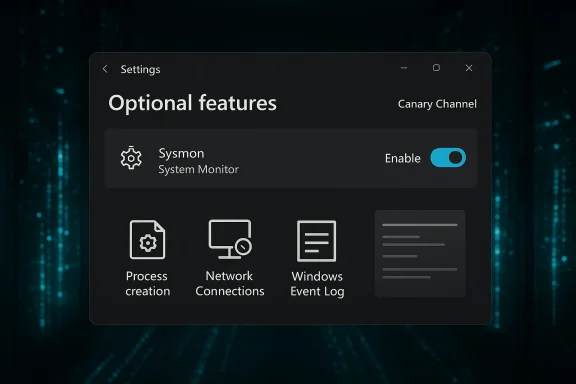
Microsoft documents the new in‑box delivery and enablement steps as follows:- The feature is exposed as an Optional Feature in Settings: Settings > System > Optional features > More Windows features > Sysmon.
- It can also be enabled by automation using DISM:
Dism /Online /Enable-Feature /FeatureName:Sysmon - To complete the install and start logging, run the familiar Sysmon initialization command from an elevated shell:
sysmon -i
Where Sysmon writes its events
The in‑box Sysmon writes events into the teams already use: Applications and Services Logs → Microsoft → Windows → Sysmon → Operational. That preserves compatibility with SIEM parsers and collector pipelines built around the classic Sysmon event schema. Multiple independent outlets confirm the event destination and parity with the traditional Sysinternals tool.Operational impact: what this changes for IT and security teams
Lower friction, better servicing
Making Sysmon an optional inbox feature reduces operational overhead in several concrete ways:- Administrators can enable the capability through existing Windows feature‑management workflows rather than distributing a separate binary to every endpoint. This simplifies provisioning and patching across large fleets.
- Updates to the service can be handled through the Windows servicing pipeline and Windows Update, reducing version skew and the risk of unmanaged legacy copies.
What doesn’t change
Sysmon remains a , not a detection engine. It does not analyze or alert on events by itself — it provides structured data for SIEM, EDR, or hunting tools to consume. The configuration model is still XML‑based and existing Sysmon XML configurations remain usable once the inbox feature is enabled.Increased telemetry volume — plan for cost and capacity
A typical pitfall when enabling Sysmon at scale is under‑estimating the volume of events generated. Even moderate configurations that include command lines and network connection events can produce a high cardinality of logs. Before any broad rollout:- Measure event rates in a representative pilot.
- Validate SIEM ingest costs and throttling behavior.
- Update retention and index plans to accommodate higher volumes.
Compatibility and migration: moving from standalone Sysmon
Uninstall first, then enable
Microsoft requires removal of any previously installbefore enabling the built‑in feature. Practically, that means:- Stop and uninstall the legacy Sysmon service across your estate via automation.
- Enable the inbox feature via DISM, PowerShell, or Settings.
- Initialize Sysmon with your hardened XML configuration: sysmon -i -accepteula -h sha256 -n -c <config.xml>.
Configuration management and change control
Because Sysmon’s XML defines what is collected and what noise is filtered, treat Sysmon configuration as a fiifact:- Keep configs in source control and tie changes to change requests.
- Push config updates through the same deployment tooling you use for other OS components (Intune, SCCM, or your MDM).
- Test config changes in a lab or pilot group before applying widely.
Security, privacy, and compliance considerations
Data minimization and legal review
Sysmon captures fields that may have privacy sensitivity in some jurisdictions — notably command lines, file hashes, and IP addresses. Before you enable the feature broadly, perform a legal and privacy review to confirm that capturing those fields complions and your organization’s policies.- Consider redaction and selective capture in your XML config where command lines include PII.
- Document retention and access controls for Sysmon logs, as they can be used for forensic reconstruction.
Access and monitoring controls
Sysmon logs are useful for defenders but are also interesting from an attacker’s perspective. Ensure that:- Event channels are protected with least‑privilege ACLs.
- Forwarded logs to SIEMs are encrypted in transit and access is tightly controlled.
- Alerting and monitoring rules are in place to detect unusual data exports o
Recommended rollout plan (practical, step‑by‑step)
- Inventory & baseline: Identify endpoints, roles, and SIEM capacity. Flag any devices running standalone Sysmon.
- Lab validation: Enable the inbox feature on isolated test systems. Apply your hardened XML (or a conservative config) and measure event rates for 7–14 days.
- Pilot group: Choose representative endpoints (servers, developer workstations, SOC‑monitored hosts) and deploy via automation, monitoring ingestion pipelines and analyst workload.
- Triage & tune: Use the pilot to tune filters and reduce noisy event classes; rework detection content to leverage new observability.
- Ramp: Expand to security‑critical segments first, then to broader fleets only after capacity, cost, and alerting are stable.
- Full deployment: When ready, enable organization‑wide and bake Sysmon management into your OS baseline image and onboarding playbooks.
OneDrive sharing tweak: what changed and why it matters
The UX change
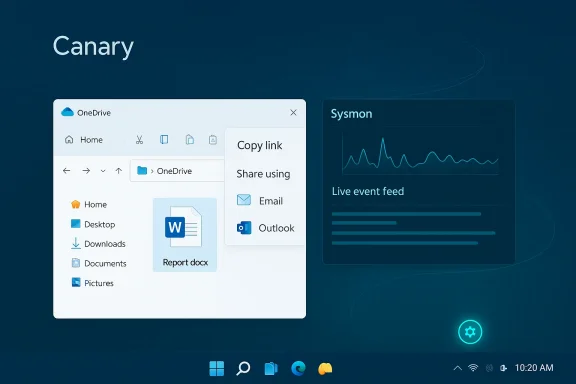
When right‑clicking a OneDrive cloud file and selecting Share → Copy link, the Windows share dialog now surfaces “Share using” options that let you directly send that link through installed apps (for example, mail clients or chat apps) without a separate copy‑and‑paste step. It’s a small improvement that reduces friction in common sharing scenarios and helps bridge cloud storage and desktop workflows. This capability is rolling out to Windows Insidcrosoft accounts outside the EEA at the time of the announcement.Practical benefits
- Faster sharing in the desktop environment — less clipboard juggling.
- Streamlined workflows for people who commonly send OneDrive links through mail or chat apps.
- Consistency with other share flows in Windows, making cloud links act like any other shareable content.
Risks and recommended user practices
Convenience can be a vector for mistakes. The new flow increases the risk of inadvertently forwarding a link with overly permissive access (e.g., Anyone link vs Specific People). Recommendations for users and administrators:- Train users to check link permissions and expiration settings before sharing.
- Encourage use of Specific People or authenticated links for sensitive documents.
- Consider conditional access or DLP controls to block insecure link types from being shared externally.
Canary channel notes and known issues
Canary channel characteristics
Remember that Canary is an early, experimental channel:- Builds represent early platform changes that may be unstable.
- Features may be gated by Controlled Feature Rollout and appear only for subsets of Insiders even after the build installs.
- You cannot move from Canary to lower channels without a clean install of Windows; reverting often requires OS reimaging.
Known issue in this flight
Microsoft notes a cosmetic issue: the desktop watermark in Build 28020.1611 initially showed the wrong build number for some Insiders. e corrected in a later build; in the meantime, use winver to confirm the accurate build string if you need to verify versions.Cross‑checks and verification
Key technical claims in this piece were verified against Microsoft’s official Insider blog and independent reporting:- Microsoft’s Insider announcement documents the build, the enablement steps, the need to uninstall legacy Sysmon, and the OneDrive share change. ([blogs.windows.com](Announcing Windows 11 Insider Preview Build 28020.1611 (Canary Channel) outlets confirm event destinations, the unchanged Sysmon event model, and the operational implications for SIEM/EDR teams. See reporting from TechRepublic and TechSpot fvent channel behavior and deployment guidance.
Strengths, trade‑offs, and potential risks
deployment friction:** Making Sysmon optional and in‑box simplifies rollout, reduces dependency on external downloads, andconsistent.
- Better observability: Organizations that adopt Sysmon more broadly will gain richer telemetry for threat detection and forensic investigations.
- Small UX win for sharing: The OneDrive share tweak addresses a common friction point for cloud file collaboration.
Trade‑offs and risks
- Event volume and cost: Increased telemetry can raise SIEM ingestion and storage costs; conservative configs and telemetry budgeting are essential.
- Privacy and regulation: Command‑line capture and other fields can trigger privacy concerns or compliance obligations in some jurisdictions; legal review is required.
- Automation hazards: The easier enablement path makes it possible to deploy suboptimal configs at scale; change control must be enforced to avoid fleet‑wide problems.
What administrators should do next (quick checklist)
- Audit current Sysmon installations and plan an automated uninstall of legacy copies.
- Spin up a lab image with the in‑box Sysmon enabled and test your hardened XML for event rate, noise, and SIEM parsing.
- Update ingestion and retention plans with your compliance and finance teams to account for expected volume increases.
- Educate users on OneDrive link permissions and monitor DLP/conditional access controls to prevent accidental oversharing.
Conclusion
Build 28020.1611 is small in footprint but significant in implication: embedding Sysmon as an optional inbox feature marks a strategic move to make forensic‑grade telemetry a native part of Windows. For organizations that have long relied on Sysinternals tools for endpoint visibility, the change reduces operational friction and promises tighter servicing and lifecycle management. That said, the new path also raises immediate operational responsibilities — conservative configs, pilot deployments, ingestion planning, and legal review are non‑negotiable prerequisites to avoid surprises.The OneDrive sharing adjustment is a sensible productivity refinement, but it underscores the perpetual trade‑off between convenience and data governance. Insiders and administrators should treat this Canary flight as an opportunity to validate capabilities in safe environments, tune policies and pipelines, and prepare for wider rollout when Microsoft moves the feature out of preview and into production channels.
Source: gHacks New Windows 11 Update Adds Built-In Sysmon and OneDrive Sharing Tweaks - gHacks Tech News