

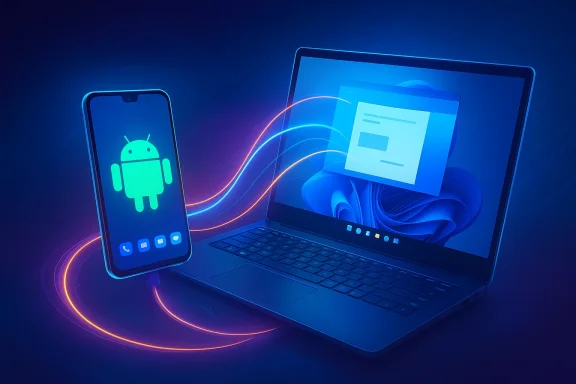
Microsoft is quietly turning Windows 11 into a more convincing cross-device platform, and Android is the beneficiary. The latest Cross-Device Resume expansion takes a feature that began as a narrow OneDrive handoff and broadens it into something much closer to a real continuity layer between phone and PC. For users who live in Microsoft 365, stream music in Spotify, or bounce between browser sessions all day, the value proposition is obvious: start on the phone, finish on the computer, and waste less time in between. (support.microsoft.com)
Microsoft’s work here is not a sudden pivot but the latest step in a deliberate strategy. The company has spent years moving from a phone-centric ecosystem, which it largely lost, to a PC-centric orchestration model that treats Android as the default mobile companion. That is a pragmatic position: Android dominates global smartphone share, and Windows remains the dominant desktop platform, so the overlap is where Microsoft can still shape user behavior. (support.microsoft.com)
The feature itself first emerged in 2025 as a OneDrive-focused resume experience, with Microsoft framing it as a way to continue a file from phone to PC with a single click. In early builds, the scope was limited and the timing mattered: the feature appeared in Insider channels before broader availability, which is classic Microsoft. The pattern is familiar—float a capability in preview, learn from usage, then widen the app list and device support once the plumbing stabilizes. (blogs.windows.com)
What makes the current update notable is the shift from file-centric continuity to activity-centric continuity. Instead of only resuming a document, users can now continue Spotify playback, pick up work in Word, Excel, or PowerPoint, or resume browsing in supported environments. That difference sounds subtle, but it is strategically huge: file handoff is useful, yet app and workflow handoff is what makes an ecosystem feel sticky. (blogs.windows.com)
There is also an important competitive subtext. Apple’s Continuity remains the gold standard for seamless handoff between mobile and desktop, but Microsoft does not need to beat Apple by copying it one-to-one. It needs to make Windows feel good enough that Android users stop seeing the PC as a separate island. That is especially true in business environments, where Microsoft already owns the productivity stack and can embed continuity into everyday work. (support.microsoft.com)
The current supported matrix is broader than the original rollout. Spotify is now part of the picture, and Microsoft 365 Copilot support covers online files opened on Android phones from HONOR, OPPO, Samsung, vivo, and Xiaomi devices. Microsoft also says Vivo browser sessions can continue on PC in the default browser, which underscores that the company is building a bridge around app-specific experiences rather than demanding one universal path. (support.microsoft.com)
For consumers, this is about convenience and friction reduction. For enterprise users, it is about reducing the cost of context switching across devices during the workday. Microsoft’s design choice to surface resume actions directly in the taskbar and Start menu is significant because it makes continuity visible at the exact moment users are most likely to act. (support.microsoft.com)
The newer approach is much more ambitious. By supporting Spotify and Microsoft 365, Microsoft is signaling that Cross-Device Resume is meant to become a platform capability rather than a one-off integration. That matters because platforms create expectations, and expectations create retention. Once users begin to trust that their phone state will carry over reliably, they start factoring Windows into daily workflows automatically. (blogs.windows.com)
Microsoft also appears to be using the feature as a way to deepen the relevance of Phone Link and Link to Windows. Those tools used to be associated mostly with notifications, messages, and file transfer. Now they are part of a larger, more identity-driven story: the PC can recognize your mobile session and continue it without forcing you to re-open, re-authenticate, or reorient yourself. (blogs.windows.com)
The exclusion of Google’s Pixel line, and also Motorola in the current framing, is notable. It shows that Microsoft’s continuity ambitions are not purely about Android as a standard operating system; they are about Android as a distribution network where hardware partners can support the right hooks. That may frustrate power users, but it also reveals how fragmented the Android ecosystem remains when compared with Apple’s tightly managed stack. (blogs.windows.com)
This also reinforces a broader trend: the phone is no longer the center of Microsoft’s mobility strategy. The PC is. The phone serves as a launch point, while Windows serves as the destination where work becomes more complete, more editable, or more monetizable. That is why Microsoft 365 support is so important; it ties continuity directly to the subscription and productivity stack that still anchors the company’s business model. (support.microsoft.com)
Spotify support is different, but strategically useful in its own way. Music playback is not about document productivity; it is about normalizing the resume habit in a category people use constantly. If users learn that their PC can pick up Spotify from their phone effortlessly, they may be more willing to trust the same mechanism for work sessions later. In ecosystem terms, casual use cases often train the muscle memory for serious ones. (blogs.windows.com)
There is also a subtle product-design benefit in using well-known apps first. Users already understand what Spotify and Office do, so Microsoft does not have to educate them about the feature’s value. The point is not to explain a new workflow from scratch, but to make familiar workflows feel less fragmented across devices. (support.microsoft.com)
Resume changes that by inserting continuity into the heart of task management. Notifications can surface in the Start menu or as system alerts, which means the OS itself is now participating in the handoff experience. That makes Windows feel less like a passive host and more like a coordinator between devices. (support.microsoft.com)
The broader implication is that Phone Link is no longer just a sidecar app. It is becoming a framework for cross-device identity, session awareness, and productivity continuity. If Microsoft keeps extending this pattern, the company could eventually build a mobile-to-desktop bridge that feels less like syncing and more like one extended workspace. That would be a meaningful strategic asset. (blogs.windows.com)
Microsoft’s advantage is scale. Windows and Android together cover an enormous percentage of the world’s mainstream personal computing and mobile device base, so even a partial continuity layer can affect a huge number of users. The company does not need to clone Apple’s elegance perfectly; it needs to solve enough of the handoff problem to make Windows the preferred desk companion for Android owners. (support.microsoft.com)
In practical terms, Microsoft may never deliver the same seamless magic users associate with iPhone-to-Mac continuity. But it can still win on breadth and utility. If the company makes Android-to-Windows continuity reliable for work files, browser sessions, and a few high-frequency apps, that may be enough to shape user preference in offices and homes alike. (support.microsoft.com)
For consumers, the appeal is more casual but still meaningful. People want their media, messages, and browsing to flow naturally from phone to PC because their attention does not respect device boundaries. When the PC can carry over the session state cleanly, it feels less like a work machine and more like part of a personal digital fabric. That is a subtle but powerful shift. (support.microsoft.com)
The consumer side may be quieter at first, but it is no less strategic. The more often users see their phone work resume on Windows, the more Windows feels like the center of gravity rather than a separate endpoint. That is exactly the kind of mundane, repeated interaction that builds loyalty over time. (support.microsoft.com)
Microsoft also appears to be using previews as a way to manage expectations. By expanding the feature gradually, the company can refine the supported app list, identify device-specific issues, and observe whether the notifications are actually useful or merely ignored. That kind of iteration is crucial for any feature that aims to become part of daily OS behavior rather than a niche curiosity. (blogs.windows.com)
The Insider builds also signal that Microsoft is building the feature into Windows at a more foundational level. It is no longer just about a companion app on the phone; it is about the OS recognizing, surfacing, and routing activity across devices. That is a stronger architectural move than a simple app integration would be. (support.microsoft.com)
If Microsoft succeeds, this feature could become one of the quiet pillars of Windows 11’s identity: not flashy, not headline-grabbing, but deeply useful. And if it keeps expanding at the pace shown in Insider builds, the long-term vision becomes clear—Windows is trying to be the place where mobile tasks finish, even when they begin elsewhere.
Source: Talk Android Windows 11's new continuity feature is about to make your Android phone an even stronger PC ally - Talk Android
 Overview
Microsoft’s work here is not a sudden pivot but the latest step in a deliberate strategy. The company has spent years moving from a phone-centric ecosystem, which it largely lost, to a PC-centric orchestration model that treats Android as the default mobile companion. That is a pragmatic position: Android dominates global smartphone share, and Windows remains the dominant desktop platform, so the overlap is where Microsoft can still shape user behavior. (support.microsoft.com)The feature itself first emerged in 2025 as a OneDrive-focused resume experience, with Microsoft framing it as a way to continue a file from phone to PC with a single click. In early builds, the scope was limited and the timing mattered: the feature appeared in Insider channels before broader availability, which is classic Microsoft. The pattern is familiar—float a capability in preview, learn from usage, then widen the app list and device support once the plumbing stabilizes. (blogs.windows.com)
What makes the current update notable is the shift from file-centric continuity to activity-centric continuity. Instead of only resuming a document, users can now continue Spotify playback, pick up work in Word, Excel, or PowerPoint, or resume browsing in supported environments. That difference sounds subtle, but it is strategically huge: file handoff is useful, yet app and workflow handoff is what makes an ecosystem feel sticky. (blogs.windows.com)
There is also an important competitive subtext. Apple’s Continuity remains the gold standard for seamless handoff between mobile and desktop, but Microsoft does not need to beat Apple by copying it one-to-one. It needs to make Windows feel good enough that Android users stop seeing the PC as a separate island. That is especially true in business environments, where Microsoft already owns the productivity stack and can embed continuity into everyday work. (support.microsoft.com)
What Cross-Device Resume Actually Does
At a practical level, Cross-Device Resume creates a taskbar notification on a Windows 11 PC when a supported activity was recently started on a linked Android phone. A user taps the alert and lands in the relevant desktop app or web context, depending on the service and file type involved. The experience is designed to feel single-click simple, which is important because continuity features fail quickly when they become a setup exercise instead of a natural habit. (support.microsoft.com)The current supported matrix is broader than the original rollout. Spotify is now part of the picture, and Microsoft 365 Copilot support covers online files opened on Android phones from HONOR, OPPO, Samsung, vivo, and Xiaomi devices. Microsoft also says Vivo browser sessions can continue on PC in the default browser, which underscores that the company is building a bridge around app-specific experiences rather than demanding one universal path. (support.microsoft.com)
The user experience is the real product
The point is not merely that data moves. The point is that attention moves with it. A continuity feature saves more time when it preserves context—cursor position, open file, active playback, or the page you were reading—than when it just shares a link. That is why Microsoft’s push matters; it is trying to make the PC feel like a continuation of the phone’s state, not a separate machine you have to restart mentally. That is the real productivity win. (support.microsoft.com)For consumers, this is about convenience and friction reduction. For enterprise users, it is about reducing the cost of context switching across devices during the workday. Microsoft’s design choice to surface resume actions directly in the taskbar and Start menu is significant because it makes continuity visible at the exact moment users are most likely to act. (support.microsoft.com)
- Single-click handoff from phone to PC
- Taskbar visibility instead of buried menus
- App-specific continuity rather than generic syncing
- Workflows preserved across devices
- Support for both music and productivity use cases (support.microsoft.com)
From OneDrive to a Broader Continuity Layer
The original OneDrive version of the feature was a proof of concept. It proved Microsoft could detect that a file had been opened on a phone, then prompt the user to continue on a PC within a short time window. That was a good start, but it was also limited enough to feel like a productivity novelty instead of a foundational platform trait. (blogs.windows.com)The newer approach is much more ambitious. By supporting Spotify and Microsoft 365, Microsoft is signaling that Cross-Device Resume is meant to become a platform capability rather than a one-off integration. That matters because platforms create expectations, and expectations create retention. Once users begin to trust that their phone state will carry over reliably, they start factoring Windows into daily workflows automatically. (blogs.windows.com)
Why this matters more than simple file sync
File sync is passive. Continuity is active. A synced document can sit in the cloud forever, but a resume alert tells the user, you were doing something, and you can keep doing it right now. That shift from storage to action is what separates useful infrastructure from memorable experience design. (support.microsoft.com)Microsoft also appears to be using the feature as a way to deepen the relevance of Phone Link and Link to Windows. Those tools used to be associated mostly with notifications, messages, and file transfer. Now they are part of a larger, more identity-driven story: the PC can recognize your mobile session and continue it without forcing you to re-open, re-authenticate, or reorient yourself. (blogs.windows.com)
- OneDrive was the starting point
- Spotify broadened the consumer appeal
- Microsoft 365 expands enterprise value
- Browser continuation fills an everyday gap
- The feature is moving from experiment to ecosystem glue (blogs.windows.com)
The OEM Strategy Behind the Rollout
One of the most revealing details is that Microsoft is not treating every Android phone equally. Instead, the company is coordinating with select manufacturers—Samsung, Xiaomi, Honor, Oppo, and Vivo—to enable deeper resume behavior through the Copilot app on those devices. That is a classic platform move: partner where integration is easiest, prove value, and then expand if adoption justifies it. (blogs.windows.com)The exclusion of Google’s Pixel line, and also Motorola in the current framing, is notable. It shows that Microsoft’s continuity ambitions are not purely about Android as a standard operating system; they are about Android as a distribution network where hardware partners can support the right hooks. That may frustrate power users, but it also reveals how fragmented the Android ecosystem remains when compared with Apple’s tightly managed stack. (blogs.windows.com)
Partner-first integration is not accidental
Microsoft likely benefits from working with OEMs that are already accustomed to collaboration on utilities, app stores, and device services. In practical terms, that reduces the number of moving parts. In strategic terms, it gives Microsoft a way to create a differentiated Windows experience without having to negotiate with every Android device on earth at once. That is slower, but far more realistic. (blogs.windows.com)This also reinforces a broader trend: the phone is no longer the center of Microsoft’s mobility strategy. The PC is. The phone serves as a launch point, while Windows serves as the destination where work becomes more complete, more editable, or more monetizable. That is why Microsoft 365 support is so important; it ties continuity directly to the subscription and productivity stack that still anchors the company’s business model. (support.microsoft.com)
- Selective OEM support lowers integration complexity
- Pixel omission limits universal appeal
- Partner deals can accelerate feature maturity
- Microsoft keeps the PC as the destination
- The productivity stack remains the monetization anchor (blogs.windows.com)
The Role of Microsoft 365 and Spotify
Microsoft 365 is where this feature becomes serious. If a user can open a Word, Excel, or PowerPoint file on a phone and then continue it on a PC with minimal friction, Microsoft has effectively tied the mobile device into the center of the Office workflow. That is especially powerful in workplaces where phones are used for quick edits, approvals, or review cycles between meetings. (support.microsoft.com)Spotify support is different, but strategically useful in its own way. Music playback is not about document productivity; it is about normalizing the resume habit in a category people use constantly. If users learn that their PC can pick up Spotify from their phone effortlessly, they may be more willing to trust the same mechanism for work sessions later. In ecosystem terms, casual use cases often train the muscle memory for serious ones. (blogs.windows.com)
Two different use cases, one continuity message
Microsoft 365 addresses the enterprise and prosumer audience. Spotify targets the daily consumer rhythm that makes a platform feel human. Put together, they send a message that the feature is not just a business tool or just a media trick; it is both. That duality matters because it widens the emotional and functional surface area of Windows 11. (support.microsoft.com)There is also a subtle product-design benefit in using well-known apps first. Users already understand what Spotify and Office do, so Microsoft does not have to educate them about the feature’s value. The point is not to explain a new workflow from scratch, but to make familiar workflows feel less fragmented across devices. (support.microsoft.com)
- Microsoft 365 deepens workplace relevance
- Spotify builds habit through everyday use
- Familiar apps reduce onboarding friction
- The feature becomes easier to explain and adopt
- Cross-device behavior feels more natural when the apps are already trusted (support.microsoft.com)
Phone Link Becomes More Than a Utility
The evolution from Phone Link to Cross-Device Resume is really about changing the emotional category of Microsoft’s phone integration. Phone Link started as a convenience layer—messages, photos, calls, and some lightweight transfers. That is useful, but it is not the kind of feature that makes people think of Windows as an ecosystem. (blogs.windows.com)Resume changes that by inserting continuity into the heart of task management. Notifications can surface in the Start menu or as system alerts, which means the OS itself is now participating in the handoff experience. That makes Windows feel less like a passive host and more like a coordinator between devices. (support.microsoft.com)
Start menu integration changes the psychology
This matters because placement shapes behavior. A taskbar alert is harder to ignore than a buried submenu, and a Start menu prompt feels like a native part of Windows rather than a third-party add-on. Microsoft is clearly trying to make the transition from phone to PC visible at the operating system layer, which is exactly how Apple won loyalty for Continuity. (support.microsoft.com)The broader implication is that Phone Link is no longer just a sidecar app. It is becoming a framework for cross-device identity, session awareness, and productivity continuity. If Microsoft keeps extending this pattern, the company could eventually build a mobile-to-desktop bridge that feels less like syncing and more like one extended workspace. That would be a meaningful strategic asset. (blogs.windows.com)
- Phone Link is evolving into a continuity framework
- Taskbar and Start menu exposure increase visibility
- The OS becomes an active coordinator
- Resume is more valuable than simple notifications
- Session awareness is the real long-term prize (support.microsoft.com)
How It Compares to Apple’s Continuity
It is impossible to discuss Cross-Device Resume without mentioning Apple. Apple’s Continuity works because the company owns the stack end to end, from hardware to software to services. Microsoft, by contrast, is working in a more fragmented world where Android OEMs, app developers, Microsoft services, and Windows itself all have to cooperate. That makes the achievement harder, but also potentially broader in reach. (support.microsoft.com)Microsoft’s advantage is scale. Windows and Android together cover an enormous percentage of the world’s mainstream personal computing and mobile device base, so even a partial continuity layer can affect a huge number of users. The company does not need to clone Apple’s elegance perfectly; it needs to solve enough of the handoff problem to make Windows the preferred desk companion for Android owners. (support.microsoft.com)
Different ecosystems, different optimization goals
Apple optimizes for total coherence. Microsoft optimizes for interoperability. That difference explains why the rollout is selective, why some device brands are supported before others, and why the feature appears in stages through Insider builds. A fragmented ecosystem requires incremental trust-building, not flashy universal promises. (blogs.windows.com)In practical terms, Microsoft may never deliver the same seamless magic users associate with iPhone-to-Mac continuity. But it can still win on breadth and utility. If the company makes Android-to-Windows continuity reliable for work files, browser sessions, and a few high-frequency apps, that may be enough to shape user preference in offices and homes alike. (support.microsoft.com)
- Apple owns the full stack
- Microsoft is solving interoperability at scale
- Selective rollout is a feature, not a bug
- Breadth may matter more than perfection
- Reliability will determine whether users trust it (support.microsoft.com)
Enterprise vs Consumer Impact
For enterprises, the feature is most valuable when it reduces lost time and preserves momentum between meeting rooms, desks, and mobile moments. A salesperson can review a deck on the phone, finish edits on the PC, and avoid re-opening the wrong version or reauthenticating into another app. A field worker can check a document quickly and then continue the workflow on a corporate laptop without manual handoff friction. (support.microsoft.com)For consumers, the appeal is more casual but still meaningful. People want their media, messages, and browsing to flow naturally from phone to PC because their attention does not respect device boundaries. When the PC can carry over the session state cleanly, it feels less like a work machine and more like part of a personal digital fabric. That is a subtle but powerful shift. (support.microsoft.com)
Why Microsoft 365 users care most
Microsoft 365 users are the obvious early winners because the ecosystem already spans mobile and desktop in a way that makes continuity immediately legible. The feature supports Word, Excel, and PowerPoint workflows and, when necessary, opens them in the corresponding desktop app or browser. That flexibility is important because it acknowledges that the “right” continuation path depends on what software is installed and how the user works. (support.microsoft.com)The consumer side may be quieter at first, but it is no less strategic. The more often users see their phone work resume on Windows, the more Windows feels like the center of gravity rather than a separate endpoint. That is exactly the kind of mundane, repeated interaction that builds loyalty over time. (support.microsoft.com)
- Enterprise users gain workflow continuity
- Consumers gain attention continuity
- Microsoft 365 is the highest-value productivity path
- Cross-device trust improves with repeated use
- Desktop and mobile begin to feel like one work surface (support.microsoft.com)
What the Preview Channel Tells Us
The fact that this continues to appear in Insider and Release Preview-style channels tells us Microsoft is still testing the details. That is not surprising, because continuity features are fragile: they depend on device pairing, app versioning, sign-in state, service compatibility, and timing. A feature like this can look trivial from the outside while hiding a surprising amount of backend orchestration. (blogs.windows.com)Microsoft also appears to be using previews as a way to manage expectations. By expanding the feature gradually, the company can refine the supported app list, identify device-specific issues, and observe whether the notifications are actually useful or merely ignored. That kind of iteration is crucial for any feature that aims to become part of daily OS behavior rather than a niche curiosity. (blogs.windows.com)
Why gradual rollout is the smart move
A continuity feature that fails occasionally is worse than no continuity feature at all. Users quickly learn not to trust unreliable handoff experiences, and once that trust is gone, the feature becomes invisible. Microsoft’s staged approach suggests it knows reliability is the deciding factor, not marketing language. (support.microsoft.com)The Insider builds also signal that Microsoft is building the feature into Windows at a more foundational level. It is no longer just about a companion app on the phone; it is about the OS recognizing, surfacing, and routing activity across devices. That is a stronger architectural move than a simple app integration would be. (support.microsoft.com)
- Preview channels reduce rollout risk
- Reliability is more important than novelty
- User trust depends on consistent notifications
- OS-level integration is more durable than app-only tricks
- Microsoft is likely still tuning compatibility and timing (blogs.windows.com)
Strengths and Opportunities
Microsoft’s biggest strength here is that it is solving a real and common problem: the gap between mobile interruption and desktop completion. The company is also approaching that problem through services it already owns or influences, which gives it far more leverage than a third-party startup could ever have. If executed well, Cross-Device Resume can become one of those small but sticky features that quietly raises satisfaction across the Windows experience.- Strong fit with Microsoft 365 workflows
- Clear consumer value through Spotify and browsing
- Improves Windows relevance for Android users
- Supports the broader Phone Link ecosystem
- Can deepen customer retention in business environments
- Low-friction design encourages habitual use
- Potential to expand to more apps and OEMs over time
Risks and Concerns
The biggest risk is fragmentation. If the feature works well only on certain phones, certain apps, or certain account combinations, users will experience it as inconsistent rather than magical. There is also the danger of overpromising a continuity story that never quite reaches the fluidity of Apple’s ecosystem, which could make the feature feel like a compromise instead of an advantage.- Limited device support may frustrate many Android users
- Dependence on partner OEMs can slow expansion
- Inconsistent behavior could damage trust
- App support may remain too narrow for some users
- Privacy-conscious users may dislike cross-device session awareness
- Enterprise IT teams may want more policy controls
- If the rollout is too slow, competitors may define the category
Looking Ahead
The most important question is not whether Microsoft can ship Cross-Device Resume. It already has. The real question is whether the company can make it feel universal enough that users stop thinking about the machinery underneath. That would require broader OEM support, more app partnerships, and perhaps deeper integration with browsers and Microsoft 365 workflows.If Microsoft succeeds, this feature could become one of the quiet pillars of Windows 11’s identity: not flashy, not headline-grabbing, but deeply useful. And if it keeps expanding at the pace shown in Insider builds, the long-term vision becomes clear—Windows is trying to be the place where mobile tasks finish, even when they begin elsewhere.
- Broaden support beyond current partner phones
- Add more third-party apps with real daily value
- Improve notification speed and reliability
- Refine enterprise controls and admin visibility
- Make the handoff feel instant, not merely convenient
Source: Talk Android Windows 11's new continuity feature is about to make your Android phone an even stronger PC ally - Talk Android
Last edited:
