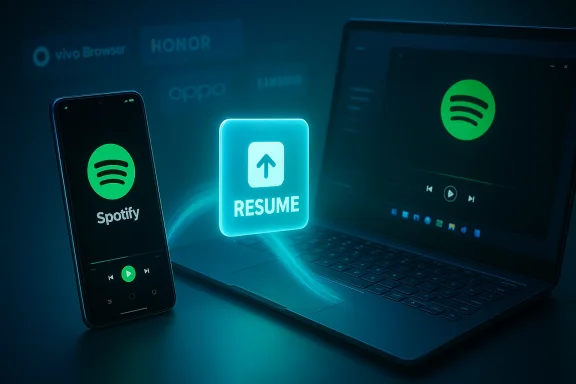
Microsoft just took a meaningful step toward the kind of cross-device continuity many Windows users have been waiting for: Windows 11 can now resume certain Android app activities on your PC, and the feature has moved into the Release Preview channel—signaling that a wider rollout is imminent. This iteration expands resume beyond OneDrive documents to include Spotify playback, Microsoft 365 Copilot files (Word, Excel, PowerPoint) opened on supported phones, and browser sessions handed off from compatible Android browsers, with the update arriving as KB5074105 (Builds 26100.7701 and 26200.7701) in the Release Preview ring.
Microsoft’s cross-device continuity work has been gradual and iterative. What began as notification mirroring, SMS reply, and photo transfer under the Your Phone / Phone Link umbrella has evolved into a metadata-driven handoff model often called Cross‑Device Resume or just Resume. The initial public implementations focused on OneDrive-backed file continuation and a narrower demo for Spotify audio handoff; recent previews have expanded both the scope and the integration paths to make the system usable by third-party apps and OEMs.
This Release Preview update (KB5074105), published to Insiders on January 27, 2026, moves that work out of purely experimental territory. Microsoft lists Cross‑Device Resume among the headline items in the release notes, and external outlets that covered the preview confirm the same scenarios and the staged rollout model.
Similarities:
That approach is pragmatic and technically sound: it reduces bandwidth and privacy exposure compared with UI streaming, and it provides a sensible developer on-ramp. But the user experience will remain dependent on developer adoption, OEM cooperation, and Microsoft’s phased rollout, so ubiquity will take time.
For Windows users who rely on both Android phones and a PC, Resume promises a tangible productivity boost—start a task on one device, finish on another—but only time and developer participation will determine whether it becomes a daily convenience or a feature that remains visible only in demos and selective scenarios.
If you want to test this on your own hardware, start with a single test PC enrolled in Release Preview and one supported phone; validate Spotify and a Copilot mobile document flow first, then expand testing to other apps and devices as vendor support appears. This measured approach will help you assess usefulness, determine privacy exposure, and prepare admin controls before deploying Resume across a wider set of systems.
Source: The Verge Windows 11’s ability to resume Android apps on your PC is getting closer
 Background / Overview
Microsoft’s cross-device continuity work has been gradual and iterative. What began as notification mirroring, SMS reply, and photo transfer under the Your Phone / Phone Link umbrella has evolved into a metadata-driven handoff model often called Cross‑Device Resume or just Resume. The initial public implementations focused on OneDrive-backed file continuation and a narrower demo for Spotify audio handoff; recent previews have expanded both the scope and the integration paths to make the system usable by third-party apps and OEMs. This Release Preview update (KB5074105), published to Insiders on January 27, 2026, moves that work out of purely experimental territory. Microsoft lists Cross‑Device Resume among the headline items in the release notes, and external outlets that covered the preview confirm the same scenarios and the staged rollout model.
What’s new in the Release Preview (KB5074105)
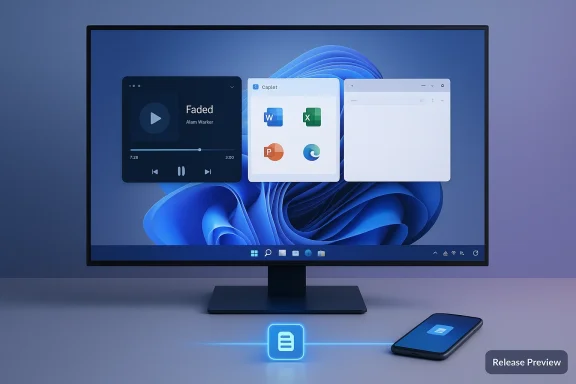
The Release Preview builds (26100.7701 / 26200.7701) expand Resume in specific, practical ways. Key additions called out by Microsoft and confirmed across reporting include:- Resume Spotify playback you started on your Android phone and continue on the PC. If the Spotify desktop client is missing, Windows will prompt to install it.
- Continue working on Microsoft 365 documents opened in the Copilot mobile app on supported phones (Word, Excel, PowerPoint). The PC will open the document in the desktop Office app if installed, or fall back to the browser if not. Offline-only files stored only on the phone are explicitly not supported.
- Restore active browsing sessions from compatible Android browsers—Vivo Browser is explicitly mentioned in preview notes for Vivo phones. The tab can be resumed in the PC’s default browser.
- Broadened OEM/vendor support called out in early notes: HONOR, OPPO, Samsung, Vivo, Xiaomi and others were referenced as partners or intended targets for resume scenarios.
How Cross‑Device Resume actually works (technical breakdown)
Resume’s central design choice is to avoid streaming or emulating an Android UI on the PC. Instead, the system hands off a compact metadata descriptor that tells Windows what the user was doing so the desktop can open the best native handler available.The pieces and the flow
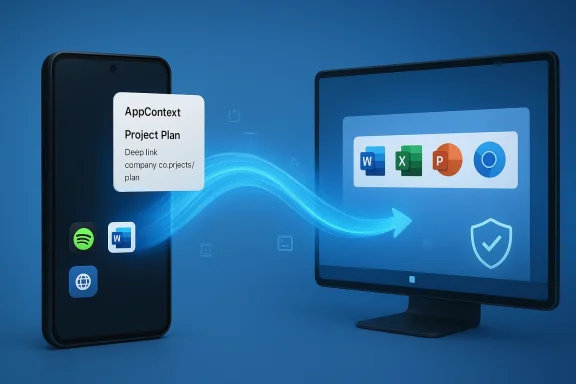
- AppContext (metadata): Android apps that want to offer Resume produce a small payload—an AppContext—that contains a context identifier, a title/preview, and a pointer to the resource (deep link/intent URI or public weblink). This payload has a short lifetime to prevent stale resume prompts.
- Delivery channels: There are two primary delivery routes:
- Link to Windows / Continuity SDK: Historically, apps integrated the Continuity SDK and handshaked through Link to Windows on the phone. This sends AppContext objects to the PC when appropriate.
- Windows Push Notification Service (WNS): Microsoft added a lower-friction path that uses server-side push notifications to surface resume affordances, enabling apps already using standard push infrastructure to trigger Resume without embedding the full Continuity SDK. This is a pragmatic option that reduces developer integration cost.
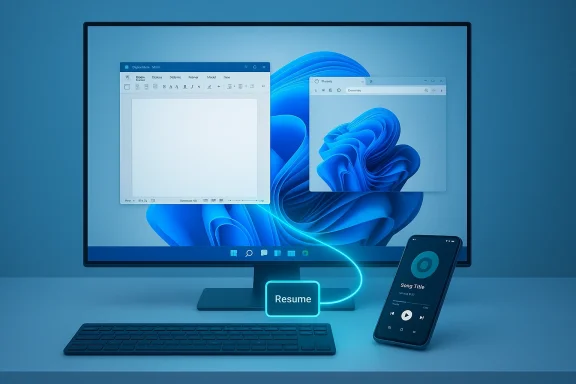
- Resolution on Windows: When Windows receives an AppContext, the OS resolves the best desktop handler. If the corresponding desktop app is installed (for example, Spotify or Word), Windows launches it and aims to restore the same activity/context. If no native handler exists, Windows falls back to opening the matching weblink in the default browser. The UI surface is a small taskbar card or icon badge with a "Resume" affordance.
Why this architecture matters
- It’s lightweight: transmitting metadata instead of full UIs saves bandwidth and reduces complexity.
- It preserves desktop fidelity: by preferring native desktop apps over streamed Android UI, resumed activities feel native on Windows.
- It lowers security and privacy exposure compared with full remote streaming, because only small context descriptors are exchanged rather than full session contents. However, that does not eliminate privacy considerations (see below).
Verified claims and cross‑references
I verified the most important claims against multiple independent sources:- The Release Preview update (KB5074105) and the builds (26100.7701 / 26200.7701) are confirmed in Microsoft’s Windows Insider Blog post published January 27, 2026 and in multiple industry reports covering the Release Preview rollout.
- The expanded resume targets (Spotify, M365 Copilot files, Vivo Browser handoff) appear in both Microsoft’s notes and coverage by The Verge and Windows Report.
- The underlying architecture—AppContext, Link to Windows, Continuity SDK, and WNS as an alternate delivery path—has been documented in Microsoft-facing developer notes and was summarized in technical previews and community reporting. I cross-referenced the technical description in internal preview files with Microsoft’s official support documentation for the Resume feature.
How to enable and test Resume on your PC (practical steps)
If you want to try Resume on a test device, follow these general steps. These are distilled from Microsoft’s support guidance and the Release Preview notes—availability remains gated, so you may not see the UI until the server-side rollout flips for your pairing.- Make sure your PC is running Windows 11 and is enrolled in the Release Preview Channel (Insider Program) if you want the preview builds. Microsoft published Build notes for January 27, 2026 that list KB5074105 for Release Preview.
- Install KB5074105 (build 26100.7701 or 26200.7701) and reboot as required.
- On the PC, open Settings → Bluetooth & devices → Mobile devices and enable “Allow this PC to access your mobile devices” (or the equivalent Mobile devices pairing settings). The Resume feature uses that pairing context.
- On your Android phone, ensure Link to Windows (or the OEM’s Link variant) is installed and the device is paired with your PC. Sign into the same Microsoft account where required.
- Use a supported scenario: start playback in Spotify, open a cloud document in the M365 Copilot mobile app on a supported OEM phone, or open a tab in Vivo Browser on a supported device. Watch for a small taskbar resume alert on the PC. Click it to continue.
Privacy, security, and enterprise implications
Resume is designed to be lightweight and to minimize exposure by transmitting metadata, but that doesn't remove legitimate concerns. Organizations and privacy-conscious users should consider several factors:- Data transmitted: AppContext payloads include titles, preview bytes, and links. While short-lived, these descriptors indicate what activity you’re resuming and may include sensitive titles or URLs. Administrators should review how notifications and metadata are handled in their environment.
- Consent and controls: Microsoft’s settings allow toggling Resume at the OS level and disabling it for specific apps. Enterprises should evaluate group policy options or MDM controls to restrict unintended resume behavior. Microsoft documents a Settings path to turn off Resume or opt specific apps out.
- Automatic installs: Because Resume can prompt the Microsoft Store to install a missing desktop handler, IT teams must consider store-install policies and how this interacts with managed devices. If admins disallow Store installs, a resume flow may fall back to the web or be blocked.
- Network dependency & availability: Resume depends on cloud-accessible links and notifications. Local-only files saved only on the phone are explicitly not supported; resume flows require reachable resources. This affects workflows in low‑connectivity or air-gapped environments.
- Limited Access Feature (LAF) and vetting: Microsoft requires developer access control for the Continuity SDK in many cases. While the WNS route reduces integration friction, some deeper integrations may remain gated. This is relevant for enterprises that want to vet partner apps before adoption.
Developer and OEM considerations
Resume won’t scale without developer and OEM participation. Microsoft has made two important gestures to encourage adoption:- WNS alternative: Offering a push-notification-based path lets developers prototype resume affordances without adding a heavy client SDK, lowering the cost to experiment with cross-device handoff. This is likely to accelerate adoption if developers find it reliable.
- AppContext / schema: The small AppContext schema makes it straightforward for apps to publish resumeable states without handing off full session data. However, Microsoft retains some control via Limited Access Features for deeper Continuity SDK capabilities, so developers may still face onboarding friction for certain integrations.
How Resume compares to Apple’s Handoff (and why it’s different)
Apple’s Handoff works within a tightly integrated ecosystem (iOS, iPadOS, macOS) and relies on deep OS-level app integration across devices Apple controls. Microsoft’s approach is necessarily more open—and more fragmented—because it must interoperate with many Android OEMs and third‑party apps.Similarities:
- Single‑click or one‑tap continuation across devices.
- Microsoft uses metadata (AppContext) and prefers native desktop apps or web fallbacks rather than transferring UI state or streaming an app. Apple often has deeper app-level continuity hooks in its own ecosystem.
- Microsoft must rely on OEM cooperation and third‑party developer adoption; Apple’s curated ecosystem reduces that friction. Expect a slower, more staggered path to parity in ubiquitous user experience.
Practical uses and action plan for users
Resume will be most immediately useful in everyday, cross-device flow scenarios:- Listening to music: Start a playlist on your phone’s Spotify app during a commute and resume playback on your PC when you arrive.
- Quick browsing continuation: Open an article on a phone and resume the tab on the desktop without copying URLs or sending yourself links—provided your phone/browser is supported.
- Editing cloud documents: Start drafting or reviewing a Word/Excel/PowerPoint in the M365 Copilot mobile app and continue seamlessly on the desktop. This is particularly valuable for users who switch phones and PCs through the day.
- Enroll a non-critical PC in Release Preview and install KB5074105.
- Pair one supported Android phone and confirm Link to Windows pairing.
- Try the Spotify and M365 Copilot scenarios, and confirm notification/permission settings on the phone.
Risks, unknowns, and limitations
No new cross-device feature is risk-free. Here are the key caveats and open questions to bear in mind:- Staged rollout and gating: Microsoft’s controlled feature rollout means availability will be inconsistent across devices and regions. Expect a gradual ramp rather than an instant, global switch.
- App and OEM dependence: The feature is only as useful as the apps and OEMs that implement resume hooks. Without broad developer participation, Resume may feel patchy.
- Offline/local files unsupported: Resume requires cloud-accessible content; purely local phone files won’t resume. That’s a practical limitation for many users.
- Privacy exposure via metadata: AppContext previews and links are small but meaningful; users and admins should consider policies and consent flows carefully.
- Enterprise controls & store policy interactions: Automatic prompts to install desktop apps via the Microsoft Store could complicate managed environments. Admins should review Store and MDM policies before broad deployment.
Final assessment: practical, not perfect — but important
This Release Preview step converts Resume from an interesting tech demo into a practical, testable feature for everyday users. By supporting Spotify, browser tab handoff (for specific OEMs), and Copilot mobile cloud documents, Microsoft demonstrates a real strategy: enable cross-device continuity through small, secure metadata handshakes that prefer native desktop experiences while offering a low-friction path for developers using WNS.That approach is pragmatic and technically sound: it reduces bandwidth and privacy exposure compared with UI streaming, and it provides a sensible developer on-ramp. But the user experience will remain dependent on developer adoption, OEM cooperation, and Microsoft’s phased rollout, so ubiquity will take time.
For Windows users who rely on both Android phones and a PC, Resume promises a tangible productivity boost—start a task on one device, finish on another—but only time and developer participation will determine whether it becomes a daily convenience or a feature that remains visible only in demos and selective scenarios.
If you want to test this on your own hardware, start with a single test PC enrolled in Release Preview and one supported phone; validate Spotify and a Copilot mobile document flow first, then expand testing to other apps and devices as vendor support appears. This measured approach will help you assess usefulness, determine privacy exposure, and prepare admin controls before deploying Resume across a wider set of systems.
Source: The Verge Windows 11’s ability to resume Android apps on your PC is getting closer