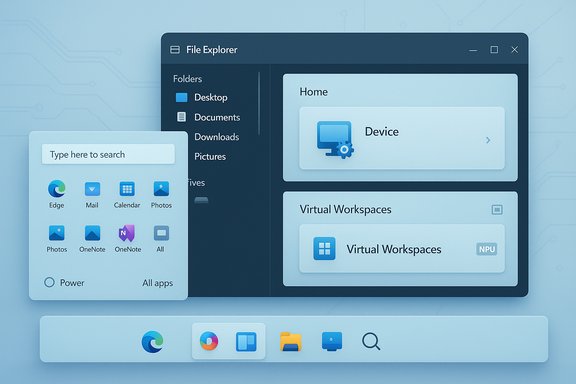
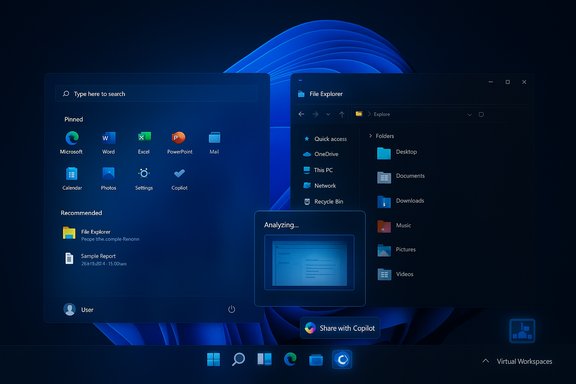
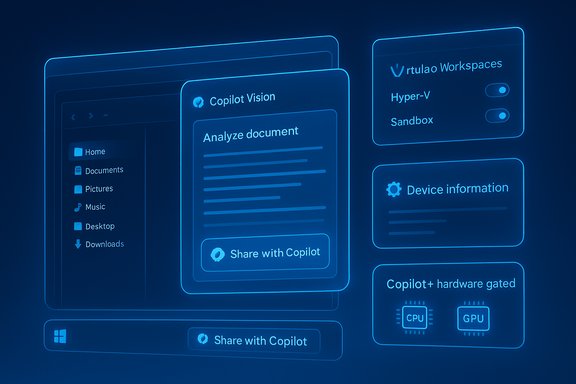
Microsoft is closing 2025 with a sizeable Windows 11 update: a preview build released December 1 has already started surfacing a slate of UI polish, Copilot integrations, virtualization controls, gaming improvements and hardware-gated AI features — and Microsoft plans to roll the final Patch Tuesday package beginning December 9, 2025. The package bundles what one major outlet counted as 16 user-facing feature changes (availability will be staggered and some features are explicitly hardware- or account-gated), plus a set of stability fixes that are important for IT teams to validate before broad deployment.
Microsoft shipped the preview cumulative update (KB5070311) to Release Preview and Stable channels on December 1, 2025, as a non‑security cumulative preview intended for validation ahead of the formal monthly roll on Patch Tuesday (Dec. 9). The preview’s release notes and subsequent hands‑on reporting show a mix of cosmetic polish (Start menu and search alignment, File Explorer dark mode coverage), productivity tweaks (new Settings cards, a “Virtual Workspaces” page to manage Hyper‑V and Sandbox), and an expansion of Copilot‑powered experiences for eligible devices. Administrators and enthusiasts should read this as the start of a controlled feature rollout, not an immediate global flip‑the‑switch for every user. This update follows Microsoft’s wider 2025 strategy: fold more features into cumulative monthly updates, gate advanced on‑device AI behind Copilot+ hardware and OEM driver support, and push more legacy Control Panel and “Windows Features” controls into the modern Settings app for discoverability. That approach improves discoverability for mainstream users but brings complexity for fleets because visibility of features depends on account, region, OEM drivers, and whether a device is Copilot+ qualified.
Strengths:
Why it matters:
That said, the update is not a risk‑free sprint to a finished OS: some features are estimations (for example, the widely quoted “2 GB” RAM reclamation from Xbox Full Screen Experience comes from independent hands‑on tests and should be treated as an approximate value rather than a universal guarantee), the Copilot surfaces raise legitimate privacy and support questions, and the File Explorer dark‑mode flash is a real regression that may justify a temporary hold for users who depend on dark theme stability. Practical bottom line:
Conclusion
This December’s cumulative preview shows Microsoft doubling down on usability refinements, clearer Settings surfaces, and selective on‑device AI experiences. The net effect for most users will be positive: cleaner visuals, more discoverable controls and convenience boosts from Copilot. However, the update also re‑emphasizes that modern Windows change management requires careful validation: Copilot gating, driver dependencies and occasional UI regressions mean the smartest move for organizations remains a staged rollout, targeted pilot testing, and clear user guidance on privacy and feature availability.
Source: PCWorld 16 new features coming in Windows 11's huge December update
 Background / Overview
Microsoft shipped the preview cumulative update (KB5070311) to Release Preview and Stable channels on December 1, 2025, as a non‑security cumulative preview intended for validation ahead of the formal monthly roll on Patch Tuesday (Dec. 9). The preview’s release notes and subsequent hands‑on reporting show a mix of cosmetic polish (Start menu and search alignment, File Explorer dark mode coverage), productivity tweaks (new Settings cards, a “Virtual Workspaces” page to manage Hyper‑V and Sandbox), and an expansion of Copilot‑powered experiences for eligible devices. Administrators and enthusiasts should read this as the start of a controlled feature rollout, not an immediate global flip‑the‑switch for every user. This update follows Microsoft’s wider 2025 strategy: fold more features into cumulative monthly updates, gate advanced on‑device AI behind Copilot+ hardware and OEM driver support, and push more legacy Control Panel and “Windows Features” controls into the modern Settings app for discoverability. That approach improves discoverability for mainstream users but brings complexity for fleets because visibility of features depends on account, region, OEM drivers, and whether a device is Copilot+ qualified. What’s new — highlights at a glance
The preview bundles many small but visible changes. The most consequential for everyday users and IT teams:- Visual and UX polish
- Windows Search panel resized to match the new Start menu height for consistent visuals.
- File Explorer receives broad dark‑mode coverage for copy / move / delete dialogs and related progress UI.
- Desktop Spotlight gains context‑menu shortcuts such as Next desktop background and Explore background.
- Taskbar and Copilot
- A new Share with Copilot button appears on taskbar app thumbnails to let users share an app view directly with Copilot Vision and start an analysis or conversation. This is controllable through Copilot settings.
- Settings and discoverability
- New Device info card on Settings’ home page and a redesigned About page that re‑labels and reorganizes device and Windows specifications.
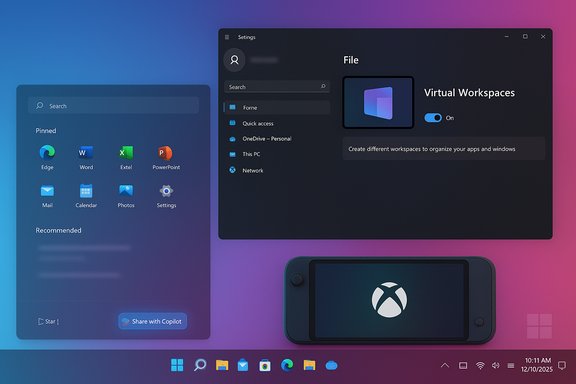
- A Virtual Workspaces page under Settings > System > Advanced centralizes Hyper‑V, Windows Sandbox, Containers and related virtualization toggles previously buried in “Windows Features.”
- Sharing, input, and accessories
- Drag Tray (the drag‑to‑top share tray) gains multi‑file support and — importantly for annoyed users — a toggle in Settings > System > Nearby sharing to turn the feature off.
- Keyboard and text cursor options (repeat delay/rate, cursor blink rate) migrate into Settings, along with more keyboard remapping options including Copilot key reassignment.
- Gaming / handhelds
- The Xbox Full Screen Experience (FSE) is being expanded beyond the initial Ally devices, delivering a controller‑first, console‑style launcher that suppresses parts of the desktop shell to reduce background overhead. Published hands‑on tests report directional memory savings (commonly cited around 1–2 GB on some handheld builds), but that figure is an estimate and depends on device configuration.
- On‑device AI and camera/pen features (Copilot+)
- Windows Studio Effects (on‑device background blur, eye‑contact, voice focus) can now be applied to secondary cameras such as external USB webcams — but only on Copilot+ devices with an NPU and OEM Studio Effects drivers. Pen haptics for supported touch devices are also present.
Deep dive: UI polish and discoverability
Start, Search and File Explorer
The Start menu redesign that began rolling in earlier 2025 left a mismatch between the Start panel and Windows Search. This update aligns the search field’s visual height with the Start menu, which is a small but noticeable refinement across Fluent surfaces. The larger impact is the broader attempt to finish the long‑running dark mode work in File Explorer: copy/move/delete dialogs, progress views and several confirmation prompts now respect the system dark theme in many configurations. Unfortunately, the preview has also reproduced a regression: a brief white flash on opening File Explorer in dark mode for some devices — an issue Microsoft has acknowledged and listed in Known Issues. That means while the dark theme is substantially improved, users who rely on a stable dark UI may see intermittent jarring flashes until Microsoft ships a fix.The Settings consolidation
Bringing Device info to the Settings home page and reorganizing the About page are straightforward usability wins: less clicking to find CPU, RAM, and GPU details, and clearer grouping of device insights, Windows info and related settings like Storage. The Virtual Workspaces move is the bigger functional consolidation: enabling Hyper‑V, Windows Sandbox and other virtualization features from a single Settings panel removes a long‑standing friction point for less technical users. For admins who rely on scripted installs, these modern UI toggles don’t replace enterprise deployment tools, but they do reduce support calls from curious users who want to enable virtualized test environments.Copilot integrations — convenience vs privacy tradeoffs
The update expands Copilot’s reach into the OS shell in multiple ways: a Share with Copilot taskbar action that sends an app snapshot to Copilot Vision for analysis; an improved Click to Do / contextual actions menu; and Settings‑level agent suggestions on Copilot+ devices. These are powerful productivity features that lower the friction for tasks like extracting text from images, translating on‑screen content, or getting a quick summary of a document.Strengths:
- Rapid access to AI assistance without leaving the current app.
- Copilot Vision can accelerate complex tasks (data extraction, translation, step‑by‑step assistance).
- Device‑side Copilot features on Copilot+ hardware can reduce cloud dependencies and latency when the on‑device stack is available.
- Privacy: sharing an app view with Copilot Vision transmits a representation of screen content to the assistant. Depending on settings and whether Copilot is using cloud models, that could expose sensitive data. Administrators should verify how Copilot handles PII and whether enterprise data loss prevention (DLP) policies can intercept or block Copilot actions.
- Feature gating and fragmentation: Copilot‑adjacent capabilities are frequently region‑ and hardware‑gated. Two identical OS builds may show different behavior on different devices because of Copilot+ entitlements or OEM drivers. That complicates IT validation and user support.
Virtual Workspaces and virtualization management
The new Virtual Workspaces page moves Hyper‑V, Windows Sandbox, and related virtualization components out of the legacy “Turn Windows features on or off” dialog and into Settings > System > Advanced. For admins and power users this is mostly a discoverability improvement, but it also ties virtualization controls into the modern settings experience where Microsoft can combine enablement with guidance.Why it matters:
- Reduces friction for users who want to test VMs or run sandboxed apps.
- Helps education and developer audiences adopt virtualization without a long support call.
- For IT, the underlying components are the same — Group Policy and deployment scripts remain the authoritative management tools — but the UI centralization reduces everyday helpdesk volume.
Xbox Full Screen Experience — what’s new and what’s realistic
Microsoft’s Xbox Full Screen Experience (FSE) is expanding to more handheld Windows PCs. The mode boots into a console‑style launcher, suppresses the Explorer shell, and limits non‑essential background services. Reviewers and hands‑on testers commonly report directional memory savings in the 1–2 GB range on tuned handheld devices, and improved battery and thermal behaviors in some scenarios. However, Microsoft has not published a single universal “2 GB” guarantee — that number is an empirical observation from early tests and varies by device, installed services, and OEM tuning. Treat headline memory savings as an estimate, not a promise. Practical guidance for handheld gamers:- Enable FSE under Settings > Gaming > Full screen experience and reboot.
- Test gaming workloads and measure memory and battery behavior with real titles.
- Validate anti‑cheat and DRM compatibility for the games you run; FSE is a session posture and is designed to preserve kernel‑level components, but real‑world behavior should be tested.
Cameras, Studio Effects, and power/driver tradeoffs
Expanding Windows Studio Effects to secondary cameras is a significant parity fix for creators and hybrid workers: on Copilot+ hardware with an NPU and OEM Studio Effects drivers, users can enable background blur and eye‑contact correction for external USB webcams and rear laptop cameras. That eliminates the friction of being forced to use the built‑in front camera for studio filters. But there are tradeoffs:- Hardware gating: the feature will not appear unless the device exposes an NPU and OEM drivers — the update installs the binary, but visibility depends on drivers and OEM cooperation.
- Power and thermal cost: on‑device inference consumes NPU cycles and can affect battery runtime and thermals on thin laptops or handhelds. Teams should validate the impact on targeted devices.
- Driver lifecycle: OEMs must publish compatible Studio Effects drivers; fleet deployment plans should include driver update validation.
Known issues and risk profile
The preview exposes a couple of operational risks that should inform update plans:- File Explorer white flash in dark mode — a regression introduced in the preview causes a brief, bright white flash when launching File Explorer in dark mode for some configurations. Microsoft has acknowledged the issue and listed it in the update’s Known Issues; affected users can choose to defer or uninstall the preview until a fix ships. This undermines the otherwise welcome dark mode polish until resolved.
- Feature gating and fragmentation — many Copilot‑adjacent features are device‑gated. The update binary may be present, but users won’t see UI surfaces without OEM drivers, NPU hardware, or account entitlements. That increases the support burden for mixed fleets.
- Privacy considerations — sharing app content with Copilot Vision and enabling on‑device AI features introduces new telemetry and data‑flow considerations; organizations must update policies and training accordingly.
- LSASS fix and enterprise testing — the update includes a non‑security fix for an LSASS access‑violation crash that could affect sign‑in reliability; this is high priority for enterprises and should be validated in pilot rings.
Deployment recommendations — for consumers and IT
For home users:- If you’re eager for Copilot features and the new UI polish, check Windows Update after December 9 and enable “Get the latest updates as soon as they’re available” only if you accept staged rollouts and potential early bugs. Back up important data and be prepared to uninstall if you encounter regressions such as File Explorer flashing.
- Pilot the update with a representative set of devices (including Copilot+ hardware and non‑Copilot hardware). Verify sign‑in flows, Windows Hello, smart card authentication and relevant apps.
- Validate OEM drivers — especially for devices that will use Windows Studio Effects or other driver‑dependent features. Coordinate driver rollouts with vendors.
- Review Copilot settings, privacy controls and DLP integration before enabling Copilot Vision sharing in business environments. Update acceptable‑use guidance for employees who might inadvertently share protected screen content.
- Consider a staged or phased deployment: enable the update for non‑critical groups first, confirm LSASS stability fixes, then roll out broadly. Monitor helpdesk queues for new issues and have a rollback plan for problematic builds.
Strengths, limitations and the broader picture
Strengths:- The update consolidates and finishes a number of long‑requested usability items: unified Settings controls, dark mode coverage, and easier virtualization toggles.
- Copilot integrations and Click‑to‑Do improvements have real productivity value when they behave predictably.
- Xbox Full Screen Experience and on‑device AI for cameras show Microsoft is addressing niche but important use cases (handheld gaming and hybrid meetings).
- Microsoft’s controlled feature rollout model means not everyone sees everything at the same time — that can confuse users and complicate IT support.
- Several headline improvements are hardware or driver gated; promising features—like Studio Effects on external webcams or Copilot+ agents—depend on NPUs and vendor support, and will not be universally available.
- The File Explorer dark‑mode regression highlights a broader tension: shipping incremental UI polish across a decades‑old Win32 surface is fragile and occasionally introduces regressions that affect usability for users who rely on consistent theming.
Final assessment and practical verdict
The December cumulative preview is a practical, targeted package: it tidyies up longstanding UI inconsistencies, centralizes previously hidden controls, and extends on‑device AI where hardware permits. For enthusiasts and early adopters the features are welcome and paint a clearer picture of Microsoft’s short‑term roadmap: deeper Copilot integration, Settings consolidation, and targeted gaming and creator scenarios.That said, the update is not a risk‑free sprint to a finished OS: some features are estimations (for example, the widely quoted “2 GB” RAM reclamation from Xbox Full Screen Experience comes from independent hands‑on tests and should be treated as an approximate value rather than a universal guarantee), the Copilot surfaces raise legitimate privacy and support questions, and the File Explorer dark‑mode flash is a real regression that may justify a temporary hold for users who depend on dark theme stability. Practical bottom line:
- Consumers: expect useful visual polish and new Copilot conveniences; install if you want early access, but be ready to defer if you rely on steady, unbroken dark mode or critical workflows.
- IT teams: pilot the update now, pay particular attention to sign‑in reliability (LSASS fix), OEM driver compatibility for Copilot+ features, and privacy/DLP implications of Copilot Vision sharing before enterprise‑wide rollout.
Conclusion
This December’s cumulative preview shows Microsoft doubling down on usability refinements, clearer Settings surfaces, and selective on‑device AI experiences. The net effect for most users will be positive: cleaner visuals, more discoverable controls and convenience boosts from Copilot. However, the update also re‑emphasizes that modern Windows change management requires careful validation: Copilot gating, driver dependencies and occasional UI regressions mean the smartest move for organizations remains a staged rollout, targeted pilot testing, and clear user guidance on privacy and feature availability.
Source: PCWorld 16 new features coming in Windows 11's huge December update