

Microsoft released Windows 11 Experimental Preview Build 26300.8346 on May 1, 2026, and its headline quality-of-life change is a redesigned Run dialog that modernizes the Win+R box while making it slightly faster to appear. That sounds almost comically small beside the usual Windows promises about AI, security, and platform reinvention. But the Run dialog is exactly the kind of Windows component that reveals whether Microsoft has learned the right lesson from Windows 11’s first half-decade: beauty is welcome, but latency is policy.
The new Run dialog is not a reinvention of how Windows launches commands. It is still the small, keyboard-first launcher that power users summon with Win+R, type into, and dismiss almost before the animation has finished. Microsoft’s bet is subtler: take one of the oldest surviving pieces of the Windows shell, move it into the Windows 11 design era, and prove that modernization does not have to mean bloat.
The Run dialog debuted with Windows 95, the same release that gave mainstream PC users the Start menu and a broadly recognizable version of the desktop metaphor that still governs Windows today. In the decades since, Microsoft has rebuilt browsers, replaced mail clients, reinvented the Start menu several times, killed and resurrected widgets, and layered multiple generations of design language over the operating system. Run mostly sat there, beige in spirit even when its chrome changed, doing one job with a kind of admirable indifference to fashion.
That is why this redesign matters more than the pixel count suggests. Windows 11 has often been judged not only by what it adds, but by what it fails to reconcile. A user can move from a rounded, translucent, dark-mode-aware Settings page into an ancient dialog box that looks like it was smuggled through customs from another era.
The result is not merely aesthetic inconsistency. It is a trust problem. When an operating system shows three or four UI eras in a single troubleshooting session, users infer — sometimes fairly, sometimes not — that the underlying engineering is just as fragmented as the surface.
Microsoft’s new Run dialog is therefore a test case. If the company can update a tiny, beloved, latency-sensitive tool without making it worse, it earns credibility for the larger campaign to clean up Windows 11’s long tail of legacy UI. If it cannot, every rounded corner becomes evidence for the prosecution.
The point is that Microsoft is talking about the right metric. Run is not a destination app. It is a reflex. The people who rely on it are often launching
For this audience, the cardinal sin is not visual ugliness. It is hesitation. Windows users have tolerated old dialogs for years because old dialogs tend to be fast, predictable, and pleasantly underdesigned. The fear around any “modern” replacement is that it will arrive wrapped in animations, web views, telemetry scaffolding, delayed initialization, and a half-dozen suggestions nobody asked for.
Microsoft appears to understand that risk. Its own framing emphasizes muscle memory, responsiveness, and minimalism rather than discovery or personalization. That is the right posture. The Run dialog is not a place to upsell Bing, Copilot, Microsoft 365, or anything else. It is a switchblade.
Still, this is the sort of cut Microsoft has to be willing to make if it wants Windows to feel coherent again. The Browse button was a vestige of a different age, when users were expected to navigate executable paths manually and when Start, Search, Explorer, and Run had more distinct jobs. Today, someone who needs to browse for a file can use File Explorer, copy a path, invoke a picker elsewhere, or rely on shell integration.
The danger is not this specific removal. The danger is the principle hardening into a reflex: if telemetry says few people use a feature, remove it. Windows is valuable partly because it contains affordances for odd cases, old habits, and institutional procedures that no modern product dashboard will flatter.
In this case, though, the trade is defensible. Run’s primary job is to accept text and execute it. Anything that makes the dialog less visually noisy and faster to instantiate serves that job.
Modernizing Run does not solve that problem. But it symbolically attacks it at a pressure point Windows enthusiasts recognize. The Run dialog is old enough to be emotionally loaded, simple enough that redesign excuses are hard to sustain, and common enough that inconsistencies are visible.
This is where Microsoft’s 2026 Windows messaging has become more interesting. After years in which Windows 11 was often framed around new experiences — widgets, Teams integration, Copilot, app redesigns — the company has lately talked more about performance, reliability, reduced friction, and craft. The Run dialog fits that shift because it is not a new marquee surface. It is maintenance with taste.
And maintenance with taste is exactly what Windows needs. The operating system’s problem has never been a shortage of ambition. It has been follow-through.
Good shell features often look obvious after they arrive. The tilde convention is familiar from Unix-like shells and developer tooling, and Windows already contains many overlapping ways to reach a profile folder. Folding this into Run gives keyboard users a compact path home without requiring a full environment variable or Explorer detour.
Crucially, this addition does not change the nature of the tool. It does not insert recommendations, search results, file previews, or AI-generated guesses. It simply expands the grammar of a command box.
That restraint matters. Modern Windows features too often arrive with the anxiety of a product team trying to justify its roadmap. The best shell improvements feel almost anonymous.
The reason is simple: old Windows components are frequently fast. Not beautiful, not accessible by modern standards, not always DPI-perfect, but fast. They were built under constraints that punished waste, and they often still benefit from those constraints.
Modern Windows UI, by contrast, has acquired a reputation — sometimes deserved, sometimes exaggerated — for feeling heavier than it should. Context menus took time to mature. File Explorer has carried performance complaints through multiple Windows 11 releases. Settings is friendlier than Control Panel in many places, but not always faster for people who know exactly where they are going.
That is why the 94-millisecond figure is politically useful. Microsoft is saying, in effect: we know the bar is not “does it look like Windows 11?” The bar is “does it feel like Run?” This should be the standard for every legacy modernization effort that follows.
The lesson is not that Microsoft must preserve every old control forever. It is that replacement has to win on the old component’s strongest terms. A modern Run dialog that supports dark mode but opens slower would be a downgrade with better lighting.
For IT pros, this should temper expectations. A feature appearing in Experimental is not a deployment plan. It is a signal. Microsoft is testing not only the dialog but the reaction to the dialog — whether users tolerate the missing Browse button, whether the performance claim holds across hardware, whether accessibility and localization behave, and whether power users find edge cases Microsoft’s telemetry missed.
That last category is especially important for Run. The dialog sits at the intersection of shell execution, administrative tools, path handling, environment expansion, network resources, and decades of undocumented habits. A modern clone can look complete while failing some peculiar workflow involving quoted paths, UNC shares, control panel applets, or commands launched from elevated contexts.
The right move for Microsoft is to let the classic implementation remain available during the test period. Optionality is not a permanent design philosophy, but it is a useful migration strategy when replacing muscle memory.
The hard part is that Windows has a uniquely large compatibility burden. Apple can break workflows and call it courage. Linux desktop projects can move quickly because their user bases self-select for tolerance. Windows must carry enterprises, consumers, gamers, developers, schools, governments, and industrial setups that treat ancient dialogs as operational infrastructure.
That burden explains why old UI survives. It does not excuse every case. Some of Windows’ inconsistency is the price of compatibility; some is the residue of organizational churn, abandoned migrations, and half-finished design systems.
The Run redesign suggests Microsoft is willing to tackle pieces that are both symbolically old and operationally sensitive. That is encouraging. It also raises the stakes for execution, because every botched modernization will be cited as proof that the old ways were better.
Future targets will not be so easy. File properties, advanced network dialogs, certificate prompts, device configuration panels, legacy administrative consoles, and Control Panel remnants all contain features that are difficult to measure and dangerous to misunderstand. Some are ugly because nobody cared. Others are ugly because they expose complexity that still exists.
The temptation will be to replace dense surfaces with friendly ones that hide the machinery. That is fine for consumer defaults. It is disastrous when the hidden machinery is exactly what administrators need at 2 a.m.
Microsoft’s challenge is not to make every dialog look friendly. It is to make Windows feel internally consistent without sanding off its operational handles. Run survives because it is small, direct, and powerful. Those virtues should travel with the redesign.
The concrete lessons are already visible:
Microsoft’s redesigned Run dialog is a small feature with a large burden: it has to prove that Windows 11 can modernize its oldest parts without forgetting why people still use them. If Microsoft can carry that discipline into File Explorer, Control Panel remnants, administrative surfaces, and the rest of the operating system’s archaeological layer, Windows 11 may finally become less a collage of eras and more a system with continuity. If it cannot, the old Run box will become one more exhibit in the case that Windows’ past still understood speed better than its future.
Source: Neowin Microsoft redesigns an old part of Windows 11 UI with a faster, more modern variant
The new Run dialog is not a reinvention of how Windows launches commands. It is still the small, keyboard-first launcher that power users summon with Win+R, type into, and dismiss almost before the animation has finished. Microsoft’s bet is subtler: take one of the oldest surviving pieces of the Windows shell, move it into the Windows 11 design era, and prove that modernization does not have to mean bloat.
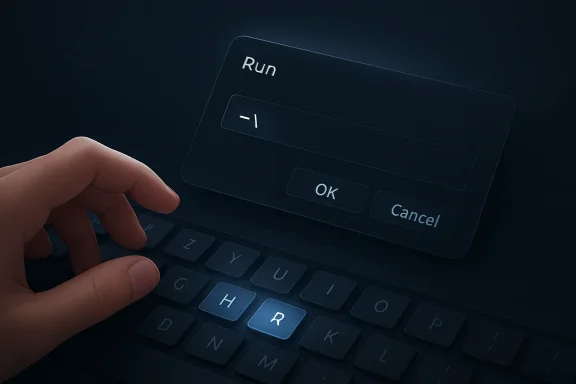 Microsoft Picks the Smallest Possible Battlefield for a Very Large Argument
The Run dialog debuted with Windows 95, the same release that gave mainstream PC users the Start menu and a broadly recognizable version of the desktop metaphor that still governs Windows today. In the decades since, Microsoft has rebuilt browsers, replaced mail clients, reinvented the Start menu several times, killed and resurrected widgets, and layered multiple generations of design language over the operating system. Run mostly sat there, beige in spirit even when its chrome changed, doing one job with a kind of admirable indifference to fashion.That is why this redesign matters more than the pixel count suggests. Windows 11 has often been judged not only by what it adds, but by what it fails to reconcile. A user can move from a rounded, translucent, dark-mode-aware Settings page into an ancient dialog box that looks like it was smuggled through customs from another era.
The result is not merely aesthetic inconsistency. It is a trust problem. When an operating system shows three or four UI eras in a single troubleshooting session, users infer — sometimes fairly, sometimes not — that the underlying engineering is just as fragmented as the surface.
Microsoft’s new Run dialog is therefore a test case. If the company can update a tiny, beloved, latency-sensitive tool without making it worse, it earns credibility for the larger campaign to clean up Windows 11’s long tail of legacy UI. If it cannot, every rounded corner becomes evidence for the prosecution.
The Win+R Crowd Measures Time in Irritation, Not Seconds
Microsoft says the old Run dialog had a median time-to-show of 103 milliseconds, while the new one currently appears in about 94 milliseconds. On paper, nine milliseconds is not a transformation. In practice, the point is not that users will consciously perceive a tenth-of-a-second dialog becoming a slightly smaller tenth-of-a-second dialog.The point is that Microsoft is talking about the right metric. Run is not a destination app. It is a reflex. The people who rely on it are often launching
cmd, powershell, regedit, services.msc, appwiz.cpl, network paths, environment variables, and one-off shell commands because the Start menu is too slow, too search-driven, or too eager to reinterpret intent.For this audience, the cardinal sin is not visual ugliness. It is hesitation. Windows users have tolerated old dialogs for years because old dialogs tend to be fast, predictable, and pleasantly underdesigned. The fear around any “modern” replacement is that it will arrive wrapped in animations, web views, telemetry scaffolding, delayed initialization, and a half-dozen suggestions nobody asked for.
Microsoft appears to understand that risk. Its own framing emphasizes muscle memory, responsiveness, and minimalism rather than discovery or personalization. That is the right posture. The Run dialog is not a place to upsell Bing, Copilot, Microsoft 365, or anything else. It is a switchblade.
The Missing Browse Button Is the Most Microsoft Detail in the Story
The redesigned Run dialog reportedly drops the old Browse button, and Microsoft’s rationale is a telemetry number so small it almost reads like satire: only 0.0038 percent of users in a 35 million-device sample used it. That figure will annoy some people because telemetry-driven product decisions often feel like democracy without representation. Rarely used does not always mean unimportant, especially in enterprise environments where obscure features can sit at the center of a workflow no product manager has personally witnessed.Still, this is the sort of cut Microsoft has to be willing to make if it wants Windows to feel coherent again. The Browse button was a vestige of a different age, when users were expected to navigate executable paths manually and when Start, Search, Explorer, and Run had more distinct jobs. Today, someone who needs to browse for a file can use File Explorer, copy a path, invoke a picker elsewhere, or rely on shell integration.
The danger is not this specific removal. The danger is the principle hardening into a reflex: if telemetry says few people use a feature, remove it. Windows is valuable partly because it contains affordances for odd cases, old habits, and institutional procedures that no modern product dashboard will flatter.
In this case, though, the trade is defensible. Run’s primary job is to accept text and execute it. Anything that makes the dialog less visually noisy and faster to instantiate serves that job.
A Dark Mode Dialog Is Not a Design System, but It Is a Promise Kept
One of the visible upgrades is dark mode support, which sounds banal until you remember how often Windows 11 still betrays its own theme. Dark mode in Windows is less a single feature than a treaty negotiated among Win32, WinUI, XAML, Control Panel leftovers, shell surfaces, inbox apps, and historical accident. The user sees the treaty fail whenever a bright legacy dialog appears at night like a flashbang.Modernizing Run does not solve that problem. But it symbolically attacks it at a pressure point Windows enthusiasts recognize. The Run dialog is old enough to be emotionally loaded, simple enough that redesign excuses are hard to sustain, and common enough that inconsistencies are visible.
This is where Microsoft’s 2026 Windows messaging has become more interesting. After years in which Windows 11 was often framed around new experiences — widgets, Teams integration, Copilot, app redesigns — the company has lately talked more about performance, reliability, reduced friction, and craft. The Run dialog fits that shift because it is not a new marquee surface. It is maintenance with taste.
And maintenance with taste is exactly what Windows needs. The operating system’s problem has never been a shortage of ambition. It has been follow-through.
The Tilde Shortcut Is Tiny, Useful, and Properly Boring
The new Run dialog adds support for typing~\ to open the user directory. That is the sort of feature that earns no launch video but will immediately enter muscle memory for the subset of users who discover it. It is also a reminder that the Run dialog still has room for improvement without becoming a launcher platform.Good shell features often look obvious after they arrive. The tilde convention is familiar from Unix-like shells and developer tooling, and Windows already contains many overlapping ways to reach a profile folder. Folding this into Run gives keyboard users a compact path home without requiring a full environment variable or Explorer detour.
Crucially, this addition does not change the nature of the tool. It does not insert recommendations, search results, file previews, or AI-generated guesses. It simply expands the grammar of a command box.
That restraint matters. Modern Windows features too often arrive with the anxiety of a product team trying to justify its roadmap. The best shell improvements feel almost anonymous.
The Real Enemy Is Not Old Code, but Slow Modern Code
Windows enthusiasts have a complicated relationship with legacy UI. They mock it, theme it, screenshot it, and complain when it appears beside modern surfaces. But many of those same users become deeply suspicious when Microsoft proposes replacing it.The reason is simple: old Windows components are frequently fast. Not beautiful, not accessible by modern standards, not always DPI-perfect, but fast. They were built under constraints that punished waste, and they often still benefit from those constraints.
Modern Windows UI, by contrast, has acquired a reputation — sometimes deserved, sometimes exaggerated — for feeling heavier than it should. Context menus took time to mature. File Explorer has carried performance complaints through multiple Windows 11 releases. Settings is friendlier than Control Panel in many places, but not always faster for people who know exactly where they are going.
That is why the 94-millisecond figure is politically useful. Microsoft is saying, in effect: we know the bar is not “does it look like Windows 11?” The bar is “does it feel like Run?” This should be the standard for every legacy modernization effort that follows.
The lesson is not that Microsoft must preserve every old control forever. It is that replacement has to win on the old component’s strongest terms. A modern Run dialog that supports dark mode but opens slower would be a downgrade with better lighting.
Experimental Means Real Enough to Judge and Early Enough to Break
The new Run dialog is rolling out to Windows Insiders in the Experimental channel, and that channel placement matters. Microsoft’s Insider program has become both a proving ground and a fog machine: features appear, disappear, change names, move between channels, and sometimes never ship broadly. The Experimental channel makes that ambiguity explicit.For IT pros, this should temper expectations. A feature appearing in Experimental is not a deployment plan. It is a signal. Microsoft is testing not only the dialog but the reaction to the dialog — whether users tolerate the missing Browse button, whether the performance claim holds across hardware, whether accessibility and localization behave, and whether power users find edge cases Microsoft’s telemetry missed.
That last category is especially important for Run. The dialog sits at the intersection of shell execution, administrative tools, path handling, environment expansion, network resources, and decades of undocumented habits. A modern clone can look complete while failing some peculiar workflow involving quoted paths, UNC shares, control panel applets, or commands launched from elevated contexts.
The right move for Microsoft is to let the classic implementation remain available during the test period. Optionality is not a permanent design philosophy, but it is a useful migration strategy when replacing muscle memory.
Windows 11’s Cleanup Campaign Is Finally Reaching the Awkward Corners
Run is part of a broader Windows 11 story in 2026: Microsoft is trying to make the operating system feel less like a museum with a new lobby. The company has been talking about faster app launches, reduced memory pressure, File Explorer improvements, fewer unnecessary Copilot entry points, and a more coherent UI stack. The Run dialog is one small square in that mosaic.The hard part is that Windows has a uniquely large compatibility burden. Apple can break workflows and call it courage. Linux desktop projects can move quickly because their user bases self-select for tolerance. Windows must carry enterprises, consumers, gamers, developers, schools, governments, and industrial setups that treat ancient dialogs as operational infrastructure.
That burden explains why old UI survives. It does not excuse every case. Some of Windows’ inconsistency is the price of compatibility; some is the residue of organizational churn, abandoned migrations, and half-finished design systems.
The Run redesign suggests Microsoft is willing to tackle pieces that are both symbolically old and operationally sensitive. That is encouraging. It also raises the stakes for execution, because every botched modernization will be cited as proof that the old ways were better.
The Browse Button’s Death Foreshadows the Next Round of Arguments
If Microsoft continues modernizing legacy Windows surfaces, it will keep running into the same conflict: simplify for the many, preserve for the few, and avoid breaking the unknown. The Run dialog’s Browse button is merely the cleanest example because the usage number is so stark.Future targets will not be so easy. File properties, advanced network dialogs, certificate prompts, device configuration panels, legacy administrative consoles, and Control Panel remnants all contain features that are difficult to measure and dangerous to misunderstand. Some are ugly because nobody cared. Others are ugly because they expose complexity that still exists.
The temptation will be to replace dense surfaces with friendly ones that hide the machinery. That is fine for consumer defaults. It is disastrous when the hidden machinery is exactly what administrators need at 2 a.m.
Microsoft’s challenge is not to make every dialog look friendly. It is to make Windows feel internally consistent without sanding off its operational handles. Run survives because it is small, direct, and powerful. Those virtues should travel with the redesign.
The Old Box Leaves Microsoft a Narrow Path to Victory
The early facts point to a sensible update: a modern visual treatment, dark mode, slightly faster appearance, a useful shortcut for the user profile folder, and removal of a barely used button. That is not revolutionary, and that is why it has a chance to work. The worst version of this project would have treated Run as an opportunity to build a mini Start menu. The better version treats it as a command line with manners.The concrete lessons are already visible:
- Microsoft is testing the redesigned Run dialog in Windows 11 Experimental Preview Build 26300.8346 rather than shipping it broadly to stable systems.
- The new dialog keeps the Win+R muscle-memory model instead of replacing it with a search-first launcher.
- Microsoft says the redesigned dialog currently appears in about 94 milliseconds, compared with 103 milliseconds for the older implementation.
- The Browse button is gone because Microsoft’s telemetry found extremely low usage across a very large sample.
- The addition of
~\for the user directory is a small but genuinely useful improvement for keyboard-driven users. - The redesign will be judged less by screenshots than by whether it remains instant, predictable, and boring under real workloads.
Microsoft’s redesigned Run dialog is a small feature with a large burden: it has to prove that Windows 11 can modernize its oldest parts without forgetting why people still use them. If Microsoft can carry that discipline into File Explorer, Control Panel remnants, administrative surfaces, and the rest of the operating system’s archaeological layer, Windows 11 may finally become less a collage of eras and more a system with continuity. If it cannot, the old Run box will become one more exhibit in the case that Windows’ past still understood speed better than its future.
Source: Neowin Microsoft redesigns an old part of Windows 11 UI with a faster, more modern variant
