

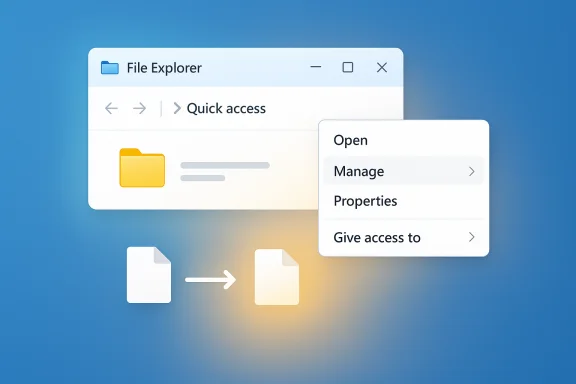
Microsoft’s latest Insider builds show a focused, pragmatic effort to make File Explorer feel faster and less resource‑hungry: an optional background preload to shave cold‑start delays, a decluttered right‑click menu that tucks infrequent commands into a new “Manage file” submenu, and an indexer‑side deduplication that aims to eliminate redundant file‑indexing work and reduce RAM, disk I/O and CPU spikes during searches.
Background
File Explorer remains the single most frequently used UI surface in Windows; even small pauses and resource spikes compound into daily friction for millions of users. Over recent Insider flights — specifically the 26220.* preview stream — Microsoft has begun shipping a trio of targeted, low‑risk “explorations” designed to improve perceived launch speed, reduce context‑menu clutter, and cut redundant work from the Windows Search pipeline. These changes appear as experimental toggles and staged rollouts inside the Dev and Beta channels. Why Microsoft took this route is straightforward: rather than attempt an expensive, high‑risk rewrite of Explorer’s hybrid Win32/WinUI codepaths, the company is applying small, reversible interventions that yield visible wins for the majority of users while keeping the compatibility surface small.What Microsoft shipped (the facts)
Preloading File Explorer: a warm‑start for the shell
- What it is: an optional setting that keeps a lightweight Explorer skeleton warmed in memory during idle time so the first File Explorer window paints and becomes interactive faster.
- Where you find it: File Explorer → View (three‑dot) → Options → Folder Options → View → “Enable window preloading for faster launch times.” The toggle is exposed to Insiders receiving the experiment.
Context‑menu reorganization: Manage file (and cleaner provider flyouts)
- What changed: infrequently used actions such as “Compress to…”, “Copy as path”, “Rotate left/right” and “Set as desktop background” are grouped into a nested submenu currently labeled Manage file (the label itself is subject to change during testing).
- Cloud provider items (OneDrive sync actions, “Always keep on this device”, “Free up space”) and device options like “Send to My Phone” are moved into provider‑specific flyouts to reduce top‑level menu height and improve scanability.
Indexer deduplication: eliminating duplicate file index operations
- What Microsoft states in the Insider release notes: “Made some improvements to File Explorer search performance by eliminating duplicate file indexing operations, which should result in faster searches and reduced system resource usage during file operations.” This is implemented in the Windows Search indexer pipeline (reported in the 26220.7523 stream).
- Practical effect: fewer duplicate reads and rework during indexing and heavy search workloads — which translates to reduced transient RAM use, lower CPU cycles and fewer disk I/O spikes for many real‑world scenarios. Independent outlets and community tests report measurable improvements for search heavy scenarios and multi‑drive/mapped share setups.
Why these changes matter (and where they help most)
- Perceived responsiveness: warming the Explorer UI improves the click‑to‑interactive experience, particularly on:
- Budget laptops with eMMC or HDD storage
- Handheld Windows devices and tablets
- Virtual machines and heavily loaded PCs where the cold‑start penalty is most visible
- Reduced search churn: the indexer deduplication targets a real inefficiency — repeated indexing of identical paths or file objects — which produces noisy spikes in SearchIndexer.exe and system I/O. Fixing that reduces the background noise that can stall user interactions during index windows.
- Cleaner UI: grouping less‑used commands in a submenu reduces top‑level menu height and accidental clicks, helping both mouse and touch users.
Independent verification and how we cross‑checked claims
Multiple independent outlets and community channels reproduced the same findings described in Microsoft’s Insider notes:- WindowsLatest confirmed the indexer deduplication wording and observed the Manage file submenu in hands‑on tests.
- Coverage and release note aggregators (NsaneForums and others) published the build metadata and the same release note language for Build 26220.7523 / KB5072043.
- Community‑run forums and hands‑on reports in Insider channels tested the preload toggle and reported consistent memory vs. speed trade‑offs.
Practical trade‑offs: speed vs. resources
The preload + indexer dedupe approach is deliberately pragmatic, and it carries clear trade‑offs you should understand.- Memory footprint: preloading keeps a warmed Explorer resident. Independent tests in Insider builds observed idle Explorer working set increases on the order of mid‑tens of megabytes in sample VMs (for example, a jump in the ~30–40 MB range was reported in early tests). This is device and workload dependent.
- Battery and idle behavior: warming during idle time may cause small background CPU bursts and nominal battery drain on some portable devices depending on implementation thresholds.
- Scope of benefit: preloading improves perceived launch latency (first paint) but does not fix deep causes of Explorer jank such as:
- slow thumbnail/preview handler generation for very large folders
- synchronous third‑party shell extensions that block context menus
- slow network or cloud enumeration over high‑latency mounts
- Indexer deduplication helps search‑heavy and multi‑drive workloads the most. Machines with simple storage layouts and minimal searches will see smaller gains.
For IT administrators and power users — a practical rollout checklist
- Create a representative test image:
- Enroll a small pool of devices in the Insider Dev/Beta channel (or wait for staged enterprise preview).
- Install the 26220.* build that contains the experiments (confirm KB/build number on each test device).
- Baseline measurement:
- Record Task Manager metrics for explorer.exe and SearchIndexer.exe (working set, peak CPU).
- Capture cold‑start time to first interactive paint (use video capture or scripting measurement).
- Toggle the preload:
- Path: File Explorer → View → Options → Folder Options → View → “Enable window preloading for faster launch times.”
- Compare idle working set delta and cold‑start times before and after enabling.
- Measure search behavior:
- Run representative searches (large photo repositories, nested Documents or multi‑drive queries).
- Capture SearchIndexer.exe CPU, disk I/O, and transient memory spikes before and after the indexer update.
- Compatibility sweep:
- Validate enterprise overlays (antivirus shell extensions, backup/DM integrations, document management overlays).
- Watch for slower context menu rendering or unexpected ordering changes.
- Policy decision:
- For constrained VDI images or thin clients, keep preload off by default and enable selectively where benefits outweigh memory costs.
- If enabling fleetwide, confirm Group Policy / MDM controls or registry keys to set the default and expose the toggle to users or lock it down as required.
- Feedback loop:
- Use Feedback Hub categories Microsoft suggests (Files, Folders and Online Storage → File Explorer Performance) to report regressions and telemetry anomalies.
Technical analysis — what the features likely do (and don’t do)
Preload mechanics (likely)
- Instantiate a lightweight Explorer process or UI skeleton in idle time (address bar, command bar, common controls).
- Prime small caches used for first paint (icon/thumbnail caches, common navigation state).
- Keep the warmed instance suspended to minimize CPU while reserving memory for fast resume.
Indexer deduplication (what we know and what’s unclear)
- Microsoft’s release note explicitly says the company “eliminat[ed] duplicate file indexing operations.” That wording implies the indexer now coalesces or canonicalizes indexing tasks to avoid re‑processing the same file objects multiple times.
- What remains unpublished (unverifiable without internal docs):
- Exact detection strategy (path canonicalization, file IDs, hashing or a hybrid approach)
- How dedupe handles reparse points, symlinks, cloud placeholders or mirrored mounts
- Any change to indexer concurrency or backoff heuristics
Strengths — why this is a meaningful move
- High user ROI for small engineering effort: perceptual speed feels better without risky, large‑scale refactors.
- Reversible and controllable: features are exposed as toggles and staged through Insider channels so Microsoft can tune defaults based on telemetry.
- Indexer fix addresses a concrete root cause of spikes in search‑heavy scenarios and can benefit other subsystems that rely on the system index.
- UI reorganization reduces daily friction: shorter context menus are easier to scan and less likely to produce misclicks.
Risks and caveats
- Memory accumulation: if similar preloads are applied broadly across many system apps, small increments can add up and reduce available headroom on low‑RAM systems.
- Latent extension bugs: timing changes can expose race conditions or misbehaving third‑party shell extensions; test for regressions in enterprise overlays.
- Perception vs. reality: users may equate a faster first paint with overall snappy behavior, but deep stalls caused by network I/O or preview handlers will remain unchanged.
- Unspecified internals: without Microsoft publishing the deduplication mechanics, administrators must treat corner cases (symlinks, reparse points) with caution and validate in complex storage environments.
What to expect next
- Staged rollout: Microsoft is validating these experiments with telemetry and Feedback Hub input in Dev/Beta channels before any broader rollout to release channels. Build and KB numbers differ by flight; admins should confirm the exact build present on their test devices.
- Name and placement tweaks: Microsoft explicitly notes that UI labels (for example, “Manage file”) may change during testing, and additional lesser‑used menu items could migrate into submenus as the company iterates.
- Ongoing tuning: expect thresholds, memory budgets and the default state of the preload toggle to be adjusted based on Insider telemetry and edge cases surfaced by testers.
Conclusion
The recent Insider work on File Explorer is a classic example of pragmatic engineering: small, reversible changes that deliver visible usability and performance improvements with manageable risk. The combined effect — an optional Explorer preload for faster first opens, a tidier context menu for better day‑to‑day ergonomics, and indexer‑side deduplication to cut redundant search work — addresses three high‑impact pain points without a risky wholesale shell rewrite.For enthusiasts and consumers on low‑spec hardware, the preload plus dedupe combination promises a noticeably cleaner experience. For IT administrators and VDI teams, the benefits are real but demand controlled testing: measure memory and SearchIndexer impact, confirm compatibility with existing overlays and policies, and use the provided toggles to tune behavior for constrained images.
Finally, while the user‑facing gains are verifiable in Insider builds, some implementation specifics (exact indexer dedupe heuristics, per‑device memory budgets) remain unpublished and should be treated with caution until Microsoft provides deeper engineering documentation or formal release notes for broad channels.
Source: OC3D Microsoft aims to speed up Windows 11 with File Explorer changes - OC3D
