Microsoft has shipped a tangible step toward making Windows behave like a handheld console: Windows 11 Insider Preview Build 26220.7051 (KB5067115) brings a full‑screen, controller‑first “Full Screen Experience” (FSE) to a broader set of devices—most notably MSI’s Claw family—while also surfacing an opt‑in Copilot taskbar experience and a handful of device‑gated experiments.
Microsoft’s Full Screen Experience (commonly shortened to FSE) first appeared as the out‑of‑box launcher on the ASUS ROG Xbox Ally models. It is a session posture layered atop Windows 11 that elevates a chosen “home app” (typically the Xbox PC app) into a full‑screen, controller‑friendly shell and intentionally defers or suspends many desktop visual elements and background processes while active. That design is intended to give handheld Windows PCs a console‑like user experience without forking the operating system. The recent cumulative preview—delivered as Windows 11 Insider Preview Build 26220.7051 (KB5067115)—packages the FSE expansion alongside an opt‑in Ask Copilot taskbar pill and a preview of Shared audio based on Bluetooth LE Audio. Microsoft is using Controlled Feature Rollouts (CFR): the binaries are broadly distributed through the Insider channels, but feature visibility is gated by OEM entitlements, account telemetry, and server‑side flags. That means the presence of FSE on any single device depends on both the installed build and whether Microsoft/OEM enable it for that hardware.
Source: Technetbook Windows 11 Full Screen Gaming Experience Arrives in Insider Build 26220 with Console Like UI and Copilot AI
 Background / Overview
Microsoft’s Full Screen Experience (commonly shortened to FSE) first appeared as the out‑of‑box launcher on the ASUS ROG Xbox Ally models. It is a session posture layered atop Windows 11 that elevates a chosen “home app” (typically the Xbox PC app) into a full‑screen, controller‑friendly shell and intentionally defers or suspends many desktop visual elements and background processes while active. That design is intended to give handheld Windows PCs a console‑like user experience without forking the operating system. The recent cumulative preview—delivered as Windows 11 Insider Preview Build 26220.7051 (KB5067115)—packages the FSE expansion alongside an opt‑in Ask Copilot taskbar pill and a preview of Shared audio based on Bluetooth LE Audio. Microsoft is using Controlled Feature Rollouts (CFR): the binaries are broadly distributed through the Insider channels, but feature visibility is gated by OEM entitlements, account telemetry, and server‑side flags. That means the presence of FSE on any single device depends on both the installed build and whether Microsoft/OEM enable it for that hardware. What the Full Screen Experience (FSE) actually is
A session posture, not a new OS
FSE is a layered Windows shell, not a separate operating system. When enabled, Windows runs the chosen home app as the device’s primary interface while preserving the full Windows kernel, drivers, and compatibility underneath. The practical effect is a simplified, gamepad‑first UX and fewer background distractions—not kernel or GPU driver modifications.Key behaviors and visible changes
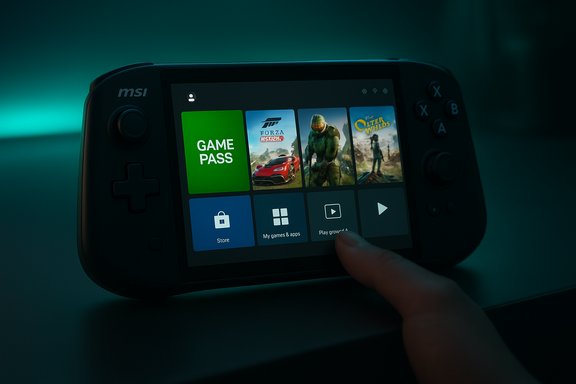
- A full‑screen, controller‑focused home launcher (the Xbox PC app by default) that aggregates Game Pass, Xbox purchases, and many locally installed PC titles into a unified grid.
- Controller‑first navigation improvements: Game Bar and Task View behaviors are adapted for thumb reachability, and common system actions are mapped for quick controller access.
- Resource trimming: on entry to FSE, Windows defers certain desktop subsystems and non‑essential startup tasks to free memory and reduce idle CPU wakeups, aiming to smooth frame delivery on thermally constrained handheld APUs.
What FSE does NOT do
- It does not change kernel scheduling or GPU driver models, and it does not bypass anti‑cheat or DRM requirements. Games still need their required runtimes and anti‑cheat drivers to run. Think of FSE as a different entry point and session posture rather than an isolated OS.
What’s in Build 26220.7051 (KB5067115)
Headline additions
- Full Screen Experience (FSE) preview expanded beyond ASUS ROG Ally devices to include MSI Claw models; OEM rollouts to additional handhelds are planned.
- Ask Copilot taskbar pill — an opt‑in Copilot entry that mixes local Windows Search results with Copilot conversational responses and includes quick Vision and Voice entry points.
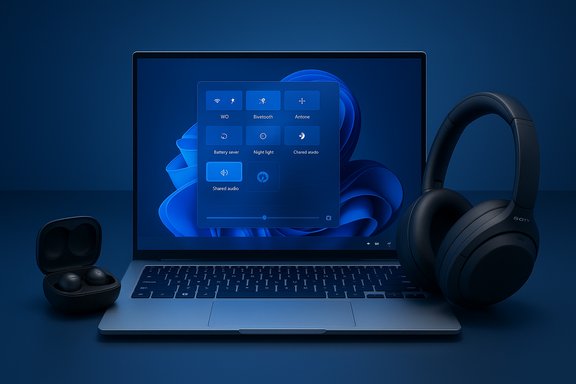
- Shared audio (preview) leveraging Bluetooth LE Audio to stream to multiple compatible accessories on supported Copilot+ systems.
How to enable and access FSE on a supported device
Step‑by‑step (official path)
- Enroll the device in the Windows Insider Program on a channel that contains the 25H2 preview pieces (Dev or Beta when this matched preview was distributed).
- Update Windows to the Insider preview cumulative that contains the FSE binaries (e.g., Build 26220.7051 / KB5067115).
- Open Settings → Gaming → Full screen experience. Select Xbox (or another available home app) as your home app and optionally toggle Enter full screen experience on startup.
- Use Task View, Game Bar (Win+G), or the Xbox button (on hardware that exposes it) to enter/exit the FSE session.
Community methods (unsupported and risky)
Enthusiast guides have circulated registry edits and ViVeTool feature‑flag unlocks that can forcibly expose FSE on otherwise unsupported devices. These methods are unsupported, can break system behavior, complicate warranty support, and are not recommended for production systems. Proceed only if you are comfortable with recovery‑level troubleshooting.Hands‑on performance expectations and what testing shows
Runtime resource changes
Microsoft engineers and early hands‑on testers report that FSE can free usable memory and reduce background CPU wakeups, which is the primary mechanism for delivering steadier performance on thermally constrained handhelds. Community testing commonly reports roughly 1–2 GB of reclaimable RAM on compact builds, though results vary widely by installed apps, drivers, and system configuration. Treat any single number as workload‑dependent rather than guaranteed.Real‑world framerate and battery effects
- Synthetic benchmarks and some gameplay tests show measurable but modest FPS uplifts in certain titles and scenarios—more so where background OS noise was previously a limiting factor. Early hands‑on reports documented double‑digit percentage improvements in specific synthetic tests and single‑digit to low‑double‑digit gains in demanding games. These uplifts are not universal and can be offset by driver immaturity or overlay conflicts.
- Battery life effects are nuanced: deferring background tasks can reduce idle CPU wakeups and improve battery efficiency during gaming, but actual battery behavior depends heavily on power profile, display refresh rate, and thermal throttling characteristics of the SoC.
Why gains vary
The benefits appear where desktop subsystems and auto‑start agents were previously consuming enough memory or waking the CPU frequently. On well‑tuned desktop gaming PCs with large RAM pools and mature drivers, the difference may be negligible. On small handhelds with constrained RAM and frequent background activity, the resource trimming can matter more.Ask Copilot: what changed in the taskbar
The build introduces an opt‑in Ask Copilot taskbar element that replaces or augments the traditional Search box with a compact, chat‑first surface. It blends instant local hits (apps, files, settings surfaced via existing Windows Search APIs) with Copilot’s generative responses, and exposes icons for Copilot Vision (attach/share a region or window) and Copilot Voice (press‑to‑talk or wake‑word where available). The control lives at Settings → Personalization → Taskbar → Ask Copilot. Key points for users and IT:- It is permissioned—Copilot does not automatically access or upload files without explicit sharing or consent within the session.
- The feature is opt‑in and controlled by server flags; enabling the toggle in Settings does not guarantee immediate availability unless entitlement conditions are met.
OEM rollout, device list, and timing
Microsoft’s rollout is staged and OEM‑gated. The initial FSE shipping devices were the ASUS ROG Xbox Ally and ROG Xbox Ally X. Build 26220.7051 introduced preview availability for MSI Claw models and Microsoft indicated additional OEM handhelds will be enabled in the coming months; outlets have reported Lenovo and other vendors as likely next steps. Rollout timing is inherently phased and can vary by region and account. Practical implications:- Identical machines may show different behaviors depending on whether Microsoft/OEM granted entitlement on that device.
- OEM images that ship with FSE preconfigured will offer the smoothest experience because firmware, controller mappings, and OEM utilities are tuned to the session posture. Hand‑ported or community‑enabled installs will likely be rougher.
Risks, caveats, and troubleshooting
Compatibility and anti‑cheat
FSE does not bypass anti‑cheat or DRM. Games that require kernel‑level anti‑cheat drivers will still load those drivers, and any incompatibility between anti‑cheat systems and the FSE session posture could prevent certain titles from running. Gamers should validate important titles before adopting FSE for daily play.Overlay, firmware and driver interactions
Many early issues reported by testers stem from overlay conflicts (OEM utilities, recorder overlays, or third‑party launcher overlays) and immature drivers. Updating firmware, OEM utilities (for example, MSI Center), and the Xbox PC app preview often resolves transient issues. Where problems persist, reverting to the desktop session or disabling FSE is the supported recovery path.Stability and gating volatility
Because FSE is being phased via CFR, users may see the toggle appear and then disappear as Microsoft adjusts entitlements or experiments with AB testing. Community registry edits that force exposure can result in a disappearing toggle or inconsistent behavior after subsequent updates.Privacy and enterprise concerns with Ask Copilot
Although Microsoft emphasizes that Copilot’s local search integration is permissioned, the new Vision/Voice sharing surfaces expand potential data flows. Enterprises should treat the Copilot attachments, screen shares, and session uploads as new exfiltration vectors until Data Loss Prevention (DLP) and telemetry policies have been validated in test environments. IT teams should pilot the feature in isolated test labs and update DLP rulesets accordingly.Recommended test plan for power users and IT teams
- Back up the device and create a recovery image before experimenting with Insider bits or registry workarounds.
- Enroll a test device in the Windows Insider channel that contains the desired preview build. Update to Build 26220.7051 (KB5067115).
- Update the Xbox PC app to the latest preview and ensure OEM utilities and drivers (MSI Center, firmware, GPU drivers) are current.
- Enable FSE via Settings → Gaming → Full screen experience on a test device and run a controlled set of benchmarks and gameplay sessions to compare memory usage, idle CPU wakeups, and FPS consistency. Record battery drain curves during identical scenarios.
- Test affected titles that use kernel anti‑cheat drivers to confirm compatibility and observe whether overlays or capture tools function as expected.
- For enterprise pilots, enable Ask Copilot only in a secured test tenant and validate DLP telemetry, sharing alerts, and user consent workflows before any wider rollout.
Strategic implications: why Microsoft is doing this
- For users, FSE reduces friction and creates a console‑like, one‑click path to games—especially valuable on small screens where juggling multiple launchers is painful.
- For OEMs, FSE offers a standardized handheld UX without the need to build a custom shell, allowing hardware vendors to differentiate on tuning and firmware while leveraging a Microsoft‑approved launcher.
- For Microsoft, expanding FSE helps push Xbox ecosystem visibility (Game Pass, Xbox app) into the handheld market and positions Windows as a more credible competitor to curated handheld platforms like SteamOS.
Strengths, weaknesses, and the road ahead
Notable strengths
- Practical engineering trade‑off: FSE preserves Windows compatibility while removing many desktop distractions—an achievable path to console‑like behavior without fragmenting the platform.
- Low barrier for OEM adoption: Because FSE is a session posture, OEMs can ship it preconfigured (as ASUS did) and tune firmware to match the experience.
Potential risks and limitations
- Fragmented early experience: Controlled feature gating and device entitlements mean rollout will be uneven; early adopters should expect rough edges.
- Dependency on driver and firmware quality: Actual user experience depends heavily on coordinated updates from GPU, controller, and headset vendors.
- Privacy and enterprise governance: New Copilot sharing surfaces require careful DLP review before enterprise rollout.
What to watch next
- Broader OEM enablement (Lenovo, other handhelds) and official guidance on supported device lists.
- Maturity of anti‑cheat and overlay compatibility on non‑ROG hardware.
- How Copilot Vision/Voice consent flows are audited and logged for enterprise compliance teams.
Conclusion
Windows 11’s Full Screen Experience arriving in Insider Build 26220.7051 is a significant, pragmatic push to make the platform friendlier to handheld gaming. The approach—layering a controller‑first launcher over the existing Windows foundation—delivers real benefits for constrained hardware by reclaiming runtime resources and simplifying navigation. Early results show measurable improvements in memory and, in some scenarios, frame stability; however, those gains are workload‑dependent and vary by device, drivers, and OEM tuning. The build’s simultaneous rollout of an opt‑in Ask Copilot taskbar and Bluetooth LE Shared Audio previews indicates Microsoft’s broader strategy: to fold Copilot and modern connectivity experiences into core shell surfaces while tailoring Windows behavior to new device classes. For enthusiasts, testers, and IT teams, the next steps are straightforward—test on non‑production hardware, update firmware and drivers, and validate compatibility for mission‑critical titles and enterprise policies. If the ecosystem partners and OEMs follow through with driver and firmware updates, FSE could become a dependable way to deliver a console‑like handheld experience without sacrificing the openness that makes Windows valuable to PC gamers.Source: Technetbook Windows 11 Full Screen Gaming Experience Arrives in Insider Build 26220 with Console Like UI and Copilot AI