

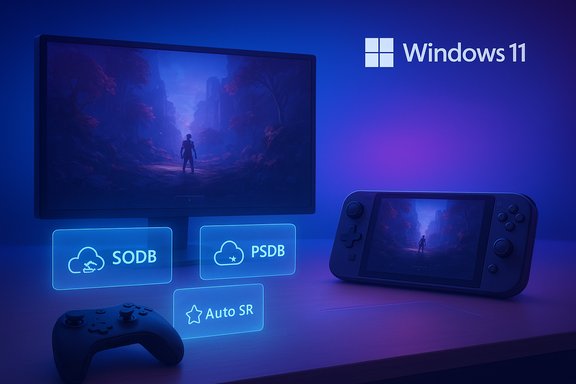
Microsoft’s pitch is simple and pragmatic: keep Windows 11 open and flexible, but make it behave more like a console when the priority is playing a game — fewer interruptions, much shorter first-run hitches, steadier frame pacing on battery-powered machines, and a controller-first shell for a “turn-on-and-play” flow. That strategy is built from several coordinated pieces — Advanced Shader Delivery (ASD), the Xbox Full Screen Experience (FSE), Automatic Super Resolution (Auto SR), scheduler and power-tuning work for handhelds and laptops, and improved x86 emulation on Arm through Prism — and it’s already rolling as a mix of device launches and Windows Insider/preview updates. The user-facing checklist that can improve play today sits alongside a longer, cross-vendor engineering push that will take months to fully materialize.
Background / Overview
PC gaming has always offered greater choice than consoles: modding, multiple storefronts, hardware upgrades, and windowed multitasking. But that flexibility brings complexity — just-in-time shader compilation, driver fallbacks, background services, and thermal/power throttles on thin devices all produce the jerky, uneven experiences that players call “stutter.” Microsoft’s multi-year plan reframes the problem as a platform responsibility: the OS, storefronts, drivers, and hardware vendors must coordinate so the default experience is smoother for more titles and devices. Early test results and platform code releases show concrete progress and practical trade-offs. This is not an attempt to make PCs into closed consoles. The objective is narrower: reduce the common system-level causes of perceived roughness — long first-run shader compilation, mid-session frame-time spikes, and power/thermal swings — while preserving PC openness. In practice that means several focused features and system behaviors that combined should make many games “feel” steadier, especially on handhelds and thin laptops.What “console-like” means in real gamer terms
Consoles don’t always deliver the highest frame rates; they instead usually deliver more predictable frame times and a consistent session flow. On PCs the perceptible problems fall into three categories:- First-run shader compile stalls: the game compiles thousands of shaders on first play and stutters while doing so.
- Micro-stutters and 1% lows: short frame-time spikes that break perceived smoothness even when average FPS looks good.
- Power/thermal variability on portable devices: periodic clock drops cause sudden frame dips on handhelds and thin laptops.
Microsoft’s roadmap — the pillars and how they link
Microsoft’s recent public messaging and developer releases present the roadmap as a coordinated, cross-stack program rather than a set of isolated features. The main pillars are:- Advanced Shader Delivery (ASD) — move shader compilation off the device and distribute precompiled shader bundles so first-run stutters are dramatically reduced.
- Xbox Full Screen Experience (FSE) — a controller-first, full-screen session shell that reduces desktop noise and defers non-essential user-mode work while gaming.
- Automatic Super Resolution (Auto SR) — an OS-level AI upscaler that uses on-device NPUs to boost frame rates for compatible games on supported hardware.
- Prism improvements on Windows on Arm — expanded x86 emulation support (AVX/AVX2 and related extensions) and other emulator improvements to run more games acceptably on Arm devices.
- Scheduler, power, and background-work tuning — OS-level controls to reduce unexpected CPU/GPU interruptions and to stabilize clocks on thermally constrained devices.
Feature deep dive
Advanced Shader Delivery (ASD): take the compile tax offline
What it does: ASD creates a workflow and file formats (State Object Database — SODB — and Precompiled Shader Database — PSDB) so shader compilation can happen offline (in the cloud or at build time) and be distributed with the game or downloaded at install. The Direct3D runtime can then satisfy pipeline requests from those precompiled bundles instead of invoking JIT compilation during play. Early results: Microsoft’s developer blog and early partner demos showed substantial cold-launch reductions in specific tests — for example, an up-to-~85% reduction for Obsidian’s Avowed in Microsoft's demonstrations. Those figures are workload- and configuration-dependent, and they represent best-case test setups rather than guaranteed outcomes on every PC. Who benefits most: Handhelds, thin laptops, and systems with limited CPU headroom benefit disproportionately because the local compile step is both CPU- and thermally expensive. Desktop players benefit too, especially in shader-heavy titles with long initial precompiles.Limitations and risks:
- ASD requires broad adoption by stores, installers, or developers to reach its full potential; retail uptake will be gradual.
- PSDB size and the need to match GPU driver/compiler versions spawn logistical and storage costs.
- Driver or compiler mismatches may still require fallbacks; not every GPU/driver combination will be covered immediately.
Xbox Full Screen Experience (FSE): a console-like session posture
What it does: FSE replaces the desktop shell with a controller-first Xbox home app (or other “home” app) while deferring some non-essential desktop processes and notifications. The mode is designed to reduce background wakeups, reclaim RAM, and present a simplified, large-tile UI optimized for gamepads. It’s available on retail handhelds and in preview for broader Windows 11 PCs via Windows Insider + Xbox Insider channels. Why it helps: Reducing desktop noise and preventing background tasks from waking frequently can reduce micro-stutters caused by random user-mode work. On devices with tight thermal budgets, even small reductions in background CPU load can keep clocks higher and steadier during gameplay.Trade-offs and caveats:
- Some workflows (multi-monitor setups, quick desktop access, deep mod management) may be less convenient in FSE.
- Power users may need to toggle back to the normal desktop for management tasks.
Auto Super Resolution (Auto SR): OS-level AI upscaling
What it does: Auto SR is an OS-integrated upscaler that renders the game at a lower internal resolution and uses an on-device NPU model to upscale frames, trading some rendering resolution for higher frame rates. It was introduced for Copilot+ (Snapdragon X-series) devices and is being expanded to other NPU-enabled platforms. Auto SR is shipped as a Windows package and can be enabled globally or per-game. Who it helps: Handheld PCs, thin-and-light laptops, and midrange GPUs where rendering resolution is the primary bottleneck. It can improve perceived fluidity while maintaining much of the visual detail.Limitations:
- Auto SR currently depends on NPU availability and driver support; not all GPUs or platforms support it yet.
- It’s not ideal for all titles: UI clarity, sub-pixel text, and certain render paths may suffer at very low internal resolutions.
- It doesn’t support HDR content.
Prism improvements for Windows on Arm: closing the compatibility gap
What it does: Prism is the emulator layer for x86 apps running on Arm Windows devices. Microsoft’s updates expanded supported x86 instruction set extensions (including AVX/AVX2 and related extensions), improving compatibility and performance for more games and apps under emulation. The change rolled out broadly to devices on Windows 11 24H2 and later. Who it helps: Owners of Arm-based Windows laptops and future handhelds. As Arm hardware gains traction, better emulation reduces the friction of running x86-native games.Limitations: Emulation can never perfectly match native performance. Anti-cheat systems, kernel drivers, and low-level dependencies still complicate compatibility for some titles.
What to check and tweak today: the practical Windows 11 gaming checklist
These are concrete settings and checks that can reduce common causes of stutter and uneven performance. Apply changes one at a time and test.- Update the platform
- Install the latest Windows 11 updates and optional features (Insider builds if you want early FSE/ASD experiences).
- Update GPU drivers (NVIDIA, AMD, Intel) and, for Arm/NPU PCs, install the latest neural processor drivers.
- Enable the right Windows gaming features
- Turn on Game Mode (Settings → Gaming → Game Mode). It’s usually on by default and helps prioritize resources for games.
- Consider Hardware‑accelerated GPU scheduling (Graphics settings → Advanced). Test with it on and off: benefits vary by system and driver; some users find it stabilizes frametimes, others see regressions. If a specific game feels worse, toggle it.
- Display and refresh
- Set the monitor refresh rate to the highest supported (Display settings → Advanced display).
- Enable VRR/G‑Sync/FreeSync if your monitor supports it; it can hide small dips and smooth motion.
- Reduce background noise
- Pause cloud sync (OneDrive, Dropbox) while gaming to avoid disk spikes.
- Disable or limit overlays (Xbox Game Bar, Discord, Steam overlay, GPU overlays). Too many overlays can cause conflicts or wakeups.
- Trim startup apps (Task Manager → Startup) to reduce background processes.
- Power and thermal posture
- For laptops, plug in for maximum performance; use Balanced or Performance power modes while plugged in.
- Use OEM thermal profiles (Turbo, Performance, Quiet) thoughtfully — sometimes “Balanced” yields steadier clocks on thin handhelds.
- Storage and install choices
- Keep at least 15–20% free space on SSDs; full drives slow caching and updates.
- Install games on NVMe SSDs when possible; verify game files if loading worsens after patches.
- Use FSE if you want a console-like session
- On supported devices, try the Xbox Full Screen Experience (Settings → Gaming → Full screen experience) or join Windows Insider + Xbox Insider to preview it. It can reclaim memory and reduce background wakeups on constrained systems. Test your common games and workflows before committing to boot-to-FSE.
- Per-game Auto SR
- If you have a Copilot+ or supported NPU device, check Settings → System → Display → Graphics → Automatic super resolution and per-app settings. Auto SR can be turned on per-game for titles that suffer from rendering-bound framerate problems. Note: Auto SR is limited to supported DirectX 11/12 games and requires compatible hardware and Windows versions.
- If you’re on Arm
- Confirm Windows on Arm / Prism updates are installed; newer Prism releases improve compatibility and are enabled by default on 24H2+ builds.
Rollout reality: what to expect and when
Microsoft’s approach is phased: device-specific launches (notably from OEM partners), Windows Insider previews, then broader public rollouts once stabilized. A practical timeline people should expect:- Short term (now–late 2025): FSE and ASD appear on co-engineered handhelds and through Windows Insider previews; Auto SR is available on Copilot+ devices and being piloted on other NPU-enabled hardware.
- Mid term (early–mid 2026): broader distribution of ASD and Auto SR to more storefronts and NPUs, driver updates harmonized across vendors, and incremental Prism improvements for Arm.
- Later (late 2026 and beyond): wider adoption, developer integration in engines, and operational smoothing as PSDB delivery and update workflows scale.
Strengths, trade-offs, and risks — a critical assessment
Strengths- Platform-level coordination addresses problems that previously required per-game fixes, giving systemic benefit.
- ASD tackles one of the most visible pain points — the first-run compile tax — with credible early gains demonstrated by Microsoft and partners.
- FSE and Auto SR deliver tangible UX choices: players can choose console-like simplicity or trade a little visual fidelity for smoother frame rates depending on their device and preferences.
- Prism improvements broaden Arm viability, helping future handhelds and laptops run a wider variety of games.
- Developer and store adoption is the gating factor for ASD. Without broad buy-in (or effective installer delivery via stores), benefits are limited to a smaller set of titles. Early adoption is promising, but full coverage will take time.
- Operational complexity and storage costs. Shipping and maintaining PSDBs for many GPU/driver permutations carries logistical cost for studios/storefronts and may increase download footprints.
- Behavioral and compatibility edge-cases. Features that alter session posture (FSE) or change rendering pipelines (Auto SR) can interfere with overlays, capture tools, anti-cheat, or UI clarity — requiring careful testing and opt-in behavior for certain games.
- Not a cure for bad ports or network/server issues. OS-level fixes can’t replace proper game optimization or remove the effects of bad netcode or overloaded servers.
- Emulation limitations. Prism improves compatibility, but emulated workloads will not match native x86 performance in many cases, and some anti-cheat/driver interactions may still block titles.
How this affects different users
- Casual single-player players on handheld Windows PCs will probably see the largest day-one benefit: faster cold launches, less battery-taxed compilation, and steadier frame pacing. FSE and Auto SR also give an easier, more console-like experience without abandoning the Windows ecosystem.
- Desktop enthusiasts will benefit too, but gains are more incremental: ASD helps shader-heavy first runs, and background-work tuning can reduce the rare, annoying desktop wakeups — but desktops already have more thermal headroom and can absorb brief spikes.
- Arm laptop/handheld owners benefit from Prism updates and Auto SR where supported, but emulation remains an imperfect substitute for native x86 builds; compatibility will grow but is not instantaneous.
- Competitive eSports players should be cautious: upscaling or system-level toggles can change latency or visual fidelity in subtle ways. Test rigorously in the games you compete in before adopting Auto SR or other automated features in tournament settings.
Practical testing plan (3-step method)
- Baseline: run a 10–15 minute playtest in a demanding area of your game with current settings and record frametime/1% lows.
- Change one thing: toggle Game Mode / HAGS / Auto SR (per-game) / FSE and retest. Only change one variable at a time and record results.
- Evaluate and iterate: compare 1% lows and felt smoothness, not just average FPS. If a change makes things worse, revert it.
Conclusion
Microsoft’s multi-pronged plan to make Windows 11 play more like a console is realistic and engineering-driven rather than rhetorical. It tackles the most visible system-level causes of poor player experience — shader compile hitches, background noise, power/thermal variability, and limited upscaling — and delivers practical tools (ASD, FSE, Auto SR, Prism updates) that can help many players today while promising broader benefits as adoption grows.Players and system builders should be pragmatic: follow the checklist above, test changes one at a time, and set expectations. Early wins are real — particularly for handhelds and thin laptops — but the largest systemic payoff requires ecosystem cooperation across stores, studios, drivers, and OEMs. The roadmap is credible, measurable gains have already been demoed, and the next 12–18 months should clarify how broad and consistent those gains become in the wild.
Source: Chiang Rai Times How Microsoft Plans To Make Windows 11 Game Like A Console (and The Settings To Check Today)
