

Microsoft’s week in Windows news centered on a May 2026 Windows 11 preview update, a larger Start menu in Insider testing, Qualcomm’s new Snapdragon C chips for cheaper Arm laptops, and a coordinated Microsoft-Nvidia tease ahead of Computex and Build. The through line is not any single feature drop. It is Microsoft trying, again, to make the Windows PC feel modern at both ends of the market: faster on existing machines, cheaper on new ones, and more credible as an AI-era platform. That is an ambitious brief for a company still dragging the long shadow of Windows 10 behind it.
The May 2026 optional update for Windows 11 versions 24H2 and 25H2 is the most practical part of the week’s news because it targets the complaint users actually feel: latency. KB5089573 is not a glamorous release, but its low-latency mode matters because Windows 11’s reputation has often been shaped less by benchmark defeats than by everyday friction. Menus open a beat late, flyouts hesitate, and the shell can still feel oddly heavy on hardware that should not struggle.
That is why a performance-oriented Windows update lands differently from yet another Copilot entry point. Microsoft can talk about AI PCs all it wants, but if the Start menu, Settings, File Explorer, and taskbar do not feel immediate, the operating system loses credibility before the assistant ever appears. The new low-latency work suggests Microsoft understands that responsiveness is not a luxury feature. It is the base layer of trust.
KB5089573 also bundles features that are more prosaic but useful, including shared audio support and multi-app camera support. Those additions are easy to undersell, yet they address real-world annoyances in households, classrooms, hybrid meetings, and creator workflows. Two people listening from one PC, or multiple apps accessing camera streams more gracefully, are the kinds of improvements that make Windows feel less like a legacy desktop and more like an adaptable device platform.
The catch is that this remains an optional preview update. Most users will encounter its contents only when they roll into the June 2026 Patch Tuesday release, assuming Microsoft’s usual cadence holds. That preview status is important for administrators: KB5089573 is a signal of what is coming, not a mandate to deploy broadly without testing.
The deeper issue is philosophical. Windows 11’s first-wave design pushed simplification so hard that it sometimes confused tidiness with usefulness. Centered icons, reduced context menus, and a more curated Start surface made the OS look cleaner in screenshots, but many longtime users experienced the change as a tax on muscle memory and density.
A resizable Start menu does not solve every complaint, but it points in the right direction. It lets the user’s screen, not Microsoft’s idealized layout, determine how much information belongs in view. That is especially important for IT pros and power users who treat Start not as a brand canvas but as a launch surface.
The modular design also suggests Microsoft is building toward a Start menu that can absorb more services without turning into a junk drawer. That will be the real test. If modularity means users can shape the menu around apps, files, system actions, and recommendations they actually value, the redesign could be a win. If it becomes another staging ground for Microsoft 365, ads, and Copilot prompts, the backlash will be swift and deserved.
That matters because Windows on Arm has spent years feeling like a boutique experiment. The best Snapdragon X machines proved the platform could be credible, but credibility at $999 is not the same thing as volume. Schools, families, small businesses, and emerging markets do not buy narratives; they buy machines that survive browser tabs, Teams calls, documents, battery anxiety, and abuse.
The problem is that the budget PC market is where platform promises go to be tested brutally. If early Snapdragon C systems ship with 4GB or 6GB of RAM in some configurations, the experience could undermine the entire pitch. Windows 11 can run on modest hardware, but “can run” and “feels good for four years” are very different standards.
This is where Microsoft’s hardware ecosystem problem becomes visible. Apple can tune silicon, OS, memory configurations, and product positioning with a level of integration Windows OEMs rarely match. Qualcomm and Microsoft can provide a platform, but Acer, Lenovo, HP, and others still decide which screens, storage, memory, keyboards, and Wi-Fi modules define the actual product. A good chip can be buried inside a bad laptop.
That does not mean users will suddenly care. Many people still do not have a daily use case that makes an NPU feel as essential as a good keyboard, bright display, or 16GB of RAM. Recall-style timeline search, image generation, transcription, background effects, and local language models are interesting, but they remain unevenly distributed across hardware, regions, editions, and user trust levels.
For IT departments, the NPU’s arrival in cheap laptops is a planning issue more than a buying trigger. Standardizing on devices with local AI acceleration may make sense over a three- or four-year refresh cycle, especially if Microsoft keeps moving Windows features from cloud-first to hybrid local processing. But administrators will still ask the boring, correct questions: Can it be managed? Can it be disabled? Is the data local? Does it complicate compliance?
Budget AI PCs could eventually normalize local acceleration the way webcams and fingerprint readers became normal. But the market will not reward the phrase “AI PC” by itself. It will reward machines that are quiet, fast enough, secure, manageable, and not obsolete the moment a student opens six browser tabs and a video call.
If Nvidia’s N1 or related chips arrive as expected, the PC market gets another serious silicon axis. Intel and AMD have long defined Windows performance categories, while Qualcomm has carried the Arm banner. Nvidia entering with its graphics reputation and AI momentum changes the conversation, even if first-generation products are imperfect.
The strategic logic is obvious. Nvidia does not want the AI PC to be defined only by NPUs inside someone else’s CPU roadmap. Microsoft does not want Windows on Arm to depend on a single silicon partner. OEMs want leverage, differentiation, and a story that can justify new device categories. Everybody involved has a reason to call this a new era.
But the technical bar is high. Windows on Arm has improved, but compatibility, drivers, peripherals, games, enterprise agents, VPNs, and niche software remain the difference between a great demo and a deployable machine. Nvidia’s brand can bring attention. It cannot magically erase the ecosystem work required to make Arm PCs boring in the best possible way.
That convergence is not accidental. The PC industry has spent years fighting replacement-cycle fatigue. Many users who bought decent laptops during the pandemic still have machines that are good enough, and Windows 10’s continued popularity shows how little urgency many people feel. A “new era” has to create a reason to upgrade that is more compelling than end-of-support warnings.
Microsoft’s best argument is a stack argument. Better Windows responsiveness, more flexible shell design, cheaper Arm devices, NPUs in mainstream hardware, and new silicon partners together sound like a platform shift. Separately, each item is incremental. Together, they suggest Microsoft wants 2026 to be remembered as the year the PC stopped being just an x86 laptop with cloud services bolted on.
The risk is overpromising. The last several Windows cycles have taught users to be wary of slogans. “Modern,” “fluid,” “AI-powered,” and “new era” mean little if the printer breaks, the Start menu shows unwanted recommendations, or a business-critical app runs poorly under emulation.
This is the central tension of Microsoft’s 2026 PC push. The company is selling a forward-looking vision while millions of users remain anchored to the previous generation. Some are blocked by hardware requirements. Some are waiting for refresh cycles. Some simply prefer Windows 10’s interface and behavior.
Security deadlines can force movement, but they rarely create affection. If Microsoft wants Windows 11 and its successors to feel like progress rather than compliance, it has to win on daily experience. That means faster shell performance, fewer regressions, less clutter, better update reliability, and UI choices that respect power users instead of treating them as edge cases.
The Start menu redesign and low-latency work are therefore more important than they look. They are not just features. They are evidence that Microsoft is trying to repair the experiential gap between what Windows 11 was supposed to be and what many users felt when they first installed it.
That can be read two ways. Optimistically, Windows 11 is maturing through steady iteration. Pessimistically, Microsoft is still sanding down rough edges years into the product’s life. Both readings are true.
For enthusiasts, Insider builds are where Windows becomes interesting again. They reveal the operating system as a moving target rather than a sealed appliance. For administrators, they are early-warning signals. Search tweaks, printing indicators, and Start menu architecture changes may become support tickets later.
The Beta Channel’s Windows Ready Print indicators are a good example of a small change with enterprise resonance. Printing remains one of the least glamorous and most failure-prone areas of computing. Anything that clarifies device compatibility or user expectations can reduce confusion, especially in mixed fleets where old habits meet newer driver models.
That layering is both strength and liability. Sysadmins appreciate that Windows still exposes tools for event viewing, services, memory diagnostics, task scheduling, disk management, and more. Casual users see a maze. Enthusiasts see history. Designers see inconsistency.
The dark mode complaint is more than a joke. Microsoft has spent years moving Windows toward a unified visual language, yet old corners still reveal themselves under basic conditions. A system folder that looks rough in dark mode is not catastrophic, but it contributes to the sense that Windows modernization is forever incomplete.
Third-party tools like TaskSlinger, pitched as a Task Manager replacement, thrive in that gap. Task Manager itself has improved significantly over the years, but Windows power users always want more control, more density, and better workflows. The existence of such tools is healthy for the ecosystem. It is also a quiet critique of Microsoft’s default experience.
Microsoft 365 Copilot has the highest-stakes version of this challenge. In theory, it can summarize meetings, draft documents, analyze spreadsheets, and connect institutional knowledge. In practice, it competes with entrenched workflows, uneven permissions, organizational data hygiene, and user skepticism. A redesign can help, but only if it reduces friction rather than adding another layer of abstraction.
Copilot Health, now available in the United States, is even more sensitive. Health-oriented AI services sit in a category where user trust, accuracy, and clarity matter enormously. Microsoft will have to be careful not to blur the line between wellness guidance and medical authority. The branding may be friendly, but the stakes are higher than a bot that rewrites email.
The broader point is that Copilot is moving from novelty to infrastructure. Once Microsoft puts AI across Windows, Office, Teams, Edge, and health-adjacent services, the question stops being “Does Microsoft have an AI assistant?” The question becomes whether users can control it, understand it, and benefit from it without feeling managed by it.
Nvidia retiring the legacy Control Panel is symbolically rich. For years, the old panel was one of those Windows-adjacent utilities that looked ancient but remained necessary. Moving fully to the newer Nvidia App suggests the PC ecosystem is slowly shedding some of its cruft. The important caveat is that replacement apps must match the reliability and feature depth of the tools they retire.
The Steam Deck price increase is a different kind of signal. Handheld PC gaming has grown from curiosity to category, but affordability remains fragile. If Valve’s own hardware becomes meaningfully more expensive, expectations around future Steam Machine pricing become more cautious. The living-room PC dream has been attempted before; price is usually where it gets hurt.
Microsoft watches all of this from an unusual position. It owns Xbox, Windows, Game Pass, and now Activision Blizzard, yet PC gaming remains more decentralized than console gaming. Windows is the default gaming platform not because it is elegant, but because it is compatible. The next era of PCs cannot break that compatibility without paying a steep price.
That is hard because those markets want different things. A school laptop needs battery life, manageability, durability, and price discipline. A developer machine needs performance, compatibility, memory, and thermals. A business laptop needs supportability and predictable updates. A consumer AI PC needs features that feel useful rather than decorative.
Microsoft’s burden is that Windows must span all of them. Apple can define narrower product lanes. Google can keep ChromeOS focused on web-first simplicity. Microsoft has to make one platform stretch across old Win32 apps, new AI workloads, games, peripherals, enterprise management, and budget hardware.
This is why the week’s news feels more connected than a normal roundup. Low-latency Windows improvements, Start menu modularity, Snapdragon C budget chips, Nvidia Arm speculation, Copilot redesigns, and gaming driver shifts are all pieces of the same argument. Microsoft is trying to convince the market that the PC still has another act.
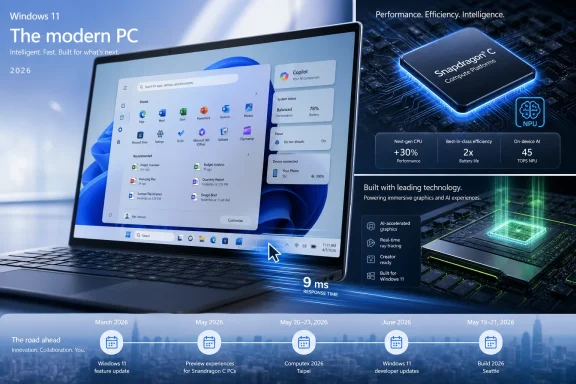 Microsoft Is Trying to Make Windows Feel Fast Before It Makes It Feel New
The May 2026 optional update for Windows 11 versions 24H2 and 25H2 is the most practical part of the week’s news because it targets the complaint users actually feel: latency. KB5089573 is not a glamorous release, but its low-latency mode matters because Windows 11’s reputation has often been shaped less by benchmark defeats than by everyday friction. Menus open a beat late, flyouts hesitate, and the shell can still feel oddly heavy on hardware that should not struggle.That is why a performance-oriented Windows update lands differently from yet another Copilot entry point. Microsoft can talk about AI PCs all it wants, but if the Start menu, Settings, File Explorer, and taskbar do not feel immediate, the operating system loses credibility before the assistant ever appears. The new low-latency work suggests Microsoft understands that responsiveness is not a luxury feature. It is the base layer of trust.
KB5089573 also bundles features that are more prosaic but useful, including shared audio support and multi-app camera support. Those additions are easy to undersell, yet they address real-world annoyances in households, classrooms, hybrid meetings, and creator workflows. Two people listening from one PC, or multiple apps accessing camera streams more gracefully, are the kinds of improvements that make Windows feel less like a legacy desktop and more like an adaptable device platform.
The catch is that this remains an optional preview update. Most users will encounter its contents only when they roll into the June 2026 Patch Tuesday release, assuming Microsoft’s usual cadence holds. That preview status is important for administrators: KB5089573 is a signal of what is coming, not a mandate to deploy broadly without testing.
The Start Menu Finally Gets Treated Like the Front Door
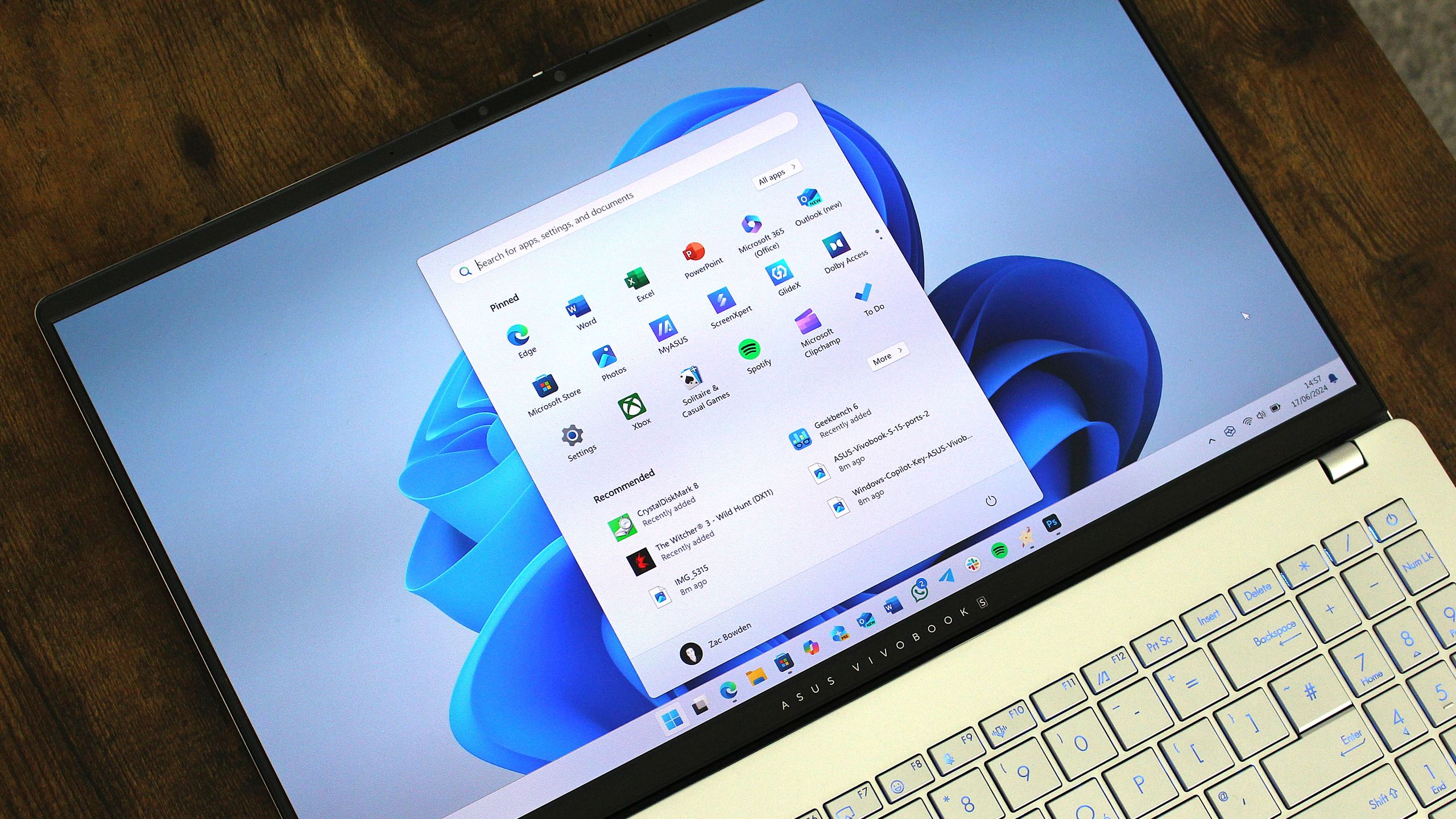
The Start menu upgrade in the Dev Channel is the week’s clearest admission that Windows 11’s original Start design was too constrained. A modular, resizable Start menu sounds obvious because it is obvious. Desktop users have been staring at wide monitors, giant laptop displays, and increasingly dense workflows while Windows 11’s Start menu often behaved as if the PC were a small, appliance-like screen.The deeper issue is philosophical. Windows 11’s first-wave design pushed simplification so hard that it sometimes confused tidiness with usefulness. Centered icons, reduced context menus, and a more curated Start surface made the OS look cleaner in screenshots, but many longtime users experienced the change as a tax on muscle memory and density.
A resizable Start menu does not solve every complaint, but it points in the right direction. It lets the user’s screen, not Microsoft’s idealized layout, determine how much information belongs in view. That is especially important for IT pros and power users who treat Start not as a brand canvas but as a launch surface.
The modular design also suggests Microsoft is building toward a Start menu that can absorb more services without turning into a junk drawer. That will be the real test. If modularity means users can shape the menu around apps, files, system actions, and recommendations they actually value, the redesign could be a win. If it becomes another staging ground for Microsoft 365, ads, and Copilot prompts, the backlash will be swift and deserved.
Qualcomm’s $300 Windows Pitch Reopens an Old Wound
Qualcomm’s Snapdragon C announcement is the week’s most commercially important hardware story, because it takes Windows on Arm into the budget tier. The promise is familiar: quiet machines, low heat, long battery life, and enough performance for mainstream work. The difference is the target price. A $300 Windows laptop with an Arm chip and an onboard NPU would push the AI PC story below the premium shelf.That matters because Windows on Arm has spent years feeling like a boutique experiment. The best Snapdragon X machines proved the platform could be credible, but credibility at $999 is not the same thing as volume. Schools, families, small businesses, and emerging markets do not buy narratives; they buy machines that survive browser tabs, Teams calls, documents, battery anxiety, and abuse.
The problem is that the budget PC market is where platform promises go to be tested brutally. If early Snapdragon C systems ship with 4GB or 6GB of RAM in some configurations, the experience could undermine the entire pitch. Windows 11 can run on modest hardware, but “can run” and “feels good for four years” are very different standards.
This is where Microsoft’s hardware ecosystem problem becomes visible. Apple can tune silicon, OS, memory configurations, and product positioning with a level of integration Windows OEMs rarely match. Qualcomm and Microsoft can provide a platform, but Acer, Lenovo, HP, and others still decide which screens, storage, memory, keyboards, and Wi-Fi modules define the actual product. A good chip can be buried inside a bad laptop.
The NPU Is Moving Downmarket Before the Killer App Arrives
The Snapdragon C’s built-in NPU is symbolically important even if the practical value remains uneven. Microsoft has spent the last two years making the Copilot+ PC concept central to its Windows story, but the early AI PC era has been constrained by price. If NPU-capable machines arrive near $300, Microsoft gets a broader installed base for on-device AI features.That does not mean users will suddenly care. Many people still do not have a daily use case that makes an NPU feel as essential as a good keyboard, bright display, or 16GB of RAM. Recall-style timeline search, image generation, transcription, background effects, and local language models are interesting, but they remain unevenly distributed across hardware, regions, editions, and user trust levels.
For IT departments, the NPU’s arrival in cheap laptops is a planning issue more than a buying trigger. Standardizing on devices with local AI acceleration may make sense over a three- or four-year refresh cycle, especially if Microsoft keeps moving Windows features from cloud-first to hybrid local processing. But administrators will still ask the boring, correct questions: Can it be managed? Can it be disabled? Is the data local? Does it complicate compliance?
Budget AI PCs could eventually normalize local acceleration the way webcams and fingerprint readers became normal. But the market will not reward the phrase “AI PC” by itself. It will reward machines that are quiet, fast enough, secure, manageable, and not obsolete the moment a student opens six browser tabs and a video call.
Nvidia’s “New Era of PC” Tease Is Really About Control
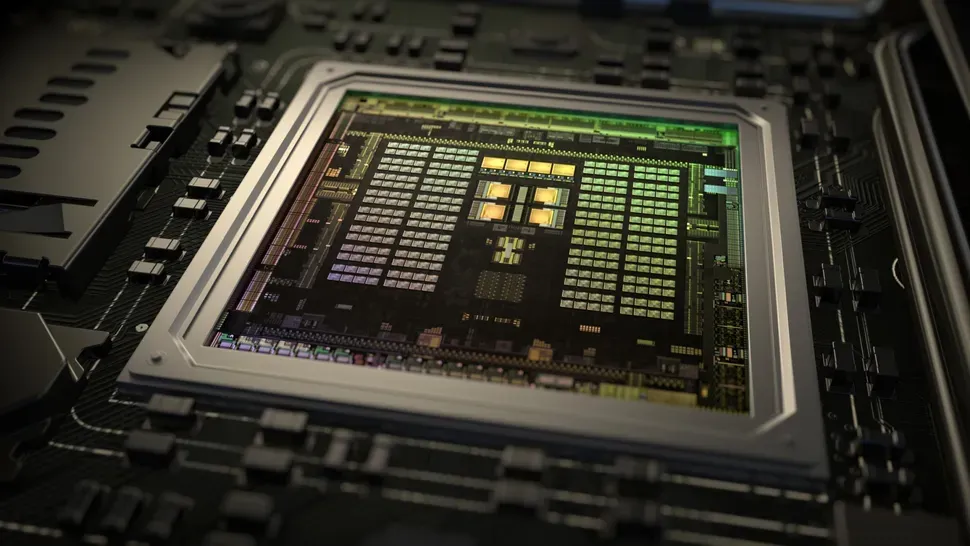
Microsoft, Nvidia, and Arm teasing “a new era of PC” ahead of Computex is the kind of coordinated marketing that invites skepticism. The phrase is grand, vague, and perfectly calibrated to make every hardware rumor feel plausible. But behind the slogan is a genuinely consequential possibility: Nvidia moving deeper into Windows PCs with Arm-based processors that could combine CPU, GPU, and AI acceleration in a more integrated package.If Nvidia’s N1 or related chips arrive as expected, the PC market gets another serious silicon axis. Intel and AMD have long defined Windows performance categories, while Qualcomm has carried the Arm banner. Nvidia entering with its graphics reputation and AI momentum changes the conversation, even if first-generation products are imperfect.
The strategic logic is obvious. Nvidia does not want the AI PC to be defined only by NPUs inside someone else’s CPU roadmap. Microsoft does not want Windows on Arm to depend on a single silicon partner. OEMs want leverage, differentiation, and a story that can justify new device categories. Everybody involved has a reason to call this a new era.
But the technical bar is high. Windows on Arm has improved, but compatibility, drivers, peripherals, games, enterprise agents, VPNs, and niche software remain the difference between a great demo and a deployable machine. Nvidia’s brand can bring attention. It cannot magically erase the ecosystem work required to make Arm PCs boring in the best possible way.
Build and Computex Are Converging Into One PC Story
The timing matters. Microsoft Build is a developer conference, Computex is a hardware show, and this year the two are effectively merging into a single Windows platform narrative. Microsoft needs developers to believe in APIs, AI models, app modernization, and Windows as a target worth optimizing for. Hardware vendors need buyers to believe the next machine offers more than a slightly better webcam and a new sticker.That convergence is not accidental. The PC industry has spent years fighting replacement-cycle fatigue. Many users who bought decent laptops during the pandemic still have machines that are good enough, and Windows 10’s continued popularity shows how little urgency many people feel. A “new era” has to create a reason to upgrade that is more compelling than end-of-support warnings.
Microsoft’s best argument is a stack argument. Better Windows responsiveness, more flexible shell design, cheaper Arm devices, NPUs in mainstream hardware, and new silicon partners together sound like a platform shift. Separately, each item is incremental. Together, they suggest Microsoft wants 2026 to be remembered as the year the PC stopped being just an x86 laptop with cloud services bolted on.
The risk is overpromising. The last several Windows cycles have taught users to be wary of slogans. “Modern,” “fluid,” “AI-powered,” and “new era” mean little if the printer breaks, the Start menu shows unwanted recommendations, or a business-critical app runs poorly under emulation.
Windows 10 Is Still the Uninvited Guest at the Windows 11 Party
HP’s reported observation that many users still enjoy Windows 10 is not surprising, but it remains awkward for Microsoft. Windows 10 is familiar, stable enough for many, and deeply embedded in homes and businesses. For a large portion of the user base, Windows 11 has not offered a must-have reason to move.This is the central tension of Microsoft’s 2026 PC push. The company is selling a forward-looking vision while millions of users remain anchored to the previous generation. Some are blocked by hardware requirements. Some are waiting for refresh cycles. Some simply prefer Windows 10’s interface and behavior.
Security deadlines can force movement, but they rarely create affection. If Microsoft wants Windows 11 and its successors to feel like progress rather than compliance, it has to win on daily experience. That means faster shell performance, fewer regressions, less clutter, better update reliability, and UI choices that respect power users instead of treating them as edge cases.
The Start menu redesign and low-latency work are therefore more important than they look. They are not just features. They are evidence that Microsoft is trying to repair the experiential gap between what Windows 11 was supposed to be and what many users felt when they first installed it.
The Insider Channels Show a Platform Still Under Renovation
This week’s Insider builds reinforce the same message: Windows is still under active reconstruction. Canary builds with minor fixes, Dev Channel work on the Start menu, and Beta Channel changes such as new spinners, search improvements, and Windows Ready Print indicators are not individually dramatic. But they show Microsoft continuing to touch the shell, print path, search surfaces, and visual feedback systems.That can be read two ways. Optimistically, Windows 11 is maturing through steady iteration. Pessimistically, Microsoft is still sanding down rough edges years into the product’s life. Both readings are true.
For enthusiasts, Insider builds are where Windows becomes interesting again. They reveal the operating system as a moving target rather than a sealed appliance. For administrators, they are early-warning signals. Search tweaks, printing indicators, and Start menu architecture changes may become support tickets later.
The Beta Channel’s Windows Ready Print indicators are a good example of a small change with enterprise resonance. Printing remains one of the least glamorous and most failure-prone areas of computing. Anything that clarifies device compatibility or user expectations can reduce confusion, especially in mixed fleets where old habits meet newer driver models.
The Best Windows Tools Are Still Hidden in Plain Sight
The rediscovery of the Windows Tools folder is funny because it captures a truth about Windows: the operating system is full of powerful utilities that Microsoft has never quite learned how to present elegantly. Windows Tools gathers administrative and system utilities in one place, making it a useful launchpad for anyone who troubleshoots PCs. It is also a reminder that Windows remains layered with decades of overlapping management surfaces.That layering is both strength and liability. Sysadmins appreciate that Windows still exposes tools for event viewing, services, memory diagnostics, task scheduling, disk management, and more. Casual users see a maze. Enthusiasts see history. Designers see inconsistency.
The dark mode complaint is more than a joke. Microsoft has spent years moving Windows toward a unified visual language, yet old corners still reveal themselves under basic conditions. A system folder that looks rough in dark mode is not catastrophic, but it contributes to the sense that Windows modernization is forever incomplete.
Third-party tools like TaskSlinger, pitched as a Task Manager replacement, thrive in that gap. Task Manager itself has improved significantly over the years, but Windows power users always want more control, more density, and better workflows. The existence of such tools is healthy for the ecosystem. It is also a quiet critique of Microsoft’s default experience.
Copilot’s Redesign Shows Microsoft Knows AI Has a UX Problem
Microsoft’s Copilot updates this week are notable because they focus partly on redesign and performance. That is an implicit acknowledgment that AI assistants do not succeed merely by existing. They have to be fast, understandable, trustworthy, and placed where users actually need them.Microsoft 365 Copilot has the highest-stakes version of this challenge. In theory, it can summarize meetings, draft documents, analyze spreadsheets, and connect institutional knowledge. In practice, it competes with entrenched workflows, uneven permissions, organizational data hygiene, and user skepticism. A redesign can help, but only if it reduces friction rather than adding another layer of abstraction.
Copilot Health, now available in the United States, is even more sensitive. Health-oriented AI services sit in a category where user trust, accuracy, and clarity matter enormously. Microsoft will have to be careful not to blur the line between wellness guidance and medical authority. The branding may be friendly, but the stakes are higher than a bot that rewrites email.
The broader point is that Copilot is moving from novelty to infrastructure. Once Microsoft puts AI across Windows, Office, Teams, Edge, and health-adjacent services, the question stops being “Does Microsoft have an AI assistant?” The question becomes whether users can control it, understand it, and benefit from it without feeling managed by it.
Gaming News Shows the PC Market’s Other Upgrade Engine
The gaming side of the week’s recap is not separate from the PC story. Games remain one of the few consumer workloads that reliably make people buy new hardware. A new Call of Duty skipping previous-generation consoles, Nvidia drivers optimized for new titles, and rising handheld prices all feed the same pressure: performance expectations keep moving.Nvidia retiring the legacy Control Panel is symbolically rich. For years, the old panel was one of those Windows-adjacent utilities that looked ancient but remained necessary. Moving fully to the newer Nvidia App suggests the PC ecosystem is slowly shedding some of its cruft. The important caveat is that replacement apps must match the reliability and feature depth of the tools they retire.
The Steam Deck price increase is a different kind of signal. Handheld PC gaming has grown from curiosity to category, but affordability remains fragile. If Valve’s own hardware becomes meaningfully more expensive, expectations around future Steam Machine pricing become more cautious. The living-room PC dream has been attempted before; price is usually where it gets hurt.
Microsoft watches all of this from an unusual position. It owns Xbox, Windows, Game Pass, and now Activision Blizzard, yet PC gaming remains more decentralized than console gaming. Windows is the default gaming platform not because it is elegant, but because it is compatible. The next era of PCs cannot break that compatibility without paying a steep price.
The Week’s Real Story Is Microsoft Rebuilding the Middle
The most concrete lesson from this week is that Microsoft is trying to rebuild the middle of the PC market. Not just premium Copilot+ laptops. Not just enterprise desktops. Not just gaming rigs. The company needs Windows to feel compelling across $300 student machines, mainstream work laptops, creator devices, and AI-branded premium hardware.That is hard because those markets want different things. A school laptop needs battery life, manageability, durability, and price discipline. A developer machine needs performance, compatibility, memory, and thermals. A business laptop needs supportability and predictable updates. A consumer AI PC needs features that feel useful rather than decorative.
Microsoft’s burden is that Windows must span all of them. Apple can define narrower product lanes. Google can keep ChromeOS focused on web-first simplicity. Microsoft has to make one platform stretch across old Win32 apps, new AI workloads, games, peripherals, enterprise management, and budget hardware.
This is why the week’s news feels more connected than a normal roundup. Low-latency Windows improvements, Start menu modularity, Snapdragon C budget chips, Nvidia Arm speculation, Copilot redesigns, and gaming driver shifts are all pieces of the same argument. Microsoft is trying to convince the market that the PC still has another act.
The Useful Signals Beneath the “New Era” Noise
The marketing phrase will fade, but several practical signals from the week are worth carrying forward.- KB5089573 is an optional preview update, so cautious users and IT teams should treat it as an early look at June’s Windows 11 changes rather than an automatic deployment target.
- The low-latency work matters because perceived responsiveness is one of Windows 11’s most important quality-of-life battlegrounds.
- The Dev Channel Start menu redesign suggests Microsoft is finally loosening one of Windows 11’s most rigid interface decisions.
- Snapdragon C could make Windows on Arm relevant below the premium tier, but weak RAM configurations would quickly damage the value proposition.
- Nvidia’s expected PC silicon push would give Microsoft another Arm partner and intensify pressure on Intel, AMD, and Qualcomm.
- The AI PC story will not become mainstream until local AI hardware is paired with visible user benefits, clear controls, and machines that are good laptops first.
References
- Primary source: Neowin
Published: 2026-05-30T16:20:41.490472

Microsoft Weekly: Big Start menu upgrade and a new era of PC
Catch up with this week's Microsoft news in our weekly recap. New processors, big Start menu updates, and Microsoft promising "a new era of PC." www.neowin.net
- Related coverage: axios.com

Scoop: First Windows PCs powered by Nvidia chips to debut next week
The chips will appear in Microsoft Surface computers and PCs from other manufacturers.www.axios.com
- Related coverage: windowscentral.com
Windows 11's latest OS update is packing serious performance gains
Windows 11 update KB5089573 is now generally available as Microsoft's non-security preview update for May, and is packing genuinely notable performance improvements. www.windowscentral.com
- Related coverage: tomshardware.com
Nvidia and Microsoft tease "a new era of PC" ahead of Computex 2026 — coordinated social media posts could indicate that rumored N1X laptops will be Windows on Arm systems
An Nvidia-powered Arm PC running Windows could inspire new local AI experiences beyond Copilot+.www.tomshardware.com
- Official source: support.microsoft.com
May 26, 2026—KB5089573 (OS Builds 26200.8524 and 26100.8524) Preview - Microsoft Support
 support.microsoft.com
- Related coverage: techspot.com
