

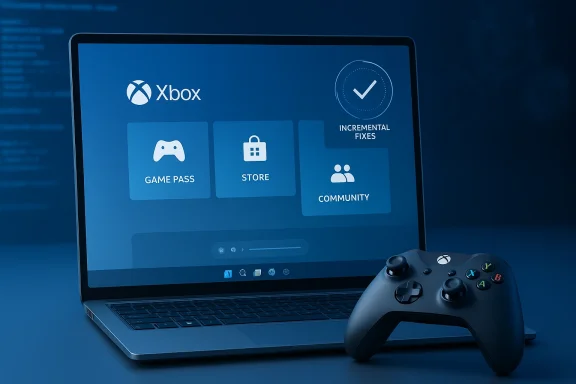
Microsoft's latest Windows 11 Insider Preview build takes a pragmatic step toward stabilizing the Xbox Full Screen Experience (FSE) on PCs, addressing a recurring class of app compatibility issues while leaving one known problem still under observation by the Insider engineering team. The January flight — Windows 11 Insider Preview Build 26220.7653 — explicitly lists a fix for "some unexpected app and game behavior when using FSE" while retaining a known issue callout for apps that expect a fixed window size or create extra windows. This is a cautious, incremental patch rather than a sweeping overhaul, but it signals Microsoft is narrowing the gap between the console‑style shell and the full Windows desktop.
The Xbox Full Screen Experience (FSE) began life as a hardware-first shell on the ROG Xbox Ally family: a console‑style, controller‑centric home that replaces the Windows desktop with the Xbox PC app as the session "home" and defers many desktop services to free resources for gameplay. Over the last several months Microsoft moved that code into Windows Insider builds and has begun previewing FSE on a broader set of Windows 11 form factors — handhelds, laptops, tablets and desktops — behind staged entitlements and OEM enablement. The stated goals are straightforward: reduce distractions, make controller navigate reclaim runtime headroom for games on thermally and memory‑constrained devices. FSE is not a separate operating system. It is a session posture: when you enter FSE, Windows starts a chosen "home app" (typically the Xbox PC app) as the visible shell, delays or suppresses Explorer ornaments and non‑essential startup tasks, and surfaces a controller‑friendlier UI with a modified Game Bar and a controller‑tuned Task anti-cheat and DRM layers remain intact — a technical design that preserves compatibility with Windows-native features while changing which user‑mode components run at sign‑in.
This is why the rollout remains gated by OEM entitlements: partners must validate their firmware, driver and power profiles to ensure FSE’s session posture plays nicely with vendor utilities and overlays. In short, the safest path for most users is to wait for OEM‑tuned FSE support rather than force‑enabling the feature through community tools.
At the same time, community experiments with Linux distros such as Bazzite underscore a broader truth: OS‑level simplicity and mature drivers can yield real performance and usability benefits on handheld hardware. FSE is a pragmatic attempt to capture some of those benefits while preserving Windows’ compatibility advantages — but it will only be fully successful if Microsoft, OEMs, and third‑party vendors coordinate closely on drivers, overlays and anti‑cheat integration. Until then, the mode will improve gradually, one Insider build at a time.
Appendix: Quick reference (how to try FSE as an Insider)
Conclusion: Microsoft’s incremental fixes in Build 26220.7653 represent pragmatic progress on the path to a stable Xbox Full Screen Experience for a broader set of Windows PCs. The feature’s design is sound — a reversible session posture that trims desktop noise while keeping Windows compatibility — but the work to iron out multi‑window app compatibility, overlay interactions and vendor certification remains ongoing. The latest patch narrows the problem space and buys the engineering team time to validate complex scenarios; for Insiders and handheld owners, it’s an encouraging sign that FSE is being taken seriously and polished for mainstream use.
Source: PC Gamer Fresh Windows 11 build begins to smooth out Xbox Full Screen Experience on PC
 Background / Overview
The Xbox Full Screen Experience (FSE) began life as a hardware-first shell on the ROG Xbox Ally family: a console‑style, controller‑centric home that replaces the Windows desktop with the Xbox PC app as the session "home" and defers many desktop services to free resources for gameplay. Over the last several months Microsoft moved that code into Windows Insider builds and has begun previewing FSE on a broader set of Windows 11 form factors — handhelds, laptops, tablets and desktops — behind staged entitlements and OEM enablement. The stated goals are straightforward: reduce distractions, make controller navigate reclaim runtime headroom for games on thermally and memory‑constrained devices. FSE is not a separate operating system. It is a session posture: when you enter FSE, Windows starts a chosen "home app" (typically the Xbox PC app) as the visible shell, delays or suppresses Explorer ornaments and non‑essential startup tasks, and surfaces a controller‑friendlier UI with a modified Game Bar and a controller‑tuned Task anti-cheat and DRM layers remain intact — a technical design that preserves compatibility with Windows-native features while changing which user‑mode components run at sign‑in. What the new build actually changes
The official fix and the remaining known issue
Build 26220.7653 explicitly states it "fixes some unexpected app and game behavior when using FSE" while keeping active a known issue that "some apps may behave unexpectedly when using FSE, particularly those that expect to be locked to a given size or launch additional windows." In practice this means Microsoft has patched several edge cases that caused unstable behavior for apps launched inside FSE, but the team is still validating scenarios where apps assume a static window environment or spawn secondary windows (for example, installers, launchers or utility popups). Insiders should expect incremental stability improvements, but also continued refinement as Microsoft monitors real‑world feedback.Why this matters technically
Because FSE changes the session composition — suppressing Explorer as the immediate shell and deferring certain background activities — some apps and utilities designed around a traditional desktop model can misbehave. Common examples include:- Apps that hard‑code a particular window size or position and fail when the shell does not report the usual desktop geometry.
- Programs or launchers that spawn child windows or helper processes which the FSE session may treat differently.
- Third‑party overlays, OEM utilities, and some on‑screen displays that expect Explorer‑level hooks.
Practical context: where FSE fits in the Windows gaming ecosystem
The promise: cleaner, more consistent controller-first play
FSE aims to deliver a console-like experience on Windows: large, scannable tiles, controller navigation by default, and faster paths from power‑on to play. For handhelds and users playing with controllers on a couch or living‑room display, that flow matters. Boot‑to‑Xbox behavior, an aggregated game library across storefronts, and a reduced notification surface are all design choices intended to reduce friction and accidental interruptions. For hardware with limited RAM and tight thermal headroom, the session posture also offers a chance to reclaim memory and lower idle CPU wakeups — both of which can improve sustained frame stability and battery behavior.The reality: benefits are device‑ and workload‑dependent
Real‑world testing and independent hands‑on reports show the performance and power gains vary widely. On heavily loaded systems with numerous startup apps and desktop services, deferring the Explorer shell can free meaningful RAM (many hands‑on accounts place the directional range at roughly 1–2 GB in tuned scenarios). On machines already tuned and lean, the practical gains are smaller. The bottom line: FSE increases the odds of steadier gameplay on constrained hardware, but it is no substitute for firmware, driver and power‑profile tuning. Treat specific memory‑reclamation and battery percentages as directional estimates, not guaranteed outcomes.Cross‑platform experiments: Linux, SteamOS, and why they matter
A spate of community experiments and reviewer videos — notably those testing the ROG Xbox Ally X — demonstrate one clear lesson: operating system design and driver/hardware control matter. Several creators reported sizable FPS gains and smoother sleep/resume behavior after switching the Ally X from Windows to a Linux‑based handheld distro (Bazzite) or SteamOS builds. Testers such as Cyber Dopamine and ETA Prime documented gains of up to roughly 30% in specific titles and power modes when moving to a lightweight Linux environment that exposes granular TDP, GPU frequency and fan curve controls. These experiments highlight that reducing OS overhead is only one piece of the performance puzzle; driver maturity, scheduler behavior and low‑level power management are equally crucial. However, community reports are mixed — user experiences on Linux vary by device revision, firmware, and driver versions. Some owners found that Bazzite introduced its own quirks (Wi‑Fi or peripheral issues, or different power draws) and later returned to Windows. The takeaway is practical: Linux distros can unlock performance in certain configurations, but they are not a universal cure, and they introduce trade‑offs in compatibility and convenience.Strengths of Microsoft's FSE approach
- Preserves Windows compatibility: Because FSE is a session posture layered on Windows 11 (not a fork), games requiring Windows-native DRM or kernel anti‑cheat remain supported. This keeps major AAA titles playable without complex workarounds.
- Controller‑first UX: The interface reduces friction for controller navigation on small screens and living‑room setups, improving discoverability for Game Pass and installed titles.
- Optional, reversible: FSE can be enabled, toggled via Win + F11 or Task View, or set to boot at startup — providing flexibility for test and recovery workflows.
- Targeted resource reclamation: Deferring desktop services and Explorer ornamentation can free useful runtime headroom on constrained handheld hardware, helping frame stability and battery life in many cases.
Risks and limitations to be aware of
- Compatibility friction: Third‑party overlays, OSD tools (RivaTuner/Afterburner), and some OEM utilities may not behave correctly until vendors update their integrations for the FSE session posture. This is the precise problem Microsoft is addressing in the recent build.
- Multi‑window apps: Installers, launchers and some productivity apps that assume a classic desktop geometry can misbehave in FSE. Microsoft’s release notes call this out as a continuing known issue.
- Anti‑cheat edge cases: While anti‑cheat and DRM operate at kernel and driver layers that FSE does not remove, session changes can create unforeseen interactions. Competitive players should be cautious enabling experimental builds on tournament or production machines.
- **OEM gating and fragmentaw rollout is gated via OEM entitlements and controlled feature rollout, meaning similarly spec'd devices may or may not receive the toggle depending on vendor enablement. This can create confusion across device lines.
- Not a fix: If a game is GPU‑bound or thermally limited, trimming desktop noise will produce limited FPS gains. True, repeatable performance uplifts often require driver/firmware updates and device‑specific power tuning beyond what a session posture can accomplish.
What testers and enthusiasts should do right now
- Join the right channels: Enroll in both the Windows Insider Program (Dev or Beta channel where the 25H2 preview plumbing appears) and the Xbox Insider Program if you want access to the PC preview. Keep the Xbox PC app and Game Bar updated from the Microsoft Store.
- Use secondary hardware for early testing: Don’t enable preview bits or use community unlocks on a primary workstation or competitive machine. Back up drives and create recovery media before experimenting.
- Test relevant workflows: If you rely on overlays, capture utilities, or specific anti‑cheat titles, test them under FSE before committing to it for live play. Report regressions through Feedback Hub to help prioritize fixes.
- Expect incremental fixes: The latest build addresses a subset of FSE behavior but explicitly keeps a known issue active while the team validates scenarios — treat stability as improving, not yet finished.
OEM and ecosystem implications
FSE represents a strategic pivot for Microsoft and OEM partners: it narrows the experiential gap between Windows handhelds and purpose‑built Linux console experiences (e.g., Steam OS) while preserving the deep Windows software ecosystem. For OEMs, enabling FSE creates differentiation on handheld hardware and simplifies the out‑of‑box gaming flow. For accessory developers and anti‑cheat vendors, it creates a new compatibility target that requires validation and possibly SDK updates.This is why the rollout remains gated by OEM entitlements: partners must validate their firmware, driver and power profiles to ensure FSE’s session posture plays nicely with vendor utilities and overlays. In short, the safest path for most users is to wait for OEM‑tuned FSE support rather than force‑enabling the feature through community tools.
How Microsoft is balancing rollout speed with stability
Microsoft is opting for a staged approach: ship the plumbing in Insider preview builds but gate visibility through server‑side entitlements and OEM enablement. That allows engineering to gather telemetry and user feedback across a range of devices without triggering a broad, potentially disruptive release. The new build’s wording — patching some unexpected behavior while keeping a known issue active — reflects a conservative methodology: fix clear regressions quickly, keep the issue open for deeper validation, and avoid shipping a "one‑size‑fits‑all" change that could break specific multi‑window apps.Longer term outlook — what success looks like
If Microsoft and partners can execute the following, FSE will have done its job:- Seamless, driver‑validated FSE on supported handhelds that preserves anti‑cheat compatibility and OEM utilities.
- Consistent controller‑first UX across device classes with lockstep updates from Xbox app and Game Bar.
- Clear, vendor‑backed documentation and support channels to minimize user confusion from the staged rollout.
- Real‑world gains in time‑to‑play, steadier frame delivery on constrained hardware, and fewer disruptive notifications during sessions.
Final assessment: incremental but necessary
The Windows 11 Insider Preview Build 26220.7653 is not a headline‑grabbing consumer release — it is an engineering update that quietly tightens the seams between the Xbox Full Screen Experience and the messy realities of the Windows desktop ecosystem. The change addresses a practical compatibility class, but Microsoft is transparent that validation continues for multi‑window and fixed‑size app scenarios. For users of supported handhelds, the build reduces friction; for desktop and lapts Microsoft intends FSE to be a controlled, vendor‑coordinated capability rather than a forced, universal mode.At the same time, community experiments with Linux distros such as Bazzite underscore a broader truth: OS‑level simplicity and mature drivers can yield real performance and usability benefits on handheld hardware. FSE is a pragmatic attempt to capture some of those benefits while preserving Windows’ compatibility advantages — but it will only be fully successful if Microsoft, OEMs, and third‑party vendors coordinate closely on drivers, overlays and anti‑cheat integration. Until then, the mode will improve gradually, one Insider build at a time.
Appendix: Quick reference (how to try FSE as an Insider)
- Ensure you are enrolled in the Windows Insider Program (Dev or Beta channel) and the Xbox Insider Program for PC previews.
- Install or update the Xbox PC app and Game Bar from the Microsoft Store.
- Enable Full Screen Experience in Settings → Gaming → Full screen experience and choose a home app (Xbox). Use Task View, the Game Bar, or press Win + F11 to enter FSE. If you opt to "Enter full screen experience on startup," the session will boot into the home app and defer certain desktop tasks until you exit.
Conclusion: Microsoft’s incremental fixes in Build 26220.7653 represent pragmatic progress on the path to a stable Xbox Full Screen Experience for a broader set of Windows PCs. The feature’s design is sound — a reversible session posture that trims desktop noise while keeping Windows compatibility — but the work to iron out multi‑window app compatibility, overlay interactions and vendor certification remains ongoing. The latest patch narrows the problem space and buys the engineering team time to validate complex scenarios; for Insiders and handheld owners, it’s an encouraging sign that FSE is being taken seriously and polished for mainstream use.
Source: PC Gamer Fresh Windows 11 build begins to smooth out Xbox Full Screen Experience on PC
