

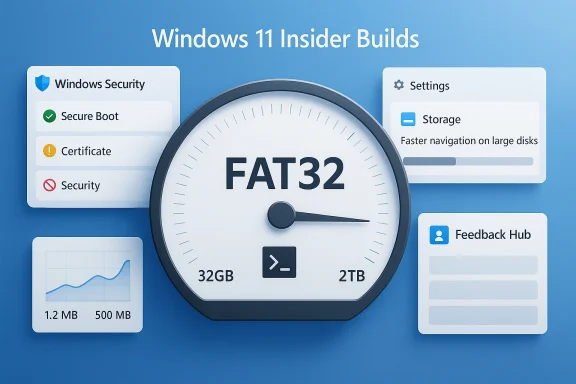
Microsoft’s latest Windows 11 Insider flight is notable less for flashy UI work and more for the kind of under-the-hood fixes that testers actually feel day to day. On April 10, 2026, Microsoft shipped Build 26220.8165 to the Beta Channel as KB5083635 and Build 26300.8170 to the Dev Channel as KB5083632, with both releases carrying the same core storage, network, security, and Feedback Hub changes. The most eye-catching item is the long-awaited jump in FAT32 formatting support from 32GB to 2TB via the command line, a change that finally removes one of Windows’ most stubborn formatting limits. Just as important, Microsoft also fixed a bizarre data-usage bug, sped up Storage navigation on large drives, and introduced clearer Secure Boot certificate status badges as part of the company’s broader 2026 security push. (blogs.windows.com)
Microsoft’s Insider program has increasingly become the place where Windows 11’s most practical changes appear first, and this week’s Beta and Dev flights fit that pattern exactly. Rather than delivering a dramatic shell redesign, the company is using these channels to polish rough edges in areas that matter to power users, enterprise admins, and anyone who still relies on legacy storage formats. That approach has become more visible over the past year as Microsoft has treated Insider builds as a proving ground for features that may be technically modest but operationally meaningful. (blogs.windows.com)
The two builds also reinforce an important reality about Microsoft’s current test strategy: Beta and Dev are no longer wildly different universes. In this flight, both channels received the same storage limit increase, the same large-volume performance improvement, the same Secure Boot badge work, and the same Feedback Hub refinements. That does not mean the channels are identical, but it does show how Microsoft is increasingly aligning parallel tracks when the company wants to validate a feature with a broader pool of testers before deciding whether it should advance. (blogs.windows.com)
The storage change is the headline because FAT32 is one of those Windows technologies that refuses to die. Even though exFAT and NTFS are more appropriate for many modern workloads, FAT32 still matters for compatibility with older devices, BIOS/UEFI tools, removable media, embedded systems, and situations where broad cross-platform support outweighs filesystem sophistication. Microsoft’s decision to lift the command-line formatting cap to 2TB is therefore not just a technical tweak; it is a symbolic cleanup of a decades-old limitation that had outlived its original rationale. (blogs.windows.com)
Equally significant is the timing on Secure Boot. Microsoft has been warning for months that the Secure Boot certificates originally issued in 2011 are approaching expiration in 2026, and the company has begun surfacing certificate state in Windows Security for consumers and some businesses. That context matters because the new badges are not merely cosmetic. They are part of a wider campaign to make boot-chain risk more visible before certificate transitions start becoming operationally urgent.
The practical implication is straightforward: this Insider flight is less about a single “big feature” and more about tightening the seams between storage, security, and diagnostics. For people who spend their time in Settings, Disk tools, or Feedback Hub, the cumulative effect is larger than it may look at first glance. For everyone else, these are the sort of changes that only become noticeable when something goes wrong—and Microsoft is clearly trying to reduce how often that happens. (blogs.windows.com)
For enthusiasts, this is a convenience win. For IT staff, it is a reduction in friction when provisioning media for legacy equipment or specialty workflows. For average consumers, the benefit is more indirect, but it still helps because Windows becomes less likely to force a detour through outside tools for what should be a basic format operation. That alone makes the change feel overdue. (blogs.windows.com)
This also suggests Microsoft is being cautious about accidental support burden. A GUI that offers 2TB FAT32 formatting could invite confusion from users who do not understand the tradeoffs, such as the 4GB per-file limit that FAT32 still imposes. By keeping the change command-line only for now, Microsoft preserves flexibility while avoiding a sudden shift in mainstream formatting guidance.
The practical effect is a better Settings experience for anyone managing modern PCs with lots of attached storage. That includes creators, gamers with sprawling libraries, and enterprise users working with removable or external drives. It is not glamorous, but it is the sort of tuning that makes Windows feel more mature. (blogs.windows.com)
This matters because Settings pages should not feel like booby traps. Users increasingly expect more contextual permissions, not blanket prompts that interrupt navigation before they know whether they need a privileged action. The change reflects a broader philosophy shift in Windows: ask later, but ask precisely. (blogs.windows.com)
This bug also hits confidence in Windows’ diagnostic surfaces. If one Settings page is clearly wrong, users begin to question other numbers they see elsewhere in the operating system. In that sense, a fix like this is partly about credibility. Microsoft is not just correcting math; it is repairing trust in the UI layer that presents that math. (blogs.windows.com)
That distinction matters. Microsoft is not trying to turn Settings into a full network observability stack. It is trying to keep the built-in view honest enough that it remains useful for first-pass diagnostics, which is exactly what a lot of users need. Useful often means accurate enough to trust at a glance. (blogs.windows.com)
That matters because Secure Boot is foundational to startup integrity. If the boot chain cannot be trusted, everything above it is weakened. Microsoft’s decision to surface certificate state in a visual, color-coded way suggests the company wants to lower the chance that users ignore an invisible but important transition until it turns into a support problem.
Microsoft is also making a deliberate choice to keep the enterprise-managed experience different. The new Secure Boot display is disabled by default on enterprise IT-managed devices and servers, which preserves admin control and avoids surprising organizations with a consumer-oriented alert model. That is a smart boundary. One size never fits enterprise security. (blogs.windows.com)
That is why modest ergonomics fixes can matter so much. Remembering window size saves a tiny friction point every time the app opens. Supporting the mouse back button makes navigation feel more natural. Improving category search helps users classify issues correctly, which should improve triage downstream. Small details add up in a tool people are expected to use repeatedly. (blogs.windows.com)
The bigger strategic implication is that Microsoft wants feedback to feel lighter and more immediate. A smaller focused feedback surface also hints at more in-the-moment reporting, which could be useful for features rolling out gradually under Controlled Feature Rollout. The easier it is to leave feedback in context, the more likely Microsoft is to get actionable reports from testers. (blogs.windows.com)
That matters because test-channel behavior often reveals product confidence. When Microsoft holds a feature back to a narrower audience, it usually means the company wants more data or expects rough edges. When it sends the same code to two channels, it generally means the feature is ready for a wider evaluation frame. Not finished still, but less fragile. (blogs.windows.com)
In that sense, the update is part of a larger story about the operating system becoming more operationally mature. The changes do not scream “new Windows,” but they do suggest a company trying to remove old paper cuts before they become support headaches. That is the sort of engineering discipline mature platforms need. (blogs.windows.com)
The Secure Boot badges are also consumer-friendly because they translate a technical issue into a plain visual status. Most people will never read a certificate advisory, but a yellow or red warning in Windows Security is hard to miss. That is a good design choice for a platform where many users only open security apps when prompted.
Enterprises should also appreciate that Microsoft is leaving the Secure Boot badge feature disabled by default on managed devices and servers. That preserves policy control and reduces the risk that consumer-style warnings will clutter fleet environments before administrators have decided how to handle them. That default is a sign Microsoft understands that visibility is useful only when it is aligned with administrative intent. (blogs.windows.com)
The next question is whether Microsoft will extend the FAT32 change into a broader UI path, perhaps eventually allowing more visible access in the graphical formatter. Another is how quickly Secure Boot certificate warnings become visible outside the Insider ecosystem as April 2026 progresses and the June expiration window gets closer. Both issues are likely to matter more to administrators than casual users, but they will shape the broader Windows conversation in the months ahead.
Source: Windows Report https://windowsreport.com/windows-11-kb5083635-kb5083632-beta-dev-updates-bring-many-changes/
 Background
Microsoft’s Insider program has increasingly become the place where Windows 11’s most practical changes appear first, and this week’s Beta and Dev flights fit that pattern exactly. Rather than delivering a dramatic shell redesign, the company is using these channels to polish rough edges in areas that matter to power users, enterprise admins, and anyone who still relies on legacy storage formats. That approach has become more visible over the past year as Microsoft has treated Insider builds as a proving ground for features that may be technically modest but operationally meaningful. (blogs.windows.com)The two builds also reinforce an important reality about Microsoft’s current test strategy: Beta and Dev are no longer wildly different universes. In this flight, both channels received the same storage limit increase, the same large-volume performance improvement, the same Secure Boot badge work, and the same Feedback Hub refinements. That does not mean the channels are identical, but it does show how Microsoft is increasingly aligning parallel tracks when the company wants to validate a feature with a broader pool of testers before deciding whether it should advance. (blogs.windows.com)
The storage change is the headline because FAT32 is one of those Windows technologies that refuses to die. Even though exFAT and NTFS are more appropriate for many modern workloads, FAT32 still matters for compatibility with older devices, BIOS/UEFI tools, removable media, embedded systems, and situations where broad cross-platform support outweighs filesystem sophistication. Microsoft’s decision to lift the command-line formatting cap to 2TB is therefore not just a technical tweak; it is a symbolic cleanup of a decades-old limitation that had outlived its original rationale. (blogs.windows.com)
Equally significant is the timing on Secure Boot. Microsoft has been warning for months that the Secure Boot certificates originally issued in 2011 are approaching expiration in 2026, and the company has begun surfacing certificate state in Windows Security for consumers and some businesses. That context matters because the new badges are not merely cosmetic. They are part of a wider campaign to make boot-chain risk more visible before certificate transitions start becoming operationally urgent.
The practical implication is straightforward: this Insider flight is less about a single “big feature” and more about tightening the seams between storage, security, and diagnostics. For people who spend their time in Settings, Disk tools, or Feedback Hub, the cumulative effect is larger than it may look at first glance. For everyone else, these are the sort of changes that only become noticeable when something goes wrong—and Microsoft is clearly trying to reduce how often that happens. (blogs.windows.com)
Storage: the headline change with real-world reach
The biggest story in both builds is the FAT32 formatting limit increase from 32GB to 2TB via the command line. That is a surprisingly important decision because it restores an option that many users assumed Windows should have supported all along, and it does so without forcing them into third-party utilities. Microsoft is not changing the FAT32 file system itself; it is removing a Windows-side formatting restriction that had been stuck in place for years. (blogs.windows.com)Why FAT32 still matters
FAT32 is old, but it remains deeply embedded in the Windows ecosystem and in the broader hardware world. It is often the lowest-common-denominator filesystem when compatibility is more important than features, especially for firmware tools, cameras, older media devices, and cross-platform removable media. The file system’s enduring relevance explains why a 2TB ceiling matters even if many users will never personally create a drive that large.For enthusiasts, this is a convenience win. For IT staff, it is a reduction in friction when provisioning media for legacy equipment or specialty workflows. For average consumers, the benefit is more indirect, but it still helps because Windows becomes less likely to force a detour through outside tools for what should be a basic format operation. That alone makes the change feel overdue. (blogs.windows.com)
Why Microsoft chose the command line first
The change is limited to the command line formatting path, not the full graphical formatting experience, which is an important distinction. That means Microsoft is clearly targeting the use case where more technical users are already in control and where the company can validate the behavior with less UI risk. It is the classic Microsoft move: unblock the advanced path first, then decide whether the consumer-facing shell should follow. (blogs.windows.com)This also suggests Microsoft is being cautious about accidental support burden. A GUI that offers 2TB FAT32 formatting could invite confusion from users who do not understand the tradeoffs, such as the 4GB per-file limit that FAT32 still imposes. By keeping the change command-line only for now, Microsoft preserves flexibility while avoiding a sudden shift in mainstream formatting guidance.
Practical implications for different users
For home users, the most likely benefit is simply fewer roadblocks when preparing removable media. For enterprise environments, the change is more nuanced because FAT32 may still be required for specific boot or interoperability scenarios even when it is not the ideal long-term storage format. In both cases, the broader message is that Microsoft is finally aligning Windows’ tooling with what the file system has technically been capable of for a long time. (blogs.windows.com)- Legacy device prep becomes easier.
- Older workflows need fewer third-party utilities.
- Technical users can format large FAT32 volumes without a workaround.
- The change improves Windows parity with the file system’s actual capabilities.
- The 4GB single-file limit still remains, so FAT32 is not a universal replacement.
Settings performance and the end of a needless prompt
Microsoft also says it improved the performance of navigating to storage details on large volumes. That may sound minor, but anyone who has sat through sluggish Settings pages while multiple drives are attached knows how noticeable this kind of optimization can be. Windows has spent years trying to make Settings the central control plane, so the speed of deep pages like Storage is a direct measure of how successful that effort feels in practice. (blogs.windows.com)Faster loading on large disks
The improvement specifically applies to Settings > System > Storage > Advanced Storage Settings > Disks & Volumes. That wording matters because the fix is not vague “performance work”; it is targeted at one of the most common pain points in power-user and workstation setups, where capacity-heavy systems can make storage enumeration feel unnecessarily slow. Microsoft is likely reducing overhead in how the page scans and presents attached volumes. If that’s the case, the payoff will be felt most by users with multiple internal drives, USB enclosures, or mixed-capacity storage arrays. (blogs.windows.com)The practical effect is a better Settings experience for anyone managing modern PCs with lots of attached storage. That includes creators, gamers with sprawling libraries, and enterprise users working with removable or external drives. It is not glamorous, but it is the sort of tuning that makes Windows feel more mature. (blogs.windows.com)
A smarter UAC prompt flow
Microsoft also changed how User Account Control appears in the Storage page. Instead of triggering a prompt the moment you open the section, Windows will now wait until you try to access Temporary Files. That is a meaningful usability improvement because it reduces unnecessary interruption while still preserving the security boundary where elevation is actually needed. (blogs.windows.com)This matters because Settings pages should not feel like booby traps. Users increasingly expect more contextual permissions, not blanket prompts that interrupt navigation before they know whether they need a privileged action. The change reflects a broader philosophy shift in Windows: ask later, but ask precisely. (blogs.windows.com)
Why this is more important than it looks
Small prompt changes can have outsized effects on perceived quality. When a page becomes less noisy, it feels faster and more trustworthy even before the raw performance metrics improve. That is why Microsoft’s storage and navigation work deserves more attention than it may get in the headline treatment. (blogs.windows.com)- Fewer unnecessary permission interruptions.
- Better responsiveness on systems with many large disks.
- Cleaner separation between browsing and privileged actions.
- More predictable storage management workflows.
- Better first impressions for novice users and IT staff alike. (blogs.windows.com)
Network data usage: fixing a misleading metric
One of the more quietly important fixes in this release is the correction for Settings > Network & Internet > Data Usage, which had reportedly been showing huge unrealistic values in recent Insider builds. Microsoft’s note confirms the bug and says it is fixed, which should restore trust in a page many users rely on for troubleshooting, tethering, and cost management. (blogs.windows.com)Why inaccurate data usage is a serious bug
A broken usage meter is not just a cosmetic problem. People use this data to verify whether a connection is behaving normally, to monitor metered networks, and to detect runaway applications that may be consuming bandwidth in the background. When those numbers become wildly inflated, the result is confusion, wasted time, and potentially bad decisions about network usage. (blogs.windows.com)This bug also hits confidence in Windows’ diagnostic surfaces. If one Settings page is clearly wrong, users begin to question other numbers they see elsewhere in the operating system. In that sense, a fix like this is partly about credibility. Microsoft is not just correcting math; it is repairing trust in the UI layer that presents that math. (blogs.windows.com)
Consumer and enterprise effects
For consumers, the impact is obvious: a more accurate picture of actual internet consumption. For enterprises, the value is more procedural because support teams can again rely on the page as a quick sanity check during ticket triage. The fix will not replace proper monitoring tools, but it reduces the chances of an obvious false positive in basic troubleshooting. (blogs.windows.com)That distinction matters. Microsoft is not trying to turn Settings into a full network observability stack. It is trying to keep the built-in view honest enough that it remains useful for first-pass diagnostics, which is exactly what a lot of users need. Useful often means accurate enough to trust at a glance. (blogs.windows.com)
Secure Boot badges and the coming certificate transition
The security-facing piece of the update is the new visual status treatment in Windows Security app > Device security > Secure Boot. Microsoft is introducing green, yellow, and red badges along with text that reflects Secure Boot certificate status, and the company says this work is tied to the broader certificate update effort underway for consumer devices and some business PCs. (blogs.windows.com)The bigger Secure Boot story
This is not just a UI refresh. Microsoft has been preparing for the expiration of Secure Boot certificates originally issued in 2011, with updated 2023 certificates being delivered automatically through Windows Update for many devices. The new status view is meant to make it easier to see whether a device has received those updates and whether action may eventually be needed.That matters because Secure Boot is foundational to startup integrity. If the boot chain cannot be trusted, everything above it is weakened. Microsoft’s decision to surface certificate state in a visual, color-coded way suggests the company wants to lower the chance that users ignore an invisible but important transition until it turns into a support problem.
Why colors are the right choice
The green/yellow/red approach is not subtle, but it is appropriate. Security signals work best when they are immediately legible, and most users do not want to decode technical certificate language in a device health panel. The new badges give the average person a quick answer while still leaving room for detail when needed.Microsoft is also making a deliberate choice to keep the enterprise-managed experience different. The new Secure Boot display is disabled by default on enterprise IT-managed devices and servers, which preserves admin control and avoids surprising organizations with a consumer-oriented alert model. That is a smart boundary. One size never fits enterprise security. (blogs.windows.com)
The operational implication for admins
For businesses, the change is more about planning than panic. The badge system can help surface which devices are already updated and which may need attention before certificate expirations become operationally sensitive. It also aligns with Microsoft’s broader push to make security states more transparent without forcing every user into a technical rabbit hole. (blogs.windows.com)- Secure Boot status is becoming more visible.
- Certificate transitions are now tied to a simple status model.
- Enterprise-managed systems keep the feature off by default.
- The change supports proactive compliance and fleet planning.
- The new UI is part of a wider 2026 Secure Boot update effort.
Feedback Hub gets a practical polish pass
Microsoft’s Feedback Hub changes are less dramatic than the storage or security work, but they are still important because the app sits at the center of the Insider feedback loop. The new version remembers its window size, supports the mouse back button, and improves how feedback categories and community feedback are presented. That makes it easier for Insiders to report issues without fighting the tool they are using to report them. (blogs.windows.com)Why feedback tools matter in Insider builds
A feedback app is not just another utility. In a program like Windows Insider, it functions as Microsoft’s pipeline for bug reports, feature ideas, and qualitative reactions from the very people who are supposed to stress the platform. If the reporting path is clunky, fewer people use it, and the quality of signal the company receives drops. (blogs.windows.com)That is why modest ergonomics fixes can matter so much. Remembering window size saves a tiny friction point every time the app opens. Supporting the mouse back button makes navigation feel more natural. Improving category search helps users classify issues correctly, which should improve triage downstream. Small details add up in a tool people are expected to use repeatedly. (blogs.windows.com)
What changed in the interface
Microsoft says the new version of Feedback Hub has a simpler submission flow with a single unified template and category search. It also moves My Feedback into the navigation pane, renames or reorganizes community feedback, and removes the Announcements page from inside the app in favor of directing users back to the Windows Insider Blog. That suggests the company is simplifying the product around core reporting behavior instead of trying to make it a broad content portal. (blogs.windows.com)The bigger strategic implication is that Microsoft wants feedback to feel lighter and more immediate. A smaller focused feedback surface also hints at more in-the-moment reporting, which could be useful for features rolling out gradually under Controlled Feature Rollout. The easier it is to leave feedback in context, the more likely Microsoft is to get actionable reports from testers. (blogs.windows.com)
A subtle but meaningful refinement
These changes do not make headlines like a Copilot redesign would, but they may have a bigger effect on the quality of the Insider program itself. Better tools create better participation, and better participation produces better data for Microsoft’s product teams. In a release cycle increasingly dominated by gradual rollouts, that feedback loop is a competitive advantage in its own right. (blogs.windows.com)- Window size persistence reduces repetitive annoyance.
- Mouse back-button support improves navigation flow.
- Category search should help users file better reports.
- Community feedback presentation is clearer.
- The app is becoming more task-focused and less cluttered. (blogs.windows.com)
Channel strategy and what the matching updates signal
The fact that Beta and Dev received matching updates at the same time is worth more than a passing mention. It suggests Microsoft is comfortable validating these changes across two adjacent channels rather than treating one as the sole proving ground. That can happen when a feature is mature enough to test broadly but still needs staged exposure. (blogs.windows.com)Dev and Beta are converging in places
Microsoft’s own reminder language has made clear for some time that Dev and Beta can share features and that their relationship is not strictly linear. This flight reinforces that pattern. By shipping the same storage and security work to both, Microsoft is signaling that these changes are stable enough to distribute broadly within the Insider audience. (blogs.windows.com)That matters because test-channel behavior often reveals product confidence. When Microsoft holds a feature back to a narrower audience, it usually means the company wants more data or expects rough edges. When it sends the same code to two channels, it generally means the feature is ready for a wider evaluation frame. Not finished still, but less fragile. (blogs.windows.com)
What this says about Windows 11’s roadmap
The release also fits the broader Windows 11 cadence of 2026: incremental improvements, security hardening, and toolchain cleanup rather than giant user-facing surprises. That approach can feel less exciting, but it is consistent with a product in late-stage refinement. Microsoft appears focused on making Windows 11 easier to administer, easier to troubleshoot, and less annoying to use in edge cases. (blogs.windows.com)In that sense, the update is part of a larger story about the operating system becoming more operationally mature. The changes do not scream “new Windows,” but they do suggest a company trying to remove old paper cuts before they become support headaches. That is the sort of engineering discipline mature platforms need. (blogs.windows.com)
Enterprise impact versus consumer impact
The release lands differently depending on who is using Windows. For consumers, the most visible wins are the cleaner Storage experience, the corrected data-usage display, and the new Secure Boot status indicators. For businesses, the most important pieces are the certificate-state visibility, the enterprise default-off behavior for Secure Boot badges, and the reduced friction in storage management workflows. (blogs.windows.com)Consumer-facing benefits
Consumers tend to notice changes when they reduce confusion or save time. That is exactly what the Storage navigation improvements, UAC prompt refinement, and data-usage bug fix do. They also make the operating system feel more coherent, because common Settings pages are less likely to interrupt or mislead the user. (blogs.windows.com)The Secure Boot badges are also consumer-friendly because they translate a technical issue into a plain visual status. Most people will never read a certificate advisory, but a yellow or red warning in Windows Security is hard to miss. That is a good design choice for a platform where many users only open security apps when prompted.
Enterprise-facing benefits
For IT departments, visibility is often more valuable than polish. The Secure Boot certificate view helps with planning, the Storage improvements reduce friction during admin tasks, and the matching Dev/Beta builds provide a broader pool of early signal about feature stability. Those are small advantages individually, but together they improve manageability. (blogs.windows.com)Enterprises should also appreciate that Microsoft is leaving the Secure Boot badge feature disabled by default on managed devices and servers. That preserves policy control and reduces the risk that consumer-style warnings will clutter fleet environments before administrators have decided how to handle them. That default is a sign Microsoft understands that visibility is useful only when it is aligned with administrative intent. (blogs.windows.com)
Strengths and Opportunities
These builds show Microsoft doing the kind of disciplined work that keeps a platform healthy. The individual changes are not flashy, but they address real annoyances in storage, diagnostics, and security while making Insider participation smoother. That combination is exactly what Windows needs as it continues maturing through the 25H2 and 26xxx build tracks. (blogs.windows.com)- FAT32 formatting up to 2TB removes a long-standing Windows constraint.
- Better Settings performance improves the experience on storage-heavy PCs.
- The UAC prompt change makes the Storage page less intrusive.
- The data-usage fix restores trust in a basic diagnostic screen.
- Secure Boot badges improve visibility into an important security transition.
- Feedback Hub refinements should improve the quality of Insider reports.
- Matching Beta and Dev updates suggest a more coordinated validation process. (blogs.windows.com)
Risks and Concerns
The release is sensible, but it is not risk-free. Any change to filesystem formatting behavior can create confusion if users assume FAT32 is suddenly a better general-purpose option than it really is. Likewise, security badge systems can generate unnecessary worry if the underlying guidance is not clear enough or if users misread a caution state as an imminent failure.- Users may overestimate FAT32’s usefulness and ignore its 4GB file limit.
- Command-line-only support could frustrate less technical users.
- Secure Boot badges may be misunderstood without clear education.
- Enterprises may need to decide how to message certificate status internally.
- Beta/Dev feature parity can still mask bugs that show up later in stable releases.
- The feedback app changes may need more localization and refinement.
- Any Settings performance fix can regress if storage enumeration logic changes again. (blogs.windows.com)
Looking Ahead
Microsoft’s own reminders make one thing clear: these Insider features are not guaranteed to reach every release channel exactly as they appear today. That is especially true for controlled rollouts, where the company can widen or narrow exposure depending on feedback and telemetry. The fact that these updates are already showing up in both Beta and Dev, however, suggests Microsoft sees them as useful enough to test at scale rather than hide in a narrow experimental branch. (blogs.windows.com)The next question is whether Microsoft will extend the FAT32 change into a broader UI path, perhaps eventually allowing more visible access in the graphical formatter. Another is how quickly Secure Boot certificate warnings become visible outside the Insider ecosystem as April 2026 progresses and the June expiration window gets closer. Both issues are likely to matter more to administrators than casual users, but they will shape the broader Windows conversation in the months ahead.
- Watch for whether the FAT32 limit reaches more than the command line.
- Monitor whether Secure Boot status becomes more prominent in stable Windows.
- Track whether the Settings performance gains hold on multi-drive systems.
- See if Feedback Hub’s redesign changes the quality of Insider reporting.
- Check whether Beta and Dev continue sharing the same major improvements. (blogs.windows.com)
Source: Windows Report https://windowsreport.com/windows-11-kb5083635-kb5083632-beta-dev-updates-bring-many-changes/
