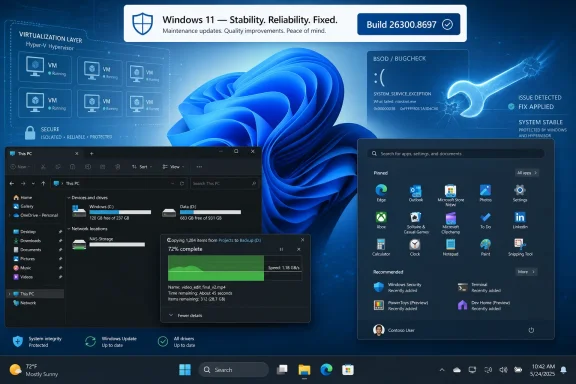
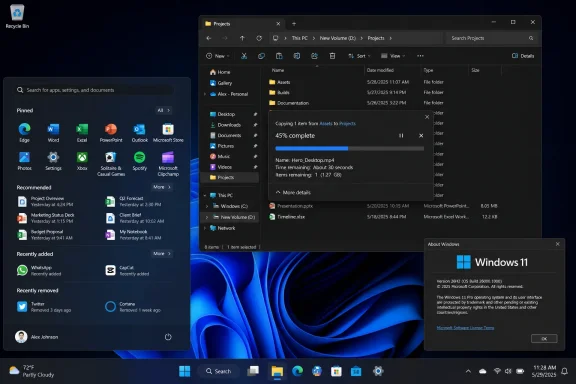
Microsoft released Windows 11 Insider Experimental Preview Build 26300.8697 and Beta Preview Build 26220.8690 on June 19, 2026, giving Experimental Channel testers the first official 26H2 version label while shipping mostly reliability fixes across File Explorer, Start, Settings, taskbar, and virtualization.
That makes this a deceptively quiet Friday flight. There are no headline features, no Copilot moonshot, no Start menu redesign to argue about. But the version stamp matters because Microsoft is now drawing the public testing line around Windows 11’s next annual update, and it is doing so with the least theatrical kind of engineering work: making the shell, update plumbing, and hypervisor stack stop irritating people.
The most important change in Build 26300.8697 is not a new app or interface. It is the version number that appears in Settings > System > About and in winver: Windows 11, version 26H2. For Insiders in the Experimental Channel, formerly the Dev Channel, that label turns what had been a rolling stream of 26300-series builds into the visible beginning of the next Windows 11 release train.
Microsoft has been increasingly comfortable separating Windows “version” identity from dramatic installation events. The company’s modern Windows 11 feature updates often arrive through enablement-style mechanisms, where much of the code is already present and the version bump acts more like a switch than a traditional operating system replacement. That does not make the release meaningless; it means the drama has moved from setup screens to servicing strategy.
For enthusiasts, 26H2 showing up in winver is the kind of thing that invites screenshots. For administrators, it is more useful as a signal that Microsoft is entering the long public stabilization phase for the next annual release. The company is not saying, “Here is everything 26H2 will be.” It is saying, “This is now the branch whose behavior you should start watching.”
That distinction matters. Windows releases no longer arrive as a single box of features dropped onto the driveway. They arrive as a braid of annual versioning, controlled feature rollouts, app updates, Store-delivered components, cloud-connected services, and policy toggles. The 26H2 label is one strand in that braid, but it is the strand IT departments can inventory.
That is not the kind of list that dominates mainstream technology news. It is, however, exactly the kind of list that decides whether a Windows release feels polished after six months of daily use. The operating system’s reputation is rarely made by the first demo of a feature. It is made when a user installs an app and Start notices, when a copy operation does not flash an inconsistent dialog, and when a VM workload does not take the machine down on restart.
The absence of new features is also a useful temperature reading. Microsoft is not presenting 26H2 as a revolutionary platform break in this build. Instead, it is using the public channel to harden the everyday shell and the lower-level subsystems that tend to generate the most expensive support calls when they regress.
Windows users have learned to be suspicious of “small” changes because the small things are often where daily friction lives. The Start menu failing to update until a restart is not a strategic failure, but it is the sort of paper cut that makes Windows feel less coherent than it should. A dark-mode copy dialog that behaves inconsistently is not a security incident, but it makes the OS look unfinished. A hypervisor bugcheck, by contrast, is not small at all for anyone running virtual machines, security features, developer tooling, or games that interact with virtualization-based components.
Build 26300.8697 reinforces that model. Microsoft says the Experimental Channel build is based on Windows 11 version 26H2 via an enablement package. In practice, that means the 26300 build line is not necessarily a clean architectural cliff from 25H2. It is a staged identity shift that lets Microsoft validate the update path, channel targeting, and feature-control machinery well before general availability.
This is both practical and unsatisfying. It is practical because Windows now runs on a huge mix of hardware, security configurations, enterprise policies, gaming setups, virtualization environments, and accessibility needs. A slower, more modular release train gives Microsoft more places to catch breakage before it reaches normal users.
It is unsatisfying because Windows enthusiasts understandably want a version number to mean something obvious. “26H2” sounds like a package. Microsoft increasingly treats it as a servicing milestone. The difference is not academic: it affects how admins test, how journalists describe releases, and how users decide whether to care.
The better way to read 26H2 is as a container for the year’s supported platform state. Some features will be visible. Some will be controlled. Some may appear before or after the annual update label becomes mainstream. The version number still matters, but less as a product launch and more as a compatibility, support, and deployment marker.
Explorer is where users feel the operating system as a working tool rather than a brand. It is also where Windows 11’s design transition has sometimes looked uneven, with newer visual layers sitting on top of decades of legacy behavior. Dark mode, in particular, has been a long-running stress test for whether Microsoft can modernize the UI without leaving half the system looking like it wandered in from a different release.
A copy dialog is a tiny window with an outsized symbolic role. It appears during a moment when the user is already waiting, watching, and often nervous about whether a file operation is doing the right thing. If that dialog launches awkwardly, redraws inconsistently, or shows mismatched visuals in Dark mode, the system feels less trustworthy.
This is the kind of refinement Microsoft needs more of if Windows 11 is to mature gracefully. Not every improvement can be a new AI button. Sometimes the operating system earns credibility by making a file transfer look and behave as though one team designed the whole experience.
When a user installs an application and cannot find it, the operating system has broken a simple promise. The user may blame the installer, the Store, the app vendor, or Windows itself, but the practical result is the same: friction. On managed PCs, that friction can turn into help desk tickets, especially when line-of-business apps are deployed silently or updated in bulk.
The fix also lands in both Experimental and Beta, which suggests Microsoft sees it as a near-term quality issue rather than a speculative 26H2 experiment. That is important. The Beta Channel remains tied to Windows 11 version 25H2 in this flight, so the Start reliability improvement is not being held hostage by next year’s version label.
This is one of the more important patterns in the build: Microsoft is separating channel identity from fix delivery. Some changes are 26H2-adjacent because they appear in Experimental. Others are simply Windows 11 quality work that needs to reach the currently stabilizing branch. Users do not care which internal branch fixed their Start menu; they care that it works.
The taskbar is not just a strip of icons. It is a live negotiation among pinned apps, running apps, notifications, overflow menus, clock and calendar affordances, accessibility settings, multiple display configurations, input methods, and now an ever-changing set of system indicators. Shrinking it is not merely a visual preference; it changes the geometry of the shell.
Microsoft has spent years trying to recover flexibility that some users felt Windows 11 initially took away. Smaller taskbar options are part of that slow concession to power users and compact-screen workflows. But every returned option increases the test matrix.
A system tray that clips or wanders off screen is not a cosmetic nit. It can hide network, battery, audio, security, and background app status from the user. For IT pros, it is also a reminder that personalization features are not free. Each one must survive scaling, localization, multi-monitor setups, and hardware diversity before it deserves trust.
That is a broad set of triggers, and it cuts across multiple Windows constituencies. Developers rely on virtualization through Hyper-V, Windows Subsystem for Linux, containers, emulators, and test VMs. Security-minded organizations depend on virtualization-based security features. Gamers may encounter hypervisor-adjacent behavior through anti-cheat systems, memory integrity settings, or hardware virtualization interactions.
A hypervisor-related crash is not merely another Insider inconvenience. It reaches into the part of Windows that increasingly underpins both productivity and protection. Modern Windows uses virtualization not just to run guest operating systems, but to isolate sensitive parts of the host itself. When that layer misbehaves, the blast radius feels larger than the average shell bug.
The inclusion of gaming applications in Microsoft’s description is particularly notable. It hints at the messy reality of Windows as a platform that must simultaneously satisfy enterprise security baselines, developer workflows, and latency-sensitive consumer software. The same virtualization machinery that enables stronger isolation can complicate the assumptions of games and anti-cheat components operating close to the metal.
For Insiders who hit these bugchecks, this build is less about 26H2 branding and more about whether their machines stop falling over. For Microsoft, it is the kind of regression that has to be handled early because it undermines confidence in the entire preview channel. Nobody wants to test the next annual Windows release on a system that crashes during routine VM use.
That split is meaningful. Microsoft is using Experimental to establish the 26H2 identity while using Beta to validate fixes that are closer to the current production-adjacent track. This is how a modern Windows engineering pipeline should work: branding and stabilization can move at different speeds.
For users deciding which channel to run, the distinction matters. Experimental is where the 26H2 flag now flies, along with the higher uncertainty that comes with earlier-stage work. Beta is the more conservative Insider path, though “conservative” still does not mean safe for a mission-critical PC. The Beta build’s changelog is shorter, but the fixes it receives are not second-class.
The overlap between the two builds also shows Microsoft’s priorities this week. Start, Settings, and virtualization stability are not experiments. They are baseline reliability work that needs broad testing. The new version number is the news hook, but the shared fixes are the substance.
Windows has spent years trying to move management surfaces out of legacy Control Panel and Task Manager corners into the Settings app. That transition only works if Settings is dependable. If the Startup page hangs, misreports, or behaves inconsistently, users lose one of the simplest ways to understand what is running when they sign in.
This also matters in managed environments. Startup behavior can be shaped by policy, installers, scheduled tasks, Run keys, packaged apps, and vendor updaters. A reliable Settings surface does not replace enterprise tooling, but it helps local troubleshooting and user education.
The Startup page is not glamorous. It is a window into Windows’ long-standing struggle with background clutter. Improving its reliability is exactly the kind of maintenance that makes the OS feel less like a mystery box.
But channel naming has always been one of the Insider Program’s chronic weak points. Dev, Beta, Canary, Release Preview, and now Experimental can be intuitive to people who follow Windows closely, but opaque to anyone else. Add version labels like 25H2, 26H1, 26H2, and Future Platforms, and even seasoned testers need to pay attention.
The 26300.8697 release sharpens that problem because the Experimental Channel is now visibly tied to 26H2, while other Insider lanes continue to carry their own version identities. This is rational from an engineering standpoint. It is not necessarily simple from a user standpoint.
Microsoft’s challenge is to make the channel structure communicate risk rather than merely hierarchy. Experimental should mean “expect change and instability.” Beta should mean “closer to release, but still preview.” Release Preview should mean “last-mile validation.” If users interpret Experimental as simply “newer and therefore better,” Microsoft will continue to inherit avoidable complaints.
The good news is that the name is clearer than Dev. The bad news is that Windows versioning has become so layered that a clearer label can only do so much. The Insider Program now requires users to understand not just channels, but feature flags, enablement packages, gradual rollouts, and build families.
Windows 11 sits at the center of several competing pressures. Microsoft wants to modernize the interface, push AI deeper into the operating system, improve security defaults, support new hardware, and reduce update disruption. Users want the system to stop moving the furniture. Administrators want predictability more than surprise.
This build speaks more to the latter group than the former. The fixes are about reliability in places where Windows can least afford regressions: shell responsiveness, update-era app state, system tray layout, startup management, and virtualization. That does not give Microsoft a flashy 26H2 story yet, but it gives testers the right things to validate.
Compatibility is also where enablement-package releases live or die. If the update feels small but breaks niche hardware, VM workflows, or enterprise tooling, users will remember the breakage more than the servicing elegance. If it installs smoothly and behaves predictably, most people will never care how unglamorous the mechanism was.
Microsoft’s best-case scenario for 26H2 may be a release that feels almost boring on installation day. That would not make for a thrilling keynote. It would make for a healthier Windows ecosystem.
It also means screenshots of winver are only the beginning. The more useful work is to test the boring workflows: installing and uninstalling apps, copying large files in Dark mode, switching taskbar density, opening Startup settings, running Hyper-V or WSL workloads, restarting after virtualization-heavy sessions, and launching games that have historically been sensitive to security and virtualization features.
Insider builds are sometimes treated as feature scavenger hunts. That is fun, but it is not the only reason the program exists. The best testers are often the ones who can say, “This worked last week and now it does not,” with enough specificity to help Microsoft reproduce it.
This week’s build gives those testers a fresh version boundary. If 26H2 is going to ship as a smooth annual update rather than another round of Windows churn, the signal will come from mundane, repeatable workflows long before it comes from marketing.
That makes this a deceptively quiet Friday flight. There are no headline features, no Copilot moonshot, no Start menu redesign to argue about. But the version stamp matters because Microsoft is now drawing the public testing line around Windows 11’s next annual update, and it is doing so with the least theatrical kind of engineering work: making the shell, update plumbing, and hypervisor stack stop irritating people.
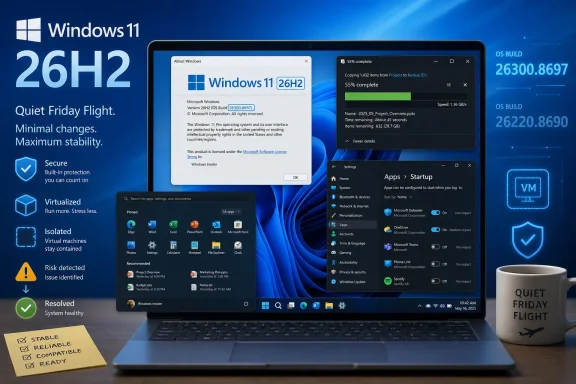 Microsoft Plants the 26H2 Flag Without Throwing a Parade
The most important change in Build 26300.8697 is not a new app or interface. It is the version number that appears in Settings > System > About and in winver: Windows 11, version 26H2. For Insiders in the Experimental Channel, formerly the Dev Channel, that label turns what had been a rolling stream of 26300-series builds into the visible beginning of the next Windows 11 release train.Microsoft has been increasingly comfortable separating Windows “version” identity from dramatic installation events. The company’s modern Windows 11 feature updates often arrive through enablement-style mechanisms, where much of the code is already present and the version bump acts more like a switch than a traditional operating system replacement. That does not make the release meaningless; it means the drama has moved from setup screens to servicing strategy.
For enthusiasts, 26H2 showing up in winver is the kind of thing that invites screenshots. For administrators, it is more useful as a signal that Microsoft is entering the long public stabilization phase for the next annual release. The company is not saying, “Here is everything 26H2 will be.” It is saying, “This is now the branch whose behavior you should start watching.”
That distinction matters. Windows releases no longer arrive as a single box of features dropped onto the driveway. They arrive as a braid of annual versioning, controlled feature rollouts, app updates, Store-delivered components, cloud-connected services, and policy toggles. The 26H2 label is one strand in that braid, but it is the strand IT departments can inventory.
The Quiet Build Is the Point
The changelog for Build 26300.8697 is almost aggressively modest. Microsoft improved the Copy dialog in File Explorer’s Dark mode, made Start better at reflecting newly installed or removed apps without requiring a sign-out or reboot, fixed a smaller-taskbar system tray layout bug, improved reliability in Settings > Apps > Startup, and addressed crashes tied to virtualization scenarios.That is not the kind of list that dominates mainstream technology news. It is, however, exactly the kind of list that decides whether a Windows release feels polished after six months of daily use. The operating system’s reputation is rarely made by the first demo of a feature. It is made when a user installs an app and Start notices, when a copy operation does not flash an inconsistent dialog, and when a VM workload does not take the machine down on restart.
The absence of new features is also a useful temperature reading. Microsoft is not presenting 26H2 as a revolutionary platform break in this build. Instead, it is using the public channel to harden the everyday shell and the lower-level subsystems that tend to generate the most expensive support calls when they regress.
Windows users have learned to be suspicious of “small” changes because the small things are often where daily friction lives. The Start menu failing to update until a restart is not a strategic failure, but it is the sort of paper cut that makes Windows feel less coherent than it should. A dark-mode copy dialog that behaves inconsistently is not a security incident, but it makes the OS look unfinished. A hypervisor bugcheck, by contrast, is not small at all for anyone running virtual machines, security features, developer tooling, or games that interact with virtualization-based components.
26H2 Looks Like Servicing Discipline, Not Feature Theater
Microsoft’s current Windows cadence is built around the idea that the annual feature update is no longer the only moment when Windows changes. Features can be gradually enabled, held back, A/B tested, or delivered through app updates. That creates a strange editorial problem: the version number remains important, but it no longer maps cleanly to “the day the new Windows arrived.”Build 26300.8697 reinforces that model. Microsoft says the Experimental Channel build is based on Windows 11 version 26H2 via an enablement package. In practice, that means the 26300 build line is not necessarily a clean architectural cliff from 25H2. It is a staged identity shift that lets Microsoft validate the update path, channel targeting, and feature-control machinery well before general availability.
This is both practical and unsatisfying. It is practical because Windows now runs on a huge mix of hardware, security configurations, enterprise policies, gaming setups, virtualization environments, and accessibility needs. A slower, more modular release train gives Microsoft more places to catch breakage before it reaches normal users.
It is unsatisfying because Windows enthusiasts understandably want a version number to mean something obvious. “26H2” sounds like a package. Microsoft increasingly treats it as a servicing milestone. The difference is not academic: it affects how admins test, how journalists describe releases, and how users decide whether to care.
The better way to read 26H2 is as a container for the year’s supported platform state. Some features will be visible. Some will be controlled. Some may appear before or after the annual update label becomes mainstream. The version number still matters, but less as a product launch and more as a compatibility, support, and deployment marker.
File Explorer’s Copy Dialog Shows Where Polish Still Matters
The File Explorer change is narrow but revealing. Microsoft says it improved the visual consistency and reliability of the Copy dialog in Dark mode, including the launch experience and expanded progress view. On paper, that sounds like routine shell polish. In practice, File Explorer remains one of Windows’ most politically sensitive surfaces.Explorer is where users feel the operating system as a working tool rather than a brand. It is also where Windows 11’s design transition has sometimes looked uneven, with newer visual layers sitting on top of decades of legacy behavior. Dark mode, in particular, has been a long-running stress test for whether Microsoft can modernize the UI without leaving half the system looking like it wandered in from a different release.
A copy dialog is a tiny window with an outsized symbolic role. It appears during a moment when the user is already waiting, watching, and often nervous about whether a file operation is doing the right thing. If that dialog launches awkwardly, redraws inconsistently, or shows mismatched visuals in Dark mode, the system feels less trustworthy.
This is the kind of refinement Microsoft needs more of if Windows 11 is to mature gracefully. Not every improvement can be a new AI button. Sometimes the operating system earns credibility by making a file transfer look and behave as though one team designed the whole experience.
Start Menu Reliability Is a Boring Fix With Real Consequences
The Start menu fix is similarly humble: newly installed or removed apps should appear or disappear more reliably without forcing the user to sign out or restart. But Start is Windows’ front door, and front doors are not allowed to be flaky.When a user installs an application and cannot find it, the operating system has broken a simple promise. The user may blame the installer, the Store, the app vendor, or Windows itself, but the practical result is the same: friction. On managed PCs, that friction can turn into help desk tickets, especially when line-of-business apps are deployed silently or updated in bulk.
The fix also lands in both Experimental and Beta, which suggests Microsoft sees it as a near-term quality issue rather than a speculative 26H2 experiment. That is important. The Beta Channel remains tied to Windows 11 version 25H2 in this flight, so the Start reliability improvement is not being held hostage by next year’s version label.
This is one of the more important patterns in the build: Microsoft is separating channel identity from fix delivery. Some changes are 26H2-adjacent because they appear in Experimental. Others are simply Windows 11 quality work that needs to reach the currently stabilizing branch. Users do not care which internal branch fixed their Start menu; they care that it works.
The Smaller Taskbar Still Has to Earn Its Keep
The taskbar fix applies to Insiders using the newer smaller taskbar option, where the system tray could be cut off or pushed off screen. That bug is a reminder that even a seemingly simple density option can destabilize one of Windows’ most complex interface zones.The taskbar is not just a strip of icons. It is a live negotiation among pinned apps, running apps, notifications, overflow menus, clock and calendar affordances, accessibility settings, multiple display configurations, input methods, and now an ever-changing set of system indicators. Shrinking it is not merely a visual preference; it changes the geometry of the shell.
Microsoft has spent years trying to recover flexibility that some users felt Windows 11 initially took away. Smaller taskbar options are part of that slow concession to power users and compact-screen workflows. But every returned option increases the test matrix.
A system tray that clips or wanders off screen is not a cosmetic nit. It can hide network, battery, audio, security, and background app status from the user. For IT pros, it is also a reminder that personalization features are not free. Each one must survive scaling, localization, multi-monitor setups, and hardware diversity before it deserves trust.
The Virtualization Fix Is the Build’s Sharpest Edge
The virtualization fix is the most consequential item in the changelog. Microsoft says the update addresses an issue that could produce bugchecks citing HYPERVISOR_ERROR and KMODE_EXCEPTION_NOT_HANDLED after recent flights, including during system restarts, virtual machine operations, or while running some gaming applications.That is a broad set of triggers, and it cuts across multiple Windows constituencies. Developers rely on virtualization through Hyper-V, Windows Subsystem for Linux, containers, emulators, and test VMs. Security-minded organizations depend on virtualization-based security features. Gamers may encounter hypervisor-adjacent behavior through anti-cheat systems, memory integrity settings, or hardware virtualization interactions.
A hypervisor-related crash is not merely another Insider inconvenience. It reaches into the part of Windows that increasingly underpins both productivity and protection. Modern Windows uses virtualization not just to run guest operating systems, but to isolate sensitive parts of the host itself. When that layer misbehaves, the blast radius feels larger than the average shell bug.
The inclusion of gaming applications in Microsoft’s description is particularly notable. It hints at the messy reality of Windows as a platform that must simultaneously satisfy enterprise security baselines, developer workflows, and latency-sensitive consumer software. The same virtualization machinery that enables stronger isolation can complicate the assumptions of games and anti-cheat components operating close to the metal.
For Insiders who hit these bugchecks, this build is less about 26H2 branding and more about whether their machines stop falling over. For Microsoft, it is the kind of regression that has to be handled early because it undermines confidence in the entire preview channel. Nobody wants to test the next annual Windows release on a system that crashes during routine VM use.
Beta Gets the Stability Work Without the 26H2 Badge
Build 26220.8690 in the Beta Channel receives three of the same practical fixes: virtualization bugchecks, Start menu reliability, and Settings > Apps > Startup reliability. What it does not receive is the 26H2 version label. Beta remains on the 25H2 line for this release.That split is meaningful. Microsoft is using Experimental to establish the 26H2 identity while using Beta to validate fixes that are closer to the current production-adjacent track. This is how a modern Windows engineering pipeline should work: branding and stabilization can move at different speeds.
For users deciding which channel to run, the distinction matters. Experimental is where the 26H2 flag now flies, along with the higher uncertainty that comes with earlier-stage work. Beta is the more conservative Insider path, though “conservative” still does not mean safe for a mission-critical PC. The Beta build’s changelog is shorter, but the fixes it receives are not second-class.
The overlap between the two builds also shows Microsoft’s priorities this week. Start, Settings, and virtualization stability are not experiments. They are baseline reliability work that needs broad testing. The new version number is the news hook, but the shared fixes are the substance.
Settings > Apps > Startup Is Small Infrastructure for Big Hygiene
The Settings > Apps > Startup reliability fix is easy to overlook. It should not be. Startup app management is one of the everyday control panels that bridges normal users and administrators, because it affects boot performance, background processes, notifications, and user perception of system sluggishness.Windows has spent years trying to move management surfaces out of legacy Control Panel and Task Manager corners into the Settings app. That transition only works if Settings is dependable. If the Startup page hangs, misreports, or behaves inconsistently, users lose one of the simplest ways to understand what is running when they sign in.
This also matters in managed environments. Startup behavior can be shaped by policy, installers, scheduled tasks, Run keys, packaged apps, and vendor updaters. A reliable Settings surface does not replace enterprise tooling, but it helps local troubleshooting and user education.
The Startup page is not glamorous. It is a window into Windows’ long-standing struggle with background clutter. Improving its reliability is exactly the kind of maintenance that makes the OS feel less like a mystery box.
The Insider Program’s New Names Still Need to Prove They Reduce Confusion
The Experimental Channel name is part of Microsoft’s recent Insider Program reshuffle, replacing the old Dev branding for this lane. In theory, “Experimental” is more honest. It tells users that features may change, disappear, or never ship. It also better reflects the messy reality of controlled rollouts and branch-specific testing.But channel naming has always been one of the Insider Program’s chronic weak points. Dev, Beta, Canary, Release Preview, and now Experimental can be intuitive to people who follow Windows closely, but opaque to anyone else. Add version labels like 25H2, 26H1, 26H2, and Future Platforms, and even seasoned testers need to pay attention.
The 26300.8697 release sharpens that problem because the Experimental Channel is now visibly tied to 26H2, while other Insider lanes continue to carry their own version identities. This is rational from an engineering standpoint. It is not necessarily simple from a user standpoint.
Microsoft’s challenge is to make the channel structure communicate risk rather than merely hierarchy. Experimental should mean “expect change and instability.” Beta should mean “closer to release, but still preview.” Release Preview should mean “last-mile validation.” If users interpret Experimental as simply “newer and therefore better,” Microsoft will continue to inherit avoidable complaints.
The good news is that the name is clearer than Dev. The bad news is that Windows versioning has become so layered that a clearer label can only do so much. The Insider Program now requires users to understand not just channels, but feature flags, enablement packages, gradual rollouts, and build families.
26H2’s Real Test Is Compatibility, Not Novelty
It is tempting to judge every Windows release by its visible features. That instinct is understandable, especially after years of marketing around redesigned shells, widgets, AI assistants, and hardware-tied experiences. But 26H2’s most important early test may be whether it preserves compatibility while Microsoft continues changing the platform under the hood.Windows 11 sits at the center of several competing pressures. Microsoft wants to modernize the interface, push AI deeper into the operating system, improve security defaults, support new hardware, and reduce update disruption. Users want the system to stop moving the furniture. Administrators want predictability more than surprise.
This build speaks more to the latter group than the former. The fixes are about reliability in places where Windows can least afford regressions: shell responsiveness, update-era app state, system tray layout, startup management, and virtualization. That does not give Microsoft a flashy 26H2 story yet, but it gives testers the right things to validate.
Compatibility is also where enablement-package releases live or die. If the update feels small but breaks niche hardware, VM workflows, or enterprise tooling, users will remember the breakage more than the servicing elegance. If it installs smoothly and behaves predictably, most people will never care how unglamorous the mechanism was.
Microsoft’s best-case scenario for 26H2 may be a release that feels almost boring on installation day. That would not make for a thrilling keynote. It would make for a healthier Windows ecosystem.
Windows Enthusiasts Should Watch the Branch, Not Just the Build
For WindowsForum readers, the practical takeaway is that Build 26300.8697 is worth watching less for what it adds today and more for what it confirms about the road ahead. The 26300 line is now publicly identified with 26H2 in the Experimental Channel. That gives testers a clearer target for feedback, regression tracking, and comparison against 25H2 builds.It also means screenshots of winver are only the beginning. The more useful work is to test the boring workflows: installing and uninstalling apps, copying large files in Dark mode, switching taskbar density, opening Startup settings, running Hyper-V or WSL workloads, restarting after virtualization-heavy sessions, and launching games that have historically been sensitive to security and virtualization features.
Insider builds are sometimes treated as feature scavenger hunts. That is fun, but it is not the only reason the program exists. The best testers are often the ones who can say, “This worked last week and now it does not,” with enough specificity to help Microsoft reproduce it.
This week’s build gives those testers a fresh version boundary. If 26H2 is going to ship as a smooth annual update rather than another round of Windows churn, the signal will come from mundane, repeatable workflows long before it comes from marketing.
The 26H2 Signal Hidden in a No-Feature Friday
This release is not a reason for ordinary users to jump into Insider builds. It is a reason for testers and admins to update their mental map of the Windows 11 roadmap. The Experimental Channel now has the 26H2 badge, while Beta continues receiving practical stabilization work for the 25H2 line.- Windows 11 version 26H2 is now officially visible to Experimental Channel testers through Build 26300.8697.
- Build 26300.8697 contains no major new user-facing features, but it improves File Explorer, Start, taskbar behavior, Settings reliability, and virtualization stability.
- Build 26220.8690 in the Beta Channel receives the Start, Settings, and virtualization fixes while remaining tied to Windows 11 version 25H2.
- The virtualization fix is the most operationally important change because it addresses bugchecks during restarts, VM operations, and some gaming scenarios.
- The 26H2 label should be treated as the start of public branch validation, not as proof that Microsoft has revealed the full feature set of the next annual update.
References
- Primary source: Neowin
Published: Fri, 19 Jun 2026 18:07:14 GMT
Windows 11 version 26H2 is now available for testing in the latest preview build - Neowin
Microsoft is rolling out new Windows 11 preview builds, and one of them officially moves to version 26H2, which is coming later this year. www.neowin.net
- Related coverage: windowscentral.com
I dug through the Windows 11 Insider builds for June 2026 and found 7 features worth paying attention to | Windows Central
Microsoft's June Insider preview builds show a growing focus on polishing the OS experience across accessibility, updates, and performance.www.windowscentral.com - Official source: learn.microsoft.com
Experimental Preview Build 26300.8497 - Windows Insider Program | Microsoft Learn
Release notes for Experimental Preview Build 26300.8497learn.microsoft.com - Related coverage: computerworld.com
Windows 11 Insider Previews: What’s in the latest build? – Computerworld
Get the latest info on new preview builds of Windows 11 as they roll out to Windows Insiders. Now updated for the June 26, 2026 releases for the Beta, Beta 26H1, Experimental, Experimental 26H1, and Experimental Future Platforms Channels. www.computerworld.com
- Official source: blogs.windows.com
Announcing Windows 11 Insider Preview Build 26220.6682 (Dev Channel)
Hello Windows Insiders, today we are releasing Windows 11 Insider Preview Build 26220.6682 (KB5065782) to the Dev Channel for Windows Insiders on Windows 11, version 25H2. Changes in Dev Channel buiblogs.windows.com - Related coverage: allthings.how
Windows 11 Build 26220.8680 quiets Widgets and adds Screen tint (Beta)
The Beta Channel flight trims Widgets memory use, calms taskbar alerts, and brings a new color overlay plus Magnifier and File Explorer fixes.allthings.how
- Related coverage: techspot.com
Microsoft begins testing Windows 11 26H2 with major fixes and Copilot changes | TechSpot
Build 26300.7674 is the first public test of what's expected to become the major feature update for 2026. Unlike routine quality improvements, this new release is designed...www.techspot.com - Related coverage: windowsblogitalia.com
Download e novità di Windows 11 Insider Preview Build 26300.8687
Microsoft ha rilasciato Windows 11 Insider Preview Build 26300.8687 ai Windows Insider che hanno scelto il canale Canary. www.windowsblogitalia.com
- Related coverage: pureinfotech.com
Build 26300.8497 for Windows 11 26H2 adds new Screen Tint and Voice Isolation features - Pureinfotech
Build 26300.8497 for Windows 11 adds Screen Tint, Voice Isolation, HID Braille support, Windows Ready Print, and several fixes. pureinfotech.com
- Related coverage: windowslatest.com
Windows 11 26H2 confirmed for later this year, as references spotted on Windows Update page
If you're on Windows 11 25H2 or 24H2, you'll be getting Windows 11 26H2 later this year, likely around October 2026. www.windowslatest.com
- Related coverage: htnovo.net
Windows 11 26H2 disponibile per gli Insider
Ecco le build 26300 rilasciate da Microsoft nel canale Dev del circuito di feedback e test di Windows 11 per lo sviluppo della nuova versione 26H2.www.htnovo.net
- Official source: download.microsoft.com