

Microsoft has released Windows 11 Insider Preview Builds 26100.7701 and 26200.7701 (packaged as KB5074105) to the Release Preview Channel, delivering a mix of targeted Copilot+ PC enhancements, platform-wide quality fixes, and a handful of noteworthy system-level changes that administrators and power users need to know about. The update follows Microsoft’s dual-delivery model—gradual rollouts for feature flags and hardware-gated capabilities, and a normal rollout for broad quality and security fixes—so what you see on your device will depend on hardware, account entitlements, and phased enablement. This article parses the changes, verifies technical claims where possible, flags items that require caution, and offers practical deployment guidance for enthusiasts and IT teams alike. rview
Microsoft continues to iterate on Windows 11 via servicing packages that can be applied to both the 24H2 (Build 26100) and 25H2 (Build 26200) servicing lanes. These Release Preview builds are intended for validation and pilot testing ahead of broader distribution. The notes for KB5074105 are split into two delivery models:
The gradual-rollout section is the most feature-rich. Several items are explicitly labeled as gating-dependent or hardware-limited—particularly those targeting Copilot+ PCs (devices with an NPU and OEM enablement). Below are the highlights and the technical notes you should consider.
However, the most consequential claims—DPAPI domain backup key management and the Secure Boot certificate operations—require careful operational validation. DPAPI rotation, if real and fully supported, would represent a major evolution in AD cryptographic hygiene and would need thorough documentation and tooling from Microsoft before it can be relied on as an incident-response mechanism. Secure Boot certificate replacement is necessary and sensible, but it raises operational risks for legacy or heavily customized firmware setups.
For enthusiasts: install the Release Preview on a spare device or VM and explore the enhancements, paying special attention to MIDI and Copilot+ device features if you have the corresponding hardware.
For IT teams: treat this update as pilot-ready but not broadly prescriptive. Stage the update, validate sign-in and recovery scenarios, coordinate firmware updates with OEMs, and maintain a clear rollback plan. If DPAPI management is important to your security posture, engage Microsoft support and test thoroughly in a controlled domain environment before assuming the feature changes your incident-response posture.
This update is another reminder that Windows 11’s release cadence is increasingly about continuous delivery: small, frequent changes that improve daily workflows—yet they also demand that admins and advanced users maintain a deliberate, test-first deployment posture to keep systems secure and predictable.
Conclusion
KB5074105 (Builds 26100.7701 / 26200.7701) is a measured mix of AI-focused feature expansion, musician-grade platform improvements, accessibility refinements, and system-level fixes. The staged model means your mileage will vary: some Insiders will see Copilot+ and MIDI features immediately, others will wait for feature flips. Administrators should pilot, verify pre-boot and sign-in behavior (especially around Secure Boot and ESS), and treat DPAPI key-management announcements with cautious skepticism until Microsoft publishes detailed admin guidance and tooling. The update moves Windows forward in practical ways, but good change management remains essential.
Source: Microsoft - Windows Insiders Blog Releasing Windows 11 Builds 26100.7701 and 26200.7701 to the Release Preview Channel
Microsoft continues to iterate on Windows 11 via servicing packages that can be applied to both the 24H2 (Build 26100) and 25H2 (Build 26200) servicing lanes. These Release Preview builds are intended for validation and pilot testing ahead of broader distribution. The notes for KB5074105 are split into two delivery models:
- Gradual rollout: server-side gating and device entitlements determine feature visibility; ideal for staged testing and telemetry-driven flips.
- Normal rollout: broad distribution of quality fixes and non-security improvements that install for all eligible devices in the Release Preview Channel.
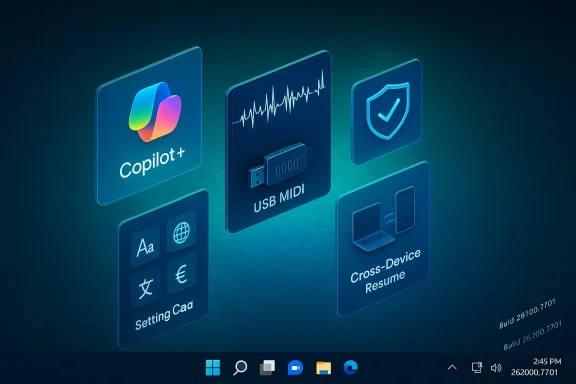 What’s new t (Copilot+ PCs and Windows PC experience)
The gradual-rollout section is the most feature-rich. Several items are explicitly labeled as gating-dependent or hardware-limited—particularly those targeting Copilot+ PCs (devices with an NPU and OEM enablement). Below are the highlights and the technical notes you should consider.Copilot+ PC experiences: Settings Agent localization
- What’s changed: The Settings Agent (the small, agent-driven assistant that surfaces recommendations and contextual settings inside Settings) now supports additional languages, including German, Portuguese, Spanish, Korean, Japanese, Hindi, Italian, and Simplified Chinese.
- Why it matters: Broader localization improves usefulness for non-English Copilot+ users and helps agents deliver more relevant, localized suggestions across global markets.
- Verification: Microsoft’s staged rollout model and Insider notes describe this expansion as an agent-side language scope increase. Expect the change to appear incrementally.
Cross‑Device Resume: resume your And- What’s changed: Cross‑Device Resume has been expanded. You can now continue certain activities from supported Android phones on your Windows PC: resume Spotify playback, continue editing Office documents (Word/Excel/PowerPoint), or continue browsing sessions. Vivo Browser on Vivo phones is explicitly called out for resumed browsing. If an Android device uses the Microsoft Copilot app to open online files, those files can continue on the PC in the corresponding Microsoft 365 app, or in the default browser if the native app is absent.
- Requirements and scope:
- PC: Windows 11 (Release Preview/Insider builds where feature is enabled).
- Phone: Android 10 or later, Link to Windows / Phone Link connectivity and Copilot app entitlements.
- Device makers mentioned: HONOR, OPPO, Samsung, Vivo, Xiaomi (availability varies by OEM and region).
- Independent cross-check: Microsoft’s support documentation describes the Resume feature and its prerequisites; tech press coverage has noted Microsoft’s Handoff-like ambitions and the early, cautious rollout. If you want to experiment, validate that your Android device is linked to your PC and that the Copilot app is the hosting client for the files you want to resume.
Windows MIDI Services: modern MIDI stack ships to Insiders
- What’s changed: Microsoft is shipping Windows MIDI Services, a next-generation MIDI stack that supports both MIDI 1.0 and MIDI 2.0, with features developers and musicians have waited for:
- Full WinMM and WinRT MIDI 1.0 support with in-service translation
- Shared (multi-client) MIDI ports
- Custom port names, loopback, and app-to-app MIDI connectivity
- New USB MIDI 2.0 class driver and improved transports
- An App SDK and Tools package that includes MIDI Console and a MIDI Settings app (SDK/Tools releases may be unsigned in preview, so they can trigger SmartScreen warnings)
- Why it matters: This is a meaningful improvement for music creators and developers because it modernizes Windows’ MIDI pipeline, allows multiple clients to use a single MIDI port, and provides tools for diagnostics and routing.
- Verification: The Windows MIDI Services sources and GitHub repo confirm the features and note that the SDK/Tools are currently distributed outside the in-box Windows image for Insiders. The dev blog and GitHub releases page provide explicit details and release notes.
Narrator: refined announcement control
- What’s changed: Narrator now lets you control which on-screen control details are spoken and the order in which they’re announced. These settings apply app-wide and are designed to reduce extra speech and help users match Narrator output to their navigation patterns.
- Why it matters: For accessibility-focused users, granular control of verbosity and announcement order reduces cognitive load and can make screen-t.
- Practical note: Test the new options with your daily apps and ensure that the change doesn’t reduce necessary context in complex UIs.
Settings: Device card returns to the Settings home
- What’s changed: The Device card—a concise summary showing key specs and usage details—has reappeared on the Settings homepage for users signed in with a Microsoft Account. The rollout resumed after being paused earlier in the year.
- Why it matters: The device card reduces clicks to reach System → About and makes device details more discover This card is account- and region-gated and may only appear for Microsoft-account signed-in users in certain markets.
Smart App Control (SAC): toggle without clean reinstallation
- What’s changed: Smart App Control can now be toggled on or off without requiring a clean install of Windows.
- Practical impact: SAC remains a useful defense against untrusted and potentially harmful executables; allowing toggles without reinstall simplifies testing and troubleshooting when SAC blocks an otherwise legitimate workflow.
- Where to change: Windows Security → App & Browse Control. (On gated builds you may need the Release Preview bits and the SAC UI path to appear.)
Voice Access and Voice Typing: setup and responsiveness improvements
- Voice Access now offers a simplified setup flow and clearer guidance on downloading models and selecting microphones, making it faster to get started.
- Voice Typing receives a Wait time before acting setting to tune the delay before a voice command executes—useful for people who speak at different cadences.
Windows Hello ESS: peripheral fingerprint reader support
- What’s changed: Windows Hello Enhanced Sign-in Security (ESS) now supports peripheral fingerprint sensors, extending ESS beyond built-in match-on-sensor devices to external USB fingerprint readers for qualifying devices.
- Security caveat: ESS is built on virtualization-based security and match-on-sensor cryptographic flows; peripheral support introduces new compatibility vectors and still depends on sensor firmware, drivers, and certificates. Microsoft documents that peripheral ESS support has tight hardware and driver requirements and warns about compatibility conditions. Full market-wide availability may be phased; Microsoft’s ESS documentation contains diagnostic steps and notes about peripheral support timing.
Shell and input fixes
A swath of user-facing quality fixes landed in the gradual section too:- Start menu layout and geometry fixes for right-to-left languages and multi-user warning truncation.
- Kiosk-mode message removal for multi-app kiosk scenarios.
- Windows Update join-to-program hang fix.
- Lock screen responsiveness improvements and File Explorer responsiveness at network locations.
- Explorer.exe hang on first login if some startup apps were configured.
- elayout fixes and corrected keyboard repeat delay labeling.
- UAC fix for Windows Terminal elevation from non-admin accounts.
These are incremental but meaningful improvements to day-to-day reliability.
Normal rollout: quality, boot trust, and cryptographic changes
The normal rollout portion of the KB contains quality improvements that apply broadly. Two items deserve extra scrutiny because they affect pre-boot trust and cryptographic key management.Secure Boot: Boot Manager update and certificate replacement
- What’s changed: For devices that already have the Windows UEFI CA 2023 certificate in their Secure Boot DB, Microsoft will execute updates to Boot Manager and replace the older 2011-signed bootmgfw.efi with a 2023-signed version. This is part of an ecosystem-wide refresh of boot-time signing material intended to prevent boot failures when older firmware certificates expire.
- Risk and mitigation: Resetting the UEFI DB or re-enabling Secure Boot incorrectly may produce a Secure Boot violation. For affected devices, Microsoft recommends creating Secure Boot recovery media. Administrators should coordinate with OEM firmware updates; devices with outdated firmware or unusual Secure Boot DB customizations are at greatest risk.
- Verification and ecosystem context: Community tracking and Microsoft’s January servicing notes have emphasized the phased certificate replacement to avoid large-scale boot breakage later in 2026. This is consistent with prior January servicing work that began staged certificate replacements and driver removals. Plan firmware coordination and pilot testing.
DPAPI domain backup key management: new rotation controls claimed
- What’s claimed: The KB copy states a new feature that enables DPAPI (Data Protection API) domain backup key management, giving administrators control over automatic rotation frequency for domain backup keys.
- Why this claim matters: Historically, DPAPI domain backup keys have been a single, long-lived trust anchor for an Active Directory domain and, if compromised, present a catastrophic risk that’s difficult to remediate. Industry analysis has repeatedly observed that Microsoft historically does not offer supported rotation of DPAPI domain backup keys, and effective remediation for compromise often required rebuilding the domain. Introducing managed rotation would be a major shift in domain cryptographic hygiene and incident response posture.
- Verification status and caution: At the time of writing, independent documentation and product docs confirming a supported, fully featured DPAPI domain backup key rotation workflow are sparse. SpecterOps and other security analysts have long warned that DPAPI backup keys were not rotatable in Microsoft-supported ways; any new rotation management capability would be consequential and require close review of scope, compatibility, and migration behavior. Until Microsoft publishes detailed admin guidance and migration tooling, treat the KB’s language as an announced capability that requires verification before trusting it in production. If this feature is critical to your security posture, pilot it in an isolated test domain and require Microsoft guidance before trusting it to remediate a compromise.
Technical verification: what we validated and where to be skeptical
I cross-checked key technical claims against Microsoft developer resources, support docs, and community-maintained repositories to verify substantive changes.- Cross‑Device Resume: Confirmed by Microsoft Support’s feature page describing resume prerequisites and behavior; independent press has reported the Handoff-like functionality and rollout ambiguity. The feature depends on Link to Windows and app-level support.
- Windows MIDI Services: Confirmed via Microsoft’s GitHub repository and the Windows music-dev blog; the SDK/Tools distribution and in-box service rollout are documented, including the warnings about unsigned preview releases and gating to Insider builds. This is a legitimate platform enhancement for musicians and devs.
- Windows Hello ESS peripheral fingerprint support: Verified by Microsoft Learn and Support documentation describing ESS architecture, device certification requirements, and compatibility caveats; Microsoft’s docs also stress timing constraints on peripheral ESS availability. Administrators should consult OEM and driver vendors before broadly enabling peripheral ESS.
- DPAPI rotation claim: Historically unsupported and treated as a high-risk, nearly-irreversible property of an AD domain. I could not find authoritative Microsoft guidance (public KB or detailed admin doc) that explained a complete, supported DPAPI backup key rotation and migration workflow that addresses the full threat model. The blog poDPAPI domain backup key management appears to be a new capability worth cautious scrutiny; organizations should not assume it fixes all DPAPI compromise scenarios without detailed Microsoft guidance and tools.
Strengths: why this update matters
- Targeted Copilot+/NPU investments: Microsoft’s continued investment in Copilot+ hardware features (Studio Effects, agent-localization) is unlocking usability and AI-driven experiences on devices equipped with an NPU. For creative users and hybrid work scenarios, features like Studio Effects on external webcams and improved agent locales add tangible daily value.
- Real musician-focused platform work: Windows MIDI Services is a long-overdue modernization of the MIDI stack, and it solves several pain points for multi-client MIDI workflows and MIDI 2.0 readiness. The SDK/Tools package gives developers and musicians practical tools for testing and routing.
- Meaningful quality fixes: The normal-rollout fixes reduce day-to-day friction—File Explorer responsiveness at network locations, lock screen reliability, Explorer hang fixes at login, and Start/Start-menu geometry corrections are all welcome refinements.
- Attention to boot trust: Proactive Secure Boot certificate updates, when coordinated, reduce the risk of a larger trust outage later in the year caused by expiring firmware certificates.
Risks and unknowns: what to watch closely
- Feature inconsistency and support complexity: Microsoft’s staged enablement model means two machines on the same build may behave differently. rt scripts and enterprise documentation and increases helpdesk volume during rollouts.
- DPAPI change needs scrutiny: If the DPAPI domain backup key management is real and enabled, it’s a major shift. But without clear Microsoft admin docs and migration tooling it remains unproven. Treat any claims as tentative until validated in a lab domain. If you operate AD at scale, contact Microsoft support channels for specific guidance before changing key-management policies.
- Secure Boot recovery complexity: The Boot Manager certificate swap is benign for most up-to-date devices but can cause Secure Boot violations on systems with non-standard DB entries or uncoordinated firmware. Prepare recovery media and test on representative firmware levels before broad rollout.
- Peripheral ESS and device compatibility: Enabling peripheral ESS without validated drivers and firmware may result in biometric devices not enumerating or unintended Wake-on-Touch behavior—test carefully and follow OEM guidance.
- MIDI tooling and unsigned downloads: The early MIDI SDK/Tools releases are unsigned previews and can trigger download/install warnings. Avoid running unsigned binaries on production machines. Use sanitized test environments.
Practical rollout guidance: how to test and stage KB5074105
- Inventory and classify endpoints:
- Identify Copilot+ hardware, devices with peripheral fingerprint readers, and machines used for content creation (MIDI users).
- Pilot ring:
- Deploy the Release Preview update to a small, representative pilot group: Workstations, Copilot+ laptops, and domain-joined endpoints.
- Validate critical scenarios:
- Sign-in flows (Windows Hello ESS enroll and authentication).
- Pre-boot recovery: Boot into UEFI and validate Secure Boot behavior; create and test Secure Boot recovery media.
- DPAPI-dependent apps: Test ability to access encrypted data (Credential Manager, common DPAPI-protected secrets) and log retrieval workflows in a lab domain if you plan to exercise DPAPI key management features.
- MIDI workflows (if applicable): Test device enumeration, multi-client access, and loopback behavior using the Windows MIDI Tools in an isolated environment.
- Logging and rollback:
- Collect Event Viewer and Windows Update logs during pilot installs.
- Document uninstall and rollback steps (uninstall LCU or use system images).
- Communicate:
- Prepare user guidance for new behavior (Cross-Device Resume expectations, Narrator settings, Smart App Control toggles) and brief helpdesk on likely support topics.
Checklist for IT admins and power users
- Backup system images and ensure recovery media exists before rollout.
- Update firmware/OEM drivers on test machines to avoid Secure Boot mismatches.
- If you manage biometric enrollment at scale, test Windows Hello ESS peripheral enrollments and verify vendor driver support.
- Treat DPAPI announcements as a potential major change—seek Microsoft guidance before using any new key-rotation capabilities for remediation.
- Use staged enabling and monitor telemetry, logs, and helpdesk tickets before expanding the rollout.
Final analysis and verdict
KB5074105 continues Microsoft’s iterative approach: fund small, high-impact improvements while rolling out hardware-gated AI features to Copilot+ devices. The release brings welcome developer and creator improvements (notably Windows MIDI Services), useful accessibility refinements, and a set of stability fixes that should reduce daily friction for many users.However, the most consequential claims—DPAPI domain backup key management and the Secure Boot certificate operations—require careful operational validation. DPAPI rotation, if real and fully supported, would represent a major evolution in AD cryptographic hygiene and would need thorough documentation and tooling from Microsoft before it can be relied on as an incident-response mechanism. Secure Boot certificate replacement is necessary and sensible, but it raises operational risks for legacy or heavily customized firmware setups.
For enthusiasts: install the Release Preview on a spare device or VM and explore the enhancements, paying special attention to MIDI and Copilot+ device features if you have the corresponding hardware.
For IT teams: treat this update as pilot-ready but not broadly prescriptive. Stage the update, validate sign-in and recovery scenarios, coordinate firmware updates with OEMs, and maintain a clear rollback plan. If DPAPI management is important to your security posture, engage Microsoft support and test thoroughly in a controlled domain environment before assuming the feature changes your incident-response posture.
This update is another reminder that Windows 11’s release cadence is increasingly about continuous delivery: small, frequent changes that improve daily workflows—yet they also demand that admins and advanced users maintain a deliberate, test-first deployment posture to keep systems secure and predictable.
Conclusion
KB5074105 (Builds 26100.7701 / 26200.7701) is a measured mix of AI-focused feature expansion, musician-grade platform improvements, accessibility refinements, and system-level fixes. The staged model means your mileage will vary: some Insiders will see Copilot+ and MIDI features immediately, others will wait for feature flips. Administrators should pilot, verify pre-boot and sign-in behavior (especially around Secure Boot and ESS), and treat DPAPI key-management announcements with cautious skepticism until Microsoft publishes detailed admin guidance and tooling. The update moves Windows forward in practical ways, but good change management remains essential.
Source: Microsoft - Windows Insiders Blog Releasing Windows 11 Builds 26100.7701 and 26200.7701 to the Release Preview Channel
