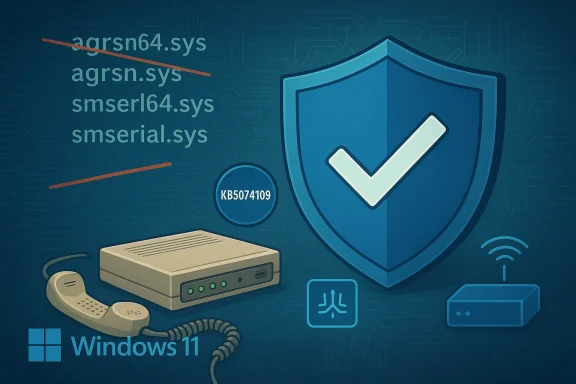
Windows 11 KB5074109 Removes Four Legacy Modem Drivers — Security vs Compatibility

  • Thread Author
Microsoft’s January cumulative for Windows 11 deliberately removed four legacy modem drivers from the in‑box image—breaking modem-based telephony and POS appliances for a measurable subset of users—and the only immediate workaround for most affected systems is to uninstall KB5074109 and pause updates, an action that restores functionality at the cost of reintroducing the security posture Microsoft intended to eliminate.

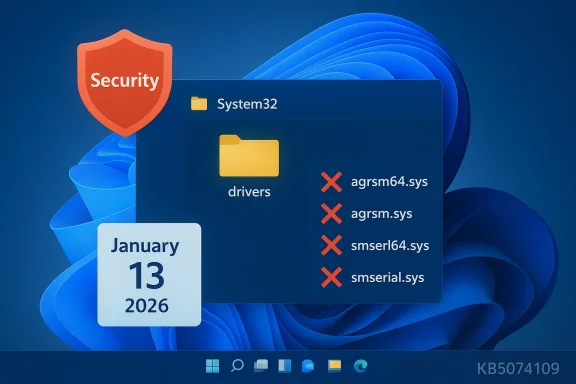
Security shield with Windows System32 folder listing red-Xed driver files (.sys).Background / Overview​

For decades Windows has bundled a small set of legacy modem drivers inside the operating system image to preserve compatibility with analog modems, fax appliances, and a class of “soft” modems that relied on in‑box binaries rather than vendor‑supplied, signed drivers. In the January 13, 2026 cumulative update—KB5074109—Microsoft explicitly removed four of those files from the shipped image: agrsm64.sys, agrsm.sys, smserl64.sys, and smserial.sys. The company’s release notes state plainly that “modem hardware dependent on these specific drivers will no longer work in Windows.”
This is not an accidental regression. Microsoft classed the change under Compatibility and framed it as a security hardening: removing kernel‑mode binaries that are unmaintained upstream and have documented, high‑impact vulnerabilities. Multiple independent tech outlets picked up the story and confirmed the behavior and the driver filenames listed in Microsoft’s KB.

What changed, technically​

  • The update KB5074109 removed the in‑box copies of four legacy modem driver binaries from the Windows image.
  • Systems that had no vendor‑supplied, signed replacement drivers and that depended on those in‑box files lost modem functionality after the update.
  • The affected files map to historic modem families: the Agere/LSI soft‑modem family (agrsm.sys) and the Motorola SM56 family (smserl/smserial.sys).
Microsoft’s engineering rationale is straightforward: kernel‑mode drivers present a large attack surface, and several of these legacy modem drivers have publicly documented CVEs (elevation‑of‑privilege and kernel memory disclosure attacks are examples). Where upstream vendors no longer produce updated, signed drivers, removing the binaries from the shipped image reduces the baseline attack surface for all Windows endpoints. That calculus — improve platform security by eliminating abandoned kernel code — is defensible, but the operational impact for the long tail of legacy hardware users is real.

Who is affected — and why this matters​

The vast majority of modern Windows users will never see an impact: contemporary laptops and desktops don’t include analog dial‑up modems, and most peripherals ship with vendor drivers today. But a nontrivial minority is exposed:
  • Home users who still rely on internal dial‑up or fax modems that never received vendor drivers (common amcollectors and some rural users).
  • Small businesses using analog modems for transaction fallback, telemetry uplinks, alarm panels, or remote logging, where devices were never updated with vendor drivers.
  • Vertical industries (medical devices, manufacturing controllers, certain POS systems) where validated hardware with tightly controlled software stacks still depends on in‑box Windows drivers and vendor updates are rare or nonexistent.
Community reports show immediate disruption: devices that previously answered phone lines, sent faxes, or acted as dial‑up data gateways stopped functioning after the update and required emergency rollbacks. Users and some small vendors say they received no proactive notice outside of the release notes, which many downstream operators missed.
--. compatibility tradeoff
This incident is a textbook example of an engineering tradeoff:
  • Strength (security): Removing unmaintained kernel drivers reduces the shipped attack surface and eliminates certain exploitable code paths from the default Windows image.
  • Weakness (compatibility): It breaks legitimate, in‑field functionality for hardware that relied on those exact in‑box files, and it forces affected organizations to choose between immediate availability and accepting unpatched vulnerabilities.
Microsoft’s choice follows a defensible security-first posture: if third‑party kernel code is vulnerable and unmaintained, continuing to ship it is a long‑term ss of the change, and the small scope of communication to affected hardware vendors and customers, produced preventable operational disruption. Community analysis and internal forum reporting argue that better ecosystem notifications and a st to impacted devices would have reduced surprise and downtime.

How to verify whether you are impacted​

Before doing anything irreversible, check the following:
  • Confirm KB5074109 is installed: Settings → Windows Update → Update history; look for the January 13, 2026 update (KB5074109). The Microsoft KB release notes explicitly list the modem driver removal.
  • Inspect Device Manager: open Device Manager → Modems (or Ports → COM & LPT) → right‑click the modem → Properties → Driver → Driver Details. If the listed driver file names include agrsm64.sys, agrsm.sys, smserl64.sys, or smserial.sys, the device relied on an in‑box legacy driver that the update removed.
  • Look in the driver folder: check C:\Windows\System32\drivers for the four filenames. Their abss expected on impacted systems. If a vendor‑branded .sys appears instead, your device may already have a supported driver.

Immediate mitigations and operational guidance​

There is no single “perfect” fix: each option trades security, complexity, or cost. Below are pragmatic paths administrators and power users can take, ordered from least to most permanent.
  • Uninsency rollback — short term)
  • Many impacted users report that uninstalling KB5074109 restores the in‑box driver files and modem functionality. Microsoft and independent guidance recommend uninstalling the update if a business‑critical modem stops working. However, uninstalling removes the security and quality fixes packaged with KB5074109 and therefore is a stopgap measure only.
  • Pause updates and isolate the machine
  • After rollback, pause Windows Update and isolate the endpoint from untrusted networks. Harden policies: restrict local accounts, implement application control/allow‑listing, and reduce attack surface while you plan for a permanent fix.
  • Contact the modem or hardware vendor
  • Ask whether a modern, signed driver exists that replaces the in‑box binary. If a vendor driver is available, installing it is preferable to rollback because it rwhile preserving security updates. Many affected users reported that vendors did not have updated drivers, however — particularly for older devices.
  • Use WinRE or System Restore if uninstall fails
  • For machines that cannot boot or where the uninstall path via Settings fails, Microsoft and independent guides show how to remove the update from Windows Recovery Environment (WinRE) or restore to a prior System Restore point if available. Note: some users are encountering error 0x800f0905 when trying to remove KB5074109, indicating servicing‑stack/component store complications; Windows Central summarizes workarounds (System Restore, “Fix problems using Windows Update” repair). Test these in a controlled environment first and keep full backups.
  • Replace the hardware (sustainable long‑term)
  • For appliances that cannot be updated, consider replacing the modem hardware with a modern USB or cellular gateway that ships with vendor drivers and ongoing support, or migrate to VoIP/Internet upliis can be costly and may require regulatory recertification in regulated environments, but it eliminates dependence on deprecated kernel drivers.

Step‑by‑step: Uninstall KB5074109 (high‑level checklist)​

Important: Back up user data and create a full disk image before proceeding. If the device is production critical, test the rollbine first.
  • Confirm the update is present: Settings → Windows Update → Update history → locate KB5074109.
  • Try uninstall from desktop (if bootable): Settings → Windows Update → Update history → Uninstall updates → select KB5074109 → Uninstall.
  • If desktop uninstall is not possible, boot to Windnt (WinRE): Automatic Repair → Advanced options → Troubleshoot → Advanced options → Uninstall Updates → Uninstall latest quality update. Follow prompts.
  • If uninstall errors occur (e.g., 0x800f0905), attempt System Restore to a point before the update, or perform a repair install (“Fix problems using Windows Update” / reinstall while keeping apps and files) and then attempt the uninstall again. Make sure you have full backups.
  • After uninstall, verify modem operation and then pause Windows Update. Document the rollback and schedule a remediation plan (vendor driver, hardware replacement, or isolation).

Community, vendor, and enterprise reactions​

The reaction has three recurring themes:
  • Surprise and frustration: Many downstream users discovered their systems were rendered nonfunctional overnight. The removal was present in the KB notes but not widely communicated to small vendors or end customers, creating “surprise outages.”
  • Emergency rollbacks: Numerous community threads and help desks report uninstalling KB5074109 as the most common immediate remedy. That rollback restores functionality but exposes systems to the original vulnerabilities the update aimed to address.
  • Vendor silence / lack of modern drivers: Several impacted device owners could not find vendor‑supplied signed drivers and were told replacements or updates were not forthcoming, pushing them toward hardware replacement.
For enterprises, this episode is a reminder that critical endpoints must be staged and tested before broad deployment. Controlled update rollouts, driver inventory, and phased deployment policies (including the use of update rings and pilot groups) are essential for reducing the chance of a security‑driven change producing operational disruptions.

Why Microsoft did this — and whether it was the right call​

From a security engineering perspective, removing unmaintained kernel drivers from shipped OS images is an established defensive technique. Kernel drivers that expose IOCTLs and handle user input improperly have been the source of many privilege escalation and kernel memory corruption vulnerabilities. When upstream vendors stophe vendor (Microsoft) faces a choice: continue shipping vulnerable code that weakens the platform, or remove it and accept compatibility impacts for legacy devices. Microsoft chose the latter in KB5074109.
Was it the right call? It depends on the metric:
  • If you measure by reducing active attack surface for the majority of endpoints, the decision aligns with modern security best practice.
  • If you measure by avoiding operational disruption to every last device in the field, the lack of broader outreach to vendors and targeted mitigation plans was a failure in ecosystem communications.
A more tempered approach might hase advisories to hardware vendors, targeted rollout that withheld the change from devices known to report legacy modem hardware, and clearer, more visible guidance for customers who might be affected. The present rollout was explicit in the KB but insufficiently visible to the long tail of impacted users.

Risks, liabilities, and long‑term implications​

  • Security risk from rollbacks: Uninstalling KB5074109 reintroduces the very kernel attack surface Microsoft removed. Any rollback should be treated as an emergency tactical move, not a strategic posture. A plan to replace or update affected devices should follow immediately.
  • Operational exposure: Small businesses and regulated devices that rely on legacy modems may face downtime or expensive replace-and-recertify paths. These costs are real and can disproportionately affect verticals with long‑lifecycle hardware.
  • Update reliability erosion: Repeated surprises around Windows servicing undermine trust in automatic updates, increasing the likelihood that organizations will delay or block critical patches — an outcome that hurts overall security.
  • Legal/regulatory questions: For appliances in regulated industries (medical, finance, telematics), forced functional changes without vendor coordination can expose organizations to compliance risk. Procurement and compliance teams should be alerted to check device drivers and vendor support lifecycles proactively.

Recommendations for users, administrators, and vendors​

For end users and small businesses:
  • Verify whether your device listed the removed driver filenames before acting. Use Device Manager and the driver folder checks described above.
  • If your modem is critical, plan a controlled rollback (with full backups) to restore service temporarily—but treat that as a short‑term emergency fix. Pause updates and isolate the device from untrusted networks.
  • Contact your hardware vendor immediately to request a signed replacement driver or product guidance. If none exists, include hardware replacement in your remediation planning.
For IT departments and managed services:
  • Run an inventory for legacy modem/COM devices and identify any endpoints that may depend on the removed drivers.
  • Use update rings and pilot groups: do not deploy major cumulative updates to production endpoints without targeted testing for legacy hardware.
  • If rollback is necessary, document the risk and schedule urgent remediation (vendor driver, hardware replacement, or network isolation).
For vendors and device manufacturers:
  • Publish signed modern drivers for any products still relying on in‑box modem binaries. If your product cannot be patched, provide migration or replacement programs for customers.
  • Communicate proactively with customers about driver lifecycles and support windows. The industry lesson here is that vendors who stop producing drivers should clearly notify customers well before platform vendors remove shared compatibility shims.
For Microsoft (what the company could do better):
  • Consider finer‑grained target‑knockout mechanisms for removing legacy drivers (targeted device exclusion lists, staged compatibility telemetry) and clearer, earlier notifications for vendors with known legacy devices in the wild.
  • Provide an official compatibility guidance page and outreach list for verticals where modem hardware remains prevalent, and consider providing a temporary, supported compatibility package for enterprise customers with valid business needs under limited, secured conditions.

Final analysis — how to think about this episode​

This incident is a reminder that platform security and device compatibility are often at odds. Microsoft’s explicit removal of legacy modem drivers in KB5074109 was a security‑driven decision that removed an exploitable kernel attack surface, but the suddenness of the change and limited ecosystem notification created real operational pain for those still relying on old hardware. The short‑term reality is uncomfortable: uninstalling KB5074109 works for many affected users but leaves systems exposed, and some users are even encountering uninstall errors that complicate recovery.
Practically speaking, affected organizations must triage: restore immediate service if necessary, then accelerate a migration plan that avoids indefinite rollbacks. The long‑term lesson for all stakeholders is clear: if you maintain critical endpoints, inventory drivers, assess vendor support status, and stage updates. Microsoft should also redouble targeted communications and rollout controls to avoid repeating the same painful surprise.
The modem breakage is not a mundane bug. It’s a policy decision wrapped into a monthly rollup—one that highlights the tension between securing a platform and preserving every possible legacy behavior. For users caught in the middle, the right next steps are pragmatic: verify, rollback only if necessary, isolate the affected endpoint, and prioritize a durable migration away from unsupported kernel drivers.

Conclusion
KB5074109 removed four legacy in‑box modem drivers intentionally. That action improved the security posture of the Windows image but created immediate compatibility failures for devices reliant on those exact files. Uninstalling the update restores functionality in many cases, but it is a temporary, security‑costly workaround. Affected parties must therefore treat rollbacks as emergency mitigations and move quickly to vendor drivers, hardware replacement, or network/operational workarounds to restore both reliability and security.

Source: HotHardware Windows 11 Update Is Bricking Modems And It's A Feature, Not A Bug
 

Microsoft’s January 2026 cumulative update for Windows 11, KB5074109, deliberately removes four long‑standing in‑box modem drivers — agrsm64.sys, agrsm.sys, smserl64.sys and smserial.sys — and that change has immediately disabled a measurable number of dial‑up, fax and telephony modems that still depend on those binaries. The removal is intentional and framed by Microsoft as a security hardening step tied to unresolved kernel‑level vulnerabilities in legacy modem stacks, but for organizations and home users that still rely on analog modems the result is a painful compatibility cliff with few easy fixes.

Cybersecurity-themed illustration featuring a shield with a checkmark, Windows 11 logo, and networking devices.Background / Overview​

For decades Windows included a set of legacy modem drivers in the default OS image to preserve compatibility with dial‑up modems, fax devices, telemetry modems and some point‑of‑sale or industrial peripherals. These in‑box drivers — historically supplied by third parties such as Agere/LSI (later Broadcom/LSI lineage) and Motorola — run in kernel mode and expose IOCTL interfaces that let user processes talk to modem hardware at a low level. Over time the drivers became effectively orphaned: manufacturers stopped issuing updates and the codebase stagnated while Windows moved forward.
The January 13, 2026 cumulative update KB5074109 documents a compatibility change that removes four driver files from the shipped Windows 11 image: agrsm64.sys (x64), agrsm.sys (x86), smserl64.sys (x64) and smserial.sys (x86). Microsoft’s note is explicit: “Modem hardware dependent on these specific drivers will no longer work in Windows.” That straightforward declaration is the core technical fact behind the current disruption.
Why remove code rather than patch it? Security vendors and public vulnerability records show that several of these legacy modem drivers contain high‑impact flaws — including local privilege escalation and kernel memory corruption issues — which can be exploited when the vulnerable driver is present. With no active upstream maintenance or signed driver updates available for many affected devices, Microsoft chose to reduce the shipped attack surface by eliminating the legacy binaries from the OS image instead of continuing to distribute demonstrably exploitable kernel code. That approach improves platform security baseline but trades off backward compatibility.

What Microsoft changed (technical detail)​

Which files were removed​

  • agrsm64.sys (x64)
  • agrsm.sys (x86)
  • smserl64.sys (x64)
  • smserial.sys (x86)
These four files are the exact filenames Microsoft lists in the KB5074109 changelog as removed from the Windows image. Systems or devices that rely solely on those in‑box drivers will lose modem functionality after the update.

The security rationale​

Security tracking and CVE records attribute multiple serious vulnerabilities to the affected driver families:
  • CVE‑2023‑31096: a stack overflow / local privilege‑escalation issue in the Broadcom/LSI (Agere) soft‑modem driver commonly associated with AGRSM64.sys. Public trackers and vulnerability databases record this bug and its exploitation risk.
  • CVE‑2024‑55414 (or equivalent entries in vulnerability feeds): severe flaws in the Motorola SM56 driver family (SmSerl/SmSerial) that enable mapping physical memory and local escalation via crafted IOCTLs. Multiple security feeds list critical scores for this class of defects.
Because both families run at kernel privilege (ring‑0) and expose device IOCTLs, they present a persistent, high‑value target for attackers — particularly when the driver is present on large numbers of endpoints and remains unpatched by the original vendor. Microsoft’s removal reduces that ready attack surface.

Real‑world impact: who is affected and how badly​

Home users​

Most modern consumer PCs and laptops have moved on from analog modems. For the average home user the practical effect is limited to rare edge cases: older laptops with integrated soft‑modems, hobbyist retro set‑ups, or users who intentionally maintain a dial‑up connection for nostalgia or remote‑site access. Those users will find their modem device disappears from Windows’ Dial‑Up settings or Device Manager after installing KB5074109.

Small businesses and niche operations​

The real harm falls on a sizeable “long tail” of small businesses and specialized installations that still use modem‑dependent systems:
  • Fax servers that use telephony modems to send/receive legal documents.
  • Medical devices and legacy telemetry units that dial home to upload logs.
  • Remote telemetry for industrial equipment, agricultural sensors, or SCADA gateways.
  • Call‑logging, PBX adjuncts, and phone‑based point‑of‑sale systems.
These devices commonly rely on older, vendor‑supplied hardware with no newer signed drivers. When Windows removes the in‑box driver, the hardware simply stops functioning, often without a practical vendor remedy. Organizations have reported that some devices marketed as “Windows 11 compatible” still relied on the in‑box driver rather than a maintained vendor driver, so compatibility claims can be misleading.

Enterprise and regulated environments​

Enterprises with thousands of endpoints are less likely to rely on analog modems today, but regulated environments (healthcare, manufacturing, utilities) that run custom or long‑lived equipment can be uniquely exposed. Where a modem is integrated into a compliance workflow (for example, faxed prescriptions or device reporting), the impact is operational and potentially legal if continuity plans are not in place. IT managers have two unpleasant choices: leave machines unpatched (exposing them to other security problems) or apply KB5074109 and accept broken legacy device functionality.

How this was discovered and verified​

The driver removals were listed in Microsoft’s KB5074109 release notes, and independent reporting and forums quickly flagged breakage after the update started to roll out. Users who installed KB5074109 reported immediately that modems stopped working and that uninstalling the update restored modem functionality, confirming causality. Multiple news outlets and community threads cross‑checked the KB text with user reports and CVE records to corroborate the company’s stated security rationale.
Security databases and vulnerability trackers independently document the AGRSM and SM56 vulnerabilities (CVE‑2023‑31096 and CVE‑2024‑55414 respectively), including technical details that explain why Microsoft judged removal to be preferable to shipping vulnerable, unmaintained kernel drivers. That cross‑validation — Microsoft’s KB plus public CVE records and third‑party reporting — is the evidence base for the change.

Workarounds and mitigation options​

If you or your organization are affected, your options are limited and roughly fall into three categories: temporary rollback, hardware replacement, or risk acceptance with compensating controls.

1. Uninstall KB5074109 and pause updates (temporary)​

Many users have restored modem functionality by uninstalling KB5074109 and pausing automatic updates until a long‑term plan is decided. That rollback returns the in‑box drivers and restores modem behavior, but it reopens the security exposure that motivated Microsoft to remove the binaries in the first place. It’s a short‑term stopgap, not a safe long‑term strategy.
Important caveat: some users and admins report the uninstall process failing with servicing errors such as 0x800f0905. Microsoft’s community guidance suggests System Restore (if available), using the “Fix problems with Windows Update” repair option, uninstalling from WinRE or running the wusa command as administrator. These recovery steps can be nontrivial and — in some cases — may require Microsoft Support assistance or reinstallation repair. If you attempt rollback, create a full backup first.

2. Replace or upgrade modem hardware (recommended long term)​

The safest long‑term option is replacing affected modems with devices that use maintained, signed drivers that vendor(s) still support on modern Windows releases. That may mean purchasing USB‑to‑POTS adapters, network‑attached fax or telemetry gateways, or modern dial‑up adapters with actively maintained Windows drivers. For many small businesses this is the eventual cost of migration away from legacy hardware.

3. Isolate or compensate​

If immediate hardware replacement is impossible, mitigate the exposure by isolating affected hosts and applying strict access controls. For example:
  • Limit local user accounts and remove untrusted software on hosts that must retain legacy modems.
  • Place affected machines on air‑gapped or tightly segmented networks to reduce lateral risk.
  • Use dedicated hardware appliances or virtualized gateways that offload modem functions away from full Windows endpoints.
These are imperfect but may reduce practical exploitation risk while you plan migration. Note that isolation does not fix the driver vulnerability itself — it only reduces attack surface.

How to check whether your machine is affected (practical steps)​

If you suspect a modem device stopped working after installing KB5074109, perform these checks:
  • Open Device Manager and look under “Modems” or “Ports (COM & LPT)”. If previously present devices are missing or show a generic device with an error icon, the driver removal may be responsible.
  • Inspect installed driver files: check for agrsm64.sys / agrsm.sys and smserl64.sys / smserial.sys in C:\Windows\System32\drivers (or equivalent). If those files are absent and you recently installed KB5074109, the in‑box binaries were likely removed.
  • Look at Windows Update history to confirm KB5074109 is installed; the update listing includes the compatibility note removing the drivers.
  • If you need to roll back temporarily, attempt an uninstall via Settings > Windows Update > Update history > Uninstall updates; if that fails, prepare a backup and consult the Recovery Environment (WinRE) or Microsoft support channels.

Why Microsoft chose removal over patching — and whether it was defensible​

From a platform security perspective the decision is defensible. Kernel‑mode drivers are high‑risk components: they run with the highest system privileges and can be leveraged by low‑privilege attackers to compromise an entire endpoint. When a driver family is observed to contain serious flaws — and no vendor remains willing or able to issue updated, signed drivers — continuing to ship the code in the default OS image is a persistent liability.
Microsoft’s removal achieves two security goals quickly:
  • It reduces the shipped attack surface for all Windows endpoints by eliminating a class of known vulnerable binaries.
  • It prevents new, naïve deployments from inheriting the vulnerability simply because the driver was previously present in the image.
That reasoning is coherent and consistent with prior instances where Microsoft has deprecated or removed legacy, high‑risk components. However, the company’s choice also demonstrates the tension between security and compatibility: removing code is a blunt instrument that can create real operational disruptions for existing customers. For many organizations, Microsoft’s calculus — prioritize platform safety over preserving decade‑old device support — will be technically right but operationally costly.

Strengths of the move​

  • Measured security gain: Removing unmaintained kernel code eliminates a concrete, exploitable attack surface that has attracted multiple CVE assignments. That directly reduces risk for all users who accept the update.
  • Clarity in update notes: Microsoft explicitly listed the driver filenames in the KB changelog, providing clear, discoverable documentation of the change for administrators and users who read the KB. That transparency reduces mystery about whether the breakage is a bug or a deliberate change.
  • Push toward modernization: The action accelerates migration off obsolete hardware and forces the ecosystem to use maintained, signed drivers or alternative modern hardware solutions. In aggregate, this can raise baseline security across endpoints.

Risks, weaknesses and unanswered questions​

  • Operational disruption for niche use cases: Organizations that depend on analog modem workflows face sudden service interruptions and potentially expensive migrations. For regulated industries or places with limited budget, this is a major operational risk.
  • Rollback fragility: Several reports show that uninstalling KB5074109 can fail or produce servicing errors (0x800f0905), meaning the “uninstall and pause updates” workaround may not be uniformly available. That increases the support burden and the chance of extended downtime.
  • Vendor ambiguity: Because many affected drivers were supplied by third parties and have passed through multiple corporate owners over two decades, it’s not always possible to identify a current vendor who can produce a signed fix. Microsoft’s KB does not promise a return of those in‑box drivers, but it also stops short of an explicit “never” statement — leaving users uncertain about future remediation options. This lack of a guaranteed vendor pathway complicates planning. Flag: the assertion that support is “not coming back” cannot be independently verified as an absolute guarantee; Microsoft’s published text states the devices “will no longer work” after the update and does not provide a roadmap to reintroduce the drivers.
  • Legacy liability vs. user choice: Some administrators may prefer the option to keep shipping vulnerable drivers for specific, controlled deployments. Removing in‑box drivers centralizes the decision at the OS vendor level and removes a degree of control from end customers who would prefer risk‑managed continuity for particular devices.

Practical recommendations for IT managers and power users​

  • Immediately inventory: identify any endpoints that still host analog modems or devices that might use AGRSM/SM56 families. Prioritize systems used for critical faxing, medical telemetry, or other SOP‑critical functions.
  • Test before broad deployment: roll KB5074109 through a pilot group that includes any machines known to host legacy telephony hardware. Don’t assume a device “is compatible” without testing, even if vendors previously certified Windows 11 compatibility.
  • Prepare migration alternatives: budget for USB modem replacements, managed network fax gateways, or cloud faxing/telemetry gateways as longer‑term mitigation. Where compliance or regulatory workflow depends on analog modems, begin transition planning now.
  • If rollback is necessary: back up the system, attempt the uninstall via Settings > Update history, and if that fails use System Restore or the Windows Recovery Environment. Have a recovery plan if uninstall errors (including 0x800f0905) block rollback — involve Microsoft Support when needed.
  • Isolate affected hosts: if a device must remain in service while you plan replacement, use strict network segmentation and access controls to reduce exploitation potential. Remember that isolation reduces but does not eliminate the underlying driver risk.

Bigger picture: Microsoft’s ongoing trade‑offs for platform security​

KB5074109 is part of a broader trend: modern OS vendors are increasingly willing to remove legacy binaries from shipped images when those components present concrete, unpatchable risks and offer diminishing real‑world compatibility benefit. That trend will continue to pressure the “long tail” of legacy hardware toward migration and creates a new imperative for organizations to inventory device dependencies and demand long‑term driver support from hardware vendors.
From a product policy view, Microsoft made a defensible engineering decision to protect the many at the cost of functionality for a minority. The controversy underscores the need for clearer vendor responsibility for long‑lived device code and for better enterprise tooling to catalog and manage hardware dependencies that might be affected by OS security hardening.

Conclusion​

KB5074109’s removal of agrsm64.sys, agrsm.sys, smserl64.sys and smserial.sys is a concrete, documented change that intentionally disables legacy modem hardware in the interest of reducing kernel‑level attack surface. The move is backed by public CVE records that show serious vulnerabilities in the affected driver families, which explains Microsoft’s security‑first posture. However, the operational fallout — broken fax servers, telemetry devices, and point‑of‑sale or compliance‑related hardware that still depend on these drivers — is real and immediate for a segment of users and organizations.
There are only three practical paths forward for affected parties: temporarily revert the update (with caveats and potential uninstall errors), replace or upgrade the hardware to devices with maintained drivers, or accept the removal and implement strict compensating controls while migrating. None of these are trivial for organizations that have baked legacy dial‑up or serial modem workflows into critical operations.
Security hardening and backward compatibility are fundamentally in tension. KB5074109 demonstrates Microsoft’s preference, in this case, for platform safety. The result will be safer endpoints overall — but it will also force migration costs and operational adjustments for the organizations and users who still rely on analog modem hardware. If you manage such devices, treat this as an urgent operational priority: inventory, pilot, and plan replacement now rather than later.

Source: Notebookcheck Windows 11 KB5074109 kills support for older modems
 

Back
Top