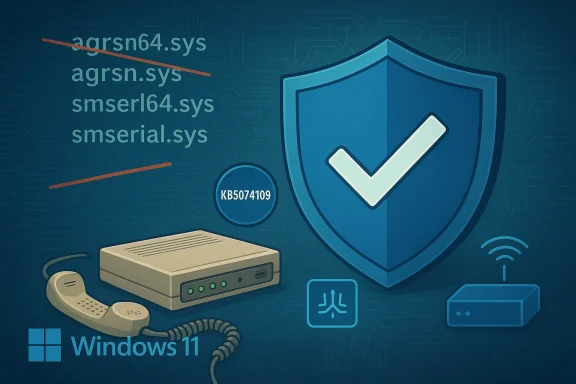
Microsoft’s January cumulative for Windows 11 deliberately removed four legacy modem drivers from the in‑box image—breaking modem-based telephony and POS appliances for a measurable subset of users—and the only immediate workaround for most affected systems is to uninstall KB5074109 and pause updates, an action that restores functionality at the cost of reintroducing the security posture Microsoft intended to eliminate.
For decades Windows has bundled a small set of legacy modem drivers inside the operating system image to preserve compatibility with analog modems, fax appliances, and a class of “soft” modems that relied on in‑box binaries rather than vendor‑supplied, signed drivers. In the January 13, 2026 cumulative update—KB5074109—Microsoft explicitly removed four of those files from the shipped image: agrsm64.sys, agrsm.sys, smserl64.sys, and smserial.sys. The company’s release notes state plainly that “modem hardware dependent on these specific drivers will no longer work in Windows.”
This is not an accidental regression. Microsoft classed the change under Compatibility and framed it as a security hardening: removing kernel‑mode binaries that are unmaintained upstream and have documented, high‑impact vulnerabilities. Multiple independent tech outlets picked up the story and confirmed the behavior and the driver filenames listed in Microsoft’s KB.
--. compatibility tradeoff
This incident is a textbook example of an engineering tradeoff:
Was it the right call? It depends on the metric:
Practically speaking, affected organizations must triage: restore immediate service if necessary, then accelerate a migration plan that avoids indefinite rollbacks. The long‑term lesson for all stakeholders is clear: if you maintain critical endpoints, inventory drivers, assess vendor support status, and stage updates. Microsoft should also redouble targeted communications and rollout controls to avoid repeating the same painful surprise.
The modem breakage is not a mundane bug. It’s a policy decision wrapped into a monthly rollup—one that highlights the tension between securing a platform and preserving every possible legacy behavior. For users caught in the middle, the right next steps are pragmatic: verify, rollback only if necessary, isolate the affected endpoint, and prioritize a durable migration away from unsupported kernel drivers.
Conclusion
KB5074109 removed four legacy in‑box modem drivers intentionally. That action improved the security posture of the Windows image but created immediate compatibility failures for devices reliant on those exact files. Uninstalling the update restores functionality in many cases, but it is a temporary, security‑costly workaround. Affected parties must therefore treat rollbacks as emergency mitigations and move quickly to vendor drivers, hardware replacement, or network/operational workarounds to restore both reliability and security.
Source: HotHardware Windows 11 Update Is Bricking Modems And It's A Feature, Not A Bug
 Background / Overview
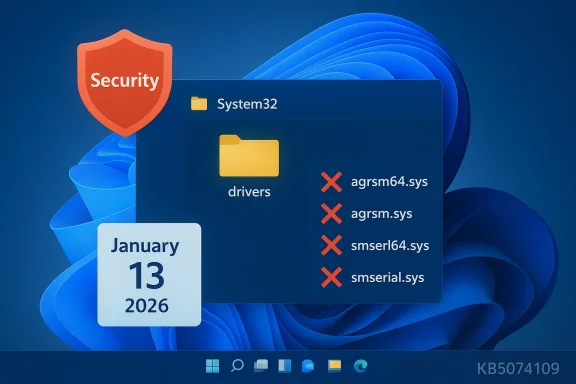
For decades Windows has bundled a small set of legacy modem drivers inside the operating system image to preserve compatibility with analog modems, fax appliances, and a class of “soft” modems that relied on in‑box binaries rather than vendor‑supplied, signed drivers. In the January 13, 2026 cumulative update—KB5074109—Microsoft explicitly removed four of those files from the shipped image: agrsm64.sys, agrsm.sys, smserl64.sys, and smserial.sys. The company’s release notes state plainly that “modem hardware dependent on these specific drivers will no longer work in Windows.” This is not an accidental regression. Microsoft classed the change under Compatibility and framed it as a security hardening: removing kernel‑mode binaries that are unmaintained upstream and have documented, high‑impact vulnerabilities. Multiple independent tech outlets picked up the story and confirmed the behavior and the driver filenames listed in Microsoft’s KB.
What changed, technically
- The update KB5074109 removed the in‑box copies of four legacy modem driver binaries from the Windows image.
- Systems that had no vendor‑supplied, signed replacement drivers and that depended on those in‑box files lost modem functionality after the update.
- The affected files map to historic modem families: the Agere/LSI soft‑modem family (agrsm.sys) and the Motorola SM56 family (smserl/smserial.sys).
Who is affected — and why this matters
The vast majority of modern Windows users will never see an impact: contemporary laptops and desktops don’t include analog dial‑up modems, and most peripherals ship with vendor drivers today. But a nontrivial minority is exposed:- Home users who still rely on internal dial‑up or fax modems that never received vendor drivers (common amcollectors and some rural users).
- Small businesses using analog modems for transaction fallback, telemetry uplinks, alarm panels, or remote logging, where devices were never updated with vendor drivers.
- Vertical industries (medical devices, manufacturing controllers, certain POS systems) where validated hardware with tightly controlled software stacks still depends on in‑box Windows drivers and vendor updates are rare or nonexistent.
--. compatibility tradeoff
This incident is a textbook example of an engineering tradeoff:
- Strength (security): Removing unmaintained kernel drivers reduces the shipped attack surface and eliminates certain exploitable code paths from the default Windows image.
- Weakness (compatibility): It breaks legitimate, in‑field functionality for hardware that relied on those exact in‑box files, and it forces affected organizations to choose between immediate availability and accepting unpatched vulnerabilities.
How to verify whether you are impacted
Before doing anything irreversible, check the following:- Confirm KB5074109 is installed: Settings → Windows Update → Update history; look for the January 13, 2026 update (KB5074109). The Microsoft KB release notes explicitly list the modem driver removal.
- Inspect Device Manager: open Device Manager → Modems (or Ports → COM & LPT) → right‑click the modem → Properties → Driver → Driver Details. If the listed driver file names include agrsm64.sys, agrsm.sys, smserl64.sys, or smserial.sys, the device relied on an in‑box legacy driver that the update removed.
- Look in the driver folder: check C:\Windows\System32\drivers for the four filenames. Their abss expected on impacted systems. If a vendor‑branded .sys appears instead, your device may already have a supported driver.
Immediate mitigations and operational guidance
There is no single “perfect” fix: each option trades security, complexity, or cost. Below are pragmatic paths administrators and power users can take, ordered from least to most permanent.- Uninsency rollback — short term)
- Many impacted users report that uninstalling KB5074109 restores the in‑box driver files and modem functionality. Microsoft and independent guidance recommend uninstalling the update if a business‑critical modem stops working. However, uninstalling removes the security and quality fixes packaged with KB5074109 and therefore is a stopgap measure only.
- Pause updates and isolate the machine
- After rollback, pause Windows Update and isolate the endpoint from untrusted networks. Harden policies: restrict local accounts, implement application control/allow‑listing, and reduce attack surface while you plan for a permanent fix.
- Contact the modem or hardware vendor
- Ask whether a modern, signed driver exists that replaces the in‑box binary. If a vendor driver is available, installing it is preferable to rollback because it rwhile preserving security updates. Many affected users reported that vendors did not have updated drivers, however — particularly for older devices.
- Use WinRE or System Restore if uninstall fails
- For machines that cannot boot or where the uninstall path via Settings fails, Microsoft and independent guides show how to remove the update from Windows Recovery Environment (WinRE) or restore to a prior System Restore point if available. Note: some users are encountering error 0x800f0905 when trying to remove KB5074109, indicating servicing‑stack/component store complications; Windows Central summarizes workarounds (System Restore, “Fix problems using Windows Update” repair). Test these in a controlled environment first and keep full backups.
- Replace the hardware (sustainable long‑term)
- For appliances that cannot be updated, consider replacing the modem hardware with a modern USB or cellular gateway that ships with vendor drivers and ongoing support, or migrate to VoIP/Internet upliis can be costly and may require regulatory recertification in regulated environments, but it eliminates dependence on deprecated kernel drivers.
Step‑by‑step: Uninstall KB5074109 (high‑level checklist)
Important: Back up user data and create a full disk image before proceeding. If the device is production critical, test the rollbine first.- Confirm the update is present: Settings → Windows Update → Update history → locate KB5074109.
- Try uninstall from desktop (if bootable): Settings → Windows Update → Update history → Uninstall updates → select KB5074109 → Uninstall.
- If desktop uninstall is not possible, boot to Windnt (WinRE): Automatic Repair → Advanced options → Troubleshoot → Advanced options → Uninstall Updates → Uninstall latest quality update. Follow prompts.
- If uninstall errors occur (e.g., 0x800f0905), attempt System Restore to a point before the update, or perform a repair install (“Fix problems using Windows Update” / reinstall while keeping apps and files) and then attempt the uninstall again. Make sure you have full backups.
- After uninstall, verify modem operation and then pause Windows Update. Document the rollback and schedule a remediation plan (vendor driver, hardware replacement, or isolation).
Community, vendor, and enterprise reactions
The reaction has three recurring themes:- Surprise and frustration: Many downstream users discovered their systems were rendered nonfunctional overnight. The removal was present in the KB notes but not widely communicated to small vendors or end customers, creating “surprise outages.”
- Emergency rollbacks: Numerous community threads and help desks report uninstalling KB5074109 as the most common immediate remedy. That rollback restores functionality but exposes systems to the original vulnerabilities the update aimed to address.
- Vendor silence / lack of modern drivers: Several impacted device owners could not find vendor‑supplied signed drivers and were told replacements or updates were not forthcoming, pushing them toward hardware replacement.
Why Microsoft did this — and whether it was the right call
From a security engineering perspective, removing unmaintained kernel drivers from shipped OS images is an established defensive technique. Kernel drivers that expose IOCTLs and handle user input improperly have been the source of many privilege escalation and kernel memory corruption vulnerabilities. When upstream vendors stophe vendor (Microsoft) faces a choice: continue shipping vulnerable code that weakens the platform, or remove it and accept compatibility impacts for legacy devices. Microsoft chose the latter in KB5074109.Was it the right call? It depends on the metric:
- If you measure by reducing active attack surface for the majority of endpoints, the decision aligns with modern security best practice.
- If you measure by avoiding operational disruption to every last device in the field, the lack of broader outreach to vendors and targeted mitigation plans was a failure in ecosystem communications.
Risks, liabilities, and long‑term implications
- Security risk from rollbacks: Uninstalling KB5074109 reintroduces the very kernel attack surface Microsoft removed. Any rollback should be treated as an emergency tactical move, not a strategic posture. A plan to replace or update affected devices should follow immediately.
- Operational exposure: Small businesses and regulated devices that rely on legacy modems may face downtime or expensive replace-and-recertify paths. These costs are real and can disproportionately affect verticals with long‑lifecycle hardware.
- Update reliability erosion: Repeated surprises around Windows servicing undermine trust in automatic updates, increasing the likelihood that organizations will delay or block critical patches — an outcome that hurts overall security.
- Legal/regulatory questions: For appliances in regulated industries (medical, finance, telematics), forced functional changes without vendor coordination can expose organizations to compliance risk. Procurement and compliance teams should be alerted to check device drivers and vendor support lifecycles proactively.
Recommendations for users, administrators, and vendors
For end users and small businesses:- Verify whether your device listed the removed driver filenames before acting. Use Device Manager and the driver folder checks described above.
- If your modem is critical, plan a controlled rollback (with full backups) to restore service temporarily—but treat that as a short‑term emergency fix. Pause updates and isolate the device from untrusted networks.
- Contact your hardware vendor immediately to request a signed replacement driver or product guidance. If none exists, include hardware replacement in your remediation planning.
- Run an inventory for legacy modem/COM devices and identify any endpoints that may depend on the removed drivers.
- Use update rings and pilot groups: do not deploy major cumulative updates to production endpoints without targeted testing for legacy hardware.
- If rollback is necessary, document the risk and schedule urgent remediation (vendor driver, hardware replacement, or network isolation).
- Publish signed modern drivers for any products still relying on in‑box modem binaries. If your product cannot be patched, provide migration or replacement programs for customers.
- Communicate proactively with customers about driver lifecycles and support windows. The industry lesson here is that vendors who stop producing drivers should clearly notify customers well before platform vendors remove shared compatibility shims.
- Consider finer‑grained target‑knockout mechanisms for removing legacy drivers (targeted device exclusion lists, staged compatibility telemetry) and clearer, earlier notifications for vendors with known legacy devices in the wild.
- Provide an official compatibility guidance page and outreach list for verticals where modem hardware remains prevalent, and consider providing a temporary, supported compatibility package for enterprise customers with valid business needs under limited, secured conditions.
Final analysis — how to think about this episode
This incident is a reminder that platform security and device compatibility are often at odds. Microsoft’s explicit removal of legacy modem drivers in KB5074109 was a security‑driven decision that removed an exploitable kernel attack surface, but the suddenness of the change and limited ecosystem notification created real operational pain for those still relying on old hardware. The short‑term reality is uncomfortable: uninstalling KB5074109 works for many affected users but leaves systems exposed, and some users are even encountering uninstall errors that complicate recovery.Practically speaking, affected organizations must triage: restore immediate service if necessary, then accelerate a migration plan that avoids indefinite rollbacks. The long‑term lesson for all stakeholders is clear: if you maintain critical endpoints, inventory drivers, assess vendor support status, and stage updates. Microsoft should also redouble targeted communications and rollout controls to avoid repeating the same painful surprise.
The modem breakage is not a mundane bug. It’s a policy decision wrapped into a monthly rollup—one that highlights the tension between securing a platform and preserving every possible legacy behavior. For users caught in the middle, the right next steps are pragmatic: verify, rollback only if necessary, isolate the affected endpoint, and prioritize a durable migration away from unsupported kernel drivers.
Conclusion
KB5074109 removed four legacy in‑box modem drivers intentionally. That action improved the security posture of the Windows image but created immediate compatibility failures for devices reliant on those exact files. Uninstalling the update restores functionality in many cases, but it is a temporary, security‑costly workaround. Affected parties must therefore treat rollbacks as emergency mitigations and move quickly to vendor drivers, hardware replacement, or network/operational workarounds to restore both reliability and security.
Source: HotHardware Windows 11 Update Is Bricking Modems And It's A Feature, Not A Bug