

Microsoft has quietly shipped an optional, non‑security preview for Windows 11 — KB5077241 — that bundles a collection of practical user‑facing quality‑of‑life improvements, enterprise‑oriented tooling, and a few small but useful UI tweaks that together aim to make day‑to‑day Windows feel snappier and easier to manage. The preview, published February 24, 2026 and delivered as OS Builds 26200.7922 and 26100.7922, is rolling out via Release Preview channels now and is scheduled to appear in the broad stable update cadence on March 10, 2026.
Windows update quality has been under scrutiny since the start of 2026. A high‑profile January security rollup introduced severe regressions for some configurations — from shutdown and hibernate failures to boot issues and Remote Desktop authentication problems — forcing Microsoft to issue emergency out‑of‑band fixes and highlighting why cautious rollouts and optional previews still matter. That recent turbulence is the reason this February preview is both welcome and subject to careful scrutiny by IT pros and power users.
Microsoft’s KB for KB5077241 frames the package as quality and reliability improvements across multiple subsystems — Taskbar, File Explorer, Widgets, backup/restore, display wake reliability and more — and reiterates that several features are subject to a gradual rollout, so not every device will see every change immediately. That phased rollout approach is intentional: it lets Microsoft validate across hardware and OEM configurations before the changes hit every machine.
With KB5077241 Microsoft now offers Sysmon as an optional, in‑box feature you can enable through Settings > System > Optional features > More Windows features, or via DISM/PowerShell and then finalize with the sysmon -i configuration. Microsoft explicitly instructs organizations to uninstall any previously installed Sysinternals Sysmon before enabling the built‑in version to avoid conflicts. The in‑box version is disabled by default; administrators must opt in and provide configuration, because Sysmon without tailored filtering produces high volume logs.
Security teams should treat this as a net positive: distribution becomes simpler for imaging and baseline configurations, but the built‑in packaging also requires careful configuration to avoid noisy logs and storage/analysis costs. Community threads and forum discussions show admins quickly testing the feature and debating configuration presets.
For domain‑joined or enterprise managed devices, QMR remains controlled by IT policy. That distinction is important: organizations with strict image control, regulatory constraints, or specialized recovery workflows will not be forced into a new behavior by this change, but small businesses and solo device owners will get the safety net automatically.
That point matters: the January regression saga highlighted how a servicing stack or pre‑boot component can trigger serious field problems. Microsoft’s emphasis on controlled, phased rollouts within KB5077241 is a direct response to the risk profile exposed earlier this year.
That positive verdict comes with a large caveat: Microsoft’s recent history (January’s problematic security rollup among others) reinforces the need for controlled deployment and preproduction testing. If you manage devices, use this preview for validation and pilot testing now, and plan to deploy after March 10 if tests pass. If you’re a consumer who values absolute stability, waiting for the general release is the safer route.
Source: glob-news.com Windows 11 has received an update with three new features
 Background
Windows update quality has been under scrutiny since the start of 2026. A high‑profile January security rollup introduced severe regressions for some configurations — from shutdown and hibernate failures to boot issues and Remote Desktop authentication problems — forcing Microsoft to issue emergency out‑of‑band fixes and highlighting why cautious rollouts and optional previews still matter. That recent turbulence is the reason this February preview is both welcome and subject to careful scrutiny by IT pros and power users.Microsoft’s KB for KB5077241 frames the package as quality and reliability improvements across multiple subsystems — Taskbar, File Explorer, Widgets, backup/restore, display wake reliability and more — and reiterates that several features are subject to a gradual rollout, so not every device will see every change immediately. That phased rollout approach is intentional: it lets Microsoft validate across hardware and OEM configurations before the changes hit every machine.
What’s actually in KB5077241 — the headline items
The official KB lists numerous small additions and fixes. The items that will draw the most attention are:- A built‑in network speed test accessible from the taskbar (network icon / Wi‑Fi quick settings).
- Sysmon (System Monitor) packaged as an in‑box optional feature (disabled by default) so teams can enable it without deploying Sysinternals separately.
- Quick Machine Recovery (QMR) changes that enable it by default on certain Windows 11 Pro devices that are non‑domain‑joined and not enterprise managed.
- Several File Explorer reliability and usability improvements (Shift+click or middle‑click to open a new Explorer window reliably, an “Extract all” command for non‑ZIP archive folders, and better network page device listings).
- Visual and UI polish: Emoji 16.0 glyphs added to the emoji panel, full‑page Widgets settings, ability to set .webp images as desktop wallpaper, and more responsive Windows Update and Settings pages.
Deep dive: the taskbar speed test — convenience, architecture, and limitations
What Microsoft added and how to access it
The update surfaces a “perform speed test” control in the Taskbar’s network area. You can reach it by right‑clicking the network icon in the system tray or from the Wi‑Fi / cellular quick settings panel; selecting the option launches the test and reports download, upload and latency for Ethernet, Wi‑Fi or cellular interfaces. Microsoft’s KB asserts this is a built‑in convenience to make quick network checks easier.It’s not a native speed‑engine — it’s a browser launcher
Independent reporting shows the in‑taskbar test is implemented as a launcher that opens a browser page (Bing’s embedded speed widget, in practice linking to the Speedtest experience). In other words, the experience is functionally useful — it puts one click between you and a speed check — but it’s not a native kernel‑level or diagnostic engine that measures interface performance from inside the OS. That design choice reduces complexity for Microsoft but carries implications for privacy, offline diagnostics, and repeatability.What this means for users and admins
- For everyday users, the feature is convenient: one click, immediate web‑based metrics, no third‑party hunting.
- For troubleshooting teams, the browser‑based approach means the test’s results depend on browser behavior, DNS and CDN routing, and privacy settings (ad‑blockers or strict tracking controls could affect the embedded widget). It’s a good quick check, not a replacement for controlled diagnostics (iperf, managed speedtest endpoints, or hardware port tests).
- For privacy‑conscious environments, administrators should note the test reaches out to external services; if your policy forbids ad/telemetry connections, this launcher may be undesirable until it can be governed via group policy or feature flags.
Deep dive: Sysmon in‑box, Quick Machine Recovery, and enterprise implications
Sysmon (built‑in System Monitor)
Sysmon is a staple of Windows endpoint monitoring. Historically distributed through Sysinternals, it enriches event logging with process creation, network connections, driver loads and more — telemetry that defenders use to detect malware and anomalous activity.With KB5077241 Microsoft now offers Sysmon as an optional, in‑box feature you can enable through Settings > System > Optional features > More Windows features, or via DISM/PowerShell and then finalize with the sysmon -i configuration. Microsoft explicitly instructs organizations to uninstall any previously installed Sysinternals Sysmon before enabling the built‑in version to avoid conflicts. The in‑box version is disabled by default; administrators must opt in and provide configuration, because Sysmon without tailored filtering produces high volume logs.
Security teams should treat this as a net positive: distribution becomes simpler for imaging and baseline configurations, but the built‑in packaging also requires careful configuration to avoid noisy logs and storage/analysis costs. Community threads and forum discussions show admins quickly testing the feature and debating configuration presets.
Quick Machine Recovery (QMR) changes
Quick Machine Recovery — Microsoft’s automated recovery/restore capabilities — will now be enabled by default on many Windows 11 Pro devices that are not domain‑joined and not enrolled in enterprise endpoint management. This change brings Pro devices closer to Home in terms of automated recovery protections, which helps typical consumer and unmanaged Pro scenarios recover faster from corruption or misconfiguration.For domain‑joined or enterprise managed devices, QMR remains controlled by IT policy. That distinction is important: organizations with strict image control, regulatory constraints, or specialized recovery workflows will not be forced into a new behavior by this change, but small businesses and solo device owners will get the safety net automatically.
Deep dive: File Explorer, widgets, display and other QoL fixes
File Explorer improvements
KB5077241 includes several focused Explorer fixes that address long‑standing friction points:- Opening new Explorer windows is now more reliable when using Shift + Click on the taskbar icon or the middle mouse button. That previously could route clicks into an existing instance instead of spawning a new one.
- The command bar shows an “Extract all” option for non‑ZIP archive folders, streamlining extraction workflows for compressed folders presented as archive containers.
- The Network page better enumerates found and connected devices, improving the reliability of SMB/NBT discovery displays.
Widgets, personalization, and display improvements
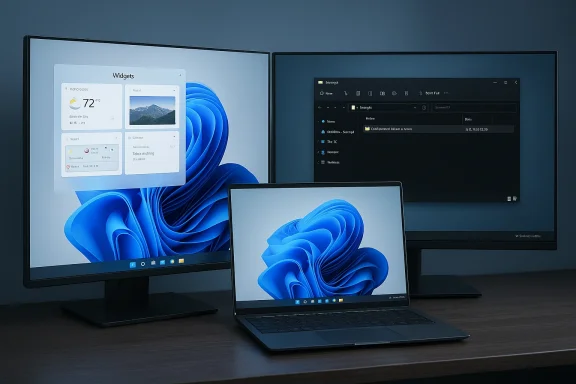
- Widgets Settings now open as a full‑page experience rather than a modal dialog, giving widgets more space and discoverability.
- Windows will accept .webp images as desktop wallpaper via Settings or right‑click in File Explorer — a small change that modernizes wallpaper handling for web‑native art.
- The update improves display resume reliability and speed from sleep, especially under systems with heavy load or docked laptops with closed lids — a practical fix for professionals using docking stations and multi‑monitor setups.
What Microsoft is preparing for: Secure Boot certificate rotation and rollout mechanics
KB5077241 also prepares devices for a scheduled Secure Boot certificate rotation that begins in June 2026. The KB explicitly notes that Secure Boot certificates used by most Windows devices are set to expire starting June 2026, and recommends reviewing guidance well ahead of time to avoid boot disruption. Microsoft uses data‑driven phased rollouts (controlled feature rollout) to increase the coverage of new Secure Boot certificates only after devices demonstrate successful updates, which reduces the blast radius of a potential rollout problem. This KB lays groundwork to extend that rollout coverage while preserving device reliability.That point matters: the January regression saga highlighted how a servicing stack or pre‑boot component can trigger serious field problems. Microsoft’s emphasis on controlled, phased rollouts within KB5077241 is a direct response to the risk profile exposed earlier this year.
Cross‑checking claims and independent confirmations
I verified the most load‑bearing claims using multiple independent outlets and Microsoft’s own documentation:- Microsoft’s KB5077241 (February 24, 2026 preview) lists the features above and provides build numbers and enablement steps for Sysmon and QMR behavior.
- Windows Central, Windows Report and Pureinfotech published early explainers that corroborate the taskbar speed test, Sysmon in‑box, and QMR default behavior.
- Technical reporting demonstrates the taskbar speed test is a browser‑launched widget (Bing/Ookla), not a native measurement engine. That nuance is important for both capability and privacy expectations.
- Community threads and Windows‑focused forums caught early tester impressions and operational tips (for example, the instruction to uninstall previously‑installed Sysinternals Sysmon before enabling the built‑in version). Those community details match Microsoft’s guidance.
Strengths: why this update matters
- Practical fixes first: The KB focuses on useful, low‑risk fixes that reduce daily friction (Explorer spawning, Extract All, widget settings). Those are the exact fixes that improve perceived quality of an OS without introducing large new surfaces for bugs.
- Enterprise maturity: Sysmon in‑box and RSAT on Arm64 are enterprise‑grade changes that simplify management and monitoring for a larger set of devices. Enterprises will appreciate packaging telemetry tools in a managed, optional way.
- Recovery parity for Pro users: Turning on QMR for unmanaged Pro devices reduces the support burden for solo owners and SMBs, giving more machines a path to rapid recovery without IT intervention.
- Focus on reliability and staged rollout: The KB’s emphasis on phased delivery and display/resume reliability is appropriate given January’s issues; Microsoft appears intent on narrowing changes to manageable surface area with monitoring in place.
Risks and cautions — why you should think before you install
- Preview channel caveat: KB5077241 is an optional preview. Previews are intended for testing; they can and do change. If you rely on absolute stability (critical business machines, medical devices, single‑point workstations), wait for the March 10 general rollout or validate in a lab first. The January update regressions are a living reminder: even security patches have caused boot and shutdown regressions in January 2026.
- Sysmon volume and configuration: Enabling Sysmon without a tuned config produces a high volume of events. That can overwhelm event‑collection pipelines and storage. Security teams need to plan configuration, log retention, and SIEM ingestion before flipping the switch. Microsoft’s explicit instruction to uninstall third‑party Sysmon before enabling the built‑in version is critical to avoid conflicts.
- Third‑party dependencies: The taskbar speed test relies on an external web experience. If your org blocks certain web endpoints, the “built‑in” test will fail to run or will not provide consistent results. Consider your network governance and privacy posture.
- Rollout gating: Although gradual rollouts protect the broader population, they also mean your device might not get a feature immediately — or could be put on a different testing track due to OEM/drivers/account gating. Don’t assume the moment you install the preview you’ll get every headline item.
Practical guidance — how to approach KB5077241
Below is a pragmatic set of steps for different user types.For cautious consumers and general users
- Wait for the general availability (GA) rollout (expected March 10, 2026) unless you enjoy early testing. If you install now, treat the update as a preview and create a restore point before you begin.
- If you try the taskbar speed test, remember it opens your browser; interpret results with that context.
For power users and enthusiasts
- Back up critical data and consider creating a full system image before installing the preview.
- Install the preview on a secondary machine or VM first. Test Explorer spawning, wake/resume, and any workflows that interact with the print spooler or display stack.
For IT administrators and security teams
- Stage the preview in your lab and pilot groups before broad rollout. Use imaging and WSUS/Intune to control distribution.
- Plan Sysmon: create/validate Sysmon configuration files, scale SIEM ingestion, and uninstall any previously deployed Sysinternals Sysmon to avoid conflicts. Microsoft documents the DISM and sysmon -i enablement steps in the KB.
- Review Secure Boot certificate guidance and prepare for the upcoming rotation window starting in June 2026. Ensure device inventory and update channels are prepared for phased certificate installation.
Verdict: incremental but meaningful — and appropriately cautious
KB5077241 is an example of the kind of incremental update that should make everyday Windows more tolerable: more responsive search, a one‑click network check from the Taskbar, native Sysmon for easier endpoint telemetry, and multiple File Explorer and display reliability fixes. Taken together, these changes represent practical improvements rather than flashy new features, and that pragmatic focus is exactly what many users and IT teams have asked for.That positive verdict comes with a large caveat: Microsoft’s recent history (January’s problematic security rollup among others) reinforces the need for controlled deployment and preproduction testing. If you manage devices, use this preview for validation and pilot testing now, and plan to deploy after March 10 if tests pass. If you’re a consumer who values absolute stability, waiting for the general release is the safer route.
Final notes and what to watch next
- Watch for the March 10 release cadence and the associated cumulative update that will carry these features to the broader population. Microsoft’s KB and release health dashboards will reflect when the controlled rollout widens.
- Keep an eye on vendor driver updates and OEM advisories — display and sleep‑resume fixes are often tied to GPU and firmware interplay, and vendors frequently issue driver updates timed to these Windows releases.
- For security teams, evaluate the built‑in Sysmon as part of your endpoint telemetry roadmap; the convenience of an in‑box feature is worthwhile if paired with disciplined configuration and log management.
Source: glob-news.com Windows 11 has received an update with three new features
