Windows 11 KB5086672 Fixes Broken March 2026 Preview Fast (KB5079391)

  • Thread Author
Microsoft’s latest Windows 11 emergency patch is less remarkable for what it fixes than for how quickly it arrived. The company has now corrected the broken March 2026 preview update with KB5086672, an out-of-band release that restores the same optional features while addressing the install failure that hit some Windows 11 24H2 and 25H2 devices. The repair landed within days, which is good news for users who were stuck on an error loop, but it also reinforces a bigger concern: emergency servicing is starting to feel normal. That is a dangerous impression for a platform that still sells itself on reliability.

A digital visualization related to the article topic.Background​

Windows servicing has always balanced speed against caution, but the cadence in early 2026 has made that balance look especially fragile. Microsoft’s monthly update model now includes Patch Tuesday security releases, optional non-security previews, and out-of-band fixes when something goes wrong. In theory, that system should let the company ship improvements faster while limiting risk. In practice, the gap between “preview” and “production-ready” has been feeling uncomfortably small.
The March 2026 preview update for Windows 11, KB5079391, was intended to be routine. It arrived as an optional release, which usually means it carries next month’s improvements ahead of time and then folds into the regular monthly rollout later. That expectation matters because optional previews are not supposed to behave like unstable beta builds, even if they are still technically test releases. When a preview update fails at install time, it undermines confidence in the entire quality pipeline.
Microsoft’s response was swift. The company pulled the problematic release, investigated the installation failure, and then reissued the same content as KB5086672 with a fix for the installation issue. That is exactly what users want to see when a servicing problem appears: acknowledge it, stop the damage, and move fast. Yet the very fact that this sequence has become familiar is what makes the episode significant. A rapid correction is good; a rapidly recurring need for corrections is not.
The problem also arrives against a broader backdrop of Windows 11 instability in 2026. A separate March emergency update fixed Microsoft account sign-in problems that affected apps such as OneDrive, Edge, Teams Free, and Office-related services. Earlier in the year, Microsoft had already needed more than one out-of-band fix for app crashes, Bluetooth issues, enterprise hotpatch problems, and other servicing defects. One isolated incident can be dismissed as a bad week. A pattern starts to look like a process problem.

Why preview updates matter​

Optional preview updates are supposed to be a controlled way to validate non-security changes before they become mandatory. They are not generally recommended for conservative users because they are still part of the test surface, even if they are the last stop before broad release. That distinction is crucial, because Microsoft’s preview channel is no longer a niche playground for enthusiasts. It is a major part of how the Windows servicing train is kept moving.
  • Preview updates are optional, but they are still official Microsoft releases.
  • They often become the next month’s full cumulative update.
  • Failures in previews can expose gaps in servicing validation.
  • Pulled updates are better than broken updates, but they still disrupt trust.
  • The more often this happens, the more users learn to delay installing anything.

Why this particular bug stood out​

The error code involved here, 0x80073712, points to missing or corrupted update files. That is not an obscure edge case in the abstract; it is the kind of failure that suggests the update payload itself, or its install chain, could not complete cleanly. When a patch cannot even get onto the machine, the issue is no longer about a feature behaving badly after installation. It becomes a basic question of whether Microsoft can reliably deliver software to the device.
  • Installation failures are more alarming than post-install bugs.
  • The same error appearing on enough devices to justify a pull suggests scale.
  • Reissuing the update as an emergency patch is a strong mitigation.
  • But the need for a reissue still points to a failure in pre-release validation.
  • For enterprise admins, failed installs create immediate deployment friction.

What Microsoft Fixed​

The official fix is straightforward enough. KB5086672 is an out-of-band update for Windows 11 24H2 and 25H2 that includes the improvements from the March 26 preview and adds a correction for the installation issue. Microsoft states that devices attempting to install KB5079391 could encounter the “Some update files are missing or have problems” error, and that the new package resolves it. In other words, the emergency update is not a separate feature drop so much as a repaired version of the original preview.
This matters because it shows Microsoft’s servicing model working in one sense and struggling in another. The company did not ignore the issue, and it did not leave affected users stranded for long. But the fact that the replacement update exists at all means a release reached public distribution before it was stable enough to stay there. That is a high-profile quality-control miss, even if the repair was efficient.
The replacement update also appears designed to be transparent in how it supersedes the earlier package. Microsoft describes it as cumulative, meaning it carries forward prior quality changes and incorporates the repaired March preview content. That makes adoption easier for users who were waiting out the original failure, but it also means the patch stack is becoming more layered and more difficult to reason about. Each emergency fix adds another branch in the update history that IT teams have to track.

The fix in practical terms​

For most people, the immediate takeaway is simple: if you were avoiding the March preview because it failed to install, the corrected release should now install normally. If you were already steering clear of preview updates, you can continue doing that and likely wait for the normal monthly rollout instead. For IT teams, the key point is that the repaired release should eliminate the deployment roadblock without forcing a workaround chain.
  • The broken preview has effectively been replaced.
  • The fix preserves the original non-security improvements.
  • The error loop should no longer occur on affected systems.
  • Manual install options remain available through the Microsoft Update Catalog.
  • Devices with “Get the latest updates as soon as they’re available” enabled may receive it automatically.

Why the word “out-of-band” matters​

An out-of-band update is not part of the normal release rhythm. Microsoft uses that label for fixes that need to ship as soon as possible, whether because of a serious defect or a newly identified vulnerability. That is exactly why OOB releases feel reassuring in the short term and worrying in the long term. They prove Microsoft can react quickly, but they also signal that normal servicing did not catch the issue.
  • OOB updates are a safety valve.
  • Frequent OOB use can indicate brittle release engineering.
  • They often create additional admin overhead.
  • They tend to be important even when they are not security patches.
  • Their speed is useful, but speed is not a substitute for stability.

A 2026 Pattern Is Emerging​

The larger story is not one broken preview update. It is the accumulation of emergency fixes across Windows 11 in the opening months of 2026. Microsoft has already shipped urgent patches for app-sign-in failures, enterprise hotpatch issues, Bluetooth problems, and other update regressions. The company deserves credit for moving quickly, but the volume alone raises eyebrows. A mature platform should not need this many visible interventions so early in the year.
There is a difference between a healthy servicing culture and a reflexive patch-firefighting culture. Healthy servicing means bugs are found, fixed, and largely contained before they turn into customer pain. Firefighting means defects are escaping into production often enough that the patch train itself becomes the product story. Windows 11 is drifting closer to the second category than Microsoft would prefer.
The March sign-in bug is a particularly damaging comparison point because it affected everyday apps people expect to trust: Edge, OneDrive, Teams Free, Word, Excel, and Microsoft 365 Copilot. The emergency fix for that problem was already a warning sign. Then the install-failure patch arrived almost immediately afterward. When two high-visibility issues land back-to-back, even reasonable users begin to wonder whether the release process has lost its margin for error.

Consumer confidence versus enterprise confidence​

Consumer users may simply delay optional updates and move on. That is not ideal, but it is manageable. Enterprise administrators do not have that luxury. They need predictable deployment windows, stable update baselines, and clear rollback logic. Every emergency patch adds a planning wrinkle, especially in mixed-device environments where Windows 11 24H2, 25H2, and hotpatch-enabled systems may all behave differently.
  • Consumers can skip previews, but enterprises must often test them.
  • Admin teams need consistency more than novelty.
  • Emergency fixes complicate image baselines and documentation.
  • Support desks absorb the confusion when installs fail.
  • The more exceptions there are, the harder patch governance becomes.

The reputational cost​

Windows does not have to be perfect to be trusted. It does, however, need to look disciplined. When users repeatedly see emergency fixes, the impression is that Microsoft is reacting rather than controlling the platform. That perception can be as damaging as the bugs themselves because it affects whether people install updates promptly, test them thoroughly, or trust that the next one will be safe.
  • Trust is cumulative, and so is distrust.
  • Fast fixes help, but repeated fixes normalize dysfunction.
  • Enterprises remember whether a patch month was calm or chaotic.
  • A reputation for instability can slow adoption of optional releases.
  • That creates a vicious cycle: fewer preview testers, less feedback, more risk.

Why the QA Question Is Hard to Ignore​

Quality assurance is the unavoidable elephant in the room. Microsoft ships an enormous matrix of hardware, drivers, firmware, consumer apps, enterprise tools, and update states. No lab can perfectly simulate every real-world configuration, and Windows has always relied on a mix of internal testing, staged rollout, telemetry, and user feedback. That is why some bugs are inevitable. But inevitability is not an excuse for preventable release escape.
The concern is not that Microsoft makes mistakes. It is that the mistakes are becoming visible in exactly the places users notice most: sign-in flows, installation flows, and everyday productivity apps. Those are the pressure points where confidence either holds or breaks. If a preview update cannot reliably install, or if a security update interferes with Microsoft account authentication, then the quality bar is being missed where it matters most.
The scale of Windows makes this especially difficult. A smaller ecosystem can tighten its release process by testing fewer permutations. Windows has to support more hardware profiles and more enterprise scenarios than almost any mainstream desktop platform. That makes a strong QA program more expensive, not less. It also means Microsoft cannot afford to underinvest in it if the update cadence continues to accelerate.

What good QA would need to catch​

A better-prepared servicing pipeline would focus not just on feature correctness, but on the boring basics that users feel immediately. Installation integrity, rollback behavior, sign-in continuity, catalog consistency, and cross-app authentication should all be treated as first-class release gates. If those checks are weak, every new feature ships with hidden downside risk.
  • Install success rate should be a top release metric.
  • Authentication regressions should be caught before public rollout.
  • Rollback and recovery flows should be tested like primary features.
  • Enterprise deployment paths need dedicated validation.
  • Preview releases should be boring, not newsworthy.

Why telemetry is not enough on its own​

Telemetry can tell Microsoft that something is wrong after it has already happened. It cannot fully replace proactive validation. That is why the company’s ability to spot widespread failure and react quickly is only half the story. The real question is whether the failing update should have escaped the lab or preview ring in the first place.
  • Telemetry is reactive by nature.
  • Staged rollout reduces risk but does not eliminate it.
  • Rapid pulls are better than slow denials.
  • Preventing the issue is always better than repairing it.
  • QA is ultimately about reducing public drama, not just resolving incidents.

Enterprise Impact Is Bigger Than It Looks​

For home users, an update hiccup is annoying. For enterprises, it can cascade into deployment pauses, help desk tickets, and inconsistent fleet states. A failed optional update may not look like a major crisis on paper, but it can complicate a broader maintenance cycle if organizations are trying to align on a known-good build. That is especially true when the update in question is the lead-in to a future monthly cumulative release.
Microsoft has already signaled that administrators using tools such as Intune and Windows Autopatch should follow the guidance associated with the out-of-band release. That tells you something important: the patch is not just consumer-facing cleanup. It is now part of enterprise servicing policy, which means it enters the same channels used for compliance and fleet control. The moment a patch becomes an admin concern, its quality profile matters more.
There is also a hidden operational cost when emergency patches stack on top of each other. Admins may need to verify whether a fix replaces an earlier patch, whether the earlier patch was partially installed, and whether the new release changes the deployment sequence. Those are not glamorous tasks, but they are the backbone of enterprise Windows management. The more often they are disrupted, the more organizations start building caution into every update decision.

The admin checklist grows longer​

Enterprise patch teams do not just ask whether an update works. They ask whether it fits the existing deployment model, whether it affects hotpatch rings, whether it changes reboot behavior, and whether it needs a special rollback plan. Each emergency patch increases that decision tree. That makes Microsoft’s speed valuable, but it also means the platform’s complexity is surfacing in operational cost.
  • Validate whether the device is on 24H2 or 25H2.
  • Confirm whether the preview was installed before the fix.
  • Check whether the fleet uses standard update flow or hotpatch.
  • Review whether Intune or Autopatch policies need adjustment.
  • Make sure support staff know the new KB replaces the old one.

Why enterprises are less forgiving​

Consumer users often judge updates by whether their PC still starts. Enterprises judge them by whether thousands of endpoints stay consistent. A patch that is technically repaired can still be operationally painful if it creates uncertainty in rollout sequencing. In that sense, every emergency fix has a soft cost that never shows up in the release notes.
  • Consistency matters more than novelty in business environments.
  • A “fixed” update can still be a logistics problem.
  • Support teams need clear communication and simple guidance.
  • Unstable servicing erodes confidence in update deadlines.
  • Businesses often respond by delaying deployment, which slows remediation.

Windows 11’s Reputation Problem​

Windows 11 still faces the reality that many users remember earlier update scandals, broken drivers, and unexpected regressions. Those memories make every new emergency patch feel heavier than it might otherwise. Even when Microsoft acts responsibly, the audience is primed to see evidence of broader fragility. That is the reputational trap: success is measured not only by the fix, but by whether the incident seems like an exception.
What makes 2026 more sensitive is that Microsoft has repeatedly emphasized modernization, continuous innovation, and faster delivery. Those promises only work if the underlying quality model is strong enough to support them. If a faster update cycle simply produces more visible recovery work, then the headline becomes “Microsoft is shipping faster” rather than “Windows is improving.” That is not the narrative the company wants.
At the same time, the Windows ecosystem remains resilient precisely because Microsoft does respond. Slow acknowledgment would be worse. Broken updates that linger unaddressed would be worse. The issue is not that the system is collapsing; it is that it feels too often like it is being patched in public. That can be manageable in the short term and corrosive over the long haul.

The cost of appearing reactive​

A platform that appears reactive can still be technically sound. But perception matters, especially when millions of users decide whether to install updates the moment they arrive or wait for other people to test them first. If the average user assumes optional updates are risky and mandatory updates are unpredictable, Microsoft has a trust problem no release note can solve.
  • Update trust influences install behavior.
  • Install behavior influences how quickly bugs are discovered.
  • Delayed installs make servicing slower for everyone.
  • A cautious user base is harder to keep current.
  • Negative perception can outlast the bug that created it.

Why this is not just a consumer issue​

The Windows 11 reputation problem affects OEMs, enterprise IT, and Microsoft’s broader ecosystem strategy. Hardware vendors want a stable software baseline. Businesses want predictable device management. Microsoft wants Windows to feel dependable enough to anchor cloud services, productivity apps, and AI-integrated experiences. A shaky update reputation makes all of those goals harder.
  • OEM confidence matters for preloads and driver validation.
  • Enterprise trust affects rollout speed and support burden.
  • Microsoft 365 reliability is tied to Windows identity flows.
  • AI features depend on users believing the platform is stable.
  • Update quality now influences product strategy, not just patch cadence.

Strengths and Opportunities​

Microsoft should be credited for one thing above all: it is moving quickly when visible problems appear. The company also appears willing to pull a bad release rather than defend it indefinitely, which is a healthy instinct. If Microsoft can combine that responsiveness with sharper pre-release validation, it could turn a rough stretch into a meaningful servicing reset.
  • Fast turnaround on the repair for the broken March preview.
  • Clear supersedence through the out-of-band KB5086672 package.
  • Responsive acknowledgment of public-facing update failures.
  • Improved trust if Microsoft continues to pull flawed releases quickly.
  • Better enterprise control when guidance is explicit for Intune and Autopatch.
  • Opportunity to tighten QA around install integrity and sign-in scenarios.
  • Chance to restore confidence before the next monthly rollout.

Risks and Concerns​

The biggest risk is that quick fixes become a substitute for better prevention. If every month now includes one or more emergency actions, users will start to assume instability is built into the release process. That would be a serious problem for a platform whose value depends on being seen as dependable, invisible infrastructure.
  • Normalizing emergency patches can erode confidence in Windows servicing.
  • Preview updates may be avoided by users who fear being burned.
  • Enterprise deployment friction increases when KB sequences become tangled.
  • Authentication bugs are especially damaging because they hit core workflows.
  • Install failures are worse than feature quirks because they block servicing outright.
  • Public perception can become more negative than the actual defect rate warrants.
  • QA gaps may persist if telemetry catches problems only after release.

Looking Ahead​

The next few update cycles will tell us whether March 2026 was an isolated run of bad luck or the beginning of a more troubling pattern. Microsoft can still argue that its response time is strong, and that argument would be fair. But the company now needs to prove that speed is not compensating for a deeper weakness in validation and release discipline.
The ideal outcome is obvious: fewer visible emergency patches, fewer pulled updates, and fewer moments when users have to ask whether the current month’s Windows update is safe. That would not require Microsoft to slow down innovation. It would require the company to ship with more confidence and less public backtracking. In a platform as large as Windows, that difference matters.
  • Watch whether April’s monthly release arrives without a hotfix companion.
  • Monitor whether Microsoft continues to pull flawed updates quickly.
  • See if enterprise-facing issues decline after the March correction.
  • Look for stronger guidance around preview update testing.
  • Track whether sign-in and install regressions remain frequent in 24H2 and 25H2.
Microsoft has done the responsible thing by fixing the broken Windows 11 preview promptly, but the more important question is whether this year’s pattern can be broken before it hardens into expectation. Windows users do not need perfection; they need consistency. If 2026 is to be remembered as a year of improvement rather than interruption, Microsoft will have to show that emergency patches are an exception again, not a routine.

Source: TechRadar https://www.techradar.com/computing...-for-the-broken-march-update-arrived-quickly/
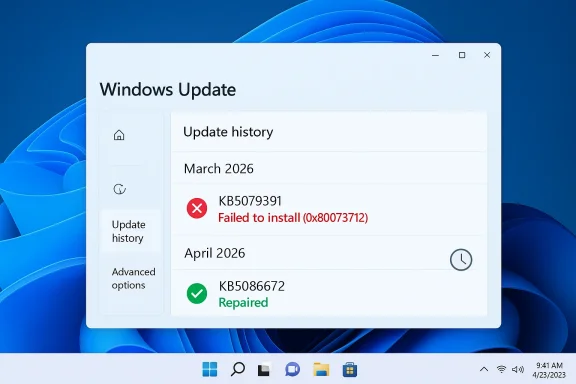
 

Microsoft has moved quickly to contain a Windows 11 update failure that left some PCs stuck in a frustrating installation loop, and the fix arrived as an out-of-band patch rather than waiting for the next normal cycle. The emergency release, KB5086672, replaces the troubled March 26 preview update KB5079391 and is now the build Microsoft wants affected Windows 11 24H2 and 25H2 devices to install. It’s a familiar sight for Windows watchers: a feature-rich preview update collides with a servicing problem, Microsoft pulls the package, and then ships a corrected cumulative build to get users moving again.

Windows Update screen shows an error for out-of-band patch KB5086672, stuck in retry.Overview​

The headline here is not simply that Microsoft pushed a patch. It is that the company had to correct a preview update that many systems could not install at all, with error code 0x80073712 pointing to missing or damaged update files. Microsoft’s support page now says KB5079391 is no longer offered to new devices because of the installation issue, and KB5086672 includes the same improvements plus the fix. (support.microsoft.com)
That matters because the Windows servicing model depends on trust. Users expect preview updates to be optional and somewhat experimental, but they still expect them to install cleanly if they choose to take them. When an optional update fails broadly enough to be pulled, it becomes more than a cosmetic embarrassment; it interrupts the cadence of enterprise testing, consumer patching, and Microsoft’s own message that Windows updates are becoming more reliable. (support.microsoft.com)
KB5086672 is also notable because Microsoft says it is cumulative, folds in prior security and non-security releases, and supersedes the earlier preview build with a repaired setup path. In other words, this is not a tiny delta fix; it is a full replacement package with the March preview feature set intact. Microsoft also says it is not currently aware of issues in the new update. (support.microsoft.com)
For Windows 11 users, the practical result is straightforward: if you were blocked by the earlier update, there is now a new path forward. For everyone else, the episode is a reminder that even modern Windows servicing can still be derailed by a small but consequential update failure, especially when Microsoft is trying to move quickly on feature rollouts and system quality at the same time. (support.microsoft.com)

Background​

Microsoft’s monthly Windows update rhythm usually separates security releases, optional previews, and out-of-band corrections. The optional preview channel is where the company tends to stage improvements ahead of a larger release, giving enthusiasts and IT admins a chance to test changes before they become widely deployed. KB5079391 sat squarely in that pattern when Microsoft released it on March 26, 2026 for Windows 11 version 24H2 and 25H2. (support.microsoft.com)
But that preview build ran into a basic servicing problem almost immediately. Microsoft now states that the update is no longer being offered to new devices due to an installation issue, and it specifically says the problem has been addressed by the March 31 out-of-band update. The phrasing is important because it signals a rollback of distribution, not just a quiet hotfix for a narrow corner case. (support.microsoft.com)
The servicing error was not subtle. Microsoft’s own support text calls out “Some update files are missing or have problems” and identifies 0x80073712 as the failure code. That is the kind of vague message that frustrates users because it does not immediately point to a single component, yet it is specific enough to imply that the update payload or its assembly process failed somewhere in the chain. (support.microsoft.com)
This is also not the first time Microsoft has relied on out-of-band remediation in recent months. The KB5086672 page sits alongside earlier emergency releases and notes the cumulative nature of Windows 11 servicing, which increasingly leans on rapid revisions when rollout telemetry turns negative. That pattern suggests Microsoft is trying to balance speed and stability, but it also reveals how fragile the update pipeline can be when a preview build crosses from lab assumptions into the chaos of real-world machines. (support.microsoft.com)

Why preview updates matter​

Preview updates are often misunderstood as low-stakes optional extras. In practice, they are a test bed for features that can later affect support, admin workflows, and user expectations. If the preview stage becomes unreliable, it weakens confidence in the whole Windows quality pipeline. (support.microsoft.com)
A failed preview update also creates downstream noise for help desks and IT departments. Even when the fix is simple, the support burden is not: users see download loops, vague error codes, and repeated retries that make devices look unhealthy. For enterprise environments, that means more time spent on triage and less on planned validation. That is the hidden cost of an update that fails before it can even be evaluated. (support.microsoft.com)

What Microsoft fixed​

The official KB5086672 documentation makes one thing clear: the new package is intended to preserve all the improvements from KB5079391 while correcting the installation problem. Microsoft says the out-of-band release contains updates from previous security and non-security releases, plus the March 26 preview content, and specifically includes the fix for the failed setup path. (support.microsoft.com)
The issue was broad enough to justify an explicit callout in the support article. Microsoft says some devices running Windows 11 version 25H2 or 24H2 might encounter the 0x80073712 error while installing the March preview update, and KB5086672 addresses that condition. The company also states that the update is available through Windows Update for eligible devices and through manual download from the Microsoft Update Catalog. (support.microsoft.com)

Why the error mattered​

The specific wording of the error matters because it hints at a servicing-layer failure rather than a single app crash. In Windows update land, missing files and package corruption are especially problematic because they can trigger repeated retries and give the impression that the machine itself is broken. That is why these cases often get escalated to out-of-band updates rather than left to natural remediation. (support.microsoft.com)
It also shows why Microsoft’s servicing stack updates matter in the background. KB5086672 includes an SSU component, KB5079387, because reliability at install time depends on the plumbing that gets the update onto the system in the first place. Microsoft’s own support content describes the servicing stack as the component that installs Windows updates and says SSUs help ensure a robust, reliable servicing stack. (support.microsoft.com)

Feature additions in the replacement build​

Although the emergency release is mainly about fixing installation problems, it still carries the feature and quality changes from the original March preview. That means Microsoft did not strip the release down to a barebones repair package; it rebuilt the update as a full cumulative revision. This is a sign that the company wants the corrected build to serve as the preferred path forward, not a temporary patch. (support.microsoft.com)
Some of the enhancements are the kind of incremental changes Windows users notice only after a few weeks of use. Microsoft’s release notes point to quality improvements from earlier March updates and the preview itself, which typically means a mix of reliability work, UI refinements, and platform housekeeping. The company says the release is cumulative, so anyone who installs it gets the full package. (support.microsoft.com)

Consumer-facing changes​

One important aspect of the release is that it keeps the consumer improvements that were already queued for the March preview. The broader March feature set was designed to improve usability without forcing a major version upgrade, which is exactly why preview updates can be attractive to power users. The downside, of course, is that consumers become the first to hit a broken install path when something goes wrong. (support.microsoft.com)
There is also a larger pattern here: Windows 11 updates increasingly blend feature delivery with reliability fixes, leaving less separation between “new stuff” and “repair stuff.” That can be efficient, but it also means a failed update is not just a missed patch; it is a missed feature release, a missed quality fix, and sometimes a missed security hardening step all at once. That is not ideal for users who want predictability. (support.microsoft.com)

How this fits into Microsoft’s update strategy​

Microsoft has spent years trying to make Windows updates feel less risky and more continuous. The company talks often about servicing stack robustness, cumulative updates, and smoother rollout channels, all of which are meant to reduce the drama associated with patch Tuesday surprises. Yet KB5086672 shows that the old problem never fully goes away: updates that are meant to improve stability can still fail at the most basic stage. (support.microsoft.com)
Out-of-band releases are useful because they let Microsoft respond quickly without waiting for the next scheduled patch window. They are also a public admission that the normal flow was not good enough. That does not make them bad engineering; in fact, they are a necessary safety valve. But when they are needed repeatedly, they become evidence that servicing quality remains a live issue. (support.microsoft.com)

Enterprise implications​

For enterprise admins, the main concern is not whether the build contains a few interesting features. It is whether rollout automation, update rings, and compliance reporting will behave predictably. Microsoft explicitly notes that IT administrators using Intune or Windows Autopatch should follow the provided guidance, which underscores that organizations are part of the intended audience for this correction. (support.microsoft.com)
That matters because enterprises do not treat a failed optional update as a mere annoyance. They treat it as a signal that deployment workflows may need exception handling, deadline adjustments, or extra validation. A broken optional update can also delay later maintenance because admins may choose to pause deployment until they see more proof that Microsoft has actually resolved the problem. That caution is rational, not paranoid. (support.microsoft.com)

The reliability story behind the release​

This is where the report becomes larger than a single KB number. The most interesting part of KB5086672 is not the patch itself but what it reveals about Microsoft’s current update posture: fast feature delivery, rapid correction, and an increasingly visible reliance on support-page revisions to manage customer expectations. That is a modern operating model, but it is also one with a low tolerance for mistakes. (support.microsoft.com)
Users have grown accustomed to the idea that Windows updates can break niche drivers or edge-case configurations. What is more troubling here is that the update failed before it had even reached that stage. An installation failure is a gate failure, and gate failures undermine confidence in everything downstream, including security patches that many users might otherwise install without hesitation. (support.microsoft.com)

Consumer trust versus update velocity​

Microsoft wants Windows 11 to feel like a continuously improving platform. That means shipping fixes and features more often, but more frequent shipping inevitably raises the odds that something unexpected slips through. The result is a tension between velocity and trust, and every failed rollout makes that trade-off more visible to everyday users. (support.microsoft.com)
The company can absorb some reputational friction because most consumers do not follow KB numbers closely. But IT pros do, and they shape the broader narrative around reliability in forums, support channels, and workplace deployments. If they see repeated out-of-band corrections, they begin to assume that preview channels are no longer a safe proving ground but instead a source of extra operational risk. (support.microsoft.com)

What changed in the servicing message​

One subtle but significant detail in Microsoft’s support language is that it now says KB5079391 is no longer offered to new devices because of the issue, while KB5086672 is the replacement. That is a much clearer signal than a buried footnote. It tells users and administrators that the earlier build is effectively retired as a distribution target. (support.microsoft.com)
Microsoft also says devices with “Get the latest updates as soon as they’re available” enabled may receive KB5086672 automatically when it becomes available. That phrasing reflects how Windows Update increasingly blends proactive delivery with user-controlled timing. It also means enthusiasts who opted into the newest builds could be among the first to see the repaired package. (support.microsoft.com)

Why the distribution model matters​

Distribution strategy is part of the story because update problems are not just technical; they are logistical. If Microsoft can identify a broken build quickly, it can pause rollout, replace it, and reduce the blast radius. If it cannot, the same update may continue failing across a larger population before the fix lands. (support.microsoft.com)
The replacement build model is also a reminder that Windows servicing is no longer strictly monthly in practice. Microsoft uses cumulative fixes, out-of-band releases, and support-page guidance to manage a constantly shifting patch landscape. That may be efficient for the vendor, but it can feel messy to users who still expect a neat monthly rhythm. The reality is more fluid than the calendar suggests. (support.microsoft.com)

Broader impact on Windows 11 users​

For ordinary Windows 11 users, the most immediate benefit of KB5086672 is simple relief. Devices that could not complete the March preview installation now have a direct replacement, and the fix comes with the same cumulative content. That means less time chasing a failed download loop and more time getting back to a stable machine. (support.microsoft.com)
For people who never attempted the March preview in the first place, the practical effect is smaller but still relevant. They are less likely to encounter forum chatter about a broken update and more likely to receive the corrected build when Microsoft’s scheduling logic deems it appropriate. The fact that the issue was public, however, can still influence whether cautious users leave preview settings alone. (support.microsoft.com)

The support burden​

Even when Microsoft resolves a problem quickly, the support burden does not disappear instantly. Users who saw the error may have already spent time retrying installs, checking disk health, or wondering whether they had a corrupted system image. Those are classic pain points because Windows update failures often feel deeper than they are. (support.microsoft.com)
This is why error messaging matters as much as repair speed. A vague code can send users down a rabbit hole of generic troubleshooting, while a well-documented servicing note can shorten the path to a fix. Microsoft’s explicit acknowledgement of the installation issue is therefore a practical win, even if the underlying failure should not have shipped in the first place. (support.microsoft.com)

Strengths and Opportunities​

Microsoft deserves credit for moving fast, documenting the problem clearly, and shipping a replacement update that preserves the original feature set. The company also showed that it can use its servicing machinery—Windows Update, the Update Catalog, and Intune/Autopatch guidance—to repair a broken rollout without forcing a long delay. That is the kind of response customers hope to see when a patch goes sideways.
  • Fast remediation reduced the time users were stuck with a broken optional update.
  • Cumulative replacement preserved the March preview’s features instead of asking users to choose between stability and functionality.
  • Clear support language made the failure easier to understand than a silent rollback.
  • Out-of-band delivery gives admins a way to act without waiting for a monthly cadence.
  • Servicing stack inclusion can improve future reliability if Microsoft keeps tightening install plumbing.
  • Manual install options in the Update Catalog help power users and IT teams move faster.
  • Automatic offering behavior for opted-in devices keeps the update path aligned with Microsoft’s “latest updates” setting.

Risks and Concerns​

The biggest concern is not this single update but the pattern it reinforces. When a preview build fails to install widely enough to be pulled, it raises questions about validation depth, release gating, and the quality of Microsoft’s update telemetry. It also gives users another reason to fear that optional updates are only optional until they become operational headaches.
  • Trust erosion after repeated update mishaps can make users postpone patches.
  • Help-desk overhead increases when the failure message is vague and repeated retries do not help.
  • Enterprise hesitation may delay deployment even after the fix is available.
  • Preview-channel fatigue can make enthusiasts wary of testing new builds early.
  • Support complexity grows when features, security fixes, and servicing repairs arrive in a single cumulative package.
  • Rollback pressure can disrupt Microsoft’s broader rollout plans.
  • Bad optics around another failed Windows update can overshadow the actual progress in the release.

What to Watch Next​

The next few weeks will show whether KB5086672 truly closes the loop or merely buys Microsoft time. The most important signal will be whether the company keeps the replacement update issue-free across a broad device mix, including consumer hardware, business-managed endpoints, and systems with more unusual storage or driver configurations. If the replacement build behaves cleanly, this will look like a contained servicing incident; if not, it becomes part of a bigger reliability narrative.

Key indicators​

  • Whether KB5086672 remains free of new installation regressions.
  • Whether Microsoft adjusts future preview rollout practices after the 0x80073712 episode.
  • Whether enterprise admins treat March’s failure as a one-off or a warning sign.
  • Whether Windows Update telemetry leads to faster pause-and-replace cycles going forward.
  • Whether optional updates continue to blur the line between feature delivery and stability repair.
The more interesting question is strategic. Microsoft wants Windows 11 to feel modern, continuous, and increasingly AI-inflected, but the day-to-day customer experience still depends on very old promises: updates should install, systems should recover, and patch notes should match reality. That is why a seemingly narrow out-of-band fix matters so much; it is not just a bug fix, it is a test of whether Microsoft can preserve confidence in the update engine itself.
Microsoft’s emergency patch is therefore both a success and a warning. It shows the company can react quickly when a bad build slips out, but it also shows how little margin there is for error in a servicing model that now blends features, reliability work, and security maintenance into a single, fast-moving pipeline. If KB5086672 proves stable, it will fade into the long history of Windows repair releases. If it does not, users will remember March 2026 as another month when Windows updates asked for patience they had not fully earned.

Source: technobezz.com Microsoft Releases Emergency Windows 11 Patch After Botched Update
 

Microsoft’s latest Windows 11 emergency patch is a reminder that even routine monthly servicing can go sideways when an optional preview update fails to install cleanly. KB5086672, released on March 31, 2026, replaces the troubled KB5079391 preview for Windows 11 24H2 and 25H2 and fixes the 0x80073712 installation error that some PCs hit during setup. The update is designed to be cumulative, which means it carries forward the March preview’s improvements while repairing the broken install path that prompted Microsoft to pull the earlier package.

Windows Update error on a laptop screen showing code 0x80073712.Overview​

The March rollout is a textbook example of how Windows servicing has evolved from a predictable monthly ritual into a fast-moving response cycle. Microsoft’s preview updates are meant to give IT admins and enthusiasts an early look at next month’s fixes and features, but they also serve as a stress test for the company’s delivery pipeline. When that pipeline breaks, the fix now tends to arrive quickly, and in this case the company responded with an out-of-band release rather than waiting for the next Patch Tuesday.
That matters because preview updates are optional by design, yet they still reach a sizable audience. Power users, testers, and enterprise teams running validation rings often install them to catch regressions early or prepare for production deployment. When one of those updates fails with a setup error, the impact is bigger than a simple missed patch; it creates a trust problem around the entire servicing cadence.
Microsoft’s handling of KB5079391 and KB5086672 shows how the company tries to preserve momentum without leaving affected users stranded. Rather than issuing a tiny corrective hotfix, Microsoft published a replacement package that supersedes the earlier preview and incorporates the same feature set. That approach avoids bifurcating the month’s changes into a “good” build and a “bad” build, but it also highlights how fragile the install process can be when servicing components, setup logic, and cumulative packaging collide.
The error code itself, 0x80073712, is familiar to Windows admins because it usually points to missing or damaged update components. In plain English, the operating system believes something essential is absent or inconsistent during servicing, which can stop the installation before it completes. That is why Microsoft’s replacement update is not just a convenience for a few unlucky users; it is a necessary reset for anyone who was blocked by the original preview.

What Changed in the March Rollout​

The original KB5079391 preview arrived as a non-security, optional update for Windows 11 24H2 and 25H2, with the usual mix of quality improvements and feature adjustments. These releases are typically meant to preview next month’s Patch Tuesday content, not to act as mandatory servicing events. Still, once a preview is widely installed, any install failure becomes visible quickly across support forums and community reporting.

The failure mode​

The core issue was not a mysterious blue screen or a dramatic compatibility crash. It was a deployment failure, and that is often worse from a support perspective because the system may appear healthy until the update engine itself stalls. Users saw the message that update files were missing or had problems, followed by error code 0x80073712, which is the kind of message that sends people straight into servicing-stack troubleshooting.
Microsoft reportedly paused and then pulled the original preview once the complaints accumulated. That is the right operational move, but it also confirms that the issue was widespread enough to justify a rollback rather than a narrow advisory. In a modern Windows ecosystem, retracing a rollout is often more consequential than the rollout itself because it affects how much confidence organizations place in the next servicing window.

Why the replacement mattered​

The replacement KB5086672 is more than a patch for a patch. Microsoft says it supersedes previous March updates and includes all protections and improvements from the month’s security and non-security preview releases, while also addressing the installation issue. That means affected devices do not need to choose between the preview’s functionality and a working install path.
  • It preserves the March preview feature set.
  • It repairs the install failure that blocked some systems.
  • It is intended for Windows 11 24H2 and 25H2.
  • It is delivered as an out-of-band corrective release.
  • It should replace the older preview in normal Windows Update channels.
This is also a signal that Microsoft wanted to minimize churn for users who were already partway through testing the March release. Instead of forcing admins to stage a workaround, the company effectively reissued the month’s package in a cleaner form. That saves time, but it also shows how dependent Windows servicing has become on a tightly choreographed chain of packages, metadata, and install prerequisites.

How to Get KB5086672​

For most users, the simplest answer is also the correct one: check Windows Update and let the system pull it down automatically. Microsoft said the out-of-band update should be offered through normal update channels, especially if a device is already configured to receive preview content. If the update does not appear immediately, the usual manual check in Settings should trigger it.

The Windows Update path​

Go to Settings, open Windows Update, and select Check for updates. If your device is eligible and your servicing configuration allows it, KB5086672 should appear and install like any other cumulative update. Microsoft’s guidance indicates that it supersedes prior March updates, so users who previously tried and failed to install KB5079391 should not need to keep wrestling with the broken package.
If you are already enrolled in getting optional preview updates, the process should be even simpler. Microsoft says the patch should download and install automatically for systems set to receive those releases. That is the practical benefit of being in the preview lane: you get the corrective build as soon as Microsoft publishes it, without waiting for the next regular cycle.

Controlling preview behavior​

There is also a user-facing toggle that decides whether your PC takes optional preview updates as soon as Microsoft posts them. In Windows Update, turn on or off “Get the latest updates as soon as they’re available” depending on how aggressively you want to test new servicing packages. If you prefer stability over early access, leave it off and wait for the features and fixes to arrive in the following month’s standard rollout.
That distinction matters for households and small businesses alike. Consumers often assume every Windows update is effectively mandatory, but Microsoft still treats preview packages as optional. Enterprises, by contrast, can control exposure through policy and deployment rings, which is why the preview channel exists in the first place: to let administrators validate what is coming before it becomes broadly visible.

Practical installation advice​

  • Open Settings.
  • Select Windows Update.
  • Click Check for updates.
  • Install KB5086672 if it appears.
  • Restart if Windows asks you to complete setup.
If the old update was already partially staged, a fresh scan usually helps the system transition to the replacement package. In a few cases, Windows will hold onto failed metadata longer than users expect, so a reboot and another scan can clear the path. That is not glamorous advice, but it remains the standard playbook for Windows servicing issues.

Why This Matters for Consumers​

For home users, the main benefit of KB5086672 is simple: it reduces the odds of being trapped by a failed update loop. Most people do not care which KB number fixed the problem, only that Windows Update can finish the job and stop nagging them. The fact that Microsoft pushed a replacement so quickly is reassuring, even if the original failure was frustrating.

The consumer experience gap​

Consumers tend to experience Windows updates at the worst possible time, usually when they are trying to shut down, reboot, or leave the house. A preview update that fails to install cleanly is more than an IT nuisance; it is a direct interruption to the normal life of the PC. That is why out-of-band repairs matter so much in the consumer market: they restore confidence that a broken servicing attempt will not linger indefinitely.
There is also a subtle messaging problem. Microsoft wants casual users to believe that preview updates are optional and low-risk, yet when a preview package fails, it can feel indistinguishable from a mandatory patch gone wrong. The company’s quick replacement helps, but it does not erase the perception that Windows updates are still fragile in ways they should no longer be.

What casual users should do​

  • Let Windows Update handle the replacement automatically if possible.
  • If you use preview updates, keep the latest updates as soon as they’re available toggle enabled.
  • If you prefer fewer surprises, leave preview delivery off and wait for the next monthly release.
  • Do not keep retrying the broken package once Microsoft has replaced it.
  • If installation still fails, run a normal Windows Update scan again after a reboot.
For many consumers, the broader lesson is that optional does not always mean harmless, and optional does not always mean ignorable. The preview ring is useful for enthusiasts, but it also exposes the underlying complexity of Windows servicing to people who would rather never see it. A quick fix helps, but it also reminds users that their PC’s reliability still depends on Microsoft’s update discipline.

Why Enterprises Care Even More​

Enterprise administrators likely care more about this release than home users do, even though the update itself is not enterprise-only. That is because preview rollouts are often used to validate update chains, check application compatibility, and measure change management readiness. If a preview package cannot install reliably, it can distort all of those planning assumptions.

Servicing trust is part of enterprise trust​

For managed environments, update reliability is not just a technical detail; it is a control surface. A failed preview update can consume help-desk time, muddy compliance reporting, and create false alarms in deployment dashboards. The presence of an out-of-band replacement means administrators now have to re-evaluate any pilot results gathered from the earlier build.
That is especially true in organizations that separate rings by function, geography, or device class. A build that fails in one ring can produce misleading signals about the health of broader update strategy. The replacement package gives admins a cleaner line of sight, but only if they deliberately move from the retired preview to the superseding release.

The operational ripple effects​

  • Deployment dashboards may show failed attempts on older metadata.
  • Help desks may receive repeat tickets from users who tried the broken preview.
  • Compliance teams may need to re-baseline test results.
  • IT staff may want to re-run validation on the replacement package.
  • Endpoint management tools may need policy refreshes to reflect the new KB number.
The good news is that Microsoft did not leave administrators to improvise around a long-lived issue. The better the replacement package behaves, the less time IT teams spend explaining an error that was never really their fault. But the fact that a preview release still needed emergency repair will not escape notice in organizations that already regard Windows servicing as a risk management exercise.

Microsoft’s Update Strategy Under Pressure​

This episode fits a larger pattern in Microsoft’s servicing model: the company now uses out-of-band releases to move quickly when something breaks, rather than pretending every issue can wait for the next scheduled cycle. That is sensible, but it also means the update calendar is no longer the whole story. The real story is now how rapidly Microsoft can correct its own missteps without making users pay twice.

A faster fix, but a more visible failure​

The upside is obvious. Microsoft can identify a problem, retract the bad update, and publish a repair within days. That is materially better than the old “wait until next month and hope for the best” approach. In this case, the company did exactly that, and the replacement package should keep affected machines moving forward.
The downside is also obvious. Every out-of-band repair is a public reminder that the initial release slipped through quality control. That can erode confidence among people who are otherwise inclined to trust Windows Update. The more often these events happen, the more users start treating optional patches as suspicious by default.

The trade-off Microsoft is accepting​

Microsoft appears to be betting that speed is more valuable than perfection in modern servicing. That is a reasonable bet when the company can replace a broken preview quickly and keep the feature roadmap intact. But if the cadence of emergency corrections rises, then the company may eventually need to spend more effort on pre-release validation than on post-release remediation.
There is a broader market implication here too. Competitors in enterprise OS management, including managed Linux and macOS environments, often advertise predictability as a key advantage. Windows can still win on compatibility and tooling, but every update mishap gives rivals another talking point about operational stability. That does not mean Microsoft is losing the market; it means reliability remains one of the few battlegrounds that still matters every month.

The Technical Meaning of 0x80073712​

The 0x80073712 error deserves more attention than a routine KB announcement usually gets, because it points to a deeper servicing integrity issue. In Windows terms, this class of error often suggests that a required component is missing or corrupted, which blocks the update process from finishing cleanly. For users, the key takeaway is that the problem was not cosmetic; the update engine genuinely could not complete its work on some devices.

Why this error is so disruptive​

When Windows Update encounters a servicing failure, it can leave users in a loop of repeated retries, failed scans, and vague status messages. That kind of failure is difficult for non-specialists to diagnose, because the operating system is not always explicit about what component is wrong or how far the update progressed. The result is a frustrating blend of uncertainty and repetition.
For IT staff, the error is also expensive because it can trigger multiple layers of investigation. Administrators may check logs, scan component stores, and compare baselines before they conclude that the issue is tied to the package itself. An out-of-band replacement short-circuits that effort, but only after the original problem has already consumed support time.

What it says about servicing health​

  • Update packaging still depends on multiple integrity checks.
  • A small defect can block the entire installation path.
  • Windows Update may surface the problem only through generic error text.
  • Replacement packages are often the fastest remediation.
  • Reliable servicing is as important as new features.
The technical message is not that Windows Update is broken forever. It is that even mature servicing systems still depend on a delicate chain of trust between metadata, payload, and local state. When that chain snaps, Microsoft can patch around it—but the incident still teaches users to expect occasional turbulence.

What It Means for March’s Feature Preview​

One of the most important details here is that KB5086672 does not discard March’s improvements. Microsoft says the replacement includes the same protections and enhancements that were intended for the earlier preview, which means the company is preserving the update’s substance while fixing the delivery mechanism. That distinction matters because it keeps March from becoming a lost month in the Windows servicing calendar.

Feature continuity without the failed install​

From a user’s point of view, this is the best possible outcome after a failed preview. Nobody wants to lose functionality simply because the first delivery vehicle was faulty. By repackaging the changes into a new cumulative update, Microsoft ensures the features are still available without asking customers to manually reassemble anything.
That also avoids a weird split-brain situation in support channels. Without a replacement package, some users would be on the preview, others would be stuck on the old build, and still others would be waiting for the next month’s release. The replacement compresses those paths into one cleaner servicing line.

Why this is better than letting it slide​

  • It keeps the feature roadmap intact.
  • It reduces the number of broken installations.
  • It gives Microsoft one clear recommended build.
  • It simplifies support documentation.
  • It reduces the risk of users waiting for a later release that may behave differently.
The broader implication is that modern Windows updates are becoming increasingly modular in how they are corrected, even if users still experience them as one big monthly event. Microsoft can now reissue the month’s work quickly when necessary. That is not perfect servicing, but it is a more mature response than leaving the bad build in circulation and hoping downstream fixes will compensate.

Strengths and Opportunities​

Microsoft deserves credit for reacting quickly, and that speed is the biggest reason this story is ultimately more reassuring than alarming. The company replaced a faulty preview with a cumulative out-of-band update that preserves the original content while resolving the installation problem. That kind of response shows the value of maintaining a flexible servicing model, even when the first attempt goes wrong.
  • Fast containment of a public update failure.
  • Feature continuity for users who want March’s changes.
  • Cleaner path for affected Windows 11 24H2 and 25H2 devices.
  • Less support churn than leaving the bad preview in place.
  • Better alignment between preview rings and production servicing.
  • Automatic delivery for users already configured for preview updates.
  • A clear fallback for those who prefer to wait for next month’s Patch Tuesday.
There is also a strategic upside for Microsoft in how this plays out with enterprises. A fast corrective release reinforces the idea that Windows Update can be responsive, not just scheduled. If Microsoft continues improving the reliability of these emergency fixes, it may gradually strengthen trust even among administrators who have been burned before.

Risks and Concerns​

The most obvious concern is that the original preview update failed in the first place, which means quality assurance still allowed a bad install path to escape into the wild. That is not a trivial mistake, even if the fix arrived quickly. Every rollout failure chips away at confidence, especially among users who already view Windows Update as unpredictable.
  • Confidence loss after a failed preview release.
  • Residual support burden from users who tried the broken package.
  • Potential confusion over which KB number is current.
  • Repeat installation errors if metadata does not refresh cleanly.
  • Enterprise validation overhead for IT teams rerunning pilots.
  • Perception risk that Windows servicing is too error-prone.
  • Update fatigue among consumers who just want the PC to work.
There is also a broader policy risk for Microsoft. If out-of-band releases become a routine response to servicing failures, they may start to look less like emergency measures and more like a normal second chance. That could be acceptable in the short term, but over time it creates a subtle expectation that the first release might not be trustworthy enough on its own.

What to Watch Next​

The immediate question is whether KB5086672 installs cleanly across a broad mix of Windows 11 devices. If it does, Microsoft will have contained the incident quickly and limited the long-term fallout. If it does not, then the issue stops being a single preview mishap and becomes a more serious servicing credibility problem.
A second thing to watch is how Microsoft documents the transition from the failed preview to the replacement build. Clear guidance matters because users and admins need to know which KB number to target, which one to ignore, and whether prior failed installs require cleanup. In servicing, clarity is not a luxury; it is part of the fix.

Key signals ahead​

  • Whether KB5086672 reaches most eligible devices automatically.
  • Whether Microsoft updates its guidance on the retired KB5079391 preview.
  • Whether support forums continue to report 0x80073712 after the replacement.
  • Whether enterprise deployment tools treat the new package as a clean superseding build.
  • Whether Microsoft’s next monthly update arrives without a similar install issue.
For Windows watchers, the bigger story is not just the fix itself but the model it reinforces. Microsoft is clearly willing to issue replacement cumulative updates when a preview goes wrong, and that is good news as long as the company keeps the correction cycle short. The test now is whether this remains a rare exception or becomes another recurring chapter in Windows servicing.
Microsoft’s out-of-band repair is a welcome reminder that Windows Update can still self-correct when something goes wrong, but it is also a warning that the servicing stack remains only as strong as its weakest package. KB5086672 should solve the immediate problem for Windows 11 24H2 and 25H2 users, yet the deeper lesson is that reliability now matters as much as novelty in the Windows release cadence. If Microsoft can keep the fixes coming quickly and the bad rollouts rare, users may forgive the hiccup. If not, every emergency patch will become another argument for patience, skepticism, and a healthier respect for the update toggle.

Source: zdnet.com New out-of-band Windows 11 update fixes March's installation errors - how to get it
 

Microsoft’s latest Windows 11 patch drama is a reminder that the company’s monthly servicing cadence still lives on a knife edge between convenience and fragility. After the March 2026 preview update ran into installation failures on some Windows 11 24H2 and 25H2 systems, Microsoft moved quickly with an out-of-band replacement, KB5086672, that bundles the intended fixes and the repair for the broken install path. The move matters not just because it patches a bug, but because it shows how a single servicing failure can ripple across consumer devices, IT fleets, and Microsoft’s own update reputation. (support.microsoft.com)

A digital visualization related to the article topic.Background​

Windows servicing has become more disciplined over the years, but it is still a balancing act. Microsoft now splits quality updates into monthly security releases, optional non-security preview releases, and out-of-band responses for urgent issues. The preview channel is especially important because it lets Microsoft validate fixes before they are folded into the broader monthly security train, which makes a failure there more embarrassing than catastrophic.
That is why the March 26 preview update, KB5079391, drew so much attention. Microsoft described it as a non-security update for Windows 11 24H2 and 25H2, and it was meant to deliver production-quality improvements. But shortly after release, Microsoft updated the article to say it was no longer being offered to new devices because of an installation issue, and that the problem had been addressed in KB5086672, published on March 31, 2026. (support.microsoft.com)
The specific error message, 0x80073712, is familiar to Windows administrators because it typically points to missing or damaged update components. In this case, Microsoft explicitly says that while installing KB5079391, some devices might have seen the message “Some update files are missing or have problems. We'll try to download the update again later.” The company’s fix is notable because it is not just a hot patch layered on top of the failed package; it is a new cumulative update that supersedes the earlier preview release. (support.microsoft.com)
This is also a useful example of how Windows update terminology can be confusing outside the IT department. A preview update is optional, but it is still cumulative. An out-of-band update is off-cycle, but it is also cumulative. For users, that means a single successful installation can catch them up across several earlier releases, which reduces the likelihood of “missed patch” drift. For IT teams, it means the emergency update is not a sidecar fix; it becomes the authoritative package for the affected branch.
The bigger context is that Microsoft has been leaning harder on cumulative and checkpoint-based servicing in Windows 11. That model is supposed to reduce complexity, improve reliability, and make update state easier to reason about. But when a checkpoint chain or installation path breaks, the fallout can be highly visible because the same update mechanism is expected to do everything: deliver features, quality fixes, and remediation.

What Microsoft Actually Changed​

The headline fix is simple: KB5086672 replaces KB5079391 for Windows 11 24H2 and 25H2. Microsoft says the new package is cumulative and includes updates from earlier security and non-security releases, including KB5079473, KB5085516, and the now-withdrawn KB5079391. That means devices that never received the broken preview, or failed to install it, should still be able to land on the current servicing baseline. (support.microsoft.com)

The error Microsoft targeted​

Microsoft calls out the install issue directly and ties it to the familiar 0x80073712 error. That is important because it clarifies the problem was not merely cosmetic or policy-related. It was a servicing failure severe enough to stop installation and leave the update repeatedly reoffered, which is precisely the kind of behavior that erodes trust in Windows Update among power users and enterprise admins alike. (support.microsoft.com)
The company’s article also states that KB5079391 is no longer offered to new devices because of the issue. In practice, that means Microsoft chose to quarantine the problem rather than let the bad package keep circulating. That is the right move, but it is also an admission that the release process failed late enough to require a public reversal. (support.microsoft.com)

Why cumulative matters here​

Because KB5086672 is cumulative, it does not require users to manually reconstruct the update chain. That is a huge practical difference from older servicing models, where a broken package could strand users until a repair was manually staged. In modern Windows servicing, the emergency fix becomes the shortest path forward, not an extra layer of complexity.
  • It supersedes the failed March preview.
  • It preserves earlier March fixes.
  • It restores the intended update path for affected systems.
  • It reduces the need for piecemeal remediation.
  • It keeps Windows 11 24H2 and 25H2 aligned on the same quality baseline. (support.microsoft.com)
The important nuance is that cumulative does not mean harmless. It means the package is designed to be self-contained. If the package itself is flawed, the blast radius can still be broad because cumulative updates are the default servicing vehicle for the platform. That is why Microsoft’s rapid replacement of KB5079391 carries so much weight.

Why the Failure Got Attention So Quickly​

Update failures that simply disappear after a retry rarely make headlines. This one did because the same update appeared to fail, reappear, and fail again, often with a specific error code that points users toward a broken servicing state rather than a transient network issue. That combination turns an ordinary patch into a visible and frustrating loop. (support.microsoft.com)

The user experience problem​

For consumers, the problem is not just that the patch failed. It is that Windows Update often keeps surfacing the same item, making the system feel unfinished or unstable even when the underlying OS is otherwise fine. Repeated prompts can create the impression that the machine is broken, which is exactly the kind of trust issue Microsoft wants to avoid in a mainstream operating system. (support.microsoft.com)
For enthusiasts, the failure is also a reminder that preview updates are not merely “optional extras.” They are part of the engineering pipeline. If a preview package breaks, it can distort the entire monthly servicing story because the preview is meant to validate the next security baseline, not become a support event in its own right.

The enterprise optics​

Enterprises usually tolerate preview updates less than consumers do, but they watch them carefully because they can surface issues before broad deployment. When a preview update itself turns into a remediation event, patch management teams have to reassess testing windows, rollback procedures, and the reliability of their staged rings. That is especially true for organizations using Microsoft Intune, Windows Autopatch, or other endpoint management tools tied to Microsoft’s update cadence. (support.microsoft.com)
  • Home users see annoyance and uncertainty.
  • Power users see a broken servicing chain.
  • IT admins see an extra change-management task.
  • Help desks see avoidable support tickets.
  • Microsoft sees a credibility hit that lands right where update reliability is supposed to be strongest. (support.microsoft.com)
The update’s rapid withdrawal suggests Microsoft judged the defect to be serious enough that leaving the package in circulation would create more support pain than replacing it would create disruption. That is the right tradeoff, but it still reflects a quality miss in the release pipeline. (support.microsoft.com)

What KB5086672 Means for Windows 11 24H2 and 25H2​

Windows 11 24H2 and 25H2 are now effectively locked into the same servicing story for this incident. Microsoft’s support article applies KB5086672 to both releases, and the build numbers are aligned as 26200.8117 and 26100.8117. That consistency is useful because it keeps the two versions synchronized while reducing the chance that one branch becomes the “problem child” in mixed environments. (support.microsoft.com)

Same fix, different pathways​

Not every device gets updates in the same way. Some systems with Get the latest updates as soon as they’re available enabled may see the patch automatically. Others must fetch it manually through Windows Update or the Microsoft Update Catalog. Microsoft also notes that devices already on KB5079473 or later are eligible for the out-of-band update through Windows Update. (support.microsoft.com)
That subtle distinction matters because it means rollout behavior can vary by device posture and policy. In a consumer household, one PC may receive the patch quickly while another waits. In a business, ring settings and policy controls may delay or accelerate exposure. Microsoft is trying to preserve flexibility without sacrificing consistency, which is a hard line to walk at scale. (support.microsoft.com)

Why this is not just a “bug fix”​

KB5086672 includes the prior preview improvements, which means the emergency release is not limited to repair work. It also delivers the intended March quality changes, so installing the out-of-band build should not mean sacrificing the earlier non-security fixes. That is a key design choice because it reduces the chance that users will avoid the new patch out of fear of losing functionality. (support.microsoft.com)
  • It preserves the March feature and quality payload.
  • It corrects the installation defect.
  • It keeps both Windows 11 branches in step.
  • It minimizes the need for separate remediation packages.
  • It makes the emergency update the new baseline for affected machines. (support.microsoft.com)
In short, Microsoft did not merely “patch a patch.” It reissued the patch as a cleaner, consolidated servicing event. That is the right thing to do technically, even if it is not the kind of thing a company wants to do publicly.

The Servicing Model Behind the Scenes​

Microsoft’s update strategy increasingly relies on the idea that the latest cumulative update should be enough. That approach simplifies deployment, reduces dependency chains, and helps users recover from missed patches without manually layering multiple older packages. It also makes servicing more predictable, which is one of the main reasons the company emphasizes cumulative releases so heavily.

Cumulative updates are a strength and a risk​

The strength is obvious: if the latest update truly contains everything before it, then patching becomes easier. Administrators can target a single package, and home users do not need to understand the history of each revision. But if one cumulative build is flawed, the same design concentrates the problem into a single release event.
That is why out-of-band releases exist. Microsoft’s own guidance says OOB releases are used when an issue cannot wait for the next monthly cycle and are always cumulative. In other words, the servicing architecture already anticipates emergencies like this one. The question is not whether Microsoft can recover; it is how often it has to.

Checkpoints and modern Windows​

Microsoft has also introduced checkpoint cumulative updates in Windows 11 24H2. The idea is to make update delivery more efficient and manageable, particularly for systems that rely on the Microsoft Update Catalog or more controlled deployment methods. In theory, this should improve resilience. In practice, it can make the servicing chain feel more intricate, especially when one link fails and Microsoft has to publish a replacement on an accelerated timeline.
  • Cumulative updates simplify normal maintenance.
  • OOB releases handle exceptional failures.
  • Checkpoints aim to reduce update burden.
  • Repair packages still depend on a healthy servicing stack.
  • Reliability remains the ultimate test, not the elegance of the model.
The key takeaway is that Microsoft’s modern servicing model is designed to be elastic. KB5086672 is proof that the company can use that elasticity to recover quickly. It is also a reminder that the model’s reputation depends on whether recovery is seen as a rare exception or a recurring pattern. (support.microsoft.com)

Consumer Impact: What Home Users Need to Know​

For most home users, the immediate effect is simple: if you were stuck on KB5079391 or saw it repeatedly fail, KB5086672 is the update to look for. Microsoft says users can check Windows Update manually or download the patch from the Microsoft Update Catalog if needed. That gives consumers both the automated path and the fallback path, which is exactly what they need when an update rollout gets messy. (support.microsoft.com)

What the average user will notice​

The average user may not see any dramatic new features after installing the emergency package. That is not the point. The value is in restoring normal update behavior and delivering the March quality improvements without the installation loop. In consumer terms, the best patch is often the one that simply stops being visible once it is installed. (support.microsoft.com)
Home users also benefit from the fact that the fix is cumulative. If they skipped the preview update entirely, or if the preview never completed, they are not punished for missing a step. This is one of the most user-friendly aspects of Microsoft’s current quality-update model, because it lets a corrected cumulative package heal the system state in one shot.

What to do if the update keeps reappearing​

If the failed preview update keeps returning, the practical response is to stop treating the preview as the target and move directly to the new out-of-band build. The support article makes it clear that KB5079391 is no longer being offered to new devices, so the fix is not to keep forcing the old update but to let Windows pick up the replacement. (support.microsoft.com)
  • Open Settings.
  • Go to Windows Update.
  • Check for updates.
  • Install KB5086672 if offered.
  • If necessary, use the Microsoft Update Catalog for manual installation. (support.microsoft.com)
That simple path matters because it reduces the temptation to chase workarounds, reset components, or reinstall optional components unless the machine truly needs deeper repair. For many systems, the correct move is not a complicated troubleshooting session; it is just the newer package. (support.microsoft.com)

Enterprise Impact: Patch Management, Rings, and Risk​

Enterprises will read this episode differently from consumers. They care less about the individual error code and more about whether a servicing failure changes deployment plans, user trust, or compliance timing. The fact that Microsoft explicitly mentions Intune and Windows Autopatch in the KB article tells you the company expects managed environments to treat this as an operational event, not just a help-desk annoyance. (support.microsoft.com)

The management lesson​

The first lesson is that preview updates need to remain testable, not just installable. If an optional release can fail in a way that blocks rollout and requires an out-of-band replacement, then change-advisory teams should assume the preview branch has become part of the risk surface. That does not mean avoiding previews, but it does mean staging them more carefully. (support.microsoft.com)
The second lesson is that cumulative servicing still helps enterprises absorb disruptions. If KB5086672 truly supersedes the failed preview and includes all of the intended fixes, IT teams can standardize on the newer package rather than maintain dual states. That reduces image drift, simplifies compliance reporting, and lowers the odds of inconsistent endpoints within the same ring. (support.microsoft.com)

What admins are likely to change​

Some organizations will respond by tightening pause windows around preview updates. Others may keep the same cadence but increase validation on a representative set of hardware and driver combinations. The likely outcome is not a wholesale retreat from preview servicing, but more skepticism about how much trust to place in a release that later needs an OOB correction. (support.microsoft.com)
  • Review current deployment rings.
  • Check whether preview updates are being piloted too broadly.
  • Validate rollback and retry behavior.
  • Confirm automated remediation scripts still work.
  • Reconcile device states against the new cumulative baseline. (support.microsoft.com)
In enterprise environments, the real cost of a patch failure is usually labor, not downtime. Even when the problem is quickly fixed, someone still has to verify fleet status, update documentation, and explain to users why a routine update turned into an exception. That overhead is why reliability matters so much in managed Windows ecosystems.

Strengths and Opportunities​

Microsoft deserves credit for moving fast and for making the fix cumulative rather than fragmentary. That approach minimizes user confusion and keeps the update stack coherent. The company also preserved the intended March quality improvements, which reduces the chance that users will view the fix as a downgrade disguised as a repair. (support.microsoft.com)
The episode also highlights how mature Windows servicing has become. Even when a preview update fails, Microsoft can pivot to an out-of-band response that slots into the same servicing framework. That is a meaningful operational advantage, especially in a world where endpoint fleets are larger and more heterogeneous than ever.
  • Rapid withdrawal of the broken package.
  • Clear documentation of the installation error.
  • A cumulative replacement that includes prior fixes.
  • Compatibility with consumer and managed deployment paths.
  • A straightforward manual fallback for users who need it.
  • Better odds of keeping 24H2 and 25H2 in sync.
  • A servicing model that remains flexible under pressure. (support.microsoft.com)
The opportunity for Microsoft is to use incidents like this to strengthen trust in preview and out-of-band servicing. If the company can keep the recovery path simple and transparent, occasional failures become manageable rather than reputation-damaging. That is especially important as Windows 11’s update strategy continues to evolve.

Risks and Concerns​

The biggest concern is straightforward: if a preview update can break installation in the wild, users will wonder how much confidence they should place in the broader Windows servicing pipeline. Microsoft can fix the issue quickly, but it cannot fully undo the impression that a routine release escaped validation too late. That perception problem is often more durable than the bug itself. (support.microsoft.com)
There is also the risk of update fatigue. When users see repeated prompts, failed installs, and replacement packages arriving within days, they may delay future updates or disable “get latest updates” behavior. That is a small individual choice with a big aggregate effect, because broader hesitation undermines the very patch compliance Microsoft depends on. (support.microsoft.com)
  • Reputational damage from a visible update failure.
  • More help-desk tickets and support churn.
  • Confusion over whether the old or new KB should be installed.
  • Increased reluctance to use optional preview updates.
  • Potential delays in enterprise patch rings.
  • A lingering sense that Windows Update is less predictable than it should be. (support.microsoft.com)
Another concern is that cumulative recovery can obscure root-cause analysis. A successful replacement update is good operationally, but it can also cause the underlying defect to fade from view before it is fully understood. If the servicing stack itself needs tuning, the industry only benefits if Microsoft explains enough of the failure mode to prevent repetition.

Looking Ahead​

The most likely near-term outcome is quiet normalization. Users who were affected by KB5079391 will move to KB5086672, and most will never think about the incident again once the patch is installed. For Microsoft, though, the more important question is whether this becomes a one-off correction or another example used internally to tighten validation around preview rollout. (support.microsoft.com)
The other thing to watch is whether this OOB release changes how Microsoft handles future preview failures. The company has already shown that it can replace a problematic package quickly, but speed alone is not enough. The ideal outcome is faster detection, clearer communication, and fewer users ever seeing the failed state in the first place.
  • Whether KB5086672 reaches devices automatically without friction.
  • Whether Microsoft publishes additional detail on the install failure.
  • How enterprise admins adjust preview-testing policy.
  • Whether similar servicing issues appear in other Windows 11 branches.
  • Whether the company refines its release-health messaging after this event.
  • How quickly the broader Windows community forgets the broken preview and accepts the replacement. (support.microsoft.com)
The long-term lesson is that Windows servicing works best when the process is invisible and the exceptions are rare. Microsoft’s emergency update shows the company still has the machinery to repair a bad rollout quickly, but it also underscores how thin the margin is between a routine preview and a public support event. If the next few update cycles stay clean, KB5086672 will be remembered as an effective correction. If not, it may end up as another marker in the ongoing debate over how much complexity modern Windows can absorb before reliability starts to fray.

Source: extremetech.com Microsoft Rolls Out Emergency Windows 11 Update to Fix Broken March Preview Patch
 

Back
Top