

Microsoft is testing a Windows 11 Low Latency Profile in the Insider program that briefly boosts CPU frequency for high-priority desktop actions such as launching apps, opening the Start menu, and displaying context menus. The reported gains are not subtle: up to 40 percent faster launches for apps such as Edge and Outlook, and up to 70 percent faster response for parts of the shell. That is why the feature has triggered both excitement and eye-rolling. It is a smart engineering move, but it also exposes the trust problem Microsoft has created around Windows performance.
The argument from Microsoft’s Scott Hanselman is straightforward: this is not cheating, and it is not unique to Windows. Modern operating systems already coordinate CPU frequency, scheduling, and foreground responsiveness to make computers feel fast in the moments users actually notice. The problem is that Windows 11 is not being judged in a vacuum. It is being judged by users who have spent years watching the Start menu, File Explorer, context menus, widgets, search, Edge hooks, ads, account prompts, and AI surfaces compete for space in what used to be the most boring—and therefore most successful—part of the PC.
The Low Latency Profile sounds like a benchmark feature, but its real target is perception. Nobody opens a Start menu because they want to measure CPU utilization. They open it because they want the machine to acknowledge them instantly.
That distinction matters. The Windows desktop is an interactive system, not a rendering farm. A CPU sitting at a lower clock to preserve battery life may be behaving rationally from a power-management perspective, but if the first click after idle feels sluggish, the user’s conclusion is simple: Windows is slow.
Microsoft’s reported approach is to spend power in a short, visible burst. When a user launches an app or opens a key shell element, Windows can briefly lift CPU frequency and prioritize the foreground task. If the work finishes sooner, the CPU can drop back down instead of lingering in a half-awake state while the UI appears to think about it.
That is not exotic. Phones do it constantly. macOS does it. Linux systems do it through their own scheduler and frequency-scaling machinery. The engineering principle is old: human beings are more sensitive to latency than they are to background efficiency charts.
What is new is not the concept. What is new is Microsoft having to defend it in public as though it were a confession.
That complaint has emotional force because Windows users remember a different bargain. Older versions of Windows could feel crude, inconsistent, and insecure, but menus generally appeared when clicked. On today’s hardware—with NVMe SSDs, multicore CPUs, fast memory, and sophisticated GPUs—users reasonably expect the shell to be instantaneous.
Windows 11 often is fast, especially on premium systems. But its worst moments are highly visible. A delayed right-click menu, a Start menu that hesitates after sleep, a File Explorer window that redraws awkwardly, or a settings surface that loads like a web app does more reputational damage than a slow synthetic benchmark ever could.
That is why a 70 percent improvement in Start menu response is both impressive and incriminating. If Microsoft can claw back that much responsiveness with a scheduling and power-policy change, users will ask why the shell was leaving so much perceived performance on the table in the first place.
The answer is probably messy rather than scandalous. Modern Windows is a stack of legacy compatibility, new UI frameworks, cloud-connected services, security boundaries, graphics composition, telemetry, account integration, and now AI features. Each layer may be defensible on its own. Together, they can make simple actions feel overbuilt.
That framing works for developers. It works for Insider builds. It works for experimental features that can be toggled, measured, and refined. It works less well for people who bought a laptop and just want the desktop to feel less heavy.
Windows is not a startup app competing for monthly active users. It is the substrate for payroll systems, school laptops, point-of-sale terminals, gaming rigs, CAD workstations, and family PCs. When Microsoft says, in effect, give us time, a chunk of the audience hears: you are still beta-testing the thing you depend on.
This is the tension at the heart of Windows 11. Microsoft wants credit for continuous improvement, but users increasingly judge the company for continuous disturbance. A performance feature arrives in the same mental bucket as Copilot prompts, account nudges, Edge defaults, Teams integration, Recall debates, and UI experiments. Even when the feature is technically good, the surrounding trust deficit makes people suspicious.
That suspicion is not always fair, but it is predictable. Microsoft has spent years training Windows users to assume that every convenience comes with a second agenda. A CPU burst that makes the Start menu faster may be exactly what it says it is. The reason people doubt it is that Windows has become crowded with things that were not asked for.
But the Apple comparison is dangerous for Microsoft because it invites a broader comparison. Apple controls the silicon, firmware, thermal envelope, scheduler assumptions, app model, and much of the user experience. Microsoft has to span bargain laptops, gaming desktops, corporate images, Intel, AMD, Arm, old peripherals, new security requirements, and decades of Win32 expectations.
That heterogeneity is Windows’ superpower and its excuse. It lets Windows run almost anywhere, but it also means Microsoft rarely gets to optimize for one ideal machine. A policy that feels elegant on a Surface Laptop may behave differently on a thermally constrained budget notebook, a gaming handheld, a fanless tablet, or a corporate PC running endpoint security and management agents.
Apple can make bursty responsiveness feel like magic because the platform is narrow enough to tune aggressively. Microsoft has to make it feel safe across an ecosystem where “briefly maxing out the CPU” may mean different things depending on cooling, firmware, power mode, battery health, and OEM defaults.
So yes, Apple does this. The real question is whether Windows can do it in a way that improves the bottom of the PC market without annoying the top.
On those systems, the difference between “CPU wakes gradually” and “CPU boosts immediately for a foreground action” can be the difference between a machine that feels old and one that feels acceptable. That is especially true for the first few seconds of activity after idle, where modern power policy can be too clever for its own good.
If Microsoft can make a $500 laptop feel closer to a $1,200 laptop during common interactions, that is a meaningful win. Not every performance improvement needs to raise frame rates or shorten compile times. Sometimes the most valuable optimization is making the computer stop feeling reluctant.
This also fits the current PC market. Memory prices, AI PC marketing, and longer replacement cycles have made users more sensitive to the useful life of existing hardware. A software-side responsiveness boost that does not require a new device is exactly the kind of improvement Windows should be delivering.
The risk is overpromising. A burst profile can make short interactions faster, but it will not turn weak hardware into strong hardware. It will not solve RAM pressure, bad drivers, bloated startup apps, poor OEM thermal design, or heavy third-party security software. It may make Windows feel sharper, but it cannot make every workload lighter.
Microsoft’s likely argument is that short boosts can be more efficient than slow completion. Finish the foreground task quickly, return to idle, and the user gets both responsiveness and reasonable power use. That theory is plausible, and it is already central to modern mobile and laptop performance design.
But implementation details matter. A one-second burst is not the same as a three-second burst. A cold laptop on AC power is not the same as a thin machine on battery at 8 percent charge. A desktop tower can absorb CPU spikes that a passively cooled device cannot. A corporate laptop already running VPN, endpoint detection, Teams, Outlook, browser tabs, and device management agents may have less headroom than a clean test system.
There is also a behavioral question. If Windows boosts for every meaningful interaction, the cumulative effect could be visible in battery life or thermals during active use. The user may not care if the machine feels dramatically better, but IT departments will care if help desks start hearing about fan noise or shorter unplugged sessions.
This is where Microsoft needs to be careful with defaults. The best version of Low Latency Profile is adaptive, power-aware, and boring. It should know when to back off. It should respect battery saver. It should avoid fighting OEM thermal policies. It should be measurable by administrators and transparent enough that power users can understand what changed.
Game performance is complicated. Frame rates, frame pacing, input latency, shader compilation, graphics drivers, background tasks, anti-cheat systems, overlays, storage, and CPU scheduling all interact. A feature designed to make app launches and shell elements faster does not automatically translate into higher average FPS.
Where gamers may benefit is around the edges. A more responsive shell can make launching clients, opening overlays, alt-tabbing, and interacting with background utilities less irritating. If Microsoft’s broader performance work includes better scheduling, background workload control, and graphics-stack attention, the cumulative effect could matter.
But Low Latency Profile should not be mistaken for a gaming mode in disguise. Windows has had “game mode” concepts before, and the results have often been more modest than the marketing. The more credible claim is narrower: Windows may become better at giving urgent foreground interactions the CPU attention they need in the moment they need it.
That is still useful. In gaming, as on the desktop, perceived smoothness often matters more than peak throughput. A machine that avoids stutters and responds promptly feels faster than one that wins a benchmark but hesitates at the wrong time.
That comparison is brutal because Windows 10 had years to settle. Its rough edges were familiar. Its interface expectations were established. Its performance profile, while hardly perfect, became the norm for many users.
Windows 11 changed the shell, centered the taskbar, redesigned context menus, pushed new settings surfaces, altered defaults, and layered in more cloud-era Microsoft services. Some of those changes were defensible. Some were aesthetic. Some were strategic. But the result was that users became hyperaware of friction.
In that environment, performance improvements are not just technical patches. They are political gestures. Microsoft is signaling that it knows Windows 11 has to earn its place on hardware people already own.
The company should lean into that. The best argument for Windows 11 is not Copilot, not widgets, not promotional surfaces, and not a new settings page. It is a desktop that feels immediate, secure, compatible, and respectful of the user’s time. Low Latency Profile can help with the first of those. It cannot carry the rest alone.
Fleet performance is a different discipline from enthusiast performance. A sysadmin does not want a vague promise that machines will feel snappier. They want to know which builds include the feature, whether it is on by default, how it behaves on battery, whether Group Policy or MDM can configure it, and how it interacts with existing power plans.
They will also want telemetry they can trust. If a feature changes CPU behavior across thousands of laptops, IT departments need a way to distinguish intended burst behavior from runaway processes. A spike to near 100 percent CPU usage may be harmless for a second, but it can look alarming in monitoring tools if not clearly explained.
There is also the support dimension. Users report symptoms, not scheduler behavior. “My laptop fan is louder,” “battery life seems worse,” or “the machine gets warm when I open apps” can all become tickets. Even if the feature is innocent, IT has to prove it.
Microsoft’s enterprise credibility depends on making this kind of feature legible. The company has improved Windows Update controls, deployment rings, and administrative tooling over the years, but it still has a habit of introducing consumer-facing changes before the management story feels complete. Low Latency Profile should not follow that pattern.
But the skeptics are not inventing the broader concern. Windows has accumulated enough background activity and interface complexity that users are primed to see any performance feature as a workaround for self-inflicted weight. Microsoft cannot answer that with a tweet alone.
The company needs a two-track strategy. It should absolutely optimize scheduling, frequency behavior, and foreground responsiveness. It should also reduce unnecessary work. The first makes Windows feel faster; the second makes Windows actually lighter.
Those are not substitutes. A low-latency boost can reduce the pain of opening a bloated surface, but it cannot justify the bloat. Conversely, trimming code and background tasks is good hygiene, but it does not eliminate the need for modern power-aware responsiveness.
The best Windows would do both: fewer needless things, prioritized urgent things, and fewer moments where the user wonders why a trillion-transistor ecosystem needs a second to draw a menu.
That test is unforgiving. Users do not experience “quality” as a roadmap. They experience it as whether File Explorer opens cleanly, whether the Start menu appears instantly, whether search returns local results without drama, whether sleep behaves, whether updates avoid disruption, and whether the machine stays quiet when doing nothing.
Microsoft has talked for years about making Windows better for gamers, developers, creators, and enterprise users. Those promises are not meaningless, but Windows users have learned to discount them until changes land on real machines. The Low Latency Profile is interesting because it appears to target a pain users can feel immediately.
If the feature ships widely and works, it could become one of those invisible improvements nobody wants to turn off. That is the highest compliment an operating-system feature can receive. The user should not think, “Low Latency Profile saved me 300 milliseconds.” The user should think nothing at all because the menu simply opened.
That is also why Microsoft’s public defense should avoid sounding too pleased with itself. Making Windows respond quickly is not a luxury feature. It is table stakes.
Source: PC Gamer 'Let Windows cook': Microsoft defends new Low Latency mode and asks you 'see it yourself'
The argument from Microsoft’s Scott Hanselman is straightforward: this is not cheating, and it is not unique to Windows. Modern operating systems already coordinate CPU frequency, scheduling, and foreground responsiveness to make computers feel fast in the moments users actually notice. The problem is that Windows 11 is not being judged in a vacuum. It is being judged by users who have spent years watching the Start menu, File Explorer, context menus, widgets, search, Edge hooks, ads, account prompts, and AI surfaces compete for space in what used to be the most boring—and therefore most successful—part of the PC.
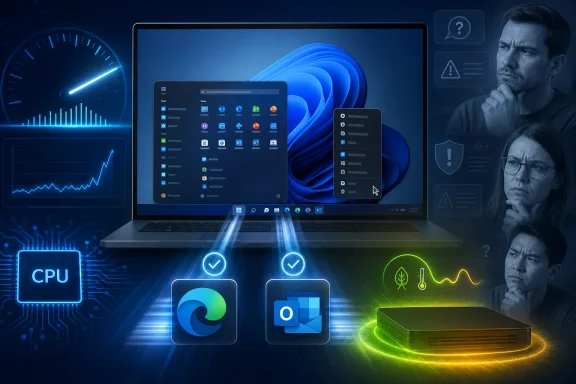 Microsoft Is Selling Responsiveness, Not Raw Speed
The Low Latency Profile sounds like a benchmark feature, but its real target is perception. Nobody opens a Start menu because they want to measure CPU utilization. They open it because they want the machine to acknowledge them instantly.That distinction matters. The Windows desktop is an interactive system, not a rendering farm. A CPU sitting at a lower clock to preserve battery life may be behaving rationally from a power-management perspective, but if the first click after idle feels sluggish, the user’s conclusion is simple: Windows is slow.
Microsoft’s reported approach is to spend power in a short, visible burst. When a user launches an app or opens a key shell element, Windows can briefly lift CPU frequency and prioritize the foreground task. If the work finishes sooner, the CPU can drop back down instead of lingering in a half-awake state while the UI appears to think about it.
That is not exotic. Phones do it constantly. macOS does it. Linux systems do it through their own scheduler and frequency-scaling machinery. The engineering principle is old: human beings are more sensitive to latency than they are to background efficiency charts.
What is new is not the concept. What is new is Microsoft having to defend it in public as though it were a confession.
The Start Menu Has Become a Performance Referendum
The strongest criticism of Low Latency Profile is not that CPU boosting is illegitimate. It is that Windows should not need a special burst mode to make basic shell interactions feel quick on modern hardware.That complaint has emotional force because Windows users remember a different bargain. Older versions of Windows could feel crude, inconsistent, and insecure, but menus generally appeared when clicked. On today’s hardware—with NVMe SSDs, multicore CPUs, fast memory, and sophisticated GPUs—users reasonably expect the shell to be instantaneous.
Windows 11 often is fast, especially on premium systems. But its worst moments are highly visible. A delayed right-click menu, a Start menu that hesitates after sleep, a File Explorer window that redraws awkwardly, or a settings surface that loads like a web app does more reputational damage than a slow synthetic benchmark ever could.
That is why a 70 percent improvement in Start menu response is both impressive and incriminating. If Microsoft can claw back that much responsiveness with a scheduling and power-policy change, users will ask why the shell was leaving so much perceived performance on the table in the first place.
The answer is probably messy rather than scandalous. Modern Windows is a stack of legacy compatibility, new UI frameworks, cloud-connected services, security boundaries, graphics composition, telemetry, account integration, and now AI features. Each layer may be defensible on its own. Together, they can make simple actions feel overbuilt.
“Let Windows Cook” Is a Risky Message for a Finished Product
Hanselman’s “Let Windows cook” line is memorable because it fits the software culture of 2026. Everything is iterative. Everything ships, learns, updates, and improves. The operating system is no longer a boxed release; it is a service that keeps negotiating with the user after installation.That framing works for developers. It works for Insider builds. It works for experimental features that can be toggled, measured, and refined. It works less well for people who bought a laptop and just want the desktop to feel less heavy.
Windows is not a startup app competing for monthly active users. It is the substrate for payroll systems, school laptops, point-of-sale terminals, gaming rigs, CAD workstations, and family PCs. When Microsoft says, in effect, give us time, a chunk of the audience hears: you are still beta-testing the thing you depend on.
This is the tension at the heart of Windows 11. Microsoft wants credit for continuous improvement, but users increasingly judge the company for continuous disturbance. A performance feature arrives in the same mental bucket as Copilot prompts, account nudges, Edge defaults, Teams integration, Recall debates, and UI experiments. Even when the feature is technically good, the surrounding trust deficit makes people suspicious.
That suspicion is not always fair, but it is predictable. Microsoft has spent years training Windows users to assume that every convenience comes with a second agenda. A CPU burst that makes the Start menu faster may be exactly what it says it is. The reason people doubt it is that Windows has become crowded with things that were not asked for.
The Apple Comparison Cuts Both Ways
Hanselman’s point that Apple uses similar techniques is broadly correct. Modern operating systems coordinate workload priority, CPU boosting, and idle behavior because responsiveness is a product feature. Apple Silicon’s reputation is built partly on precisely this kind of tight hardware-software choreography.But the Apple comparison is dangerous for Microsoft because it invites a broader comparison. Apple controls the silicon, firmware, thermal envelope, scheduler assumptions, app model, and much of the user experience. Microsoft has to span bargain laptops, gaming desktops, corporate images, Intel, AMD, Arm, old peripherals, new security requirements, and decades of Win32 expectations.
That heterogeneity is Windows’ superpower and its excuse. It lets Windows run almost anywhere, but it also means Microsoft rarely gets to optimize for one ideal machine. A policy that feels elegant on a Surface Laptop may behave differently on a thermally constrained budget notebook, a gaming handheld, a fanless tablet, or a corporate PC running endpoint security and management agents.
Apple can make bursty responsiveness feel like magic because the platform is narrow enough to tune aggressively. Microsoft has to make it feel safe across an ecosystem where “briefly maxing out the CPU” may mean different things depending on cooling, firmware, power mode, battery health, and OEM defaults.
So yes, Apple does this. The real question is whether Windows can do it in a way that improves the bottom of the PC market without annoying the top.
Budget PCs Stand to Gain the Most, and That Is the Point
The most sympathetic reading of Low Latency Profile is that it is aimed at the machines that need help most. A high-end desktop with a modern Ryzen 9 or Core Ultra chip may already mask Windows 11’s overhead through brute force. A cheaper laptop with fewer cores, conservative cooling, and aggressive power management cannot.On those systems, the difference between “CPU wakes gradually” and “CPU boosts immediately for a foreground action” can be the difference between a machine that feels old and one that feels acceptable. That is especially true for the first few seconds of activity after idle, where modern power policy can be too clever for its own good.
If Microsoft can make a $500 laptop feel closer to a $1,200 laptop during common interactions, that is a meaningful win. Not every performance improvement needs to raise frame rates or shorten compile times. Sometimes the most valuable optimization is making the computer stop feeling reluctant.
This also fits the current PC market. Memory prices, AI PC marketing, and longer replacement cycles have made users more sensitive to the useful life of existing hardware. A software-side responsiveness boost that does not require a new device is exactly the kind of improvement Windows should be delivering.
The risk is overpromising. A burst profile can make short interactions faster, but it will not turn weak hardware into strong hardware. It will not solve RAM pressure, bad drivers, bloated startup apps, poor OEM thermal design, or heavy third-party security software. It may make Windows feel sharper, but it cannot make every workload lighter.
The Power Bill Will Be Paid Somewhere
Any feature that briefly pushes CPU frequency upward has to be judged by more than launch time. It also has to be judged by heat, fan noise, battery behavior, and consistency.Microsoft’s likely argument is that short boosts can be more efficient than slow completion. Finish the foreground task quickly, return to idle, and the user gets both responsiveness and reasonable power use. That theory is plausible, and it is already central to modern mobile and laptop performance design.
But implementation details matter. A one-second burst is not the same as a three-second burst. A cold laptop on AC power is not the same as a thin machine on battery at 8 percent charge. A desktop tower can absorb CPU spikes that a passively cooled device cannot. A corporate laptop already running VPN, endpoint detection, Teams, Outlook, browser tabs, and device management agents may have less headroom than a clean test system.
There is also a behavioral question. If Windows boosts for every meaningful interaction, the cumulative effect could be visible in battery life or thermals during active use. The user may not care if the machine feels dramatically better, but IT departments will care if help desks start hearing about fan noise or shorter unplugged sessions.
This is where Microsoft needs to be careful with defaults. The best version of Low Latency Profile is adaptive, power-aware, and boring. It should know when to back off. It should respect battery saver. It should avoid fighting OEM thermal policies. It should be measurable by administrators and transparent enough that power users can understand what changed.
Gamers Should Be Interested, but Not Euphoric
The PC Gamer angle is obvious: if Windows can prioritize latency-sensitive foreground work, maybe games benefit too. The answer is probably yes in spirit, but not necessarily in the way some readers hope.Game performance is complicated. Frame rates, frame pacing, input latency, shader compilation, graphics drivers, background tasks, anti-cheat systems, overlays, storage, and CPU scheduling all interact. A feature designed to make app launches and shell elements faster does not automatically translate into higher average FPS.
Where gamers may benefit is around the edges. A more responsive shell can make launching clients, opening overlays, alt-tabbing, and interacting with background utilities less irritating. If Microsoft’s broader performance work includes better scheduling, background workload control, and graphics-stack attention, the cumulative effect could matter.
But Low Latency Profile should not be mistaken for a gaming mode in disguise. Windows has had “game mode” concepts before, and the results have often been more modest than the marketing. The more credible claim is narrower: Windows may become better at giving urgent foreground interactions the CPU attention they need in the moment they need it.
That is still useful. In gaming, as on the desktop, perceived smoothness often matters more than peak throughput. A machine that avoids stutters and responds promptly feels faster than one that wins a benchmark but hesitates at the wrong time.
The Real Competition Is Windows 10’s Memory
Microsoft is trying to improve Windows 11 at an awkward historical moment. Windows 10 is at the end of its mainstream life for many users, but it remains the emotional baseline for a large portion of the PC audience. Many people do not compare Windows 11 with macOS or Linux; they compare it with the Windows version they reluctantly left behind.That comparison is brutal because Windows 10 had years to settle. Its rough edges were familiar. Its interface expectations were established. Its performance profile, while hardly perfect, became the norm for many users.
Windows 11 changed the shell, centered the taskbar, redesigned context menus, pushed new settings surfaces, altered defaults, and layered in more cloud-era Microsoft services. Some of those changes were defensible. Some were aesthetic. Some were strategic. But the result was that users became hyperaware of friction.
In that environment, performance improvements are not just technical patches. They are political gestures. Microsoft is signaling that it knows Windows 11 has to earn its place on hardware people already own.
The company should lean into that. The best argument for Windows 11 is not Copilot, not widgets, not promotional surfaces, and not a new settings page. It is a desktop that feels immediate, secure, compatible, and respectful of the user’s time. Low Latency Profile can help with the first of those. It cannot carry the rest alone.
Enterprise IT Will Ask for Controls Before Compliments
For administrators, the immediate question is not whether Low Latency Profile is clever. It is whether it can be managed.Fleet performance is a different discipline from enthusiast performance. A sysadmin does not want a vague promise that machines will feel snappier. They want to know which builds include the feature, whether it is on by default, how it behaves on battery, whether Group Policy or MDM can configure it, and how it interacts with existing power plans.
They will also want telemetry they can trust. If a feature changes CPU behavior across thousands of laptops, IT departments need a way to distinguish intended burst behavior from runaway processes. A spike to near 100 percent CPU usage may be harmless for a second, but it can look alarming in monitoring tools if not clearly explained.
There is also the support dimension. Users report symptoms, not scheduler behavior. “My laptop fan is louder,” “battery life seems worse,” or “the machine gets warm when I open apps” can all become tickets. Even if the feature is innocent, IT has to prove it.
Microsoft’s enterprise credibility depends on making this kind of feature legible. The company has improved Windows Update controls, deployment rings, and administrative tooling over the years, but it still has a habit of introducing consumer-facing changes before the management story feels complete. Low Latency Profile should not follow that pattern.
The Skeptics Are Wrong About the Technique and Right About the Pattern
The harshest criticism says Microsoft is using a CPU trick to hide Windows bloat. That is too simplistic. Dynamic boosting is a legitimate OS technique, and refusing to use it because it sounds inelegant would be worse engineering, not better.But the skeptics are not inventing the broader concern. Windows has accumulated enough background activity and interface complexity that users are primed to see any performance feature as a workaround for self-inflicted weight. Microsoft cannot answer that with a tweet alone.
The company needs a two-track strategy. It should absolutely optimize scheduling, frequency behavior, and foreground responsiveness. It should also reduce unnecessary work. The first makes Windows feel faster; the second makes Windows actually lighter.
Those are not substitutes. A low-latency boost can reduce the pain of opening a bloated surface, but it cannot justify the bloat. Conversely, trimming code and background tasks is good hygiene, but it does not eliminate the need for modern power-aware responsiveness.
The best Windows would do both: fewer needless things, prioritized urgent things, and fewer moments where the user wonders why a trillion-transistor ecosystem needs a second to draw a menu.
The K2 Era Has to Be Measured in Clicks, Not Promises
Reports have tied Low Latency Profile to Microsoft’s broader Windows quality push, sometimes described around internal renewal efforts. Whatever the internal branding, the outside test is simple: does Windows feel better during ordinary use?That test is unforgiving. Users do not experience “quality” as a roadmap. They experience it as whether File Explorer opens cleanly, whether the Start menu appears instantly, whether search returns local results without drama, whether sleep behaves, whether updates avoid disruption, and whether the machine stays quiet when doing nothing.
Microsoft has talked for years about making Windows better for gamers, developers, creators, and enterprise users. Those promises are not meaningless, but Windows users have learned to discount them until changes land on real machines. The Low Latency Profile is interesting because it appears to target a pain users can feel immediately.
If the feature ships widely and works, it could become one of those invisible improvements nobody wants to turn off. That is the highest compliment an operating-system feature can receive. The user should not think, “Low Latency Profile saved me 300 milliseconds.” The user should think nothing at all because the menu simply opened.
That is also why Microsoft’s public defense should avoid sounding too pleased with itself. Making Windows respond quickly is not a luxury feature. It is table stakes.
The Windows 11 Speed Bet Comes Down to Trust
The practical reading is less dramatic than the social-media argument. Low Latency Profile is not proof that Windows is doomed, and it is not proof that Microsoft has solved Windows 11’s performance reputation. It is a potentially useful tool arriving in an ecosystem that badly needs visible polish.- Microsoft is testing a Low Latency Profile that reportedly boosts CPU frequency for short bursts during high-priority Windows 11 interactions.
- Early reporting points to up to 40 percent faster launches for some Microsoft apps and up to 70 percent faster response for shell elements such as the Start menu and context menus.
- The technique itself is normal modern operating-system behavior, similar in principle to responsiveness strategies used by phones, macOS, and Linux systems.
- The controversy exists because Windows 11 users already suspect the operating system has become heavier than it needs to be.
- The feature will matter most on lower-end and thermally constrained PCs, where short bursts of responsiveness can change how premium a machine feels.
- Microsoft still needs to prove that the boost does not create new battery, fan-noise, management, or monitoring headaches for enterprise fleets.
Source: PC Gamer 'Let Windows cook': Microsoft defends new Low Latency mode and asks you 'see it yourself'
