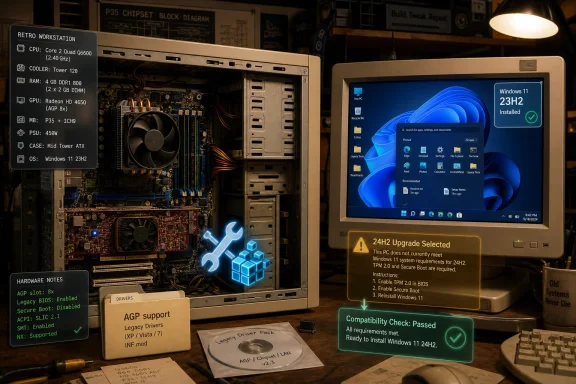
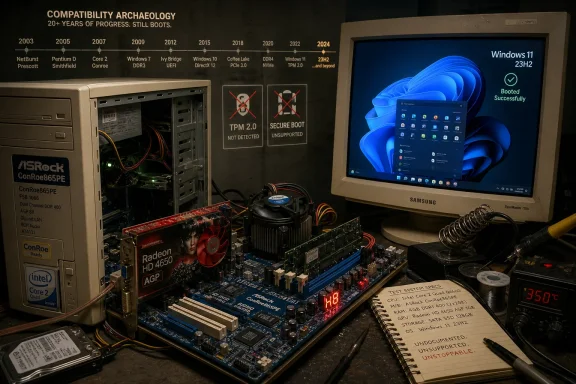
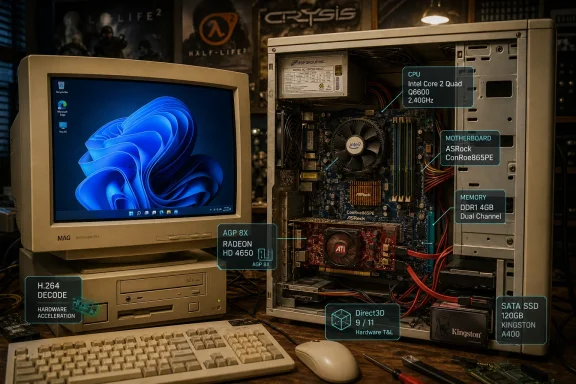
A hardware enthusiast has reportedly booted Windows 11 on an ASRock ConRoe865PE motherboard using a Core 2 Quad Q6600, DDR1 memory, and a Radeon HD 4650 AGP card, then demonstrated working AGP acceleration, H.264 decoding, Half-Life 2, and Crysis on the retro platform. The stunt is charming because it breaks nearly every expectation Microsoft has spent five years trying to turn into a hard boundary. It is also useful because it exposes the difference between a machine that can be made to run Windows and a machine that Windows is prepared to carry into the future.
That distinction matters more in 2026 than it did when Windows 11 launched. Back then, unsupported installs felt like a philosophical dispute about TPMs, CPUs, and Microsoft’s appetite for forced modernization. Today, with Windows 10 support already behind us and Windows 11 24H2 having tightened the floor for truly ancient processors, the retro-computing trick lands differently: it is less a loophole than a last flare from an architecture Windows is increasingly willing to leave behind.
The headline version of the story is easy to enjoy: Windows 11, DDR1, AGP, and Crysis in the same sentence. That combination sounds like a deliberate attempt to summon every forum-era hardware argument at once. A Core 2 Quad Q6600 is not quite a fossil by enthusiast standards, but pairing it with DDR1 and AGP puts the system in a strange transitional zone between the Pentium 4 era and the first wave of mainstream quad-core PCs.
The ASRock ConRoe865PE is the reason the experiment works as theater. Its Intel 865PE chipset belongs to a much older platform, but the board was built as one of those odd bridge products that let users bring newer LGA775 processors into systems with older memory and graphics. That makes it a perfect museum piece: new enough to host a four-core Core 2 chip, old enough to preserve the Accelerated Graphics Port and first-generation DDR.
Booting Windows 11 on unsupported hardware is no longer novel by itself. Since 2021, enthusiasts have installed the operating system on machines that fail Microsoft’s CPU, TPM, Secure Boot, and firmware checks, often with little more than setup-media tweaks or registry bypasses. What makes this case interesting is that the graphics stack is not merely limping along on a generic display driver.
According to the original demonstration as summarized by igor’sLAB, the Radeon HD 4650 AGP is running with AGP 8X acceleration, adapted driver components, and working video decode. That is the important part. A Windows desktop can be faked into existence on all kinds of improbable hardware; hardware-accelerated 3D over AGP under Windows 11 is the piece that turns a boot screenshot into a real engineering puzzle.
But Microsoft’s logic was never limited to whether the setup program could unpack files and start Explorer. The requirements were an attempt to define a security and reliability baseline for the next decade of Windows PCs. TPM-backed identity, measured boot, virtualization-based security, modern drivers, and a more predictable CPU floor are not glamorous features, but they are exactly the sort of plumbing Microsoft wants to assume is present when it designs Windows at scale.
The Q6600 experiment demonstrates why the debate became so muddled. On one level, it proves that Windows remains astonishingly backward-compatible. The NT lineage still carries enough architectural tolerance that a carefully prepared installation can reach the desktop on hardware built around decisions from the Windows XP era.
On another level, the same experiment proves Microsoft’s point. This is not a supported PC accidentally rejected by a fussy checklist. It is a heavily out-of-spec configuration using legacy firmware assumptions, an unsupported processor, a legacy graphics bus, and drivers that require adaptation to function. That is not a consumer compatibility story. It is a preservation project.
The useful way to read the stunt is not “Microsoft lied about Windows 11.” It is “Microsoft’s support boundary is not the same thing as the kernel’s absolute technical boundary.” Windows has always had more latent compatibility than Microsoft is willing to certify, document, update, and secure for mainstream use. The gap between those two things is where enthusiasts live.
That nostalgia is powerful, but it can obscure the brutal pace of platform change. The Q6600 is a 65nm processor from a pre-Nehalem design family. It lacks modern instruction-set features that later software increasingly treats as normal. It also belongs to an ecosystem before widespread consumer TPM 2.0 support, before UEFI became universal, and before modern Windows graphics-driver expectations settled into their current form.
That is why Windows 11 24H2 matters so much to this story. Earlier unsupported Windows 11 builds could often be coaxed onto old 64-bit systems if the installer checks were bypassed. With 24H2, the floor moved from policy enforcement toward actual execution requirements for some very old CPUs, because the operating system now depends on instructions such as POPCNT that chips like the Q6600 do not provide.
That is a different class of incompatibility. A TPM check can be bypassed if the OS does not actually need the TPM to boot. A missing CPU instruction inside load-bearing system components is harder to wave away, because the processor cannot execute code it does not understand. At that point, the enthusiast is not merely dodging an installer gate; they are fighting the assumptions inside the operating system itself.
igor’sLAB correctly treats the missing Windows build number as a critical omission. Without knowing the exact Windows 11 edition and build, the demonstration cannot be read as evidence that a current, unmodified Windows 11 release runs normally on the Q6600. It shows that a Windows 11 environment can be made to work on the platform. That is impressive, but it is not the same claim.
The Radeon HD 4650 AGP is itself a transitional oddity. The HD 4000 family belonged to the PCIe era, but board partners shipped AGP variants through bridge chips for users extending older systems. Those cards were useful in their day precisely because they stretched the life of machines that had no business receiving then-modern GPUs.
Getting one of those cards to present itself usefully under Windows 11 is not a matter of installing a friendly modern package. According to the reporting, the setup involved older 64-bit Windows 7-era Radeon drivers, AGP-related components, and modified installation information. That is classic retro-driver surgery: recover the last version that knew the hardware existed, splice in enough identification and support files to satisfy the current system, and hope the old model still negotiates with the new OS.
The result appears to be more than symbolic. If H.264 acceleration and Direct3D titles are working, the machine is not simply drawing a desktop through a fallback path. It is using enough of the GPU to make the system behave like a real PC from its era, only with a modern Windows shell on top.
That is why Crysis is the perfect demonstration even though it says almost nothing about modern gaming. Crysis became shorthand for hardware pain because it stretched 2007 PCs in ways that endured as a meme. Running it here is not a claim that this box is a modern gaming machine. It is a wink that says the old stack is alive enough to run the benchmark joke that outlived the benchmark.
Windows has become more tolerant of modest CPUs than of slow random I/O. Start menu indexing, browser cache churn, update servicing, antivirus scanning, background telemetry, application launch, and profile loading all punish hard drives in ways that make older systems feel worse than their processors alone would suggest. Put flash storage under the same machine, and the subjective experience can improve sharply.
That does not make the Q6600 fast by modern standards. It does mean a short video clip of Windows 11 looking responsive should not be over-interpreted as proof that the operating system is lightweight or that the old quad-core has secretly aged into adequacy. The SSD is hiding many of the pauses that would define daily use on a fully period-correct build.
Memory is the other constraint lurking behind the spectacle. DDR1 support is what makes the platform amusing, but it also anchors the machine to capacities and bandwidth expectations from a very different software world. Windows 11 can boot with 4GB, but modern browsing and background services can turn that into a cramped experience quickly. If the memory capacity and speed are not clearly documented, the performance story remains incomplete.
The broader lesson is familiar to anyone who refurbishes old PCs: the user experience is not a single-component story. A clever motherboard, an iconic CPU, an adapted AGP card, and an SSD combine to produce a system that is more usable than its age suggests. Remove one of those supports and the illusion may collapse.
The reality is narrower. Windows IoT Enterprise is not Microsoft saying that every unsupported desktop is actually fine. It is Microsoft serving appliance builders, embedded systems, kiosks, industrial controllers, and special-purpose devices where the OS image, application stack, and hardware lifecycle are curated. In that world, the vendor can validate a constrained configuration because the end user is not expected to treat the device like a general-purpose PC.
That distinction matters. A cash register, factory terminal, medical cart, digital sign, or offline control station has a different risk model from a family desktop used for banking, gaming, email, Discord, and random downloads. Optional requirements in IoT documentation are a manufacturing and deployment flexibility mechanism, not an endorsement of unsupported consumer upgrades.
It is also unclear from the public demonstration whether the machine is actually running Windows 11 IoT Enterprise, a consumer edition, or a modified image that borrows pieces from several places. Without that clarity, the IoT angle should be treated as context rather than proof. It explains why Windows 11 can exist in some less conventional hardware environments. It does not certify this AGP system as normal.
This is where enthusiasts and administrators often talk past each other. The enthusiast asks whether the thing can be made to work. The administrator asks whether the thing can be patched, audited, secured, supported, replaced, and explained to management. Both questions are valid. They simply do not lead to the same answer.
But the security environment has changed. A PC permanently connected to the Internet in 2026 is not just a box for running applications. It is an identity endpoint, a payment terminal, a password vault, a communications hub, a cloud-sync node, and often a remote-work foothold. That raises the cost of treating unsupported hardware as a harmless quirk.
A machine without TPM 2.0 and Secure Boot is missing pieces Microsoft uses to anchor modern Windows security assumptions. A machine running adapted legacy graphics drivers is exposed to a driver stack outside the ordinary servicing path. A machine depending on workarounds for installation and boot compatibility can be broken by a feature update that was never tested against it.
None of this means the experiment is irresponsible. In a lab, on a retro bench, offline, behind sensible network boundaries, or as a learning project, it is exactly the sort of thing enthusiast computing should celebrate. The danger comes when a viral success is converted into consumer advice.
That conversion happens quickly. “Windows 11 runs on a Q6600 with AGP” becomes “Microsoft’s requirements are fake,” which becomes “my old PC is fine for another five years,” which becomes a home or small-business system running sensitive workloads on an unsupported platform. That is the leap worth resisting.
The environmental argument deserves respect. A Core 2 Quad system that can still boot, browse lightly, or play older games is not physically useless. Throwing away working hardware because of an OS boundary feels wasteful, especially when Linux distributions or offline retro uses may still give the machine a productive second life.
But Windows is not only an operating system for individual machines. It is also a mass servicing platform. Microsoft must ship updates to hundreds of millions of systems, defend a sprawling driver ecosystem, and respond to vulnerabilities that attackers automate quickly. Every supported class of legacy hardware becomes part of that burden.
The Q6600 project shows the tension beautifully. Windows has enough continuity to honor old APIs, old drivers, and old user expectations in ways that still delight enthusiasts. Windows as a supported product, however, is becoming less willing to let that continuity dictate the future. That is not hypocrisy. It is the unavoidable split between heritage and maintenance.
For WindowsForum readers, that split is familiar. The best answer is not to deny Microsoft’s motives or dismiss enthusiast work as pointless. The best answer is to categorize machines honestly. A retro Windows 11 AGP build is a trophy, a teaching platform, and a reminder of how durable PC standards can be. It is not a managed endpoint.
That matters for anyone maintaining aging Windows hardware after Windows 10’s end of support. Some machines that look close to Windows 11 readiness can be brought forward safely because they merely need firmware settings changed, TPM enabled, or a supported CPU list checked. Others can be forced forward but should not be trusted. A few, like this AGP build, belong in the delightful category of “possible because someone was clever,” not “recommended because the platform is sound.”
The forum instinct is to chase the edge case, and that instinct is healthy. But the administrator instinct is to ask what happens after Patch Tuesday, after a driver rollback, after a failed feature update, after a browser raises its own requirements, or after a security product refuses to install. Those are not boring objections. They are the difference between a weekend triumph and a machine someone depends on.
The Crysis demo is therefore best understood as a proof of life. It tells us the old hardware stack can still be awakened with enough knowledge and patience. It does not tell us how long that life will remain compatible with Windows Update, modern browsers, GPU-accelerated web video, anti-cheat systems, endpoint protection, or Microsoft’s next round of assumptions.
That distinction matters more in 2026 than it did when Windows 11 launched. Back then, unsupported installs felt like a philosophical dispute about TPMs, CPUs, and Microsoft’s appetite for forced modernization. Today, with Windows 10 support already behind us and Windows 11 24H2 having tightened the floor for truly ancient processors, the retro-computing trick lands differently: it is less a loophole than a last flare from an architecture Windows is increasingly willing to leave behind.
 The Real Surprise Is Not Windows 11, but AGP
The headline version of the story is easy to enjoy: Windows 11, DDR1, AGP, and Crysis in the same sentence. That combination sounds like a deliberate attempt to summon every forum-era hardware argument at once. A Core 2 Quad Q6600 is not quite a fossil by enthusiast standards, but pairing it with DDR1 and AGP puts the system in a strange transitional zone between the Pentium 4 era and the first wave of mainstream quad-core PCs.The ASRock ConRoe865PE is the reason the experiment works as theater. Its Intel 865PE chipset belongs to a much older platform, but the board was built as one of those odd bridge products that let users bring newer LGA775 processors into systems with older memory and graphics. That makes it a perfect museum piece: new enough to host a four-core Core 2 chip, old enough to preserve the Accelerated Graphics Port and first-generation DDR.
Booting Windows 11 on unsupported hardware is no longer novel by itself. Since 2021, enthusiasts have installed the operating system on machines that fail Microsoft’s CPU, TPM, Secure Boot, and firmware checks, often with little more than setup-media tweaks or registry bypasses. What makes this case interesting is that the graphics stack is not merely limping along on a generic display driver.
According to the original demonstration as summarized by igor’sLAB, the Radeon HD 4650 AGP is running with AGP 8X acceleration, adapted driver components, and working video decode. That is the important part. A Windows desktop can be faked into existence on all kinds of improbable hardware; hardware-accelerated 3D over AGP under Windows 11 is the piece that turns a boot screenshot into a real engineering puzzle.
Microsoft’s Requirements Were Always About the Future, Not the Installer
Windows 11’s official requirements have often been described as arbitrary, and Microsoft did not help itself with the early rollout. The company drew a line around supported processors, UEFI, Secure Boot, TPM 2.0, 4GB of RAM, 64GB of storage, and DirectX 12-class graphics with a WDDM 2.0 driver. To many home users, those demands looked absurd when Windows 10 ran acceptably on machines that missed one or several of them.But Microsoft’s logic was never limited to whether the setup program could unpack files and start Explorer. The requirements were an attempt to define a security and reliability baseline for the next decade of Windows PCs. TPM-backed identity, measured boot, virtualization-based security, modern drivers, and a more predictable CPU floor are not glamorous features, but they are exactly the sort of plumbing Microsoft wants to assume is present when it designs Windows at scale.
The Q6600 experiment demonstrates why the debate became so muddled. On one level, it proves that Windows remains astonishingly backward-compatible. The NT lineage still carries enough architectural tolerance that a carefully prepared installation can reach the desktop on hardware built around decisions from the Windows XP era.
On another level, the same experiment proves Microsoft’s point. This is not a supported PC accidentally rejected by a fussy checklist. It is a heavily out-of-spec configuration using legacy firmware assumptions, an unsupported processor, a legacy graphics bus, and drivers that require adaptation to function. That is not a consumer compatibility story. It is a preservation project.
The useful way to read the stunt is not “Microsoft lied about Windows 11.” It is “Microsoft’s support boundary is not the same thing as the kernel’s absolute technical boundary.” Windows has always had more latent compatibility than Microsoft is willing to certify, document, update, and secure for mainstream use. The gap between those two things is where enthusiasts live.
The Q6600 Has Become a Symbol of the Unsupported Middle
The Core 2 Quad Q6600 has a special place in PC folklore because it was one of the first affordable quad-core processors that felt genuinely aspirational. Launched into a world still dominated by dual-core desktops, it became the sort of chip people overclocked, cooled, defended, and kept using long after its official relevance ended. It was not just a CPU; it was a wager that more cores would eventually matter.That nostalgia is powerful, but it can obscure the brutal pace of platform change. The Q6600 is a 65nm processor from a pre-Nehalem design family. It lacks modern instruction-set features that later software increasingly treats as normal. It also belongs to an ecosystem before widespread consumer TPM 2.0 support, before UEFI became universal, and before modern Windows graphics-driver expectations settled into their current form.
That is why Windows 11 24H2 matters so much to this story. Earlier unsupported Windows 11 builds could often be coaxed onto old 64-bit systems if the installer checks were bypassed. With 24H2, the floor moved from policy enforcement toward actual execution requirements for some very old CPUs, because the operating system now depends on instructions such as POPCNT that chips like the Q6600 do not provide.
That is a different class of incompatibility. A TPM check can be bypassed if the OS does not actually need the TPM to boot. A missing CPU instruction inside load-bearing system components is harder to wave away, because the processor cannot execute code it does not understand. At that point, the enthusiast is not merely dodging an installer gate; they are fighting the assumptions inside the operating system itself.
igor’sLAB correctly treats the missing Windows build number as a critical omission. Without knowing the exact Windows 11 edition and build, the demonstration cannot be read as evidence that a current, unmodified Windows 11 release runs normally on the Q6600. It shows that a Windows 11 environment can be made to work on the platform. That is impressive, but it is not the same claim.
AGP Acceleration Is a Driver Archaeology Win
The AGP part of the experiment is where the real craft lives. AGP was not just “old PCIe.” It came with its own assumptions about aperture memory, chipset support, graphics address remapping, and driver behavior. By the time Windows 11 arrived, that entire stack had long since fallen outside the normal testing universe for Microsoft, AMD, motherboard vendors, and system builders.The Radeon HD 4650 AGP is itself a transitional oddity. The HD 4000 family belonged to the PCIe era, but board partners shipped AGP variants through bridge chips for users extending older systems. Those cards were useful in their day precisely because they stretched the life of machines that had no business receiving then-modern GPUs.
Getting one of those cards to present itself usefully under Windows 11 is not a matter of installing a friendly modern package. According to the reporting, the setup involved older 64-bit Windows 7-era Radeon drivers, AGP-related components, and modified installation information. That is classic retro-driver surgery: recover the last version that knew the hardware existed, splice in enough identification and support files to satisfy the current system, and hope the old model still negotiates with the new OS.
The result appears to be more than symbolic. If H.264 acceleration and Direct3D titles are working, the machine is not simply drawing a desktop through a fallback path. It is using enough of the GPU to make the system behave like a real PC from its era, only with a modern Windows shell on top.
That is why Crysis is the perfect demonstration even though it says almost nothing about modern gaming. Crysis became shorthand for hardware pain because it stretched 2007 PCs in ways that endured as a meme. Running it here is not a claim that this box is a modern gaming machine. It is a wink that says the old stack is alive enough to run the benchmark joke that outlived the benchmark.
The SSD Is Doing More Work Than Nostalgia Wants to Admit
There is another reason the Windows 11 desktop may look less awful than expected: storage. The reported system uses a SATA SSD rather than a period-correct mechanical hard drive. That single substitution changes the feel of an old machine more dramatically than many CPU upgrades from the same era.Windows has become more tolerant of modest CPUs than of slow random I/O. Start menu indexing, browser cache churn, update servicing, antivirus scanning, background telemetry, application launch, and profile loading all punish hard drives in ways that make older systems feel worse than their processors alone would suggest. Put flash storage under the same machine, and the subjective experience can improve sharply.
That does not make the Q6600 fast by modern standards. It does mean a short video clip of Windows 11 looking responsive should not be over-interpreted as proof that the operating system is lightweight or that the old quad-core has secretly aged into adequacy. The SSD is hiding many of the pauses that would define daily use on a fully period-correct build.
Memory is the other constraint lurking behind the spectacle. DDR1 support is what makes the platform amusing, but it also anchors the machine to capacities and bandwidth expectations from a very different software world. Windows 11 can boot with 4GB, but modern browsing and background services can turn that into a cramped experience quickly. If the memory capacity and speed are not clearly documented, the performance story remains incomplete.
The broader lesson is familiar to anyone who refurbishes old PCs: the user experience is not a single-component story. A clever motherboard, an iconic CPU, an adapted AGP card, and an SSD combine to produce a system that is more usable than its age suggests. Remove one of those supports and the illusion may collapse.
IoT Enterprise Is Not a Get-Out-of-Requirements Card
One of the more interesting wrinkles in the report is the mention of Windows 11 IoT Enterprise. Microsoft’s IoT documentation does allow more flexible requirements in certain configurations, including scenarios where legacy BIOS, optional TPM, optional Secure Boot, and reduced graphics expectations can exist for specialized devices. That sounds, at first glance, like a quiet admission that consumer Windows 11 could have tolerated more old hardware all along.The reality is narrower. Windows IoT Enterprise is not Microsoft saying that every unsupported desktop is actually fine. It is Microsoft serving appliance builders, embedded systems, kiosks, industrial controllers, and special-purpose devices where the OS image, application stack, and hardware lifecycle are curated. In that world, the vendor can validate a constrained configuration because the end user is not expected to treat the device like a general-purpose PC.
That distinction matters. A cash register, factory terminal, medical cart, digital sign, or offline control station has a different risk model from a family desktop used for banking, gaming, email, Discord, and random downloads. Optional requirements in IoT documentation are a manufacturing and deployment flexibility mechanism, not an endorsement of unsupported consumer upgrades.
It is also unclear from the public demonstration whether the machine is actually running Windows 11 IoT Enterprise, a consumer edition, or a modified image that borrows pieces from several places. Without that clarity, the IoT angle should be treated as context rather than proof. It explains why Windows 11 can exist in some less conventional hardware environments. It does not certify this AGP system as normal.
This is where enthusiasts and administrators often talk past each other. The enthusiast asks whether the thing can be made to work. The administrator asks whether the thing can be patched, audited, secured, supported, replaced, and explained to management. Both questions are valid. They simply do not lead to the same answer.
“Runs” Is the Least Interesting Standard in 2026
The Windows community has always loved boundary-breaking installs. Windows 95 on strange handhelds, Windows XP on netbooks, Windows 7 on unsupported chipsets, Windows 10 on anything with enough stubbornness — these projects are part of the culture. They are a reminder that personal computing used to be more tactile, more permissive, and more willing to reward users who understood the machine underneath.But the security environment has changed. A PC permanently connected to the Internet in 2026 is not just a box for running applications. It is an identity endpoint, a payment terminal, a password vault, a communications hub, a cloud-sync node, and often a remote-work foothold. That raises the cost of treating unsupported hardware as a harmless quirk.
A machine without TPM 2.0 and Secure Boot is missing pieces Microsoft uses to anchor modern Windows security assumptions. A machine running adapted legacy graphics drivers is exposed to a driver stack outside the ordinary servicing path. A machine depending on workarounds for installation and boot compatibility can be broken by a feature update that was never tested against it.
None of this means the experiment is irresponsible. In a lab, on a retro bench, offline, behind sensible network boundaries, or as a learning project, it is exactly the sort of thing enthusiast computing should celebrate. The danger comes when a viral success is converted into consumer advice.
That conversion happens quickly. “Windows 11 runs on a Q6600 with AGP” becomes “Microsoft’s requirements are fake,” which becomes “my old PC is fine for another five years,” which becomes a home or small-business system running sensitive workloads on an unsupported platform. That is the leap worth resisting.
Microsoft’s Hard Line Looks Less Arbitrary With Time
Microsoft’s Windows 11 hardware cutoff was poorly messaged, but time has made its purpose easier to see. The company wanted to drag the installed base toward a platform where firmware, processor capabilities, driver models, and security hardware were less chaotic. That is annoying for tinkerers, expensive for some users, and environmentally uncomfortable when working PCs fall out of support. It is also the direction enterprise computing has been moving for years.The environmental argument deserves respect. A Core 2 Quad system that can still boot, browse lightly, or play older games is not physically useless. Throwing away working hardware because of an OS boundary feels wasteful, especially when Linux distributions or offline retro uses may still give the machine a productive second life.
But Windows is not only an operating system for individual machines. It is also a mass servicing platform. Microsoft must ship updates to hundreds of millions of systems, defend a sprawling driver ecosystem, and respond to vulnerabilities that attackers automate quickly. Every supported class of legacy hardware becomes part of that burden.
The Q6600 project shows the tension beautifully. Windows has enough continuity to honor old APIs, old drivers, and old user expectations in ways that still delight enthusiasts. Windows as a supported product, however, is becoming less willing to let that continuity dictate the future. That is not hypocrisy. It is the unavoidable split between heritage and maintenance.
For WindowsForum readers, that split is familiar. The best answer is not to deny Microsoft’s motives or dismiss enthusiast work as pointless. The best answer is to categorize machines honestly. A retro Windows 11 AGP build is a trophy, a teaching platform, and a reminder of how durable PC standards can be. It is not a managed endpoint.
The Retro Win Leaves a Practical Map for the Rest of Us
The most useful lesson from this build is not that everyone should revive old DDR1 systems. It is that Windows compatibility has layers, and each layer fails differently. Installation checks, boot-time CPU assumptions, firmware security, driver availability, graphics acceleration, update servicing, and real-world application behavior are separate gates, not one monolithic yes-or-no answer.That matters for anyone maintaining aging Windows hardware after Windows 10’s end of support. Some machines that look close to Windows 11 readiness can be brought forward safely because they merely need firmware settings changed, TPM enabled, or a supported CPU list checked. Others can be forced forward but should not be trusted. A few, like this AGP build, belong in the delightful category of “possible because someone was clever,” not “recommended because the platform is sound.”
The forum instinct is to chase the edge case, and that instinct is healthy. But the administrator instinct is to ask what happens after Patch Tuesday, after a driver rollback, after a failed feature update, after a browser raises its own requirements, or after a security product refuses to install. Those are not boring objections. They are the difference between a weekend triumph and a machine someone depends on.
The Crysis demo is therefore best understood as a proof of life. It tells us the old hardware stack can still be awakened with enough knowledge and patience. It does not tell us how long that life will remain compatible with Windows Update, modern browsers, GPU-accelerated web video, anti-cheat systems, endpoint protection, or Microsoft’s next round of assumptions.
The DDR1 Crysis Box Teaches the Right Lesson If We Refuse the Easy One
This is the part of the story worth keeping after the novelty fades:- The demonstrated system reportedly combines an ASRock ConRoe865PE motherboard, Core 2 Quad Q6600 processor, DDR1 memory, Radeon HD 4650 AGP graphics, and a SATA SSD.
- The unusual achievement is not merely reaching the Windows 11 desktop, but restoring enough AGP graphics support for acceleration, video decode, and older Direct3D games.
- The missing Windows 11 build and edition details prevent the demonstration from proving that a current, unmodified Windows 11 release runs normally on the Q6600.
- Windows 11 24H2 and later builds raise the stakes for very old CPUs because missing instructions such as POPCNT can become a boot-time barrier rather than a setup-policy annoyance.
- Windows 11 IoT Enterprise flexibility applies to specialized device scenarios and should not be confused with mainstream consumer support.
- The build is a remarkable retro-computing project, but it is not a sensible model for sensitive daily work or managed business endpoints.
References
- Primary source: igor´sLAB
Published: Mon, 29 Jun 2026 04:00:00 GMT
Windows 11 on Core 2 Quad Q6600: Running on DDR1 and AGP
A hardware enthusiast successfully runs Windows 11 on an ASRock ConRoe865PE with a Core 2 Quad Q6600, showcasing AGP acceleration and H.264 decoding.www.igorslab.de - Official source: support.microsoft.com
Enable TPM 2.0 on your PC | Microsoft Support
Learn how to check if your PC is capable of running TPM 2.0 or how to enable TPM 2.0 to upgrade to Windows 11.support.microsoft.com - Related coverage: memstechtips.com
How To Check If Your PC Supports Windows 11 24H2 (SSE 4.2)
Windows 11 24H2 requires SSE 4.2 / POPCNT CPU support. Check with CPU-Z or FlyOOBE, and install 23H2 / 22H2 as a fallback on older CPUs.memstechtips.com - Official source: learn.microsoft.com
Windows 11 requirements | Microsoft Learn
Hardware requirements to deploy Windows 11.learn.microsoft.com - Official source: microsoft.com
Windows 11 Specs and System Requirements | Microsoft Windows
View Windows 11 specs, system requirements, and features from Microsoft. Learn about the device specifications, versions, and languages available for Windows 11.www.microsoft.com - Related coverage: tomshardware.com
Microsoft blocks some PCs from Windows 11 24H2 — CPU must support SSE4.2 or the OS will not boot | Tom's Hardware
This is the second system requirement added to Windows 11 since it first came out.www.tomshardware.com
- Related coverage: techspot.com
Windows 11 24H2 will block processors that lack the SSE4.2 instruction set | TechSpot
Windows 11 is approaching its third anniversary, and Microsoft is gearing up for the next major upgrade. Following the system requirement policy introduced in 2021, the upcoming...www.techspot.com - Related coverage: logicity.in
4 CPUs that can't run Windows 11 24H2 in 2026 | Logicity
Intel Core 2 Quad Q6600 and AMD Phenom II X6 1090T are among CPUs now locked out of modern Windows due to missing POPCNT instructions.logicity.in - Related coverage: arstechnica.com
Windows 11 24H2 goes from “unsupported” to “unbootable” on some older PCs - Ars Technica
New Windows version needs CPU features that became common in the late 00s.arstechnica.com - Related coverage: techyorker.com
How to Check If This PC Can Run Windows 11 24H2 (PopCnt Instruction) - TechYorker
×Recommended: Maximize Your PC's Performance with Chipps AI Assistant →Recommended: Click Here to Fix Windows Issues and Optimize System Performance... techyorker.com
- Related coverage: windowscentral.com
Windows 11 will soon no longer boot on PCs that are too old to boot it anyway | Windows Central
The next version of Windows 11 will no longer boot on CPUs without the "POPCNT" instruction.www.windowscentral.com - Related coverage: techradar.com
Windows 10’s retirement reveals the risk of purchasing computers without Windows 11-compatible processors | TechRadar
Certain Intel and AMD chips aren't able to run Windows 11www.techradar.com - Related coverage: computersoftware-systems.com
UEFI Firmware TPM 2.0 Microsoft Windows 11 WDDM 2.0 Driver Windows 11 Pro Retail
PDF documentwww.computersoftware-systems.com
- Related coverage: versalogic.com
Windows 11 Compatibility and Performance Testing Across VersaLogic Unsupported SBCs
PDF documentwww.versalogic.com