

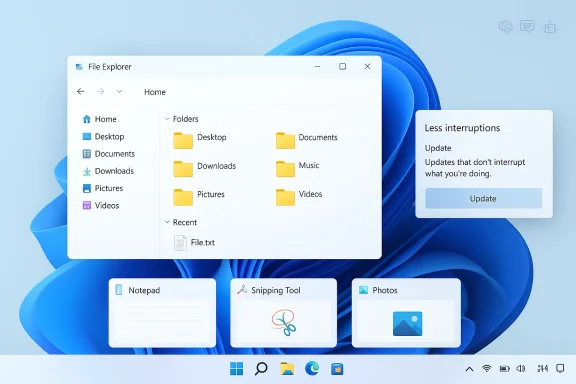
Microsoft has finally started to do what many Windows users have been asking for since the generative AI wave took over the industry: back off the Copilot sprawl. In a recent Windows blog post, Windows chief Pavan Davuluri said Microsoft is becoming “more intentional” about where Copilot appears in Windows 11 and is “reducing unnecessary Copilot entry points,” a notable retreat from the company’s recent habit of pushing AI into nearly every corner of the operating system. That matters because the change lands alongside a wider reset for Windows 11 itself, with Microsoft also promising better taskbar customization, faster File Explorer behavior, quieter widgets, and less disruptive updates. The message is clear: Windows is being asked to feel less like a billboard and more like a desktop again.
For the better part of two years, Microsoft has treated Windows as the front line of its AI strategy. That push accelerated with Copilot branding across the OS, Copilot+ PC messaging, and a steady stream of inbox app experiments that folded generative AI into screenshots, notes, images, search, and file workflows. The result was predictable: some users embraced the new tools, while many others saw an operating system becoming busier, noisier, and more opinionated than they wanted.
Microsoft’s latest adjustment does not amount to a rejection of AI. Instead, it looks like a recalibration. Davuluri’s framing is important because it shifts the story from “AI everywhere” to AI where it earns its keep. That distinction matters in Windows, where trust, consistency, and muscle memory are part of the product’s value proposition, not just nice-to-haves.
The company’s own recent blog history suggests this pivot was coming. Throughout 2025, Microsoft repeatedly emphasized on-device intelligence, more contextual workflows, and “responsible” AI experiences in Windows, especially on Copilot+ PCs. At the same time, its app teams kept shipping visible AI controls and entry points into tools like Notepad, Snipping Tool, Photos, File Explorer, and Widgets. The friction between those two impulses — delight versus clutter — is now much easier to see.
This new posture also fits a broader industry pattern. Big platform vendors often start by overextending a new technology, then spend the next phase trimming the parts that users find intrusive. The first wave proves capability; the second wave proves judgment. Microsoft is clearly entering that second phase.
The interesting part is the phrasing. Microsoft did not say it is removing all AI capabilities, nor did it say the features are going away permanently. It said the company will be “more intentional.” That usually means the company is trying to preserve the functionality while softening the surface area of the prompt, button, badge, or banner that advertises it.
There is also a business reason to read the word carefully. Microsoft still wants adoption, telemetry, and engagement around AI. What it may be conceding is that forced discoverability is not the same thing as demand. A cleaner UI can still drive use if the feature is genuinely helpful.
That is why the complaints in forums and social media have had so much consistency. People are not simply saying “AI bad.” They are saying “stop changing my interface,” “stop turning things on by default,” and “stop making every utility into a Copilot billboard.” Those are classic Windows complaints, not niche AI objections.
That does not mean the two eras are identical. The technical ambitions are different, and the stakes are lower than a full UI paradigm shift. But the emotional resemblance is real. Users resent when a product starts to feel like it is trying to prove a point.
This evolution was not random. Microsoft clearly wanted AI to feel native to Windows rather than bolted on as a separate app. The downside is that “native” can quickly become “inescapable” if the design discipline is weak. That is the tension now surfacing in the user feedback Microsoft says it heard.
That mattered because the inbox apps are not niche tools. They are the everyday face of Windows. When AI enters those surfaces too forcefully, it ceases to look like a value add and starts to look like platform anxiety.
That is where Microsoft appears to be rethinking things. The company is not abandoning AI hardware or AI workflows. It is, however, learning that the product narrative cannot be sustained by novelty alone.
That matters because the taskbar is not a decorative element. It is the center of a user’s muscle memory. When Microsoft limits that flexibility, the change is felt all day, every day. Restoring some of that control would do more for goodwill than many flashy new features ever could.
This is also one of those areas where AI has nothing to do with the complaint. Users do not wake up wanting generative features in File Explorer; they want it to open quickly, not flash, and behave predictably. That makes performance work feel much more meaningful than another badge or prompt.
That is a smart move. Widgets only work when users feel they are helpful on demand, not when they are always competing for attention. A calmer Widget experience may help preserve usefulness while reducing the sense that Windows is constantly trying to speak over the user.
Allowing users to get into the desktop first and handle updates later respects the reality that people often want to start working right away. That is especially important on fresh machines bought for school, travel, or urgent work.
The broader significance is that Microsoft seems to be recognizing the difference between encouraging updates and coercing them. Those are not the same thing. One builds compliance; the other builds resentment.
Better channel labeling should reduce confusion, and that is important because muddled expectations lead to frustrated testers. When people know what kind of build they are using, they can give more useful feedback and avoid feeling misled.
A better Feedback Hub could also help Microsoft avoid the trap of assuming silence means approval. In software ecosystems as large as Windows, silence often means fatigue, not satisfaction. The company needs better feedback loops if it wants to course-correct before frustration hardens into brand damage.
When users believe their complaints can actually alter product direction, they are more likely to keep participating. If they think the process is just a ceremonial listening tour, they will disengage. Windows needs the former, not the latter.
That is especially relevant in mixed environments where some teams want AI assistance and others do not. A cleaner separation between core OS behavior and optional AI features would give IT departments more room to set policy without constantly chasing moving targets.
That is why the shift away from prominent Copilot entry points could be meaningful for consumers. It restores the idea that tools should be there when needed, not parading across the screen all the time.
This is where the product challenge lies. Microsoft needs to prove that AI can be useful by default while also being invisible when irrelevant. That is a hard balance, and it is why the current retrenchment feels overdue.
There is also a strategic risk. Microsoft has spent heavily to establish itself as an AI leader, and any visible retreat may be read by investors or partners as hesitation. That would be a mistake if the company is simply learning to market and surface its features more intelligently, but the perception problem is real.
The next phase should reveal whether this is a philosophical shift or just a temporary tuning pass. If Microsoft follows through on taskbar flexibility, update improvements, calmer widgets, and more honest AI placement, Windows 11 could become easier to live with even for users who never wanted an AI-first desktop in the first place. That would be a stronger outcome than another round of aggressive feature stuffing.
Source: Lifehacker Microsoft Is Removing 'Unnecessary' Copilot Features in Windows
 Overview
For the better part of two years, Microsoft has treated Windows as the front line of its AI strategy. That push accelerated with Copilot branding across the OS, Copilot+ PC messaging, and a steady stream of inbox app experiments that folded generative AI into screenshots, notes, images, search, and file workflows. The result was predictable: some users embraced the new tools, while many others saw an operating system becoming busier, noisier, and more opinionated than they wanted.Microsoft’s latest adjustment does not amount to a rejection of AI. Instead, it looks like a recalibration. Davuluri’s framing is important because it shifts the story from “AI everywhere” to AI where it earns its keep. That distinction matters in Windows, where trust, consistency, and muscle memory are part of the product’s value proposition, not just nice-to-haves.
The company’s own recent blog history suggests this pivot was coming. Throughout 2025, Microsoft repeatedly emphasized on-device intelligence, more contextual workflows, and “responsible” AI experiences in Windows, especially on Copilot+ PCs. At the same time, its app teams kept shipping visible AI controls and entry points into tools like Notepad, Snipping Tool, Photos, File Explorer, and Widgets. The friction between those two impulses — delight versus clutter — is now much easier to see.
This new posture also fits a broader industry pattern. Big platform vendors often start by overextending a new technology, then spend the next phase trimming the parts that users find intrusive. The first wave proves capability; the second wave proves judgment. Microsoft is clearly entering that second phase.
What Microsoft Is Actually Changing
The headline change is not a dramatic removal of Copilot from Windows 11. It is a promise to reduce friction and reduce the number of places where users are nudged into AI features they did not ask for. Davuluri’s wording suggests a more selective product strategy, not a wholesale rollback. In practice, that means fewer obvious Copilot hooks, at least in the most commonly used inbox apps.The first apps in scope
Microsoft specifically called out Snipping Tool, Photos, Widgets, and Notepad as areas where it is reducing unnecessary Copilot entry points. That is a meaningful list because these are exactly the kinds of utilities that people open to accomplish a simple task and then leave. When a note app or screenshot tool starts acting like an AI launchpad, the utility can feel secondary to the platform’s marketing priorities.The interesting part is the phrasing. Microsoft did not say it is removing all AI capabilities, nor did it say the features are going away permanently. It said the company will be “more intentional.” That usually means the company is trying to preserve the functionality while softening the surface area of the prompt, button, badge, or banner that advertises it.
What “unnecessary” likely means
In product language, “unnecessary” rarely means useless in every case. More often, it means too prominent, too repetitive, or too early in the workflow. That suggests Microsoft has heard the same complaint users have repeated for months: AI features may be fine when sought out, but they become irritating when they are constantly shoved in front of people doing ordinary work.There is also a business reason to read the word carefully. Microsoft still wants adoption, telemetry, and engagement around AI. What it may be conceding is that forced discoverability is not the same thing as demand. A cleaner UI can still drive use if the feature is genuinely helpful.
The likely user-facing effect
For many people, this change will be felt less as a dramatic missing feature and more as a small relief. Fewer prompts, fewer floating buttons, fewer “try Copilot” surfaces. In Windows, that kind of restraint can be more valuable than a flashy new capability because it restores predictability.- Less visual noise in everyday apps
- Fewer AI prompts interrupting simple tasks
- Better chance that users only encounter AI when it is relevant
- A more conventional Windows feel in core utilities
- Higher trust that features are there by design, not by force
Why Users Pushed Back
The backlash to Copilot in Windows was never just about AI as a concept. It was about placement, frequency, and default behavior. Users are often willing to try new tools, but they tend to resist having those tools inserted into every workflow whether they asked for them or not. That distinction is central to why Microsoft’s latest move matters.Windows users value control
Windows has always been a control-oriented platform, especially compared with more tightly managed ecosystems. Power users expect to customize, disable, pin, unpin, and otherwise shape the environment around their preferences. When Microsoft makes the interface feel prescriptive, it creates immediate friction.That is why the complaints in forums and social media have had so much consistency. People are not simply saying “AI bad.” They are saying “stop changing my interface,” “stop turning things on by default,” and “stop making every utility into a Copilot billboard.” Those are classic Windows complaints, not niche AI objections.
The Windows 8 parallel keeps coming up
The comparison to Windows 8 is telling because it reflects a familiar fear: that Microsoft is redesigning the user experience around a strategic bet that ordinary users do not share. Windows 8 tried to impose a tablet-first visual language on desktop users. Copilot-era Windows risks a different version of the same mistake: a platform-first AI agenda layered onto workflows that already worked.That does not mean the two eras are identical. The technical ambitions are different, and the stakes are lower than a full UI paradigm shift. But the emotional resemblance is real. Users resent when a product starts to feel like it is trying to prove a point.
The credibility problem
The more Microsoft advertises a feature as transformative, the more painful it becomes when the feature is merely okay. Some AI utilities may be useful in narrow situations, but if they are inconsistent, hard to control, or only modestly better than existing tools, they become visual clutter fast. That is especially true in apps like Notepad and Snipping Tool, where simplicity is the point.- Users want tools, not campaigns
- Defaults matter more than demos
- Frictionless utility beats visible novelty
- Too much prompting reads as insecurity
- If a feature feels forced, people assume it is not essential
Copilot’s Rise in Windows 11
Microsoft’s AI expansion in Windows did not happen overnight. It was built in layers: the Copilot branding push, the Copilot key on new PCs, the Copilot app experience, and the growing number of embedded hooks across inbox apps and system surfaces. Each piece reinforced the idea that Windows was becoming the company’s principal consumer AI platform.From assistant to operating system layer
The original Copilot pitch was modest enough: a sidebar assistant that could answer questions and help users with tasks. But over time, Microsoft broadened the concept into an operating-system-level presence. That gave the company more opportunities to expose Copilot across search, content generation, editing, and settings assistance.This evolution was not random. Microsoft clearly wanted AI to feel native to Windows rather than bolted on as a separate app. The downside is that “native” can quickly become “inescapable” if the design discipline is weak. That is the tension now surfacing in the user feedback Microsoft says it heard.
The inbox-app strategy
The inbox app strategy was especially aggressive because it turned familiar utilities into AI distribution channels. Notepad gained summarization, Snipping Tool gained AI-assisted capture and related features, Photos got more generative and editing options, and Widgets became another place to surface AI-adjacent content. Even when these additions were optional, their mere presence changed the feel of the apps.That mattered because the inbox apps are not niche tools. They are the everyday face of Windows. When AI enters those surfaces too forcefully, it ceases to look like a value add and starts to look like platform anxiety.
Copilot+ PCs intensified the push
Copilot+ PCs deepened the strategy by tying some of these experiences to NPU-equipped hardware. Microsoft framed this as a modern, on-device AI story: better speed, lower latency, and richer local experiences. In theory, that is a strong pitch. In practice, it also encouraged a flood of AI features that were often showcased before users had a clear reason to need them.That is where Microsoft appears to be rethinking things. The company is not abandoning AI hardware or AI workflows. It is, however, learning that the product narrative cannot be sustained by novelty alone.
What Changed in Windows 11 More Broadly
The Copilot pullback is only one part of the broader Windows 11 refresh Microsoft is describing. The company is also acknowledging long-standing complaints about usability, clutter, and update friction. That is significant because it suggests Microsoft knows the Copilot issue is part of a bigger interface-confidence problem.Taskbar flexibility returns to the conversation
One of the most persistent Windows complaints has been taskbar rigidity. Users have wanted more customization, including the ability to move the taskbar to the top or sides of the screen. Microsoft’s renewed interest in taskbar flexibility is a direct nod to longtime desktop habits that Windows 11 has often ignored.That matters because the taskbar is not a decorative element. It is the center of a user’s muscle memory. When Microsoft limits that flexibility, the change is felt all day, every day. Restoring some of that control would do more for goodwill than many flashy new features ever could.
File Explorer performance still matters
Microsoft also says File Explorer will launch faster, with reduced flicker and smoother navigation. That sounds small, but it is exactly the kind of improvement users notice immediately. Explorer is a core workflow surface; if it feels sluggish or unstable, the whole OS feels less polished.This is also one of those areas where AI has nothing to do with the complaint. Users do not wake up wanting generative features in File Explorer; they want it to open quickly, not flash, and behave predictably. That makes performance work feel much more meaningful than another badge or prompt.
Widgets are being toned down
Windows Widgets have long struggled with identity. Are they a discovery surface, a glanceable information panel, or a content feed with some utility elements attached? Microsoft’s promise to make them “quieter” by default suggests it is trying to de-emphasize interruption and notification pressure.That is a smart move. Widgets only work when users feel they are helpful on demand, not when they are always competing for attention. A calmer Widget experience may help preserve usefulness while reducing the sense that Windows is constantly trying to speak over the user.
The Update Experience Needs a Reset
Windows update behavior has been one of the most consistent sources of irritation in the platform for years. Microsoft is now acknowledging that setup-time updates, forced restarts, and limited pausing options create a poor first impression and an even worse ongoing maintenance experience. Addressing that is more than a quality-of-life improvement; it is a trust issue.Fewer interruptions during first use
One of the most welcome changes is the ability to skip updates during the initial device setup process. That sounds simple, but it has outsized value because first-run experiences shape how users feel about a new PC. If a device asks for patience before it even becomes usable, the brand damage is immediate.Allowing users to get into the desktop first and handle updates later respects the reality that people often want to start working right away. That is especially important on fresh machines bought for school, travel, or urgent work.
Restart and shutdown behavior matters
Microsoft also says users will be able to restart or shut down their PCs without being forced into an update at the moment they are trying to leave. That may sound like a small usability tweak, but it addresses one of the most annoying patterns in Windows behavior. Few things frustrate users more than a system that blocks a routine action because it decided the timing was right for maintenance.The broader significance is that Microsoft seems to be recognizing the difference between encouraging updates and coercing them. Those are not the same thing. One builds compliance; the other builds resentment.
Longer pausing is a pressure valve
Giving users the ability to pause updates longer also suggests Microsoft understands that not every device should be treated the same way. Home users, creators, students, and IT-managed systems all have different tolerance levels for disruption. More flexible update controls acknowledge that reality.- Faster setup and earlier device access
- Better shutdown and restart control
- Longer update pause windows
- Less forced maintenance at inconvenient times
- More respect for user schedules and workflows
Windows Insiders and Feedback Culture
Microsoft’s insider program has always been a proving ground for feature experiments, but the company is now trying to make it feel less opaque and more purposeful. That matters because the usefulness of Insider testing depends on whether participants understand what they are signing up for and whether their feedback seems to matter.Clearer channel descriptions
Davuluri says Microsoft wants to make it easier to navigate the insider channels with clearer descriptions. That is a practical improvement. Many users join the program hoping for early access to features, but they do not always understand the pace, instability, or purpose of each channel.Better channel labeling should reduce confusion, and that is important because muddled expectations lead to frustrated testers. When people know what kind of build they are using, they can give more useful feedback and avoid feeling misled.
Feedback Hub needs more than a fresh coat of paint
Microsoft is also redesigning Feedback Hub. That is overdue. The feedback mechanism only works if users can actually find the right category, see whether others share the same issue, and believe that the signal is being used.A better Feedback Hub could also help Microsoft avoid the trap of assuming silence means approval. In software ecosystems as large as Windows, silence often means fatigue, not satisfaction. The company needs better feedback loops if it wants to course-correct before frustration hardens into brand damage.
Transparency is the real prize
The most important shift may not be any single interface tweak but a broader promise of transparency. Microsoft wants users to see more clearly how feedback influences builds. That is a subtle but valuable form of trust-building.When users believe their complaints can actually alter product direction, they are more likely to keep participating. If they think the process is just a ceremonial listening tour, they will disengage. Windows needs the former, not the latter.
Why This Matters for Enterprise
Enterprise customers will read this moment differently from consumers, but they will not ignore it. For businesses, Copilot sprawl is not just a UX annoyance; it is a governance issue. Every new entry point creates support questions, policy concerns, and training overhead.IT wants predictability
Enterprises value consistency because consistency reduces help desk load. If AI features appear in multiple surfaces with different prompts, different defaults, and different data behaviors, administrators are left explaining nuances that users do not care about. Microsoft’s promise to be more intentional could reduce that operational noise.That is especially relevant in mixed environments where some teams want AI assistance and others do not. A cleaner separation between core OS behavior and optional AI features would give IT departments more room to set policy without constantly chasing moving targets.
Compliance and trust are now central
Microsoft’s February 2026 emphasis on transparency and consent shows the company is thinking more explicitly about security and governance across apps and AI agents. That framing aligns well with enterprise priorities, where visibility into app behavior is not a luxury but a requirement. If Windows can make AI entry points more explicit and less invasive, that helps organizations control risk. (blogs.windows.com)Enterprise adoption depends on restraint
Business users do not usually oppose useful automation. They oppose unpredictable automation. If Copilot lives in the right places, with clear controls and a real payoff, enterprises may welcome it. If it feels like a constantly changing layer of prompts and buttons, adoption will stay shallow.- Fewer training headaches
- Better alignment with policy controls
- Less accidental AI exposure
- Cleaner separation between system tools and optional services
- Stronger trust in Windows as a managed platform
Why Consumers Care Even More
Consumers often get the worst of a noisy platform shift because they are the least likely to configure every option. That means defaults matter enormously. If Copilot and other AI surfaces are prominent by default, many users will experience Windows as a product that assumes too much.Everyday work should stay simple
Most people use Notepad, Snipping Tool, Photos, Widgets, and File Explorer for routine tasks. They are not looking for a demonstration of platform strategy. They want a quick note, a screenshot, a file lookup, or a glance at the weather. If AI gets in the way of those actions, even when it is technically optional, it becomes a tax on attention.That is why the shift away from prominent Copilot entry points could be meaningful for consumers. It restores the idea that tools should be there when needed, not parading across the screen all the time.
“Helpful” has to mean less work
Microsoft often describes AI in terms of productivity and assistance, but the consumer test is simpler: does this save me time without making me think harder? If the answer is no, then the feature may still be impressive but not especially helpful.This is where the product challenge lies. Microsoft needs to prove that AI can be useful by default while also being invisible when irrelevant. That is a hard balance, and it is why the current retrenchment feels overdue.
Trust is the hidden feature
The more Windows feels like it respects the user’s intent, the more consumers will tolerate experimentation. If the OS keeps trying to steer them toward features they did not ask for, trust declines quickly. The long-term risk is not just annoyance; it is habit abandonment.- Consumers notice clutter more than feature bullet points
- Defaults shape real-world adoption
- Simplicity increases perceived reliability
- Hidden value beats loud promotion
- Trust is built through restraint, not only capability
Strengths and Opportunities
Microsoft’s pullback on unnecessary Copilot surfaces is a rare example of a platform company listening to irritation before it hardens into lasting backlash. If the company follows through, it can improve Windows 11 without sacrificing its AI ambitions. That creates room for a more durable product story, one that emphasizes craft over hype.- Less interface fatigue for users tired of AI being injected everywhere
- Better product focus if Copilot is reserved for genuinely useful workflows
- Stronger Windows credibility through a visible response to feedback
- Improved daily usability in apps people open constantly
- More room for selective AI success instead of blanket AI branding
- Potential enterprise goodwill if controls become more predictable
- A healthier Windows identity centered on utility, not marketing excess
Risks and Concerns
The big risk is that Microsoft’s change is mostly cosmetic. If Copilot remains deeply embedded but merely harder to notice, users may not feel much relief. Another concern is inconsistency: if one inbox app pulls back while another keeps pushing AI aggressively, Windows could still feel fragmented and unpredictable.There is also a strategic risk. Microsoft has spent heavily to establish itself as an AI leader, and any visible retreat may be read by investors or partners as hesitation. That would be a mistake if the company is simply learning to market and surface its features more intelligently, but the perception problem is real.
- Cosmetic change risk if entry points are hidden rather than reduced
- Feature fragmentation across apps and builds
- User skepticism if Microsoft reverses course again later
- Potential slowdown in AI adoption if discoverability gets too timid
- Brand confusion between Windows utility and Copilot promotion
- Enterprise uncertainty if policies don’t match the new UI direction
- Repeated backlash if new prompts replace the old ones
Looking Ahead
The most important question is not whether Microsoft will keep shipping AI in Windows. It will. The real question is whether it can do so in a way that feels optional, coherent, and genuinely helpful. If the company gets that right, it can preserve the strategic upside of Copilot without making Windows feel like a product in search of permission.The next phase should reveal whether this is a philosophical shift or just a temporary tuning pass. If Microsoft follows through on taskbar flexibility, update improvements, calmer widgets, and more honest AI placement, Windows 11 could become easier to live with even for users who never wanted an AI-first desktop in the first place. That would be a stronger outcome than another round of aggressive feature stuffing.
What to watch next
- Whether Snipping Tool, Photos, Widgets, and Notepad actually become less Copilot-heavy in public builds
- Whether Microsoft keeps reducing prompts or simply relocates them
- Whether taskbar customization finally expands in a meaningful way
- Whether update pauses and setup skipping reach mainstream users quickly
- Whether Feedback Hub becomes easier to use and more visible in decision-making
- Whether enterprise admins get clearer policy controls around AI entry points
Source: Lifehacker Microsoft Is Removing 'Unnecessary' Copilot Features in Windows
