

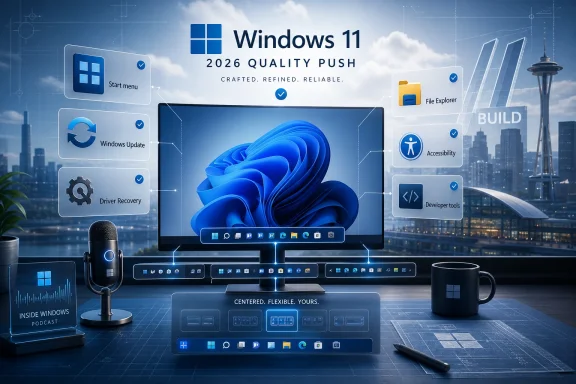
Microsoft used a May 29 Windows Insider Blog post and the debut of its new Inside Windows video podcast to argue that its 2026 Windows 11 quality push is now moving from promise to visible product work across Start, the taskbar, updates, drivers, File Explorer, accessibility, and developer-facing plumbing. The company’s message is not that Windows 11 has been fixed. It is that Windows leadership now understands quality as a product feature rather than a cleanup chore. That distinction matters, because Windows 11’s problem has never been only bugs; it has been the accumulated sense that the operating system keeps asking users to adapt to Microsoft’s priorities faster than Microsoft adapts to theirs.
Microsoft’s latest update is best understood as a progress report on a political problem inside the Windows ecosystem. In March, Windows chief Pavan Davuluri publicly committed Microsoft to addressing performance, reliability, and “craft” in Windows 11, giving shape to a complaint users had been making since the operating system’s earliest releases. Windows 11 looked modern, but often felt less accommodating than the Windows it replaced.
The May update, written by Microsoft’s Marcus Ash, frames the month around “momentum.” That word is doing a lot of work. Microsoft is not announcing one grand repair job; it is trying to show that the repair process has become systematic.
That is why the post moves across so many surfaces: taskbar behavior, Start menu flexibility, driver recovery, File Explorer reliability, readability, accessibility, and developer experience. In isolation, each improvement can sound minor. Together, they form a rebuttal to the charge that Windows 11 is polished only where Microsoft wants to sell a new experience and neglected where users actually spend their day.
The new Inside Windows podcast is part of the same strategy. Davuluri interviewing Ash is not exactly adversarial journalism, but it signals that Microsoft wants to keep this topic alive beyond release notes. Quality has become a communications beat.
That alone is a change. For years, Microsoft’s public Windows energy often clustered around new hardware, AI features, Copilot integrations, and annual update branding. Now the company is spending executive attention on the unglamorous parts of the operating system: the taskbar behaving predictably, updates taking fewer restarts, drivers failing less catastrophically, and File Explorer feeling less brittle.
The May quality messaging leans into that history. Microsoft has been working on taskbar changes in Insider builds, including returning flexibility users had missed, most notably the ability to move the taskbar to the top or sides of the screen. That one feature has become almost comically loaded because it represents a broader complaint: Windows 11 often seemed to treat customization as visual clutter rather than as part of Windows’ identity.
For ordinary users, taskbar placement may not matter much. For power users, multi-monitor workers, accessibility-conscious setups, kiosks, labs, and anyone who has built muscle memory over decades, it matters a great deal. Windows became dominant in part because it could be bent around different workflows.
Microsoft’s argument now is that it can modernize without flattening those workflows. That is the right argument, but it arrives after years of users asking why such a basic Windows behavior had to disappear in the first place.
The larger lesson is that design consistency is not the same thing as quality. Windows 11’s centered taskbar may have made sense on marketing screenshots, but the OS is not judged by screenshots. It is judged in the repeated gestures of daily use, where small frictions become permanent irritants.
Instead, the company is trying to recover enough flexibility to make the Windows 11 Start menu feel less imposed. The Windows 11 Start experience has long sat at the center of user frustration because it blends three different Microsoft instincts: app launching, recommendation surfaces, and account-connected services. When those instincts align with user intent, Start feels useful. When they do not, it feels like rented space on a machine the user owns.
This is where Microsoft’s quality push becomes more than bug fixing. A crash is easy to classify as a defect. A Start menu that technically works but repeatedly puts the wrong things in front of the user is harder to label. Yet that kind of mismatch is exactly what people mean when they say an OS feels worse.
The company’s current direction suggests it recognizes that quality includes agency. Users want reliable defaults, but they also want the ability to change the parts of Windows that sit between them and their work. Microsoft does not need to surrender every design decision to nostalgia. It does need to stop treating predictability as a legacy feature.
That is why the Start and taskbar work matters even before it reaches everyone on stable builds. It shows Microsoft revisiting decisions that were once defended as the new shape of Windows 11. The company is not saying those decisions were wrong outright, but it is quietly conceding that the first version of the argument did not carry the user base with it.
Microsoft’s April update changes are therefore central to the story. The company has been working to consolidate more update activity into the regular monthly quality update cycle, reducing the number of disruptive restart moments for components such as .NET and firmware. The idea is straightforward: fewer surprise interruptions, clearer timing, and a more predictable servicing rhythm.
For IT administrators, predictability is not a nicety. It is the difference between a manageable patch window and a support queue full of machines in unknown states. Microsoft has spent years saying Windows is a service. In practice, many users experience that service as a recurring tax on attention.
The problem is that update reliability remains a moving target. Reports around the May 2026 cumulative update pointed to installation failures on some systems, with error 0x800f0922 tied to limited free space in the EFI System Partition. Microsoft’s mitigation and documentation help, but they also underline the awkward truth: the quality campaign is unfolding while Windows continues to exhibit the very kinds of servicing fragility Microsoft is trying to tame.
That does not make the campaign empty. It makes the campaign measurable. If Microsoft wants users to believe that Windows 11 quality is improving, update failures must become rarer, clearer, and easier to recover from. The company does not get credit for saying the right things if Patch Tuesday keeps delivering the wrong kind of drama.
Cloud Initiated Driver Recovery is part of that story. The goal is to make driver-related failures less terminal by improving recovery paths when a bad driver destabilizes a device. This is not the sort of feature that wins consumer keynote applause, but it is exactly the sort of engineering that determines whether Windows feels dependable at scale.
For enterprises, driver quality is not an abstract benchmark. It affects fleet imaging, device refreshes, help desk volume, blue screen rates, security posture, and the willingness to adopt new Windows releases quickly. A single troublesome driver can turn a routine rollout into a cautionary tale.
The challenge for Microsoft is governance. Windows depends on hardware partners, OEMs, independent hardware vendors, and an enormous catalog of peripherals. Microsoft can raise certification bars and improve telemetry, but it cannot centrally author the entire ecosystem into perfection.
Still, the decision to elevate driver quality in the same breath as taskbar and Start changes is significant. It suggests Microsoft is trying to connect user-visible polish with platform-level reliability. That connection is overdue. A user does not care whether a freeze originated in Windows shell code, a graphics driver, or a firmware interaction. The machine simply failed them.
Microsoft’s May update emphasizes File Explorer reliability, readability, and usability improvements. Those words are broad, but the direction matters. File Explorer is where Windows cannot hide behind novelty. Users know what good file browsing feels like because they have done it for decades.
“Craft” is Microsoft’s chosen term for these refinements, and it is easy to mock because it sounds like design-shop vocabulary. But craft is exactly what Windows 11 has often lacked. Not beauty, necessarily. Coherence.
A crafted operating system is one where context menus do not feel like archaeological layers, where animations do not mask sluggishness, where settings are where users expect them, and where core utilities behave with the authority of tools rather than the tentativeness of web views. Windows 11 has made progress on some of these fronts, but unevenly.
That unevenness is why Microsoft’s quality push has to be judged over months, not blog posts. A single File Explorer fix can remove one annoyance. A real craft agenda changes the odds that the next new feature will introduce three more.
Microsoft has long invested in accessibility across Windows, but Windows 11’s broader redesign meant that old assumptions had to be retested across new surfaces. The more Windows blends local UI, web-rendered content, AI assistants, cloud accounts, widgets, and notification surfaces, the more complicated the accessibility matrix becomes.
That complexity is not an excuse. It is the job. Windows remains the default computing environment for schools, governments, hospitals, businesses, and homes with users who depend on assistive technologies. A platform that claims to be modern cannot treat accessibility as retrofitting.
The May quality update’s accessibility emphasis is therefore a useful signal. It says Microsoft understands that “polish” cannot mean smooth animations for users with perfect vision, perfect motor control, and brand-new hardware. Quality must survive the real range of Windows users.
The more interesting question is whether accessibility remains central when Microsoft pivots back to promoting AI-first experiences. Copilot-era Windows will introduce more generated summaries, voice interactions, screen context, and automation. Those features could be transformative for accessibility, or they could add another uneven layer if the fundamentals are neglected.
Windows enthusiasts understand risk. They do not expect preview builds to be flawless. What they do expect is a coherent contract: which channel is risky, which features are flighting, what might ship, and what is merely experimental. When that contract gets fuzzy, feedback quality suffers.
Microsoft’s newer language attempts to draw sharper lines around experimentation. The company wants Insiders to understand that some features may change, be delayed, or never ship. That kind of transparency is healthy, but it also gives Microsoft more room to test aggressively without triggering immediate “Microsoft promised this” backlash.
The danger is that the Insider Program can become a holding pen for improvements users have wanted for years. Bringing back taskbar flexibility in preview is good. But if long-requested fixes spend too long in staged rollout limbo, the goodwill fades.
There is also the question of representativeness. Insiders are useful, vocal, and technically engaged, but they are not the whole Windows population. A change that delights power users may confuse mainstream users; a staged rollout that looks sensible to Microsoft may look arbitrary to everyone else.
This has been one of Windows 11’s most persistent strategic challenges. Microsoft wants modern apps, AI-powered apps, Store-distributed apps, web apps, Win32 apps, ARM-native apps, and legacy apps to coexist. That flexibility is powerful, but it has also left Windows with a fragmented app story.
Developers face choices between Win32, WinUI, Windows App SDK, Progressive Web Apps, cross-platform frameworks, Electron, and various cloud-connected models. Users mostly do not care which stack an app uses. They care whether it launches quickly, follows system conventions, respects battery life, handles scaling properly, and does not feel like a browser tab wearing a Windows costume.
If Microsoft is serious about quality, Build cannot just be about new APIs and AI hooks. It has to make the case that building a high-quality Windows app is simpler and more rewarding than it was last year. Otherwise, Microsoft risks improving the operating system shell while the app ecosystem continues to feel uneven.
The developer experience also connects directly to enterprise adoption. Internal line-of-business apps, device management tools, security agents, and productivity utilities all depend on stable platform guidance. A quality push that ignores developers would be incomplete.
That restraint is smart. Many Windows users are not angry because the OS lacks more generated summaries. They are angry because basic surfaces changed without enough flexibility, because updates disrupt work, because File Explorer can feel sluggish, because settings are split across old and new interfaces, and because Microsoft’s cloud nudges sometimes arrive where users wanted a local tool.
AI can make some Windows experiences better. It can help with accessibility, search, device troubleshooting, automation, and contextual assistance. But AI layered on top of an inconsistent operating system risks becoming another irritant rather than a remedy.
Microsoft appears to understand that Windows 11 needs a foundation repair before the AI house gets taller. The question is whether that discipline will hold. The company’s commercial incentives all point toward Copilot, subscriptions, cloud identity, and AI PCs. User trust, however, still depends on whether the Start menu, taskbar, updates, drivers, and files behave.
This is the strategic bind. Microsoft wants Windows to be the front door to the AI PC era. Users want Windows to stop rearranging the furniture while they are trying to work. The quality campaign is the bridge between those goals.
Stable Windows 11 users have seen some improvements already, and Microsoft’s monthly cadence means more will arrive over time. But ordinary users do not read Insider blogs. They experience Windows as a sequence of updates that either make the PC better, leave it alone, or break something.
This is where Microsoft’s messaging must avoid overclaiming. A quality update post can highlight work in progress, but it cannot declare victory. Windows quality is cumulative, and so is Windows distrust.
There is also a timing issue. Windows 10’s end-of-support pressure has pushed more users and organizations toward Windows 11. Some of those migrations are voluntary; others are compelled by lifecycle realities. If Windows 11 is going to become the unavoidable baseline for more of the installed base, Microsoft has less room to treat quality as a charm offensive.
The company’s current approach is promising precisely because it acknowledges pain points rather than pretending complaints are just resistance to change. But acknowledgment is the first step, not the settlement.
Microsoft’s May quality update does not prove that Windows 11 has turned a corner, but it does show the company walking toward the right corner for once: away from novelty as the default answer and toward the slow, unglamorous work of earning trust back one interaction at a time. If that work keeps landing in stable builds through 2026, Windows 11 may be remembered less as the release that took familiar things away and more as the one Microsoft had to learn, publicly and painfully, how to repair.
 Microsoft Tries to Turn Windows 11 Quality Into a Campaign
Microsoft’s latest update is best understood as a progress report on a political problem inside the Windows ecosystem. In March, Windows chief Pavan Davuluri publicly committed Microsoft to addressing performance, reliability, and “craft” in Windows 11, giving shape to a complaint users had been making since the operating system’s earliest releases. Windows 11 looked modern, but often felt less accommodating than the Windows it replaced.The May update, written by Microsoft’s Marcus Ash, frames the month around “momentum.” That word is doing a lot of work. Microsoft is not announcing one grand repair job; it is trying to show that the repair process has become systematic.
That is why the post moves across so many surfaces: taskbar behavior, Start menu flexibility, driver recovery, File Explorer reliability, readability, accessibility, and developer experience. In isolation, each improvement can sound minor. Together, they form a rebuttal to the charge that Windows 11 is polished only where Microsoft wants to sell a new experience and neglected where users actually spend their day.
The new Inside Windows podcast is part of the same strategy. Davuluri interviewing Ash is not exactly adversarial journalism, but it signals that Microsoft wants to keep this topic alive beyond release notes. Quality has become a communications beat.
That alone is a change. For years, Microsoft’s public Windows energy often clustered around new hardware, AI features, Copilot integrations, and annual update branding. Now the company is spending executive attention on the unglamorous parts of the operating system: the taskbar behaving predictably, updates taking fewer restarts, drivers failing less catastrophically, and File Explorer feeling less brittle.
The Taskbar Is Where Windows 11’s Trust Problem Started
If there is one symbol of Windows 11’s early overreach, it is the taskbar. Microsoft shipped a cleaner, centered, simplified version of one of the most familiar UI elements in personal computing, but in the process removed or delayed capabilities that long-time users considered basic. The result was a modern taskbar that too often felt like a downgrade with better lighting.The May quality messaging leans into that history. Microsoft has been working on taskbar changes in Insider builds, including returning flexibility users had missed, most notably the ability to move the taskbar to the top or sides of the screen. That one feature has become almost comically loaded because it represents a broader complaint: Windows 11 often seemed to treat customization as visual clutter rather than as part of Windows’ identity.
For ordinary users, taskbar placement may not matter much. For power users, multi-monitor workers, accessibility-conscious setups, kiosks, labs, and anyone who has built muscle memory over decades, it matters a great deal. Windows became dominant in part because it could be bent around different workflows.
Microsoft’s argument now is that it can modernize without flattening those workflows. That is the right argument, but it arrives after years of users asking why such a basic Windows behavior had to disappear in the first place.
The larger lesson is that design consistency is not the same thing as quality. Windows 11’s centered taskbar may have made sense on marketing screenshots, but the OS is not judged by screenshots. It is judged in the repeated gestures of daily use, where small frictions become permanent irritants.
Start Menu Repairs Are Really About Control
The same tension runs through Start. Microsoft’s May 29 Insider builds include new Start-related changes, and Ash’s broader quality post points readers toward Microsoft’s recent discussion of making Start and the taskbar more personal. That phrasing is careful. Microsoft is not saying “we made Start exactly like Windows 10 again,” because it has no intention of doing that.Instead, the company is trying to recover enough flexibility to make the Windows 11 Start menu feel less imposed. The Windows 11 Start experience has long sat at the center of user frustration because it blends three different Microsoft instincts: app launching, recommendation surfaces, and account-connected services. When those instincts align with user intent, Start feels useful. When they do not, it feels like rented space on a machine the user owns.
This is where Microsoft’s quality push becomes more than bug fixing. A crash is easy to classify as a defect. A Start menu that technically works but repeatedly puts the wrong things in front of the user is harder to label. Yet that kind of mismatch is exactly what people mean when they say an OS feels worse.
The company’s current direction suggests it recognizes that quality includes agency. Users want reliable defaults, but they also want the ability to change the parts of Windows that sit between them and their work. Microsoft does not need to surrender every design decision to nostalgia. It does need to stop treating predictability as a legacy feature.
That is why the Start and taskbar work matters even before it reaches everyone on stable builds. It shows Microsoft revisiting decisions that were once defended as the new shape of Windows 11. The company is not saying those decisions were wrong outright, but it is quietly conceding that the first version of the argument did not carry the user base with it.
Windows Update Is Still the Test Microsoft Cannot Avoid
The hardest part of this campaign is that Windows quality is judged most harshly at update time. A prettier Start menu does not matter much if a cumulative update fails to install, slows networking, triggers multiple restarts, or leaves an administrator explaining to users why “Something didn’t go as planned” appeared again.Microsoft’s April update changes are therefore central to the story. The company has been working to consolidate more update activity into the regular monthly quality update cycle, reducing the number of disruptive restart moments for components such as .NET and firmware. The idea is straightforward: fewer surprise interruptions, clearer timing, and a more predictable servicing rhythm.
For IT administrators, predictability is not a nicety. It is the difference between a manageable patch window and a support queue full of machines in unknown states. Microsoft has spent years saying Windows is a service. In practice, many users experience that service as a recurring tax on attention.
The problem is that update reliability remains a moving target. Reports around the May 2026 cumulative update pointed to installation failures on some systems, with error 0x800f0922 tied to limited free space in the EFI System Partition. Microsoft’s mitigation and documentation help, but they also underline the awkward truth: the quality campaign is unfolding while Windows continues to exhibit the very kinds of servicing fragility Microsoft is trying to tame.
That does not make the campaign empty. It makes the campaign measurable. If Microsoft wants users to believe that Windows 11 quality is improving, update failures must become rarer, clearer, and easier to recover from. The company does not get credit for saying the right things if Patch Tuesday keeps delivering the wrong kind of drama.
Driver Quality Is the Enterprise Story Hidden in Plain Sight
Microsoft’s Driver Quality Initiative, discussed at WinHEC 2026 and highlighted again in the May quality update, may prove more important than the visible UI changes. Drivers are where Windows’ openness becomes both its competitive advantage and its recurring liability. The same ecosystem breadth that lets Windows run on countless hardware combinations also creates a vast surface area for crashes, regressions, performance problems, and security failures.Cloud Initiated Driver Recovery is part of that story. The goal is to make driver-related failures less terminal by improving recovery paths when a bad driver destabilizes a device. This is not the sort of feature that wins consumer keynote applause, but it is exactly the sort of engineering that determines whether Windows feels dependable at scale.
For enterprises, driver quality is not an abstract benchmark. It affects fleet imaging, device refreshes, help desk volume, blue screen rates, security posture, and the willingness to adopt new Windows releases quickly. A single troublesome driver can turn a routine rollout into a cautionary tale.
The challenge for Microsoft is governance. Windows depends on hardware partners, OEMs, independent hardware vendors, and an enormous catalog of peripherals. Microsoft can raise certification bars and improve telemetry, but it cannot centrally author the entire ecosystem into perfection.
Still, the decision to elevate driver quality in the same breath as taskbar and Start changes is significant. It suggests Microsoft is trying to connect user-visible polish with platform-level reliability. That connection is overdue. A user does not care whether a freeze originated in Windows shell code, a graphics driver, or a firmware interaction. The machine simply failed them.
File Explorer Shows Why “Craft” Is Not Cosmetic
File Explorer has become the quiet test of Windows 11’s maturity. It is not the flashiest part of the OS, but it is one of the most heavily used, and it has carried its share of Windows 11 complaints: sluggishness, inconsistent behavior, UI oddities, and reliability problems that feel especially jarring in a core file manager.Microsoft’s May update emphasizes File Explorer reliability, readability, and usability improvements. Those words are broad, but the direction matters. File Explorer is where Windows cannot hide behind novelty. Users know what good file browsing feels like because they have done it for decades.
“Craft” is Microsoft’s chosen term for these refinements, and it is easy to mock because it sounds like design-shop vocabulary. But craft is exactly what Windows 11 has often lacked. Not beauty, necessarily. Coherence.
A crafted operating system is one where context menus do not feel like archaeological layers, where animations do not mask sluggishness, where settings are where users expect them, and where core utilities behave with the authority of tools rather than the tentativeness of web views. Windows 11 has made progress on some of these fronts, but unevenly.
That unevenness is why Microsoft’s quality push has to be judged over months, not blog posts. A single File Explorer fix can remove one annoyance. A real craft agenda changes the odds that the next new feature will introduce three more.
Accessibility Makes Quality Harder to Fake
Accessibility improvements occupy a crucial place in Microsoft’s May messaging because they make quality concrete. Accessibility work has a way of exposing whether an interface is genuinely coherent or merely attractive under ideal conditions. If navigation, focus behavior, contrast, readability, and input paths are inconsistent, users with accessibility needs encounter those failures first and most severely.Microsoft has long invested in accessibility across Windows, but Windows 11’s broader redesign meant that old assumptions had to be retested across new surfaces. The more Windows blends local UI, web-rendered content, AI assistants, cloud accounts, widgets, and notification surfaces, the more complicated the accessibility matrix becomes.
That complexity is not an excuse. It is the job. Windows remains the default computing environment for schools, governments, hospitals, businesses, and homes with users who depend on assistive technologies. A platform that claims to be modern cannot treat accessibility as retrofitting.
The May quality update’s accessibility emphasis is therefore a useful signal. It says Microsoft understands that “polish” cannot mean smooth animations for users with perfect vision, perfect motor control, and brand-new hardware. Quality must survive the real range of Windows users.
The more interesting question is whether accessibility remains central when Microsoft pivots back to promoting AI-first experiences. Copilot-era Windows will introduce more generated summaries, voice interactions, screen context, and automation. Those features could be transformative for accessibility, or they could add another uneven layer if the fundamentals are neglected.
The Insider Program Becomes Microsoft’s Quality Laboratory
The Windows Insider Program sits at the center of this effort because Microsoft is using it not just to test features, but to rebuild credibility. April’s changes to the Insider experience were designed to make channels clearer and feature availability less confusing. That is an important admission: for many testers, the Insider Program had become difficult to interpret.Windows enthusiasts understand risk. They do not expect preview builds to be flawless. What they do expect is a coherent contract: which channel is risky, which features are flighting, what might ship, and what is merely experimental. When that contract gets fuzzy, feedback quality suffers.
Microsoft’s newer language attempts to draw sharper lines around experimentation. The company wants Insiders to understand that some features may change, be delayed, or never ship. That kind of transparency is healthy, but it also gives Microsoft more room to test aggressively without triggering immediate “Microsoft promised this” backlash.
The danger is that the Insider Program can become a holding pen for improvements users have wanted for years. Bringing back taskbar flexibility in preview is good. But if long-requested fixes spend too long in staged rollout limbo, the goodwill fades.
There is also the question of representativeness. Insiders are useful, vocal, and technically engaged, but they are not the whole Windows population. A change that delights power users may confuse mainstream users; a staged rollout that looks sensible to Microsoft may look arbitrary to everyone else.
Build Looms Over the Quality Conversation
Ash’s May post points to Microsoft Build, where the company says it will share more about elevating the developer experience across the Windows platform. That matters because Windows quality is not only about Microsoft’s own shell and system components. It is also about whether developers can build applications that feel native, fast, reliable, and worth using on Windows.This has been one of Windows 11’s most persistent strategic challenges. Microsoft wants modern apps, AI-powered apps, Store-distributed apps, web apps, Win32 apps, ARM-native apps, and legacy apps to coexist. That flexibility is powerful, but it has also left Windows with a fragmented app story.
Developers face choices between Win32, WinUI, Windows App SDK, Progressive Web Apps, cross-platform frameworks, Electron, and various cloud-connected models. Users mostly do not care which stack an app uses. They care whether it launches quickly, follows system conventions, respects battery life, handles scaling properly, and does not feel like a browser tab wearing a Windows costume.
If Microsoft is serious about quality, Build cannot just be about new APIs and AI hooks. It has to make the case that building a high-quality Windows app is simpler and more rewarding than it was last year. Otherwise, Microsoft risks improving the operating system shell while the app ecosystem continues to feel uneven.
The developer experience also connects directly to enterprise adoption. Internal line-of-business apps, device management tools, security agents, and productivity utilities all depend on stable platform guidance. A quality push that ignores developers would be incomplete.
The AI Layer Is the Unspoken Tension
The most interesting part of Microsoft’s quality campaign is what it is not centered on: Copilot. That is not because AI has disappeared from Windows strategy. It plainly has not. But Microsoft’s May quality messaging is notable for focusing on fundamentals rather than presenting AI as the answer to every complaint.That restraint is smart. Many Windows users are not angry because the OS lacks more generated summaries. They are angry because basic surfaces changed without enough flexibility, because updates disrupt work, because File Explorer can feel sluggish, because settings are split across old and new interfaces, and because Microsoft’s cloud nudges sometimes arrive where users wanted a local tool.
AI can make some Windows experiences better. It can help with accessibility, search, device troubleshooting, automation, and contextual assistance. But AI layered on top of an inconsistent operating system risks becoming another irritant rather than a remedy.
Microsoft appears to understand that Windows 11 needs a foundation repair before the AI house gets taller. The question is whether that discipline will hold. The company’s commercial incentives all point toward Copilot, subscriptions, cloud identity, and AI PCs. User trust, however, still depends on whether the Start menu, taskbar, updates, drivers, and files behave.
This is the strategic bind. Microsoft wants Windows to be the front door to the AI PC era. Users want Windows to stop rearranging the furniture while they are trying to work. The quality campaign is the bridge between those goals.
Stable Builds Will Decide Whether the Story Holds
So far, much of the visible quality work is moving through the Windows Insider Program. That is normal, but it means the real judgment has not yet arrived. Enthusiasts can see direction; mainstream users need delivered results.Stable Windows 11 users have seen some improvements already, and Microsoft’s monthly cadence means more will arrive over time. But ordinary users do not read Insider blogs. They experience Windows as a sequence of updates that either make the PC better, leave it alone, or break something.
This is where Microsoft’s messaging must avoid overclaiming. A quality update post can highlight work in progress, but it cannot declare victory. Windows quality is cumulative, and so is Windows distrust.
There is also a timing issue. Windows 10’s end-of-support pressure has pushed more users and organizations toward Windows 11. Some of those migrations are voluntary; others are compelled by lifecycle realities. If Windows 11 is going to become the unavoidable baseline for more of the installed base, Microsoft has less room to treat quality as a charm offensive.
The company’s current approach is promising precisely because it acknowledges pain points rather than pretending complaints are just resistance to change. But acknowledgment is the first step, not the settlement.
The Real Windows 11 Reset Is Happening in the Boring Places
The practical reading of Microsoft’s May update is that the Windows team is trying to make quality visible without reducing it to a single marquee feature. That is the right instinct. The most important Windows improvements are often the ones that remove reasons to think about Windows at all.- Microsoft is now treating performance, reliability, and interface craft as public Windows 11 commitments rather than internal housekeeping.
- The return of taskbar flexibility in Insider builds signals a partial retreat from Windows 11’s earlier one-size-fits-all design posture.
- Start menu changes matter because they test whether Microsoft will give users more control over one of the operating system’s most commercially tempting surfaces.
- Windows Update remains the credibility test, because fewer restarts and better orchestration will mean little if cumulative updates keep producing visible failures.
- Driver quality work may have the largest enterprise impact, even though it is less visible than Start, taskbar, or File Explorer changes.
- The new Inside Windows podcast is less important for what it reveals than for what it signals: Microsoft wants a recurring public narrative around fixing Windows, not just selling the next Windows feature.
Microsoft’s May quality update does not prove that Windows 11 has turned a corner, but it does show the company walking toward the right corner for once: away from novelty as the default answer and toward the slow, unglamorous work of earning trust back one interaction at a time. If that work keeps landing in stable builds through 2026, Windows 11 may be remembered less as the release that took familiar things away and more as the one Microsoft had to learn, publicly and painfully, how to repair.
References
- Primary source: thurrott.com
Published: Fri, 29 May 2026 19:06:43 GMT

Microsoft Provides an Update on Windows 11 Quality
Microsoft is documenting the improvements it's made to Windows 11 this year, and it launched a new podcast to help do that. www.thurrott.com
- Official source: blogs.windows.com
Windows quality update: May
Hey Windows Insiders, One of the best parts of the work is hearing directly from the people using Windows every day. I was recently in Hyderabad and Taipei meeting with local Windows Insiders, and those conversations gave me a lot of energy heading blogs.windows.com
- Related coverage: windowscentral.com

Windows 11’s latest update is causing install errors and internet slowdown issues that may affect everyday use
Some users are hitting install failures and internet slowdowns after the May 2026 Patch Tuesday update. www.windowscentral.com
- Related coverage: windowslatest.com
Microsoft confirms Windows 11 may restart multiple times after updates and your PC isn't broken, as it's due to Secure Boot 2023
Microsoft has clarified that Windows 11 restarting more than once after an update is expected behavior, not a sign of a failed install. www.windowslatest.com
- Related coverage: tomshardware.com

Microsoft to force updates to Windows 11 25H2 for PCs with older Windows 11 OS versions — 'intelligent' update system uses machine learning to determine when a device is ready
Microsoft forces 25H2 rollout ahead of 24H2 end-of-supportwww.tomshardware.com
- Related coverage: pcgamer.com
Microsoft aims to bring the Windows driver ecosystem back into step
Start your engines.www.pcgamer.com
- Related coverage: techradar.com
