

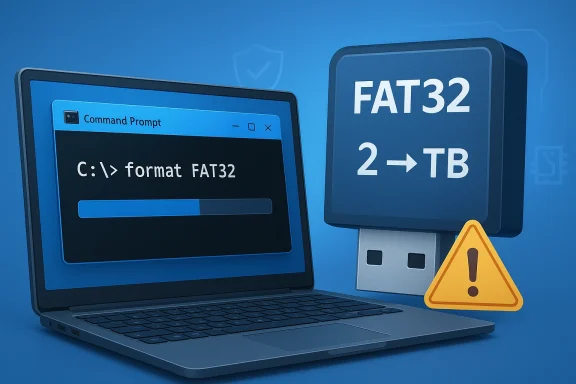
It’s taken an absurdly long time, but Microsoft is finally restoring a long-missing piece of FAT32 convenience in Windows 11: the ability to format FAT32 volumes larger than 32GB from the command line. In the latest Windows 11 Insider Preview Build 26220.8165 for the Beta Channel, Microsoft says the limit is being raised all the way to 2TB. That sounds routine on paper, but it is a notable fix for a file system that still lingers in everything from bootable USB sticks to firmware update workflows and niche legacy hardware. The catch, as ever, is that FAT32’s 4GB file-size ceiling remains unchanged. (blogs.windows.com)
FAT32 is one of those technologies that refuses to die because it still solves a few narrow problems extremely well. Microsoft’s own documentation and support history make clear that the file system has long been limited by design: FAT32 tops out at 4GB per file, while its practical role on modern systems is usually about compatibility rather than performance or capacity. The format command in Windows also has long documented special handling for FAT32 allocation sizes and cluster limits, which underscores how deeply the file system’s constraints are baked into the platform.
For years, Windows presented a frustrating mismatch between what FAT32 can theoretically do and what the operating system allowed users to do through built-in tools. Microsoft’s own WinPE guidance still described FAT32 as having a 32GB maximum partition size for common deployment scenarios, even while acknowledging that users could work around the restriction by using multiple partitions or other methods. That guidance is especially relevant for installers and recovery media, where FAT32 remains important because UEFI boot environments frequently depend on it.
The latest Insider change is therefore less about inventing something new than about removing a long-standing artificial ceiling. In the Beta Channel build notes for April 10, 2026, Microsoft explicitly says it is “increasing the size limit for formatting FAT32 volumes via the command line from 32GB to 2TB.” That wording matters: this is not a wholesale rewrite of FAT32, but a change to Windows’ formatting behavior. The underlying file system rules, including the 4GB file limit, remain intact. (blogs.windows.com)
This is also not the first time Microsoft has done it. A Canary Channel build in March 2024 already previewed the same kind of move by opening the door to larger FAT32 formatting in Insider builds. That earlier flight showed that Microsoft had already tested the idea internally and in pre-release channels; the new Beta Channel appearance suggests the company is now broadening the pipeline toward eventual public availability.
The new limit is 2TB, a figure that lines up with long-standing discussions around FAT32 and storage capacity in Microsoft’s ecosystem. Microsoft’s own Q&A and documentation have historically described FAT32 as having a maximum drive size around 2TB, even as Windows tools imposed far smaller practical limits. In other words, the format utility is finally catching up to a boundary that has existed conceptually for a very long time.
There is also a subtle enterprise angle here. The same build notes mention that some security and storage features are rolling out gradually and that Windows 11 Insider features can be controlled by toggle-based rollout. That tells us Microsoft is treating this as part of a managed preview cycle rather than a universal immediate switch. (blogs.windows.com)
Another answer is that Microsoft has had bigger fish to fry. NTFS, ReFS, exFAT, and modern deployment tooling have all absorbed most of the engineering attention around storage. From that perspective, removing a default FAT32 restriction was probably easy to delay because there were always third-party tools available for people who really needed the capability. That is not good product strategy, but it is understandable corporate strategy.
That said, “I can use a third-party tool” is never the same as “the OS should have supported this all along.” For many users, particularly IT staff, the difference is administrative friction. If a single built-in command can do the job, it becomes easier to script, document, and standardize. That is where this change has its real value. (blogs.windows.com)
The 32GB partition cap was different. That was effectively Windows’ implementation ceiling, not FAT32’s defining architectural limit. Microsoft’s own format documentation and WinPE deployment guidance show that the operating system has long been aware of FAT32’s peculiar role, but it chose to impose a much smaller default practical limit in its tooling.
exFAT sits somewhere in the middle. It avoids FAT32’s 4GB file problem and is designed for removable storage and cross-platform use, which is why many users already prefer it for flash drives and SD cards. If the goal is simply “portable storage without the FAT32 baggage,” exFAT remains the more attractive choice for most people.
But consumers still run into FAT32 in very specific moments. A user may need a large USB stick for a router update, a camera firmware flash, a motherboard BIOS package, or a legacy console homebrew workflow. In those moments, the Windows restriction was annoying enough to send people hunting for tools they should not have needed in the first place.
It also reduces the chance that users will format media with the wrong tool or download shady utilities just to get around a built-in limitation. That is a small but real security and support benefit. When Windows handles the task natively, there are fewer opportunities for accidental data loss or dubious downloads. (blogs.windows.com)
This is particularly relevant where boot media and maintenance media are concerned. Microsoft’s own deployment documentation has long described FAT32’s role in WinPE and UEFI-based workflows, and those workflows often hit the 32GB ceiling because the media itself is larger than the limit. The change should reduce one common point of friction in imaging and recovery preparation.
It also helps in environments where USB media must be prepared at scale. Even if the operating system never becomes the preferred home for large FAT32 volumes, having the feature available in scripts is a practical gain. The difference between “supported in theory” and “supported in native tooling” can be huge when multiplied across dozens or hundreds of devices. (blogs.windows.com)
That matters because Windows still sells itself partly on convenience and breadth. When users hit odd limitations like a 32GB FAT32 cap, the platform can feel surprisingly unfinished. Closing that gap helps Microsoft present Windows as the place where even legacy tasks are handled natively. (blogs.windows.com)
The broader competitive story is that Windows continues its slow cleanup of legacy rough edges. That is not glamorous, and it will not move PC sales by itself. Still, quality-of-life fixes like this shape user sentiment, especially among power users who notice when the platform finally catches up to reality. (blogs.windows.com)
The opportunity is larger than the headline suggests, because a small formatter fix can ripple into imaging, firmware updates, and support documentation. When the Windows command line can do something that users previously had to outsource, the platform becomes a little easier to standardize and a little harder to misuse. That is quietly valuable. (blogs.windows.com)
There is also the possibility of feature drift between Insider channels and public releases. Microsoft has been clear that Insider features can change, disappear, or never ship at all, and Beta Channel rollouts are often gradual. So while this looks promising, users should still treat it as preview behavior until it lands in stable Windows builds. (blogs.windows.com)
Finally, there is the mild philosophical risk that Microsoft is spending attention on a side issue while users still want bigger, more visible improvements. A better taskbar, more consistent settings behavior, and fewer UI inconsistencies may deliver more day-to-day value than FAT32 ever will. The irony is that this small storage tweak may be more technically substantive than many flashy UI changes. (blogs.windows.com)
It will also be interesting to see whether Microsoft updates its support articles and deployment guidance to match the new behavior. Right now, the company’s broader storage documentation still emphasizes FAT32 limitations and workarounds, and those docs will need to reflect the new practical ceiling once the feature is widely available. Until then, the story remains a little split between what Windows can do in preview and what Microsoft still tells admins to expect.
Source: PC Gamer It's taking forever to get here but FAT32's volume limit will soon be 2 TB in Windows
 Background
FAT32 is one of those technologies that refuses to die because it still solves a few narrow problems extremely well. Microsoft’s own documentation and support history make clear that the file system has long been limited by design: FAT32 tops out at 4GB per file, while its practical role on modern systems is usually about compatibility rather than performance or capacity. The format command in Windows also has long documented special handling for FAT32 allocation sizes and cluster limits, which underscores how deeply the file system’s constraints are baked into the platform.For years, Windows presented a frustrating mismatch between what FAT32 can theoretically do and what the operating system allowed users to do through built-in tools. Microsoft’s own WinPE guidance still described FAT32 as having a 32GB maximum partition size for common deployment scenarios, even while acknowledging that users could work around the restriction by using multiple partitions or other methods. That guidance is especially relevant for installers and recovery media, where FAT32 remains important because UEFI boot environments frequently depend on it.
The latest Insider change is therefore less about inventing something new than about removing a long-standing artificial ceiling. In the Beta Channel build notes for April 10, 2026, Microsoft explicitly says it is “increasing the size limit for formatting FAT32 volumes via the command line from 32GB to 2TB.” That wording matters: this is not a wholesale rewrite of FAT32, but a change to Windows’ formatting behavior. The underlying file system rules, including the 4GB file limit, remain intact. (blogs.windows.com)
This is also not the first time Microsoft has done it. A Canary Channel build in March 2024 already previewed the same kind of move by opening the door to larger FAT32 formatting in Insider builds. That earlier flight showed that Microsoft had already tested the idea internally and in pre-release channels; the new Beta Channel appearance suggests the company is now broadening the pipeline toward eventual public availability.
Why FAT32 still matters
The practical use cases are narrow, but they are real. FAT32 is still useful for old PCs, embedded systems, UEFI boot media, and BIOS update sticks where maximum compatibility matters more than modern file-system features. It is also common in hobbyist and homebrew ecosystems, where people prioritize broad firmware recognition over advanced permissions, journaling, or encryption support.Why the 32GB cap became a nuisance
The problem was never that FAT32 could not exist on larger volumes. It was that Windows’ built-in formatter refused to make those volumes easily, pushing users toward third-party tools or awkward workarounds. Microsoft documentation for WinPE even treated the limitation as something to be worked around rather than a hard theoretical boundary, which is exactly why the new change feels overdue.What Microsoft Changed
Microsoft’s wording in the Beta Channel blog is brief, but it is precise. The company says the change applies to formatting FAT32 volumes via the command line, which means the built-informat workflow is now being updated rather than the file system itself. That distinction is important because it avoids overpromising; this is an operating-system policy change, not a new version of FAT32. (blogs.windows.com)The new limit is 2TB, a figure that lines up with long-standing discussions around FAT32 and storage capacity in Microsoft’s ecosystem. Microsoft’s own Q&A and documentation have historically described FAT32 as having a maximum drive size around 2TB, even as Windows tools imposed far smaller practical limits. In other words, the format utility is finally catching up to a boundary that has existed conceptually for a very long time.
Command-line only is the key detail
The Beta Channel note is specifically about the command line, which means most casual users may not notice the change unless they are actively formatting disks in Terminal, Command Prompt, or scripts. That matters because Windows’ consumer-facing disk workflows still tend to push people toward Settings or graphical tools, where behavior may differ or remain more conservative. Microsoft’s own note also places the change inside a broader set of storage improvements, which suggests the company is still iterating on large-volume handling more generally. (blogs.windows.com)There is also a subtle enterprise angle here. The same build notes mention that some security and storage features are rolling out gradually and that Windows 11 Insider features can be controlled by toggle-based rollout. That tells us Microsoft is treating this as part of a managed preview cycle rather than a universal immediate switch. (blogs.windows.com)
What this does not change
Just as importantly, the move does not alter FAT32’s core limitations. Microsoft and community documentation continue to note the 4GB maximum file size on FAT32, and that will remain a hard blocker for large ISO images, multi-gigabyte captures, or modern game assets. So the change is about volume size, not about making FAT32 competitive with NTFS or exFAT for general-purpose storage.- FAT32 volume creation in Windows is now being expanded to 2TB.
- The change applies to the command line, not the file system’s structure.
- The 4GB file-size limit still applies.
- The feature is in Beta Channel testing, not yet broadly released. (blogs.windows.com)
Why This Took So Long
The obvious question is why Microsoft waited so long to make a change that seems, frankly, tiny. Part of the answer is that Windows tends to preserve legacy behavior far longer than many users expect, especially when it intersects with boot media and compatibility-sensitive workflows. FAT32 may be old, but it remains a lowest-common-denominator file system in firmware and recovery contexts.Another answer is that Microsoft has had bigger fish to fry. NTFS, ReFS, exFAT, and modern deployment tooling have all absorbed most of the engineering attention around storage. From that perspective, removing a default FAT32 restriction was probably easy to delay because there were always third-party tools available for people who really needed the capability. That is not good product strategy, but it is understandable corporate strategy.
The third-party escape hatch was always there
Users have long had alternatives, including specialized formatting tools such as GUIFormat and similar utilities. Those tools could create FAT32 volumes well beyond Windows’ built-in limit, which made Microsoft’s restriction feel more like a policy choice than a technical impossibility. The new change simply removes the need to leave Windows for something that the platform can already do.That said, “I can use a third-party tool” is never the same as “the OS should have supported this all along.” For many users, particularly IT staff, the difference is administrative friction. If a single built-in command can do the job, it becomes easier to script, document, and standardize. That is where this change has its real value. (blogs.windows.com)
Legacy compatibility still rules the roost
FAT32’s stubborn survival is tied to old hardware, firmware update routines, and rescue environments that still expect it. Microsoft’s WinPE documentation explicitly calls out FAT32’s boot role and the limitations that come with it, which is a reminder that this is not an abstract storage story. It is a practical interoperability story that touches real devices and real workflows.- Firmware update sticks often need FAT32.
- UEFI boot media still relies on FAT32 compatibility in many scenarios.
- IT departments prefer built-in tools for automation.
- Third-party utilities solved the problem, but not elegantly.
The Technical Reality Behind FAT32
FAT32’s limits are often misunderstood, so it is worth separating myth from mechanism. The 4GB file-size cap is intrinsic to the format’s structure, specifically the way file length is represented. Microsoft community explanations and support references have repeated this for years, and that makes the new 2TB volume change easier to interpret correctly: the disk can be larger, but the individual files cannot.The 32GB partition cap was different. That was effectively Windows’ implementation ceiling, not FAT32’s defining architectural limit. Microsoft’s own format documentation and WinPE deployment guidance show that the operating system has long been aware of FAT32’s peculiar role, but it chose to impose a much smaller default practical limit in its tooling.
FAT32 versus modern alternatives
Compared with NTFS, FAT32 is primitive. NTFS supports larger volumes, richer metadata, permissions, compression, and other features that make it the default choice for everyday Windows storage. Microsoft’s NTFS documentation continues to position it as the more capable file system for modern usage, while FAT32 remains a compatibility tool.exFAT sits somewhere in the middle. It avoids FAT32’s 4GB file problem and is designed for removable storage and cross-platform use, which is why many users already prefer it for flash drives and SD cards. If the goal is simply “portable storage without the FAT32 baggage,” exFAT remains the more attractive choice for most people.
Why larger FAT32 is still not a universal win
Even with a 2TB limit, FAT32 does not suddenly become the right answer for large modern storage volumes. Large volumes with tiny files can be inefficient, and FAT32 lacks the durability and feature depth of NTFS. So the change is best seen as a compatibility improvement, not a general recommendation.- NTFS remains better for daily Windows use.
- exFAT is often better for removable media.
- FAT32 stays useful for boot and firmware compatibility.
- Larger FAT32 support does not eliminate the 4GB file limit.
Consumer Impact
For most ordinary Windows users, this is a non-event. If you mainly store photos, documents, videos, and games on modern internal drives, you will almost certainly never need a 2TB FAT32 volume. In that sense, the change is more symbolic than transformative.But consumers still run into FAT32 in very specific moments. A user may need a large USB stick for a router update, a camera firmware flash, a motherboard BIOS package, or a legacy console homebrew workflow. In those moments, the Windows restriction was annoying enough to send people hunting for tools they should not have needed in the first place.
The real consumer benefit
The real consumer win is convenience. Windows will now better match user expectations and eliminate one of those bizarre “why can’t I just do this?” moments that make the platform feel more limited than it actually is. That kind of friction removal does not generate headlines, but it improves perceived polish. (blogs.windows.com)It also reduces the chance that users will format media with the wrong tool or download shady utilities just to get around a built-in limitation. That is a small but real security and support benefit. When Windows handles the task natively, there are fewer opportunities for accidental data loss or dubious downloads. (blogs.windows.com)
What consumers should still know
The danger is assuming that “2TB FAT32” means “big-drive-friendly.” It does not. If you plan to store anything over 4GB in a single file, FAT32 is the wrong file system, no matter how large the partition itself can be. That rule has not changed, and it is still the first thing users should remember.Enterprise and IT Impact
For enterprises, the change is modest but operationally useful. IT teams often care less about raw capability than about repeatability, documentation, and supportability. A built-in command-line option that can create larger FAT32 volumes means fewer workarounds in scripts, imaging workflows, and field support procedures. (blogs.windows.com)This is particularly relevant where boot media and maintenance media are concerned. Microsoft’s own deployment documentation has long described FAT32’s role in WinPE and UEFI-based workflows, and those workflows often hit the 32GB ceiling because the media itself is larger than the limit. The change should reduce one common point of friction in imaging and recovery preparation.
Scripting and standardization
For systems administrators, the biggest advantage is consistency. A command-line formatting limit of 2TB lets organizations keep workflows inside approved tooling instead of relying on whichever free formatter an employee found online. That matters because standard tools are easier to audit, automate, and support. (blogs.windows.com)It also helps in environments where USB media must be prepared at scale. Even if the operating system never becomes the preferred home for large FAT32 volumes, having the feature available in scripts is a practical gain. The difference between “supported in theory” and “supported in native tooling” can be huge when multiplied across dozens or hundreds of devices. (blogs.windows.com)
Enterprise caveats
There is still a strong case for preferring NTFS or exFAT in managed environments. FAT32’s feature set is limited, and the larger partition ceiling does nothing to improve permissions, journaling, or file size constraints. Enterprises should treat this as a compatibility fix, not a storage strategy.- Easier creation of bootable media.
- Less dependence on third-party formatting tools.
- Better alignment with automated deployment scripts.
- No change to security or permission limitations.
- No change to the 4GB per-file ceiling. (blogs.windows.com)
Competitive Implications
There is not much direct competitive drama here, but there is still a market signal worth noting. Microsoft’s reluctance to make this change for years effectively handed a tiny but annoying usability advantage to independent utilities. By fixing the limitation in Windows itself, Microsoft reduces one more reason to leave the platform for a niche task.That matters because Windows still sells itself partly on convenience and breadth. When users hit odd limitations like a 32GB FAT32 cap, the platform can feel surprisingly unfinished. Closing that gap helps Microsoft present Windows as the place where even legacy tasks are handled natively. (blogs.windows.com)
What rivals gain or lose
Linux, macOS, and third-party cross-platform tools do not lose much from this change, because FAT32 formatting is a tiny slice of the broader ecosystem. But Microsoft does gain something intangible: fewer support complaints and fewer moments where users ask why a basic operation requires outside software. In a mature operating system, those little victories matter. (blogs.windows.com)The broader competitive story is that Windows continues its slow cleanup of legacy rough edges. That is not glamorous, and it will not move PC sales by itself. Still, quality-of-life fixes like this shape user sentiment, especially among power users who notice when the platform finally catches up to reality. (blogs.windows.com)
A small but meaningful product message
Microsoft has been trying to present Windows as both modern and deeply compatible. Restoring a 2TB FAT32 format path fits that message better than the old 32GB artificial limit ever did. It says the company is willing to preserve ancient compatibility without forcing users to jump through administrative hoops. (blogs.windows.com)- Less reliance on external utilities.
- Better alignment with Windows’ compatibility image.
- Fewer friction points for niche workflows.
- A stronger signal that Microsoft is fixing old paper cuts. (blogs.windows.com)
Strengths and Opportunities
The obvious strength here is that Microsoft is finally removing a limitation that was more annoying than necessary. The change is narrow, but narrow changes can still make a platform feel more coherent and more trustworthy. It also gives power users and IT staff a native path for a task they have been solving elsewhere for years. (blogs.windows.com)The opportunity is larger than the headline suggests, because a small formatter fix can ripple into imaging, firmware updates, and support documentation. When the Windows command line can do something that users previously had to outsource, the platform becomes a little easier to standardize and a little harder to misuse. That is quietly valuable. (blogs.windows.com)
- Native support reduces friction for boot media preparation.
- IT teams can keep workflows inside standard Windows tools.
- Users no longer need to find a third-party formatter for a basic task.
- The change improves consistency across scripts and documentation.
- Microsoft can claim better handling of a long-standing compatibility edge case.
- The feature may pave the way for broader cleanup of old storage quirks. (blogs.windows.com)
Risks and Concerns
The biggest risk is user misunderstanding. Many people will see “2TB FAT32” and assume FAT32 has been modernized in a meaningful way, when in reality the fundamental 4GB file-size limit is untouched. That kind of confusion could lead to bad choices, especially if people use FAT32 for workloads that really belong on exFAT or NTFS. (blogs.windows.com)There is also the possibility of feature drift between Insider channels and public releases. Microsoft has been clear that Insider features can change, disappear, or never ship at all, and Beta Channel rollouts are often gradual. So while this looks promising, users should still treat it as preview behavior until it lands in stable Windows builds. (blogs.windows.com)
Support and documentation risk
Another concern is documentation lag. Microsoft’s deployment guidance has historically cited the 32GB FAT32 limit in WinPE scenarios, and it can take time for official docs, scripts, training material, and administrator knowledge bases to catch up. That delay can create confusion even after the code changes.Finally, there is the mild philosophical risk that Microsoft is spending attention on a side issue while users still want bigger, more visible improvements. A better taskbar, more consistent settings behavior, and fewer UI inconsistencies may deliver more day-to-day value than FAT32 ever will. The irony is that this small storage tweak may be more technically substantive than many flashy UI changes. (blogs.windows.com)
- User confusion between volume size and file size.
- Possible lag before the change reaches stable Windows.
- Documentation may continue to mention the old 32GB ceiling.
- FAT32 could be misused where NTFS/exFAT are more appropriate.
- The change may be perceived as too small compared with bigger Windows issues. (blogs.windows.com)
Looking Ahead
The next question is whether this Beta Channel change reaches the public release branch without being altered or delayed. Microsoft’s Insider wording suggests it is still being rolled out gradually, which means the real test is not whether the feature exists in a build, but whether it survives channel progression and ends up in ordinary Windows 11 installations. That is the point where this becomes more than a preview curiosity. (blogs.windows.com)It will also be interesting to see whether Microsoft updates its support articles and deployment guidance to match the new behavior. Right now, the company’s broader storage documentation still emphasizes FAT32 limitations and workarounds, and those docs will need to reflect the new practical ceiling once the feature is widely available. Until then, the story remains a little split between what Windows can do in preview and what Microsoft still tells admins to expect.
What to watch next
- Whether the FAT32 change appears in a future stable Windows 11 release.
- Whether Microsoft updates WinPE and deployment docs to match.
- Whether the change remains command-line only or expands into GUI tools.
- Whether Insider feedback surfaces edge cases with large removable media.
- Whether the 2TB ceiling is retained or adjusted in later builds. (blogs.windows.com)
Source: PC Gamer It's taking forever to get here but FAT32's volume limit will soon be 2 TB in Windows
