Windows 11 Context Menus Reworked: Faster, Simpler, and Finally Configurable

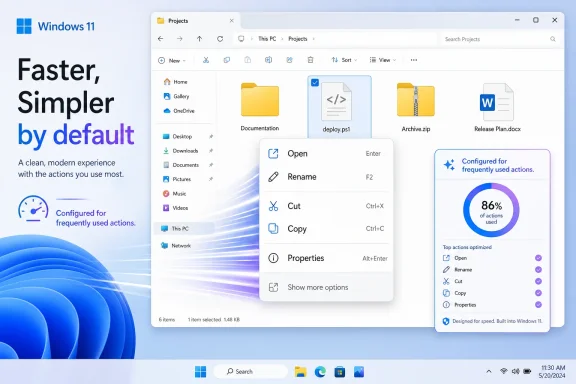
Microsoft’s Windows design lead said on June 3, 2026, that Windows 11 context menus are being reworked to become faster, simpler by default, and configurable around the actions people use most. That is a small sentence with a long shadow. The right-click menu was supposed to be one of Windows 11’s clean breaks from the cruft of Windows 10; instead, it became a daily reminder that redesigning Windows is easier than governing it. Microsoft is now conceding, without quite saying the word, that users do not want a prettier operating system if the price is friction.

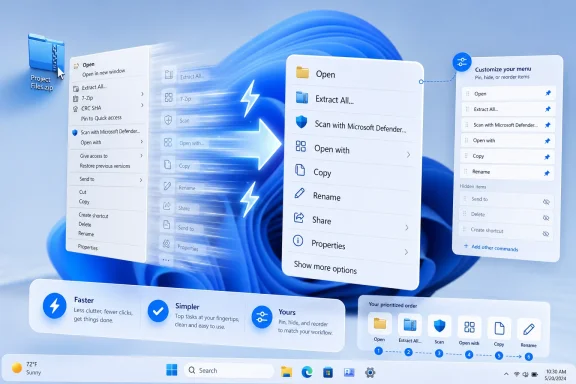
Windows 11 desktop with context menus open beside a glowing blue app action panel.The Right-Click Menu Became Windows 11’s Perfect Small Failure​

Every operating system has a few pieces of furniture that users touch so often they stop seeing them. In Windows, the context menu is one of them. Right-click a file, a folder, the desktop, a picture, a script, or a compressed archive, and that little menu becomes the shortcut layer between intent and action.
That is why Windows 11’s context menu landed so badly. Microsoft did not merely repaint an obscure settings dialog. It changed a muscle-memory surface that had been trained into users over decades, then hid familiar actions behind “Show more options” and asked everyone to accept the extra click as the cost of modernization.
The company’s original argument was not absurd. The Windows 10 menu really had become a junk drawer. Applications stuffed their verbs into it, installers treated it as free advertising space, and useful commands could end up separated by layers of accumulated shell history. Microsoft correctly diagnosed the disease.
The problem was the treatment. Windows 11 replaced a messy but direct menu with a cleaner but less predictable two-tier system. It looked more modern, but in too many workflows it felt slower, larger, and strangely less in command of its own purpose.

Microsoft Tried to Regulate a 20-Year Bazaar With a Velvet Rope​

When Microsoft explained the Windows 11 context menu in 2021, it framed the old menu as a victim of success. The company said the menu had grown in an “unregulated environment” since the Windows XP era, when the IContextMenu model allowed applications to bolt commands into Explorer. That was a fair historical diagnosis: the old menu was powerful because developers could extend it, and chaotic for exactly the same reason.
Windows 11’s redesigned menu tried to impose order. Common actions such as cut, copy, paste, rename, share, and delete moved into a command strip. “Open” and “Open with” were meant to sit closer together. Third-party application commands were supposed to move into cleaner app-attributed groupings. Legacy items would survive, but behind “Show more options,” where the old menu remained available for compatibility.
In theory, this was the correct architectural compromise. Microsoft could not break the shell extension ecosystem outright, because Windows is still Windows precisely because old workflows keep working. But it could steer modern applications toward a newer model and reserve the top-level menu for commands that were more likely to matter.
In practice, users experienced that compromise as a demotion. The old menu was not gone, but it was now one level away. The new menu was not empty, but it was often missing the exact command a user expected to find. The result was not a clean transition from old to new; it was a split-brain interface in which Windows 11 asked users to remember which right-click universe contained the thing they wanted.

“Show More Options” Was a Design Surrender Disguised as Compatibility​

The phrase “Show more options” has always carried a whiff of defeat. It tells the user, in effect, that the system knows the answer may be somewhere else. It also makes the modern interface feel provisional, as though the real Windows is still hidden underneath the new one.
For casual users, the damage is subtle. They may not right-click often enough to care, and the cleaner command row may be adequate for basic file operations. For power users, administrators, developers, and anyone who manages files with specialized tools, the extra layer is not subtle at all. It is a toll booth on a road they drive every day.
This is where Microsoft’s modern Windows design philosophy has repeatedly collided with Windows’ actual audience. Windows is not merely a consumer appliance. It is a workstation OS, a gaming OS, a developer box, a lab machine, an enterprise endpoint, and a compatibility platform for software that was never designed with Fluent Design principles in mind. A context menu that works beautifully for screenshots in a design review can still fail the person who uses 7-Zip, Git, PowerShell, Visual Studio, Notepad++, antivirus tooling, graphics utilities, and backup software from the same right-click surface.
The old menu’s clutter was real, but it was user-visible clutter. People could scan past the junk to reach the thing they needed. Windows 11 replaced that with policy clutter: rules about which commands deserved the modern surface, which commands belonged in the legacy layer, and which apps had updated their integrations properly. The interface looked calmer, but the mental model became more complicated.

The Menu Got Bigger While Claiming to Get Smaller​

One of the stranger complaints about the Windows 11 menu is that it can feel both simplified and bloated. That is not a contradiction. The new menu removed or displaced items, but it also adopted larger spacing, modern padding, and a more touch-friendly layout. On paper, that is accessibility and design consistency. On a desktop with a mouse, it can look like the menu is taking up more space to show fewer useful things.
That tradeoff has haunted Windows 11 from the beginning. Microsoft wants the OS to feel coherent across input modes, but Windows still lives on a huge range of devices, many of them traditional laptops and desktops where density is not a defect. A sysadmin on a 27-inch monitor and a user on a small tablet do not need the same context-menu geometry.
The context menu became another example of Windows 11’s tendency to treat visual modernization as a kind of universal solvent. Rounded corners, spacing, translucency, simplified surfaces, and centered layouts gave the OS a more contemporary look, but they also made long-time users suspicious that Microsoft was optimizing the operating system for screenshots rather than repeated work.
That suspicion matters because Windows loyalty is built on tolerance. Users forgive Windows for rough edges because it lets them do what they need. When the OS starts removing affordances, hiding options, or inserting indirection in the name of elegance, the bargain changes.

Customization Is the Escape Hatch Microsoft Should Have Offered First​

The important part of Marcus Ash’s statement is not just that the context menu should become faster or simpler. It is that it should become configurable. That word marks a shift from Microsoft deciding what belongs in the menu to users having some say in what appears there.
That is a more Windows-like answer. Windows has never won because every default was perfect. It won because defaults could be bent, replaced, scripted, managed, and worked around. The platform’s greatness has often been less about taste than permission.
If Microsoft lets users add, remove, pin, or prioritize context-menu items without registry edits or third-party utilities, it will be fixing more than a menu. It will be admitting that the right abstraction is not one universal “clean” menu. The right abstraction is a sensible default plus a supported path for users and administrators to adapt it.
The distinction matters for enterprises as much as enthusiasts. In managed environments, context menus can expose security tools, document workflows, cloud sync actions, archive utilities, and line-of-business integrations. A configurable model could help IT departments reduce clutter without breaking required actions. It could also give Microsoft a policy surface for managing what appears on endpoints, assuming the company does not bury the useful controls behind licensing tiers or incomplete mobile-device-management hooks.

Performance Is the Complaint Microsoft Cannot Design Around​

Speed is the other half of the admission. Users have complained for years that the Windows 11 context menu can feel slower than the old one, especially in File Explorer. Some of that may come from third-party shell extensions, some from Explorer itself, and some from the additional logic needed to build a modern menu while preserving legacy compatibility.
But users do not care which layer is guilty. They right-click, they wait, and Windows feels worse.
That is deadly for a shell feature. A context menu is not a heavy application launch. It is supposed to feel instantaneous because it lives at the edge of intent. Even a small delay is disproportionately irritating because the user has already narrowed the action: the file is selected, the pointer is in place, and the menu is expected to appear as an extension of the hand.
Microsoft’s performance problem is broader than this one feature. File Explorer has repeatedly drawn complaints for sluggishness, delayed folder rendering, slow search, and occasional UI hesitation. The context menu concentrates that frustration into one obvious gesture. If right-click feels slow, the whole shell feels suspect.
That is why “faster” may matter more than “simpler.” A cluttered menu that opens immediately can still be useful. A beautifully organized menu that hesitates teaches users to distrust the shell.

Windows 11 Is Becoming a Course Correction Release Years After Launch​

The context-menu change does not stand alone. Microsoft has recently been moving toward restoring or expanding customization in other parts of Windows 11, including Start menu controls and taskbar behavior. The broader pattern is hard to miss: features that users complained about after Windows 11’s launch are slowly being revisited, softened, or made optional.
This is not simply benevolence. Windows 10’s end-of-support deadline put pressure on Microsoft to make Windows 11 feel less like a forced migration and more like a credible upgrade. Many users stayed on Windows 10 not because they loved it unconditionally, but because Windows 11 seemed to remove too many small freedoms at once. The context menu, taskbar, and Start menu became symbols of that complaint.
Microsoft’s leadership has also been more willing to talk about “fundamentals” lately. That word is doing a lot of work. It means performance, reliability, battery life, update quality, discoverability, and the everyday shell surfaces people actually use. It also implicitly acknowledges that AI features, Copilot branding, and cloud integrations cannot compensate for a desktop that feels less efficient than the one it replaced.
The danger for Microsoft is that every restored option reminds users it was removed or constrained in the first place. The good news is that Windows users are pragmatic. They do not require a confession booth. They require the setting.

The Developer Story Still Decides Whether This Works​

A configurable context menu sounds straightforward until it meets the Windows ecosystem. The shell is not just Microsoft’s UI. It is a negotiation among Explorer, packaged apps, unpackaged Win32 programs, shell extensions, cloud clients, compression tools, source-control systems, security products, and legacy assumptions that have survived multiple design eras.
Microsoft can improve the default menu and expose user controls, but developer adoption still matters. If modern context-menu extensions remain uneven, users will continue to bounce between the new menu and the legacy one. If applications keep stuffing commands into shell surfaces with little discipline, customization may become a manual cleanup job rather than a solved problem.
The best version of Microsoft’s plan would combine three layers. First, Windows should ship with a fast, predictable default menu that exposes the most common actions without drama. Second, users should be able to pin or hide commands from installed apps. Third, administrators should have policy controls to define standard menus on managed PCs.
The worst version would be a cosmetic settings pane that lets users toggle a few Microsoft-controlled entries while the real complexity remains buried in registry locations, legacy handlers, and incompatible extension models. Windows users have lived through that kind of half-control before. It generates just enough hope to make the disappointment sharper.

The Old Menu Was Ugly, but It Was Honest​

There is a reason so many users reached for registry hacks or third-party tools to restore the classic menu. It was not because the Windows 10-era context menu was beautiful. It was because it was direct. You right-clicked, and the world of available actions appeared, warts and all.
That old model matched the Windows ethos: expose the machinery, let users deal with the consequences. The Windows 11 model tried to mediate the machinery. It wanted to decide which actions were dignified enough for the modern surface and which belonged in the basement.
Modern operating systems often make this trade. macOS prizes consistency by limiting the chaos third parties can inject into core UI surfaces. Mobile systems are stricter still. Windows, however, has a different inheritance. Its strength is that applications can integrate deeply, sometimes too deeply, into workflows that users depend on.
That is why the right-click menu debate is not merely nostalgia. It is a fight over whether Windows should be optimized as a tidy consumer environment or as a configurable productivity platform. The answer, if Microsoft wants to keep both audiences, cannot be one or the other. It has to be a default that does not punish beginners and a customization model that does not insult experts.

The Small Menu That Explains the Whole Windows 11 Backlash​

Windows 11’s context menu became a lightning rod because it expressed several grievances at once. It hid old functionality. It relied on a transitional compatibility layer. It looked more polished while feeling less efficient. It depended on developers updating integrations. It gave users too little control over the final result.
Those grievances also apply, in different forms, to the Windows 11 taskbar, the Start menu, default app handling, web integration, Copilot placement, and parts of Settings. Microsoft frequently had a defensible design argument. Users frequently had a defensible workflow objection. The company too often treated the former as more important than the latter.
The context-menu reversal, if it becomes a real product change, suggests Microsoft is learning that Windows modernization cannot succeed by subtraction alone. Removing complexity from the default experience is valuable only if the removed complexity can be recovered, managed, or replaced by something better. Otherwise simplification becomes deprivation.
That is the line Windows 11 has crossed too often. A cleaner surface is not automatically a better surface. A modern menu is not automatically a faster menu. A hidden option is not automatically a simplified option. Sometimes it is just hidden.

Microsoft’s Next Test Is Whether “Configurable” Means Control​

The phrase “configurable to what you use most” could mean several things. It could mean Windows automatically surfaces frequently used actions based on behavior. It could mean users get explicit pinning and removal controls. It could mean developers get new grouping options. It could mean all of the above.
Automation would be the riskiest path if it is not paired with manual control. Users do not want a context menu that constantly reshuffles itself because an algorithm thinks it has detected a pattern. The context menu is valuable partly because it is spatially memorable. If a command moves unpredictably, the menu becomes less of a shortcut and more of a guessing game.
Explicit customization is safer. Let users decide which items live on the first-level menu. Let them demote noisy app actions. Let them restore legacy items without forcing the entire old menu back into place. Let admins export and enforce configurations. Let power users tune the menu without spelunking through unsupported hacks.
Microsoft also needs to be careful with defaults. A configurable mess is still a mess if every user must spend time fixing it. The default menu should be fast, modest, and context-aware, with customization as refinement rather than rescue.

The Right-Click Repair Kit Has to Include More Than Paint​

The likely temptation inside Microsoft will be to treat this as another design iteration: adjust grouping, trim visible commands, add a settings page, declare progress. That would help, but it would not fully solve the problem. The context menu is a shell performance feature, an extension-governance feature, a developer-platform feature, and a user-trust feature all at once.
If Microsoft is serious, the work has to be measurable. The menu should open quickly on average hardware with common third-party applications installed. It should remain responsive when a shell extension misbehaves. It should make clear which app owns which command. It should avoid letting Microsoft’s own services become the very clutter the redesign was meant to remove.
That last point is important. Windows users are more likely to accept Microsoft cleaning up third-party clutter if Microsoft does not use the freed space to promote its own ecosystem. A context menu overloaded with cloud actions, AI actions, sharing prompts, or app-specific Microsoft verbs would be the same old problem with a first-party badge.
The right-click menu should serve the file, not the strategy deck.

A Few Truths Hidden in the Menu Microsoft Finally Wants to Fix​

The context-menu saga is small enough to understand and big enough to matter. It gives Microsoft a chance to prove that its renewed talk of fundamentals is more than a seasonal messaging campaign.
  • Windows 11’s context menu failed not because modernization was wrong, but because Microsoft underestimated the value of direct access for frequent workflows.
  • “Show more options” preserved compatibility, but it also made the modern menu feel incomplete from the day Windows 11 shipped.
  • A faster context menu will matter more to users than a prettier one, because right-click is a reflexive action rather than a destination.
  • Real customization should let users and administrators pin, hide, reorder, and govern menu items without registry hacks or third-party tools.
  • Microsoft’s own additions must be held to the same anti-clutter standard as third-party extensions.
  • The success of the redesign will depend on developer adoption as much as Microsoft’s default layout.
Microsoft does not need to restore the past wholesale to fix this. It needs to recover the Windows principle that made the past tolerable: the user gets a say.
The right-click menu will not decide Windows 11’s fate by itself, but it will reveal whether Microsoft has absorbed the lesson of the last five years. Users can live with change when it is faster, clearer, and respectful of existing work. They rebel when change arrives as a one-way door. If Microsoft turns the context menu from a dictated surface into a configurable tool, it may finally make Windows 11 feel less like an operating system asking for patience and more like one earning trust again.
References​

  1. Primary source: Windows Latest
    Published: Thu, 04 Jun 2026 01:28:39 GMT
  2. Related coverage: windowscentral.com
  3. Related coverage: techradar.com
  4. Related coverage: pcworld.com
  5. Official source: learn.microsoft.com
  6. Related coverage: allthings.how
  1. Related coverage: gamehazards.com
  2. Related coverage: howtogeek.com
  3. Related coverage: tomsguide.com
  4. Official source: blogs.windows.com
  5. Related coverage: makeuseof.com
  6. Related coverage: pcgamer.com
  7. Related coverage: m.hexus.net
  8. Related coverage: windowsreport.com
 

Microsoft’s Windows design leadership now says Windows 11 context menus are being reworked to be faster, simpler by default, and configurable around the actions people use most, after years of complaints about the operating system’s split right-click experience. That is a small sentence with a large blast radius. The right-click menu is not glamorous, but it is one of the places where Windows users most directly feel whether the operating system is working with them or managing them. If Microsoft gets this change right, it will mark a quiet retreat from one of Windows 11’s most irritating acts of aesthetic overreach.

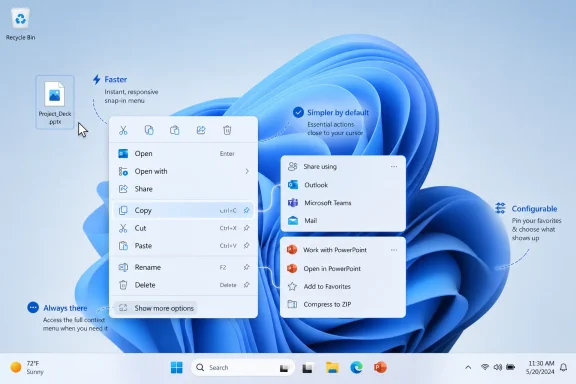
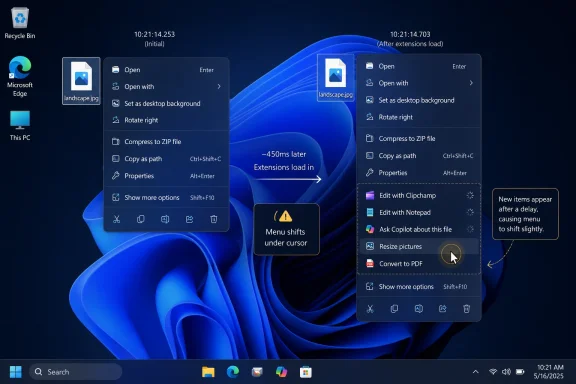
Windows 11 context menu shown over a blue swirl desktop background with zip-file options.Microsoft Is Finally Treating the Right-Click Menu as Infrastructure​

The Windows context menu has always been more than a menu. For home users, it is where “rename,” “copy,” “scan,” “compress,” and “open with” live. For administrators, developers, and power users, it is a dispatch board for tools that sit between the file system, security software, cloud sync clients, archive utilities, editors, terminals, source-control extensions, and half a dozen vendor-specific add-ons.
That is why the Windows 11 redesign landed so badly with many longtime users. Microsoft did not merely repaint a menu. It inserted a layer of judgment between the user and decades of muscle memory, hiding some commands behind “Show more options” while promoting a cleaner, more touch-friendly surface as the new default.
The original pitch was understandable. Windows 10’s context menu could become a junk drawer, especially on machines where every app wanted a slot. Microsoft’s answer was to build a more modern menu, push legacy shell extensions into a secondary path, and encourage developers to adopt newer integration methods. The result, however, was not quite simplicity. It was simplicity plus a trapdoor.
The latest signal from Microsoft’s Marcus Ash, vice president of design and research for Windows and devices, suggests the company has finally accepted that the problem cannot be solved only by rearranging defaults. A right-click menu that is shorter but not configurable is still Microsoft’s menu. A right-click menu that users can shape around their actual workflows starts to become Windows again.

Windows 11’s Clean Menu Became Its Own Kind of Clutter​

Windows 11 launched with the confidence of a design system trying to civilize an unruly operating system. The new context menu used larger spacing, simplified command groupings, and icon-first shortcuts for common actions. It looked better in screenshots than the older menu, and in narrow cases it probably worked better too.
But Windows is not a narrow case. It is the operating system of mixed estates, old utilities, line-of-business software, gaming overlays, sync tools, archive managers, GPU control panels, corporate endpoint agents, and users who have spent years building tiny efficiencies around a particular sequence of clicks. A shell redesign that assumes the default user mostly needs Microsoft’s chosen subset will inevitably collide with the installed base.
The “Show more options” bridge was supposed to preserve compatibility. In practice it became a symbol of compromise. Users could still reach the old menu, but now the operating system had added a tollbooth to commands that were previously immediate. In a system where right-click actions often happen dozens of times a day, even a single extra click becomes a tax.
The deeper annoyance was that the new menu did not stay clean. OneDrive, compression, sharing, security, app-specific entries, “Open with” behaviors, and later AI-related actions all competed for space. Microsoft’s streamlined menu began to inherit the same disease it was designed to cure, except now users had less direct control over it.
That is the heart of the backlash. Windows 11 did not simply remove clutter. It centralized the authority to define clutter.

The Word “Configurable” Is Doing a Lot of Work​

Ash’s phrasing matters because it stops short of a detailed promise. “Configurable to what you use most” could mean several things, and not all of them are equally user-friendly. It could mean a Settings page where users explicitly pin, hide, or reorder context-menu actions. It could mean an adaptive system that promotes commands based on frequency. It could mean developer-facing controls that let apps behave better without giving end users much say at all.
The best version is obvious: a native Windows interface that lets users decide which actions appear in the primary right-click menu and which are relegated to overflow. That would make the Windows 11 model coherent for the first time. Microsoft could keep the simplified default for new users while finally giving experienced users a sanctioned alternative to registry edits and third-party shell-tweaking utilities.
The less satisfying version would be an algorithmic menu that changes according to observed behavior. Microsoft may see that as personalization. Many Windows users will see it as another moving target. The right-click menu is valuable precisely because it is spatially and procedurally predictable; a menu that adapts too aggressively risks becoming the Start menu’s recommendation problem in miniature.
There is also an enterprise angle. IT departments do not want every shell surface to become a consumer-style personalization experiment. They will want policy controls, predictable defaults, exportable configurations, and some assurance that context-menu customization will not become another support variable across managed fleets.
If Microsoft is serious, the company needs to define configurability in boring, administrative terms. Can users hide first-party items? Can organizations enforce a default menu? Can third-party entries be grouped, suppressed, or approved? Can the classic overflow be reduced without breaking legacy shell extensions? Those are not flashy design questions. They are the difference between a nice demo and a feature IT can tolerate.

The Old Menu Was Ugly, but It Was Honest​

The classic Windows context menu earned its reputation as a mess. It was vertically long, visually inconsistent, and vulnerable to every installer that thought “Edit with,” “Scan with,” “Upload to,” or “Open in” deserved permanent residency. On heavily used systems, it could feel less like a user interface than a bulletin board in a crowded hallway.
But the old menu had one great virtue: it usually put the mess where users could see it. The user’s problem was clutter, not hidden state. If an app inserted something annoying, you knew it was there. If an entry was useful, you could rely on it appearing in the same general place. Power users could clean it up with tools, registry changes, or uninstalls, but even without cleanup the mental model was simple.
Windows 11 made the model more complicated. It split the menu into modern and legacy layers, forcing users to understand not just what action they wanted, but which shell integration path exposed it. That distinction may make sense to Microsoft and to developers reading API guidance. It is meaningless to someone trying to extract an archive, open a terminal in a folder, compare files, or reach a GPU control panel.
This is where the Windows 11 redesign stumbled into a recurring Microsoft pattern: architectural cleanup surfaced as user friction. The company had real technical reasons to modernize shell extensions, improve reliability, reduce menu bloat, and move away from old integration patterns. But when the compatibility story is “click again,” users experience the architecture as delay.
The old menu was not good design. It was merely direct. Windows 11’s challenge has always been to become cleaner without becoming patronizing.

Performance Is Part of the Design, Not a Separate Bug​

It is telling that Ash mentioned speed alongside simplicity and configuration. The context menu’s problem is not only what appears; it is how it feels. A menu that hesitates, shifts, or loads entries unevenly breaks the sense that the desktop is an immediate workspace.
File Explorer performance has been one of the lingering sore spots of Windows 11. Some of that criticism is subjective, but not all of it. Users have reported sluggish folder navigation, delayed context menus, slow “Show more options” behavior, and odd pauses around cloud-backed locations or heavily extended shell environments. Even when delays are brief, they are disproportionately irritating because right-clicking is supposed to be instantaneous.
A slow context menu feels worse than a slow app launch. When an app launches slowly, users understand that a program is loading. When a context menu stalls, the operating system itself feels uncertain. It is a tiny betrayal of the desktop contract.
The technical causes can vary. Shell extensions can misbehave. Cloud sync providers can add state checks. Security tools can hook into file operations. Legacy integration layers can take time to enumerate. But Windows owns the user’s perception of the result. If the menu appears under the Windows shell, then as far as the user is concerned, Windows is slow.
This is why configuration and performance are linked. A configurable menu is not merely a convenience feature. It is a way to reduce the amount of work the shell must present at the point of interaction, and to reduce the number of irrelevant integrations competing for top-level attention. Done right, it could make the menu both faster and more legible.

Microsoft’s Broader Course Correction Is Now Hard to Miss​

The context-menu tease does not exist in isolation. Microsoft has spent much of Windows 11’s life slowly restoring, rethinking, or softening decisions that frustrated desktop users at launch. The taskbar has been a particular battlefield. The Start menu has been another. File Explorer, dark mode consistency, archive support, Copilot placement, and AI actions have all become part of the same credibility test.
The pattern is increasingly clear. Windows 11 launched with a heavy emphasis on visual cohesion and simplified surfaces, but Microsoft underestimated how much of Windows’ value comes from the unglamorous configurability that longtime users expect. The company is now trying to claw back goodwill by adding flexibility without fully abandoning the modern design system.
That is a difficult balance. If Microsoft simply restores everything Windows 10 did, Windows 11 looks like a multi-year detour. If it refuses to restore anything, it alienates the users who keep Windows useful in demanding environments. The more pragmatic path is to make Windows 11’s new surfaces configurable enough that the argument stops being “old versus new” and becomes “default versus tuned.”
The Start menu is a useful comparison. Many users did not object to Microsoft modernizing Start in principle. They objected to the loss of density, layout control, and the sense that recommendations and Microsoft services were being privileged over user intent. When Microsoft adds more Start customization, it is not just shipping a feature. It is acknowledging that visual minimalism cannot be the only design value.
The right-click menu belongs in the same bucket. It is a small surface with enormous symbolic power. Fixing it would say that Microsoft is willing to let Windows 11 become less dogmatic.

The AI Layer Makes Menu Discipline Urgent​

The timing also matters because Microsoft is pushing more AI actions into Windows. File Explorer and the shell are natural places for those actions to appear: summarize, edit, remove background, search semantically, send to Copilot, and whatever else the next wave of Windows features brings. Without discipline, every AI feature becomes another menu item looking for oxygen.
That is not a hypothetical concern. The industry has a habit of treating context menus as free real estate. If an action can be attached to a file, a selection, or a window, someone will propose putting it behind right-click. AI only intensifies that pressure because many AI features are context-sensitive by definition.
A configurable context menu could be the difference between AI as an optional accelerator and AI as ambient clutter. Users who want those actions should be able to surface them. Users who do not should not have to see inactive, irrelevant, or promotional entries every time they work with files. Administrators should be able to decide what belongs in managed environments, especially where data-handling rules matter.
Microsoft’s recent willingness to hide AI actions when they are not applicable points in the right direction. But hiding empty entries is the bare minimum. The larger test is whether the Windows shell will respect user intent when Microsoft’s strategic priorities point the other way.
This is where trust becomes practical. If users believe the context menu is becoming configurable only until Microsoft wants to promote the next service, the feature will be dismissed as cosmetic. If Microsoft gives users real control over first-party as well as third-party items, the company can make a stronger case that Windows 11 is maturing.

Developers Need a Cleaner Contract, Not Another Maze​

Context-menu reform is not only a user-interface problem. It is also a developer-platform problem. Windows has years of accumulated shell extension behavior, and the migration from older integration models to newer ones has not been painless. Developers want their app’s actions to be discoverable; users want those actions to appear only when useful; Microsoft wants the shell to remain stable and performant.
Those incentives do not naturally align. If every app believes it deserves a top-level command, the menu bloats. If Microsoft buries too much in overflow, developers complain that users cannot find important features. If users are forced to manage everything manually, the feature becomes another maintenance chore.
The best outcome would be a layered model. Microsoft should define strict defaults for top-level placement, encourage grouping and submenus for related actions, and expose user-facing controls for promotion and demotion. Developers could request placement, but the user and administrator should have final say.
This would also help reduce the registry-hack culture around Windows customization. For years, power users have treated shell cleanup as something done through third-party tools, undocumented tweaks, or risky edits. That has always been a strange state of affairs for an operating system that sells itself on productivity. If the context menu is central enough for every app to target, it is central enough for Windows to manage properly.
The broader developer message should be simple: integration is welcome, entitlement is not. A Windows app should be able to offer useful right-click actions without assuming permanent top-level visibility. That is how mobile platforms, browser extension systems, and modern app permission models already tend to think. Windows can adapt that lesson without becoming locked down.

Power Users Were Right, but Not Always for the Reason They Thought​

The loudest complaints about the Windows 11 right-click menu often came from power users, and Microsoft has historically been tempted to treat that group as unrepresentative. There is some truth there. Many people do not care about shell extensions, classic menus, or command placement. Many users live mostly in browsers and a handful of apps.
But power-user complaints can reveal design failures before they become mainstream friction. The person who notices that an archive command moved behind another click is not merely defending nostalgia. They are noticing that the operating system has made a frequent operation less efficient. Multiply that by enough commands and enough workflows, and the complaint stops being niche.
The context menu is also one of those features that users may not discuss until it breaks their expectations. A casual user may not have a theory of shell extensibility, but they know when “Print,” “Open with,” “Extract,” or “Scan” is not where they expected it. They may not post about it. They may simply decide the new Windows feels awkward.
This is why Microsoft should be careful not to frame configurability as a gift to enthusiasts alone. The larger opportunity is to make Windows adapt to different levels of expertise. A novice can keep the clean default. A photographer can surface image actions. A developer can prioritize terminal, editor, and Git tools. An administrator can suppress consumer cloud or AI entries on corporate machines.
That is not clutter. That is contextual productivity.

The Enterprise Stakes Are Bigger Than a Nicer Menu​

For managed Windows environments, context-menu behavior touches security, support, and standardization. Shell entries can expose workflows that organizations do not want users to use. They can also provide critical access to approved tools. A configurable system that lacks administrative controls would create as many problems as it solves.
Microsoft should therefore treat this as a policy surface from the start. If context-menu customization arrives only as a consumer Settings feature, it will be incomplete. Enterprise IT will want to define baselines, prevent certain actions from being pinned, disable specific first-party or third-party integrations, and maintain consistent support documentation.
There is also a help-desk dimension. The more Windows surfaces change dynamically, the harder it becomes to walk users through actions. “Right-click the file and choose X” is one of the most common support instructions in computing. If X appears only based on usage, account state, AI availability, file location, or a personalization model, support becomes messier.
That does not mean Microsoft should freeze the menu forever. It means predictability must be a design requirement. User configuration is manageable. Random-feeling adaptation is not.
In business environments, the best feature is often the one that can be centrally described. A context menu that is clean by default, user-adjustable where allowed, and governed by policy where required would give Microsoft a rare win across consumers, enthusiasts, and IT departments.

The Real Test Is Whether Microsoft Lets Users Remove Microsoft​

Every context-menu cleanup eventually runs into the same uncomfortable question: who gets demoted? It is easy for Microsoft to restrict third-party clutter. It is harder for Microsoft to admit that some first-party entries are clutter too.
OneDrive is useful for many people. It is noise for others. Copilot and AI actions may be valuable in some workflows and unwelcome in others. Sharing integrations, compression options, media actions, and cloud-backed commands all have legitimate audiences, but legitimacy is not the same thing as universal relevance.
If Microsoft allows users to hide only third-party items while preserving its own preferred entries, the effort will feel self-serving. If it allows real control over Microsoft-provided actions, it will feel like a genuine philosophical shift. The distinction matters because Windows users are increasingly sensitive to surfaces that double as promotion channels.
This is the same trust problem that shadows Start menu recommendations, Edge prompts, Microsoft account nudges, and Copilot placement. Users are not allergic to new features. They are allergic to the sense that the operating system is negotiating against them.
A configurable right-click menu could become a small but meaningful trust repair. The humble test is whether “configurable” includes the things Microsoft would rather users keep seeing.

The Right-Click Repair Kit Has to Ship With More Than Good Intentions​

The most concrete lesson here is that Microsoft’s Windows 11 cleanup must become user-controllable, not merely redesigned again. A prettier or shorter menu will not be enough if the same top-down assumptions remain underneath.
  • Microsoft has acknowledged that Windows 11 context menus need to become faster, simpler by default, and configurable around frequently used actions.
  • The current split between the modern menu and “Show more options” preserved compatibility but added friction to established workflows.
  • Real configurability should mean users can pin, hide, reorder, or demote both third-party and Microsoft-provided actions.
  • Enterprise deployments will need policy controls so context-menu behavior remains predictable across managed PCs.
  • AI actions make menu discipline more important because context-sensitive features can quickly become shell-level clutter.
  • The success of this change will depend less on how the menu looks and more on whether Microsoft gives users durable control.

Windows 11’s Best Future Is Less Certain of Itself​

The larger story is not that Microsoft may finally let people tune a right-click menu. The larger story is that Windows 11 appears to be learning, slowly and unevenly, that restraint is not the same as removal and simplicity is not the same as control. A desktop operating system used by hundreds of millions of people cannot be designed as if one default workflow will satisfy everyone.
Windows has always been strongest when it behaves like a platform rather than a guided tour. That does not mean every legacy behavior deserves preservation, or that every third-party shell extension deserves a front-row seat. It means the operating system should provide sane defaults, clear escape hatches, and enough administrative machinery that users and organizations can make Windows fit the work in front of them.
If the coming context-menu changes deliver that, they will be more important than their small footprint suggests. Right-click is where theory meets habit. It is where Microsoft’s clean design language collides with actual work. And if Windows 11 is finally willing to let users decide what belongs there, the operating system may be entering a more useful phase: one where Microsoft still modernizes the desktop, but no longer insists on being the only adult in the room.

References​

  1. Primary source: TechRadar
    Published: Thu, 04 Jun 2026 10:41:09 GMT
  2. Related coverage: windowscentral.com
  3. Related coverage: pcworld.com
  4. Related coverage: berrall.com
  5. Related coverage: tomshardware.com
  6. Related coverage: makeuseof.com
  1. Related coverage: howtogeek.com
  2. Related coverage: en.eloutput.com
  3. Related coverage: maketecheasier.com
  4. Related coverage: memstechtips.com
  5. Related coverage: windowslatest.com
  6. Related coverage: fullcirclecomputing.com
  7. Related coverage: u3ahavelocknorth.com
  8. Official source: blogs.windows.com
  9. Related coverage: pcgamer.com
  10. Official source: learn.microsoft.com
  11. Official source: answers.microsoft.com
  12. Related coverage: allthings.how
  13. Related coverage: askwoody.com
 

Microsoft’s Windows design lead said on June 3, 2026, that Windows 11 context menus are being reworked to become faster, simpler by default, and configurable around the actions people use most. That is a small sentence with unusually large consequences for anyone who lives in File Explorer. The right-click menu has been one of Windows 11’s most persistent self-inflicted wounds: technically defensible, visually cleaner, and still maddening in daily use. Microsoft is not merely tidying a menu; it is trying to repair trust in the idea that Windows can modernize without making experts slower.

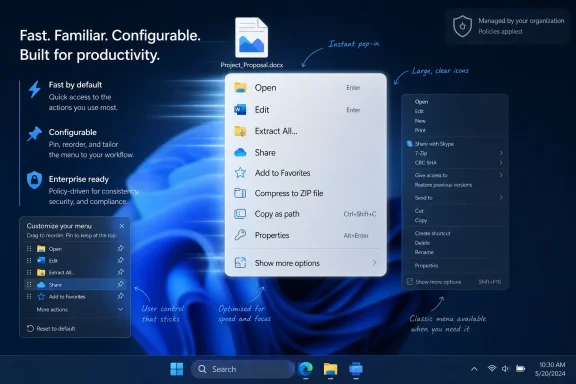
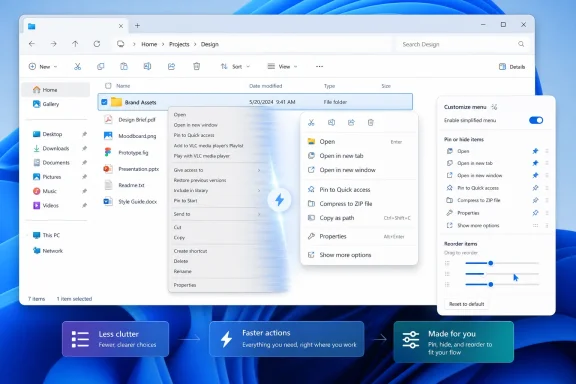
Windows File Explorer shows a project folder with a right-click context menu on a blue desktop background.Microsoft Finally Admits the Right-Click Menu Is a Workflow, Not a Decoration​

Windows 11’s original context-menu redesign was born from a reasonable diagnosis. The old menu had become a junk drawer, stuffed by shell extensions, GPU utilities, archive tools, developer applications, cloud sync clients, security products, and whatever else thought it deserved a permanent seat at the table. Microsoft was not wrong to say that the Windows context menu had become sprawling and inconsistent.
The mistake was assuming that the cure could be mostly visual. Windows 11 replaced an overgrown menu with a cleaner first-level menu and pushed many legacy commands behind “Show more options.” On paper, that preserved compatibility while giving the operating system a modern surface. In practice, it created two menus: the elegant one Microsoft wanted users to see, and the useful one many users still needed.
That split is why the complaint never faded. A user can tolerate an ugly menu if it is predictable. A user can tolerate a simplified menu if it contains the work they actually do. What Windows 11 delivered too often was a menu that looked intentional but behaved like an interruption.
Marcus Ash’s statement matters because it reframes the problem around speed, defaults, and configuration. Those are not cosmetic goals. They are the language of workflow repair.

The Original Sin Was Hiding Complexity Instead of Governing It​

The Windows 11 context menu was controversial from the beginning because Microsoft solved a governance problem with a layer of indirection. The company wanted fewer top-level commands, better grouping, more reliable behavior, and a modern extension model. Those are all defensible objectives, especially when third-party shell integrations can make Explorer slower or unstable.
But hiding commands behind “Show more options” did not eliminate the complexity. It relocated it. The old ecosystem still existed, the legacy handlers still mattered, and users still had to reach them. Microsoft made the first click prettier and the second click more frequent.
That is why the menu became symbolic of a broader Windows 11 tension. Microsoft often speaks about simplicity as if it is universally experienced, but simplicity for one user can become friction for another. A casual user who only needs copy, paste, rename, and delete may appreciate a smaller menu. A developer looking for “Open in Terminal,” a designer using image tools, or an admin invoking archive, hashing, or security commands may experience the same simplification as a tax.
The right-click menu is not a ribbon, a settings page, or an onboarding screen. It is muscle memory embedded in the operating system. When Microsoft adds even one extra click to a repeated action, it is not a minor UI adjustment; it is a change to the rhythm of work.

Performance Is the Other Half of the Complaint​

The promise of faster context menus should not be treated as marketing filler. Context menus are expected to appear instantly because they sit at the boundary between intention and action. If the menu hesitates, the operating system feels heavy even when the hardware is not.
Windows has long had to balance convenience against the cost of shell extensibility. Third-party entries are useful precisely because they bring application-specific actions into Explorer. The trade-off is that every integration point becomes a possible drag on responsiveness, reliability, and coherence.
Microsoft’s earlier Windows 11 approach tried to isolate older commands and encourage newer implementation patterns. The goal was to keep the modern menu from inheriting every bad habit of the old one. Yet users judge the result by the full experience, not the architecture diagram.
If the redesigned menu is faster because Microsoft has found a better way to rank, defer, group, or personalize entries, that would be meaningful. If it is merely faster because it shows less, the backlash will return. Speed achieved by omission only works when the omitted things are genuinely unnecessary.

Customization Is the Feature Microsoft Should Have Shipped First​

The most important word in Ash’s comment is not “faster.” It is “configurable.” Windows is used across too many roles, industries, skill levels, and device types for one context menu to satisfy everyone. The surprising thing is not that the Windows 11 menu annoyed people; it is that Microsoft ever thought a fixed default could carry so much responsibility.
A configurable context menu acknowledges that frequency matters more than vendor intent. If a user compresses folders ten times a day, the archive tool belongs near the top. If another user never touches that tool but constantly shares files, copies paths, or opens terminals, the menu should reflect that. The best context menu is not the shortest one; it is the one that makes the next likely action obvious.
This is also where Microsoft can distinguish between power and clutter. Giving users control does not have to mean returning to the old free-for-all. A good design could allow users to pin actions, suppress low-value entries, group related commands, and reset defaults without diving into the registry or relying on third-party utilities.
That would be a philosophical shift. For years, Windows power users have treated the registry, Group Policy, and shell-tweaking tools as unofficial pressure valves for product decisions that lacked enough knobs. A first-party way to shape the right-click menu would be Microsoft admitting that personalization is not just wallpaper and accent colors. It is control over work.

The “Show More Options” Era Made Everyone a Little Less Happy​

The “Show more options” design was clever as a compatibility bridge and poor as a destination. It let Microsoft ship Windows 11 without breaking every legacy shell extension overnight. It also gave developers time to adopt newer models. As a transition plan, it made sense.
The problem is that users do not experience transition plans as architecture. They experience them as clicks. After nearly five years of Windows 11, “Show more options” no longer feels like a temporary bridge to a cleaner future. It feels like a permanent toll booth between the user and the command they wanted in the first place.
That distinction matters because patience expires differently for different audiences. Casual users may never notice the second menu. Enthusiasts noticed immediately. IT pros noticed when support calls and internal documentation had to account for differences between Windows 10 and Windows 11 behavior. Developers noticed when their tools were no longer surfaced where users expected them.
The irony is that Microsoft’s complaint about the old menu was broadly correct. It really had become unruly. But the Windows 11 answer created an uncanny valley: not as complete as the old menu, not as adaptive as a modern command surface, and not as fast as users expected from something invoked hundreds of times a week.

The File Explorer Problem Keeps Reappearing in Different Costumes​

The context-menu fight is really a File Explorer fight. Explorer is one of the most important applications in Windows, but Microsoft often treats it as part of the scenery. It is where files become actions, where third-party tools meet the shell, and where small delays are magnified by repetition.
Windows 11 has seen a steady stream of Explorer changes, from visual refreshes and tabs to performance work and command-bar adjustments. Some of those changes have been welcome. Others have reinforced the feeling that Microsoft is rebuilding the plane while users are still flying it.
The context menu sits at the center of that tension because it exposes the entire Windows ecosystem. Microsoft can redesign the menu, but it cannot pretend Windows is a sealed appliance. Users install 7-Zip, Git tools, IDEs, cloud clients, media utilities, driver software, endpoint protection, and line-of-business applications. Those tools are not accessories; they are why many people use Windows in the first place.
A better context menu therefore has to be more than a pretty native surface. It has to be a broker between Microsoft’s design standards, third-party extensibility, and the user’s actual priorities. That is a harder job than simply hiding legacy entries, but it is the job Windows requires.

Microsoft’s Broader Usability Push Is Not a Coincidence​

The timing also matters. Microsoft has recently been more visibly interested in repairing long-standing Windows 11 irritants: Start menu flexibility, taskbar behavior, File Explorer polish, and other interface refinements that are less glamorous than AI but more immediately useful. That does not mean the company has abandoned its AI ambitions. It means the cost of neglecting basic usability has become harder to ignore.
For much of the Windows 11 era, Microsoft’s public energy has tilted toward new surfaces: widgets, Copilot, cloud integration, recommendation systems, and AI features that promise to make the PC more proactive. Some of those bets may prove valuable. But they do not excuse a Start menu that feels constrained, a taskbar that lost options users relied on, or a context menu that interrupts common work.
The lesson is not that users hate change. Users hate change that removes agency without delivering enough benefit. Windows enthusiasts will adapt to new layouts, new icons, new APIs, and even new interaction models if the result is faster and more capable. What they resist is being told that a slower workflow is a cleaner experience.
This is where Microsoft’s recent signals are encouraging. The company appears to understand that Windows 11 still needs conventional craftsmanship. An operating system cannot live on headline features alone.

Enterprise IT Will Care Less About Beauty Than Predictability​

For administrators, the right-click menu is not merely a user preference. It touches training, documentation, support, software packaging, and the consistency of managed endpoints. A configurable menu could be a gift or a new source of chaos depending on how Microsoft implements it.
If configuration is user-only, help desks may face more variation from machine to machine. If configuration can be managed through policy, IT departments could reduce clutter, surface approved tools, and suppress unsupported integrations. The enterprise value depends on whether Microsoft treats this as a consumer personalization feature or a managed Windows feature.
There is also a security angle. Context-menu entries can normalize risky actions by placing them beside routine ones. They can also become vectors for confusion when multiple tools offer similar verbs. A cleaner, governable menu could help organizations make sanctioned actions more visible while reducing accidental use of unapproved utilities.
But Microsoft will need to be careful. Power users in managed environments often depend on shell tools precisely because they shorten legitimate workflows. A locked-down context menu that removes too much could recreate the same problem Windows 11 already has, only with administrative authority behind it.

Developers Need a Better Contract, Not Another Moving Target​

Third-party developers have been living with Microsoft’s context-menu transition since Windows 11’s launch. The company encouraged newer patterns and better grouping, but the user-facing result remained uneven because not every application moved at the same speed. Some tools adapted. Others stayed behind the legacy menu. Many users did not care whose fault it was; they just saw missing commands.
If Microsoft now adds user customization, it should also clarify the developer contract. Applications need to know how their commands are ranked, grouped, displayed, hidden, or pinned. Users need to know when an app is responsible for a bad entry and when Windows is making the decision. Without that clarity, the redesigned menu could become another round of blame-shifting between Microsoft, app developers, and users.
The best outcome would be a model that respects both sides. Developers should be able to expose useful verbs with appropriate metadata. Windows should prevent abuse of the top-level menu. Users should have final authority over what appears in their own high-frequency workflows.
That sounds obvious, but Windows history shows how difficult it is. The platform’s strength has always been extensibility. Its weakness has always been what happens after every application exercises that freedom at once.

The Risk Is That “Configurable” Becomes Another Half-Measure​

There is a version of this redesign that disappoints everyone. Microsoft could add a small settings panel with a few toggles, call the menu configurable, and leave the underlying frustration intact. It could let users hide a handful of Microsoft-controlled items while third-party entries remain awkwardly split. It could personalize the menu algorithmically but deny users enough direct control to trust it.
That would be a mistake. The audience most frustrated by the Windows 11 context menu is not asking for a mystery model that guesses better. It is asking for fewer unnecessary clicks and more control over the actions that matter. A ranking system may help, but it cannot replace explicit user choice.
Microsoft also needs to avoid conflating “simple by default” with “sparse forever.” A simple default is good product design. A simple default that cannot grow with the user is paternalism. The promise of Windows has always been that a machine can start approachable and become deeply personal over time.
If the new menu gets that balance right, it could become one of the more important Windows 11 quality-of-life fixes. If it gets it wrong, it will join the long list of Windows features that are technically improved and emotionally rejected.

The Small Menu That Became a Referendum on Windows 11​

The right-click menu became a referendum because it condensed the Windows 11 debate into a single interaction. Microsoft wanted modernity, consistency, and restraint. Users wanted speed, completeness, and control. Both sides had a point, but only one side had to live with the extra click.
That is why this pending change feels larger than its surface area. Nobody buys a PC for the context menu. Nobody upgrades an operating system because “Rename” and “Open with” are arranged more intelligently. Yet these interactions determine whether an OS feels like it is helping or managing you.
Windows 11 has often been strongest when it improves quietly: better window management, cleaner settings, more coherent visuals, stronger security defaults, and incremental performance work. It has been weakest when it assumes that removing visible complexity is the same thing as improving the user’s life. The context menu landed in that second category.
Microsoft now has a chance to move it into the first. Not by resurrecting the Windows 10 menu wholesale, but by admitting that the useful parts of the old world need a first-class place in the new one.

The Right Fix Is a Menu That Learns Without Taking Over​

A genuinely modern Windows context menu should probably have three layers of intelligence. It should have a clean default that does not overwhelm new users. It should have adaptive behavior that can elevate frequent actions. And it should have explicit controls that let users pin, hide, reorder, or group commands when the system guesses wrong.
The order matters. Defaults set the tone, adaptation reduces maintenance, and manual control preserves trust. If Microsoft leans too heavily on any one layer, the design will wobble. A purely fixed menu ignores different workflows. A purely adaptive menu feels unpredictable. A purely manual menu becomes another settings chore.
This is especially important because context menus are spatial and habitual. Users remember where actions live. If the menu changes too aggressively based on recent behavior, it may become faster in theory and slower in practice. Personalization must not come at the cost of stability.
The best version would be configurable but not chaotic, dynamic but not jumpy, and extensible but not hostage to every installed app. That is a difficult balance. It is also exactly the kind of operating-system design problem Microsoft is supposed to be good at.

The Fix Windows Users Should Watch For​

Microsoft has not yet shown the full redesign, so the practical verdict has to wait. Still, Ash’s wording gives enough shape to judge what matters when previews arrive. The question is not whether the new menu looks cleaner in a screenshot. The question is whether it reduces repeated friction for the people who noticed the old problem most.
When the feature lands in Insider builds, the important tests will be mundane. How fast does the menu open on a system with real third-party software installed? Can users decide which commands deserve top-level placement? Does “Show more options” become less central, or simply remain as a backstop? Can administrators manage the experience? Do developers get a clearer path to doing the right thing?
A screenshot will not answer those questions. A week of daily use will.

The Context Menu Has to Earn Back the Clicks It Took​

The stakes are concrete because the failure was concrete. Windows 11 did not ruin right-clicking, but it made too many ordinary actions feel one beat slower than they used to. Microsoft’s new plan should be judged by whether it gives that beat back.
  • Microsoft has confirmed that it is working on Windows 11 context-menu changes aimed at speed, simpler defaults, and user configuration.
  • The current Windows 11 design reduced visual clutter but often pushed useful legacy and third-party commands behind “Show more options.”
  • The most important potential improvement is not a cleaner look, but the ability for users to prioritize the commands they actually use.
  • IT departments should watch whether Microsoft exposes policy controls, because unmanaged personalization can complicate support.
  • Developers will need clearer guidance if third-party commands are to appear predictably without recreating the old clutter problem.
  • The redesign will succeed only if it makes real File Explorer workflows faster on messy, real-world PCs rather than pristine demo systems.
Microsoft’s context-menu rethink is a reminder that Windows succeeds or fails in the small places where habits live. The company can keep building AI features, cloud hooks, and new surfaces around the operating system, but it cannot afford to make the basic act of managing files feel negotiated. If the next right-click menu is faster, calmer, and genuinely configurable, Windows 11 will not just look more polished; it will feel a little more like the user is back in charge.

References​

  1. Primary source: Windows Central
    Published: Thu, 04 Jun 2026 13:20:00 GMT
  2. Independent coverage: Windows Report
    Published: 2026-06-04T13:11:18.867909
  3. Related coverage: techradar.com
  4. Official source: techcommunity.microsoft.com
  5. Related coverage: howtogeek.com
  6. Related coverage: makeuseof.com
  1. Related coverage: techspot.com
  2. Official source: learn.microsoft.com
  3. Related coverage: windowslatest.com
  4. Related coverage: hawkdive.com
  5. Related coverage: windowsforum.com
  6. Related coverage: tomsguide.com
  7. Related coverage: njsba.com
  8. Official source: blogs.windows.com
  9. Related coverage: tomshardware.com
  10. Related coverage: pcgamer.com
  11. Official source: answers.microsoft.com
  12. Related coverage: elevenforum.com
 

Microsoft’s Windows design leadership has confirmed in early June 2026 that Windows 11’s right-click context menus are being reworked to become faster, cleaner by default, and more configurable by users over the coming months. That sounds like a small interface fix, but it lands squarely on one of Windows 11’s longest-running credibility problems. Microsoft redesigned the context menu to reduce clutter, then spent nearly five years proving that clutter can survive a redesign if users and developers cannot meaningfully control it.
The right-click menu is not glamorous. It is not Copilot, not silicon strategy, not the future of AI PCs. But it is one of the places where Windows either feels like a tool that respects muscle memory or a product that keeps asking permission to be tolerated.

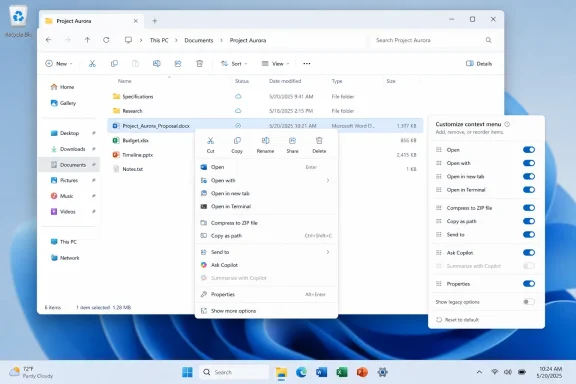
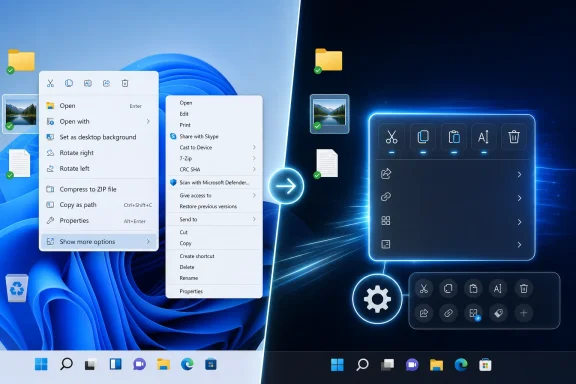
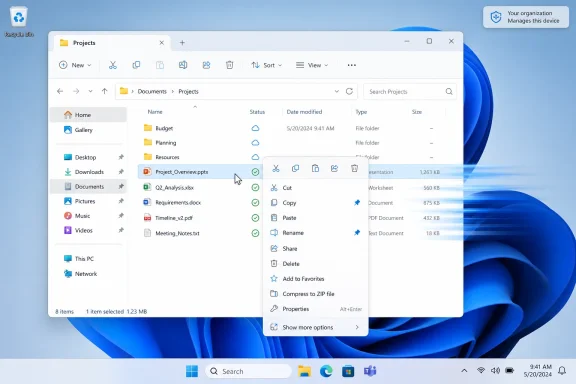
Windows File Explorer shows Project Aurora folders with a context menu open for file actions.Microsoft Finally Admits the Menu Is the Workflow​

The original Windows 11 context menu was a classic Microsoft compromise: visually cleaner, technically modernized, and operationally irritating. The company wanted to replace decades of shell-extension sprawl with a more restrained surface that could show the most common actions first and hide the rest behind “Show more options.” On paper, that was defensible. In daily use, it often felt like Windows had inserted a toll booth between the user and the thing they already knew how to do.
That extra click mattered because the context menu is not merely decoration. It is a workflow accelerator. People right-click to compress files, open terminals, inspect properties, send items to apps, launch editing tools, invoke version-control commands, and recover from whatever the foreground UI failed to make obvious.
Microsoft’s latest promise is that users will be able to add, remove, and reorder context-menu items. The important word there is not customize in the vague marketing sense. It is control. If the feature ships in a meaningful form, Windows 11 may finally stop treating the context menu as a curated showroom and start treating it as personal infrastructure.
The timing is telling. This is not happening in the first flush of Windows 11’s launch, when Microsoft could have argued that users simply needed time to adapt. It is happening after years of complaints, registry workarounds, third-party utilities, and developer confusion. That makes the change less a refinement than a quiet concession.

The “Show More Options” Era Was a Design Debt Machine​

Windows 11’s context-menu design began with a reasonable diagnosis. The old Windows context menu had become a junk drawer. Every file archiver, cloud sync client, graphics editor, antivirus package, code editor, and hardware utility wanted a line in the menu, and users paid the price in visual noise and unpredictable ordering.
The problem is that Microsoft’s cure created a two-tier operating system. The new menu showed a simplified set of commands, while the old menu remained accessible underneath. Instead of eliminating complexity, Windows 11 often hid it one click away, then asked users to remember which universe contained the command they needed.
That split was especially grating for power users. The classic menu had become messy, but it was complete. The new menu was tidier, but incomplete. The result was not elegance; it was friction disguised as minimalism.
There is a broader Windows lesson here. A desktop operating system cannot simply subtract complexity from a mature ecosystem and call the result modern. Windows succeeds because it accommodates mess: old applications, shell extensions, hardware utilities, enterprise scripts, obscure workflows, and user habits that have survived multiple UI revolutions. If Microsoft wants to clean up Windows, it has to provide a better system for managing that mess, not pretend the mess is gone.
Customization is the missing half of that bargain. A clean default is welcome for new users, but a rigid clean default becomes condescending for experienced users. The context menu should be modest out of the box and ruthless about letting people shape it afterward.

Speed Is Not a Cosmetic Fix​

The promise of faster context menus may be just as important as configurability. A right-click menu is supposed to feel instantaneous. If it pauses, redraws, shifts, or populates late, the user experiences it as uncertainty: did Windows register the click, is an extension hanging, is File Explorer stuck, or did the menu simply decide to think about it?
That uncertainty is corrosive. Windows users will tolerate a great deal of visual inconsistency if the system is responsive. They will forgive legacy dialogs, ancient icons, and contradictory settings pages if the machine feels like it obeys them. But when core shell interactions lag, the entire OS feels less trustworthy.
The Windows 11 context menu has often failed that test. Some of the blame belongs to third-party shell integrations, some to the transition between old and new menu models, and some to Microsoft’s own habit of adding new surfaces before it has finished rationalizing the old ones. Whatever the distribution of blame, the user experiences the delay as Windows being slow.
That is why performance cannot be treated as an implementation detail. If Microsoft ships customizable context menus that are still sluggish, users will experience the customization UI as another layer on top of the same old problem. The menu has to be fast first, configurable second, and attractive third.
This is the hierarchy Windows 11 too often inverted at launch. It gave users new materials, rounded corners, centered defaults, and simplified surfaces, but it sometimes failed to preserve the sensation of direct manipulation. The right-click menu became the perfect symbol of that trade: prettier than before, but less immediately useful.

The K2 Push Looks Like a Course Correction, Not a Feature Wave​

The context-menu work is reportedly part of a wider Windows 11 improvement push often described as Microsoft’s “K2” effort. The details vary by report, but the common thread is unmistakable: Microsoft is trying to address the parts of Windows 11 that users have been complaining about since the operating system arrived.
That includes the Start menu, the taskbar, legacy system surfaces, and parts of File Explorer. Some of these changes are aesthetic. Others are functional. Taken together, they look less like a conventional feature update and more like a belated attempt to close the gap between Windows 11’s design ambitions and Windows users’ actual habits.
The vertical taskbar is a useful example. For a subset of users, moving the taskbar to the side was not a novelty; it was how they used widescreen monitors efficiently. Windows 11 removed or constrained that flexibility in the name of a cleaner, more controlled shell. Years later, Microsoft appears to understand that this kind of removal is not perceived as progress by the people who depended on it.
The same pattern applies to Start. Windows 11’s Start menu looked simpler than its Windows 10 predecessor, but simplicity came with fewer ways to shape the interface around real work. If Microsoft is now adding more customization, resizing, toggles, and layout control, that is an admission that “less” was not automatically “better.”
The Control Panel and Device Manager refreshes sit in a different category. Microsoft has been trying to modernize Windows’ old administrative surfaces for years, but Windows remains full of split-brain experiences where Settings and Control Panel overlap, disagree, or send users back and forth. A visual refresh alone will not solve that architectural problem, but it may reduce the sense that Windows 11 is a modern shell wrapped around an archaeological dig.

The Context Menu Became a Proxy War Over Windows Itself​

The intensity of context-menu criticism can look disproportionate until you understand what the menu represents. It is where Microsoft’s design philosophy meets the user’s need for speed. It is where third-party developers try to attach value. It is where power users expect the operating system to stay out of the way.
That makes it a proxy war over the future of Windows. Is Windows an opinionated consumer platform where Microsoft chooses the happy path and hides the rest? Or is it a configurable workstation environment where defaults are only starting points? Windows has always been both, but Windows 11 leaned harder toward the first identity than many users expected.
The right-click menu exposed the tension because it is invoked constantly and judged instantly. Nobody wants to think about a context menu. The whole point is that it appears exactly where attention already is, offers the needed action, and disappears. If the user has to hunt, wait, or detour through “Show more options,” the spell is broken.
This is why “more customizable” is not a minor concession. It moves the menu away from Microsoft-knows-best curation and toward user-defined priority. That is where Windows has historically been strongest. The OS is at its best when it provides a sane default, then trusts users and administrators to bend it into shape.
There is a risk, of course, that Microsoft implements customization timidly. A settings page that only toggles a few Microsoft-owned actions would be a gesture, not a solution. Real customization would need to govern Microsoft entries, third-party entries, ordering, grouping, visibility, and possibly policy control for managed environments.

Developers Need Rules, Not Just Another Surface​

Third-party developers are part of the context-menu problem, but they are not villains for wanting to be present where users act. Compression tools, code editors, graphics applications, sync clients, security products, and productivity utilities all have legitimate reasons to surface commands in the shell. The old model failed because it let too many products behave as if their commands were equally important all the time.
Microsoft’s newer approach has tried to push developers toward more structured context-menu integration. That is sensible. A menu full of top-level app commands is not an ecosystem; it is a shouting match.
But the developer story only works if the platform provides predictable rules and incentives. If app makers can still spray entries into the classic menu, users will keep falling back to it. If the modern menu hides useful app actions too aggressively, developers will complain that Windows is burying their functionality. If the system does not expose user-facing controls, the only practical answer remains registry surgery and third-party tweaking tools.
A configurable context menu could fix that balance. Developers can register capabilities; Microsoft can enforce modern grouping and performance requirements; users can decide what deserves prominence. That would turn the context menu from a battleground into a negotiated space.
Enterprise administrators will want even more. In managed environments, context-menu clutter is not just annoying; it can become a support and security issue. Unapproved shell extensions, cloud actions, consumer app integrations, and AI-powered commands may be unwelcome on regulated desktops. If Microsoft is serious, it should pair consumer customization with policy controls for business deployments.

AI Actions Make the Clutter Problem Harder to Ignore​

The context-menu debate is also colliding with Microsoft’s AI push. Windows has already begun experimenting with AI actions and richer context-sensitive commands. Those features may be useful in specific workflows, but they also increase the pressure on an already crowded surface.
AI features are particularly vulnerable to becoming clutter because they tend to be broad, suggestive, and opportunistic. A command like rename, copy, paste, or properties has a clear purpose. An AI action may be helpful, irrelevant, or intrusive depending on the file, the user, the app, the privacy setting, and the moment.
That does not mean AI belongs nowhere near the context menu. It means AI actions need to earn their placement. If the menu becomes another venue for Microsoft to advertise platform priorities, customization will be undermined before it begins.
A user who never uses AI image actions should be able to remove them. A developer who lives in source trees should be able to prioritize terminal, editor, and version-control actions. A photographer should be able to surface image conversion and metadata tools. The entire point of context is that the right answer depends on the person and the task.
Microsoft’s challenge is to resist the temptation to make the context menu a promotional surface. Windows users have long memories. They can distinguish between a feature that helps them work and a feature that helps Microsoft demonstrate strategy.

Backward Compatibility Is Still the Unpaid Bill​

The most difficult part of fixing the context menu is not the visible menu at all. It is compatibility. Windows cannot simply break shell extensions and declare victory, because the platform’s value rests partly on its ability to keep old workflows alive.
That creates a design trap. If Microsoft preserves the old model too completely, the modern menu never becomes authoritative. If it cuts off old integrations too aggressively, users and businesses lose functionality. If it keeps both indefinitely, Windows remains split between old and new interaction models.
The current situation has leaned too heavily on the third option. Users see a modern menu, then reach for the old one when the modern one fails them. Developers support whichever path seems most reliable. Administrators document workarounds. The OS accrues workaround culture.
A meaningful customization system could help retire that limbo, but only if Microsoft gives the modern menu enough power to become the default for serious users. That means surfacing the commands people actually need, not merely the commands that fit the design template. It also means making old integrations visible, governable, and eventually migratable.
This is not glamorous platform work. It is the sort of plumbing that determines whether Windows feels coherent. Microsoft has often preferred to announce new experiences rather than finish old transitions, but the context menu is a reminder that unfinished transitions become daily irritants.

The Win32 Desktop Keeps Winning the Argument​

Every few years, Microsoft tries to reframe Windows around a new app model, design language, or strategic priority. Yet the Win32 desktop keeps asserting itself because that is where the most durable Windows workflows live. The right-click menu is one of the places where this persistence becomes impossible to ignore.
The modern Windows shell can be cleaner, safer, and more visually consistent than what came before. It should be. Nobody is arguing for a return to chaotic menu sprawl as a virtue in itself. But users are not wrong to value the old desktop’s directness, density, and adaptability.
This is where Windows 11 has sometimes misunderstood its inheritance. The point of Windows was never that every surface should be beautiful. The point was that the system could be made useful for an absurdly wide range of people and organizations. Beauty helps, but only if it does not narrow the platform’s working vocabulary.
The context-menu changes suggest Microsoft may be rediscovering that balance. Faster defaults satisfy the mainstream user. Customization satisfies the power user. Policy and predictable APIs satisfy IT and developers. The trick is doing all three without turning the settings experience into another maze.
If Microsoft pulls it off, the context menu could become a model for fixing other Windows 11 surfaces. The lesson would be simple: modernize the default, but do not confiscate the user’s agency.

The Settings App Cannot Become the New Registry​

There is one obvious danger in Microsoft’s customization turn. The company could take every missing choice from Windows 11’s first design wave and scatter those choices across Settings in ways that are technically present but practically undiscoverable.
That would be a subtler version of the same problem. Users do not need a hundred toggles dumped into a poorly organized customization panel. They need clear control over the actions that affect their work. A context-menu editor should be searchable, understandable, reversible, and safe.
Reversibility matters more than Microsoft sometimes seems to appreciate. People are more willing to customize when they trust they can undo mistakes. If Windows lets users hide menu entries, it should provide a clear reset path. If it lets users reorder actions, it should make the default ordering recoverable. If it lets users add custom actions, it should communicate scope and risk.
The registry became the unofficial customization layer for many Windows behaviors because it was powerful and exposed. It was also dangerous, opaque, and unsuitable for normal users. Microsoft’s opportunity here is to replace that culture with something civilized.
That requires editorial judgment in the UI. The menu editor should not merely reflect the underlying shell-extension jungle. It should organize commands by source, context, and permission. It should tell users which app owns an entry. It should make Microsoft’s own entries subject to the same scrutiny as everyone else’s.

The Real Test Is Whether Microsoft Lets Users Say No​

The most revealing part of any customization feature is what it refuses to customize. Microsoft loves personalization when it means colors, layouts, themes, and friendly toggles. It is less consistent when personalization conflicts with corporate priorities.
That is why the right-click menu will be a useful test. Can users remove Microsoft-promoted actions they do not use? Can they demote AI features? Can they bring back commands they rely on without spelunking through a second menu? Can administrators define a standard menu for managed fleets? Can third-party entries be controlled without breaking the app?
If the answer is mostly yes, this could become one of Windows 11’s most important quality-of-life changes. If the answer is mostly no, the feature will be remembered as another partial retreat wrapped in modernization language.
The same principle applies to performance. If Microsoft promises faster menus but only optimizes clean test cases, users with real-world app stacks will notice. A context menu with OneDrive, 7-Zip, Git tools, graphics editors, security products, terminal entries, and cloud clients is not an edge case. It is the Windows desktop as actually lived.
Microsoft does not have to make every possible combination perfect. It does have to make the platform resilient enough that a few integrations do not make a core shell interaction feel broken.

The Right-Click Repair Job Is Really About Trust​

The repair of Windows 11’s context menu matters because it touches a deeper question: whether Microsoft is still willing to revise Windows based on how people actually use it. The company has spent the last several years layering AI, cloud services, account nudges, subscription tie-ins, and new design systems onto Windows. Some of that work is useful. Some of it has felt like the operating system serving as a billboard for other ambitions.
A faster, more configurable context menu is different. It is not flashy. It does not require a neural processor. It does not sell a subscription. It simply acknowledges that a basic interaction should be quick, predictable, and user-shaped.
That kind of work builds trust precisely because it is unglamorous. Users notice when the operating system stops making them fight small battles. Administrators notice when fewer tweaks are needed after deployment. Developers notice when platform conventions become clearer. The cumulative effect is larger than the feature list suggests.
Windows 11 has never lacked ideas. It has lacked, at times, humility about the cost of changing old behaviors. The context menu is a small place for Microsoft to demonstrate that it has learned something from that cost.

The Fix That Will Count Is the One Users Can Feel​

The coming months should reveal whether Microsoft’s context-menu plans are substantial or merely cosmetic. The company has set expectations around speed, simpler defaults, and user configurability. Those are the right targets, but they will only matter if they survive contact with real desktops.
The practical stakes are straightforward:
  • Users should be able to add, remove, and reorder right-click actions without relying on registry edits or third-party shell tools.
  • The default menu should become faster and less cluttered while still keeping essential file, folder, desktop, and app actions within easy reach.
  • Microsoft should treat its own AI and app integrations as removable menu entries, not privileged fixtures.
  • Developers need clearer rules for where commands appear, how they are grouped, and how they affect menu performance.
  • Enterprise administrators should get policy controls so context-menu behavior can be standardized across managed Windows 11 fleets.
  • The old “Show more options” escape hatch should become less necessary, not remain the place where serious workflows go to hide.
The right-click menu will not decide Windows 11’s fate on its own, but it may decide whether Microsoft’s next wave of Windows improvements feels credible. If the company can make this small, stubborn, frequently used surface faster and genuinely user-configurable, it will have done more than tidy a menu. It will have shown that Windows can still modernize without forgetting that its best feature has always been letting people make the machine their own.

References​

  1. Primary source: XDA
    Published: Thu, 04 Jun 2026 15:49:27 GMT
  2. Related coverage: windowslatest.com
  3. Related coverage: pcworld.com
  4. Related coverage: windowscentral.com
  5. Related coverage: makeuseof.com
  6. Related coverage: tomshardware.com
  1. Related coverage: windowsforum.com
  2. Related coverage: techradar.com
  3. Official source: blogs.windows.com
  4. Related coverage: howtogeek.com
  5. Related coverage: techspot.com
  6. Related coverage: realclearcomputing.com
  7. Related coverage: u3ahavelocknorth.com
 

Back
Top