

Windows 11’s Secure Boot certificate transition is proving far less automatic on older PCs than Microsoft’s rollout plan suggests, with IT administrators reporting BitLocker recovery loops, stalled Key Exchange Key updates, and status screens that do not match the certificates actually installed. The complaints surfaced during Microsoft’s July 15 OEM Secure Boot Office Hours, an event that brought together Microsoft engineers and representatives from Acer, Asus, Cisco, Clevo, Dell, Fujitsu, Honor, HP, Lenovo, LG, Surface, and Xiaomi.
As reported by Windows Latest, the most troubling cases came from HP-managed fleets: devices that appear current on BIOS firmware but still enter BitLocker recovery after a Secure Boot certificate deployment is forced. Microsoft’s own support documentation now acknowledges that some PCs are deliberately paused or blocked because of known firmware and hardware limitations. That is a sensible safeguard; it is also an admission that a required security-maintenance task remains dependent on remarkably uneven OEM firmware behavior.
The immediate takeaway for Windows 11 administrators is straightforward: do not treat a Secure Boot certificate rollout as a routine Windows Update change. It is a firmware-adjacent deployment that can alter the measurements BitLocker uses to decide whether the pre-boot environment is trustworthy.
One administrator, posting as epoch71, described testing the update across a fleet of more than 7,000 HP EliteBooks and ZBooks, from G7-era machines through newer systems. Their report was specific: applying the certificate update through the
HP representatives advised the administrator to ensure the newest BIOS was installed and to let Windows Update handle the certificate change without manually altering the new certificate-related firmware settings. But the administrator replied that the fleet was already using current BIOS releases distributed through HP Image Assistant. On an EliteBook 640 G10 using BIOS V75 01.12.01, forcing the update reportedly caused recovery on every restart; rolling back to V75 01.11.00 stopped the loop.
That distinction matters. A BitLocker recovery prompt after a planned firmware change can be manageable when recovery keys are escrowed and the test population is small. The same prompt repeated across thousands of laptops becomes an operational outage: users need keys, help desks take calls, and administrators must decide whether to continue, pause, or roll back firmware at scale.
HP did not appear to provide a conclusive answer before the Office Hours event closed. The unresolved point is not merely whether a BIOS version has a defect, but whether Windows and OEM tooling can reliably identify the combinations of model, firmware, Secure Boot state, and BitLocker configuration that make the update unsafe.
The Office Hours reports demonstrate why that option should not be interpreted as a universal fix. Checker-KP described roughly 700 HP EliteBook G9 and G10 systems where database certificates updated after the registry value was applied, but the KEK repeatedly returned to a “Not Started” state after rebooting. HP personnel suggested an explicit KEK trigger and a BIOS update, yet the administrator later reported that a fully updated test system still had not progressed.
That symptom aligns with Microsoft’s public troubleshooting guidance. The company identifies Event ID 1803 as a missing KEK condition and points administrators back to OEM firmware support; Event ID 1795 is described as a firmware error. In other words, Windows can request the update and record the failure, but it cannot necessarily overcome a UEFI implementation that will not accept or persist the new key.
This is the core complication: Windows Update can deliver the policy and payload, but the OEM owns the root-level firmware behavior. A registry setting may begin a workflow; it cannot make an unsupported NVRAM layout, flawed BIOS release, or blocked firmware configuration suddenly become compatible.
That matters because Microsoft has recently elevated Secure Boot status into the Windows Security app. Starting in April, Windows 11 began displaying certificate-update state under Windows Security’s Device security page, with later updates adding warning and critical notification behavior. Microsoft says those indicators are disabled by default on enterprise-managed PCs, reflecting the expectation that IT teams will monitor the rollout centrally.
The difficulty is that a state indicator is only helpful if it separates three very different conditions:
That is a more nuanced outcome than the alarmist version of certificate expiration, but it is not harmless. A device that cannot accept new Secure Boot trust material will gradually fall behind on protections for the pre-OS environment—the area designed to resist bootkits and other malware that attempts to run before Windows.
HP’s handling of certain older models has therefore attracted criticism. In the Office Hours thread, one commenter argued that HP’s earlier support messaging encompassed machines later removed from the compatible-device list because their NVRAM capacity could not accommodate the new certificates. A manual package for out-of-service models may be technically available, but it does not offer the same certainty as a supported BIOS update integrated into normal fleet management.
Dell was not immune to questions either. An administrator reported that Dell OptiPlex 5000 systems were resisting the registry-driven update process, with no response recorded during the session. The broader pattern is not unique to either vendor: Secure Boot’s trust anchors live in firmware, and firmware quality, capacity, implementation details, and support lifetimes vary widely across the PC industry.
Before forcing updates, administrators should verify BitLocker recovery-key escrow, capture baseline Secure Boot and firmware status, and review both Windows event logs and OEM advisories. Microsoft’s troubleshooting material points to the Secure Boot registry status and servicing-error fields, while the System log can expose incomplete deployment, reboot-required, missing-KEK, and firmware-error events.
Most importantly, a blocked update should not automatically be overridden. Microsoft says the pauses are intended to reduce risk while a supported fix is developed, and its guidance remains clear that disabling Secure Boot is not the answer. For a machine that remains on older certificates, the near-term consequence is reduced access to future boot-level protections, not an immediate failure to start Windows.
The July 15 session was meant to give administrators a direct route to Microsoft and PC makers. Instead, its unresolved cases exposed the hard boundary in this rollout: Windows can orchestrate the move to 2023 certificates, but it cannot repair firmware that is too old, too constrained, or simply not behaving as documented.
As reported by Windows Latest, the most troubling cases came from HP-managed fleets: devices that appear current on BIOS firmware but still enter BitLocker recovery after a Secure Boot certificate deployment is forced. Microsoft’s own support documentation now acknowledges that some PCs are deliberately paused or blocked because of known firmware and hardware limitations. That is a sensible safeguard; it is also an admission that a required security-maintenance task remains dependent on remarkably uneven OEM firmware behavior.
The immediate takeaway for Windows 11 administrators is straightforward: do not treat a Secure Boot certificate rollout as a routine Windows Update change. It is a firmware-adjacent deployment that can alter the measurements BitLocker uses to decide whether the pre-boot environment is trustworthy.
 HP’s BitLocker problem has not stayed in the past
One administrator, posting as epoch71, described testing the update across a fleet of more than 7,000 HP EliteBooks and ZBooks, from G7-era machines through newer systems. Their report was specific: applying the certificate update through the AvailableUpdates registry value triggered BitLocker recovery, while HP’s documented BIOS-setting path produced the same result.HP representatives advised the administrator to ensure the newest BIOS was installed and to let Windows Update handle the certificate change without manually altering the new certificate-related firmware settings. But the administrator replied that the fleet was already using current BIOS releases distributed through HP Image Assistant. On an EliteBook 640 G10 using BIOS V75 01.12.01, forcing the update reportedly caused recovery on every restart; rolling back to V75 01.11.00 stopped the loop.
That distinction matters. A BitLocker recovery prompt after a planned firmware change can be manageable when recovery keys are escrowed and the test population is small. The same prompt repeated across thousands of laptops becomes an operational outage: users need keys, help desks take calls, and administrators must decide whether to continue, pause, or roll back firmware at scale.
HP did not appear to provide a conclusive answer before the Office Hours event closed. The unresolved point is not merely whether a BIOS version has a defect, but whether Windows and OEM tooling can reliably identify the combinations of model, firmware, Secure Boot state, and BitLocker configuration that make the update unsafe.
The registry trigger is a deployment tool, not a repair button
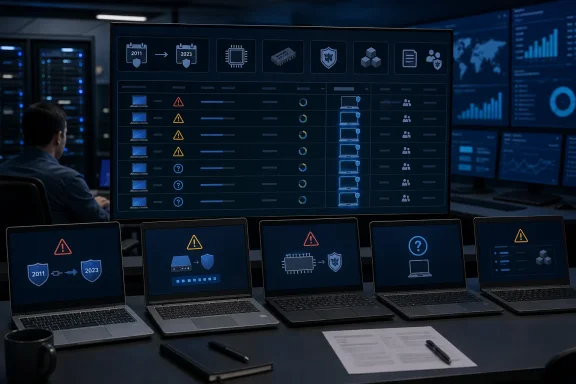
Microsoft’s Secure Boot rollout moves devices from expiring 2011 trust certificates to 2023 replacements. The certificate set affects the Secure Boot database, or DB, as well as the Key Exchange Key, or KEK, which authorizes updates to those firmware variables. Microsoft has documented registry-driven deployment options for managed environments, including theAvailableUpdates value commonly set to 0x5944 to request the broader certificate update sequence.The Office Hours reports demonstrate why that option should not be interpreted as a universal fix. Checker-KP described roughly 700 HP EliteBook G9 and G10 systems where database certificates updated after the registry value was applied, but the KEK repeatedly returned to a “Not Started” state after rebooting. HP personnel suggested an explicit KEK trigger and a BIOS update, yet the administrator later reported that a fully updated test system still had not progressed.
That symptom aligns with Microsoft’s public troubleshooting guidance. The company identifies Event ID 1803 as a missing KEK condition and points administrators back to OEM firmware support; Event ID 1795 is described as a firmware error. In other words, Windows can request the update and record the failure, but it cannot necessarily overcome a UEFI implementation that will not accept or persist the new key.
This is the core complication: Windows Update can deliver the policy and payload, but the OEM owns the root-level firmware behavior. A registry setting may begin a workflow; it cannot make an unsupported NVRAM layout, flawed BIOS release, or blocked firmware configuration suddenly become compatible.
“Unknown” status erodes confidence in the rollout dashboard
Several administrators also raised a more basic problem: devices reporting Secure Boot Status as “Unknown” despite Secure Boot being enabled, the TPM functioning, and 2023 certificates appearing to be present. Microsoft recommended using its rollout-status PowerShell tooling for a fuller assessment, but according to the discussion summarized by Windows Latest, did not identify a root cause for the discrepancy.That matters because Microsoft has recently elevated Secure Boot status into the Windows Security app. Starting in April, Windows 11 began displaying certificate-update state under Windows Security’s Device security page, with later updates adding warning and critical notification behavior. Microsoft says those indicators are disabled by default on enterprise-managed PCs, reflecting the expectation that IT teams will monitor the rollout centrally.
The difficulty is that a state indicator is only helpful if it separates three very different conditions:
- A device is compatible and simply waiting for normal rollout.
- A device is intentionally held because Microsoft or the OEM has identified a risky firmware combination.
- A device has partly updated and is now stuck in a state that needs investigation.
Older hardware is where the support contract frays
The longer-term problem is not that every older PC will fail to boot when 2011 certificates expire. Microsoft explicitly says affected devices should continue to start normally, keep receiving ordinary Windows quality and feature updates, and retain their existing Secure Boot protections. The risk is that future boot-chain protections and updates signed under the newer trust model may not be available.That is a more nuanced outcome than the alarmist version of certificate expiration, but it is not harmless. A device that cannot accept new Secure Boot trust material will gradually fall behind on protections for the pre-OS environment—the area designed to resist bootkits and other malware that attempts to run before Windows.
HP’s handling of certain older models has therefore attracted criticism. In the Office Hours thread, one commenter argued that HP’s earlier support messaging encompassed machines later removed from the compatible-device list because their NVRAM capacity could not accommodate the new certificates. A manual package for out-of-service models may be technically available, but it does not offer the same certainty as a supported BIOS update integrated into normal fleet management.
Dell was not immune to questions either. An administrator reported that Dell OptiPlex 5000 systems were resisting the registry-driven update process, with no response recorded during the session. The broader pattern is not unique to either vendor: Secure Boot’s trust anchors live in firmware, and firmware quality, capacity, implementation details, and support lifetimes vary widely across the PC industry.
Treat firmware and certificates as separate change windows
The safest response is to separate the risks. Do not combine a broad BIOS update, a BitLocker-policy change, and an accelerated Secure Boot certificate deployment in one maintenance event just because all three sit near the boot process. Establish a representative pilot that includes each model, BIOS revision, TPM configuration, disk-encryption posture, and management channel in the estate.Before forcing updates, administrators should verify BitLocker recovery-key escrow, capture baseline Secure Boot and firmware status, and review both Windows event logs and OEM advisories. Microsoft’s troubleshooting material points to the Secure Boot registry status and servicing-error fields, while the System log can expose incomplete deployment, reboot-required, missing-KEK, and firmware-error events.
Most importantly, a blocked update should not automatically be overridden. Microsoft says the pauses are intended to reduce risk while a supported fix is developed, and its guidance remains clear that disabling Secure Boot is not the answer. For a machine that remains on older certificates, the near-term consequence is reduced access to future boot-level protections, not an immediate failure to start Windows.
The July 15 session was meant to give administrators a direct route to Microsoft and PC makers. Instead, its unresolved cases exposed the hard boundary in this rollout: Windows can orchestrate the move to 2023 certificates, but it cannot repair firmware that is too old, too constrained, or simply not behaving as documented.
References
- Primary source: Windows Latest
Published: 2026-07-19T16:53:25+00:00
Windows 11 Secure Boot is a messy ride on older PCs, and even Microsoft can't fix it
Some Windows 11 Secure Boot certificate errors, including BitLocker recovery loops and stuck KEK updates, remain unresolved for HP and Dell. www.windowslatest.com
- Official source: learn.microsoft.com
How to manually update Secure Boot certificates in Windows 11 ? - Microsoft Q&A
Hi guys… I have recently kept my Windows 11 updates paused because I bought a Steam offline account. I want to manually update the Secure Boot certificate on my PC if I might have missed the recent update. Please tell me step by step how to update it…learn.microsoft.com - Official source: techcommunity.microsoft.com
- Official source: support.microsoft.com
IT admin guide: Secure Boot certificate update status in the Windows Security app | Microsoft Support
IT admin guide: Secure Boot certificate update status in the Windows Security appsupport.microsoft.com
