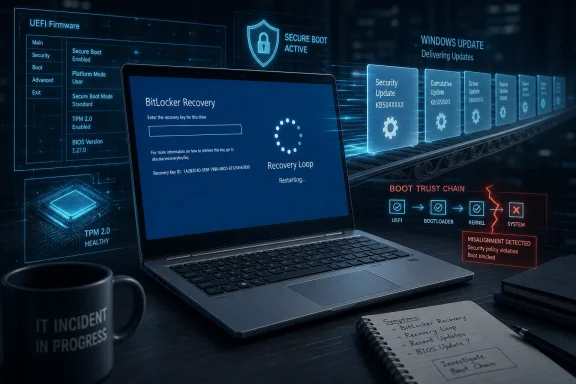
HP’s April 2026 BIOS updates for commercial Windows 11 PCs have triggered BitLocker recovery loops and boot failures across HP notebooks, desktops, and workstations, while also interfering with Microsoft’s Secure Boot 2023 certificate migration ahead of the June 2026 certificate-expiration milestone. This is not merely another bad firmware patch. It is a preview of what happens when the PC industry tries to retrofit a fifteen-year-old trust chain at enterprise scale. The uncomfortable lesson is that the lowest layers of the Windows ecosystem are still too fragile for the security deadlines now being placed on them.
The HP advisory is narrow in wording but broad in implication. The company says systems may enter a BitLocker recovery screen after installing BIOS updates released in early April 2026, and that affected machines can return to that screen again after the user enters the correct recovery key. For a home user, that is maddening. For an enterprise administrator, it is the kind of failure that turns a normal maintenance cycle into a help desk emergency.
The machines involved are not obscure bargain-bin PCs. HP’s own affected category spans commercial notebooks, commercial desktops, and workstation computers, which means the blast radius includes the sort of hardware bought precisely because it is supposed to be manageable, stable, and boring. EliteBooks, ProBooks, ZBooks, desktops, and workstations are the machines organizations buy to avoid surprises.
The timing makes the incident worse. Microsoft is in the middle of pushing Windows devices away from Secure Boot certificates issued in 2011 and toward a newer 2023 certificate chain. That work is necessary because the original Secure Boot certificates begin expiring in June 2026, with related expirations continuing later in the year. The trust plumbing that makes modern Windows boot securely has a calendar problem, and that calendar is no longer theoretical.
HP’s firmware bug lands directly on that migration path. Windows can stage the new Secure Boot material, but firmware has to accept and retain it. If the firmware cannot complete that handoff cleanly, the operating system, the TPM, and the UEFI environment can all end up disagreeing about what state the machine is in. That disagreement is exactly the sort of thing BitLocker is designed to notice.
This is why the incident matters beyond HP. It exposes a dependency chain most users never see: Microsoft can ship the operating system update, but the motherboard firmware must interpret it correctly; the TPM must trust the resulting boot measurements; BitLocker must decide whether the machine still looks like itself. A bug at any point in that chain can make a perfectly good laptop behave like a tampered system.
A TPM-sealed BitLocker key is released only when the machine’s measured boot state matches what the TPM expects. Change firmware settings, alter Secure Boot databases, replace boot components, or modify low-level variables, and those measurements can change. From BitLocker’s point of view, a malicious bootkit and a botched firmware update may both look like “something changed before Windows loaded.”
The problem with the HP incident is not that BitLocker noticed. The problem is that the platform apparently cannot reach a stable new baseline. Users can enter the recovery key, boot into Windows, and still be forced back into recovery on the next restart because the underlying Secure Boot update path remains incomplete or inconsistent.
That is the operational nightmare. A one-time recovery prompt after a firmware update is inconvenient but manageable. A loop that repeats after every reboot is a broken trust negotiation. The system is not merely asking the user to prove ownership once; it is forgetting, or failing to commit, the state that would let it stop asking.
Administrators have long known to suspend BitLocker before firmware work. That practice exists for a reason. But modern Windows servicing increasingly blurs the line between OS maintenance, driver updates, firmware delivery, and security-state migration. When firmware updates move through Windows Update or vendor tooling as part of routine patching, the old manual rhythm of “suspend, flash, reboot twice, resume” becomes harder to enforce consistently across a fleet.
HP’s workaround underscores that reality. The company’s guidance effectively asks users or administrators to go into firmware setup, enable Microsoft’s 2023 Secure Boot certificate options, let Windows complete the handoff, verify the result, and then, in some cases, revert certain settings afterward. That may be sensible from a platform-integrity perspective. It is also a reminder that we are still asking humans to mediate between Windows servicing logic and firmware state machines.
The current migration is a once-in-a-generation maintenance event for Windows PCs. The original Microsoft Secure Boot certificate authorities date back to the early UEFI era. Those 2011 certificates helped establish the trust model used to verify bootloaders and EFI components on countless Windows systems. They were never meant to live forever.
Microsoft’s 2023 certificate rollout is therefore not optional housekeeping. It is a renewal of the trust anchors that underpin Secure Boot. Windows can prepare the update, but the final authority lives in firmware. That makes OEM implementation quality decisive.
This is where the PC ecosystem’s fragmented reality collides with Microsoft’s security ambition. Microsoft can publish guidance, create registry signals, provide staged updates, and coordinate through Windows Update. But every OEM BIOS implementation has its own setup menus, defaults, quirks, NVRAM behavior, validation routines, and enterprise-management hooks. The certificate migration has to survive all of that.
The HP case suggests that at least some systems could not. According to the reporting and HP’s advisory, affected machines can show the Secure Boot 2023 update stuck in progress, with error values indicating that the handoff failed. That is not a cosmetic glitch. It is the system telling administrators that the machine has not completed a security migration it is expected to complete before the old trust chain ages out.
The closer June 2026 gets, the less room vendors have for slow, cautious remediation. That is the deeper risk. Security deadlines can force urgency, and urgency can produce firmware releases that are not validated across enough real-world configurations. The result is a perverse outcome: an update intended to preserve platform security can temporarily reduce reliability so severely that users consider disabling the very protections being updated.
That matters because the visible symptoms will vary. Some systems may boot to BitLocker recovery. Some may freeze at the HP logo. Some may appear normal until the next reboot or until a later update assumes the 2023 certificate chain is already in place. A fleet-management dashboard that only reports “BIOS update installed” is not enough.
Administrators should treat Secure Boot certificate state as inventory data, not trivia. The question is no longer simply whether a machine is on a given BIOS version. It is whether the firmware, Windows, and TPM agree on the machine’s current boot-trust configuration. That is a more subtle measurement than a driver version or monthly cumulative update level.
The HP incident also highlights a reporting problem. End users tend to describe symptoms: “my laptop is bricked,” “BitLocker keeps asking for the key,” “it freezes at the logo.” Vendors tend to describe conditions: BIOS versions, firmware settings, registry states, supported platforms. The gap between those languages costs time during an outage.
This is why good endpoint telemetry matters. If IT can identify machines stuck in Secure Boot servicing before users reboot into a recovery loop, the incident becomes a controlled remediation. If not, the first signal may be dozens or hundreds of employees unable to start work.
The uncomfortable truth is that many organizations do not yet monitor Secure Boot certificate migration as a first-class compliance item. They monitor patch levels, encryption status, antivirus health, and maybe firmware versions. But the transition from the 2011 Secure Boot certificates to the 2023 chain is a different kind of state, and it now deserves the same operational seriousness.
The F10 step is the tell. Any fix that begins with a user physically entering firmware setup is already a challenge for remote IT. It assumes the user can follow pre-boot instructions, has access to the BitLocker recovery key when needed, can distinguish similar-looking Secure Boot settings, and will not change unrelated firmware options along the way.
In a managed environment, administrators may be able to script or deploy some firmware configuration changes through HP management tooling, Intune, Configuration Manager, or other endpoint platforms. But HP’s own caution around suspending BitLocker before firmware changes remains crucial. Remotely changing Secure Boot variables on encrypted systems without controlling BitLocker state is how a remediation turns into a lockout campaign.
This is the paradox of modern endpoint security. The more tightly Windows binds storage encryption to boot integrity, the more careful administrators must be when changing anything in the boot path. That tight binding is good security. It is also unforgiving operations.
The recommendation to re-disable certain options after a successful update adds another wrinkle. HP appears to be trying to balance compatibility with a tighter Secure Boot baseline, especially for organizations that do not need third-party bootloaders or option ROM trust paths. That is defensible. But it means remediation is not merely “turn everything on and walk away.”
A scalable fix should not require every administrator to become a firmware archaeologist. The industry needs cleaner state reporting, safer preflight checks, and update flows that suspend and resume protection in predictable ways. Until then, the people responsible for fleets will continue treating firmware as the most dangerous part of patch management.
That expectation is not unreasonable. HP’s commercial lines compete on enterprise trust. ZBook workstations and Elite-class laptops are sold into environments where downtime has a price, where remote recovery is hard, and where encryption keys are controlled by policy rather than whatever the user remembers.
But premium hardware still lives in the same ecosystem as everything else. It uses UEFI firmware, TPM measurements, Secure Boot databases, Windows Update plumbing, vendor update agents, and increasingly complex security baselines. The more elaborate the chain becomes, the more opportunities there are for a high-end system to fail like a cheap one.
This is not an HP-only indictment. Every major OEM is being asked to support a security transition across models, generations, firmware branches, and enterprise configurations. Some machines have unusual boot histories. Some have legacy options enabled. Some have third-party security products. Some have accumulated years of firmware settings that differ from factory defaults.
Still, the burden sits with the vendor that ships the firmware. Administrators cannot audit every UEFI edge case before an OEM marks an update critical. Users cannot be expected to understand whether a BIOS revision is touching the Key Exchange Key, the Secure Boot database, or the Windows boot manager trust path. A “critical” label from a PC maker carries an implied promise that the cure has been tested against the disease.
That promise looks weakened here. Even if the percentage of affected systems is small, the failure mode is severe enough to matter. A bad Wi-Fi driver can be worked around with Ethernet. A display bug can often be patched after login. A firmware update that prevents stable boot takes away the normal path to repair.
The HP incident is precisely the kind of scenario that makes that work urgent. A Windows security migration depends on OEM firmware. OEM firmware changes trigger TPM measurement changes. TPM measurement changes trigger BitLocker recovery. A failure in certificate enrollment becomes a support incident that looks, to the user, like Windows itself has locked them out.
The public perception problem is obvious. Most users do not distinguish between an HP BIOS update, a Windows Update-delivered firmware package, a Microsoft Secure Boot certificate migration, and BitLocker recovery behavior. They see a Windows 11 machine that worked yesterday and does not work today.
Microsoft therefore owns part of the experience even when an OEM owns the bug. If Windows is the delivery channel, the orchestration layer, or the policy enforcer, Microsoft has to care whether the end-to-end path is safe. That does not mean Microsoft can test every BIOS build for every OEM. It does mean the company’s quality gates and telemetry need to catch more of these low-level failures before they reach broad deployment.
The Secure Boot certificate transition is a stress test for that model. It is not a normal monthly patch. It changes trust assumptions that have been stable for more than a decade. It crosses boundaries between the OS, firmware, hardware security modules, and enterprise policy. If Microsoft and OEMs can make this transition quiet, it will be a major success. If they cannot, incidents like HP’s will become the story users remember.
The challenge is that quiet success is invisible. Nobody thanks an OEM when Secure Boot certificates update cleanly during a reboot. But when the process fails, the failure is dramatic. That asymmetry should push vendors toward conservative rollout, richer detection, and better rollback strategies.
The right response is disciplined inventory. Administrators should identify which systems already have the 2023 certificates, which are eligible for automated update, which require OEM firmware, and which are stuck in an error state. They should also know where BitLocker recovery keys are escrowed before touching firmware.
This is also a moment to revisit update rings. Firmware should not be deployed to every executive laptop, developer workstation, and remote branch desktop on the same day. A pilot group is not bureaucracy; it is the blast shield between a bad BIOS and the whole organization. If an update changes Secure Boot state, it deserves even more caution than an ordinary driver revision.
Home users have fewer tools, but the principle is the same. Before accepting firmware updates, especially ones marked critical, make sure BitLocker recovery information is accessible from another device. A Microsoft account, Entra-managed recovery escrow, or documented recovery process can be the difference between an annoying prompt and a data-loss scare.
The HP workaround should not be treated as casual advice for everyone to poke around in firmware setup. It is a recovery path for affected systems and a deployment consideration for IT. Changing Secure Boot options without understanding the environment can affect bootloaders, external devices, imaging workflows, and security compliance.
The broader lesson is to separate security urgency from update recklessness. The Secure Boot certificate migration needs to happen. It does not need to happen blindly.
Organizations managing HP commercial systems should first determine whether April 2026 BIOS updates were deployed and whether any machines are showing repeated BitLocker recovery prompts. They should then inspect Secure Boot servicing state rather than relying only on user reports. Machines stuck “in progress” should be treated as partially migrated, not healthy.
The next step is coordination. Help desks need scripts for talking users through BitLocker recovery without training them to ignore security warnings. Endpoint teams need a clear rule for suspending BitLocker before firmware remediation. Security teams need to know whether enabling the Microsoft 2023 certificate options temporarily changes their compliance posture.
The presence of boot-logo freezes complicates the picture. A BitLocker loop at least means the system reaches the Windows recovery path. A machine frozen at the vendor logo may require different recovery tactics, including firmware rollback, BIOS recovery features, or depot service. Those cases should be separated operationally from machines that can still boot after key entry.
It is also worth watching for secondary causes that mimic the same symptoms. A full EFI system partition, misconfigured TPM validation profile, failed boot manager update, or stale firmware setting can all produce BitLocker or Secure Boot servicing trouble. The HP advisory provides one important path, but administrators should avoid assuming every recovery prompt has the same root cause.
This is where community reporting remains valuable. Forums, sysadmin threads, and vendor communities often surface patterns before official advisories catch up. They are noisy, but in incidents like this, the noise is sometimes where the first useful signal appears.
 HP’s Firmware Problem Arrived at Exactly the Wrong Moment
The HP advisory is narrow in wording but broad in implication. The company says systems may enter a BitLocker recovery screen after installing BIOS updates released in early April 2026, and that affected machines can return to that screen again after the user enters the correct recovery key. For a home user, that is maddening. For an enterprise administrator, it is the kind of failure that turns a normal maintenance cycle into a help desk emergency.The machines involved are not obscure bargain-bin PCs. HP’s own affected category spans commercial notebooks, commercial desktops, and workstation computers, which means the blast radius includes the sort of hardware bought precisely because it is supposed to be manageable, stable, and boring. EliteBooks, ProBooks, ZBooks, desktops, and workstations are the machines organizations buy to avoid surprises.
The timing makes the incident worse. Microsoft is in the middle of pushing Windows devices away from Secure Boot certificates issued in 2011 and toward a newer 2023 certificate chain. That work is necessary because the original Secure Boot certificates begin expiring in June 2026, with related expirations continuing later in the year. The trust plumbing that makes modern Windows boot securely has a calendar problem, and that calendar is no longer theoretical.
HP’s firmware bug lands directly on that migration path. Windows can stage the new Secure Boot material, but firmware has to accept and retain it. If the firmware cannot complete that handoff cleanly, the operating system, the TPM, and the UEFI environment can all end up disagreeing about what state the machine is in. That disagreement is exactly the sort of thing BitLocker is designed to notice.
This is why the incident matters beyond HP. It exposes a dependency chain most users never see: Microsoft can ship the operating system update, but the motherboard firmware must interpret it correctly; the TPM must trust the resulting boot measurements; BitLocker must decide whether the machine still looks like itself. A bug at any point in that chain can make a perfectly good laptop behave like a tampered system.
BitLocker Is Doing Its Job, Which Is Why This Hurts
BitLocker recovery loops are often described as if BitLocker itself is the villain. That is understandable when a user is staring at a blue recovery screen before coffee, but it is not quite right. BitLocker is reacting to a changed boot environment, and in a security model built around pre-boot integrity, that reaction is the point.A TPM-sealed BitLocker key is released only when the machine’s measured boot state matches what the TPM expects. Change firmware settings, alter Secure Boot databases, replace boot components, or modify low-level variables, and those measurements can change. From BitLocker’s point of view, a malicious bootkit and a botched firmware update may both look like “something changed before Windows loaded.”
The problem with the HP incident is not that BitLocker noticed. The problem is that the platform apparently cannot reach a stable new baseline. Users can enter the recovery key, boot into Windows, and still be forced back into recovery on the next restart because the underlying Secure Boot update path remains incomplete or inconsistent.
That is the operational nightmare. A one-time recovery prompt after a firmware update is inconvenient but manageable. A loop that repeats after every reboot is a broken trust negotiation. The system is not merely asking the user to prove ownership once; it is forgetting, or failing to commit, the state that would let it stop asking.
Administrators have long known to suspend BitLocker before firmware work. That practice exists for a reason. But modern Windows servicing increasingly blurs the line between OS maintenance, driver updates, firmware delivery, and security-state migration. When firmware updates move through Windows Update or vendor tooling as part of routine patching, the old manual rhythm of “suspend, flash, reboot twice, resume” becomes harder to enforce consistently across a fleet.
HP’s workaround underscores that reality. The company’s guidance effectively asks users or administrators to go into firmware setup, enable Microsoft’s 2023 Secure Boot certificate options, let Windows complete the handoff, verify the result, and then, in some cases, revert certain settings afterward. That may be sensible from a platform-integrity perspective. It is also a reminder that we are still asking humans to mediate between Windows servicing logic and firmware state machines.
Secure Boot’s 2026 Deadline Turns Routine Firmware Into Critical Infrastructure
Secure Boot has always been one of those technologies whose importance is inversely proportional to how often users think about it. When it works, it disappears. When it fails, the PC may not boot, BitLocker may demand recovery, and administrators may find themselves spelunking through registry keys and firmware menus.The current migration is a once-in-a-generation maintenance event for Windows PCs. The original Microsoft Secure Boot certificate authorities date back to the early UEFI era. Those 2011 certificates helped establish the trust model used to verify bootloaders and EFI components on countless Windows systems. They were never meant to live forever.
Microsoft’s 2023 certificate rollout is therefore not optional housekeeping. It is a renewal of the trust anchors that underpin Secure Boot. Windows can prepare the update, but the final authority lives in firmware. That makes OEM implementation quality decisive.
This is where the PC ecosystem’s fragmented reality collides with Microsoft’s security ambition. Microsoft can publish guidance, create registry signals, provide staged updates, and coordinate through Windows Update. But every OEM BIOS implementation has its own setup menus, defaults, quirks, NVRAM behavior, validation routines, and enterprise-management hooks. The certificate migration has to survive all of that.
The HP case suggests that at least some systems could not. According to the reporting and HP’s advisory, affected machines can show the Secure Boot 2023 update stuck in progress, with error values indicating that the handoff failed. That is not a cosmetic glitch. It is the system telling administrators that the machine has not completed a security migration it is expected to complete before the old trust chain ages out.
The closer June 2026 gets, the less room vendors have for slow, cautious remediation. That is the deeper risk. Security deadlines can force urgency, and urgency can produce firmware releases that are not validated across enough real-world configurations. The result is a perverse outcome: an update intended to preserve platform security can temporarily reduce reliability so severely that users consider disabling the very protections being updated.
The Registry Values Are the New Smoke Alarm
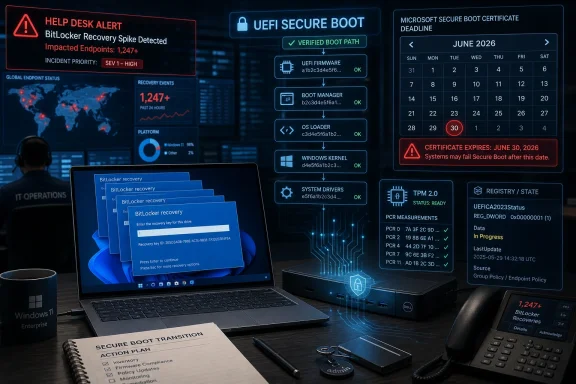
For administrators, the most useful part of the HP guidance may be the least glamorous: the registry state under the Secure Boot servicing path. IfUEFICA2023Status remains stuck in an “In Progress” state and UEFICA2023Error shows a non-zero value, the device has not completed the certificate transition cleanly.That matters because the visible symptoms will vary. Some systems may boot to BitLocker recovery. Some may freeze at the HP logo. Some may appear normal until the next reboot or until a later update assumes the 2023 certificate chain is already in place. A fleet-management dashboard that only reports “BIOS update installed” is not enough.
Administrators should treat Secure Boot certificate state as inventory data, not trivia. The question is no longer simply whether a machine is on a given BIOS version. It is whether the firmware, Windows, and TPM agree on the machine’s current boot-trust configuration. That is a more subtle measurement than a driver version or monthly cumulative update level.
The HP incident also highlights a reporting problem. End users tend to describe symptoms: “my laptop is bricked,” “BitLocker keeps asking for the key,” “it freezes at the logo.” Vendors tend to describe conditions: BIOS versions, firmware settings, registry states, supported platforms. The gap between those languages costs time during an outage.
This is why good endpoint telemetry matters. If IT can identify machines stuck in Secure Boot servicing before users reboot into a recovery loop, the incident becomes a controlled remediation. If not, the first signal may be dozens or hundreds of employees unable to start work.
The uncomfortable truth is that many organizations do not yet monitor Secure Boot certificate migration as a first-class compliance item. They monitor patch levels, encryption status, antivirus health, and maybe firmware versions. But the transition from the 2011 Secure Boot certificates to the 2023 chain is a different kind of state, and it now deserves the same operational seriousness.
The Manual Fix Is Sensible, but It Does Not Scale Gracefully
HP’s workaround is straightforward in the way many firmware workarounds are straightforward: press F10 at boot, enter BIOS setup, find Secure Boot configuration, enable the Microsoft 2023 certificate options, save, reboot, allow Windows to complete the update, and verify the registry state afterward. For a single machine on a desk, that is tolerable. For a distributed workforce, it is a support burden.The F10 step is the tell. Any fix that begins with a user physically entering firmware setup is already a challenge for remote IT. It assumes the user can follow pre-boot instructions, has access to the BitLocker recovery key when needed, can distinguish similar-looking Secure Boot settings, and will not change unrelated firmware options along the way.
In a managed environment, administrators may be able to script or deploy some firmware configuration changes through HP management tooling, Intune, Configuration Manager, or other endpoint platforms. But HP’s own caution around suspending BitLocker before firmware changes remains crucial. Remotely changing Secure Boot variables on encrypted systems without controlling BitLocker state is how a remediation turns into a lockout campaign.
This is the paradox of modern endpoint security. The more tightly Windows binds storage encryption to boot integrity, the more careful administrators must be when changing anything in the boot path. That tight binding is good security. It is also unforgiving operations.
The recommendation to re-disable certain options after a successful update adds another wrinkle. HP appears to be trying to balance compatibility with a tighter Secure Boot baseline, especially for organizations that do not need third-party bootloaders or option ROM trust paths. That is defensible. But it means remediation is not merely “turn everything on and walk away.”
A scalable fix should not require every administrator to become a firmware archaeologist. The industry needs cleaner state reporting, safer preflight checks, and update flows that suspend and resume protection in predictable ways. Until then, the people responsible for fleets will continue treating firmware as the most dangerous part of patch management.
Premium Hardware Is Not Exempt From Commodity Failure Modes
There is a special anger that comes with seeing expensive workstation-class hardware fail in a low-level update. Buyers of premium commercial PCs are not paying only for faster CPUs, better screens, or sturdier chassis. They are paying for validation, manageability, and the expectation that critical firmware will not strand the machine at boot.That expectation is not unreasonable. HP’s commercial lines compete on enterprise trust. ZBook workstations and Elite-class laptops are sold into environments where downtime has a price, where remote recovery is hard, and where encryption keys are controlled by policy rather than whatever the user remembers.
But premium hardware still lives in the same ecosystem as everything else. It uses UEFI firmware, TPM measurements, Secure Boot databases, Windows Update plumbing, vendor update agents, and increasingly complex security baselines. The more elaborate the chain becomes, the more opportunities there are for a high-end system to fail like a cheap one.
This is not an HP-only indictment. Every major OEM is being asked to support a security transition across models, generations, firmware branches, and enterprise configurations. Some machines have unusual boot histories. Some have legacy options enabled. Some have third-party security products. Some have accumulated years of firmware settings that differ from factory defaults.
Still, the burden sits with the vendor that ships the firmware. Administrators cannot audit every UEFI edge case before an OEM marks an update critical. Users cannot be expected to understand whether a BIOS revision is touching the Key Exchange Key, the Secure Boot database, or the Windows boot manager trust path. A “critical” label from a PC maker carries an implied promise that the cure has been tested against the disease.
That promise looks weakened here. Even if the percentage of affected systems is small, the failure mode is severe enough to matter. A bad Wi-Fi driver can be worked around with Ethernet. A display bug can often be patched after login. A firmware update that prevents stable boot takes away the normal path to repair.
Microsoft’s Hardware Quality Push Now Has a Case Study
Microsoft has spent years trying to make Windows more resilient by shifting more responsibility into the hardware compatibility and update ecosystem. The company wants better drivers, cleaner firmware, safer update delivery, and fewer kernel-level surprises. That effort is necessary because Windows is only as reliable as the code that runs below and beside it.The HP incident is precisely the kind of scenario that makes that work urgent. A Windows security migration depends on OEM firmware. OEM firmware changes trigger TPM measurement changes. TPM measurement changes trigger BitLocker recovery. A failure in certificate enrollment becomes a support incident that looks, to the user, like Windows itself has locked them out.
The public perception problem is obvious. Most users do not distinguish between an HP BIOS update, a Windows Update-delivered firmware package, a Microsoft Secure Boot certificate migration, and BitLocker recovery behavior. They see a Windows 11 machine that worked yesterday and does not work today.
Microsoft therefore owns part of the experience even when an OEM owns the bug. If Windows is the delivery channel, the orchestration layer, or the policy enforcer, Microsoft has to care whether the end-to-end path is safe. That does not mean Microsoft can test every BIOS build for every OEM. It does mean the company’s quality gates and telemetry need to catch more of these low-level failures before they reach broad deployment.
The Secure Boot certificate transition is a stress test for that model. It is not a normal monthly patch. It changes trust assumptions that have been stable for more than a decade. It crosses boundaries between the OS, firmware, hardware security modules, and enterprise policy. If Microsoft and OEMs can make this transition quiet, it will be a major success. If they cannot, incidents like HP’s will become the story users remember.
The challenge is that quiet success is invisible. Nobody thanks an OEM when Secure Boot certificates update cleanly during a reboot. But when the process fails, the failure is dramatic. That asymmetry should push vendors toward conservative rollout, richer detection, and better rollback strategies.
The Security Deadline Is Real, but Panic Is Still the Enemy
The June 2026 Secure Boot milestone has produced understandable anxiety. Certificate expiration sounds like a cliff edge, and in security messaging, cliffs tend to make people rush. But rushing firmware at scale is exactly how organizations create avoidable outages.The right response is disciplined inventory. Administrators should identify which systems already have the 2023 certificates, which are eligible for automated update, which require OEM firmware, and which are stuck in an error state. They should also know where BitLocker recovery keys are escrowed before touching firmware.
This is also a moment to revisit update rings. Firmware should not be deployed to every executive laptop, developer workstation, and remote branch desktop on the same day. A pilot group is not bureaucracy; it is the blast shield between a bad BIOS and the whole organization. If an update changes Secure Boot state, it deserves even more caution than an ordinary driver revision.
Home users have fewer tools, but the principle is the same. Before accepting firmware updates, especially ones marked critical, make sure BitLocker recovery information is accessible from another device. A Microsoft account, Entra-managed recovery escrow, or documented recovery process can be the difference between an annoying prompt and a data-loss scare.
The HP workaround should not be treated as casual advice for everyone to poke around in firmware setup. It is a recovery path for affected systems and a deployment consideration for IT. Changing Secure Boot options without understanding the environment can affect bootloaders, external devices, imaging workflows, and security compliance.
The broader lesson is to separate security urgency from update recklessness. The Secure Boot certificate migration needs to happen. It does not need to happen blindly.
The HP Loop Shows Where Administrators Should Look First
The practical response to this incident is not to stop updating firmware forever. That would be the wrong lesson. Firmware updates often close serious vulnerabilities, improve platform stability, and enable exactly the security transitions now required. The lesson is that firmware deserves the same change-management discipline as any other privileged infrastructure component.Organizations managing HP commercial systems should first determine whether April 2026 BIOS updates were deployed and whether any machines are showing repeated BitLocker recovery prompts. They should then inspect Secure Boot servicing state rather than relying only on user reports. Machines stuck “in progress” should be treated as partially migrated, not healthy.
The next step is coordination. Help desks need scripts for talking users through BitLocker recovery without training them to ignore security warnings. Endpoint teams need a clear rule for suspending BitLocker before firmware remediation. Security teams need to know whether enabling the Microsoft 2023 certificate options temporarily changes their compliance posture.
The presence of boot-logo freezes complicates the picture. A BitLocker loop at least means the system reaches the Windows recovery path. A machine frozen at the vendor logo may require different recovery tactics, including firmware rollback, BIOS recovery features, or depot service. Those cases should be separated operationally from machines that can still boot after key entry.
It is also worth watching for secondary causes that mimic the same symptoms. A full EFI system partition, misconfigured TPM validation profile, failed boot manager update, or stale firmware setting can all produce BitLocker or Secure Boot servicing trouble. The HP advisory provides one important path, but administrators should avoid assuming every recovery prompt has the same root cause.
This is where community reporting remains valuable. Forums, sysadmin threads, and vendor communities often surface patterns before official advisories catch up. They are noisy, but in incidents like this, the noise is sometimes where the first useful signal appears.
A Fleet-Wide Firmware Bug Leaves a Paper Trail
The most important operational details are concrete, not philosophical. HP’s bug has symptoms administrators can look for, and the Secure Boot migration has state that can be measured. That makes this incident unpleasant, but not invisible.- HP commercial notebooks, desktops, and workstations that received early April 2026 BIOS updates should be treated as candidates for BitLocker recovery-loop screening.
- A BitLocker recovery prompt that returns after the correct key is entered suggests the platform has not settled into a stable trusted-boot state.
- The Secure Boot servicing registry path can reveal whether the UEFI CA 2023 migration is updated, stuck in progress, or failing with an error.
- BitLocker should be suspended before administrators intentionally change firmware or Secure Boot settings across managed systems.
- HP’s F10 BIOS workaround may restore the certificate handoff on affected systems, but it is a recovery process that needs careful handling in remote or encrypted environments.
- The June 2026 Secure Boot certificate deadline makes postponement risky, but broad firmware deployment without pilot testing is riskier still.
References
- Primary source: Windows Latest
Published: Tue, 26 May 2026 13:55:21 GMT
HP admits its latest BIOS update is bricking Windows 11 with BitLocker loop, blocking Secure Boot 2023 fix
HP business laptops are stuck in BitLocker recovery loops after a faulty BIOS update that also disrupted Microsoft's Secure Boot 2023 rollout www.windowslatest.com
- Official source: learn.microsoft.com
Update Secure Boot Certificates for Windows Devices - Windows Client | Microsoft Learn
Update your Windows devices to maintain Secure Boot protection with 2023 certificates before they expire in June 2026.learn.microsoft.com - Official source: support.microsoft.com
- Related coverage: techspot.com
HP BIOS updates are bricking laptops through Windows Update | TechSpot
One case in April involved a ZBook Ultra G1a owner who said a firmware update left the machine unable to start and caused it to freeze completely...www.techspot.com - Related coverage: notebookcheck.net
Microsoft sets 2026 deadline for Secure Boot certificate expiration - Notebookcheck News
Microsoft has issued new guidance warning that 2011 Secure Boot certificates begin expiring in June 2026. Windows updates are rolling out 2023 replacement certificates, with some PCs requiring OEM firmware updates. www.notebookcheck.net
- Related coverage: windowscentral.com
Microsoft fixes annoying BitLocker lockout — but only for Windows 11, leaving Windows 10 stuck | Windows Central
Windows 11 25H2 users get a BitLocker bug fix, while Windows 10 remains stuck with recovery headaches until Microsoft rolls out a broader solution.www.windowscentral.com

- Related coverage: windowsnews.ai
Secure Boot Certificate Upgrade: 2011 Keys Expire 2026—Act Now - Windows News
Microsoft is replacing the original 2011 Secure Boot certificate chain with a new 2023 certificate authority before the old certificates expire in mid‑2026....windowsnews.ai - Official source: techcommunity.microsoft.com
Act now: Secure Boot certificates expire in June 2026 - Windows IT Pro Blog
Get tips to prepare for the rollout of updated certificates across your organization. techcommunity.microsoft.com
- Related coverage: spirhed.com
Secure Boot certificates expire in June 2026 | Spirhed
Microsoft’s Windows UEFI CA 2011 and Microsoft Corporation KEK CA 2011 expire in June 2026. Every Windows device with Secure Boot enabled needs the 2023 replacement certificates installed in firmware before that, or it will eventually stop receiving boot-level security updates. The...spirhed.com - Related coverage: pcgamer.com
Secure Boot certificates used by anti-cheat software are set to expire in June but new ones are already in the mail | PC Gamer
You shouldn't have to worry about expired certificates if you keep your PC up-to-date.www.pcgamer.com - Related coverage: tomshardware.com
Microsoft is refreshing Secure Boot certificates to plug security holes before they happen — if you bought a PC last year, you should be set | Tom's Hardware
Be sure to keep Windows 11 systems updated to get refreshed security certificates.www.tomshardware.com - Related coverage: techradar.com
Microsoft confirms why Windows 11 updates might be weird right now, and look like they're failing — but it's nothing to worry about | TechRadar
You'll need to be patient with updates packing Secure Boot changes, thoughwww.techradar.com - Related coverage: cisco.com