

Microsoft is quietly testing a native Windows 11 feature that lets a single PC stream the same audio to two Bluetooth headsets, earbuds, speakers or hearing aids at once — a capability Apple users have enjoyed for years — but the catch is significant: it’s currently limited to a narrow set of Copilot+ Windows 11 laptops and depends on Bluetooth LE Audio, updated drivers and compatible accessories.
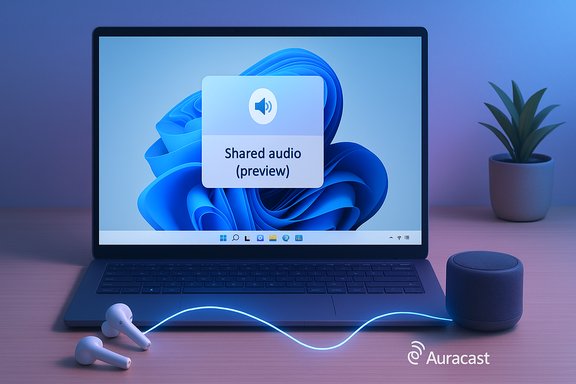
Windows 11’s new Shared audio (preview) arrives as part of the Windows Insider program and is surfaced to users as a Quick Settings tile labeled “Shared audio (preview).” According to Microsoft’s Windows Insider announcement, the experience is built on the Bluetooth Low Energy (LE) Audio stack — the same standards work that introduced the LC3 codec and Auracast broadcast primitives — and it allows a single Windows 11 Copilot+ PC to transmit one synchronized audio stream to two paired LE Audio receivers simultaneously. This isn’t a proprietary Microsoft trick; it leverages the industry-standard LE Audio architecture defined by the Bluetooth Special Interest Group (SIG). LE Audio reduces power use, modernizes multi-stream capability, and introduces broadcast-style audio (Auracast) that enables one‑to‑many audio transmission models — the exact technical foundation Shared audio uses. Independent technical guides and press coverage explain LE Audio’s core benefits: the LC3 codec’s efficiency, isochronous channels for synchronized streams, and Auracast’s broadcast semantics. Yet Microsoft’s rollout is intentionally narrow at first. The preview has been gated to a short list of Copilot+ PCs from Microsoft and — according to early reports — will expand to more OEM Copilot+ laptops later. That gating raises immediate questions about accessibility, fragmentation, and whether the experience will be broadly useful when it reaches mainstream Windows 11 devices.
Microsoft’s Shared audio preview is a pragmatic step toward bringing smartphone-level conveniences to the PC, but it’s also a reminder of the complexities of a diverse hardware ecosystem. The feature’s success will be decided in the months ahead — not by the novelty of sharing audio, but by how quickly OEMs, accessory makers and Microsoft can synchronize updates and make the experience reliably available to the broader Windows community.
Source: GB News Windows 11 tests free update that adds a familiar feature for Mac owners, but there's a catch
 Background / Overview
Windows 11’s new Shared audio (preview) arrives as part of the Windows Insider program and is surfaced to users as a Quick Settings tile labeled “Shared audio (preview).” According to Microsoft’s Windows Insider announcement, the experience is built on the Bluetooth Low Energy (LE) Audio stack — the same standards work that introduced the LC3 codec and Auracast broadcast primitives — and it allows a single Windows 11 Copilot+ PC to transmit one synchronized audio stream to two paired LE Audio receivers simultaneously. This isn’t a proprietary Microsoft trick; it leverages the industry-standard LE Audio architecture defined by the Bluetooth Special Interest Group (SIG). LE Audio reduces power use, modernizes multi-stream capability, and introduces broadcast-style audio (Auracast) that enables one‑to‑many audio transmission models — the exact technical foundation Shared audio uses. Independent technical guides and press coverage explain LE Audio’s core benefits: the LC3 codec’s efficiency, isochronous channels for synchronized streams, and Auracast’s broadcast semantics. Yet Microsoft’s rollout is intentionally narrow at first. The preview has been gated to a short list of Copilot+ PCs from Microsoft and — according to early reports — will expand to more OEM Copilot+ laptops later. That gating raises immediate questions about accessibility, fragmentation, and whether the experience will be broadly useful when it reaches mainstream Windows 11 devices. How Shared audio works: the user flow and technical plumbing
What users will see
- Pair two Bluetooth LE Audio accessories to your Windows 11 PC using Settings → Bluetooth & devices.
- Open Quick Settings (taskbar), tap the tile labeled “Shared audio (preview)”, select up to two paired, compatible devices and click Share.
- Use Stop sharing to end the session and disconnect the shared stream.
The technical foundation
- Bluetooth LE Audio / LC3 codec: LE Audio replaces parts of the old Bluetooth Classic audio stack with LE isochronous channels and the LC3 codec. LC3 is more efficient and offers comparable or better perceived quality at lower bitrates, which lowers battery drain on both source and sinks.
- Auracast-style broadcast: While Microsoft’s Shared audio is a controlled one-to-two use case rather than public broadcasting, it uses the same broadcast primitives (Auracast) that allow one transmitter to serve multiple listeners in sync. That is how Microsoft keeps the streams synchronized and low‑latency across two receivers.
- Driver and firmware dependency: The experience depends on OEM audio/Bluetooth drivers and accessories running LE Audio-capable firmware. Microsoft and OEMs must push driver and firmware updates for devices to show up in the Shared audio tile.
Where it’s available — and where it’s not
Microsoft has explicitly limited the earliest preview of Shared audio to a small group of Copilot+ laptops. The initial Copilot+ devices that support Shared audio today include Microsoft-built Surface models powered by Qualcomm Snapdragon X silicon (Surface Laptop 13.8" and 15"; Surface Laptop for Business 13.8" and 15"; Surface Pro 13" and Surface Pro for Business 13"). Microsoft says additional Copilot+ devices from other OEMs — including select Samsung Galaxy Book models and other Surface SKUs — are “coming soon” pending OEM driver updates. This Copilot+-only rollout is the biggest consumer-facing limitation. If your PC is not a Copilot+ certified system with the right hardware, firmware and OS build, Shared audio will not appear even if your Bluetooth radio supports LE Audio. Early reporting and Insider text dumps confirm Microsoft has staged the feature behind hardware and firmware entitlements while rolling it out through the Windows Insider Dev and Beta channels.Why Copilot+ matters here
Copilot+ is Microsoft’s higher‑tier hardware classification for PCs that meet specific on-device AI and NPU capabilities and receive a set of premium Windows 11 features. The Copilot+ label denotes both hardware capability (neural processing, certain silicon families like Qualcomm Snapdragons or Intel Core Ultra) and a certification pipeline that includes updated device drivers and software entitlements. That same gate is being used to prioritize which machines get Shared audio in preview.Why the feature matters: practical benefits
Shared audio is small in scope but large in day‑to‑day convenience. The feature addresses a genuine gap in PC media sharing and accessibility:- Simple co-watching and co-listening: Two people can watch a video or listen to music from a single laptop without passing a single pair of earbuds or using a cable splitter.
- Accessibility gains: Users who rely on hearing aids or specialized earwear can join the same audio stream as others in the room while preserving individualized audio processing on their devices.
- Standards-based future: Built on LE Audio and Auracast, the feature benefits from cross‑vendor adoption and will scale as more accessories add LE Audio support. That avoids vendor lock‑in.
The catch(s): fragmentation, hardware gating, and accessory reality
The new feature brings clear benefits, but there are several meaningful caveats.1) Limited device support and fragmentation
At launch, Shared audio is restricted to specific Copilot+ models and requires both an Insider build (Windows 11 Insider Preview Build 26220.7051 in Dev/Beta as Microsoft stated) and updated OEM Bluetooth/audio drivers. That combination means many current Windows 11 users — including large portions of the installed base — cannot try the feature until OEMs and Microsoft broaden support.2) Accessory availability and firmware realities
LE Audio adoption in consumer accessories is still accelerating. Although several mainstream earbuds and hearing-aid vendors shipped LE Audio-capable firmware in 2023–2025, not every headset will work out of the box. Users must confirm their accessory supports LE Audio (LC3/Auracast) and often update accessory firmware via the manufacturer’s app. If a device doesn’t advertise LE Audio/Auracast support or lacks updated firmware, it won’t appear in Shared audio. Bluetooth SIG guidance and trade coverage stress this dependency.3) Driver/firmware update chain
Windows’ LE Audio support is necessary but not sufficient. Hardware vendors must ship driver updates that expose LE Audio APIs and Auracast primitives to Windows 11. Microsoft’s blog and multiple hands‑on reports underline that Shared audio will only appear after OEM drivers and firmware updates are installed through Windows Update or vendor utilities. That chain of updates is often the slowest link.4) Performance edge cases
- Synchronization and latency: While LC3 and isochronous channels are designed for synchronization, real-world performance depends on radio conditions, accessory firmware, and driver implementation. Users may see occasional drift, stutter, or lip‑sync issues on marginal connections.
- Battery and codec trade-offs: LE Audio’s efficiency is real, but if vendors implement optional high‑quality Auracast modes, those modes can increase power use on receivers. Expect some variability in battery impact across devices. Technical explainers warn users to expect trade-offs between quality and battery life.
5) Windows 10 users and timing
Because Shared audio relies on Windows 11 builds and platform changes, Windows 10 will not receive this feature. With Windows 10 support ending on October 14, 2025, users on legacy installations miss both the feature and ongoing security updates unless they migrate or enroll in Extended Security Updates (ESU). Microsoft’s lifecycle pages and coverage underscore that Windows 10 users will need to upgrade to gain access to future Windows 11-only capabilities.How to try Shared audio today (Insider step‑by‑step)
- Join the Windows Insider Program (register online and link the same Microsoft account on your PC). Microsoft’s Insider guidance details the enrollment flow in Settings → Windows Update → Windows Insider Program.
- Opt into the Dev or Beta channel and update to the builds rolling out as part of the preview (Microsoft’s announcement names Build 26220.7051 as the release that began the staged rollout).
- Confirm your PC is a supported Copilot+ model (Microsoft’s post lists the initial Surface Copilot+ models; other OEM Copilot+ devices are marked “coming soon”).
- Update Bluetooth and audio drivers via Windows Update or the OEM’s support utility, and update your accessories’ firmware using the manufacturer app.
- Pair two LE Audio-capable accessories (Settings → Bluetooth & devices).
- Open Quick Settings (click the network/volume/keyboard cluster in the taskbar), find “Shared audio (preview)” and follow the on-screen flow to select and share with two devices.
Comparative context: how this stacks up against Apple and Android approaches
- Apple’s multi‑listen (e.g., Audio Sharing on iOS/macOS) has for years allowed two sets of AirPods or Beats headphones to pair with a single iPhone or iPad and listen at once. That feature is tightly integrated because Apple controls both hardware and OS firmware, and AirPods use proprietary protocols plus (for recent models) LE Audio capabilities. Microsoft’s Shared audio, by contrast, must stitch together a diverse hardware and driver ecosystem — a harder engineering problem but one that avoids vendor lock-in because it’s standards-based.
- Android and OEMs: Some Android phones and third-party accessories have offered dual-output or co-listening modes. The industry shift to LE Audio means that equivalent experiences are increasingly possible across vendors, but user experience depends heavily on the combination of OS, vendor drivers and accessory firmware.
Strengths, risks and the real-world impact
Strengths
- Standards-based: Built on LE Audio and Auracast, which encourages wide accessory support and future interoperability.
- Accessibility: Potentially enormous benefits for hearing-aid users and those who need individualized audio processing while sharing content.
- Simplicity of UX: A single Quick Settings tile makes the experience discoverable and easy for non-technical users.
Risks and downsides
- Fragmented availability: Limited to Copilot+ PCs at preview launch, creating an expectation gap among the broader Windows ecosystem.
- Driver and firmware bottlenecks: The feature requires coordinated updates from multiple parties — Microsoft, OEMs and accessory makers — which can delay or limit real-world availability.
- Edge-case audio behavior: Radio interference, firmware quirks, or poorly implemented drivers can cause sync problems or increased battery drain for some devices. Technical reporting on LE Audio cautions users about such practical trade-offs.
- Windows 10 fragmentation: Users still on Windows 10, especially after its end of support on October 14, 2025, will be unable to access Shared audio — another impetus to migrate but a realistic blocker for older hardware.
What this means for buyers, IT and everyday users
- If you buy a new laptop because you want Shared audio: check for Copilot+ certification and confirm the model is on the supported list (or explicitly marked as “coming soon”). Expect firmware and driver updates to be required.
- If you’re managing fleets or imaging systems in an enterprise: treat Shared audio as a consumer feature for now. Test it in a controlled pilot if you plan to adopt Copilot+ hardware widely, but don’t assume enterprise drivers or locked-down update policies will surface the feature immediately.
- If you’re on Windows 10: Shared audio is not an option unless you move to Windows 11. Given Windows 10’s end of support on October 14, 2025, organizations and users must plan upgrades or ESU enrollment to remain secure.
- If you own LE Audio-capable accessories: update firmware and vendor apps now. That will make you ready when OEMs open the feature to more Windows 11 machines.
Verification, caveats and what we could not confirm
- Microsoft’s Windows Insider blog post and multiple independent hands-on writeups confirm the feature’s presence in Build 26220.7051 and the initial Copilot+ device list. Those published details form the primary factual base for this feature description.
- The technical underpinnings (LE Audio, LC3, Auracast) are standardised by Bluetooth SIG and analyzed by technology press; those references corroborate Microsoft’s engineering choices.
- What remains uncertain and flagged as a risk: the exact timeline for general availability beyond Copilot+ PCs, the final accessory compatibility list as it expands into 2026, and real‑world performance on complex wireless environments. Microsoft’s blog and OEM notes explicitly describe the rollout as gradual and driver-dependent, and did not provide a calendar for broad availability. Treat any specific date or shipping timing that is not from Microsoft’s official announcements as speculative.
Final assessment
Shared audio is a welcome, standards-based feature that fills a simple but persistent gap in PC usability: sharing a single audio stream with multiple listeners without messy cables or splitters. Technically it’s the right approach — leveraging Bluetooth LE Audio, LC3 and Auracast capabilities — and it will become increasingly useful as accessories and drivers mature. However, Microsoft’s decision to gate the preview behind Copilot+ hardware and staged Insider deliveries means the initial real-world impact will be modest. For many users, the experience will remain aspirational until OEMs ship updated drivers and more LE Audio accessories are widespread. The long-term upside is strong: a standards-first implementation reduces vendor lock-in and, once broadly supported, will become a truly cross-platform convenience. For now, expect a phased rollout, a firmware-and-driver choreography, and a reality where only some Windows 11 users can test the feature in preview.Microsoft’s Shared audio preview is a pragmatic step toward bringing smartphone-level conveniences to the PC, but it’s also a reminder of the complexities of a diverse hardware ecosystem. The feature’s success will be decided in the months ahead — not by the novelty of sharing audio, but by how quickly OEMs, accessory makers and Microsoft can synchronize updates and make the experience reliably available to the broader Windows community.
Source: GB News Windows 11 tests free update that adds a familiar feature for Mac owners, but there's a catch
