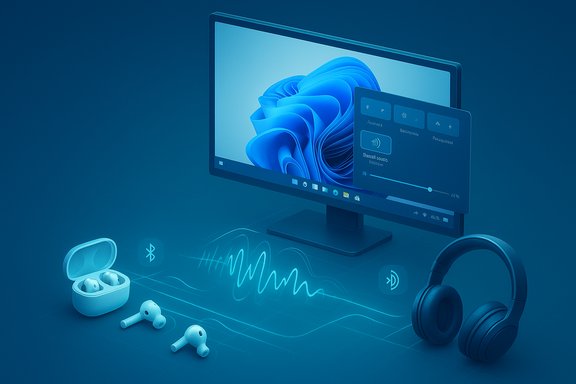
Microsoft has quietly added a long‑requested convenience to Windows 11: a native “Shared audio (preview)” that can stream the same Bluetooth audio feed to two separate headsets, earbuds, speakers, or hearing aids at once — and it’s arriving first for a narrow set of Copilot+ laptops as part of the Windows Insider preview.
Bluetooth audio on PCs has been hamstrung for years by legacy protocol choices that forced a trade‑off between high‑quality playback and microphone use. The new Windows 11 Shared audio feature builds on Bluetooth Low Energy (LE) Audio — specifically the LC3 codec, isochronous channels (ISO), and broadcast‑style primitives often referred to as Auracast — to duplicate a single, synchronized audio stream to two compatible receivers. Microsoft surfaced the capability in Windows Insider Preview Build 26220.7051 for the Dev and Beta channels and is rolling it out in a staged preview to supported Copilot+ PCs. Short practical framing:
Microsoft’s Shared audio (preview) is a pragmatic, standards‑driven step that brings PC audio sharing into parity with features mobile users have had for years. The initial rollout is intentionally conservative: it prioritizes reliability and interoperability on Copilot+ hardware while giving Microsoft and partners controlled telemetry to refine behavior. The feature’s success will hinge on vendor firmware, driver quality, and the pace at which OEMs broaden support — but once those pieces align, Windows users will gain a simple, friction‑free way to share audio without cables, splitters, or awkward earbuds‑sharing.
Source: TechRadar https://www.techradar.com/computing...-sharing-feature-for-some-heres-how-it-works/
 Background / Overview
Bluetooth audio on PCs has been hamstrung for years by legacy protocol choices that forced a trade‑off between high‑quality playback and microphone use. The new Windows 11 Shared audio feature builds on Bluetooth Low Energy (LE) Audio — specifically the LC3 codec, isochronous channels (ISO), and broadcast‑style primitives often referred to as Auracast — to duplicate a single, synchronized audio stream to two compatible receivers. Microsoft surfaced the capability in Windows Insider Preview Build 26220.7051 for the Dev and Beta channels and is rolling it out in a staged preview to supported Copilot+ PCs. Short practical framing:- What it does: sends the same audio stream from one Windows 11 PC to two Bluetooth LE Audio sinks simultaneously.
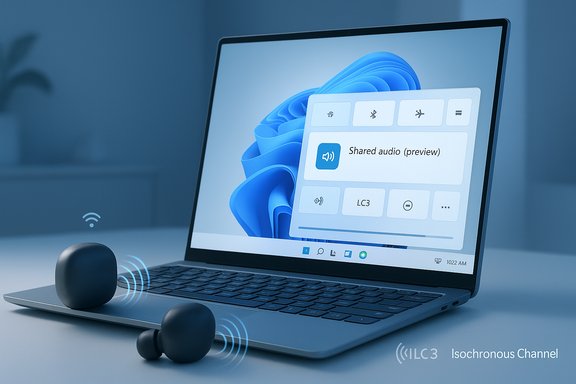
- Where it appears in the OS: a Quick Settings tile labeled Shared audio (preview) in the taskbar Quick Settings panel.
- Who can try it today: Windows Insiders on the Dev/Beta channel running Copilot+ compatible devices that have the required OS and driver updates.
Why this matters: a practical win for everyday scenarios
This is the kind of small feature that changes day‑to‑day convenience rather than headline performance numbers. Native shared audio solves common, mundane problems:- Two people watching a movie on one laptop without a wired splitter or having to trade earbuds.
- Students or colleagues sharing a piece of audio while collaborating locally.
- People who rely on hearing aids listening in sync with family members using headphones.
- Travelers wanting private audio while using the host PC’s streaming apps.
How Shared audio works in Windows 11
The user flow (what you’ll actually see)
- Pair and connect two Bluetooth LE Audio accessories to the PC via Settings > Bluetooth & devices.
- Open Quick Settings from the taskbar and look for the Shared audio (preview) tile.
- Click the tile to reveal a list of paired, connected devices that support LE Audio.
- Select two accessories, then click Share to begin streaming the same audio to both devices.
- Click Stop sharing to end the session.
The technical plumbing (brief, non‑exhaustive primer)
- LC3 codec: a modern, low‑complexity codec introduced for LE Audio; provides better perceived audio quality at lower bitrates compared to SBC, which helps when a host needs to feed multiple receivers without saturating the radio.
- Isochronous Channels (ISO): timing guarantees in the LE Audio transport that keep multiple receivers playback‑aligned and reduce perceptible offset between devices.
- Broadcast / Auracast primitives: allow a source to advertise an audio stream and support one‑to‑many scenarios; Microsoft’s Shared audio behaves like a controlled broadcast limited to two selected sinks in preview.
Compatibility and current limitations
Hardware and software gates
- Required OS build: Windows 11 Insider Preview Build 26220.7051 (Dev & Beta channels) or later to see the preview tile.
- Required PC class: Copilot+ PCs only at launch (devices with NPU/AI silicon and a Copilot+ certification), with initial support limited to a short list of Surface models and a handful of Samsung Galaxy Book SKUs marked “coming soon.” Microsoft explicitly warns that the feature will be expanded to more Copilot+ PCs over time.
- Required Bluetooth support: the host PC’s Bluetooth controller, firmware and Windows drivers must expose the LE Audio stack (including support for the LC3 codec and ISO channels). Vendor driver updates are typically delivered via OEM Windows Update channels.
- Required accessories: both receivers must support Bluetooth LE Audio (LC3, ISO/broadcast-capable) and ideally have the latest firmware via the vendor companion app. Popular LE Audio models mentioned in preview material include several Samsung Galaxy Buds models and Sony WH‑1000XM6 examples; hearing‑aid vendors with LE updates were also cited.
Devices listed in the initial Copilot+ preview window
Available today (preview):- Surface Laptop — 13.8‑inch and 15‑inch | Qualcomm Snapdragon X (Copilot+).
- Surface Laptop for Business — 13.8 and 15‑inch | Qualcomm Snapdragon X.
- Surface Pro — 13‑inch | Qualcomm Snapdragon X.
- Surface Pro for Business — 13‑inch | Qualcomm Snapdragon X.
- Samsung Galaxy Book5 360 | Intel Core Ultra Series 200.
- Samsung Galaxy Book5 Pro | Intel Core Ultra Series 200.
- Additional Surface models and other Copilot+ SKUs as OEMs release driver updates.
What the limitations mean in practice
- Non‑Copilot Windows 11 PCs are unlikely to see this capability in the immediate rollout. Microsoft is intentionally gating the feature to Copilot+ hardware where partners already expose the required LE Audio stack; that reduces early‑stage fragmentation but excludes many devices at first.
- Even on supported hardware, accessory firmware and vendor driver availability are common bottlenecks. Users frequently need to update headphones via their companion apps before Windows will recognize them as LE Audio sinks for shared playback. Community reporting from early Insiders emphasizes re‑pairing accessories after firmware updates as a frequent troubleshooting step.
A closer technical look: LC3, ISO, Auracast and why they matter
Windows’ Shared audio is an application of three LE Audio pillars:- LC3 (Low Complexity Communications Codec) reduces bitrate requirements while maintaining or improving perceived audio quality. That efficiency is critical when a single radio is feeding multiple sinks; less airtime per stream reduces collisions and battery draw on accessories.
- Isochronous Channels (ISO) are the timing transport that preserve synchronization across receivers. For two headsets to hear the same movie in sync, ISO provides the low‑latency, time‑aligned delivery guarantees needed to avoid distracting echo or lag.
- Auracast / Broadcast primitives enable one source to let multiple listeners subscribe to a stream without full point‑to‑point pairing. Microsoft’s preview limits the UX to two receivers, but the underlying tech is the same as Auracast and can support larger broadcast scenarios in other implementations.
Strengths and immediate benefits
- Native convenience: replaces cable splitters and fragile software routing tools with a single OS control surfaced in Quick Settings.
- Standards‑based interoperability: built on LE Audio (LC3/ISO/Auracast primitives) which improves the chance of cross‑vendor compatibility over proprietary pair‑and‑duck workarounds.
- Accessibility gains: direct streaming to hearing aids and assistive devices is explicitly called out by Microsoft as a use case and is one of the most meaningful benefits of LE Audio’s standardization.
- Potential battery and quality gains: LC3’s efficiency and LE Audio’s transport improvements can preserve better perceived audio quality at lower bitrates and extend accessory battery life compared with legacy SBC/A2DP solutions.
Risks, caveats and practical concerns
- Narrow early availability: gating to Copilot+ PCs leaves many Windows 11 users excluded in the short term; adoption speed will depend on OEM driver rollouts and accessory firmware updates. Microsoft’s staged rollout is prudent, but it’s slow for broad impact.
- Interoperability hiccups: LE Audio is a standard, but real‑world compatibility requires three pieces to be correct — the PC radio/firmware, OEM drivers, and accessory firmware. If any link is missing, the feature will not work as expected or may fall back to classic Bluetooth behavior. Community threads and early reports show device‑specific quirks during preview testing.
- Limited to two receivers in preview: Microsoft currently caps the preview to two sinks. That’s sufficient for most “share with one friend” scenarios, but it’s not a full Auracast deployment for public venues yet.
- Potential latency/quality edge cases: even with ISO transport, edge devices can show sync drift or momentary stutter if driver or firmware implementations are immature. Insiders are urged to report glitches through Feedback Hub so Microsoft and OEMs can iterate.
- Enterprise and privacy considerations: organizations that manage laptops should consider whether and how shared audio may interact with device policies, digital rights management (DRM) playback scenarios, or meeting controls — especially if allowed in public spaces where audio broadcasts might be inappropriate. These operational controls may be necessary in some deployments.
How to try Shared audio today (step‑by‑step)
- Confirm your PC is a Copilot+ device listed as supported in Microsoft’s preview notes and that it’s enrolled in the Windows Insider Dev or Beta channel.
- Install Windows Update until Build 26220.7051 (or later) is present. Use Settings > Windows Update and enable the Insider preview channel if required.
- Update OEM Bluetooth and audio drivers when offered through Windows Update, or install the vendor‑supplied drivers recommended by your PC manufacturer.
- Update accessory firmware using the manufacturer’s companion app; many vendors only expose LE Audio functionality after app‑delivered firmware updates. If your accessory doesn’t appear under Shared audio, remove it from the PC and re‑pair after the firmware update.
- Pair and connect two LE Audio devices in Settings > Bluetooth & devices.
- Open Quick Settings (taskbar), click the Shared audio (preview) tile, select two devices from the list and click Share. Use Stop sharing to stop.
What to watch next and how the rollout might expand
- OEM driver updates: the pace at which additional Copilot+ devices (and eventually non‑Copilot devices) gain support depends heavily on OEMs shipping Bluetooth and audio driver updates that expose LE Audio primitives to Windows.
- Accessory firmware updates: larger accessory vendor rollouts — especially from mainstream headphone makers — will determine how many consumers can actually use the feature without buying new hardware.
- Potential expansion beyond Copilot+: Microsoft’s initial gating to Copilot+ hardware is conservative. The company has signaled broader rollout once driver and partner readiness improves; whether that expands to legacy Windows 11 PCs remains an open product decision.
- UX improvements: expect Microsoft to iterate the experience (discoverability, pairing UX, encryption and access controls) based on Insider telemetry and partner feedback before a general release.
Final assessment — should users care?
For eligible users — Copilot+ Insiders with LE Audio accessories — Shared audio (preview) is a welcome and practical feature that solves a real‑world annoyance. It’s standards‑based, reasonably straightforward to use, and delivers immediate benefits for shared media and accessibility scenarios. The technical underpinnings (LC3, ISO, Auracast‑style broadcast) are solid, and Microsoft’s staged approach reduces the likelihood of a chaotic, fragmented early experience. For the broader Windows user base, the feature matters as a signal: LE Audio is arriving on the PC platform in a concrete, consumer‑facing way. But the timeline for widespread availability depends on OEMs and accessory vendors updating firmware and drivers. In short: valuable now for a narrow set of users, important for the broader ecosystem as adoption grows.Quick reference: checklist before trying Shared audio
- Enroll in Windows Insider Dev/Beta channel (if you want the preview).
- Confirm your PC is a Copilot+ model on Microsoft’s supported list.
- Update Windows to Build 26220.7051 or later.
- Install OEM Bluetooth/audio driver updates via Windows Update.
- Update accessory firmware via vendor companion apps and re‑pair devices if necessary.
- Keep a wired fallback for mission‑critical needs.
Microsoft’s Shared audio (preview) is a pragmatic, standards‑driven step that brings PC audio sharing into parity with features mobile users have had for years. The initial rollout is intentionally conservative: it prioritizes reliability and interoperability on Copilot+ hardware while giving Microsoft and partners controlled telemetry to refine behavior. The feature’s success will hinge on vendor firmware, driver quality, and the pace at which OEMs broaden support — but once those pieces align, Windows users will gain a simple, friction‑free way to share audio without cables, splitters, or awkward earbuds‑sharing.
Source: TechRadar https://www.techradar.com/computing...-sharing-feature-for-some-heres-how-it-works/