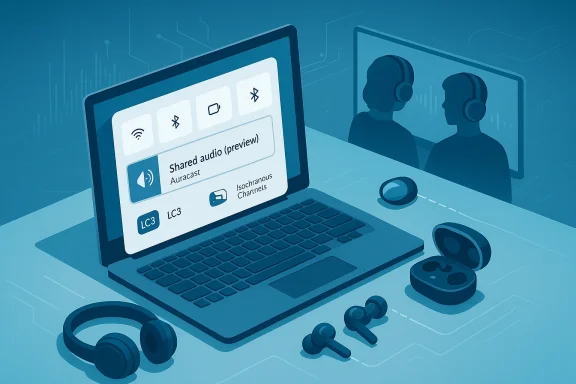
Windows 11’s long-standing one‑output‑only Bluetooth audio world has finally been challenged — but the new Shared audio (preview) is a pragmatic first step, not a cure‑all. Microsoft’s Insider Preview build 26220.7051 surfaces a Quick Settings tile that can stream a single audio feed to two Bluetooth LE Audio devices simultaneously, but the feature is gated by hardware, drivers, and accessory firmware in a way that will frustrate many users who expected “two headphones” to be a simple software toggle.
Bluetooth audio on PCs has for years been hamstrung by legacy profile trade‑offs: A2DP for high‑quality one‑way audio, HFP/HSP for two‑way voice but low fidelity. The Bluetooth SIG’s LE Audio family — anchored by the LC3 codec, Isochronous Channels (ISO), and broadcast primitives commonly associated with Auracast — was designed to remove that compromise and enable multi‑sink, low‑power, synchronized audio. Microsoft’s Shared audio builds on these LE Audio primitives and surfaces a simple, user‑facing control in Quick Settings labeled Shared audio (preview). The official Windows Insider blog documents the rollout and the initial compatibility list in detail.
Why this matters now: LE Audio’s efficiency and synchronization primitives make simultaneous multi‑receiver playback practical on battery‑constrained earbuds and on PCs without resorting to ad‑hoc hacks. For the first time on Windows, a native experience wants to do in software what mobile vendors have been shipping through device vendors’ implementations. Early coverage and community reporting corroborate Microsoft’s intent and describe the same technical foundation and rollout strategy.
This gating is not arbitrary: Shared audio requires the PC’s Bluetooth controller, OEM firmware, Windows drivers, and accessory firmware to each implement LE Audio primitives correctly. If any layer is missing or out of date, the Shared audio tile won’t appear or the accessory won’t list as a selectable sink. Numerous reports and community threads note this dependency chain as the primary reason many Insiders will not see the feature immediately.
For everyday Windows users the short guidance is clear: update Windows and accessory firmware, try the preview if your hardware is supported, and temper expectations about universal compatibility and professional‑grade latency. For the industry, Shared audio is another strong signal that LE Audio is moving from specification to practical convenience — provided vendors and OEMs coordinate to close the driver and firmware gaps. If they do, the days of “one headphone per PC” will finally be behind us; if not, Shared audio will be a useful but limited preview for early adopters.
In the weeks ahead, watch your Windows Update and your accessory vendors’ companion apps: when the right combination of OS build, OEM driver, and headset firmware lines up, the Shared audio tile will appear and let two people listen without cables. Until then, the feature is an important preview that demonstrates where Bluetooth audio on the PC is headed — promising, standards‑based, and very much dependent on the broader ecosystem finishing the work.
Source: PCWorld Windows 11 gets multi-device Bluetooth audio, but hold on
 Background / Overview
Bluetooth audio on PCs has for years been hamstrung by legacy profile trade‑offs: A2DP for high‑quality one‑way audio, HFP/HSP for two‑way voice but low fidelity. The Bluetooth SIG’s LE Audio family — anchored by the LC3 codec, Isochronous Channels (ISO), and broadcast primitives commonly associated with Auracast — was designed to remove that compromise and enable multi‑sink, low‑power, synchronized audio. Microsoft’s Shared audio builds on these LE Audio primitives and surfaces a simple, user‑facing control in Quick Settings labeled Shared audio (preview). The official Windows Insider blog documents the rollout and the initial compatibility list in detail. Why this matters now: LE Audio’s efficiency and synchronization primitives make simultaneous multi‑receiver playback practical on battery‑constrained earbuds and on PCs without resorting to ad‑hoc hacks. For the first time on Windows, a native experience wants to do in software what mobile vendors have been shipping through device vendors’ implementations. Early coverage and community reporting corroborate Microsoft’s intent and describe the same technical foundation and rollout strategy.
What Shared audio actually does
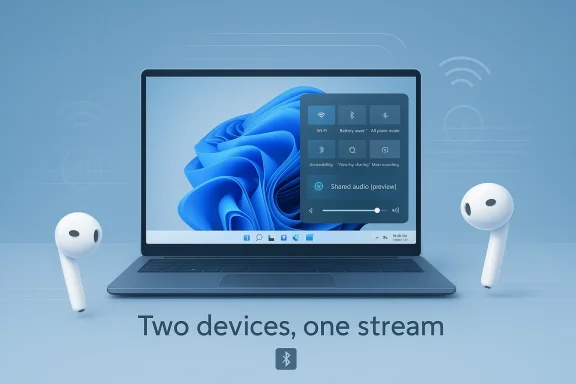
At a practical level, Shared audio lets one Windows 11 PC transmit the same audio stream to two paired, LE‑Audio‑capable Bluetooth sinks at once. From the user side the flow is intentionally simple:- Pair and connect two LE Audio accessories in Settings > Bluetooth & devices.
- Open Quick Settings (taskbar), tap the Shared audio (preview) tile.
- Select the two devices to share to, then press Share.
- Use Stop sharing to end the session.
Technical plumbing in brief
- LC3 codec: Designed to deliver equal or better perceived audio quality at much lower bitrates than legacy SBC. Lower bitrates reduce airtime and help a host serve multiple sinks.
- Isochronous Channels (ISO): Provide timing guarantees and tighter synchronization across multiple receivers, critical to avoid drift when two listeners share a stream.
- Broadcast / Auracast primitives: Allow a source to advertise an audio stream and let receivers subscribe. Microsoft’s preview uses a controlled two‑sink approach rather than an open public broadcast today.
Availability and hardware gating: the reality behind the promise
Microsoft deliberately limited initial availability for Shared audio in Build 26220.7051 to a short list of Copilot+ PCs that already expose the necessary Bluetooth and audio driver stacks. The official compatible list (updated through Microsoft’s Insider blog updates) includes certain Qualcomm Snapdragon‑powered Surface Laptop and Surface Pro models and, as of later Insider updates, the Samsung Galaxy Book4 Edge running Qualcomm silicon. A set of Intel Core Ultra 200‑series Galaxy Book5 models are listed as “coming soon.” Microsoft and multiple outlets confirm these details.This gating is not arbitrary: Shared audio requires the PC’s Bluetooth controller, OEM firmware, Windows drivers, and accessory firmware to each implement LE Audio primitives correctly. If any layer is missing or out of date, the Shared audio tile won’t appear or the accessory won’t list as a selectable sink. Numerous reports and community threads note this dependency chain as the primary reason many Insiders will not see the feature immediately.
Initial supported PCs (high‑level)
- Surface Laptop — 13.8" and 15" (Qualcomm Snapdragon X family)
- Surface Pro — 13" (Qualcomm Snapdragon X)
- Surface Laptop for Business / Surface Pro for Business variants with Snapdragon X
- Samsung Galaxy Book4 Edge — added later in the Insider timeline
- Selected Samsung Galaxy Book5 models (Intel Core Ultra 200 series) — coming soon
Accessory compatibility
Microsoft lists example LE Audio accessories that should already work — Galaxy Buds2 Pro, Buds3/Buds3 Pro, Sony WH‑1000XM6 and modern LE‑Audio‑capable hearing aids among them — but accessory support depends on the vendor pushing LE Audio firmware updates. Even some headsets advertised as “LE Audio capable” still need companion‑app firmware patches to fully interoperate with Windows’ Shared audio. Community testing repeatedly shows that the missing firmware or a stale driver is the most common blocker.Step‑by‑step: how to test Shared audio (Insider preview)
If you have a Copilot+ device on Microsoft’s compatibility list and are willing to experiment, here’s the standard path reporters and Microsoft recommend:- Enroll your PC in the Windows Insider Program (Dev or Beta channel).
- Update Windows to Build 26220.7051 (or later) via Settings > Windows Update.
- Install any OEM Bluetooth and audio driver updates offered in Windows Update (or your vendor’s driver portal).
- Update accessory firmware through the manufacturer’s companion app.
- Pair and connect two LE Audio accessories in Settings > Bluetooth & devices.
- Open Quick Settings, tap the Shared audio (preview) tile, choose two devices, then press Share.
- If a device doesn’t appear, remove and re‑pair it after firmware/driver updates — re‑pairing is often the missing step.
Use cases where Shared audio will shine
Shared audio is a simple convenience that unlocks a number of everyday scenarios:- Shared viewing on flights or trains where two passengers each want private audio without passing earbuds.
- Classroom or study group settings where two students can listen to the same recording from one laptop.
- Accessibility scenarios where a person using a hearing aid can receive the same stream as someone using regular Bluetooth headphones.
- Quick comparison listening for producers, tutors, or collaborators who want two listeners to judge a clip in sync.
Strengths: what Microsoft did well
- Standards‑based approach. Building on LE Audio primitives (LC3, ISO, broadcast) avoids vendor lock‑in and increases the odds of cross‑brand interoperability as firmware and drivers roll out. This is a clear architectural win compared to proprietary one‑off hacks.
- Simple UX. Exposing the capability as a Quick Settings tile hides complexity and keeps the user flow accessible to non‑technical users. The few clicks required match the simplicity users expect from mobile “share audio” workflows.
- Accessibility potential. Direct streaming to hearing aids and to standard headphones at the same time is a valuable accessibility improvement that could simplify assistive listening in many public and private situations.
Risks, limitations, and practical caveats
For all the promise, Shared audio’s immediate value is constrained by several concrete practical issues:- Ecosystem coordination required. LE Audio’s usefulness depends on aligned updates across silicon vendors, OEMs, driver stacks, and headset firmware. That coordination is gradual; expect many installed PCs and headsets to remain incompatible for months. Multiple community accounts and reporting highlight exactly this coordination problem.
- Fragmentation and inconsistent behavior. Different accessory vendors implement LE Audio features at different times and quality. Reports from early Insiders indicate occasional stutter, device‑specific quirks, and the need to re‑pair devices after firmware updates. Microsoft is intentionally restricting the preview and collecting feedback to tame this fragmentation, but early adopters should temper expectations.
- Latency and synchronization risks for professional use. Even with ISO timing, real‑world buffering, clock drift, and handset firmware buffering strategies can produce perceptible offsets. That makes Shared audio unsuitable for latency‑sensitive professional applications until vendors converge on robust implementations.
- Limited to two receivers in the preview. LE Audio and Auracast support many receivers in broadcast modes, but Microsoft’s initial user experience caps the session at two devices. The choice is conservative and defensible for testing, but users expecting “silent disco” scale broadcasts from a laptop will be disappointed for now.
- Discovery & privacy tradeoffs. LE Audio’s broadcast model can be public or private depending on how vendor UX implements discoverability. Users should be aware of discoverability settings and favor private two‑person sessions for confidential listening.
How this compares with mobile implementations
Apple’s audio sharing for AirPods and many Android phones’ Auracast implementations have already delivered multi‑listener workflows. Microsoft’s Shared audio catches Windows up to that mobile convenience but does so via a standards route rather than vendor‑specific tricks. The tradeoff: greater long‑term interoperability at the cost of a slower, ecosystem‑dependent ramp. Early Windows preview coverage stresses parity with mobile user expectations while noting the PC compatibility complexity is higher because of the wide range of Bluetooth radios and OEM driver practices in the Windows ecosystem.Recommendations — what users, IT teams, and accessory makers should do now
For curious consumers on Copilot+ hardware:- Enroll in the Windows Insider Program (Dev/Beta) only if you understand preview instability and are prepared to provide feedback through Feedback Hub.
- Update Windows and vendor drivers via Windows Update, and use the headset vendor’s companion app to install LE Audio firmware updates.
- Re‑pair accessories after firmware updates if a device doesn’t appear in Shared audio.
- Keep a wired or low‑latency wireless fallback for critical work.
- Add explicit LE Audio and LC3 support to device procurement requirements where multi‑listener audio or assistive listening is required.
- Pilot Shared audio on a small set of supported Copilot+ hardware before wide deployment; document driver versions and accessory firmware combinations that work.
- Communicate that Shared audio is a consumer/assistive convenience for now, not a replacement for professional audio hardware in controlled environments.
- Prioritize firmware updates that expose LE Audio and LC3 support and offer companion‑app workflows that make upgrades simple for end users.
- Test synchronization behavior across a range of Windows Bluetooth radios and driver stacks; interoperability on Windows will determine the feature’s perceived success.
- Provide clear documentation on LE Audio support, firmware build numbers, and known limitations.
Developer, security, and privacy considerations
- Shared audio’s broadcast model can be public or private depending on implementation. Windows’ preview currently exposes a private, paired two‑device experience, which reduces the immediate risk of accidental public streaming. Still, venue operators and IT staff should understand discoverability settings when using Auracast or broadcast style modes in public spaces.
- From a security perspective, LE Audio streams are local RF traffic and do not leave the device by default, reducing the surface for remote interception. However, pairing and join flows should be treated as local‑security operations: keep private sessions private and monitor discoverability settings on shared machines.
What to expect next — a realistic timeline
Microsoft’s staged rollout is intentional: a controlled preview on Copilot+ devices lets engineers, OEMs, and accessory makers iterate on driver and firmware interactions before exposing Shared audio broadly. Industry reporting and community signals suggest a slow rollout over the next several months as OEMs deliver Bluetooth driver updates and accessory vendors publish LE Audio firmware. Expect incremental expansion from Copilot+ machines to additional Windows laptops and tablets as silicon and driver stacks converge; a broader general‑availability window is contingent on that coordination, not on a single Microsoft update.Final assessment: meaningful first step, but patience required
Shared audio on Windows 11 is a standards‑driven, user‑focused feature that corrects a capability gap many users have tolerated for a decade. Microsoft’s choice to build on LE Audio (LC3, ISO, Auracast primitives) is technically sound and future‑proof; the Quick Settings UX is thoughtful and simple. Yet the real experience will depend on an ecosystem readiness that is not yet universal. Early adopters on gated Copilot+ hardware will enjoy the convenience and accessibility wins immediately, but many users will not see the Shared audio tile, and those who do may face intermittent issues caused by driver or firmware mismatches.For everyday Windows users the short guidance is clear: update Windows and accessory firmware, try the preview if your hardware is supported, and temper expectations about universal compatibility and professional‑grade latency. For the industry, Shared audio is another strong signal that LE Audio is moving from specification to practical convenience — provided vendors and OEMs coordinate to close the driver and firmware gaps. If they do, the days of “one headphone per PC” will finally be behind us; if not, Shared audio will be a useful but limited preview for early adopters.
In the weeks ahead, watch your Windows Update and your accessory vendors’ companion apps: when the right combination of OS build, OEM driver, and headset firmware lines up, the Shared audio tile will appear and let two people listen without cables. Until then, the feature is an important preview that demonstrates where Bluetooth audio on the PC is headed — promising, standards‑based, and very much dependent on the broader ecosystem finishing the work.
Source: PCWorld Windows 11 gets multi-device Bluetooth audio, but hold on