

Microsoft has confirmed yet another Windows 11 sign-in problem, and this one matters because it lands in the most sensitive place of all: the logon experience. According to Microsoft’s own Windows release health pages, a January 2026 update caused credential prompt failures and sign-in failures in some remote connection scenarios, including Windows App, Azure Virtual Desktop, and Windows 365. That may sound narrow at first glance, but the impact is wider than the wording suggests, because authentication bugs are the kind of problem that instantly turns a routine patch into an operational incident. The episode also fits a familiar pattern: Windows 11 updates keep improving security, but they continue to surface compatibility and reliability trade-offs that ripple through consumer and enterprise environments. (learn.microsoft.com)
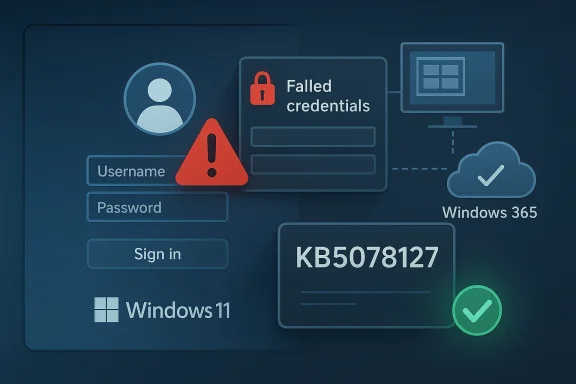
Microsoft’s release-health documentation is the key to understanding what happened, because it shows both the symptom and the remedy in plain language. After the January 2026 Windows security update, some remote connection applications could fail at the credential prompt, and Microsoft explicitly noted that the Windows App could experience sign-in failures on specific Windows builds. The company later published an out-of-band fix, KB5078127, and said it was cumulative, meaning it folded in the January protections while addressing the authentication defect. (learn.microsoft.com)
This is important for a simple reason: login failures are not just “bugs,” they are trust failures. When a system update interferes with the first thing users see, the device feels broken even if the rest of the OS is functioning perfectly. For enterprises, that feeling becomes a ticket queue, a help desk surge, and in many cases a productivity outage. For consumers, it becomes an immediate loss of confidence in Windows updates as a whole. (learn.microsoft.com)
The broader context also matters. Microsoft has spent much of 2025 and early 2026 trying to walk a tightrope between stronger security enforcement and smoother day-to-day reliability. The company has repeatedly used release-health pages to document issues tied to monthly cumulative updates, and it has increasingly relied on out-of-band releases when problems affect authentication, cloud storage, printing, recovery, or other core workflows. That pattern suggests a servicing model that is faster and more reactive than the old “wait for Patch Tuesday and hope for the best” rhythm. (learn.microsoft.com)
The bug is also notable because it touches remote-first workflows, not just local desktop sign-ins. In the modern Windows ecosystem, the line between “on-device login” and “cloud-connected authentication” has blurred, and that means one update can disrupt a local laptop, a virtual desktop session, or a managed enterprise workspace in one stroke. That makes the blast radius larger than the headline implies. (learn.microsoft.com)
In practical terms, this is the kind of issue that enterprise IT already fears. The longer authentication bugs linger, the more likely administrators are to postpone future updates, create more rigid validation cycles, or hold back feature adoption. That is the hidden cost of a login bug: it does not just break access for a day, it can slow the organization’s willingness to patch for weeks. (learn.microsoft.com)
This wording is also careful. Microsoft did not claim that every Windows 11 device was broken, nor did it imply that local sign-ins were universally affected. Instead, it described a specific chain of failure tied to remote connection and authentication workflows. That precision helps, but it also makes the issue more credible because the company is narrowing the scope rather than papering over it. (learn.microsoft.com)
The company’s choice to ship an out-of-band fix is equally revealing. OOB updates are usually reserved for issues that cannot reasonably wait until the next planned servicing cycle, and authentication problems often fit that category. In other words, Microsoft’s response says as much as its diagnosis: this was serious enough to interrupt normal update cadence. (learn.microsoft.com)
The distinction also helps explain why the bug may have been less visible to casual home users. Many home users never touch Windows App or Windows 365, but enterprise users rely on those services daily. So even if the customer count was smaller than a mainstream consumer bug, the operational importance was probably much higher. (learn.microsoft.com)
It also explains why administrators tend to distrust post-update authentication changes. If the defect lives in a prompt flow, there may be no obvious single root cause visible to end users, which means support teams have to correlate update timing, device build, connection method, and account state. That is a lot of friction for what appears, on the surface, to be a single login screen. (learn.microsoft.com)
The danger is especially acute in hybrid work. A broken sign-in path can disable local work, block remote desktop access, and prevent a user from reaching the very tools needed to report the problem. In enterprise settings, one issue can cascade across identity systems, remote access gateways, and service desk processes. That makes authentication bugs disproportionately disruptive relative to their technical size. (learn.microsoft.com)
Windows 11 is also now deeply tied to cloud identity. Microsoft accounts, Entra identity, remote desktops, virtual machines, and device management all intersect with sign-in. So a defect in one authentication layer often has consequences in another, even if the original issue is limited to a specific update or build. That interdependence is a strength in normal times and a liability in bad ones. (learn.microsoft.com)
For enterprises, the stakes are more formal and more expensive. If a patch interrupts remote access for a subset of workers, the organization has to decide whether to continue rolling updates, pause deployment, or switch to a workaround. Those decisions consume time, and time is money when the affected apps sit in the middle of daily operations. (learn.microsoft.com)
The difference is that authentication-related issues tend to generate more urgency than peripheral glitches. When a printer prints random text, users grumble. When a login path fails, users stop working. That is why Microsoft’s fix cycle around this bug deserves closer scrutiny than a typical quality-of-life complaint. (learn.microsoft.com)
When a login issue appears in remote connection tooling, the first instinct in IT is not to reboot, but to triage. Administrators need to know which update introduced the issue, which build numbers are affected, whether the problem is isolated to certain tenants or device configurations, and whether a rollback or OOB patch exists. Microsoft’s guidance around KB5078127 provided the answer, but only after the initial disturbance. (learn.microsoft.com)
There is also a policy dimension. Enterprises that already hesitate to deploy monthly cumulative updates now have another example to cite when slowing rollout windows. That can improve safety in the short term, but it can also leave fleets exposed to known vulnerabilities for longer. In other words, reliability bugs can indirectly make organizations less secure. (learn.microsoft.com)
That is why Microsoft’s OOB patch matters beyond the bug itself. It gives administrators a clean target for remediation and reduces the temptation to invent their own workaround stack. The faster a vendor supplies a sanctioned fix, the less organizational improvisation is needed. (learn.microsoft.com)
This also reinforces why Microsoft’s cloud and endpoint platforms are tightly coupled. Windows 11 no longer lives by the local GUI alone; it lives through identity, policy, device health, and service availability. A misstep in one layer can quickly echo through the others. (learn.microsoft.com)
The problem is that stronger security often means fewer shortcuts and more brittle legacy assumptions. That is good for the platform in the long run, but it can temporarily break workflows that were never designed for the new rules. Security hardening is usually correct, but it is not always gentle. (learn.microsoft.com)
In this latest case, Microsoft’s own remedy underscores the tension. The company had to ship an OOB update after the monthly patch introduced an authentication issue, which suggests the security pipeline and the reliability pipeline still collide more often than users would like. That is not unique to Microsoft, but it is especially visible on Windows because the platform serves both consumer PCs and enterprise identity infrastructure at enormous scale. (learn.microsoft.com)
The lesson is not that Microsoft should avoid hardening. The lesson is that any platform with deep identity plumbing has to expect a long tail of edge cases. Windows 11 is now the convergence point for local sign-in, cloud sign-in, smart cards, virtual desktops, and app-based credential flows, so one update can affect several layers at once. (learn.microsoft.com)
For consumers, the lesson is simpler: keep Windows Update current, but be aware that a major update can occasionally disrupt sign-in or remote access and may require an out-of-band correction. That is not a reason to avoid updates altogether; it is a reason to understand that timing matters when rolling out changes to a live operating system. (learn.microsoft.com)
This is especially true in remote-work and cloud-managed environments, where the user experience is mediated by identity and policy more than by local hardware. If Windows 11 feels predictable, it retains its advantage as the default enterprise desktop. If it feels fragile at sign-in, rivals gain a rhetorical advantage even if they are not technically perfect either. (learn.microsoft.com)
Microsoft’s own response helps preserve that advantage, because transparency is part of the competitive product now. Publishing known issues, resolved issues, and fixes quickly is not just support hygiene; it is a signal to enterprise buyers that the vendor is willing to acknowledge faults and correct course. That matters in a market where trust is a feature. (learn.microsoft.com)
The upside is obvious: when Microsoft does respond, it can push a fix broadly and rapidly. The downside is equally obvious: when a bug slips through, the whole ecosystem sees it immediately. In a world of cloud-connected endpoints, there is no hiding a login failure for long. (learn.microsoft.com)
For enterprises, the immediate priority is to verify that KB5078127 or later updates are in place on affected machines and to review whether any update rings should be slowed or adjusted. For consumers, the priority is simpler: keep Windows Update current and watch for any login or remote connection oddities after monthly updates. In both cases, awareness beats panic. (learn.microsoft.com)
Source: Zamin.uz Microsoft confirmed a Windows 11 login bug
 Overview
Microsoft’s release-health documentation is the key to understanding what happened, because it shows both the symptom and the remedy in plain language. After the January 2026 Windows security update, some remote connection applications could fail at the credential prompt, and Microsoft explicitly noted that the Windows App could experience sign-in failures on specific Windows builds. The company later published an out-of-band fix, KB5078127, and said it was cumulative, meaning it folded in the January protections while addressing the authentication defect. (learn.microsoft.com)This is important for a simple reason: login failures are not just “bugs,” they are trust failures. When a system update interferes with the first thing users see, the device feels broken even if the rest of the OS is functioning perfectly. For enterprises, that feeling becomes a ticket queue, a help desk surge, and in many cases a productivity outage. For consumers, it becomes an immediate loss of confidence in Windows updates as a whole. (learn.microsoft.com)
The broader context also matters. Microsoft has spent much of 2025 and early 2026 trying to walk a tightrope between stronger security enforcement and smoother day-to-day reliability. The company has repeatedly used release-health pages to document issues tied to monthly cumulative updates, and it has increasingly relied on out-of-band releases when problems affect authentication, cloud storage, printing, recovery, or other core workflows. That pattern suggests a servicing model that is faster and more reactive than the old “wait for Patch Tuesday and hope for the best” rhythm. (learn.microsoft.com)
Why this bug stands out
Not every Windows issue is equal. A printer glitch is annoying; a login glitch is existential. Because authentication is the gateway to the entire operating system, even a limited failure in the sign-in chain can block work, block remote access, and block troubleshooting itself. That is why Microsoft’s language around “credential prompt failures” and “sign-in failures” deserves more attention than a typical quality fix. (learn.microsoft.com)The bug is also notable because it touches remote-first workflows, not just local desktop sign-ins. In the modern Windows ecosystem, the line between “on-device login” and “cloud-connected authentication” has blurred, and that means one update can disrupt a local laptop, a virtual desktop session, or a managed enterprise workspace in one stroke. That makes the blast radius larger than the headline implies. (learn.microsoft.com)
The official fix path
Microsoft’s published answer was straightforward: install the out-of-band update KB5078127, which it described as cumulative and available through Windows Update for affected devices. The company also noted that users with the “Get the latest updates as soon as they’re available” toggle enabled would receive it automatically, while others could manually download and install it through Settings. That distinction matters because it separates fast-moving adopters from more conservative update rings. (learn.microsoft.com)In practical terms, this is the kind of issue that enterprise IT already fears. The longer authentication bugs linger, the more likely administrators are to postpone future updates, create more rigid validation cycles, or hold back feature adoption. That is the hidden cost of a login bug: it does not just break access for a day, it can slow the organization’s willingness to patch for weeks. (learn.microsoft.com)
What Microsoft Actually Confirmed
The strongest evidence comes from Microsoft’s own release-health page for Windows 11, version 25H2, which states that the January 2026 Windows security update caused credential prompt failures in some remote connection applications. It further says that the Windows App on Windows client devices, Azure Virtual Desktop, and Windows 365 were affected on specific builds. That is an unusually clear admission, and it gives the report real weight. (learn.microsoft.com)This wording is also careful. Microsoft did not claim that every Windows 11 device was broken, nor did it imply that local sign-ins were universally affected. Instead, it described a specific chain of failure tied to remote connection and authentication workflows. That precision helps, but it also makes the issue more credible because the company is narrowing the scope rather than papering over it. (learn.microsoft.com)
The company’s choice to ship an out-of-band fix is equally revealing. OOB updates are usually reserved for issues that cannot reasonably wait until the next planned servicing cycle, and authentication problems often fit that category. In other words, Microsoft’s response says as much as its diagnosis: this was serious enough to interrupt normal update cadence. (learn.microsoft.com)
Scope and affected environments
The affected environments were not random consumer PCs in the abstract. Microsoft called out the Windows App, Azure Virtual Desktop, and Windows 365, which signals a clear enterprise and hybrid-work focus. That matters because these are exactly the environments where a login bug becomes a business continuity issue rather than a simple nuisance. (learn.microsoft.com)The distinction also helps explain why the bug may have been less visible to casual home users. Many home users never touch Windows App or Windows 365, but enterprise users rely on those services daily. So even if the customer count was smaller than a mainstream consumer bug, the operational importance was probably much higher. (learn.microsoft.com)
Why Microsoft’s wording matters
Microsoft’s wording about “credential prompt failures” is precise but slightly unsettling. It suggests the OS may have reached the point where the user is asked to authenticate, but the prompt flow or underlying credentials plumbing failed before the connection could complete. That kind of bug is harder to diagnose than a simple crash because it sits at the boundary between policy, security, and session initiation. That boundary is where Windows troubleshooting often becomes expensive. (learn.microsoft.com)It also explains why administrators tend to distrust post-update authentication changes. If the defect lives in a prompt flow, there may be no obvious single root cause visible to end users, which means support teams have to correlate update timing, device build, connection method, and account state. That is a lot of friction for what appears, on the surface, to be a single login screen. (learn.microsoft.com)
Why Login Bugs Hit Harder Than Other Windows Issues
Authentication is the first dependency of modern computing. If a user cannot pass through the login flow, they cannot reach their files, applications, collaboration tools, or security controls. That is why the word login carries more business weight than almost any other Windows reliability term. (learn.microsoft.com)The danger is especially acute in hybrid work. A broken sign-in path can disable local work, block remote desktop access, and prevent a user from reaching the very tools needed to report the problem. In enterprise settings, one issue can cascade across identity systems, remote access gateways, and service desk processes. That makes authentication bugs disproportionately disruptive relative to their technical size. (learn.microsoft.com)
Windows 11 is also now deeply tied to cloud identity. Microsoft accounts, Entra identity, remote desktops, virtual machines, and device management all intersect with sign-in. So a defect in one authentication layer often has consequences in another, even if the original issue is limited to a specific update or build. That interdependence is a strength in normal times and a liability in bad ones. (learn.microsoft.com)
Consumer versus enterprise impact
For consumers, the main concern is confidence. People generally tolerate a bad update once, but not if it leaves them unsure whether their device will accept their PIN, password, or remote session tomorrow morning. A login bug feels personal because it can make a perfectly healthy PC look locked or untrustworthy. (learn.microsoft.com)For enterprises, the stakes are more formal and more expensive. If a patch interrupts remote access for a subset of workers, the organization has to decide whether to continue rolling updates, pause deployment, or switch to a workaround. Those decisions consume time, and time is money when the affected apps sit in the middle of daily operations. (learn.microsoft.com)
How this compares with prior update issues
Microsoft’s 2025 and 2026 release-health pages show a steady drumbeat of post-update problems, including cloud-backed storage slowdowns, Task Manager process leaks, IIS website failures, smart card authentication issues, and WinRE USB failures. In that context, the January 2026 sign-in bug is not an isolated anomaly; it is part of an ongoing servicing challenge across Windows 11. (learn.microsoft.com)The difference is that authentication-related issues tend to generate more urgency than peripheral glitches. When a printer prints random text, users grumble. When a login path fails, users stop working. That is why Microsoft’s fix cycle around this bug deserves closer scrutiny than a typical quality-of-life complaint. (learn.microsoft.com)
The Enterprise Angle
Enterprises are the real pressure point here because they run update rings, remote access services, and identity controls at scale. A bug that affects Windows App, Azure Virtual Desktop, and Windows 365 cuts directly into the workflows that modern IT organizations are trying to expand. Microsoft’s own documentation effectively confirms that this was a managed-workplace issue first and a consumer issue second, if at all. (learn.microsoft.com)When a login issue appears in remote connection tooling, the first instinct in IT is not to reboot, but to triage. Administrators need to know which update introduced the issue, which build numbers are affected, whether the problem is isolated to certain tenants or device configurations, and whether a rollback or OOB patch exists. Microsoft’s guidance around KB5078127 provided the answer, but only after the initial disturbance. (learn.microsoft.com)
There is also a policy dimension. Enterprises that already hesitate to deploy monthly cumulative updates now have another example to cite when slowing rollout windows. That can improve safety in the short term, but it can also leave fleets exposed to known vulnerabilities for longer. In other words, reliability bugs can indirectly make organizations less secure. (learn.microsoft.com)
Update rings and rollback psychology
The immediate reaction in many IT shops is to ask whether the issue can be contained through phased rollout. That is sensible, but the catch is that authentication bugs often do not appear until a real-world workflow runs under pressure, which means lab validation can miss them. The result is a familiar cycle: deploy, discover, mitigate, and then trust erodes. (learn.microsoft.com)That is why Microsoft’s OOB patch matters beyond the bug itself. It gives administrators a clean target for remediation and reduces the temptation to invent their own workaround stack. The faster a vendor supplies a sanctioned fix, the less organizational improvisation is needed. (learn.microsoft.com)
Remote work as a dependency
Remote access is no longer a backup path; for many firms it is the main path. A failure in Azure Virtual Desktop or Windows 365 can therefore affect not only off-site workers, but also contractors, call center staff, and specialized teams that depend on virtual sessions for security and manageability. In that light, the bug is less a desktop inconvenience and more a business operations event. (learn.microsoft.com)This also reinforces why Microsoft’s cloud and endpoint platforms are tightly coupled. Windows 11 no longer lives by the local GUI alone; it lives through identity, policy, device health, and service availability. A misstep in one layer can quickly echo through the others. (learn.microsoft.com)
The Security Versus Reliability Trade-Off
Microsoft’s Windows 11 servicing story in 2025 and 2026 has increasingly looked like a balancing act between stronger protections and fewer regressions. The company has also documented other changes in authentication and cryptography, including the October 2025 smart card enforcement tied to RSA key storage behavior. That shows a consistent push toward hardening, even when the side effects are painful. (learn.microsoft.com)The problem is that stronger security often means fewer shortcuts and more brittle legacy assumptions. That is good for the platform in the long run, but it can temporarily break workflows that were never designed for the new rules. Security hardening is usually correct, but it is not always gentle. (learn.microsoft.com)
In this latest case, Microsoft’s own remedy underscores the tension. The company had to ship an OOB update after the monthly patch introduced an authentication issue, which suggests the security pipeline and the reliability pipeline still collide more often than users would like. That is not unique to Microsoft, but it is especially visible on Windows because the platform serves both consumer PCs and enterprise identity infrastructure at enormous scale. (learn.microsoft.com)
Security hardening can create edge cases
The October 2025 smart card issue is a useful reminder that security-driven changes can break expected authentication behavior. Microsoft explained that certificate operations could fail because RSA smart card certificates needed to use KSP instead of CSP, and it even documented registry-based mitigation steps while urging developers to adapt their apps before a future enforcement date. That is exactly the kind of security change that can surprise the field. (learn.microsoft.com)The lesson is not that Microsoft should avoid hardening. The lesson is that any platform with deep identity plumbing has to expect a long tail of edge cases. Windows 11 is now the convergence point for local sign-in, cloud sign-in, smart cards, virtual desktops, and app-based credential flows, so one update can affect several layers at once. (learn.microsoft.com)
What this means for patch strategy
For IT teams, the right response is neither blind trust nor blanket resistance. It is disciplined validation, staged deployment, and a plan for rapid reversal or remediation when Microsoft confirms an issue. That is a more mature posture than simply “wait and hope,” but it also requires more resources than many teams would like to admit. (learn.microsoft.com)For consumers, the lesson is simpler: keep Windows Update current, but be aware that a major update can occasionally disrupt sign-in or remote access and may require an out-of-band correction. That is not a reason to avoid updates altogether; it is a reason to understand that timing matters when rolling out changes to a live operating system. (learn.microsoft.com)
The Competitive Lens
Every Windows reliability story has a competitive shadow. Microsoft’s ability to keep Windows 11 stable matters because it shapes how enterprises compare it with macOS, ChromeOS, and virtualized desktops from other vendors. Authentication bugs do not usually trigger platform migrations on their own, but they do contribute to the broader “operational confidence” score that IT leaders quietly keep in their heads. (learn.microsoft.com)This is especially true in remote-work and cloud-managed environments, where the user experience is mediated by identity and policy more than by local hardware. If Windows 11 feels predictable, it retains its advantage as the default enterprise desktop. If it feels fragile at sign-in, rivals gain a rhetorical advantage even if they are not technically perfect either. (learn.microsoft.com)
Microsoft’s own response helps preserve that advantage, because transparency is part of the competitive product now. Publishing known issues, resolved issues, and fixes quickly is not just support hygiene; it is a signal to enterprise buyers that the vendor is willing to acknowledge faults and correct course. That matters in a market where trust is a feature. (learn.microsoft.com)
Windows 11 as a managed platform
Windows 11 today is not merely an operating system; it is a managed service ecosystem. That means customers compare not just interface design or hardware support, but also update cadence, fix speed, identity reliability, and the maturity of vendor communications. On that score, Microsoft’s release-health pages are doing real strategic work. (learn.microsoft.com)The upside is obvious: when Microsoft does respond, it can push a fix broadly and rapidly. The downside is equally obvious: when a bug slips through, the whole ecosystem sees it immediately. In a world of cloud-connected endpoints, there is no hiding a login failure for long. (learn.microsoft.com)
Strengths and Opportunities
The good news is that Microsoft appears to have the right basic machinery in place: a documented known-issue page, a specific out-of-band update, and a clear installation path for affected users. That is not glamorous, but it is exactly the kind of response that reduces damage. It also shows that Microsoft is still treating Windows 11 as a living service that can be corrected quickly when necessary.- Clear disclosure: Microsoft published the issue and its fix rather than leaving users to guess.
- Targeted remediation: KB5078127 gives admins a specific patch to deploy.
- Cumulative correction: the fix does not sacrifice the security improvements from the original update.
- Better enterprise visibility: release-health pages provide a central place to track impact.
- Faster enterprise response: IT teams can align rollout and mitigation more confidently.
- Service credibility: transparent acknowledgement helps preserve trust after a bad update.
- Opportunity for process improvement: the incident can inform stronger patch validation going forward.
Why the response still matters
The fact that Microsoft documented the problem quickly is itself a strength. In the Windows world, silence creates more pain than bad news, because administrators can at least plan around a known defect. That is why the company’s fast publication and corrective action are worth acknowledging even in a critical assessment. (learn.microsoft.com)Risks and Concerns
The biggest concern is that authentication bugs are especially corrosive to user confidence. Once a sign-in path behaves unpredictably, people become more cautious about installing future updates, and that caution can linger long after the fix is available. In enterprise fleets, the result can be slower patch adoption and greater exposure to other vulnerabilities.- Trust erosion: users begin to fear the next update could break access again.
- Operational disruption: remote workers may lose productivity immediately.
- Help desk overload: sign-in failures generate a high volume of urgent tickets.
- Patch hesitancy: administrators may delay future updates to avoid repeat issues.
- Security trade-off: slower rollout can leave systems exposed longer.
- Complex troubleshooting: authentication bugs can be hard to isolate and reproduce.
- Identity fragility: remote and cloud-connected workflows become more brittle.
The hidden cost
There is also a subtler risk: repeated reliability problems normalize the expectation that Windows updates must be feared. That mindset can be dangerous because it encourages workarounds, postponement, and overcomplicated validation chains that are themselves fragile. A platform does not lose trust all at once; it loses trust one login prompt at a time. (learn.microsoft.com)Looking Ahead
The next few Windows 11 servicing cycles will be a test of whether Microsoft can keep tightening security without generating fresh authentication regressions. The company has already shown that it will issue out-of-band patches when necessary, but the better outcome is fewer surprises in the first place. That means more robust pre-release validation, more careful rollout discipline, and faster cross-team coordination when identity components are touched. (learn.microsoft.com)For enterprises, the immediate priority is to verify that KB5078127 or later updates are in place on affected machines and to review whether any update rings should be slowed or adjusted. For consumers, the priority is simpler: keep Windows Update current and watch for any login or remote connection oddities after monthly updates. In both cases, awareness beats panic. (learn.microsoft.com)
What to watch next
- Whether Microsoft reports additional authentication regressions in subsequent Windows 11 updates.
- Whether enterprises react by extending validation windows before broad deployment.
- Whether future release-health pages show fewer identity-related incidents.
- Whether Microsoft’s patch cadence continues to rely on OOB fixes for core workflow defects.
- Whether cloud and remote-work tools remain disproportionately exposed to servicing bugs.
Source: Zamin.uz Microsoft confirmed a Windows 11 login bug
Last edited:
