• Thread Author
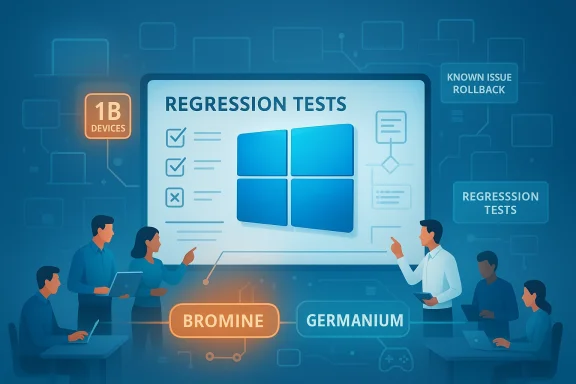
A team reviews software regression tests on a large display.
Microsoft’s quiet admission — answered not with a big feature roadmap but with engineering triage — is the clearest signal yet that Windows 11’s next chapter will be about repair, not reinvention. After a bruising stretch of buggy updates, intrusive UX experiments and an aggressive push to layer AI into everyday workflows, Redmond is reportedly redirecting engineers into a “swarming” mode to chase down the highest-impact performance, reliability and user‑experience problems across Windows in 2026. At the same time the company celebrated a major milestone — Windows 11 now runs on over one billion devices — and faces the awkward job of proving that scale doesn’t excuse instability.

Background / Overview​

Windows 11’s user base recently passed a headline-grabbing threshold: Microsoft told investors that the OS is now on roughly one billion devices, and the company noted that milestone was reached more quickly than Windows 10’s equivalent climb. That growth has business-side benefits — OEM revenues and licensing lifecycles — but it also raises the stakes for reliability. While Microsoft touts modern PC innovation and AI capabilities, many users and administrators responded to 2024–2025 updates with concern: regressions in critical subsystems, flaky updates that required out‑of‑band patches, and UI changes that felt intrusive rather than useful.
In response to that backlash, Windows leadership — including the Windows and Devices group — has publicly committed to re-prioritizing fundamentals. The working plan Microsoft described internally and to the press centers on three commitments for 2026: improve system performance, shore up reliability, and smooth the overall Windows experience. The company is pairing this message with an operational change: teams will “swarm” high-frequency regressions to shorten time-to-fix and reduce the recurrence of the same classes of bugs.

What “swarming” means — and what it probably won’t​

The mechanics of a swarm​

Swarming is an incident-response model adapted for product engineering. Instead of distributing work across feature teams, Microsoft will temporarily concentrate cross-disciplinary engineers — kernel developers, driver teams, QA, telemetry engineers, and product managers — on a narrow set of high-priority regressions until they’re resolved.
  • Triage and reproduce: small teams take ownership of a reproducible customer scenario.
  • Root cause analysis: engineers gather traces, reproduce across hardware profiles, and identify the root cause rather than issuing superficial workarounds.
  • Targeted remediation: fixes are developed, validated across a broader hardware matrix, and staged for release via Known Issue Rollback, out‑of‑band patches, or cumulative updates.
  • Verification and prevention: teams implement regression tests and telemetry checks to prevent recurrence.
This approach is pragmatic: it prioritizes rapid mitigation for the problems users notice most. But swarming is a resource trade-off — time spent eliminating regressions is time not spent building new features.

What swarming is unlikely to solve immediately​

Swarming improves responsiveness to existing defects. It does not automatically fix the underlying organizational causes that let those defects reach stable channels — things like imperfect release gating, inadequate pre-release hardware coverage, or process issues in QA and partner validation. Those structural reforms take months to yield measurable improvement.

The state of Windows 11 that prompted the shift​

The list of grievances that informed Microsoft’s pivot is long and granular. In plain terms, users have called out three categories of frustration:
  1. Update reliability and recovery problems. Several cumulative updates introduced regressions that forced Microsoft to ship emergency out‑of‑band fixes. Some businesses reported systems failing to boot after layered update failures, and Microsoft has acknowledged scenarios where devices were left in an “improper state” after a failed monthly update, requiring manual remediation.
  2. Visible UX regressions and surprising behaviour. File Explorer performance glitches, dark‑mode inconsistencies, unexpected white flashes, and duplicated app windows have been frequent complaints. Users also object to persistent upsell prompts and search results that route to the company’s browser or services, eroding trust.
  3. Performance and gaming glitches. For gamers and power users, OS-level scheduling, shader compilation stalls and background activity have translated into worse-than-expected performance in certain titles. Hardware partners shipping Windows 11 on handheld gaming PCs have emphasized the need for OS-level modes that minimize background noise for gameplay.
Concrete examples that crystallized the narrative included long‑running Remote Desktop disconnection reports tied to specific updates, an update that inadvertently removed or disabled Copilot components for some users, a strange Task Manager duplication bug, and an emergency patch to address a recovery environment regression that could prevent access to recovery tools. Those high-visibility incidents, compounded over time, pulled attention away from Microsoft’s feature messaging and into damage control.

Microsoft’s short-term plan: practical levers and road map items​

Focus areas for 2026​

Microsoft’s public statements and the company’s recent engineering behavior indicate a concentrated agenda:
  • Performance: reduce perceived lag in key workflows such as File Explorer, Start menu searches, and application switching. Expect micro‑optimizations like background preloading, reduced blocking I/O on UI threads, and optional “performance-first” toggles that sacrifice visual flourishes for responsiveness.
  • Reliability: better pre-release validation for updates, quicker hotfixes for regressions, and improved Known Issue Rollback (KIR) tooling so admins and users can neutralize a problem without losing security fixes.
  • UX polish: restore consistency in dark mode, minimize intrusive upsells, and simplify context menus and shell behavior where they’ve become noisy.
  • Gaming and device types: provide OS-level modes/options that favor gaming workloads, coordinate driver and scheduler work with GPU/CPU partners, and validate Windows 11’s behavior on handhelds and other nontraditional PC form factors.
  • Telemetry transparency and opt-outs: more granular controls for AI-related data collection and clearer opt-in/opt-out flows for new agentic features.

Platform branching and device gating (Bromine vs Germanium)​

Microsoft is also moving to a more cautious deployment model that separates branches for different hardware classes. Internally, the company is testing a newer platform branch codenamed Bromine for next-generation Arm and Copilot+ devices, with a spring release of a Bromine-based version for qualifying new hardware. The broader consumer branch, Germanium, will continue to serve the wider installed base with a general 26H2 release later in 2026.
This split allows Microsoft to enable low-level platform changes for new silicon without exposing the entire fleet to higher risk. It’s a risk-management strategy: enable innovation for specific hardware while insulating the mass market from unproven kernel or scheduler changes.

What’s good about the plan — and why it might work​

  • User-centric triage should produce faster fixes. Bringing the right people to the table quickly increases the odds a bug will be fixed at the root rather than patched superficially.
  • Device gating reduces blast radius. By shipping Bromine only on validated hardware, Microsoft reduces the risk of a single low-level change causing widespread failure across millions of configurations.
  • KIR and targeted hotfixes help enterprises. Known Issue Rollback and the ability to push targeted mitigations are preferable to broad rollbacks that remove security updates.
  • Public acknowledgment rebuilds trust if accompanied by results. Saying “we hear you” matters only if follow-through is measurable and transparent. The combination of public statements and concrete operational shifts is encouraging.

The real risks and trade-offs — why fixes could still fall short​

Microsoft’s current strategy is sensible, but it is not without pitfalls.
  • Fragmentation and complexity for IT teams. Running Bromine devices alongside Germanium devices in an enterprise adds lifecycle complexity. Admins will need to manage separate imaging, testing, update policies and driver certification windows. That increases testing overhead and could slow device rollouts.
  • Short-term feature slowdown. Swarming redirects engineering capacity to maintenance. Users who expected a fast pace of new features — especially AI-driven capabilities — may see delayed enhancements.
  • Telemetry and privacy tension. Increasing diagnostic collection to triage regressions helps engineers, but if telemetry grows opaque or opt-in defaults are weak, trust will erode further. Clear, user‑facing telemetry schemas and opt‑out defaults are necessary to rebuild confidence.
  • Operational debt and cultural change. If swarming fixes appear as one-off victories without process change — more comprehensive CI/CD and better hardware coverage in QA — regressions will return. Long-term reliability requires sustained investment in validation, partner testing, and test coverage, not just episodic firefighting.
  • Public perception vs technical reality. Hitting one billion devices and promising to fix issues are separate narratives. Users who’ve been patched repeatedly may remain skeptical until the cadence of regressions drops decisively.

What users, gamers and IT admins should do right now​

Microsoft’s roadmap is a shared responsibility: fixes depend on transparency from Microsoft and sensible behavior by administrators and users. Practical steps to keep systems stable while Microsoft executes the plan:
  • For home users:
    • Delay non‑security feature updates until the first month after release in which telemetry shows low incident rates.
    • Keep automatic backups (system image or file‑level backups) and create a recovery USB drive before applying major updates.
    • If you rely on certain apps or games to work flawlessly, prefer the Release Preview Insider channel over Canary/Dev, which exposes preview‑only changes.
  • For gamers:
    • Use a Game Mode or vendor-provided gaming profile where available; disable background sync and aggressive indexing during gameplay.
    • Keep GPU and chipset drivers updated from OEMs, not just Windows Update; driver teams frequently ship fixes faster.
    • Validate critical titles in your environment before updating the OS or drivers before tournament play or deadlines.
  • For IT administrators and enterprises:
    1. Expand pilot rings. Don’t push updates to the entire fleet immediately — broaden your pilot scope and extend observation windows.
    2. Use Known Issue Rollback (KIR) and Windows Update for Business to block problematic updates selectively while preserving security updates.
    3. Coordinate testing across hardware variants. Validate backups, recovery processes, and image deployment before mass rollout.
    4. Tighten incident reporting. Feed reproducible diagnostics back through official support channels and Microsoft partner programs so swarms have actionable telemetry.

Gaming, handhelds and the “one OS for everything” question​

Microsoft and partners are already shipping Windows 11 on handheld gaming PCs and Xbox‑branded handheld devices. That reality gives Microsoft leverage: Windows 11 must behave well on gaming hardware or the ecosystem risks undermining the platform’s credibility among enthusiasts and OEM partners.
At the same time, rumors and partner products have inspired speculation that Microsoft’s long-term aim is to broaden Windows 11’s role — potentially unifying console and PC experiences or using Windows as the base for new device classes. That’s a strategic objective that increases the stakes for reliability: a single OS across phones, handhelds, laptops and maybe consoles makes regressions more visible and harder to contain.
This strategic vision is plausible but partially speculative. Microsoft’s immediate, tactical response is pragmatic: isolate risky platform changes to Bromine for qualifying devices, and stabilize Germanium for the mass market.

How we’ll judge success​

Microsoft’s promises will be credible only if they result in measurable declines in the very categories that produced the backlash. Metrics that matter:
  • Fewer emergency out‑of‑band patches for stability regressions.
  • Reduced frequency of high-severity incidents (boot failures, loss of recovery environment, mass driver regressions).
  • Visible improvements in telemetry-based metrics for Explorer responsiveness, app launch times, and update rollback success rates.
  • Clearer telemetry policies and user controls for AI features and data collection.
  • Faster, smaller, targeted patches for regressions that do not undo critical security updates.
Finally, user sentiment trends and adoption numbers matter — but only after the trend shows sustained improvement. Reaching one billion devices was a milestone; restoring trust is a long game.

Conclusion​

Microsoft’s turn to swarming and platform gating is the company’s most candid public acknowledgment yet that Windows 11 needs time on the repair bench. The approach is sensible: prioritize the top pain points that undermine daily trust, minimize the blast radius of low-level platform changes by gating them to qualifying hardware, and adopt rapid-response squads to eliminate high-impact regressions.
Success won’t be instant. Swarming will shrink immediate pain if executed well, but it must be paired with long-term investments in validation, telemetry transparency, and better partner coordination to prevent repeat failures. For users and IT teams, the practical response is conservative: delay nonessential updates, keep robust backups, expand testing before mass deployments, and demand clear telemetry and opt‑out policies for new AI features.
Windows 11’s one‑billion milestone is a powerful platform signal — but scale is not a substitute for reliability. If Microsoft can translate swarms and platform discipline into fewer emergency patches, smoother updates, and a less noisy user experience, 2026 may be remembered not as the year Windows broke down, but as the year Microsoft finally fixed the things that mattered most to everyday users.

Source: XDA Microsoft admits Windows 11 needs work, so it'll focus on improving things over 2026
 

Microsoft’s frank acknowledgment that Windows 11 has been suffering from quality and reliability problems is more than a corporate mea culpa — it’s a strategic pivot. After months of growing user frustration, emergency patches in January, and vocal criticism from Insiders and IT teams, Windows leadership has publicly committed to reprioritizing stability over new features. The company says it will redirect engineering resources into concentrated “swarming” teams to hunt down and fix high‑impact regressions across the OS over the coming months, and senior Windows executives have framed 2026 as a year of repair rather than reinvention.

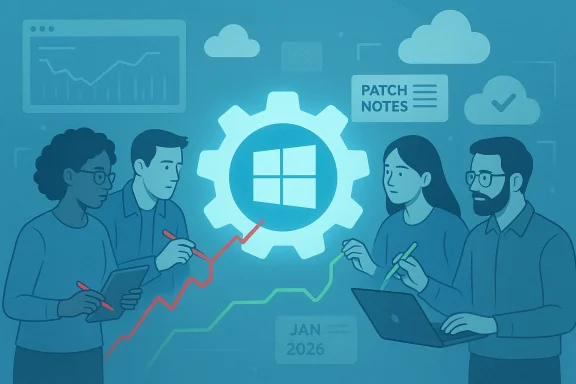
A team collaborates around a Windows gear icon amid charts and patch notes in a cloud dashboard.Background / Overview​

Windows 11 arrived with a refreshed UI, deeper cloud integrations, and a large roadmap of AI‑centric features. That ambition accelerated adoption: Microsoft has said Windows 11 now runs on roughly one billion devices, a milestone that raised the stakes for patch quality as organisations completed migrations after Windows 10’s md. But users and admins have reported a steady stream of regressions — from micro‑latency in shell surfaces to update‑induced failures — and January 2026 crystallised those complaints into a visible crisis.
Microsoft’s response was twofold: rapid emergency servicing (o stop the bleeding, and an operational change inside Windows engineering to concentrate talent on the most disruptive defects via “swarming.” That signal — prioritizing fixes for everyday reliability over flashy new features — is the most consequential shift for users and IT managers.

What actually happened in January: a timeline of regressions and fixes​

January 13, 2026 — Patch Tuesday (KB5074109)​

Microsoft shipped the regular January cumulative update (KB5074109). Within days, telemetry and field reports flagged several severe regressions: systems that would restart instead of shutting down on certain Secure Launch configurations, Remote Desktop/Azure Virtual Desktop authentication failures, and applications becoming unresponsive when opening or saving files in cloud‑backed folders. Microsoft’s update notes later documented those symptoms and labelled them as known issues while engineers investigated.

January 17, 2026 — First out‑of‑band (OOB) emergency update (KB5077744)​

To address the most urgent faults, Microsoft released an out‑of‑band cumulative update (KB5077744). That package restored Remote Desktop authentication flows and applied targeted quality improvements for affected builds. The Microsoft release notes explicitly link KB5077744 to the remediation of credential prompt failures and other sign‑in problems surfaced after the January 13 update.

January 24, 2026 — Second out‑of‑band rollup (KB5078127) and subsequent hotpatches​

When new reports emerged that some cloud‑backed apps (OneDrive, Dropbox) and classic Outlook PST scenarios were hanging or becoming unresponsive, Microsoft issued a second out‑of‑band cumulative update (KB5078 cumulative — it folds in the January security fixes and earlier emergency patches while adding fixes targeted at cloud‑storage file‑I/O regressions and Outlook PST problems. Microsoft’s release notes and release‑health pages were updated to show the resolution path and recommended mitigations.

The practical fallout​

The sequence — Patch Tuesday followed by two OOB fixes in two weeks — looked less like routine servicing and more like triage. Administrators reported help‑desk spikes, paused rollouts, and, in limited cases, recovery steps after devices were left in a partially updated state. Those operational impacts, felt across home users, enterprises, and cloud PC environments, were the proximate cause for Microsoft’s message that reliability must come first.

What Microsoft has promised: “Swarm roadmap​

Pavan Davuluri, President of Windows and Devices, has been explicit: the feedback from the Windows community — ordinary customers and Windows Insiders alike — has been “clear,” and Microsoft intends to focus on fixing the fundamentals that matter to people every day: system performance, reliability, and the polished parts of the UI. The company describes the engineering posture as “swarming” — small, cross‑disciplinary teams converging on high‑impact regressions with the aim of reducing time‑to‑fix and preventing recurrence.
Key elements Microsoft has signalled include:
  • Redirecting engineers from new‑feature sprints to triage/repair work on core components.
  • Using telemetry and Insider feedback to reproduce and validate fixes faster.
  • Applying devicKnown Issue Rollbacks (KIRs) to limit blast radius of risky changes.
This approach is tactical and necessary in the short term. But it’s also an admission that previous development cycles emphasized visible feature additions — often AI‑branded experiences — at the cost of underlying stability and testing coverage.

Deep dive: the most visible problem areas​

1) Update servicing and “blast radius” fragility​

Windows’ cumulative‑update model is powerful but complex. A single servicing change can unexpectedly interact with firmware, drivers, and th producing unpredictable results across a vast hardware matrix. The January events showed how a security rollup can touch boot paths, power states, and file I/O semantics — and how fast problems can cascade if pre‑release validation misses a configuration class. Microsoft’s quick OOB fixes were necessary, but the sequence also exposed gaps in prior validation for large‑scale rollouts.

2) Shell performance and micro‑latencies​

Longstanding complaints about File Explorer “hitches,” Start menu delays, and context‑menu lag may seem minor in isolation, but millisecond‑scale delays compound into a degraded daily experience. Community telemetry and Insider feedback point to UI thread blocking on I/O and metadata operations as common vectors. Microsoft’s performance effort will need to address both code‑level fixes and user‑visible options (for example a lightweight “performance first” mode that reduces visual effects).
and app I/O regressions
The chain of cloud‑storage hangs (OneDrive/Dropbox) and Outlook PST failures was a striking example of how modern file‑sync semantics blur the boundary between local and remote storage. When the OS or a patch changes the semantics of file handles or I/O scheduling, apps that assume local behavior can hang. Microsoft explicitly labelled these app hangs as a known issue after KB5074109 and then fixed them via KB5078127. The recommended interim workaround — moving PST files out of cloud‑synced folders — is practical but a blunt instrument.

4) Recovery and tooling regressions​

Problems that affect the Windows Recovery Environment (WinRE), drivers for early‑boot, or USB input in recovery are inherently high‑impact because they can block recovery and repair flows. Community reports of recoverability regreed in scope — dramatically increase perceived severity and force IT to treat routine updates with suspicion. Microsoft’s messaging acknowledges these systemic risks and justifies the emergency posture.

Why this matters: the trust deficit and commercial implications​

Trust is a slow‑burn metric. Repeated monthly regressions — even if each affects a small percentage of devices — create a narrative of instability that can push power users toward alternative platforms, slow enterprise migrations, and make IT teams reluctant to deploy patches promptly. Microsoft’s public admission and the swarming app toward repair, but the company must demonstrate measurable improvements (fewer emergency OOBs, shorter time‑to‑fix, clearer post‑mortems) to rebuild faith.
From a commercial view, the timing is sensitive: mainstream support for Windows 10 ended in October 2025, which accelerated migrations to Windows 11. That shift raised the operational stakes: customers upgrading now expect a stable, trustworthy platform. A string of high‑profile regressions during migration cycles increases support costs, risksand can depress OEM and partner confidence.

What Microsoft’s plan gets right — and where risks remain​

Strengths of the swarming model​

  • Rapid focus on real customer pain: Small, cross‑functional squads can eliminate bureaucracy and concentrate expertise on a single reproducible issue.
  • Cross‑stack coordination: A swarm approach brings kernel devs, servicing engineers, driver partners, QA, telemetry, and PMs together — exactly what cross‑cutting regressions require.
  • Faster telemetry feedback loops: Prioritizing fixes driven by real‑world telemetry and Insider reproduce cases reduces the time problems linger in the wild.

Key risks and trade‑offs​

  • Band‑aid risk: Hotfixes rolled quickly may introduce new regressions if validation is skimpy. The January sequence showed how one emergency fix can create collateral issues requiring another emergency fix.
  • Resource trade‑offs: Redirecting engineers to firefighting delays architectural or preventative work that would mitigate similar problems long term.
  • Transparency and measurables: Words matter only if followed by measurable improvements. Without clear SLAs, transparent metrics, and post‑incident analyses, swarming can look like temporary triage rather than structural reform.

Practical advice for users and IT admins right now​

Microsoft’s support notes include both fixes and workarounds. If you manage devices, prioritize these steps:
  • Apply the latest cumulative OOB where appropriate (devices showing symptoms should get KB5077744 and KB5078127 as relevant). Microsoft recommends using Windows Update with “Get the latest updates as soon as they’re available” to receive OOB packages automatically.
  • Use Known Issue Rollback (KIR) group policy where Microsoft recommends it; KIR can surgically disable problematic changes without uninstalling security fixes.
  • For Outlook PST hang scenarios, temporarily move .pst files out of cloud‑synced folders (OneDrive) until the patch is applied.
  • Test updates in a controlled pilot cohort before broad deployment; device‑gated rollouts are becoming more common and will produce staggered behavior across fleets.
  • Maintain good recovery media and ensure WinRE is tested on representative devices — recovery regressions were a major pain point in recent incidents.
Following these steps reduces risk while Microsoft works to resolve root causes.

What to watch in the months ahead​

  • Will Microsoft publish transparent metrics (MTTRs, OOB frequency) or detailed post‑mortems on major regressions? Measurable outcomes will be the clearest signal that swarming works.
  • Will device‑gated rollouts become the norm? That lowers blast radius but can add management complexity as customers see different behaviors across device cohorts.
  • Will Microsoft balance short‑term firefighting with investments in improved pre‑release testing, broader hardware validation matrices, and longer upstream partner coordination (GPU vendors, anti‑cheat devs, OEMs)?
  • Will the company revise how it surfaces AI and promotional experiences inside core shell surfaces, given user frustration about intrusive nudges that compound quality complaints?

An honest assessment: promising posture, hard work ahead​

Microsoft’s public admission — and the operational pivot to swarming — is a welcome, necessary step. That said, the problems that prompted the change are symptoms of larger engineering and process challenges: balancing an ambitious feature roadmap (particularly AI integration) with disciplined engineering practices, robust pre‑release validation across an enormous hardware matrix, and transparent communications wThe company has already shown it can act fast: the KB5077744 and KB5078127 rollups fixed the most visible January problems and Microsoft documented those fixes on its support pages. But restoring trust requires more than patches: it requires fewer emergency fix cycles, better gating before public rollout, and measurable reductions in day‑to‑day regressions that users notice.
Community and enterprise voices will rightly demand timelines, metrics, and independent verification of improvements. Microsoft must deliver.

Conclusion​

Microsoft’s candid acknowledgment that Windows 11 has suffered quality and reliability problems — and the pledge to prioritize fixes through an internal “swarming” model — is an important turning point. The January 2026 Patch Tuesday cascade (KB5074109) and the rapid sequence of out‑of‑band updates (KB5077744, KB5078127) made the problem impossible to ignore, and Microsoft’s response shows the company understands the gravity of the trust deficit.
But promises must be followed by measurable change. For Windows users and IT professionals, the immediate task is pragmatic: apply recommended OOB updates, use KIR where advised, pilot updates carefully, and demand clear progress reporting. For Microsoft, the challenge is harder: to turn a tactical swarming posture into lasting structural improvements that stop high‑impact regressions from recurring. The coming months will show whether swarming becomes a one‑off triage or the start of a disciplined, quality‑first Windows engineering culture — and whether that culture rebuilds the faith of the Windows community.

Source: PhoneWorld Microsoft Admits Windows 11 Has Serious Problems, Promises Major Fixes in the Months Ahead - PhoneWorld
 

Microsoft’s engineers are quietly shifting from feature velocity to damage control: over the next several months the Windows team will concentrate on fixing core Windows 11 problems — performance, update reliability, and day‑to‑day user experience — rather than pushing new headline features. This operational pivot, described internally as a “swarming” approach, is Microsoft’s response to a string of high‑visibility regressions and emergency patches that undermined confidence in the OS and forced fast, cross‑team firefighting.

A team examines a holographic circuit to pinpoint the root cause.Background / Overview​

Windows 11’s roadmap entered 2026 under unusual pressure. Despite Microsoft announcing that Windows 11 now runs on more than one billion devices — a milestone the company highlighted during recent earnings — the platform has been dogged by recurring reliability and quality problems that made the update cadence look like a liability rather than strength. The optics of frequent out‑of‑band (OOB) fixes and reports of core workflows breaking have altered leadership priorities: the company publicly committed ity and fundamentals this year.
Several concrete incidents crystallized the pivot. January 2026’s Patch Tuesday cumulative updates introduced at least three major regressions — Remote Desktop credential prompts failing, shutdown/hibernate problems on some Secure Launch–enabled systems, and application crashes or freezes affecting core cloud‑sync and mail workflows. Microsoft acknowledged these issues and shipped emergency updates and out‑of‑band rollups to remediate the most critical failures. Those emergency actions were necessary, but they also signaled that the normal release gating and validation process let high‑impact regressions reach broad channels.
Internally the response is tactical and measurable: rather than diffuse feature teams continuing as normal, Microsoft will form small, cross‑discipline squads that
swarm* around reproducible, high‑frequency regressions until they’re resolved at the root — not just with quick band‑aids. This is being coupled with a platform branching strategy (codenames you may see in Insider chatter: Bromine for narrow, device‑gated Arm/Copilot+ devices and Germanium for the broader 26H2 consumer track) designed to enable new silicon without exposing the entire fleet to risky low‑level changes.

What the reports actually say — verified facts​

Microsoft has publicly acknowledged service and reliability problems​

Microsoft’s own release‑health documentation and public posts show multiple confirmed issues following the January updates and subsequent OOB patches, including credential prompts and Azure Virtual Desktop authentication problems that were addressed by dedicated updates. The company updated its guidance and released cumulative OOB packages to fix problems as they surfaced. Those acknowledgements and fixes are documented in Microsoft’s Release Health notices.

Multiple independent outlets reported an internal pivot toward fixes​

Trade outlets with direct reporting and named Microsoft sources — including The Verge and Windows‑focused sites — independently reported that Windows leadership has instructed engineering teams to prioritize common reliability and UX pain points and to apply a swarming model to triage and repair high‑impact regressions. The same narrative appears across several independent publications and community reporting.

There were emergency fixes after January 2026 Patch Tuesday​

Multiple sources confirm that January’s cumulative updates required emergency out‑of‑band fixes because they caused functional regressions for real customers, especially in enterprise contexts (shutdown/hibernate loops, Remote Desktop sign‑in failures, cloud‑file and Outlook issues). Microsoft shipped successive OOB updates to address these problems and documented fixes in its known‑issue/resolved lists.

Insider builds and channel changes indicate platform refactoring​

Microsoft moved the Dev Channel forward into new build series (26300+), and Insider notes explicitly warned that those builds include behind‑the‑scenes platform changes that could produce different known issues. The channel activity and statements support claims of deliberate platform rework and a split strategy for enabling new silicon while insulating the installed base.

What “swarming” really means — operational detail and limits​

The mechanics: concentrated triage, cross‑discipline teams, rapid remediation​

  • Small, multi‑discipline squads (kernel, drivers, telemetry, QA, product) converge on reproducible scenarios.
  • The goal is root cause analysis, broad hardware validation, and fixes that pass regression suites before being staged to release rings.
  • Microsoft intends to use targeted remediation channels — Known Issue Rollback (KIR), OOB hotfixes, and incremental cumulative updates customers to a stable state quickly.

Why swarming can reduce time‑to‑fix but won’t instantly erase structural problems​

Swarming is a strong incident‑response pattern: it reduces the time it takes to defeat a specific problem. But it is not a cure for systemic process issues that allowed regressions to enter broad channels: incomplete pre‑release hardware coverage, gaps in test automation, or cultural incentives that emphasize new features over regression prevention. These structural issues take months of engineering and process work to fix. Expect improvements in visible SLOs over quarters, not days.

The technical targets: what Microsoft is prioritizing (and why it matters)​

Microsoft publicly lists several high‑impact priorities that the swarms will attack. Below are the practical issues you should expect to see get front‑loaded in fixes, with why they matter:
  • Update reliability and rollback behavior — Updates that leave a device in a partially updated or inconsistent state are the most damaging: they create boot/restore work‑flows and force admins to delay patching. Improving pre‑release gating and KIR tooling reduces this risk.
  • Core shell responsiveness — File Explorer, Start/Search, Taskbar responsiveness and context menu lag have been recurring complaints. Small latency reductions and optional preloading experiments are actionable wins with measurable end‑user impact.
  • Stability of essential workflows — Remote Desktop, cloud sync (OneDrive/Dropbox), Outlook, and recovery environments are missionse settings. Fixing these avoids large support spikes and rollback decisions.
  • Game and multimedia stability — OS-level scheduling, shader‑compile stalls, and driver coordination matter to a large subset of power users and OEMs selling specialized devices (handhelds, gaming PCs). Microsoft has signalled targeted tests and driver partner work here.
  • Telemetry and AI opt‑outs — Expect clearer controls for Copilot and in‑OS agent features, and more transparent telemetry governance so that disabling an AI feature doesn’t leave residual effects. This is as much a product governance problem as an engineering one.

What triggered the shift: a short chronology​

  • Patch Tuesday, January 13, 2026 — Microsoft shipped cumulative security and quality updates intended to fix dozens of CVEs and deliver quality updates. A subset of those updates produced regressions in critical subsystems.
  • Field reports and telemetry — Users, admins, and telemetry flagged shutdown loops, Remote Desktop authentication failures, and cloud sync/Outlook crashes. These incidents generated high help‑desk volume and enterprise caution.
  • Emergency OOB patches — Microsoft issued out‑of‑band fixes on January 17 and a consolidated OOB rollup on January 24 to remedy the highest‑impact failures. The cadence and visibility of those emergency patches communicated urgency.
  • Leadership reprioritization — Windows leadership publicly framed 2026 as a year to “fix the fundamentals,” redirecting engineering resources into swarms, and signaling a two‑track platform plan to limit blast radii for new silicon experiments (Bromine vs Germanium).

Ion and the nuance around “core features are broken”​

Some community threads and press headlines framed the situation as “almost all major Windows 11 core features are broken.” That is an overbroad summary. Microsoft and community moderators clarified that certain XAML registration and shell integration issues affected specific scenarios — particularly enterprise or non‑persistent environments like VDI or pre‑first‑login update sequences — and that the most severe symptoms did not affect the majority of consumer devices. The phrase “almost all core features are brokbolic; the real problem was severe for a subset of environments and symbolic for the broader trust narrative. Treat dramatic headlines with caution and prefer the granular Microsoft release notes and mitigation guidance when assessing impact. (techcommunity.microsoft.com)

Strengths of Microsoft’s approach — what could work​

  • Focused triage delivers high ROI: Fixing the small number of high‑impact, high‑frequency regressions buys the largest improvements in day‑to‑day user experience. Swarexpertise and evidence needed to find root causes, rather than issuing superficial reverts.
  • Device‑gated platform branching reduces blast radius: A Bromine/Germanium split lets Microsoft enable platform changes for new Arm/AI devices without exposing millions of legacy Intel/AMD machines to ri This is pragmatic risk management when supporting heterogeneous hardware at scale.
  • Auditability and telemetry improvements are tractable: By publishing clearer release‑health metrics and improving telemetry gating, Microsoft can make progress measurable and rebuild enterpris the discipline.

Risks and unresolved challenges — where the plan can fail​

  • Process drift and organizational incentives: If release‑process incentives continue to reward shipping features quickly over preventing regressions, swarming becomes a recurring firefighting pattern rather than a systemic solution. Structural changes to QA, partner testing, and gating are required to make swarming time‑bounded and exceptional.
  • Visibility vs. actual improvement: Public messaging about prioritizing fixes must be accompanied by measurable declines in emergency patches, faster time‑to‑root‑cause, and concrete SLO improvements; without those, trust will erode further.
  • Compatibility and fragmentation risk: Device gating complicates fleet management and may introduce fragmentation that frustrates IT teams, especially if toolchains and deployment rules differ across Bromine and Germanium devices. That trade‑off must be carefully communicated and instrumented.
  • AI vs. fundamentals tension: The commercial incentive to ship AI-enabled features and Copilot integrations is strong. If engineering resources are split or restored to novelty too quickly, the gains from swarming could be transient. Sustained product governance is required.

Practical advice for IT admins and power users​

If you manage Windows fleets or rely on Windows 11 for work, treat the next several releases as a window for cautious but proactive ptes in a realistic pilot ring before wide deployment. Use canary and pilot rings that reflect your hardware diversity.
  • Monitor Microsoft’s Release Health and Known Issue Rollback guidance closely; apply OOB updates only after validating in pilot environments. ([learn.microsoft.com](Resolved issues in Windows 11, version 23H2 temporary hold rules for noncritical machines until Microsoft reports KIR availability or an OOB fix is confirmed for your device class.
  • Utop/VDI-specific guidance if you run non‑persistent images — the most severe XAML-related regressions appeared in those contexts.
  • Harden recovery options: ensure system restore points, offline recovery media, and documented manual rollback steps are available for critical machines.
  • For home users: enable “Get the latest updates as soon as they’re available” only if you’re comfortable troubleshooting; otherwise wait for the regular Windows Update push after enterprise rings validate fixes.

How to judge success — metrics to watch​

Microsoft must translate rhetoric into measurable outcomes. Look for these signals:
  • Reduced frequency of OOB emergency patches and fewer high‑impact regressions hitting broad channels.
  • Falling help‑desk volumes on the specific categories (shutdown/hibernate problems, RDP sign‑ins, cloud sync issues) reported by third‑party telemetry sources and community trackers.
  • Published release‑health metrics showing shorter mean time to mitigation and reduced regressions per release. Auditable metrics matter more than marketing language.
  • Clear opt‑out and telemetry controls for Copilot/AI features so users and admins can evaluate tradeoffs without losing basic functionality.

Final assessment — cautious optimism, heavy on execution​

The decision to pivot from headline features toward the fundamentals is the right move for Microsoft’s long‑term credibility with enterprises and power users. Swarming, device gating, and KIR‑first remediation are pragmatic levers that can produce substantive improvements in day‑to‑day reliability. But execution matters: without structural fixes to release gating, partner validation, and telemetry‑driven regression prevention, swarming will be temporary firefighting rather than an enduring culture of quality.
For Windows users and administrators the immediate window is one of vigilance and measured patience: pilot, validate, and prefer mitigations that preserve security while minimizing exposure to recent regression patterns. If Microsoft sustains the discipline and publishes auditable progress, the next year could convert a credibility crisis into a reliable recovery — and deliver a more stable, less intrusive Windows 11 for everyone.

Conclusion: Microsoft’s engineers are now explicitly tasked with restoring the basics — reducing regression risk, stabilizing updates, and improving the everyday responsiveness and reliability of Windows 11. The approach is technically sound in principle, and early signs (Insider channel platform work, emergency patches, and public commitments) corroborate the intent. Whether it becomes a measurable recovery or a repeated cycle of crisis and fix depends on hard engineering work, process reforms, and disciplined leadership over the coming quarters.

Source: 富途牛牛 Sources indicate that Microsoft engineers will focus on addressing core issues of Windows 11 in the coming months.
 

Back
Top