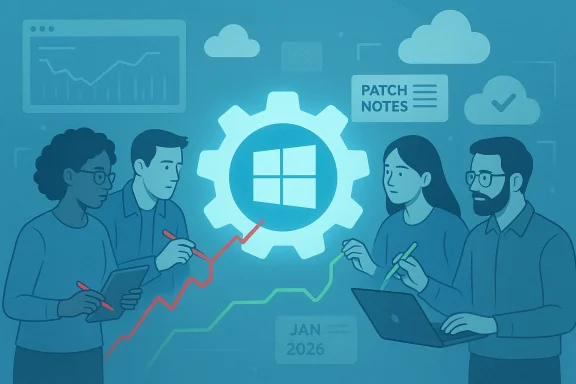
Microsoft’s quiet admission — answered not with a big feature roadmap but with engineering triage — is the clearest signal yet that Windows 11’s next chapter will be about repair, not reinvention. After a bruising stretch of buggy updates, intrusive UX experiments and an aggressive push to layer AI into everyday workflows, Redmond is reportedly redirecting engineers into a “swarming” mode to chase down the highest-impact performance, reliability and user‑experience problems across Windows in 2026. At the same time the company celebrated a major milestone — Windows 11 now runs on over one billion devices — and faces the awkward job of proving that scale doesn’t excuse instability.
Background / Overview
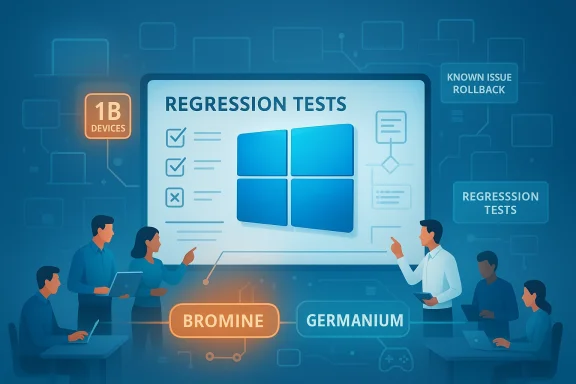
Windows 11’s user base recently passed a headline-grabbing threshold: Microsoft told investors that the OS is now on roughly one billion devices, and the company noted that milestone was reached more quickly than Windows 10’s equivalent climb. That growth has business-side benefits — OEM revenues and licensing lifecycles — but it also raises the stakes for reliability. While Microsoft touts modern PC innovation and AI capabilities, many users and administrators responded to 2024–2025 updates with concern: regressions in critical subsystems, flaky updates that required out‑of‑band patches, and UI changes that felt intrusive rather than useful.In response to that backlash, Windows leadership — including the Windows and Devices group — has publicly committed to re-prioritizing fundamentals. The working plan Microsoft described internally and to the press centers on three commitments for 2026: improve system performance, shore up reliability, and smooth the overall Windows experience. The company is pairing this message with an operational change: teams will “swarm” high-frequency regressions to shorten time-to-fix and reduce the recurrence of the same classes of bugs.
What “swarming” means — and what it probably won’t
The mechanics of a swarm
Swarming is an incident-response model adapted for product engineering. Instead of distributing work across feature teams, Microsoft will temporarily concentrate cross-disciplinary engineers — kernel developers, driver teams, QA, telemetry engineers, and product managers — on a narrow set of high-priority regressions until they’re resolved.- Triage and reproduce: small teams take ownership of a reproducible customer scenario.
- Root cause analysis: engineers gather traces, reproduce across hardware profiles, and identify the root cause rather than issuing superficial workarounds.
- Targeted remediation: fixes are developed, validated across a broader hardware matrix, and staged for release via Known Issue Rollback, out‑of‑band patches, or cumulative updates.
- Verification and prevention: teams implement regression tests and telemetry checks to prevent recurrence.
What swarming is unlikely to solve immediately
Swarming improves responsiveness to existing defects. It does not automatically fix the underlying organizational causes that let those defects reach stable channels — things like imperfect release gating, inadequate pre-release hardware coverage, or process issues in QA and partner validation. Those structural reforms take months to yield measurable improvement.The state of Windows 11 that prompted the shift
The list of grievances that informed Microsoft’s pivot is long and granular. In plain terms, users have called out three categories of frustration:- Update reliability and recovery problems. Several cumulative updates introduced regressions that forced Microsoft to ship emergency out‑of‑band fixes. Some businesses reported systems failing to boot after layered update failures, and Microsoft has acknowledged scenarios where devices were left in an “improper state” after a failed monthly update, requiring manual remediation.
- Visible UX regressions and surprising behaviour. File Explorer performance glitches, dark‑mode inconsistencies, unexpected white flashes, and duplicated app windows have been frequent complaints. Users also object to persistent upsell prompts and search results that route to the company’s browser or services, eroding trust.
- Performance and gaming glitches. For gamers and power users, OS-level scheduling, shader compilation stalls and background activity have translated into worse-than-expected performance in certain titles. Hardware partners shipping Windows 11 on handheld gaming PCs have emphasized the need for OS-level modes that minimize background noise for gameplay.
Microsoft’s short-term plan: practical levers and road map items
Focus areas for 2026
Microsoft’s public statements and the company’s recent engineering behavior indicate a concentrated agenda:- Performance: reduce perceived lag in key workflows such as File Explorer, Start menu searches, and application switching. Expect micro‑optimizations like background preloading, reduced blocking I/O on UI threads, and optional “performance-first” toggles that sacrifice visual flourishes for responsiveness.
- Reliability: better pre-release validation for updates, quicker hotfixes for regressions, and improved Known Issue Rollback (KIR) tooling so admins and users can neutralize a problem without losing security fixes.
- UX polish: restore consistency in dark mode, minimize intrusive upsells, and simplify context menus and shell behavior where they’ve become noisy.
- Gaming and device types: provide OS-level modes/options that favor gaming workloads, coordinate driver and scheduler work with GPU/CPU partners, and validate Windows 11’s behavior on handhelds and other nontraditional PC form factors.
- Telemetry transparency and opt-outs: more granular controls for AI-related data collection and clearer opt-in/opt-out flows for new agentic features.
Platform branching and device gating (Bromine vs Germanium)
Microsoft is also moving to a more cautious deployment model that separates branches for different hardware classes. Internally, the company is testing a newer platform branch codenamed Bromine for next-generation Arm and Copilot+ devices, with a spring release of a Bromine-based version for qualifying new hardware. The broader consumer branch, Germanium, will continue to serve the wider installed base with a general 26H2 release later in 2026.This split allows Microsoft to enable low-level platform changes for new silicon without exposing the entire fleet to higher risk. It’s a risk-management strategy: enable innovation for specific hardware while insulating the mass market from unproven kernel or scheduler changes.
What’s good about the plan — and why it might work
- User-centric triage should produce faster fixes. Bringing the right people to the table quickly increases the odds a bug will be fixed at the root rather than patched superficially.
- Device gating reduces blast radius. By shipping Bromine only on validated hardware, Microsoft reduces the risk of a single low-level change causing widespread failure across millions of configurations.
- KIR and targeted hotfixes help enterprises. Known Issue Rollback and the ability to push targeted mitigations are preferable to broad rollbacks that remove security updates.
- Public acknowledgment rebuilds trust if accompanied by results. Saying “we hear you” matters only if follow-through is measurable and transparent. The combination of public statements and concrete operational shifts is encouraging.
The real risks and trade-offs — why fixes could still fall short
Microsoft’s current strategy is sensible, but it is not without pitfalls.- Fragmentation and complexity for IT teams. Running Bromine devices alongside Germanium devices in an enterprise adds lifecycle complexity. Admins will need to manage separate imaging, testing, update policies and driver certification windows. That increases testing overhead and could slow device rollouts.
- Short-term feature slowdown. Swarming redirects engineering capacity to maintenance. Users who expected a fast pace of new features — especially AI-driven capabilities — may see delayed enhancements.
- Telemetry and privacy tension. Increasing diagnostic collection to triage regressions helps engineers, but if telemetry grows opaque or opt-in defaults are weak, trust will erode further. Clear, user‑facing telemetry schemas and opt‑out defaults are necessary to rebuild confidence.
- Operational debt and cultural change. If swarming fixes appear as one-off victories without process change — more comprehensive CI/CD and better hardware coverage in QA — regressions will return. Long-term reliability requires sustained investment in validation, partner testing, and test coverage, not just episodic firefighting.
- Public perception vs technical reality. Hitting one billion devices and promising to fix issues are separate narratives. Users who’ve been patched repeatedly may remain skeptical until the cadence of regressions drops decisively.
What users, gamers and IT admins should do right now
Microsoft’s roadmap is a shared responsibility: fixes depend on transparency from Microsoft and sensible behavior by administrators and users. Practical steps to keep systems stable while Microsoft executes the plan:- For home users:
- Delay non‑security feature updates until the first month after release in which telemetry shows low incident rates.
- Keep automatic backups (system image or file‑level backups) and create a recovery USB drive before applying major updates.
- If you rely on certain apps or games to work flawlessly, prefer the Release Preview Insider channel over Canary/Dev, which exposes preview‑only changes.
- For gamers:
- Use a Game Mode or vendor-provided gaming profile where available; disable background sync and aggressive indexing during gameplay.
- Keep GPU and chipset drivers updated from OEMs, not just Windows Update; driver teams frequently ship fixes faster.
- Validate critical titles in your environment before updating the OS or drivers before tournament play or deadlines.
- For IT administrators and enterprises:
- Expand pilot rings. Don’t push updates to the entire fleet immediately — broaden your pilot scope and extend observation windows.
- Use Known Issue Rollback (KIR) and Windows Update for Business to block problematic updates selectively while preserving security updates.
- Coordinate testing across hardware variants. Validate backups, recovery processes, and image deployment before mass rollout.
- Tighten incident reporting. Feed reproducible diagnostics back through official support channels and Microsoft partner programs so swarms have actionable telemetry.
Gaming, handhelds and the “one OS for everything” question
Microsoft and partners are already shipping Windows 11 on handheld gaming PCs and Xbox‑branded handheld devices. That reality gives Microsoft leverage: Windows 11 must behave well on gaming hardware or the ecosystem risks undermining the platform’s credibility among enthusiasts and OEM partners.At the same time, rumors and partner products have inspired speculation that Microsoft’s long-term aim is to broaden Windows 11’s role — potentially unifying console and PC experiences or using Windows as the base for new device classes. That’s a strategic objective that increases the stakes for reliability: a single OS across phones, handhelds, laptops and maybe consoles makes regressions more visible and harder to contain.
This strategic vision is plausible but partially speculative. Microsoft’s immediate, tactical response is pragmatic: isolate risky platform changes to Bromine for qualifying devices, and stabilize Germanium for the mass market.
How we’ll judge success
Microsoft’s promises will be credible only if they result in measurable declines in the very categories that produced the backlash. Metrics that matter:- Fewer emergency out‑of‑band patches for stability regressions.
- Reduced frequency of high-severity incidents (boot failures, loss of recovery environment, mass driver regressions).
- Visible improvements in telemetry-based metrics for Explorer responsiveness, app launch times, and update rollback success rates.
- Clearer telemetry policies and user controls for AI features and data collection.
- Faster, smaller, targeted patches for regressions that do not undo critical security updates.
Conclusion
Microsoft’s turn to swarming and platform gating is the company’s most candid public acknowledgment yet that Windows 11 needs time on the repair bench. The approach is sensible: prioritize the top pain points that undermine daily trust, minimize the blast radius of low-level platform changes by gating them to qualifying hardware, and adopt rapid-response squads to eliminate high-impact regressions.Success won’t be instant. Swarming will shrink immediate pain if executed well, but it must be paired with long-term investments in validation, telemetry transparency, and better partner coordination to prevent repeat failures. For users and IT teams, the practical response is conservative: delay nonessential updates, keep robust backups, expand testing before mass deployments, and demand clear telemetry and opt‑out policies for new AI features.
Windows 11’s one‑billion milestone is a powerful platform signal — but scale is not a substitute for reliability. If Microsoft can translate swarms and platform discipline into fewer emergency patches, smoother updates, and a less noisy user experience, 2026 may be remembered not as the year Windows broke down, but as the year Microsoft finally fixed the things that mattered most to everyday users.
Source: XDA Microsoft admits Windows 11 needs work, so it'll focus on improving things over 2026