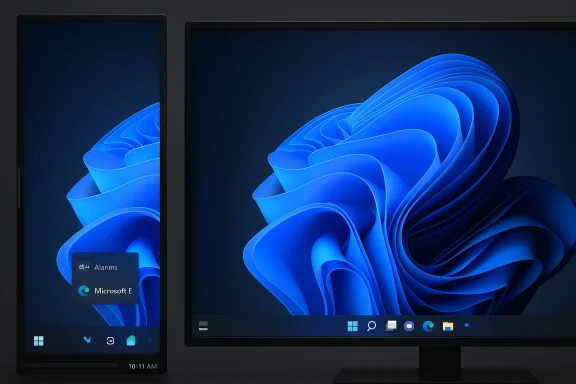
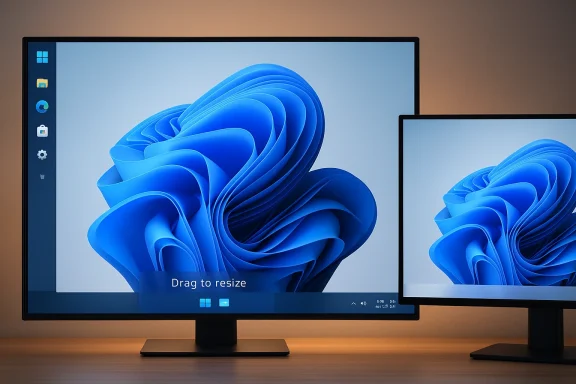
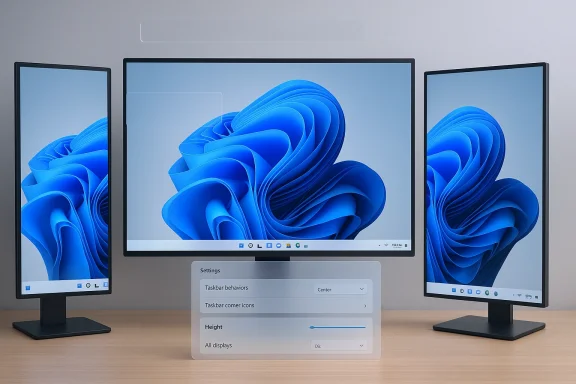
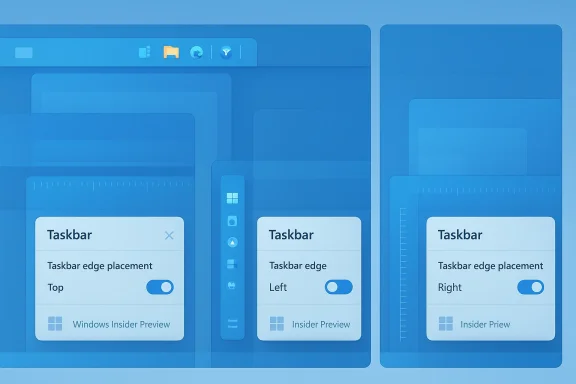
Microsoft appears to be quietly reversing one of the most controversial user‑facing choices of the Windows 11 era: insiders and multiple Windows‑focused outlets report that the company is prototyping the ability to move and resize the taskbar — including restoring left/right (vertical) orientations that many users lost when Windows 11 launched in 2021. This development was accompanied by a revealing comment from former Microsoft engineering executive Mikhail Parakhin, who says he “fought hard” internally to keep vertical taskbar support during the Windows 11 redesign, and by a fast, pointed reaction from parts of the Windows developer community who link decisions about the shell to broader monetization and advertising choices inside Windows, Edge, and Widgets.
When Microsoft rebuilt the Windows shell for Windows 11 in 2021 it shipped a modernized, centered taskbar that intentionally removed decades‑old behaviors: the taskbar was locked to the bottom, drag‑and‑drop workflows changed, and fine‑grained sizing and multi‑row layouts were effectively gone. That choice immediately created frustration for a vocal set of power users, vertical‑monitor workflows, and enterprise administrators who had relied on side‑docked taskbars for space and ergonomics. The removal was widely documented and criticized at the time, and many observers concluded the missing features were the result of a ground‑up reimplementation that deprioritized legacy customization.
Since then Microsoft has reintroduced a handful of previously missing behaviors (drag‑and‑drop restoration in later Moments, clock seconds, icon scaling experiments), but the fundamental limitation — a taskbar you cannot move to the top/left/right or freely resize — persisted and became emblematic of a deeper tension between a simplified, centrally designed UI and the expectations of long‑time Windows users. Third‑party utilities and registry tweaks filled the gap for many, but they came with stability and support trade‑offs that left large organizations and cautious users exposed.
Why does that caveat matter? Prototypes are engineering experiments: they exist to validate compatibility, accessibility, and performance across millions of configurations. If Microsoft’s prototype uncovers systemic problems (e.g., apps or shell components that assume a bottom‑anchored taskbar), timelines will slip. In short, the summer 2026 window should be treated as a planning horizon, not a firm release commitment.
Two important caveats about this claim:
Key takeaways from the third‑party landscape:
Phase A — Compatibility first (Preview release)
That said, the feature’s value depends entirely on execution. A buggy, half‑baked reintroduction will reinforce the very distrust Microsoft needs to repair. A careful, compatibility‑first approach — one that pairs the UI change with robust testing, accessible controls, and enterprise guidance — could turn this modest reversal into a positive turning point for the platform. The human detail — a senior engineer saying he “fought hard” to preserve the option — is important: it reminds us that large product decisions are negotiated and that multiple reasonable visions can coexist. The question now is whether the company will pair that human nuance with the engineering discipline needed to make the feature work for everyone.
Source: Neowin Former Microsoft executive claims he "fought hard" to keep this Windows 11 feature, but lost
 Background: why the taskbar became a flashpoint
When Microsoft rebuilt the Windows shell for Windows 11 in 2021 it shipped a modernized, centered taskbar that intentionally removed decades‑old behaviors: the taskbar was locked to the bottom, drag‑and‑drop workflows changed, and fine‑grained sizing and multi‑row layouts were effectively gone. That choice immediately created frustration for a vocal set of power users, vertical‑monitor workflows, and enterprise administrators who had relied on side‑docked taskbars for space and ergonomics. The removal was widely documented and criticized at the time, and many observers concluded the missing features were the result of a ground‑up reimplementation that deprioritized legacy customization.Since then Microsoft has reintroduced a handful of previously missing behaviors (drag‑and‑drop restoration in later Moments, clock seconds, icon scaling experiments), but the fundamental limitation — a taskbar you cannot move to the top/left/right or freely resize — persisted and became emblematic of a deeper tension between a simplified, centrally designed UI and the expectations of long‑time Windows users. Third‑party utilities and registry tweaks filled the gap for many, but they came with stability and support trade‑offs that left large organizations and cautious users exposed.
What’s new: movable + resizable, prototyping, and a summer target
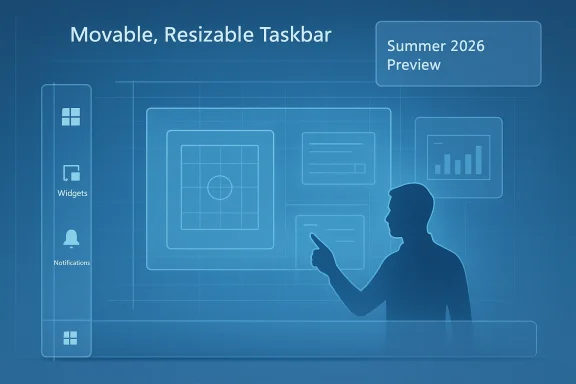
Multiple outlets reporting from sources close to Microsoft now say the company is actively prototyping the ability to move the taskbar off the bottom of the screen and to expose size controls so users can alter height — effectively restoring a vertical taskbar option and richer height/row choices. Those reports place a target window for previewing these changes in the summer of 2026, though every outlet emphasizes that this is prototyping work, not a committed ship date; Microsoft has not published an official feature announcement.Why does that caveat matter? Prototypes are engineering experiments: they exist to validate compatibility, accessibility, and performance across millions of configurations. If Microsoft’s prototype uncovers systemic problems (e.g., apps or shell components that assume a bottom‑anchored taskbar), timelines will slip. In short, the summer 2026 window should be treated as a planning horizon, not a firm release commitment.
The former exec’s inside view: Parakhin’s comment and the “symmetric panes” rationale
On the public record, Mikhail Parakhin — formerly a senior Microsoft engineering leader (Corporate VP of Technology, roles across Windows, Edge, Search, Ads, Maps) and currently CTO at Shopify — said he “fought hard against the decision to take it away” when Windows 11’s new taskbar was designed. Parakhin explained the product reasoning that led to the removal: Windows 11 introduced a set of asymmetric, symmetric pane concepts (notification/system controls on the right, Widgets/News/Weather on the left) and a centered Start. A vertical taskbar would conflict with those pane relationships and the overall visual symmetry the team pursued. That context helps explain why the choice was design‑driven and debated, not merely an engineering oversight.Two important caveats about this claim:
- It is a senior participant’s recollection of a design discussion and thus valuable color on the internal tradeoffs; it is not an engineering post‑mortem or an official product rationale from Microsoft’s product documentation. Treat it as firsthand perspective, not definitive corporate policy.
- Even where a design rationale exists, the implementation cost of restoring vertical positioning is real: the Windows 11 shell was rewritten with many areas assuming particular taskbar geometry and workarea calculations. Those assumptions get baked into drag/drop behavior, UI overflow logic, shell extension points, and many third‑party integrations. Resetting them requires careful compatibility work.
Community reaction: relief, skepticism, and pointed criticism
News that Microsoft may restore vertical positioning produced a predictable mix of reactions.- Many users greeted it as long‑overdue restoration of basic customization — an acknowledgement that long‑standing workflows and vertical‑monitor ergonomics matter. For those users, the ability to move the taskbar is not a novelty; it is a functional requirement gained over decades of incremental improvement.
- Others greeted the announcement with skepticism and some ire: why did it take years to reverse a seemingly straightforward customization? That cynicism is amplified by wider unhappiness around Windows behaviors that users perceive as prioritizing new features (Copilot, widgets) while neglecting core polish.
- A smaller but noisy strand of reaction tied the decisions to Microsoft’s broader business choices. Some developers and commentators called attention to executives who previously led advertising/web services efforts within Microsoft, suggesting those executives were involved in decisions that favored pane‑based content surfaces (Widgets, Start highlights) that could carry promotional content. That criticism seeks to draw a line between product choices and revenue priorities — a serious charge, and one the public debate is now summoning into sharper relief. Because such claims can implicate internal motivations, they should be evaluated cautiously and, where possible, corroborated with primary evidence rather than social‑media shorthand.
Why reintroducing vertical taskbars is hard (technical and product constraints)
Restoring a movable, resizable taskbar is easy to describe and tricky to ship. The challenges break down into several concrete engineering and product domains:- Geometry and layout assumptions
- Countless components — app windows, context menus, notification placements, Explorer behaviors, IME candidates, and many legacy shell extensions — assume the taskbar occupies the bottom edge or that the workarea origin is at a fixed vertical offset. Changing the anchor point cascades into layout math across the shell and third‑party components. Even small mismatches can produce clipped menus, broken context positions, or unpredictable snapping.
- Accessibility and discoverability
- Accessibility tools and screen readers have grown accustomed to a bottom taskbar paradigm. Moving the taskbar or allowing new heights requires extensive accessibility testing to ensure keyboard navigation, focus order, and assistive technology APIs remain stable and predictable.
- Compatibility with apps and drivers
- Some apps and overlay drivers compute their UI relative to the screen edges. Multi‑monitor setups, especially with mixed DPI configurations, are an additional headache; code that worked in a bottom‑anchored world can misbehave when the bar appears on the side.
- Shell performance and memory
- The shell’s performance and robustness must survive the additional complexity of dynamic orientation and runtime sizing changes. Microsoft will want to avoid regressions where a flaky taskbar leads to explorer.exe crashes or system instability.
- Ecosystem and extension points
- Enterprises rely on imaging, management, and automation that sometimes assume particular workarea metrics. Third‑party shell extenders (toolbars, productivity overlays) may need updates, and Microsoft must balance introducing user choice with minimizing ecosystem fragmentation and breakage.
The UX tradeoffs Microsoft weighed (and should continue to weigh)
Parakhin’s “symmetric panes” explanation reminds us that UI decisions do not exist in a vacuum. Restoring vertical placement trades off with other product goals. Consider the central tradeoffs:- Visual symmetry vs. flexible ergonomics. A centered Start/pane architecture is a strong visual statement; side‑docked bars break that symmetry and can complicate the composited pane model Microsoft wanted. But symmetry should not block essential ergonomics — especially for users on tall displays or with muscle‑memory for side‑docked workflows.
- Simplification vs. power user control. Microsoft has iterated toward a simpler baseline experience for mainstream users. That simplicity can help reduce cognitive load and support modern Discover/Promote surfaces, but removing control for power users risks alienating precisely the audience that often provides deep feedback and uses Windows in productivity‑critical ways.
- Monetization and content surfaces vs. trust and cleanliness. If pane architectures are used to surface promoted content or “curated” experiences, user trust rests on tasteful, non‑intrusive treatment and clear opt‑outs. The history of Widgets and promoted Start items has shown that even modest ad‑like content can erode goodwill if it feels forced or low‑quality.
Risks Microsoft must address before a public rollout
If Microsoft ships a movable/resizable taskbar prematurely, the result could be worse than the current status quo. Key risks:- Stability regressions: Explorer crashes, menu clipping, and window maximization issues that only show up in multi‑monitor or mixed DPI scenarios. These regressions are deadly for user trust because they are highly visible and affect core workflows.
- Accessibility regressions: Assistive technology users cannot be an afterthought. Keyboard focus, screen reader semantics, and high‑contrast behaviors must be tested alongside orientation changes.
- Enterprise compatibility: Imaging, remote management, and app certification processes may fail if critical apps assume bottom‑anchored workareas. Microsoft will need enterprise guidance and compatibility flags to help IT roll forward safely.
- Fragmentation: If Microsoft ships the UI with only a partial implementation (e.g., left/right but not top, or with certain behaviors disabled), the ecosystem will splinter: some users will use third‑party tools, others will adopt the new official option — increasing support complexity.
- Perception of token fixes: Rolling back a long‑requested behavior without fixing the underlying quality pain points (performance, File Explorer bugs, reliability) would look like a cosmetic concession and could create further cynicism. Several outlets report that Microsoft is framing taskbar changes as part of a broader push to fix system performance and reliability, which is the right strategic posture.
What third‑party vendors are doing (and what that means)
Vendors like Stardock (Start11) and other community projects have offered vertical taskbar and Start customizations on Windows 11 for years. Those tools demonstrate both demand and the engineering complexity involved: they have shipped features that reintroduce vertical bars, icon sizing, and centered behaviors, but they also highlight the fragility of non‑native solutions — autohide quirks, maximized window artifacts, and occasional incompatibilities.Key takeaways from the third‑party landscape:
- There is clear and sustained demand for vertical orientations and richer sizing controls.
- Third‑party restorations are useful stopgaps, but they usually require deep hooks into Explorer, come with maintenance burdens, and can break during Windows feature updates.
- A robust, Microsoft‑supported reintroduction would benefit the ecosystem by reducing the need for risky third‑party hacks and giving IT pros a supported migration path.
A practical playbook for IT teams and power users
Assuming Microsoft begins public previewing in the summer of 2026, organizations should prepare now. Practical steps:- Inventory critical apps and scripts
- Identify apps that assume a bottom‑anchored workarea or use custom shell integration. Prioritize testing for those apps in Insider builds as soon as public previews appear.
- Prepare test plans for accessibility and multi‑monitor setups
- Include screen reader sessions, keyboard‑only workflows, and mixed DPI configurations in test matrices.
- Communicate with end users
- If you manage desktops, set expectations about preview builds, and advise users not to use pre‑release builds on production machines.
- Plan rollback and imaging strategies
- If a preview introduces regressions, make sure rollback images and documented steps are ready for affected machines.
- Monitor and participate in Feedback channels
- When the feature arrives in the Insider channel, file detailed feedback with repro steps to help the product team triage high‑impact regressions quickly.
- Consider temporary third‑party options — with caution
- If you must restore vertical bars immediately, vetted tools like Start11 can help, but treat them as temporary workarounds and test thoroughly before enterprise deployment.
How Microsoft should reintroduce the feature (my assessment)
If the company wants to repair trust and deliver a durable solution, it should consider a measured, two‑phase approach:Phase A — Compatibility first (Preview release)
- Ship a conservative preview that enables left/right orientations while keeping defaults unchanged.
- Introduce an explicit compatibility mode for third‑party shell extensions and enterprise policies.
- Require extended telemetry options (opt‑in during preview) to capture real‑world errors in complex multi‑monitor setups.
- Add robust UI controls for resizing, icon density, and multi‑row taskbars.
- Provide clear accessibility settings and API stability guarantees.
- Publish enterprise guidance and a compatibility checklist for app vendors.
- Ensure any pane/Widgets interactions honor user choice and prioritize non‑intrusive defaults.
Final assessment: why this matters beyond aesthetics
A movable, resizable taskbar is small in code size but large in symbolic and practical significance. It signals whether Microsoft prioritizes user agency and legacy workflows alongside modern product ambitions. Restoring the feature would not erase the criticism users have of previous Windows changes, but it would be a measurable sign that Microsoft hears and is willing to act on long‑standing feedback.That said, the feature’s value depends entirely on execution. A buggy, half‑baked reintroduction will reinforce the very distrust Microsoft needs to repair. A careful, compatibility‑first approach — one that pairs the UI change with robust testing, accessible controls, and enterprise guidance — could turn this modest reversal into a positive turning point for the platform. The human detail — a senior engineer saying he “fought hard” to preserve the option — is important: it reminds us that large product decisions are negotiated and that multiple reasonable visions can coexist. The question now is whether the company will pair that human nuance with the engineering discipline needed to make the feature work for everyone.
Takeaway for readers
- Expect public previews in mid‑2026 but treat that timeline as aspirational; Microsoft must clear compatibility and accessibility gates.
- Power users and IT admins should prepare test plans and be ready to validate workflows when Insider previews appear.
- If you need vertical taskbars today, vetted third‑party tools exist but carry trade‑offs; plan to revert to Microsoft’s native option when it matures.
Source: Neowin Former Microsoft executive claims he "fought hard" to keep this Windows 11 feature, but lost