

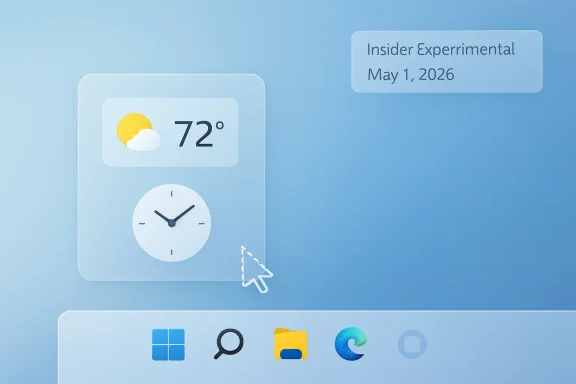
Microsoft is testing quieter default settings for the Windows 11 Widgets board in Insider Experimental builds released May 1, 2026, disabling hover activation, taskbar badging, and first-launch feed exposure while saying broader taskbar customization is still “coming soon” for users who miss Windows 10-era control. That is the immediate news. The larger story is that Microsoft has begun treating Windows 11’s most irritating defaults not as individual complaints to be swatted away, but as symptoms of an operating system that has grown too eager to interrupt its owner. The question now is whether this is a genuine course correction or merely a more polite distribution strategy.
The most revealing word in Microsoft’s latest Windows messaging is not “widgets,” “taskbar,” or even “performance.” It is calm. For years, Windows 11 has behaved as though user attention were an ambient resource available for harvesting, whether through promoted content, notifications, badges, feed panels, setup prompts, or carefully positioned upsell moments.
The new Widgets defaults reverse a small but symbolically important part of that bargain. Instead of the board leaping open when a mouse brushes the weather icon, it will wait for a deliberate click. Instead of launching users into a feed-heavy page powered by Microsoft’s content ecosystem, it will open first to the actual widgets experience. Instead of using taskbar badges and alerts as little visual fishhooks, it will keep quieter until the user chooses to engage.
This is not a revolution. It is a settings change in a preview build, still subject to the usual Insider caveats and controlled rollout fog. But defaults are policy, and Microsoft’s old policy was clear: Windows could presume permission until users found the right toggle to say no.
That presumption is what made Widgets such a useful case study in Windows 11’s trust problem. Many users did not object to glanceable weather, calendar cards, stock tickers, or traffic estimates. They objected to the way a supposedly helpful surface became another portal into promoted stories, algorithmic noise, and advertising-adjacent attention capture.
The problem was execution. Windows 11’s Widgets board often felt less like a utility drawer and more like a front page Microsoft wanted users to accidentally open. It was too easy to trigger, too noisy once triggered, and too entangled with the MSN-powered feed to feel like a user-owned space.
That distinction matters. A widget is something the user configures because it saves time. A feed is something a platform configures because it creates engagement. When the two are fused, the user eventually learns to distrust the surface altogether.
Microsoft’s new defaults implicitly admit that the engagement-first model went too far. Disabling hover-to-open is more than a convenience tweak; it changes the interaction from accidental to intentional. Opening first to widgets rather than the feed changes the experience from Microsoft’s priorities to the user’s priorities. Reducing badging lowers the chance that the taskbar becomes another blinking dashboard of someone else’s urgency.
The company is not removing the feed, and it is not abandoning the business incentives behind it. Users who want proactive updates, badges, and feed content can still turn them back on. But the direction of travel is important: Microsoft is moving from opt out of noise toward opt in to noise.
That line used to be easier to defend. The operating system was the thing you paid for, directly or through the cost of a PC, and its job was to launch applications, manage files, connect hardware, secure the machine, and get out of the way. Cloud accounts, app stores, subscriptions, search integration, and AI assistants have made that model more complicated, but they have not erased the old expectation.
Windows users are not naïve. They know Microsoft has services to sell. They know Edge, Microsoft 365, OneDrive, Game Pass, Copilot, Bing, MSN, and the Microsoft Store are all part of the company’s broader ecosystem. What they dislike is the feeling that the OS sometimes prioritizes those ecosystem goals over the person sitting at the keyboard.
Widgets made that feeling visible. The board could be useful, but it also carried the faint smell of a growth dashboard. If users accidentally opened it, saw a feed they did not ask for, and closed it annoyed, Microsoft might have recorded an engagement opportunity; the user recorded a trust withdrawal.
That is why the quieter default matters more than its modest scope. It suggests Microsoft has recognized that attention extraction has a cost, and that cost shows up as hostility toward the platform. A Windows feature that users immediately disable is not a growth channel. It is a reputational liability with a toggle.
The most infamous omission was taskbar position. Windows 10 users could move the taskbar to the top, left, or right of the screen. Windows 11 pinned it to the bottom and told everyone, implicitly, to adapt. For some users that was merely annoying; for others with vertical monitors, multi-display workflows, accessibility needs, or long-established muscle memory, it was a regression dressed as design discipline.
This was not the only taskbar grievance. Early Windows 11 also drew criticism for weaker drag-and-drop support, reduced context menu functionality, and fewer layout choices. Microsoft has restored or improved some of that over time, but the original message stuck: Windows 11 was willing to trade mature utility for a cleaner presentation.
That tradeoff might make sense on a phone, a kiosk, or a locked-down appliance. It is harder to justify on a general-purpose desktop OS used by gamers, developers, accountants, admins, designers, teachers, and people with workflows no product team can fully anticipate. The desktop’s power has always come from its refusal to assume one correct way to work.
So when Microsoft says taskbar customization is coming soon, it is not merely promising a feature. It is reopening a negotiation that Windows 11 tried to close too early. The company appears to understand that the taskbar is not decoration. It is the control strip for the entire machine.
That is a meaningful pivot from the era when Windows 11’s most visible changes often seemed to cluster around surfaces Microsoft wanted users to notice: Start recommendations, account prompts, Edge integrations, Copilot entry points, and content experiences. The new pitch is humbler. Windows should launch faster, hang less, interrupt less, and make its preview pipeline easier to understand.
There is a strategic reason for that humility. Windows remains enormous, but it no longer defines personal computing culture the way it once did. Enthusiasts compare it against macOS polish, Linux control, ChromeOS simplicity, handheld gaming environments, and mobile operating systems that, for all their limits, often feel more coherent. In that context, a desktop OS cannot afford to be both essential and irritating.
The new Experimental channel also matters here. Microsoft has struggled for years with Insider messaging: Dev, Beta, Canary, Release Preview, controlled rollouts, A/B tests, feature IDs, and builds that may or may not represent a future release. The more Windows became a service, the harder it became for even engaged users to understand what was being tested and why.
A clearer preview structure will not by itself make Windows better. But it can make feedback less performative and more actionable. If Experimental is where rougher ideas go, and Beta is where nearer-term features mature, Microsoft has a better chance of separating “interesting prototype” from “this is probably shipping.”
When File Explorer is slow, flickery, inconsistent, or crash-prone, the whole OS feels unstable. A delay opening a folder is not merely a delay. It is a tiny reminder that the operating system is negotiating with itself before doing the most basic job it has.
Microsoft’s recent quality messaging puts File Explorer near the center of the repair effort, with references to launch speed, smoother navigation, fewer hangs, better thumbnails, and more dependable behavior. This is exactly where Windows 11 needs attention. The OS can survive an unloved Widgets board. It cannot feel premium if its file manager feels tired.
Explorer also illustrates why Windows quality is harder than it looks. Microsoft has to modernize ancient surfaces without breaking decades of compatibility. It has to support shell extensions, network paths, cloud sync overlays, preview handlers, compressed archives, removable storage, enterprise policies, and users who keep tens of thousands of files in folders no designer would recommend.
That complexity does not excuse poor performance, but it explains why Windows fixes often arrive as incremental architecture work rather than dramatic redesigns. The best version of this campaign is not a flashy Explorer relaunch. It is the gradual disappearance of those moments when Windows seems to pause, repaint, jump, or forget what the user just asked it to do.
The Widgets board became one more thing to disable. The taskbar became one more thing to patch around. Search became one more thing to replace. Notifications became one more thing to tame. Setup became one more obstacle course to bypass.
Every workaround has a hidden cost. It fragments the experience, increases support complexity, and teaches users that the default Windows experience is something to distrust. For sysadmins, that distrust becomes policy. For enthusiasts, it becomes culture. For ordinary users, it becomes resignation.
Microsoft cannot eliminate workaround culture, and it should not try to. The ability to customize and bend Windows remains one of the platform’s advantages. But the company should want fewer users reaching for third-party tools on day one simply to undo Microsoft’s assumptions.
Quieter Widgets and a more flexible taskbar are therefore not isolated quality-of-life wins. They are signs that Microsoft may be trying to reduce the gap between stock Windows and acceptable Windows. That gap is where resentment grows.
Enterprises tend to dislike surprises. They do not want consumer news feeds surfacing in managed environments. They do not want notification badges training users to click into nonessential content. They do not want employees confused about whether a feed item, prompt, or recommendation is organizationally sanctioned.
Microsoft knows this, which is why enterprise controls exist for many of these experiences. But controls are not a substitute for sane defaults. Every policy an admin must configure is another setting to document, test, audit, and revisit after feature updates.
The best enterprise-friendly operating systems are not those with the most toggles; they are those that require the fewest defensive toggles. If Windows 11 becomes quieter by default, Microsoft reduces friction not just for home users but for the IT pros who have to explain why a work machine is behaving like a consumer portal.
That point should not be lost amid the consumer-focused coverage. Windows remains the default endpoint platform for vast numbers of organizations. When Microsoft experiments with attention surfaces in Windows, enterprise admins inherit the blast radius.
A quieter Windows may be better for users, but it is not automatically better for every business unit inside Microsoft. The operating system is both a product and a launchpad. Those incentives are always in tension.
That is why this moment deserves cautious optimism rather than applause. Microsoft has not sworn off ads in Windows. It has not declared that the desktop is no longer a cross-sell surface. It has not promised that every future default will favor calm over engagement.
What it has done is more limited but still meaningful: it has chosen, in at least one prominent surface, to reduce accidental engagement. That is the right direction. The test is whether the same principle survives elsewhere.
Search is an obvious candidate. So is Start. So is setup. So are notifications tied to account services, storage, subscriptions, and browser defaults. If Microsoft truly believes calm is a platform value, it has more work to do than taming Widgets.
The Widgets episode should be a warning for Microsoft’s AI ambitions. Users do not reject assistance when it is genuinely useful. They reject assistance that feels like a pretext for engagement. The difference is not subtle from the user’s side, even if it is sometimes blurred inside product planning.
A good AI feature should behave like a competent assistant: present when asked, contextually useful, and quiet when irrelevant. A bad AI feature behaves like a mall kiosk: always nearby, always smiling, always trying to convert a passing glance into a transaction.
Microsoft has the technical resources to build the first kind. Its business incentives may sometimes push toward the second. The emerging “calm Windows” message will collide with that tension sooner rather than later.
If the company has learned anything from Widgets, it should be that presence is not the same as value. Putting a feature one click away is powerful. Making it appear when the user did not ask is risky. Making it hard to ignore is how useful software becomes ambient resentment.
The quieter Widgets defaults fit that bargain. Taskbar customization fits it even more. Performance work in File Explorer fits it at the most fundamental level because a fast, reliable shell is the minimum proof that Microsoft still respects the desktop as a place where work happens.
This is where the company’s recent language about pride and quality becomes more than corporate poetry. Pride in Windows cannot mean pride in telemetry graphs alone. It has to mean pride in restraint, in polish, in defaults that do not require apology, and in features users keep enabled because they trust them.
Windows 11’s early years often felt as though Microsoft wanted credit for a cleaner design while ignoring the practical costs of simplification. Now the company appears to be rediscovering that user control is not clutter. It is part of the product.
Microsoft’s challenge is that trust returns slowly and disappears quickly. A quieter Widgets board will not erase years of complaints about ads, prompts, missing taskbar features, sluggish shell behavior, and defaults that felt tuned for Microsoft’s funnel rather than the user’s flow. But it is a useful start because it recognizes the real problem: Windows 11 does not need more surfaces competing for attention; it needs fewer moments when users wonder who the operating system is really serving. If Microsoft keeps choosing calm, control, and performance over accidental engagement, the next phase of Windows 11 could feel less like a campaign to win back users and more like the operating system finally remembering why they stayed.
Source: TechRadar https://www.techradar.com/computing...s-and-that-big-taskbar-change-is-coming-soon/
 Microsoft Discovers That Calm Is a Feature
The most revealing word in Microsoft’s latest Windows messaging is not “widgets,” “taskbar,” or even “performance.” It is calm. For years, Windows 11 has behaved as though user attention were an ambient resource available for harvesting, whether through promoted content, notifications, badges, feed panels, setup prompts, or carefully positioned upsell moments.The new Widgets defaults reverse a small but symbolically important part of that bargain. Instead of the board leaping open when a mouse brushes the weather icon, it will wait for a deliberate click. Instead of launching users into a feed-heavy page powered by Microsoft’s content ecosystem, it will open first to the actual widgets experience. Instead of using taskbar badges and alerts as little visual fishhooks, it will keep quieter until the user chooses to engage.
This is not a revolution. It is a settings change in a preview build, still subject to the usual Insider caveats and controlled rollout fog. But defaults are policy, and Microsoft’s old policy was clear: Windows could presume permission until users found the right toggle to say no.
That presumption is what made Widgets such a useful case study in Windows 11’s trust problem. Many users did not object to glanceable weather, calendar cards, stock tickers, or traffic estimates. They objected to the way a supposedly helpful surface became another portal into promoted stories, algorithmic noise, and advertising-adjacent attention capture.
Widgets Became the Place Where Windows Forgot It Was an Operating System
Widgets were never a doomed idea. A modern desktop can benefit from a lightweight information layer that surfaces useful, glanceable, personalized data without forcing users into a browser tab or full application. Apple has made that argument in macOS, mobile platforms have normalized it for years, and even older Windows features carried some of the same DNA.The problem was execution. Windows 11’s Widgets board often felt less like a utility drawer and more like a front page Microsoft wanted users to accidentally open. It was too easy to trigger, too noisy once triggered, and too entangled with the MSN-powered feed to feel like a user-owned space.
That distinction matters. A widget is something the user configures because it saves time. A feed is something a platform configures because it creates engagement. When the two are fused, the user eventually learns to distrust the surface altogether.
Microsoft’s new defaults implicitly admit that the engagement-first model went too far. Disabling hover-to-open is more than a convenience tweak; it changes the interaction from accidental to intentional. Opening first to widgets rather than the feed changes the experience from Microsoft’s priorities to the user’s priorities. Reducing badging lowers the chance that the taskbar becomes another blinking dashboard of someone else’s urgency.
The company is not removing the feed, and it is not abandoning the business incentives behind it. Users who want proactive updates, badges, and feed content can still turn them back on. But the direction of travel is important: Microsoft is moving from opt out of noise toward opt in to noise.
The Advertisement Was Never Just an Advertisement
It is tempting to frame this as a simple win in the long-running fight against ads in Windows. That is partly right, but it undersells the issue. The deeper frustration has been less about any single promoted tile or sponsored story and more about Windows repeatedly blurring the line between product interface and monetized surface.That line used to be easier to defend. The operating system was the thing you paid for, directly or through the cost of a PC, and its job was to launch applications, manage files, connect hardware, secure the machine, and get out of the way. Cloud accounts, app stores, subscriptions, search integration, and AI assistants have made that model more complicated, but they have not erased the old expectation.
Windows users are not naïve. They know Microsoft has services to sell. They know Edge, Microsoft 365, OneDrive, Game Pass, Copilot, Bing, MSN, and the Microsoft Store are all part of the company’s broader ecosystem. What they dislike is the feeling that the OS sometimes prioritizes those ecosystem goals over the person sitting at the keyboard.
Widgets made that feeling visible. The board could be useful, but it also carried the faint smell of a growth dashboard. If users accidentally opened it, saw a feed they did not ask for, and closed it annoyed, Microsoft might have recorded an engagement opportunity; the user recorded a trust withdrawal.
That is why the quieter default matters more than its modest scope. It suggests Microsoft has recognized that attention extraction has a cost, and that cost shows up as hostility toward the platform. A Windows feature that users immediately disable is not a growth channel. It is a reputational liability with a toggle.
Windows 11’s Taskbar Is Still Paying for the Sins of 2021
The promise that taskbar customization is “coming soon” lands because the Windows 11 taskbar remains one of the clearest examples of Microsoft shipping a visually cleaner system by removing practical flexibility. When Windows 11 arrived in 2021, it brought a centered taskbar, a redesigned Start menu, and a simplified shell that looked more modern at first glance. It also removed familiar options that power users had relied on for years.The most infamous omission was taskbar position. Windows 10 users could move the taskbar to the top, left, or right of the screen. Windows 11 pinned it to the bottom and told everyone, implicitly, to adapt. For some users that was merely annoying; for others with vertical monitors, multi-display workflows, accessibility needs, or long-established muscle memory, it was a regression dressed as design discipline.
This was not the only taskbar grievance. Early Windows 11 also drew criticism for weaker drag-and-drop support, reduced context menu functionality, and fewer layout choices. Microsoft has restored or improved some of that over time, but the original message stuck: Windows 11 was willing to trade mature utility for a cleaner presentation.
That tradeoff might make sense on a phone, a kiosk, or a locked-down appliance. It is harder to justify on a general-purpose desktop OS used by gamers, developers, accountants, admins, designers, teachers, and people with workflows no product team can fully anticipate. The desktop’s power has always come from its refusal to assume one correct way to work.
So when Microsoft says taskbar customization is coming soon, it is not merely promising a feature. It is reopening a negotiation that Windows 11 tried to close too early. The company appears to understand that the taskbar is not decoration. It is the control strip for the entire machine.
The Insider Program Is Becoming Microsoft’s Repair Shop
The timing of these changes is not accidental. Microsoft has been publicly reframing Windows development around quality, responsiveness, and feedback, with the Insider Program serving as both test bench and stage. The company’s recent posts emphasize File Explorer performance, fewer distractions, clearer preview channels, better Feedback Hub behavior, and a broader attempt to make Windows feel more dependable.That is a meaningful pivot from the era when Windows 11’s most visible changes often seemed to cluster around surfaces Microsoft wanted users to notice: Start recommendations, account prompts, Edge integrations, Copilot entry points, and content experiences. The new pitch is humbler. Windows should launch faster, hang less, interrupt less, and make its preview pipeline easier to understand.
There is a strategic reason for that humility. Windows remains enormous, but it no longer defines personal computing culture the way it once did. Enthusiasts compare it against macOS polish, Linux control, ChromeOS simplicity, handheld gaming environments, and mobile operating systems that, for all their limits, often feel more coherent. In that context, a desktop OS cannot afford to be both essential and irritating.
The new Experimental channel also matters here. Microsoft has struggled for years with Insider messaging: Dev, Beta, Canary, Release Preview, controlled rollouts, A/B tests, feature IDs, and builds that may or may not represent a future release. The more Windows became a service, the harder it became for even engaged users to understand what was being tested and why.
A clearer preview structure will not by itself make Windows better. But it can make feedback less performative and more actionable. If Experimental is where rougher ideas go, and Beta is where nearer-term features mature, Microsoft has a better chance of separating “interesting prototype” from “this is probably shipping.”
File Explorer Is the Other Half of the Trust Equation
The Widgets change grabs attention because ads and feeds are easy to dislike. File Explorer performance improvements may be more important in daily life. Explorer is not just an app; it is the muscle memory layer for Windows itself.When File Explorer is slow, flickery, inconsistent, or crash-prone, the whole OS feels unstable. A delay opening a folder is not merely a delay. It is a tiny reminder that the operating system is negotiating with itself before doing the most basic job it has.
Microsoft’s recent quality messaging puts File Explorer near the center of the repair effort, with references to launch speed, smoother navigation, fewer hangs, better thumbnails, and more dependable behavior. This is exactly where Windows 11 needs attention. The OS can survive an unloved Widgets board. It cannot feel premium if its file manager feels tired.
Explorer also illustrates why Windows quality is harder than it looks. Microsoft has to modernize ancient surfaces without breaking decades of compatibility. It has to support shell extensions, network paths, cloud sync overlays, preview handlers, compressed archives, removable storage, enterprise policies, and users who keep tens of thousands of files in folders no designer would recommend.
That complexity does not excuse poor performance, but it explains why Windows fixes often arrive as incremental architecture work rather than dramatic redesigns. The best version of this campaign is not a flashy Explorer relaunch. It is the gradual disappearance of those moments when Windows seems to pause, repaint, jump, or forget what the user just asked it to do.
Microsoft’s Real Opponent Is the Workaround Culture It Created
Windows power users are famous for workarounds. They install shell replacements, registry tweaks, taskbar utilities, debloating scripts, third-party Start menus, policy templates, package managers, and automation glue. This is part of Windows’ charm, but it is also evidence of a long-running failure: too many users feel they have to wrestle the OS into respectability.The Widgets board became one more thing to disable. The taskbar became one more thing to patch around. Search became one more thing to replace. Notifications became one more thing to tame. Setup became one more obstacle course to bypass.
Every workaround has a hidden cost. It fragments the experience, increases support complexity, and teaches users that the default Windows experience is something to distrust. For sysadmins, that distrust becomes policy. For enthusiasts, it becomes culture. For ordinary users, it becomes resignation.
Microsoft cannot eliminate workaround culture, and it should not try to. The ability to customize and bend Windows remains one of the platform’s advantages. But the company should want fewer users reaching for third-party tools on day one simply to undo Microsoft’s assumptions.
Quieter Widgets and a more flexible taskbar are therefore not isolated quality-of-life wins. They are signs that Microsoft may be trying to reduce the gap between stock Windows and acceptable Windows. That gap is where resentment grows.
The Enterprise Lesson Is Simple: Defaults Scale
For IT departments, the Widgets change is not primarily about personal annoyance. It is about default behavior at fleet scale. A single distracting surface on one PC is a nuisance. The same surface across thousands of machines becomes a support, compliance, productivity, and policy concern.Enterprises tend to dislike surprises. They do not want consumer news feeds surfacing in managed environments. They do not want notification badges training users to click into nonessential content. They do not want employees confused about whether a feed item, prompt, or recommendation is organizationally sanctioned.
Microsoft knows this, which is why enterprise controls exist for many of these experiences. But controls are not a substitute for sane defaults. Every policy an admin must configure is another setting to document, test, audit, and revisit after feature updates.
The best enterprise-friendly operating systems are not those with the most toggles; they are those that require the fewest defensive toggles. If Windows 11 becomes quieter by default, Microsoft reduces friction not just for home users but for the IT pros who have to explain why a work machine is behaving like a consumer portal.
That point should not be lost amid the consumer-focused coverage. Windows remains the default endpoint platform for vast numbers of organizations. When Microsoft experiments with attention surfaces in Windows, enterprise admins inherit the blast radius.
The Revenue Question Has Not Gone Away
The uncomfortable question is whether Microsoft can sustain this calmer posture when it conflicts with revenue opportunities. The MSN feed exists for a reason. Promoted content exists for a reason. Edge prompts, OneDrive nudges, Microsoft account encouragement, Store placements, and subscription banners all exist because Windows is a massive distribution channel.A quieter Windows may be better for users, but it is not automatically better for every business unit inside Microsoft. The operating system is both a product and a launchpad. Those incentives are always in tension.
That is why this moment deserves cautious optimism rather than applause. Microsoft has not sworn off ads in Windows. It has not declared that the desktop is no longer a cross-sell surface. It has not promised that every future default will favor calm over engagement.
What it has done is more limited but still meaningful: it has chosen, in at least one prominent surface, to reduce accidental engagement. That is the right direction. The test is whether the same principle survives elsewhere.
Search is an obvious candidate. So is Start. So is setup. So are notifications tied to account services, storage, subscriptions, and browser defaults. If Microsoft truly believes calm is a platform value, it has more work to do than taming Widgets.
The AI Layer Could Either Help or Make Everything Worse
No discussion of Windows’ future can avoid Copilot and the broader AI layer Microsoft is building across its products. AI could make Windows calmer if it helps users find settings, summarize notifications, automate repetitive tasks, and reduce context switching. It could also make Windows vastly more annoying if it becomes another persistent surface asking for attention, permissions, subscriptions, and training data.The Widgets episode should be a warning for Microsoft’s AI ambitions. Users do not reject assistance when it is genuinely useful. They reject assistance that feels like a pretext for engagement. The difference is not subtle from the user’s side, even if it is sometimes blurred inside product planning.
A good AI feature should behave like a competent assistant: present when asked, contextually useful, and quiet when irrelevant. A bad AI feature behaves like a mall kiosk: always nearby, always smiling, always trying to convert a passing glance into a transaction.
Microsoft has the technical resources to build the first kind. Its business incentives may sometimes push toward the second. The emerging “calm Windows” message will collide with that tension sooner rather than later.
If the company has learned anything from Widgets, it should be that presence is not the same as value. Putting a feature one click away is powerful. Making it appear when the user did not ask is risky. Making it hard to ignore is how useful software becomes ambient resentment.
The New Windows Bargain Is Control First, Engagement Second
There is a defensible version of modern Windows in which Microsoft services are deeply integrated, cloud-aware, AI-assisted, and commercially successful. But that version depends on user agency. The OS can recommend, but it should not nag. It can surface, but it should not ambush. It can personalize, but it should not presume.The quieter Widgets defaults fit that bargain. Taskbar customization fits it even more. Performance work in File Explorer fits it at the most fundamental level because a fast, reliable shell is the minimum proof that Microsoft still respects the desktop as a place where work happens.
This is where the company’s recent language about pride and quality becomes more than corporate poetry. Pride in Windows cannot mean pride in telemetry graphs alone. It has to mean pride in restraint, in polish, in defaults that do not require apology, and in features users keep enabled because they trust them.
Windows 11’s early years often felt as though Microsoft wanted credit for a cleaner design while ignoring the practical costs of simplification. Now the company appears to be rediscovering that user control is not clutter. It is part of the product.
The Small Toggles That Tell the Bigger Story
The useful way to read Microsoft’s latest moves is not as a finished fix, but as a set of signals about where Windows may be heading. The details are modest. The implications are larger.- Microsoft is testing Windows 11 Widgets defaults that require more deliberate user action before the board opens or seeks attention.
- The MSN-powered feed is being pushed out of the first-launch foreground in favor of a more widget-centered experience.
- Taskbar badging and alerts are being reduced by default, which shifts Windows away from attention-seeking behavior.
- Broader taskbar customization remains promised but not yet delivered, making it one of the clearest tests of Microsoft’s follow-through.
- File Explorer performance and reliability work may matter more to everyday satisfaction than any single visible interface change.
- The central question is whether Microsoft applies the same restraint to Start, Search, setup, Copilot, and other monetizable surfaces.
Microsoft’s challenge is that trust returns slowly and disappears quickly. A quieter Widgets board will not erase years of complaints about ads, prompts, missing taskbar features, sluggish shell behavior, and defaults that felt tuned for Microsoft’s funnel rather than the user’s flow. But it is a useful start because it recognizes the real problem: Windows 11 does not need more surfaces competing for attention; it needs fewer moments when users wonder who the operating system is really serving. If Microsoft keeps choosing calm, control, and performance over accidental engagement, the next phase of Windows 11 could feel less like a campaign to win back users and more like the operating system finally remembering why they stayed.
Source: TechRadar https://www.techradar.com/computing...s-and-that-big-taskbar-change-is-coming-soon/
