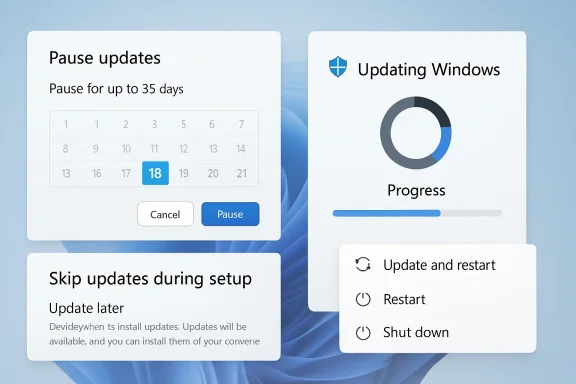
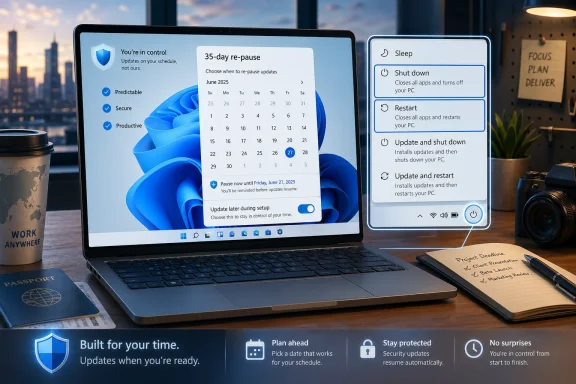
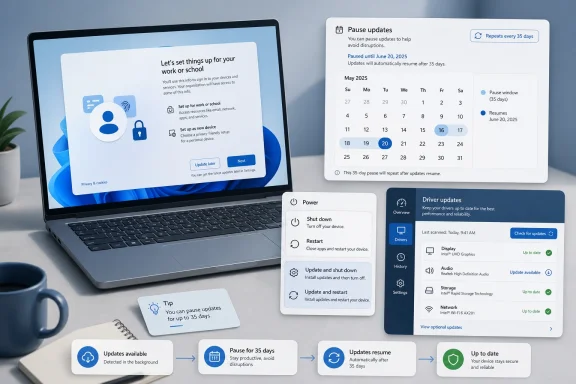
Microsoft is making one of the most consequential changes to Windows Update in years, and it is doing so for a very simple reason: users are tired of feeling ambushed by their PCs. The company is now rolling out a broader set of update controls in Windows 11, including the ability to skip updates during setup, pause updates for longer, restart or shut down without being forced into an install, and see all pending updates in a more unified view. It is a notable shift in philosophy, because Microsoft is no longer treating update friction as an unavoidable nuisance; it is treating it as a product problem that needs fixing. ows Update has been a point of friction for more than a decade because it sits at the intersection of security, convenience, and trust. Microsoft has long argued that frequent patching is essential, especially in a world where threats move quickly and devices stay connected almost constantly. But the lived experience for many users has often been less about security and more about interruption: surprise restarts, long install windows, and shutdowns that are not really shutdowns at all.
That tension becamethe Windows 10 era, when Microsoft leaned hard into the Windows-as-a-service model. The back end improved, with cumulative updates simplifying servicing, but the front end still felt blunt to many people. The OS could be technically correct and still feel disrespectful of the user’s time. That is why update controls like active hours and pause options mattered, even if they did not fully solve the problem.
Microsoft’s March 20, 2026 “commitment to Windows quality” post laid the groundwork for the April changes, promising fewer disruptions, more control, faster and more reliable update experiences, and stronger security by default. The company explicitly said it wanted to reduce the pain points around updates, including the ability to skip updates during setup, restart or shut down without installing, and pause updates for longer when needed. That announcement reframed update management as a usability issue, not just a servicing one.
The timing matters, too. Windows 10 support ended on October 14, 2025, and Microsoft has been pushing users and organizations toward Windows 11 as the long-term path forward. In that environment, update friction becomes more than a nuisance. It becomes part of the case for whether Windows still feels like a platform people want to stay on. If Microsoft can make updates feel calmer and less coercive, that helps its broader trust and retention story.
At the enterprise level, Microsoft has already given IT departments far more sophisticated tools through Intune, Windows Autopatch, update rings, and policy-based servicing. Consumers, by contrast, have often had a far simpler and more rigid experience. The new Windows 11 changes are important because they try to close that gap without turning consumer PCs into unmanaged chaos.
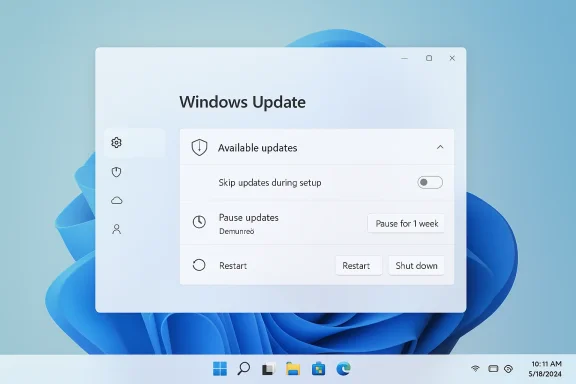
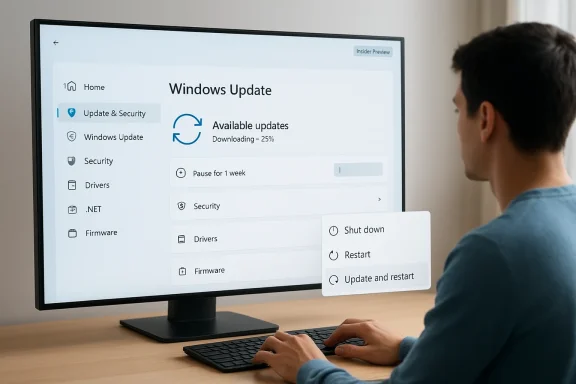
Windows Update dialog showing available updates with options to skip, pause, or restart on a PC.What Microsoft Is Changing​

The most visible shift is control. Microsoft is giving users more say over when updates happen, including the ability to skip updates during the out-of-box experience, pause updates in longer stretches, and restart or shut down without automatically being pushed into an install cycle first. That is a meaningful upgrade because it removes some of the most annoying surprises in the Windows 11 experience.

More user control at setup and shutdown​

Skipping updates during setup is especially important because first impressions matter. A new PC should feel ready for action, not like a maintenance project that has just begun. Microsoft appears to have recognized that buyers do not want their first interaction with a device to be a sequence of downloads, restarts, and waiting screens.
The new shutdown and restart behavior is equally notable. For years, Windows users have complained that clicking “Shut down” did not always mean what it said, especially when updates were waiting in the background. Microsoft is now separating power actions from update actions more cleanly, which restores a basic expectation: if the user says shut down, the PC should shut down.
The user experience angle here is not cosmetic. It cuts directly into one of the most emotionally sticky Windows complaints, because nothing erodes trust faster than a machine that appears to override the user’s explicit intent. That is why even small interface changes can have outsized impact.
  • Skip updates during initial setup to reach the desktop faster.
  • Restart or shut down without triggering an immediate install.
  • Pause updates for longer without the current rigid feel.
  • See update options more clearly before committing.
  • Reduce the sense that Windows is “choosing for you.”

A Unified Update Experience​

Microsoft is also trying to simplify the update surface itself. The company says it is “unifying” the Windows 11 update experience by coordinating driver,.NET, and firmware updates so they align more closely with the monthly quality update cycle. The goal is fewer surprises and, ultimately, a single monthly restart for many users.

Why fewer restarts matter​

This is one of those changes that sounds small until you live with Windows every day. A single monthly restart is easier to plan around than a string of separate update prompts scattered across the month. It also reduces the feeling that the operating system is constantly doing maintenance in the background without asking.
The update unification is not only about convenience. It also helps Microsoft reduce the number of moving parts involved in patching, which can lower the odds of collisions between different update types. Driver, firmware, and.NET updates can all affect system stability in different ways, so lining them up with the main patch cadence is a practical servicing decision.
There is also an enterprise logic to this move. IT teams already think in terms of maintenance windows and coordination across multiple update classes. By making the consumer experience look more like a managed workflow, Microsoft may be reducing the gap between home users and workplace administration practices.

The “Available updates” section​

Users checking Settings > Windows Update will now see a more consolidated “Available updates” section, where all pending items can be expanded and reviewed together. That gives the UI a more transparent feel, because it becomes easier to understand what is waiting and what the system expects to happen next.
That may not sound dramatic, but transparency is often the difference between a system that feels fair and one that feels manipulative. If users can see the whole update picture at once, they are more likely to feel like participants rather than passengers. That matters especially when the update touches multiple components at once.
  • Drivers, firmware, and.NET updates are being coordinated more tightly.
  • The Settings app is becoming less fragmented and more readable.
  • Users can review all pending items before deciding what to install.
  • The design supports one monthly restart instead of several.
  • The experience feels more deliberate and less random.

Secure by Default, Not Secure by Force​

Microsoft is pairing these friendlier controls with a stronger emphasis on reliability and recovery. The company says it is reducing update install time and adding automatic recovery features designed to fix update failures in the background. That is a classic Microsoft move: loosen the visible pressure, but strengthen the safety net underneath.

Faster installs, fewer failures​

Reducing the time it takes to install updates matters because long installs magnify every other complaint. People are much more patient with a process that is quick and predictable than with one that seems to drag on indefinitely. Faster update completion also lowers the chance that users will postpone maintenance simply because it is inconvenient.
Automatic recovery is equally important, even if users never see it directly. If Windows can repair update failures without making the user troubleshoot every bad patch, the whole model becomes less stressful. That is especially valuable in consumer environments, where most people do not want to diagnose servicing problems manually.
This is where Microsoft’s security messaging becomes relevant. The company is still insisting that devices stay secure by design and by default, even as it gives people more flexibility. That balance is the core of the change: more user agency without surrendering the safety posture that modern Windows requires.

The trust equation​

Microsoft appears to understand that update compliance improves when users trust the experience. If the PC feels like it respects them, they are less likely to resist patches. If it feels coercive, they are more likely to defer, ignore, or resent every alert that appears.
That is a subtle but important insight. Security is not just a technical problem; it is also a behavioral one. A friendlier update model can produce better real-world protection if it reduces avoidance behavior and makes patching feel less adversarial.
  • Faster installs reduce frustration and waiting.
  • Recovery tools lower the impact of failed updates.
  • Security remains the baseline, not the afterthought.
  • Better control can improve voluntary compliance.
  • Less coercion can lead to more consistent patching.

Why the Insider Program Matters​

The rollout is beginning in the Windows Insider Program first, specifically through the new Dev and Experimental channels. That is a strong signal that Microsoft wants to test not just the feature mechanics, but the policy implications of giving consumers more freedom over updates.

Dev, Experimental, and phased rollout​

Microsoft’s April 24 Insider post explains that Dev is being moved to Experimental, while Beta is being repositioned separately. That restructuring makes the Insider channels easier to interpret, but it also gives Microsoft a cleaner sandbox for testing changes like update control before broader release.
The company is clearly using these channels to measure user reaction, collect telemetry, and watch for side effects. Update behavior touches supportability, compliance, and device health, so Microsoft cannot treat this as a trivial UI tweak. Any change that affects when updates install also affects how the platform stays secure at scale.
This also explains why the rollout is phased. The company wants to validate the experience first, then decide how much of it should be exposed in the shipping consumer build. That is prudent, because user control sounds great until a small minority use it to defer patches indefinitely.

What the channels tell us about Microsoft’s strategy​

The Insider route suggests Microsoft is trying to normalize these changes as part of a broader Windows quality effort, not as a one-off reaction to criticism. The company has been talking for weeks about “pain points,” and Windows Update is clearly one of the biggest pain points in the product.
It also indicates that Microsoft believes this is the right moment to change behavior. Windows 11 is now far enough along in its lifecycle that refining the daily experience may matter more than dramatic headline features. In other words, the company is trying to win trust through polish, not just novelty.
  • Dev and Experimental are the first proving grounds.
  • Beta is being realigned as the product stabilizes.
  • Microsoft can observe how users respond before broad release.
  • Phased rollout reduces the risk of a bad surprise.
  • Update control is now part of Windows quality, not separate from it.

Consumer Impact​

For consumers, this is one of the most practical Windows 11 changes in recent memory. It does not add a flashy new AI feature or a dramatic visual redesign, but it addresses the daily friction that most users actually notice. That is often where the biggest goodwill gains come from.

Everyday usability gets better​

The ability to skip setup-time updates is especially welcome on new PCs. Many buyers want to unbox a machine, sign in, and get to work immediately. If Windows can make that happen without forcing a multi-step update ritual first, the product feels much more polished.
Longer pause options also help people who travel, work offline, or simply want to time updates around a life event. A calendar-based or extended pause system is more human than a fixed countdown. It says, in effect, “You decide when this happens,” which is a much better message for an OS that lives at the center of a person’s day.
The better shutdown and restart controls may be the most satisfying part of all. Many users have a near-instinctive irritation when they click shut down and the device tries to negotiate its way into an update. Removing that friction improves the emotional feel of the platform in a way that users notice immediately.

The psychological effect​

The psychological benefit may be larger than the technical one. Users who feel they have real control are less likely to develop defensive habits, such as ignoring update prompts or shutting the lid in frustration. That can quietly improve update compliance over time.
This is why the update changes matter even if the average user cannot explain the policy details. The experience of being respected by the OS can be enough to shift perception, and perception is a huge part of how people judge Windows. A calmer update flow makes the whole system feel more mature.
  • New PC setup should feel less bureaucratic.
  • Daily shutdowns become more predictable.
  • Updates feel easier to fit into real life.
  • Users are less likely to resent maintenance.
  • Trust in the platform can improve gradually.

Enterprise Impact​

For enterprise customers, the story is less about radical change and more about alignment. Businesses already have more control over Windows servicing through policy and management tools, but the consumer-facing changes still matter because they can reduce support complaints and confusion. A cleaner baseline experience means fewer “why did my PC do this?” tickets.

Better parity with managed environments​

Enterprise IT already thinks in terms of maintenance windows, change control, and planned downtime. Microsoft’s move to reduce random restarts and bring more update classes into a monthly cadence makes the broader ecosystem feel more consistent with those managed practices. That consistency can help organizations standardize user expectations across fleets.
The driver, firmware, and.NET coordination is also relevant for IT teams because it can reduce fragmentation. Fewer independent update cycles mean fewer variables to track, fewer unusual reboot sequences, and less troubleshooting noise across the month. That is especially valuable in environments where uptime and predictability matter.
Still, enterprises should not expect consumer-style controls to replace policy-driven management. The big organizations will keep using Intune, Autopatch, and update rings because those tools offer the governance needed for compliance, deadlines, and exception handling. Microsoft is improving the default experience, not eliminating administrative control.

Support and compliance implications​

There is a subtle upside here for help desks and deployment teams. If users become less frustrated with updates, they are less likely to delay them in disruptive ways or call support in anger after a forced restart. Better UX can have measurable downstream benefits even when IT keeps the same policies.
The risk, of course, is that consumer flexibility can sometimes bleed into complacency. Microsoft will need to ensure that the stronger controls do not encourage dangerous levels of deferral, particularly on unmanaged devices. That is where warnings, defaults, and recovery systems will matter most.
  • Fewer user complaints about update timing.
  • More predictable change windows.
  • Better alignment between home and enterprise servicing culture.
  • Less support noise from accidental update surprises.
  • Continued reliance on policy tools for governance.

Competitive Implications​

Microsoft’s update changes also have broader implications for the PC market. Windows has often been criticized for making maintenance feel harsher than it needs to be, and that criticism shapes how users compare it with other platforms. If Windows 11 becomes less disruptive, Microsoft improves one of the most persistent arguments against the platform.

Windows versus the rest of the market​

Apple has long sold macOS as a smoother, more controlled experience, even when it too imposes updates and restarts. Microsoft’s move narrows one of the emotional gaps that has helped rivals market their products as more user-friendly. It does not erase the difference, but it does make the Windows case easier to defend.
Chromebooks and mobile-style OS environments have also conditioned users to expect a more seamless background-update experience. Windows cannot copy those models directly because of its desktop complexity and enterprise obligations, but it can borrow their tone: more continuity, less disruption, more predictability.
The competitive value here is not just about being “nicer.” It is about reducing one of the cultural reasons people hesitate to recommend Windows PCs. When a platform feels like it respects your time, it becomes easier to recommend, easier to trust, and easier to keep.

Why this matters for Windows 11’s image​

Windows 11 has already been trying to reposition itself as more polished and more thoughtful than previous versions. Update control is a perfect place to reinforce that message because it affects everyone, from casual users to enthusiasts to IT admins. It is the kind of change that can quietly improve the brand without requiring a marketing campaign to explain it.
If Microsoft gets this right, it may reduce one of the biggest sources of lingering Windows resentment. If it gets it wrong, the company could revive old complaints about forced maintenance under a friendlier label. That is why the details of the final rollout will matter so much.
  • Reduces one of Windows’ oldest reputation problems.
  • Makes Windows 11 feel more modern and respectful.
  • Narrows the perceived gap with competing platforms.
  • Supports Microsoft’s “quality” messaging.
  • Gives the company a better consumer trust story.

Strengths and Opportunities​

The biggest strength of this change is that it addresses a real pain point rather than inventing a new one. Microsoft is improving the parts of Windows Update that users actually complain about, and that makes the move feel grounded, practical, and long overdue. It also gives the company a chance to rebuild trust in an area where trust has been fragile for years.
  • More predictable restarts and shutdowns.
  • Better first-run experience on new PCs.
  • Reduced update clutter in Settings.
  • Stronger alignment with user expectations.
  • A more human-feeling update cadence.
  • Lower frustration for home users and small businesses.
  • Better security compliance through less resistance.

Risks and Concerns​

The main concern is obvious: giving users more control can also mean giving them more room to delay critical patches. Microsoft will need to make sure its defaults, reminders, and recovery mechanisms are strong enough to keep the platform safe even when users get comfortable postponing updates. That is the central balancing act behind this entire redesign.
  • Users may pause updates longer than is safe.
  • Greater flexibility could reduce patch urgency.
  • Some devices may remain on older builds too long.
  • The experience could become more complex if poorly implemented.
  • Microsoft must prevent security regressions.
  • Enterprises may need to explain the difference between consumer and managed behavior.
  • Any glitches in rollout could reinforce old distrust.

Looking Ahead​

The next few weeks will tell us how far Microsoft intends to take these changes beyond the Insider channels. If the company carries the new behavior into the stable Windows 11 branch, it would mark one of the more visible shifts in Windows servicing philosophy in years. The real test will not be whether the features exist, but whether they feel consistent, intuitive, and safe enough for normal users.
The other thing to watch is whether Microsoft expands the idea of user control beyond update timing. The company has already been revisiting other Windows pain points, including startup behavior, shell friction, and recovery reliability, so updates may be just one part of a larger effort to make Windows 11 feel less aggressive and more cooperative. If that pattern continues, the update changes could end up being remembered as the moment Microsoft started taking the “PC should work on my terms” message seriously.
  • Watch for a stable-channel rollout timeline.
  • Watch for whether pause controls become truly calendar-based.
  • Watch for enterprise communication on policy differences.
  • Watch for any new safeguards around deferred patches.
  • Watch for changes to the Windows Update UI in Settings.
Microsoft is not abandoning automatic updates, and it should not. What it is doing is far more interesting: it is trying to make Windows Update feel less like an order and more like a conversation. If the company can keep the platform secure while finally giving users the dignity of timing, the result could be one of the most important quality-of-life improvements Windows 11 has seen so far.

Source: Thurrott.com Microsoft Announces Major Changes to Windows Update in Windows 11
 

Microsoft is quietly changing one of Windows 11’s most annoying behaviors: the update system itself. In the latest Insider builds, Windows Update is becoming more flexible, more explicit, and far less likely to hijack your workflow with surprise restarts or forced timing. The result is a more user-controlled update experience that could reshape how people think about keeping Windows current, especially on new PCs where setup and patching have often been bundled into one long interruption.

A person checks Windows Update on a desktop monitor showing 25% downloading and update options.Overview​

For years, Windows users have had a complicated relationship with updates. They want the security fixes, driver improvements, and platform changes that keep the system healthy, but they do not want those benefits delivered as a chain of interruptions that appears at the worst possible moment. Microsoft has long tried to balance those competing goals, yet the default experience often felt like the machine was making decisions on behalf of the user rather than with them.
That tension is exactly what Microsoft appears to be addressing in the new Insider changes. The company says it is streamlining update behavior so that multiple categories of updates can appear together in a single Available updates area, while also reducing the number of unexpected restart prompts. The new approach is being tested in Build 26220.8282 for Beta and Build 26300.8289 for Canary and Dev, which means the work is still early but clearly real.
The significance is bigger than the individual features. Microsoft is essentially admitting that update friction is not a side issue; it is a core usability problem. By focusing on fewer reboots, cleaner power options, and clearer driver labels, the company is trying to convert updates from an annoyance into a predictable maintenance task. That is a meaningful philosophical shift for Windows, which has historically treated uptime and compliance as a tradeoff rather than a shared goal.
It is also notable that Microsoft is framing the changes as the result of extensive feedback. The Insider blog says the improvements are driven by user input and tied to a broader effort to reduce the number of reboots each month. That matters because it suggests the company is not only polishing the interface, but also rethinking the update pipeline beneath it.

Why Windows Update Has Been Such a Pain Point​

Windows updates have always carried a built-in contradiction. On one hand, they are essential for security, stability, and driver freshness. On the other hand, they historically arrived with blunt-force urgency, often asking users to restart immediately or reminding them repeatedly until they complied. That behavior may be acceptable in managed enterprise environments, but it has been a chronic irritation for consumers and small businesses.
A big part of the frustration is psychological. When a PC asks for a restart, it is not just requesting a technical action; it is interrupting context. A user could be editing a document, in a video call, or shutting down after a long day, and the machine suddenly turns ordinary power actions into update events. Over time, that makes updates feel adversarial rather than helpful.

The old model​

The older Windows model often bundled update installation into the same buttons people use for normal power management. That is how Update and shut down and Update and restart became infamous. They were supposed to be helpful shortcuts, but in practice they blurred the line between an intentional power action and an update commitment. Microsoft’s new design is explicitly trying to separate those two things.
The problem was not just cosmetic. When the system nudged people toward immediate installation, it reinforced the sense that users were not truly in control. That perception mattered because Windows is the default OS for many people who do not want to micromanage maintenance. They simply want the computer to behave predictably.
  • Users wanted updates to be quieter.
  • Users wanted restarts to be optional, not implied.
  • Users wanted clearer status information.
  • Users wanted setup to get out of the way.
  • Users wanted more choice without sacrificing security.
Microsoft appears to have heard all of that, and the new changes are a direct response. The company says it is coordinating driver, .NET, and firmware updates so they can align more closely with the monthly quality update cycle. The goal is to reduce the update experience to a single monthly restart whenever possible.

Why now​

The timing is important. Windows 11 has matured enough that Microsoft can spend more engineering effort on polish and orchestration instead of just raw feature delivery. At the same time, the company’s broader security posture has shifted toward stronger defaults and tighter operational discipline under the Secure Future Initiative. That creates room for improvements that are both more user-friendly and more security-conscious.

The New Control Model​

The headline change is not one feature, but a cluster of small changes that together give users more authority over how updates behave. Microsoft is adding a clearer Available updates section, a more explicit choice during setup, a more flexible pause mechanism, and separate power actions that no longer force update behavior. Each of those sounds minor in isolation. Together, they mark a much more respectful update model.
The best way to think about the new system is that updates become available without always becoming urgent. They can still be downloaded in the background, but they do not need to commandeer the session. If a user wants to update now, they can. If they want to wait, they can do that too.

What changes in Settings​

Microsoft says the Settings app will now show all relevant updates under a new Available updates section. That includes monthly security updates, emergency out-of-band releases, optional non-security updates, and coordinated driver,.NET, and firmware content. The practical effect is that Windows becomes less like a stream of separate demands and more like a dashboard of pending maintenance.
The company also says updates can quietly download in the background and wait for a coordinated installation moment. In other words, Microsoft is moving toward a model where the download happens first, but the restart is deferred until a more sensible time. That is a subtle but important distinction because it preserves patch availability while minimizing disruption.
  • Background download remains intact.
  • Installation can be coordinated.
  • Restarts are no longer forced by default behavior.
  • Update categories are easier to understand.
  • Users can still accelerate specific updates manually.
This is the kind of change that should reduce confusion for everyday users while also making life easier for support staff. When updates are grouped and labeled more clearly, it becomes easier to explain what is pending and why.

The single-restart vision​

Microsoft’s statement about reducing the experience to a single monthly restart is especially telling. It suggests the company recognizes that most users do not object to a restart; they object to multiple restarts that arrive unpredictably. A predictable reboot cadence is much easier to accept than repeated interruptions spread across the month.
That has competitive implications too. ChromeOS and macOS have long sold an image of lighter-touch maintenance, even if the reality is more nuanced. Windows has often struggled with the perception that updates are heavyweight. If Microsoft can make its update cadence feel calmer without weakening security, that removes a longstanding usability disadvantage.

Setup Gets Faster and Less Intrusive​

One of the most practical additions is the new Update later option during Windows 11 setup. This is a direct answer to the complaint that new PCs can spend an uncomfortably long time sitting through forced updates before the desktop is even usable. Microsoft is now giving users a way to land on the desktop first and patch afterward.
That matters because the first hour with a new PC shapes the entire impression of the device. If a buyer spends that time watching progress bars and waiting for restarts, the machine feels slower and more bureaucratic than it should. If, instead, setup gets them to the desktop quickly, the device feels immediately valuable.

Why this matters for consumers​

Consumers are the most obvious beneficiaries because they often set up devices at home, on their own time, and without IT support. A new laptop should feel like a purchase, not a project. The ability to defer setup-time updates acknowledges that users may want to start working, signing in, or transferring data before the system begins patching itself.
That also gives users more agency in a low-friction way. It does not remove the updates. It simply decouples them from first boot. That distinction is critical because users who are eager to explore a new device can do so without being forced through a maintenance session first.

Why this matters for enterprises​

For businesses, the setup change may not be as flashy, but it is still useful. IT teams often image machines, provision them, and then wait for them to settle into a standard state. Any reduction in first-run downtime makes onboarding more efficient, especially for remote workers receiving fresh hardware.
It also helps with staged deployment. An organization may want the device ready for identity enrollment, app installation, or MDM enrollment before any optional updates are layered on. A clean first boot is often worth more than immediate patch compliance in that narrow deployment window.
  • Faster first-use experience.
  • Less time stuck in OOBE.
  • Better onboarding for remote users.
  • More control over when patching starts.
  • A cleaner handoff between setup and maintenance.

The tradeoff​

Of course, skipping updates during setup is not free. The device will not have the latest fixes or features until updates are applied later. Microsoft is making the right call by presenting this as a choice rather than a default guarantee. Choice is the key word here, because the goal is not to weaken security, but to let users decide when the security work begins.

Pausing Updates Without a Hard Ceiling​

The new pause behavior is arguably the most controversial change, because Microsoft is enabling users to extend pause periods repeatedly. The UI still shows a calendar with a default pause window of up to 35 days, but once that window ends, users can re-pause again and again. In effect, Windows 11 can be held in a paused state indefinitely if someone insists on doing so.
That is a remarkable concession from Microsoft, especially given how strongly the company has historically pushed users toward keeping machines current. It signals confidence in user judgment, but it also creates obvious security concerns if people use the feature irresponsibly.

Why Microsoft is doing this​

The most charitable reading is that Microsoft is prioritizing trust. If users know they can pause without being trapped, they may be less likely to resist updates in the first place. A less coercive model can sometimes produce better long-term compliance than a rigid one.
There is also a usability argument. Some users have perfectly legitimate reasons to defer updates for a period of time, such as travel, live events, testing windows, or sensitive work periods where reboot risk is unacceptable. Repeatedly hitting a hard pause ceiling was one of the most frustrating aspects of the old model.

Why this is risky​

The risk is obvious: some users will interpret “indefinite pause” as permission to ignore security hygiene altogether. That is not what Microsoft wants, and it is not what responsible users should do. A paused system is a system that is not receiving new security fixes, which can matter quickly if an active exploit appears. Convenience and risk management are now much more tightly linked.
This is where the enterprise-consumer divide becomes important. In managed environments, IT teams will almost certainly keep tighter rein on pause behavior through policy and compliance tooling. In consumer settings, however, the new freedom can easily be misused by people who do not understand the consequences.
  • Better short-term scheduling flexibility.
  • Less frustration for power users.
  • More autonomy for travel and event windows.
  • Higher risk of running stale security code.
  • Greater need for user education.

A real-world consequence​

The practical upshot is that Microsoft is moving from enforcement to persuasion. That may be the right move for Windows 11’s audience, but it also means the quality of user decisions matters more than before. Microsoft can provide a better control surface, but it cannot force wisdom.

Power Buttons Finally Mean What They Say​

Perhaps the most satisfying change is the separation of power actions from update actions. Microsoft is adding standard Restart and Shut down choices that remain available even when updates are pending, alongside the update-specific options. That means users can stop the machine from confusing a normal power request with an update command.
This is one of those changes that seems small until you realize how many years people have been annoyed by it. The old behavior made a mundane action feel unreliable. The new behavior makes the UI speak more honestly.

What users will see​

Microsoft says the power menu will now show four clear options when updates are waiting: Update and shut down, Shut down, Update and restart, and Restart. The standard power commands will always be present, while the update-specific ones will still appear when applicable. That creates clarity without removing capability.
The result is that users can finish their work, close their session, and tell Windows exactly what they want. If they choose to install the update, they can. If they do not, the system should respect that. This is basic usability, but it has taken years to clean up.

Why this matters technically​

On the technical side, separating these actions likely reduces the amount of accidental update chaining that used to happen when users clicked a power button expecting a normal shutdown. That is not just a convenience issue. It can also reduce confusion around whether an update has actually been staged, installed, or deferred.
It also helps maintain trust in system prompts. If the machine does what the button says, users stop second-guessing it. That makes the PC feel more predictable, and predictability is one of the most underrated features in operating systems.

Driver Updates Get Better Labels​

Another useful refinement is the addition of device class labels to driver updates. Instead of seeing vague or nearly identical driver titles, Windows 11 will now indicate whether a driver update applies to display, audio, battery, HDC, or another device class. That should make update lists much easier to interpret.
This matters more than it may first appear. Driver updates can be important, but they can also be specific, risky, or unnecessary depending on the hardware in question. Better labeling gives users and admins a fighting chance to understand what is changing before they approve it.

Why this is a smart move​

Historically, driver updates in Windows have often been opaque to ordinary users. The title may list a vendor and a version number, but not much else. That lack of clarity makes people nervous, and nervous users often defer updates even when the update would help them.
By naming the device class, Microsoft is reducing the cognitive load. A user can now infer whether a driver is relevant to the core display path, the battery subsystem, or a peripheral category. That is especially useful on laptops, where device-specific drivers can influence power behavior, wake behavior, and overall stability.

Why it matters for IT teams​

For support teams, this also improves triage. If a laptop suddenly exhibits a touchpad issue or battery reporting problem, it is helpful to know whether a recent update touched the relevant device class. Better labels reduce the time spent cross-referencing vague package names.
It will not eliminate driver-related headaches. Nothing in Windows ever fully eliminates those. But it should make those headaches easier to diagnose.
  • More transparent update naming.
  • Better user understanding.
  • Faster support triage.
  • Improved confidence in driver installation.
  • Lower risk of accidental approval.

The Security Balance Microsoft Is Trying to Strike​

Microsoft’s move is not a retreat from security; it is an attempt to make security less disruptive. The company has recently emphasized secure-by-design and secure-by-default principles through the Secure Future Initiative, which is meant to strengthen how Microsoft builds and operates its products. That broader context makes the update changes easier to understand.
The key challenge is that security and convenience often push in opposite directions. If Microsoft makes updates too aggressive, users resent them. If Microsoft makes them too optional, some people will ignore them. The new design tries to preserve the availability of fixes while reducing the feeling of coercion.

A better default, not no updates​

This is where nuance matters. Microsoft is not saying updates no longer matter. It is saying users should have more control over when and how they happen. That is an important distinction because it keeps the security model intact while improving the experience around it.
The company also appears to be using orchestration to reduce the number of times a machine needs to reboot. If driver, firmware, and.NET updates can align more cleanly with monthly quality updates, then the system can be both safer and less annoying. That is a worthwhile objective, and one that should resonate with enterprise administrators.

Consumer versus enterprise realities​

Consumers will mostly care about annoyance, speed, and flexibility. Enterprises will care about compliance, scheduling, and support cost. Microsoft’s new design seems aimed at both groups, but for different reasons. Consumers get peace and control; IT gets a cleaner update story and potentially fewer support escalations.
That said, enterprises will probably be the ones to keep the strictest guardrails. A feature that allows indefinite pausing is simply too risky to leave uncontrolled in managed environments. Expect policy frameworks and management tooling to remain the real gatekeepers there.

What the Windows 11 Update Experience Signals About Microsoft​

These changes are about more than updates. They are a signal that Microsoft is willing to rethink long-standing parts of Windows that had become politically and emotionally expensive for users. That is not a trivial shift. It suggests the company understands that platform maturity now depends as much on respect for the user as on new features.
It also suggests Microsoft is listening more closely to pain points that do not always show up in flashy feature demos. Restart friction, vague driver names, and clumsy shutdown behavior are not glamorous topics. But they are the kinds of issues that shape whether Windows feels modern or merely complicated.

A maturing product strategy​

There is a pattern here. Microsoft has been trying to modernize Windows 11 by reducing rough edges rather than just adding new capabilities. That includes changes to system dialogs, setup flows, and background behavior that are easy to miss but important in daily use. If the company keeps doing that, Windows will feel less like a legacy system with new paint and more like a platform that is steadily learning from its users.
This may also reflect the fact that Windows is now expected to serve vastly different audiences at once. A gamer, a corporate laptop user, a home student, and an IT admin do not want the exact same update policy. Microsoft cannot make everybody happy, but it can make the system more adaptable.

Why this matters in 2026​

In 2026, user tolerance for interruption is lower than ever. People are used to services updating silently in the background, devices syncing continuously, and software generally staying out of the way. Windows has often lagged behind that expectation because of its historical reboot model. These changes are Microsoft’s attempt to close that gap without compromising the architecture that still underpins desktop security.

Strengths and Opportunities​

The new update model has several clear strengths, and the biggest one is that it gives users a credible sense of control without forcing Microsoft to abandon security discipline. If implemented well, it could reduce frustration, improve onboarding, and make Windows feel more respectful in everyday use.
  • More user control over when updates install and when restarts happen.
  • Faster setup experience for new PCs by allowing users to skip first-run updates.
  • Cleaner power menu behavior that finally separates normal shutdown from update actions.
  • Better driver transparency through device class labels.
  • Improved monthly cadence by coordinating more update types into fewer restarts.
  • Lower support burden thanks to clearer update visibility and less confusion.
  • Better user trust because the UI behaves more honestly.

Risks and Concerns​

The biggest concern is that Microsoft’s newfound flexibility could be abused or misunderstood, especially by consumers who see “pause indefinitely” as a license to forget about updates altogether. That would be a security mistake, not a feature win. The company has to balance user freedom with ongoing education and clear warnings.
  • Indefinite pausing can leave systems exposed to known vulnerabilities.
  • Users may delay critical patches because the UI makes waiting too easy.
  • Powerful choices can confuse less technical users if explanations are weak.
  • Enterprise policy drift could become a problem if controls are not managed tightly.
  • Driver labeling improvements may still not be clear enough for novices.
  • Update coordination complexity could create edge cases across firmware,.NET, and drivers.
  • Too much optionality can sometimes reduce compliance instead of improving it.

Looking Ahead​

The next question is whether Microsoft can turn these Insider changes into a stable, broadly deployed model without introducing new confusion. The company has the right idea: fewer interruptions, clearer choices, and more predictable maintenance. But the success of this redesign will depend on whether Windows keeps the promise of control without burying users in too many decisions.
There is also the larger question of rollout. Insider features often arrive in stages, and the transition from Beta and Dev to retail users can take time. Microsoft will need to prove that the new behavior is consistent across device types, update categories, and power states before it can claim the update experience has truly been fixed.
  • Watch for broader rollout beyond Insider channels.
  • Watch for policy controls aimed at enterprise environments.
  • Watch for whether indefinite pause remains unrestricted.
  • Watch for whether the single-restart goal actually holds up.
  • Watch for user confusion around new update and power menu options.
The most important thing to watch, though, is whether Windows starts to feel less like a machine that periodically interrupts your life and more like one that quietly supports it. If Microsoft can keep moving in that direction, this update overhaul will be remembered as more than a quality-of-life tweak; it will be seen as part of a larger reset in how Windows treats its users.
Microsoft has spent years being criticized for update friction, and with these Insider changes, it is finally addressing the complaint at its root. The company is not promising a world without updates, nor should it. It is promising a world where updates are more visible, less invasive, and more under the user’s command. For Windows 11, that may be the most meaningful improvement of all.

Source: Windows Latest Microsoft is finally giving you full control over Windows 11 updates (hands on)
 

Microsoft is making one of the most consequential changes to Windows 11 in years, and it is doing so through a series of small but meaningful update-experience tweaks rather than a flashy redesign. The company’s April 24 rollout gives users more control over when updates happen, including the ability to skip setup-time updates and repeatedly extend update pauses without hitting a fixed ceiling. It also reflects a broader shift in Microsoft’s messaging: updates are still mandatory in spirit, but the company now wants them to feel predictable instead of disruptive.

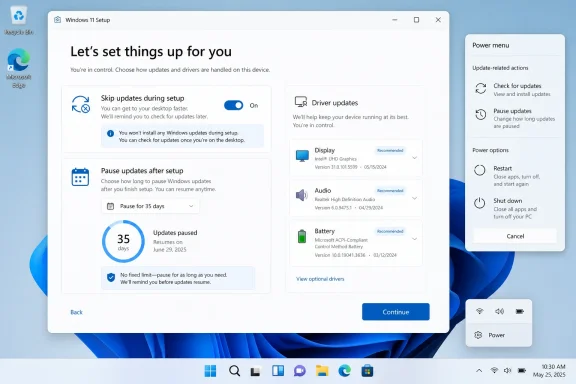
Windows 11 setup screen prompting update and driver handling options.Overview​

For years, Windows users have complained that updates arrive at the worst possible moments. Sometimes the frustration has been about installation time; sometimes it has been about reboot prompts that seem to ignore what the user is doing; and sometimes it has been about the perception that Windows Update is a system the user manages only in name. Microsoft’s latest changes are a direct answer to that long-running tension, and the company is framing them as the result of user feedback collected across thousands of verbatims.
The headline change is straightforward: Windows 11 now lets users skip updates during device setup, so they can reach the desktop faster and take updates later if they choose. Microsoft says this option was added earlier in 2026 and is now part of the broader update-control push. That may sound minor, but it matters because the out-of-box experience has long been one of the most annoying choke points for both consumers and IT pros, especially on fresh installs or slower networks.
The second big change is even more significant from a control standpoint. Windows Update pause controls now allow users to re-pause for up to 35 days at a time, with no limit on how many times the pause can be reset. In practical terms, that means Microsoft has removed the artificial sense of a hard stop and replaced it with a rolling pause model. The company still expects devices to stay current, but the user now has far more say in when that happens.
At the same time, Microsoft is simplifying the Windows Insider program. That effort is separate from the consumer-facing update controls, but it points in the same direction: fewer surprises, clearer channel definitions, and more predictable build behavior for testers. On April 24, Microsoft began transitioning Dev to Experimental and Beta to a new Beta experience, with release notes moving into the Windows Insider Program Documentation Hub. This is a quality-of-life change for power users, but it also reveals where Microsoft wants the entire Windows ecosystem to go: fewer mismatched expectations and a cleaner path from preview to retail.

Why Microsoft Is Changing Update Behavior Now​

Microsoft did not suddenly discover that users dislike forced restarts. The pressure has been building for years, and Windows 11 has inherited a lot of that frustration from prior versions of Windows. In a world where people increasingly use their PCs for work, school, and creator workflows, an unexpected reboot is more than a nuisance. It is a workflow interruption, and sometimes a loss of state if an app or browser session does not recover cleanly.
What makes this moment different is that Microsoft appears to be balancing two competing imperatives more explicitly than before. On one side is the company’s Secure Future Initiative, which pushes for devices to get security updates quickly and consistently. On the other side is the user reality that not every patch should land right now, and not every reboot should be forced at the least convenient moment. The new Windows Update design is Microsoft trying to solve that conflict without abandoning its security posture.
There is also a business reason behind the shift. Microsoft has spent the last several years turning Windows into a service with a more visible cadence of change, but service models only work when users trust the delivery mechanism. If updates are associated with friction, annoyance, or broken workflows, the service model becomes a liability. Giving users more timing control is a way to preserve the update pipeline while reducing the emotional cost of participating in it.

A response to longstanding friction​

The most important part of the rollout is not the feature count; it is the tone. Microsoft is explicitly acknowledging that untimely updates and not enough control are recurring complaints. That admission matters because it shows the company is treating update UX as a product problem, not just a policy problem. In Windows terms, that is an important philosophical change.
It also suggests that Microsoft has learned something from the way users respond to control surfaces. When users feel they are being forced into a narrow path, they often postpone updates more aggressively than they otherwise would. Paradoxically, giving them more choice can improve compliance because it reduces resistance. In other words, more control may lead to better update adoption, not worse. That is an inference, but it is a plausible one given the direction Microsoft is taking.

Why timing matters as much as content​

Microsoft has spent years improving update reliability, and it has made clear that it wants to reduce the number of reboots users see each month by coordinating driver,.NET, firmware, and quality updates. That strategy only works if the update experience feels coherent. If the user is still surprised by when and how updates happen, then even technically better servicing will still feel broken.
The new controls attack the timing problem directly. That is important because timing is what users remember most. They do not usually remember the specific KB number that triggered a reboot; they remember that the machine rebooted during a meeting, a deadline, or a travel day. Microsoft is trying to make those moments rarer, or at least more avoidable.
  • The goal is not to eliminate updates.
  • The goal is to reduce interruption.
  • The goal is to make update timing feel intentional.
  • The goal is to lower the emotional cost of staying current.

What Changes in Setup and OOBE​

The most immediately visible improvement affects the out-of-box experience. During Windows 11 setup, users can now skip updates rather than being forced to wait for them before getting to the desktop. That is a simple change on paper, but in practice it could save a lot of time on freshly built PCs, machines on poor networks, or systems being provisioned for quick evaluation.
This matters because OOBE is one of the few moments when users have almost no patience for delay. If someone has just installed a new PC, they want to use it. They do not want setup to turn into a patching session. By allowing users to land on the desktop first, Microsoft is acknowledging that the psychological finish line of setup is as important as the technical completion of setup.
That said, the new flexibility is not a blanket promise. Microsoft notes that the skip option is not applicable to commercial devices where OOBE is managed, and it may not apply in select cases where updates are required for the device to function. That carveout is important because it shows the company is preserving enterprise control and protecting the minimum update baseline where required.

OOBE and first-impression engineering​

Microsoft has long treated setup as a first-impression battleground. Every extra minute before the desktop appears is a minute in which the user’s enthusiasm decays. By cutting setup-time friction, the company is not only improving convenience; it is protecting the perceived speed of Windows 11 itself.
There is also a subtle trust issue here. Users are more likely to believe that Windows is under their control when the first thing they do is make a real choice about updates. That choice can make the rest of the OS feel less paternalistic. It is a small interface change with a disproportionately large symbolic effect.

What this means for new PCs​

For consumer PCs, this should make first boot feel much less like a chore. For enthusiasts and system builders, it reduces the frustration of setting up multiple machines in a row. For IT departments, the impact is more complicated because managed commercial environments often require different deployment rules. In those cases, the change may be less about end-user freedom and more about reducing setup bottlenecks where policy allows.
  • Faster access to the desktop.
  • Less setup-time waiting on weak connections.
  • Better experience on freshly imaged systems.
  • More flexibility for enthusiasts and home users.

How the New Pause Model Works​

The second major change is the update pause model. Microsoft is now letting users pause updates for a selected date up to 35 days and then extend that pause as many times as needed. The practical effect is that there is no longer a hard behavioral cap that forces a return to updates on Microsoft’s preferred schedule.
That does not mean security updates have become optional in any absolute sense. It means the operating system is now giving the user the ability to defer them far more flexibly. The difference is subtle but important. A system that lets you pause at your own pace feels much less coercive than one that pauses only until an arbitrary deadline.
This is where Microsoft is walking a fine line. Too much flexibility risks users staying unpatched for too long. Too little flexibility drives users to ignore update prompts, delay installs, or resent the operating system. Microsoft’s new model tries to preserve the option to stay current while acknowledging that users need room to plan around travel, conferences, exams, or busy weeks.

A better fit for real-world schedules​

A fixed pause window only works when life is regular. In reality, many people do not want their PCs changing behavior right before a presentation, a trip, or a deadline. The new pause controls are a better match for that reality because they recognize that update timing is not just a technical matter; it is a calendar matter.
From a user-experience perspective, this is one of the better update changes Microsoft has introduced in years. It addresses a real-world use case without requiring the user to become a settings expert. The interface does the planning work, and the policy now follows the user’s schedule more closely.

The security trade-off​

The obvious downside is that users who take advantage of unlimited re-pausing may leave systems exposed longer than Microsoft would like. That is why the company continues to emphasize that Windows is grounded in secure by design and secure by default principles. The message is clear: control is being expanded, but the security expectation has not disappeared.
This is a classic tension in operating-system design. The more graceful you make the deferral mechanism, the more likely it is that people will defer. But a clumsy mechanism encourages worse behavior, such as disabling update behavior in more extreme ways or relying on inconsistent habits. Microsoft seems to be betting that a controlled pause model is better than user workarounds. That bet is reasonable.
  • Users gain flexibility without needing third-party tools.
  • The system becomes easier to live with during busy periods.
  • Security policy remains visible and central.
  • The risk of very long deferrals still exists.

The Power Menu Becomes More Predictable​

Another useful change is the separation of standard power actions from update actions. In practice, this means Restart and Shut down remain clearly available even when updates are pending, instead of being conflated with update-install behavior. Microsoft says this makes the power menu more predictable and ensures the system does exactly what the user asks it to do.
That may seem cosmetic, but it solves a very old irritation. Many users have experienced the moment when they intended to shut down quickly, only to discover that Windows treated the action as an opportunity to update. The result was a hidden delay that turned a simple exit into a maintenance event. Removing that ambiguity is a meaningful usability win.
Microsoft also says the system will try to restore previously opened applications faster after a restart. That matters because the company is not only trying to make restarts less annoying; it is trying to make them feel less destructive. If apps return quickly, users may be more willing to accept a reboot when it is genuinely needed.

Why clearer power choices matter​

Power menus are one of those interface areas that most users barely notice until they fail them. When the choices become ambiguous, trust erodes quickly. A clean distinction between “do the power action” and “install the update” is a small but important principle of good system design.
This is also a good example of Microsoft reducing surprise. Surprise is almost always bad in maintenance flows. Users will tolerate a lot if the behavior is clear in advance. They tolerate much less when the operating system appears to be making decisions on their behalf.

Consumer and enterprise implications​

For consumers, this should reduce annoying interruptions at the end of a session. For enterprise environments, the effect is more nuanced because administrators may still prefer policy-driven restart behavior. Still, even in managed fleets, a clearer power menu can reduce confusion for end users who are not deeply involved in device management.
  • Less accidental update behavior.
  • More predictable shutdowns.
  • Better user confidence in what the OS will do next.
  • Faster post-restart recovery for open applications.

More Information About Driver Updates​

Microsoft is also adding more clarity around driver updates by including the device class in the title. That means users should be able to tell whether an update applies to display, audio, battery, extension, HDC, or another device category. In the real world, this solves a persistent problem: too many driver update titles have looked nearly identical, which makes it hard to tell what will actually change.
This is a small but important information-design improvement. If the operating system wants users to make better decisions about installing updates, it has to give them better information. A generic driver label is not enough. Clearer titles make it easier to spot risky updates, identify important hardware fixes, and avoid installing something blindly.
Microsoft says this change was driven by feedback after it simplified update titles late in 2025. That is useful context because it shows the company is iterating on a larger update-communication redesign, not just adding random tweaks. Better metadata is one of the quietest ways to improve trust.

Why update clarity matters to power users​

Power users, device builders, and IT admins often rely on update names as a first pass for triage. If a driver title is too vague, they may postpone it or investigate separately. By adding device class information, Microsoft is making the Windows Update page more diagnostic and less opaque.
This is especially helpful for troubleshooting because it reduces guesswork. A user who sees a battery or display driver update can immediately understand where to look if something behaves differently afterward. That kind of clarity saves time and lowers the odds of unnecessary suspicion about Windows itself.

A modest feature with outsized value​

The value of this change is less about excitement and more about friction reduction. Users generally do not want more notifications; they want better notifications. Better titles are part of that promise. They turn Windows Update from a mysterious queue into a somewhat legible maintenance dashboard.
  • Easier to identify what a driver update affects.
  • Less confusion between similar update titles.
  • Faster triage for IT and support teams.
  • Better transparency for informed installation decisions.

What Microsoft Is Doing in Windows Insider​

The Insider changes are not the main story, but they are part of the same update philosophy. Microsoft is moving from the old Dev and Beta setup to a newer Experimental and Beta model, with Dev users transitioning to Experimental and the Beta experience being realigned to better reflect what is coming to retail in the following weeks. That should make preview builds easier to reason about and reduce the disconnect between what insiders read about and what they actually see on their machines.
Microsoft is also shifting release notes into the Windows Insider Program Documentation Hub. That change is less dramatic than a feature toggle, but it is the kind of structural improvement that makes a program easier to navigate. It brings better organization, clearer channel separation, and improved deep linking, which matters when testers are trying to understand what changed and where.
This is important because the Insider program is where Microsoft tests the habits it eventually wants to normalize in retail Windows. If preview users have a better experience tracking changes, channel definitions, and build notes, then the company can validate a cleaner model before applying it to the broader base. In other words, the Insider reshuffle may be a preview of how Microsoft wants Windows servicing to feel more generally.

Why the channel changes matter​

Insider channels have sometimes been confusing even for experienced Windows watchers. Too many builds, too many labels, and too many overlapping expectations can make preview participation feel like archaeology. By simplifying the structure, Microsoft is trying to reduce confusion and preserve the utility of feedback.
That matters because the quality of preview testing depends on the quality of the preview experience. If testers cannot easily tell where they are in the pipeline, their feedback becomes noisier. Cleaner channels should produce better bug reports and clearer expectations about stability.

The broader message to testers​

The messaging is consistent: Microsoft wants preview participants to experience fewer surprises and more predictability. That does not mean the Insider program will become boring. It means the changes should be easier to track and interpret, which ultimately makes the feedback loop more useful.
  • Better channel definitions.
  • Easier-to-find release notes.
  • More predictable build transitions.
  • A clearer path from preview to retail behavior.

Strengths and Opportunities​

Microsoft’s update changes are strongest where they solve real user pain without dismantling the security model. The company is not promising a world without updates; it is promising a world where updates are less invasive, more understandable, and more under user control. That is a pragmatic and politically smarter approach to Windows servicing.
  • Less interruption during setup should make new PCs feel faster and less frustrating.
  • Flexible pause controls give users real scheduling power without resorting to hacks.
  • Clearer power actions should reduce accidental update-triggered delays.
  • Improved driver titles make it easier to understand what is being installed.
  • Better Insider structure should improve testing quality and feedback clarity.
  • Security-first framing helps Microsoft defend the changes as user-friendly, not lax.
  • Reduced reboot chaos could gradually improve trust in Windows Update overall.
These changes also create room for Microsoft to keep refining update coordination behind the scenes. If the user-facing experience is less hostile, the company can make more aggressive servicing improvements without provoking the same level of pushback. That is a real opportunity.

Risks and Concerns​

The biggest risk is obvious: more control can also mean more delay. If users repeatedly extend pauses, they may stay unpatched longer than is prudent, especially on consumer devices that are not centrally managed. Microsoft is clearly aware of this tension, but it cannot fully control how people behave once the controls are in their hands.
  • Longer deferrals may increase exposure to security threats.
  • Feature fragmentation could widen if users skip too many updates.
  • Enterprise exceptions may complicate how the change is perceived across device types.
  • User misunderstanding could lead some people to think updates are optional in a broader sense than they really are.
  • Incomplete rollout timing may make the experience inconsistent across Insider and retail builds.
  • Reliability issues in individual updates could still overshadow UX improvements if patch quality slips.
  • Too much flexibility could increase support complexity for less technical users.
There is also a messaging risk. If Microsoft emphasizes control too aggressively, some users may hear “you can delay updates forever” even though the company is still pushing for secure, current systems. That misunderstanding could encourage unhealthy patch behavior. The balance between choice and responsibility will need careful communication.

How This Compares With the Old Windows Model​

For much of Windows history, updates were treated as a necessary but often blunt mechanism. They happened because they had to happen, not because they fit into the user’s day. Over time, Microsoft has softened that model, but it has often done so in incremental ways that still left users feeling like the OS was managing them rather than serving them.
The new Windows 11 changes are notable because they move one step further toward user agency. Setup no longer has to stall on updates. Pauses can be renewed. Shutdown and restart are no longer morally attached to patch installation. Even update labels are becoming more descriptive. Together, these are the building blocks of a more mature servicing philosophy.
This is not a revolution, and it should not be mistaken for one. Microsoft is still firmly committed to regular patching, automatic delivery, and security enforcement where needed. But the company is conceding that how updates are delivered matters almost as much as what they contain. That is the real shift.

Historical context in practical terms​

Windows users have lived through eras of disruptive restart prompts, opaque driver updates, and setup flows that felt unnecessarily slow. The current changes do not erase that history, but they do address the part of it that users experience most directly. Microsoft seems to be moving from a compliance-first mindset to a consent-first UX layer, while still maintaining backend control.

Why rivals should pay attention​

Competing desktop ecosystems have long used user trust as a selling point, especially on update timing and perceived control. Microsoft’s changes narrow that gap a little. If Windows becomes less surprise-driven, one of the more common criticisms from would-be switchers loses some force. That will not reverse platform inertia, but it can improve sentiment at the margins.
  • More consent-driven update flow.
  • Less friction during first boot.
  • A calmer restart model.
  • Better visibility into driver payloads.

Looking Ahead​

The most likely next step is not another dramatic policy shift, but more refinement. Microsoft will probably keep tuning the update surface, the Insider structure, and the cadence of coordinated servicing so that the process feels increasingly unified. If the company can reduce the sense that Windows Update is a series of interruptions, it will have done something more valuable than adding a feature: it will have improved trust.
The harder question is whether users will use the new controls responsibly. That will depend on whether Microsoft communicates the trade-offs clearly enough and whether the OS makes the right path feel obvious. The best outcome is not that everyone pauses updates forever; it is that people feel informed enough to choose the right time to install them.
What to watch next:
  • Whether the pause-extension model reaches broad retail availability beyond Insider-facing language.
  • Whether Microsoft adds more transparency around security impact when updates are deferred.
  • Whether commercial management tools gain matching controls or remain more restrictive.
  • Whether update reliability improves enough to make the new flexibility feel safer.
  • Whether the Insider channel simplification becomes a template for other Windows servicing surfaces.
If Microsoft gets this right, Windows 11 could become noticeably easier to live with without sacrificing its security posture. That would be a meaningful win, because the real problem has never been that Windows updates exist; it is that they have too often felt like interruptions imposed by the machine rather than maintenance chosen by the person using it. The April 24 changes do not solve everything, but they do suggest that Microsoft finally understands that better control is not the opposite of better security — it is often the route to it.

Source: Gizchina.com Microsoft Overhauls Windows 11 Update Mechanism for Greater User Control
 

Microsoft is preparing one of the most consequential user-experience shifts in Windows 11 in years, and it is doing it in a place most people notice only when something goes wrong: Windows Update. The company’s reported plan includes longer pauses, more flexible scheduling, the ability to skip some update prompts during setup, and clearer control over restarts and shutdowns. That sounds modest on paper, but it directly addresses one of the oldest frustrations in Windows: the feeling that the PC decides when maintenance happens, not the person using it. The broader significance is bigger than convenience, because Microsoft appears to be recasting update behavior as a trust issue rather than a purely technical servicing problem.

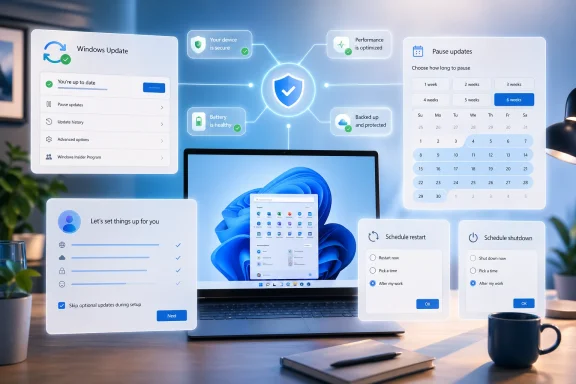
Windows 11 update security and settings UI overlays around a laptop on a desk.Overview​

Windows Update has always sat at the intersection of three competing priorities: security, reliability, and user control. Microsoft has spent more than a decade pushing Windows toward a more continuously serviced model, and that approach has delivered real benefits, especially for patch compliance and vulnerability response. But it also created a persistent emotional problem for users, who often experienced updates as interruption, not protection. The new Windows 11 direction suggests Microsoft finally understands that the update experience is not just about what gets installed; it is about when, how, and whether the user feels in control while it happens.
That shift did not happen overnight. Microsoft already made substantial update reforms during the Windows 10 era, including clearer update controls and a pause option that could last up to 35 days. Those changes acknowledged backlash, but they did not fully solve the core complaint: updates could still feel invasive, especially during shutdowns, restarts, and the first-run setup process. Windows 11 has inherited that same tension, even as Microsoft has continued to improve servicing quality and reduce some of the rough edges. The April 2026 changes look like a deeper attempt to rebalance the model rather than merely smooth its surface.
The user feedback loop matters here too. Microsoft has been encouraging more direct feedback through Insider channels and other mechanisms, and recent forum discussion reflects a broader company effort to identify the daily friction points that make Windows feel less dependable. Update interruptions are exactly the kind of issue that power users complain about loudly, but that average users may simply tolerate until frustration accumulates. In that sense, the update changes are not just a product tweak; they are a signal that Microsoft is willing to respond to repeated criticism where it hurts most.
A final piece of context is important: Microsoft is not abandoning automatic updates, and it should not. Consumer Windows security depends on broad adoption of patches, and enterprise IT still needs strong management controls. What appears to be changing is the tone of the system. Instead of acting like Windows Update is something users endure, Microsoft seems to be trying to make it behave like a planned service with visible guardrails. That is a subtle difference, but for Windows, subtle differences often define entire eras.

What Microsoft Is Changing​

The most important part of the new plan is not a single feature but the combination of controls. Microsoft appears to be broadening update flexibility across three user moments: setup, daily use, and shutdown/restart behavior. In practice, that means users can get to the desktop faster after buying or resetting a PC, delay maintenance more intelligently during work, and avoid the old frustration of having a simple power action transform into an unexpected install session. That package is notable because it goes after the most visible pain points rather than only adjusting background servicing rules.

Setup-time control matters most​

The “skip updates during setup” piece may sound like a convenience checkbox, but it addresses a long-standing onboarding problem. On a new device, time-to-desktop shapes first impressions, and Windows has often been slow to hand control to the user because it insists on catching the machine up before anyone really gets started. That made sense from a patching standpoint, but it also made the setup flow feel bureaucratic. Microsoft now seems to be acknowledging that the first five minutes of a new PC matter as much as the next five months of servicing.
The practical gain is obvious: fewer buyers will be stuck waiting while the device downloads and installs updates before they can log in. That makes the setup process feel lighter, especially for consumer laptops, family PCs, and replacement machines bought in a hurry. It also helps Microsoft compete against operating systems that have historically felt quicker and less ceremonial during onboarding. In a market where perception shapes loyalty, shaving friction off setup is not trivial.

Restart and shutdown behavior​

Microsoft is also trying to reduce the old “update and shut down” trap, where a user tries to end a session and gets dragged into a maintenance flow instead. That annoyance has been a Windows meme for years because it symbolized a deeper problem: the PC felt like it was negotiating with the user instead of obeying them. By separating power actions from update actions more cleanly, Microsoft can make shutdown feel like shutdown again. That is a small UI change with an outsized psychological effect.

Pause and schedule flexibility​

The longer pause windows and better scheduling controls are the more traditional part of the story, but they still matter. Users do not object to patching in principle; they object to patching at the wrong time. Better timing controls let people line up maintenance with travel, meetings, presentations, rendering jobs, or periods when a machine is shared by multiple users. That turns updates from a surprise into an appointment, which is a major improvement in how Windows presents itself.
At the same time, Microsoft is clearly trying to avoid making patching feel optional in a dangerous way. The company still needs devices to stay current, and broad pause controls can become a security problem if users treat them as a way to ignore maintenance indefinitely. The challenge is to provide enough control to reduce resentment without giving people a false sense that updates are negotiable forever. That balance is where many update systems fail, and where Windows will be judged most harshly if the implementation is clumsy.

Why This Matters for Windows 11​

Windows 11 has often been criticized for being cleaner in appearance but still too prescriptive in behavior. The taskbar redesign, the shell restrictions, and the occasional update friction all fed the perception that Microsoft was simplifying the interface at the expense of flexibility. The new update controls help close that gap by restoring a sense that Windows is a configurable desktop platform, not just a managed appliance. That matters because the emotional contract of Windows has always been personal control.
The update changes are also a good example of Microsoft trying to repair confidence through small but meaningful wins. Not every major platform correction comes through a headline feature. Sometimes the most valuable improvements are the ones users experience every day without thinking about them much: fewer interruptions, clearer choices, faster setup, and less ambiguity about what the system is doing. Those are the kinds of changes that can turn skepticism into grudging respect.

Perception is part of product quality​

Windows has an unusually visible relationship with maintenance because updates often happen in the middle of actual work. A bad restart prompt can feel like a betrayal, even if the patch itself is necessary and well-tested. When that happens repeatedly, users stop judging the update logic on technical merit and start judging the entire OS on temperament. Microsoft seems to be trying to change that narrative by making update behavior feel calmer and more intentional.
The branding implication is significant. Windows 11 has been sold as a more refined, more modern version of Windows, yet many people still associate refinement with cosmetics rather than behavior. If Microsoft can make update handling feel polished too, it strengthens the claim that Windows 11 is not just prettier but better behaved. That is the sort of platform-level improvement that shapes long-term loyalty.

Enterprise and consumer expectations diverge​

For consumers, the appeal is obvious: fewer forced interruptions and more immediate access to the desktop. For enterprise IT, the story is more nuanced. Businesses already have robust tools for update management, so the consumer-facing improvements are less about capability than consistency and user acceptance. Still, if ordinary users become less antagonistic toward updates, that can reduce help-desk friction and make managed devices easier to keep compliant.
The broader enterprise implication is that Microsoft may be trying to harmonize the lived experience of consumer and managed Windows rather than leaving them in separate worlds. That could improve predictability across deployments, but it also raises the bar for Microsoft’s documentation and UX design. If the controls are presented badly, or if they behave differently by edition in ways users cannot understand, confusion will erase much of the goodwill.

The Security Trade-Off​

Every time Microsoft loosens the user-facing grip on updates, the same concern returns: will people delay patches too long? That is the obvious risk, and it should not be dismissed. Windows security works best when updates are deployed broadly and relatively quickly, especially in a threat environment where exploited vulnerabilities can spread fast. More flexible controls can help users, but they can also create new pockets of exposure if people abuse them.
That said, it is too simplistic to argue that more control automatically means less security. In practice, the opposite can happen when people feel the system respects their time. Users who are less frustrated are often more willing to leave automatic updates enabled, because they trust the process more. Microsoft is likely betting that a less antagonistic update model will improve compliance overall, even if it gives individuals more say on the margins. That is a behavioral security argument as much as a technical one.

More control can improve compliance​

There is a deep logic to Microsoft’s approach. When users feel ambushed, they look for ways to dodge the system, disable prompts, or postpone maintenance until it becomes inconvenient to ignore. When the process is predictable, they are more likely to cooperate. So while longer pauses seem like a relaxation, they may actually reduce the urge to fight the system, which could help patch adoption in the real world.
The key is that Microsoft must keep the controls understandable. If the interface makes it easy to see what is delayed, what is required, and when the system will insist on moving forward, then the company can gain trust without weakening its patching posture. If the logic is opaque, though, users will treat the feature as another confusing Windows layer and either ignore it or misuse it. The difference between those outcomes is enormous.

The enterprise view is more pragmatic​

In managed environments, IT departments already know how to control timing through policy, rings, and deadlines. The consumer improvements therefore matter less as raw tooling and more as a cultural shift. They show that Microsoft is willing to make update timing a mainstream usability question, not just an admin concern. That can help align expectations across personal and corporate devices, especially for people who use both.
This matters because Windows has always lived in a hybrid world. It is a consumer OS, a business OS, and increasingly a managed platform all at once. Microsoft’s challenge is not merely to satisfy one constituency, but to avoid making each constituency feel that the other is getting all the attention. The update changes suggest the company is trying to serve both groups by making the default experience less hostile without taking away IT’s ability to govern fleets.

Historical Context: How We Got Here​

To understand why these changes matter, it helps to remember how Windows updates evolved. Older versions of Windows treated patching as a more manual and visible process, but that approach became harder to sustain as security threats accelerated and software supply chains grew more complex. Windows 10 was the era when Microsoft moved more aggressively toward always-on servicing, automatic delivery, and a more opinionated update model. That solved some problems and created others.
By 2019, Microsoft had already conceded that user anger was not just noise. The company introduced clearer update controls and a pause option, which was an admission that people needed at least some breathing room. But those reforms still left many complaints intact, especially around restart timing and setup behavior. Windows 11 inherited that legacy, and because it was marketed as a cleaner, more elegant desktop, those lingering rough edges became even more visible.

Windows 10 set the pattern​

Windows 10 normalized the idea that patches should arrive quickly and broadly, even if that meant more automated behavior. From a platform management standpoint, that made sense. From a user standpoint, it often felt like the OS had become too eager to impose its own schedule. That perception became one of the defining complaints of the Windows 10 era, and Microsoft has never fully escaped it.
The important point is that the problem was never just the patches themselves. It was the relationship between the machine and the user. Windows became more secure, but it also became more assertive. The new Windows 11 changes appear to be an attempt to keep the security gains while softening the tone of the operating system. That is a hard design problem, but it is the right one to solve.

Windows 11 is the correction phase​

Windows 11 has increasingly looked like Microsoft’s effort to correct the social contract of Windows rather than rewrite the technical foundation. We have seen this in UI refinements, in Explorer and shell improvements, and now in update behavior. The company seems to have recognized that a modern Windows strategy cannot rely on technical correctness alone. It also has to feel respectful.
That correction phase is not glamorous, but it is often more important than splashy features. People live inside operating systems in long, repetitive routines. If Microsoft can make those routines less annoying, it gets credit every single day. The update changes are part of that larger effort to make Windows 11 feel less like a system that interrupts and more like a system that cooperates.

Competitive Implications​

Microsoft does not operate in a vacuum, and this update shift has competitive implications even if it does not look like a classic product launch. Competing desktop platforms have long benefited from perceptions of smoother onboarding and less intrusive maintenance. By reducing update friction, Microsoft is trying to remove one of the easiest comparison points critics use against Windows. That may not win converts on its own, but it reduces a visible disadvantage.
The reputational dimension matters just as much. Windows has enormous inertia, but reputation still affects upgrade timing, device satisfaction, and long-term platform trust. If users increasingly feel that Windows Update is manageable rather than hostile, Microsoft will have less brand drag around the OS. That can matter in consumer sales, PC refresh cycles, and even enterprise device standardization decisions.

Better friction management is a strategic asset​

Microsoft’s rivals often sell simplicity by implication: fewer interruptions, faster setup, cleaner maintenance, and less visible administration. Windows does not need to copy every part of that story, but it does need to avoid looking cumbersome. Update control is one of the most effective places to show progress because almost everyone feels the pain when it is missing.
This is especially important for Windows on modern laptops, where mobility, battery life, and short setup expectations all amplify frustration. A machine that boots quickly but then pauses for updates before first use sends a mixed message. Microsoft’s changes suggest it understands that perceived speed is part of platform competitiveness, not just raw performance metrics.

The brand cost of being bossy​

Windows has often been criticized not because it lacks capability, but because it can feel bossy in moments when users want autonomy. That emotional cost has become a recurring theme in coverage, user forums, and feedback channels. By easing update friction, Microsoft is trying to reduce the number of times Windows is remembered as the thing that got in the way.
That is not just a cosmetic branding fix. In the PC market, trust is cumulative. A small annoyance repeated hundreds of times can do more damage than a single large defect. Microsoft is therefore making a strategic bet that better update behavior will pay dividends far beyond the settings panel where the changes appear.

Strengths and Opportunities​

Microsoft’s update changes are strongest where they address actual user pain instead of abstract platform goals. They reduce friction at setup, during shutdown, and around planned maintenance, which are exactly the moments when people feel most annoyed by Windows. If the rollout is handled well, this could become one of those quietly important changes that improves the whole OS experience without requiring users to learn anything new.
  • Less onboarding friction for new PCs and fresh installs.
  • Better trust because users feel more in control of maintenance.
  • Fewer surprise reboots during work, travel, or presentations.
  • Cleaner alignment between Windows 11’s polished look and its behavior.
  • Potentially better update compliance if users resist the system less.
  • Improved enterprise optics even if businesses already had stronger tools.
  • A stronger narrative that Microsoft is listening to long-running feedback.

A rare win-win possibility​

The most appealing outcome is a genuine win for both consumers and IT. Consumers get a calmer, less intrusive OS, while organizations keep the underlying security model intact. That kind of compromise is hard to achieve in a platform as old and complex as Windows, which is why the opportunity here is so significant.
If Microsoft sustains this direction, it could also reduce the emotional baggage that accumulates around future updates. Users are more forgiving when a system behaves predictably, even if it still asks them to do inconvenient things sometimes. That is the kind of goodwill that compounds over time.

Risks and Concerns​

The biggest risk is obvious: if Microsoft makes pausing or delaying updates too easy, some users will overuse the controls and leave systems exposed longer than intended. That is the classic tension between convenience and safety, and it does not disappear just because the interface is nicer. Microsoft will have to design the feature so that it encourages thoughtful use rather than avoidance.
Another concern is confusion. Windows already carries a reputation for complexity, and poorly explained update controls could reinforce the idea that patch management is a maze. If users cannot tell what is being delayed, what remains mandatory, or when the device will finally insist on installing updates, the goodwill evaporates quickly. The feature has to be obvious, not just available.
  • Users may pause updates too long and increase exposure to threats.
  • Organizations may need to retrain users on new update options.
  • The controls could be inconsistently implemented across editions or devices.
  • Microsoft may create decision fatigue if too many options appear at once.
  • A bug or confusing wording could turn a good idea into another complaint.
  • More user control could produce support complexity for help desks.
  • The changes could be seen as too little, too late by skeptical users.

Implementation quality will decide everything​

The feature’s success will depend less on its headline description than on the details of execution. If the controls are clean, consistent, and predictable, Microsoft gets credit for listening. If they are buried, ambiguous, or different depending on device type, the old story returns: Windows still makes simple things feel complicated.
There is also a reputational risk if the change lands with bugs or weird edge cases. Microsoft can survive a conservative rollout, but it cannot afford to make a trust-building feature behave untrustworthily. That would undercut the entire message behind the update.

Looking Ahead​

The main question is whether this is a one-off quality-of-life change or part of a broader redesign of how Windows handles maintenance. The evidence so far points to the latter. Microsoft has been gradually making the servicing model more flexible, and user-facing timing control fits naturally into that direction. If the company keeps going, Windows Update may eventually feel less like a command system and more like a negotiated service.
The next test is consistency. Users will care less about the buzz around the feature and more about whether it behaves the same way in setup, in Settings, during shutdown, and after a restart prompt. That consistency is what turns an isolated improvement into a durable platform improvement. If Microsoft gets it right, the change will fade into the background — which, in operating system design, is often the highest compliment.
  • Whether the feature reaches all Windows 11 users or rolls out in stages.
  • How long the new pause and delay windows actually are.
  • Whether setup-time skipping applies equally across consumer and managed devices.
  • How clearly Microsoft explains the new controls in Settings and OOBE.
  • Whether update reminders become less intrusive after the rollout.
  • How IT departments adjust documentation and user guidance.
  • Whether users trust the new controls enough to keep updating normally.
Microsoft has spent years building a more secure Windows servicing model, but security alone was never going to fix the emotional problem around updates. People want protection, yes, but they also want agency. These Windows 11 changes suggest Microsoft is finally trying to deliver both at once, and if it succeeds, the company will have repaired one of the platform’s most enduring sources of irritation without sacrificing the fundamentals that keep Windows viable. That would not just be a useful update policy adjustment; it would be a meaningful correction to how Windows behaves in everyday life.

Source: Thurrott.com windows-update-changes - Thurrott.com
 

Microsoft is testing one of the most user-friendly changes to Windows Update in years: the ability to keep extending an update pause in 35-day blocks with no stated limit. The change, now appearing first for Windows Insiders in the Dev Channel and the new Experimental Channel, reframes updates as something users can schedule around real life rather than simply endure. It is not a promise that security patches no longer matter, but it is a notable concession that Windows has too often confused “protected” with “interrupted.” If Microsoft carries this design into mainstream Windows 11 builds, it could become one of the most meaningful quality-of-life improvements since Windows Update became central to the operating system.

A laptop on a desk shows the Windows Update screen in a cozy home setting.Overview​

For more than a decade, Microsoft has treated Windows servicing as a balancing act between security, compatibility, and user patience. The company’s move to Windows as a service brought faster security fixes and fewer giant upgrade events, but it also made update friction a recurring part of daily computing. Users learned to expect unexpected restarts, setup delays, driver surprises, and the familiar power-menu dilemma: shut down now, or be pulled into an update cycle at the worst possible moment.
The new update experience tries to tackle that trust problem directly. Microsoft says users will be able to select a calendar date up to 35 days away, then extend the pause again as many times as needed. That is a major philosophical shift because the old pause model effectively forced the device back into scanning and updating after the maximum pause window expired.
The change arrives alongside several related improvements. Users setting up a new PC can skip updates during the out-of-box experience in supported scenarios, the Start menu power controls will keep normal restart and shutdown options visible even when updates are pending, and driver update names will include clearer device-class information. Microsoft is also coordinating driver, .NET, and firmware updates with monthly quality updates to reduce the number of restart events.
Historically, the 35-day pause ceiling existed to stop devices from drifting too far behind on security fixes. That logic still matters, especially as Windows 10 has moved beyond its mainstream consumer support era and Windows 11 has become Microsoft’s primary supported desktop platform. But this preview suggests Microsoft now understands that a rigid update policy can create its own risk: users who distrust updates may seek workarounds, disable services, or delay maintenance in less transparent ways.

The Big Change: Pause Windows Update Again and Again​

The headline feature is simple: pause updates for up to 35 days, then extend that pause again when the window runs out. Microsoft’s wording indicates there is no practical limit on how many times a user can reset the pause end date. That does not make Windows Update disappear, but it gives users a sanctioned way to control timing without registry hacks, metered-connection tricks, or third-party utilities.

Why 35 Days Still Matters​

The 35-day number is not new. Windows has long used that figure as a maximum pause period for quality and feature updates in consumer and managed settings. What changes here is the ability to keep choosing another endpoint rather than being forced back into an update scan after the pause expires.
That distinction matters because many update conflicts are not solved by one delay. A student may need a laptop stable through exams, a traveler may spend weeks on poor hotel Wi-Fi, and a small business owner may be preparing for a payroll deadline. A single pause window helps, but repeatable control acknowledges that busy periods do not always fit Microsoft’s servicing calendar.
Key implications include:
  • Users can plan around known busy periods without fighting the operating system.
  • Windows Update remains present rather than hidden or disabled.
  • Security responsibility shifts more visibly to the user when pauses are extended repeatedly.
  • Microsoft gains goodwill by replacing coercion with clearer choice.
  • Insiders become the proving ground for how much flexibility is safe in practice.
This is not the same as a permanent “never update” button. It is a structured postponement system, and that structure is important. Microsoft can still present warnings, track update age, and encourage users to resume updates, while users gain breathing room.

A Calendar Instead of a Countdown​

The new pause interface uses a calendar-style experience, allowing users to pick a specific date up to 35 days in the future. That sounds cosmetic, but it is a usability improvement with real consequences. Dates are easier to reason about than abstract week counts, especially for people scheduling around travel, school deadlines, presentations, or production work.

Control That Matches Real Schedules​

A calendar makes Windows Update feel less like a background system timer and more like an appointment. Users already think in dates: the day after a conference, the weekend after exams, the Monday after a client launch. By aligning update controls with that mental model, Microsoft reduces the chance that people will misunderstand when updates resume.
This also makes the pause feature more transparent. Instead of clicking “pause for one week” multiple times and hoping the math works out, users can choose a target day. That small design choice may do more for trust than a dozen notification tweaks.
A better pause interface should help several groups:
  • Frequent travelers who rely on unreliable networks.
  • Students and educators who need predictable devices during exams or classes.
  • Creators and developers who cannot risk driver changes during active projects.
  • Gamers and streamers who want to avoid performance surprises before events.
  • Family tech helpers who maintain PCs for less technical relatives.
The calendar also makes Microsoft’s security messaging more honest. If the system shows a real date, users can see how long they are postponing patches. That is preferable to vague deferral language that hides the trade-off.

Setup Gets a Needed Escape Hatch​

Microsoft is also expanding the ability to skip updates during the out-of-box experience, commonly known as OOBE. This is the first-run setup process users see when turning on a new PC or reinstalling Windows. For years, OOBE has been one of the most frustrating places for updates to appear because the user does not yet have a usable desktop.

Why OOBE Updates Feel So Painful​

A new PC should feel fast, responsive, and welcoming. Instead, many users have experienced a setup flow that stalls for updates before they can install apps, restore files, or adjust settings. Even when the update is technically beneficial, the timing creates a poor first impression.
The new skip option recognizes that setup is not always the right moment to patch. A user may be unboxing a device in an airport, preparing a machine for a presentation, or helping a relative get online quickly. In those cases, reaching the desktop first can be more valuable than immediately applying every available package.
The practical sequence becomes clearer:
  • Set up the device and reach the desktop quickly.
  • Confirm network, account, and app readiness before committing to updates.
  • Choose an appropriate update window once the machine is usable.
  • Install security and feature updates deliberately rather than under setup pressure.
There are limits. Microsoft notes that some commercial devices with managed setup policies, and some systems that require specific updates to function properly, may not receive the same skip behavior. That caveat is sensible because enterprise provisioning and device bring-up often follow stricter compliance rules.

The Power Menu Finally Stops Setting Traps​

One of the most welcome changes is the return of predictable power controls. When updates are pending, Windows has long emphasized Update and restart or Update and shut down, sometimes making users feel that ordinary restart and shutdown actions had been replaced. Microsoft’s new design keeps standard power options available even when update-specific options exist.

Four Choices Are Better Than Two​

This change addresses a deeply familiar annoyance. You are packing up, leaving a meeting, boarding a flight, or shutting down before a storm, and Windows presents update-laden options exactly when you need speed. Even if a normal shutdown was technically available elsewhere, the power menu often felt like a trap.
Under the revised model, users should see distinct choices:
  • Restart without installing the pending update.
  • Shut down without installing the pending update.
  • Update and restart when the user is ready.
  • Update and shut down when the user wants maintenance included.
This is a small interface change with large emotional impact. A power button should do what it says, and Windows has too often blurred that contract. Restoring predictable restart and shutdown behavior helps rebuild confidence in the operating system’s most basic controls.
There is also a technical benefit. If users no longer fear that every shutdown might trigger an update, they may be less likely to hard-power machines, close laptop lids at unsafe moments, or disable update mechanisms. Predictability is a security feature when it discourages reckless workarounds.

Clearer Driver Updates Reduce Guesswork​

Microsoft says driver update titles will now include the device class, such as display, audio, battery, extension, or storage-related categories. That is a meaningful improvement because driver updates have often appeared with cryptic vendor names, repeated labels, or version strings that provide little context. For enthusiasts and administrators alike, unclear driver metadata can turn a routine update into a guessing game.

Why Driver Labels Matter​

Drivers sit at the boundary between Windows and hardware. A good driver update can improve battery life, fix crashes, or resolve compatibility issues. A bad driver update can break audio, reduce graphics performance, trigger sleep problems, or destabilize a machine that was previously working well.
By identifying the device class, Windows Update gives users a better chance to evaluate risk. A display driver update before a gaming tournament or design deadline feels different from a battery firmware-related package on a laptop with power-management problems. Context changes the decision.
Clearer labels should help users answer basic questions:
  • What part of my PC is this update likely to affect?
  • Is this update relevant to a problem I am actually having?
  • Should I install it now or wait until I have recovery time?
  • Could this explain a recent device issue after installation?
  • Do I need to compare it with an OEM-provided driver?
This change also benefits support communities. When a user reports that “Windows installed a driver,” helpers often need to dig through update history, Device Manager, and vendor package names. Better Windows Update titles can shorten that diagnostic path.

Fewer Restarts Through Update Coordination​

Microsoft’s other major promise is a less fragmented update rhythm. The company says it is coordinating driver, .NET, and firmware updates with monthly quality updates so they download in the background and install together at a coordinated time. The goal is to reduce the user-visible update experience to roughly one monthly restart for mainstream users who are not seeking previews.

Monthly Maintenance as a Better Default​

Windows updates have become more varied over time. A typical PC may receive cumulative quality updates, Defender intelligence updates, .NET patches, driver packages, firmware updates, Store app updates, and optional fixes. Even if each category has a rationale, users experience the result as repeated interruption.
Coordinating restart-requiring updates around the monthly quality update is a more coherent model. It acknowledges that the reboot is the scarce resource. Users can tolerate background downloads, but they resent losing control of the session.
This consolidation could improve the experience in several ways:
  • Fewer surprise restart prompts across the month.
  • Less user fatigue from repeated update notifications.
  • Cleaner maintenance windows for home and small-office PCs.
  • Better alignment with Patch Tuesday expectations for experienced users.
  • Reduced confusion over why Windows needs another reboot so soon.
Enterprise administrators already think in rings, deadlines, and maintenance windows. Consumers rarely do. By turning scattered servicing into a more predictable monthly rhythm, Microsoft is borrowing an enterprise discipline and adapting it for everyday users.

The Security Trade-Off Microsoft Cannot Ignore​

The obvious concern is that indefinite 35-day extensions could leave some machines dangerously outdated. Microsoft is trying to soften updates without abandoning its secure by default posture, and that tension runs through the entire announcement. The company wants users to feel in control, but it also needs Windows PCs to receive critical fixes quickly enough to blunt real-world attacks.

Flexibility Is Not the Same as Safety​

A paused device is not automatically compromised, but the risk grows over time. If a vulnerability is under active exploitation, a user who repeatedly extends pauses may remain exposed long after patches are available. Microsoft will need to design notifications that are firm without becoming the very nagging experience this update is meant to reduce.
The better model is graduated urgency. A routine update can wait; an actively exploited vulnerability should be presented differently. If Windows Update treats all patches identically, users cannot make informed decisions.
Security messaging should distinguish among:
  • Routine monthly quality updates that improve reliability and close ordinary vulnerabilities.
  • Urgent security fixes tied to active exploitation or severe exposure.
  • Firmware updates that may require careful power and recovery planning.
  • Driver updates that may affect performance or hardware behavior.
  • Optional updates that users can safely ignore unless they need a specific fix.
The challenge is that many consumers do not read release notes and may not understand severity ratings. Microsoft must therefore make the safest path obvious without making alternative paths feel deceptive. Control only works when the consequences are clearly explained.

Enterprise IT Gets a Different Puzzle​

For enterprise customers, the new Windows Update controls are promising but incomplete. Microsoft has already indicated that more details are coming for commercial customers and administrators. That matters because corporate update management depends on policy, compliance reporting, staged deployments, and predictable exceptions.

Admin Policy Must Remain King​

In managed environments, user-level pause controls cannot simply override organizational rules. A hospital workstation, financial trading device, classroom lab, or frontline retail system may have strict update requirements. Administrators need to decide whether users can pause updates, how long they can pause them, and whether emergency patches bypass local deferrals.
Windows Update for Business, Intune, Autopatch, and traditional Group Policy already provide tools for deferring and pausing updates. The question is how the new consumer-facing flexibility maps onto those controls. If Microsoft handles this well, admins could gain a friendlier user experience without sacrificing governance.
Enterprise concerns include:
  • Whether admins can disable repeated user pauses for regulated devices.
  • How pause extensions appear in reporting dashboards and compliance views.
  • Whether emergency updates can override user-selected pause dates.
  • How coordinated firmware and driver installation interacts with OEM validation.
  • Whether help desks can remotely identify why a device is behind.
For IT departments, the best version of this feature is not “everyone can delay forever.” It is policy-aware flexibility. Users should avoid bad timing, while administrators retain the ability to protect the fleet.

Consumer Trust Is the Real Product​

Windows Update is not just a servicing mechanism; it is one of the most visible expressions of Microsoft’s relationship with PC users. When updates go well, nobody notices. When they interrupt work, change drivers, stall setup, or trigger restarts, users blame Windows as a whole.

Repairing a Reputation Problem​

The new controls are best understood as trust repair. Microsoft has spent years telling users that updates are necessary, and technically that is true. But necessity does not excuse poor timing, unclear choices, or ambiguous buttons.
The indefinite 35-day pause model gives users a reason to stop fighting the system. Instead of searching for ways to break Windows Update, they can use a supported interface. That is better for Microsoft, better for users, and better for the long-term health of the ecosystem.
This trust repair is especially important now because Windows 11 is carrying more responsibility. With Windows 10 no longer the mainstream consumer safe harbor it once was, users who disliked Windows 11’s servicing model have fewer comfortable places to go. Microsoft needs Windows 11 to feel less adversarial.
Consumer goodwill will depend on execution:
  • The pause option must be easy to find in Settings.
  • Warnings must be clear but not manipulative.
  • Power-menu choices must remain stable across builds.
  • Update history must explain what happened after installation.
  • Microsoft must avoid reverting the behavior silently in later releases.
If the company ships this broadly and keeps it consistent, Windows Update may become less of a punchline. That would be no small achievement.

Competitive and Ecosystem Implications​

The PC market has changed since Microsoft first normalized forced servicing. Apple, Google, Linux distributions, and mobile platforms all approach updates differently, and users increasingly compare their expectations across devices. Windows still has the hardest job because it supports an enormous variety of hardware, software, drivers, and enterprise workflows.

Windows Has the Hardest Compatibility Burden​

macOS runs on a narrow set of Apple-controlled hardware. ChromeOS is built around managed simplicity and cloud-first assumptions. Linux offers flexibility, but often shifts responsibility to distributions and users. Windows must update gaming rigs, medical peripherals, industrial controllers, low-cost laptops, custom desktops, and business fleets.
That complexity explains why Microsoft has been cautious about letting devices drift too far behind. A fragmented Windows ecosystem is harder to secure and support. But complexity also makes user control more important, because the consequences of a bad update vary dramatically by device.
For rivals, Microsoft’s move narrows a long-standing criticism. Windows critics often point to forced updates as a reason to prefer other platforms. A more respectful Windows Update experience weakens that argument, even if it does not eliminate broader debates over telemetry, ads, account requirements, or AI features.
The ecosystem impact could include:
  • OEMs facing fewer support calls from setup-time update frustration.
  • Developers gaining more predictable test machines during release windows.
  • Gamers delaying risky driver updates before competitive events.
  • Small businesses avoiding surprise downtime without disabling updates entirely.
  • Microsoft improving Windows 11’s reputation at a critical adoption moment.
This is not a flashy AI feature or a new Start menu design. It is infrastructure polish. But infrastructure polish often matters more to daily satisfaction than headline features.

Insider Testing and the New Experimental Channel​

The rollout is tied to Microsoft’s broader restructuring of the Windows Insider Program. The new Experimental Channel is intended to give early testers access to features that may change, be delayed, or never ship. That makes it an appropriate place to test a Windows Update policy shift with real behavioral consequences.

Why Preview Channels Matter Here​

Update controls are not just interface elements. They affect patch compliance, support volume, restart behavior, telemetry, and user habits. Microsoft needs to observe how people use repeatable pauses before it unleashes them on hundreds of millions of production devices.
The Insider audience is also more likely to stress the feature. Enthusiasts will test edge cases, pause repeatedly, compare policy behavior, and report confusing wording. That feedback can help Microsoft refine the mainstream version before it reaches ordinary users.
Important testing questions include:
  • Does repeated pausing create unexpected update backlog problems?
  • Do users understand when security exposure increases?
  • Do driver and firmware updates coordinate cleanly with quality updates?
  • Does OOBE skipping work reliably across hardware types?
  • Do power-menu options remain clear in every pending-update state?
The Experimental Channel also gives Microsoft room to reverse or adjust details. That is worth remembering. This feature is promising, but until it reaches stable Windows 11 builds, it should be treated as a preview direction rather than a guaranteed retail policy.

Strengths and Opportunities​

The strength of Microsoft’s new approach is that it addresses update pain as a human problem, not merely a servicing problem. Windows users do not object to security in principle; they object to losing control at the exact moment they need their PC to be predictable. By combining calendar-based pauses, clearer power options, OOBE skipping, better driver labels, and coordinated restarts, Microsoft has an opportunity to make Windows Update feel less hostile while preserving the basic patching model.
  • Better user agency through repeatable 35-day pause windows and date-based scheduling.
  • Fewer accidental updates thanks to standard restart and shutdown options remaining visible.
  • Cleaner first-run setup by allowing supported users to reach the desktop before updating.
  • Improved transparency from driver titles that identify the affected device class.
  • Reduced restart fatigue by aligning driver, .NET, and firmware updates with monthly quality updates.
  • More credible security messaging because users can choose timing without leaving supported update flows.
  • A stronger Windows 11 adoption story for users frustrated by forced servicing habits.

Risks and Concerns​

The risk is that Microsoft may solve one trust problem while creating another. If users extend pauses indefinitely without understanding the security implications, Windows could see more outdated machines lingering online. The design must therefore make postponement easy, but not invisible; users need clear status, meaningful urgency, and policy safeguards where appropriate.
  • Long-term patch delay could expose users to known vulnerabilities.
  • Emergency update handling may become contentious if Microsoft overrides pauses.
  • Enterprise policy conflicts could confuse users if admin settings restrict the new controls.
  • Driver coordination may still cause problems if OEM validation lags behind Microsoft delivery.
  • OOBE skip behavior could leave new PCs temporarily missing important fixes.
  • Notification fatigue may return if warnings become too frequent or too vague.
  • Preview uncertainty means some features may change before broad release.

What to Watch Next​

The biggest question is when, and in what form, these changes arrive for mainstream Windows 11 users. Microsoft has not announced a general availability date, and Insider features often evolve before release. The safest assumption is that the company will study feedback from Dev and Experimental testers, then refine policy language, admin controls, and security prompts before a wider rollout.
Watch especially for how Microsoft handles commercial management. If administrators receive granular controls, this could become a rare update change that benefits both consumers and enterprises. If the controls are too blunt, organizations may disable them, limiting the broader impact.
Key things to monitor include:
  • Stable-channel rollout timing for non-Insider Windows 11 devices.
  • Administrative policy documentation for Intune, Group Policy, and Windows Update for Business.
  • Emergency patch behavior when updates address active exploitation.
  • OEM and driver reliability under the coordinated monthly restart model.
  • User feedback on whether the power menu finally feels predictable.
Microsoft should also clarify how repeated pauses interact with different update types. Users need to know whether they are delaying security updates, feature updates, drivers, firmware, or all of the above. The more precise the interface, the less likely people are to make risky assumptions.
The broader lesson is that Windows Update can be both protective and respectful. Microsoft does not need to abandon automatic servicing to improve the experience; it needs to make timing, intent, and consequences visible. If this preview survives testing and reaches production with strong defaults and honest warnings, Windows 11 could finally turn one of its most resented chores into a more predictable part of PC ownership.

Source: GIGAZINE Windows Update is getting a major improvement: it can now be paused indefinitely every 35 days.
 

Microsoft is testing one of the most consequential Windows Update control changes since the Windows 10 era: Windows 11 users will be able to skip updates during initial setup, pause updates repeatedly in 35-day blocks, and shut down or restart without being forced into an update cycle. The change does not mean Microsoft has abandoned automatic patching, nor does it mean every device will immediately receive these options today. But for PC builders, repair technicians, power users, and anyone who has ever watched a fresh Windows 11 install spend half an hour updating before reaching the desktop, this is more than a cosmetic tweak — it is a long-overdue concession that update timing matters. Microsoft says the new controls are rolling out first through Windows Insider channels, with the company framing them as a response to years of feedback about untimely updates and insufficient user control.

Windows update options showing pause updates, updating progress, and restart/shutdown choices.Background​

Windows Update has always lived in tension between two reasonable goals: keeping PCs secure and letting owners control their own machines. In the Windows XP and Windows 7 eras, users had more visible choices about whether to download, install, or defer updates, but that freedom also left millions of PCs unpatched against widespread malware. Microsoft’s post-Windows 10 update philosophy shifted hard toward mandatory servicing, cumulative patches, automatic restarts, and fewer user-facing decisions.
That shift made sense from a security engineering perspective, especially after worms, ransomware outbreaks, and botnets repeatedly exploited old vulnerabilities. But it also created a user-experience problem that Microsoft never fully solved. A PC that reboots during work, a laptop that refuses to shut down cleanly before travel, or a new build that insists on patching before the first desktop session can make Windows feel less like a personal computer and more like managed infrastructure.
Windows 11 intensified that feeling because setup increasingly assumed connectivity, Microsoft account sign-in, cloud services, and background servicing. Microsoft’s own documentation describes Windows 11 OOBE, the out-of-box experience, as a network-connected flow where critical zero-day patch updates can begin downloading after the user connects to a network, and where newer Windows updates may install during setup, potentially taking 30 minutes or more depending on hardware and network conditions.
The newly announced update controls should be read against that history. They are not an admission that patching is unnecessary. They are an acknowledgement that Windows Update’s biggest problem has often been not the existence of updates, but the absence of humane timing.

What Microsoft Is Actually Changing​

Microsoft’s Windows Insider announcement outlines four headline changes: skip updates during setup, extend update pauses repeatedly, keep normal shutdown and restart options visible, and show clearer information about available updates. The company says these improvements are based on feedback, including more than 7,600 direct user comments reviewed over recent months.

Four practical changes, not one magic switch​

The most important distinction is that Microsoft is not simply adding a giant “disable Windows Update forever” button. Instead, it is changing several friction points that made Windows Update feel coercive. The system is still designed to patch by default, but users should have more control over when that happens.
The new model appears to preserve Microsoft’s security-first posture while giving the user more predictable choices. That matters because forced patching and flexible patching are not the same thing. A system can remain secure while still respecting that a reboot at the wrong moment can be damaging.
Key changes include:
  • An “update later” path during Windows 11 setup
  • A calendar-style pause interface
  • Repeated 35-day pause extensions without a fixed lifetime cap
  • Separate “Restart” and “Shut down” actions from update-specific actions
  • Clearer driver update labels, including device class information
  • More coordination of driver, firmware,.NET, and monthly quality updates
The phrase “pause indefinitely” is therefore technically true but easy to misunderstand. The pause interval remains limited to up to 35 days at a time, but Microsoft says users can extend that pause end date as many times as needed. That is functionally indefinite for users who actively maintain the setting, but it is not the same as permanently uninstalling Windows Update from the operating system.

Why the wording matters​

For WindowsForum readers, the nuance matters because update settings are often discussed in all-or-nothing terms. A flexible pause tool can help enthusiasts avoid a bad driver rollout, wait out a known issue, or finish a project without interruption. But it does not remove the need to eventually patch vulnerabilities.
This is the right kind of compromise if Microsoft implements it reliably. Windows can still guide ordinary consumers toward security updates while giving advanced users enough room to manage their own risk. The question is whether the final retail implementation will remain as generous as the Insider description suggests.

Skipping Updates During Setup Changes the First-Hour Experience​

The most visible improvement for PC builders is the ability to skip updates during OOBE and reach the desktop faster. Anyone who installs Windows regularly has seen the old pattern: connect to a network, wait while setup checks for updates, watch the machine reboot, and sometimes repeat screens that already felt completed. Microsoft’s own documentation has long acknowledged that OOBE updates can take 30 minutes or more.

Why fresh installs became frustrating​

A new Windows installation is not always a finished computing environment. Users may still need chipset drivers, Wi-Fi drivers, graphics packages, storage utilities, firmware tools, backup software, accessibility settings, or local account configuration. Forcing updates before the user reaches the desktop can make troubleshooting harder, especially when the missing component is the very network driver required to complete setup cleanly.
This is where the complaint from system builders has real force. If a Windows 11 ISO lacks a driver for a widely used Wi-Fi module, the online-first setup path can become brittle. A machine may be perfectly usable once the correct vendor driver is installed, but OOBE can trap the user before that repair path is convenient.
The new “update later” behavior should reduce that problem by letting users finish setup first. It does not eliminate every connectivity requirement, and Microsoft notes exceptions for some commercial or functionality-critical cases. Still, it shifts the first-hour experience from “Windows first” toward user first.
Practical benefits include:
  • Faster access to the desktop after clean installation
  • Less risk of setup being delayed by slow networks
  • More room to install OEM drivers before large updates
  • Better experience for custom-built PCs and repaired systems
  • Fewer failed first impressions for new Windows 11 users

Offline setup still matters​

The user complaint about offline installation is not imaginary. Windows 11 Home requires internet connectivity to complete OOBE, and even on editions where workarounds or managed deployment methods exist, Microsoft has steadily nudged users toward Microsoft account sign-in and online services. Microsoft’s OOBE documentation explicitly states that internet connectivity is required to complete OOBE on Home editions.
That does not mean every offline installation path is impossible. It means Microsoft’s mainstream consumer flow is online by design. For enthusiasts, technicians, and privacy-conscious users, that design remains controversial even if update skipping improves one part of the experience.

The 35-Day Pause Becomes a Rolling Safety Valve​

The second major change is the new pause experience. Microsoft says users will be able to pick a pause date from a calendar for up to 35 days, and then extend the pause end date as many times as needed. This is the part that led many headlines to describe Windows 11 updates as “pausable indefinitely.”

A better model for bad update weeks​

This is useful because Windows update risk is not evenly distributed. Some Patch Tuesday releases are uneventful. Others bring printer failures, VPN regressions, BitLocker surprises, broken Start menu behavior, driver conflicts, or installation loops. A 35-day rolling pause gives home users and small businesses time to see whether early adopters hit problems.
For enthusiasts, that creates a more rational workflow. Instead of using registry hacks, service-disabling tools, metered connection tricks, or forced resets during update boot phases, users can simply wait. That is safer for the file system and healthier for the platform.
A sensible update delay workflow might look like this:
  • Pause updates immediately before a critical work period or travel window.
  • Monitor known issues for the current monthly cumulative update.
  • Install urgent security fixes sooner if active exploitation is reported.
  • Apply the update once the machine can tolerate downtime.
  • Create a restore point, backup, or system image before major feature changes.
The key is judgment. Pausing updates because a graphics driver is known to be faulty is sensible. Pausing every update forever because updates are annoying is a security gamble.

Why repeated pause is better than hard disable​

A rolling pause keeps Windows Update visible. Users still see that updates exist, and they can choose when to install them. That is preferable to completely disabling update services, which often breaks Store apps, Defender platform updates, driver delivery, and future servicing assumptions.
There is also an ecosystem benefit. If Microsoft gives users legitimate controls, fewer people will reach for dangerous workarounds. Repeatedly pressing reset during update installation may sometimes trigger recovery and postpone servicing, but it is a crude method that can corrupt data, extend downtime, and create ambiguous system states.

Shutdown and Restart Finally Mean What They Say​

The power menu change may be the most emotionally satisfying improvement. Microsoft says Windows will always show standard Restart and Shut down options, separate from Update and restart and Update and shut down when updates are available. If the user chooses a plain restart or shutdown, Windows should perform that action without unexpectedly starting update installation.

Predictability is a feature​

This sounds small until you remember how often Windows users have complained about power actions being hijacked by update state. A laptop owner closing down before a flight does not want a firmware update. A gamer rebooting after a driver crash does not want a cumulative update. A technician testing hardware stability does not want Windows changing software state between test runs.
The old behavior also trained users to distrust the interface. If “shut down” might really mean “install, reboot, configure, maybe restart again, and then shut down if everything goes well,” the label loses meaning. Predictability is not merely convenience; it is a core part of user trust.
The improved power menu should help in several scenarios:
  • Quick shutdowns before travel
  • Controlled restarts during troubleshooting
  • Avoiding updates while on battery power
  • Preventing surprise downtime during meetings
  • Letting users choose the update action explicitly

The “update and shut down” legacy​

Windows has had a long-running credibility problem around “Update and shut down,” especially when systems appeared to restart instead of powering off after installation. Microsoft has tested fixes for that behavior in preview builds, but the broader issue is conceptual. Users should not need to guess whether a power command will obey them.
Separating normal power actions from update-specific actions is cleaner. It lets Microsoft continue offering the convenient update path while removing the sense of coercion. In user-interface terms, that is a major improvement because it restores semantic honesty to the power menu.

Driver Updates, Firmware, and the Hidden Complexity of Windows Servicing​

Windows Update is not just about monthly security patches. It also carries drivers, firmware,.NET updates, Defender components, optional previews, feature enablement packages, and emergency out-of-band fixes. Microsoft says the new experience will provide more insight into available updates, including clearer driver labels with device class information such as display, audio, battery, or other categories.

Why driver clarity matters​

Driver updates are where Windows Update often feels most opaque. A vague vendor label can hide whether the update touches Wi-Fi, Bluetooth, audio, storage, chipset, display, or firmware-related components. For a normal user, that may not matter. For a troubleshooting user, it matters enormously.
If a system recently developed Wi-Fi instability, a pending network driver update is relevant. If a machine is stable and a display driver update appears, a gamer may prefer the GPU vendor’s package instead. If a firmware update is pending, a laptop user may want AC power, a backup, and time.
Better driver labeling gives users context. Context leads to better decisions. Better decisions reduce panic when something goes wrong.
Useful update information should answer:
  • What component is affected?
  • Is this security, reliability, firmware, driver, or feature-related?
  • Will a restart be required?
  • Can installation be delayed safely?
  • Is there a known issue affecting similar hardware?

Coordinated monthly restarts​

Microsoft also says it is working to coordinate driver,.NET, and firmware updates with monthly quality updates to reduce the number of restart experiences. That is smart if implemented carefully. Users can tolerate planned maintenance better than a drip-feed of unrelated reboot prompts.
The danger is bundling too much into one maintenance event. If a cumulative update, firmware update, and driver change all land together, diagnosing a failure becomes harder. Microsoft needs better rollback clarity if it wants coordinated servicing to feel safer rather than simply larger.

Consumer Impact: Less Friction, More Responsibility​

For home users, these changes could make Windows 11 feel dramatically less hostile. A consumer setting up a new laptop can get to the desktop faster. A student can pause updates during exams. A remote worker can avoid a reboot in the middle of a deadline. A gamer can wait before installing a driver update that might affect performance.

The upside for everyday users​

The most important consumer benefit is psychological. Windows Update has often behaved like a background authority that occasionally takes over the machine. Giving users visible, understandable choices changes the relationship. The PC feels less like it is enforcing policy and more like it is asking for a maintenance window.
That said, more control means more responsibility. A user who pauses updates indefinitely may miss fixes for actively exploited vulnerabilities. Microsoft’s challenge is to warn without nagging, inform without frightening, and respect the user’s decision without burying them in jargon.
Consumers should treat the new controls as scheduling tools, not permanent shields from maintenance. The right habit is to delay updates when timing is bad, then install them when risk and downtime are manageable.
Best practices for home users include:
  • Pause before travel, presentations, exams, or critical work
  • Install security updates soon after checking for major known issues
  • Avoid interrupting updates once installation has actually begun
  • Keep backups current before large feature or firmware updates
  • Use OEM support pages for missing Wi-Fi, chipset, and storage drivers
  • Do not rely on forced power resets as a normal update strategy

Why “just use Linux” misses the point​

Some frustrated users respond to Windows Update complaints by recommending Linux. That is fair for technically confident users who prefer Linux workflows, and modern distributions can be excellent. But it does not solve the Windows problem for people who need Adobe apps, Windows-only games, enterprise software, assistive tools, or specific hardware utilities.
The better answer is not to tell everyone to leave Windows. The better answer is for Windows to behave more respectfully. These update changes move in that direction.

Enterprise Impact: Useful, but Policy Still Rules​

For enterprises, the story is more complicated. Managed devices already have tools such as Windows Update for Business, Intune policies, deployment rings, deferrals, maintenance windows, compliance reporting, and Autopilot controls. Microsoft’s Insider post specifically notes that OOBE update skipping is not applicable to commercial devices where setup is managed, with more commercial detail expected.

Why businesses may care anyway​

Even if enterprise administrators already control updates, the consumer experience matters because users compare corporate PCs with personal devices. If Windows becomes less disruptive at home, employees may ask why their work laptop still reboots aggressively. Conversely, if enterprise policy overrides the new controls, IT departments will need clear messaging.
For small businesses without mature device management, repeated pause and clearer restart options may be especially valuable. These organizations often live between consumer Windows defaults and full enterprise governance. They need control, but they may not have dedicated IT staff to build deployment rings.
Enterprise administrators should watch for:
  • Policy settings that govern repeated pause behavior
  • Interaction with Windows Update for Business deferrals
  • Autopilot and OOBE exceptions
  • Restart deadline policies
  • Driver and firmware update classification changes
  • Reporting visibility in Intune and management tools

The security baseline problem​

Businesses cannot simply let every user pause updates forever. Compliance requirements, cyber insurance terms, ransomware risk, and audit expectations all depend on timely patching. The right enterprise version of this feature is not “everyone decides everything.” It is role-based flexibility within a managed patch strategy.
For example, a hospital workstation, factory controller, financial trading machine, and executive laptop may need different restart rules. Microsoft’s challenge is to expose flexibility without undermining centralized security baselines. That balance will determine whether enterprises see these changes as progress or policy noise.

The Local Account and Internet Requirement Debate Is Not Over​

The update improvements do not resolve one of Windows 11’s most controversial design choices: Microsoft’s push toward online setup and Microsoft account integration. For many enthusiasts, the issue is not only that updates occur during setup. It is that Windows increasingly assumes an internet connection before the user has a working, fully configured machine.

Why offline installation remains important​

Offline setup is not nostalgia. It is a practical requirement in workshops, rural areas, privacy-sensitive environments, lab networks, and hardware bring-up scenarios. If Wi-Fi drivers are missing, if Ethernet is unavailable, or if a device must be configured before network exposure, offline installation can be the difference between a smooth setup and a blocked one.
The example of a relatively recent MediaTek Wi-Fi module not being supported out of the box illustrates a common failure mode. Windows may be broadly compatible, but “broadly” does not mean universally. Hardware support gaps are especially painful when the setup flow assumes connectivity.
Microsoft can improve this by offering a clear, supported offline path for all editions. That would not prevent Microsoft account sign-in later. It would simply acknowledge that installation and cloud onboarding are separate tasks.
Offline-friendly setup should include:
  • A supported local account option
  • A clear “install drivers later” path
  • No hidden command-line workaround requirement
  • USB tethering recognition where possible
  • Better inbox Wi-Fi and Ethernet driver coverage
  • A simple way to import drivers during OOBE

Local accounts are still part of PC ownership​

The local account debate is philosophical as much as technical. Microsoft sees account sign-in as a way to enable backup, OneDrive, Store, device recovery, subscriptions, passkeys, and personalization. Power users often see mandatory account pressure as unnecessary lock-in.
Both views can be true. Cloud sign-in is useful for many users, but a personally owned PC should still support local-first setup without hostility. If Microsoft wants trust, it should make the recommended path easy and the alternative path visible, not obscure.

Competitive Implications for Microsoft and Rivals​

Windows remains the dominant desktop operating system for PC gaming, enterprise productivity, and broad hardware compatibility. But its update reputation has given competitors an easy talking point. macOS updates are not perfect, ChromeOS is heavily managed, and Linux distributions vary widely, but Windows has become uniquely associated with disruptive restarts in popular culture.

A reputational repair move​

These changes are partly technical and partly reputational. Microsoft wants Windows 11 to feel faster, calmer, and more predictable. That matters as the company pushes Copilot+ PCs, AI features, Arm-based hardware, new silicon platforms, and deeper cloud integration.
A frustrating update system undercuts every one of those ambitions. Users may forgive a reboot once. They are less forgiving when the operating system interrupts them repeatedly while also asking them to embrace new AI services, Microsoft account prompts, subscriptions, and cloud defaults.
Rivals benefit when Windows feels heavy-handed:
  • macOS gains appeal among users who value predictable device behavior
  • ChromeOS benefits from simple background update expectations
  • Linux attracts enthusiasts tired of forced servicing
  • Mobile platforms normalize silent updates with fewer visible interruptions
  • Enterprise VDI and cloud PC models look cleaner when endpoints are troublesome

Why Windows has a harder job​

To be fair, Windows has a more complex hardware ecosystem than most rivals. It must support countless combinations of motherboards, GPUs, Wi-Fi modules, storage controllers, firmware implementations, peripherals, legacy applications, anti-cheat systems, VPN clients, and enterprise agents. Update reliability is harder at Windows scale.
That complexity explains the challenge, but it does not excuse poor control. If anything, complexity strengthens the case for flexible update timing. Users with unusual hardware need more control, not less.

Strengths and Opportunities​

Microsoft’s new update controls are promising because they attack the lived experience of Windows Update rather than merely changing labels. The company appears to understand that security and user agency are not enemies, and that a predictable maintenance model can increase trust rather than weaken patch adoption.
  • Better first-run experience for new PCs, clean installs, and repaired systems.
  • Reduced disruption for students, travelers, gamers, creators, and remote workers.
  • More honest power controls that separate ordinary shutdowns from update actions.
  • Safer alternative to hacks such as disabling services or forcing reset during update cycles.
  • Improved driver transparency through clearer device-class labeling.
  • Potentially fewer monthly restarts through coordinated update installation.
  • Stronger user trust if Microsoft preserves these controls in stable releases.

Risks and Concerns​

The risk is that Microsoft may solve the annoyance problem while creating a patch-lag problem. If users treat repeated pauses as a permanent avoidance strategy, vulnerable machines may remain exposed longer, especially outside managed enterprise environments.
  • Indefinite pausing could leave consumers unpatched against actively exploited flaws.
  • Insider behavior may differ from final retail behavior, leading to disappointment.
  • Commercial policy interactions remain unclear for managed devices.
  • Bundled update coordination may complicate troubleshooting after failures.
  • OOBE exceptions may still force updates where Microsoft considers them required.
  • Local account and internet setup friction remains unresolved for many enthusiasts.
  • Microsoft must avoid nagging users so aggressively that the new controls feel fake.

What to Watch Next​

The first thing to watch is rollout scope. Microsoft says many of these changes are beginning in Dev and Experimental Windows Insider channels, so stable-channel users should not assume every option will appear immediately. The difference between a promising Insider feature and a dependable retail feature can be substantial.
The second thing to watch is policy documentation. Enterprise administrators need to know whether repeated pause can be disabled, capped, audited, or governed by existing Windows Update for Business settings. Consumers need clear language explaining whether security emergencies, zero-day patches, or already-staged updates can override a pause.
Important next questions include:
  • When will these controls reach stable Windows 11 builds?
  • Will Windows 11 Home and Pro receive the same pause flexibility?
  • How will Microsoft handle emergency security updates during long pauses?
  • Will local account setup become clearer or remain workaround-driven?
  • Can Windows Update rollback become as user-friendly as update installation?
The third thing to watch is reliability. If users choose “Shut down” and Windows still updates, trust will collapse quickly. If users pause updates and Windows ignores the pause without clear emergency justification, the old resentment will return.

Microsoft’s Windows Update changes are not revolutionary because they invent a new servicing model; they are important because they restore a principle Windows should never have lost: the owner of the PC deserves predictable control over timing. Security updates remain essential, and nobody should romanticize unpatched systems, but forced convenience is still force. If Microsoft delivers these controls broadly, documents the exceptions honestly, and resists the temptation to claw back user choice later, Windows 11 could finally make updating feel less like an ambush and more like maintenance.

Source: TechPowerUp Windows 11 Updates Can Now Be Skipped and Even Paused Indefinitely
 

Microsoft has not abolished Windows Update, and it has not suddenly become a libertarian operating-system vendor. But the change now rolling through Windows Insider builds is still a meaningful retreat from one of the most resented assumptions of the Windows 10 and Windows 11 era: that Microsoft, not the person sitting at the keyboard, ultimately decides when the machine must change state. By allowing Windows 11 users to re-pause updates in repeatable 35-day blocks, skip updates during setup, and shut down or restart without being ambushed by installation, Microsoft is conceding that “secure by default” cannot keep meaning “surprising by default.”

Laptop shows Windows update pause and sleep/restart options on a desk by a city view.Microsoft Finally Admits the Update War Was About Control​

For years, the Windows update debate has been framed as a fight between responsible security engineering and irresponsible users who do not patch. That framing was always too convenient. Most people objecting to forced updates were not asking to run an unpatched machine forever; they were asking Windows not to reboot during a deadline, derail a game session, break a driver before a presentation, or turn a simple shutdown into a maintenance window.
The new Windows 11 model does not remove the familiar 35-day pause unit. Instead, it changes what that unit means. Previously, the clock functioned as a leash: pause for a few weeks, and then Windows would eventually insist on catching up. Now, according to Microsoft’s own Insider messaging, users can re-pause for up to 35 days at a time with no stated limit on how many times the pause end date can be reset.
That is not quite a “disable updates forever” switch, and Microsoft is unlikely ever to describe it that way. But in practical terms, repeatable 35-day deferrals turn pause from a cooling-off period into a standing operating mode. The company has preserved the language of temporary delay while giving users a mechanism that can behave like indefinite postponement.
That distinction matters because Microsoft is still trying to hold two positions at once. It wants credit for giving users control, but it also wants to maintain the security posture that made automatic updates central to modern Windows. The result is a compromise with Microsoft’s fingerprints all over it: user freedom, but packaged inside a calendar, a warning label, and a recurring reminder that you really should patch eventually.

The 35-Day Limit Has Become a Ritual, Not a Wall​

The old 35-day limit was one of those Windows compromises that satisfied almost nobody. It gave Microsoft a line to point to when critics said updates were too aggressive, but it did not give power users, small businesses, lab operators, musicians, streamers, or sysadmins outside full enterprise management the confidence that Windows would stay still when they needed it to stay still.
The new calendar picker is deceptively important. Instead of treating update deferral as a vague toggle, Windows will let users choose a specific pause date up to 35 days away. That makes the update mechanism fit actual human scheduling: travel, exams, production deadlines, conferences, field deployments, or the simple desire not to introduce new variables into a working machine during a busy week.
The bigger shift is that the user can reset the pause again. Microsoft could have increased the ceiling to 60 or 90 days and still kept the old philosophy intact. By making the pause repeatable, it is acknowledging that update readiness is contextual, not universal.
This is the part that will make security professionals twitch. A repeatable pause is only one missed reminder away from becoming a neglected machine. But Microsoft’s previous approach also created its own risk: users learned to distrust Windows Update, delay restarts through hacks, disable services, meter connections, or rely on third-party tools that were never part of the supported servicing model. A visible, official pause control may be safer than a population of angry users fighting the operating system with registry edits and folklore.

The Shutdown Button Is Being Returned to Its Owner​

The most emotionally satisfying part of the change may not be the update pause at all. It is Microsoft’s promise that standard shutdown and restart actions will remain available even when updates are pending. In plain terms, “Shut down” should mean shut down, and “Restart” should mean restart — not “install whatever Windows has staged and then maybe do what you asked.”
This sounds obvious until you remember how often Windows has violated that expectation. The power menu became a negotiation, especially on unmanaged consumer and prosumer systems. Users learned to scan for “Update and shut down” and “Update and restart” with suspicion, because the absence of a clean option often meant the machine had already decided the next power action belonged to Windows Update.
Separating power actions from update actions is a small interface change with large trust implications. It restores a basic contract between user and machine. If a user wants to install updates, the explicit update options remain. If the user simply needs the PC off before boarding a plane, leaving a studio, or packing up after a late-night job, Windows should not reinterpret that command as consent to service the OS.
This is where Microsoft’s language about predictability is doing real work. Windows does not merely need to be more secure; it needs to be more legible. A predictable PC is easier to maintain, easier to trust, and easier to recommend. The forced-update era damaged that trust not because updates were unnecessary, but because Windows sometimes behaved as though user intent was advisory.

Setup Is No Longer a Toll Booth​

The change also reaches the out-of-box experience, where Windows 11 has increasingly behaved like a device-activation ceremony rather than a quick path to the desktop. Microsoft has been testing or rolling out an option to skip updates during initial setup, letting users land on the desktop sooner and update later.
That matters more than it sounds. Anyone who has provisioned a stack of laptops, rebuilt a gaming rig, or helped a family member set up a new PC knows that OOBE delays can turn a simple handoff into a half-hour wait. Updates during setup are defensible in theory: a new PC should not begin life missing critical fixes. But the experience becomes hostile when the user has no meaningful choice and no clear estimate of how long the process will take.
The “Update later” path is Microsoft recognizing that first boot is not always the right time for maintenance. A user may need to verify hardware, recover files, install accessibility tools, join a network, or simply get to a working desktop before surrendering the machine to patches. The old model treated setup as Microsoft’s window of maximum leverage. The new model treats it as the user’s first interaction with a machine they just bought.
There are caveats. Microsoft says the skip option does not apply in some managed commercial scenarios or where updates are required for the device to function. That is reasonable. But the consumer experience is changing in the right direction: setup should establish trust, not immediately test patience.

Microsoft Is Trying to Reduce Reboots Without Giving Up Servicing Discipline​

The update-control changes are arriving alongside a broader attempt to make Windows maintenance feel less chaotic. Microsoft says it is working to coordinate driver, .NET, and firmware updates with the monthly quality update, with the goal of reducing the user-visible update experience to a single monthly restart where possible.
That is the smarter long-term play. The deepest problem with Windows Update has never been merely that it installs patches. It is that Windows maintenance can feel fragmented: a cumulative update here, a driver there, a firmware push later, a .NET update somewhere in the pile, and then a notification that another restart is waiting. Users do not distinguish between these components. They experience them as “Windows interrupted me again.”
Collapsing available updates into a clearer Windows Update view and aligning restarts may do more to improve compliance than coercion ever did. People are more likely to accept maintenance when they understand what is happening and when the system behaves consistently. A single predictable servicing moment is easier to plan around than a rolling series of nags.
This is also where Microsoft’s enterprise instincts show through. Corporate IT has long relied on rings, deferrals, maintenance windows, and staged rollout controls. Consumer Windows has often been treated as the place where Microsoft can move fastest because there is no IT department in the way. The new model borrows a little of that enterprise respect for timing and brings it to ordinary users.
But Microsoft is not surrendering the servicing model. Updates will still download, wait, notify, and eventually matter. Security fixes, emergency out-of-band updates, and optional updates remain part of the system. The change is not an end to Windows as a service; it is a softening of Windows as a service at your expense.

The Security Clause Is Not Fine Print​

There is an uncomfortable truth at the center of all this: Microsoft’s old argument was not wrong. Updates do often contain critical security fixes. Delaying them for weeks or months can leave systems exposed to vulnerabilities that are already known, already weaponized, or likely to be incorporated into commodity attack chains.
The danger is that the new freedom will be interpreted as permission to ignore patching indefinitely. Some users will do exactly that. They will pause, re-pause, and forget why the update was pending in the first place. A machine that never patches is not a principled stand against coercive UX; it is an aging liability connected to the internet.
Still, the security argument cannot be used to excuse every product decision. A security model that depends on overriding user intent will eventually create resistance. The more Windows behaves like an adversary, the more users search for ways around it. That is how you get disabled services, blocked update domains, broken Store components, and systems stuck on unsupported builds because their owners do not trust the next one.
The better security posture is not maximum force. It is maximum compliance through minimum resentment. Microsoft’s revised approach seems to recognize that reality. Give users a supported way to delay updates when the timing is bad, make the consequences clear, and make the eventual update process less disruptive. That is not perfect, but it is more mature than pretending every PC is available for servicing whenever Redmond says so.

Power Users Win, But Enterprises Will Still Read the Policy Notes​

For Windows enthusiasts and standalone Pro users, this is an obvious win. It gives them breathing room after Patch Tuesday, time to watch for reports of broken printers or GPU oddities, and the ability to hold a stable configuration during work that cannot tolerate surprises. Gamers, creators, streamers, developers, and hobbyists running niche hardware will see the value immediately.
For sysadmins, the story is more nuanced. Managed devices already have policy-based ways to control update behavior, and many organizations use Windows Update for Business, Intune, WSUS, Autopatch, or other management layers to stage deployments. The consumer-facing pause control is less important in those environments than the philosophy behind it.
If Microsoft is serious about reducing update noise and coordinating restarts, enterprises benefit indirectly. Fewer unexpected user complaints mean fewer tickets. Clearer update states mean fewer confused calls. A more predictable restart cadence means better communication between IT and employees.
But IT departments will also want to know exactly how these controls interact with policy. A repeatable pause button is empowering on a personal laptop; on a fleet machine, it can become a compliance gap if not governed correctly. Microsoft’s carve-outs for managed commercial devices suggest the company knows this. The question is whether the implementation will be clean enough that admins do not have to explain yet another exception matrix.
The most likely outcome is a split personality. Home and lightly managed Pro systems get more visible freedom. Fully managed business devices remain subject to organizational policy. That is the right division, but Windows has not always been elegant about explaining when a setting is user-controlled, admin-controlled, or temporarily unavailable because the servicing stack has other plans.

This Is Also a Reputation Repair Campaign​

It would be naïve to treat this purely as a technical update. Microsoft is also managing sentiment. Windows 11 has spent much of its life fighting complaints about hardware requirements, advertising surfaces, account pressure, Copilot integration, Start menu changes, default app behavior, and the general sense that the OS is increasingly a vehicle for Microsoft’s priorities rather than the user’s.
Update control is one of the few places where Microsoft can make a concrete concession that nearly everyone understands. No one needs a product brief to grasp why “Restart without updating” is better than being cornered into an install. No one needs telemetry slides to understand why a pause that can be extended is more useful than a pause that eventually expires into compulsion.
That makes this change symbolically larger than its settings page. It says Microsoft is willing, at least in this domain, to give up some paternalism. It also gives the company a cleaner answer to years of criticism: Windows updates are still important, but the PC belongs to you.
The timing is not accidental. Windows is under pressure from multiple directions. macOS continues to own the premium laptop narrative. ChromeOS remains attractive in education and low-management environments. Linux has become less exotic for developers and gaming enthusiasts than it used to be. Meanwhile, Windows 10’s long tail keeps reminding Microsoft that users will resist migration when the replacement feels more demanding than beneficial.
Against that backdrop, making Windows 11 feel less bossy is not charity. It is product strategy.

The Real Test Will Come After the Insider Glow Fades​

Insider announcements often describe the ideal version of a feature. The real judgment comes later, when the change lands on ordinary machines with messy drivers, half-installed updates, aging firmware, vendor utilities, and users who do not read release notes.
The key test is whether Windows honors the new power-menu contract every time. If “Shut down” sometimes still becomes “Update and shut down” because an update has crossed some invisible threshold, the trust gain evaporates. Users will not parse servicing-state edge cases. They will remember that Microsoft promised one thing and the PC did another.
The pause model also needs clarity. If users can re-pause indefinitely, Windows should say so plainly enough that people do not mistake the 35-day picker for the old hard ceiling. At the same time, the warnings around security exposure need to be useful rather than scolding. A good update UI should help users make a decision, not nag them into reflexively dismissing it.
There is also a question of quality. Giving users more control over when updates install does not solve the deeper problem of bad updates shipping in the first place. If a cumulative update breaks a VPN client, a game anti-cheat driver, a scanner, or a business-critical app, the ability to pause helps contain the blast radius, but it does not absolve Microsoft of the breakage. Control is not a substitute for reliability.
Still, control changes the emotional economics. A flawed update that users can defer feels like a risk to manage. A flawed update that installs at the worst possible moment feels like a betrayal.

Windows Update Becomes Less of a Villain by Becoming Less Dramatic​

The most promising part of Microsoft’s move is that it makes updating less theatrical. For too long, Windows Update has occupied a weirdly dramatic place in the user experience: countdowns, warnings, restart prompts, surprise delays, and the dreaded discovery that a quick reboot is no longer quick. Maintenance became an event.
The best update system is boring. It is visible when it needs consent, quiet when it does not, accurate about time, reversible where possible, and respectful of the user’s immediate task. Microsoft’s new controls move Windows closer to that standard, even if they do not fully reach it.
There is an irony here. By loosening its grip, Microsoft may get more users to update sooner. People who know they can delay a patch during a critical week may be more willing to install it the next week. People who can shut down without being trapped may be less likely to keep a laptop sleeping for days to avoid an update. People who trust the OS are less likely to sabotage its maintenance mechanisms.
That is the lesson Microsoft should take from this shift. Trust is not created by hiding choices or narrowing exits. It is created when the system does what it says, explains what it needs, and leaves the final timing in human hands whenever the risk allows.
Microsoft’s Windows 11 update changes are not the end of forced updates so much as the end of pretending that force was the only responsible design. The company is still right that patching matters, and users who turn repeatable pauses into permanent neglect will be making their systems less safe. But Windows has needed this recalibration for years: fewer surprises, clearer choices, and a power button that obeys. If Microsoft can carry that philosophy beyond Insider builds and into the everyday Windows experience, the next phase of Windows Update may be defined less by compliance theater and more by earned cooperation.

Source: hi-Tech.ua Microsoft is changing the rules of the game: updates are no longer forced in Windows 11
 

Microsoft began rolling out Windows 11 update-control changes to Insiders on April 24, 2026, adding setup-time update skipping, repeatable 35-day update pauses, separate shutdown and restart commands, and clearer driver-update labels for consumer PCs while keeping managed commercial devices under organizational policy.
That is the plain version. The more interesting version is that Microsoft has finally admitted, in product design rather than PR language, that Windows Update has become a trust problem. The company is not turning Windows 11 into a hobbyist Linux distro where updates politely wait forever in the corner, but it is making a meaningful retreat from the most resented part of modern Windows: the sense that the operating system knows better than the person sitting in front of it.

Laptop displays update setup with a 35-day pause calendar and driver updates on a desktop UI mockup.Microsoft’s Concession Is Smaller Than the Applause, but Larger Than the Fine Print​

The headline-grabbing change is the repeatable pause. Windows 11 users will be able to pause updates for up to 35 days, and when that window expires, extend the pause again rather than being forced through the old ritual of updating before regaining the privilege to delay. In practice, that can look like an indefinite pause, though it is still built from 35-day chunks rather than a clean “off” switch.
That distinction matters. Microsoft is not abandoning the security model that made Windows 10 and Windows 11 more aggressively self-maintaining than Windows 7 ever was. It is preserving a default path where security patches still move quickly, updates still download in the background, and most people will remain on the conveyor belt unless they make an active choice to step away.
But the active choice is the point. For years, Microsoft has framed forced updating as the adult answer to a messy ecosystem: millions of consumer PCs, uneven technical skill, hostile networks, and a long history of users ignoring patches until malware made the decision for them. That argument was never irrational. It was simply incomplete, because the same machinery that protects ordinary users can punish careful ones.
The new model is a grudging acknowledgment that not every delay is negligence. Sometimes a user is traveling, recording a podcast, running a lab, finishing a deployment plan, or just trying to shut a laptop before boarding a plane. Sometimes the safest update is the one installed tomorrow morning after a backup, not tonight at 1 percent battery.

The OOBE Skip Button Attacks Windows 11’s First Bad Impression​

The most symbolically important change may not be the repeatable pause at all. It may be the ability to skip updates during the out-of-box experience, the first-run setup sequence Microsoft calls OOBE. That is where a new PC is supposed to feel fast, modern, and ready; instead, Windows has too often introduced itself by making the buyer wait.
There is a defensible engineering reason for updating during setup. A machine sitting in a warehouse may be months behind on drivers, security fixes, firmware, and Windows components. From Microsoft’s point of view, the best first boot is a fully patched first boot.
From the user’s point of view, the best first boot is the one that reaches the desktop. A brand-new laptop that spends its first 20 or 30 minutes grinding through updates feels less like a premium computing device than a chore with a keyboard. Worse, setup is a moment when users are least prepared to troubleshoot. They do not yet know whether the machine is slow, whether the network is bad, whether a driver is stuck, or whether Windows is simply being Windows.
Allowing consumer users to “update later” changes that psychology. It lets the buyer verify the machine works, install essential apps, confirm files and settings, and then decide when to bring the device current. Commercial devices are a different story, and Microsoft is right to carve them out when OOBE is being managed by an organization. In an Autopilot or managed deployment world, the person holding the laptop is often not the person responsible for its risk.
Still, this is one of those small interface changes that says something larger. Microsoft has spent much of the Windows 11 era trying to make setup more cloud-connected, account-driven, and policy-guided. Giving users a “not now” button at the update stage is a rare move in the other direction.

The Power Menu Finally Stops Playing Semantic Games​

Few Windows annoyances have been as meme-ready as the power menu that offers “Update and shut down” and “Update and restart” when all the user wants is to leave. It is not merely that updates take time. It is that the language of the menu has historically collapsed a basic power action into a system-maintenance event.
Microsoft says the menu will now clearly separate ordinary power actions from update actions. If an update is pending, users should still see standard “Restart” and “Shut down” options alongside update-specific choices. That is how it always should have worked.
This is not just a convenience fix. It is a restoration of intent. A restart is a restart; an update is an update. When an operating system blurs that difference, it trains users to distrust ordinary controls. The button no longer means what it says. It means what Windows has decided it needs.
There is also a practical benefit for anyone who has ever needed a quick reboot to clear a driver glitch, reconnect to a dock, resolve an audio issue, or test a peripheral. Installing a pending cumulative update during that moment can turn a 90-second fix into a coffee break. On work machines, it can interrupt remote sessions, lab setups, and time-sensitive support calls.
The new menu does not make updates optional forever for every user in every circumstance. But it does recognize that power control is not a luxury feature. It is one of the most basic promises a personal computer makes.

The Repeatable Pause Is a Consumer Version of Enterprise Common Sense​

Enterprise IT has never accepted the consumer fantasy that every update should land immediately everywhere. Organizations test patches, stage rings, defer feature updates, monitor known issues, and roll back when necessary. They do this not because they hate security, but because they understand operational risk.
Consumers have operational risk too. They just have less vocabulary for it. The gamer with a tournament this weekend, the contractor on a deadline, the musician before a session, the student during exams, and the family member maintaining an older relative’s PC all face versions of the same question: is now the right time to change the system?
Microsoft’s repeatable 35-day pause brings a slice of that planning logic into Windows 11 Home and unmanaged Pro machines. It does not provide enterprise-grade rings, approvals, or reporting. It does not distinguish elegantly between security-only patches and feature-adjacent “quality” changes. But it does provide one thing consumers have repeatedly asked for: time.
That time is valuable because Windows Update has grown more complicated than “install patch, fix vulnerability.” Monthly quality updates can contain security fixes, bug fixes, servicing stack changes, feature enablement, driver interactions, and in some cases behavioral changes that users experience as regressions. The Windows servicing model is cleaner than it was in the Windows 7 era, but “cleaner” does not always mean “less disruptive.”
A repeatable pause is also a pressure valve for Microsoft itself. When users feel trapped, they reach for registry hacks, metered-connection tricks, service disabling, third-party blockers, or unsupported policy edits. A visible, supported pause control may keep more people inside the intended update system, which is better for security than forcing them to sabotage it.

Microsoft Is Still Designing for Security by Default​

The danger in celebrating this change is pretending the old policy had no reason to exist. Windows is the world’s malware magnet because Windows is everywhere, because Windows runs decades of software, and because Windows machines sit in every imaginable network condition. A laissez-faire update model would create a vast pool of soft targets.
Microsoft knows this. The company’s own language around the rollout keeps returning to “secure by design” and “secure by default.” That phrase is doing work. It signals that the default behavior remains update-friendly, and that the new controls are escape hatches rather than a philosophical reversal.
There is a reason the pause still comes in 35-day increments. A calendar forces re-engagement. A user who wants to remain paused has to make that decision repeatedly. That friction will annoy some power users, but it also prevents the most dangerous version of user control: a single forgotten click that leaves a machine unpatched for years.
The better criticism is not that Microsoft should let everyone disable everything. It is that Windows still lacks a mainstream, consumer-facing way to separate “install urgent security fixes” from “accept the whole monthly bundle.” Many users who fear updates are not trying to dodge CVE remediation. They are trying to dodge broken printers, driver regressions, taskbar surprises, and post-reboot weirdness.
That is the unresolved tension. Microsoft is giving users more control over when updates happen. It is giving them less control over what kind of update they accept. For a company that talks constantly about trust, that distinction will become harder to avoid.

The Driver-Update Label Fix Is Boring in the Way Good Infrastructure Is Boring​

Among the announced changes, clearer driver-update labels will get the least attention. That is predictable and slightly unfair. Driver updates are where Windows Update can feel most opaque, because the names often look like fragments escaped from an OEM database rather than information meant for human beings.
Adding device class information — display, audio, battery, extension, storage controller, and so on — is a modest improvement. It will not turn every user into a driver engineer, but it helps answer the first diagnostic question: what part of my machine is this touching?
That matters because driver updates are uniquely capable of causing visible pain. A bad GPU driver can break sleep, games, external monitors, or video acceleration. A bad audio driver can ruin calls. A bad touchpad, battery, Wi-Fi, or Bluetooth driver can make a laptop feel defective even when the hardware is fine.
For IT pros and enthusiasts, better labeling also improves triage. If a machine starts misbehaving after a reboot, knowing that the update batch included an audio driver rather than only a cumulative OS patch narrows the investigation. The fix does not need to be glamorous to be useful.
It is also part of a broader shift in tone. Microsoft is not merely saying “trust us.” It is adding slightly more observability to a system that often asks for blind acceptance. That is overdue.

The Monthly Restart Strategy Is the Real Operations Story​

Microsoft’s update-control announcement also includes an attempt to reduce the number of restart moments by coordinating driver, .NET, and firmware updates around the monthly Windows quality update. If the pause feature is the consumer headline, this is the operationally important part.
Users do not experience updates as individual packages. They experience them as interruptions. Whether the reboot is for Windows, .NET, a driver, or firmware often matters less than the fact that the machine is unavailable, state may be lost, and the user’s attention has been hijacked.
A single monthly restart target is therefore the right ambition. It aligns with how people think about maintenance: batch the work, do it predictably, and stop making the system feel needy. If Microsoft can actually deliver fewer surprise restart prompts, it will do more for Windows goodwill than another round of Start menu polish.
But coordination is hard because Windows is an ecosystem, not a sealed appliance. Drivers come from hardware partners. Firmware updates involve OEMs. .NET updates have their own servicing needs. Security emergencies do not respect Patch Tuesday. The promise of fewer disruptions will be tested not by the happy path, but by the messy month when an out-of-band fix, a GPU issue, and an OEM firmware patch collide.
This is where Microsoft’s quality push and update-control push meet. Giving users more buttons helps. Shipping fewer disruptive updates helps more.

The Windows 10 Shadow Hangs Over Every Windows 11 Trust Gesture​

The timing is impossible to ignore. Windows 10 reached the end of mainstream free support in October 2025, pushing reluctant users toward Windows 11, paid extended updates, new hardware, or alternative operating systems. The Windows 11 update experience is no longer just an annoyance for early adopters; it is the future Microsoft is asking hundreds of millions of Windows users to accept.
That migration pressure changes the politics of update control. Windows 11 is already fighting battles over hardware requirements, Microsoft account pressure, Copilot integration, advertising surfaces, Start menu changes, and the broader feeling that the OS is becoming less personal even as it becomes more “personalized.” Updates sit inside that larger trust deficit.
When a user already feels dragged into Windows 11, a forced update during setup lands differently. When a user already suspects Microsoft wants more telemetry, more cloud attachment, and more account integration, a missing “restart without updating” option becomes evidence in a bigger case. Product design cannot be separated from institutional reputation.
This is why the new controls matter beyond their technical footprint. They are Microsoft telling users, however carefully, that the complaint was legitimate. Not every frustration is a misunderstanding. Not every meme is unfair. Sometimes the product really did take control at the wrong moment.
For WindowsForum readers, that may sound like faint praise. It is. But faint praise is still praise, and Windows has earned worse.

Enthusiasts Will Still Want the Button Microsoft Will Not Give Them​

The enthusiast critique writes itself: why not provide a true update mode selector? Let users choose automatic, security-only, manual approval, or fully managed. Let advanced users see every package, defer drivers separately, and reject feature enablement. Let Home users be treated like owners rather than endpoints.
There is merit in that argument. Windows once allowed more visible choice, even if the old model produced its own chaos. The modern Windows Update stack has swung far toward abstraction, and abstraction can feel like concealment when something breaks.
But Microsoft’s reluctance is also predictable. Every visible switch becomes a support burden. Every permanent disable option becomes a botnet risk. Every granular control invites users to create combinations Microsoft cannot test at consumer scale. The company’s job is not merely to satisfy the top 5 percent of technically confident users; it is to keep the bottom 50 percent from unknowingly harming themselves and others.
The compromise we are getting is therefore very Microsoft: more control, but framed by defaults; more flexibility, but not full sovereignty; more transparency, but not the package-level democracy some power users want. It will not satisfy everyone, and it is not meant to.
The question is whether it satisfies enough people to change the emotional temperature around Windows Update. That depends less on the presence of the pause calendar than on what happens after users trust it. If they pause, return, update, and nothing breaks, confidence grows. If they pause because the last update broke something and the next one breaks something else, the calendar becomes a prettier panic button.

The Security Trade-Off Is Real, but So Is the Autonomy Trade-Off​

There will be security professionals who look at repeatable pauses and see risk. They are not wrong. Any mechanism that lets unmanaged users delay updates indefinitely in practice can extend exposure windows, especially when high-profile vulnerabilities are being actively exploited.
But there is also a security risk in making users hate the update system. A user who pauses from Settings is still visible to Windows. A user who disables services, blocks hosts, spoofs policies, or uses dubious “debloat” utilities is harder to protect. Supported delay can be safer than unsupported rebellion.
The deeper truth is that Windows security has always been a negotiation between centralized protection and user autonomy. Microsoft has steadily centralized more of that protection because the threat environment demanded it. Now it is returning a little autonomy because the usability environment demanded it too.
That balance will not be static. In the next severe zero-day incident, Microsoft may need to override expectations, shorten grace periods, or make the case that a particular update cannot wait. The credibility to do that depends on not abusing urgency during ordinary months.
Trust is cumulative. So is distrust.

The New Bargain Is Control Without Abandonment​

The concrete changes are easy to summarize, but their meaning is more important than their mechanics. Microsoft is trying to keep Windows patched without making Windows feel confiscated.
  • Windows 11 consumer devices can skip updates during setup and reach the desktop sooner, while managed commercial devices remain governed by organizational policy.
  • The Windows Update pause control now allows users to choose a date up to 35 days out and then repeat that pause without a fixed reset limit.
  • The power menu is being redesigned so ordinary shutdown and restart commands remain available even when update-specific options are also present.
  • Driver updates are getting clearer labels that identify the device class affected, which should make troubleshooting less opaque.
  • Microsoft is trying to consolidate Windows, .NET, driver, and firmware update activity around fewer restart moments, with the monthly quality update as the anchor.
  • The new controls reduce coercion, but they do not remove the need to install security updates promptly when risk is high.
The right reaction is neither triumphalism nor cynicism. This is not Microsoft becoming a libertarian operating-system vendor overnight. It is Microsoft recognizing that compulsion has costs, and that the Windows update experience has spent too long withdrawing from the trust account.
If the company follows this with better patch quality, clearer known-issue communication, and a real distinction between security urgency and feature churn, Windows 11 may finally make updating feel like maintenance again rather than a negotiation with a landlord. If not, users will keep treating every new toggle as temporary relief from the same old problem, and Microsoft will discover that control returned too late is still control remembered as taken.

Source: The FPS Review Microsoft to Enable Windows 11 Updates to Be Skipped During Install or Even Paused Indefinitely by Users
 

Back
Top