

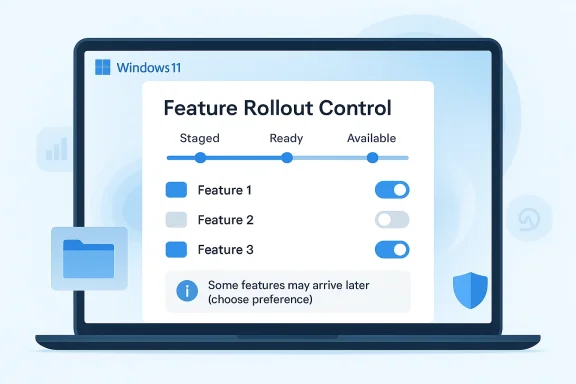
Microsoft is preparing a meaningful reset of how Windows 11 delivers new features, and that matters because the current system has long blurred the line between a “released” update and an actually available feature. The company is reportedly looking at ways to give users more control over Controlled Feature Rollout behavior, a move that could make Windows updates feel less random and more predictable for both consumers and IT teams. If Microsoft gets this right, it could ease one of the loudest complaints about Windows 11: installing an update and still not seeing the feature you were promised.
The update pipeline in Windows 11 has been a source of both stability and frustration for years. Microsoft’s Controlled Feature Rollout strategy is designed to reduce risk by exposing new capabilities only to a subset of devices at first, then widening distribution after the company sees enough telemetry and feedback to be confident the change is safe. Microsoft’s own support documentation says CFR gradually rolls out new features, and that some features may not arrive until a later monthly update.
That cautious approach makes technical sense. Windows runs across a huge variety of hardware, driver stacks, peripherals, and enterprise policies, and a bug that slips past early testing can affect millions of machines very quickly. Microsoft has also used the same basic phased-release philosophy in the Windows Insider Program, where builds often separate changes into gradual rollout and normal rollout buckets.
But caution has a cost. For ordinary users, the system can feel opaque: they install an update, read about a new Start menu behavior or taskbar change, and then discover the feature is still missing. The result is not just impatience; it is a growing sense that Windows updates are increasingly incomplete on arrival, with some promised changes taking months to reach the broader base. That disconnect is precisely why Microsoft is now signaling a need for more user control.
The latest reporting from Azerbaijan, citing WindowsLatest, says Microsoft is rethinking CFR so that users can better choose what they see and when they see it. That framing is important because it suggests a philosophical shift, not merely a technical tweak. Instead of treating update timing as a one-way decision made entirely by Microsoft, the company appears to be experimenting with a more transparent, preference-driven model.
There is also a broader context here. Microsoft has spent the past several Windows 11 cycles pushing a narrative of continuous innovation, frequent feature delivery, and lighter-weight monthly improvements. At the same time, it has faced repeated criticism for clutter, web-based UI elements, advertising in the shell, and feature rollouts that land unevenly across the installed base. This new direction appears to be an attempt to reconcile those tensions without abandoning the safety benefits of staged deployment.
The problem is that CFR does not just stage risk; it also stages disappointment. Users increasingly judge an update by what it promises in release notes, not by whether Microsoft’s internal telemetry says it is “ready.” When a feature is visible in documentation, blog posts, or event demos but absent on a real device weeks later, the experience can feel misleading. That perception gets worse when even bug fixes are delivered slowly, because then the delay is no longer just about new features.
Microsoft’s own public documentation makes clear that CFR features are not guaranteed to appear immediately. The company says features are rolled out gradually, confirmed for readiness, and eventually included in a later monthly update. It also says that on Windows 11 version 22H2 or later, users can choose to get the latest non-security and feature updates as soon as they are ready for their device. That opt-in control exists today, but the controversy suggests it has not been enough to satisfy users who want more certainty.
According to the reporting, Marcus Ash, who leads design and research for Windows, said Microsoft wants to provide “more control over deciding what you want to see.” That is a significant statement because it hints at a shift from implicit rollout logic to explicit user choice. In other words, Microsoft may be trying to make feature discovery less accidental and more deliberate.
This would also fit Microsoft’s recent pattern of blending consumer and enterprise ideas. The company has said it is bringing internal expertise from systems used by enterprise IT teams into the consumer experience. That suggests Microsoft sees value in borrowing the clarity, predictability, and policy-based control that admins expect in managed environments.
If Microsoft wants users to see Windows 11 as a platform with a coherent roadmap rather than a stream of partial experiments, then feature delivery has to become more understandable. A better CFR story would help.
That matters because update delivery and product quality are linked. If users feel the OS is unstable, bloated, or inconsistent, they become less forgiving of a slow rollout system. Conversely, if the OS feels faster, cleaner, and more coherent, gradual deployment becomes easier to defend.
Microsoft has already documented ongoing design work around Windows 11’s signature experiences and modern desktop app patterns. It has also shown that it is willing to rethink UI architecture in performance-sensitive products, as seen in Edge’s move toward a more modular, responsive web-component-based interface. Windows users may not care about the implementation details, but they do care when responsiveness improves and visual clutter shrinks.
Microsoft’s emphasis on faster File Explorer performance suggests it understands that even small delays in a core shell component can color perceptions of the whole OS. If update rollout is the delivery mechanism, File Explorer is one of the things delivered through it, and that makes the rollout system part of the user’s daily experience rather than a back-office concern.
The problem is that public Windows 11 updates increasingly look and feel like Insider-style rollouts, only slower. That creates a strange middle state in which users are receiving production updates, but not necessarily the experiences those updates were marketed as delivering. The gap can be especially noticeable for people who follow Microsoft news closely.
Microsoft has tried to narrow that gap by offering users on Windows 11 version 22H2 and later the ability to receive feature updates sooner when they are ready. But the fact that the company is now talking about giving people more control suggests the current option is either too obscure or too limited in practice.
Microsoft has an opportunity to reframe this as a choice architecture problem. If users can understand why they are waiting and can opt in more clearly, frustration should drop. If not, the rollout system will continue to look like an arbitrary lottery.
That is the opposite of the consumer Windows experience today, where feature timing often feels like a black box. The best enterprise systems do not just push updates; they explain the policy governing them. If Microsoft imports that mentality into Windows 11 consumer UX, users may finally get the clarity they have been asking for.
The challenge is that consumer audiences do not want a full admin console. They want clear answers in plain language. The trick will be translating concepts like rings, readiness, and deferrals into a friendlier, low-friction interface.
The most successful design would probably be a layered one: simple defaults for most users, with advanced detail for those who want it. That would preserve the consumer-friendly experience while still offering the control power users want.
For Microsoft, that makes rollout transparency a strategic issue, not just a user-experience issue. If Windows 11 feels inconsistent, it can amplify the appeal of rival platforms that seem simpler, cleaner, or more stable. Conversely, if Microsoft can make updates feel trustworthy, it strengthens the case for staying in the Windows ecosystem.
This also matters for the Windows brand itself. Microsoft has spent years trying to present Windows 11 as the modern, polished successor to older versions of Windows. Yet perceptions are shaped not just by the interface, but by whether updates arrive in a way that feels coherent. The rollout system is part of the product now, whether Microsoft likes it or not.
If Microsoft can do that well, it could turn one of its biggest complaints into a strength. If not, the perception of fragmentation may deepen.
For IT admins, the consumer shift may be less dramatic than it sounds, but still meaningful. Any Microsoft effort to harmonize rollout logic across consumer and enterprise environments could reduce confusion and simplify support conversations. If the same conceptual model applies across both worlds, documentation and troubleshooting become easier.
There is also a support angle. When users can see what is rolled out, what is pending, and what is deferred, support agents spend less time explaining why an update does not “look finished.” That could save time for Microsoft, OEMs, and enterprise help desks alike.
That means the next Windows 11 update cycle will be closely watched. If Microsoft introduces better visibility into feature states, clearer opt-in behavior, and more predictable delivery, it could reduce one of the OS’s most persistent annoyances. If the changes are mostly behind-the-scenes, the public may barely notice.
The other thing to watch is how Microsoft balances safety and choice. The company cannot simply abandon phased rollout, because that would invite reliability problems. But it can make phased rollout feel less like a mystery box and more like a guided process. That distinction may decide whether users view the next phase of Windows 11 as a genuine improvement or just another round of promises.
Source: Latest news from Azerbaijan Windows 11: New changes to the update system | News.az
 Overview
The update pipeline in Windows 11 has been a source of both stability and frustration for years. Microsoft’s Controlled Feature Rollout strategy is designed to reduce risk by exposing new capabilities only to a subset of devices at first, then widening distribution after the company sees enough telemetry and feedback to be confident the change is safe. Microsoft’s own support documentation says CFR gradually rolls out new features, and that some features may not arrive until a later monthly update.That cautious approach makes technical sense. Windows runs across a huge variety of hardware, driver stacks, peripherals, and enterprise policies, and a bug that slips past early testing can affect millions of machines very quickly. Microsoft has also used the same basic phased-release philosophy in the Windows Insider Program, where builds often separate changes into gradual rollout and normal rollout buckets.
But caution has a cost. For ordinary users, the system can feel opaque: they install an update, read about a new Start menu behavior or taskbar change, and then discover the feature is still missing. The result is not just impatience; it is a growing sense that Windows updates are increasingly incomplete on arrival, with some promised changes taking months to reach the broader base. That disconnect is precisely why Microsoft is now signaling a need for more user control.
The latest reporting from Azerbaijan, citing WindowsLatest, says Microsoft is rethinking CFR so that users can better choose what they see and when they see it. That framing is important because it suggests a philosophical shift, not merely a technical tweak. Instead of treating update timing as a one-way decision made entirely by Microsoft, the company appears to be experimenting with a more transparent, preference-driven model.
There is also a broader context here. Microsoft has spent the past several Windows 11 cycles pushing a narrative of continuous innovation, frequent feature delivery, and lighter-weight monthly improvements. At the same time, it has faced repeated criticism for clutter, web-based UI elements, advertising in the shell, and feature rollouts that land unevenly across the installed base. This new direction appears to be an attempt to reconcile those tensions without abandoning the safety benefits of staged deployment.
Why Controlled Feature Rollout Became a Problem
Controlled rollout was originally a rational answer to a very old Windows problem: how to ship change safely at scale. The modern Windows ecosystem is messy in ways that software teams never fully escape. Driver compatibility, OEM customization, enterprise policy, security tooling, and accessibility dependencies can all turn one seemingly minor change into a support headache.The problem is that CFR does not just stage risk; it also stages disappointment. Users increasingly judge an update by what it promises in release notes, not by whether Microsoft’s internal telemetry says it is “ready.” When a feature is visible in documentation, blog posts, or event demos but absent on a real device weeks later, the experience can feel misleading. That perception gets worse when even bug fixes are delivered slowly, because then the delay is no longer just about new features.
Microsoft’s own public documentation makes clear that CFR features are not guaranteed to appear immediately. The company says features are rolled out gradually, confirmed for readiness, and eventually included in a later monthly update. It also says that on Windows 11 version 22H2 or later, users can choose to get the latest non-security and feature updates as soon as they are ready for their device. That opt-in control exists today, but the controversy suggests it has not been enough to satisfy users who want more certainty.
The user trust gap
The deeper issue is trust. If update notes read like a promise but the device behaves like the rollout is still in beta, confidence erodes. For enthusiasts and power users, that may be annoying; for mainstream consumers, it can be confusing enough to make Windows feel arbitrary.- Users expect update notes to map closely to actual device behavior.
- Delayed delivery makes features feel hidden rather than released.
- Slow bug-fix rollout can leave visible flaws lingering longer than expected.
- A feature that arrives months later no longer feels like part of the same update cycle.
What Microsoft Appears to Be Changing
The most striking part of the new direction is not the existence of staged delivery itself. Microsoft is not abandoning phased rollout; that would be reckless at Windows scale. Instead, the company appears to be looking for a more controllable CFR model, one that exposes more of the decision-making to the user.According to the reporting, Marcus Ash, who leads design and research for Windows, said Microsoft wants to provide “more control over deciding what you want to see.” That is a significant statement because it hints at a shift from implicit rollout logic to explicit user choice. In other words, Microsoft may be trying to make feature discovery less accidental and more deliberate.
This would also fit Microsoft’s recent pattern of blending consumer and enterprise ideas. The company has said it is bringing internal expertise from systems used by enterprise IT teams into the consumer experience. That suggests Microsoft sees value in borrowing the clarity, predictability, and policy-based control that admins expect in managed environments.
Enterprise concepts moving consumer
Enterprise rollout tools usually focus on control, rings, deferrals, and compliance. Consumer Windows, by contrast, historically emphasizes simplicity, even when that simplicity leaves users in the dark. Bringing more enterprise-style thinking into the consumer side could produce a better middle ground.- Clearer update states could reduce confusion.
- Feature toggles could make rollout behavior more visible.
- Device readiness checks could be explained better.
- User-facing controls could reduce the feeling of randomness.
Why this matters now
Microsoft is under pressure to prove that Windows 11 is still evolving in ways that feel tangible. The operating system has already been through several rounds of interface refinement, from Start menu changes to File Explorer modernization, and many of those changes have been controversial because they arrived unevenly or relied on web-like components.If Microsoft wants users to see Windows 11 as a platform with a coherent roadmap rather than a stream of partial experiments, then feature delivery has to become more understandable. A better CFR story would help.
The Bigger Windows 11 UX Refine-and-Fix Strategy
The update-system conversation is part of a wider cleanup effort across Windows 11. Microsoft has repeatedly signaled that it wants to polish the user experience, reduce clutter, and modernize internal components. The reported plan to reduce ads, improve File Explorer performance, and move away from web-based shell elements sits squarely in that broader story.That matters because update delivery and product quality are linked. If users feel the OS is unstable, bloated, or inconsistent, they become less forgiving of a slow rollout system. Conversely, if the OS feels faster, cleaner, and more coherent, gradual deployment becomes easier to defend.
Microsoft has already documented ongoing design work around Windows 11’s signature experiences and modern desktop app patterns. It has also shown that it is willing to rethink UI architecture in performance-sensitive products, as seen in Edge’s move toward a more modular, responsive web-component-based interface. Windows users may not care about the implementation details, but they do care when responsiveness improves and visual clutter shrinks.
The File Explorer factor
File Explorer is especially important because it is one of the most frequently used surfaces in Windows. Any performance improvement here tends to be felt immediately, while any lag or awkwardness is remembered for a long time.Microsoft’s emphasis on faster File Explorer performance suggests it understands that even small delays in a core shell component can color perceptions of the whole OS. If update rollout is the delivery mechanism, File Explorer is one of the things delivered through it, and that makes the rollout system part of the user’s daily experience rather than a back-office concern.
Native versus web-based UI
The mention of “more native interface elements instead of web-based components” is also worth watching closely. Microsoft has leaned hard into web technologies in several places, but users often react badly when those elements feel slower or less integrated. That does not mean web UI is inherently bad; it means users care about how native it feels, especially in a desktop operating system.- Native UI usually feels faster and more integrated.
- Web-based components can be easier to iterate on.
- Hybrid designs can work well if performance is strong.
- Poorly implemented web surfaces amplify user skepticism.
Insider Channels, Release Rings, and Consumer Expectations
One of the reasons this issue is so sensitive is that the distinction between Windows Insider builds and public releases has become harder for normal users to parse. Insider channels already use phased rollouts, and Microsoft repeatedly documents whether a change is being enabled gradually or broadly. That model makes sense to enthusiasts, but it also trains expectations: if a feature is described publicly, people assume it should appear reasonably soon.The problem is that public Windows 11 updates increasingly look and feel like Insider-style rollouts, only slower. That creates a strange middle state in which users are receiving production updates, but not necessarily the experiences those updates were marketed as delivering. The gap can be especially noticeable for people who follow Microsoft news closely.
Microsoft has tried to narrow that gap by offering users on Windows 11 version 22H2 and later the ability to receive feature updates sooner when they are ready. But the fact that the company is now talking about giving people more control suggests the current option is either too obscure or too limited in practice.
Why Insiders still wait
Insider participants are not immune to rollout delays because Microsoft often uses the program to test features in stages. That makes the program useful for data collection, but it also means “being in the Insider Program” no longer guarantees first access to every feature.- Some features are gated by device or hardware class.
- Some are tied to account or region settings.
- Some are switched on only for subset cohorts.
- Some remain in hidden or partial states for long periods.
Consumer perception of fairness
Fairness is the real issue. If the rollout system creates the impression that some users are favored and others are left behind for no clear reason, the update process starts to feel political rather than technical. For a mainstream OS, that is not a good look.Microsoft has an opportunity to reframe this as a choice architecture problem. If users can understand why they are waiting and can opt in more clearly, frustration should drop. If not, the rollout system will continue to look like an arbitrary lottery.
Enterprise Lessons, Consumer Problems
Microsoft’s mention of bringing in internal expertise from enterprise systems is more revealing than it might sound. Enterprise patch management has always been about timing, controllability, and confidence. IT departments often need to know exactly when a feature or fix will arrive, which devices are covered, and what can be deferred without breaking compliance.That is the opposite of the consumer Windows experience today, where feature timing often feels like a black box. The best enterprise systems do not just push updates; they explain the policy governing them. If Microsoft imports that mentality into Windows 11 consumer UX, users may finally get the clarity they have been asking for.
The challenge is that consumer audiences do not want a full admin console. They want clear answers in plain language. The trick will be translating concepts like rings, readiness, and deferrals into a friendlier, low-friction interface.
What enterprise can teach Windows 11 Home
Microsoft has a chance to simplify without dumbing down. Enterprise lessons do not have to appear as enterprise jargon. They can be turned into readable controls that answer basic questions: What is available? Why not yet? How soon? What happens if I wait?- Show whether a feature is ready, staged, or blocked.
- Explain whether a device is in a test cohort.
- Separate security updates from optional feature delivery.
- Make deferral effects visible before users change settings.
Where the transplant could fail
The danger is overcomplication. If Microsoft exposes too much rollout machinery, average users may become overwhelmed. Windows already has enough settings complexity, and the company cannot afford to make updates feel like a project.The most successful design would probably be a layered one: simple defaults for most users, with advanced detail for those who want it. That would preserve the consumer-friendly experience while still offering the control power users want.
The Broader Competitive Context
Windows is not just competing with macOS, ChromeOS, or Linux on features. It is competing on predictability. One reason competitors have gained ground in some segments is that their update stories often feel easier to understand, even if they are not perfect. Users may accept frequent change more readily when the cadence is clear.For Microsoft, that makes rollout transparency a strategic issue, not just a user-experience issue. If Windows 11 feels inconsistent, it can amplify the appeal of rival platforms that seem simpler, cleaner, or more stable. Conversely, if Microsoft can make updates feel trustworthy, it strengthens the case for staying in the Windows ecosystem.
This also matters for the Windows brand itself. Microsoft has spent years trying to present Windows 11 as the modern, polished successor to older versions of Windows. Yet perceptions are shaped not just by the interface, but by whether updates arrive in a way that feels coherent. The rollout system is part of the product now, whether Microsoft likes it or not.
Why rivals benefit from inconsistency
When users hear that a feature may arrive “sometime later,” they do not only blame Microsoft. They start to question whether Windows is the best place to wait for innovation. Competitors benefit whenever the incumbent looks slow or uncertain.- Predictable updates build user confidence.
- Unpredictable rollouts make feature marketing feel hollow.
- Clear timing can be as valuable as faster delivery.
- Stability and transparency are now competitive differentiators.
Windows as a platform, not just a product
Microsoft increasingly treats Windows as a platform for continuous delivery, not a static annual release. That means the update system itself has become part of the customer experience. A platform that ships often must also explain itself often.If Microsoft can do that well, it could turn one of its biggest complaints into a strength. If not, the perception of fragmentation may deepen.
What the Change Could Mean for Different Users
For enthusiasts, the promise is obvious: more control, fewer mysteries, and hopefully less waiting for clearly advertised features. For mainstream consumers, the benefit would be less about power and more about confidence. If the system becomes easier to understand, even nontechnical users will feel less like they are being left out of their own OS updates.For IT admins, the consumer shift may be less dramatic than it sounds, but still meaningful. Any Microsoft effort to harmonize rollout logic across consumer and enterprise environments could reduce confusion and simplify support conversations. If the same conceptual model applies across both worlds, documentation and troubleshooting become easier.
There is also a support angle. When users can see what is rolled out, what is pending, and what is deferred, support agents spend less time explaining why an update does not “look finished.” That could save time for Microsoft, OEMs, and enterprise help desks alike.
Consumer impact
Consumers are the biggest winners if Microsoft truly improves clarity. They are also the group most likely to feel irritation from delayed features.- Fewer surprises after installing updates.
- More understandable feature availability.
- Better sense of what each update actually does.
- Less confusion about whether something is broken or merely staged.
Enterprise impact
Enterprises may not get dramatic new capabilities from this news, but they could benefit indirectly. Better consumer rollout design often feeds back into better documentation, better policy tools, and more consistent update behavior across the ecosystem.- More consistent rollout language.
- Easier pilot-to-broad deployment transitions.
- Better alignment with managed update strategies.
- Less support noise from user confusion.
Strengths and Opportunities
Microsoft’s new approach, if executed properly, could turn a persistent pain point into a product advantage. The company has a rare chance to make the update experience feel both safer and more transparent, and that combination is exactly what Windows 11 has been missing in several areas.- Greater transparency could reduce user frustration.
- More control may make feature rollout feel intentional rather than random.
- Enterprise-informed design can improve clarity without sacrificing safety.
- Cleaner update communication could rebuild trust in release notes.
- Better File Explorer and shell performance would make improvements feel tangible.
- Reduced ads and web clutter could make Windows 11 feel more polished.
- A more native UI could strengthen the sense that Windows is a cohesive desktop platform.
Risks and Concerns
The opportunity is real, but so are the pitfalls. Microsoft has a long history of making Windows more capable while also making parts of it harder to understand, and an update overhaul that adds confusion would backfire quickly.- Too many controls could overwhelm mainstream users.
- Opaque rollout rules could continue to frustrate even after changes.
- Partial feature delivery may still make updates feel incomplete.
- Overreliance on staged deployment can delay fixes users need now.
- Web-based UI elements may keep drawing criticism if performance lags.
- Advertising concerns could overshadow any improvements if not addressed decisively.
- Unclear timelines would keep the trust gap open.
Looking Ahead
The key question is whether Microsoft is preparing a small usability adjustment or a deeper rethink of how Windows updates are presented and managed. The language being used suggests the latter, but the real test will be in the implementation. Users do not just want faster shipping; they want to know what is shipping, why it is shipping, and when it will appear on their devices.That means the next Windows 11 update cycle will be closely watched. If Microsoft introduces better visibility into feature states, clearer opt-in behavior, and more predictable delivery, it could reduce one of the OS’s most persistent annoyances. If the changes are mostly behind-the-scenes, the public may barely notice.
The other thing to watch is how Microsoft balances safety and choice. The company cannot simply abandon phased rollout, because that would invite reliability problems. But it can make phased rollout feel less like a mystery box and more like a guided process. That distinction may decide whether users view the next phase of Windows 11 as a genuine improvement or just another round of promises.
- Watch for clearer update status indicators in Windows Update.
- Look for changes to feature opt-in language and controls.
- Monitor whether more features arrive in broader, less delayed waves.
- Pay attention to whether Microsoft reduces shell ads and web-heavy UI.
- Track whether File Explorer and core shell performance materially improve.
Source: Latest news from Azerbaijan Windows 11: New changes to the update system | News.az
Last edited:
