

Windows 11 feature updates should not enter a broad deployment ring until wired 802.1X has passed a dedicated Network Access Control gate on the organization’s real hardware. For certificate-based machine authentication, that gate must prove that the wired policy, DOT3SVC behavior, authentication, VLAN assignment, DHCP, and recovery process all survive the upgrade—not merely that Windows reaches the desktop.
That standard matters because community reports continue to describe Windows 11 feature updates leaving some systems without usable wired authentication. Reported symptoms include missing or empty content under
Microsoft recommends ring-based Windows deployment planning, but organizations must decide what qualifies a build to move between those rings. In an 802.1X environment, basic installation success, application launch tests, and Wi-Fi connectivity are insufficient promotion criteria.
Make wired NAC validation a release-blocking test between the early validation ring and the first meaningful production ring. The process should use production-equivalent certificates, switch policies, authentication infrastructure, DHCP services, VLANs, Group Policy or management settings, and endpoint hardware.
A practical gate can be implemented as follows:
Create an accessible folder and inspect the current state from an elevated terminal:
Where an interface-specific view is needed, use its actual Windows interface name:
Export the wired profile before upgrading:
Microsoft’s documentation notes that omitting the interface exports the available profiles, with the machine profile written as
If an approved remediation procedure requires restoring an exported profile, Microsoft documents this syntax:
The export should be treated as evidence as well as a backup. Compare the pre-upgrade and post-upgrade output from
Do not assume an XML export alone can repair every reported failure. Community reports involving
First, confirm that the expected wired policy remains present after the feature update and after subsequent restarts. Inspect the state relevant to DOT3SVC and the wired profile instead of concluding that the service is healthy because Ethernet appears in Settings.
Next, prove that certificate-based machine authentication occurs under the conditions the organization actually requires. If machine authentication is expected before sign-in, a test performed only after a cached user logs on does not establish that requirement.
Then inspect the network result. The device must receive the intended NAC authorization, land on the correct VLAN, acquire an appropriate DHCP configuration, and reach the services necessary for management and recovery. A system placed on a remediation VLAN or left without a working lease has not passed merely because an authentication event exists.
Finally, test persistence. Restart the device, shut it down fully, disconnect and reconnect the adapter, and repeat the workflow through each supported dock. The reported concentration around wired NICs, USB Ethernet adapters, and docks makes hardware-path coverage essential rather than optional.
This is where a conventional “device upgraded successfully” metric becomes misleading. The Windows installation can report success while the machine is effectively stranded from domain, management, software-distribution, or support resources.
That leaves two important boundaries. An organization can encounter a hardware, policy, or NAC interaction that Microsoft has not identified as a broadly applicable issue, and devices upgraded through other deployment channels do not necessarily receive the same protection. Microsoft itself advises administrators using other channels to remain aware of known issues in their environments.
A missing safeguard hold therefore does not prove that a feature update is safe for a particular dock, adapter, certificate policy, and switch configuration. It means only that the update is not currently blocked for that device through the applicable Microsoft update path.
The reported wired 802.1X behavior illustrates why local rings exist. A failure tied to a specific combination of endpoint policy, NIC driver path, dock, certificate deployment, NAC rule, and VLAN design may never present as one globally reproducible Windows fault. It can still be severe enough to halt an organization’s rollout.
Those servicing windows give managed estates room to favor validated deployment over reflexively accelerating every feature update. That is not an argument for indefinite delay; security maintenance and lifecycle planning still require supported Windows releases. It is an argument for using the available runway to resolve a release-blocking connectivity risk before it reaches thousands of endpoints.
The correct pace depends on evidence from the organization’s own estate. A clean result across one laptop with an integrated Ethernet port cannot qualify a dock-heavy workforce. Conversely, a failure on one hardware path should trigger investigation and targeted containment rather than an unsupported claim that every Windows 11 device is affected.
Prepare recovery assets before deployment. Preserve exported profiles, approved scripts or procedures, required installation material, and clear instructions through a channel available when Ethernet is not. Where organizational policy permits, test whether an alternate managed connection can provide enough access to restore the wired configuration.
Rollback also needs an explicit decision point. Teams should know when to stop troubleshooting an individual machine and return it to the previous validated Windows release, subject to the organization’s servicing and recovery policies. A theoretical rollback option that has never been exercised on the affected hardware is not a dependable recovery path.
Service-desk documentation should distinguish policy loss from downstream network failure. A restored profile does not resolve a wrong VLAN, failed DHCP assignment, certificate problem, or dock-specific connection path. Each recovery run should end with the same checks used by the release gate.
Windows 11 802.1X incidents do not need a Microsoft-confirmed universal root cause to justify stricter deployment controls. Before the next feature-update ring advances, the organization should be able to show that its real NICs and docks retain wired policy, authenticate through DOT3SVC, receive the correct NAC decision, obtain DHCP service, and remain recoverable when that chain breaks.
That standard matters because community reports continue to describe Windows 11 feature updates leaving some systems without usable wired authentication. Reported symptoms include missing or empty content under
C:\Windows\dot3svc\Policies, absent WiredL2 policy state, and failures concentrated around physical Ethernet adapters, USB Ethernet devices, and docks. This remains field evidence rather than a Microsoft-confirmed defect with one established root cause, but the operational risk is concrete: a successful operating-system installation can still produce an unreachable endpoint.
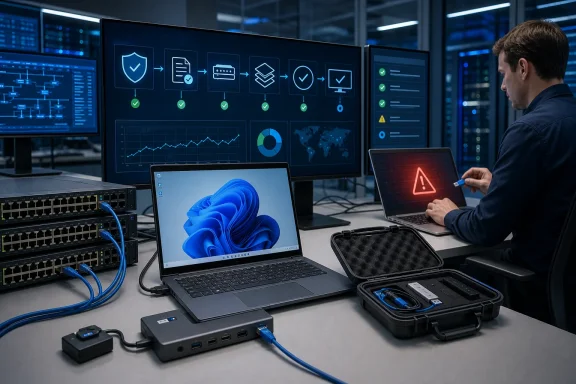 Put the NAC Gate Ahead of Production Promotion
Microsoft recommends ring-based Windows deployment planning, but organizations must decide what qualifies a build to move between those rings. In an 802.1X environment, basic installation success, application launch tests, and Wi-Fi connectivity are insufficient promotion criteria.Make wired NAC validation a release-blocking test between the early validation ring and the first meaningful production ring. The process should use production-equivalent certificates, switch policies, authentication infrastructure, DHCP services, VLANs, Group Policy or management settings, and endpoint hardware.
A practical gate can be implemented as follows:
- Select representative Windows 11 devices for each supported Ethernet configuration, including built-in NICs, approved USB Ethernet adapters, and every business-critical dock model.
- Record the current Windows version, adapter identity, docking path, wired profile state, and expected authentication outcome before installing the feature update.
- Export the existing wired LAN configuration and preserve the output outside the device so it remains available if the upgraded endpoint loses network access.
- Install the target Windows 11 feature update through the same servicing mechanism intended for production.
- Test machine authentication before relying on an interactive user session, then verify the resulting NAC decision, assigned VLAN, DHCP lease, and access to required management services.
- Repeat the test across cold boots, restarts, undocking, redocking, adapter removal, and adapter reconnection rather than accepting one successful connection.
- Exercise the documented recovery procedure while the test device is disconnected from its normal wired network, and block ring promotion if recovery depends on resources the failed device cannot reach.
Export the Wired Profile Before the Upgrade
Microsoft documentsnetsh lan commands for displaying, exporting, adding, and deleting wired LAN profiles. That makes the built-in utility useful both for establishing a baseline and for preparing a controlled recovery path.Create an accessible folder and inspect the current state from an elevated terminal:
Code:
netsh lan show interfaces
netsh lan show profilesnetsh lan show profiles interface="Ethernet"Export the wired profile before upgrading:
netsh lan export profile interface="Ethernet" folder="C:\Profiles"Microsoft’s documentation notes that omitting the interface exports the available profiles, with the machine profile written as
MachineProfile.xml. The destination folder must already exist and be accessible.If an approved remediation procedure requires restoring an exported profile, Microsoft documents this syntax:
netsh lan add profile filename="C:\Profiles\ProfileName.xml" interface="Ethernet"The export should be treated as evidence as well as a backup. Compare the pre-upgrade and post-upgrade output from
netsh lan show profiles, and confirm that the expected wired configuration is actually associated with the interface under test.Do not assume an XML export alone can repair every reported failure. Community reports involving
C:\Windows\dot3svc\Policies suggest that some incidents may involve policy persistence or application rather than a simple missing interface profile. The value of the baseline is that it helps distinguish “the profile disappeared” from “the profile exists but the authentication path still fails.”Authentication Success Is Only the Middle of the Test
An endpoint can pass one layer of the sequence and still be unusable. A complete validation should follow the connection from Windows policy through to business access.First, confirm that the expected wired policy remains present after the feature update and after subsequent restarts. Inspect the state relevant to DOT3SVC and the wired profile instead of concluding that the service is healthy because Ethernet appears in Settings.
Next, prove that certificate-based machine authentication occurs under the conditions the organization actually requires. If machine authentication is expected before sign-in, a test performed only after a cached user logs on does not establish that requirement.
Then inspect the network result. The device must receive the intended NAC authorization, land on the correct VLAN, acquire an appropriate DHCP configuration, and reach the services necessary for management and recovery. A system placed on a remediation VLAN or left without a working lease has not passed merely because an authentication event exists.
Finally, test persistence. Restart the device, shut it down fully, disconnect and reconnect the adapter, and repeat the workflow through each supported dock. The reported concentration around wired NICs, USB Ethernet adapters, and docks makes hardware-path coverage essential rather than optional.
This is where a conventional “device upgraded successfully” metric becomes misleading. The Windows installation can report success while the machine is effectively stranded from domain, management, software-distribution, or support resources.
Safeguard Holds Cannot Replace Local Validation
Microsoft’s safeguard holds are valuable, but they are not a universal compatibility certificate. Microsoft applies them to issues it has identified, and they affect devices receiving feature updates through Windows Update.That leaves two important boundaries. An organization can encounter a hardware, policy, or NAC interaction that Microsoft has not identified as a broadly applicable issue, and devices upgraded through other deployment channels do not necessarily receive the same protection. Microsoft itself advises administrators using other channels to remain aware of known issues in their environments.
A missing safeguard hold therefore does not prove that a feature update is safe for a particular dock, adapter, certificate policy, and switch configuration. It means only that the update is not currently blocked for that device through the applicable Microsoft update path.
The reported wired 802.1X behavior illustrates why local rings exist. A failure tied to a specific combination of endpoint policy, NIC driver path, dock, certificate deployment, NAC rule, and VLAN design may never present as one globally reproducible Windows fault. It can still be severe enough to halt an organization’s rollout.
The Servicing Calendar Leaves Room to Validate
Windows 11 24H2 reached general availability on October 1, 2024, followed by Windows 11 25H2 on September 30, 2025. Microsoft’s Windows 11 release information lists Enterprise and Education support through October 13, 2027 for 24H2 and October 12, 2028 for 25H2.Those servicing windows give managed estates room to favor validated deployment over reflexively accelerating every feature update. That is not an argument for indefinite delay; security maintenance and lifecycle planning still require supported Windows releases. It is an argument for using the available runway to resolve a release-blocking connectivity risk before it reaches thousands of endpoints.
The correct pace depends on evidence from the organization’s own estate. A clean result across one laptop with an integrated Ethernet port cannot qualify a dock-heavy workforce. Conversely, a failure on one hardware path should trigger investigation and targeted containment rather than an unsupported claim that every Windows 11 device is affected.
Recovery Must Work Without the Corporate Wire
The most dangerous remediation plan is one that assumes the broken endpoint can contact the systems needed to repair it. If the feature update disrupts machine authentication, the device may not be able to retrieve fresh policy, reach management infrastructure, or download a corrective package over its normal wired connection.Prepare recovery assets before deployment. Preserve exported profiles, approved scripts or procedures, required installation material, and clear instructions through a channel available when Ethernet is not. Where organizational policy permits, test whether an alternate managed connection can provide enough access to restore the wired configuration.
Rollback also needs an explicit decision point. Teams should know when to stop troubleshooting an individual machine and return it to the previous validated Windows release, subject to the organization’s servicing and recovery policies. A theoretical rollback option that has never been exercised on the affected hardware is not a dependable recovery path.
Service-desk documentation should distinguish policy loss from downstream network failure. A restored profile does not resolve a wrong VLAN, failed DHCP assignment, certificate problem, or dock-specific connection path. Each recovery run should end with the same checks used by the release gate.
Windows 11 802.1X incidents do not need a Microsoft-confirmed universal root cause to justify stricter deployment controls. Before the next feature-update ring advances, the organization should be able to show that its real NICs and docks retain wired policy, authenticate through DOT3SVC, receive the correct NAC decision, obtain DHCP service, and remain recoverable when that chain breaks.
References
- Primary source: learn.microsoft.com
Windows 11, version 24H2 known issues and notifications | Microsoft Learn
View announcements and review known issues and fixes for Windows 11, version 24H2learn.microsoft.com - Independent coverage: knowledge.broadcom.com

The client computer is not responding to the 802.1x "Request Identity" EAP packet from the Authenticator (Switch)
The client computer is not responding to the 802.1x "Request Identity" EAP packet from the Authenticator (Switch)
knowledge.broadcom.com
- Independent coverage: reddit.com

Reddit - Please wait for verification
www.reddit.com
- Primary source: WindowsForum
Windows 11 Upgrades Leave 802.1X Wired Policy Missing dot3svc | Windows Forum
A growing number of enterprise IT teams and system administrators are again reporting that Windows 11 feature updates can leave machines without wired...windowsforum.com
