• Thread Author
Windows 12 continue d’alimenter les spéculations, mais il faut commencer par une réalité simple: à ce jour, Microsoft n’a toujours pas officialisé de “Windows 12” ni communiqué de date de sortie précise. Ce que l’on voit en revanche, c’est une accélération très nette de la stratégie Windows 11 + IA, avec des mises à jour continues, des fonctions Copilot étendues et une nouvelle génération de PC conçus autour du NPU plutôt que du seul CPU. En clair, l’industrie parle de Windows 12, mais Microsoft pousse surtout une évolution progressive du Windows actuel, déjà fortement orientée AI-first.

Overview​

Le bruit autour de Windows 12 n’est pas apparu par hasard. Depuis deux ans, Microsoft a transformé Windows 11 en plateforme d’itération rapide, en ajoutant des fonctionnalités Copilot, des outils créatifs assistés par IA et des capacités plus avancées sur les appareils dotés d’un NPU. Cette évolution a nourri l’idée qu’un nouvel OS pourrait surgir pour marquer une rupture nette, comme ce fut le cas lors des grands changements historiques de Windows.
Mais le marché a changé. Microsoft n’a plus forcément besoin de lancer une version entièrement nouvelle pour imposer une nouvelle génération d’expérience. Le modèle actuel repose davantage sur des mises à jour de fond, distribuées au fil des mois, que sur une reconstruction totale du système à date fixe. Cela rend toute annonce de “sortie en 2026” très fragile tant qu’elle n’est pas confirmée par l’éditeur lui-même.
Le contexte est aussi celui de la transition post-Windows 10. Microsoft a officiellement mis fin au support de Windows 10 le 14 octobre 2025, poussant les utilisateurs et les entreprises vers Windows 11 ou vers des options de migration et d’ESU. Cette date a mécaniquement renforcé l’attention portée à la prochaine grande étape de Windows, parce qu’une partie du parc installé doit déjà se rééquiper ou se replanifier.
Dans ce paysage, l’hypothèse d’un Windows 12 en 2026 s’inscrit moins comme une certitude que comme une projection plausible basée sur les cycles traditionnels de Microsoft, sur la pression du marché et sur la montée en puissance des PC IA. Plausible, donc, mais pas confirmée. Et dans le domaine Windows, la nuance compte énormément.

Ce que Microsoft a déjà préparé​

Microsoft a déjà posé de nombreux blocs qui ressemblent à des fondations pour un futur Windows plus ambitieux. L’entreprise a introduit Copilot au cœur de l’expérience utilisateur, a enrichi Paint, Photos, Clipchamp et d’autres applications avec des fonctions génératives, et a fait évoluer Windows 11 vers un système plus contextuel et plus connecté à l’IA. Cette approche montre que la rupture passe d’abord par les fonctions, pas par le nom de version.

Copilot comme nouveau point d’entrée​

Copilot n’est plus seulement une application : il devient une couche d’assistance transversale. Microsoft a notamment ajouté sur Windows des expériences où Copilot comprend le contexte du PC et de l’utilisateur, avec une interface native plus intégrée et des interactions par raccourci clavier ou commande vocale. Cette stratégie vise à faire de l’IA un compagnon permanent, pas un outil ponctuel.
Le point important, c’est que cette intégration réduit la nécessité d’un grand lancement “Windows 12” pour faire passer le message. Microsoft peut faire évoluer l’OS par petites marches, tout en construisant l’impression d’un nouveau paradigme.

L’arrivée des Copilot+ PCs​

Les Copilot+ PCs ont constitué un tournant majeur. Microsoft les a décrits comme une nouvelle classe de PC Windows 11 dotée d’un NPU capable d’exécuter des charges IA locales à grande vitesse, avec des expériences exclusives ou prioritaires. L’idée est simple: si l’IA se traite en local, l’OS peut devenir plus rapide, plus privé et plus utile.
Cela change aussi la lecture de Windows 12. Si les expériences IA les plus avancées sont déjà liées à une catégorie matérielle précise, Microsoft peut très bien les faire évoluer sous Windows 11 pendant un certain temps. La version du système devient alors moins importante que l’architecture matérielle.

Sécurité et base matérielle renforcée​

Windows 11 a déjà durci la barre avec TPM 2.0, Secure Boot et d’autres exigences pensées pour moderniser la sécurité du parc. Microsoft rappelle dans sa documentation que Windows 11 exige un TPM 2.0, une firmware UEFI compatible Secure Boot, et un niveau minimal de matériel que les vieux PC ne satisfont pas toujours.
Cette exigence crée une continuité intéressante : un futur Windows 12, s’il arrive, pourrait très bien miser encore davantage sur cette base sécurisée. Le vrai sujet n’est plus seulement la compatibilité, mais la capacité du PC à suivre la nouvelle logique d’exécution locale de l’IA.
  • Windows 11 a déjà imposé une base matérielle plus stricte.
  • Copilot a déplacé l’IA vers l’interface quotidienne.
  • Les Copilot+ PCs ont ancré le rôle du NPU.
  • Windows 10 est désormais hors support, ce qui accélère les migrations.

Windows 12 en 2026 : lecture prudente​

L’idée d’une sortie en 2026 est devenue populaire parce qu’elle “colle” à l’histoire de Windows: plusieurs années après Windows 11, après la fin du support de Windows 10, et au moment où l’IA devient un critère d’achat central. Pourtant, rien dans les sources officielles ne confirme une date de lancement de Windows 12. Toute affirmation ferme à ce sujet doit donc être traitée comme une spéculation de marché, pas comme un fait établi.

Pourquoi la rumeur reste crédible​

La rumeur reste crédible parce que Microsoft a intérêt à réinitialiser la communication autour du système quand un changement technologique devient majeur. Un nouveau nom aide souvent à repositionner le produit, à rassurer les partenaires OEM et à relancer les ventes de PC. En période de renouvellement massif du parc, cette logique a du sens.
En plus, l’écosystème est prêt pour un récit plus net: les nouveaux processeurs, les NPU de plus en plus puissants et les fonctions IA locales créent les conditions d’un rebranding majeur. C’est un terrain favorable à une annonce d’ampleur, même si celle-ci n’est pas encore officielle.

Pourquoi Microsoft peut aussi choisir de ne rien changer​

L’autre scénario, très crédible lui aussi, est celui d’une continuation de Windows 11 sous forme de version très enrichie. Microsoft a déjà prouvé qu’il savait faire passer des changements importants via les mises à jour continues, les builds Insider et les rollouts graduels. Le nom de version devient alors secondaire.
Cette stratégie a un avantage majeur: elle évite aux entreprises un nouveau cycle de migration lourde. Elle permet aussi à Microsoft de garder le contrôle du rythme, plutôt que de s’enfermer dans une date symbolique. Pour l’éditeur, la continuité peut être plus rentable que la rupture.

Le rôle du parc professionnel​

Le segment entreprise reste déterminant. Microsoft sait que les directions IT détestent les migrations surprises, surtout quand le parc reste encore marqué par la sortie de Windows 10 du support. Un Windows 12 trop brutal pourrait créer des frictions commerciales, alors qu’une transition progressive serait plus acceptable.
C’est pourquoi il faut lire les signaux actuels avec prudence:
  • Microsoft pousse l’IA dans Windows 11 dès maintenant.
  • Le support de Windows 10 a déjà pris fin le 14 octobre 2025.
  • Les Copilot+ PCs préparent une base matérielle dédiée.
  • Aucune date officielle de Windows 12 n’a été publiée.

Les nouveautés IA les plus probables​

Si Windows 12 devait voir le jour, ou si Microsoft rebaptisait une future version majeure de Windows 11, le cœur du message serait presque certainement l’IA locale et contextuelle. Les fonctions les plus attendues tourneraient autour de la recherche, de l’assistance à l’écriture, de la création d’images et de l’automatisation. Microsoft a déjà montré la direction avec Recall, Click to Do et les nouvelles expériences Copilot.

Une IA plus personnelle​

Microsoft insiste depuis 2025 sur une IA plus personnalisée, capable de comprendre le contexte de l’utilisateur et de s’adapter à ses besoins. Cette vision a été formulée dans plusieurs annonces autour de Copilot, avec des usages allant de la recherche au sein du PC à l’assistance conversationnelle plus naturelle.
Le potentiel est considérable, mais il pose une question centrale: jusqu’où l’OS doit-il “comprendre” l’utilisateur sans devenir intrusif? C’est là que le design produit rejoint la politique de confidentialité.

Recherche, actions et productivité​

Les futures fonctions IA de Windows devraient aller au-delà du simple chat. Microsoft teste déjà des scénarios où Copilot agit sur du texte, sur des images ou sur des contenus présents à l’écran, avec des interactions plus directes dans l’environnement de travail. Cela rapproche Windows d’un système d’action assistée plutôt que d’un simple bureau.
C’est un changement structurel, car le système n’est plus seulement un support d’applications. Il devient une couche d’orchestration entre le matériel, les fichiers, les apps et le cloud.

Local first, cloud second​

Le grand enjeu de Windows 12, si ce nom existe un jour, sera probablement le dosage entre traitement local et traitement cloud. Microsoft pousse clairement les NPU et le calcul local, tout en s’appuyant sur ses services cloud pour les tâches plus lourdes. Cette combinaison vise à améliorer la latence, la confidentialité et la disponibilité.
Pour les utilisateurs, cela pourrait signifier des réponses plus rapides et moins de dépendance permanente au réseau. Pour Microsoft, cela veut dire un écosystème plus verrouillé autour du matériel certifié et des services associés.
  • Recherche de fichiers plus intelligente.
  • Résumés contextuels dans les applications.
  • Actions automatiques à partir du contenu affiché.
  • Génération d’images et de texte plus intégrée.
  • Assistants vocaux plus naturels et plus persistants.

Impact matériel et Copilot+ PCs​

Le lien entre un hypothétique Windows 12 et le matériel est plus fort que pour les versions précédentes. Les Copilot+ PCs ont déjà redéfini le positionnement des machines Windows haut de gamme, en mettant l’accent sur les performances IA, l’autonomie et les fonctions exclusives. Microsoft a même présenté cette génération comme une évolution majeure de la plateforme Windows.

Le NPU devient un critère d’achat​

Pendant des années, les acheteurs comparaient surtout les GHz, le nombre de cœurs, la RAM et le SSD. Désormais, un nouveau paramètre entre dans l’équation: la puissance IA du NPU, mesurée en TOPS. Microsoft a établi une barre de référence supérieure à 40 TOPS pour sa catégorie Copilot+ PC.
Cela a une conséquence évidente: les PC sans NPU performant risquent d’être relégués à une seconde zone fonctionnelle. Même si Windows 12 ne l’exige pas immédiatement, le marché peut imposer de fait cette hiérarchie.

OEM et renouvellement du parc​

Pour les constructeurs, cette évolution est une aubaine. Elle permet de relancer des gammes entières sous un angle neuf: “AI PC”, “Copilot+”, “productivité locale”, “sécurité améliorée”. Un nouveau Windows offrirait une histoire marketing encore plus forte, mais même sans lui, le récit matériel est déjà en place.
Pour les entreprises, en revanche, la situation est plus complexe. Elles doivent arbitrer entre bénéfice fonctionnel, compatibilité applicative et renouvellement budgétaire. Le calendrier de fin de support de Windows 10 accélère déjà les décisions.

Le risque d’une fragmentation​

Plus les fonctions IA dépendent du matériel, plus Windows risque de se fragmenter entre anciennes machines, machines compatibles Windows 11, et machines Copilot+ plus avancées. Cette fragmentation peut être productive commercialement, mais elle complique l’expérience utilisateur et la gestion IT.
  • Les PC récents gagnent des fonctions exclusives.
  • Les PC intermédiaires suivent avec un retard.
  • Les anciens PC restent cantonnés à une expérience standard.
  • Les entreprises doivent gérer plusieurs niveaux de capacité.

Sécurité, confidentialité et gouvernance​

L’IA dans Windows ne peut pas être analysée uniquement sous l’angle de la performance. Plus les fonctions deviennent contextuelles, plus elles exigent de traitements de données, de permissions et de contrôles de sécurité. Microsoft a déjà commencé à communiquer sur les modèles de sécurité et de confidentialité autour de Recall et des expériences Copilot+.

Pourquoi la sécurité devient centrale​

Avec Recall, Microsoft a dû montrer que ses nouvelles fonctions ne pouvaient pas ignorer la protection des données. L’entreprise a expliqué avoir renforcé son architecture de sécurité et ses contrôles de confidentialité pour les expériences IA de Windows. Cela montre que l’innovation ne peut pas se faire sans architecture de confiance.
Dans un Windows 12 hypothétique, cette logique serait encore plus importante. Plus l’OS observe, indexe ou résume l’activité, plus le risque réputationnel augmente en cas de mauvaise configuration.

Entre usages personnels et politiques d’entreprise​

Le grand écart entre usage consumer et usage enterprise sera crucial. Un particulier peut tolérer davantage d’automatisation ou de recommandations contextualisées. Une entreprise, elle, aura besoin de règles d’audit, de désactivation sélective et de conformité avec ses politiques internes.
Les administrateurs IT voudront probablement des options claires:
  1. Activer ou désactiver les fonctions IA par groupe.
  2. Définir les sources de données autorisées.
  3. Contrôler la conservation locale des contenus.
  4. Vérifier les dépendances cloud.
  5. Répondre aux exigences réglementaires internes.

Le sujet de la confiance​

Le succès d’un futur Windows dépendra autant de la qualité des modèles que de la perception de confiance. Si l’utilisateur pense être observé trop largement, l’adoption ralentira. Microsoft le sait, et c’est pourquoi la promesse d’IA doit rester équilibrée par une transparence très forte.
  • La sécurité ne sera pas un simple ajout.
  • La confidentialité devra être visible, pas implicite.
  • Les contrôles administrateur devront être simples.
  • Les choix utilisateur devront rester réversibles.

Concurrence et marché du PC​

La stratégie de Microsoft s’inscrit dans une bataille plus large contre les plateformes concurrentes, qu’il s’agisse de macOS, de ChromeOS ou d’alternatives centrées sur le cloud. L’idée n’est plus seulement de vendre un système d’exploitation, mais de vendre un environnement complet où l’IA devient l’argument principal.

Microsoft face à Apple​

Apple a son propre récit autour de l’intégration hardware-software et de l’IA embarquée. Microsoft répond avec une stratégie très similaire dans l’esprit, mais plus ouverte sur l’écosystème PC. Là où Apple contrôle toute la pile, Microsoft doit orchestrer une grande diversité de partenaires, ce qui complique la cohérence mais élargit le marché.
Cette diversité est un atout stratégique, car elle donne à Windows une portée incomparable. Mais elle ralentit parfois la standardisation de l’expérience.

L’angle entreprise​

Dans l’entreprise, Microsoft part avec un avantage historique immense, renforcé par Windows 11, Microsoft 365 et la montée de Copilot. Les fonctions IA locales peuvent devenir un argument fort pour les environnements réglementés, à condition que la sécurité suive. Le message est clair: meilleure productivité, moins de friction, plus de contrôle.
Mais les responsables IT savent que tout nouveau saut de plateforme coûte du temps. Si Windows 12 est réel, il devra promettre un ROI concret, pas seulement un effet de nouveauté.

Le facteur Windows 10​

La fin du support de Windows 10 change la donne pour tout le marché. Des millions de machines doivent être remplacées, migrées ou prolongées via des programmes spécifiques. Cette fenêtre crée une opportunité historique pour Windows 11, mais aussi pour un éventuel Windows 12 si Microsoft veut transformer le renouvellement en bascule générationnelle.
  • Apple mise sur la cohérence verticale.
  • Microsoft mise sur l’ampleur de l’écosystème.
  • Les constructeurs PC cherchent à relancer le cycle de remplacement.
  • Les entreprises exigent stabilité et compatibilité avant toute nouveauté.

Ce que les utilisateurs attendent vraiment​

Le discours marketing sur Windows 12 peut promettre beaucoup, mais les utilisateurs, eux, attendent des gains concrets. Ils veulent un système plus rapide, plus stable, plus simple, et surtout moins encombré par des fonctionnalités superflues. L’IA ne gagnera que si elle résout des problèmes réels.

Productivité avant spectacle​

Les utilisateurs ne demandent pas nécessairement un assistant bavard. Ils veulent plutôt un OS qui retrouve un fichier plus vite, résume un document sans effort, améliore la création d’images ou automatise une tâche répétitive. L’IA utile est discrète, pas démonstrative.
C’est un point central pour Microsoft. Si la firme veut réussir un éventuel Windows 12, elle devra éviter le piège du gadget et privilégier des fonctions qui font gagner du temps.

Stabilité et compatibilité​

Les changements visuels attirent l’attention, mais la stabilité fait la réputation d’un OS. Les utilisateurs pro et les administrateurs attendront des performances constantes, des pilotes fiables et peu de ruptures avec les applications existantes. Sans compatibilité, l’innovation perd son avantage.
De plus, la transition depuis Windows 10 a déjà créé assez de tension. Ajouter une nouvelle version majeure trop vite pourrait fatiguer le marché.

Une interface plus intelligente​

Si l’IA devient omniprésente, l’interface devra rester lisible. Les utilisateurs veulent un système qui suggère sans envahir, qui anticipe sans imposer. Une bonne expérience Windows 12 devrait donner l’impression d’un bureau plus intelligent, pas d’un bureau plus compliqué.
  • Moins de clics pour les tâches courantes.
  • Recherches plus précises et plus contextuelles.
  • Génération de contenu plus intégrée.
  • Aide plus visible mais moins intrusive.
  • Paramètres plus clairs pour l’IA.

Strengths and Opportunities​

Microsoft dispose d’atouts solides pour transformer le prochain chapitre de Windows en vrai levier de croissance. L’écosystème matériel est prêt, l’IA est déjà intégrée dans le produit, et la fin du support de Windows 10 pousse naturellement le marché vers le renouvellement. Si Windows 12 arrive, il pourra s’appuyer sur une base déjà très favorable.
  • Base installée immense qui facilite la diffusion des nouveautés.
  • Copilot déjà intégré dans l’expérience Windows 11.
  • Copilot+ PCs prêts à porter les fonctions IA locales.
  • Fin du support de Windows 10 qui accélère les migrations.
  • Écosystème OEM fort capable de raconter une nouvelle génération de PC.
  • Améliorations de sécurité déjà visibles avec TPM 2.0 et Secure Boot.
  • Synergie avec Microsoft 365 pour les usages professionnels.

Risks and Concerns​

Le principal risque est de créer des attentes trop élevées autour d’un produit qui n’a pas été officialisé. Un autre danger serait de multiplier les fonctions IA au détriment de la simplicité, de la confidentialité ou de la compatibilité. Enfin, si Microsoft pousse trop vite vers des exigences matérielles élevées, une partie des utilisateurs pourrait se sentir exclue.
  • Absence de confirmation officielle sur Windows 12.
  • Fragmentation matérielle entre PC classiques et PC IA.
  • Craintes sur la confidentialité des fonctions contextuelles.
  • Complexité IT accrue pour les entreprises multi-parcs.
  • Fatigue des utilisateurs face à des changements mal expliqués.
  • Risque d’exclusion des machines plus anciennes.
  • Dépendance au cloud pour certaines expériences avancées.

Looking Ahead​

Le prochain jalon à surveiller n’est pas seulement une éventuelle annonce de Windows 12, mais la manière dont Microsoft continue de faire évoluer Windows 11. Si l’entreprise intensifie ses fonctions IA locales tout en maintenant une compatibilité acceptable, elle pourrait rendre presque inutile un grand rebranding immédiat. À l’inverse, si elle veut marquer un tournant net pour le grand public et les OEM, un nouveau nom pourrait redevenir stratégique.
La vraie question est donc moins “Windows 12 sortira-t-il en 2026 ?” que “Microsoft a-t-il besoin d’un Windows 12 pour imposer sa nouvelle vision du PC ?” À ce stade, la réponse la plus honnête est qu’aucune source officielle ne confirme un calendrier, mais que tous les signaux produits et matériels pointent vers une prochaine phase encore plus centrée sur l’IA. Le nom reste à venir; la direction, elle, est déjà visible.
  • Suivre les prochaines builds Insider de Windows 11.
  • Observer l’évolution des fonctions Copilot et Recall.
  • Surveiller les annonces matérielles des grands OEM.
  • Vérifier si Microsoft introduit une nouvelle exigence NPU de référence.
  • Contrôler les mises à jour de sécurité et de confidentialité autour des expériences IA.
En l’état, le dossier Windows 12 ressemble moins à une fuite qu’à une trajectoire. Microsoft prépare clairement une nouvelle génération d’expérience Windows, portée par l’IA, le calcul local et le renouvellement des PC. Que cela s’appelle Windows 12 en 2026 ou une version plus discrète de Windows 11 importe presque moins que la profondeur du changement en cours: le PC Windows devient une plateforme d’assistance intelligente, et ce virage est déjà en marche.

Source: Capmad.com https://www.capmad.com/fr/technolog...transformative-projects-across-two-continents
 

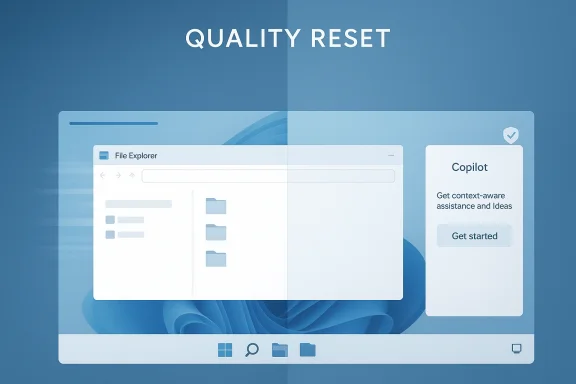
Microsoft’s latest Windows 11 pivot is less a dramatic product relaunch than a quiet recalibration of priorities, but it may prove more important than a flashy keynote. In one direction, the company is promising a faster, more stable desktop by trimming back some of the more ambitious Copilot ambitions; in the other, it is signaling a broader “reset” around control, reliability, and a more deliberate rollout model. That combination matters because Windows 11 has spent the last two years absorbing AI features at a pace that sometimes outran user comfort, admin policy, and even core platform polish. The result is a rare moment where Microsoft seems to be admitting that less can be more when the operating system is already carrying a heavy load.

Background​

Microsoft’s Windows strategy has been drifting toward AI-first design since the 2024 Copilot+ PC launch, when the company tried to position Copilot as more than a chatbot pinned to the taskbar. The plan was broader and more ambitious: AI would help users search, change settings, organize files, and act across the shell with minimal friction. That vision made sense as a marketing narrative, but Windows is not a greenfield product; it is an enormous, legacy-heavy operating system with millions of enterprise deployments and a vast ecosystem of apps, drivers, and policy controls.
The problem was always going to be execution. Microsoft’s Recall feature became an early flashpoint because it brought privacy and security concerns into sharp focus, forcing the company to slow down and rework the rollout story. Once Recall stumbled, the broader “Copilot everywhere” message began to look more fragile, and some of the more visible integrations simply did not materialize in the way early demos suggested. That gap between vision and delivery is now shaping how Windows 11 evolves in 2026.
At the same time, Microsoft has been tightening the mechanics of Windows feature delivery. The company’s Insider program increasingly relies on controlled feature rollouts, toggles, and staged exposure rather than one big universal release. That is technically sensible, but it also creates a product culture where the user experience can vary sharply from machine to machine, even on the same build number. In other words, Microsoft has traded some consistency for flexibility, and it is now trying to make that trade feel safer.
The PCWorld coverage that prompted this discussion frames the moment as a Windows 11 reset: Microsoft pledging more speed, stability, and control while simultaneously scaling back Copilot in Windows 11. The phrasing matters because it implies not just a feature adjustment, but a shift in internal priorities. Instead of pushing AI deeper into every visible corner of the OS, Microsoft appears to be regrouping around narrower, more defensible use cases.
That pivot also fits the broader rhythm of Windows in 2026. Recent Insider activity has emphasized accessibility, feedback tooling, shell reliability, and small but meaningful quality-of-life changes. Those are not glamorous categories, but they are the sort that determine whether users perceive Windows 11 as stable enough to trust or merely modern enough to market.

What Microsoft Is Really Changing​

The most important part of the story is not that Microsoft is abandoning AI in Windows 11. It is that the company seems to be narrowing the scope of where AI belongs. Instead of leaning into a persistent, deeply embedded assistant that is everywhere at once, Microsoft is shifting toward more selective, task-specific experiences such as semantic search, app handoffs, and actions that feel useful without taking over the shell.
That is a subtle but consequential change. A broad assistant strategy often creates overlap, confusion, and UI clutter, especially in an operating system already full of legacy entry points and overlapping control surfaces. By contrast, a focused AI feature can do one thing well, stay out of the way, and avoid destabilizing the rest of the system. That seems to be the lesson Microsoft is learning, whether it says so directly or not. The difference is architectural, not cosmetic.

From ambient AI to scoped utility​

The old Copilot pitch treated AI as an ambient layer that could sit across the entire desktop experience. The newer approach treats AI more like a toolkit that appears when needed and recedes when it is not. That sounds less exciting on a slide deck, but it may be much more sustainable for Windows, particularly in enterprise environments where predictability matters more than novelty.
This is also a recognition that not all workflows benefit from proactive AI. File management, system settings, notifications, and search can all be improved by intelligent assistance, but they can also become invasive very quickly if Microsoft over-automates the wrong interaction. The reset suggests the company is trying to preserve the value of AI while reducing the friction that comes from overexposure.
  • Narrower AI surfaces are easier to explain to users.
  • Scoped features are easier for IT to control.
  • Less ambient AI lowers the risk of UI clutter.
  • Smaller features are less likely to destabilize core workflows.
  • Selective rollout can improve trust after privacy backlash.

Why this matters for daily users​

For consumers, the practical payoff is straightforward: a tighter Copilot strategy should mean fewer interruptions, fewer “why is this here?” moments, and less suspicion that Windows is becoming a billboard for AI experiments. Users who never wanted a system-level assistant do not need to celebrate the assistant disappearing; they just need it to stop getting in the way. That is a meaningful win even if it looks modest on paper.
For power users, the change is even more welcome because Windows has long been at its best when it lets people choose their level of automation. A broader AI layer can feel like a hostage situation if it cannot be disabled cleanly or if it changes core UI behavior unexpectedly. Microsoft’s newer posture, especially the emphasis on opt-in and admin control, is an acknowledgment that Windows still needs to serve people who value manual control above all else.

Performance and Reliability as the New Selling Point​

Microsoft’s promise of a faster Windows 11 is not just a marketing line; it is a response to the perception that the OS has become heavier and more complicated as AI features accumulated. The idea that scaling back some Copilot ambitions could make Windows faster is plausible because every always-on surface consumes attention, engineering resources, and sometimes runtime overhead. Even when the impact is small, perception matters, and Windows users are notoriously sensitive to anything that feels sluggish.
The company’s recent build cadence supports that interpretation. Insider releases have increasingly highlighted reliability fixes, storage cleanup improvements, shell consistency, and incremental refinements to core workflows. Microsoft is not just adding features; it is reasserting the importance of the boring stuff. In a mature operating system, boring is often what users actually reward.

The cost of too much ambition​

When Microsoft asks Windows to do too much at once, it invites the exact kind of skepticism that has followed several recent features. Recall was controversial because it touched sensitive data. Copilot was criticized because it sometimes felt bolted on rather than native. And broader AI surface expansion risks creating more support load than productivity gain. A reset toward stability is, in that sense, a correction to a self-inflicted problem.
There is also a maintenance argument. The more deeply AI touches the shell, the more state Microsoft has to preserve, monitor, and synchronize across machines, build rings, and policy contexts. That complexity can slow release cycles and amplify regressions. Scaling back visible Copilot scope may therefore be as much about engineering discipline as about user preference.
  • Reduced surface area can simplify debugging.
  • Fewer embedded features can lower regression risk.
  • Stability improvements matter more than novelty for most users.
  • Performance perception is shaped by UI clutter as much as CPU usage.
  • Cleaner rollout logic helps Microsoft isolate failures faster.

Enterprise buyers will notice first​

Enterprise customers are likely to care more than consumers about the implied retreat. They do not just ask whether a feature is clever; they ask whether it can be governed, audited, disabled, and supported at scale. Microsoft’s move toward more control and more conservative rollout aligns directly with those demands, especially for organizations that already view AI as something to be selectively permitted rather than universally embraced.
This is where the reset may pay off fastest. If Microsoft can present Windows 11 as less noisy, less intrusive, and easier to manage, IT departments are more likely to tolerate future AI features on a case-by-case basis. In the enterprise, confidence is often more important than capability, and control is the currency that buys confidence.

Copilot’s Branding Problem​

Copilot has become one of Microsoft’s most overloaded brands. It now refers to a product family, a user-facing assistant, a set of Windows integrations, and a broader AI strategy that spans consumer and enterprise software. That kind of branding breadth is useful in a product category rush, but it becomes a liability when the underlying execution is inconsistent.
The company’s recent moves suggest it understands this problem. Reports and forum analysis indicate a shift away from some of the most aggressive Copilot placements, alongside a move to rename or reframe parts of the AI platform as more developer-friendly Windows AI APIs. That is not just semantics. It signals a desire to separate the underlying technology from the consumer hype layer that has surrounded it.

A cleaner story for developers​

Developers generally want stable APIs, clear contracts, and fewer branding distortions. If Microsoft positions AI as a set of Windows APIs rather than an all-seeing Copilot persona, it may win more trust from the people building on top of the platform. That could be one of the most strategic outcomes of the reset, because a platform wins long-term when developers can predict what will still exist six months later.
That said, this is not a free win. Microsoft has invested heavily in Copilot as a consumer-facing identity, and retracting that presence too much could make the company look uncertain. The art will be in preserving the utility of the Copilot name while reducing the sense that every Windows surface must be AI-branded to matter.
  • Branding simplicity helps developer adoption.
  • Developer-facing APIs are easier to document than personality-driven products.
  • Consumer branding can overpromise before features are mature.
  • Clearer naming lowers confusion across Microsoft’s product stack.
  • A more technical framing may reduce backlash from privacy-conscious users.

The user trust problem​

Trust is the hidden theme running through all of this. Users tolerate change when it feels beneficial, reversible, and understandable. They resist change when it feels forced, opaque, or like a Trojan horse for data collection or UI manipulation. Copilot’s challenge is that it has occasionally been perceived as the latter, even when Microsoft clearly intended it to be the former.
So the reset is really about rebuilding trust through restraint. Microsoft is learning that a quieter Copilot may be more valuable than a louder one. That is a useful lesson, and in the long run it may be the only way Copilot remains broadly acceptable inside Windows. Sometimes the best interface is the one that knows when to step back.

Insider Builds Tell the Real Story​

If you want to understand where Windows 11 is headed, the Insider program is still the best lens. Recent builds have emphasized accessibility, shell reliability, feedback tooling, and controlled rollout behavior rather than showpiece features. That pattern is especially telling now, because it suggests Microsoft is spending engineering energy on the platform’s connective tissue instead of only on visible AI surfaces.
One notable build tied to Windows 11 version 25H2 through an enablement package focused on Pointer Indicator improvements, Magnifier support for protected content, and a redesigned Feedback Hub. Another Canary flight added shared audio refinements, File Explorer reliability fixes, and context-menu updates for executable files. These are small things, but they are the kind of small things that shape whether an operating system feels coherent.

Quality-of-life first, headline features second​

This is a meaningful shift in product philosophy. Microsoft is increasingly treating Windows as a system of habits, not just a collection of features. That means improving the way people report bugs, the way they see pointers, the way they handle downloads, and the way shared audio behaves across accessories. If those seams are smooth, the whole platform feels more confident.
The same logic applies to Copilot. The company is not necessarily pulling back because AI is failing. It is pulling back because core experience quality still matters more than splashy announcements. That sounds obvious, but big software vendors often need to relearn it the hard way.
  • Preview builds are revealing Microsoft’s real priorities.
  • Accessibility remains a first-class development area.
  • Feedback tooling is becoming part of the platform strategy.
  • Shell polish is being treated as a support issue, not just a UX issue.
  • Controlled rollout is now central to how Windows evolves.

Why this matters to Windows enthusiasts​

For enthusiasts, these build patterns are a signal that the next Windows release may be more evolutionary than revolutionary. That is not necessarily disappointing. In fact, it may be exactly what the platform needs after years of trying to balance innovation theater with real-world reliability. A slower, better-disciplined Windows is likely to be a more usable Windows.
There is also a broader ecosystem implication. If Microsoft keeps prioritizing iterative polish, rival desktop platforms have less room to claim the “simple and stable” mantle. Windows can still win on momentum, compatibility, and breadth of support, but only if it stops making users feel like they are testing the future every time they sign in.

The Enterprise vs. Consumer Divide​

The reset looks different depending on who is looking at it. For consumers, it reads as a cleanup: fewer interruptions, less AI noise, and a Windows 11 experience that feels slightly lighter on its feet. For enterprises, it reads as a governance story: more control, better policy alignment, and fewer surprises hidden behind Microsoft branding.
That divergence matters because Windows lives in both worlds simultaneously. What delights a home user can create friction for a managed fleet, and what helps an IT department can make consumer messaging sound dull. Microsoft has spent years trying to reconcile those goals, and the current Copilot rethink suggests it is leaning harder into control because the enterprise case is harder to lose than the consumer case is to win.

Consumer expectations​

Consumers tend to respond to visible value. If AI makes search smarter or settings easier to find, they like it. If AI creates pop-ups, clutter, or surprises, they ignore or resent it. That means Microsoft has to demonstrate that the new, narrower Copilot model is actually useful in everyday scenarios, not just defensible in a product memo.
The upside is that users generally do appreciate things that feel smoother, faster, and more predictable. A more reliable shell, cleaner feedback flows, and less intrusive AI can be an easier sell than a bold promise that needs three disclaimers. Practical wins travel better than abstract vision.

Enterprise expectations​

Enterprises need stronger guarantees. They care about whether features can be disabled, whether behavior is consistent across devices, and whether updates can be staged without breaking workloads. Microsoft’s apparent retreat from some Copilot integrations, combined with its growing emphasis on admin controls and opt-in behavior, is likely designed to reduce procurement anxiety as much as user discomfort.
That is also why the company’s Insider and controlled rollout machinery matters. Enterprises watch those signals to infer where Microsoft is headed next. If Windows 11 keeps moving toward a model where AI is narrower, more auditable, and more optional, it becomes easier for IT to treat those features as enhancements rather than risks.

Strengths and Opportunities​

Microsoft’s new stance has several clear advantages if it executes well. The strongest one is simply that it acknowledges reality: Windows users want improvements, but they do not want unnecessary complexity. A more measured Copilot strategy can preserve the value of AI while reducing the sense that the OS is being transformed into an experiment platform.
It also gives Microsoft an opportunity to rebuild the Windows 11 narrative around quality rather than hype. If the company can point to performance gains, stability improvements, better controls, and more polished rollout behavior, it can change the conversation from what is Windows trying to become? to what is Windows doing better today?
  • More trustworthy Windows 11 branding.
  • Better fit for enterprise governance.
  • Lower UI clutter and cognitive load.
  • Clearer separation between platform features and assistant branding.
  • Stronger case for incremental improvements in Insider builds.
  • Potential performance and responsiveness gains from reduced surface sprawl.
  • Better alignment with users who prefer opt-in AI.

Risks and Concerns​

The biggest risk is that Microsoft may be fixing one perception problem by creating another. If it scales back Copilot too aggressively, some users and developers may conclude that the company has lost conviction or is retreating under pressure. That would be a poor outcome, especially after years of positioning AI as central to the Windows future.
There is also the risk of inconsistency. Microsoft’s staged rollout model is technically sound, but it can make the platform feel fragmented, with different devices seeing different features at different times. That is manageable in a preview ring; it is much harder to explain in production, where users expect the same build to mean the same thing.
  • Over-correction could weaken Copilot’s value proposition.
  • Fragmented rollouts can confuse users and admins.
  • Perceived slowdown may be mistaken for lack of innovation.
  • AI features that remain half-exposed can hurt confidence.
  • Enterprise rollout complexity may increase support overhead.
  • Privacy concerns will not disappear just because the rollout is narrower.
  • Developers may hesitate if product direction still feels fluid.

Looking Ahead​

The next phase will be about proof. Microsoft has to show that the Windows 11 reset is not just a public relations adjustment but a genuine shift in engineering priorities. That means faster-feeling UI, cleaner control surfaces, and Copilot experiences that are clearly valuable without being omnipresent. If the company can deliver that combination, the reset will look smart rather than reactive.
It will also be important to watch how Microsoft talks about Copilot in the months ahead. If the company continues to emphasize modular AI, developer APIs, and opt-in controls, then the reset will likely harden into a new strategy. If the messaging swings back toward “AI everywhere,” the current calm may turn out to be a temporary pause rather than a true course correction.
  • Whether Copilot surfaces continue to shrink or simply become more targeted.
  • Whether Windows performance gains are measurable or mostly perceptual.
  • Whether enterprises embrace the new control model.
  • Whether Insider builds continue emphasizing reliability and accessibility.
  • Whether Microsoft standardizes a clearer AI branding structure.
The bigger lesson is that operating systems still win on trust, not slogans. Microsoft can absolutely make Windows 11 more useful with AI, but only if it resists the temptation to drown the desktop in it. The smartest version of this reset is not a retreat from innovation; it is a recognition that innovation only matters when the platform remains fast, stable, and under control.

Source: PCWorld Windows 11 reset: Microsoft pledges more speed, stability, and control
Source: PCWorld Microsoft says Windows 11 will get faster as it scales back Copilot
 

Microsoft’s latest Windows 11 Copilot strategy is finally starting to look less like a gimmick and more like a course correction. After years of oscillating between web wrapper, sidebar, native shell, and AI-first branding, the company is now pushing a more coherent vision: Copilot as a native Windows app with a lighter footprint, quicker access, and a more flexible role in both consumer and commercial workflows. That shift matters because Windows 11 has spent much of the last two years adding AI features faster than users could be convinced they needed them, and the result has often been confusion rather than delight. If Microsoft can turn Copilot from a novelty into a genuinely useful companion, Windows 11 could finally gain a feature that feels integrated instead of merely promoted.

A digital visualization related to the article topic.Background​

Microsoft’s Windows 11 story over the last several releases has been defined by tension between platform polish and product ambition. On one hand, Windows 11 has steadily improved core system reliability, settings organization, and accessibility. On the other, Microsoft has repeatedly used the operating system as a distribution surface for Copilot, pushing the assistant into the taskbar, the keyboard, the settings app, and even the first-run experience on some new machines.
That strategy has not always landed well. Early Copilot experiences in Windows 11 were often criticized for being too dependent on the web, too heavy for what users expected from a simple assistant, and too eager to occupy prime UI real estate. Microsoft’s own messaging also changed more than once, which created the impression that the company was still experimenting publicly. The result was a feature that many people saw less as a productivity tool and more as another moving target.
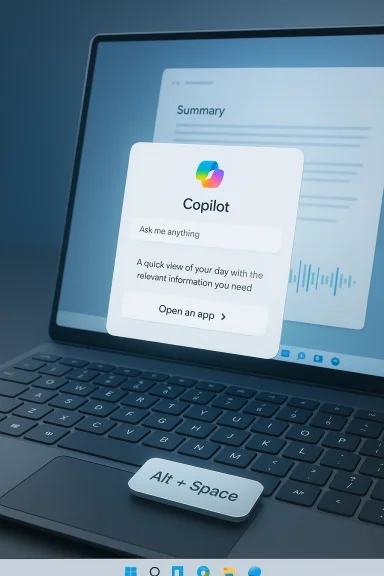
The turning point came when Microsoft began formalizing Copilot as a native Windows app rather than a browser-based wrapper. In December 2024, Microsoft said the previous progressive web app had been replaced by a native version, and that users could access a new quick view with Alt + Space. That change mattered because it signaled a real attempt to make Copilot behave like a first-class Windows component rather than a containerized shortcut. It also hinted that Microsoft had heard one of the loudest complaints: if the assistant is always present, it had better be fast, lightweight, and predictable.
By spring 2025, the company was clearly broadening the Copilot vision beyond a single chat box. Microsoft introduced “Hey, Copilot!” wake-word support for Windows Insiders, added Copilot Vision capabilities, and expanded voice and file-based interactions. At the same time, the Copilot key on newer PCs began to get reassigned in some commercial scenarios, showing that Microsoft now views the hardware button as a programmable entry point into different AI experiences rather than a single immutable launch target. That flexibility is a very different philosophy from the rigid Copilot push of 2023 and early 2024.

Why this moment matters​

The significance of Microsoft’s new plan is not the existence of Copilot itself. It is the attempt to make Copilot feel less intrusive while also making it more useful. That’s a delicate balancing act, especially in Windows, where users are highly sensitive to anything that feels like forced churn.
  • Windows users want fewer interruptions, not more.
  • Enterprise admins want control, not surprises.
  • Consumer buyers want convenience without bloat.
  • Microsoft wants an AI platform layer that justifies its investment.
Each of those goals can coexist, but only if the product design becomes more disciplined.

What Microsoft Is Really Changing​

The clearest shift is architectural. Microsoft has been moving Copilot away from a simplistic browser wrapper and toward a native app that better fits Windows 11’s desktop model. That does not automatically make Copilot brilliant, but it does make it feel like a real Windows app, which is a much more defensible position than pretending a tab in disguise is a platform feature.
Native matters here for more than performance theater. A native app can participate in system UI, tray behavior, keyboard shortcuts, and window management more naturally. It can also evolve more cleanly as Microsoft adds features like voice input, multi-window awareness, and contextual help tied to what is on screen. When an assistant lives close to the shell, it can become part of the workflow instead of a detour from it.
Microsoft has also been splitting the experience by audience. For enterprise PCs, the Copilot key and the Windows key + C shortcut can now open a prompt box tied to Microsoft 365 Copilot, while consumer-facing versions continue to evolve in parallel. That division is important because Windows 11 on a managed business machine has very different requirements than Windows 11 on a personal laptop. A tool that is too playful for work is a liability; a tool that is too rigid for consumers is dead weight.

Native versus web is not just a technical detail​

A great deal of the public backlash against early Copilot experiences came from the feeling that Microsoft was rebranding web content as operating system magic. Native implementation cannot solve poor product judgment, but it can remove one major source of skepticism. The more the app behaves like a system component, the easier it becomes for users to trust that Microsoft is investing in Windows rather than dressing up a website.

A more flexible shortcut strategy​

The rethinking of the Copilot key suggests Microsoft is also becoming less dogmatic about how users should enter AI. Instead of treating the dedicated key as a one-trick launch button, the company is turning it into a more context-sensitive trigger. That is a subtle but important shift, because keyboard hardware only matters if the software behind it remains adaptable.
  • Faster access is useful only when the app is responsive.
  • A shortcut is valuable only if it maps to the right action.
  • Flexibility beats branding when users have different workflows.
  • System-level integration is only helpful if it stays unobtrusive.

The Consumer Experience​

For everyday Windows 11 users, the new plan is most attractive when it makes AI feel optional rather than compulsory. That is a major reversal from the period when Copilot appeared to be competing for attention with search, widgets, and the taskbar itself. If Microsoft gets this right, Copilot can become the “available when needed” assistant people actually keep around.
The consumer upside is easy to understand. A native Copilot app with a better quick view, support for voice commands, and richer context can help users draft text, summarize information, ask questions about what they are seeing, and manage simple tasks without opening a browser. In theory, that is exactly the sort of convenience that makes a modern desktop feel smart instead of cluttered.
Still, consumers will judge Copilot on daily friction, not demo polish. If the app is slow, if it opens too often, or if it answers too vaguely, the native badge will not save it. Microsoft has to prove that Copilot reduces work rather than creating a second layer of chores.

What consumers may actually notice​

The biggest consumer-facing change may not be a flashy new AI model at all. It may simply be a better-feeling app surface: smaller, faster, and easier to summon. That kind of refinement is less dramatic than a headline feature, but it is often what determines whether a feature survives in daily use.
  • Faster opening and closing.
  • Better keyboard-driven access.
  • More natural voice interaction.
  • A less browser-like presentation.
  • Fewer accidental interruptions.

Why restraint could be a feature​

Windows users have a long memory for UI overreach. Anything that feels like forced promotion tends to trigger skepticism fast, especially when it replaces something familiar or adds extra buttons to crowded places like the taskbar. A quieter Copilot may actually be a smarter Copilot.

Enterprise Implications​

If the consumer story is about convenience, the enterprise story is about control. Microsoft 365 Copilot is now being woven into managed Windows 11 environments in ways that make it more useful to IT and employees, but also more dependent on policy, identity, and compliance. That is where Microsoft’s more flexible shortcut and prompt-box strategy becomes especially consequential.
The commercial angle is obvious: Microsoft wants Copilot to become the default AI entry point across Word, Excel, Outlook, Teams, and Windows itself. The company’s messaging around the Copilot key shows that it sees the keyboard not merely as hardware, but as a policy surface. In enterprise, the person who controls the shortcut often controls adoption.
That said, enterprises are rarely impressed by novelty. They care about auditability, data boundaries, and consistency across managed devices. Microsoft has therefore been careful to frame many of these updates as tied to Microsoft Entra identity, Microsoft 365 Copilot app behavior, and Windows update channels. This is not just about shipping AI; it is about fitting AI into the machinery of endpoint management.

Why IT departments should care​

Microsoft’s new approach could reduce friction for organizations that want AI help without inviting chaos. A prompt box opened from the Copilot key is easier to explain and govern than a loose set of floating experiences scattered across the shell. The simpler the interaction model, the easier it is to train users and document policy.
  • Identity-aware access is easier to secure.
  • Prompt-box workflows are easier to teach.
  • Shortcut remapping offers administrative flexibility.
  • Managed rollouts reduce surprise changes.
  • Native apps can be monitored more consistently.

The hidden enterprise benefit​

There is also a subtler gain: Microsoft can better separate consumer AI experimentation from business-grade productivity features. That distinction matters because enterprises do not want their operating system to feel like a perpetual beta test. They want stable interfaces, predictable updates, and a clear chain of responsibility when something changes.

Why the Native App Shift Matters​

The move to a native Copilot app is more than a cosmetic upgrade. It is a statement that Microsoft wants Copilot to behave like a Windows capability rather than an external service tethered awkwardly to the desktop. That matters in a platform where perceived quality often comes from integration details that ordinary users barely notice until they are broken.
A native app can better support hotkeys, system tray presence, and compact quick-view experiences. It can also align more cleanly with Windows 11’s evolving UI language, where Copilot, search, settings, and accessibility features increasingly intersect. When those pieces feel coordinated, the OS feels modern; when they don’t, it feels like a pile of experiments.
There is also an efficiency argument. Even if the performance difference is not dramatic for every user, reducing background overhead and browser dependence is still a win. Windows power users have long been allergic to software that pretends to be lightweight while quietly consuming memory and system resources.

The native app tradeoff​

Native is not automatically better in every sense. It can also mean more responsibility on Microsoft to maintain responsiveness, stability, and cross-version compatibility. But for Copilot, the tradeoff seems worth it because the previous experience had already exhausted much of its goodwill.

What “native” should mean in practice​

If Microsoft is serious, native Copilot should mean more than a different packaging format. It should mean faster launch times, reliable window behavior, clearer permission boundaries, and less dependence on a browser session. It should also mean fewer excuses when something feels off.

Comparing Copilot to Rivals​

Microsoft is not alone in trying to make AI a first-class part of the operating system. Apple, Google, and others are all pushing assistants into their respective ecosystems, and each is learning the same lesson: users will tolerate AI more readily when it is quietly helpful than when it is pushy and inescapable. Windows 11 is simply Microsoft’s battleground for that idea.
The company’s advantage is distribution. No rival has an enterprise desktop installed base quite like Windows, and few can match Microsoft’s ability to surface AI across productivity apps, identity systems, and endpoint management tools. But distribution can also become a crutch if the experience is mediocre. Installing AI everywhere is not the same as making it indispensable.
Microsoft’s challenge is especially sharp because Windows users compare anything intrusive to the platform’s long history of bloat warnings, ads, and toggles. That means Copilot has to work harder to be welcomed than a competing assistant might on a more curated platform. The more Microsoft asks for attention, the more it must earn trust.

The competitive pressure point​

The real competition is not only with Apple Intelligence or Google Gemini. It is with user habits. If people already use browser-based chat tools, local search, or third-party productivity plugins, Copilot has to offer enough advantage to justify becoming a default part of Windows 11.
  • Strong default placement helps adoption.
  • Better context awareness helps retention.
  • Cross-app usefulness helps legitimacy.
  • Good enterprise controls help procurement.
  • Quiet behavior helps trust.

Why Windows gives Microsoft an edge and a burden​

Windows is a powerful distribution channel because it sits at the center of work and personal computing for millions of users. But that same centrality means every misstep is amplified. A weak Copilot experience in Windows does not just affect an app; it affects perceptions of the entire platform.

The Role of Windows 11’s Broader AI Strategy​

Copilot does not exist in isolation. It is part of a broader Windows 11 push that includes voice experiences, contextual assistance, settings integration, and Copilot+ PC features. Microsoft is clearly building toward an operating system where AI is not a separate app category but a layer that touches many everyday tasks. That vision is ambitious, and it is also risky.
The logic is straightforward. If Windows can understand what you are doing, where you are doing it, and what kind of help you need, then assistance can become far more relevant. A user writing an email should see different help than a user organizing files or changing system settings. The value proposition improves when the assistant is aware of context instead of merely waiting for a prompt.
But there is a fine line between context and intrusion. The more Windows understands, the more users will worry about data sharing, privacy, and whether they are being nudged toward Microsoft services by default. This is especially sensitive after years of debate about telemetry, recommendations, and the broader commercial direction of the OS.

Context is the prize​

A truly useful AI layer in Windows 11 should reduce the number of steps needed to complete routine tasks. That could mean rewriting text, explaining on-screen content, or guiding a user through a fix without opening multiple windows. When that happens, AI stops being a feature and starts becoming infrastructure.

Privacy will decide how far this can go​

The more Copilot interacts with screen content, files, and voice, the more Microsoft has to reassure users that the system remains under their control. People will accept helpful intelligence more easily than ambient intelligence. That distinction will shape whether Windows AI feels empowering or invasive.

The UI and Workflow Debate​

Microsoft’s Copilot experiments have often sparked a bigger argument about what users want Windows 11 to be. Some people welcome visible AI tools because they see them as productivity accelerators. Others want a desktop that stays out of the way and feels less like a constantly changing marketing surface. Both reactions are understandable.
The best Windows features are usually the ones that can be ignored until they are needed. Search, File Explorer, and task switching work because they are obvious but not domineering. Copilot will succeed only if it learns to occupy that same mental space: present, useful, and mostly invisible until summoned.
This is why Microsoft’s newer design choices matter so much. A quick-view panel, a configurable hotkey, and a native app are not glamorous features, but they are precisely the kind of details that determine whether an AI assistant feels like a tool or a billboard. Windows 11 users are willing to explore; they are not willing to be lectured by their OS.

The ergonomics of AI​

If AI is to live inside Windows, it has to respect the ergonomics of desktop work. That means short interactions, low disruption, and obvious escape routes. No one wants a helper that makes every task feel like a sales funnel.
  • Easy to invoke.
  • Easy to dismiss.
  • Easy to understand.
  • Easy to disable or remap.
  • Easy to trust.

Why the shell matters more than the model​

Microsoft can improve the underlying model all it wants, but the day-to-day experience will still be shaped by placement, latency, and interaction design. For most users, the shell is the product. That is why this “new plan” is potentially more important than a model announcement.

Strengths and Opportunities​

Microsoft’s new approach to Windows 11 Copilot has real upside because it aligns the product with how people actually use PCs: in bursts, across contexts, and with a strong preference for tools that do not get in the way. The more Microsoft reduces friction, the more Copilot can move from curiosity to habit.
  • Native app performance can make Copilot feel faster and more trustworthy.
  • Prompt-box access simplifies the user journey in both consumer and enterprise settings.
  • Shortcut flexibility gives admins and power users more control.
  • Voice features can broaden use cases for hands-free work.
  • Contextual assistance can make help feel relevant instead of generic.
  • Enterprise alignment increases the odds of real deployment at scale.
  • Cleaner UI behavior may soften resistance from skeptical Windows users.
The key opportunity is not just AI adoption. It is user acceptance. Microsoft can win that if the experience becomes genuinely convenient rather than insistently promotional.

Risks and Concerns​

The biggest risk is that Microsoft overestimates how much users want AI baked into the desktop experience. Windows history is full of features that looked promising in demos but became annoying in real life once they were placed in front of millions of users. Copilot could still go that way if Microsoft pushes too hard or moves too fast.
  • Perceived bloat could return if the feature spreads across too many touchpoints.
  • Privacy concerns may intensify as Copilot gains deeper context.
  • Inconsistent branding can confuse users about what Copilot actually is.
  • Enterprise friction could rise if admin controls lag behind feature changes.
  • Feature fatigue may set in if AI additions outpace practical value.
  • Performance issues would be especially damaging for a native app promise.
  • Trust erosion remains a real danger if the assistant feels pushy or opaque.
The other concern is more subtle: Microsoft may end up building a very capable AI layer that still fails to become indispensable because the user experience never quite settles. Consistency, not novelty, will determine whether this strategy succeeds.

What to Watch Next​

The next phase will tell us whether Microsoft’s new plan is a genuine redesign of its Windows AI strategy or just another turn in the Copilot experiment. The most important signs will not be slogans; they will be implementation details, rollout pacing, and how quietly the feature behaves when people are simply trying to get work done.
If Microsoft keeps the focus on utility, the native Copilot app could finally become the kind of Windows 11 feature that earns its place rather than demanding it. But if the company starts treating every surface in Windows as an invitation to surface Copilot, the same old backlash will return almost immediately. The difference between those outcomes will come down to restraint, clarity, and execution.

Things worth tracking​

  • Whether Copilot remains fast and lightweight in general release.
  • How Microsoft handles privacy and on-screen context permissions.
  • Whether the Copilot key remains configurable across more scenarios.
  • How quickly enterprise admins gain policy controls for the new experience.
  • Whether users actually keep Copilot pinned and in regular use.
  • How deeply Copilot integrates with other Windows 11 tools without becoming noisy.
  • Whether Microsoft can keep the consumer and business stories distinct.
The real test is whether Windows 11 starts to feel more helpful rather than merely more AI-infused. That distinction will matter more than any single feature announcement.
Microsoft appears to have recognized that Copilot’s problem was never lack of ambition; it was lack of fit. A native app, better shortcut logic, and a more measured presence inside Windows 11 all point toward a more mature strategy, one that acknowledges the realities of desktop computing instead of trying to rewrite them overnight. If Microsoft follows through, this could be the rare AI pivot that improves the operating system instead of distracting from it.

Source: How-To Geek Microsoft has a new plan for Windows 11, and it actually sounds great
 

Microsoft’s quiet retreat from some of its most visible Copilot ambitions in Windows 11 is more than a cosmetic change. It is a course correction that reflects a hard lesson Redmond has been learning for two years: users will tolerate AI when it helps, but they push back when it starts to feel like AI bloat. The shift also arrives at a critical moment for Windows, as Microsoft tries to keep the platform modern without making it feel crowded, intrusive, or harder to control. In practice, that means the company is now balancing its AI-first narrative against the older Windows promise of speed, familiarity, and user choice. os began as a bold platform play. In September 2023, Microsoft pitched Copilot as a single, unified assistant that would span Windows 11, Edge, Bing, and Microsoft 365, with AI woven into the operating system itself rather than bolted on as a separate app. That announcement framed Copilot as a companion that could understand what users were doing in the moment, use web and work context, and appear when needed across the PC experience. The ambition was unmistakable: make Copilot the connective tissue of Microsoft’s consumer and productivity stack.
That vision expanded quickly in 2024 and 2025. Microsoft pushed AI into inbox apps such as Notepad, Paint, Photos, and Snipping Tool, while also tying more Windows features to Copilot branding and assistant entry points. The company’s own messaging emphasized a more seamless, more ambient experience, but many users experienced it as persistent surface creep rather than helpful integration. The more Copilot appeared, the more it risked becoming a symbol of product marketing inside everyday workflows.
By March 2025, Microsoft’s Copilot blog and Windows Experience Blog were still expanding the AI story, yet a parallel pattern was forming: users and admins were increasingly able to disable certain Copilot behaviors, and Microsoft was already signaling that not every surface needed the assistant all the time. Support documentation also showed that Microsoft 365 apps could have Copilot turned off in some cases, and that the app itself had begun a broader naming and packaging transition. The important subtext was that Microsoft was introducing more control precisely because the original all-pervasive strategy was creating friction.
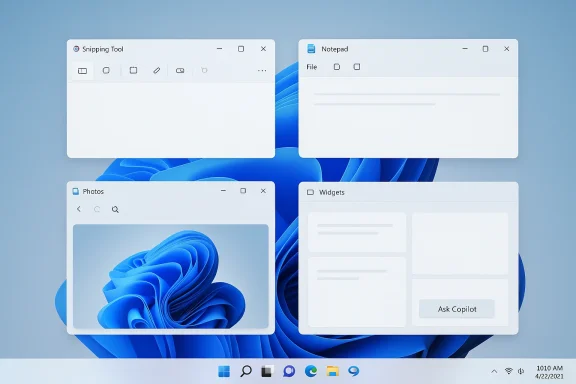
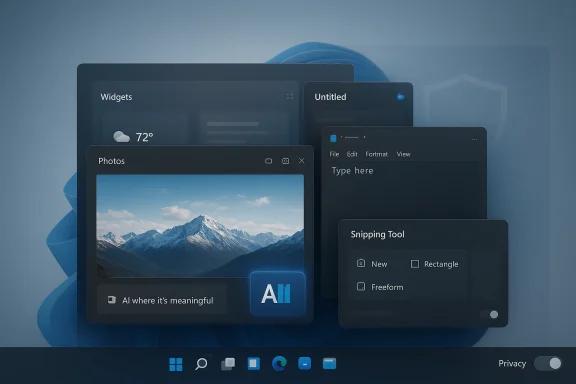
The latest Windows 11 rollback fits that same arc. According to the Windows community material surfaced here, Microsoft is reducing unnecessary Copilot entry points in apps like Snipping Tool, Photos, Widgets, and Notepad, while also restoring or improving some long-requested Windows cone more flexible shell options. That matters because it suggests the company is no longer treating ubiquity as the primary KPI for Copilot. Instead, Microsoft appears to be shifting toward selective presence, where AI shows up only when it has a clear job to do.
This is not a full retreat from Copilot, and it should not be read that way. Microsoft continues to invest heavily in the broader Copilot ecosystem, including Microsoft 365 Copilot, Copilot+ PCs, and app-level AI features across the productivity stack. The important distinction is that the company seems to be reconsidering where the assistant belongs inside Windows itself. That is a subtle but meaningful change, because operating systems are judged not just by what they can do, but by how often they interrupt the user’s flow.

Four windows open on a blue Windows 11 desktop showing Shipping Tool, Notepad, Photos, and Widgets.Background​

Windows 11 has always carried a dual identity problem. On one side, Microsoft wants it to be a modern platform for AI-era hardted services. On the other, millions of users still want Windows to behave like a dependable desktop operating system, not a live advertisement for features they may never use. That tension has become more visible as Microsoft has added more AI touchpoints to common apps and system surfaces. The result is a platform that can feel polished in demos and cluttered in daily use.
The broader market context matters too. Microsoft is not alone in trying to make AI a core interface layer, but it is the only major vendor trying to do so at the operating system level for a huge installed base ofApple has been more conservative in how it introduces systemwide AI, while Google has largely concentrated its AI push in services and cloud experiences. Windows has the hardest job because it must serve consumers, enterprises, gamers, schools, and power users at once. In that environment, every extra prompt is not just a feature; it is a policy choice.
Enterprises have been particularly resistant to surprise. IT departments care about deployment timing, predictability, and the ability to opt in or out on their own schedule. Microsoft’s own support pages show that users can turn off Copilot in some Microsoft 365 apps, and that organizations may need admin intervention to manage the experience properly. The company has also documented scenarios where the Microsoft 365 Copilot app can be blocked, uninstalled, or controlled through admin tooling. That is evidence that Microsoft already knows governance is not optional in AI distribution.
The consumer side is different but no less important. Home users do not usually file change-control tickeout friction. If a screenshot tool turns into a Copilot entry point, or if a note-taking app starts feeling like an AI upsell, users notice immediately. This is why phrases like AI bloat have stuck: they capture the feeling that the operating system is being repurposed to serve a strategic narrative instead of the user’s immediate need. The community backlash is not anti-AI in the abstract; it is anti-overreach.
Microsoft’s recent Windows messaging suggests it has finally heard tmpany has begun highlighting broader improvements beyond Copilot, including update control, taskbar flexibility, reliability tuning, and File Explorer work. That broader scope is important because it shows Microsoft understands the annoyance problem is cumulative. Users do not resent one AI button as much as they resent a dozen little changes that make Windows feel less like their own machine.

What Microsoft Appears to Be Changing​

The clephical. Microsoft appears to be moving from “put Copilot everywhere” to “put Copilot where it belongs.” That is a meaningful distinction because it suggests the company now believes overexposure can be as damaging as underexposure. In practical terms, less visible Copilot placement should mean fewer AI prompts in ordinary workflows and a cleaner interface overall.

Fewer intrusive entry points​

According to the Windows 11 community material, Microsoft is reducing Copilot entry points in tools like Snipping Tool, Photos, Widgets, and Notepad. That is significant because these apps serve lightweight, fast tasks where users often want no disruption at all. A screenshot app should feel immediate, not like a sales funnel for AI.
The change also hints at a design cay be realizing that the best AI features are often the ones hidden behind deliberate invocation, not the ones shoved into every toolbar. That is why the rollback matters: it suggests the company is finally respecting the difference between a capability and a constant nudge. Ubiquity is not the same thing as utility.

A calmer Windows shell​

The rollback is not just about Copilot. The same Windows Insider-era changes reportedly emptions, more control over updates, and a more flexible desktop shell. In other words, Microsoft is trying to make Windows 11 feel less like an experiment and more like a stable environment again. That is a smart move if the company wants to reduce user frustration without abandoning its AI roadmap.
A calmer shell is especially valuable because Windows has long been judged by how much it gets out of the way. If the company can reduce visible friction while preserving AI features for those who want them, it may finally achieve a better balance between novelty and predictability. That balance has been difficult to find, but it is exactly what Windows users have been asking for.

Why this feels like a retreat​

Microsoft will almost certainly describe these changes as refinement rather than retreat. And to be fair, that is a defensible framing. The company is not abandoning Copilot, nor is it walking away from AI features in Windows. It is simply learning that not every app, pane, or sidebar needs an assistant badge.
Still, the market may interpret the move as a rollback because the earlier strategy was so expansive. Microsoft spent a long stretch making Copilot feel unavoidable, then discovered that users did not necessarily want the same assistant in every corner of the desktop. When a company pulls back from a universal rollout after pushing it hard, people understandably call that a retreat. That is not a failure of language; it is a reflection of product reality.
  • Fewer obvious Copilot buttons in everyday apps.
  • Less visual clutter in Windows 11 inbox tools.
  • More room for standard workflows to stay standard.
  • A stronger emphasis on optional rather than ambient AI.
  • Better alignment between user intent and feature exposure.

Why Windows Users Pushed Back​

The criticism of Copilot in Windows has rarely been “AI is bad.” It has been closer to “AI is appearing in the wrong places, too often, and with too much confidence.” That distinction matters because Microsoft can solve the second problem without undermining the first. In fact, the best way to preserve demand for AI may be to stop overwhelming users with it.

Control is part of the Windows brand​

Windows has always succeeded, at least in part, because it gaontrol. Even when the OS was messy, users could usually tune it, rearrange it, or work around it. Windows 11’s more opinionated design often clashes with that memory. When Copilot surfaces feel mandatory, the product starts to resemble a locked-down appliance rather than a flexible desktop.
That is a particularly sensitive issue for power users and IT administrators. These audiences do not merely prefer customization; they depend on it. For them, the presence of a Copilot icon is not just a UI detail. It signals how much authority Microsoft intends to assert over the workflow.

The bloat accusation sticks​

Once users begin describing a product as bloated, it is hard to unhear. The phrase implies not just too many features, but too many features with unclear value. Copilot’s problem in Windows 11 is that it often arrived before its value was fully proven in the specific context where it appeared. That made it easy for users to treat the assistant as clutter rather than help.
Microsoft has been trying to reframe Copilot as a practical productivity layer, but the experience of seeing AI prompts inserted into simple tools works against that message. Users who want to capture a screenshot or jot down a note are not looking for a demo of Microsoft’s strategy. They want the task finished quickly. If the assistant gets in the way, it becomes part of the problem.

Enterprise trust is not automatic​

In corporate environments, trust is procedural. If Microsoft deploys too much too quickly, admins respond by limiting, blocking, or delaying adoption. That is one reason the company has provided explicit guidance for turning off Copilot in some Microsoft 365 apps and for managing Microsoft 365 Copilot behavior at the tenant level. The more Microsoft pushes, the more it must also give enterprises ways to say no.
The reported Windows 11 rollback suggests Microsoft understands that lesson better now. A quieter, more selective approach reduces the chance that AI feels like an imposed default. In enterprise IT, that can be the difference between a feature being piloted and a feature being blocked. Consent is deployment strategy.
  • Users want assistance, not interruption.
  • Admins want control, not surprise rollouts.
  • Power users want flexibility, not defaults they did not choose.
  • Consumers notice clutter even when they cannot articulate it.
  • Trust erodes quickly when branding outruns usefulness.

The Enterprise Angle​

For businesses, the rollback is less about aesthetics and more about governance. Microsoft has spent years moving Copilot from a product feature into a platform layer, but enterprise customers evaluate platform layers through a stricter lens. They ask who can control it, what data it touches, how it is licensed, and whether it changes the support burden. That makes visible AI surfaces a risk as well as a capability.

Admin control matters more than branding​

The Microsoft 365 support pages make it clear that Copilot can be disabled in some app scenarios, that ribbon icons can be removed, and that organizations may need admin support to manage privacy and deployment settings. Those details are not incidental. They show that Microsoft knows enterprise adoption depends on granular control, not just product enthusiasm.
That lesson translates directly to Windows 11. If Copilot feels unavoidable at the shell level, IT teams will see it as another thing to document, explain, or suppress. If it appears more selectively, Microsoft has a better chance of presenting it as an optional productivity enhancer rather than a forced platform shift.

Licensing and rollout complexity​

Microsoft’s Copilot ecosystem has become fragmented across multiple products and tiers, including Microsoft 365 Copilot, Copilot Pro, Copilot+ PCs, and app-specific AI features. The more layers Microsoft adds, the harder it becomes to explain what is included, what is optional, and what requires a separate license or device class. That complexity is not just confusing; it is expensive to support.
Reducing visible Copilot surface area in Windows may therefore be as much about operational simplification as user experience. Fewer touchpoints mean fewer support calls, fewer expectations, and fewer mismatches between what people think Copilot should do and what their environment actually allows. In enterprise software, clarity is a feature.

A better fit for controlled environments​

Enterprise IT tends to prefer features that can be audited, controlled, and rolled back. That is why the reported movement away from some Windows 11 Copilot surfaces may actually help Microsoft in the long run. A restrained rollout is easier to explain to security teams, compliance officers, and desktop engineering groups than a blanket AI layer embedded in every app.
This matters even more now that Microsoft keeps tying Windows value to AI readiness. If the company wants AI PCs to succeed in the enterprise, it has to show that the experience is governable, not merely dazzling. Otherwise, it risks turning a strategic advantage into a procurement objection.
  • IT departments prefer predictable deployment windows.
  • Security teams need to know what data features can touch.
  • Compliance teams need auditability and policy controls.
  • Desktop engineers want fewer UI surprises.
  • Licensing teams want fewer ambiguous SKU boundaries.

Consumer Impact and Daily Use​

For regular Windows users, the significance of this rollback is immediate and practical. They may not care about Microsoft’s AI strategy in the abstract, but they do care whether Notepad stays quick, whether the Photos app stays uncluttered, and whether Windows feels like it is nudging them every few minutes. Less visible Copilot should translate into a less noisy desktop.

Everyday apps should feel lightweight​

The apps named in the reported rollback are the sort of tools people use for brief, focused tasks. Snipping Tool is for capture. Notepad is for quick text. Photos is for viewing and basic edits. Widgets are for glances, not long sessions. In each case, Copilot can be useful, but it can also be overkill if it appears too early or too often.
This is why Microsoft’s recalibration may feel better even to users who like AI features. A well-placed assistant is helpful precisely because it is not always visible. When the interface breathes, the user breathes too. That is the difference between a useful enhancement and an app that feels trying too hard.

Less pressure, more choice​

Consumers generally appreciate choice more than vendors assume. They may not disable a feature immediately, but they like knowing they can. Microsoft’s broader trend toward giving users more control over update behavior and certain Copilot settings plays directly into that preference. It helps restore some of the flexibility Windows 11 lost in the eyes of longtime users.
That said, Microsoft still has a branding challenge. If the company keeps renaming and repackaging every AI component under the Copilot banner, users may never fully trust that the rollback is real. The best way to prove restrs about AI; it is to make fewer parts of Windows scream about it.

Consumer expectations are evolving​

There is also a maturity factor here. Users have had enough exposure to generative AI to distinguish between novelty and utility. Early on, AI buttons could attract attention simply by existing. Now, people expect a real payoff: time saved, friction removed, or work simplified. If Microsoft cannot deliver that payoff cleanly, the AI surface becomes decorative at best and annoying at worst.
That is why the rollback matters beyond the immediate Windows 11 build cycle. It suggests Microsoft is entering the second phase of the AI UI era, where placement and restraint matter as much as capability. For consumers, that is good news. It means the company may be finally learning that less AI theater can produce more genuine usefulness.
  • Everyday apps should stay fast and obvious.
  • Optional AI should remain optional.
  • Fewer prompts mean fewer accidental detours.
  • Clearer UI reduces the sense of product overload.
  • User trust improves when features appear in context.

Competitive Implications​

Microsoft’s adjustment also changes the competitive landscape, even if subtly. The company spent much of the past two years trying to define Windows as the default AI PC platform. If that platform now looks less aggressive and more selective, rivals may find it harder to caricature Windows as a noisy, overdesigned AI showroom. At the same time, Microsoft risks signaling that its earlier confidence outpaced real user appetite.

Apple’s restraint starts to look smart​

Apple’s approach to AI has generally been more conservative in how it surfaces systemwide capabilities. That restraint now looks strategically useful, because Microsoft’s rollback implicitly validates the idea that users do not necessarily want AI everywhere. Microsoft may still be more ambitious, but Apple can point to a calmer interface philosophy as evidence that restraint is a feature, not a weakness.
This does not mean Apple wins by default. Microsoft still has a broader enterprise footprint and a stronger legacy in productivity workflows. But it does mean Apple can frame AI as an enhancement to existing interactions rather than a reimagining of the whole desktop. That is an easier sell when users are fatigued by constant product repositioning.

Google’s AI story remains different​

Google’s AI push is powerful, but it is less entangled with a single desktop shell. That gives Google more freedom to experiment in services without being blamed for reworking the local operating system every time it adds a feature. Microsoft, by contrast, has to defend every UI change on a platform people touch dozens of times a day. The stakes are simply higher.
For that reason, even a small rollback in Windows 11 can have outsized branding effects. If Microsoft gets the balance right, it strengthens the argument that Windows is the best place to run AI-enhanced productivity. If it gets the balance wrong, it reinforces the notion that Windows is becoming harder to trust as a daily workspace. Perception scales faster than code.

The market reads restraint as learning​

Investors, partners, and competitors all watch product reversals closely because they reveal where user resistance is strongest. A company that is willing to narrow a noisy rollout can be seen as pragmatic rather than stubborn. In Microsoft’s case, the rollback may help reset the story from “AI everywhere” to “AI where it matters,” which is a far more durable position.
That shift could prove especially important if Microsoft wants Copilot+ PCs to feel differentiated without becoming mandatory. The hardware story is stronger when AI is associated with capability and efficiency, not with clutter and nagging prompts. The competitive upside of restraint is that it makes the next feature release easier to trust.

Strengths and Opportunities​

Microsoft still has a strong hand here. It controls the operating system, the productivity suite, the browser, and a broad AI stack, which gives it a unique chance to integrate Copilot in genuinely helpful ways. If it uses this rollback to improve signal-to-noise, Windows 11 could become a more credible AI platform instead of a more crowded one.
  • Reduces clutter in everyday Windows workflows.
  • Improves trust by showing more restraint.
  • Gives enterprise admins a cleaner story to evaluate.
  • Preserves AI for higher-value, more contextual moments.
  • Aligns Windows with the user-control expectations that made the platform successful.
  • Makes Copilot feel more like a tool and less like marketing.
  • Lowers the risk of backlash against future AI features.

Risks and Concerns​

The danger is that Microsoft may have already trained users to expect overreach. A rollback can improve sentiment, but it can also reinforce the idea that the company is experimenting on the desktop and adjusting only after complaints become loud enough. If Microsoft changes direction too often, the result could be confusion instead of relief.
  • Users may see the move as admission that the original rollout was too aggressive.
  • Copilot branding can still feel intrusive even if the feature count drops.
  • Enterprise buyers may remain wary until policy controls are clearer.
  • Microsoft could underdeliver on the AI benefits it promised.
  • Fragmentation across Copilot products may continue to confuse customers.
  • The company risks appearing reactive rather than intentional.
  • Too many partial rollbacks can make Windows strategy feel unstable.

Looking Ahead​

The next phase will be about consistency. Microsoft needs to show that this is not just one more temporary correction, but part of a sustainable product philosophy that values context, restraint, and user control. If the company can pair selective AI with smoother Windows fundamentals, it may repair some of the trust it spent the last two years burning down.
It will also be important to watch whether Microsoft applies the same discipline across the broader Copilot ecosystem. If Windows gets calmer while Microsoft 365 and other surfaces keep getting noisier, users will notice the inconsistency immediately. A successful reset will require coherence, not just a few removed buttons.
  • Watch whether Copilot entry points continue shrinking in future Insider builds.
  • Watch whether Microsoft expands admin controls for consumer and enterprise use.
  • Watch for broader UI simplification beyond the named inbox apps.
  • Watch whether the company can explain Copilot value without overbranding it.
  • Watch for signs that Microsoft is prioritizing usability over AI saturation.
Microsoft’s Copilot rollback in Windows 11 is best understood as a strategic admission that software can have too much of a good thing. AI still matters, and Copilot still has a real future inside Windows, Microsoft 365, and the company’s hardware story. But the era of treating every obvious surface as a place to advertise intelligence may be ending, and that could be the healthiest move Microsoft has made for the platform in quite some time.

Source: Bitcoin world Microsoft Copilot Retreats: Strategic Rollback Addresses Windows 11 AI Bloat Concerns
 

Microsoft appears to be making a quiet but important correction to one of Windows 11’s most criticized habits: putting Copilot in places where users simply wanted a fast, lightweight tool. The latest Insider-facing changes suggest that Microsoft is reducing unnecessary Copilot entry points in inbox apps such as Notepad, Photos, Snipping Tool, and Widgets, while also restoring familiar desktop controls that long-time Windows users have been asking for. That is not the same as abandoning AI in Windows, but it does show a company that has finally noticed the difference between useful integration and persistent clutter. The shift arrives after months of pressure from users, power users, and IT admins who have increasingly described Windows 11 as too busy, too opinionated, and too eager to sell the company’s AI story at every turn. rn Windows did not begin as a minor product tweak. It was framed as a platform-wide strategy meant to make Windows the front door to the AI era, with the assistant spanning the operating system, Edge, and Microsoft 365. In practice, that meant Copilot started showing up in more and more places where users had traditionally expected a quiet, distraction-free workflow. That included common utilities like Notepad and Paint, where Microsoft added AI-driven features and Copilot-adjacent entry points over time.
The problem with that approach was nevered. It was that Microsoft kept surfacing it in places where the job to be done was obvious and quick. When someone opens Notepad, they usually want a note, not a conversation. When they use Snipping Tool, they want to capture something and move on. When they check Widgets, they want a glanceable dashboard, not an upsell. The deeper Microsoft embedded Copilot, the more it risked feeling like a branding layer rather than a productivity layer.
That tension became more visible because Windows 11 itself has often been judged thrc have complained about reduced customization, intrusive update behavior, and a shell that sometimes feels more tightly managed than earlier versions of Windows. Microsoft’s willingness to revisit taskbar placement, update flow, and Copilot placement suggests it has recognized that the old “more modern by default” formula was not winning enough goodwill.
There is also a historical backdrop here. Microsoft has a long pattern of introducing a bold platform vision, then pulling back n the demos suggested. The Copilot story in Windows is following that familiar arc: broad ambition first, practical correction second. The difference this time is that AI is not a side project anymore; it is the central narrative for Windows, Office, and Microsoft’s hardware strategy. That makes any retreat feel more consequential, even if the company insists it is only being more selective.

A monitor displays the Windows 11 desktop with blue swirl wallpaper and app icons.What Microsoft Is Scaling Back​

The most important part of this change is not that Microsoft is removing Copilot altogether. It is scaling back the places where Copilotrg to the current Windows Insider messaging surfaced in the community materials, Microsoft is reducing unnecessary Copilot entry points in apps like Notepad, Snipping Tool, Photos, and Widgets. That is a philosophical shift as much as a design change, because it moves the company away from “Copilot everywhere” and toward “Copilot where it fits.”

Fewer AI interrupts​

This matters because entry points shape perception. A user may never actually use a Copilot feature in Notepad, but if the button is always present, the app stops feeling like a utility andaop OS, that kind of ambient pressure accumulates quickly. The more often Windows nudges people toward AI, the more likely they are to experience it as friction rather than help.
The broader implication is that Microsoft is learning to distinguish between presence and utility. A feature can be technically useful and still be badly placed. That distinction is especially important in fast-launch apps, because speed and simplicity aoposition. If Microsoft preserves the capability but trims the visual noise, it may actually improve Copilot’s reputation over time.

Why Notepad matters most​

Notepad is the clearest symbol of the issue because it has historically represented the most minimal kind of Windows software. Microsoft has already been modernizing it with Markdown support, tabs, spellcheck, autosave, and AI text features, includinr write and summarize actions. That makes it a useful test case for the company’s new balance between modernization and restraint.
The irony is that the more Microsoft improves Notepad, the more it risks undermining the very identity that made Notepad beloved in the first place. Users do not necessarily object to optional power features. They object when the app starts feeling heavier, slower, or more promotional. In that sense, scaling back Copilot visibility in Notepad is not a retreat from progress; it is an attempt to restore the app’s low-friction personality.

Taskbar Freedom Returns​

One of the clearest signs that Microsoft is listening is the renewed attention on taskbar customization. Windows 11 originally narrowed the taskbar experience in ways that frustrated long-time users, especially those who relied on the ability to move it to different edges of the display. Restoring that flexibility is not aure, but it is the kind of change users notice immediately.

A small change with outsized meaning​

The taskbar is not just a UI strip. It is the most visible expression of how much control Microsoft believes users should have over their own desktop. When that control is reduced, even power users who never touch Copilot begin to feel that Windows is becoming less theirs and more Microsoft’s. Bringing back positioning options tglic as well as functional.
The change also speaks to a broader product lesson: tiny restrictions can create enormous resentment when they land on a daily-use surface. Users may tolerate a new feature they do not love, but they rarely forget when a familiar control is taken away. That is why taskbar customization remains one of the most emotionally loaded Windows topics in the enthusiast community.

Why enthusiasts care so much​

Power rst to notice platform drift because they interact with the shell all day. They are also the most likely to view a desktop as something to be shaped, not merely consumed. For that audience, taskbar placement is not nostalgia; it is a proxy for workflow efficiency and desktop ergonomics.
Microsoft may see this as a minor restoration. Enthusiasts see it as proof that the cos Windows as a configurable system rather than a fixed appliance. That distinction matters if Microsoft wants to preserve loyalty among the users who often influence the wider conversation around the OS.

Windows Update Gets Less Aggressive​

Another important part of the story is Microsoft’s effort to make Windows Update less intrusive. The compang it easier to skip updates during setup and reducing the chance that users get trapped in install cycles at shutdown or during first-run configuration. That may sound mundane, but update control is one of the oldest and most persistent sources of Windows frustration.

Why timing matters​

Users do not objecple. They object to surprise, bad timing, and the feeling that the machine is making decisions on its own schedule. When Windows interrupts setup with patching, or forces a restart at the worst possible moment, it turns maintenance into conflict. Microsoft’s new approach appears to be aimed at reducing exactly that kind of friction.
That is important because Windows 11 has already accumulated enough criticism for its UI choices. If Microsoft also leaves the update experience feeling heavy-handed, it compounds the impression that the platform is more managed than governed. A quieter update flow is not glamorous, but it is the kind of fix that can meaningfully improve trust.

Enterprise implications​

For IT departments, update behavior is about predictability, not convenience. Every forced reboot, unclear prompt, or opaque install cycle increases support o confidence in endpoint management. If Microsoft makes updates easier to defer or better timed by default, it gives administrators a little more breathing room.
That does not mean enterprises want to ignore security maintenance. It means they want control over when and how that maintenance happens. Microsoft seems to be acknowledging that the bes not the most aggressive one, but the most manageable one. That’s an important distinction in large deployments.

The Copilot Recalibration​

The deeper story here is not UI housekeeping. It is that Microsoft appears to be recalibrating the entire Copilot strategy inside Windows. The company is moving away from treating Copilot as a ubiquitous marker of progress and toward presenting it as a more selective capability that should appear only when it has a clear purpose. That is a meaningful change in product philosophy.

From everywhere to appropriate​

For much of the last two years, Microsoft behaved as though visibility alone would create adoption. That made sense on paper, especially for a strategic product l, the constant Copilot surfacing made the assistant feel less like a helpful companion and more like a persistent campaign. The result was predictable: the more Microsoft pushed, the more users pushed back.
Selective placement is a smarter answer because it aligns AI with context. An AI feature feels more valuable when it appears after a user shows intent, not before. That is why hidden or gesture-driven invocation often lands better than a toolbar icon that never goes away. Microsoft is not giving up on AI; it is admitting that AI needs boundaries to feel useful.

The branding problem​

There is also a branding consequence. Copilot has become so broadly attached to Microsoft’s product stack that it risks losing specificity. When the same badge appears across Windows, Microsoft 365, apps, and cloud services, it can become harder for users to understand what exactly they are getting. Reducing the visible Copilot footprint in some inbox apps may help preserve the value of the brand by making it feel more intentional.
That is a subtle but important correction. Brands lose power when they are sprayed everywhere. They gain power when they are associated with useful, well-timed experiences. Microsoft may be discovering that less logo-driven AI can actuallption of the platform as a whole.

Why Users Pushed Back​

The criticism around Copilot in Windows has rarely been a pure anti-AI argument. It has mostly been about placement, frequency, and tone. Users have been telling Microsoft, in effect, that they do not mind AI if it stays in the background until they need it. What they resent is being nudged into it at every turn.

The clutter complaint​

Windows 11 already has a lot going on: notifications, cloud prompts, app recommendations, update banners, widget surfaces, and system alerts. Adding more visible AI entry points into that mix can make the desktop feel crowded even when the underlying features are useful. That is where the “AI clutter” label comes from, and why it has stuck.
The issue is partly aesthetic, but it is al users begin to feel that an OS is trying to sell them a strategy instead of helping them complete a task, trust erodes. That kind of erosion is slow, but it can have long-term consequences for feature adoption and platform goodwill.

Desktop users want control​

Windows is not a single-purpose app. It is a general-purpose environment used by consumers, gamers, schools, power users, and enterprises. That means any new feature has to survive a much wider range of use cases than a standalone service would. A Copilot experience that looks great in a demo can become a liability in a business workflow or a speed-focused desktop setup.
The appetite for control is especially strong in the Windows community because control has always been part of the platform’s identity. Even when Windows was messy, it was usually your mess. Windows 11’s more prescriptive direction has collided with that expectation, and the backlash around Copilot is one of the clearest signs of the mismatch.

Competitive Implications​

Microsoft’s shift is also significant because it changes how other major platforms. Apple has generally been more conservative about surfacing systemwide AI, while Google has leaned heavily into AI across services without carrying the same desktop-shell burden. Microsoft has been trying to make Windows feel like the primary AI PC environment, but that makes it more exposed to backlash when AI appears in the wrong places.

A different burden than rivals​

Windown macOS or ChromeOS because it has to serve everyone at once. It must satisfy consumers who want simplicity, enterprises that want control, and enthusiasts who want flexibility. That makes every AI decision more politically charged. A badge in Notepad is not just a badge; it is a statement about who the OS is being optimized for.
Microsoft’s reviefore be less about retreat and more about survival. If the company keeps pushing Copilot too hard inside the shell, it risks turning a strategic advantage into a brand liability. Trimming the footprint while preserving the platform’s AI capability is a way to keep momentum without provoking more resistance.

Enterprise versus consumer reactions​

Enterprises are likely to see this as a win, at least initially. They usually prefer AI to be available but controlled, visible but not invasive, and easy to manage through policy. Consumers and enthusiasts are more likely to care about aesthetic clutter and day-to-day annoyance, which means they will judge the change by whether the desktop feels calmer.
That split is important because Microsoft needs both audiences. A calmer Windows 11 may help in the enterprise market by reducing the sense of surprise, while also reassuring consumers that the OSy. If Microsoft can satisfy both groups at once, it will have solved a major product problem.

What This Means for Notepad, Photos, and Widgets​

The apps named in the reported rollback are not accidental. They are all high-frequency, low-friction surfaces where users expect immediate utility. Notepad is for speed, Photos is for viewing and ligool is for capture, and Widgets are for quick glances. These are not places where people generally want a long AI detour.

App-specific expectations​

Notepad must remain fast and predictable, or it loses its core appeal. Photos can support AI enhancement, but only if the default experience stays optional and unobtrusive. Widgets should feel lightweight and glanceable rather than promotional. And Snipping Tool works best when it gets out of the way after the capture is complete.
This is why Microsoft’s rebalancing is smart even if it is overdue. Different apps have different emotional contracts with users. Break those contracts, and even a technically good feature can feel like a mistake. Respect them, and AI becomes easier to acceptn principle
There is a useful design principle underneath all of this: context beats ubiquity. When a feature appears in the right place, at the right time, it feels smart. When it appears everywhere, it starts to feel desperate. Microsoft appears to be learning that lesson in real time.
That lesson may shape more than these few apps. If the company applies the same logic elsewhere in the shell, Windows 11 could become less noisy without losing its AI identity. That would be the most durable outcome of this reversal.

Strengths and Opportunities​

Microsoft’s course correction has several obvious advantages if the company follows through. It can reduce annoyance without dismantling the broader Copilot strategy, and it can make Windows 11 feel more respectful of user intent. The cp the improvements consistent across the shell rather than limiting them to a few visible examples.
  • Less visual clutter in everyday apps should make Windows feel calmer and more usable.
  • Better taskbar control restores a familiar power-user workflow.ate behavior** should reduce setup frustration and awkward restarts.
  • Selective AI placement may improve Copilot’s reputation by making it feel earned.
  • Improved enterprise trust could make Windows 11 easier to manage in business environments.
  • Higher user goodwill may help Microsoft defend Windows 11 against lingering criticism.
  • Stronger app identity lets Notepad, Photos, and Snipping Tool stay true to their core purpose.

Risks and Concerns​

The risk is that Microsoft could turn this into a cosmetic retreat rather than a meaningful shift. If Copilotrent surfaces while the desktop remains just as cluttered, users will conclude that the company only changed the packaging. Worse, Microsoft could create confusion if it keeps pushing AI in some places while trimming it in others.
  • Mixed messaging could make users wonder whether Microsoft knows what role Copilot should play.
  • Incomplete rollback may not solve the broader “AI clutter” complaint.
  • Enterprise skepticism will remain if admins cannot clearly control feature exposure.
  • Overcorrection could slow legitimate innovation in useful AI workflows.
  • Update control changes could be misunderstood as permission to ignore security maintenance.
  • Feature fragmentation may make Copilot feel less coherent across Windows.
  • User fatigue may persist if Microsoft continues adding prompts elsewhere in the shell.

Looking Ahead​

The next few months will reveal whether this is a real product reset or just another turn in Microsoft’s long cycle of push, backlash, and partial retreat. The company has already shown that it can make Windows 11 more flexible in small but visible ways, and that should give users a reason to watch closely. If Microsoft extends the same restraint beyond Notepad and a few inbox apps, the platform could begin to feel more mature and less defensive.
The key question is whether Microsoft is prepared to treat restraint as a feature. That would mean fewer assumptions about where Copilot belongs, fewer forced updates to the user experience, and more respect for the long-standing Windows promise that people can shape the desktop around their own habits. If the company keeps that promise, Windows 11 could finally settle into a more balanced identity. If it does not, users will likely keep reading every AI tweak as another reminder that Microsoft still has not fully learned the lesson.
  • Watch whether the Copilot changes spread beyond Notepad, Photos, Widgets, and Snipping Tool.
  • Watch whether taskbar positioning returns broadly or remains limited in scope.
  • Watch whether Windows Update becomes genuinely easier to defer during setup.
  • Watch whether Microsoft reduces AI surfaces in other high-frequency Windows utilities.
  • Watch whether enterprise policy controls become clearer and easier to manage.
Microsoft does not need to abandon Copilot to win back trust. It needs to prove that the Windows desktop is still a place where users can work without being interrupted by the company’s latest strategy. If this rollback is the beginning of a broader shift toward context, control, and calm, then Windows 11 may yet become the product many users hoped it would be. If it is only a limited concession, the criticism will return quickly, and likely with more force than before.

Source: Windows Latest Microsoft responds to Microslop criticism by scaling back Copilot in Windows 11, starting with Notepad and other apps
 

Microsoft’s reported pullback on Copilot entry points in Windows 11 is less a retreat from AI than a correction to how aggressively that AI should be surfaced. If the company is now removing or limiting Copilot touchpoints in apps such as Photos, Widgets, Notepad, and the Snipping Tool, the signal is clear: Microsoft wants AI to feel useful, not omnipresent. That’s a meaningful shift for a platform that spent the past year adding AI affordances almost everywhere, often before users had asked for them.

Futuristic desktop interface with widgets, photo preview, and an AI Snipping Tool window on blue.Background​

For much of 2024 and 2025, Microsoft’s Windows strategy leaned hard into AI-first positioning. The company steadily added Copilot branding and features across the OS and core apps, including Photos integrations, AI-assisted writing in Notepad, and image cleanup tools in Paint and related workflows. On paper, that made Windows 11 feel like the flagship consumer operating system for the AI PC era. In practice, it also created a growing sense that AI was being layered onto tasks that did not necessarily need it.
That tension was especially visible in the way Microsoft introduced features through Insider builds. Many of the additions were framed as productivity enhancements, but the product cadence made it difficult for users to distinguish between genuinely helpful automation and feature creep. Microsoft also expanded the Copilot app itself, replacing the earlier PWA-style experience with a native app and deeper Windows presence, which reinforced the idea that Copilot was becoming a system-level layer rather than a discrete assistant.
At the same time, the company’s AI ambitions ran into a familiar problem: trust. Recall, one of the most ambitious on-device features, faced significant scrutiny and delays after security and privacy concerns surfaced. That episode mattered because it showed the limits of Microsoft’s “ship fast, refine later” approach when the feature in question had access to user history, screenshots, and sensitive context. Once users start asking whether a feature should exist at all, the design conversation changes from innovation to legitimacy.
Pavan Davuluri’s reported emphasis on integrating AI “where it’s most meaningful” fits that broader recalibration. It suggests that Microsoft is trying to move from AI everywhere to AI in the right places, a distinction that sounds subtle but has major product implications. The former is a branding strategy; the latter is a usability strategy. The market has now had enough time to react to both.

What the Rollback Really Means​

The immediate takeaway is not that Microsoft is abandoning Copilot, but that it is being more selective about where Copilot appears. If AI entry points are being removed from consumer-facing apps, that indicates Microsoft is listening to the criticism that Windows has become cluttered with features that interrupt rather than assist. That kind of correction usually comes when internal enthusiasm has outpaced external adoption.
This is also a recognition that surface area is not the same as value. A feature can technically exist in more places and still make the platform feel worse if it increases visual noise, adds decision fatigue, or makes users feel watched. Microsoft’s challenge is to prove that each Copilot touchpoint earns its place, especially in apps that were traditionally simple, lightweight, and task-focused.

Signal vs. Substance​

The signal here is strategic discipline. Microsoft appears to be saying that not every app needs a Copilot button, prompt, or shortcut just because AI is fashionable. That is a notable admission in a market where software companies often confuse novelty with product direction. Restraint, in this context, can be a feature.
The substance is more complicated. Microsoft still has strong incentives to keep pushing AI across Windows, especially on Copilot+ PCs, where on-device inferencing and NPU-based experiences are part of the hardware story. So the rollback is likely about presentation and prioritization, not a reversal in architecture. Put differently: the AI stack remains; the user-facing sprawl may not.
  • Microsoft is reducing visible AI entry points, not necessarily removing the underlying AI stack.
  • The company is likely reacting to AI bloat complaints from users and IT admins.
  • Selective integration may improve perception even if feature development continues.
  • Windows 11’s AI narrative is shifting from broad distribution to targeted usefulness.

Why Users Pushed Back​

Users tend to resist features that feel imposed, especially when those features appear in core productivity tools. If Copilot buttons show up in apps like Notepad or the Snipping Tool, some people see convenience; others see clutter. That split matters because Windows is used both by enthusiasts who want the latest features and by users who want the OS to stay out of the way.
The phrase “AI bloat” captures this dynamic well. It describes the moment when a platform adds so many AI hooks that the overall experience becomes heavier, less predictable, and more difficult to trust. Once that feeling sets in, even useful features can be viewed skeptically because they arrive wrapped in a broader design problem. More AI is not automatically better software.

Privacy, Reliability, and Control​

Privacy concerns have been central to the Copilot debate from the start. Features that analyze screenshots, images, or system context inevitably raise questions about what is stored, what is processed locally, and what is sent to the cloud. Microsoft has repeatedly emphasized on-device capabilities in newer Windows AI messaging, but the burden of proof remains high because users remember how controversial Recall became.
Reliability matters just as much. AI tools that fail intermittently or produce inconsistent output are especially frustrating when embedded in everyday utilities. A bad AI assistant in a standalone app is annoying; a bad AI assistant in your file workflow, image viewer, or note-taking app can feel like sabotage. That is why a selective deployment approach may ultimately be smarter than universal exposure.
  • Users want tools that feel predictable, not experimental.
  • Privacy skepticism is amplified when AI touches personal files or screenshots.
  • Reliability failures are more damaging in default Windows apps than in optional services.
  • Control and opt-out options are becoming competitive differentiators.

The Apps Most Affected​

The mention of Photos, Widgets, Notepad, and the Snipping Tool is telling because these are not fringe utilities. They are built-in, high-frequency apps that define how people interact with the operating system. If Microsoft trims Copilot hooks there, it suggests the company has decided that the cost of always-on AI may outweigh the benefit in those contexts.
Photos has been one of the clearest examples of Microsoft’s AI ambitions in consumer workflows. The app received Copilot-related capabilities for editing tips, image insights, and framing suggestions, which positioned it as more than a viewer and organizer. But if users primarily wanted to browse or make quick edits, the extra AI layer may have felt more like an interruption than an enhancement.

Notepad and the Snipping Tool Problem​

Notepad is a particularly sensitive case because its appeal has always been simplicity. Once Microsoft adds AI writing and rewriting features, the app stops being a blank slate and starts becoming a platform for productivity prompts. That can be valuable for some users, but it also changes the identity of one of Windows’ most iconic utilities.
The Snipping Tool raises a different issue. It sits directly in the capture-and-share flow, which makes it a natural place for automation and visual analysis, but also a place where users are often moving quickly and want minimal friction. Any AI overlay there has to be exceptionally fast and accurate or it becomes one more thing to dismiss. Convenience is only convenient when it stays out of the way.
  • Photos can benefit from AI assistance, but only when the user wants more than basic browsing.
  • Notepad loses part of its identity if it becomes too assistant-driven.
  • Snipping Tool must preserve speed and simplicity above all else.
  • Widgets are especially sensitive because they are already a high-noise surface for many users.

Enterprise vs. Consumer Impact​

For consumers, the Copilot rollback is mostly about experience quality. Home users are likely to welcome cleaner interfaces, fewer prompts, and less suspicion that Windows is trying to upsell them on AI with every click. If Microsoft makes the OS feel lighter and more coherent, that alone could improve goodwill, even if the underlying AI roadmap remains intact.
For enterprises, the stakes are different. IT departments care about policy control, predictability, and the ability to standardize user experience across fleets. When AI features spread unpredictably through the OS, administrators worry about support overhead, compliance questions, and user confusion. A more selective Copilot strategy could therefore be easier to manage, especially in environments that already struggle with feature churn.

The Admin Perspective​

Enterprises rarely object to innovation in principle; they object to surprise. If a feature shows up in default apps without strong documentation or easy controls, support calls follow. Microsoft’s willingness to narrow AI entry points may make Windows 11 easier to govern, especially on managed devices where security and productivity need to coexist.
There is also a broader procurement angle. Enterprise buyers increasingly want AI features that are measurable, auditable, and optional, not atmospheric. The more Microsoft can frame Copilot as a targeted productivity layer instead of a ubiquitous interface element, the easier it becomes to sell into organizations that are still cautious about generative AI. Optionality is becoming a requirement, not a luxury.
  • Consumers benefit most from reduced clutter and better usability.
  • Enterprises benefit from clearer control and fewer support surprises.
  • Managed environments need auditability and policy alignment.
  • AI features that are hard to disable can become adoption blockers.

Microsoft’s Broader Windows 11 Rebalancing​

The Copilot changes do not exist in isolation. Microsoft has also been promoting a string of other Windows 11 improvements, including a more flexible taskbar, File Explorer performance work, better update control, and widgets refinements. That mix suggests a broader attempt to rebalance the Windows message from “AI first” to “Windows first, AI second.”
This is important because Windows 11 has long struggled with perception. Many users do not judge the OS by a single flagship feature; they judge it by whether it feels polished in ordinary use. If Microsoft can simultaneously reduce AI friction and improve the basics — taskbar behavior, explorer responsiveness, update handling — then the company may finally address a criticism that has lingered since the earliest Windows 11 releases.

Performance Still Matters More Than Branding​

The inclusion of performance and reliability fixes in recent Insider builds reinforces an old truth: users will forgive fewer bells and whistles if the fundamentals are solid. Microsoft can market AI all it wants, but slow file operations, awkward taskbar behavior, and update hassles remain the issues most people notice daily. The strategic opportunity is to let the AI story support the OS, not dominate it.
That framing also helps Microsoft defend against the accusation that Windows is becoming a vehicle for feature marketing. When the company highlights performance improvements alongside AI restraint, it creates the impression of a product team that is listening rather than evangelizing. That optics shift may be almost as valuable as the code changes themselves.
  • Windows 11 is being repositioned around usability, not just AI adoption.
  • Performance fixes help offset concern about feature creep.
  • Taskbar and File Explorer improvements matter more than new branding.
  • User confidence is often rebuilt through small quality-of-life wins.

The Recall Lesson​

The Recall controversy remains the clearest example of how quickly excitement can turn into hesitation. Microsoft wanted Recall to be a defining Copilot+ feature, but the security and privacy reaction forced a slowdown and a rethink. That experience likely influenced how the company now approaches other AI integrations: if a feature looks too invasive, too broad, or too difficult to explain, it risks becoming a liability rather than a showcase.
Recall also taught Microsoft an important lesson about scope. A feature that touches personal histories, screenshots, and contextual understanding must earn trust through technical architecture and user controls, not just marketing language. The result was a more cautious public posture, and the latest Copilot reduction fits that pattern. In effect, Microsoft seems to be trying to avoid repeating Recall’s trust problem across more mundane apps.

Trust Is a Product Feature​

Trust is often treated like a soft concept, but in operating systems it is concrete. Users trust an OS when it behaves consistently, when privacy boundaries are clear, and when the settings they choose actually stay chosen. Microsoft’s recent history shows that if AI features feel like they are being pushed too aggressively, adoption slows no matter how sophisticated the underlying model is.
That makes the current recalibration significant for the broader AI PC category. Other vendors will be watching to see whether Microsoft’s more focused approach produces better user sentiment and stronger retention. If it does, the industry may move away from maximalist AI injection and toward selective, workflow-specific intelligence. That would be a healthier direction for desktop software overall.
  • Recall showed that trust failures can outweigh feature novelty.
  • Broad AI deployments are harder to defend than targeted ones.
  • Clearer controls improve adoption more than more aggressive marketing.
  • Microsoft’s shift may influence how other OEMs present AI PCs.

Competitive Implications​

Microsoft’s adjustment has implications beyond Windows itself. Competitors in productivity software, desktop operating systems, and device ecosystems are all trying to determine how much AI users actually want in their daily workflows. If Microsoft concludes that ubiquitous Copilot integration is less effective than focused placement, rivals may follow suit rather than keep stuffing assistants into every corner of the interface.
This matters because AI UX is still in an experimental phase. Some companies are betting that users will want persistent copilots everywhere; others are learning that the assistant needs to be summoned, not imposed. Microsoft’s move suggests the latter view may be winning, at least for mainstream Windows users. The winner in this phase may be the platform that feels the least exhausting.

What Rivals Will Notice​

Apple, Google, and third-party software vendors will notice the difference between feature density and feature satisfaction. Dense AI integration can look impressive in demos, but if Microsoft is stepping back from visible integration points, it may be because retention and sentiment data favored restraint. That would be a strong message to any company still assuming that more AI buttons automatically translate into better product value.
For hardware partners, the lesson is just as sharp. Copilot+ branding depends on consumers understanding why an AI PC is different, yet too much AI in the OS can make the experience feel gimmicky. The challenge is to keep the premium hardware story intact while ensuring the software layer does not become a distraction. Balance will determine whether the category matures or fizzles.
  • Rival platforms may reduce their own AI clutter if Windows sentiment improves with restraint.
  • AI PCs need a compelling story beyond branding and checkboxes.
  • User sentiment can reshape product design faster than roadmap decks can.
  • Demos win headlines; daily usability wins loyalty.

Strengths and Opportunities​

Microsoft’s move creates a rare opportunity to improve the Windows 11 brand by subtraction, not addition. If the company uses this moment to sharpen the experience, reduce friction, and keep AI where it genuinely helps, Windows could feel more mature and less performative. That would be a meaningful change in a market where software companies often confuse volume with value.
  • Cleaner UX could make core apps feel faster and less cluttered.
  • Better trust may follow if AI is limited to obvious use cases.
  • Stronger enterprise adoption is possible when features are easier to govern.
  • Improved brand perception could offset years of frustration about bloat.
  • More focused AI may increase actual usage of the remaining features.
  • Compatibility with Copilot+ PCs stays intact while reducing visual noise.
  • Usability-first messaging can resonate with both power users and mainstream buyers.

Risks and Concerns​

The risk is that Microsoft could end up in a half-step situation: fewer visible Copilot hooks without a clearly better alternative. If users do not feel the benefit immediately, the rollback may look like indecision rather than discipline. Worse, the company could weaken the AI narrative without fully restoring confidence in the base Windows experience.
  • Mixed messaging could confuse users about Microsoft’s long-term AI direction.
  • Feature fragmentation may happen if some apps keep AI while others lose it.
  • Developer uncertainty could slow third-party integration planning.
  • User skepticism may persist if changes are cosmetic rather than substantive.
  • Enterprise admins may still worry about hidden or future AI reintroductions.
  • Competitive pressure could make Microsoft overcorrect and underdeliver.
  • Brand fatigue is possible if Copilot branding changes too often.

Looking Ahead​

The next phase will be about execution, not announcements. Microsoft needs to show that reducing AI entry points comes with clearer benefits: faster apps, fewer distractions, stronger controls, and a more coherent Windows identity. If it can pair that with steady performance improvements in File Explorer, the taskbar, updates, and widgets, the company may finally turn user frustration into cautious approval.
The other thing to watch is whether Microsoft standardizes this more selective model across all Windows surfaces or applies it inconsistently. Consistency will matter because users notice when design principles change from app to app. If the company really believes AI should appear only where it is “most meaningful,” then it has to prove that principle across the whole OS, not just in the places where backlash was loudest.
  • Watch for more detailed Windows Insider notes on which Copilot surfaces are removed or retained.
  • Monitor whether AI features remain concentrated in Copilot+ and other high-value workflows.
  • Track enterprise policy controls and management options for AI-powered apps.
  • Pay attention to performance and reliability updates that accompany the AI reduction.
  • Watch whether Microsoft’s messaging shifts from AI ubiquity to selective usefulness.
Microsoft’s Copilot rollback on Windows 11 is best understood as a maturity move. After a period of aggressive feature expansion, the company appears to be choosing focus over saturation, and that may ultimately strengthen both Windows and Copilot. If the execution is disciplined, this could be remembered not as Microsoft backing away from AI, but as the moment it learned that the best AI in Windows is the kind users barely notice until it solves the right problem at the right time.

Source: YugaTech Microsoft reduces Copilot AI integrations on Windows 11
 

Microsoft is quietly but decisively changing course on one of Windows 11’s most controversial design trends: the overuse of Copilot in places where users simply want a fast, familiar tool. The new direction, surfaced in Insider-focused reporting, suggests Microsoft will reduce unnecessary Copilot entry points in inbox apps such as Snipping Tool, Photos, Widgets, and Notepad, while also restoring long-requested desktop flexibility like taskbar repositioning and less intrusive update behavior. That combination matters because it is not just a feature tweak; it is a signal that Microsoft has heard the criticism that Windows 11 has become too crowded, too promotional, and too eager to insert AI into every corner of the shell. The move has been described in community coverage as a practical reset for the platform, and the broader messaging points toward a more restrained Windows experience later this year da promise of refinement. Microsoft wanted a cleaner desktop, a more modern shell, and a system that felt better aligned with the next generation of PCs. In theory, that meant less friction and more elegance. In practice, many longtime Windows users saw something else: fewer controls, more opinionated defaults, and a steady stream of visual nudges that made the OS feel more managed than empowering.
The Copilot push became the clearest symbol of that tension. Microsoft positioned Copilot as a platform-wide assistant spanning Windows, Edge, and Microsoft 365, and over time it showed up in more and more places across the operating system. That included the taskbar, the Settings experience, inbox apps, and other system-adjacent surfaces where people were trying to do straightforward work. The company framed this as a step toward a more intelligent desktop, but users often experienced it as clutter.
The problem was never that AI had no place in Windows. The problem was placement, timing, and frequency. A note-taking app should feel fast and unobtrusive. A screenshot tool should capture and exit. A widgets panel should glance, not preach. When Microsoft kept surfacing Copilot in those places, it risked making the assistant feel like a brand overlay rather than a productivity feature. That distinction is at the heart of the current backlash.
There is also a historical pattern here. Microsoft has frequently introduced ambitious platform changes, then moderated them after users push back. Windows 11 has already seen that cycle play out in areas like taskbar behavior, app packaging, and system UI density. The new Copilot retrenchment fits that long-running Microsoft rhythm: bold vision first, practical correction second.
Windows 10’s support lifecycle adds another layer of pressure. With users pushed toward Windows 11 for security and feature continuity, Microsoft can no longer rely on goodwill alone. If Windows 11 is the future, it has to feel less irritating, not merely newer. That makes these changes more than a cosmetic cleanup; they are part of a trust-rebuilding effort.

Windows 11 welcome screen with app icons and “You’re up to date” message.Why this matters now​

The timing is especially important because Windows is no longer just competing on feature count. It is competing on comfort, predictability, and perceived respect for user attention. In 2026, that is a strategic issue, not a design footnote. Microsoft is trying to convince skeptical users that Windows can still be a flexible desktop OS, not just a launcher for the company’s AI ambitions.

The Copilot Recalibration​

The most consequential part of this update is not that Microsoft is removing Copilot. It is that the company appears to be shrinking Copilot’s visual footprint and choosing more deliberate places for it to appear. That shift is subtle, but it changes the emotional tone of the operating system.
In practical terms, the new stance seems to mean fewer AI buttons where they add little value. If a user opens Notepad, they want speed and simplicity. If they open Snipping Tool, they want to capture something and move on. If they browse Photos, they may welcome intelligent editing tools, but not a constant reminder that Microsoft wants them to start a Copilot interaction. The company is effectively moving from Copilot everywhere to Copilot where it fits.

From presence to usefulness​

This is a classic product-design correction. A feature can be powerful and still be badly placed. Microsoft seems to be recognizing that constant exposure does not equal higher adoption. In fact, overexposure can reduce trust by turning a useful capability into visual noise.
That matters because Windows 11 already has enough competing demands on attention. Notifications, widgets, cloud prompts, update reminders, and service nudges are already part of the baseline experience. Adding AI to that pile without restraint made the desktop feel crowded. Pulling back is less about retreat and more about restoring context.
  • Not every app needs a Copilot surface
  • Fast utilities should remain fast
  • AI is more effective when it appears intentionally
  • Brand visibility is not the same as user value
  • Less interruption can improve perceived quality
The strongest argument for the change is that it could make Copilot better, not worse. If the assistant appears only where it makes sense, users may be more willing to trust it. A quieter presence can be a smarter presence.

Why Notepad is the key test​

Notepad is the best symbol of this broader rebalancing. It has historically been Windows’ simplest utility, the kind of app people open when they want zero drama. Microsoft has already modernized it with features like tabs, spellcheck, autosave, and AI-related text actions, but every new layer changes the identity of the app.
That is why Copilot restraint in Notepad matters. Users do not necessarily reject optional power features. They reject the feeling that a once-minimal tool has become a promotional surface. If Microsoft can preserve Notepad’s low-friction personality while still offering advanced capabilities, it will have found a better product balance.

Why the Taskbar Matters So Much​

The reported return of taskbar flexibility is almost as important as the Copilot changes, because it speaks directly to a core Windows identity issue: how much control does the user actually have? Windows 11 originally constrained taskbar behavior in ways that immediately irritated enthusiasts and long-time power users. Restoring the ability to place the taskbar at the top, left, or right is not flashy, but it is deeply symbolic.
The taskbar is one of the most visible parts of the Windows shell. It is where workflow, muscle memory, and daily efficiency meet. When Microsoft limits that surface, users feel the platform becoming less theirs and more the company’s. Bringing back customization is a small concession with outsized emotional value.

A small change with a big psychological payoff​

This kind of restoration matters because it addresses a complaint that has lingered since launch. Power users are often the first to react when a platform starts drifting away from configurability. They notice immediately when a familiar control disappears, and they remember it for a long time.
That makes taskbar repositioning more than a legacy checkbox. It is a trust gesture. Microsoft is signaling that Windows 11 does not have to be rigid in order to look modern. Flexibility can coexist with visual polish.
  • Restores a familiar power-user workflow
  • Improves ergonomics for different screen setups
  • Signals a willingness to reverse unpopular choices
  • Makes Windows feel more configurable
  • Reinforces desktop ownership rather than platform control
For many users, this will be one of those updates that instantly changes how they feel about the OS. Not because it transforms productivity on its own, but because it demonstrates that Microsoft is willing to listen.

Enthusiasts are the early warning system​

Windows enthusiasts have always been the canaries in the coal mine for platform drift. They interact with the shell all day, care about precision, and tend to notice when Microsoft values consistency less than its own product agenda. When that audience complains, it is usually a sign that broader user frustration is not far behind.
That is why taskbar freedom matters beyond the enthusiast crowd. If Microsoft can make power users feel respected again, it improves the narrative around Windows 11 for everyone else. The platform becomes easier to recommend when it feels less stubborn.

The Update Experience Gets Calmer​

Another part of the reset is the effort to make Windows Update less intrusive. That may sound minor, but for many people it is one of the most important quality-of-life changes in the package. Updates are where Windows most often reminds people that the platform is not fully under their control.
The complaint here is familiar: you want to shut down or finish setup, and Windows tries to push you into an install cycle. That behavior is not new, but it is exactly the sort of thing that builds resentment over time. By making update handling less aggressive, Microsoft is trying to reduce one of the most predictable sources of friction.

Trust is built in small moments​

Update behavior matters because it happens at the worst possible time. That is precisely why people remember it. An operating system earns trust not only by being secure, but by being considerate about when it asks for attention.
Microsoft’s reported changes suggest a more humane approach. If users can skip updates during setup or avoid being forced into a shutdown-time install cycle, the OS feels less coercive. That may not sound dramatic, but it affects the rhythm of daily use.
  • Fewer forced interruptions
  • More predictable shutdown behavior
  • Less frustration during initial setup
  • Better alignment with user timing
  • A small improvement that compounds across many sessions
This also fits the broader Windows 11 reset story. Microsoft does not need every change to be revolutionary. In fact, the most valuable ones may be the ones that remove annoyance instead of adding novelty.

Enterprise admins will notice​

Businesses will care about this too, though for different reasons. IT teams want systems that are easier to govern, less likely to surprise users, and less prone to creating support tickets. Every unnecessary interruption becomes an opportunity for confusion or resistance.
A calmer update flow does not replace policy control, of course. But it helps shape a desktop environment that feels less hostile to managed deployment. That is good for user satisfaction and good for support teams trying to keep the fleet stable.

The Enterprise Angle​

For enterprises, the Copilot rollback is not just about aesthetics. It is about governance, predictability, and the difference between a feature that is available and a feature that is always being advertised. Administrators tend to judge platform changes by how much effort they create, and overly visible AI can be a burden even when it is technically useful.
Many organizations are still figuring out how to manage generative AI safely. They care about data boundaries, user behavior, policy consistency, and the risk that employees will click on something they do not fully understand. If Microsoft makes Copilot less intrusive in consumer-facing surfaces, it may also make Windows easier to standardize in the enterprise.

Why restraint helps IT​

The enterprise case for restraint is straightforward. A quieter shell produces fewer questions, fewer misclicks, and fewer support conversations about what a feature does and whether it should be used. That reduces operational noise, even when the underlying capability remains present.
It also helps Microsoft in a subtle but important way: it makes the company look more serious about platform stewardship. Enterprises do not just buy software; they buy confidence. A Windows experience that feels less promotional is easier to frame as business infrastructure.
  • Lower support burden
  • Fewer accidental feature activations
  • Better alignment with policy-driven environments
  • Reduced concern about AI leakage
  • Clearer separation between consumer convenience and enterprise control
Microsoft has spent years trying to present Copilot as a broadly useful platform layer. That still matters. But in the enterprise, usefulness must be matched by discipline. The current changes suggest the company understands that lesson better than it did when Copilot was being pushed almost everywhere at once.

Consumer and business goals are finally converging​

The interesting part of this reversal is that consumer sentiment and enterprise requirements are pointing in the same direction. Both groups want less noise, more control, and fewer surprises. That does not mean they want the same features, but it does mean Microsoft can win goodwill by removing friction instead of inventing more surfaces.
That convergence is rare in Windows. When it happens, it usually marks a turning point in product strategy.

The Competitive Implications​

Microsoft’s course correction has competitive consequences beyond Windows itself. The PC market is increasingly shaped by how platforms balance AI ambition with practical usability. If Windows becomes the poster child for too much AI everywhere, rivals will use that against Microsoft. If it becomes the example of an AI platform learning restraint, the company can reclaim the narrative.
That matters because the desktop experience still influences hardware perception. Consumers and enterprises alike often judge PCs by whether the operating system feels respectful and efficient. A noisy OS can make good hardware feel worse.

Apple, ChromeOS, and the simplicity argument​

Competitors have long benefited from the idea that their systems are cleaner or less intrusive. Apple leans heavily on polish and consistency. ChromeOS sells simplicity and focus. Microsoft cannot win by copying those platforms exactly, but it can win by avoiding the perception that Windows is becoming bloated again.
If Windows 11 starts to feel more controlled and less cluttered, Microsoft weakens one of the easiest competitive talking points against it. The company also becomes better positioned to argue that Windows can be both powerful and calm.
  • Less reason for rivals to market “cleaner” desktops
  • Better fit for users who value focus
  • Stronger case for Windows as a mature platform
  • Reduced risk of AI fatigue harming adoption
  • Improved positioning for Copilot as an optional advantage
This is especially important in the AI era. When every vendor wants to put an assistant somewhere, the differentiator is no longer merely having AI. It is whether the AI actually improves the experience.

A platform lesson for the whole industry​

Microsoft’s move could influence the broader industry’s approach to AI integration. Product teams everywhere are under pressure to show AI in visible ways, but visibility is not always the same as value. Windows 11 is becoming a live case study in that distinction.
If the company’s restraint is received positively, other platforms may become more careful about where they place their own AI entry points. In that sense, this is bigger than Microsoft’s own shell.

The User Experience Problem Microsoft Had to Solve​

At the center of all this is a simple idea: people want their operating system to get out of the way. That does not mean they want a bare-bones platform with no intelligence. It means they want help to feel contextual, not compulsory.
Windows 11 has often struggled with that balance. Over the past few years, it has leaned into recommendations, service prompts, and AI moments that sometimes arrived before the user had expressed any intent. The result was not always a broken experience, but it was often an over-signaled one.

Attention is the real product​

The deeper issue is attention economy. Windows is used all day, often under pressure, by people who want to complete a task and move on. Every unnecessary prompt subtracts from that flow. That is why users react so strongly to clutter even when each individual piece seems harmless.
Microsoft appears to be learning that attention is not a free resource. If the OS spends it too aggressively, users notice. If Copilot shows up in too many places, the assistant begins to feel like an interruption rather than a helper.
  • Clutter creates doubt
  • Doubt reduces adoption
  • Adoption improves when features feel earned
  • Context matters more than raw feature count
  • Quiet software is often better software
That may be the most important lesson in the current shift. The best Windows experience is not necessarily the one with the most AI features visible at once. It is the one that knows when to stay quiet.

Why users pushed back so hard​

The backlash was amplified because Microsoft’s earlier Copilot messaging was so expansive. The company described a future where the assistant could help across the OS, change settings, organize files, and act across apps. That vision sounded impressive, but reality was messier. Privacy concerns, inconsistent behavior, and feature creep made the rollout feel less like magic and more like sprawl.
That is why the current reset resonates. It feels like Microsoft is finally distinguishing between a compelling demo and a workable desktop experience.

What This Means for Windows 11’s Identity​

Windows 11 has spent much of its life trying to define itself as more modern, more elegant, and more AI-forward than Windows 10. The problem is that modernity alone is not enough. Users also want control, stability, and the sense that the OS respects established workflows.
The latest changes suggest Microsoft is trying to rebalance that identity. Instead of using Copilot as a universal badge, it seems to be narrowing the focus to places where AI actually adds value. Instead of treating customization as a legacy concession, it is returning some of the controls people lost. Instead of making updates feel like a battle, it is trying to soften the edges.

The platform is becoming less theatrical​

That may be the best way to describe the shift. Windows 11 is being tuned to feel less like a stage for Microsoft’s ambitions and more like a usable desktop again. That does not mean the company is abandoning its AI strategy. It means the company is trying to make that strategy less performative.
A better Windows 11 is one where people notice the absence of friction more than the presence of branding. That is a harder product to market, but it is often the one users appreciate most.
  • Less performative AI
  • More deliberate feature placement
  • Better respect for legacy workflows
  • A calmer desktop personality
  • A clearer line between utility and promotion
If Microsoft keeps going in this direction, Windows 11 may finally start to feel like a platform built for people who work in front of it all day, not just for product demos.

A smarter kind of modernization​

This is where the company can still win. The goal should not be to strip Windows of progress. It should be to make progress feel earned and relevant. When AI is genuinely useful, users will adopt it. When it is simply visible, they will resist it.
That is the line Microsoft appears to be drawing now, and it is the right one.

Strengths and Opportunities​

Microsoft’s current direction has several clear advantages, especially if the company follows through consistently instead of treating this as a one-off cleanup. The biggest opportunity is to rebuild credibility with users who have grown skeptical of Windows 11’s priorities. A more restrained Copilot strategy, combined with better shell flexibility, can make the OS feel mature rather than overmanaged.
  • Reduces visual noise in core apps
  • Makes Copilot feel more intentional
  • Restores some lost desktop control
  • Improves trust around updates
  • Supports enterprise governance goals
  • Helps Windows 11 feel less promotional
  • Strengthens Microsoft’s user-feedback narrative
The company also has a chance to use this moment to reframe Windows AI as helpful infrastructure rather than constant branding. If the assistant becomes less intrusive and more context-aware, users may be more willing to explore its capabilities. That is a better long-term path than forcing familiarity through repetition.

Risks and Concerns​

The danger is that Microsoft treats these changes as enough when many users may view them as only the first step. Windows 11 still carries baggage around responsiveness, shell consistency, and design decisions that have irritated users for years. A quieter Copilot is good, but it will not erase broader concerns if the platform still feels rigid elsewhere.
  • Partial fixes may not satisfy frustrated users
  • Features could arrive slowly or inconsistently
  • AI pullback may be seen as admission of overreach
  • Taskbar restoration may include limitations
  • Update improvements may remain too constrained
  • Enterprise policy needs may still be unresolved
  • Other Windows annoyances may overshadow the gains
There is also a messaging risk. Microsoft still wants Copilot to be central to its platform story, but it now has to avoid sounding inconsistent. If the company praises AI everywhere in one context and trims it in another, users may read that as confusion rather than strategy. The challenge will be to present restraint as a design principle, not a retreat.

Looking Ahead​

The next few months will reveal whether this is a genuine course correction or just a temporary easing of pressure. Microsoft says the changes are rolling out through Windows Insider channels first, which gives the company time to collect feedback before broader release. That makes sense, but it also means users who want the improvements immediately may have to wait.
The bigger question is whether this is the beginning of a wider simplification effort. If Microsoft is willing to curb Copilot sprawl in one part of the shell, it may revisit other areas that feel overly promoted, overdesigned, or overly constrained. That could include more of the taskbar, notification handling, setup flows, and inbox app behavior.
  • Watch how quickly taskbar positioning reaches non-Insiders
  • Watch whether Copilot prompts disappear from more apps
  • Watch whether Windows Update gains additional control
  • Watch for more reliability and performance improvements
  • Watch whether Microsoft broadens this restraint to the rest of the shell
The healthiest outcome would be a Windows 11 that feels less like a platform trying to prove something and more like one that knows what it is. Microsoft does not need to remove AI from Windows to make that happen. It just needs to stop acting as though every surface is the right surface.
If the company stays disciplined, this may be remembered as the moment Windows 11 grew up a little. Not because it became more ambitious, but because it learned that sometimes the smartest upgrade is to give users back the controls they already knew how to use.

Source: Windows Central Microsoft is putting an end to microslop on Windows 11
Source: CXOToday.com Microsoft Dials Back Some Windows 11 Copilot Integrations to Reduce Bloat
 

Microsoft is finally acknowledging what many Windows 11 users have been saying for months: the company has pushed Copilot and other AI features too aggressively, too inconsistently, and in too many places that never needed them. In a notable shift, the Windows team says it will become “more intentional” about where Copilot appears and will reduce unnecessary entry points in apps like Snipping Tool, Photos, Widgets, and Notepad. That may sound modest, but it is a meaningful admission that Windows 11’s AI-first redesign has started to feel less like a productivity upgrade and more like a clutter problem.

A digital visualization related to the article topic.Overview​

For most of Windows’ history, Microsoft’s operating system has been judged on stability, familiarity, and restraint. When users open Notepad, they expect a plain editor. When they use File Explorer, they expect fast navigation, not a feature showcase. The backlash around Windows 11’s Copilot push comes from the perception that Microsoft has inverted that logic, layering AI on top of core utilities whether or not the user asked for it.
That tension has grown louder because Microsoft has not limited Copilot to one obvious surface. It has spread through the taskbar, Inbox apps, image tools, and system-level experiences, while also showing up in surrounding services such as Microsoft 365, OneDrive, and account-linked prompts. The result is not just the presence of AI, but the feeling that Windows itself is being reoriented around it. For a lot of users, that crosses the line from helpful to intrusive.
The company’s latest wording suggests it recognizes the problem. Pavan Davuluri’s message about “Windows quality” frames the change as a response to community feedback, and the specific promise to reduce unnecessary Copilot entry points is hard to read as anything other than a correction. Microsoft has spent years signaling that AI would become central to Windows; now it appears to be discovering that centrality is not the same thing as user acceptance.
This matters because Windows 11 is not a niche product competing for early adopters. It is the default desktop environment for hundreds of millions of people, ranging from consumers to large enterprise fleets. When Microsoft changes direction in Windows, it is not simply iterating on software features; it is redefining expectations for the most important PC platform in the world. The company can frame this as quality work, but users are experiencing it as a course correction after overreach.

Background​

Microsoft’s AI push in Windows did not begin with Copilot as a text box bolted onto the desktop. It started with a broader strategic bet: that generative AI would become the next major interface layer across personal computing. The company’s logic was straightforward. If users would eventually ask computers to do things in natural language, Microsoft wanted Windows to be the first place they did it.
That idea led to Copilot appearing in the taskbar, then expanding into Microsoft’s productivity stack, browser workflows, and built-in apps. Some of those additions were genuinely functional. Others felt like experiments pushed to the front lines before they had earned their place. The distinction matters because Windows is not a sandbox for product demos; it is the operating system people rely on to work, study, and manage personal data.
The backlash intensified as Microsoft continued to embed AI into familiar apps. Notepad is the clearest example of a feature-light utility turning into something heavier and more complicated. Photos and Snipping Tool also became more feature-rich, but in ways that blurred the line between a classic Windows utility and an AI showcase. Microsoft may have seen these changes as modernization. Many users saw them as feature creep.
There is also a long-running trust issue here. Windows users already tolerate ads, promotional tiles, account prompts, cloud nudges, and service upsells throughout the operating system. Copilot became the symbolic tipping point because it arrived on top of all of that, and because it often seemed to insert itself into workflows that had previously been simple and direct. In that sense, the Copilot backlash is not really about one chatbot. It is about accumulated friction.

Why the backlash landed so hard​

The anger around Copilot is amplified by expectation mismatch. Users do not object to optional tools that solve a problem; they object to mandatory-feeling features that alter their interface without clear necessity. Windows has always had a balancing act between power and simplicity, but AI insertions have often felt like Microsoft choosing visibility over usefulness.
There is also an aesthetic issue. Windows 11’s broader design language emphasizes clean surfaces and rounded visuals, yet Copilot additions often arrive as persistent hooks rather than subtle enhancements. That contrast makes the AI layer stand out even more, especially when it affects apps that once felt stripped down and dependable.
  • Users want control, not surprise defaults.
  • They want faster workflows, not extra panels.
  • They want predictability in system tools.
  • They want optional AI, not AI as the assumed baseline.
  • They want fewer promotional interruptions, not more.

The Copilot Problem​

Copilot’s core challenge in Windows is not that the technology is useless. It is that Microsoft has struggled to prove where it genuinely belongs. A chatbot can be useful for summarizing, rewriting, explaining, and navigating settings, but those tasks do not automatically justify surface-level placement in every app. When Copilot appears everywhere, it stops feeling like a feature and starts feeling like policy.
Microsoft’s recent statement that it will be “more intentional” about integration is effectively an admission that placement has been part of the problem. Reducing entry points in apps like Notepad and Photos suggests that the company now understands that some experiences became too noisy. That is a real shift, even if it stops short of a retreat. The wording leaves room for continued expansion, just with more discipline.

From assistive feature to omnipresent layer​

One of the reasons users reacted so strongly is that Copilot became visually and functionally hard to ignore. It was not confined to a niche panel or one dedicated app. Instead, it was integrated into a broad set of Windows touchpoints, including system UI and inbox utilities. That made Copilot feel less like an app and more like a new operating system assumption.
The irony is that Microsoft has long succeeded when it made complex tools disappear into the background. File operations, window management, and text editing are staples because they are quietly reliable. Copilot, by contrast, often announces itself. For many users, that breaks the implicit social contract of desktop software: make the machine easier to use, not more eager to speak.

Why “intentional” matters​

The word intentional is doing a lot of work in Microsoft’s messaging. It implies that the problem was not the existence of Copilot but the way it was deployed. That framing is smart, because it preserves the company’s AI strategy while conceding user irritation. It is a partial retreat, not a surrender.
Still, the phrase also creates skepticism. If Microsoft was already being intentional, why did users experience so much clutter? That question hangs over the company’s current response. Users may not care about the internal product logic if the external result feels messy.
  • Copilot may be useful in context-aware tasks.
  • It becomes a problem when it feels preloaded into everything.
  • Visibility does not equal value.
  • System-level placement raises the stakes for trust.
  • More integration can mean more friction if the payoff is unclear.

Windows Quality and the New Messaging​

Davuluri’s promise of a renewed focus on quality is important because it acknowledges that users have not been seeing Windows as especially polished. The list of improvements includes faster search, a more reliable File Explorer, and reduced memory usage, which are not glamorous features but are exactly the sort of basics people judge an OS by. That focus on fundamentals is telling. Microsoft appears to be trying to remind users that Windows is more than a Copilot delivery vehicle.
There is a reason these promises matter more than they might have a few years ago. Windows quality complaints are not isolated anecdotes; they are part of a broader narrative about a platform that has accumulated too many moving parts. File Explorer lag, account sign-in headaches, settings sprawl, and app inconsistency all feed into the sense that Windows 11 is carrying too much weight. Microsoft cannot AI its way out of those problems.

The return of small but visible basics​

One of the most interesting details in the company’s response is the attention to seemingly simple tasks, such as allowing the taskbar to be pinned left or right. That is the kind of adjustment that sounds trivial but signals a deeper point: users still care about control and customization. In fact, those are often the first things they notice when an operating system starts to feel rigid.
This is where Microsoft’s strategy becomes delicate. If it foregrounds AI, users complain about bloat. If it foregrounds quality-of-life fixes, it implicitly admits the basics were neglected. Either path contains risk, but only one of them helps rebuild trust. The company needs the latter more than the former.

Quality as a competitive argument​

“Quality” is also a competitive word. It implies that Windows 11 must now win not just on features, but on experience, smoothness, and restraint. That matters because many users considering alternatives are not looking for perfect parity; they are looking for relief. If Windows feels noisy and unstable, macOS and Linux both become more attractive in very different ways.
Microsoft’s challenge is that quality is harder to market than AI. AI generates headlines. Quality earns loyalty. The company may be discovering, perhaps belatedly, that the long game is not about the flashiest demo but about making everyday computing feel frictionless again.
  • Fast search remains a top user priority.
  • File Explorer performance still shapes daily perception.
  • The taskbar is not a minor UI detail; it is a control center.
  • Small customizations signal respect for power users.
  • Reliability is more persuasive than hype.

Notepad, Photos, and the Cost of Feature Creep​

Notepad has become the emblem of Microsoft’s Windows 11 redesign problems because it was never supposed to be a proving ground for heavy AI ambition. Users expected a fast, plain text editor. Instead, Notepad absorbed richer formatting and AI-linked capabilities, turning a minimalist utility into a more complex app with more attack surface and more UI weight. That is not automatically bad design, but it is a very different product category.
The same dynamic applies to Photos and Snipping Tool. Those apps can benefit from smarter workflows, OCR, and image understanding. But once they start serving as portals for AI features, their role changes. Users are forced to navigate between the task they intended and the platform Microsoft wants them to adopt.

The thin line between enhancement and overload​

There is a difference between making an app better and making it more ambitious. Better means more useful in the same context. More ambitious often means bringing in extra capabilities that only some users will want. The danger is that the latter crowds out the former, especially in utilities that once earned trust precisely because they stayed lightweight.
Notepad illustrates this perfectly. The app’s value was not feature density; it was speed, clarity, and low friction. Add too much, and the utility becomes an interface project. That may be satisfying to product teams, but it is not always what users ask for.

Why screenshots and image tools became AI magnets​

Image-related tools are natural candidates for AI because they are context-rich. A screenshot may contain text, objects, shapes, and visual cues that can be interpreted by machine learning. That makes Snipping Tool and Photos more defensible homes for AI than Notepad, at least in principle. But defense in principle is not enough if the actual experience feels cluttered.
The problem is that Microsoft keeps trying to bundle together convenience and promotion. If an app can use AI to extract text, that is useful. If the same app constantly nudges users toward Copilot as the default next step, it can become irritating. The difference is subtle but decisive.
  • Notepad should optimize for speed and simplicity.
  • Photos can justify more intelligence, but only with restraint.
  • Snipping Tool has a clearer AI use case.
  • Feature creep often hurts trust before it helps productivity.
  • Smaller apps should not become marketing surfaces.

Security, Privacy, and the Hidden Costs​

The security angle is one of the most serious reasons Microsoft’s AI push has drawn concern. It is not only that AI features can be annoying; they can also expand the attack surface of applications that were previously straightforward. As Microsoft has added richer parsing, rendering, and Copilot-linked behavior to apps like Notepad, researchers have found vulnerabilities serious enough to require patching. That is a predictable outcome when simple utilities become more complex, but predictable does not mean acceptable.
Security issues around Copilot and adjacent AI tooling also raise broader privacy questions. When a system starts helping users by understanding more of their content, it necessarily handles more sensitive context. That can be useful, but it also means mistakes can expose data, escalate permissions, or create unintended interactions. In an operating system, those are not abstract risks.

More intelligence, more exposure​

A plain-text editor has a relatively small risk profile. Add markdown rendering, clickable content, summaries, and AI-backed features, and the complexity rises. Each new capability can create another path for abuse or another place where bad input triggers bad behavior. The lesson is not that innovation is impossible. It is that every layer of convenience has a security cost.
Windows users tend to notice performance first and security later, but the latter can matter much more. If a feature feels bloated, you can disable or ignore it. If a feature creates a vulnerability, the consequences are much less forgiving. That is why AI-in-Windows criticism has started to sound less like preference and more like caution.

Trust is part of the threat model​

The biggest strategic risk for Microsoft is that trust and security are connected. If users already feel that AI features are being forced on them, they are more likely to interpret bugs, prompts, and permission requests as evidence that the company is moving too fast. Once that happens, even legitimate features start to look suspicious.
This is especially true in enterprise environments. Administrators care about control, auditability, compliance, and reduction of surprise. Consumer frustration can be absorbed for a while, but enterprise skepticism translates into slower deployment, stricter policy blocks, and more resistance to new Windows capabilities.
  • Richer apps bring a bigger attack surface.
  • AI features can expand data exposure.
  • Users may not distinguish between helpful and risky automation.
  • Enterprise buyers value predictability over novelty.
  • Security failures can undo gains from feature innovation.

Consumer vs Enterprise Impact​

Consumers and enterprise customers are reacting to the same Windows 11 trend for different reasons. Consumers mostly object to friction, clutter, and the sense that Microsoft is not listening. Enterprise customers care about supportability, governance, and whether an update changes workflows without warning. In both cases, the complaint is less about AI in the abstract and more about unwanted intrusion into stable environments.
That distinction matters because Microsoft often treats consumer features as pilots for broader adoption. If enough consumers normalize a feature, the company can argue that enterprises should follow. But Copilot’s reception complicates that playbook. If the consumer base is already irritated, pushing harder in enterprise settings risks resistance rather than momentum.

Consumers want less noise​

For consumer users, Windows is a daily environment, not a management platform. They notice when the search box gets slower, when Notepad becomes heavier, or when AI prompts appear in the wrong place. Those are visceral annoyances, especially for people who bought into Windows precisely because it used to be the default, familiar option.
There is also a psychological factor. Consumers are sensitive to the idea that an operating system is trying to upsell them. When AI is introduced alongside promotional behavior for Microsoft services, the whole experience can feel commercial rather than supportive. That perception is hard to reverse.

Enterprises want stable governance​

Enterprise IT teams are more patient with feature experimentation, but they are far less tolerant of ambiguity. If a Copilot feature appears in one channel, disappears in another, and changes behavior after an update, that creates management overhead. If an AI feature touches files, screenshots, or documents, policy teams start asking who can see what, where data is stored, and how the feature can be disabled.
This means Microsoft’s “more intentional” promise may actually be more important in enterprise than in consumer contexts. A simpler, better-scoped Copilot is easier to document, govern, and approve. A sprawling one is a headache.
  • Consumers judge feel, not policy.
  • Enterprises judge control, not marketing.
  • Both groups dislike surprise UI changes.
  • Predictable defaults help IT deployment.
  • Too much AI can slow adoption in managed fleets.

Competitive Implications​

Microsoft’s Windows AI strategy does not exist in a vacuum. Every Copilot push indirectly compares Windows to macOS, ChromeOS, and Linux distributions that emphasize different tradeoffs. Apple generally integrates its platform features with a tighter design philosophy, even when critics disagree with the direction. Linux offers configurability and control. Windows, by contrast, is increasingly being judged on whether it can stay both powerful and unobtrusive.
That comparison is especially damaging when Microsoft irritates users who are already open to alternatives. Not everyone can or should leave Windows, but every incremental annoyance makes migration more conceivable. The company may be assuming that inertia will protect it, yet history shows that users become more willing to switch when operating systems start feeling like they are working against them.

The Mac and Linux pressure points​

Apple’s appeal in this context is less about price and more about consistency. Users may not like every Mac decision, but they often appreciate the coherence of the platform. Linux, meanwhile, appeals to users who want to escape vendor-driven UI churn entirely. If Windows keeps layering on AI and ads while still struggling with basic reliability, both alternatives become more attractive for different segments.
There is also a symbolic issue. When Microsoft overreaches, it reinforces the idea that Windows is becoming a place where users must accept the company’s priorities first. That sentiment is poison for loyalty. It encourages people to see every new feature as a burden to be evaluated, not an improvement to be welcomed.

Windows still has the distribution advantage​

To be clear, Windows remains dominant in desktop computing. It has software compatibility, enterprise penetration, and hardware diversity that competitors cannot easily match. Those advantages are enormous. But dominance does not immunize Microsoft from user sentiment, especially when the issue is not market share but satisfaction.
The company’s real risk is not immediate collapse. It is gradual erosion of goodwill. If users feel that every major Windows update adds complexity before it adds value, they begin to disengage. That makes future feature rollouts harder, not easier.
  • Competitors benefit when Windows feels overdesigned.
  • Linux gains when users value control.
  • Apple gains when users value coherence.
  • Windows’ scale protects it, but not forever.
  • Trust erosion is slower than churn, but often more dangerous.

Why Microsoft Is Backtracking Now​

The timing of Microsoft’s rethink is revealing. Companies rarely reverse course because a single blog post went viral. They reverse course when feedback becomes persistent, visible, and difficult to dismiss internally. In this case, the chorus of user frustration around AI overload appears to have reached that threshold. Microsoft may still believe in Copilot’s future, but it seems to be recalibrating how loudly that future should show up in Windows 11.
This is also what mature platform companies do when their experimentation outpaces user tolerance. They pull back on some entry points, keep the strategic direction intact, and reframe the change as a quality initiative. That is not necessarily cynical. It is often the only practical way to continue innovating without alienating the installed base.

A correction, not a retreat​

The most important thing to understand is that Microsoft is not abandoning AI. It is trying to make AI feel less intrusive. That is a subtle but critical distinction. A company can reduce visible friction while still expanding its platform ambitions underneath.
That means users should expect less obvious Copilot clutter in certain apps, not the end of AI integration. The trajectory remains the same; the pacing is what changes. Whether that is enough to restore goodwill depends on how much users believe the company has learned.

The challenge of proving humility​

Microsoft now has to do something harder than launching a feature: it has to demonstrate restraint. Users are suspicious because they have seen enough product cycles to know that promises can be temporary. If the company removes Copilot touchpoints in one place while introducing them somewhere else, the message will collapse quickly.
A genuine reset would require more than cleaner wording. It would require visible restraint in product design, better performance in core apps, and fewer moments where Windows feels like a sales platform with an operating system attached.
  • Backtracking signals that feedback is being heard.
  • The AI strategy likely remains intact.
  • Placement is changing more than direction.
  • Users will watch for consistency, not slogans.
  • Restoration of trust takes longer than creating backlash.

Strengths and Opportunities​

Microsoft still has real opportunities here, and the fact that it is recalibrating is itself a strength. The company controls a massive platform, understands its telemetry-rich ecosystem, and has a chance to make Copilot genuinely useful if it narrows the scope and improves the context. If it gets this right, Windows 11 can support AI without becoming defined by it.
  • Microsoft can reposition Copilot as a targeted assistant instead of a universal overlay.
  • Better defaults can reduce user irritation without removing useful capabilities.
  • Performance work on File Explorer, search, and memory use could rebuild confidence.
  • Smarter AI in clearly visual tasks, like screenshots and photos, has stronger justification.
  • Cleaner integration could make Copilot feel assistive rather than intrusive.
  • Enterprise customers may respond well to tighter scope and clearer controls.
  • A quality-first message could help Windows compete on trust again.

Risks and Concerns​

The risk is that Microsoft treats this as a messaging problem when users experience it as a product-design problem. If AI keeps spreading through the OS in new forms, the backlash will return, and perhaps with more force. Worse, if quality issues continue while Copilot remains highly visible, users will conclude that the company is prioritizing branding over reliability.
  • Copilot can still creep back into the UI under different names.
  • Users may not believe “more intentional” means less aggressive.
  • Security issues could erode confidence in modernized inbox apps.
  • Performance gains might be too modest to offset frustration.
  • Enterprise admins may block features that feel unstable or opaque.
  • AI fatigue could make even good features feel unwelcome.
  • Microsoft risks normalizing the idea that Windows is cluttered by design.

Looking Ahead​

The next phase of this story will be judged less by announcements and more by behavior. If Microsoft actually removes unnecessary Copilot touchpoints, streamlines the operating system, and shows visible improvement in everyday responsiveness, it may begin to repair the damage. If it continues to ship AI everywhere while calling it intention, users will keep reading that as euphemism.
The broader industry lesson is equally important. AI is not automatically valuable just because it is AI. In consumer software, usefulness has to survive contact with reality: clutter, performance, security, and user preference. Windows 11 is now the most visible case study in what happens when a platform company confuses strategic conviction with product consent.
  • Watch whether Copilot disappears from more default surfaces.
  • Watch for measurable improvements in Notepad, Search, and File Explorer.
  • Watch whether Microsoft expands user controls and opt-outs.
  • Watch for enterprise documentation that clarifies policy boundaries.
  • Watch whether the company can sustain restraint over multiple releases.
Microsoft still has time to turn this around, but only if it treats Windows as a platform that belongs to users first and a showcase for its AI ambitions second. That may sound obvious, yet the backlash to Copilot proves it is exactly the reminder the company needed. If Windows 11 becomes lighter, faster, and less intrusive, users will notice. If it doesn’t, the exodus to better-behaved alternatives will keep sounding less like hyperbole and more like a forecast.

Source: Futurism Microsoft Realizes It's Epically Screwed Up Windows 11 as Users Rage at Copilot AI Crammed Everywhere
 

Back
Top