

Microsoft’s Windows ecosystem is busy this week: Microsoft pushed a small but meaningful Canary‑channel maintenance build that smooths a handful of daily friction points, the first cumulative for January 2026 remedies an odd battery regression tied to Neural Processing Units (NPUs) and prepares Secure Boot certificate rollouts, a community mod restores fast per‑app volume control on the taskbar, and Linux’s KDE Plasma 6.6 entered public testing with a broad set of performance and accessibility improvements — all while internet culture continues to celebrate the tactile beauty of “worn‑out” objects on a popular subreddit. The developments matter for power users, IT teams, and anyone who cares about daily ergonomics, battery life, and platform readiness for next‑generation silicon.
Windows update cadence and the Insider rings can be confusing. Microsoft now separates mainstream feature servicing (the 25H2 track and its servicing updates) from targeted platform branches that land initially in the Canary channel to validate low‑level changes for specific hardware families. The Canary branch for the lab‑only 26H1 stream is being used primarily as a platform enablement lane rather than a consumer feature release; individual Canary flights are frequently small, surgical, and aimed at fixing high‑volume issues reported by testers.
At the same time, Microsoft’s monthly cumulative rollups can include both security patches and practical quality fixes. The January 13, 2026 rollup (KB5074109) is an example: it’s primarily security‑focused but also includes a power‑management fix for NPU‑equipped devices and a telemetry‑driven mechanism to begin updating Secure Boot certificates ahead of expiration. Those operational changes require careful testing in managed environments even if they look routine at first glance.
Outside of Microsoft’s house, the modding community continues to plug small but frequent UX gaps. Windhawk’s “Taskbar Volume Control — Per‑App” mod is one such quality‑of‑life tweak that restores a taskbar‑centric microinteraction many users miss. The Linux desktop community, meanwhile, is moving Plasma 6.6 into public testing with substantial performance and usability updates that desktop enthusiasts and distro maintainers will want to evaluate. Web culture continues to reward tactile aesthetics, as a Boing Boing feature and a vibrant subreddit remind readers why worn, used objects carry so much visual and emotional weight.
Digital Trends and other outlets note that Canary builds in the 28000+ series pick up dark‑mode polish for File Explorer, Drag Tray improvements, a Mobile Devices page in Settings, and enhancements around handheld gaming and Copilot prompts — but the broader consumer rollout of 26H1 is constrained by hardware targeting and Microsoft’s phased strategy. Treat early 26H1 changes in Canary as a signal of engineering direction rather than a future desktop upgrade schedule.
Windhawk’s project page documents the mod and the host runtime, and community discussion (including Reddit threads) shows rapid iteration and compatibility fixes across Windows 11 variants. The mod ships as a compiled module or as source for advanced users. Web posts and downloads confirm active community testing and iterative version bumps to broaden compatibility.
The social resonance is significant: communities that curate use‑worn objects influence product expectations around repairability, material choice, and longevity. Designers and manufacturers who prioritize durable finishes, replaceable consumables (batteries, knits, mouse feet) and well‑documented repair paths will increasingly find favor with this audience. The commentary circulating around the “worn‑out” subreddit is a cultural prompt to remember longevity as a design metric, not only a marketing angle.
Source: Boing Boing https://boingboing.net/2026/01/14/t...m/series/best-windows-10-apps-this-week-225/]
 Background
Windows update cadence and the Insider rings can be confusing. Microsoft now separates mainstream feature servicing (the 25H2 track and its servicing updates) from targeted platform branches that land initially in the Canary channel to validate low‑level changes for specific hardware families. The Canary branch for the lab‑only 26H1 stream is being used primarily as a platform enablement lane rather than a consumer feature release; individual Canary flights are frequently small, surgical, and aimed at fixing high‑volume issues reported by testers.At the same time, Microsoft’s monthly cumulative rollups can include both security patches and practical quality fixes. The January 13, 2026 rollup (KB5074109) is an example: it’s primarily security‑focused but also includes a power‑management fix for NPU‑equipped devices and a telemetry‑driven mechanism to begin updating Secure Boot certificates ahead of expiration. Those operational changes require careful testing in managed environments even if they look routine at first glance.
Outside of Microsoft’s house, the modding community continues to plug small but frequent UX gaps. Windhawk’s “Taskbar Volume Control — Per‑App” mod is one such quality‑of‑life tweak that restores a taskbar‑centric microinteraction many users miss. The Linux desktop community, meanwhile, is moving Plasma 6.6 into public testing with substantial performance and usability updates that desktop enthusiasts and distro maintainers will want to evaluate. Web culture continues to reward tactile aesthetics, as a Boing Boing feature and a vibrant subreddit remind readers why worn, used objects carry so much visual and emotional weight.
What Microsoft shipped this week (Canary build 28020.1371)
At a glance: the fixes
Microsoft released Windows 11 Insider Preview Build 28020.1371 (KB5073097) to the Canary Channel with a concise list of fixes focused on user‑facing polish and stability:- Start menu: Fixed an issue where selecting an item in a folder of pinned Start items could cause the entire folder to become invisible.
- File Explorer: Addressed a white flash some Insiders experienced when navigating between pages after the prior flight.
- Input (Keyboard): Corrected an inversion where the keyboard character repeat delay shown in Settings did not match the backend value.
- Windows Terminal: Fixed a root cause that could freeze PCs when attempting to run Windows Terminal elevated from a non‑admin account.
- Share dialog: Removed an incorrect Share target entry pointing at the Shell Experience Host.
- Known issue: Some Insiders may see the desktop watermark displaying the wrong build number (cosmetic).
Why these small fixes matter
Each fix addresses a frequent, visible annoyance:- The Start pinned‑folder invisibility is a discoverability bug: pins still exist but vanish visually, pushing users to re‑pin items and producing avoidable support noise. The fix reduces user frustration and lowers churn in Start customizations.
- The File Explorer white flash is a UX polish that improves perceived performance and visual stability, especially in dark‑mode or high‑contrast themes where transient flashes are jarring. The change is cosmetic but important for daily comfort.
- The keyboard repeat delay mismatch is a correctness issue that could cause accessibility or productivity regressions for users reliant on fine‑tuned key repeat settings. Correcting UI‑backend mismatches reduces confusion and ensures policy and settings reflect reality.
Risk profile and rollout
This build is a Canary release — Microsoft’s most experimental ring — and the fixes are low‑risk and UX‑focused. Still, Canary flights can be gated by server‑side toggles (feature flags) and may only reach a subset of Insiders initially. These builds are not recommended for general deployment and may require a clean install to leave the channel. IT teams and power users should treat Canary as a lab platform and avoid migrating production devices to it.The January cumulative (KB5074109): security plus a practical battery fix
What KB5074109 delivers
The January 13, 2026 cumulative update (KB5074109) is a combined SSU+LCU package for Windows 11 that carries the usual security fixes and several operational and quality changes worth noting:- A fix for some devices where an NPU could remain powered while idle, causing increased battery drain.
- A phased, telemetry‑driven mechanism to identify devices eligible to automatically receive new Secure Boot certificates ahead of mid‑2026 expirations.
- Removal of several legacy modem drivers from the in‑box image (which can affect very old hardware).
- An update to WinSqlite3.dll to reduce false positives from security products.
- Numerous CVE patches, including at least one DWM vulnerability observed in the wild.
Why the NPU fix matters now
NPUs are increasingly common in modern laptop SoCs designed to accelerate AI workloads. If an NPU remains powered unnecessarily, it can be a continuous power draw large enough to meaningfully shorten battery life in thin‑and‑light systems. Fixing the idle power state for NPUs restores expected battery characteristics for affected devices and reduces helpdesk tickets about “sudden” battery regressions after updates. Windows Central and other outlets have corroborated the practical effect of the fix.Operational implications for IT
This update is not purely cosmetic. The Secure Boot certificate mechanism and driver removals mean organizations should follow a conservative rollout:- Create a pilot pool that includes hardware variants (NPU vs non‑NPU, older UEFI vs modern firmware).
- Validate boot and recovery scenarios — certificate updates touch the Secure Boot chain and, in rare firmware edge cases, could complicate booting.
- Inventory legacy hardware and devices that rely on removed modem drivers, and postpone updates for those machines until vendor drivers are available.
- Monitor telemetry and endpoint security signals for false positives related to sqlite libraries in third‑party apps.
Windows 11 26H1 and the platform‑first approach
What 26H1 is (and what it is not)
Microsoft’s 26H1 branch is primarily a platform enablement track intended to prepare Windows for a new generation of silicon — notably bigger Arm SoCs and specialized NPU‑centric designs — rather than a general consumer feature upgrade for every existing PC. The Canary builds that show the 26H1 visible version are therefore an OEM and silicon validation lane, with many experiences gated or targeted. That distinction is essential: most users on Intel/AMD hardware will remain on 25H2 and receive mainstream feature updates through normal servicing.Digital Trends and other outlets note that Canary builds in the 28000+ series pick up dark‑mode polish for File Explorer, Drag Tray improvements, a Mobile Devices page in Settings, and enhancements around handheld gaming and Copilot prompts — but the broader consumer rollout of 26H1 is constrained by hardware targeting and Microsoft’s phased strategy. Treat early 26H1 changes in Canary as a signal of engineering direction rather than a future desktop upgrade schedule.
What to expect for mainstream Windows 11 users
- Incremental UX polish picked up in Canary will eventually be back‑ported to the main servicing baseline when appropriate, but timelines are uncertain.
- OEMs building Arm‑forward devices are the earliest beneficiaries; mainstream Intel/AMD PCs will remain on 25H2 for scheduled feature updates unless Microsoft announces broader servicing changes.
- Admins should factor platform‑only branches into imaging and validation plans only if they manage hardware that will ship with preinstalled 26H1 builds.
Windhawk’s per‑app taskbar volume control: microinteraction, major quality of life
What the mod does
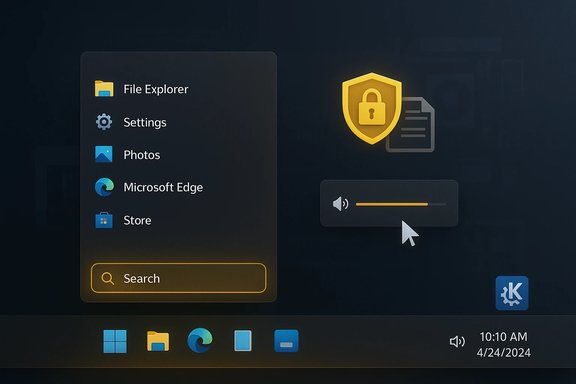
Windhawk’s “Taskbar Volume Control — Per‑App” mod restores a small, muscle‑memory‑friendly interaction: hover over an app’s taskbar button and use the scroll wheel to change that app’s volume; Ctrl+click toggles mute; a tooltip shows the precise percentage or “No audio session.” The change keeps the interaction in the taskbar — where the apps live — rather than forcing users into Quick Settings each time they need to tweak audio. The mod is small, modular, and reversible via Windhawk’s host.Windhawk’s project page documents the mod and the host runtime, and community discussion (including Reddit threads) shows rapid iteration and compatibility fixes across Windows 11 variants. The mod ships as a compiled module or as source for advanced users. Web posts and downloads confirm active community testing and iterative version bumps to broaden compatibility.
- Low friction: Immediate visual feedback (tooltip) reduces overshoot and repeated adjustments.
- Reversible: Windhawk’s modular hosting means the change can be disabled without permanent system edits.
Risks and caveats
- Third‑party injection: Windhawk injects mods into Explorer (a shell process). While the host is designed to be lightweight and reversible, any injection into system processes carries a non‑zero stability risk. Users should evaluate trust, vet source code, and prefer releases signed by the author.
- Compatibility: Because Windows 11 has evolving shell internals, mods may break across builds; install only if you’re comfortable troubleshooting or rolling back. Community threads show rapid fixes but also variability across Windows versions.
Internet culture note: “beautifully worn‑out objects” and the aesthetics of use
A recurring human theme in the week’s coverage is the visual appeal of well‑used objects. A Boing Boing feature and a large subreddit celebrate items that show history in their surfaces: scuffed leather, smoothed wood, and patinated metal. These images and posts highlight a tension that matters to technologists as much as to designers: durable, repairable products that wear gracefully create attachment and reduce waste, while shiny new devices encourage frequent upgrades and disposability.The social resonance is significant: communities that curate use‑worn objects influence product expectations around repairability, material choice, and longevity. Designers and manufacturers who prioritize durable finishes, replaceable consumables (batteries, knits, mouse feet) and well‑documented repair paths will increasingly find favor with this audience. The commentary circulating around the “worn‑out” subreddit is a cultural prompt to remember longevity as a design metric, not only a marketing angle.
Practical takeaways and recommendations
For home users and power users
- If you live on the bleeding edge and enjoy testing new interactions, try the Windhawk taskbar volume mod — but back up first and prefer the official mod release channels.
Source: Boing Boing https://boingboing.net/2026/01/14/t...m/series/best-windows-10-apps-this-week-225/]
