Windows on Arm Becomes a Real Gaming Platform with Prism AVX Emulation and Arm64 Builds

  • Thread Author
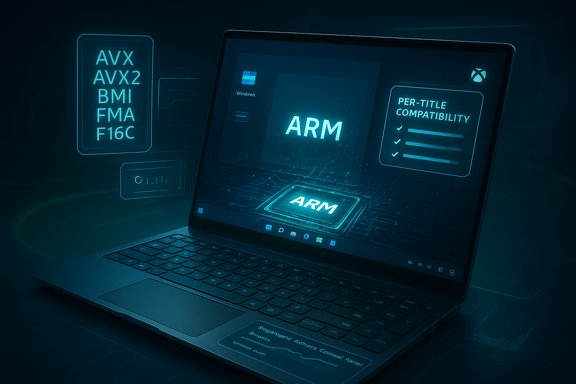
A futuristic laptop displays ARM branding and per-title compatibility in a neon blue UI.
Windows on Arm has taken a concrete step toward becoming a genuine gaming platform rather than a hopeful experiment, after a coordinated push from Microsoft and Qualcomm that pairs improved emulation, updated GPU drivers and a new Snapdragon Control Panel with the Xbox app’s ability to download ARM64 game builds — changes that together dramatically raise the practical playability of many PC titles on Arm-powered Windows laptops and handhelds.

Background / Overview​

Windows on Arm has long promised the advantages of Arm silicon — battery life, thin designs, and integrated NPUs for on-device AI — but the platform’s gaming story lagged behind. That lag was driven by three technical realities: many Windows games and engines expect x86/x64 CPU extensions (notably AVX/AVX2); integrated Adreno GPU drivers for Windows on Snapdragon were immature compared with NVIDIA/AMD on x86; and anti‑cheat kernel drivers historically blocked or broke emulation paths required to run multiplayer titles. Over the last year Microsoft and Qualcomm took deliberate, complementary steps to remove these blockers: Microsoft expanded the Prism emulator’s feature set so x64 games no longer fail CPU checks, Qualcomm shipped a user-facing Snapdragon (Adreno) Control Panel paired with more frequent Adreno driver updates, and the Xbox/Windows teams began enabling ARM64 game downloads and coordinating anti‑cheat support. The result is a tangible uplift in Windows on Arm gaming compatibility and user experience.

What changed — at a glance​

  • Prism emulator now exposes and emulates AVX / AVX2 and related x86 extensions for 64‑bit x86 titles, letting many games and creative apps that previously refused to launch proceed under emulation.
  • Qualcomm released the Snapdragon (Adreno) Control Panel to manage GPU profiles, apply per‑game settings, and fetch Adreno driver updates directly, accelerating driver rollout and per‑title optimization.
  • Adreno drivers for Windows have received targeted fixes and optimizations across a large catalog of titles (Qualcomm and independent coverage note improvements for 100+ games and claims of “top 200” prioritization).
  • Xbox PC app on Windows 11 on Arm can now download ARM64 game builds (initially via Insider channels), making local play — not just cloud streaming — possible for select Game Pass titles.
  • Anti‑cheat vendors and platform teams are working together to unblock multiplayer titles by providing ARM‑friendly anti‑cheat components and validation paths.
These moves are not isolated marketing bullets: they are coordinated across the stack — OS, drivers, storefronts and anti‑cheat — which is what makes the announcements meaningful for actual players.

Deep dive: Prism emulator and AVX/AVX2 emulation​

Why AVX/AVX2 mattered​

AVX and AVX2 are SIMD (Single Instruction, Multiple Data) vector extensions widely used for physics, audio, compression, video encoding, and math-heavy game engine code. Many modern Windows titles or middleware will probe for these features and either refuse to run or fall back to non‑optimal code paths if they’re absent. Arm CPUs for Windows do not implement AVX natively, so the workaround has been to emulate those instructions — and that’s what Microsoft’s Prism now does for 64‑bit applications.

What Microsoft shipped​

Microsoft introduced expanded Prism capabilities in Insider Preview Build 27744 (Canary) and rolled parts of the functionality into servicing lines; the October cumulative package (reported as KB5066835) broadened Prism’s virtual CPU features by advertising and emulating AVX, AVX2 and related extensions (BMI, FMA, F16C) to x64 applications under emulation. That means many previously blocked x64 games and apps can now initialize, and in many cases run correctly, because the binaries see the CPU features they expect.

Practical implications and limits​

  • The change applies to x64 (64‑bit) applications only. 32‑bit apps and x64 apps that use 32‑bit helper processes to detect CPU features may still fail.
  • Emulation carries overhead: translated AVX code will never match native x86 performance in the same power envelope. Expect functional compatibility more often than parity in raw framerates. The benefit is that the app runs at all, and in many cases runs well enough for casual and many competitive scenarios.
  • Microsoft exposes per‑executable compatibility toggles, letting testers and users enable or disable the newer emulated CPU features to troubleshoot individual titles.
In short: Prism’s AVX/AVX2 emulation turns a hard “won’t run” failure into a solvable performance/optimization problem for many titles, which is the crucial difference between an experiment and a usable gaming platform.

Qualcomm’s Snapdragon Control Panel and Adreno driver story​

What the Control Panel does​

The Snapdragon (Adreno) Control Panel is Qualcomm’s equivalent of NVIDIA Control Panel or AMD Adrenalin for Snapdragon X‑class Windows devices. It can:
  • Automatically detect installed games (Steam and other libraries).
  • Create per‑game profiles for quality/performance tradeoffs (framerate caps, upscaling, texture LOD, anti‑aliasing).
  • Provide an in‑app method to download and install updated Adreno GPU drivers and UGD (upgradable graphics drivers) packages.
  • Surface GPU telemetry and driver versions for troubleshooting.
Beebom, WCCFTech and other outlets documented the beta rollout and described the installation path for early adopters; Qualcomm plans to make distribution easier over time (Microsoft Store/OEM bundles).

Driver cadence and “100+ games” optimizations​

Qualcomm has shifted Adreno driver delivery to a more frequent cadence for Windows — monthly driver updates alongside OEM/Windows Update pushes — and has prioritized fixes for the most‑played titles first. Company statements and press coverage note improvements and bug fixes for “more than 100 games” and claims of addressing the top 200 titles as a priority list. Independent coverage corroborates the claim that Qualcomm is focusing intense effort on per‑title stability and performance fixes. Those driver updates are a core enabler for reliable gameplay on Arm hardware.

Why the Control Panel matters​

Until now, Snapdragon Windows devices often waited on OEM driver pushes or manual downloads. The Control Panel speeds the feedback loop: Qualcomm can push targeted fixes for specific titles, and users can get them without waiting for an OEM firmware release. Equally important, per‑title profiles let users tune settings to match the thermal and power constraints of thin Arm laptops — a practical lever for stabilizing frame pacing and smoothing 1% lows.

Xbox app: ARM64 game downloads and the end of “cloud only” for many titles​

The Xbox PC app’s support for downloading ARM64 game builds (initially through Insider testing) is a major UX improvement: local installs avoid cloud‑streaming network dependency, reduce latency, and allow users to apply local driver and profile tuning. Microsoft’s Windows Insider blog announced the rollout and emphasized coordination with Xbox teams to expand the catalog available for local play on Arm devices. The Verge, Tom’s Hardware and other outlets reported the initial testing and the app versions required for the feature. This change does not magically make every game available; publishers must supply ARM64 builds or Microsoft must enable emulated x64 downloads and compatibility. But as the catalog grows — and with the Prism emulator reducing launch blockers — the Xbox app update materially increases the number of games that work well on Snapdragon laptops.

Anti‑cheat: how multiplayer games are being unblocked​

A major reason multiplayer titles like Fortnite were previously unlaunchable on Arm devices was anti‑cheat and kernel‑mode drivers that were x86‑centric or incompatible with emulation. Over the last year, Microsoft, Qualcomm and anti‑cheat vendors (notably Epic’s Easy Anti‑Cheat and others) have coordinated to produce ARM‑aware components or alternate integration paths that do not break Prism emulation. The result: several high‑profile multiplayer titles are now functioning on Snapdragon systems with anti‑cheat enabled, and Microsoft/Qualcomm are continuing the outreach to the broader anti‑cheat ecosystem. These efforts have been explicitly called out in platform engineering updates and vendor briefings.
Caveat: not every anti‑cheat provider has completed ARM support, so some multiplayer titles may still be blocked until the vendor supplies an ARM‑friendly component or a supported approach is implemented.

Real‑world performance: what to expect​

Benchmarks vs. playability​

The combined stack improvements do not eliminate physics: emulation has CPU cost and integrated Adreno is not a discrete GPU. Expect three practical outcomes:
  1. Many previously unlaunchable games now start and run acceptably at conservative graphics presets and 1080p or below. Casual and mainstream gamers should find the experience useable.
  2. Competitive esports titles and older, well‑optimized games often achieve high framerates thanks to low GPU load; Capabilities like framerate caps and upscaling can push consistent frame‑times.
  3. AAA titles at high fidelity remain a challenge compared with dedicated x86 discrete‑GPU laptops; thermal and power envelopes on thin Arm designs limit sustained peak throughput.

Where Arm holds advantages​

  • Outstanding battery life and always‑connected designs still make Snapdragon laptops attractive for travel and casual gaming.
  • Large on‑device NPUs enable background AI features (game assistants, streaming overlays, voice features) without cloud dependency, which can be a differentiator for certain workflows.

Where Arm is still behind​

  • Driver maturity (Adreno on Windows is newer than NVIDIA/AMD stacks).
  • Emulation overhead can expose low 1% lows and stuttering in CPU‑bound game code.
  • Anti‑cheat fragmentation remains a moving target.

Developer and publisher impacts​

For developers, the window is opening to support Arm natively or to validate titles under Prism emulation. Key considerations:
  • Build ARM64/ARM64EC packages where feasible for best performance.
  • Test x64 builds under Prism with AVX emulation flags to verify behavior, especially for code that probes CPU features or includes AVX‑dependent libraries.
  • Coordinate with anti‑cheat vendors about Arm‑compatible integration and signing/driver strategies.
Publishers that invest a small engineering effort to produce ARM64 builds can gain first‑mover advantage on a platform arrayed around thin, long‑battery devices and new handhelds.

Practical guide: how to get the best experience today​

  1. Keep Windows 11 fully updated to the builds that include Prism’s expanded emulation features (check Insider channels and cumulative updates if you’re an early tester).
  2. Install the Snapdragon (Adreno) Control Panel (beta) from Qualcomm if your device supports it; use it to fetch the latest Adreno drivers and create per‑game profiles.
  3. Join Windows Insider and Xbox Insider programs to get early access to ARM64 downloadable builds of Xbox PC app games when available.
  4. Cap framerates, enable performance profiles and use upscalers to keep thermals and frame pacing stable on thin Arm laptops.
  5. If a game refuses to launch with anti‑cheat errors, check the anti‑cheat vendor’s support page and look for ARM‑compatible clients or platform updates.
These steps will maximize your odds of a playable, enjoyable experience without premature system updates or risky driver experiments on production machines.

Strengths, risks and what to watch next​

Strengths​

  • Stacked engineering fixes: Microsoft’s Prism emulation, Qualcomm’s drivers and the Xbox app changes function together — that coordination is what delivers real user benefit.
  • Faster driver cadence and per‑title tuning reduce the friction of performance regressions and allow rapid fixes for specific games.
  • Local game downloads reduce dependence on cloud gaming and make tuning and troubleshooting possible for a wider range of titles.

Risks and caveats​

  • Performance tax of emulation: Even with AVX emulation, translated code consumes CPU cycles; some CPU‑bound scenes will run slower than on equivalent x86 hardware.
  • Driver maturity and regressions: A faster driver release cadence also means more opportunities for regressions; quality control is critical.
  • Anti‑cheat incompleteness: Some multiplayer experiences may still be blocked until every anti‑cheat provider ships Arm‑friendly support.
  • Hardware variability: OEM cooling and power limits heavily influence real performance; engineering‑sample demos are not retail guarantees.

What to watch​

  • Expansion of the Xbox PC app catalog for ARM64 downloads beyond the Insider ring.
  • Qualcomm’s driver roadmap for UGD and X2 / X‑series updates that promise day‑0 support and further optimizations.
  • Anti‑cheat vendor rollouts and how quickly they remove remaining multiplayer blockers.

Verdict: measured optimism, not instant parity​

These changes move Windows on Arm from “interesting but limited” to “practically usable for many gamers.” The Prism AVX/AVX2 emulation removes a critical compatibility brick wall; Qualcomm’s Control Panel and accelerated Adreno driver cadence fix a long‑standing maintenance problem; the Xbox app’s ARM64 downloads make local play realistic for Game Pass titles; and anti‑cheat coordination unblocks multiplayer in a way that’s meaningful for day‑to‑day gamers. Taken together, this is a platform maturation — not a sudden equalization with high‑end x86 gaming laptops.
For casual players, notebook buyers who prize battery life and portability, and developers willing to test across architectures, the improvements are transformative. For competitive gamers chasing raw framerates and absolute low latency at ultra settings, mainstream x86 with discrete GPUs still leads. But the trend is clear: Windows on Arm is no longer a hobbyist curiosity when it comes to gaming — it’s a legitimate option that will only get better as drivers, emulation, and storefront support continue to mature.

Final notes for readers and IT pros​

  • Treat current improvements as the start of a maturing ecosystem: keep an eye on cumulative Windows updates, Qualcomm driver releases, and Xbox app updates if Windows on Arm gaming is a priority.
  • For enterprises and deployment teams, validate specific titles under Prism and confirm whether publishers supply ARM64 builds or rely on emulation — application compatibility testing remains essential.
The combined Microsoft + Qualcomm push has shifted the Windows on Arm gaming narrative from “possible someday” to “working now for many users.” With the Prism emulator making previously blocked titles launchable, the Snapdragon Control Panel delivering practical GPU controls and driver access, and the Xbox app enabling local ARM64 installs, Windows on Arm gaming finally feels, in a meaningful way, like real PC gaming — imperfect, still evolving, but now unquestionably relevant.
Source: The Hans India Windows on Arm Gaming Just Got Way Better Thanks to Microsoft and Qualcomm
 

Windows on Arm just crossed a threshold: after years of fits and starts, a coordinated set of updates from Qualcomm and Microsoft — from a new Snapdragon Control Panel and accelerated Adreno driver delivery to a major Prism emulator upgrade and Xbox app changes — has materially improved the ability of Arm-based Windows PCs to run modern PC games with fewer crashes, better performance, and far broader compatibility. These moves don’t magically convert every Snapdragon laptop into a gaming desktop, but they remove the largest technical roadblocks that held Windows on Arm back and make the platform a genuinely viable choice for many players who prioritize battery life, thin-and-light designs, or constant connectivity.

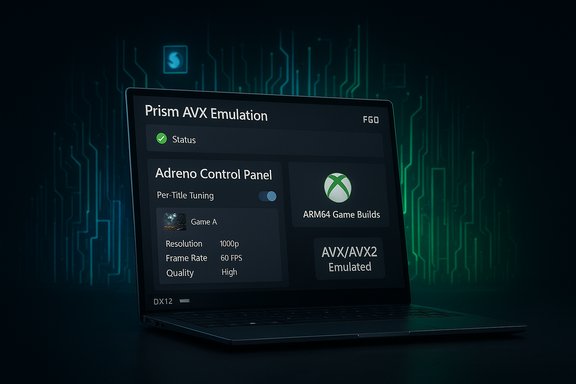
Laptop screen shows Prism AVX Emulation interface with Adreno Control Panel and ARM64 Game Builds.Background​

Windows on Arm has always promised a different trade: typically superior battery life and excellent thin-and-light chassis on devices powered by Qualcomm Snapdragon SoCs, at the cost of software compatibility. The compatibility gap originated from two technical realities: much PC software (and many games) expect x86/x64 CPU features that early Arm systems did not expose or emulate reliably, and low-level components — most importantly anti-cheat kernel drivers — historically could not be translated or validated under Prism-style emulation. Add immature vendor driver processes for Adreno GPUs and the result was a platform that worked well for many native Arm apps but felt like a compromise for mainstream PC gaming. Over the past year, Microsoft and Qualcomm have enacted changes that are complementary by design: Microsoft upgraded the system-level emulator that runs x86/x64 code on Arm (Prism), while Qualcomm rethought how Adreno GPU drivers and game profiles are delivered and managed. Simultaneously, Microsoft’s Xbox and Windows teams opened the door to ARM64 game downloads and have been coordinating with anti-cheat vendors to unblock online titles. Those three streams — emulation, drivers, and anti-cheat/storefront support — are the core of what was previously missing.

What Qualcomm changed: Snapdragon Control Panel and faster Adreno drivers​

Introducing the Snapdragon (Adreno) Control Panel​

Qualcomm has shipped a dedicated control app for Snapdragon X-series Windows PCs — variously called the Adreno Control Panel or the Snapdragon Control Panel depending on the coverage — bringing a familiar, PC-grade GPU management experience to Arm laptops. The panel automatically enumerates installed games, exposes per-title settings (frame-rate caps, anti-aliasing, texture and scaling controls), and — crucially — provides a delivery mechanism for updated Adreno GPU drivers outside the slow OEM update cycle. That mirrors the way Nvidia and AMD let users fetch driver updates and tune settings on x86 PCs. Early reporting and Qualcomm’s developer messaging confirm the control panel’s role as both a tuning hub and a driver portal. Why this matters: historically, Windows on Arm devices had to wait on OEM-signed driver updates pushed through Windows Update or OEM channels. Those cycles introduce delays for performance patches, game-specific fixes, and security updates. A direct-control panel plus a plan for more frequent driver releases lets Qualcomm react to game patches and compatibility issues much faster, which is critical for a small but vocal user base where a single game failure can poison the platform’s reputation. Qualcomm executives have signaled monthly driver cadence and a prioritized list of titles to target, acknowledging that optimization is iterative, not a one-off.

Adreno driver optimizations: the “100+ games” claim and what it means​

Qualcomm has publicly stated that recent Adreno driver updates include fixes and optimizations affecting more than 100 titles. Multiple outlets report the same claim and point to a multi-stage prioritization (top 20, top 50, top 200) that Qualcomm has been working through. Those driver updates include stability fixes, renderer tweaks for DX11/DX12/Vulkan pipelines, and per-game tuning intended to reduce stutters and rendering anomalies that Arm users previously saw in a handful of high-profile titles. This is a software-first approach: rather than wait for developers to ship native Arm builds, Qualcomm is attempting to smooth the emulation and driver path for existing x86 builds. It’s important to read that number carefully. “Fixes and improvements for 100+ games” is a vendor claim that aggregates small and large changes (from crash fixes to minor frame pacing improvements). It’s not the same as “100 games now match Intel/AMD performance,” and independent tests still show meaningful variance by title and GPU load. The claim is verifiable as a corporate statement and corroborated by multiple reports, but the practical impact for any one game requires game-by-game verification.

What Microsoft changed: Prism emulator upgrades and Xbox app improvements​

Prism: AVX, AVX2 and other x86 feature emulation​

Microsoft has expanded Prism, the translation/emulation layer that runs x86/x64 applications on Arm-based Windows, to emulate several x86-64 SIMD and vector instruction sets that historically caused crashes or outright refusals to run. The headline additions include support for AVX and AVX2, along with BMI, FMA, F16C and similar extensions — all delivered through the virtual CPU the emulator presents to guest x64 software. This is a technical leap: many modern games and creative applications either test for or compile to AVX/AVX2 paths, and the absence of those features has been a common reason for non-starting or crashing titles on Arm. A critical caveat: Prism’s expanded emulation applies to 64-bit x86 (x64) applications only. Legacy 32-bit (x86) applications remain unsupported by the new AVX emulation, and mixed 32/64-bit apps can still encounter problems. Microsoft has also exposed per-executable compatibility toggles that let advanced users enable or disable the “newer emulated CPU features” for specific games when troubleshooting. That granular control helps in cases where emulated features change runtime behavior unexpectedly.

Xbox app and ARM64 game downloads​

One of the most tangible user-facing changes is the Xbox PC app’s new ability — currently rolling out to Insiders and being expanded — to allow Arm-based Windows 11 PCs to download and run ARM64-compatible game builds locally. Previously, many Arm devices were limited to streaming via Xbox Cloud Gaming; downloads were blocked for platform reasons. Microsoft and Xbox teams are now enabling ARM64 downloads where games provide compatible builds, opening the door to local play, reduced latency, and better integration with peripherals and overlays. This is not an across-the-board solution yet — it depends on game publishers shipping ARM64 builds — but it removes a prior storefront-level limitation.

Anti-cheat and online multiplayer: the last technical frontier​

Anti-cheat systems are the thorny end of compatibility for Arm gaming. Many widely used anti-cheat solutions use kernel-level drivers or platform-specific hooks that do not translate through emulation, effectively blocking the multiplayer experience. Microsoft and Qualcomm have been working directly with anti-cheat vendors and large platform holders to produce Arm-native versions or validated translation approaches. The most visible outcome so far is Epic Games bringing Easy Anti-Cheat (EAC) support to Arm, enabling Fortnite on Arm PCs; that specific move indicates how the ecosystem can move once a major vendor commits resources. Other anti-cheat systems (Riot Vanguard, BattlEye, etc. remain at various stages of investigation or implementation. This coordination matters because emulation alone cannot solve kernel-mode driver incompatibilities: either anti-cheat vendors must produce Arm-native drivers, or platform teams and vendors must create safe, supported translation layers and validation processes. Expect progress to be incremental and title-dependent. Fortnite’s entry is a positive proof point but not a universal fix.

Practical impact: what actually improves for players today​

  • More games start instead of crashing on launch because Prism now emulates AVX/AVX2 checks that caused binary aborts. That widens the playable catalog immediately for 64-bit titles.
  • Per-game GPU settings and the ability to fetch updated Adreno drivers reduce time-to-fix for rendering bugs and frame-pacing issues. This is a real quality-of-life improvement, particularly for early adopters who previously waited weeks for OEM updates.
  • Online multiplayer titles that rely on supported anti-cheat systems are returning to Arm devices, and the Xbox app’s ARM64 download support removes the “cloud only” limitation for compatible storefront titles. That means local installs, save files, mod support (where allowed), and reduced network sensitivity for supported games.
  • Developer and platform tooling improvements (Arm64EC, per-executable emulation toggles) let modern games mix native Arm code paths with translated x64 code more gracefully, giving developers a path to incremental Arm support rather than all-or-nothing ports.
These improvements are not hypothetical; reviewers and early testers have reported playable sessions of previously troublesome titles and smoother experiences on Snapdragon X Elite-equipped kits. However, the level of performance and fidelity varies by title, settings, and thermal capability of the specific laptop.

Where the gains are biggest — and where limits remain​

Biggest wins​

  • Compatibility for 64-bit games that used AVX/AVX2 checks — titles built for modern PC engines now have a real chance to run under Prism.
  • Faster driver turnaround for Adreno GPUs — day-zero or near-day fixes become possible without waiting for OEM-curated Windows Update cycles.
  • Local game downloads via Xbox app — removes a key user-experience gap that made Arm PCs feel like second-class gaming devices.
These are structural improvements that change how the platform is maintained and supported. They reduce bus-factor risk (where a single OEM or update pipeline creates a bottleneck) and give developers and platform vendors tools to ship better experiences.

Remaining limitations and risks​

  • Emulation overhead: emulating complex x86 vector instructions carries a runtime cost. Even with working AVX emulation, expect lower raw performance compared to equivalent native x86 hardware in many CPU- or GPU-bound scenes. Power and thermal limits of thin Arm laptops also constrain long-duration performance.
  • 32-bit legacy apps: Prism’s AVX emulation targets x64 titles only. 32-bit games and legacy launchers that rely on 32-bit helpers are still likely to fail. This is a persistent compatibility hole for certain older titles.
  • Anti-cheat coverage is partial: while Easy Anti-Cheat’s Arm support and Fortnite’s return are important, other widely used anti-cheat stacks may lag. For competitive or online-only titles, players should confirm anti-cheat compatibility before committing.
  • Driver maturity and edge cases: Qualcomm’s “100+ games” figure is a useful milestone but not a guarantee that every title will behave identically to x86 platforms. Per-title driver fixes can introduce regressions for others; frequent updates reduce the lag, but they also require robust QA.
  • Store and publisher support: Xbox app downloads require publishers to ship ARM64 builds. Many publishers may view the Arm install base as small and delay or skip native ARM releases, relying instead on emulation or cloud streaming. That leaves Arm users dependent on the quality of both emulation and GPU drivers.

How to get the most out of an Arm-based gaming laptop today​

  • Install the Snapdragon (Adreno) Control Panel and check for Adreno driver updates directly through it — you’ll get fixes faster than waiting for OEM rollout.
  • Join the Windows Insider program if you’re comfortable with preview builds; key Prism improvements and Xbox app download features often land in Insider channels before broad rollout.
  • Use per-executable compatibility toggles if a game misdetects CPU features or crashes — the Compatibility settings can enable “newer emulated CPU features” for specific apps. This is helpful for troubleshooting on a title-by-title basis.
  • Verify anti-cheat support before buying a game you want to play online. Check developer notes and platform status updates for Easy Anti-Cheat, BattlEye, Riot Vanguard, and others.
  • Temper expectations for AAA maxed-out settings: Arm laptops typically prioritize efficiency and thermals over raw peak gaming throughput. Expect to tune settings for a balance of resolution, frame rate, and battery life.

The developer and platform view: why this is a sustainable path​

A pragmatic interpretation of these moves is that Microsoft and Qualcomm are pursuing a hybrid compatibility model that reduces friction for users while giving developers a path to native Arm support without abrupt breakpoints. The pattern is:
  • Improve emulation for the most common hardware features that block apps (AVX/AVX2).
  • Reduce driver delivery friction so GPU stack bugs can be fixed rapidly at scale.
  • Work with anti-cheat vendors and publishers to produce Arm-native or at least validated compatibility layers.
This multi-pronged strategy acknowledges that not all titles will be ported to Arm overnight, but it materially lowers the cost and risk of running them on Arm devices. For developers, Arm64EC and mixed-mode execution make it possible to ship incremental support rather than complete rewrites, which is attractive for studios that manage large codebases and long test matrices.

What to watch next​

  • Native hardware support for AVX-class instructions in future Snapdragon X-series silicon could further reduce emulation overhead and increase performance. Qualcomm has hinted at ongoing architectural work that will broaden hardware-assisted compatibility across its product line. Watch for chipset announcements tied to improved native instruction coverage.
  • Broader anti-cheat vendor adoption: Epic’s EAC move is proof of concept. If other anti-cheat vendors follow, the multiplayer catalog available to Arm devices will expand quickly. Publisher willingness to ship ARM64 builds will accelerate local-download availability in the Xbox app and other storefronts.
  • Quality and cadence of driver updates: Qualcomm’s promise of more regular Adreno driver releases is only valuable if the updates are well-tested. The industry will be watching for regressions, version fragmentation, and how OEMs integrate these updates into device support channels.

Final analysis: real progress, realistic expectations​

The coordinated push from Qualcomm and Microsoft is the most consequential step forward for Windows on Arm gaming since the platform’s rebirth. Together, these changes attack the three technical pillars that made Arm laptops awkward for gamers: missing CPU feature support, slow or opaque GPU driver delivery, and anti-cheat incompatibilities. For players who have been waiting on the sidelines, the practical result is that more games will launch, more titles will accept local installs, and driver-driven bugs will get fixed faster than before. That said, this is not a switch that flips Arm into a universal replacement for x86 gaming rigs. Emulation has overhead, OEM thermal and power limits matter, and publisher and anti-cheat vendor choices will determine how many multiplayer and high-profile AAA titles truly feel native on an Arm laptop. Those constraints mean that while Windows on Arm is now a real choice for many gamers, it is still a contextual choice: excellent for users who value mobility and battery longevity and who pick titles known to behave well on the platform, less ideal for players who demand raw maximum frame rates at the highest settings for every new AAA release. In short: the platform’s foundational problems are being solved one layer at a time, and the combined Microsoft–Qualcomm effort is the clearest sign yet that Windows on Arm has moved from “interesting experiment” toward a credible mainstream option for PC gaming. For players and IT buyers, that changes the calculus: Arm PCs are no longer niche curiosities; they’re viable toolkit choices — provided you evaluate games on a title-by-title basis and keep expectations aligned with the hardware’s design priorities.
Source: The Hans India Windows on Arm Gaming Just Got Way Better Thanks to Microsoft and Qualcomm
 

Windows on Arm has taken its biggest, most practical step toward mainstream PC gaming: a coordinated wave of updates from Microsoft and Qualcomm — a new Snapdragon Control Panel with updatable Adreno drivers, major improvements to Prism x64 emulation (including AVX/AVX2 support), and growing anti‑cheat compatibility — together make many titles that failed to launch in 2024 now playable on Snapdragon‑powered Windows laptops.

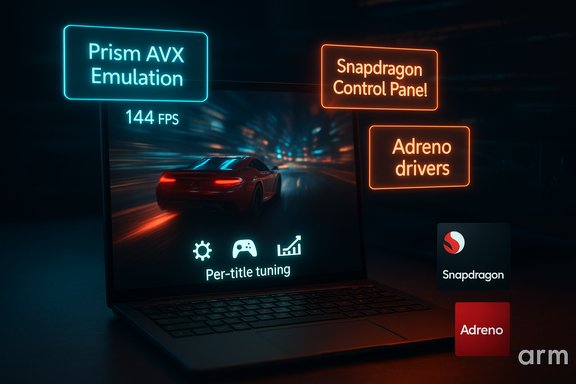
Laptop screen shows a neon-lit racing game with Prism AVX Emulation, Snapdragon control pane, and Adreno drivers.Background​

Windows on Arm has long carried a paradox: excellent battery life and thermals paired with inconsistent application compatibility. The platform’s early promise — “games would just work” on new Snapdragon X‑series machines — ran headfirst into three persistent roadblocks: immature GPU drivers and no user‑facing GPU control suite, emulation gaps in the x64 translation layer (Prism) that prevented many games from launching at all, and anti‑cheat/kernel security systems that refused to run on Arm under emulation. Those problems made gaming feel experimental rather than everyday. Over the past months Microsoft and Qualcomm executed a layered fix: Microsoft expanded Prism to emulate commonly expected x86 extensions (notably AVX and AVX2), while Qualcomm shipped the Snapdragon Control Panel and refreshed Adreno drivers that target long‑standing stability and compatibility bugs. On the anti‑cheat front, platform and vendor teams have begun certifying kernel‑level clients so multiplayer titles can actually let Arm players join matches. The result is not a single miracle patch but a coordinated stack improvement that moves Windows on Arm from “possible” to “practical” for a much larger number of PC games.

What changed: the technical checklist​

Microsoft’s Prism emulator now exposes AVX/AVX2 and related extensions​

One of the sharpest compatibility cliffs for Arm Windows devices was trivial to describe: many modern x64 games and libraries probe for Advanced Vector Extensions (AVX/AVX2) and bail out if the CPU lacks them. Microsoft updated Prism — the x64 translation/emulation layer in Windows on Arm — to advertise and emulate a set of commonly used x86 ISA extensions (AVX, AVX2, BMI, FMA, F16C, etc.. That change removes the immediate “won’t launch” failure for a wide swath of titles that required those features. Key things to know about the Prism change:
  • Emulation targets 64‑bit x86 (x64) applications; 32‑bit x86 apps or x64 apps that use 32‑bit helpers may not see the new features.
  • The emulation is implemented in software (JIT translation / cached translated blocks); it improves compatibility but does not make an Arm SoC magically equal to a high‑end x86 CPU in raw throughput.
  • Microsoft rolled these improvements into preview builds and has already enabled them more broadly in retail channels; end users will see the difference as games that previously refused to start now progress past launch checks.

Qualcomm’s Snapdragon Control Panel and updatable Adreno drivers​

Qualcomm has shipped a user‑facing Snapdragon Control Panel (the public evolution of the earlier Adreno Control Panel beta) that brings the familiar per‑title GPU tuning and driver update model to Snapdragon X‑series PCs. The Control Panel automatically detects installed games and exposes standard PC‑gaming toggles — framerate caps, anti‑aliasing, texture and LOD settings, upscaling/super resolution options — and, crucially, allows users to install refreshed Adreno drivers outside slow OEM/Windows Update cycles. Why this matters:
  • Updatable graphics drivers (UGD) let Qualcomm push fixes and optimizations quickly instead of waiting for full OS or OEM firmware flows.
  • Per‑game profiles are now possible, eliminating the “one‑size‑fits‑all” driver behavior that caused crashes or poor defaults for many titles early on.
  • Qualcomm reports targeted fixes and performance improvements for more than 100 games since the platform’s initial launch, and the Control Panel helps distribute future fixes faster. That claim has been echoed by multiple outlets and Qualcomm’s release notes; independent cross‑checks are still limited but consistent with wide media testing.

Anti‑cheat support: Fortnite as the bellwether​

Kernel‑level anti‑cheat systems historically blocked or destabilized emulated environments, so even when a title could run under Prism, players were kept out of online matches. Epic Games (via Epic Online Services) and Qualcomm collaborated to add Windows‑on‑Snapdragon support to Easy Anti‑Cheat and Fortnite, making Fortnite a prominent proof point that multiplayer titles can be unlocked on Arm devices when vendors coordinate. Other anti‑cheat vendors (BattlEye, Denuvo variants, and platform partners) are also being engaged to widen the list of compatible games.

Xbox PC app and the store experience on Arm​

Microsoft retooled the Xbox PC app experience for Arm devices so it’s not only a cloud‑streaming front end. The updated app now permits downloading Arm‑ready builds from the Xbox catalog and PC Game Pass library on Arm‑based Windows 11 PCs, enabling local play where a native or emulated local executable is available. That closes a user‑experience loop: the emulator and drivers can run the game locally, anti‑cheat support can allow multiplayer, and the Xbox app lets you install the build directly.

What this actually changes for players (the practical view)​

Compatibility: games that used to refuse to run may now launch​

The most immediate user‑visible change is binary: if a game previously failed at process start because it probed for AVX and exited, Prism’s emulation now often lets it proceed. That flips a class of titles from “unavailable” to “testable.” Publications and platform posts report that many previously unlaunchable titles now run under the updated stack.

Multiplayer: some big blockers are gone​

Fortnite’s arrival with full Easy Anti‑Cheat support is a watershed moment. If Epic’s ecosystem can be validated on Windows on Snapdragon at kernel level, many other publishers that rely on mainstream anti‑cheat providers may follow the same integration pattern. That said, not every multiplayer title is unblocked overnight; vendor coordination and per‑title work remain necessary.

Performance: still mixed — GPU drivers help, but emulation has limits​

Updated Adreno drivers and per‑title tuning narrow the performance gap for many games, especially GPU‑bound titles. However, JIT emulation of AVX/AVX2 remains an overhead where CPU‑heavy workloads (physics, AI, heavy simulation) still demonstrate a performance delta versus native x64 hardware. In short: playable now for many games, and improved enough for serious casual gaming, but not yet a universal substitute for high‑end x86 rigs for competitive or top‑settings AAA play. Benchmarks from hardware reviewers suggest meaningful progress but stop short of parity in the most demanding scenarios.

Deep dive: the technical tradeoffs and limitations​

Emulation is compatibility, not equivalence​

Emulating AVX/AVX2 makes many apps run, but it does not reproduce the exact performance characteristics of native implementations. AVX is a SIMD extension expecting wide vector units on x86 silicon; Prism’s emulation maps those instructions into Arm instructions and software routines. That reduces launch failures and often delivers acceptable frame rates, but CPU‑bound workloads remain penalized compared with native x86. Expect GPU‑bound games (where the driver and GPU throughput matter more) to benefit the most.

Not all apps will be fixed automatically​

  • 32‑bit x86 applications, and x64 apps that rely on a 32‑bit helper process to detect CPU features, may still fail or refuse to detect the new emulated features. Emulation improvements are targeted primarily at 64‑bit x64 apps.
  • Some titles require bespoke anti‑cheat or kernel integrations, which must be developed and validated per vendor. Fortnite is promising but not a blanket unlock for all multiplayer games.

Driver maturity and distribution​

Qualcomm’s shift to updatable Adreno drivers and a Control Panel mirrors the long‑established Windows GPU model. This is a major infrastructure improvement — but it introduces responsibility: Qualcomm must sustain regular driver updates, per‑title profiles, and OEM coordination for broader availability. Qualcomm’s promise of Day‑0 UGD support for forthcoming Snapdragon X2 Elite hardware signals a roadmap, but independent verification of performance and reliability for X2 Elite models will require real‑world testing when hardware ships. Until then, manufacturer and driver cadence remain key variables.

Verification and benchmarking caveats​

Many of the claims reported in early coverage come from vendor materials and press briefings; independent benchmarking against the latest x86 systems is limited at this stage. Where vendors assert “100+ games fixed” or “90% compatibility,” treat those numbers as vendor statements — valuable signals but not complete proof until third‑party labs reproduce results across broad titles and scenarios. The community and reviewers are already running tests, but widespread corroborated benchmarks should be expected over the next few months as drivers mature and more X2 devices appear.

Vendor claims vs. verifiable facts (transparency check)​

  • Qualcomm’s “fixes for over 100 games” — reported across press coverage and Qualcomm release notes — appears consistently in vendor materials and media summaries. This is a company‑level claim about driver changes; it is plausible and aligned with the Control Panel’s purpose, but the exact list and the nature of each fix (stability, performance, visual correctness) should be validated by independent testing for titles you care about.
  • Prism’s AVX/AVX2 emulation availability — Microsoft public preview and subsequent retail rollouts confirm Prism now advertises and emulates AVX family extensions for x64 apps in updated Windows builds. This is verifiable in Insider build notes and multiple technical writeups. The practical effect — many games that used to abort will now launch — is also widely reported and reproducible.
  • Fortnite and Easy Anti‑Cheat support — Epic Online Services announced Windows on Snapdragon support for EOS/AAC and a plan to make Fortnite available; Epic later updated to indicate Fortnite is available for Windows on Snapdragon devices. That’s a published confirmation and good evidence that kernel‑level anti‑cheat integration is achievable for at least some major titles.
  • Snapdragon X2 Elite promises — Qualcomm’s roadmap statements about Day‑0 UGD support and built‑in AVX2 emulation capabilities for X2 Elite derive from company presentations and summit news; independent hardware benchmarks for X2 Elite were not widely available at the time of reporting, so performance claims about future silicon remain prospective until third‑party reviews are published. Treat these as roadmap commitments, not finished facts.

Practical advice for buyers and owners​

  • If you own a Snapdragon X‑series laptop: Install the Snapdragon Control Panel and the latest Adreno drivers from Qualcomm’s site (or your OEM if they provide validated packages), update Windows so Prism’s emulation features are enabled, and check the Xbox PC app/Windows Store for Arm‑native builds or compatible downloads. Test your key titles — many will now launch or run much better.
  • If gaming is a central priority and you need maximum performance or competitive frame rates: Consider realistic expectations. Arm‑based PCs are rapidly improving and may satisfy mainstream and portable gaming needs (especially GPU‑bound titles and cloud‑centric play), but for top‑tier competitive play or consistent maxed‑out AAA performance, a high‑end x86 laptop/desktop still offers better out‑of‑the‑box performance and broader, battle‑hardened driver maturity.
  • For multiplayer gamers: Verify anti‑cheat compatibility for each title before committing. Fortnite is a breakthrough example; other publishers may follow, but progress is per‑vendor and per‑title.
  • For developers and publishers: The combination of ARM64, ARM64EC, and improved emulation means three practical paths for supporting Arm Windows: ship a native ARM64 build for best results; use ARM64EC hybrid ports to maximize native behavior where possible; or rely on improved x64 emulation to accept the minimal effort route with some performance cost. Each approach has tradeoffs in performance, maintenance, and QA.

Broader implications for the Windows ecosystem​

This coordinated push — Windows emulation improvements, vendor‑distributed GPU drivers, and anti‑cheat integrations — is the kind of cross‑stack work necessary to make a platform viable for mainstream gaming. It signals two important trends:
  • Platform maturity requires software ecosystems. Hardware advances alone don’t win user adoption; OS emulation, drivers, store front ends, and security (anti‑cheat) all must align. Microsoft and Qualcomm’s recent work shows that vendor coordination can move the needle from experimental to practical.
  • The line between “mobile” and “PC” silicon continues to blur. Qualcomm’s renewed emphasis on updatable drivers, per‑title profiles, and official PC gaming features demonstrates that Arm silicon vendors are treating Windows laptops as first‑class gaming devices — albeit within the realistic performance envelope of low‑power SoCs. If Qualcomm’s X2 generation and future microarchitectural improvements hold up in independent testing, Arm Windows machines could become a mainstream option for many players seeking ultraportable gaming. Independent benchmarking remains the final arbiter.

Risks and open questions​

  • Driver cadence and QA: Qualcomm must sustain frequent, well‑tested driver updates for many titles. Rapid releases help compatibility but increase the risk of regression without thorough QA across hardware SKUs and OEM firmware variants.
  • Emulation performance ceilings: AVX/AVX2 emulation closes many compatibility holes, but the CPU performance profile remains different from native x64 hardware. Games that pivot heavily on CPU SIMD performance will still prefer native x86 silicon.
  • Anti‑cheat coverage: Epic/EOS/EAC is an important first win, but full multiplayer parity requires a broader set of anti‑cheat vendors to complete integrations. Some publishers may not prioritize Arm support, leaving catalog gaps.
  • Vendor claims vs reality: Statements like “100+ games fixed” or “90% compatibility” are useful shorthand but require independent verification. Consumers and enterprise buyers should look for third‑party test results for their top games before making purchase decisions.

Conclusion​

The combination of Prism’s expanded emulation, Qualcomm’s Snapdragon Control Panel and updatable Adreno drivers, and new anti‑cheat integrations has converted a long‑standing compatibility headache into a practical gaming platform for many use cases. Windows on Arm is not yet the default choice for high‑end competitive gaming, but the platform has taken measurable, verifiable steps toward parity for everyday gamers and portable play.
For consumers, the immediate takeaway is straightforward: if you wanted the battery life and fan‑less portability of a Snapdragon X‑series laptop and were holding off because “your favorite games wouldn’t run,” now is the time to revisit that decision — with cautious realism. Test the titles you care about, keep drivers and Windows updated, and treat vendor performance claims as a promising signal that still needs independent benchmarking for mission‑critical workloads. The next six to twelve months will be decisive: broader driver rollouts, independent X2 Elite reviews, and more anti‑cheat integrations will determine whether Windows on Arm becomes simply “another great option” — or a mainstream alternative — for PC gamers.

Source: livemint.com Windows on Arm laptops can finally game properly after new Prism and Snapdragon updates | Mint
 

Back
Top