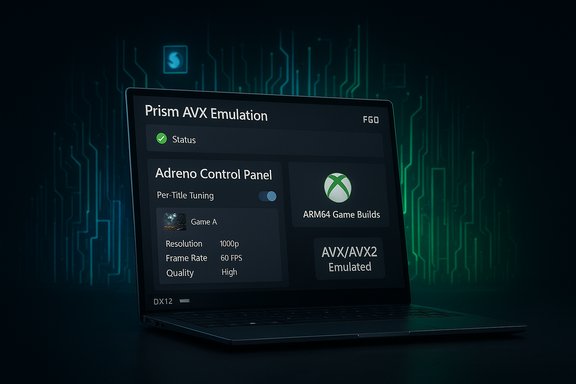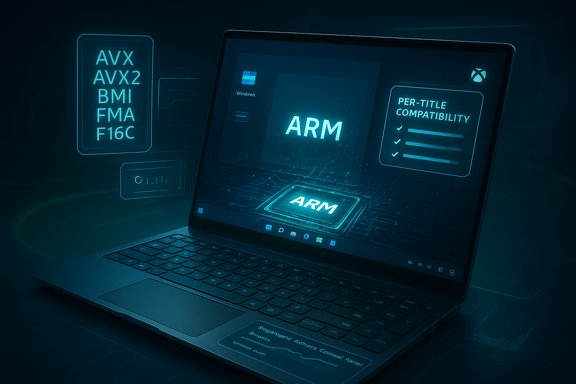
Windows on Arm has taken a concrete step toward becoming a genuine gaming platform rather than a hopeful experiment, after a coordinated push from Microsoft and Qualcomm that pairs improved emulation, updated GPU drivers and a new Snapdragon Control Panel with the Xbox app’s ability to download ARM64 game builds — changes that together dramatically raise the practical playability of many PC titles on Arm-powered Windows laptops and handhelds.
Background / Overview
Windows on Arm has long promised the advantages of Arm silicon — battery life, thin designs, and integrated NPUs for on-device AI — but the platform’s gaming story lagged behind. That lag was driven by three technical realities: many Windows games and engines expect x86/x64 CPU extensions (notably AVX/AVX2); integrated Adreno GPU drivers for Windows on Snapdragon were immature compared with NVIDIA/AMD on x86; and anti‑cheat kernel drivers historically blocked or broke emulation paths required to run multiplayer titles. Over the last year Microsoft and Qualcomm took deliberate, complementary steps to remove these blockers: Microsoft expanded the Prism emulator’s feature set so x64 games no longer fail CPU checks, Qualcomm shipped a user-facing Snapdragon (Adreno) Control Panel paired with more frequent Adreno driver updates, and the Xbox/Windows teams began enabling ARM64 game downloads and coordinating anti‑cheat support. The result is a tangible uplift in Windows on Arm gaming compatibility and user experience.What changed — at a glance
- Prism emulator now exposes and emulates AVX / AVX2 and related x86 extensions for 64‑bit x86 titles, letting many games and creative apps that previously refused to launch proceed under emulation.
- Qualcomm released the Snapdragon (Adreno) Control Panel to manage GPU profiles, apply per‑game settings, and fetch Adreno driver updates directly, accelerating driver rollout and per‑title optimization.
- Adreno drivers for Windows have received targeted fixes and optimizations across a large catalog of titles (Qualcomm and independent coverage note improvements for 100+ games and claims of “top 200” prioritization).
- Xbox PC app on Windows 11 on Arm can now download ARM64 game builds (initially via Insider channels), making local play — not just cloud streaming — possible for select Game Pass titles.
- Anti‑cheat vendors and platform teams are working together to unblock multiplayer titles by providing ARM‑friendly anti‑cheat components and validation paths.
Deep dive: Prism emulator and AVX/AVX2 emulation
Why AVX/AVX2 mattered
AVX and AVX2 are SIMD (Single Instruction, Multiple Data) vector extensions widely used for physics, audio, compression, video encoding, and math-heavy game engine code. Many modern Windows titles or middleware will probe for these features and either refuse to run or fall back to non‑optimal code paths if they’re absent. Arm CPUs for Windows do not implement AVX natively, so the workaround has been to emulate those instructions — and that’s what Microsoft’s Prism now does for 64‑bit applications.What Microsoft shipped
Microsoft introduced expanded Prism capabilities in Insider Preview Build 27744 (Canary) and rolled parts of the functionality into servicing lines; the October cumulative package (reported as KB5066835) broadened Prism’s virtual CPU features by advertising and emulating AVX, AVX2 and related extensions (BMI, FMA, F16C) to x64 applications under emulation. That means many previously blocked x64 games and apps can now initialize, and in many cases run correctly, because the binaries see the CPU features they expect.Practical implications and limits
- The change applies to x64 (64‑bit) applications only. 32‑bit apps and x64 apps that use 32‑bit helper processes to detect CPU features may still fail.
- Emulation carries overhead: translated AVX code will never match native x86 performance in the same power envelope. Expect functional compatibility more often than parity in raw framerates. The benefit is that the app runs at all, and in many cases runs well enough for casual and many competitive scenarios.
- Microsoft exposes per‑executable compatibility toggles, letting testers and users enable or disable the newer emulated CPU features to troubleshoot individual titles.
Qualcomm’s Snapdragon Control Panel and Adreno driver story
What the Control Panel does
The Snapdragon (Adreno) Control Panel is Qualcomm’s equivalent of NVIDIA Control Panel or AMD Adrenalin for Snapdragon X‑class Windows devices. It can:- Automatically detect installed games (Steam and other libraries).
- Create per‑game profiles for quality/performance tradeoffs (framerate caps, upscaling, texture LOD, anti‑aliasing).
- Provide an in‑app method to download and install updated Adreno GPU drivers and UGD (upgradable graphics drivers) packages.
- Surface GPU telemetry and driver versions for troubleshooting.
Driver cadence and “100+ games” optimizations
Qualcomm has shifted Adreno driver delivery to a more frequent cadence for Windows — monthly driver updates alongside OEM/Windows Update pushes — and has prioritized fixes for the most‑played titles first. Company statements and press coverage note improvements and bug fixes for “more than 100 games” and claims of addressing the top 200 titles as a priority list. Independent coverage corroborates the claim that Qualcomm is focusing intense effort on per‑title stability and performance fixes. Those driver updates are a core enabler for reliable gameplay on Arm hardware.Why the Control Panel matters
Until now, Snapdragon Windows devices often waited on OEM driver pushes or manual downloads. The Control Panel speeds the feedback loop: Qualcomm can push targeted fixes for specific titles, and users can get them without waiting for an OEM firmware release. Equally important, per‑title profiles let users tune settings to match the thermal and power constraints of thin Arm laptops — a practical lever for stabilizing frame pacing and smoothing 1% lows.Xbox app: ARM64 game downloads and the end of “cloud only” for many titles
The Xbox PC app’s support for downloading ARM64 game builds (initially through Insider testing) is a major UX improvement: local installs avoid cloud‑streaming network dependency, reduce latency, and allow users to apply local driver and profile tuning. Microsoft’s Windows Insider blog announced the rollout and emphasized coordination with Xbox teams to expand the catalog available for local play on Arm devices. The Verge, Tom’s Hardware and other outlets reported the initial testing and the app versions required for the feature. This change does not magically make every game available; publishers must supply ARM64 builds or Microsoft must enable emulated x64 downloads and compatibility. But as the catalog grows — and with the Prism emulator reducing launch blockers — the Xbox app update materially increases the number of games that work well on Snapdragon laptops.Anti‑cheat: how multiplayer games are being unblocked
A major reason multiplayer titles like Fortnite were previously unlaunchable on Arm devices was anti‑cheat and kernel‑mode drivers that were x86‑centric or incompatible with emulation. Over the last year, Microsoft, Qualcomm and anti‑cheat vendors (notably Epic’s Easy Anti‑Cheat and others) have coordinated to produce ARM‑aware components or alternate integration paths that do not break Prism emulation. The result: several high‑profile multiplayer titles are now functioning on Snapdragon systems with anti‑cheat enabled, and Microsoft/Qualcomm are continuing the outreach to the broader anti‑cheat ecosystem. These efforts have been explicitly called out in platform engineering updates and vendor briefings.Caveat: not every anti‑cheat provider has completed ARM support, so some multiplayer titles may still be blocked until the vendor supplies an ARM‑friendly component or a supported approach is implemented.
Real‑world performance: what to expect
Benchmarks vs. playability
The combined stack improvements do not eliminate physics: emulation has CPU cost and integrated Adreno is not a discrete GPU. Expect three practical outcomes:- Many previously unlaunchable games now start and run acceptably at conservative graphics presets and 1080p or below. Casual and mainstream gamers should find the experience useable.
- Competitive esports titles and older, well‑optimized games often achieve high framerates thanks to low GPU load; Capabilities like framerate caps and upscaling can push consistent frame‑times.
- AAA titles at high fidelity remain a challenge compared with dedicated x86 discrete‑GPU laptops; thermal and power envelopes on thin Arm designs limit sustained peak throughput.
Where Arm holds advantages
- Outstanding battery life and always‑connected designs still make Snapdragon laptops attractive for travel and casual gaming.
- Large on‑device NPUs enable background AI features (game assistants, streaming overlays, voice features) without cloud dependency, which can be a differentiator for certain workflows.
Where Arm is still behind
- Driver maturity (Adreno on Windows is newer than NVIDIA/AMD stacks).
- Emulation overhead can expose low 1% lows and stuttering in CPU‑bound game code.
- Anti‑cheat fragmentation remains a moving target.
Developer and publisher impacts
For developers, the window is opening to support Arm natively or to validate titles under Prism emulation. Key considerations:- Build ARM64/ARM64EC packages where feasible for best performance.
- Test x64 builds under Prism with AVX emulation flags to verify behavior, especially for code that probes CPU features or includes AVX‑dependent libraries.
- Coordinate with anti‑cheat vendors about Arm‑compatible integration and signing/driver strategies.
Practical guide: how to get the best experience today
- Keep Windows 11 fully updated to the builds that include Prism’s expanded emulation features (check Insider channels and cumulative updates if you’re an early tester).
- Install the Snapdragon (Adreno) Control Panel (beta) from Qualcomm if your device supports it; use it to fetch the latest Adreno drivers and create per‑game profiles.
- Join Windows Insider and Xbox Insider programs to get early access to ARM64 downloadable builds of Xbox PC app games when available.
- Cap framerates, enable performance profiles and use upscalers to keep thermals and frame pacing stable on thin Arm laptops.
- If a game refuses to launch with anti‑cheat errors, check the anti‑cheat vendor’s support page and look for ARM‑compatible clients or platform updates.
Strengths, risks and what to watch next
Strengths
- Stacked engineering fixes: Microsoft’s Prism emulation, Qualcomm’s drivers and the Xbox app changes function together — that coordination is what delivers real user benefit.
- Faster driver cadence and per‑title tuning reduce the friction of performance regressions and allow rapid fixes for specific games.
- Local game downloads reduce dependence on cloud gaming and make tuning and troubleshooting possible for a wider range of titles.
Risks and caveats
- Performance tax of emulation: Even with AVX emulation, translated code consumes CPU cycles; some CPU‑bound scenes will run slower than on equivalent x86 hardware.
- Driver maturity and regressions: A faster driver release cadence also means more opportunities for regressions; quality control is critical.
- Anti‑cheat incompleteness: Some multiplayer experiences may still be blocked until every anti‑cheat provider ships Arm‑friendly support.
- Hardware variability: OEM cooling and power limits heavily influence real performance; engineering‑sample demos are not retail guarantees.
What to watch
- Expansion of the Xbox PC app catalog for ARM64 downloads beyond the Insider ring.
- Qualcomm’s driver roadmap for UGD and X2 / X‑series updates that promise day‑0 support and further optimizations.
- Anti‑cheat vendor rollouts and how quickly they remove remaining multiplayer blockers.
Verdict: measured optimism, not instant parity
These changes move Windows on Arm from “interesting but limited” to “practically usable for many gamers.” The Prism AVX/AVX2 emulation removes a critical compatibility brick wall; Qualcomm’s Control Panel and accelerated Adreno driver cadence fix a long‑standing maintenance problem; the Xbox app’s ARM64 downloads make local play realistic for Game Pass titles; and anti‑cheat coordination unblocks multiplayer in a way that’s meaningful for day‑to‑day gamers. Taken together, this is a platform maturation — not a sudden equalization with high‑end x86 gaming laptops.For casual players, notebook buyers who prize battery life and portability, and developers willing to test across architectures, the improvements are transformative. For competitive gamers chasing raw framerates and absolute low latency at ultra settings, mainstream x86 with discrete GPUs still leads. But the trend is clear: Windows on Arm is no longer a hobbyist curiosity when it comes to gaming — it’s a legitimate option that will only get better as drivers, emulation, and storefront support continue to mature.
Final notes for readers and IT pros
- Treat current improvements as the start of a maturing ecosystem: keep an eye on cumulative Windows updates, Qualcomm driver releases, and Xbox app updates if Windows on Arm gaming is a priority.
- For enterprises and deployment teams, validate specific titles under Prism and confirm whether publishers supply ARM64 builds or rely on emulation — application compatibility testing remains essential.
Source: The Hans India Windows on Arm Gaming Just Got Way Better Thanks to Microsoft and Qualcomm