• Thread Author
Microsoft has done something small on the surface but important in practice: it is giving Windows users a clearer heads-up about the Secure Boot certificate transition that has been looming since the company first warned about it in 2024. The new Windows Security indicators are meant to tell people whether their PC is already protected, still needs a Windows Update-based refresh, or may eventually require firmware help from the device maker. That matters because the old 2011 certificates start expiring in June 2026, and Microsoft wants devices to be updated well before that date. In other words, this is not just a cosmetic change in the app; it is a practical attempt to turn a deep security maintenance task into something ordinary users can actually understand.

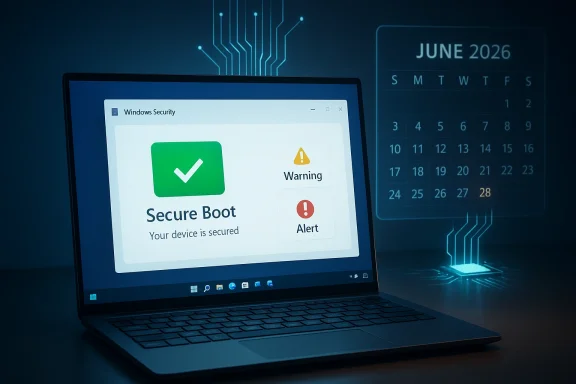
A digital visualization related to the article topic.Background​

Secure Boot has always been one of those Windows security features that most people never think about until something goes wrong. It is part of the UEFI startup chain, checking that early boot components are trusted before Windows fully loads, which makes it one of the most important defenses against bootkits, early-boot tampering, and other malware that tries to hide before antivirus and normal protections are active. Microsoft’s recent support material makes clear that the trust foundation for that chain is now aging out, with certificates originally issued in 2011 approaching expiration in 2026. (support.microsoft.com)
The reason this is happening is simple, if a bit uncomfortable: certificates are not forever. Microsoft’s own guidance says the original Secure Boot certificate set needs to be replaced with 2023-era certificates in both the KEK and DB trust stores. Those updated certificates cover different parts of the boot ecosystem, including Windows boot components, third-party boot loaders, and option ROMs, and Microsoft has been explicit that the old trust chain will not remain viable indefinitely. (support.microsoft.com)
This issue moved from theory to planning in 2024, when Microsoft began publishing guidance for IT administrators and device makers. By 2025, the company was telling enterprises to prepare fleets, test representative hardware groups, and consider diagnostic-data-driven rollout paths. For consumers, the ideal path is quieter: Microsoft-managed updates can deliver the necessary certificate refresh through ordinary Windows Update workflows on supported devices. (techcommunity.microsoft.com)
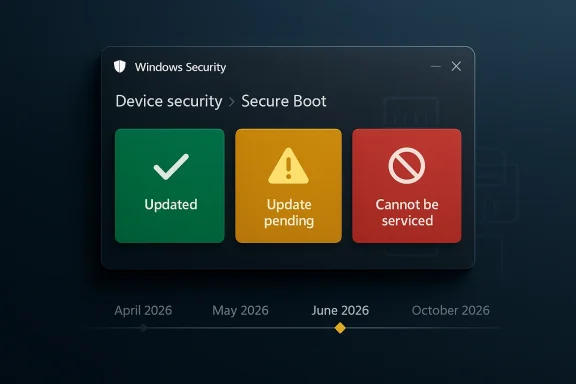
What makes the current moment notable is that Microsoft is now trying to surface the status directly inside the operating system. Instead of assuming users, small businesses, or overworked IT departments will notice the underlying certificate state in logs, the company is translating it into green, yellow, and red indicators in the Windows Security app. That is a meaningful shift, because boot trust changes are the kind of thing users tend to ignore until they are locked out of future protections. (support.microsoft.com)
There is also a larger strategic context here. Microsoft has spent years tightening the Windows startup trust model, but that hardening only works if the ecosystem actually keeps pace. As the company has noted, devices that remain on the old certificates may eventually lose the ability to receive certain boot-related protections, and some third-party components could fail to update or load if they depend on the newer trust chain. That makes the 2026 expiration less of a one-time deadline and more of a rolling security cliff. (support.microsoft.com)

What Microsoft Changed in Windows Security​

The headline change is simple: Windows Security can now show a Secure Boot status badge that reflects the certificate state of the device. Microsoft says the feature starts rolling out in April 2026, and by May 2026 it will expand to include additional notifications outside the app, such as system alerts. The company is clearly trying to move this out of the realm of hidden backend maintenance and into a visible user-facing security story. (support.microsoft.com)

Badge meanings​

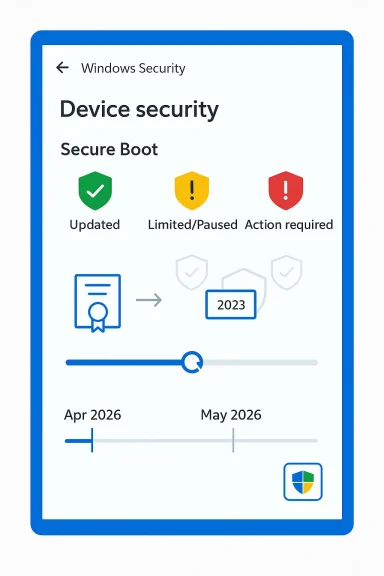
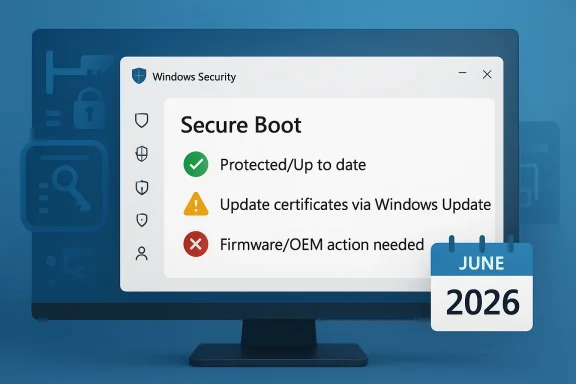
The new status model is designed to be legible at a glance. A green checkmark means the device has received all required Secure Boot certificate updates and the updated boot manager is installed. A yellow exclamation mark means the device still needs attention, usually because it is on an older trust configuration and should be updated through Windows Update. A red stop icon means the device has entered a more serious state where a security update for the Windows boot experience cannot be delivered on the current configuration. (support.microsoft.com)
Microsoft also warns that the same status can appear in the Windows Security tray icon, not just inside the Secure Boot page itself. That is important because users tend to see tray badges more often than they open the Device security panel. In practice, this means the warning is more likely to interrupt the normal routine of a typical Windows user, which is exactly the point. (support.microsoft.com)
There is a subtle but important distinction between informational and actionable states. Not every warning means a machine is broken, and not every yellow badge means the user has done something wrong. In many cases, Microsoft simply wants the system kept online and current so the update can finish automatically, which is why the company repeatedly emphasizes installing the latest Windows updates and restarting when prompted. (support.microsoft.com)

Why the visual warning matters​

This is a classic case of user-interface design supporting security policy. Microsoft has long known that many users will never read an advisory about KEKs, DBX entries, or UEFI certificate lifecycles, even if those details are critical. By converting the issue into a traffic-light style warning, the company is hoping to raise completion rates without forcing every user to understand the underlying cryptography. That is good security design, even if it is slightly reductive. (support.microsoft.com)
The downside is that a clear badge can still oversimplify a messy hardware reality. Different devices will react differently depending on firmware, OEM support, diagnostic-data availability, and whether a newer boot manager is already present. Microsoft’s own support pages make it clear that some devices will be updated automatically, while others will need OEM firmware help or manual remediation. (support.microsoft.com)
  • Green: fully updated and no action needed.
  • Yellow: update recommended, likely through Windows Update.
  • Red: urgent issue; the boot trust chain can no longer be serviced normally.
  • Tray icon: overall security status may now reflect Secure Boot state.
  • May 2026: broader alerts outside the app begin arriving. (support.microsoft.com)

The June 2026 Expiration Is the Real Deadline​

The new warning system is not just housekeeping. It is tied to a hard expiration window that begins in June 2026 for several Microsoft-issued Secure Boot certificates. Microsoft has repeatedly said it is best to update well before that date, because waiting until the deadline risks blocking future boot-related protections and complicating recovery. (support.microsoft.com)

What expires, and why it matters​

The certificate transition affects several trust anchors, including the Microsoft Corporation KEK CA 2011, the Microsoft UEFI CA 2011, and the Microsoft Windows Production PCA 2011, each with corresponding 2023 replacements. Microsoft says those replacements are necessary to keep the Secure Boot chain working normally and to preserve the ability to sign future boot components. (support.microsoft.com)
This is not only about Windows booting. Microsoft warns that when devices remain on an expired state, they may lose access to boot-related security updates and could face compatibility problems with future operating systems, firmware, hardware, or Secure Boot-dependent software. In plain English, the machine may keep working for a while, but it is slowly drifting out of the supported trust ecosystem. (support.microsoft.com)
That gradual failure mode is exactly why Microsoft is nudging users now. If the update arrives before expiration, the transition is mostly invisible. If it arrives too late, the user may suddenly encounter blocked updates, warnings, or OEM-dependent firmware remediation. Security teams hate surprises, and Microsoft is clearly trying to reduce the number of devices that discover this problem the hard way. (support.microsoft.com)

Windows 10 and Windows 11 both matter​

One point that users may miss is that this is not a Windows 11-only story. Microsoft’s support material covers Windows 11, Windows 10, and supported server versions, because Secure Boot is a platform trust issue rather than an operating-system marketing issue. That means some Windows 10 devices still in support, including enterprise-managed systems, are part of the same migration path. (support.microsoft.com)
The timing also matters because Windows 10 has already entered a more constrained support era for many consumer devices. So while the Secure Boot warning is technically separate from Windows 10 end-of-support policy, the two narratives intersect: users who are still on older hardware or older releases have less margin for error and fewer chances to absorb transition problems gracefully.
  • June 2026 is the key expiration window.
  • Updated trust anchors are already being distributed through Windows Update.
  • Boot-related protections may be limited if the update is delayed.
  • Older devices face the highest risk of requiring OEM firmware intervention. (support.microsoft.com)

How the Update Reaches Devices​

Microsoft is leaning heavily on automatic delivery for consumer systems. Its guidance says most personal Windows devices will receive the updated Secure Boot certificates through Microsoft-managed updates, with the Windows Security app simply becoming a way to verify that the process completed. If the badge is green, Microsoft’s position is straightforward: no action is needed. (support.microsoft.com)

Windows Update is doing more than people realize​

This is one of those cases where a normal Patch Tuesday update may carry a lot more than the average user notices. Microsoft has said the updated certificates are delivered through cumulative Windows updates, and the app’s status indicator helps confirm whether the boot manager and certificate refresh have both landed. That means users who stay current are probably already covered. (support.microsoft.com)
The company also notes that the process can take time after a device is selected for updates. Its enterprise guidance says to allow for 48 hours and one or more restarts for certificates to apply fully in some cases. That is another clue that this is not a single-file patch but a coordinated trust transition involving firmware state, operating-system state, and boot manager state. (support.microsoft.com)
Microsoft’s support pages also suggest that some devices may already have the new 2023 certificates but still lack the Windows UEFI CA 2023-signed boot manager, which is described as a critical last step. That detail matters because it shows why a device can appear “mostly updated” while still not being fully done. It is a layered migration, not a one-and-done switch. (support.microsoft.com)

Why firmware complicates everything​

The biggest complication is that Secure Boot is not just a Windows setting; it is a firmware trust model implemented by the device maker. Microsoft acknowledges that some devices cannot receive automated updates due to hardware or firmware limitations, and in those cases the user may need to contact the OEM for assistance. For older or no-longer-supported devices, that can become a dead end. (support.microsoft.com)
This is why Microsoft repeatedly tells users not to disable Secure Boot as a workaround. The company says disabling Secure Boot significantly reduces protection and can create compliance and security risks. In other words, turning off the feature to avoid the update would be treating the symptom while making the underlying device more vulnerable. (support.microsoft.com)
  • Microsoft-managed updates handle most consumer PCs.
  • Firmware limitations can block automation.
  • Some systems need the boot manager refresh as the final step.
  • Disabling Secure Boot is not an acceptable workaround. (support.microsoft.com)

Enterprise, IT, and Managed Devices Face the Hardest Work​

For home users, the story is mostly about patience and staying current. For enterprise admins, it is a deployment project with rollout policy, telemetry, logging, and exception handling. Microsoft’s IT guidance is explicit that organizations should test representative sample devices, track certificate application, and use the company’s deployment assists where appropriate. (support.microsoft.com)

Rollout strategy is the real enterprise challenge​

Microsoft says organizations can use diagnostic data and Controlled Feature Rollout to let Microsoft manage parts of the deployment on participating devices. It also explains that groups of devices are bucketed by hardware and firmware similarity so Microsoft can monitor success and pause when problems appear. That sounds elegant in theory, but it only works if the organization is willing to share enough telemetry to make the process useful. (support.microsoft.com)
The company’s guidance also warns that CFR is not a silver bullet. It may not work if diagnostic data is unavailable or the devices are not on supported Windows versions, including Windows 10 systems without ESU coverage. That means enterprise admins still need a manual fallback path, especially for locked-down or air-gapped environments. (support.microsoft.com)
Microsoft’s documentation further suggests using registry keys, Group Policy, event logs, and in some cases Windows Configuration System tools to monitor deployment. That is a lot of moving parts for what might look, from the outside, like “just a certificate update.” It is really a trust-state migration across a large and heterogeneous hardware fleet. (support.microsoft.com)

Why managed environments may ignore the app warning​

One especially important detail is that the new Secure Boot badge behavior is disabled by default on enterprise-managed Windows client devices and Windows Server, although the in-app status text may still be visible. Microsoft says this is meant to reduce notification noise, and administrators can enable the experience if they want. That design choice makes sense for fleet management, but it also means the consumer-friendly warning model will not be universal. (support.microsoft.com)
That said, the enterprise story is not purely about avoiding alerts. It is about ensuring a device can continue to receive boot-protection updates over time, especially as Secure Boot-related revocations and mitigations emerge. Microsoft’s documentation is clear that older devices, especially unsupported ones, may need replacement if firmware does not cooperate. (support.microsoft.com)
  • Test representative devices before broad rollout.
  • Use telemetry to identify hardware-specific failure patterns.
  • Plan manual remediation for unmanaged or air-gapped systems.
  • Treat obsolete firmware as a lifecycle risk, not a one-off bug.
  • Expect some enterprise devices to suppress the new warning badges by default. (support.microsoft.com)

What the New Warning Means for Everyday Users​

For consumers, the best case is almost boring: open Windows Security, check Device security, see a green mark, and move on. Microsoft’s message is that most users will not need to do anything if they are current on updates and connected to the internet. That is reassuring, but it also depends on a very modern Windows habit: letting update plumbing do the work quietly in the background. (support.microsoft.com)

Simple guidance for non-technical owners​

If a device shows yellow, Microsoft wants the user to connect to the internet, install the latest Windows updates, and restart if prompted. That is the practical path for machines still waiting on the automatic certificate refresh. If the device shows red, the user has entered a category where the current boot configuration cannot be serviced normally and further guidance is needed. (support.microsoft.com)
The support pages also say some devices may receive temporary pauses while Microsoft and partners investigate compatibility issues. That means a warning does not always imply a permanent failure. Sometimes it means Microsoft has deliberately slowed the rollout to avoid breaking affected hardware, which is a reminder that security updates at the firmware layer are only as smooth as the weakest OEM implementation. (support.microsoft.com)
In the most severe cases, a user may be told to contact the device manufacturer. That sounds unhelpful, but it is actually the correct escalation path, because Secure Boot certificates live at the boundary between Microsoft’s platform policy and the OEM’s firmware support. If the firmware cannot accept the new trust state, Windows alone cannot fix it. (support.microsoft.com)

Why the timing helps consumers​

The timing of the warning rollout is good from a user-experience perspective because it arrives before the expiration date, not after. That gives people a chance to verify status in a calm setting instead of discovering the problem during an emergency boot failure or a security update blockage. Prevention beats recovery, especially when the recovery path may depend on a recovery USB or OEM support. (support.microsoft.com)
It also gives Microsoft room to let the app do the education work. A yellow badge can prompt a user to let updates run, while a green badge can reassure them they are done. That may not sound like a big deal, but in consumer Windows, reassurance is often half the battle. (support.microsoft.com)
  • Green means nothing to do.
  • Yellow means update and restart.
  • Red means further remediation is required.
  • Internet connectivity matters for the automatic path.
  • OEM support may be necessary on older hardware. (support.microsoft.com)

Competitive and Market Implications​

Microsoft’s Secure Boot messaging also has broader implications for the PC market. By turning certificate expiration into a visible Windows experience, the company is effectively setting expectations for how OEMs, firmware vendors, and enterprise toolmakers should behave over the next year. That could push the ecosystem toward more proactive firmware maintenance, which is good for security but not always comfortable for vendors with long support tails. (support.microsoft.com)

OEMs are now part of the story​

The support pages make it clear that some devices will not be fully serviced by Windows Update alone. In those cases, OEM firmware updates are part of the solution, and Microsoft specifically tells users to contact their manufacturer if automation fails. That means device makers now have a renewed obligation to support an aging installed base, especially for systems still expected to remain secure after mid-2026. (support.microsoft.com)
This is especially significant for business hardware with long replacement cycles. Microsoft’s guidance suggests that many newer machines already include the updated certificates, but not all older units do. So the market split is becoming visible: newer hardware is effectively future-proofed, while older fleets may face a support and compliance tax. (support.microsoft.com)
There is also an indirect competitive angle with Linux and dual-boot environments, though Microsoft’s official posture remains focused on Windows. Because Secure Boot trust affects boot loaders and signed EFI components, certificate transitions can ripple across operating systems and boot chains. That makes careful vendor coordination essential, especially for users who want to keep Secure Boot enabled while maintaining flexibility. (support.microsoft.com)

The security posture message is strategic​

Microsoft is also sending a message about the direction of Windows security: the company wants the operating system to become more self-diagnosing, more self-updating, and more explicit about hidden risk. That matters because the next wave of Windows hardening will not just be about signatures and patches; it will be about whether hardware trust roots can be continuously maintained without user intervention. (support.microsoft.com)
That is a substantial strategic shift, and rivals in the hardware ecosystem will have to keep up. Systems that can’t reliably absorb firmware trust updates will look increasingly dated, even if they still boot and run apps just fine. Security maturity is becoming a differentiator at the hardware lifecycle level, not just at the feature checklist level. (support.microsoft.com)
  • OEM firmware support is now central to platform security.
  • Older fleets may face a larger compliance burden.
  • Newer devices have a clear lifecycle advantage.
  • Secure Boot is becoming a visible market differentiator.
  • Hardware and software vendors will need tighter coordination. (support.microsoft.com)

The Fine Print and Edge Cases​

The most interesting parts of Microsoft’s guidance are often the exceptions. Devices with Secure Boot disabled cannot receive the active variables for the new certificates, and toggling Secure Boot off and on can reset settings in undesirable ways. Microsoft is unusually blunt here: if Secure Boot is already on, leave it on. That is a strong clue that the renewal process is sensitive to firmware state and that “just change the setting” is not a safe strategy. (techcommunity.microsoft.com)

Why some devices need more validation​

Microsoft also says that on some systems there is not yet enough data to classify the device for automatic update. In that case, users may need to visit Microsoft’s Secure Boot guidance page for more information before the update can proceed. That tells us the rollout is still being calibrated against real-world hardware diversity, which is exactly what you would expect for a trust-layer update spanning many OEMs and firmware revisions. (support.microsoft.com)
Another edge case is the device that appears to be updated but is not fully complete. Microsoft’s support material notes that some newer systems may already have the certificates but still need the boot manager signed by the 2023 CA. That can confuse users who assume the certificate work is finished once the firmware gets the new keys. It is not finished until the whole chain is aligned. (support.microsoft.com)
There is also a recovery scenario to keep in mind. Microsoft says that if firmware is reset to default settings and no longer includes the Windows UEFI CA 2023 certificate, Secure Boot may block booting after the OS has already moved to the 2023-signed boot manager. In that case, restoring the missing certificate may require a recovery USB and a guided repair process. That is a sobering reminder that boot trust changes can become very real very quickly when the firmware is touched. (support.microsoft.com)

Known issues and pauses are part of the design​

Microsoft’s documentation acknowledges that certificate updates can be temporarily paused for certain configurations while compatibility problems are investigated. That sounds like a bug, but it is actually a feature of modern rollout governance. In security terms, a paused update is often preferable to a rushed one that bricks a subset of devices. (support.microsoft.com)
The tradeoff is predictability. Users and admins want a date and a guarantee, but firmware ecosystems do not always obey neat schedules. Microsoft is balancing deadline pressure against hardware reality, and the yellow warning badge is one way to absorb that tension without forcing everyone into a hard yes-or-no choice. (support.microsoft.com)
  • Secure Boot disabled devices are a special problem.
  • Some devices need more data before automatic update.
  • A firmware reset can break the updated trust chain.
  • Temporary update pauses may be intentional and protective.
  • Full completion requires both certificates and boot manager alignment. (support.microsoft.com)

Strengths and Opportunities​

Microsoft’s new warning system is a strong example of security UX catching up with a technical migration that would otherwise remain invisible to most users. It also gives enterprises, OEMs, and consumers a clearer shared language for the same underlying problem, which should reduce confusion as June 2026 approaches.
  • The color-coded status is easy for non-technical users to understand.
  • The warning appears before the expiration deadline, not after it.
  • Windows Update remains the primary, low-friction delivery path.
  • The same system helps users, IT admins, and OEM support teams speak consistently.
  • It nudges users toward keeping Secure Boot enabled, which preserves protection.
  • The approach encourages better firmware support from device makers.
  • It gives Microsoft a way to surface hidden trust-state issues without forcing users into logs. (support.microsoft.com)

Risks and Concerns​

The update model is sensible, but it is not risk-free. The biggest danger is complacency: users may see a normal-looking PC and assume nothing is wrong until the certificate expiration starts interfering with future boot protections or security updates. Another concern is the hardware long tail, where older devices may not be able to receive the new trust state cleanly.
  • Some users may ignore a yellow badge until it becomes a bigger issue.
  • Older hardware may require OEM firmware updates that are slow or unavailable.
  • Managed environments may suppress the badges, reducing visibility.
  • Devices with limited telemetry may not get the smoothest rollout path.
  • A firmware reset could cause boot problems if the trust chain is incomplete.
  • Air-gapped or locked-down environments may need more manual work.
  • Users who disable Secure Boot to “fix” the warning could make security worse. (support.microsoft.com)

Looking Ahead​

The next few months will determine whether Microsoft’s strategy works the way it hopes. If the new Windows Security badges help enough users and administrators complete the transition early, the June 2026 expiration may pass with little drama. If not, Microsoft and OEMs could face a wave of last-minute remediation requests, firmware support calls, and frustrated users who only notice the issue once a warning turns red.
The most important thing to watch is whether the rollout stays quiet for mainstream devices while still flagging edge cases accurately. If Microsoft can keep consumer PCs moving through Windows Update while escalating only the truly blocked systems, this will look like a successful security modernization. If the warnings become noisy or inconsistent, people may tune them out just when they matter most.
  • Watch for broader system alerts outside the Windows Security app beginning in May 2026.
  • Monitor whether newer PCs continue to arrive already updated out of the box.
  • Track how many older systems need OEM firmware intervention.
  • Pay attention to enterprise guidance as managed-device rollouts mature.
  • Expect more security communications from Microsoft as the June deadline gets closer. (support.microsoft.com)
Microsoft’s latest move is best understood as a cleanup operation with real consequences: it is making an invisible trust refresh visible before the expiration clock runs out. That is a smart move, because Secure Boot only protects users if the trust chain stays current, and the easiest upgrade is always the one that happens before the panic starts.

Source: Neowin Microsoft adds useful warning about upcoming mandatory Windows 11/10 update installation
 

Microsoft’s latest Secure Boot move is less about a shiny new Windows Security badge than it is about preparing the Windows ecosystem for a long-planned certificate rollover that starts mattering in 2026. Beginning in April 2026, Windows Security will start surfacing a green, yellow, or red status inside the Secure Boot section so users can see whether their device has received the new certificates, still needs an update, or can no longer be serviced on its current boot path. That is a meaningful shift: for years, Secure Boot problems have been largely invisible until a machine fails to update, fails to boot securely, or lands in a support rabbit hole.
The timing is important. Microsoft says the original Secure Boot certificates date back to 2011 and that the current round of replacement certificates is being delivered through Windows Update, with most systems expected to update automatically. The company is also warning that some current certificates begin expiring in June 2026, with broader expiration pressure extending into October 2026, so the new status reporting is part user-facing convenience and part operational triage. In practice, the badge system is designed to separate devices that are quietly protected from devices that need attention before a boot-level trust problem becomes a real outage.

A digital visualization related to the article topic.Overview​

Secure Boot has always been one of those Windows security features that most people never think about until something goes wrong. It sits at the firmware boundary, checking that the boot chain is trusted before Windows fully loads, and that makes it one of the most important controls against pre-OS malware and bootkits. Microsoft’s new certificate rollout is therefore not a minor maintenance tweak; it is a foundational trust refresh for the next phase of the Windows platform.
What makes this announcement notable is the combination of back-end change and front-end visibility. Microsoft is not only distributing updated certificates; it is also exposing certificate state in the Windows Security app under Device security > Secure Boot, which means home users, small businesses, and IT departments can see the device’s status without digging through firmware or logs. That is a classic example of a security vendor recognizing that a problem is only actionable if users can see it early enough.
The new status indicators are simple by design: green means the device is fully updated, yellow means the device is running an older certificate and should update automatically if Windows Update is functioning, and red means the system has reached a state where the required security update cannot be delivered to the current boot configuration. Microsoft says additional improvements, including notifications outside the app, begin rolling out in May 2026, which suggests the company expects real-world friction once the certificates become operationally significant.
The broader story here is that Windows is entering a certificate transition window that spans consumers, businesses, and managed fleets. In some cases, the update will be silent. In others, it will depend on firmware support, device age, OEM participation, or the organization’s own update posture. That is why Microsoft’s support pages now read less like a release note and more like a preparedness campaign.

Why Secure Boot Certificates Matter Now​

Secure Boot certificates are not glamorous, but they are crucial because they govern trust at the point where the operating system is still vulnerable. If the trust anchors expire or cannot be updated, then Windows loses some of its ability to verify the boot chain against tampering. That can degrade the security posture of the machine even if the desktop itself still appears to work normally.
Microsoft’s own guidance makes the risk explicit: if the Secure Boot certificates expire and the system cannot receive the new ones, the device will stop receiving future security fixes related to Windows boot manager updates or Secure Boot. In plain English, that means the machine can continue running, but it may no longer be able to keep up with future boot-level defenses. That is the kind of issue that can simmer quietly for months before becoming a very visible problem.

The 2011-to-2023 Certificate Shift​

The old certificates date to 2011, while the replacement set is rooted in 2023 trust material. Microsoft has been rolling these changes out through Windows Update and firmware channels for some devices, including Surface systems, which began receiving the updated UEFI Secure Boot signature database through firmware updates starting in 2023. That staggered deployment matters because it shows the company has been staging the transition well before the expiration window becomes acute.
The key technical distinction is that certificate rollover is not the same thing as patching an app. It requires the platform to accept new trust anchors at the firmware and boot-manager layers, which is why Microsoft’s documentation repeatedly points to Windows Update, boot manager updates, and in some cases manufacturer assistance. In other words, the process is managed, but it is not universally automatic in the way most consumer updates are.

What Expiration Actually Breaks​

Expiration does not necessarily mean every affected PC will fail to start on a fixed date. Instead, the practical consequence is more subtle: the machine may lose the ability to receive or validate future boot-related security updates, especially if it missed the migration to the new trust chain. That is why Microsoft’s messaging focuses on continuity, not catastrophe. The company is trying to prevent a support problem before it becomes a security incident.
  • Boot trust depends on certificates as much as it depends on code.
  • Expiration does not always equal instant failure, but it does create a hard ceiling for future servicing.
  • Older devices are more likely to need manual intervention or OEM-specific help.
  • Managed fleets need visibility long before the certificates actually age out.
  • Consumer systems depend on the health of Windows Update and firmware compatibility.

What Microsoft Is Changing in Windows Security​

Microsoft’s most user-visible change is the addition of Secure Boot certificate status inside the Windows Security app. This is a smart move because it translates a technical condition into a simple trust signal that non-specialists can understand quickly. The feature lives under Device security > Secure Boot, which keeps it alongside other platform security indicators rather than scattering it across multiple admin tools.
The choice of a traffic-light style UI is intentional. Green is reassuring, yellow is a nudge, and red is an escalation. That kind of hierarchy is valuable because most users do not know what a certificate chain is, but they do know when a status indicator means “do something now.” Microsoft is effectively turning an abstract lifecycle problem into an actionable health signal.

Green, Yellow, Red: The New Status Model​

If the device is fully updated, the Secure Boot badge shows a green checkmark and no action is needed. If the device is not yet updated, Windows expects the update to arrive automatically through Windows Update as long as the device stays online and current. If the device requires action, the update cannot be delivered to the boot configuration on that machine, and the badge turns red.
That red state is the one enterprises should care about most. Microsoft says it appears when a security update exists for the Windows boot experience but cannot be serviced on the current boot configuration, and it may occur as early as June 2026 if current certificates begin expiring. In practice, that means the company is acknowledging a population of systems that are not merely delayed but operationally stuck.

Notifications Beyond the App​

Starting in May 2026, Microsoft says it will expand the experience with notifications outside the app, such as system alerts, plus more guidance and controls. That matters because many users never open Windows Security unless prompted by Defender or an obvious warning. By extending the warnings outward, Microsoft is trying to reduce the odds that users miss the message until the issue is already urgent.
This is a useful design lesson for Windows more broadly. Security features often fail not because they are technically weak, but because they are invisible, confusing, or too easy to ignore. By placing status in the tray and app, Microsoft is acknowledging that awareness is part of security.
  • App-level visibility reduces guesswork.
  • Tray icons make the status harder to overlook.
  • Color-coded warnings lower the learning curve.
  • External notifications increase the odds of timely action.
  • Actionable guidance matters as much as detection.

Which PCs Need to Care​

Microsoft’s messaging suggests that many 2024 and newer PCs will not need manual intervention, because they are more likely to receive the updated certificate chain automatically. That is an important caveat, because it means the new warning system is not a universal “your PC is old” label. It is closer to a compatibility dashboard that highlights gaps in the update path.
Older devices are the ones most likely to encounter friction. Some may still receive the update through Windows Update, but others may require a manual certificate push or an OEM-firmware remedy. Microsoft’s support language explicitly notes that some devices are blocked by hardware or firmware limitations, which is a reminder that boot trust depends on vendor cooperation, not just Microsoft’s willingness to ship a patch.

Consumer PCs Versus Enterprise Fleets​

For consumers, the practical advice is simple: keep Windows Update current, stay connected to the internet, and check the Secure Boot status if Windows Security starts showing yellow or red. Most home users do not need to administer certificates directly, and Microsoft’s support material is clearly trying to keep the experience low-friction. The challenge is that the warning may arrive long before the user understands why it matters.
For enterprises, the calculus is different. Fleet managers have to identify which devices received the updated boot manager, which are dependent on hardware or firmware quirks, and which may never fully transition without direct intervention. That makes this a patch-management project, a device-lifecycle project, and a firmware-governance project all at once.

The Role of OEMs and Firmware​

OEM participation may prove to be the hidden story in this rollout. Microsoft can deliver certificates through Windows Update, but devices with rigid firmware implementations may still need manufacturer support or special handling. That means the smoothness of the transition will vary across brands, motherboard generations, and support policies.
  • Newer systems are more likely to transition quietly.
  • Older consumer devices may need manual checks.
  • Business fleets require inventory and remediation plans.
  • Firmware-limited systems may never get the cleanest path.
  • OEMs remain central to successful boot-trust migration.

Why Microsoft Is Doing This Now​

The timing is driven by the calendar. Microsoft says the current Secure Boot certificates begin expiring in June 2026, with some expiring by October 2026, so the company has to get the ecosystem updated before those dates arrive. That is why the rollout is already underway and why Microsoft is adding user-visible status in April rather than waiting until the deadline is close.
There is also a broader security motive. Boot-level attacks are notoriously nasty because they can sit below the operating system’s normal visibility and persist across reinstalls if the trust chain is compromised. Refreshing the certificates is Microsoft’s way of ensuring future Windows builds can continue trusting the right binaries while rejecting the wrong ones. That is not merely maintenance; it is structural hardening.

The “Supportability” Angle​

Microsoft’s documents repeatedly tie Secure Boot certification to the ability to keep receiving updates, which shows the company is thinking beyond one-time protection. Security platforms age, and if trust anchors cannot be refreshed, then the entire servicing model starts to weaken. In that sense, the certificate rollout is also a supportability project for the Windows Update ecosystem.
That is especially relevant for Windows 10 and older Windows 11 hardware that will remain in use during and after the certificate transition. Even where the operating system still receives updates, the boot chain must remain serviceable for those updates to retain their value. Otherwise, the system becomes a paradox: patched at the app layer, stale at the root of trust.

The Communications Strategy​

Microsoft is also being unusually direct in its messaging. Instead of hiding the work in a servicing note, it has created a consumer-facing explanation and a support taxonomy that tells users what each color means. That kind of transparency is good practice, because boot-security changes often fail when users are left to interpret vague error codes on their own. Clarity reduces panic.
At the same time, the language still leaves room for interpretation. Microsoft distinguishes between automatic updates, hardware-limited devices, and devices that can no longer receive required updates, which means the user experience may vary significantly. That variability is unavoidable, but it also means the rollout will likely generate support questions even in well-managed environments.
  • Deadline pressure is driving the rollout.
  • Boot trust has to stay serviceable for Windows to stay secure.
  • Transparency is meant to reduce user confusion.
  • Supportability is as important as raw security.
  • Mixed hardware ages make a one-size-fits-all message impossible.

Enterprise Impact and IT Operations​

For IT teams, the practical impact is not just “apply an update.” It is to map devices into cohorts: already updated, eligible for automatic update, blocked by firmware, or at risk of falling into a red-state deadline. Microsoft’s enterprise guidance makes it clear that organizations may need to use managed update processes rather than wait for consumer-style rollout behavior.
This matters because Secure Boot is one of those controls that can hide in plain sight until the day it stops being updateable. An enterprise that discovers the problem in May 2026 will have a very different workload than one that starts inventorying affected devices in April 2026. The new Windows Security indicator is therefore a visibility tool, but it is also a planning tool.

What Administrators Should Prioritize​

The first priority is inventory. IT teams need to know which machines report green, which report yellow, and which may eventually need replacement or OEM intervention. The second priority is validating that the devices are receiving the proper Windows updates and, where applicable, firmware updates from the manufacturer.
The third priority is communication. End users do not need a lesson in certificate chains, but they do need a simple explanation of why a yellow warning is not just cosmetic. If Microsoft’s guidance is to work, the organization has to translate it into internal policy: what to ignore, what to remediate, and what must escalate. That operational discipline will matter more than the icon itself.

Managed Versus Unmanaged Devices​

Managed devices with Microsoft diagnostic data and update controls can often be steered toward the new certificates more predictably. Unmanaged systems, or systems in constrained environments, may not enjoy that same smooth path. Microsoft even notes that IT departments may need to follow specific guidance for managed updates if devices are not sharing diagnostic data.
That difference has a real-world consequence: the same Windows version may behave differently depending on policy, telemetry settings, and firmware constraints. In other words, Secure Boot certificate management is not only a technical problem but a governance problem. Organizations that treat it like a standard patch cycle may miss the edge cases that actually break the rollout.
  • Inventory first, patch second.
  • Firmware constraints may block some remediation paths.
  • Telemetry and management policy influence rollout success.
  • User communication will reduce avoidable tickets.
  • Replacement planning may be necessary for outlier devices.

Consumer Impact and Everyday Use​

For most consumers, this is likely to be a “do nothing unless warned” update cycle. Microsoft says the Secure Boot certificate update should arrive automatically through Windows Update on compatible systems, and the green status is designed to reassure users that no extra action is needed. That is good news, because most people should not have to think about firmware trust chains just to keep using their PCs safely.
Still, the warning itself may create anxiety, especially if users see a yellow badge without understanding whether the device is actually unsafe. The important nuance is that yellow is not the same as failure; it often means the device is still in the process of receiving the update or needs connectivity and current Windows patches. The warning should be treated as a prompt, not a verdict.

What Home Users Should Do​

Home users should keep Windows Update enabled, reboot when prompted, and avoid assuming that a Secure Boot warning means the PC is immediately compromised. If the badge shows yellow, the safest first step is usually to connect the machine to the internet, install current updates, and check again after a reboot. If the device shows red, Microsoft’s messaging suggests the machine may need manufacturer assistance or may be unable to receive the required update path.
It is also worth noting that Microsoft’s guidance is being tailored by device age. The company says many 2024-and-earlier devices likely will not need a manual certificate download, while older machines are more likely to need it. That should help reduce the instinct to overreact, but it also means users need to read the status carefully rather than making assumptions based on the presence of the warning alone.

The Psychology of a Security Badge​

Security UI matters because people respond to visible signals more than abstract risk. A red stop icon can motivate action, but it can also frighten users into unnecessary support calls if the explanation is not clear enough. Microsoft’s challenge is to make the warning urgent without being alarmist.
That balance is tricky, but necessary. If the company undersells the risk, users will ignore the message. If it oversells the risk, people may panic or disable protections they do not understand. The new badge system suggests Microsoft is trying to walk that line carefully.
  • Yellow usually means “update pending,” not “broken.”
  • Green means the machine has the updated trust chain.
  • Red means immediate attention is warranted.
  • Windows Update remains the first line of defense.
  • Older hardware is where support complexity rises fastest.

Competitive Implications for the Windows Ecosystem​

Microsoft’s move also says something about the competitive pressure around platform security. Apple and Google have long emphasized security posture as a core brand value, while Windows has had to prove that it can secure a much broader, messier hardware ecosystem. By surfacing Secure Boot health more clearly, Microsoft is signaling that Windows security is not only about Defender or identity protection, but about the integrity of the platform stack itself.
That matters in enterprise procurement conversations. Security teams evaluating Windows endpoints increasingly care about visibility, automation, and lifecycle management, not just whether a device supports a feature on paper. A visible Secure Boot status dashboard strengthens Microsoft’s case that Windows can be monitored and governed at the firmware boundary, which is a competitive advantage in regulated environments.

A Signal to OEMs​

The rollout also puts pressure on OEMs to keep firmware update pipelines healthy. If Microsoft can ship the certificate but the hardware vendor cannot support the final mile, the customer experience breaks down. That means the announcement is indirectly a test of the Windows hardware ecosystem’s maturity.
There is a reputational angle too. Devices that cannot transition cleanly may be perceived as aging out faster than their performance profile alone would suggest. In a market where buyers increasingly factor security longevity into refresh decisions, the ability to receive boot-trust updates could become another checkbox on the procurement list. That is a subtle but important shift.
  • Security visibility is becoming a competitive feature.
  • OEM update quality influences trust in the whole platform.
  • Enterprise buyers will notice firmware manageability more than ever.
  • Lifecycle longevity may affect refresh timing.
  • Windows’ scale makes clear status reporting especially valuable.

Strengths and Opportunities​

Microsoft’s approach has several strengths. It combines a real security transition with better user communication, and it does so before the expiration pressure becomes acute. That gives the ecosystem a chance to adapt gradually instead of in crisis mode.
  • Early visibility reduces the odds of surprise failures.
  • Automatic updates should cover many devices without user effort.
  • Color-coded status makes technical risk easier to understand.
  • Enterprise guidance gives IT teams a roadmap for remediation.
  • Boot-level trust refresh strengthens long-term Windows security.
  • May 2026 notifications should improve compliance and response rates.
  • Support pages help turn a complex change into an operational workflow.

Risks and Concerns​

The rollout also carries risks, especially for older hardware and less-managed environments. A good status model only works if the underlying update path is reliable, and the Windows ecosystem has enough legacy complexity to make that a real challenge.
  • Firmware limitations may block some devices from updating cleanly.
  • User confusion could increase support demand if warnings are not explained well.
  • Older PCs may fall into red-state territory sooner than expected.
  • Enterprise heterogeneity makes fleet-wide remediation harder.
  • OEM dependence creates uneven outcomes across device brands.
  • Missed updates could leave systems in a weakened boot-security state.
  • Alert fatigue may cause some users to ignore the new indicators.

Looking Ahead​

The next phase of this story will be about rollout quality, not just the existence of the feature. If Microsoft’s automatic delivery works as intended, most users will only notice a green checkmark and move on. If it doesn’t, April and May 2026 could become a period of noisy support tickets, firmware edge cases, and a lot of “why is my Secure Boot yellow?” questions.
The bigger strategic question is whether Microsoft can make boot-level trust feel ordinary. That is the real success criterion here. Security leaders want a world where certificate transitions happen quietly, status is visible when needed, and only genuinely blocked devices get escalated. If Microsoft gets that balance right, this may become a model for how Windows handles other platform-security lifecycle changes.
  • April 2026: Secure Boot status appears in Windows Security.
  • May 2026: Notifications and added guidance begin rolling out.
  • June 2026: Some current Secure Boot certificates start expiring.
  • October 2026: Additional expiration pressure lands for other legacy certificates.
  • Device-by-device outcomes will vary based on hardware, firmware, and update health.
Microsoft is trying to get ahead of a deadline that could have become a support nightmare if left hidden until the last minute, and that is the most encouraging part of the announcement. The new status indicators won’t solve every compatibility problem, but they do give users and IT teams a fighting chance to act before Secure Boot certificate expiration turns into a platform-wide headache.

Source: XDA Microsoft releases new Secure Boot certificate to strengthen system security
 

Windows users are facing one of those quietly important security deadlines that rarely makes headlines until after the damage is done: Microsoft’s original Secure Boot certificates begin expiring in June 2026, and the company is now rolling out a new Secure Boot status dashboard inside the Windows Security app to help people confirm whether they’ve already been updated. The timing matters because the old certificates date back to 2011, and if a device misses the replacement certificates in time, it does not stop booting — but it can lose the ability to receive future boot-chain protections. That’s why Microsoft is surfacing a green, yellow, or red status indicator in Windows 11 and supported Windows 10 editions, with warnings that become more urgent as the June window approaches. (support.microsoft.com)

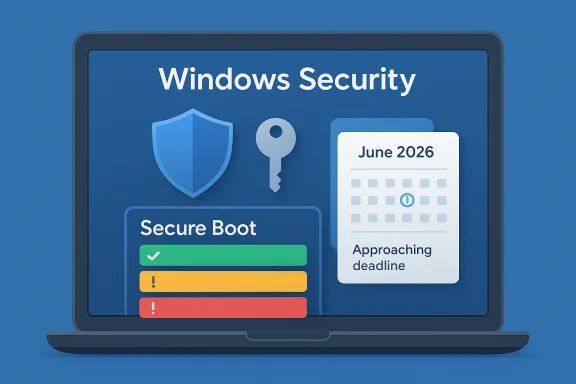
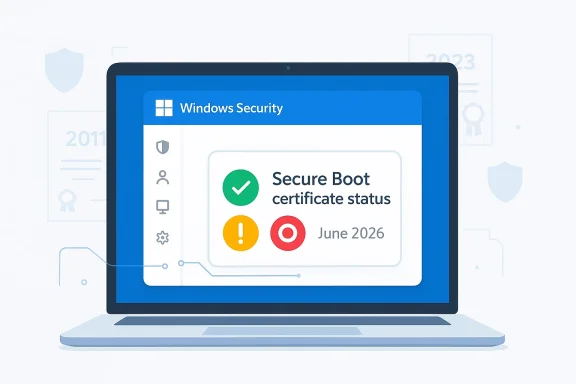
Illustration of a laptop UI titled “Windows Security” showing “Secure Boot” status and an upcoming June 2026 deadline.Overview​

Secure Boot has long been one of the least visible parts of Windows security, which is precisely why this announcement deserves attention. It is designed to verify the digital signatures of pre-boot components before Windows loads, helping prevent rootkits and other malware from embedding themselves beneath the operating system. The new certificate rollover is not a new product feature so much as a lifecycle event for the trust infrastructure that keeps modern PCs secure. (support.microsoft.com)
The immediate question for most users is simple: does my PC need anything from me right now? Microsoft’s answer is usually no, because the 2023 certificates are intended to arrive automatically through Windows Update on consumer PCs and many business devices. But “usually” is doing a lot of work here. Some systems will need firmware updates from the PC or motherboard maker, and some older machines may simply not be able to take the new trust chain at all. (support.microsoft.com)
This is also where Windows 10 complicates the story. Microsoft ended mainstream support for Windows 10 in October 2025, and unsupported systems generally do not get the same forward-looking boot security updates that Windows 11 receives. Microsoft’s February guidance made clear that the Secure Boot certificate rollout is tied to managed update paths, and the new status indicator is specifically being exposed only for Windows 10 devices enrolled in Extended Security Updates. That means many Windows 10 PCs are about to reach a hard policy boundary whether their owners are ready or not. (support.microsoft.com)
The broader significance is that Microsoft is trying to turn a deeply technical certificate lifecycle into a visible consumer-facing health signal. That is a good thing. Security transitions often fail not because they are impossible, but because users never know they need to act until the deadline has passed. A dashboard with a simple badge is not glamorous, but it may be the difference between a protected boot chain and a machine that slowly drifts into degraded security. (support.microsoft.com)

What Secure Boot Actually Does​

Secure Boot is part of the UEFI firmware layer, which means it operates before the Windows desktop, before apps, and before almost all traditional antivirus tools can even begin to help. It checks that the bootloader and related early-start components carry a trusted signature from certificates stored in firmware. If those trust anchors become stale, the machine can still boot, but its ability to trust new security updates in the startup path weakens over time. (support.microsoft.com)

Why the 2026 expiration matters​

The part of the story that matters most is not the date itself, but what the date triggers. Microsoft says the 2011-era certificates begin expiring in June 2026, and that the replacement 2023 certificates are being delivered automatically through Windows Update. In practical terms, the company is replacing an aging trust hierarchy before attackers can exploit the gap. (support.microsoft.com)
If a PC misses the update, it does not turn into a brick. The machine continues to start, standard Windows updates continue, and everyday usage should look normal. The catch is that the device may no longer receive new protections for Windows Boot Manager, Secure Boot databases, or revocation lists that are used to block newly discovered boot-chain threats. That is a subtle but serious form of security debt. (support.microsoft.com)
  • Secure Boot is about trust at startup, not just malware scanning after Windows loads.
  • Certificate expiry does not equal instant failure.
  • The real risk is progressive loss of future protections.
  • Older hardware and firmware are more likely to hit compatibility or update limits.
  • A machine can look healthy while becoming increasingly less protected. (support.microsoft.com)

How Microsoft is changing the trust model​

Microsoft’s own certificate table shows that not all renewals are one-to-one. The company is splitting some trust responsibilities more finely than before, including separating boot-loader signing from option-ROM signing in the renewal of the UEFI trust chain. That suggests a more granular security model, and one that gives administrators more control over what the firmware trusts. (support.microsoft.com)
This is important because boot trust is not monolithic. A machine that needs one kind of pre-boot compatibility does not necessarily need to trust every possible third-party loader. By separating those functions, Microsoft can preserve compatibility while reducing unnecessary trust exposure. That is the kind of behind-the-scenes engineering that most users never see, but it has direct consequences for resilience. (support.microsoft.com)

How the New Windows Security Status Page Works​

The new dashboard is Microsoft’s attempt to translate a firmware-level issue into a readable Windows experience. Starting in April 2026, the Windows Security app will show Secure Boot certificate status under Device security > Secure Boot, and it will do so with a color-coded badge system. Green means the device is fully updated, yellow means Microsoft recommends attention, and red means immediate action is needed or the device can no longer receive the needed boot-level updates. (support.microsoft.com)

The three badge states​

The green state is the easiest to understand: your PC has received the required Secure Boot certificate updates, and no action is needed. Microsoft says this includes the updated Boot Manager, which is a useful detail because it means the device has moved beyond the certificate rollover and into the new trust baseline. In other words, the system is not merely compatible with the future; it has already been moved into it. (support.microsoft.com)
The yellow state is more nuanced. It can mean the update is in progress or that the device needs additional action, often because hardware or firmware limitations are blocking the automated path. Microsoft says this is the stage where users may need to install Windows updates, restart the system, or rely on a firmware update from the manufacturer. That middle ground is where most consumer confusion is likely to happen. (support.microsoft.com)
The red state is the most serious. Microsoft says it appears when a security update exists for the Windows boot experience, but cannot be delivered to the device’s current boot configuration. That may not happen immediately on day one of the rollout, but it could become relevant as early as June 2026 if a vulnerability is discovered and the PC has not already moved to the updated certificate set. (support.microsoft.com)
  • Green = updated and protected.
  • Yellow = recommended action or a hardware/firmware blocker.
  • Red = device cannot receive required boot protections.
  • The badge may also appear in the system tray security icon.
  • Some messages are not about certificates at all, so context matters. (support.microsoft.com)

What the warnings actually tell users​

Microsoft is also attaching text explanations to the badge so the status page is not just a traffic light. If a device is on an older boot trust configuration, the app will tell the user to install the latest Windows updates and restart if needed. If the machine is not eligible for automated update due to firmware limitations, it will point the user toward the device maker. If the PC can no longer receive the required updates, Microsoft directs users toward additional guidance. (support.microsoft.com)
That last category matters because it signals a shift from “please update” to “this device may not be fully serviceable.” For older hardware, especially systems that are still functional but no longer ideal candidates for Windows 11, that is a harsh message. Microsoft is effectively saying that security support has a hardware ceiling, and not every PC will cross it comfortably. (support.microsoft.com)

Windows 10 Is the Pressure Point​

If this were only a Windows 11 story, it would be a routine but important security maintenance rollout. Windows 10 is what makes it bigger. Many users still run Windows 10, and Microsoft’s guidance has already warned that unsupported Windows 10 PCs will not receive the new Secure Boot certificates. That leaves a large installed base exposed to a trust-chain transition they may not even realize is happening. (support.microsoft.com)

ESU changes the equation, but only partly​

The key exception is Windows 10 Extended Security Updates. Microsoft says the new Secure Boot status indicator will arrive only for Windows 10 devices enrolled in ESU, and that those devices should receive the updated certificates automatically through regular monthly updates. For users outside the ESU program, the safest assumption is that the certificates will not be refreshed in time. (support.microsoft.com)
That distinction is crucial because it splits Windows 10 into two different realities. One group is managed, monitored, and still inside Microsoft’s update pipeline. The other is effectively in a security holding pattern, where the OS may continue to function but the early-boot trust chain will age out. This is not the same thing as ordinary patching, and users should not confuse the two. (support.microsoft.com)

Why this matters for older PCs​

A significant number of Windows 10 systems remain in service precisely because they cannot or should not be upgraded to Windows 11. Some lack supported CPUs, some miss TPM or firmware requirements, and some are simply being kept alive because they are still useful. For those PCs, Secure Boot certificate expiration becomes a second-layer deadline layered on top of the operating system lifecycle. (support.microsoft.com)
That creates a difficult consumer reality. People who deferred a Windows 11 migration may now face a security decision even if they are not ready to replace the hardware. Microsoft is trying to mitigate that with warnings and dashboards, but warnings only help if users see them and understand them. That is why the status page is not cosmetic; it is a policy enforcement tool in user-friendly clothing. (support.microsoft.com)
  • Windows 10 support ended in October 2025.
  • Unsupported Windows 10 PCs are the biggest risk group.
  • ESU devices remain in the update pipeline.
  • Many older PCs may have no practical upgrade path.
  • The Secure Boot issue adds pressure before the hardware replacement cycle would normally occur. (support.microsoft.com)

Consumer Impact vs. Enterprise Impact​

For home users, the story is about awareness and timely action. Most consumer PCs should update automatically, and the new Windows Security page is designed to reassure people when everything is fine. If something is wrong, the dashboard gives them a signal before the June deadline becomes a real security problem. (support.microsoft.com)

Home users: mostly passive, but not helpless​

The average home user probably does not want to think about firmware, CA chains, or boot databases. Microsoft seems to understand that and is hiding the complexity behind status colors and simple guidance. That is smart, because the best security tools for consumers are the ones that reduce decision fatigue without hiding risk. (support.microsoft.com)
Still, consumers should not misread “automatic” as “guaranteed.” A PC that has not been kept current, or one with firmware that needs a vendor-specific update, may need manual intervention. If the warning appears, ignoring it is a gamble against future vulnerabilities rather than a temporary inconvenience. (support.microsoft.com)

Enterprises: more control, more complexity​

For enterprise-managed devices, Microsoft says the new Device security enhancements are disabled by default on managed Windows 10 and Windows 11 client devices as well as Windows Server. That means IT admins must choose whether to expose the experience to users, which makes sense because enterprise fleets have different reporting, rollout, and compliance needs. (support.microsoft.com)
In the enterprise, the story is less about “Did my laptop get updated?” and more about “How many models are affected, which firmware paths are valid, and how do I stage remediation without disrupting business operations?” The answer will likely involve Intune, OEM coordination, and model-specific targeting rather than a one-size-fits-all patch. Microsoft’s guidance already acknowledges that some devices will require a firmware update before they can load the new certificates correctly.
The upside is that the enterprise gets time and tooling. The downside is that it also gets fragmentation. Older devices, custom imaging workflows, and vendor firmware dependencies are precisely where update programs become brittle. The new dashboard may help end users, but in managed environments it is really a visibility layer on top of an already complicated remediation workflow. (support.microsoft.com)

Why Microsoft Is Doing This Now​

The timing is not accidental. Microsoft says these dashboard enhancements are rolling out in April 2026, with additional notifications outside the app beginning in May 2026. That means the company is front-loading visibility about a June deadline so users have time to react before the certificates begin expiring. It is a textbook example of making a security transition legible before it becomes urgent. (support.microsoft.com)

The support page becomes part of the product​

One of the more interesting aspects of this rollout is how much it leans on support content as a product surface. Instead of forcing users to understand certificate authorities or boot trust chains, Microsoft is using the Windows Security app as a live status panel and linking out to support guidance when needed. This is a quiet but meaningful shift in how Windows communicates risk. (support.microsoft.com)
That also suggests Microsoft learned a lesson from previous trust and revocation transitions: if users cannot see the problem, they will assume there is no problem. A status page turns invisible infrastructure into actionable information. That is not the same as solving every compatibility issue, but it is a big step toward preventing silent exposure. (support.microsoft.com)

The move to external alerts​

Beginning in May 2026, Microsoft says users may also see alerts outside the Windows Security app, including system alerts. That matters because in-app notifications are easy to miss unless you are already investigating a problem. By moving the warning closer to the desktop and the notification area, Microsoft is acknowledging that critical security communications need redundancy. (support.microsoft.com)
This is especially relevant for casual users who rarely open Device security unless something looks wrong. A persistent yellow or red indicator in more visible parts of the UI increases the odds that the message is acted on instead of ignored. In security, friction is usually bad — but when the friction is a reminder to update a boot trust chain, it may be exactly what is needed. (support.microsoft.com)

What to Do Right Now​

The practical advice for users is straightforward, even if the underlying mechanics are not. Open Windows Security, go to Device security > Secure Boot, and check the badge. If it is green, you are in the best state Microsoft offers today. If it is yellow, take the recommended action quickly. If it is red, treat the machine as needing intervention rather than reassurance. (support.microsoft.com)

A simple decision path​

  • Check the Secure Boot badge in Windows Security.
  • Install all pending Windows updates.
  • Restart if Windows asks you to.
  • Look for firmware updates from your PC or motherboard maker.
  • If the device is unsupported, evaluate ESU, replacement, or upgrade options. (support.microsoft.com)
The best-case scenario is that nothing dramatic happens because the update arrives silently. The next-best case is that the app tells you what to fix while there is still time. The worst case is that the machine remains functional, so the owner ignores the warning, and the first real sign of trouble is a security exposure that could have been avoided. (support.microsoft.com)

Why you should not disable Secure Boot​

Microsoft is explicit that Secure Boot should not be disabled to work around certificate expiration. Disabling it does not remove the problem; it removes a major layer of boot protection and creates new compliance and malware risks. In plain English, turning it off is a bad workaround that makes the machine less secure than the expired-state scenario Microsoft is trying to prevent. (support.microsoft.com)
That warning will matter most to enthusiasts who are tempted to troubleshoot by changing firmware settings rather than waiting for the update chain to complete. The better approach is to keep Windows and firmware current, then verify the new status indicator after updates are installed. For most users, the right fix is maintenance, not manual trust-chain surgery. (support.microsoft.com)

Strengths and Opportunities​

Microsoft’s approach has several strong points. It addresses a real security lifecycle issue before it becomes a support flood, and it does so with a user-facing indicator that turns a technical problem into something ordinary users can understand. Just as importantly, it gives IT teams and OEMs a shared language for measuring readiness. (support.microsoft.com)
  • Better visibility for an otherwise hidden security layer.
  • Automatic delivery for most consumer devices.
  • Clear status colors that reduce confusion.
  • Firmware guidance for systems that need manufacturer help.
  • More urgent notifications before the June 2026 deadline.
  • A path for managed devices through enterprise tooling and policy.
  • Reduced chance of silent exposure to boot-level vulnerabilities. (support.microsoft.com)
There is also an opportunity here for Microsoft to improve trust in Windows security more broadly. If users see the operating system proactively identifying certificate rotation issues, they may become more willing to accept other background maintenance tasks that would otherwise feel obscure. In that sense, this dashboard is not just a warning system; it is an education tool. (support.microsoft.com)

Risks and Concerns​

The biggest risk is uneven execution. Automatic update delivery sounds simple, but firmware dependencies, older hardware, and OEM support gaps can easily complicate the rollout. A user may see a yellow or red badge and still have no obvious path to resolution other than replacing the machine or waiting for a vendor update that may never arrive. (support.microsoft.com)
  • Unsupported Windows 10 PCs may miss the update entirely.
  • Older firmware may block automation.
  • OEM lag could leave users stuck in yellow or red states.
  • User confusion is likely if the warning appears after the machine still “works.”
  • Enterprise inconsistency may create policy and compliance gaps.
  • False reassurance is possible if users equate booting successfully with being secure.
  • Dismissed warnings could delay necessary remediation. (support.microsoft.com)
Another concern is communication fatigue. Windows users are already bombarded by update prompts, virus alerts, account notices, and system recommendations. Adding another warning channel only helps if Microsoft keeps the message specific, consistent, and actionable. If the status page becomes just one more icon people learn to dismiss, the whole effort loses much of its value. Visibility without follow-through is only half a defense. (support.microsoft.com)

Looking Ahead​

The next few months will be the real test of Microsoft’s rollout. April brings the in-app dashboard, May adds broader notifications, and June is when the old certificates start to expire. That sequence gives the company a relatively narrow window to prove that the update path is actually reaching the machines most at risk. (support.microsoft.com)
For users, the most important question is not whether Secure Boot matters — it absolutely does — but whether their particular PC is on the right side of the certificate transition. The answer may depend on Windows version, update history, firmware support, and whether the device is consumer-managed, business-managed, or effectively abandoned. The more complicated the machine, the less safe it is to assume all is well. (support.microsoft.com)
What to watch next:
  • Expansion of the Secure Boot status page across more Windows 11 and Windows 10 ESU devices.
  • Whether OEM firmware updates become the bottleneck for older hardware.
  • How many users see yellow versus green at the start of rollout.
  • Whether red-state devices become a visible support problem by late spring.
  • Any additional guidance Microsoft publishes for unsupported Windows 10 PCs. (support.microsoft.com)
In the end, this is a story about proactive security maintenance becoming visible to ordinary users at just the right time. Microsoft is trying to make a complex boot-chain certificate rotation feel like a normal Windows health check, and that is probably the only way it could work at scale. If the rollout succeeds, most people will never think about the old certificates again — which is exactly what security infrastructure is supposed to make possible.

Source: PCMag UK Windows Secure Boot Certificates Are Expiring. How to Verify Your PC Is Updated
 

Microsoft is finally making Secure Boot certificate health visible in a place ordinary users can actually find: the Windows Security app. Starting in April 2026, Windows 11, Windows 10, and supported server builds will begin showing whether a device has received the newer 2023 Secure Boot certificates, whether it is still on an older configuration, or whether it has hit a limitation that needs attention. The move matters because the original Microsoft Secure Boot certificates date back to 2011 and are approaching expiration in 2026, so this is as much a visibility update as it is a security rollout.

A digital visualization related to the article topic.Background​

Secure Boot has always been one of those Windows security features that works best when users never have to think about it. It operates in the firmware layer and helps ensure that only trusted, digitally signed components load during startup, which makes it a key defense against bootkits and other low-level malware. For most people, the feature is only noticeable when it is broken, disabled, or unsupported.
That is exactly why Microsoft’s certificate transition is important. The platform’s Secure Boot trust chain depends on certificates stored in firmware, and the older set used by many Windows devices is now nearing expiration in 2026. Microsoft has been rolling out updated 2023 certificates automatically through Windows Update, but until now the process has been difficult for end users to verify without command-line tools, firmware inspection, or admin-side reporting.
The timing also explains why Microsoft is changing the user experience now rather than later. In the company’s support guidance, the new Windows Security status view begins rolling out in April 2026, while notifications outside the app arrive in May 2026. That staggered rollout suggests Microsoft wants to give users and administrators a grace period before more forceful prompts appear, especially on systems that may not be able to update cleanly because of firmware or hardware limitations.
There is also a broader operational context here. Microsoft has been publishing updated support pages, IT guidance, Autopatch reporting, and deployment documentation around Secure Boot certificate expiration throughout 2025 and early 2026. That is a strong signal that the company views this as a fleet-wide readiness project, not a one-off patch. In other words, Microsoft is trying to prevent a quiet trust-chain problem from becoming a noisy customer-support problem later in the year.

Why Microsoft is surfacing this now​

The main reason is simple: visibility. If a boot security problem exists but no one can see it, many devices will drift into a risky state without anyone noticing. By putting Secure Boot status into Windows Security, Microsoft is trying to compress the gap between “the update happened” and “the user knows the update happened.”

Why this is different from ordinary Patch Tuesday updates​

Unlike a typical cumulative update, Secure Boot certificate replacement touches firmware trust and boot integrity. That means some systems can update automatically, some can be paused for compatibility reasons, and some simply cannot take the new certificates because of hardware or firmware limitations. That mix is exactly why a simple success/failure model is not enough.

What Windows Home and Pro users will see​

For consumer and prosumer systems, Microsoft is adding a dedicated Secure Boot section inside Windows Security under Device security > Secure Boot. The app will show a badge and explanatory text indicating whether the device is current, constrained, or unable to receive the required updates. Microsoft is also extending the same status to the Windows Security system tray icon, which means the device’s overall security badge can reflect Secure Boot concerns too.
The language matters here because Microsoft is not just showing a yes-or-no result. Instead, it is translating backend certificate state into a more human-friendly status model. That is a good design choice, because most users do not care about the exact certificate chain; they care whether Windows believes the device is protected, pending attention, or blocked by hardware.

The three visible states​

Microsoft’s support guidance breaks the experience into three broad outcomes: a green state when everything is current, a yellow state when there is a limitation or recommendation, and a red state when action is required. The app also explains what each state means, including whether the system still needs Windows Update, whether the update is merely paused, or whether the machine can no longer receive the required certificate changes.
  • Green means the device has the updated certificates and Boot Manager in place.
  • Yellow usually means the device is still eligible, but there is a limitation or a temporary pause.
  • Red indicates a more serious condition, where the device cannot receive the necessary boot protection updates.
  • System tray badges can reflect the same state, making the warning harder to miss.
  • Status text remains visible even if the user dismisses a warning.
The red state is the one to take most seriously. Microsoft says it appears when a security update for the boot experience cannot be delivered to the device’s current boot configuration, and the company notes this could become relevant as early as June 2026 when some of the older Secure Boot certificates begin to expire. That is a clear sign that the warning system is tied to a real deadline, not just a theoretical compliance check.

What the warning text really means​

The wording is intentionally specific. A yellow state does not automatically mean the device is unsafe; it may simply mean the update is paused while Microsoft investigates a compatibility issue. A red state, by contrast, can mean that the machine is stuck on an older certificate path and may not be able to keep receiving boot-related protections in the future.
That distinction is important for users who see a warning and assume the worst. In practical terms, yellow is a caution signal and red is a remediation signal. The consumer-facing experience is therefore closer to a health dashboard than to a simple error dialog.

Rollout timing and user experience changes​

Microsoft is staging the rollout in two phases. In April 2026, the Secure Boot status view appears inside Windows Security. In May 2026, the company adds notifications outside the app, such as system alerts, along with more in-app guidance and controls. That sequencing gives Microsoft a chance to introduce the information before it introduces the more intrusive reminders.
The phased approach also suggests Microsoft expects some confusion early on. A lot of users will see a new badge or a new wording in Windows Security without immediately understanding whether anything is wrong. By separating the display from the alerting, Microsoft reduces the chance of overwhelming users with warnings before the feature is broadly understood.

Why the app is the right place for this​

Windows Security is already the central place where Microsoft surfaces device protection issues, so Secure Boot status fits naturally there. Putting certificate-readiness in the same console as antivirus, firewall, and device health makes the feature feel like part of the OS rather than a hidden administrative detail. That is a subtle but meaningful usability improvement.
At the same time, Microsoft’s choice reflects a deeper strategy: move important system-state information into a consistent user-facing hub. That way, when a boot-level issue emerges, users are less likely to ignore it or confuse it with an ordinary app notification. The company is clearly aiming for better operational literacy among consumers.
  • April 2026: status appears in Windows Security.
  • May 2026: external notifications and additional controls arrive.
  • Older certificates remain in the background until updated.
  • Compatibility pauses may resolve automatically.
  • Hardware limitations may require manufacturer support.

How to interpret the Secure Boot statuses​

Microsoft’s guidance is careful to avoid implying that every warning is an emergency. A green badge means the device has the required Secure Boot certificate updates and the updated Boot Manager, so nothing else is needed. A yellow badge typically means the update is expected but not fully applied yet, often because the device is waiting for a later update cycle or has a compatibility block under investigation.
The red badge is different. Microsoft says it indicates that the device cannot receive the required updates for the Windows boot experience, which can happen when the device’s firmware or hardware does not support the automated update path. That is not just an inconvenience; it can become a future servicing issue if boot-related security updates can no longer be delivered.

Green, yellow, and red in plain English​

A green state is effectively a pass. Yellow is a watch this carefully state. Red means something must change, even if the fix is not immediate or fully under the user’s control. This tiered model is more useful than a single “up to date / not up to date” indicator because it maps better to real-world device diversity.
It also reduces unnecessary panic. Many Windows devices will simply update automatically through Windows Update and never show anything other than green. For those that do not, the wording gives a hint about whether the issue is temporary, policy-driven, or structural. That nuance is critical for both home users and IT teams.

Why some devices are still behind​

Microsoft has acknowledged that not every device can accept the new certificates in the same way. Some firmware implementations are too limited, some hardware vendors need to provide guidance, and some devices have updates paused while compatibility issues are investigated. That means “not updated yet” is not always the same thing as “failed.”
The company also notes that the update process depends on a broader boot trust environment, not just the presence of one certificate. That is why comparing raw certificate inventories can be misleading unless you know the device’s active boot configuration. This is one of those cases where the security state is more important than the file list.

What users should do if they see a warning​

For most Home and Pro users, the first step is still the simplest one: make sure Windows Update is current and restart the machine. Microsoft says many devices will receive the updated certificates automatically, and a pending reboot or a delayed update cycle is often all that stands between a yellow warning and a green status.
If the warning indicates a temporary pause, the right move is often to wait. Microsoft says it may pause Secure Boot certificate updates for certain device configurations while it investigates a compatibility issue, then resume automatically once the issue is fixed. In that case, user intervention is unnecessary and could even complicate troubleshooting.

Practical response steps​

  • Check Windows Update and install any pending updates.
  • Restart the PC to let boot-related changes complete.
  • Open Windows Security and confirm the Secure Boot status.
  • Read the status text carefully to determine whether the problem is temporary or structural.
  • Contact the manufacturer if the message points to firmware or hardware limits.
If the device says it cannot receive the update because of hardware or firmware limitations, the user has reached the edge of what Windows can fix by itself. In that case, Microsoft’s own guidance points users toward the device manufacturer. That is an important reminder that Secure Boot lives at the intersection of Windows, firmware, and OEM support.
  • Keep Windows fully updated.
  • Restart after updates are installed.
  • Treat yellow as a watch item, not a panic item.
  • Treat red as a remediation item.
  • Escalate firmware limitations to the OEM.

Enterprise and IT admin implications​

Enterprise-managed devices are handled differently, and that distinction is central to Microsoft’s design. By default, Secure Boot status indicators are disabled on managed Windows 10 and Windows 11 client devices, as well as Windows Server, because Microsoft does not want to create warning noise in environments where IT is already managing the rollout.
That does not mean the data disappears. On managed devices, the status can still be generated, but Microsoft keeps the consumer-style badge changes and notifications turned off unless IT explicitly enables them. In other words, the plumbing is there, but the presentation layer is policy-controlled.

Registry and policy control​

Microsoft’s guidance says administrators can enable visibility by setting the HideSecureBootStates registry value to 0 under HKEY_LOCAL_MACHINE\SOFTWARE\Policies\Microsoft\Windows Defender Security Center\Device security. If the value is not present, the default behavior is effectively enabled for Home and Pro, and disabled for Enterprise and Server. That lets IT choose between quiet central management and visible end-user prompting.
This is the right tradeoff for most organizations. Large fleets do not benefit from end-user alarm fatigue, but they do benefit from a centralized view of risk, especially when certificate deadlines are involved. Microsoft’s approach tries to preserve both operational discipline and optional visibility.

How server behavior differs​

Windows Server is even more restrained. Microsoft says the Windows Security app is present, but its notification service does not run automatically, so Secure Boot checks do not appear in the background unless someone opens the app manually. That behavior makes sense for server environments, where intrusive consumer-style alerts are rarely welcome.
For IT teams, the real value is in using Microsoft’s official reporting and deployment guidance rather than relying on end-user visibility. Windows Autopatch reporting, Intune guidance, and Microsoft’s Secure Boot playbooks all exist to support the same core task: find the devices that still need certificate updates before the old trust chain becomes a liability.
  • Managed devices are hidden by default.
  • IT can enable warnings with policy.
  • Server behavior is more conservative.
  • Reporting is meant to be centralized.
  • User-facing alerts are optional in enterprise.

The operational challenge for organizations​

For organizations, this change is less about a new icon and more about avoiding blind spots. Microsoft has already noted that devices can keep functioning for some time even if they have not fully moved to the updated certificates, but over time they may lose the ability to receive boot-related security updates. That is the sort of problem that often remains invisible until the moment it becomes expensive.
The practical risk is fleet drift. Some devices will update cleanly, others will be temporarily paused, and a smaller subset will never make the transition because of firmware constraints. Without disciplined monitoring, all three categories can look identical from a distance, especially if administrators are relying on outdated inventory methods or incomplete reporting.

Why reporting matters more than the badge​

Microsoft’s Autopatch materials emphasize that Secure Boot status is evaluated from device events and diagnostic data, and that the report may lag behind remediation by several hours. That means admins need to combine real-time update management with patience and proper telemetry rather than assuming immediate visual confirmation.
That delay is not a bug; it is the nature of secure boot state processing. It also means the Windows Security badge is useful as a local indicator, but not sufficient as a fleet-wide compliance tool. Enterprises will still need their own monitoring and validation workflows.

The role of Intune, Group Policy, and automation​

Microsoft has been publishing guidance for multiple management paths, including Intune, Group Policy, and manual deployment. That tells us the company expects no single mechanism to work for every organization, especially where different hardware vendors and firmware baselines are mixed together. The scale of the rollout is a strong argument for automated tracking, not ad hoc remediation.
A modern enterprise response will likely include inventory, staged rollout, compliance reporting, and targeted remediation. That is more work than consumer auto-updates, but it is also the only sensible way to handle a boot-chain change across thousands of endpoints. The certificate problem is simple; the fleet problem is not.
  • Track devices by firmware capability.
  • Use telemetry to confirm update completion.
  • Expect some reporting latency.
  • Prefer phased rollout over mass change.
  • Document exceptions and hardware blockers.

How this affects Windows 10, Windows 11, and Server​

Microsoft’s support documentation covers Windows 11, Windows 10, and multiple Windows Server versions, which makes this a platform-level issue rather than a feature exclusive to the latest client OS. That breadth also reflects the long tail of devices still running older Windows releases in homes, small businesses, and enterprises.
For Windows 11 users, the new UI matters because the operating system is still the flagship consumer platform and the place where Microsoft can most easily establish a new security norm. For Windows 10 users, the situation is more awkward because the OS is older and already on a narrowing support runway, so Secure Boot visibility becomes one more reason to keep machines updated and compatible.

Why version diversity complicates the rollout​

Not every device in scope will be at the same servicing level, and not every firmware stack was built with future Secure Boot certificate rotations in mind. That means Microsoft has to accommodate a wide range of hardware capabilities without confusing users who just want to know if their PC is secure. This is exactly the sort of problem that turns a technical update into a product-design challenge.
The company’s support pages and update notes also show that this work is being threaded through normal servicing channels rather than introduced as a one-off tool. That is a signal that Microsoft wants the certificate transition to feel like part of Windows maintenance, not a special project.
  • Windows 11 gets the clearest consumer-facing experience.
  • Windows 10 remains in scope for certificate updates.
  • Windows Server is managed more conservatively.
  • Mixed hardware makes rollout uneven.
  • Servicing channels are doing most of the heavy lifting.

Strengths and Opportunities​

This update is strongest where most Windows security changes are weakest: it turns hidden state into readable state. That matters because users can only act on what they can see, and IT teams can only prioritize what they can measure. Microsoft is also doing the right thing by differentiating between consumer devices and managed fleets instead of forcing one noisy experience onto everyone.
  • Better visibility for a critical boot security feature.
  • Fewer manual checks for home users and help desks.
  • Cleaner user messaging around green, yellow, and red states.
  • Policy-based control for enterprise environments.
  • Automatic updates for the majority of supported devices.
  • Reduced chance of surprise when certificate expiration becomes operationally relevant.
  • More consistent guidance across Windows Security, support pages, and Microsoft’s management tools.

Risks and Concerns​

The biggest risk is that the new warnings may alarm users who do not understand the difference between a temporary compatibility pause and a hard failure. Microsoft’s color system helps, but red badges tend to create anxiety on sight, especially if the user does not know that some issues are OEM- or firmware-specific rather than user-fixable. That is a communication challenge as much as a technical one.
  • User panic over warnings that may be informational.
  • Confusion when yellow means paused, not broken.
  • Hardware limits that Windows cannot fix on its own.
  • Inconsistent visibility across managed and unmanaged devices.
  • Reporting latency that can delay fleet confirmation.
  • OEM dependency for devices with firmware constraints.
  • Delayed action if organizations assume the update is “automatic enough.”
There is also a broader strategic risk: if too many devices end up in the red category, the warning system itself could lose credibility. Microsoft will need to keep the number of hard failures low by ensuring the rollout remains smooth and by working closely with hardware partners. Otherwise, the feature could become just another notification users learn to ignore.

Looking Ahead​

The next few months will tell us whether Microsoft’s Secure Boot messaging is clear enough for consumers and detailed enough for IT. The early consumer experience should be fairly calm for most people, because the majority of modern devices will probably update automatically. The real test is whether the warning language helps users on edge-case hardware without turning the feature into noise.
For enterprises, the story will likely be defined by inventory discipline. Organizations that already track firmware health, diagnostic data, and update compliance will adapt quickly, while those relying on ad hoc spot checks may discover hidden gaps only after the warnings become more visible. In that sense, the new Windows Security surface is not just a notification system; it is a nudge toward better governance.
  • Monitor April 2026 rollout behavior in Windows Security.
  • Watch for the May 2026 system notifications.
  • Validate firmware compatibility on older PCs.
  • Confirm enterprise policy settings for HideSecureBootStates.
  • Use Microsoft’s reporting tools to catch silent failures early.
Microsoft’s larger goal is straightforward: make Secure Boot certificate rotation boring for most users and manageable for everyone else. If the rollout works, it will disappear into the background the way good security often should. If it does not, the company may find that a warning meant to reduce risk ends up exposing how many devices were never really ready for the next phase of Windows security.

Source: Windows Latest Windows 11 will now tell you if your Secure Boot certificates need attention
 

Microsoft is quietly turning one of Windows’ most invisible security mechanisms into something ordinary users can actually see. In Windows 11, Secure Boot status alerts are now surfacing in the Windows Security app, with color-coded indicators that show whether a PC is protected, still needs a Windows Update-driven certificate refresh, or may eventually require a firmware update from the device maker. The timing is not accidental: Microsoft’s original Secure Boot certificates, which date back to the 2011 era, begin expiring in 2026, and the company is using the new alerting system to reduce last-minute surprises as the rollover approaches

Windows Security shows Secure Boot status with firmware/OEM action needed in June 2026.Overview​

At a glance, this looks like a small user-interface improvement. In practice, it is part of a broader platform maintenance campaign that reaches all the way down into UEFI firmware, boot trust anchors, and Windows servicing. Microsoft has already been pushing the replacement 2023 certificate family through cumulative updates and related servicing packages, and the Windows Security app is now being used as the front door for visibility into that transition
That matters because Secure Boot is not a decorative toggle. It is the mechanism that verifies code before Windows loads, helping block bootkits and other low-level tampering at the earliest stage of startup. If a device misses the certificate refresh, the consequences are not just theoretical: some machines may lose the ability to receive future boot-time trust updates, and some older or stale systems may need OEM intervention to stay fully compliant
Microsoft’s message has also become more explicit over time. Earlier warnings framed the certificate rollover as something that would happen in the background for most devices, but later guidance acknowledged that a meaningful minority of systems would need manual help, especially managed fleets, offline PCs, and hardware with dated firmware. The new Windows Security alerts are best understood as Microsoft’s attempt to make that distinction visible before the clock runs out
There is another subtle but important shift here. By surfacing Secure Boot health in the security app, Microsoft is translating a highly technical firmware issue into a simple consumer experience: green means fine, yellow means update needed, red means action required. That is a deliberate usability move, and it may be the difference between a quiet update path and a wave of support calls in mid-2026

What Microsoft Changed​

The headline change is the addition of a visible Secure Boot certificate status view inside Windows Security. Based on the rolling descriptions in forum threads and the Windows Report summary, the UI now communicates whether the device is already updated, still needs a software-based certificate refresh, or has reached a state where firmware-level help is necessary

Color-coded status at a glance​

Microsoft’s status model is simple by design. A green checkmark signals that the system is current and no action is required. A yellow warning indicates that the device still needs the updated certificate set and should receive the latest Windows updates. A red cross suggests that the device has crossed into a harder-to-fix state and may require a firmware update or vendor support
That simplification is important because Secure Boot has historically been hard to explain to non-specialists. The underlying chain of trust spans firmware variables, bootloaders, certificate authorities, and update channels, which is too much for most users to unpack during a routine security check. Microsoft is effectively compressing that complexity into an actionable health indicator
The strongest benefit is not elegance, but triage. A color-coded system lets home users, help desks, and IT admins distinguish between devices that simply need Windows Update and devices that require a much slower remediation path through OEM firmware tools or support channels. That distinction is likely to matter more as the June 2026 deadline gets closer

Why this is not just a cosmetic update​

Microsoft’s Secure Boot rollout is bound to the expiration of older Microsoft-issued certificates that have been embedded in the Windows ecosystem for roughly 15 years. Those certificates are long-lived by design, but they are not permanent, and the platform now has to move to replacement trust anchors without disrupting boot integrity on millions of machines
The new Windows Security display is best seen as an operational aid, not a new security mechanism. It does not replace the certificate rollout itself. Instead, it reduces uncertainty by telling users whether the rollout has already reached their device or whether the machine is still waiting in the queue
This also reflects a broader Microsoft pattern: when low-level system trust becomes time-sensitive, the company increasingly tries to surface it in consumer-friendly ways rather than burying it in logs or firmware utilities. That is a sensible move, especially for an issue that can affect both security posture and basic boot compatibility

Why the 2026 Deadline Matters​

The urgency comes from the calendar, not from a sudden vulnerability disclosure. Microsoft’s Secure Boot certificates were created in the Windows 8 era, and the first wave of expirations starts in June 2026, with additional milestones later in the year. That means Windows PCs now have a finite runway to receive replacement certificate material before legacy trust anchors age out

The 2011 certificates are the key constraint​

The original Microsoft Secure Boot certificates were issued around 2011, which makes them unusually long-lived by modern standards. That longevity was useful when the platform was being established, but it creates a renewal problem now: old trust roots must be replaced in a way that preserves compatibility with the huge installed base of UEFI systems already in service
Microsoft has been warning about this transition for months. The recurring theme in its guidance is that most devices should update automatically, but not all will. Systems that are offline, managed in unusual ways, or running stale firmware may not receive the replacement certificates quickly enough, and those devices are the ones most likely to show yellow or red status in the new Windows Security view
That is why the deadline matters now rather than later. Certificate rollovers are easier to handle when they are invisible. They become much harder when users discover the issue only after support has ended or firmware compatibility has become a problem. Microsoft is trying to avoid exactly that late discovery scenario

June 2026 is the beginning, not the end​

The initial expiration wave arrives in June 2026, but the transition does not end there. Later expirations, including a final production boot-signing certificate milestone later in 2026, mean the ecosystem has to stay in motion for months, not weeks. In other words, this is a staged migration rather than a single switch-flip event
That staged approach is smart, because it gives Microsoft and OEMs a chance to observe where failures occur. It also creates room for additional alerts, which the new Windows Security UI appears designed to support. The result is a more transparent rollout, but also a more obvious reminder that some systems are not going to glide through the process automatically
For enterprise IT, the implication is clear: this is a deadline that should be folded into spring and early-summer maintenance planning, not handled as an afterthought. For consumers, it means the familiar advice still applies: keep Windows Update enabled, stay current, and do not ignore security warnings that appear in the app

How Secure Boot Actually Works​

Secure Boot is one of those features most people only hear about when something goes wrong. Under the hood, it is a UEFI-level trust gate that checks whether early boot components have valid signatures before allowing them to run. If the signatures line up with the trusted keys and certificate chain stored in firmware, the boot proceeds; if not, the system can block or degrade the load path

The trust chain in plain English​

The system relies on cryptographic anchors in firmware, including the platform key, key exchange keys, and approved databases that define what is allowed during boot. That means Secure Boot is not just a Windows feature; it is a collaboration between firmware, Microsoft-signed certificates, OEM implementations, and the operating system’s own update mechanisms
Because the mechanism sits below the operating system, it can stop attacks that ordinary antivirus tools might never see. That includes bootkits and pre-OS malware that try to compromise the machine before Windows protections are active. This is why Microsoft is treating certificate rollover as a platform-security event rather than a routine update note
The challenge is that low-level trust is also fragile. If firmware is outdated, if a device vendor does not support the latest update path, or if a system has never been properly serviced, the device may not be able to accept the new certificate chain cleanly. That is what makes the yellow and red statuses meaningful: they are signals that the boot chain may need human attention

Why the certificate refresh is necessary​

Certificates expire for the same reason passports do: they are supposed to be renewed on a schedule. The difference is that in Secure Boot, expiry can affect whether new signed boot components are trusted, which is why Microsoft is being careful to overlap old and new certificate families well before the old ones lapse
The replacement set is commonly described as the 2023 CA family, and Microsoft has been distributing it through Windows servicing and OEM firmware updates. That gives the ecosystem multiple ways to get the new trust anchors in place, which is essential because no single update channel reaches every device class equally well
This is also why Microsoft’s newer updates, including Safe OS and setup-related packages, are so operationally important. They are not just about feature polish or install reliability; they are part of the machinery that lets the platform keep trusting newly signed code during boot and recovery workflows

What the New Alerts Mean for Users​

For most people, the practical answer remains boring and effective: install Windows updates promptly. Microsoft has already been using cumulative and dynamic updates to push the replacement Secure Boot material, so devices that stay current are most likely to transition cleanly and quietly

Consumer impact: mostly simple, occasionally annoying​

On a consumer PC, a green Secure Boot status should mean little more than reassurance. It says the device has received the updated certificates and can keep operating normally without user intervention. That is the ideal case, and it should cover the majority of modern Windows 11 systems
A yellow warning is a different story. It usually means the machine is still eligible for a software-based fix and has not yet crossed the point where firmware support is required. In plain terms, the user probably needs to run Windows Update or reboot into a more recent servicing state before the window narrows further
A red status is the one that deserves attention. It suggests the device has run into a limitation that may require firmware support, vendor utilities, or hardware replacement. For consumers, that may feel unfairly technical, but the root cause is usually simple: the machine’s boot trust path is too old or too constrained to absorb the new certificate family without help

Enterprise impact: visibility matters more than elegance​

For enterprises, the new UI is useful because it gives support staff and endpoint managers a faster way to identify drift. Fleet operators cannot rely on luck when thousands of devices are involved, especially when some assets are offline, retained in kiosks, or built on older firmware bases that were never designed with this rollover in mind
Microsoft’s own guidance, as reflected in the forum material, suggests that most updated systems will be fine but a meaningful minority will not. That minority is enough to create operational risk in regulated industries, remote work environments, and any organization with aging hardware or unconventional update policies
The biggest enterprise advantage is that warnings are visible earlier. That gives IT teams time to inventory devices, identify problem cohorts, and decide whether a device needs update remediation, firmware intervention, or retirement. In enterprise security, a visible problem is usually much cheaper than an invisible one

The Role of Windows Updates and Firmware​

Microsoft’s rollout depends on two channels that do not always move at the same speed. Windows Update can deliver updated certificates and related boot components to many devices, but firmware support is still necessary for machines that need deeper boot-chain changes or have outdated OEM implementations

Windows servicing does the heavy lifting​

The forum material indicates that Microsoft has already begun distributing certificate updates through cumulative updates and dynamic packages. That means the operating system can do a lot of the work without requiring users to enter firmware setup screens or manually flash the BIOS/UEFI environment
This matters because Windows servicing is the broadest, most reliable path Microsoft has. It reaches the devices most consumers actually use, and it can be staged to reduce risk. In practical terms, this is how Microsoft avoids a mass, synchronized breakage event in mid-2026
Still, servicing has limits. If the underlying firmware cannot persist the new certificate material or cannot reconcile the trust chain properly, the update can only go so far. That is why the Windows Security app is being positioned as a diagnostic layer rather than a final fix

Firmware is the backstop​

Firmware updates are the harder, slower path. They depend on OEMs releasing updated BIOS or UEFI packages, and that process varies dramatically by vendor, device age, and support status. Older hardware may never receive a modern enough firmware package, which is why Microsoft’s warnings are especially relevant for long-lived PCs and low-margin OEM systems
When firmware is required, the issue becomes operational rather than purely technical. End users need instructions, IT departments need maintenance windows, and manufacturers need to have shipped compatible code in the first place. That is a lot of moving parts for something most users never see directly
The result is a classic Windows ecosystem story: the operating system can often patch around the edges, but the platform’s deepest trust layer still depends on a chain of vendors behaving well and on devices remaining within support boundaries. The new alerts help reveal where that chain is fraying

Why Microsoft Is Surfacing This Now​

Microsoft likely sees a narrow but important timing window. The company has already started the certificate rollout, but the closer it gets to June 2026, the more difficult it becomes to assume that every device will catch up quietly. By embedding status indicators in Windows Security, Microsoft is shifting from background rollout to visible compliance

Reducing support friction​

One immediate benefit is fewer support dead ends. Without a visible status, users who experience Secure Boot-related issues may not know whether the problem is a missing Windows update, an OEM firmware gap, or a hardware limitation. The app makes the first diagnosis step much easier
That is especially valuable because Secure Boot problems are notoriously difficult to explain over the phone. A support agent can ask a user to open Windows Security and read the color status, which is vastly better than walking them through firmware menus or cryptic startup settings from memory
It also encourages earlier action. A user who sees a yellow warning in April is more likely to update than a user who receives a red error only after a deadline has already passed. This is basic behavioral design, but it is smart policy when the underlying issue is both technical and time-sensitive

A signal to OEMs and IT shops​

Microsoft is also signaling to OEMs that they cannot assume the OS will solve everything. Devices that need firmware cooperation have to get that support from their makers, and the new visibility layer will make gaps more obvious to users and administrators alike
For IT shops, the message is equally clear: inventory now, not later. Systems that are already yellow should be moved toward green while there is still time to do so through ordinary servicing. Systems that are red need a different plan entirely, whether that means firmware remediation, isolation, or replacement
The strategy resembles other Microsoft security transitions in one important way: the company is trying to make invisible platform debt visible before it becomes a crisis. That does not eliminate the debt, but it improves the odds that users will pay it down before interest comes due

Competitive and Ecosystem Implications​

This rollout is not just about Microsoft. It affects every OEM, every enterprise managing Windows endpoints, and even third-party security vendors that rely on trusted boot paths to support their own protections. When Secure Boot trust changes, the whole ecosystem has to keep pace

For rivals, it reinforces Microsoft’s platform control​

The move underscores how much Windows security still depends on Microsoft’s ability to orchestrate the platform from firmware to shell. Rival desktop ecosystems can point to their own trust models, but Windows remains uniquely dependent on a broad OEM hardware base and a large estate of legacy systems that must be transitioned carefully
That creates both strength and fragility. Microsoft’s control over Windows Update lets it push changes at scale, but it also means Microsoft becomes the public face of any failure in the chain. If a device cannot receive the new certificate set, users are likely to blame Windows even when the root cause lies in OEM firmware or support policy
In that sense, the new status alerts are also a reputational defense. They make Microsoft look proactive, and they help separate OS-level readiness from hardware limitations. That distinction could matter as old devices age out and support conversations become more contentious

For security vendors, it is both help and hazard​

Security software vendors benefit from stronger boot trust because their own products depend on a stable platform. But they also face a messier support environment if some devices remain on legacy certificates or cannot fully update. A fragmented trust chain complicates remediation, validation, and incident response
That is especially true in enterprises using layered security stacks. If Secure Boot status differs across device cohorts, security baselines become harder to enforce and attestation becomes less uniform. In practical terms, a mixed green/yellow/red estate is harder to govern than a fully updated one
The upside is that Microsoft is surfacing the problem early enough for vendors and administrators to adapt. The downside is that the transition exposes how much of Windows security still rests on aging infrastructure that cannot be assumed to self-heal forever

Strengths and Opportunities​

The most encouraging part of this change is that Microsoft is making a technical lifecycle problem visible in a place users already trust. That should reduce confusion, speed remediation, and give both consumers and IT departments a better chance of finishing the certificate transition before the oldest roots expire.
  • Clearer visibility into Secure Boot health inside a familiar app.
  • Faster triage for users who only need Windows Update.
  • Earlier warning for devices that may need firmware or OEM help.
  • Lower support friction for help desks dealing with boot-related questions.
  • Better fleet management for enterprise teams tracking mixed hardware ages.
  • Reduced risk of last-minute outages when the 2026 expirations arrive.
  • Improved user education about why boot-level trust matters.
The broader opportunity is that Microsoft can use this rollout to normalize better security hygiene around boot integrity. If users learn to treat Secure Boot status as a regular health indicator, it becomes easier to maintain trust across future platform shifts, not just this one. That is a quietly important step in Windows’ long-term security posture

Risks and Concerns​

The danger is that the simplified UI could create a false sense of completeness. A green checkmark is reassuring, but a yellow or red alert may still be misunderstood by users who do not know whether the fix lies in Windows Update, firmware, or a vendor support page. In other words, visibility helps only if the next step is also clear.
  • User confusion if warning states are not explained well.
  • Firmware update gaps on older or unsupported PCs.
  • Offline devices missing the rollout entirely.
  • Enterprise drift across managed and unmanaged endpoints.
  • Vendor inconsistency in how quickly OEMs issue firmware updates.
  • Support burden if red-status devices are common in the field.
  • Potential compatibility edge cases during the certificate transition.
Another concern is timing. Microsoft is doing the right thing by warning early, but if users ignore the status until late spring or early summer, the window for smooth remediation shrinks quickly. For aging systems, that can turn a manageable update into a support emergency. That is why the June 2026 milestone should be treated as a hard operational date, not a soft reminder

What to Watch Next​

The next few months should show whether Microsoft’s visibility layer is enough to move most devices to the green state before the first major expirations hit. If the rollout works as intended, the number of users seeing yellow or red status should shrink as systems absorb the updated certificates through ordinary servicing. If not, expect a much louder conversation about OEM firmware readiness and long-term support gaps
The other important question is how Microsoft handles the long tail of unsupported or hard-to-update machines. Those are the devices most likely to remain stuck in a degraded state, and they are also the devices most likely to show up in enterprise inventories, industrial environments, and home setups that have been left alone for years. That long tail may end up defining the practical success or failure of the rollout
  • More Secure Boot-related alerts in Windows Security.
  • Additional cumulative or dynamic updates tied to the 2023 certificate family.
  • OEM firmware advisories for devices that cannot transition through Windows alone.
  • Enterprise guidance for inventorying yellow and red devices.
  • Possible escalation of warnings as June 2026 approaches.
Ultimately, the Secure Boot alerting change is less about a new feature than a new expectation: Windows will tell you when the bedrock of your boot security is aging out. That is a sensible shift, and it may prove essential for avoiding a messy, support-heavy certificate rollover in 2026. If Microsoft and its OEM partners keep the rollout moving, most users should barely notice the transition; if they do not, this quiet update may be remembered as the first public clue that a much larger platform maintenance problem was coming due

Source: Windows Report Microsoft Adds Secure Boot Alerts in Windows 11 Ahead of 2026 Expiration
 

Microsoft’s new Secure Boot status alerts in Windows 11 are a small UI change with outsized security implications. By surfacing certificate health inside the Windows Security app, the company is trying to turn a nearly invisible firmware maintenance deadline into something ordinary users and IT admins can actually see before it becomes a problem. The timing is no accident: Microsoft’s original Secure Boot certificates are headed toward expiration in 2026, and the company has already begun rolling out replacement certificate material through Windows updates and related servicing channels .

Laptop screen shows Windows Security with “Secure Boot” status in a blue cybersecurity theme.Background​

Secure Boot has always been one of Windows’ least visible but most important defenses. It sits below the operating system and validates the first pieces of code that run during startup, helping block bootkits, tampered loaders, and other low-level attacks before Windows fully loads. For most consumers, it has long been “on” in the background, quietly doing its job without requiring any interaction.
That silence, however, is part of the problem. Secure Boot depends on certificate trust anchors stored in firmware, and many of those Microsoft-issued certificates date back to 2011. Microsoft has been warning that those long-lived certificates will begin expiring in June 2026, with additional expirations following later in the year, meaning the platform needs a coordinated trust refresh rather than a simple patch Tuesday fix .
The practical challenge is that certificate rollover is not the same as a regular software update. It involves firmware variables, boot managers, OEM support, and in some cases device-specific validation. That is why Microsoft’s rollout has been multi-stage, combining Windows servicing, Safe OS updates, and OEM firmware packages to move devices onto the newer 2023 certificate family before the old trust chain ages out .
What makes the new Windows 11 alerts notable is not just the underlying migration, but the way Microsoft is packaging it. Instead of expecting users to understand UEFI terminology or parse boot logs, the Windows Security app now exposes a status indicator with simple visual cues. In effect, Microsoft is translating a firmware problem into a consumer-facing health signal.
That matters because the Secure Boot transition will not affect every PC equally. Modern devices that have kept up with updates may glide through the change with no visible disruption, while older systems, managed fleets, and firmware-stale machines may need direct action from IT teams, OEMs, or end users. Microsoft’s new alerting is an attempt to reduce the number of machines that discover the problem only after the trust chain breaks.

What Microsoft changed​

The most user-facing part of this update is the new Secure Boot status display in Windows Security. Microsoft is showing whether a device is current, needs attention, or may require more involved remediation, using color-coded states that are easier to interpret than the old “either you know what this means or you don’t” approach .

The new status model​

At a high level, the statuses are designed to answer a single question: is this PC ready for the certificate transition? A green state means the device is up to date, yellow indicates that a Windows update is still needed, and red signals that the device is in a more serious condition that may require firmware intervention or additional support from the device maker .
This is a useful shift because it collapses a complicated technical process into a plain-language assessment. Instead of sending users into BIOS menus or administrative tools, Microsoft is putting the status where Windows users already look for security and health information.
The real significance is that the UI is not merely informational. It is behavioral. By making the situation visible, Microsoft is nudging users toward prompt updates, which is exactly what the company needs if it wants to avoid a last-minute scramble in mid-2026.

Why visibility matters​

Microsoft has been rolling out the replacement certificate family quietly in the background for months, but quiet rollouts do not guarantee comprehension. Many consumers never notice a background firmware trust change, and many small businesses only react after a support incident. A visible alert system reduces the odds of both outcomes.
It also gives administrators a cleaner triage path. Instead of checking each machine manually, IT can use the Windows Security signal as an initial filter for which devices are already compliant and which need a closer look. That is especially helpful in mixed environments where some systems are fully current and others are several update cycles behind.
  • Green reduces uncertainty for compliant systems.
  • Yellow gives users a clear reason to install updates now.
  • Red helps surface devices that may be structurally harder to fix.
  • The feature lowers the barrier to action for nontechnical users.
  • It also creates a common language for help desks and admins.

Why Secure Boot certificates are expiring now​

The 2026 deadline is not arbitrary. Microsoft’s original Secure Boot trust anchors were issued in 2011, which means they are reaching the end of a 15-year lifecycle. That is a long time in technology terms, especially for a foundational security mechanism that must remain trustworthy across multiple Windows generations and hardware refresh cycles .

A slow-moving but unavoidable deadline​

Unlike application certificates, which can be renewed and replaced relatively quickly, Secure Boot trust anchors live deep in the boot chain. If they expire without replacement, the issue is not just one of warnings or cosmetic status indicators. Devices may lose the ability to validate newer boot components and, in some cases, enter a degraded security state that weakens future boot-time protections .
That is why Microsoft’s response has been more like a platform migration than a software patch. The company has to update not just Windows itself, but the ecosystem around it, including OEM firmware and installation media. The rollout has to happen early enough that the new certificates are in place before the old ones start falling out of trust.
The June 2026 date is the inflection point because it marks the beginning of that expiration window. Microsoft has already been warning that users should install the latest Windows updates before that deadline to avoid issues, and the company has said more alerts will continue to roll out through 2026 .

Why this is more than housekeeping​

Secure Boot is not just another toggle in Windows Security. It is part of the root-of-trust model that protects the entire startup process. If malicious code gets under the operating system, it can evade many traditional security tools, which is why boot-level integrity remains so important.
This makes the certificate refresh strategically important for Microsoft. The company is not merely keeping an old mechanism alive; it is preserving the trust model that supports modern Windows security posture. In that sense, the update is about continuity as much as it is about prevention.
  • The 2011 certificates are reaching the end of their planned lifetime.
  • The replacement is a 2023 certificate family.
  • The transition affects firmware trust, not just Windows features.
  • Missing the update can reduce future boot security.
  • The rollout is part of a broader ecosystem refresh.

How the rollout works in practice​

Microsoft has not treated this as a one-shot switch. Instead, it is layering the change through Windows Update, cumulative servicing, Safe OS dynamic updates, and OEM firmware support, which is exactly what a boot-chain transition requires. Several recent forum discussions have tracked these components as part of a coordinated effort ahead of the expiration window .

Windows servicing first, firmware second​

For many users, the first and easiest step is simply installing the latest Windows updates. Microsoft has indicated that updated certificate material and related boot components are being delivered through servicing so that capable devices can transition without manual firmware work .
That said, not every machine can complete the transition through Windows alone. Older hardware, restrictive enterprise policies, or stale firmware can block full compliance. In those cases, the Windows Security status is meant to alert users that the update path may extend beyond the operating system.
This is where OEM participation becomes important. If a device vendor has not maintained firmware support, the user may be left with a machine that can still boot but cannot maintain the same level of Secure Boot trust. That is an uncomfortable outcome for both consumers and IT departments.

Why Microsoft chose a phased rollout​

A phased rollout is the sensible choice because the ecosystem is messy. Windows devices vary widely by age, firmware implementation, management state, and update cadence. A single global cutover would create avoidable support spikes and an elevated risk of user confusion.
Microsoft’s approach also suggests it is trying to measure real-world adoption before the deadline becomes urgent. The more devices that move earlier, the fewer that will need emergency remediation later. That is particularly important for enterprises that manage large fleets and cannot afford a surprise trust break across hundreds or thousands of endpoints.
The recent addition of more visible status alerts is therefore not an isolated feature. It is a pressure-release valve for a much larger operational migration.

What the new statuses mean for users​

The simplified color system is designed to make the transition understandable at a glance. Yet each status implies a different level of urgency and, in some cases, a different class of remediation. That means the new UI is only useful if users know how to respond to it.

Green, yellow, and red in context​

A green checkmark is the best possible outcome. It means the device is already current and no immediate action is required. For most users, that should be reassuring, because it indicates the machine has likely already received the new certificate material and is positioned for the 2026 transition .
A yellow warning is more actionable. It suggests the device has not yet completed the necessary update path and needs a recent Windows update to move forward. In practical terms, this is the category Microsoft most wants people to fix quickly, because it is often the easiest to resolve.
A red indicator is the one administrators will care about most. It suggests expired certificates or a situation where Windows alone may not be sufficient. That can point to a firmware update requirement, an OEM support dependency, or a hardware constraint that complicates remediation.

Why consumers and IT will read these differently​

For a home user, the ideal scenario is simple: install updates, reboot if prompted, and move on. For an enterprise, the same alert may trigger a wider compliance workflow. Managed fleets often have staged update rings, compliance dashboards, and exception handling for older devices.
That means the same indicator can mean different operational things depending on the environment. A yellow badge on a single laptop is a nuisance; a yellow badge on 3,000 laptops is a project. Microsoft’s challenge is to make the signal intuitive without flattening those differences.
  • Green usually means the device is ready.
  • Yellow usually means update Windows now.
  • Red usually means deeper remediation is required.
  • The signal is only useful if users act on it.
  • Enterprises will need their own triage process.

Edge cases are where this gets difficult​

Microsoft has also accounted for less common states, including situations where updates are paused, blocked, or dependent on validation steps. These edge cases matter because security migrations rarely fail in a clean, uniform way. They fail in the corners: old BIOS builds, customized firmware, unsupported hardware, or machines that have been offline too long.
That is why the new alerting system is so important. It turns ambiguous technical debt into explicit status. Even if the fix is not immediate, the signal at least tells users that a deeper issue exists.

Enterprise impact​

Enterprises are likely to feel this transition more sharply than home users. Large fleets inevitably contain a mix of update states, hardware generations, and firmware versions, and the old Secure Boot certificates will not expire on a schedule that conveniently matches IT maintenance windows. Microsoft’s staged approach is designed to reduce that pain, but it cannot eliminate it.

Fleet management implications​

For IT teams, the real question is not whether Secure Boot matters. It is whether every enrolled device has actually received the new certificate family before the old trust anchors expire. That requires inventory, compliance checks, update deployment, and in some cases OEM coordination.
The new Windows Security status can help with that, but only as one layer of visibility. Enterprises will still need policy-based reporting, especially for systems that are offline, traveling, isolated, or locked into strict change-control processes. The more complex the environment, the more the alert becomes an early-warning system rather than a final answer.
This also intersects with broader Windows servicing strategy. As Microsoft continues to rely on dynamic updates and boot-chain maintenance packages, enterprises will need to treat firmware trust as a recurring operational concern rather than a once-in-a-decade event.

Compliance and support planning​

The most practical enterprise response is to build the Secure Boot transition into routine patch governance. That means checking whether devices are on the latest supported Windows builds, confirming that firmware updates are available from OEMs, and identifying exceptions before the June 2026 expiration window tightens.
Organizations with aging hardware may find that this transition exposes hidden technical debt. Devices that are otherwise “working fine” may prove difficult to align with the newer trust chain, especially if the OEM no longer provides current firmware. In those cases, the Secure Boot warning becomes a stronger argument for hardware refresh planning.
  • Inventory device Secure Boot status early.
  • Verify OEM firmware support for older models.
  • Fold certificate rollout into standard patch cadence.
  • Pay special attention to offline and kiosk devices.
  • Treat red statuses as operational exceptions, not noise.

Consumer impact​

For home users, Microsoft’s new alerts are mostly a relief. Secure Boot is one of those settings most people never want to think about, and the company is rightly trying to make the transition as close to automatic as possible. If a device is healthy, the user should be able to see that and move on.

The simplest path is still the best path​

The most common advice remains the least glamorous: install the latest Windows updates. Microsoft has made clear that these updates are the main vehicle for delivering the replacement certificates and related boot components for eligible systems .
That matters because many users assume security changes only happen when they manually alter settings. In reality, the safest path here is mostly passive. Keep Windows current, let the update mechanism do its work, and only worry if the Security app says otherwise.
The new color-coded alerts help because they reduce the chance that a user will ignore a warning they do not understand. A yellow or red signal is harder to dismiss than an abstract certificate message buried in a support article.

Where consumer pain may show up​

The biggest consumer risk is older hardware. Machines that still boot but have stale firmware or missed years of updates may not cleanly transition to the new certificate chain. That can lead to confusing warnings, support frustration, or the need to involve the PC maker.
Another issue is trust fatigue. Windows users are already navigating update prompts, account prompts, and security nudges. If Microsoft does not present the Secure Boot transition clearly, some users may tune it out. That is exactly why the Windows Security app placement matters: it localizes the warning inside a place users already associate with system health.
Consumers do not need to become firmware experts. They just need enough signal to know when to update and when to ask for help.

Microsoft’s security strategy behind the move​

This update is not happening in isolation. It fits into a broader Microsoft pattern: make low-level security mechanisms more visible, more automated, and more resilient against silent failure. The company increasingly wants Windows to self-diagnose security posture instead of waiting for a catastrophic event to reveal it.

Visibility as a security feature​

In that sense, the new Secure Boot status is as much a communication layer as a technical one. Microsoft is acknowledging that security only works when users can see, understand, and respond to the state of the system. That is especially true for long-lived infrastructure like boot certificates, where the technical event is invisible but the consequence can be significant.
This strategy also helps Microsoft reduce support burden. If the app tells users what to do before the certificate expiration hits, fewer devices should end up in an emergency remediation queue later. That is good for Microsoft, good for OEMs, and likely good for users too.
It also aligns with modern platform security trends. Vendors increasingly want systems to report their own health and compliance rather than rely on scattered external tools. Windows Security is becoming the dashboard for that philosophy.

A precedent for future transitions​

There is a broader lesson here for the Windows ecosystem. Certificate lifetimes, kernel protections, firmware trust, and boot-time validation are not static. They all expire, rotate, and evolve. Microsoft’s handling of Secure Boot may become a template for how it handles future platform trust migrations.
If the rollout works well, users may never notice the underlying complexity. If it fails, the ecosystem will be reminded that security infrastructure is only invisible until it is not.

Competitive and ecosystem implications​

Microsoft’s move also has implications beyond Windows itself. Secure Boot is an ecosystem feature, which means this transition tests the company’s ability to coordinate across hardware vendors, enterprise IT, and consumer PCs at scale. That is not just a technical challenge; it is a compatibility and trust test.

OEM coordination remains critical​

The most obvious external dependency is the PC maker. If a system needs firmware support, Microsoft cannot solve that alone. OEMs need to publish compatible firmware, maintain support channels, and keep older models from falling into an unsupported gap too quickly.
That creates a practical divide between well-supported devices and those already at the edge of their lifecycle. For premium or enterprise-class systems, the transition may be routine. For low-cost or older consumer devices, it may expose just how thin post-sale firmware support can be.
This is where Microsoft’s alerting could become quietly influential. By telling users that their device is in a yellow or red state, Microsoft is also putting pressure on OEM support accountability. A visible security warning is harder for vendors to ignore than a buried technical note.

Broader market effects​

The transition may also encourage faster hardware refresh cycles in some organizations. If a device cannot be brought into compliance without awkward intervention, the business case for replacing it becomes stronger. That is especially true when the machine is already near end of life.
At the same time, Microsoft has to be careful not to make the experience feel punitive. If too many users associate Secure Boot warnings with unexplained friction, the company risks turning a necessary security maintenance event into another source of Windows frustration.
  • OEM firmware support is a key dependency.
  • Older devices may reveal hidden lifecycle risk.
  • Enterprises may accelerate replacement planning.
  • Microsoft needs to avoid alert fatigue.
  • A smooth rollout strengthens the Windows security story.

Strengths and Opportunities​

Microsoft’s approach has several clear strengths. The biggest is that it is addressing a real security deadline before it becomes a crisis, and it is doing so in a way that ordinary users can understand. The new Windows Security indicators also create a rare alignment between technical necessity and usability.
  • Early visibility gives users time to act.
  • Color-coded status lowers the barrier to comprehension.
  • Windows Update delivery keeps the default path simple.
  • Enterprise triage becomes easier with a clear signal.
  • Boot-chain hardening remains intact without a major redesign.
  • OEM coordination can be framed as part of normal servicing.
  • User trust may improve if the alerts prove accurate and actionable.
The opportunity here is broader than one certificate transition. Microsoft can use this moment to normalize the idea that security health belongs in the UI, not hidden in logs. If done well, that could reduce confusion across future firmware, recovery, and platform trust changes.

Risks and Concerns​

The biggest risk is fragmentation. Devices that miss the update window, run outdated firmware, or have limited OEM support may end up in confusing states that are harder to resolve than Microsoft’s simple green-yellow-red model suggests. That could create frustration, especially if users assume a warning is easy to fix when it is not.
  • Older hardware may not have a clean remediation path.
  • Offline devices could miss the staged rollout.
  • OEM support gaps may leave users stuck.
  • Misinterpretation of the alert could cause panic or complacency.
  • Alert fatigue could lead some users to ignore the warning.
  • Enterprise exceptions may require labor-intensive handling.
  • Firmware updates are often more fragile than OS updates.
There is also a communications risk. If Microsoft’s messaging is too technical, users will ignore it. If it is too simplified, it may understate the seriousness of the issue. The company has to strike a balance between clarity and urgency, especially because the consequences of inaction are not merely cosmetic.

Looking Ahead​

The next few months will tell us whether Microsoft’s Secure Boot alerting becomes a model for proactive platform maintenance or just another background Windows feature most people never notice. The company has already signaled that additional alerts will continue rolling out in 2026, which suggests this is the start of a longer communication campaign rather than a one-time adjustment .
What will matter most is execution. If the warnings arrive early, match real device state, and lead users to the right fix, Microsoft will have successfully prevented a major trust-chain headache. If they arrive late, overstate the problem, or fail on older systems, the transition could become a support burden instead of a security improvement.

Key things to watch​

  • Whether Microsoft expands the alerts to more Windows releases and server builds.
  • How accurately the status reflects real-world remediation readiness.
  • Whether OEMs provide timely firmware support for older PCs.
  • How many devices remain in yellow or red states as June 2026 approaches.
  • Whether enterprises can operationalize the status in fleet management workflows.
The real story here is not just that Microsoft added a new badge to Windows Security. It is that one of the most important security mechanisms in Windows is finally being presented as a living system that needs maintenance, not a permanent assumption. That is overdue, and if Microsoft gets the rollout right, it could set a better standard for how the platform handles invisible but essential security transitions in the years ahead.

Source: Windows Report https://www.windowsreport.com/micro...lerts-in-windows-11-ahead-of-2026-expiration/
 

Back
Top