

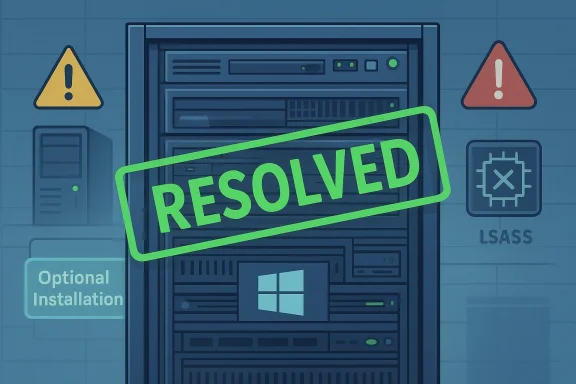
Microsoft has finally put a formal “resolved” stamp on one of the most awkward Windows Server mishaps in recent memory: the surprise path that pushed some systems toward Windows Server 2025 when administrators expected only a routine update. The issue was acknowledged long ago as mitigated, but Microsoft’s own release-health pages now say the feature-update confusion has been resolved, and that status lands only after the arrival of KB5082063 on April 14, 2026. That would be a tidy ending if the replacement fix itself were not carrying fresh baggage, including a separate domain-controller crash issue tied to LSASS startup on certain configurations.
The saga begins with a familiar enterprise fear: an update that does more than it says on the tin. In 2024, some Windows Server machines were reportedly moved into a Windows Server 2025 feature upgrade flow after receiving what administrators believed was a security-related update, and in some cases the rollback path was not obvious or straightforward. Microsoft’s initial explanation pointed at third-party patch-management products misreading feature-update metadata, particularly the DeploymentAction=OptionalInstallation classification, which Microsoft said should have been treated as optional rather than recommended.
That explanation did not satisfy everyone. Server admins are a skeptical audience by necessity, and the problem touched a nerve because it appeared to undermine a basic expectation: that a security update should not silently become an operating-system upgrade. Some vendors and users argued that even systems not using third-party update orchestration still experienced the surprise, which made the root-cause story feel less complete than Microsoft suggested. That kind of ambiguity is exactly what makes patching teams lose trust.
Microsoft’s release-health pages now say the issue is resolved, but the timing matters. Microsoft originally said it had mitigated the problem shortly after it surfaced; the later “resolved” label is more than a semantic footnote because enterprise change management depends on those statuses for reporting, risk reviews, and postmortems. The fact that the formal resolution arrives alongside a new update cycle underscores how often Windows servicing now feels like a continuous negotiation between fixes, regressions, and exceptions.
This is also part of a broader pattern in Microsoft’s server servicing story. Windows Server 2025 has already seen other domain-controller issues in the wild, including problems with network traffic handling after restarts that were later marked resolved, and Microsoft’s own known-issues pages have become an essential tool for administrators trying to distinguish a normal maintenance window from an emerging outage. The release-health dashboard has become a control tower, not just a reference page.
That sounds technical, but the operational impact is easy to grasp. If an update pipeline treats a feature upgrade like a security recommendation, servers may be scheduled for installs outside the normal human review loop. On a workstation, that can be inconvenient; on a server, it can mean unscheduled maintenance, application disruption, or a change freeze violation. The surprise is not just the upgrade itself, but the implied loss of administrative consent.
The result is a useful reminder that modern patching is a chain of interpretation, not a single command. Windows Update, WSUS, Configuration Manager, and third-party tools all read and transform update metadata, and the system fails if one link over-promises or another over-interprets. In other words, “automatic” is only safe when the entire pipeline shares the same definition of automatic.
A second lesson is that feature updates for servers are never merely cosmetic. Moving from one server release to another can alter servicing behavior, policy defaults, management expectations, and the schedule of future fixes. The incident therefore became more than a one-off annoyance; it was a trust event.
That position has two practical meanings. First, Microsoft is trying to assert a clear boundary around supported deployment workflows. Second, it is implying that some of the blame lies with ecosystem tooling rather than with the update itself. Administrators may accept that framing in part, but only if the tooling is part of the reality they have to operate in every day.
That said, Microsoft’s explanation does not fully erase the user reports that contradicted it. When multiple administrators say they saw surprise behavior even without the alleged third-party update path, the story becomes less about a single misconfiguration and more about how opaque update chains can become at scale. The truth may be a mix of metadata design, management-tool behavior, and a communication failure in between.
The company’s later decision to mark the matter resolved suggests it believes the operational risk has been reduced enough to close the case. But “resolved” in Microsoft release-health language does not always mean “everyone is happy”; it often means the specific known issue has a durable fix or a mitigation path. That distinction matters because, for admins, closure is about confidence, not just status labels.
The delay is especially notable because the company had already described the issue as mitigated earlier. In practice, that created a limbo state: teams had guidance, but not a clean end to the problem. For change boards, auditors, and infrastructure owners, “mitigated” is useful but not final, and “resolved” is what allows a ticket to be closed with some confidence.
This matters because server operating systems are not patched in a vacuum. They sit inside maintenance windows, application dependency maps, regulatory controls, and recovery procedures. If a vendor leaves a problem open for an extended period, the enterprise cost is not only the bug itself but the overhead of carrying the workaround. The hidden tax is process friction.
There is also a reputational element. Microsoft has spent months telling users that reliability is a priority, including through public messaging from Windows leadership. When the update narrative still includes surprise upgrades and new fixes that introduce new problems, the reassurance campaign loses some of its power, even if the engineering team is genuinely making progress.
Microsoft’s own notes for KB5082063 also show why server admins rarely get a clean win. Alongside the feature-update closure, the update introduces a known issue affecting non-Global Catalog domain controllers in environments that use Privileged Access Management, where LSASS may crash during startup. That can produce repeated reboots, disrupt authentication, and potentially make the domain unavailable.
The overlap with PAM makes the issue even more worrying for advanced environments. Organizations that use privileged access workflows generally do so because they are already serious about security governance, which means the failure hits the people who are most likely to have tight standards and the least tolerance for instability. That is the worst possible place for a startup crash.
Microsoft says a fix is coming “in the next coming days,” which is the kind of phrasing administrators read with mixed feelings. It is better than silence, but not as good as a fully remediated release. For teams with production domain controllers in the blast radius, that language translates to caution, testing, and potentially delaying deployment.
The practical consequence is more conservative patching. Many organizations will continue to stage Windows Server 2025 updates in rings, especially on domain controllers, and especially where PAM or other high-trust identity systems are involved. The lesson is simple: do not confuse “monthly” with “routine.”
That is particularly true for domain controllers, which are among the most sensitive systems in any Windows estate. One unstable DC can create disproportionate fallout, and a full domain outage can quickly become an outage for email, file access, line-of-business applications, and remote access authentication. The blast radius is rarely confined to the server itself.
The episode also suggests that administrators should watch not just the update history page, but the release-health pages for their target OS as part of standard ops. Microsoft has made those pages explicit sources of truth, and in 2026 that is no longer optional reading.
Server administrators are also more likely to rely on WSUS, Configuration Manager, or third-party orchestration layers, which makes update metadata accuracy more important. Consumer Windows can often absorb a little confusion through convenience-driven defaults, but servers depend on predictability, not convenience. That is why this issue felt bigger than a routine servicing hiccup.
There is also a contractual dimension. Enterprises buy not just software, but uptime expectations, support pathways, and maintenance predictability. When a vendor’s update story feels unstable, procurement and infrastructure teams start asking harder questions about sequencing, support windows, and whether newly released builds should wait for at least one stabilization cycle.
Microsoft’s own documentation around Windows Server 2025 now places heavy emphasis on update taxonomy and release-health visibility. That is a sign the company understands the audience, but it also reveals how much trust must now be maintained continuously rather than assumed automatically.
What does change is customer sentiment. Every time a high-profile update mishap gets repeated coverage, the narrative that Windows Server is becoming more reliable has to compete with lived experience in the field. Perception lags engineering, but it does not lag forever.
The market effect is less about immediate switching and more about hedging behavior. Enterprises may keep Microsoft as the core platform while investing more in test environments, staggered deployment rings, and extra rollback readiness. That is not market share loss, but it is a tax on customer confidence.
The other implication is for third-party management vendors. Microsoft’s original explanation effectively pushed part of the blame toward tooling partners, which means those vendors now have an incentive to prove they are interpreting Microsoft metadata correctly. In a servicing ecosystem this interconnected, blame is rarely isolated for long.
There is also an opportunity to strengthen partner documentation. The more clearly Microsoft and patch vendors align on classification behavior, the less likely administrators are to see this kind of mismatch again. In enterprise software, prevention is often just better documentation plus better defaults.
A final upside is cultural. Microsoft’s willingness to mark issues resolved, even after a long delay, signals that it is maintaining a public ledger of fixes rather than burying problems. That transparency is valuable, even if it does not always feel satisfying in the moment.
Microsoft’s new LSASS-related issue is especially concerning because it involves authentication infrastructure. Even a short-lived domain controller reboot loop can cascade into login failures and directory service problems, and those are the kinds of failures that generate executive calls very quickly.
The company’s promise of a fix “in the next coming days” is helpful, but it also highlights a reality of cumulative updates: a single patch can solve one visible problem while creating another that is arguably more serious for some enterprises. That is the essence of modern servicing risk.
The other thing to watch is whether Microsoft sharpens its guidance around feature-update classification and partner tooling. The more it can explain exactly how Windows Server feature upgrades should be interpreted, the less room there is for surprise behavior and finger-pointing. That is not glamorous work, but in server management it is the work that matters most.
For now, Microsoft can say the rogue upgrade issue is resolved. Administrators, as usual, will probably wait for a few clean patch cycles before they believe it.
Source: theregister.com Microsoft closes book on rogue Windows Server 2025 upgrades
 Background
The saga begins with a familiar enterprise fear: an update that does more than it says on the tin. In 2024, some Windows Server machines were reportedly moved into a Windows Server 2025 feature upgrade flow after receiving what administrators believed was a security-related update, and in some cases the rollback path was not obvious or straightforward. Microsoft’s initial explanation pointed at third-party patch-management products misreading feature-update metadata, particularly the DeploymentAction=OptionalInstallation classification, which Microsoft said should have been treated as optional rather than recommended.That explanation did not satisfy everyone. Server admins are a skeptical audience by necessity, and the problem touched a nerve because it appeared to undermine a basic expectation: that a security update should not silently become an operating-system upgrade. Some vendors and users argued that even systems not using third-party update orchestration still experienced the surprise, which made the root-cause story feel less complete than Microsoft suggested. That kind of ambiguity is exactly what makes patching teams lose trust.
Microsoft’s release-health pages now say the issue is resolved, but the timing matters. Microsoft originally said it had mitigated the problem shortly after it surfaced; the later “resolved” label is more than a semantic footnote because enterprise change management depends on those statuses for reporting, risk reviews, and postmortems. The fact that the formal resolution arrives alongside a new update cycle underscores how often Windows servicing now feels like a continuous negotiation between fixes, regressions, and exceptions.
This is also part of a broader pattern in Microsoft’s server servicing story. Windows Server 2025 has already seen other domain-controller issues in the wild, including problems with network traffic handling after restarts that were later marked resolved, and Microsoft’s own known-issues pages have become an essential tool for administrators trying to distinguish a normal maintenance window from an emerging outage. The release-health dashboard has become a control tower, not just a reference page.
What Actually Happened
The core incident was not a flashy bug in the traditional sense. It was an update classification failure, or at least an update classification mismatch, where metadata intended to make a feature update optional was interpreted differently by patch tooling. Microsoft says the Windows Server 2025 feature update was released as an optional update under the upgrade classification DeploymentAction=OptionalInstallation, and that management tools were expected to handle that as optional, not recommended.That sounds technical, but the operational impact is easy to grasp. If an update pipeline treats a feature upgrade like a security recommendation, servers may be scheduled for installs outside the normal human review loop. On a workstation, that can be inconvenient; on a server, it can mean unscheduled maintenance, application disruption, or a change freeze violation. The surprise is not just the upgrade itself, but the implied loss of administrative consent.
Why classification matters
Microsoft has long separated security updates, optional preview updates, and feature upgrades in ways that matter to enterprise tools. The problem here was not that Windows Server 2025 existed as an upgrade target; it was that the ecosystem around patch orchestration apparently did not all agree on how to treat the metadata that advertised it. For administrators, that distinction is the difference between routine servicing and a project.The result is a useful reminder that modern patching is a chain of interpretation, not a single command. Windows Update, WSUS, Configuration Manager, and third-party tools all read and transform update metadata, and the system fails if one link over-promises or another over-interprets. In other words, “automatic” is only safe when the entire pipeline shares the same definition of automatic.
A second lesson is that feature updates for servers are never merely cosmetic. Moving from one server release to another can alter servicing behavior, policy defaults, management expectations, and the schedule of future fixes. The incident therefore became more than a one-off annoyance; it was a trust event.
Microsoft’s Official Position
Microsoft’s public line has been consistent, even if its timeline has not felt especially reassuring. The company said the feature-update metadata had to be interpreted as optional, not recommended, and it advised organizations to use Microsoft-recommended deployment methods for Windows Server feature updates. Microsoft also said it was working with third-party providers to streamline best practices and, for a time, paused the Windows Update settings-panel upgrade offer.That position has two practical meanings. First, Microsoft is trying to assert a clear boundary around supported deployment workflows. Second, it is implying that some of the blame lies with ecosystem tooling rather than with the update itself. Administrators may accept that framing in part, but only if the tooling is part of the reality they have to operate in every day.
The metadata argument
The metadata argument is not trivial. In enterprise patching, the labels attached to update content govern how software distribution systems filter, prioritize, and schedule installations. If the data model says a feature update is optional, but a tool surfaces it as recommended, the tool is not merely being helpful; it is changing operational behavior.That said, Microsoft’s explanation does not fully erase the user reports that contradicted it. When multiple administrators say they saw surprise behavior even without the alleged third-party update path, the story becomes less about a single misconfiguration and more about how opaque update chains can become at scale. The truth may be a mix of metadata design, management-tool behavior, and a communication failure in between.
The company’s later decision to mark the matter resolved suggests it believes the operational risk has been reduced enough to close the case. But “resolved” in Microsoft release-health language does not always mean “everyone is happy”; it often means the specific known issue has a durable fix or a mitigation path. That distinction matters because, for admins, closure is about confidence, not just status labels.
The Long Road to “Resolved”
A year is a long time to leave an issue in a semi-open state, especially in server management. Microsoft now says the feature-update problem is resolved, but the path to that label took long enough that many administrators likely moved from active concern to resigned caution. That is not the same thing as trust.The delay is especially notable because the company had already described the issue as mitigated earlier. In practice, that created a limbo state: teams had guidance, but not a clean end to the problem. For change boards, auditors, and infrastructure owners, “mitigated” is useful but not final, and “resolved” is what allows a ticket to be closed with some confidence.
Why enterprise teams care about the label
Large organizations use these labels to determine whether they need compensating controls. A mitigation may require policy changes, deploy-time blocks, or manual approval gates. A resolution may allow teams to relax those controls, at least for that issue, and move resources to more urgent risks.This matters because server operating systems are not patched in a vacuum. They sit inside maintenance windows, application dependency maps, regulatory controls, and recovery procedures. If a vendor leaves a problem open for an extended period, the enterprise cost is not only the bug itself but the overhead of carrying the workaround. The hidden tax is process friction.
There is also a reputational element. Microsoft has spent months telling users that reliability is a priority, including through public messaging from Windows leadership. When the update narrative still includes surprise upgrades and new fixes that introduce new problems, the reassurance campaign loses some of its power, even if the engineering team is genuinely making progress.
KB5082063 Brings Relief and New Risk
The update that allows Microsoft to call the issue resolved is KB5082063, the April 14, 2026 cumulative update for Windows Server 2025. Microsoft says it includes the latest security fixes and improvements along with non-security updates from the previous month’s optional preview release. In other words, it is a standard monthly cumulative update, which is exactly why any new problem attached to it is frustrating.Microsoft’s own notes for KB5082063 also show why server admins rarely get a clean win. Alongside the feature-update closure, the update introduces a known issue affecting non-Global Catalog domain controllers in environments that use Privileged Access Management, where LSASS may crash during startup. That can produce repeated reboots, disrupt authentication, and potentially make the domain unavailable.
The LSASS problem in context
If LSASS crashes on a domain controller, the problem is not merely local. LSASS is central to authentication and security policy enforcement, which makes the failure mode particularly dangerous in Active Directory environments. Microsoft says affected DCs may restart repeatedly, preventing authentication and directory services from functioning properly.The overlap with PAM makes the issue even more worrying for advanced environments. Organizations that use privileged access workflows generally do so because they are already serious about security governance, which means the failure hits the people who are most likely to have tight standards and the least tolerance for instability. That is the worst possible place for a startup crash.
Microsoft says a fix is coming “in the next coming days,” which is the kind of phrasing administrators read with mixed feelings. It is better than silence, but not as good as a fully remediated release. For teams with production domain controllers in the blast radius, that language translates to caution, testing, and potentially delaying deployment.
What This Means for Administrators
For administrators, the headline is not simply that the original bug is over. It is that the path from one problem to another still looks very Microsoft: a known issue gets a status change while the replacement cumulative update contains a fresh one. That doesn’t mean the company is worse than its peers, but it does mean the operational burden remains squarely on IT teams.The practical consequence is more conservative patching. Many organizations will continue to stage Windows Server 2025 updates in rings, especially on domain controllers, and especially where PAM or other high-trust identity systems are involved. The lesson is simple: do not confuse “monthly” with “routine.”
Deployment discipline still wins
The safest update strategy is still the oldest one: test, stage, observe, and then expand. Microsoft’s own documentation repeatedly stresses supported deployment methods and release-health monitoring, which reinforces that patching server OS releases is now a managed engineering process rather than a background task.That is particularly true for domain controllers, which are among the most sensitive systems in any Windows estate. One unstable DC can create disproportionate fallout, and a full domain outage can quickly become an outage for email, file access, line-of-business applications, and remote access authentication. The blast radius is rarely confined to the server itself.
The episode also suggests that administrators should watch not just the update history page, but the release-health pages for their target OS as part of standard ops. Microsoft has made those pages explicit sources of truth, and in 2026 that is no longer optional reading.
Enterprise vs Consumer Impact
Even though this is a server story, the contrast with consumer Windows is instructive. On the consumer side, an unexpected feature upgrade is often an annoyance, a surprise reboot, or a settings change. In the enterprise, it can mean policy violations, application incompatibility, and service-level interruptions across a managed fleet.Server administrators are also more likely to rely on WSUS, Configuration Manager, or third-party orchestration layers, which makes update metadata accuracy more important. Consumer Windows can often absorb a little confusion through convenience-driven defaults, but servers depend on predictability, not convenience. That is why this issue felt bigger than a routine servicing hiccup.
Why the server audience is less forgiving
In consumer land, Microsoft can often recover from a bad update with a silent hotfix, a Known Issue Rollback, or a follow-on patch. In server land, the tolerance for unintended change is dramatically lower because business systems are attached to those machines. A misclassified feature update is therefore a governance problem as much as a technical one.There is also a contractual dimension. Enterprises buy not just software, but uptime expectations, support pathways, and maintenance predictability. When a vendor’s update story feels unstable, procurement and infrastructure teams start asking harder questions about sequencing, support windows, and whether newly released builds should wait for at least one stabilization cycle.
Microsoft’s own documentation around Windows Server 2025 now places heavy emphasis on update taxonomy and release-health visibility. That is a sign the company understands the audience, but it also reveals how much trust must now be maintained continuously rather than assumed automatically.
Competitive and Market Implications
The broader competitive implication is that Windows Server remains the default enterprise server platform partly because its ecosystem is so deeply integrated, not because patching is easy. Rivals can point to this kind of incident as evidence that Microsoft’s update stack is still fragile in complex environments. But the same rivals also know that Microsoft’s scale gives it advantages in tooling, support, and integration that are hard to match.What does change is customer sentiment. Every time a high-profile update mishap gets repeated coverage, the narrative that Windows Server is becoming more reliable has to compete with lived experience in the field. Perception lags engineering, but it does not lag forever.
Microsoft’s reliability messaging problem
Microsoft has been making public assurances about reliability, including in broader Windows messaging. Yet the cadence of issues on Windows Server 2025 keeps reminding administrators that modern servicing is still capable of producing unpleasant surprises. That gap between messaging and memory matters in enterprise IT, where vendors are judged by the worst outage, not the best blog post.The market effect is less about immediate switching and more about hedging behavior. Enterprises may keep Microsoft as the core platform while investing more in test environments, staggered deployment rings, and extra rollback readiness. That is not market share loss, but it is a tax on customer confidence.
The other implication is for third-party management vendors. Microsoft’s original explanation effectively pushed part of the blame toward tooling partners, which means those vendors now have an incentive to prove they are interpreting Microsoft metadata correctly. In a servicing ecosystem this interconnected, blame is rarely isolated for long.
Strengths and Opportunities
Microsoft still has real strengths here, even if the optics are uneven. The company can now point to a formal resolution for the feature-update incident, and it can use the release-health system to communicate known issues more clearly than it did a few years ago. If handled well, this can become an opportunity to tighten enterprise trust rather than weaken it. That is the optimistic reading.- Clearer release-health pages give administrators a better official source for problem tracking.
- Monthly cumulative updates make it easier to converge on a single supported baseline.
- Optional preview channels let Microsoft stage fixes before they go broadly live.
- Known Issue Rollback mechanisms can soften the blow of some regressions.
- Third-party coordination may improve metadata handling across the patching ecosystem.
- Server 2025 maturity can improve if the rough edges get sanded down over time.
- Security cadence remains strong enough that enterprises can at least plan around it.
Why there is still upside
If Microsoft can translate this incident into better tooling guidance and fewer metadata ambiguities, customers may benefit from a more predictable servicing model. That would not erase the memory of the surprise upgrade, but it would show that the platform can learn from one of its most painful failure modes.There is also an opportunity to strengthen partner documentation. The more clearly Microsoft and patch vendors align on classification behavior, the less likely administrators are to see this kind of mismatch again. In enterprise software, prevention is often just better documentation plus better defaults.
A final upside is cultural. Microsoft’s willingness to mark issues resolved, even after a long delay, signals that it is maintaining a public ledger of fixes rather than burying problems. That transparency is valuable, even if it does not always feel satisfying in the moment.
Risks and Concerns
The main risk is that the resolution of one high-profile problem is being overshadowed by the emergence of another in the same update cycle. Administrators do not experience update quality as a sequence of isolated tickets; they experience it as confidence or doubt. When doubt accumulates, even good fixes can struggle to land cleanly.- Patch fatigue may push organizations to delay important updates.
- Trust erosion can make admins skeptical of even legitimate fixes.
- Domain controller instability has outsized operational impact.
- PAM environments are especially sensitive to LSASS-related regressions.
- Third-party tool misalignment can keep causing metadata confusion.
- Rollback complexity raises the cost of bad installs.
- Communication gaps can leave teams unsure what is truly fixed.
The risk of normalization
There is also a quieter danger: organizations may begin to treat update surprises as normal. Once that happens, the baseline expectation shifts from “patching is safe” to “patching is risky but necessary,” which is a much worse place to operate from. Normalization of friction is how technical debt becomes cultural debt.Microsoft’s new LSASS-related issue is especially concerning because it involves authentication infrastructure. Even a short-lived domain controller reboot loop can cascade into login failures and directory service problems, and those are the kinds of failures that generate executive calls very quickly.
The company’s promise of a fix “in the next coming days” is helpful, but it also highlights a reality of cumulative updates: a single patch can solve one visible problem while creating another that is arguably more serious for some enterprises. That is the essence of modern servicing risk.
Looking Ahead
The next phase will be about whether Microsoft can deliver the promised follow-up fix without adding a third layer of confusion. If it does, the company will at least have a chance to close this chapter with a stronger operational story. If not, the current episode will become another exhibit in the case against rushing server changes into production before they have proven themselves in the field.The other thing to watch is whether Microsoft sharpens its guidance around feature-update classification and partner tooling. The more it can explain exactly how Windows Server feature upgrades should be interpreted, the less room there is for surprise behavior and finger-pointing. That is not glamorous work, but in server management it is the work that matters most.
Key things to watch
- Whether Microsoft ships the LSASS fix on the timeline it promised.
- Whether the fix arrives as a true hotfix or as part of the next cumulative update.
- Whether administrators continue to report surprise upgrade behavior in mixed-tool environments.
- Whether Microsoft improves guidance for WSUS, Configuration Manager, and partner patch tools.
- Whether release-health pages remain the primary place admins trust for status changes.
For now, Microsoft can say the rogue upgrade issue is resolved. Administrators, as usual, will probably wait for a few clean patch cycles before they believe it.
Source: theregister.com Microsoft closes book on rogue Windows Server 2025 upgrades
Last edited:
