

Windows Server vNext Insider Preview Build 29621 brings cloud-assisted boot recovery to servers, enables ReFS system volumes, and continues Microsoft’s preview of an in-box NVMe-over-Fabrics initiator. Released through the Windows Server Long-Term Servicing Channel Preview on July 13, the build also introduces an early Trusted Launch implementation for Hyper-V Generation 2 virtual machines.
Microsoft’s announcement confirms that Build 29621 includes Desktop Experience and Server Core installation options for Standard and Datacenter editions. Windows Server Datacenter: Azure Edition is also available, but only for virtual machine evaluation.
The release is significant less because every component is brand new and more because several long-running Windows Server projects are now converging in one test build. Administrators can evaluate automated recovery, a new system-volume file system choice, remote NVMe storage, and stronger VM startup protections—but the known limitations make this firmly lab-only software.
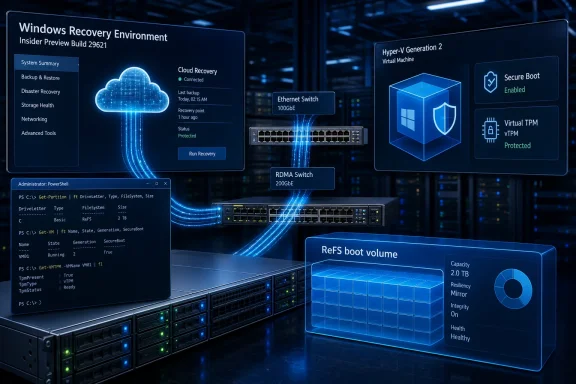
Quick Machine Recovery, or QMR, is now available for testing on Windows Server vNext. The feature uses a connected Windows Recovery Environment to search Windows Update for a cloud-based remediation when a boot-critical failure prevents the operating system from starting.
Microsoft first developed QMR around Windows 11 and the Windows Resiliency Initiative, its broader response to incidents in which a defective update or third-party component leaves large numbers of devices unable to boot. Bringing the mechanism to Windows Server could eventually reduce the need for administrators to visit physical machines, attach recovery media, or manually repair every affected VM.
The recovery sequence starts after Windows detects repeated startup failures. The server enters WinRE, establishes network connectivity, checks for an applicable remediation, installs it if one is available, and then attempts to restart the operating system.
That workflow matters most during a fleet-wide incident. A cloud-delivered fix will not eliminate the work involved in diagnosing a failed server, but it could turn thousands of identical manual recovery jobs into a centrally supplied repair.
Build 29621 currently exposes QMR primarily through a test mode. Administrators can simulate the recovery sequence by running the following commands from an elevated Command Prompt:
After a restart, Windows Server should enter WinRE, perform a simulated automatic remediation, and boot back into the operating system. Microsoft says a Group Policy setting for enabling or disabling QMR will arrive in a future preview, an essential addition before the feature can be realistically assessed for managed server estates.
QMR remains a best-effort recovery system rather than a replacement for backups, out-of-band management, known-good boot media, or documented disaster-recovery procedures. Its usefulness also depends on WinRE being functional and able to reach Microsoft’s services—conditions that cannot be assumed in every isolated, firewalled, or tightly controlled server network.
Making ReFS available for the operating-system volume is a major expansion of that role. It gives administrators a path to test whether ReFS can support the complete server lifecycle, including installation, servicing, recovery, application deployment, and in-place upgrades—not merely store virtual disks or application data.
The preview comes with an immediate deployment constraint: an ReFS boot installation creates a Windows Recovery Environment partition of at least 2GB. That requirement should be reflected in unattended installation files, imaging systems and partitioning scripts rather than left to whatever free space remains after the OS volume is created.
Microsoft warns that Windows may disable WinRE if the recovery partition lacks enough space to receive an update. The partition remains on disk, but an unavailable recovery environment would also undermine features such as Quick Machine Recovery.
Administrators should be particularly careful before reclaiming that space. If the WinRE partition is deleted and the ReFS boot volume is extended into the newly available area, Microsoft says the operation cannot be reversed without performing a clean Windows Server installation.
ReFS boot should therefore be tested as a complete storage and servicing configuration. File-system benchmarks alone will not reveal whether backup agents, endpoint security products, deployment tools, boot repair processes and application installers behave correctly when the Windows volume is no longer NTFS.
There is also evidence that the preview’s upgrade story still needs work. Participants in Microsoft’s Windows Server Insider community have reported failed in-place upgrades involving earlier vNext builds and ReFS operating-system volumes. Those reports do not establish ReFS as the cause, but they reinforce Microsoft’s instruction to keep preview deployments outside production.
This is distinct from the native NVMe work Microsoft introduced for local storage in Windows Server 2025. NVMe-oF is a networked storage technology intended to provide access to remote NVMe devices without translating every operation through older SCSI-oriented protocols.
The Insider implementation supports two transports:
Microsoft describes the current initiator as basic and evaluation-focused. That wording is important for storage administrators comparing it with mature iSCSI or Fibre Channel deployments, where persistent connectivity, multipathing, failover behavior, management tooling and vendor support are at least as important as raw latency.
Early testers have already raised practical questions about restoring NVMe-oF connections after a reboot. Administrators should verify persistence, path recovery and device-disconnect behavior before treating a successful initial connection as evidence that the stack is ready for an application workload.
Configuration is currently PowerShell-driven and requires enabling the
The protections are intended to make the virtual machine’s startup chain and security state harder to tamper with. However, Microsoft’s current implementation omits several capabilities that would normally be central to an enterprise Hyper-V deployment.
Trusted Launch VMs in this build cannot be moved to another server and are not supported in failover clusters or Hyper-V Replica. Windows Admin Center cannot manage them, and boot integrity verification is not yet supported, despite being part of the broader Trusted Launch security model.
Those restrictions leave the preview most suitable for standalone Hyper-V hosts and disposable test VMs. Until migration, clustering, replication and management support arrive, enabling Trusted Launch would isolate a workload from many of the mechanisms administrators use to maintain availability.
Build 29621 has another security-related known issue: a race condition in the TLS hybrid key-exchange implementation can crash LSASS when a TLS server negotiates hybrid groups. Microsoft recommends temporarily disabling the affected X25519 and elliptic-curve ML-KEM hybrid groups through TLS cmdlets or Group Policy.
Build 29621 itself is available as an LTSC Preview ISO in 18 languages and as an English-language VHDX. The Azure Edition preview is offered in English as both ISO and VHDX media, and the preview expires on September 15, 2026.
Microsoft also notes that Windows Update may incorrectly identify the flight as Windows 11 even though it installs the Windows Server vNext package. That labeling error is expected to be corrected in a future release.
For administrators evaluating Build 29621, the practical priority is to test interactions rather than features in isolation: QMR depends on a healthy WinRE partition, ReFS boot changes recovery and deployment assumptions, NVMe-oF must survive real storage failure scenarios, and Trusted Launch currently prevents common VM mobility operations. The next meaningful milestones will be QMR Group Policy controls and the removal of Trusted Launch’s clustering, migration and boot-verification restrictions.
Microsoft’s announcement confirms that Build 29621 includes Desktop Experience and Server Core installation options for Standard and Datacenter editions. Windows Server Datacenter: Azure Edition is also available, but only for virtual machine evaluation.
The release is significant less because every component is brand new and more because several long-running Windows Server projects are now converging in one test build. Administrators can evaluate automated recovery, a new system-volume file system choice, remote NVMe storage, and stronger VM startup protections—but the known limitations make this firmly lab-only software.
 Quick Machine Recovery Moves Into the Server Rack
Quick Machine Recovery, or QMR, is now available for testing on Windows Server vNext. The feature uses a connected Windows Recovery Environment to search Windows Update for a cloud-based remediation when a boot-critical failure prevents the operating system from starting.Microsoft first developed QMR around Windows 11 and the Windows Resiliency Initiative, its broader response to incidents in which a defective update or third-party component leaves large numbers of devices unable to boot. Bringing the mechanism to Windows Server could eventually reduce the need for administrators to visit physical machines, attach recovery media, or manually repair every affected VM.
The recovery sequence starts after Windows detects repeated startup failures. The server enters WinRE, establishes network connectivity, checks for an applicable remediation, installs it if one is available, and then attempts to restart the operating system.
That workflow matters most during a fleet-wide incident. A cloud-delivered fix will not eliminate the work involved in diagnosing a failed server, but it could turn thousands of identical manual recovery jobs into a centrally supplied repair.
Build 29621 currently exposes QMR primarily through a test mode. Administrators can simulate the recovery sequence by running the following commands from an elevated Command Prompt:
Code:
reagentc.exe /SetRecoveryTestmode
reagentc.exe /BootToReQMR remains a best-effort recovery system rather than a replacement for backups, out-of-band management, known-good boot media, or documented disaster-recovery procedures. Its usefulness also depends on WinRE being functional and able to reach Microsoft’s services—conditions that cannot be assumed in every isolated, firewalled, or tightly controlled server network.
ReFS Boot Changes the Disk-Layout Calculation
Build 29621 enables Windows Server vNext to install and boot from the Resilient File System. ReFS has long been associated with data volumes, Storage Spaces, virtualization workloads, and deployments where integrity checking and resistance to corruption are more important than compatibility with every NTFS feature.Making ReFS available for the operating-system volume is a major expansion of that role. It gives administrators a path to test whether ReFS can support the complete server lifecycle, including installation, servicing, recovery, application deployment, and in-place upgrades—not merely store virtual disks or application data.
The preview comes with an immediate deployment constraint: an ReFS boot installation creates a Windows Recovery Environment partition of at least 2GB. That requirement should be reflected in unattended installation files, imaging systems and partitioning scripts rather than left to whatever free space remains after the OS volume is created.
Microsoft warns that Windows may disable WinRE if the recovery partition lacks enough space to receive an update. The partition remains on disk, but an unavailable recovery environment would also undermine features such as Quick Machine Recovery.
Administrators should be particularly careful before reclaiming that space. If the WinRE partition is deleted and the ReFS boot volume is extended into the newly available area, Microsoft says the operation cannot be reversed without performing a clean Windows Server installation.
ReFS boot should therefore be tested as a complete storage and servicing configuration. File-system benchmarks alone will not reveal whether backup agents, endpoint security products, deployment tools, boot repair processes and application installers behave correctly when the Windows volume is no longer NTFS.
There is also evidence that the preview’s upgrade story still needs work. Participants in Microsoft’s Windows Server Insider community have reported failed in-place upgrades involving earlier vNext builds and ReFS operating-system volumes. Those reports do not establish ReFS as the cause, but they reinforce Microsoft’s instruction to keep preview deployments outside production.
NVMe-oF Targets the Gap Beyond Local SSDs
Windows Server’s native NVMe-over-Fabrics initiator extends the NVMe command set from locally attached PCIe devices to remote storage controllers. Microsoft originally detailed the preview in March 2026, and Build 29621 continues to make it available for evaluation.This is distinct from the native NVMe work Microsoft introduced for local storage in Windows Server 2025. NVMe-oF is a networked storage technology intended to provide access to remote NVMe devices without translating every operation through older SCSI-oriented protocols.
The Insider implementation supports two transports:
- NVMe/TCP operates over conventional Ethernet and does not require specialized RDMA hardware.
- NVMe/RDMA targets lower latency and higher throughput through compatible RDMA adapters using technologies such as RoCE or iWARP.
Microsoft describes the current initiator as basic and evaluation-focused. That wording is important for storage administrators comparing it with mature iSCSI or Fibre Channel deployments, where persistent connectivity, multipathing, failover behavior, management tooling and vendor support are at least as important as raw latency.
Early testers have already raised practical questions about restoring NVMe-oF connections after a reboot. Administrators should verify persistence, path recovery and device-disconnect behavior before treating a successful initial connection as evidence that the stack is ready for an application workload.
Trusted Launch Arrives With Its Mobility Cut Off
Build 29621 also introduces an initial preview of Trusted Launch for Hyper-V Generation 2 virtual machines. It can create VMs with Secure Boot, a virtual TPM and protection for vTPM state while it is stored on the host.Configuration is currently PowerShell-driven and requires enabling the
IsolatedGuestVm optional feature along with Microsoft’s guest-isolation components. A Trusted Launch VM is created by specifying TrustedLaunch as its guest-state isolation type.The protections are intended to make the virtual machine’s startup chain and security state harder to tamper with. However, Microsoft’s current implementation omits several capabilities that would normally be central to an enterprise Hyper-V deployment.
Trusted Launch VMs in this build cannot be moved to another server and are not supported in failover clusters or Hyper-V Replica. Windows Admin Center cannot manage them, and boot integrity verification is not yet supported, despite being part of the broader Trusted Launch security model.
Those restrictions leave the preview most suitable for standalone Hyper-V hosts and disposable test VMs. Until migration, clustering, replication and management support arrive, enabling Trusted Launch would isolate a workload from many of the mechanisms administrators use to maintain availability.
Build 29621 has another security-related known issue: a race condition in the TLS hybrid key-exchange implementation can crash LSASS when a TLS server negotiates hybrid groups. Microsoft recommends temporarily disabling the affected X25519 and elliptic-curve ML-KEM hybrid groups through TLS cmdlets or Group Policy.
The Preview Baseline Still Matters
Microsoft requires administrators coming from Windows Server vNext builds older than 29531 to perform a clean installation. Build 29531 established a new preview baseline after upgrade problems were discovered, while update flighting resumed with Build 29550 and later releases.Build 29621 itself is available as an LTSC Preview ISO in 18 languages and as an English-language VHDX. The Azure Edition preview is offered in English as both ISO and VHDX media, and the preview expires on September 15, 2026.
Microsoft also notes that Windows Update may incorrectly identify the flight as Windows 11 even though it installs the Windows Server vNext package. That labeling error is expected to be corrected in a future release.
For administrators evaluating Build 29621, the practical priority is to test interactions rather than features in isolation: QMR depends on a healthy WinRE partition, ReFS boot changes recovery and deployment assumptions, NVMe-oF must survive real storage failure scenarios, and Trusted Launch currently prevents common VM mobility operations. The next meaningful milestones will be QMR Group Policy controls and the removal of Trusted Launch’s clustering, migration and boot-verification restrictions.
References
- Primary source: Windows Report
Published: 2026-07-15T12:47:32+00:00
Windows Server Insiders Get Quick Recovery, ReFS Boot, and NVMe-oF
Windows Server Build 29621 adds Quick Machine Recovery, ReFS boot support, Trusted Launch, and NVMe-over-Fabrics for Insiders. windowsreport.com
- Official source: learn.microsoft.com
Quick Machine Recovery | Microsoft Learn
Learn about quick machine recovery and how to configure it with the RemoteRemediation configuration service provider (CSP).learn.microsoft.com - Official source: techcommunity.microsoft.com
- Related coverage: betawiki.net
- Related coverage: neowin.net
Microsoft announces Trusted Launch for virtual machines in Windows Server Insider Preview - Neowin
A major security upgrade has arrived for Windows Server Insider VMs, but some expected Trusted Launch features are still missing. www.neowin.net
