• Thread Author
Microsoft has a point here, and that’s exactly why the conversation around “Windows broke my PC” is more complicated than the headline suggests. The latest round of complaints aimed at Windows 11 and Windows 10 follows a familiar pattern: a reboot happens after Patch Tuesday, a machine fails, and the update gets blamed even when the root cause may have been sitting dormant for weeks. At the same time, Microsoft’s record is not spotless, so the company is speaking from a position of both technical insight and a history of real update regressions.

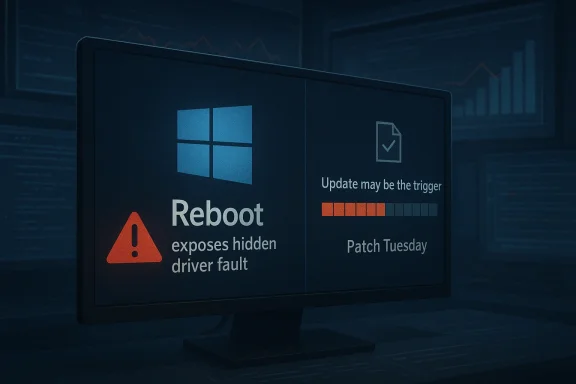
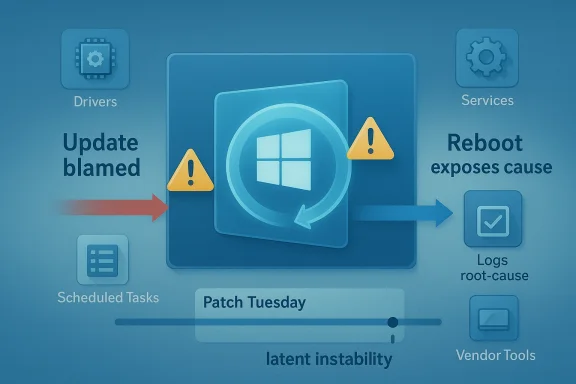
A digital visualization related to the article topic.Overview​

For enterprise IT teams, the distinction matters a lot more than it does on social media. A Windows update is often the final event in a long chain of software installs, driver changes, registry edits, and policy tweaks, and the restart is what forces the system to reconcile all of it at once. That means the reboot can expose hidden misconfigurations that were always present, only not yet visible.
This is the gist of the argument associated with Raymond Chen and other Microsoft support voices: users see the failure after the update, but the reboot is frequently the trigger rather than the cause. Microsoft’s broader servicing model has also been moving toward fewer disruptive restarts where possible, which is why rebootless approaches like Hotpatch have become such a talking point. The idea is attractive because it reduces the chance that a latent problem is revealed at the exact moment the system is being asked to restart cleanly.
Still, the company’s messaging lands in a complicated place. Microsoft has shipped genuine update problems in recent months, including an out-of-band fix for the March 2026 Windows 11 preview update after some devices hit installation errors. So while it is fair to say that users and admins sometimes misdiagnose the cause of a crash, it is equally fair to say that Windows Update has earned enough blame over the years to make skepticism understandable.

Background​

The current discussion was sparked by a broader debate about whether recent Windows failures are really Windows failures at all. Neowin highlighted a case involving Samsung Magician malfunctioning on modern Windows 11 systems, with users reporting launch issues, UI bugs, and performance problems. That matters because it is a reminder that not every broken experience on a Windows PC traces back to a Microsoft patch.
A second Samsung-related issue followed closely behind, this time involving inaccessible C: drives on some Windows 11 systems. In that case, too, the source of the problem pointed away from Microsoft’s update stack and toward Samsung’s own software or firmware ecosystem. These incidents gave Microsoft a timely opening to argue that the operating system often gets blamed for failures that originate elsewhere.
The argument is not new. Windows support teams have long seen patterns where monthly updates appear to be the culprit simply because they are the last major event before a reboot. A machine may run for days or weeks after a change, but once it restarts, the fragile configuration collapses. To the user, the timing makes the update look guilty by association.
That framing has real value for support organizations. It encourages better incident tracking, more disciplined rollback testing, and a closer look at the changes made before patch day. It also pushes enterprises to treat reboot readiness as a first-class operational problem rather than as an afterthought.
The problem, of course, is that the average user does not have a change log that neatly explains what happened. Home systems are full of driver updaters, performance tools, vendor utilities, tweak packages, and “fixes” suggested by random online advice. When the machine breaks after a reboot, the user sees causation; Microsoft sees correlation.

Why Reboots Expose Hidden Problems​

A Windows reboot is not a passive event. It is a checkpoint where services restart, scheduled tasks run, delayed file operations complete, and every misconfigured dependency has to line up again. If something was broken in the background, reboot time is often when it stops being theoretical.
That is why Microsoft support personnel often describe post-Patch Tuesday breakage as a symptom of earlier changes rather than a direct result of the update itself. A driver installed two weeks ago may not fail until a restart. A registry permission change made by a third-party utility may sit unnoticed until Windows tries to reinitialize a service. A policy pushed through management tooling may be harmless until the next boot forces validation.

Latent instability is the real antagonist​

The key concept is latent instability. Systems do not usually go from healthy to dead because of one simple event. They accumulate small fractures, and the reboot is the stress test that reveals them. That is why Microsoft engineers keep returning to this theme: it explains a class of incidents that would otherwise be misread as patch regressions.
This also explains why enterprise support often sees trouble after scheduled maintenance windows. IT teams reboot en masse after installing updates, and suddenly dozens of endpoints surface problems that had been quietly accumulating. The patch did not create the fault so much as it put the machine into a state where the fault could no longer hide.
  • Reboots force delayed changes to finalize.
  • Services restart under fresh dependency checks.
  • Broken permissions become visible immediately.
  • Vendor utilities can misfire only after boot.
  • “Fixes” from dubious online advice can destabilize core settings.
The lesson is not that updates never cause problems. The lesson is that update timing can be misleading, and timing alone is not proof.

The Samsung Example as a Case Study​

The Samsung Magician issue makes the timing problem easier to understand because it shows how quickly a third-party app can become the prime suspect. If the app fails to launch or behaves strangely on Windows 11, users naturally wonder whether Microsoft changed something. In this case, the likely explanation sits closer to Samsung’s stack than to the Windows servicing pipeline.
That distinction matters because Windows is the platform, not the only moving part. Storage utilities, SSD firmware tools, and vendor management apps often have deep hooks into system behavior. When those hooks break, the operating system can look guilty even when it is merely the environment where the fault became visible.

Vendor software can look like an OS bug​

This is especially true for storage and security tools, where software frequently touches low-level components. A misbehaving utility can affect launch behavior, disk visibility, service startup, and performance telemetry. If the issue appears after a restart, users often connect the dots in the wrong direction.
Microsoft’s argument here is subtle but important: if you load enough third-party layers onto a PC, the first visible failure after reboot may not be the layer that actually broke. That is why support engineers tend to ask about recent driver installs, tuning utilities, and vendor packages before they blame Windows Update.
  • Storage tools can interfere with disk-related services.
  • OEM utilities can destabilize performance monitoring.
  • Security software can block or alter device behavior.
  • Firmware management apps may assume privileged access.
  • Reboots reveal dependency failures that were already there.
The Samsung cases are useful because they illustrate how easy it is to assign blame to Windows when the real fault lies in the vendor stack around it.

Patch Tuesday and the Blame Cycle​

Patch Tuesday is where this entire debate becomes emotionally charged. Enterprises schedule maintenance, users expect change, and when something fails afterward, the patch is the obvious suspect. Microsoft knows this pattern well, which is why it keeps trying to reframe the reboot as a diagnostic event rather than the crime scene itself.
That said, Microsoft’s own history ensures that the public will never take this argument on faith. The company has shipped real bad updates, real regressions, and real servicing failures, and those incidents are not erased just because some faults are misattributed. The trust gap is part of the story now.

Why the timing feels so convincing​

Humans are wired to connect the nearest event with the visible outcome. If a laptop works on Monday, takes a cumulative update on Tuesday, and fails on Wednesday after restart, the update is the thing people remember. That is not irrational; it is just incomplete.
In enterprises, the problem becomes even more pronounced because patching is itself a ritual of controlled risk. Changes are deliberately bundled and applied together, which means the update window becomes a container for every unrelated issue that surfaces during it. The update did not necessarily cause the failure, but it supplied the moment of discovery.
  • Post-update reboot is often the first full system reset in weeks.
  • Delayed failures become visible all at once.
  • Administrators naturally focus on the most recent change.
  • Incident correlation is easier than root-cause analysis.
  • Repair windows can magnify the appearance of a widespread bug.
The result is a blame cycle: Microsoft says “check what changed earlier,” while users say “it was fine until the patch.” Both can be true in different cases.

Hotpatching and the Search for Fewer Restarts​

This is where Hotpatch enters the conversation. Microsoft’s rebootless servicing approach is designed to apply certain updates without forcing a full restart, reducing downtime and limiting the number of moments when latent faults can surface. For enterprise environments, that is a genuinely attractive proposition.
Microsoft has repeatedly positioned Hotpatch as a way to keep systems current while minimizing disruption. Its own materials describe the technology as delivering cumulative security updates without requiring a reboot in supported scenarios. In plain English: fewer restarts, fewer interruptions, and fewer chances for a boot-time surprise.

Why rebootless updates matter​

Hotpatch does not solve every update problem, and it is not a magic shield against bad drivers or broken software. But it does reduce one of the biggest sources of operational pain: the mandatory reboot. For enterprise IT, that means less downtime and a smaller blast radius when something unrelated is already unstable.
For Microsoft, it also strengthens the argument that reboots are not the update itself. If you can safely patch without restarting in some scenarios, the operating system can keep moving while hidden issues remain hidden until a different trigger reveals them. That makes the diagnostic model clearer, even if it does not make the politics easier.
  • Fewer reboots mean fewer service interruptions.
  • Rebootless servicing lowers the chance of timing-related blame.
  • Hotpatch can improve compliance in managed environments.
  • It is most valuable where uptime matters.
  • It does not eliminate third-party software risk.
In other words, Hotpatch is less about convenience than about changing the fault-revelation sequence that makes patch-day blame so messy.

Enterprise vs Consumer Impact​

Microsoft’s comments land most strongly in the enterprise world because that is where the update/reboot cycle is most disciplined and most visible. IT departments keep logs, push policies, deploy drivers, and manage fleets of devices. When something fails after an update, they have at least some chance of tracing the changes back through time.
Consumers live in a much messier environment. They install manufacturer utilities, overclocking tools, browser add-ons, gaming services, and “cleaners” without the same controls that enterprises use. That means the chance of a hidden problem surfacing after a reboot is arguably even higher on home PCs.

Different systems, different failure paths​

On managed devices, a bad change may come from a software deployment, a group policy edit, or a driver pushed through enterprise tooling. On home systems, it might be a random app installer, a registry tweak recommended in a forum, or an OEM utility shipped with the machine. The end result can look similar even when the causes are wildly different.
That is why Microsoft’s explanation should not be read as a defense of all broken PCs. It is more of a diagnostic warning: do not assume the last thing you touched is the thing that broke. In enterprise environments, that’s a disciplined engineering statement; at home, it is often a frustrating truth.
  • Enterprises need change control and rollback discipline.
  • Consumers need caution around “optimization” tools.
  • Managed fleets can document pre-reboot changes.
  • Home systems often cannot reconstruct the sequence.
  • Both groups can misread reboot-triggered failures.
The practical takeaway is that blame assignment depends on evidence, not on the calendar.

Microsoft’s Own Update Problems Still Matter​

The company’s argument would be more persuasive if Windows Update itself had a spotless recent record, but that is not the world we live in. Microsoft’s March 2026 out-of-band update, KB5086672, explicitly exists to fix an installation issue that affected some devices attempting to install the March 26 preview release. Microsoft’s own support page says the update is a cumulative out-of-band fix that addresses the error some devices encountered during setup.
That matters because it keeps the criticism honest. Yes, many post-update problems are actually caused by pre-existing instability. But yes, Microsoft also ships updates that break, stall, or fail on their own merits. Both truths can coexist, and any serious analysis has to hold them together.

The company’s credibility problem is earned, not imagined​

Users are not imagining the occasional Windows Update failure. They remember updates that broke install flows, created odd incompatibilities, or required emergency fixes. That memory shapes how they interpret the next problem, especially when the issue appears immediately after a restart.
Microsoft knows this, which is why its support language increasingly tries to separate update content from restart behavior. The goal is not to deny fault, but to narrow the diagnosis. In practice, though, users hear a familiar institutional refrain: “It wasn’t us, it was something else.”
  • Some update failures are genuine Microsoft problems.
  • Some failures are third-party or configuration related.
  • The reboot often determines which problem becomes visible.
  • Out-of-band fixes are evidence of real servicing gaps.
  • User skepticism remains rational because of past incidents.
The company can be right about this specific pattern while still carrying the burden of its broader update reputation.

How IT Teams Should Interpret These Claims​

The smartest way to read Microsoft’s position is as an operational reminder rather than as an absolution. IT teams should not reflexively pin every crash on Patch Tuesday, but neither should they dismiss update issues out of hand. The right response is structured investigation.
That means checking what changed before the reboot, reviewing driver and software deployments, and comparing affected systems against unaffected ones. If the same failure appears only after a specific cumulative update, that is useful evidence. If the issue also affects machines that never took the update, the case against Windows grows weaker.

A practical investigation sequence​

A disciplined troubleshooting flow can help separate timing from causation. The point is to answer a simple question: was the update the trigger, or was it merely the first moment the problem could no longer stay hidden?
  • Identify the exact update and reboot time.
  • Review driver, policy, and software changes from the prior weeks.
  • Check whether non-updated systems show the same symptom.
  • Compare affected and unaffected hardware models.
  • Test rollback or alternate boot paths if available.
  • Capture logs before making further changes.
That kind of sequence is boring, but boring is what root-cause analysis looks like. It also saves teams from burning time on the wrong culprit.
  • Track change windows carefully.
  • Preserve system logs before remediation.
  • Separate correlation from causation.
  • Test with clean baselines where possible.
  • Document OEM utilities and firmware updates.
If Microsoft wants its explanation to stick, it needs to keep teaching this discipline rather than relying on broad generalizations.

Strengths and Opportunities​

Microsoft’s message has real merit because it reflects how Windows systems actually fail in the field. It also creates an opportunity to improve support hygiene, update tooling, and customer education around reboot-triggered issues.
  • Better diagnostics can reduce false blame on Windows Update.
  • Hotpatch-style servicing can reduce reboot-related disruption.
  • Stronger change management helps enterprises isolate real causes.
  • Improved OEM accountability could shift blame toward the right vendor.
  • User education can make consumers more cautious with tweak tools.
  • Telemetry-driven support can spot patterns faster across fleets.
  • More granular rollback options would help when failures do stem from updates.
The biggest opportunity is not PR; it is better engineering. If Microsoft can reduce reboot sensitivity while improving update reliability, both sides of the blame debate become easier to settle.

Risks and Concerns​

The risk for Microsoft is that the explanation can sound like a deflection, especially to users who have lived through real Windows Update failures. If the company overplays the “it’s your fault” angle, it may deepen distrust rather than improve diagnosis.
  • Perception risk: users may hear blame shifting instead of technical nuance.
  • Trust erosion: real update bugs make blanket reassurance less convincing.
  • Support confusion: mixed messages can slow remediation efforts.
  • OEM dependence: third-party failures still reflect badly on Windows.
  • Enterprise fatigue: IT teams already absorb too much update risk.
  • Consumer frustration: home users often lack the tools to identify the true cause.
  • Hidden complexity: the more layered the PC ecosystem becomes, the harder it is to assign fault cleanly.
The danger is not that Microsoft is wrong here. The danger is that a correct explanation can still fail if it arrives in a tone that sounds too self-protective.

Looking Ahead​

Microsoft’s best path forward is to keep improving the reliability of both updates and restarts. That means fewer hard reboots, better preflight checks, clearer vendor boundaries, and more transparent reporting when an issue is truly in Windows rather than merely adjacent to it. It also means acknowledging that a good technical explanation does not erase the company’s history.
The coming months will likely keep testing that balance. Every new Patch Tuesday, every OEM driver update, and every enterprise reboot cycle will create fresh opportunities for blame, whether deserved or not. The companies that win the trust battle will be the ones that can prove causation quickly and fix problems without turning every incident into a philosophical debate.
  • Expect continued emphasis on Hotpatch and reduced reboot dependency.
  • Watch for more out-of-band fixes when update regressions occur.
  • Pay attention to OEM software conflicts on Windows 11 systems.
  • Expect enterprises to tighten change control around Patch Tuesday.
  • Look for Microsoft to refine how it explains post-reboot failures.
  • Watch whether consumer-facing support guidance becomes more explicit about third-party utilities.
The broader story here is not that Windows is blameless or that users are always at fault. It is that modern PCs are complex systems with too many hands on the steering wheel, and the restart is the moment when that complexity becomes impossible to ignore. Microsoft is right to say not every broken machine is broken because of Windows Update, but it will only persuade people when its own patches stay out of the way more often than they have in the past.

Source: Neowin Microsoft explains why it's blaming users for some buggy, broken, faulty Windows 11/10 PCs
 

When Windows PCs fail right after Patch Tuesday, the obvious culprit is often the update itself. Microsoft engineer Raymond Chen is pushing back on that reflex, arguing that many “Windows Update broke my machine” stories are really reboot stories in disguise. The timing can be misleading: the restart does not usually create the fault, it reveals one that was already lurking. That distinction matters for IT teams, because it changes how they diagnose outages, stabilize fleets, and decide whether the problem belongs to Microsoft or to the system they’ve been building around Windows.

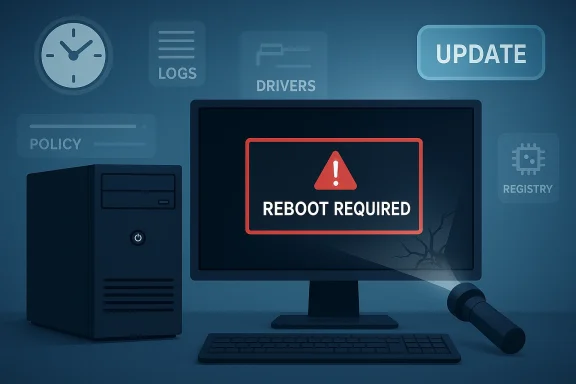
Illustration showing a computer screen error: “REBOOT REQUIRED” with warning icons and an update button.Background​

The debate over whether Windows Update is the source of a failure is as old as enterprise patching itself. In large environments, administrators often see a device run fine for days or weeks, receive an update, reboot, and then suddenly refuse to boot or exhibit strange behavior. The sequence is emotionally persuasive, which is why the update gets blamed first.
That pattern is especially common in organizations that stretch uptime as far as possible. A workstation, kiosk, or server may survive through countless software changes without a restart, so latent problems stay hidden until maintenance forces a full reboot. In that sense, Windows Update becomes the messenger, not the author of the bad news.
Chen’s explanation reflects a long-standing engineering truth: the last event in the chain is not always the cause. Systems accumulate risk over time through driver changes, registry edits, policy changes, application installs, and configuration drift. A reboot can flush those issues into the open all at once.
This is also why the distinction between consumer and enterprise Windows matters. Home users tend to reboot more often and change less centrally managed software, while enterprises often postpone restarts to preserve productivity. The latter environment can make it look as though a patch triggered a problem that was already waiting for a moment to surface.
Microsoft’s own update cadence has also evolved to reduce disruption. Hotpatching, for example, is designed to apply some updates without requiring a reboot, which can reduce both downtime and the perception that updates are what “break” systems. Microsoft documents that hotpatch updates are installed without restart and that enrolled devices may see fewer restart prompts, underscoring the company’s larger effort to separate servicing from disruption.
Recent update issues make the conversation feel more urgent. Microsoft acknowledged that the March 26, 2026 preview update KB5079391 could fail on some Windows 11 24H2 and 25H2 devices, and it followed with the out-of-band KB5086672 on March 31, 2026 to fix the installation problem. That is a real update fault, and it shows why Chen’s point is not “updates never fail,” but rather don’t assume every post-restart disaster came from the update itself.

Why Reboots Get Blamed​

A reboot is a dramatic event. It interrupts work, clears temporary state, and forces every service, driver, and startup dependency to negotiate for survival at the same time. When something fails at that moment, it feels like the thing that just changed must be the problem.
That instinct is understandable, but it is not always technically sound. Many Windows issues remain dormant until initialization order matters, and a clean boot exposes them because the machine can no longer rely on whatever happened to already be running in memory. The restart becomes the test bench, not the root cause.

Correlation Is Not Causation​

The trap is simple: an update happens, then a reboot happens, then the machine breaks. That sequence creates a powerful mental shortcut, but it hides the fact that the failure may have been introduced days or weeks earlier. In practice, the reboot is often the first time the system is forced to confront the accumulated damage.
This is why seasoned admins tend to think in change windows, not single events. A driver install, an application upgrade, a policy refresh, or a registry tweak can all interact in ways that only become visible later. The update gets blamed because it is the most recent visible action.

The Hidden State Problem​

Windows systems are full of state that does not announce itself until restart time. Services may hold stale assumptions, drivers may have been layered over older versions, and applications may depend on launch order or filesystem behavior that changes after a reboot. If a machine has been running for a long time, state drift can become substantial.
That hidden state explains why failures often appear “random” after servicing. They are not random so much as deferred. The reboot is the moment when deferred technical debt is collected.
  • Updates can be the last visible step, not the first bad one.
  • Long uptime can mask instability for weeks or months.
  • A restart is often the first true integration test after many changes.
  • Legacy drivers and service dependencies can fail only at boot.
  • Configuration drift can make root-cause analysis misleading.

What Chen Is Really Arguing​

Chen’s point is less about defending Windows Update and more about improving diagnosis. He is reminding readers that symptoms often arrive at reboot time even when the underlying damage came from somewhere else. That is a practical distinction, not an academic one.
In enterprise troubleshooting, this matters because misattribution wastes time. If teams assume the latest patch is the culprit, they may roll back safe security fixes, overlook a bad driver, or miss a software deployment that actually introduced the breakage. The result is more risk and slower recovery.

Update as Trigger, Not Root Cause​

The phrase that matters here is trigger versus root cause. A trigger is what caused the failure to manifest; a root cause is what made the system vulnerable in the first place. Chen’s argument is that Windows Update often serves as the trigger because it forces a restart, while the vulnerability has been building elsewhere.
That does not absolve Microsoft when an update is genuinely buggy. But it does mean incident responders should treat the reboot as a diagnostic checkpoint, not a verdict. The difference can change the entire remediation path.

Why This Matters to IT Teams​

For admins, false attribution can become expensive very quickly. If a helpdesk assumes the update caused the outage, it may suspend patching, delay mitigation, or launch a broad rollback that creates a larger exposure window. That is especially dangerous when the update included a security fix that the organization actually needs.
The smarter response is to look backward through the change history. The machine may have received a driver update from a vendor package, a policy rollout from management tooling, or a registry adjustment made by a script. Those changes may be the real problem, even if they remained invisible until reboot.
  • Check the full change timeline, not just the patch date.
  • Review driver and firmware updates before blaming Windows Update.
  • Examine startup services, scheduled tasks, and policy changes.
  • Preserve patching discipline even when one failure looks update-related.
  • Distinguish between installation failures and reboot-triggered failures.

The Enterprise Angle​

Enterprise environments are where Chen’s explanation lands hardest. Corporate devices often stay up for long periods, run layered management tools, and receive software changes through multiple channels. That makes them far more likely to accumulate invisible instability.
Administrators also have incentive to pin blame on the latest patch because it is the easiest thing to rollback or escalate. But that can turn into a dangerous habit, especially when security teams are under pressure to keep systems current. The result can be a patch-averse culture that leaves organizations exposed longer than necessary.

Long Uptime Masks Fragility​

A workstation or server can look healthy while carrying a fragile stack underneath. It may have an outdated filter driver, conflicting endpoint protection, or a registry modification from a previous project. These issues can sit quietly until a restart forces everything to initialize from scratch.
This is why reboot-related outages are often misread as patch defects. The system was effectively running on borrowed time, and the update simply ended the borrowing period. That distinction is critical in postmortems.

Patch Management and the Blame Cycle​

When a failure happens after Patch Tuesday, the organizational default is often to blame the patching process itself. That reaction can create a bad cycle: patches get delayed, the update window gets compressed, and troubleshooting gets less systematic. Ironically, that makes future failures harder to analyze.
Microsoft’s recent hotpatch efforts are partly aimed at reducing that cycle by shrinking the need for disruptive restarts. According to Microsoft’s own documentation, hotpatch updates can take effect without a reboot on eligible devices, and the company says they focus on security updates while reducing restart prompts. That can help separate servicing from reboot-induced breakage, at least on supported configurations.

Sequential Steps for Better Triage​

  • Confirm whether the failure is an installation problem or a reboot problem.
  • Review the most recent non-Windows changes first, including drivers and policy.
  • Check whether the device had long uptime before the update.
  • Compare the affected machine to unaffected peers with the same patch level.
  • Only then decide whether the update itself is the primary suspect.
  • Treat reboot failures as integration failures.
  • Use ring-based deployment data to isolate variables.
  • Reproduce the issue on a controlled reference device if possible.
  • Capture logs before rolling back anything.
  • Separate operational pain from actual update regressions.

The Consumer Angle​

Home users may not manage fleets, but they can still fall into the same trap. A PC that has been “fixed” with optimization tools, unofficial tweaks, registry cleaners, or third-party driver utilities may appear stable until the next reboot. Then the machine refuses to start cleanly, and the most recent Windows update gets blamed.
This is where the story becomes more personal. Many users assume that if Windows ran fine before restart, the restart must have broken it. In reality, the restart may have simply exposed a fragile modification that had been living in the background for a while.

DIY Tweaks Can Backfire​

The Windows ecosystem has always attracted tinkering. Some of that customization is harmless, but some of it alters services, autostart behavior, power management, or driver behavior in ways that are difficult to reverse. Those modifications can survive for a while and then collapse during a normal reboot.
That is why “it only broke after the update” is not enough evidence. If a system has been heavily customized, the update may have changed the timing, but not the underlying weakness. The reboot merely gave the weakness a stage.

When the Update Really Is at Fault​

None of this means consumers should ignore actual update bugs. Microsoft does ship problematic updates sometimes, and KB5079391 is a recent reminder of that reality. Microsoft’s March 31, 2026 out-of-band KB5086672 exists because some devices hit installation errors during the earlier preview update, which is exactly the kind of genuine servicing issue users expect Microsoft to fix.
The important takeaway is balance. Users should not reflexively blame every crash on Windows Update, but they also should not assume Microsoft is always innocent. The correct answer lives in the evidence, not the chronology alone.
  • Avoid aggressive registry “tuning” unless you understand the impact.
  • Keep third-party driver tools to a minimum.
  • Document changes before applying them.
  • Distinguish between failed installs and failed restarts.
  • Keep backups so a bad reboot does not become a data-loss event.

Hotpatching and the Restart Problem​

Hotpatching is the most interesting countermeasure in this debate because it changes the user experience around updates. Instead of making the restart the visible moment of transition, hotpatching applies certain fixes in memory without a full reboot. That reduces disruption and may reduce the false impression that the update itself caused a break.
Microsoft says hotpatch updates are available for eligible Windows 11 and Windows Server configurations, and that they can install without requiring a restart. The company also notes that hotpatching follows a cadence with baseline cumulative updates in specific months, which keeps the model predictable rather than ad hoc.

Why Restartless Updates Change Perception​

If there is no immediate reboot, the causal chain becomes less confusing. A machine can receive a patch and continue running, which makes it easier to separate the act of updating from the act of restarting. That helps both users and administrators identify whether a later failure was caused by the update, by unrelated state, or by some other change.
It also improves morale. People tend to accept updates more readily when they do not immediately interrupt work. In that sense, hotpatching is both a technical and a psychological improvement.

The Limits of Hotpatching​

Hotpatching is not magic. It does not eliminate every reboot, and it does not cover every scenario. Microsoft’s documentation makes clear that baseline updates still exist in the cadence, and certain environments have specific eligibility requirements. That means the broader reboot problem remains, even if hotpatching trims the edge off it.
There is also a perception risk. If fewer updates require restarts, people may forget that the underlying system can still be unstable for unrelated reasons. Hotpatching changes the timing of visibility, but it does not remove the need for disciplined troubleshooting.
  • Hotpatching reduces restart-driven disruption.
  • It can make causality easier to interpret.
  • It does not eliminate all reboots.
  • It is limited to eligible devices and supported cadences.
  • It is best seen as a servicing improvement, not a universal fix.

Microsoft’s Own Update Reality​

Chen’s comments land in a year when Microsoft has had to correct real servicing issues. The company’s out-of-band KB5086672 update, published March 31, 2026, was specifically issued to address installation problems with KB5079391. That is an example of a genuine update defect, not a philosophical argument about blame.
That context matters because it keeps the conversation honest. Microsoft is not claiming all update complaints are imaginary. Rather, it is trying to separate an update that actually fails from a system that only seems to fail because the restart exposed a deeper issue.

Reading the Signal Correctly​

There is a temptation in support workflows to treat every incident as a patch regression until proven otherwise. That is understandable because patches are visible, date-stamped, and easy to correlate with outages. But in complex environments, visibility is not the same as causality.
The better approach is to use the update as a clue, not a conclusion. If multiple devices with the same patch fail in the same way, the update becomes a stronger suspect. If only one device breaks after a restart, the odds shift toward local configuration problems.

How Microsoft Benefits from the Distinction​

Microsoft has a clear interest in making this distinction more widely understood. Better diagnostic habits reduce unnecessary rollback, improve update adoption, and lower the volume of misattributed support cases. They also help the company preserve trust in Windows servicing when genuine update defects do occur.
That trust is important because patching only works when organizations actually install the fixes. If administrators start treating every reboot failure as proof that updates are dangerous, the entire security posture weakens.
  • Real update defects still happen.
  • Not every reboot failure is an update defect.
  • Better diagnosis supports safer patch adoption.
  • Stronger trust in servicing helps security outcomes.
  • The evidence should drive the blame, not the calendar.

Competitive and Market Implications​

This is not just a support story; it is also a platform story. If Microsoft can reduce restart-driven confusion through hotpatching and more resilient servicing, it strengthens Windows’ enterprise value proposition. Fewer disruptive updates mean less operational friction and more confidence in rolling patches out broadly.
That matters in a market where platform reputation affects procurement, endpoint strategy, and even cloud attachment. Windows competes not only with other desktop ecosystems, but with the operational simplicity promised by managed devices and cloud-first environments. Reliability at reboot is part of that competition.

Enterprise Buyers Care About Predictability​

Corporate IT teams do not only buy operating systems; they buy predictability. The more often updates create uncertainty, the more attractive alternative management models become. If Microsoft can make restart-related incidents rarer or easier to explain, it reduces one of the oldest complaints about Windows administration.
This has knock-on effects for security adoption as well. Enterprises are more willing to accept aggressive patching when they believe failure analysis is clear and downtime is limited. That can make Windows a more comfortable default in regulated or high-availability environments.

What Rivals Can Learn​

Rivals in the broader endpoint space have long marketed less disruptive update models, whether through staged rollouts, live patching, or tighter vertical integration. Microsoft’s hotpatching push is a sign that it understands those expectations. The company is trying to show that a mature desktop OS can still evolve toward lower-friction servicing.
That said, the branding advantage is only real if the execution is solid. Users do not remember the architecture as much as they remember the reboot that ruined their afternoon. Perception, in this space, is operational reality.
  • Predictable patching improves platform trust.
  • Lower restart disruption supports enterprise adoption.
  • Better servicing reduces the appeal of alternate endpoint models.
  • Live-patching features are now a competitive expectation.
  • Reliability is as much a market asset as a technical one.

Strengths and Opportunities​

Chen’s clarification is useful because it teaches better debugging discipline while reinforcing Microsoft’s modern servicing direction. It encourages admins to think like investigators rather than reactionaries. It also helps explain why newer update technologies matter beyond convenience.
The broader opportunity is cultural as much as technical. If organizations learn to separate reboot-triggered failures from true update regressions, they can improve uptime, security posture, and user confidence at the same time.
  • Better root-cause analysis across enterprise fleets.
  • Less premature blame on Windows Update after a reboot.
  • Improved trust in security patching when updates are not automatically scapegoated.
  • Hotpatching adoption can reduce operational disruption.
  • More accurate postmortems lead to better remediation.
  • Lower support overhead when teams follow the actual change trail.
  • Stronger patch hygiene because teams stop associating every restart with failure.

Risks and Concerns​

The biggest risk is complacency on both sides. If users hear “reboots reveal problems,” they may ignore genuine update defects and underreport actual servicing bugs. If administrators hear it as “the patch is never to blame,” they may miss real regressions and leave faulty packages in circulation.
There is also a communications risk. Simplified messaging can get flattened into absolutes, and absolutes are dangerous in systems work. The truth is nuanced: some failures are caused by updates, others are merely exposed by them, and many involve a mix of both.
  • Misdiagnosis can lead to bad rollback decisions.
  • Patch hesitation may leave security fixes uninstalled longer than necessary.
  • Hidden driver issues can continue to fester if updates get all the blame.
  • User confusion may deepen if hotpatching is seen as a cure-all.
  • Vendor finger-pointing can delay real remediation.
  • Incomplete logging makes it hard to distinguish trigger from root cause.
  • Overconfidence in “stable” systems can mask deep configuration drift.

Looking Ahead​

The most important thing to watch is whether Microsoft keeps expanding restartless servicing in ways that are practical for real-world fleets. Hotpatching already changes the conversation for eligible devices, but it is not yet a universal answer. The closer Microsoft gets to reducing mandatory reboots, the less often users will conflate restart timing with update blame.
It will also be worth watching how support guidance evolves. If Microsoft and enterprise tooling continue emphasizing change correlation, baseline comparisons, and reboot-aware diagnostics, IT teams may become better at separating actual patch failures from latent system problems. That would be a real win, because it improves both reliability and security.

What to Watch​

  • Expansion of hotpatch support to more device classes and scenarios.
  • Further out-of-band updates when genuine servicing defects appear.
  • Better telemetry and diagnostics for reboot-related failures.
  • More explicit enterprise guidance on change correlation and root cause analysis.
  • Whether Windows Update perceptions improve as restartless servicing becomes more common.
What Chen is really asking users and administrators to do is look more carefully at the sequence of events instead of stopping at the most obvious one. That is a small shift in mindset, but it has large consequences for how Windows is maintained, blamed, and trusted. In the long run, the organizations that learn that lesson will patch faster, recover faster, and waste less time chasing the wrong culprit.

Source: windowsreport.com https://windowsreport.com/windows-updates-arent-always-the-problem-microsoft-engineer-explains/
 

Windows update complaints have become such a familiar part of enterprise IT culture that they can sound like a reflex: a machine goes sideways after Patch Tuesday, and the update gets the blame. But the latest reminder from Microsoft veteran Raymond Chen is that the calendar is not always the culprit. In many cases, the reboot is only exposing a problem that was already baked into the system days or weeks earlier. That distinction matters more than it may first appear, because it changes how IT teams should investigate failures, plan rollouts, and think about stability in Windows 11 environments.

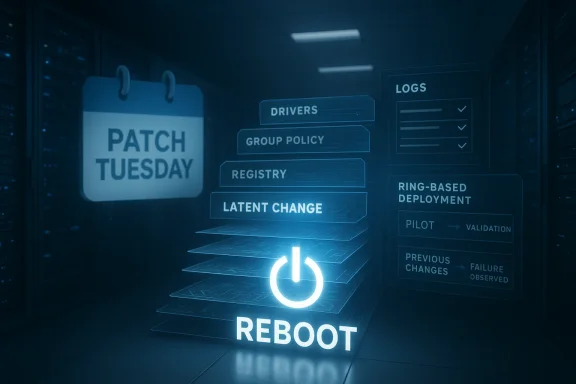
Futuristic server room UI showing PATCH TUESDAY, DRIVERS, and a glowing REBOOT icon.Background​

For years, Patch Tuesday has served as both a security checkpoint and a convenient scapegoat. When organizations deploy cumulative updates across thousands of endpoints, any visible disruption tends to be attributed to the last thing that happened, even if the real fault lies elsewhere. That is especially true in enterprise Windows fleets, where systems can run for long periods without a restart and accumulate a long tail of configuration drift, driver changes, and policy edits.
Raymond Chen, who has spent more than three decades working on Windows, is in a rare position to explain why these mysteries recur. He has seen enough support cases to recognize a pattern: teams report that a recent update broke everything, yet rollback does not restore health, and machines that have not yet received the update fail in the same way once rebooted. The problem is often not the patch itself, but the fact that the reboot finally forces all the latent changes to take effect. That is a very different failure mode than “Microsoft shipped a bad update.”
The timing makes the story easy to misunderstand. In many organizations, systems are intentionally kept running for long stretches to minimize disruption. That means a new driver, a registry tweak, or a Group Policy change can sit quietly for days without causing obvious pain. Then Patch Tuesday arrives, the machine restarts, and the hidden instability becomes visible all at once.
The broader context also helps explain why the subject resonates in 2026. A recent Omnissa report drew fresh attention to endpoint stability by showing that Windows environments recorded more forced shutdowns, more crashes, and more hangs than macOS in managed enterprise fleets. Those figures do not prove that updates are the primary cause of instability, but they do reinforce the sense that reliability has become a strategic issue, not just a support-ticket annoyance.

Why this keeps happening​

The reason this keeps recurring is simple: Windows systems are complex, and complexity often hides causal chains. A machine can remain technically “up” while carrying a change that will later break boot, login, security software, or application behavior. When the failure eventually appears, the most recent event is usually blamed, even if it merely triggered the outcome.
  • A new driver may not misbehave until restart initializes it.
  • A Group Policy change may not matter until the next session begins.
  • A registry edit can remain inert until a service reloads.
  • A script can quietly alter permissions that only matter during boot.
That is why support engineers often ask not only what changed recently, but what changed first. The answer is frequently more revealing than the story told by the ticket.

Overview​

Chen’s point is not that updates can never cause failures. They absolutely can, and Windows history is full of bad releases, device conflicts, and regression bugs. The point is that enterprise troubleshooting often starts from the wrong assumption, which leads teams to focus on the patch when they should be examining the deployment chain that preceded it.
This matters because the enterprise environment is not a clean laboratory. Windows PCs are assembled from a sprawling mix of OEM hardware, third-party drivers, line-of-business apps, endpoint security tools, and internal automation. Each of those layers can introduce instability. When something finally breaks after a reboot, the reboot is often the first time the hidden defect becomes undeniable.
The support lesson is that rollback is not proof. If uninstalling an update does not repair the machine, that should push investigators upstream, not just back into the update history. Likewise, if a non-updated machine reboots and fails the same way, the update is almost certainly an innocent bystander.
That is why Chen’s explanation lands so well inside enterprise IT circles. It does not deny that Patch Tuesday can expose problems. It simply argues that the visible trigger is not always the true cause. The most recent action is not always the most important one.

Patch Tuesday as a diagnostic event​

Patch Tuesday often acts as a forcing function rather than the root cause. In unmanaged consumer environments, users reboot when prompted and notice breakage immediately. In managed fleets, reboots may be deferred until maintenance windows, so the actual failure can be delayed and misattributed.
  • The patch may be the first visible event.
  • The reboot may be the first causal event.
  • The hidden change may have occurred long before either of them.
That sequence is why well-run IT shops treat Patch Tuesday as a test, not just a deployment date. It reveals whether the environment is genuinely healthy or merely running without complaint.

The Raymond Chen Perspective​

Chen has built a reputation around the kind of edge-case reasoning that makes Windows debugging intelligible. Through The Old New Thing, he has spent years explaining why certain behaviors appear mysterious until you understand the order in which system components wake up, reload, or re-evaluate state. His value here is not just authority, but pattern recognition.
When Chen jokes that someone saw a fix on TikTok and applied it to production, the humor lands because it reflects a real enterprise problem: informal solutions often seep into managed environments. A clever workaround copied from a forum or video may appear harmless until a reboot forces the system to actually apply it. Then the “fix” becomes the failure.

The hidden change problem​

The hidden-change problem is especially pernicious in Windows because so many administrative actions do not immediately surface their consequences. A policy can look fine in a console. A driver can install cleanly. A registry key can accept a value. None of those outcomes guarantee that the next restart will go smoothly.
That is why Chen’s framing is useful beyond the specific quote. It reminds administrators that delayed failure is still failure, and a system that has not rebooted yet is not necessarily a system that is healthy. It may simply be a system that has not been asked the right question.

Why Windows Still Gets the Blame​

Windows still gets blamed first because the ecosystem has trained people to expect it. The operating system is the common denominator across countless hardware combinations and software stacks, so any failure that touches multiple layers tends to be associated with Windows rather than with the more obscure component that caused it. That is especially true when the failure happens after an update window.
There is also a reputational factor. Windows 11 has spent much of its life under intense scrutiny from enthusiasts and enterprises alike, and every noisy bug report reinforces the idea that updates are inherently risky. When those reports pile up, even a perfectly ordinary reboot failure can be folded into the narrative of “another bad Patch Tuesday.”
The reality is more complicated. Microsoft does test updates extensively, and its servicing model is designed to reduce risk through cumulative updates, known issue rollbacks, and staged release mechanisms. But no update pipeline can fully compensate for unmanaged change, undocumented tweaks, or third-party software that behaves differently once the system restarts.

Enterprise psychology matters​

The human factor matters just as much as the technical one. When a major deployment goes wrong, teams naturally reach for the newest visible event. That is not incompetence; it is a bias toward the most obvious trigger. Yet this bias can obscure the earlier, quieter decision that actually poisoned the environment.
  • Teams remember the update date.
  • They often forget the driver change date.
  • They may not document the policy edit.
  • They may never have tested the system after reboot.
That last point is crucial. Many failures stay hidden until the restart, which means “it worked yesterday” is not meaningful evidence that the environment was healthy.

What the Omnissa Data Adds​

The Omnissa report adds an important layer of context, even if it does not prove the same thing Chen is discussing. According to coverage of the report, Windows devices in managed fleets saw 3.1 times more forced shutdowns, 2.2 times more application crashes, and 7.5 times more app hangs than macOS devices. Those are large gaps, and they explain why stability has become a live issue in enterprise management.
But those figures should be read carefully. They describe outcomes in managed environments, not root causes. A higher crash rate does not automatically mean Windows Update is to blame. It may reflect a broader mix of hardware diversity, driver complexity, software composition, lifecycle practices, and management philosophy.
That distinction matters because vendors, IT teams, and users often interpret telemetry too literally. A crash counter tells you where the pain is happening, but not why. The why requires forensic work, not just dashboard reading.

Metrics versus meaning​

Telemetry is useful because it spots patterns at scale. It is less useful when it is treated like a verdict. A forced shutdown may indicate a serious instability, but it does not tell you whether the cause was a patch, a policy, a driver, or a brittle application.
  • Forced shutdowns suggest severe operational failures.
  • Application crashes can point to app, driver, or OS issues.
  • App hangs often reveal contention before a hard failure.
  • Update lag can hide instability until a reboot catches up.
In other words, the Omnissa numbers strengthen the case for better endpoint management, not for automatic blame.

The Role of Reboots in Enterprise IT​

Reboots are the moment when Windows stops forgiving bad assumptions. Enterprises avoid them whenever they can because they interrupt work, force downtime, and can trigger service calls. But that avoidance also creates a trap: issues accumulate silently until the restart reveals them all at once.
That is why Chen’s observation is so practical. If an IT department changes a low-level setting today and postpones rebooting until Patch Tuesday, the update becomes the innocent messenger that delivers the bad news. The machine was already living on borrowed time; the reboot simply ended the grace period.
This is also why reboot hygiene is a serious operational discipline, not a convenience issue. A controlled reboot after major changes can expose problems immediately, when they are easier to trace. Delaying it may seem efficient in the short term, but it often makes troubleshooting more expensive later.

Reboots as a truth serum​

A reboot is a truth serum for the operating environment. It flushes out assumptions, reloads drivers, reinitializes services, and forces policies to take effect. If something is wrong, the restart often becomes the first honest conversation the machine has with its administrator.
That is why good admins treat reboot timing as part of change management. They do not merely ask whether a change “installed successfully.” They ask whether the change survives a restart, a login, and a real workload.

Best Practices for IT Admins​

The practical advice in this story is straightforward, but it is worth stating plainly because many organizations still violate it. The first rule is to control change. The second is to test change. The third is to reboot early enough that the failure, if any, is attributable.
Microsoft’s own servicing and admin guidance has long emphasized documentation, validation, and staged deployment. That means using ring-based rollouts, pilot groups, and rollback plans rather than blasting every endpoint at once. It also means recognizing that driver changes and policy edits are not “small” just because they do not require a full application deployment workflow.

A better operational sequence​

A disciplined rollout usually follows a sequence like this:
  • Test the change in a controlled environment.
  • Deploy to a small pilot ring.
  • Reboot and validate critical workflows.
  • Expand to broader groups only after stability is confirmed.
  • Maintain a rollback path if the reboot reveals an issue.
That sequence seems obvious, but many organizations skip steps three and four in practice, especially when they are under pressure to move fast.
  • Document every change before broad deployment.
  • Reboot deliberately after major driver or policy updates.
  • Track logs and telemetry around the time of the change.
  • Stage rollouts rather than patching the entire fleet at once.
  • Keep rollback procedures current and actually test them.
These are not Windows-specific ideas; they are basic operational hygiene. But they are especially important in Windows because the platform’s flexibility creates more opportunity for configuration drift.

Enterprise vs Consumer Impact​

The enterprise impact is much larger than the consumer one because enterprises operate at scale, with shared image baselines, custom policies, and a larger blast radius for mistakes. When one machine fails, it is a ticket. When thousands fail, it is an incident. That is why a mistaken assumption about updates can waste hours in postmortems and distract teams from the real root cause.
Consumers experience the same dynamics, but usually in a simpler form. A home user might blame Windows Update because the reboot after installation exposed a bad driver or an unstable accessory. The technical pattern is similar, but the organizational consequences are much smaller, and the troubleshooting paths are less formal.

Why enterprises should care more​

Enterprises have more to lose from misdiagnosis because they manage more variables. A patch may be deployed alongside a security policy change, a driver update, and a new automation script. If the machine fails on reboot, the update becomes the headline, even if the actual culprit was the script.
  • Larger fleets amplify small mistakes.
  • More admins means more undocumented changes.
  • More software diversity means more edge cases.
  • More deferred reboots mean more delayed failures.
That is why endpoint governance is really about order, not just updates.

The Limits of Blaming Windows Update​

It would be equally wrong to swing the pendulum too far and conclude that updates are never responsible. Windows updates do sometimes break things, and Microsoft has had to issue out-of-band fixes, holdbacks, and mitigations in response to real regressions. The point is not absolution; it is precision.
When the enterprise support team sees a system fail after a patch, the first hypothesis should be treated as a hypothesis, not as a verdict. If rollback fails to help, if unaffected machines fail after reboot, or if the change log contains undocumented modifications, the case for update blame gets weaker quickly. Good troubleshooting is about narrowing the space of possibilities, not defending the first story that sounds plausible.

When the update really is the problem​

There are still situations where the patch is the problem. These usually involve clearly reproducible regressions, known issue disclosures, and broad cross-environment symptoms. In those cases, the same update breaks multiple systems in similar ways, often without an intervening configuration change.
That is why experienced admins compare notes across rings and across machine types. If one isolated device fails, suspect local drift. If a whole cohort fails in the same way immediately after patching, suspect the update. The distinction is subtle but essential.

Strengths and Opportunities​

The biggest strength of Chen’s message is that it forces better thinking. It also gives enterprise IT teams a more disciplined framework for investigating failures, instead of defaulting to calendar-based blame. That shift could improve stability, reduce wasted rollback work, and make deployment processes more trustworthy.
  • Encourages root-cause analysis instead of assumption.
  • Reinforces the value of staged rollouts and pilot rings.
  • Helps teams distinguish trigger from cause.
  • Supports stronger change management discipline.
  • Improves confidence in reboot testing after policy and driver changes.
  • Reduces false attribution that can distract from real vulnerabilities.
  • Reminds administrators that documentation is a reliability tool.

Risks and Concerns​

The main risk is that Chen’s correct observation could be oversimplified into a blanket defense of Windows Update. That would be a mistake. The best takeaway is not “updates are innocent,” but “don’t stop investigating once you have a convenient suspect.” If organizations use that nuance well, they will become better operators; if they use it badly, they may ignore legitimate patch regressions.
  • Real update regressions can still be missed if teams overcorrect.
  • Poorly documented changes can make forensics harder.
  • Delayed reboots can hide latent instability for too long.
  • Enterprises may underinvest in telemetry correlation.
  • Users may still lose trust if problems are explained poorly.
  • Overconfidence in rollback can create a false sense of security.
  • Informal fixes from forums or social media can spread into production far too easily.

Looking Ahead​

The next phase of this debate will likely be driven by how organizations manage telemetry, lifecycle, and patch orchestration rather than by any single Windows release. As enterprises adopt more DEX-style monitoring and more structured ring deployments, they should get better at distinguishing between a patch that causes a problem and a reboot that merely reveals one. That will not eliminate blame culture, but it may reduce the number of false alarms.
Microsoft, for its part, has a strong incentive to keep improving the reliability story around Windows 11. The more the platform is used in managed fleets, the more customers will demand evidence that updates are safe, rollbacks are reliable, and diagnostics are clear. At the same time, IT teams will need to accept a hard truth: a system that is never rebooted is not a system that is fully tested.
  • Better change tracking across drivers and policies.
  • Wider adoption of ring-based deployment models.
  • More emphasis on mandatory reboot validation.
  • Stronger integration of endpoint telemetry with incident response.
  • Continued scrutiny of Windows 11 stability in mixed hardware fleets.
In the end, Raymond Chen’s warning is less about defending Microsoft than about defending reality. Systems fail for messy, layered, and sometimes embarrassing reasons, and the most recent event is often just the one that made the truth impossible to ignore. If Windows administrators take that lesson seriously, they will spend less time arguing about Patch Tuesday and more time fixing the changes that were waiting to bite them all along.

Source: windowslatest.com Don’t blame Windows 11 updates for every problem, Microsoft veteran says
 

Microsoft’s latest patch-cycle headaches are feeding an old, comforting theory: maybe the update did not break the PC at all. Veteran Microsoft engineer Raymond Chen argues that some “broken by update” machines were already wounded by a bad driver, a risky policy change, or another latent configuration problem, and only became visible when Patch Tuesday finally forced a reboot. That explanation is plausible in many enterprise environments, but it lands differently in 2026, when Microsoft’s own update quality has become a recurring source of complaints and emergency fixes. The result is a familiar Windows paradox: sometimes the restart is the culprit, sometimes the update is, and sometimes it is very hard to tell which one matters most.

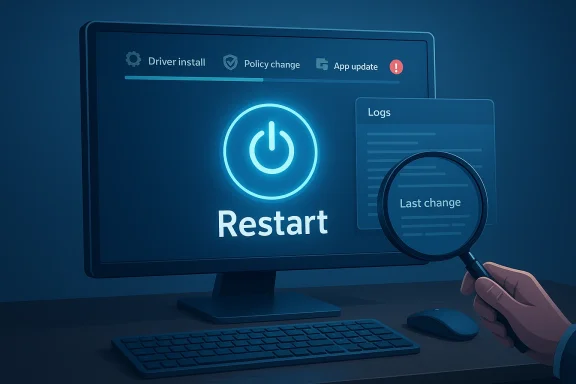
A digital visualization related to the article topic.Overview​

Raymond Chen has long been one of Microsoft’s most recognizable Windows historians and troubleshooters, and his perspective carries unusual weight because he has spent more than three decades inside the operating system’s evolution. Microsoft’s own developer blog identifies him as someone “involved in the evolution of Windows for more than 30 years,” which makes him less a pundit than a living archive of how Windows support culture actually works. That history matters because enterprise support problems are often not tidy cause-and-effect stories; they are forensic exercises in timing, causality, and user memory. (devblogs.microsoft.com)
The specific argument Chen is making is not novel, but it is durable because it reflects a real support pattern. A PC may appear healthy until a reboot causes an unstable driver, a questionable registry tweak, or a policy change to take effect. In those cases, the update is merely the event that exposes the problem, not the event that created it. That distinction is especially important in managed fleets, where devices can go days or weeks without being rebooted and where multiple changes often pile up before anyone notices the system is on a knife edge.
Still, this is not a story that should be read as a blanket defense of Microsoft. The last few years have supplied plenty of examples in which Windows updates themselves have caused real damage, including installation failures and out-of-band remediation releases. Microsoft’s own support pages for March 2026 show that the company had to ship KB5086672 as an out-of-band update to fix an installation issue affecting the March preview patch KB5079391. That is not the signature of a perfectly controlled update pipeline; it is the signature of a vendor still wrestling with the complexity of modern servicing.
The tension between those two truths is the interesting part. Chen’s point is that many support cases are misattributed because reboot-triggered failures are emotionally and operationally linked to the latest patch. The counterpoint is that users have become increasingly skeptical of any explanation that sounds like blame-shifting, because they have seen too many updates that really were broken. In 2026, both instincts can be correct.

Why Reboots Expose Hidden Problems​

A reboot is not just a restart button; it is a state transition that activates everything the machine has been waiting to do. Drivers load, services register, policies apply, and delayed configuration changes finally become real. If the system has been limping along with an incompatible driver or a brittle startup dependency, the restart can turn a hidden defect into a full boot failure. That is why a machine can feel “fine” for days and then suddenly collapse the moment Windows asks it to come back up.

The support-team logic​

Chen’s support anecdote reflects a classic enterprise diagnostic pattern. A customer reports that “your latest update broke our system,” but deeper investigation shows the same failure on a machine that never received the update, provided it was rebooted after the underlying fault was introduced. In that scenario, the latest patch is just the last event in the timeline, not the root cause. Support engineers care about this distinction because it changes whether the correct fix is rollback, driver removal, policy correction, or a broader environmental cleanup.
That is also why log files, memory dumps, and traces matter so much. They can reveal whether the boot failure occurred in update code, a third-party driver, or some configuration path that had been dormant until restart. The forensic answer is often boring in the best possible way: the update was innocent, but the reboot was inevitable.

Why users still blame the patch​

Users are not irrational for blaming the patch, though. If the computer worked right up until Patch Tuesday, the patch is the obvious suspect, and the reboot is the visible moment of failure. From a human perspective, cause and trigger are easy to blur. From a technical perspective, they are not the same thing.
This is one reason Windows support cases can become emotionally charged. Administrators want a single culprit, while the actual failure may be the cumulative effect of several changes. The longer a device has been “almost broken,” the more likely the next reboot becomes the event that gets blamed.
  • A latent driver bug may remain dormant until boot time.
  • A registry tweak can affect startup order only after restart.
  • A policy change may not fully apply until services reload.
  • A partially failing disk can appear healthy until the next boot sequence.
  • A previous change can create instability that merely surfaces during patching.

The March 2026 Servicing Backdrop​

The current debate lands against a busy and messy Windows servicing calendar. Microsoft’s support documentation shows that on March 31, 2026, it released KB5086672 as an out-of-band update for Windows 11 versions 24H2 and 25H2. Microsoft said the package includes improvements from the March 26 preview update KB5079391 and also fixes an installation issue affecting some devices trying to install that preview. That alone is enough to keep administrators wary of any simple “it was never the update” framing.

Why out-of-band updates matter​

Out-of-band updates are a clue that something in the normal patch rhythm has gone wrong. Microsoft does not ship them because it feels like it; it ships them because a bug, regression, or blocking issue needs a faster response. In March 2026, Microsoft’s own wording made clear that the OOB update addressed an installation error that some systems hit while applying the preview. That is a real, documented servicing failure, not a theoretical one.
The timing is important because it shows how quickly the patch ecosystem can force support teams into triage mode. If one month’s preview needs an out-of-band correction, it becomes harder to dismiss user suspicion as mere misunderstanding. The fact pattern itself is teaching customers to expect that updates may be both necessary and disruptive.

The difference between preview and production pain​

Preview patches are supposed to be the safer place for experimentation, but they are also where regressions often first appear. Microsoft’s support page for KB5079391 explicitly points users to the March 31 out-of-band update as the remedy for the earlier installation problem. That means the preview was not merely incomplete; it was sufficiently problematic that Microsoft had to replace its expected path with a corrective one.
That context makes Chen’s point feel both true and incomplete. Yes, some systems are already compromised when the reboot happens. But in a world where update packages themselves also stumble, the burden of proof shifts. Customers do not want a philosophical explanation; they want a bootable PC.

What Chen Is Really Arguing​

Chen’s broader argument is not that Windows updates are harmless. It is that causality is often misread in support cases, especially when a reboot is involved. The distinction between “the update caused the failure” and “the reboot exposed the failure” can determine whether a machine needs cleanup or merely a rollback. In enterprise support, that distinction is not academic; it decides how many endpoints go offline and how quickly they return. (devblogs.microsoft.com)

Latent faults are a support nightmare​

Latent faults are difficult because they survive observation. A system can remain stable through normal use while quietly storing up trouble in a driver stack, startup service, or policy path. When the update completes and the machine restarts, the latent fault emerges as if it were sudden. In reality, the machine had been deteriorating for some time.
That is why these cases can confuse even experienced administrators. They will often say the device was “working fine,” which is true in a practical, surface-level sense. But “working fine” is not the same as “healthy.” A system can appear healthy until the precise moment it is asked to perform the one action that forces all its hidden dependencies to confront reality.

The reboot as the reveal, not the villain​

This is where Chen’s framing is most useful. The reboot is often the reveal, not the villain. A change made a week earlier may have quietly planted the seed, and Patch Tuesday simply supplies the trigger. If the same machine had been restarted earlier for a different reason, the same fault might have appeared then.
The support implication is subtle but powerful. When incidents are investigated properly, the question is not merely “what happened last?” It is “what changed before that, and why did no one notice?” That shifts troubleshooting from blame assignment to timeline reconstruction.
  • Hidden instability often predates the reported outage.
  • Reboot timing can distort user perceptions of causality.
  • A clean rollback does not always cure a non-update defect.
  • Support logs are more valuable than recollections.
  • Fleet-wide patterns matter more than a single anecdote.

Why Microsoft’s Own Track Record Complicates the Story​

The problem for Microsoft is that the company cannot rely on Chen-style nuance to shield it from legitimate criticism. Windows update quality has been uneven enough that many administrators now assume the patch is guilty until proven otherwise. When a vendor repeatedly ships fixes for its fixes, trust erodes, and every new failure becomes evidence in the court of public opinion. That is a self-inflicted credibility problem, not just a messaging issue.

The trust deficit​

Microsoft’s support pages show a recurring pattern of remediation. March 2026 was not the first time the company had to correct an update with another update, and it will not be the last. The existence of a servicing stack update, an out-of-band release, and a preview fix in close succession illustrates how much operational churn Windows servicing now generates. This is ordinary in a complex ecosystem, but ordinary does not mean reassuring.
When that happens repeatedly, customers stop assuming the root cause sits outside Microsoft’s own code. That is where Chen’s argument meets resistance. Even if he is technically right in many cases, he is speaking into an environment where the vendor’s own patches have often been the first thing to go wrong.

Why “it was the reboot” sounds defensive​

The phrase “it was the fact that the system rebooted” can sound like a lawyerly dodge when users are already frustrated. That reaction is understandable. If the restart is required by the update, then the update and the reboot are inseparable in operational terms, even if they are not causally identical. To a user staring at an unbootable machine, that distinction is not soothing.
This is the central communications challenge for Microsoft. The company needs to preserve the diagnostic truth that hidden defects exist while also acknowledging that its update pipeline has not always earned the benefit of the doubt. Both things can be true, and the most honest explanation is often the least satisfying one.

Enterprise vs Consumer Impact​

Enterprise customers experience this problem differently from consumers. In managed environments, delayed reboots, driver baselines, Group Policy changes, and staged deployment rings create the perfect conditions for a latent issue to show up late. A single bad change can propagate across thousands of devices, but the symptom may appear only when the fleet finally restarts after an update window. That makes support incidents both larger and more expensive.

Enterprise reality​

Enterprises tend to have more moving parts and more change control, which is supposed to make diagnosis easier. In practice, it often does the opposite because there are more logs, more tools, more layers of policy, and more third-party software in play. A laptop may have a VPN client, endpoint protection, a custom driver, and a scheduled configuration task, any one of which can become the true root cause. The update merely creates the moment when the whole stack gets tested.
A good enterprise support process therefore asks different questions than consumer support. Was there a driver rollout in the previous week? Did a policy change affect registry writes? Was the device already experiencing boot warnings? Those are not rhetorical questions; they are the difference between finding a pattern and chasing a ghost.

Consumer reality​

Consumers, by contrast, usually lack that forensic tooling. They do not have an image-based deployment history or a SIEM full of endpoint events. They just know that Windows Update rebooted the PC and now it will not start. For them, Chen’s explanation can feel like a denial of lived experience even if it is technically correct.
That tension matters because consumer trust is built on the impression of reliability, not on root-cause analysis. A technically elegant explanation will not matter much if the laptop is stuck in a recovery loop. Windows has to be not only repairable, but credibly dependable.
  • Enterprises need forensic clarity.
  • Consumers need visible reliability.
  • Both groups need fewer surprise reboots.
  • Both groups lose patience with repeated remediation.
  • Both groups punish ambiguity when machines stop booting.

The Economics of Blame​

Blame is expensive in IT, which is why the story about “the update broke it” persists so stubbornly. If the update is to blame, the remediation is straightforward: rollback, block, patch later, or escalate to Microsoft. If the problem predates the update, then the organization may need driver changes, policy cleanup, hardware replacement, or a broader stability project. Those are very different cost centers.

Why support wants precision​

Precision matters because false attribution can misdirect labor for days. If a fleet of machines is rolled back unnecessarily, that wastes time and may expose the organization to security risk. If the real problem is a bad driver or an incompatible policy, then chasing the update only delays the real fix. The support team’s job is to reduce uncertainty, not confirm the easiest narrative.
That is where Chen’s caution is genuinely valuable. A well-instrumented investigation can prevent organizations from scapegoating the wrong layer of the stack. It can also protect Microsoft from unjust blame when the actual culprit is an outside component.

Why vendors still pay the reputational cost​

The problem, of course, is that vendors pay reputational costs even when they are not at fault. If the customer experiences failure immediately after patching, the mental association is already made. Once that association hardens, it is difficult to undo. Microsoft therefore has to manage not just engineering quality, but confidence quality.
That means every out-of-band correction, every known issue, and every update rollback creates an accounting entry in the trust ledger. The ledger is rarely in the vendor’s favor when users are forced to reboot and pray.

The Historical Context Matters​

Chen is also speaking from a historical Windows culture in which patching, testing, and servicing were different trades than they are now. Windows once had a more bounded hardware ecosystem and a slower pace of change. Today’s environment includes wildly diverse drivers, virtualization layers, firmware dependencies, security software, and rapid servicing cadences. That scale makes every failure mode harder to isolate.

Then and now​

Earlier eras of Windows support often centered on a narrower range of machines and software stacks. That does not mean the old days were simple, only that there were fewer variables in play. Modern Windows has to cope with continuous change from Microsoft, OEMs, chipset vendors, enterprise admins, and third-party software providers all at once. The complexity has not merely increased; it has multiplied.
This is why Chen’s old-school diagnosis can still be true while feeling out of step with modern user experience. In a cleaner ecosystem, hidden defects were already hard enough to catch. In today’s ecosystem, they can be nearly impossible to separate from update-induced regressions unless the evidence is very strong.

What the old story gets right​

The old Windows support wisdom remains useful because it teaches discipline. Never assume the last visible event is the root cause. Verify the timeline, inspect the logs, and test the machine without the suspected update if possible. That method is still correct, even if the surrounding update environment is more fragile than it used to be.
But the modern update environment also teaches humility. It is not enough to say “reboot revealed it” and stop there. The correct conclusion is often more complicated: the system had latent fragility, and the update process exposed it in a way Microsoft should still care about.
  • Historical debugging habits still matter.
  • Modern update complexity raises the odds of real regressions.
  • Older support wisdom does not erase newer servicing failures.
  • Root cause analysis must include both internal and external layers.
  • The best explanation is often a chain, not a single event.

Why This Debate Keeps Returning​

This is not the first time Windows users have argued over whether an update or a reboot caused the damage, and it will not be the last. The reason is simple: updates are increasingly entangled with normal computing life. Security, features, drivers, and configuration are all mixed into the same maintenance cycle. When that cycle fails, the failure looks like whatever happened most recently.

The psychological trap​

The psychological trap is that people remember the triggering event more vividly than the hidden defect. If a system dies after an update, the update becomes the villain in the story. That is emotionally satisfying, especially when the user already distrusts the vendor. In support terms, though, the story is only useful if it leads to the correct fix.
Chen’s framing is therefore best understood as a warning against narrative shortcuts. The last thing that happened is not always the thing that caused the problem. In IT, that lesson is repeated endlessly because it is so easy to forget.

The practical compromise​

The practical compromise is to treat the update as suspect without assuming guilt. That means checking for recent driver changes, policy changes, firmware updates, and signs of preexisting instability while also acknowledging that recent Microsoft releases have had real issues. It is a more expensive mindset than simple blame, but it saves more time in the long run.
That is also why honest servicing communication matters. If Microsoft wants administrators to trust the update cadence, the company must keep narrowing the gap between what is theoretically possible and what users actually experience. The gap is still too wide.

Strengths and Opportunities​

Chen’s observation has real value because it pushes administrators toward better diagnosis instead of emotional certainty. It also highlights how many Windows failures are the result of a chain of events rather than a single bad patch. If Microsoft can combine that forensic culture with more stable servicing, the whole ecosystem benefits.
  • Better root-cause analysis can prevent unnecessary rollbacks.
  • Improved telemetry can distinguish update regressions from latent defects.
  • Staged deployment rings can reduce blast radius in enterprises.
  • Driver hygiene can eliminate a major class of reboot failures.
  • Clearer servicing notes can improve trust in Microsoft’s patches.
  • Faster out-of-band remediation can limit user downtime.
  • More disciplined change control can reduce “mystery” boot failures.

Risks and Concerns​

The biggest risk is that Chen’s explanation becomes a convenient shield for genuine update bugs. That would be a mistake, because Microsoft’s own recent servicing record shows that patch quality remains uneven. If users conclude that every complaint will be waved away as user error, trust will erode even further.
  • Blame-shifting can alienate customers.
  • Repeated out-of-band fixes signal instability.
  • Delayed detection can hide real quality problems.
  • Unsupported drivers can become enterprise landmines.
  • Poor communication can make recovery harder.
  • A reboot-dependent ecosystem magnifies every flaw.
  • Consumer frustration grows when explanations feel academic.

Looking Ahead​

The next phase of this debate will likely be less about who is right in the abstract and more about whether Microsoft can make the question easier to answer. Better crash telemetry, clearer update diagnostics, and fewer unexpected regressions would reduce the need for these postmortems in the first place. Until then, support teams will keep living in the gray zone between hidden fragility and genuine update failure.
There is also a broader industry lesson here. As devices become more software-defined, the old boundary between “maintenance” and “product behavior” keeps disappearing. A restart is no longer a neutral event; it is a stress test. When that stress test exposes a problem, the only useful response is to determine whether the system was already broken, whether the patch made it worse, or whether both things were true at once.
  • Microsoft needs to keep cutting the number of emergency fixes.
  • Enterprises need to treat reboots as validation points, not routine housekeeping.
  • Administrators need better change tracking across drivers and policies.
  • Users need clearer explanations that do not sound like deflection.
  • The industry needs fewer update cycles that force everyone into forensic mode.
Microsoft’s veteran engineer is right to remind people that the reboot often reveals the weakness rather than creating it. But the broader reality in 2026 is less forgiving than that tidy lesson suggests: some PCs really were already doomed, some were broken by the update itself, and many are stuck in the uncomfortable middle, where modern Windows servicing, third-party complexity, and imperfect quality control all collide at the worst possible moment.

Source: theregister.com Some 'broken by update' PCs were already doomed
 

Windows users have grown used to blaming Patch Tuesday whenever a machine starts acting strange after an update, but that assumption can be misleading. Microsoft veteran Raymond Chen’s reminder is deceptively simple: the reboot triggered by an update may be the moment when an older, already-broken change finally surfaces. In other words, the update is often the trigger, not necessarily the cause. That distinction matters for consumers, enterprise admins, and anyone trying to diagnose a stubborn Windows problem.

A digital visualization related to the article topic.Overview​

The core idea behind the latest discussion is that Windows update failures are frequently blamed for damage that was already waiting in the wings. Raymond Chen’s guidance, as highlighted by PCWorld, is to verify whether a problem existed before the update was installed. If a driver was added, a group policy changed, or an app update was staged but not yet made effective because the machine had not restarted, the next reboot can make the issue appear to start “after the patch” when the real fault predates it.
That framing lines up with how Windows actually handles drivers, updates, and restart requirements. Microsoft’s own documentation says device installations should not force a restart unless absolutely necessary, but many changes still need a reboot to fully take effect, especially when drivers are updated or files are in use. Microsoft also documents how update restarts are managed through policy, active hours, and reboot scheduling, because a restart is often the boundary between a pending change and an applied change.
The practical significance is bigger than the anecdote. A reboot is not just a convenience; it is a state transition that can expose conflicts, incomplete installs, and stale runtime conditions. If users only restart when Windows Update insists, they may unintentionally carry latent problems for days or weeks. Then, when Patch Tuesday finally forces a reboot, the blame lands on the wrong target.
The issue is also a reminder that Windows troubleshooting is rarely as linear as people wish it were. A machine can be in a half-changed state after a driver deployment, a policy refresh, a service update, or a software install. When the system finally restarts, it becomes a fresh test of whether all those changes were actually compatible.

Why the reboot is the real turning point​

A reboot changes the meaning of everything that came before it. Before the restart, Windows may still be running with an older driver in memory, an older service DLL loaded, or a policy setting that has not fully been enforced. Once the restart happens, all of those changes are reconciled, and any mismatch becomes visible.
That is why a user can swear that “the update broke my PC” when the timing only appears that way. Chen’s advice is really a diagnostic principle: look for the last change that was pending, not just the last change that was installed. If the system had not been restarted after a driver or policy modification, the reboot brought hidden complexity to the surface.
Microsoft’s driver guidance reinforces this idea. The company says device installations should not generally require restarts, but it also acknowledges cases where drivers must be unloaded, devices restarted, or files replaced on disk before the new version can be fully used. In practice, that means the reboot is often when the system finally commits to the new state. (learn.microsoft.com)

The “it broke after patching” illusion​

This illusion is especially common in environments where multiple changes happen close together. An IT team may deploy a driver one day, a policy change the next, and a Windows update the day after that. If the machine is left running throughout, the update’s forced restart becomes the first moment the stack is actually tested end to end.
That does not mean updates are never the culprit. Windows updates absolutely can fail, and sometimes they do cause real regressions. But it does mean timing alone is weak evidence. The fact that a problem appeared after the reboot is not the same as proving the update introduced it.
A better question is whether the system was stable before the reboot and whether any pending changes had already been queued. If the answer is no, the update may simply have exposed an unresolved mess that was already present.
  • A reboot can activate previously staged driver changes.
  • It can apply policy settings that were not yet enforced.
  • It can unload old files and load new binaries into memory.
  • It can reveal conflicts that were invisible while the machine stayed up.
  • It can turn a latent issue into an obvious failure.

Why restarts are diagnostic, not just disruptive​

Many users see restarts as interruptions, but from a troubleshooting perspective they are diagnostic checkpoints. If a machine behaves normally before a restart and breaks after one, the reboot did not necessarily create the bug. It may have merely completed the sequence that allowed the bug to surface.
That is why system administrators often insist on a clean reboot after major software or driver changes. They want to separate preexisting instability from genuine regression. In environments with many moving parts, restart discipline can save hours of guesswork.
This is especially true for enterprises managing fleets of devices. If a change is deployed without a restart, support teams may end up chasing phantom issues that only exist because the machine never reached a clean post-change state.

What Microsoft’s documentation says about restarts​

Microsoft’s own guidance does not treat restarts as an accident; it treats them as part of the operating model. The Windows Update documentation explains that administrators can manage when devices restart after an update through Group Policy, MDM, registry settings, and active hours. The company even notes that legacy restart policies exist but are not applicable to Windows 11, signaling that restart management continues to evolve. (learn.microsoft.com)
The driver documentation says much the same thing in a different context. Windows tries hard to avoid unnecessary reboots during driver installation, but it acknowledges that some updates still require one because files are in use, drivers need to be unloaded, or system-level devices must be restarted. The point is not that a reboot is failure; it is that some changes cannot be fully completed in place. (learn.microsoft.com)
That matters because it validates Chen’s observation from a practical systems perspective. A reboot may be the first time the new configuration is actually real. Until then, the system can be in a kind of suspended state, with old behavior and new configuration awkwardly coexisting.

Windows Update is only one part of the change stack​

People often use “Windows update” as shorthand for all system change, but that is too broad. A system can change through driver updates, policy refreshes, application installers, security tools, registry edits, and management frameworks like MDM. Each of those can alter behavior, and each may require a restart to become fully effective.
That means the update you see in Windows Update history may not be the most important change at all. It could be the final step in a chain that began elsewhere. In a sense, Patch Tuesday is just the moment when the system is forced to reveal the true shape of its recent history.
This is why disciplined change management matters. A machine that is rebooted after each major change is much easier to diagnose than one that has accumulated multiple pending modifications.

Policy, drivers, and timing are tightly linked​

The documentation also shows how policy and drivers can create timing problems. Microsoft allows administrators to schedule update installation and enforce restart behavior, but it also warns that registry-based restart controls are not recommended when group policy or MDM can be used instead. That tells you restart handling is not incidental; it is a managed part of the Windows lifecycle. (learn.microsoft.com)
The same logic applies to driver deployment. Microsoft advises avoiding unnecessary system restarts during installation, but it also describes cases where a restart is needed to complete the process. When the driver is critical, or the file is in use, or the device stack must be reinitialized, the restart becomes the cleanest way to finish the job. (learn.microsoft.com)
  • Windows tries to minimize restarts, not eliminate them.
  • Some updates are intentionally deferred until reboot.
  • Policy changes can wait in the background until the next restart.
  • Driver file replacement is often completed only after a reboot.
  • The machine may not truly be “changed” until it restarts.

Why users blame the update anyway​

The psychology here is easy to understand. The update is visible, time-stamped, and annoying. The earlier driver install or policy change may have been forgotten entirely, especially if the machine stayed running through several workdays. So when the reboot arrives and something breaks, the update gets the blame because it is the last obvious event.
There is also a confirmation bias problem. Windows has a long-standing reputation for update-related drama, so users are primed to suspect the patch first. That suspicion is not irrational; updates do sometimes break things. But it can become a shortcut that obscures root cause analysis.
For support teams, that assumption can waste time. If the first troubleshooting step is “roll back the update,” the team may undo a harmless patch while the real issue remains untouched. A better approach is to ask what changed before the update and what had not yet been restarted.

The human cost of bad attribution​

Misattributing the cause of a failure can have real consequences. A home user might skip a needed security update out of fear, leaving the machine exposed. An enterprise admin might open a broad incident when the issue is actually a policy conflict on one machine. In both cases, the wrong diagnosis leads to the wrong action.
This is one reason Chen’s advice is so useful: it lowers the emotional temperature of troubleshooting. Instead of asking “what did Microsoft break?”, you ask “what changed and what was never committed by a restart?” That reframing is more boring, but it is often more accurate.
It also helps preserve trust in the update process. Not every bad outcome should be treated as a patch failure. Sometimes the update just happened to arrive at the moment an unrelated problem finally became impossible to ignore.

A support desk’s first questions should change​

A support workflow that respects this reality should begin with a few simple checks. Was the machine rebooted after the last driver install? Was a GPO or MDM policy changed recently? Was there an application deployment that might still have been pending? Those questions often matter more than the update package name itself.
The key is chronology. Establishing the order of operations can quickly separate a true regression from a preexisting issue. That saves time and avoids unnecessary rollback decisions.
  • Identify the last successful reboot.
  • List driver, policy, and software changes since that reboot.
  • Check whether any installs were still pending.
  • Confirm whether the issue existed before Patch Tuesday.
  • Only then consider whether the Windows update itself is suspect.

The enterprise angle: why admins should care most​

Enterprises live and die by change control, which makes this advice especially relevant. Large environments often layer updates, endpoint policies, application deployment, and driver management on top of one another. If those changes are not followed by controlled restarts, diagnosing a failure becomes much harder.
Microsoft’s restart management documentation exists precisely because admins need to coordinate reboots with business operations. Active hours, scheduled installs, and policy-based restart timing are all attempts to balance uptime with correctness. The message is clear: delayed restarts are a management decision, not a free pass to ignore state changes. (learn.microsoft.com)
In practice, enterprises that are lax about reboot hygiene often generate their own support debt. A machine can sit for days in a half-applied configuration, then fail after a routine security patch. The patch gets blamed because it is the visible event, but the root cause is the accumulated backlog of unfinished changes.

Change windows should include reboot validation​

The best enterprise workflow is not merely “install and forget.” It is “install, validate, restart, validate again.” That second validation matters because the post-reboot state is often the one that actually matters to the user. Without it, the environment remains only partially known.
This is especially important for driver updates and system-level software. Microsoft’s documentation notes that some driver installations may require device unloading or a reboot to complete properly. If admins do not plan for that, they may discover instability during a later, unrelated maintenance window. (learn.microsoft.com)
The operational lesson is simple: clean restarts are part of deployment, not an optional afterthought.

Enterprise risk is often hidden, not dramatic​

A consumer laptop that fails after patching is visible and annoying. An enterprise fleet with latent restart debt is more dangerous because the failure may be uneven. One office might see no issues, while another group trips over stale drivers or pending policy changes. That makes the problem look random when it is really systematic.
This is why consistent restart policy matters. If one department reboots daily and another never does, the same patch can produce wildly different results. The patch did not change; the baseline discipline did.
  • Restart debt accumulates quietly.
  • Mixed reboot habits produce inconsistent behavior.
  • Pending driver changes can survive for days.
  • Policy changes may not be fully enforced until reboot.
  • Support incidents often cluster after maintenance windows.

Consumer impact: what regular users should do differently​

Consumers do not need enterprise tooling to benefit from this advice. They just need a more deliberate habit around reboots. If you install a driver, adjust system settings, or let a utility modify low-level behavior, restart the PC before waiting for Windows Update to do it later.
That advice may sound old-fashioned, but it is still one of the simplest ways to reduce mystery failures. A freshly rebooted machine gives you a cleaner baseline. If something breaks after that, you have a stronger case for blaming the latest change.
The same goes for software installation. Many apps and tools quietly touch services, browser integrations, shell extensions, or security components that do not fully take effect until restart. If you keep postponing that reboot, you are effectively stacking up uncertainty.

Simple habits that reduce confusion​

Users often think they are being efficient by deferring restarts. In reality, they may be making the next problem harder to understand. A restart after meaningful system change is not wasted time; it is part of ensuring the change worked as intended.
This is especially true if the machine is used for work, school, or content creation. A reboot before patching can prevent a later scramble when the system is under deadline pressure. That matters more than squeezing in one more hour of uptime.
A few practical habits help:
  • Restart after installing drivers.
  • Restart after changing group policy or security settings.
  • Restart before applying a major Windows update.
  • Keep a note of what changed if a problem appears.
  • Do not assume the newest change is the guilty one.

Why this is also a security issue​

There is a security angle here too. Delaying restarts may delay the enforcement of updates, driver replacements, or policy changes designed to improve protection. That means a machine can remain in an older, less secure state longer than the user realizes.
At the same time, reboot discipline makes troubleshooting more honest. If a security update fails, you want to know whether the failure is in the patch or in the machine’s unstable prior state. Those are very different problems requiring very different remedies.

How Microsoft is trying to reduce update pain​

The broader context is that Microsoft is clearly trying to make Windows Update less disruptive. PCWorld has reported on Microsoft’s plans to streamline updates, reduce the pain of unexpected reboot behavior, and offer more user control over when patches are installed or applied. That broader effort fits neatly with the idea that reboot management remains central to Windows reliability. (pcworld.com)
The company is attempting to move away from the old model of surprising users with patching side effects. Instead, it wants a more predictable cadence, better recovery, and clearer progress feedback. That is good news, but it does not eliminate the underlying truth that reboots remain the point where Windows becomes the new Windows.
Even the best update design cannot remove every restart. It can only make the restart less annoying, better scheduled, and easier to recover from if something goes wrong.

Reliability is becoming a product feature​

Microsoft’s recent messaging shows a stronger emphasis on stability, performance, and craft than in some earlier Windows eras. That is a meaningful shift because it acknowledges that users judge Windows not just by features, but by whether those features behave predictably after updates. (pcworld.com)
That said, a more graceful update experience should not encourage complacency. If anything, it raises the bar for user behavior. People should still restart after meaningful changes, because a smoother update system does not make pending drivers or policies disappear.
The ideal future is not one where reboots vanish altogether. It is one where reboots happen intentionally, in context, and with fewer surprises.

The balance between convenience and correctness​

Windows must serve both consumers who want minimal interruption and administrators who need consistency. That tension explains why Microsoft keeps working on active hours, restart scheduling, and update policy. The platform has to accommodate people who hate restarts without pretending they are optional. (learn.microsoft.com)
Chen’s message fits that balance nicely. He is not arguing that updates are harmless or that restart failures never happen. He is arguing that technical causality should be tested, not assumed. That is exactly the kind of discipline Windows needs more of.

Strengths and Opportunities​

The strongest takeaway from this story is that it offers a clearer model for understanding Windows reliability. Rather than treating every post-update problem as an indictment of the patch itself, users can adopt a more accurate mental model: the restart is where hidden problems appear. That is a useful shift because it turns vague frustration into actionable troubleshooting.
It also creates opportunities for better support behavior, both at home and in the enterprise. If users and admins keep cleaner reboot habits, they are more likely to identify the true source of a fault. That can reduce unnecessary rollback, shorten outages, and improve trust in the update process.
  • Better root-cause analysis after failures.
  • Fewer misattributed patch rollbacks.
  • Cleaner baselines before patching.
  • More predictable enterprise deployments.
  • Improved confidence in driver and policy changes.
  • Less support time spent chasing stale-state bugs.
  • Stronger habits around restart discipline.

Risks and Concerns​

The biggest risk is that this insight may be overcorrected into “Windows updates are never to blame,” which would be wrong. Updates do break systems sometimes, and Microsoft’s own documentation shows that restart and driver behavior can be complex. The goal is not to excuse bad patches, but to avoid premature blame.
Another concern is that users may still avoid restarts out of convenience, then wonder why problems are hard to diagnose. Delayed reboots create ambiguity, and ambiguity makes support slower. If that habit becomes normalized, even good advice can be undermined by poor execution.
  • Real patch regressions still happen.
  • Delayed reboots can hide the true cause of faults.
  • Mixed driver and policy states create fragile systems.
  • Support teams may misdiagnose problems if they assume timing equals causation.
  • Consumer frustration could increase if the nuance is oversimplified.
  • Enterprises may continue to accumulate restart debt.
  • Security enforcement can lag if reboots are postponed too long.

Looking Ahead​

The most likely future is not the disappearance of Windows update headaches, but a more orderly version of them. Microsoft is clearly trying to make update behavior less chaotic, and that should help. But as long as Windows remains a system that loads drivers, applies policies, and manages file replacements across reboots, the restart will remain the critical moment when hidden issues show themselves.
That means the best near-term improvement may come not from a magical patching breakthrough, but from better user habits and better change management. If users restart more consistently after system changes, and if admins treat reboots as part of deployment rather than an inconvenience to delay, many “Windows update broke my PC” stories may turn out to be something more mundane and more solvable.
What to watch next:
  • Whether Microsoft continues simplifying update cadence and reboot behavior.
  • How Windows 11 policy tools evolve for restart scheduling.
  • Whether enterprise guidance shifts toward stricter reboot validation.
  • How often future “update broke my PC” reports turn out to be restart-related.
  • Whether driver and policy deployment tools become more transparent about pending changes.
The real lesson here is that Windows reliability is often a story about sequence, not just software. When a machine breaks after patching, the update may deserve scrutiny, but the smarter first question is whether the system had already been changed, staged, or half-applied before Patch Tuesday arrived. That habit of asking what changed first may not be glamorous, but it is one of the most effective ways to keep Windows troubleshooting honest.

Source: PCWorld Windows updates aren't always why your PC breaks after patching
 

Back
Top