

Windows Weekly’s latest episode, “Second Generation Bonobos,” landed as a dense, opinionated briefing that stitched together three near-term shifts in Microsoft’s approach: rapid-fire emergency remediation for update regressions, quieter but meaningful changes to forced OneDrive folder backup behavior, and a renewed, pragmatic push to make Windows on Arm actually useful for gaming and everyday users. review
Windows Weekly’s hosts—Paul Thurrott, Leo Laporte, and Richard Campbell—treated listeners to a wide-ranging conversation that moves quickly between practical user guidance and broader strategic interpretation. The episode juxtaposed a small but serious engineering failure (a Patch Tuesday regression that required an out‑of‑band emergency fix) with incremental product improvements (a softer approach to OneDrive Known Folder Move and new Insider/feature updates), while also exploring how AI and platform pivoting are shaping Microsoft’s product priorities and user experience.
This feature unpacked on the show, verifies the technical claims where possible, and evaluates the practical implications for Windows users, IT teams, and gamers. Where claims are company-supplied metrics or speculative, those points are identified and contextualized.
Microsoft’s Message Center and roadmap entries had already described a broad rollout of OneDrive prompts to encourage Known Folder Move enrollment, and the vendor’s messaging framed this as an effort to protect user data by default. Administrators were given timeline guidance around public preview and general availability during 2025.
From an IT‑planning perspective, the takeaway is classic: Insiders reveal direction and timing, but not final packaging or platform gating. Treat Dev/Canary feature presence as a preview, not a guarantee.
Strengths:
For readers: adopt a cautious upgrade posture for critical systems, take advantage of new UI controls to reduce unwanted AI surface area, and test Arm gaming expectations against real performance data rather than compatibility headlines. The ecosystem is improving in meaningful ways, but the best experiences will favor a careful, measured approach to adoption.
Source: Thurrott.com Windows Weekly 967: Second Generation Bonobos
Windows Weekly’s hosts—Paul Thurrott, Leo Laporte, and Richard Campbell—treated listeners to a wide-ranging conversation that moves quickly between practical user guidance and broader strategic interpretation. The episode juxtaposed a small but serious engineering failure (a Patch Tuesday regression that required an out‑of‑band emergency fix) with incremental product improvements (a softer approach to OneDrive Known Folder Move and new Insider/feature updates), while also exploring how AI and platform pivoting are shaping Microsoft’s product priorities and user experience.
This feature unpacked on the show, verifies the technical claims where possible, and evaluates the practical implications for Windows users, IT teams, and gamers. Where claims are company-supplied metrics or speculative, those points are identified and contextualized.
 Windows Update: emergency fixes and the cost of rapid cadence
What happened
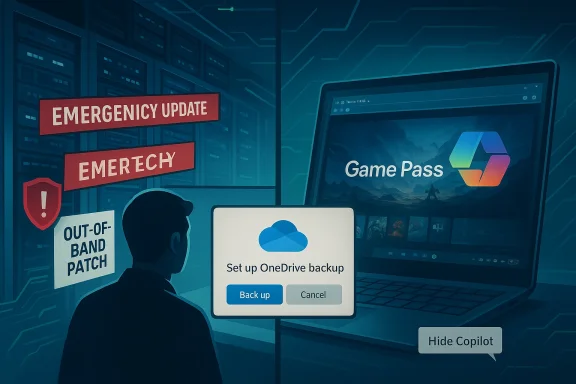
In mid‑January Microsoft’s regular Patch Tuesday rollout introduced a pair of regressions: a configuration‑dependent power‑state issue (devices with System Guard Secure Launch enabled could restart instead of shutting down or hibernating) and a Remote Desktop / Cloud PC sign‑in/authentication regression that affected several servicing branches. Microsoft shipped multiple out‑of‑band (OOB) cumulative updates on January 17 to remediate these problems. Windows Weekly framed fix,” emphasizing the real-world disruption and the speed of Microsoft’s response—four days from Patch Tuesday to OOB packages—while reminding listeners that even mature release processes can produce visible operational failures.Why this matters
- Operational risk is real: The Secure Launch regression wasn’t a cosmetic bug. Restart‑instead‑of‑shutdown behavior in managed fleets breaks maintenance windows, kiosk workflows, and battery/field-device expectations for organizations that rely on deterministic power states. The Remote Desktop authentication failures similarly blocked access to Cloud PC and AVD workflows for some users.
- Testing gaps at scale: These regressions underscore how update testing must account for diverse OEM firmware, third‑party drivers, and enterprise configurations. Even comprehensive CI pipelines miss low‑frequency, configuration‑sensitive interactions.
- Speed of remediation is necessary but not sufficient: Microsoft’s ability to release targeted OOB updates quickly is positive, but it’s a downstream fix for the upstream problem: quality assurance and gating in the update pipeline.
Practical guidance
- Prioritize pilot rings and phased rollouts for managed fleets; don’t auto‑deploy to production without validation.
- When the vendor issues OOB updates, accept the patch quickly for affected devices and validate via telemetry; Microsoft published KB details for the OOB packages in January.
- For critical devices with Secure Launch, test the documented interim workarounds and plan to install the OOB updates as soon as they’re available.
OneDrive Known Folder Move: forced backup nudges and a modest retreat
The change
Microsoft’s long-running push to standardize cloud backups via OneDrive Known Folder Move (KFM) behavior changes make the rollout less abrasive. Windows Weekly noted that Microsoft has quietly adjusted the OneDrive folder backup prompt so users are prompted in‑app (for example, in Office apps) and there’s a clearer path to back out—meaning the flow behaves more like opt‑out than a hard, opaque opt‑in that previously trapped users.Microsoft’s Message Center and roadmap entries had already described a broad rollout of OneDrive prompts to encourage Known Folder Move enrollment, and the vendor’s messaging framed this as an effort to protect user data by default. Administrators were given timeline guidance around public preview and general availability during 2025.
Strengths
- Data protection by default: Encouraging users to sync Desktop, Documents, and Pictures reduces classic data‑loss vectors (local disk failure, accidental deletion).
- Improved UX for backing out: The new behavior gives users a clearer path to deselect folders or opt out, which reduces the friction and alarm associated with earlier forced prompts.
Risks and remaining concerns
- Opt‑out semantics still matter: Nudging towards cloud backup by default can be positive for safety, but opt‑out flows that are subtle or buried still risk surprising privacy‑sensitive users or enterprise admins who expect local-only storage.
- Data residency and compliance: Organizations with specific data residency or regulatory constraints must verify the sync endpoint and tenant controls; Microsoft’s message center guidance remains the authoritative admin channel.
AI and user control: Copilot, prompts, and hiding the assistant
The debate
Windows Weekly’s panel delivered a blunt position: “Just say no” to AI where users or organizations prefer not to adopt it. That refrain contrasts with the product reality—Copilot and other AI touchpoints are increasingly pervasive across Edge, Windows, and Microsoft 365. The conversation reflects a broader tension between Microsoft’s desire to bake AI everywhere and users’ desire for surface‑level control.Hiding Copilot in Edge
A practical win arrived for users who want less AI noise: Microsoft added a simple UI option to hide the Copilot icon in Microsoft Edge (right‑click the Copilot icon and choose “Hide Copilot”), and enterprise controls let admins enforce icon visibility via a policy. This gives users and IT some immediate control over UI surface area. Independent coverage confirmed the rollout in recent Edge Stable updates.Analysis: control vs. inevitability
- UI toggles are useful but partial: Hiding a toolbar button reduces visibility of Copilot but does not fully eliminate every access vector (sidebar, address‑bar nudges, keyboard shortcuts). Users who need a complete removal still must use higher‑risk methods (PowerShell, app uninstalls) that are brittle across updates.
- Enterprise policy is the right lever: For organizations, the ability to set a Boolean policy for Copilot icon visibility (for managed profiles) is the appropriate central control point. It’s a pragmatic compromise between forcing removal and offusion.
Windows on Arm and Xbox: Prism, AVX, and making Arm playable
The announcement
Microsoft’s January platform updates tied together an engineering stack: Prism (the runtime translator), extended emulation for x86 instruction‑set extensions (notably AVX and AVX2), third‑party anti‑cheat support on Arm (Epic’s EAC among others), and the Xbox PC app arriving on Arm Windows 11 devices. Microsoft publicly stated that “more than 85%” of the Game Pass catalog is compatible on Arm devices today under the new stack, and added user‑facing indicators like Windows Performance Fit and handheld compatibility badges to surface realistic expectations. Windows Weekly treated this as a major practical milestone: Arm devices can now download and run many Game Pass titles locally rather than relying solely on cloud streaming.Why Prism and AVX support matter
Modern games and middleware expect SIMD instructions (AVX/AVX2) for physics, audio, and compute work. Previously, missing instruction sets caused hard failures on Arm translation. Expanding Prism to emulate those extensions removes a primary launch blocker for many titles and means more binaries will start and run under translation.Limits, tradeoffs, and practical performance
- Emulation ≠ parity: Emulating AVX/AVX2 is a compatibility victory, not a performance one. Emulated SIMD runs on Arm64 cores via translation and cannot match native x86 throughput; CPU‑bound workloads will still be slower than on native x86 silicon. Microsoft’s “85%” figure signals compatibility, not uniform playability. Treat the metric as a progress indicator, not a performance guarantee.
- Driver and middleware complexity: Anti‑cheat support and GPU driver maturity are as critical as CPU emulation. The addition of EAC support opens the door for multiplayer titles, but not every anti‑cheat vendor or title will be ready immediately.
- Fragmentation risk: Arm Windows hardware and SoCs vary widely. Handheld and laptop experiences will diverge unless OEMs, silicon vendors, and Microsoft coordinate ship‑by‑ship firmware and GPU driver updates.
Practical advice for gamers and buyers
- Look for the new handheld/compatibility badges and Windows Performance Fit guidance in the Xbox app before buying or installing.
- Keep firmware and GPU drivers current—validated OEM updates matter for stability.
- Use cloud fallback (Xbox Cloud Gaming) for titles that remain incompatible or poorly performing under emulation.
Xbox and Game Pass: cloud strategy, new indicators, and a likely ad‑supported experiment
January Xbox updates
The January Xbox update added several customer‑facing improvements: Game Save Sync Indicator (visual confirmation for cloud save status), expanded handheld compatibility badges, Xbox PC app on Arm, and new Play Anywhere additions. These are incremental but meaningful improvements to the end‑user experience.Free, ad‑supported cloud gaming (testing phase)
Multiple outlets reported that Microsoft is testing a free, ad‑supported Xbox Cloud Gaming tier—limited sessions with preroll ads and caps on playtime per session/month. The implementation is reportedly in internal tests with an expected public beta and limited library scope (e.g., owned titles, Retro Classics, Free Play Days). This is not yet a full launch but a company experiment in broadening reach and monetizing streaming access.Implications
- Lowering the barrier to entry: A free ad‑supported cloud tier could expand access for users without high‑end hardware or expensive subscriptions—especially in markets where hardware penetration is a barrier.
- Monetization tradeoffs: Ads reduce frictionless play and introduce UX friction; success depends on the balance of ad load, quality of streaming, and session constraints.
- Customer funnel: A limited, ad‑supported tier could feed paid Game Pass adoption—but if the free tier is too generous, conversion incentives wiI ecosystem moves: ChatGPT Go and Wikipedia’s enterprise deals
ChatGPT Go goes global
OpenAI launched ChatGPT Go globally as a lower‑cost subscription tier offering expanded access to GPT‑5.2 Instant and higher usage limits, with ads planned for the free tier and the Go tier in U.S. tests. The product launch signals continued commercial experimentation across AI consumer pricing tiers.Wikipedia (Wikimedia Enterprise) partners with big tech
The Wikimedia Foundation announced several enterprise partners—including Microsoft, Meta, Amazon, Perplexity, and Mistral—formalizing commercial access via Wikimedia Enterprise. The move monetizes high‑volume, structured access for AI developers and provides a revenue stream for the Foundation while also institutionalizing attribution and scaled API access. The partnerships are a pragmatic route to sustainability, but they also raise questions about independence, data access, and the economics of training datasets.Risks, ethics, and governance
- Ads and access: OpenAI’s decision to test ads in lower‑cost tiers raises privacy and UX questions; ad placement rules and sensitive-topic exclusions are critically important to preserve trust.
- Wikipedia partnerships: Wikimedia Enterprise commercial deals recognize real costs behind a freely edited knowledge base, but critics will ask whether paid, structured access advantages large players over smaller researchers and whether neutral content will be treated differently at scale.
Windows Insider and app updates: what to expect next
Windows Weekly flagged recent and upcoming Insider activity: a new 25H2 build with account dialog modernization, Click to Do, and desktop background improvements in Beta, and fresh Notepad and Paint updates circulating in Dev/Canary—suggesting further polish for the next H‑cycle. These signals align with Microsoft’s cadence of moving experimental UI features through channels before broad rollout.From an IT‑planning perspective, the takeaway is classic: Insiders reveal direction and timing, but not final packaging or platform gating. Treat Dev/Canary feature presence as a preview, not a guarantee.
Practical tips and picks (actionable takeaways)
Secure your Microsoft account (quick checklist)
- Enable multifactor authentication (MFA): Use an authenticator app rather than SMS where possible.
- Enable passkeys synchronization: Microsoft supports passkeys synced to your Microsoft account; configure one‑time setup in Windows Settings or via account.microsoft.com > Security to store passkeys safely and enable cross‑device sign‑in.
- Use a hardware security key for high‑value accounts when possible.
- Review device and app access: Periodically audit trusted devices and active sessions.
App pick: AI Dev Gallery (as noted on the show)
Windows Weekly recommended AI Dev Gallery as a showcase of what developers can do with free and accessible AI tooling against local CPU/GPU/NPU resources—an interesting playground for developers experimenting with models and on‑device AI.Authenticator app pick
- Microsoft Authenticator, 1Password, and Bitwarden all support passkeys and cross‑device syncing; choose what fits your threat model and management preferences. Microsoft’s passkey guidance is a good starting point if you plan to tie passkeys to your Microsoft account. (m])
Critical analysis: balance of innovation, control, and trust
Windows Weekly’s episode captures the shape of Microsoft today: aggressive innovation plus pragmatic backpedals. The company is pushing AI and cloud features into core surfaces (Copilot, ChatGPT integrations, cloud gaming) while also iterating quickly on quality and user control when mistakes or backlash occur.Strengths:
- Microsoft’s rapid OOB fixes demonstrate operational responsiveness.
- OneDrive’s revised KFM prompt is a small but important UX concession that respects user choice more than earlier flows.
- The Arm gaming pivot (Prism + AVX + EAC + Xbox app) is a well‑coordinated technical stack that materially improves the viability of Arm Windows for gaming.
- Rapid rollouts increase the chance of user‑visible regressions and can erode trust when critical functionality breaks.
- UI‑level toggles for AI are helpful but do not eliminate telemetry, background services, or alternative access points—complete control requires enterprise policies or brittle workarounds.
- Emulation gains on Arm reduce compatibility gaps but do not eliminate the performance delta; marketing messages that conflate compatibility with performance risk disappointing consumers.
- Microsoft’s “85% of Game Pass compatible on Arm” figure is a company‑supplied progress metric; treat it as indicative rather than definitive.
- Speculation about the long‑term commercial effects of ad‑supported cloud gaming and ChatGPT Go’s ad experiments will only be resolved after public beta data and user acceptance metrics are available.
Conclusion
Windows Weekly 967 is both a practical briefing and a reminder: for Windows users, the stakes of platform evolution are now simultaneously technical, commercial, and social. Microsoft is moving fast—on updates, on OneDrive policy nudges, on AI, and on enabling Arm gaming—but fast movement comes with tradeoffs. The company’s responsiveness (emergency OOB fixes, better OneDrive back‑out flows, Copilot visibility controls) shows engineering maturity, yet the frequency of change heightens the need for transparent communication, manageable defaults, and robust enterprise controls.For readers: adopt a cautious upgrade posture for critical systems, take advantage of new UI controls to reduce unwanted AI surface area, and test Arm gaming expectations against real performance data rather than compatibility headlines. The ecosystem is improving in meaningful ways, but the best experiences will favor a careful, measured approach to adoption.
Source: Thurrott.com Windows Weekly 967: Second Generation Bonobos
